
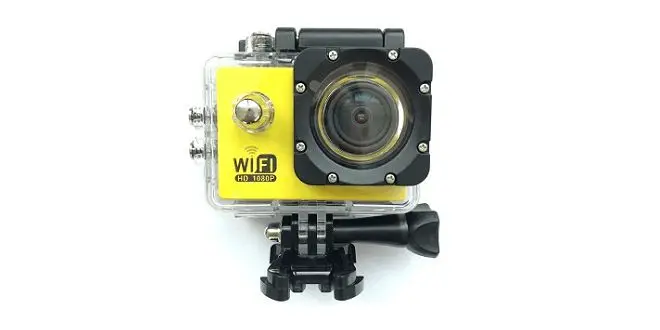
The V3 Sports Action Camera is a new generation Multipurpose product based on Allwinner’s latest Solution. This multifunctional camera can be used in various ways, for example, it can work as a stills camera assembled with a special belt clip or as a Front DVR Car Camera, Also great for extreme sports activities camera and so forth.
Among device specifications, you can find new interesting features and improvements compared to cameras launched a few months back. Features such as 1080P/60fps recording, a useful option for recording videos in movement, OTA firmware updating, SD Card slot supporting storage space up to 64GB, Large 2 inch HD screen along with a 4MP OV CMOS Sensor that should produce a pretty good video.
Main Highlights:
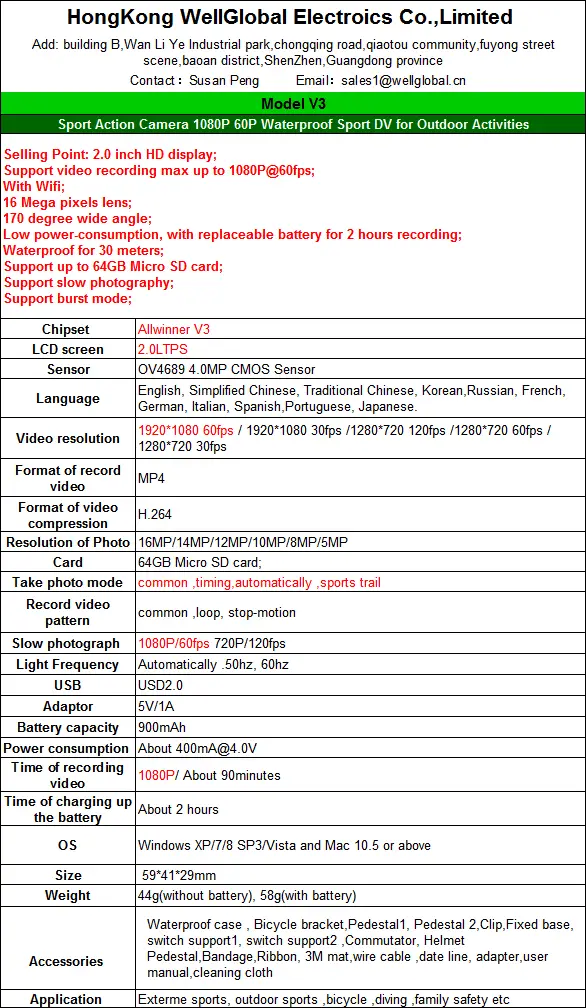
- Model: V3
- Chipset:Allwinner V3
- 2.0 inch HD display.
- 16 Megapixels lens.
- 170-degree wide-angle.
- WiFi Support.
- Waterproof for 30 meters.
- Low power consumption, with a replaceable battery for 2 hours recording.
- Support up to 64GB Micro SD card
- Support slow photography.
- Support burst mode.
- Software Online Update.
- Sensor: OV4689 4.0MP CMOS Sensor
- Support video recording max up to 1080P@60fps;
- Resolution: 1920*1080 60fps / 1920*1080 30fps /1280*720 120fps /1280*720 60fps / 1280*720 30fps.
Package

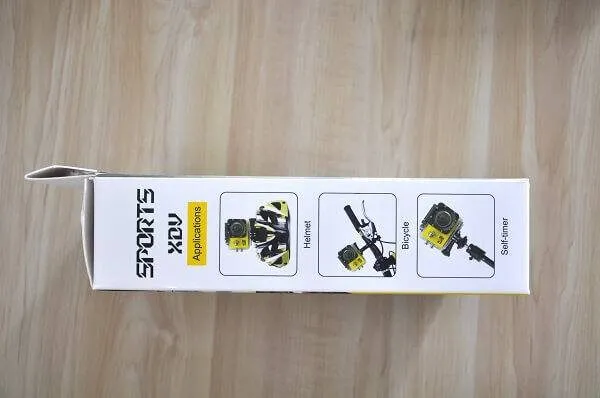
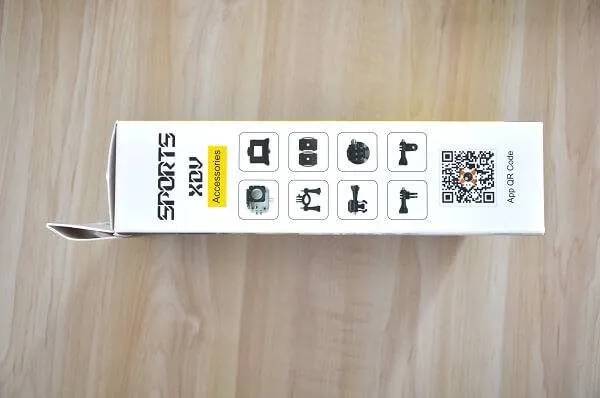
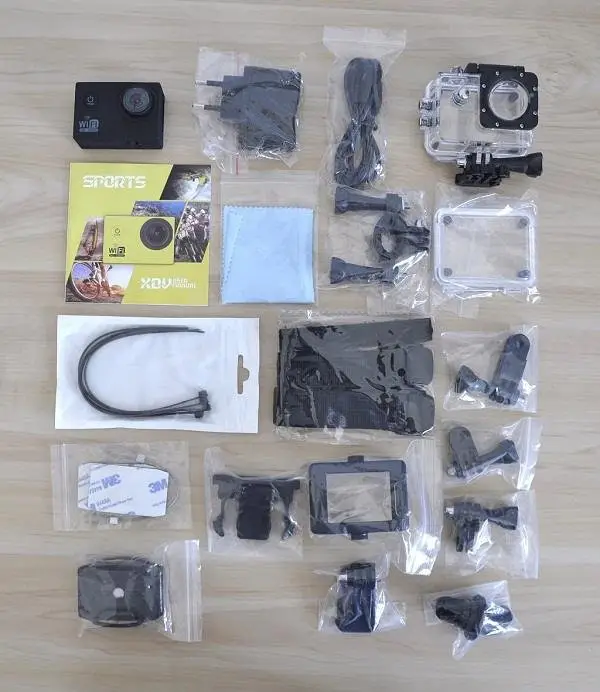
Unpacking All Items
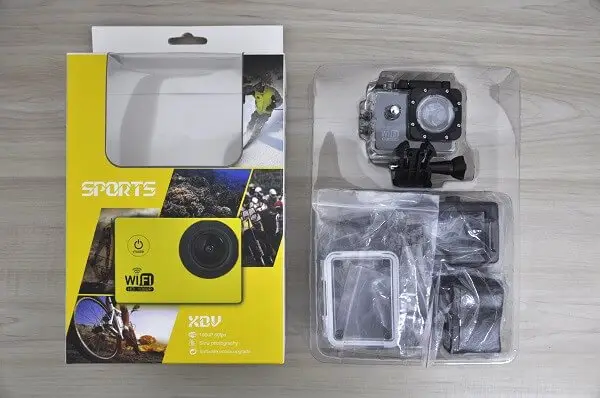
Allwinner V3 Sports Action Camera | Unpacking All Items In Package / Kit
Unpacking Video
Items included in the package
V3 Package is very extensive and contains many mounting accessories for various camera applications, according to user needs. The Product itself is intended to work as a sports Activity camera. You can mount it on a helmet or bicycle or dive with it in depths up to 30M. Because we are talking about a multi-functional camera, and not only for sports It can also be used as a front Car DVR Camera to record/monitor what’s going on on the road head or uses it as a mini stills camera with a special mounting belt accessory, that is also included in the V3 package.
Design & Quality
From my checks, both quality and design are good. This is maybe the first camera I managed to open the battery closure and get the battery unit out and assemble it back, without a need to inserting it with excessive force. Some manufacturers tend to design the battery housing dimensions very, very tight, which causes the battery to pass most of the heat to the camera body. With this product I didn’t have this issue.
V3 Sport Camera Inside Protective Water Case
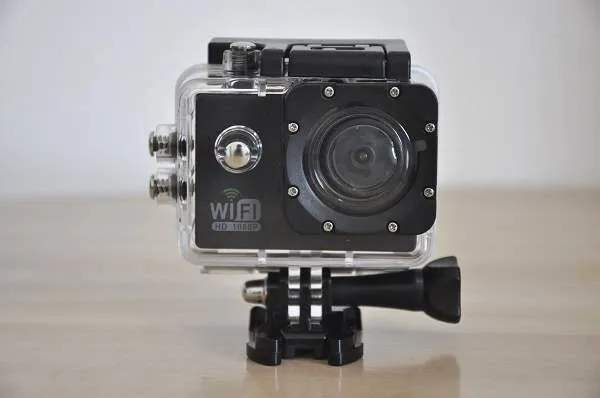 V3 Sport Action Camera Full View
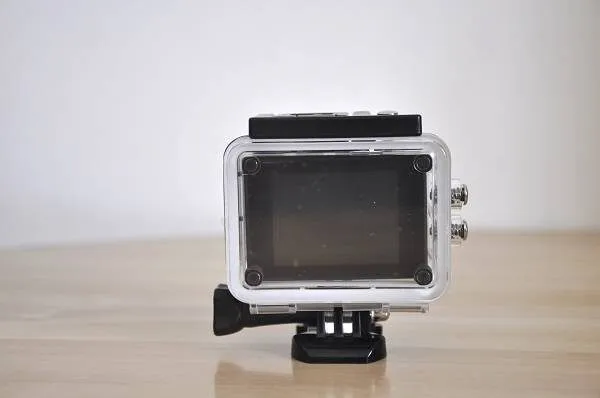
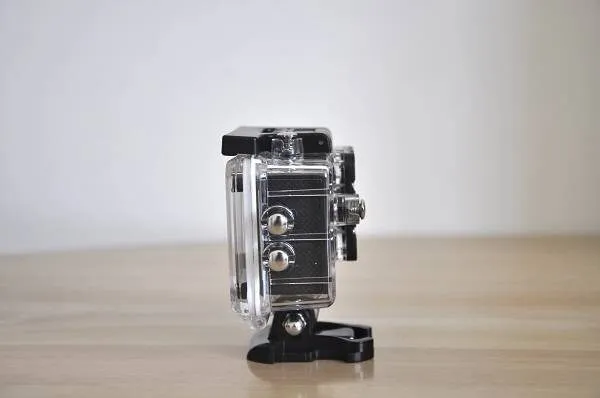
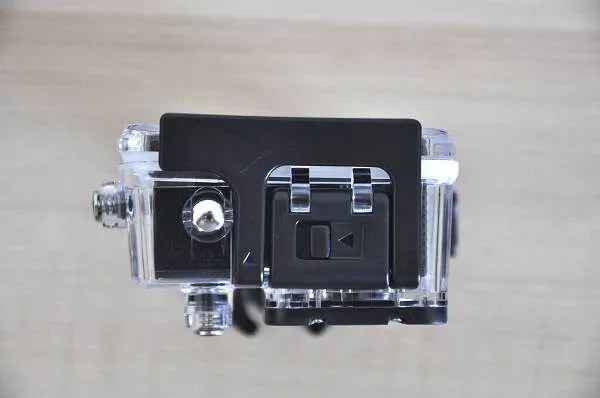
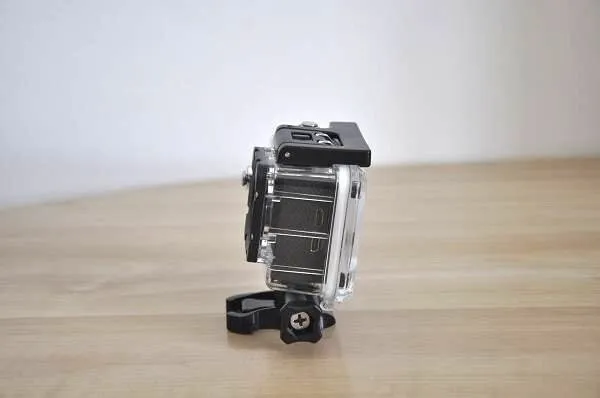
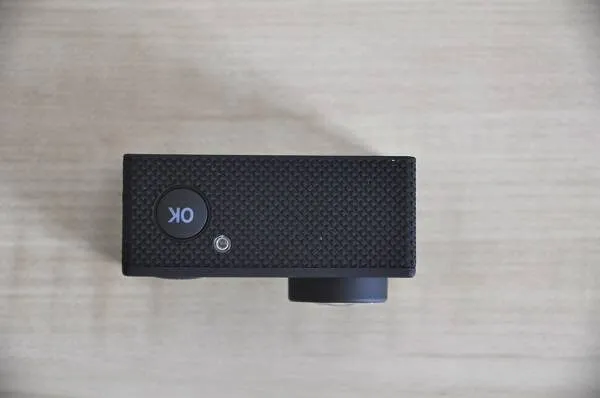
V3 Sports Action Camera
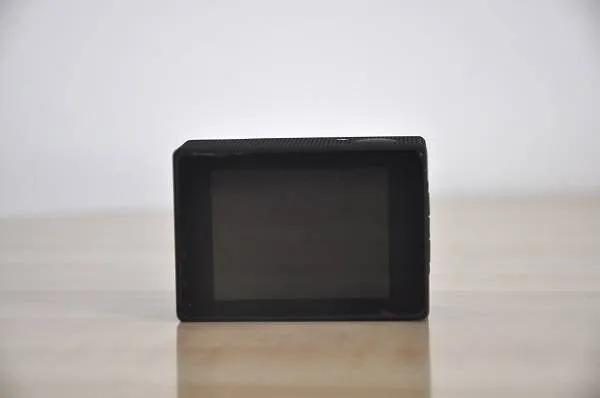
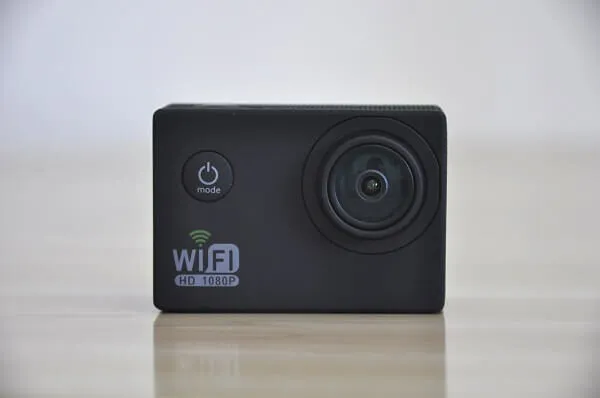 Allwinner V3 Sport Action Camera Front
Operation & Performance
The V3 camera is very easy and comfortable to use. Switching between different operation modes is done by pressing the “Mode” button located in front of the camera. One-Click switches the camera into video recording mode, second switches to photo mode and the third one gets you into the Main settings menu, where you can select the recording resolution, exposure level, Main language, etc..
Stills Photography
According to the spec sheet by manufacturer, Camera uses an OV4689 4.0MP CMOS Sensor with software Interpolated up to 16MP resolution. In Optimal light conditions camera records good quality videos, but In low light condition still photos came out grainy and blurred.
Video Performance – (Test Condition: Sunny Day / Walk)
On my video recording tests, video quality was pretty good producing a relatively sharp picture.
Camera WiFi Function
The WiFi feature gives the user an option to control almost all camera functions. All main functions are controlled remotely with a mobile app, without any need to touch the camera buttons. Very useful when using the camera as a front DVR camera when driving or mounting it on a bicycle. The last advantage is the option to see exactly what the camera is viewing on a bigger screen, though a mobile device such as a Tablet PC or Smartphone.
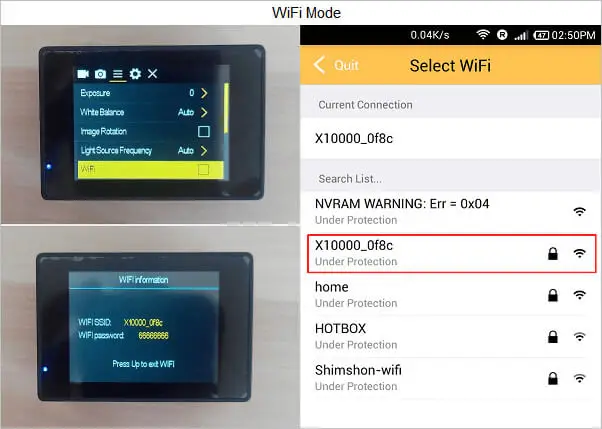
Connecting the camera with a phone in the WiFi mode is very easy and straightforward. For the first step, you will need to install a simple Barcode scanning App. The next step is downloading the XDV. Apk mobile Android App by scanning the App QR Code printed on the left side of the Product package.
Connecting Mobile Phone/Tablet PC to Camera | 3 STEPS :
- Selecting a WiFi Option thought camera settings menu.
- After a few seconds message appears with camera SSID.
- Entering the XVD APP and selecting SSID from The WiFi List.
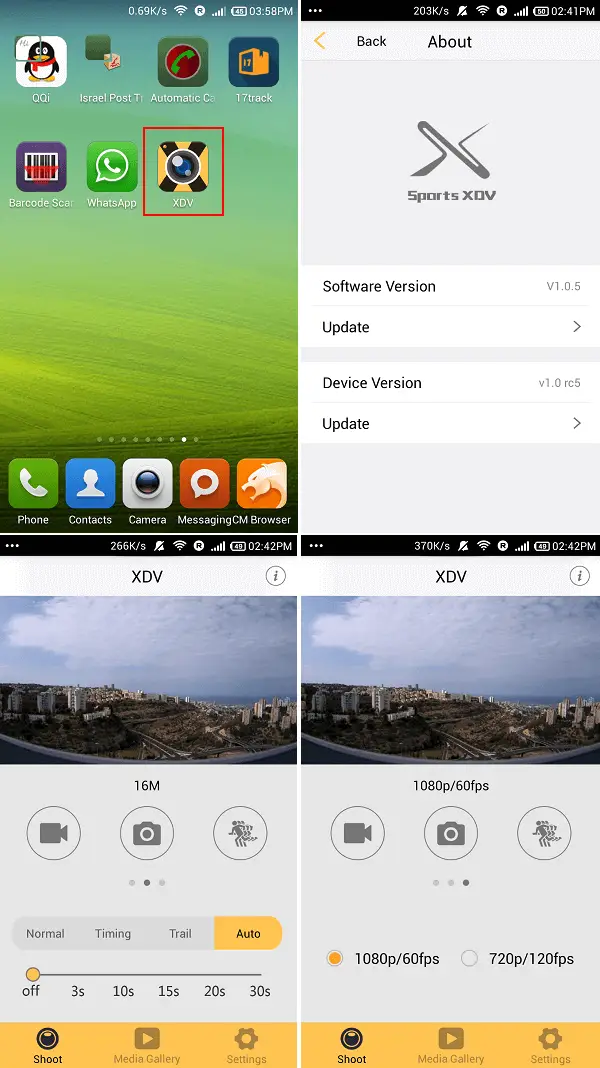
Linking between the camera and mobile device relies on a local WiFi or 3G/4G Connection, working with the phone in Hot Spot Mode. Once both devices are connected, You will see three main options (from left to right): Video Recording, Stills Photography, and resolution settings (Shown in the photos below).
XDV. Apk | Android Mobile App
Final Words
Good camera with a nice performance. For further information and inquiries about the product welcome to contact the supplier directly at Wellglobal.

Key Takeaways
- The V3 Sports Action Camera is a new generation Multipurpose product based on Allwinner's latest Solution.
- The Product itself is intended to work as a sports Activity camera.
- v=Puh5ARrq1mU Camera WiFi Function The WiFi feature gives the user an option to control almost all camera functions.
- Very useful when using the camera as a front DVR camera when driving or mounting it on a bicycle.
- Connecting Mobile Phone/Tablet PC to Camera | 3 STEPS : Selecting a WiFi Option thought camera settings menu.