
- Maybe you missed it? Review of the Banana Pi BPI-R4 Lite.
- Banana Pi BPI-R4 Pro Review: A quick rundown of the key features of the new router.
Part One: Meet the successor to the R4, the more powerful and advanced BPI-R4 Pro Router Board.
Following the successful launch of the R4 and R3 router series, the Banana Pi team recently launched their new enhanced and more advanced edition. The new model, tentatively called the BPI-R4 Pro, is based on the MediaTek MT7988A (Filogic 880) SoC, offering high-end performance with plenty of advanced features.
To boost community engagement and make sure the product meets user needs, the company has shared the final specs and photos of the router board. It’s also expected to receive official support through official mainline OpenWrt images, similar to the R4 board series. So, let’s dive into the board’s features and see what’s new!
Banana Pi BPI R4 Pro X8 – A complete overview of the board
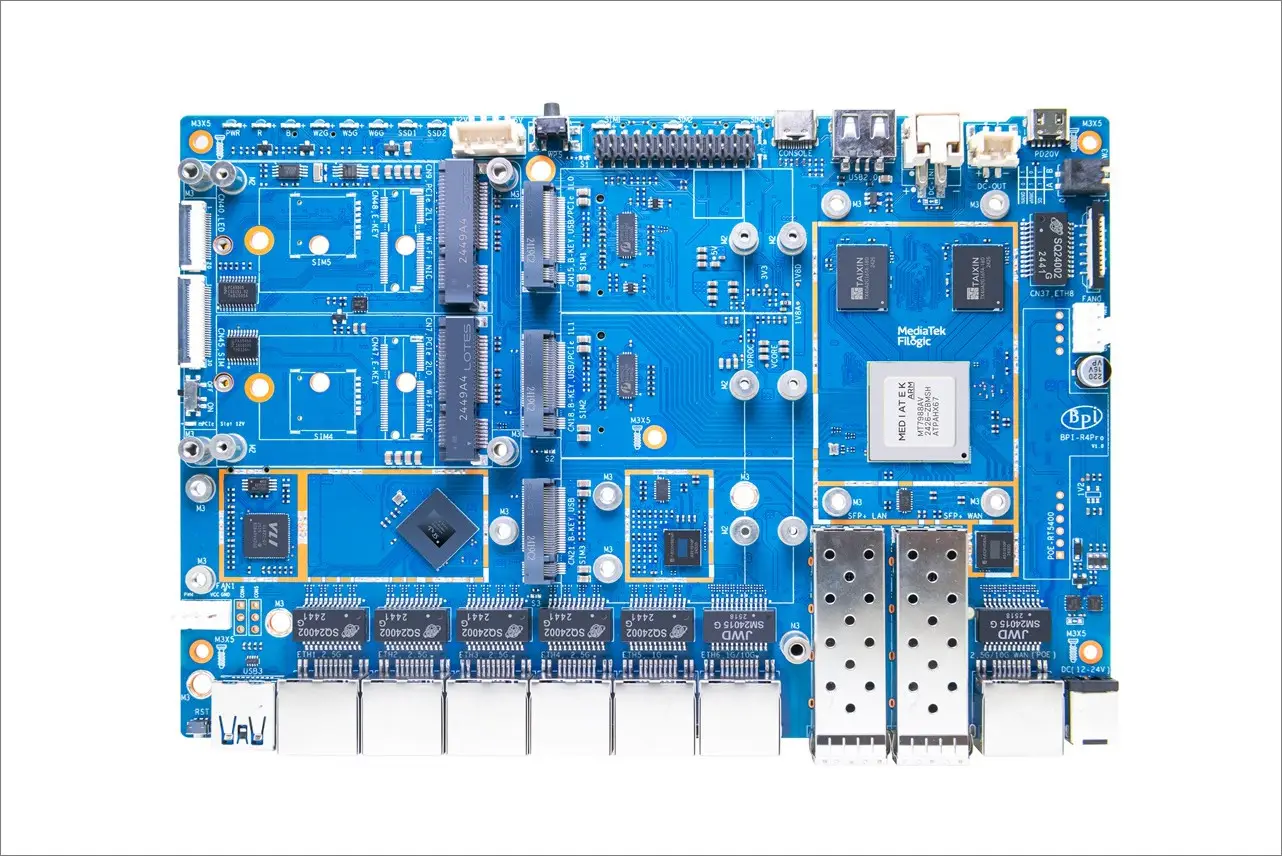
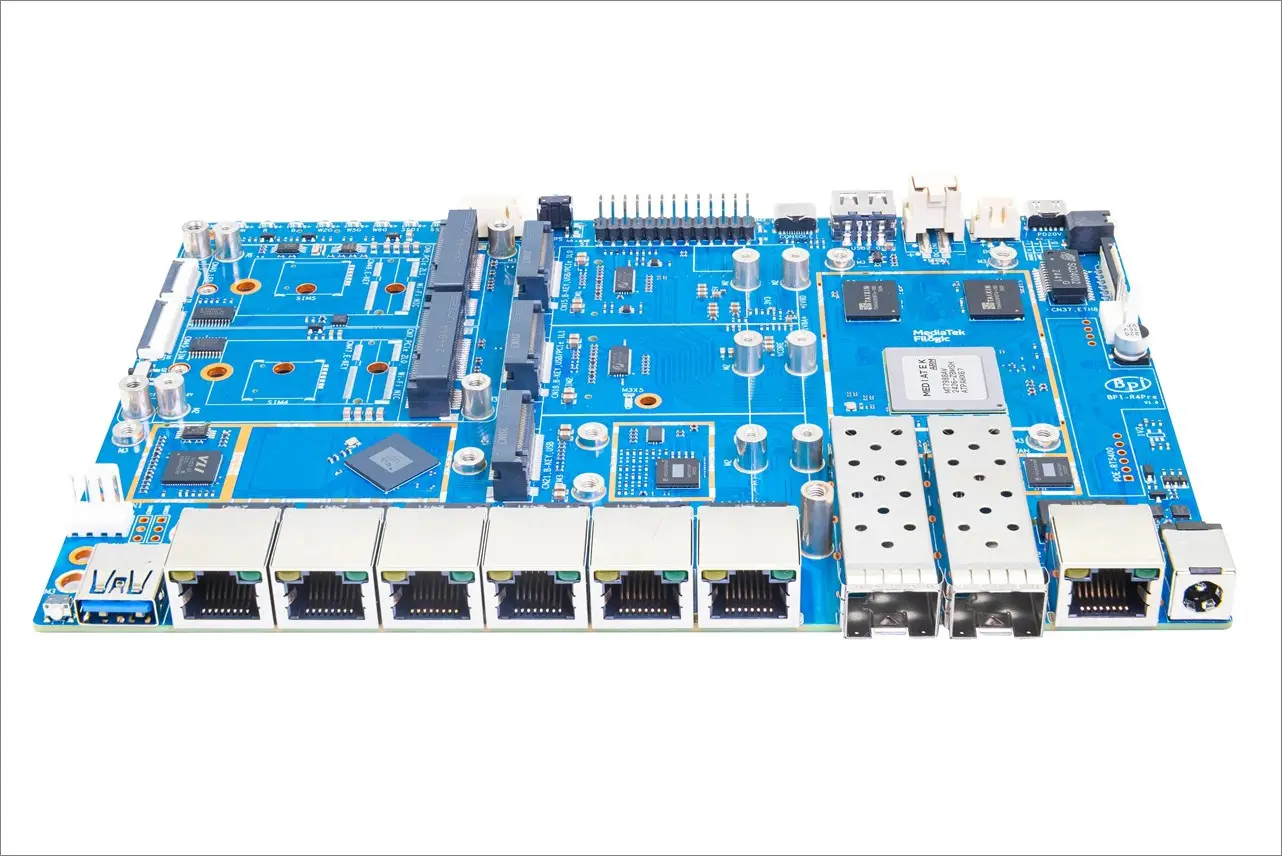
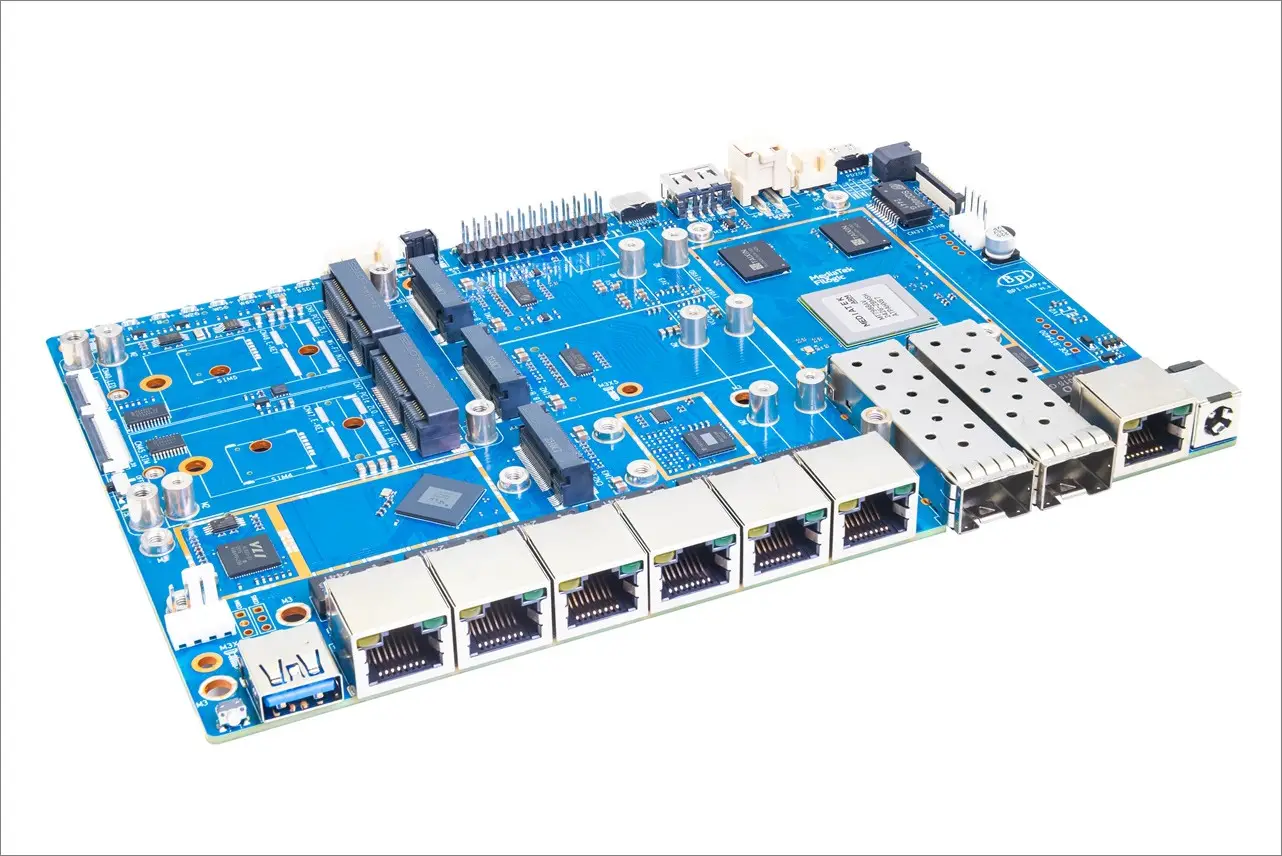
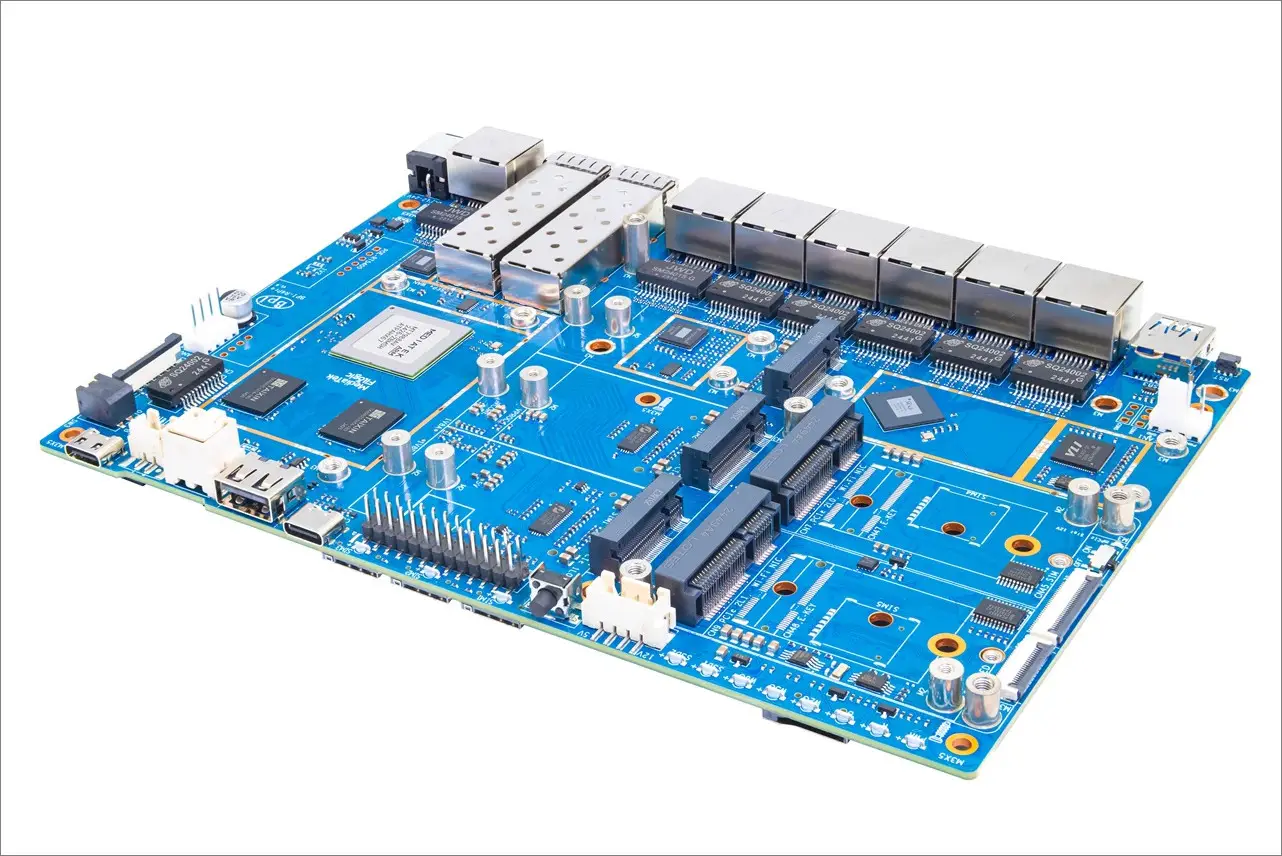
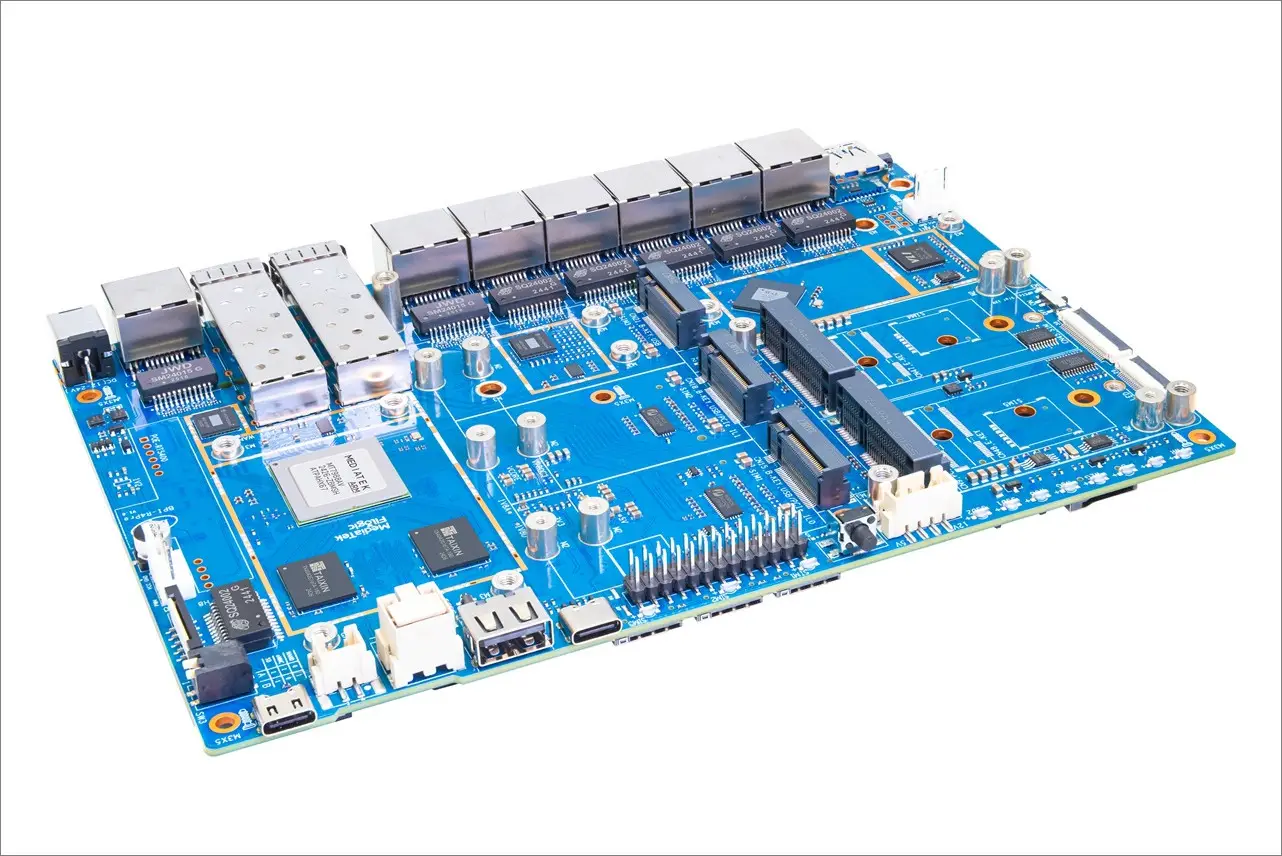
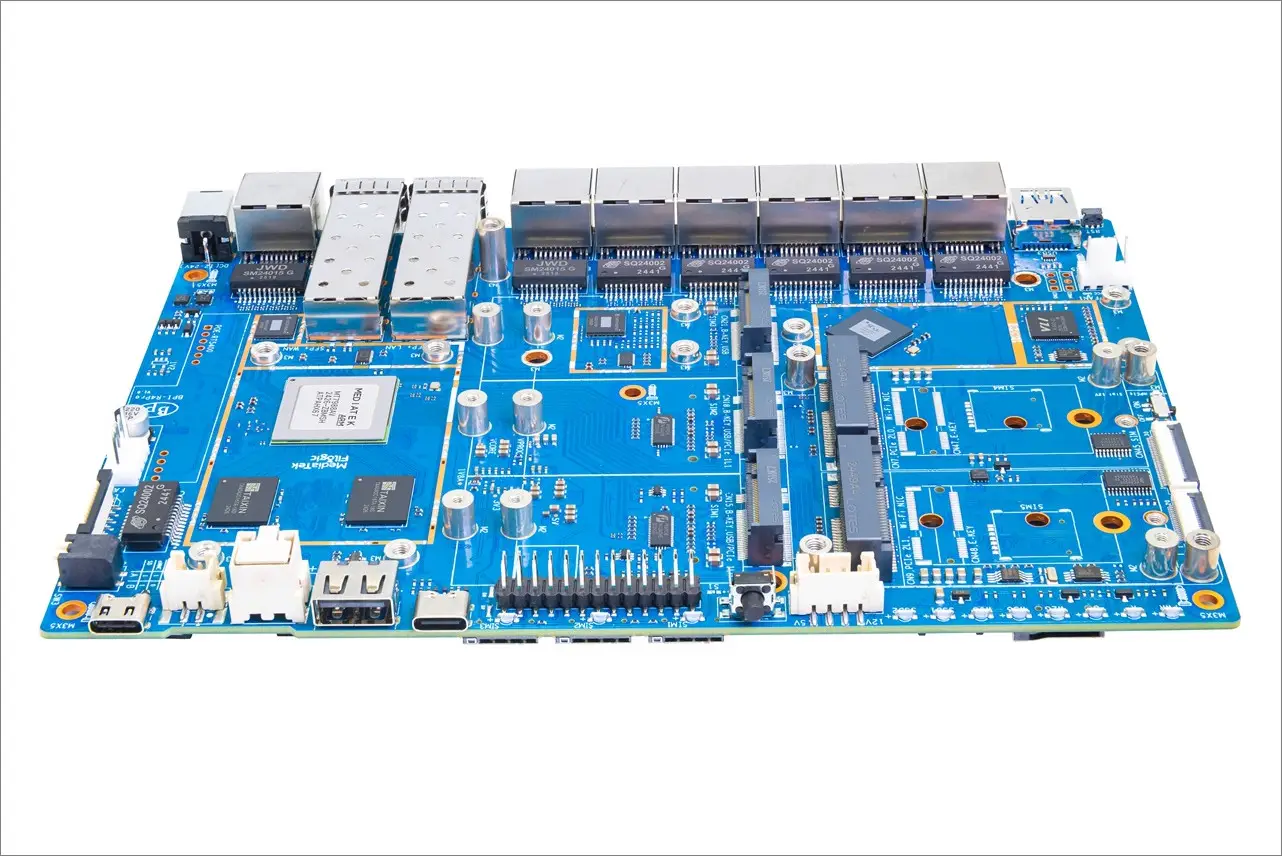
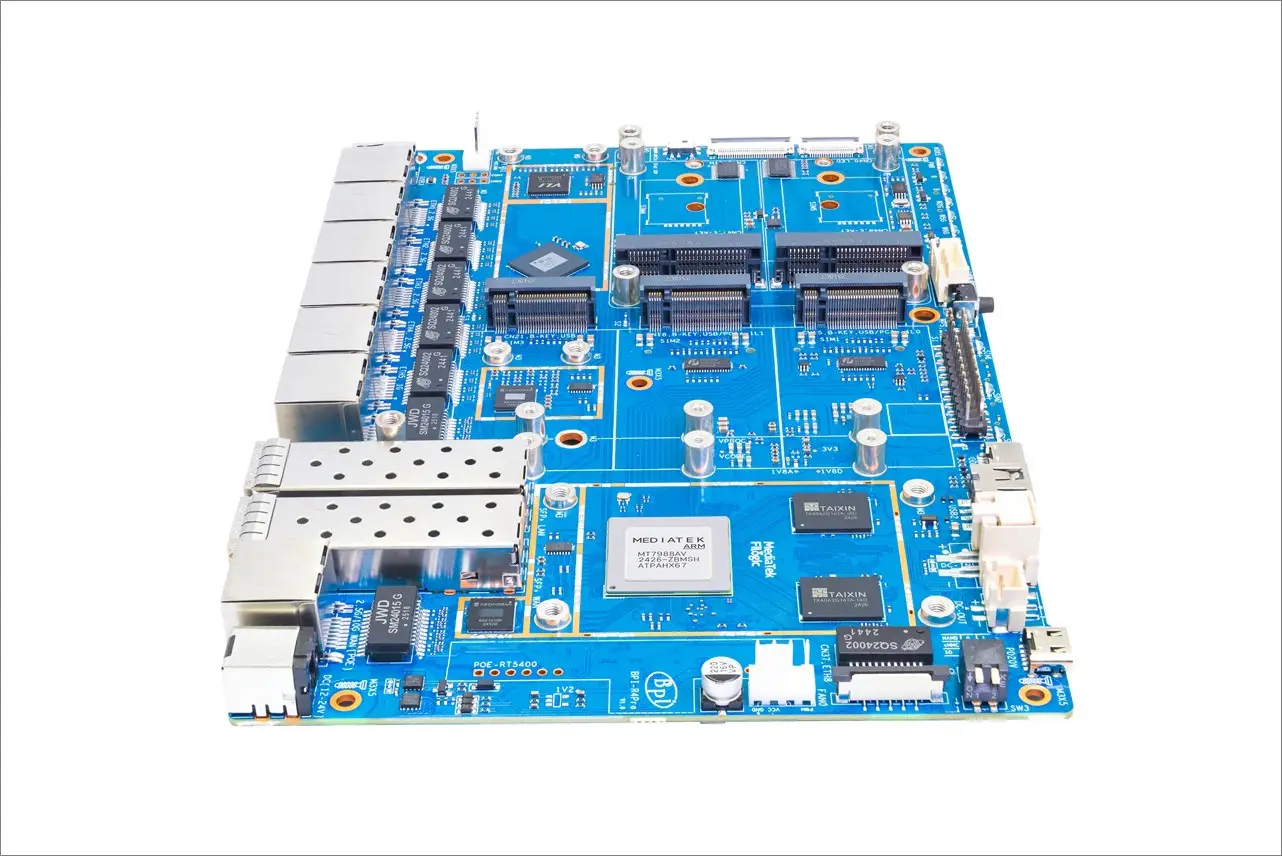
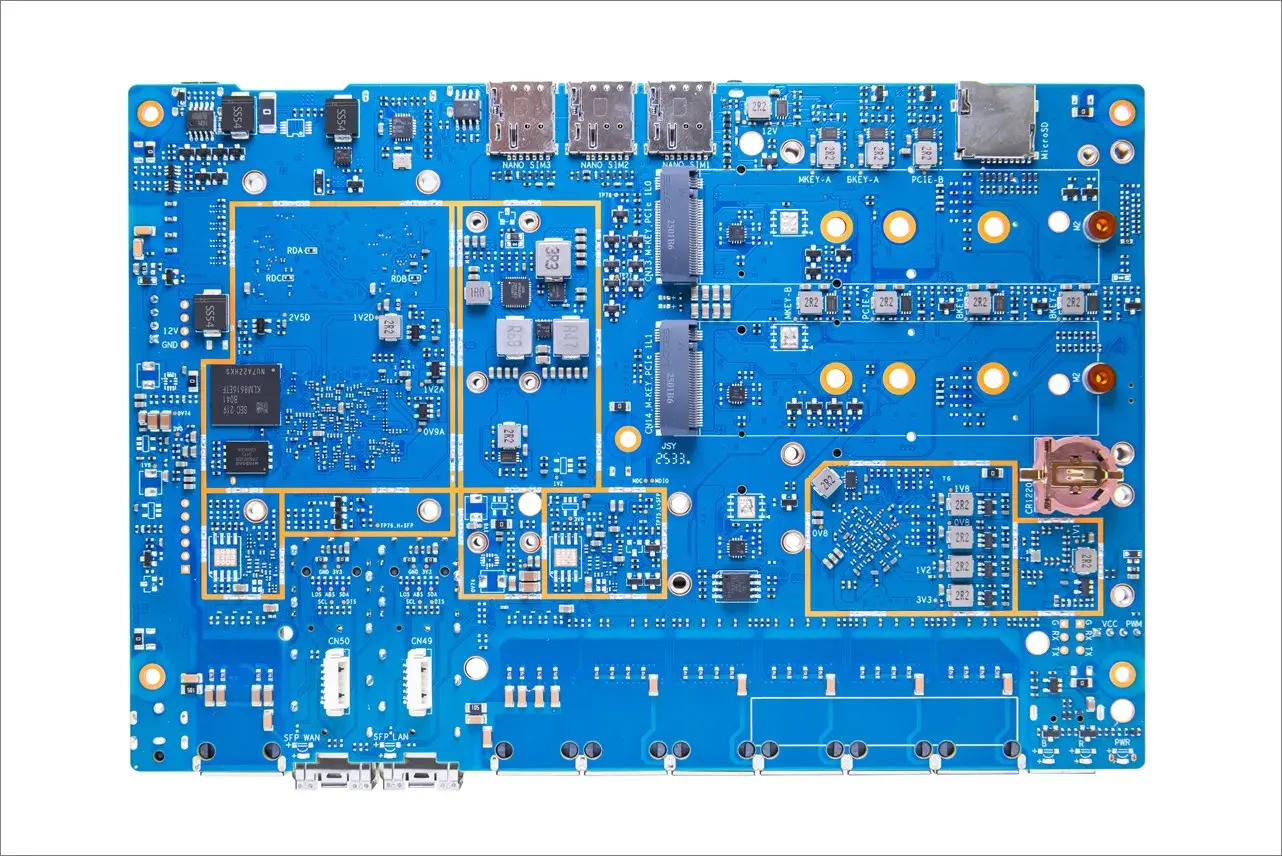
Equipped with the MediaTek Filogic 880 SoC
1. Enhanced connectivity with WiFi 7 support
The hardware delivers a dependable network experience for both wired and wireless applications, featuring an array of connectivity options: four Gigabit Ethernet ports, two UNXGMII interfaces, four PCIe ports, and two USB 3.2 ports. The MT7988A is engineered to facilitate Wi-Fi 7 tri-band connectivity across 2.4 GHz, 5 GHz, and 6 GHz bands. It also includes a companion chip that supports an impressive 320 MHz bandwidth, 4096-QAM, MLO, MRU, and AFC capabilities.
2. Interfaces
The MediaTek Filogic 880 platform stands out for its scalability and boasts a range of high-speed internal and external interfaces, including 10Gbps PCI-Express, 5Gbps USB, UART, SD, SPI, PWM, GPIO, and OTP. This diversity provides developers with a wealth of opportunities for customization.
3. Computing power
Equipped with a robust Quad-Core CPU and a MediaTek Network Processor (NPU), the Filogic 880 boasts a speedy quad-core Arm Cortex-A73 processor with a substantial internal cache and clock speeds reaching 1.8GHz. This results in exceptional performance, achieving nearly 30K DMIPS. By leveraging the NPU to handle network-related tasks, device manufacturers are empowered to utilize CPE at no cost, enabling them to personalize operating systems, incorporate built-in services, and develop applications that expand the functionalities typically found in top-tier router and access point devices.
4. NPU
MediaTek-designed on-chip network processing unit (NPU) provides hardware QoS acceleration and tunnel offload engines for VLAN / PPTP / L2TP / GRE. It goes above and beyond in that it can use both Wi-Fi and Ethernet connections, ensure full-speed performance while offload the main application processor.
5. Equipped with Tunnel Offloading Processor System (TOPS)
In order to meet the needs of rapidly evolving tunneling applications, MT7988A is equipped with the MediaTek Tunnel Offloading Processor System (TOPS), which helps to handle various tunneling protocols. MT7988A is committed to taking network transmission performance to an advanced level by optimizing network performance with fine-tuned MediaTek TOPS ISA.
Specifications
| Category | Specification |
|---|---|
| SoC | MediaTek Filogic 880 platform |
| Processor | MediaTek MT7988A Quad-core Arm Cortex-A73, 1.8GHz |
| Memory | 4GB / 8GB DDR4 |
| Storage | 8GB eMMC Flash 256MB SPI-NAND Flash 1x Micro SD Card Slot |
| WAN Ports | 1x 10G SFP WAN 1x 2.5G RJ45 WAN (Optional with 10G SFP WAN, PoE support) |
| LAN Ports | 1x 10G SFP LAN 5x 2.5G RJ45 LAN 1x 1G RJ45 LAN 2x 1G LAN (FPC Connector) |
| Expansion Slots | 3x M.2 B-KEY (USB 3.2 for 5G Module) 2x miniPCIe (PCIe 3.0, 2-lane for Wi-Fi 7 NIC) 2x M.2 M-KEY (PCIe 3.0, 1-lane for NVMe SSD, switchable to B-KEY). |
| USB Ports | 1x USB 3.2 1x USB 2.0 1x USB Type-C (Debug Console) |
| Headers | 2x 13-PIN Header for expanding applications |
| Power Supply | Type-C PD 20V DC IN (5521) 12V/24V |
| Dimensions | 194 x 132mm |
Featuring a new and improved design
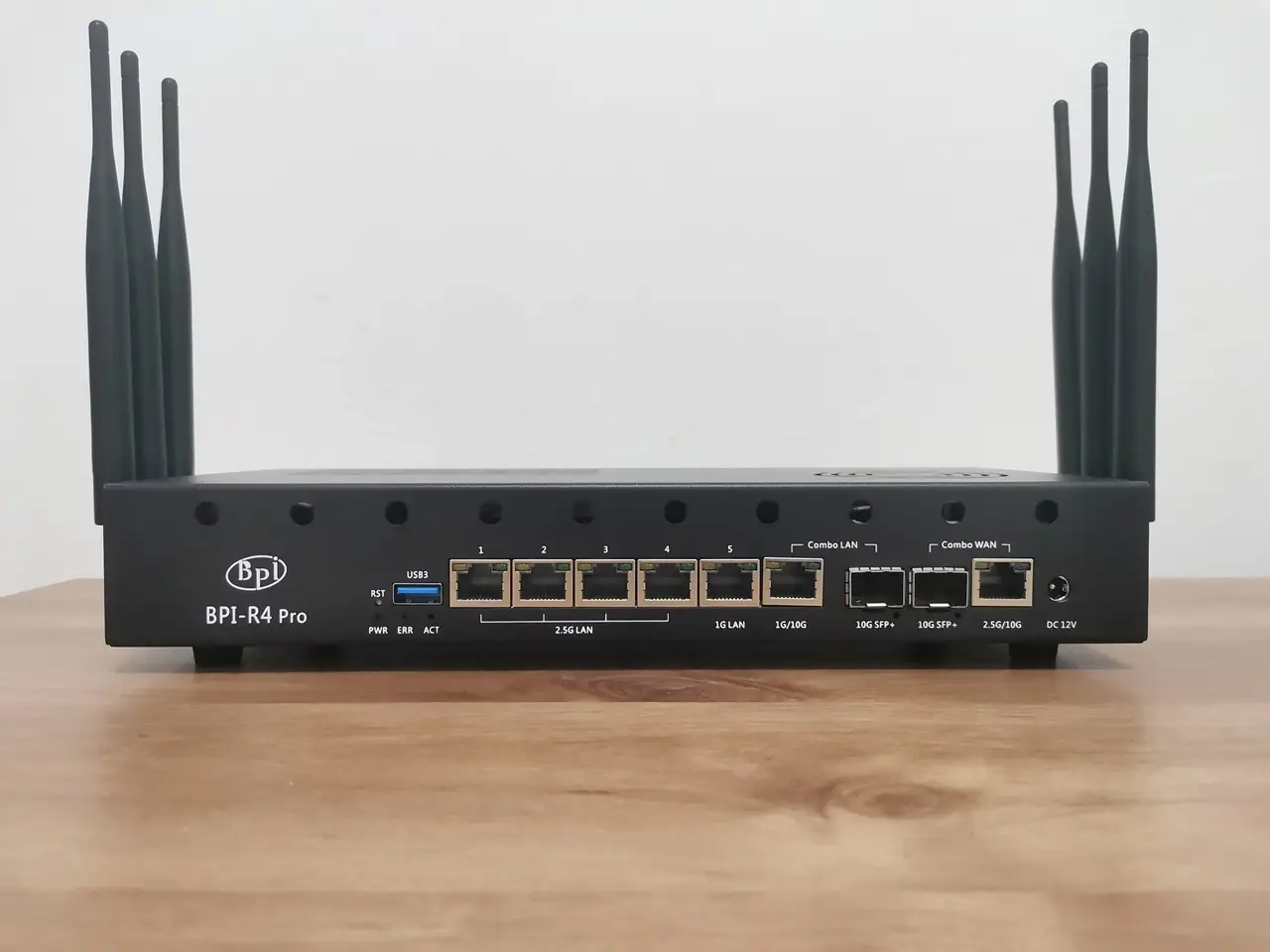
General design updates have been made compared to the previous Banana Pi R4, including an improved case design.
In addition to the R4 Pro upgraded ports and network interfaces, the new metal case features holes for mounting a pair of fans, one on each side, including one on top which makes it easier to expel hot air from the case. Additionally, the WiFi NIC expansion card PCIe slots are conveniently located at the top of the board instead of underneath and feature a passive cooling option with a large size heatsink that covers all the NIC (network interface card) chips.
When it comes to holes for external antennas, there are plenty—about 26 in total. There are three antenna holes on each side of the case, along with an additional ten located on the rear and front sides of the enclosure.
A Detailed Look at the Banana Pi BPI-R4 Pro Metal Case Design
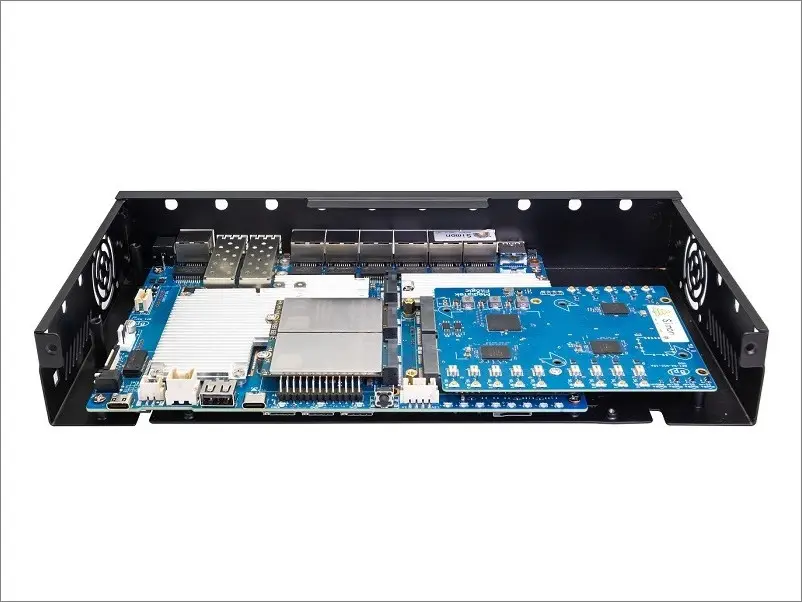
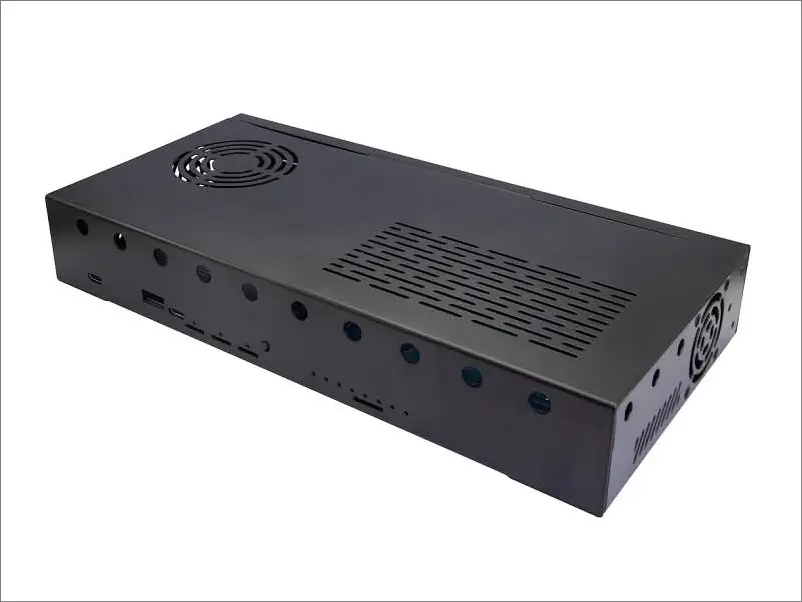
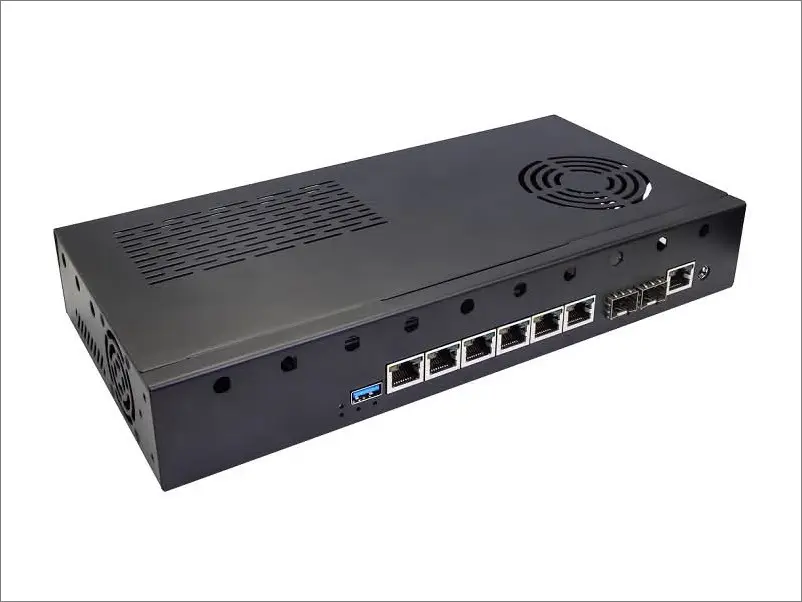
Detailed Overview of the Board Interfaces
![Banana Pi BPi R4 Pro 8X Interfaces [TOP View]](https://cdn.androidpimp.com/wp-content/uploads/2025/10/BPi-R4-Pro-8X-Interfaces_1-1196x1280.webp)
Network ports
The device features four 2.5G network ports powered by the MxL86525 chip, along with a Gigabit network port. Additionally, it includes a 1G/10G LAN network port and a 10G SFP+ interface. However, it’s important to note that these two interfaces operate on the same channel, so only one can be utilized at a time.
RT5400 PoE Module (Optional)
If you are still concerned that the network port offerings are insufficient, the R4 Pro features an FPC interface that connects to a Gigabit network port. This means it can accommodate a maximum of two 10 Gigabit network ports, four 2.5G network ports, and two Gigabit network ports—resulting in a total of eight network ports. overall, This configuration is more than capable of fulfilling most usage requirements.
Mobile network connectivity
For those who require mobile network capabilities, the Banana R4 has you covered. It features two M.2 B-Key interfaces that support PCIe3.0x1/USB3.2 channels, allowing for the installation of 4G or 5G communication modules. In addition, there is another M.2 B-Key interface dedicated solely to USB 3.2 channels for 5G modules. This design accommodates a total of three 5G communication modules. Furthermore, the device includes three SIM card slots, and for those who need additional capacity, the Banana Pi also offers an extra FPC interface for connecting an additional SIM card slot.
![Banana Pi BPi R4 Pro 8X Interfaces [Rear View]](https://cdn.androidpimp.com/wp-content/uploads/2025/10/BPi-R4-Pro-8X-Interfaces_2-1196x1280.webp)
Wi-Fi 6E/Wi-Fi 7 NIC card
Like the Banana Pi R4, the R4 Pro features two Mini PCIe interfaces that can accommodate Wi-Fi NICs and work with Wi-Fi 6, Wi-Fi 6E, and Wi-Fi 7 modules. By default, it comes bundled with the BPI-R4-NIC-BE14 (BE14) expansion board, which connects to the R4 Pro via the two mPCIe slots and provides high-speed connectivity along with ports for six Wi-Fi antennas.
If that’s not enough, the R4 Pro also supports the more advanced BE19, which likely outperforms the BE14 in signal strength and range, and comes with fourteen onboard Wi-Fi antenna sockets, making it a premium, high-end Wi-Fi solution.
| Feature | BPI‑BE14 | BPI‑BE19 |
|---|---|---|
| Wi‑Fi Standard | Wi‑Fi 7 (802.11 a/b/g/n/ac/ax/be) | Wi‑Fi 7 (design completed, production-ready) |
| Chipset | MediaTek MT7995AV chipset | MediaTek MT7996/MT7995 |
| Max PHY Data Rate | 13700 Mbps | 19000Mbps |
| Bands | 2.4 GHz (2×2) 5 GHz (3×3) 6 GHz (3×3) | 2.4 GHz (4×4) 5 GHz (4×4) 6 GHz (4×4) |
| Antenna Count | 6 antennas | 14 antennas |
| Performance Notes | Optimized baseband, hardware offload engine, high throughput, stable connectivity | Expected to have improved radio noise performance vs BE14 |
| Status | Fully released | Newly finished design (2025) |
| Target Use | High‑performance Wi‑Fi 7 NIC for BPI‑R4/Pro | Higher‑end Wi‑Fi 7 module with more antennas |
BE14 – Tri‑band Wi‑Fi 7 NIC Configuration
The Banana Pi BPI‑R4‑NIC‑BE14 Wi‑Fi 7 module uses a 3T3R (3‑transmit, 3‑receive) setup for the 5 GHz and 6 GHz bands, while the 2.4 GHz band uses a 2T2R configuration. This means it supports three spatial streams on both the 5 GHz and 6 GHz bands, allowing the radio to transmit and receive three streams for higher throughput and better MU‑MIMO performance.
| Band | Streams | Notes |
|---|---|---|
| 2.4 GHz | 2T2R | 20/40 MHz |
| 5 GHz | 3T3R | 20/40/80/160 MHz |
| 6 GHz | 3T3R | 20/40/80/160/320 MHz |
BE19 – 4T4R band Wi‑Fi 7 NIC Configuration
| Band | Streams | Notes |
|---|---|---|
| 2.4 GHz | 4T4R | 20/40 MHz |
| 5 GHz | 4T4R | 20/40/80/160 MHz |
| 6 GHz | 4T4R | 20/40/80/160/320 MHz |
Storage Options
When it comes to storage options, in addition to the onboard memory, there is a convenient MicroSD card slot. The device also features two M.2 M-Key 2280 interfaces with PCIe 3.0 x1 support.
Power Supply
The power supply port Uses a USB Type-C interface, capable of supporting a maximum of 20V. Additionally, it features a VH-2 pin interface that also supports up to 20V. For versatility, there is a 5.5×2.1mm DC interface that accommodates both 12V and 24V power supplies. Furthermore, it includes an XH-2 pin interface for power output, alongside an XH-4 pin interface that provides 5V and 12V voltage output. Lastly, it integrates a P.P.H. H.-3 pin 5V PWM fan interface, as well as a 2.54mm-4 pin 12V PWM fan interface.
Key interfaces
The CAD design images shared on the Banana Pi Forum reveal a highly promising concept featuring two M.2 Key-B slots for NVMe SSDs. The device boasts five 2.5GbE ports alongside one 1GbE RJ45 Ethernet port and two SFP+ cages, offering the flexibility to connect either an RJ45 Ethernet copper module or a fiber optic module, making it ideal for fiber internet infrastructures. While this design may still evolve, the core concept is distinctly clear. Additionally, akin to the previous R4 board series, there are two mPCIe slots available for integrating a Wi-Fi network interface card (NIC) and one USB host port.
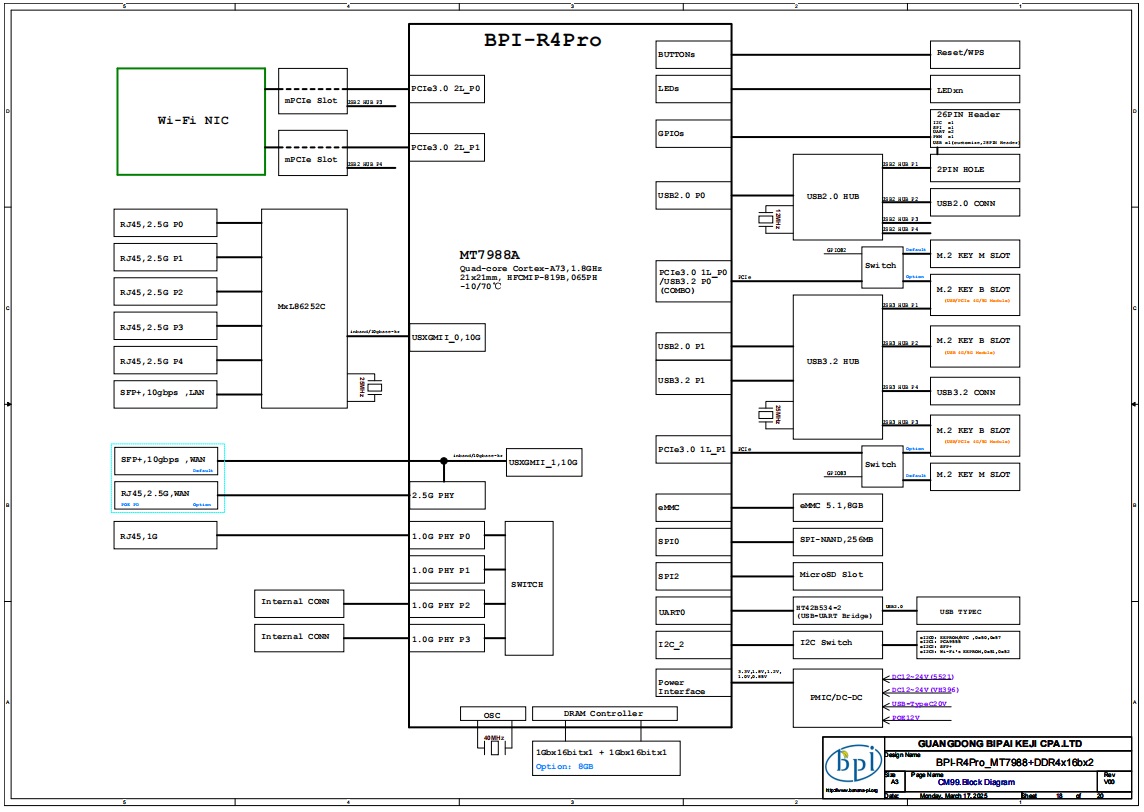
Spec comparison of the Banana Pi BPI-R4 Pro, Lite, and R4.
Banana Pi BPI-R4 Pro vs. Banana Pi BPI-R4 Lite vs. Banana Pi BPI-R4 | |||
Parameters | Banana Pi BPI-R4 Pro | Banana Pi BPI-R4 Lite | Banana Pi BPI-R4 |
– | 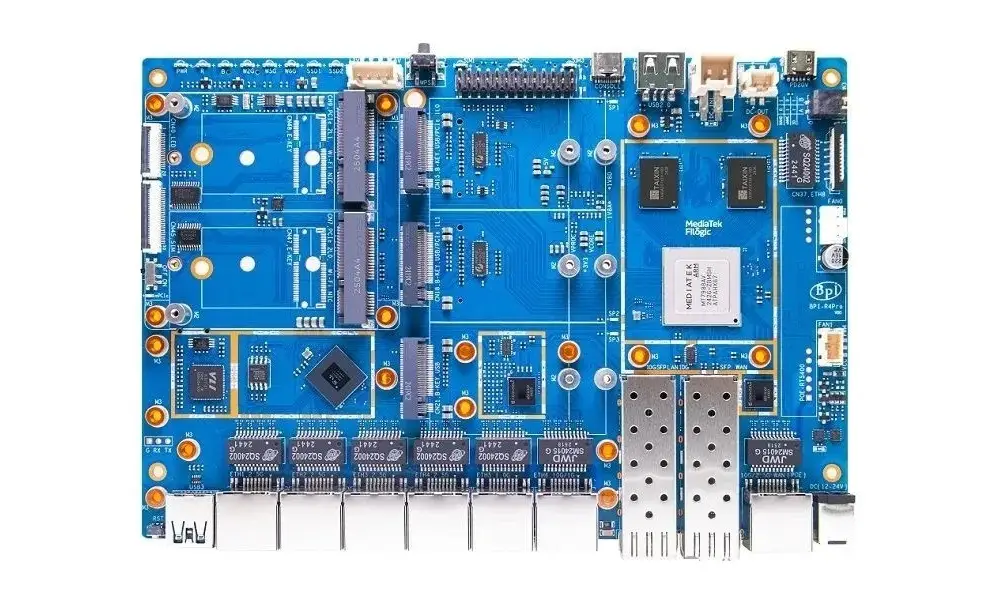 | 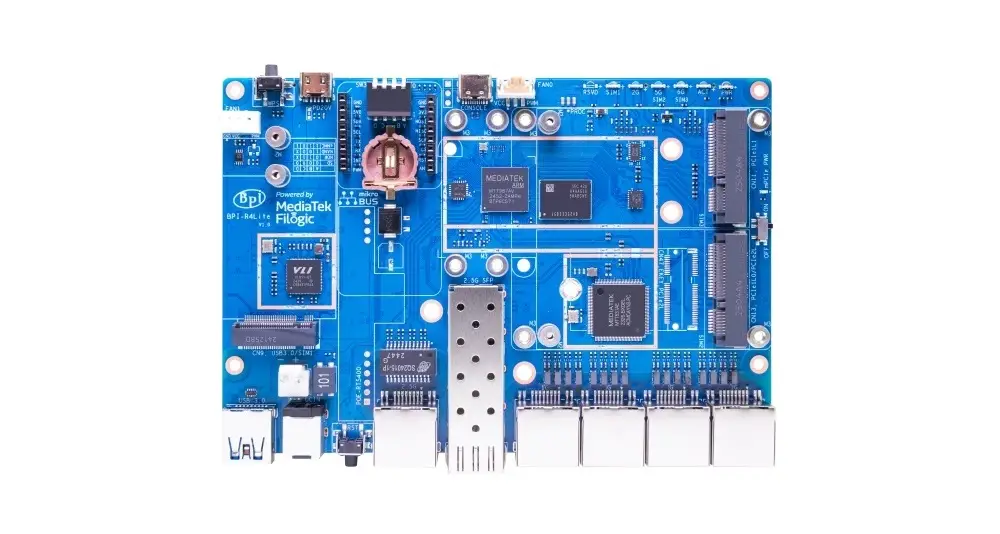 | 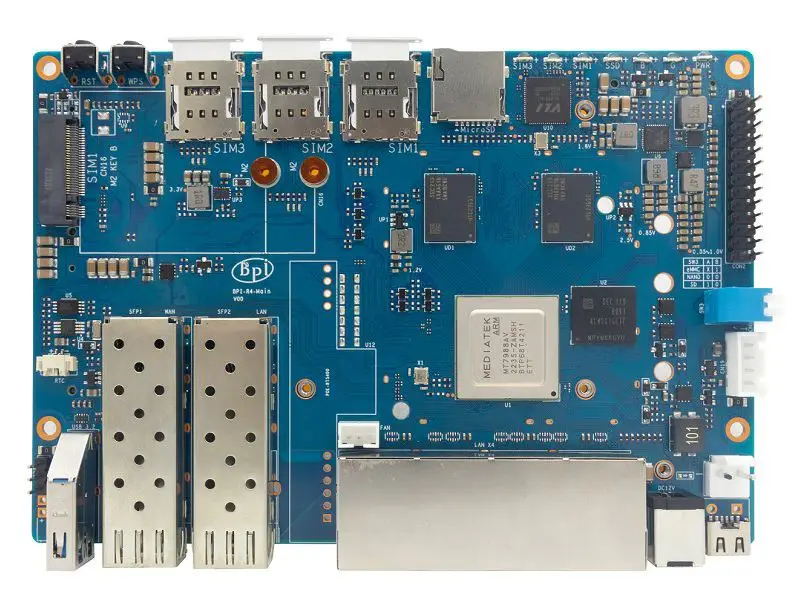 |
CPU | MediaTek MT7988 (Filogic 880) | MediaTek MT7987A (Filogic 830) | MediaTek MT7988 (Filogic 880) |
RAM Configurations | 4GB /8GB (DDR4) | 2GB /4GB (DDR4) | 4GB /8GB (DDR4) |
CPU architecture | Quad-core Cortex-A73 (64-bit SoC) | Quad-core Cortex-A53 (64-bit SoC) | Quad-core Cortex-A73 (64-bit SoC) |
Core number | 4 | 4 | 4 |
CPU Frequency (Max) | 4×1.80 GHz | 4×1.30 GHz | 4×1.80 GHz |
26 PIN GPIO Header |  | 2×8 PIN MikroBUS Header  | |
Expansion Slots | 3× M.2 Key-B USB 3.2 for 4G/5G. 2× M.2 Key-M PCIe 3.0 for NVMe SSD (2280). 2x miniPCIe 3.0 x2 lanes interfaces for Wi-Fi NIC. | 1× M.2 Key-B PCIe 3.0 for 4G/5G Modules. 2x miniPCIe 3.0 x2 lanes interfaces for Wi-Fi NIC. | 1× M.2 Key-B for 4G/5G modules. 1× M.2 Key-M PCIe 3.0 for NVMe SSD (2280). 2x miniPCIe 3.0 x2 lanes interfaces for Wi-Fi NIC. |
microSD slot | | | |
Onboard eMMC storage | 8GB | 8GB | 8GB |
SPI-NAND Flash | 256MB SPI-NAND | 256MB SPI-NAND | 128MB SPI-NAND |
SPI NOR Flash | 32MB | 32MB | 32MB |
Boot switch | | | |
USB port | 1x USB 3.2 1x USB 2.0 1x USB Typ-C PD 20V Input 1x USB Type-C Debug Console | 1x USB 3.0 1x USB Typ-C PD 20V Input 1x USB Type-C Debug Console | 1x USB 3.2 |
WiFi Support | Optional via expansion board | Optional via expansion board | Optional via expansion board |
Antennas | External Antennas + DFS Antenna (Using WiFi7 iPA NIC Module) | External Antennas + DFS Antenna (Using WiFi7 iPA NIC Module) | External Antennas + DFS Antenna (Using WiFi7 iPA NIC Module) |
3 Pin debug serial port (UART) | | | |
Buttons | 1x Boot switch 1x Reset | 1x Boot switch 1x Reset | 1x Boot switch 1x Reset |
Ethernet | 2x 10G SFP 2x 10G RJ4 4x 2.5G RJ45 LAN 1x 1G RJ45 LAN 1x 1G LAN (Onboard FPC Connector) (Note: Keep in mind that some SFP and RJ45 ports share the same controller, so only one can be active at a time.) | 1x 2.5 SFP 1x 2.5GbE Ethernet 4x 1GbE RJ45 | 2x SFP 10GbE port 4x 1GbE RJ45 Ethernet |
SIM support | x3 Nano SIM Can be used with 4G/5G cellular modules. | x3 Nano SIM Can be used with 4G/5G cellular modules. | x3 Nano SIM Can be used with 4G/5G cellular modules. |
Integrated PoE support | Optional | Optional | Optional |
PCB size | 132 x 194mm | 148 x 100.5mm | 100.5 x 148mm |
Power Interface | Type-C PD 20V | Type-C PD 20V | Type-C PD 20V |
RTC Battery | | | Interface via Connector |
OS | Ubuntu/Debian/OpenWrt | ||
Astimate Price | $195 | $75 – 81 (Bare Board) | $94 – 100 (Bare Board) |
Typical Applications
- Home/Office/Industrial Wi-Fi 7 wireless router.
- 4G/5G wireless router.
- Wireless/wired relay communication gateway.
- Home Security Gateway.
- Smart home control gateway.
- NAS gateway.
- Network communication applications.
- Industrial control and integrated communication applications.
It is already on presale.
Yes, I know, thank you.
Hi, the main problem about the BPI R4 is its BE14 Wifi NIC (6 antennas and many shielding/noise problems).
In your pictures, we can clearly see the new BE19 NIC with 14 antennas: did you test it? Is it going to be released to the public this year? Thank you!
HI. Not yet, but from what I’ve heard, it should officially be released in a few weeks.
Thank you so much! Will you make a new post when the BE19 will be out? Did you have the R4 Pro for testing or these are just info from the company?
Not yet, but I’ll probably test the R4 Pro and the Wi-Fi expansion board and review them once both are ready and available.
For now, it’s just general news info.
Great write up worth adding the battery is uses the ML1220 as you have correctly used instead of the CR1220 because the board features a tickle charge, but what’s more important to note, is that tickle is 3.3v to 3.4v, the ML1220s nominal is 3v, charged it’s around 3.35v, which is 0.35v higher than a CR1220. The BPI team lists the No 42 as CR1220 but it’s important to note thier POS is wrong. The other thing, you mention the battery keeps certain boot options, while this is true for a PCs, it’s untrue for the BPI, the only function… Read more »
Thank you for providing the information; it’s greatly appreciated.