Close Menu
    Facebook X (Twitter) Instagram Threads
    Trending
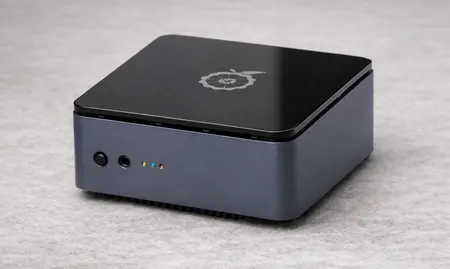
    • Youyeetoo NestDisk Review: Pocket-Sized Mini PC, Router & NAS
    • Rii TU3607 iPad Keyboard Case Review: Dream or Heavy Burden?
    • PrivadoVPN Review 2026: Does the Free Tier Still Work for Streaming?
    • Rii 518BT Review: Is This Pocket Keyboard Actually Usable?
    • Rii RK807 Pro Review: The Best Budget Apple Magic Keyboard Alternative?
    • Rii RK808 Review: The Best Foldable Travel Keyboard?
    • Rii RS201 Review: $69 16-Inch Portable Monitor Tested
    • AliExpress Promo Codes: August 2026 (100% Verified)
    AndroidPIMP
    Facebook X (Twitter) Instagram
    • Mini PCs & Media Players
    • Embedded Computers
    • Wearables
    • Wireless Routers
    • Edge AI Cameras Vision Hardware
    • Tech Accessories
    AndroidPIMP
    Youyeetoo X1 X86 Sbc
    youyeetoo X1 X86 SBC

    Youyeetoo X1 Review: A Great X86 Mini PC/SBC Performer for 2026

    0
    By androidpimp on April 30, 2024 Mini PCs & Media Players
    Table of contents
    1. Part I: Introducing the youyeetoo X1 SBC
    2. Key features
    3. Youyeetoo X1 Specifications
    4. Multiple Operating System Support
    5. A smoother Desktop Experience
    6. Support NFC Technology
    7. User-friendly with color-coded interfaces
    8. Packed with rich Interfaces
    9. Storage and Memory
    10. Power over Ethernet (PoE) Ready
    11. โšกKey Takeaways
      1. Frequently Asked Questions
    12. โšกKey Takeaways
      1. Frequently Asked Questions
    13. Part II: Youyeetoo X1 Review
      1. The Package
      2. Unboxing (Package Contents)
    14. A Closer Look at the youyeetoo X1
    15. โšกKey Takeaways
      1. Frequently Asked Questions
    16. โšกKey Takeaways
      1. Frequently Asked Questions
    17. Metal Case (Optional)
    18. โšกKey Takeaways
      1. Frequently Asked Questions
    19. โšกKey Takeaways
      1. Frequently Asked Questions
    20. Initial set up
      1. User experience
    21. โšกKey Takeaways
      1. Frequently Asked Questions
    22. โšกKey Takeaways
      1. Frequently Asked Questions
    23. Hardware / System Information
      1. CPU-Z
      2. Running Linux Mint 21.3 (Cinnamon edition)
    24. โšกKey Takeaways
      1. Frequently Asked Questions
    25. โšกKey Takeaways
      1. Frequently Asked Questions
    26. Benchmark Tests
      1. CPU Benchmark
      2. Comparing the youyeetoo X1 CPU to other processors
      3. GPU Benchmark
      4. Summarizing Test Results
    27. โšกKey Takeaways
      1. Frequently Asked Questions
    28. โšกKey Takeaways
      1. Frequently Asked Questions
    29. Video Playback
    30. โšกKey Takeaways
      1. Frequently Asked Questions
    31. โšกKey Takeaways
      1. Frequently Asked Questions
    32. A great option for emulating classic games
      1. 1. Native Compatibility and Optimization:
      2. 2. Performance and Hardware Integration:
      3. 3. Emulation Options and Customization:
      4. Running 3DMark 11 Benchmark test
    33. โšกKey Takeaways
      1. Frequently Asked Questions
    34. โšกKey Takeaways
      1. Frequently Asked Questions
    35. Storage Space
      1. Installing an NVMe SSD
      2. CrystalDiskMark: Benchmarking 1TB NVMe and eMMC
      3. GNOME Disks Benchmark: Testing 1TB NVMe under Linux Mint
    36. โšกKey Takeaways
      1. Frequently Asked Questions
    37. โšกKey Takeaways
      1. Frequently Asked Questions
    38. Connectivity
    39. โšกKey Takeaways
      1. Frequently Asked Questions
    40. โšกKey Takeaways
      1. Frequently Asked Questions
    41. Final Words
    42. The ultimate conclusion
    43. Variants, Price and Availability
    44. For any support or inquiries, please feel free to reach out to youyeetoo team.
    45. Purchasing links
      1. youyeetoo X1
    46. youyeetoo X1 (4GB/No eMMC) Best Values
    47. youyeetoo X1 (4GB/No eMMC) Best Values
    48. โšกKey Takeaways
      1. Frequently Asked Questions
    49. โšกKey Takeaways
      1. Frequently Asked Questions

    Video Playback

    The X1 board is equipped with an Intel® UHD Graphics GPU that runs at a clock frequency ranging from 450MHz to 800MHz. With this powerful GPU, it excels in playing high-resolution files, boasting a maximum resolution of 4k@60fps. We were truly impressed with its performance while watching YouTube videos. Although a few videos experienced a slight drop in frames during playback, the overall experience was exceptional, resulting in smooth and lag-free playback.
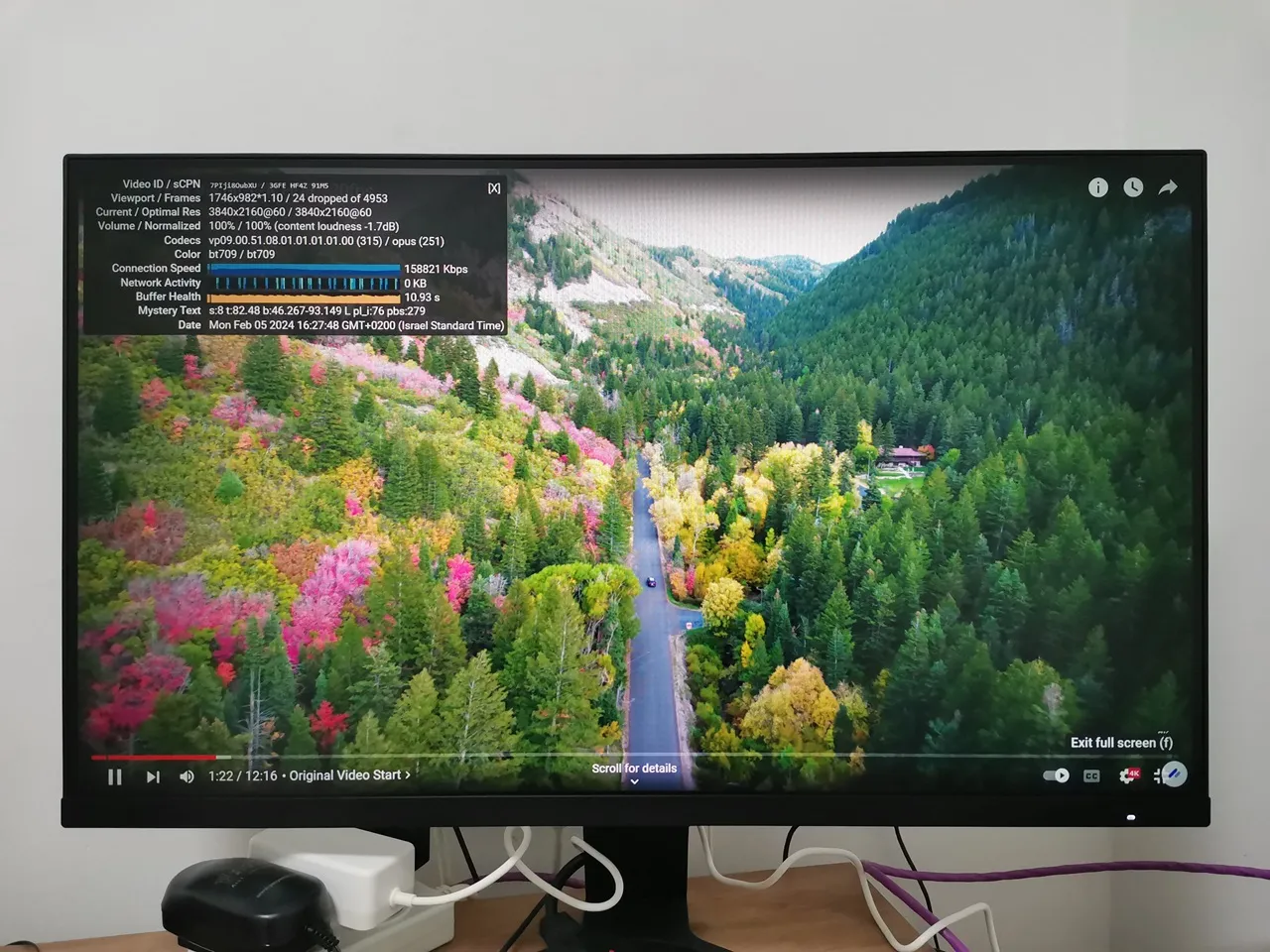
    Youyeetoo X1 Video Playback
    youyeetoo X1 video playback

    ⚡Key Takeaways

    • youyeetoo X1 Case 3 youyeetoo X1 Case 4 youyeetoo X1 Case 5 youyeetoo X1 Case 6 youyeetoo X1 Case 7 youyeetoo X1 Case 8 youyeetoo X1 Case 1 youyeetoo X1 Case 2 youyeetoo X1 Case 9 Initial set up The X1 came with…
    • Running top under Linux Mint youyeetoo X1 Linux Mint P1 Checking temperatures.
    • youyeetoo X1 3DMark11 P1 youyeetoo X1 3DMark11 P2 youyeetoo X1 3DMark11 P3 Storage Space Installing an NVMe SSD The installation of the M.
    • youyeetoo X1 NVMe 1 youyeetoo X1 NVMe 2 youyeetoo X1 NVMe 7 youyeetoo X1 NVMe 6 youyeetoo X1 NVMe 5 youyeetoo X1 NVMe 4 youyeetoo X1 NVMe 3 CrystalDiskMark: Benchmarking 1TB NVMe and eMMC We were truly impressed by the…
    • ModelOther paramatersNumber of SamplesSample sizeFile systemCrucial P31 TB PCIe Gen 3 3D NAND NVMe1001GBExt4 youyeetoo X1 NVMe Linux P1 youyeetoo X1 NVMe Linux P2 youyeetoo X1 NVMe Linux P3 youyeetoo X1 NVMe Linux…

    Frequently Asked Questions

    What is part i: introducing the youyeetoo x1 sbc?

    Introducing the youyeetoo X1 Intel Board, a great new X86 board that is ideal for meeting all everyday computing needs.

    What is key features?

    CPU: 11th Gen 4 Core Intel Celeron N5105 (Up to 2.

    What is multiple operating system support?

    One of the key features of this board is its compatibility with multiple operating systems.

    What is a smoother desktop experience?

    The Intel Board doubles as a Mini PC, delivering the same capabilities as a full-sized computer but with a much smaller footprint.
    1 2 3 4 5 6 7 8 9 10 11
    Share. Facebook Twitter Pinterest LinkedIn Tumblr Email
    Previous ArticleHuawei Pura 70 Ultra, Pura 70 Pro & Pro+ Launched in China
    Next Article Introducing Anker Nano |ย A low cost travel-friendly portable charger
    androidpimp
    • Website

    Related Posts

    Youyeetoo NestDisk Review: Pocket-Sized Mini PC, Router & NAS

    August 27, 2026

    Orange Pi X2 Mini PC Is Officially in the Works โ€“ Hereโ€™s What We Know

    July 29, 2026
    Ugoos SK4 Review

    Ugoos SK4 Review: The Best Mid-Range Android TV Box for Value & Features

    December 6, 2025
    0 0 votes
    Article Rating
    Subscribe
    Notify of
    0 Comments
    Oldest
    Newest Most Voted
    Categories
    PureVPN
    PureVPN Ad Banner
    PrivadoVPN – No. 1 in Parental Control
    PrivadoVPN 350x437
    Recent Posts
    • Youyeetoo NestDisk Review: Pocket-Sized Mini PC, Router & NAS
    • Rii TU3607 iPad Keyboard Case Review: Dream or Heavy Burden?
    • PrivadoVPN Review 2026: Does the Free Tier Still Work for Streaming?
    • Rii 518BT Review: Is This Pocket Keyboard Actually Usable?
    • Rii RK807 Pro Review: The Best Budget Apple Magic Keyboard Alternative?
    • Rii RK808 Review: The Best Foldable Travel Keyboard?
    • Rii RS201 Review: $69 16-Inch Portable Monitor Tested
    • AliExpress Promo Codes: August 2026 (100% Verified)
    • Orange Pi 6 Review: Is It Suitable for Running Local LLMs? We Checked.
    • DFRobot Unveils seeMote Cube: A 6DoF Physical Controller for Apple Vision Pro
    RSS feed: The Latest RSS Feeds The Latest RSS Feeds
    • Youyeetoo NestDisk Review: Pocket-Sized Mini PC, Router & NAS
    • Rii TU3607 iPad Keyboard Case Review: Dream or Heavy Burden?
    • PrivadoVPN Review 2026: Does the Free Tier Still Work for Streaming?
    Facebook X (Twitter) Instagram Pinterest
    @2026 - All Right Reserved. Designed by AndroidPIMP

    Type above and press Enter to search. Press Esc to cancel.

    wpDiscuz