Close Menu
    Facebook X (Twitter) Instagram Threads
    Trending
    • RiiTek RK807 Pro Review: The Best Budget Apple Magic Keyboard Alternative?
    • Rii 518BT Review: Is This Pocket Keyboard Actually Usable?
    • RiiTek RK808 Review: The Best Foldable Travel Keyboard?
    • Rii RS201 Review: $69 16-Inch Portable Monitor Tested
    • AliExpress Promo Codes: August 2026 (100% Verified)
    • Orange Pi 6 Review: Is It Suitable for Running Local LLMs? We Checked.
    • Youyeetoo NestDisk Mini PC/Router: Is This Pocket-Sized 3-in-1 NAS Worth It?
    • DFRobot Unveils seeMote Cube: A 6DoF Physical Controller for Apple Vision Pro
    AndroidPIMP
    Facebook X (Twitter) Instagram
    AndroidPIMP
    Mini PCs & Media Players

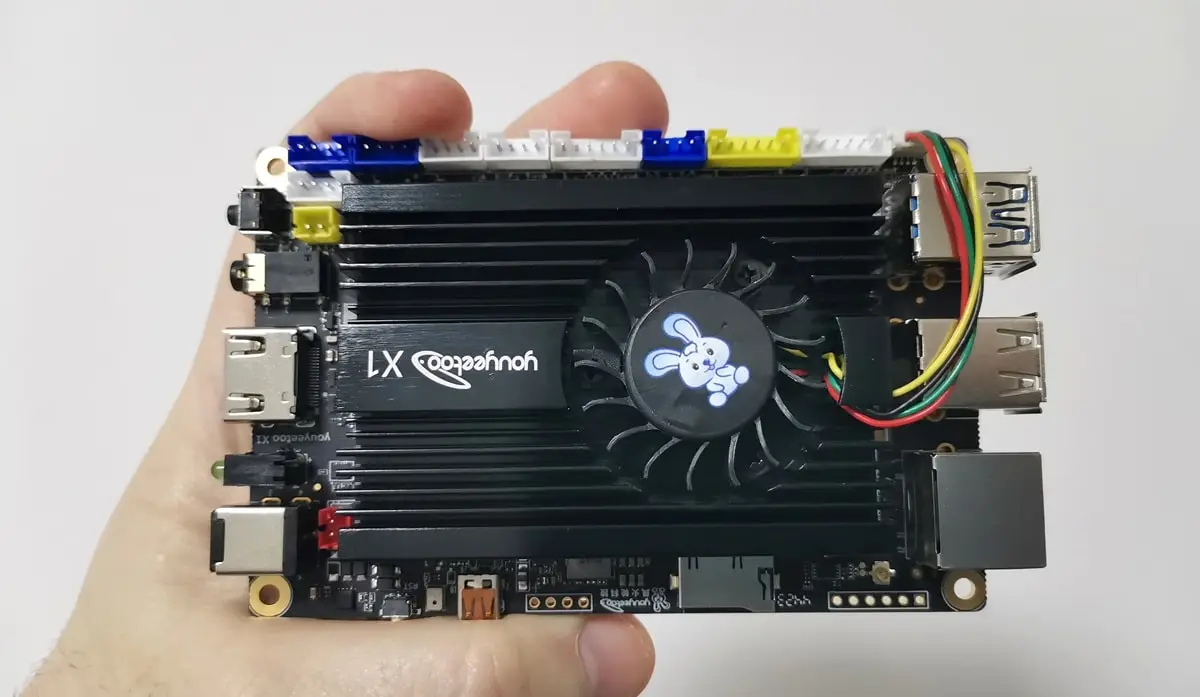
    Youyeetoo X1 Review: A Great X86 Mini PC/SBC Performer for 2026

    By androidpimpApril 30, 2024Updated:August 22, 2026No Comments15 Mins Read
    Facebook Twitter Pinterest LinkedIn Tumblr Email
    Follow Us
    Google News Flipboard
    Youyeetoo X1 X86 Sbc
    youyeetoo X1 X86 SBC
    Table of contents
    1. Part I: Introducing the youyeetoo X1 SBC
    2. Key features
    3. Youyeetoo X1 Specifications
    4. Multiple Operating System Support
    5. A smoother Desktop Experience
    6. Support NFC Technology
    7. User-friendly with color-coded interfaces
    8. Packed with rich Interfaces
    9. Storage and Memory
    10. Power over Ethernet (PoE) Ready
    11. Part II: Youyeetoo X1 Review
      1. The Package
      2. Unboxing (Package Contents)
    12. A Closer Look at the youyeetoo X1
    13. Metal Case (Optional)
    14. Initial set up
      1. User experience
    15. Hardware / System Information
      1. CPU-Z
      2. Running Linux Mint 21.3 (Cinnamon edition)
    16. Benchmark Tests
      1. CPU Benchmark
      2. Comparing the youyeetoo X1 CPU to other processors
      3. GPU Benchmark
      4. Summarizing Test Results
    17. Video Playback
    18. A great option for emulating classic games
      1. 1. Native Compatibility and Optimization:
      2. 2. Performance and Hardware Integration:
      3. 3. Emulation Options and Customization:
      4. Running 3DMark 11 Benchmark test
    19. Storage Space
      1. Installing an NVMe SSD
      2. CrystalDiskMark: Benchmarking 1TB NVMe and eMMC
      3. GNOME Disks Benchmark: Testing 1TB NVMe under Linux Mint
    20. Connectivity
    21. Final Words
    22. The ultimate conclusion
    23. Variants, Price and Availability
    24. For any support or inquiries, please feel free to reach out to youyeetoo team.
    25. Purchasing links
      1. youyeetoo X1
    26. youyeetoo X1 (4GB/No eMMC) Best Values
    27. youyeetoo X1 (4GB/No eMMC) Best Values

    A great option for emulating classic games

    A Comparative Analysis: Emulating Old x86 Games on Android OS

    With the deep-rooted devotion of gaming enthusiasts to classic x86 games, the search for the ultimate emulator takes center stage. In this fervent quest, the x86 architecture emerges as an unrivaled champion, boasting a myriad of advantages that make it surpass other emulation platforms such as Android OS. Let us delve into the reasons why x86 architecture stands tall as the ultimate emulator for relishing the glory of old x86 games, and examine its comparison with Android OS.

    1. Native Compatibility and Optimization:

    • x86 architecture boasts inherent compatibility with old x86 games, ensuring a seamless experience devoid of compatibility issues or complex configurations. This native compatibility enables x86 emulators to accurately interpret and execute game instructions, preserving the original gameplay experience.
    • In contrast, while Android OS may support emulation of some old x86 games, it often requires additional layers of compatibility or tweaking, leading to potential performance drawbacks and compatibility challenges. x86 emulators excel in offering a hassle-free gaming experience with their optimized execution of x86 instructions.

    2. Performance and Hardware Integration:

    • Leveraging the familiarity with x86 instructions, x86 emulators optimize performance for playing old x86 games, delivering smooth gameplay and minimal latency. Additionally, x86 emulators seamlessly integrate with modern hardware, harnessing the power of contemporary CPUs and GPUs for enhanced graphics rendering and audio processing.
    • Android OS, while capable of running emulation software, may struggle with performance issues due to hardware limitations and software overhead. The performance gap becomes evident when comparing the fluid gameplay experience offered by x86 emulators with the potentially inconsistent performance on Android devices.

    3. Emulation Options and Customization:

    • x86 architecture provides a wide range of emulation options, allowing users to tailor their gaming experience according to their preferences. Whether it’s tweaking graphics settings, adjusting input controls, or enhancing audio output, x86 emulators offer extensive customization features to cater to diverse gaming setups.
    • Conversely, while Android OS offers emulation capabilities through various apps and software, the level of customization and optimization options may be limited. Users may encounter constraints in adjusting emulation settings or optimizing performance according to their preferences, resulting in a less personalized gaming experience.

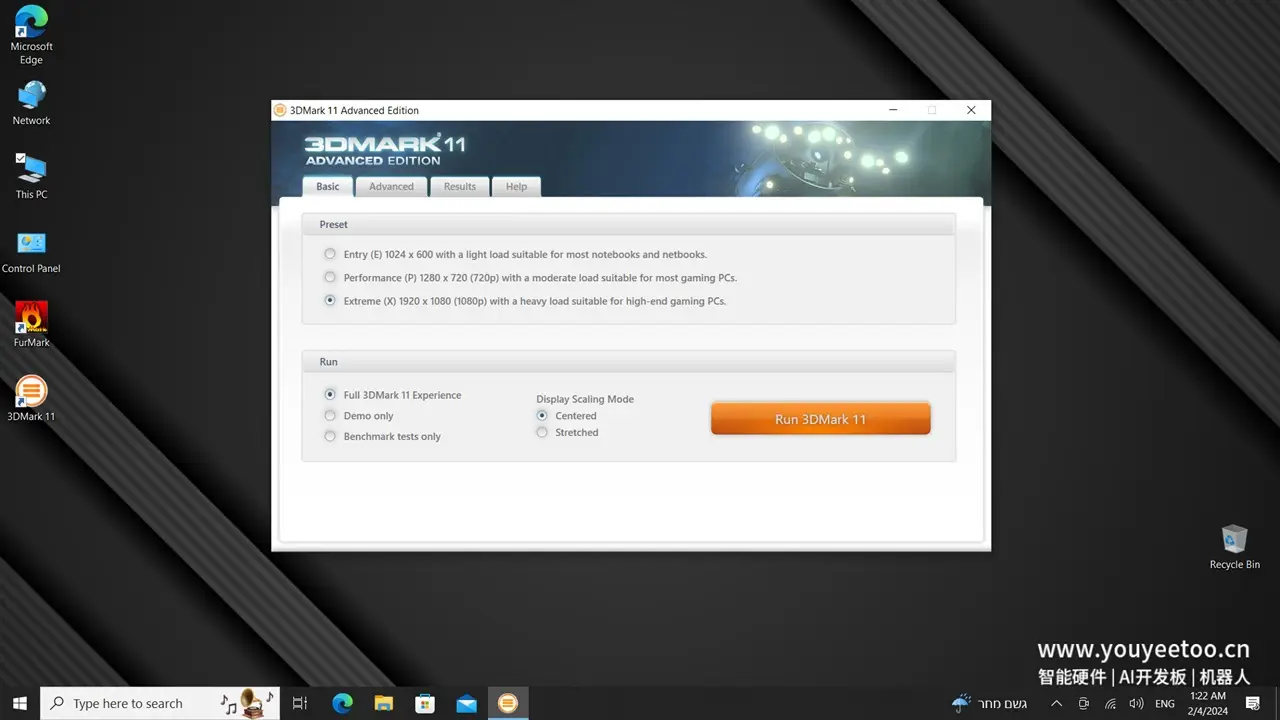
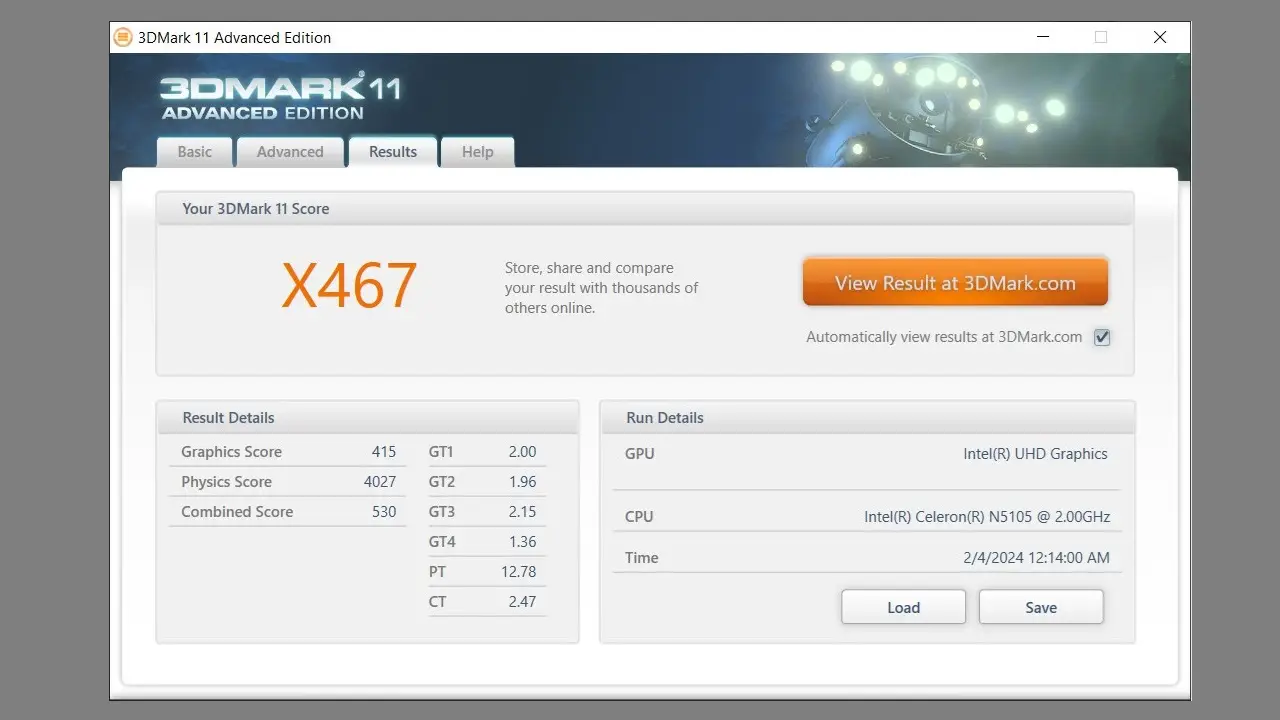
    Running 3DMark 11 Benchmark test

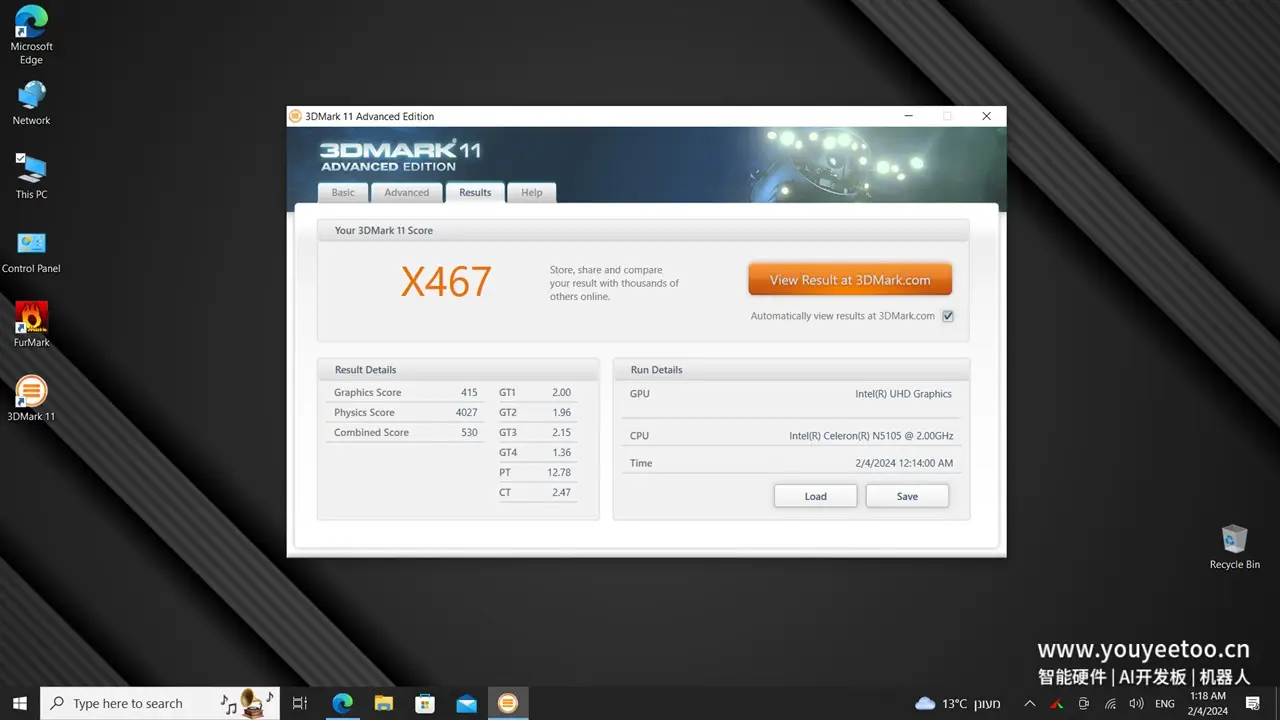
    Out of the three benchmark presets, we choose the Extreme option, which is set to run at a resolution of 1920×1080 pixels (1080P). In terms of performance, the X1 scored approximately 3% higher compared to other devices with similar hardware configurations.
    Youyeetoo X1 3dmark11 P1
    youyeetoo X1 3DMark11 P1
    Youyeetoo X1 3dmark11 P2
    youyeetoo X1 3DMark11 P2
    Youyeetoo X1 3dmark11 P3
    youyeetoo X1 3DMark11 P3
    1 2 3 4 5 6 7 8 9 10 11
    Share. Facebook Twitter Pinterest LinkedIn Tumblr Email
    Previous ArticleHuawei Pura 70 Ultra, Pura 70 Pro & Pro+ Launched in China
    Next Article Introducing Anker Nano | A low cost travel-friendly portable charger
    androidpimp
    • Website

    Related Posts

    Youyeetoo NestDisk Mini PC/Router: Is This Pocket-Sized 3-in-1 NAS Worth It?

    August 4, 2026

    Orange Pi X2 Mini PC Is Officially in the Works – Here’s What We Know

    July 29, 2026
    Ugoos SK4 Review

    Ugoos SK4 Review: The Best Mid-Range Android TV Box for Value & Features

    December 6, 2025
    0 0 votes
    Article Rating
    Subscribe
    Notify of
    0 Comments
    Oldest
    Newest Most Voted
    Categories
    PureVPN
    PureVPN Ad Banner
    PrivadoVPN – No. 1 in Parental Control
    PrivadoVPN 350x437
    Recent Posts
    • RiiTek RK807 Pro Review: The Best Budget Apple Magic Keyboard Alternative?
    • Rii 518BT Review: Is This Pocket Keyboard Actually Usable?
    • RiiTek RK808 Review: The Best Foldable Travel Keyboard?
    • Rii RS201 Review: $69 16-Inch Portable Monitor Tested
    • AliExpress Promo Codes: August 2026 (100% Verified)
    • Orange Pi 6 Review: Is It Suitable for Running Local LLMs? We Checked.
    • Youyeetoo NestDisk Mini PC/Router: Is This Pocket-Sized 3-in-1 NAS Worth It?
    • DFRobot Unveils seeMote Cube: A 6DoF Physical Controller for Apple Vision Pro
    • Orange Pi X2 Mini PC Is Officially in the Works – Here’s What We Know
    • BPI-R4 Wi-Fi 7 NIC (BE14): OpenWrt Setup & Optimal WiFi Power Guide
    RSS feed: The Latest RSS Feeds The Latest RSS Feeds
    • RiiTek RK807 Pro Review: The Best Budget Apple Magic Keyboard Alternative?
    • Rii 518BT Review: Is This Pocket Keyboard Actually Usable?
    • RiiTek RK808 Review: The Best Foldable Travel Keyboard?
    Facebook X (Twitter) Instagram Pinterest
    @2026 - All Right Reserved. Designed by AndroidPIMP

    Type above and press Enter to search. Press Esc to cancel.

    wpDiscuz