- Maybe you missed it? Orange Pi 6 Plus Review.
- Orange Pi 6 Review: An introduction, complete specifications, and key features.
Part I: Product Intoduction
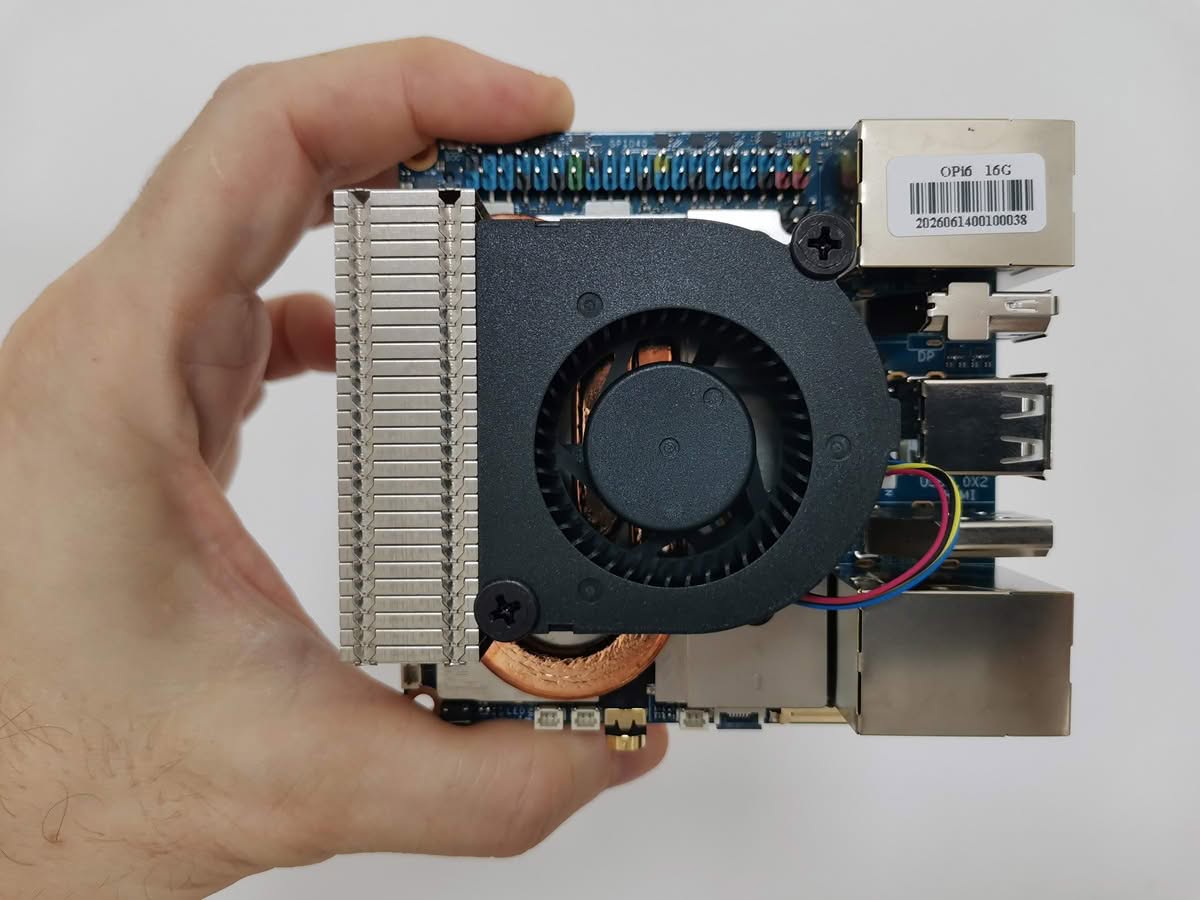
Initially announced on December 4, 2025, at the CIXTech 2025 ecosystem conference in Shanghai, the Orange Pi 6 Plus officially launched alongside the new Orange Pi 6 model. Now that it is available, this new board is marketed as a more affordable alternative to its predecessor, the Orange Pi 6 Plus SBC. It has smaller dimensions, measuring 90 x 90 mm, and is based on the same CIX CD8160/CD8180 SoC, which includes a 12-core 64-bit ARM processor, although it provides fewer interfaces.
Specifications
| Component | Specification |
|---|---|
| SoC | CIX CD8160/CD8180 |
| CPU Architecture | 12 core Armv9 processor: 4x Cortex®-A720 (Big cores) up to 2.8GHz 4x Cortex®‑A720 (Medium cores) up to 2.4GHz 4x Cortex®‑A520 (LITTLE cores) 1.8GHz |
| AI Computing Power | The total processing capability is 45 TOPS, combining the CPU, NPU, and GPU. |
| NPU | Integrated NPU with 28.8 TOPS computing power |
| GPU | Arm Immortalis G720 MC10 GPU • Hardware ray tracing • OpenGL® ES3.2 • OpenCL® 3.0 • Vulkan® 1.3® |
| RAM | LPDDR5, 128bit, 8GB/16GB/24GB |
| 💾 Storage | 2x NVMe SSD (M.2 2280) |
| 📶 Wi-Fi Module | 1x Mini PCIe slot (for Wi-Fi/BT expansion). |
| 🌐 Ethernet | 2× 2.5GbE |
| 🔌 USB Ports | 2x USB 2.0 2x USB Type-C 3.0 HOST |
| 🖥️ Display Interface | 1× DP1.4 (4K@60Hz) 1× HDMI1.4 (4K@60Hz) 1× eDP (4K) |
| 🔊 Audio | 3.5 mm headphone jack audio input/output. 2-pin + 2 pin interfaces for L/R Speakers). 2-pin microphone. |
| 🔧 Expansion Interface | 40-pin function expansion interface, supporting the following interface types: GPIO, UART, I2C, SPI, PWM |
| Indicator Light | Power-on indicator light, system entry indicator light; supports breathing (ventilation) mode |
| Buttons | 1x Reset button 1x power button (power on or button-activated startup). |
| Fan Interface | 1x fan interface PWM connected to EC |
| RTC Interface | 2-pin RTC interface for batteries. |
| Power Supply | Type-C PD 20V IN |
| 💻 OS Support | Debian, Ubuntu, Android, Windows, ROS2 |
| Dimensions | 90×90 mm |
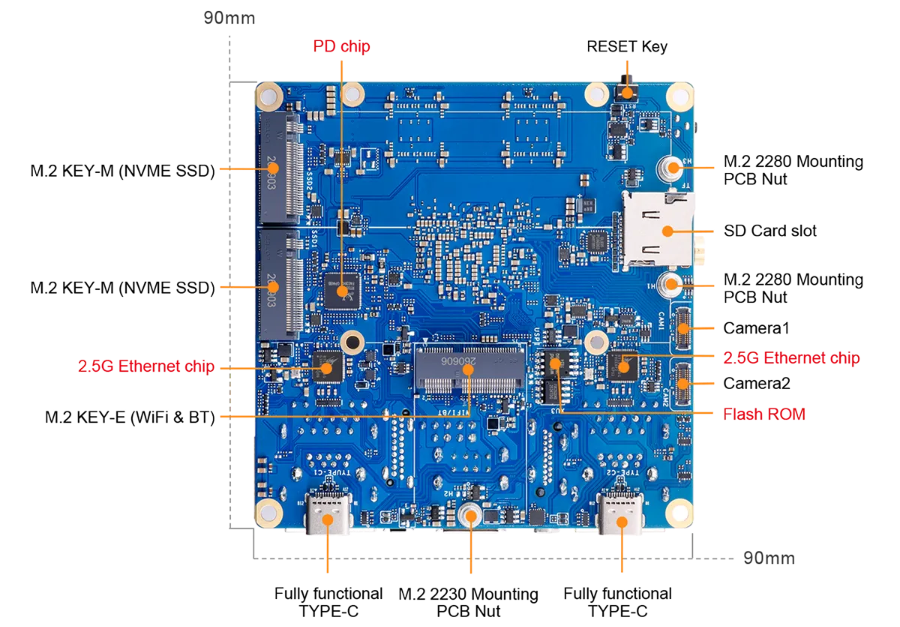
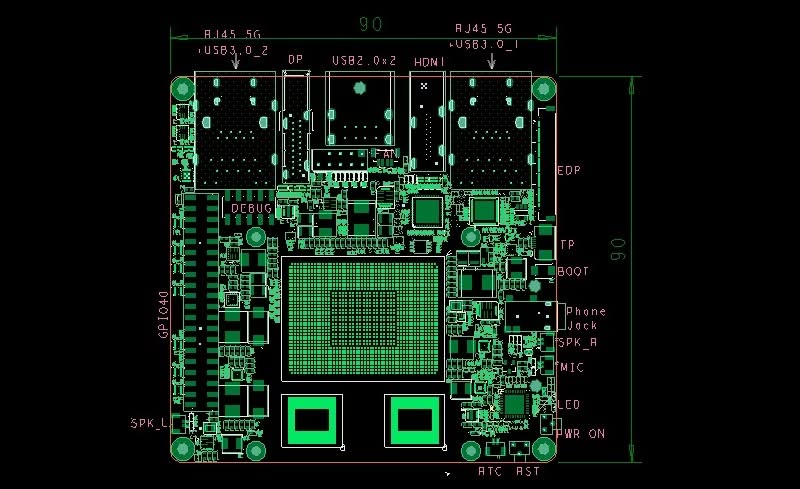
Orange Pi 6 Interfaces
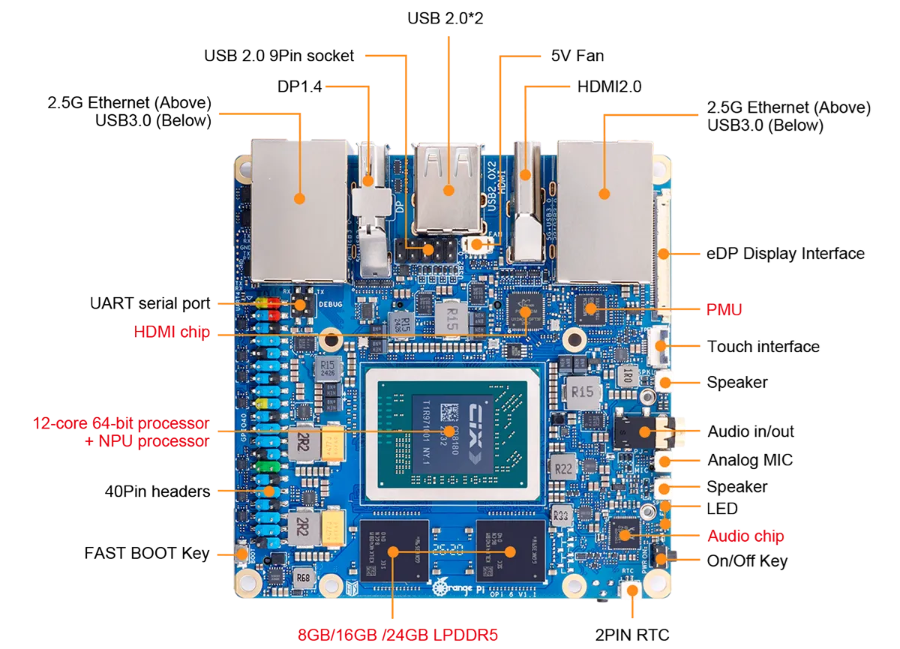
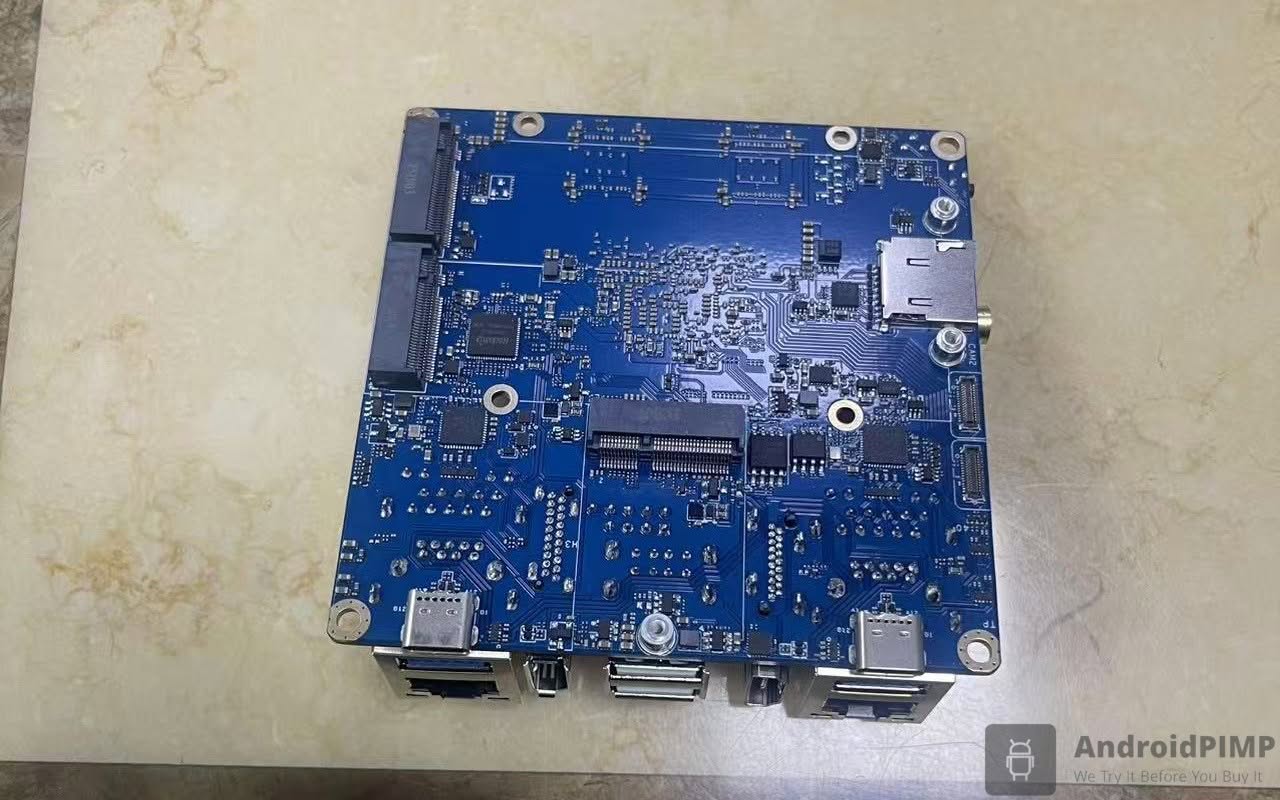
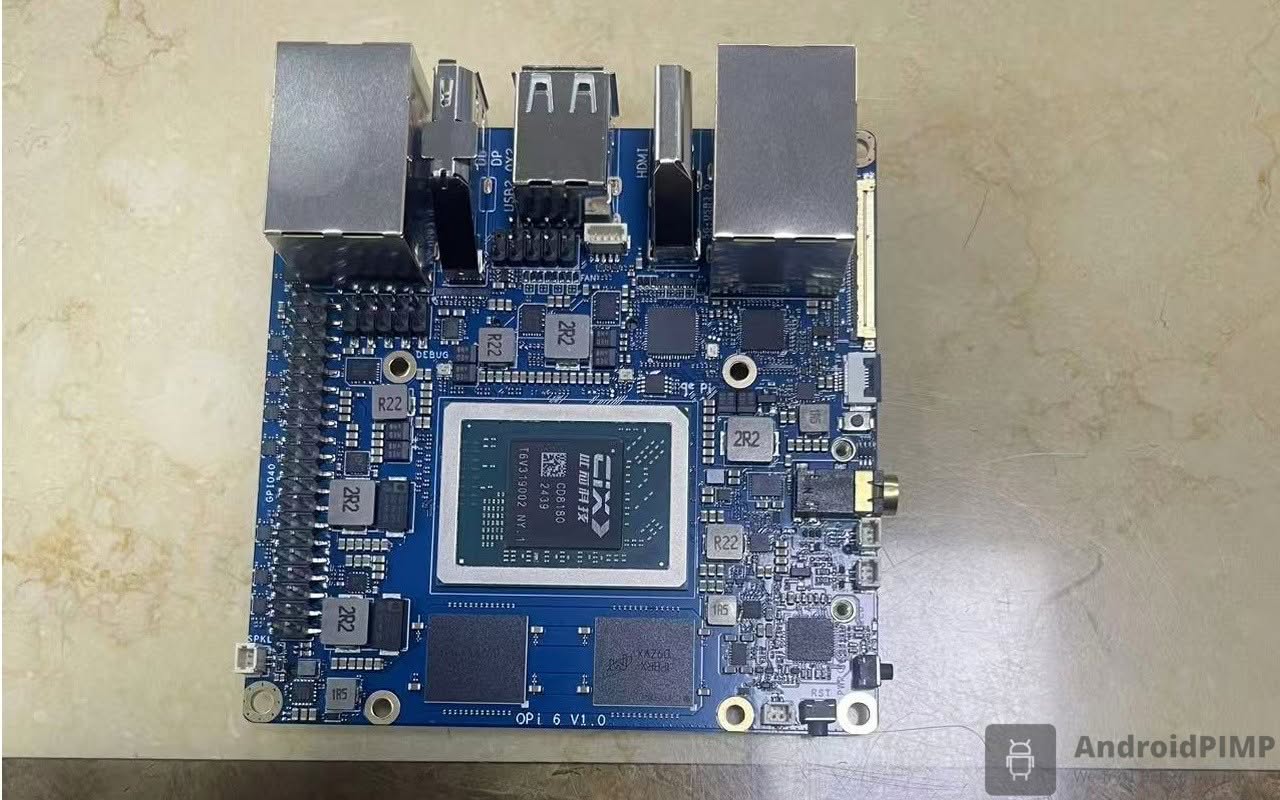
Exclusive first-look photos (engineering sample).
PCB Layout schema
What else is in the pipeline?
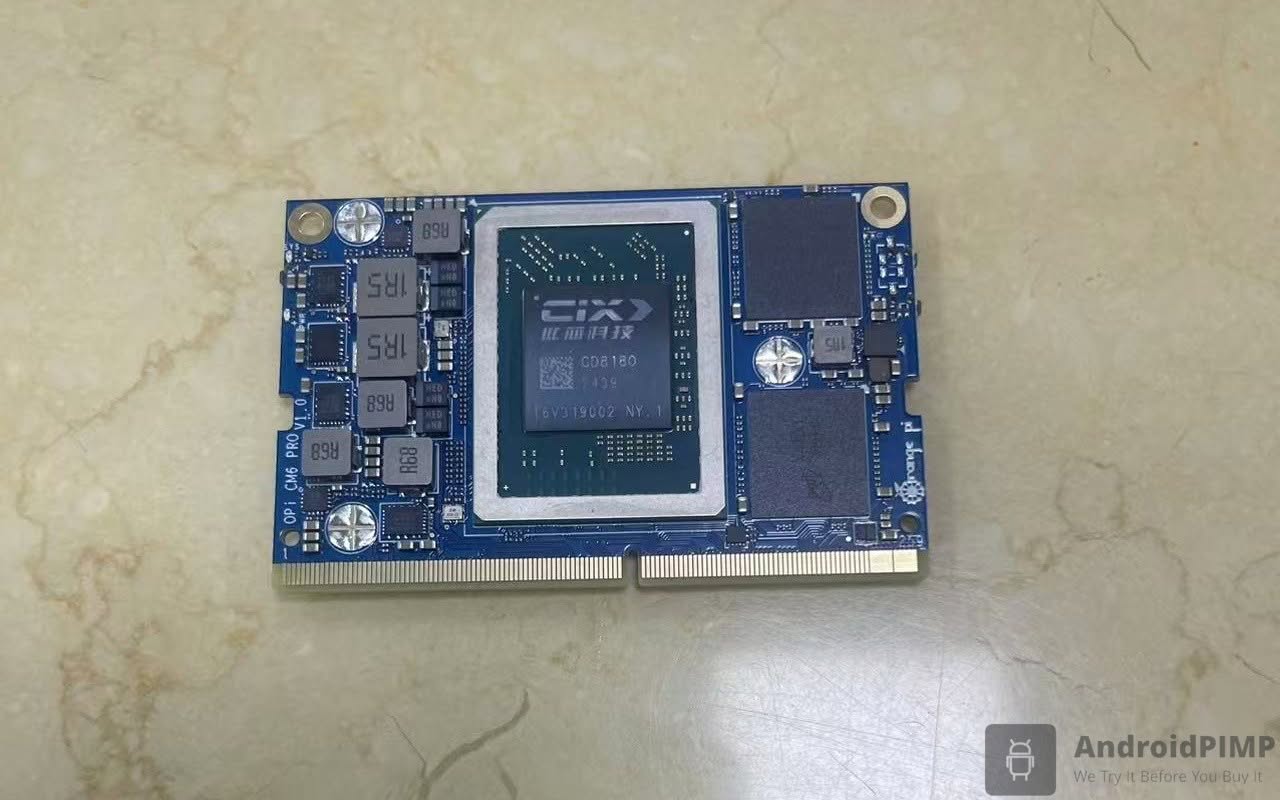
The Orange Pi team is working on a new Orange Pi CM6 Pro powered by the CIX CD8180 SoC, designed to be compatible with NVIDIA’s Jetson Orin Nano Super.
First look at an exclusive photo of the engineering sample.
A true Raspberry Pi 5 killer in terms of both price and hardware specifications
1. Orange Pi 6 vs. Raspberry Pi 5 with AI HAT+ 2
The Orange Pi 6 Plus wins because it is an integrated system, whereas the AI HAT+ is an add-on that faces bottlenecks.
1.1 Performance: 12-Core vs. 4-Core
The performance gap in 2026 is no longer small; it’s a generational leap.
- Orange Pi 6: Uses the CIX CD8180 SoC with a massive 12-core architecture (4x Cortex-A720 High-Perf, 4x A720 Main, 4x A520 Efficiency). This allows for “snappy” desktop performance that rivals x86 laptops.
- Raspberry Pi 5 + AI HAT+: Still relies on a 4-core Cortex-A76. Even with the HAT, the CPU often hits 100% utilization when managing the data flow between the Pi and the external accelerator.
- Memory Bandwidth: The Orange Pi 6 Plus uses 128-bit LPDDR5, providing up to 96 GB/s of bandwidth. The Pi 5 uses older LPDDR4X, which creates a bottleneck when moving large AI models (like Llama 3.2) to the NPU.
1.2 Summary: Why the Orange Pi 6 Wins
- Latency: Because the NPU is on the chip, there is zero delay in processing camera or sensor data.
- Storage: It features Dual M.2 NVMe slots, allowing for 7GB/s read speeds. The Pi 5 requires even more HATs to support high-speed NVMe.
- Future-proof: 16GB–32GB of RAM allows you to run modern 2026 LLMs (like DeepSeek or Llama 3) locally, which is nearly impossible on a standard Raspberry Pi.
- For roughly the same price (or less), the Orange Pi 6 gives you double the RAM (16GB vs 8GB), triple the CPU cores, and integrated 5G Ethernet which the Pi 5 lacks entirely.
Raspberry Pi 5 versus Orange Pi 6
A barebones Orange Pi 6 has the potential to surpass the Raspberry Pi 5, thanks to its superior hardware, which features dual 2.5GbE ports, a 12-core processor, and up to 32GB of RAM. This is particularly relevant now as the price of the Raspberry Pi 5 has begun to increase, reaching $125 for the 8GB RAM variant or more, due to the global RAM chip shortage.
If you are willing to make some compromises and can accept vendor-customized Ubuntu/Debian distributions developed by the Orange Pi team, along with a mainline Ubuntu image that is expected to be available soon, then this new board may be a better option for you in terms of hardware and software.
Additionally, there is currently an Ubuntu concept image (developer-focused preview build) available, designed for boards that use the CIX Technology P1 chipset. This image supports the following boards:
- MetaComputing AI PC Framework Laptop
- Minisform MS-R1
- Orange Pi 6 Plus
- Radxa Orion O6
- Radxa Orion O6N
Based on this announcement, our analysis suggests that a final stable release for the Orange Pi 6 is anticipated to be available in the near future.
| Feature | Orange Pi 6 (8GB) | Raspberry Pi 5 (8GB) |
| Retail Price | ~$239 | ~$125 (MSRP) [~$211+] |
| Memory Tech | LPDDR5 (Up to 6400 MT/s) | LPDDR4X (4267 MT/s) |
| CPU Cores | 12-Core CIX P1 / CD8180 | 4-Core Broadcom BCM2712 |
| AI Acceleration | 28.8 TOPS NPU (45 TOPS total) | None (Requires external AI HAT) |
| Onboard NVMe | Dual PCIe 4.0 x4 M.2 2280 slots | Single PCIe 2.0 x1 (Requires HAT) |
| Ethernet | Dual 2.5GbE | Single 1GbE (Gigabit) |
| Power Target | Requires 20V Type-C PD (65W–100W) | 5V / 5A (25W USB-C PD) |
| Software & OS Ecosystem | Orange Pi OS (Arch based) OpenHarmony Vendor-customized Ubuntu / Debian. Ubuntu Mainline (Expected) Armbian (Expected) DietPi (Expected) Native UEFI and ACPI support | Ubuntu Fedora Kali Linux Home Assistant OS (HAOS) LibreELEC (Kodi) RetroPie / Batocera (Emulation) Armbian DietPi |