- Maybe you missed it? Review of the Ugoos SK2 Certified Google TV Box.
- Ruogood R-X5A Overview: Hardware, performance, software, and price.
Ruogood R-X5A Debuts: Next-Gen Amlogic S905A Box with 8K Decoding
[April 21st, 2026] — DongGuan RuoGood, a leading manufacturer of Android‑powered projectors and Android TV boxes, today unveiled its latest android streaming device built around the new Amlogic S905A chipset. The upgraded SoC offers a big boost in video performance, featuring next‑gen 8K decoding, improved AV1 support, and advanced AI‑powered image processing, delivering smoother playback and crisper picture quality for home entertainment streaming devices.
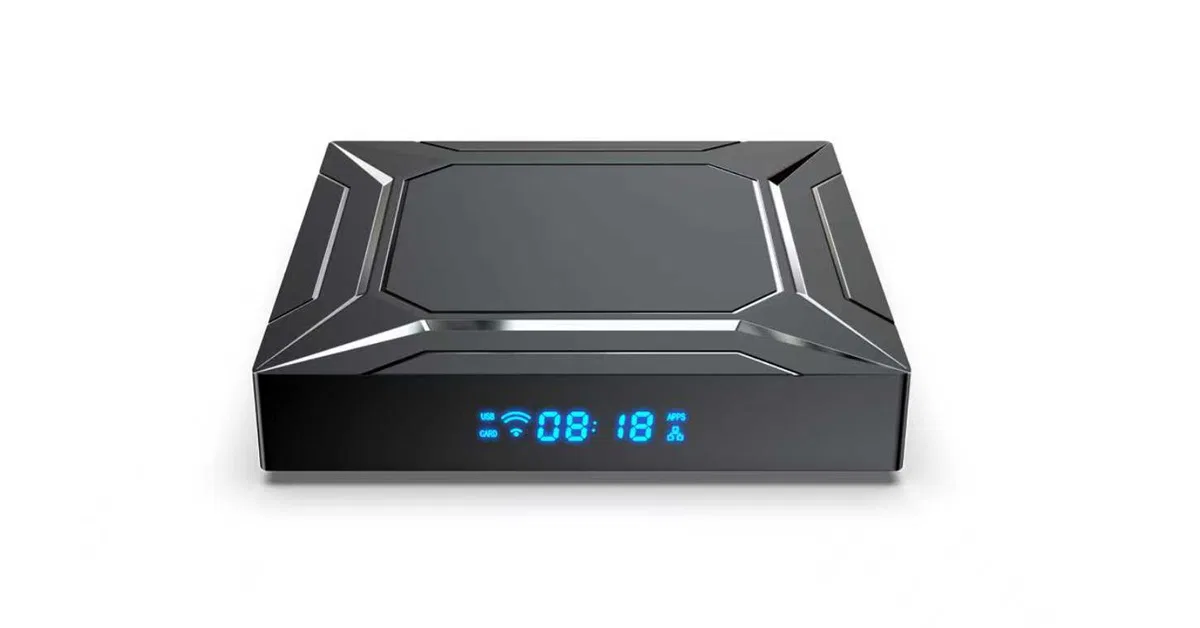
Ruogood R-X5A (First Engineering Sample Photos)
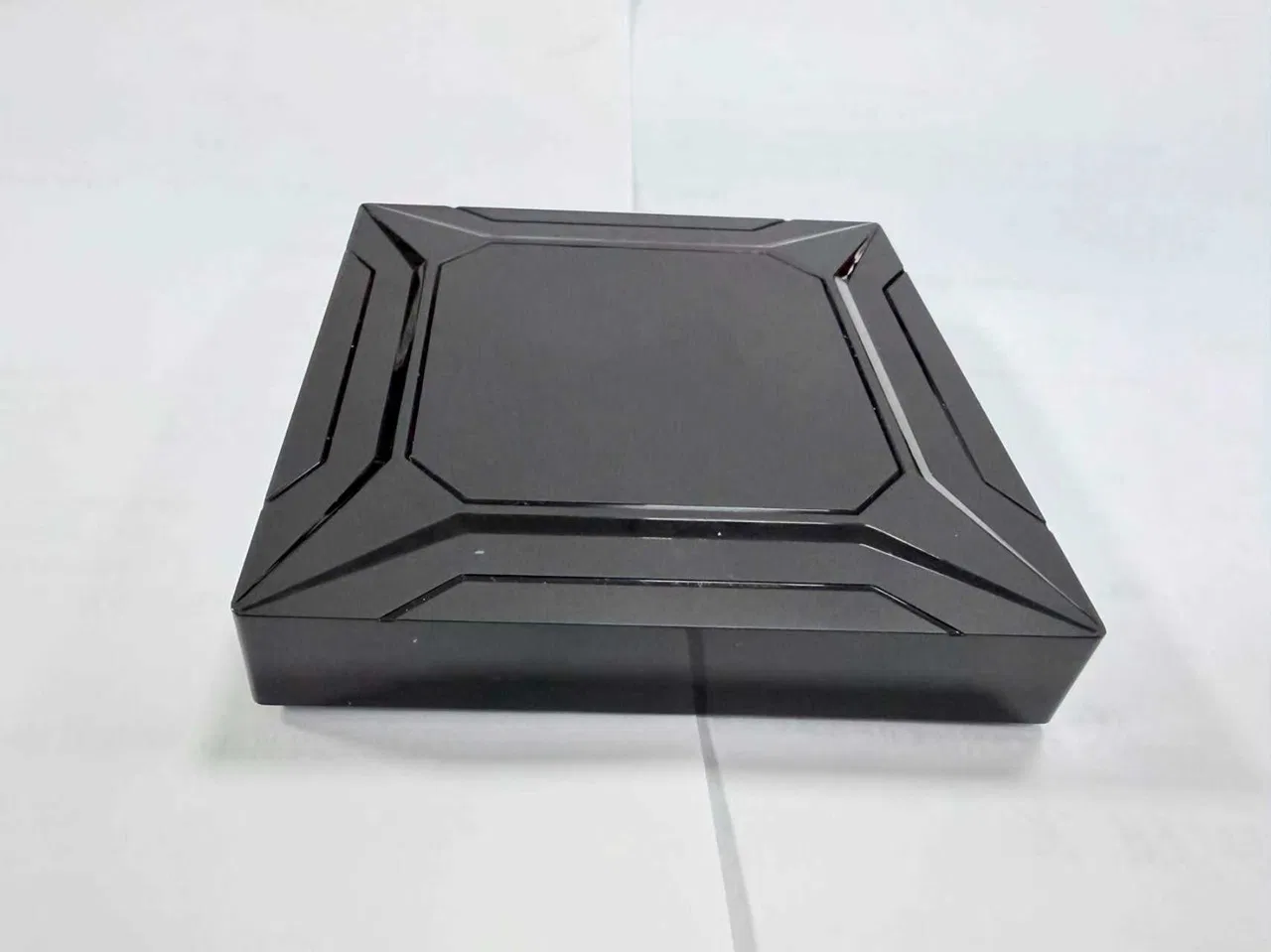
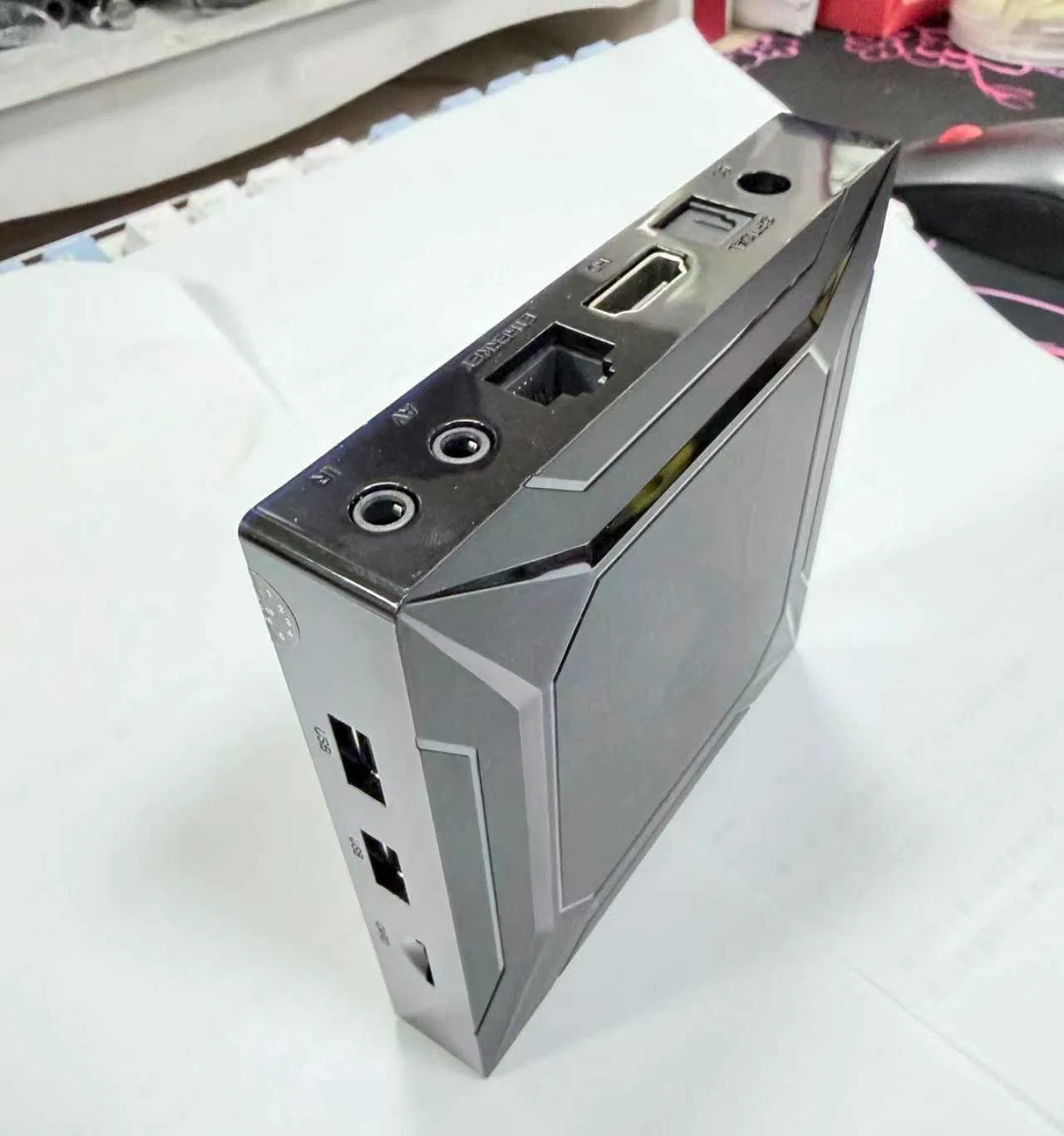
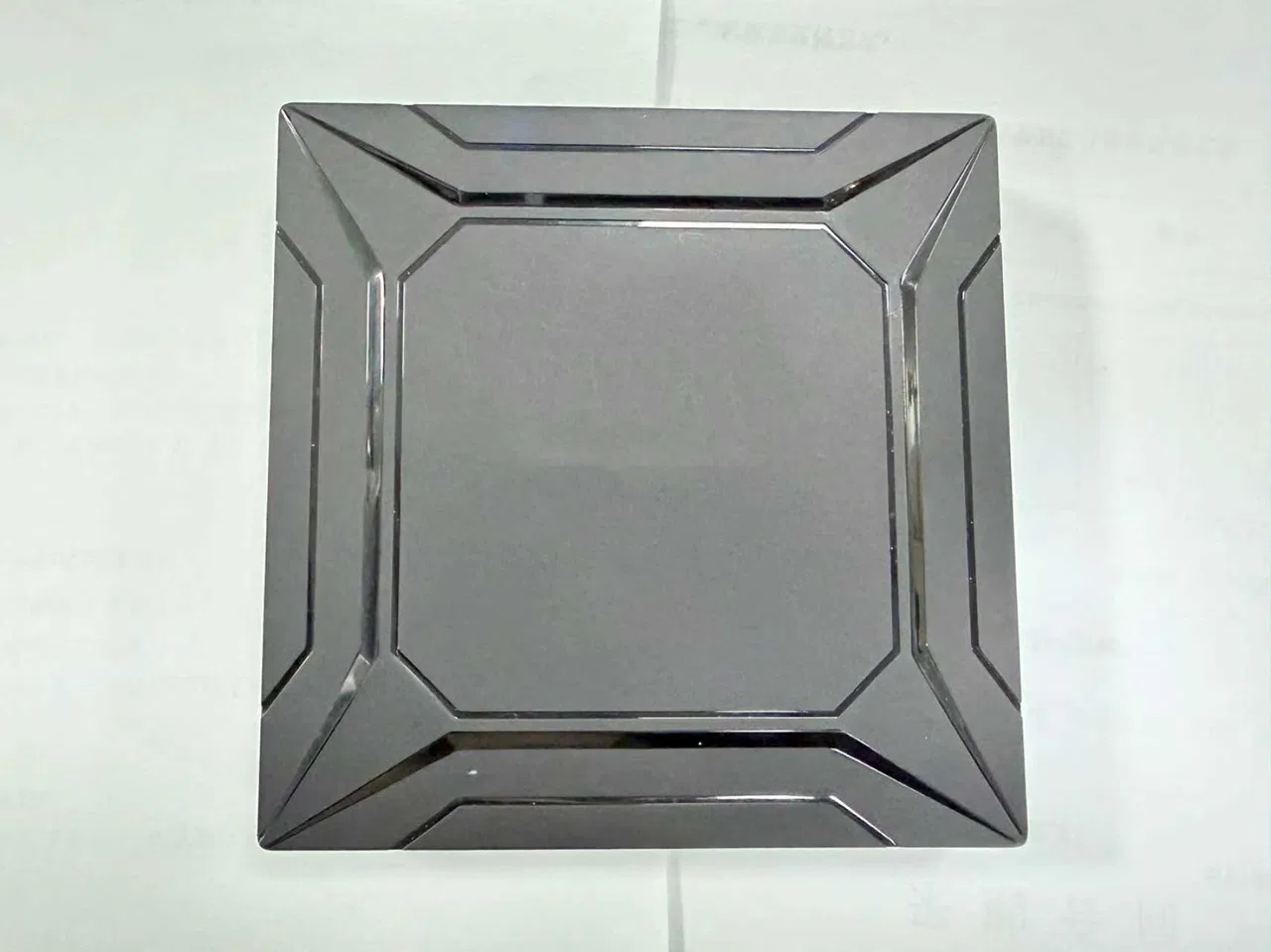
Complete SoC comparison: S905A, S905X5, S905X4, S905Y4, RK3566, and RK3588.
| Feature | S905A | S905X5 | S905X4 | S905Y4 | RK3566 | RK3588 |
|---|---|---|---|---|---|---|
| CPU Architecture | 4× Cortex‑A55 | 4× Cortex‑A55 | 4× Cortex‑A55 | 4× Cortex‑A55 | 4× Cortex‑A55 | 4× Cortex‑A76 + 4× Cortex‑A55 |
| CPU Clock | ~2.0–2.5 GHz | ~2.0–2.2 GHz | ~2.0 GHz | ~2.0 GHz | ~1.8 GHz | A76 up to 2.4 GHz |
| Process Node | 6 nm | 6 nm | 12 nm | 12 nm | 22 nm | 8 nm |
| GPU | Mali‑G310 V2 | Mali‑G310 | Mali‑G31 MP2 | Mali‑G31 MP2 | Mali‑G52 2EE | Mali‑G610 MP4 |
| GPU APIs | Vulkan 1.2 | Vulkan 1.2 | Vulkan 1.0 | Vulkan 1.0 | Vulkan 1.1 | Vulkan 1.2 |
| AI Engine | AI‑SR (~4 TOPS) | AI‑Lite (video enhancement) | None | None | 0.8 TOPS NPU | 6 TOPS NPU |
| Max Video Decode | 8K@24fps | 4K@60fps | 4K@60fps | 4K@60fps | 4K@60fps | 8K@60fps |
| AV1 Decode | 8K | 4K | 4K | 4K) | No | Yes |
| HDR Support | HDR10 / HDR10+ | HDR10 / HLG | HDR10 / HLG | HDR10 / HLG | HDR10 / HLG | HDR10 / HDR10+ / HLG / Dolby Vision |
| Memory Support | DDR4 / LPDDR4 | DDR4 / LPDDR4X | DDR4 / LPDDR4 | DDR4 / LPDDR4 | LPDDR4 / LPDDR4X | LPDDR4X / LPDDR5 |
| Storage | eMMC, SD | eMMC, SD | eMMC, SD | eMMC, SD | eMMC, SD, NVMe | eMMC, SD, NVMe |
| Ethernet | 1G | 1G | 1G | None | 1G | 2.5G |
| Wi‑Fi / BT | 802.11ac + BT5.x | Wi‑Fi 6 + BT5.x (varies) | 802.11ac + BT5.x | Optional | Optional | Optional |
| HDMI Version | HDMI 2.1a | HDMI 2.1 | HDMI 2.1 | None (Y‑series) | HDMI 2.0 | HDMI 2.1 |
| Target Use Case | Digital signage, 8K playback | Modern TV boxes, Google TV | Budget TV boxes | Compact sticks | SBCs, tablets, industrial | AI, high‑end SBCs, mini PCs |
| Relative Performance | Mid‑High | Mid‑High (new gen) | Mid | Mid | Mid‑Low | Very High |
Final verdict: Which SoC is the top pick for Android TV boxes?
Amlogic’s latest S905A chipset ranks just below the pricier RK3588 SoC, yet it offers faster performance and supports 8K video decoding—something the current S905X5 doesn’t have.
| SoC | Advantage/Key strengths | Main Highlights |
|---|---|---|
| 🏆 RK3588 | Overall Best SoC (Raw Power) | 8 cores (A76 + A55) Mali‑G610 GPU 6 TOPS NPU 8K60 decode + encode PCIe 3.0, NVMe, USB 3.1 |
| 🥇 Amlogic S905A | Best for 8K Video + AI Upscaling | 8K AV1 decode AI‑SR (super‑resolution) 6 nm efficiency Great for digital signage and premium TV boxes |
| 🥈 Amlogic S905X5 | Best for Modern 4K Streaming Devices. | Mali‑G310 GPU AV1 4K60 AI‑Lite video enhancement Perfect balance of cost + performance |
| 🥉 Amlogic S905X4 | Best Budget 4K Chip | AV1 4K60 Very affordable Widely used in TV boxes |
| 🎯Amlogic S905Y4 | Best for Compact Streaming Sticks | Same as X4 but optimized for small dongles No Ethernet, no HDMI PHY |
| 🧱 RK3566 | Best for SBCs, Linux, and Industrial Use | PCIe for NVMe Good GPU for UI Very stable Linux support |
Better GPU performance?
Honestly, not much has changed, but compared to earlier Amlogic chipsets, this hardware delivers GPU performance on par with the popular S905X5 SoC, along with the bonus of 8K video decoding support.
| SoC | CPU | GPU | GPU Rank | Video Decode | AI Engine | HDMI |
|---|---|---|---|---|---|---|
| S905A | 4× A55 | Mali‑G310 V2 | 3 | 8K24, AV1 | AI‑SR (video AI) | HDMI 2.1a |
| Rank | SoC | GPU | Performance Level |
|---|---|---|---|
| 1 | RK3588 | Mali‑G610 MP4 | ⭐⭐⭐⭐⭐ (High) |
| 2 | RK3566 | Mali‑G52 2EE | ⭐⭐⭐⭐ (Mid‑High) |
| 3 | S905A | Mali‑G310 V2 | ⭐⭐⭐ (Mid) |
| 4 | S905X5 | Mali‑G310 | ⭐⭐⭐ (Mid‑Low) |
| 5 | S905X4 | Mali‑G31 MP2 | ⭐⭐ (Low) |
| 6 | S905Y4 | Mali‑G31 MP2 | ⭐⭐ (Low‑est) |
R-X5A – Hardware Specifications
| Category | Specification |
|---|---|
| Product Model | S905A |
| Operating System | Android 14, Multi‑Language |
| Main Features | 8K video codecs, AV1 decode, Dual‑band Wi‑Fi, BT 5.1, Inline AI‑SR |
| CPU | Amlogic S905A, Quad‑Core ARM Cortex‑A55 |
| GPU | ARM G310 V2 (OpenGL ES 3.2, OpenCL 2.0, Vulkan 1.2) |
| RAM | 4GB (Options: 2GB / 4GB / 8GB) |
| ROM | 64GB (Options: 16GB / 32GB / 64GB / 128GB) |
| RTC | Optional |
| Screen Rotation | Supported (Digital Signage) |
| External Storage | USB 2.0 devices, MicroSD supported |
| Video Engine | Amlogic Video Engine (AVE), multi‑decoder up to 4×1080p@60fps, secure sessions |
| Video Decoding | VP9 P2 8K@24fps, H.265 HEVC 8K@24fps, AVS2 8K@24fps, MPEG‑4, WMV/VC‑1, AVS+, MPEG‑2, MPEG‑1, RealVideo |
| Supported File Formats | mkv, wmv, mpg, mpeg, dat, avi, mov, iso, mp4, rm, jpg |
| Image Engine | HDR10, HDR10+, AI‑SR noise reduction |
| Audio Formats | MP3, AAC, WMA, FLAC, Ogg |
| Image Formats | JPEG, BMP, GIF, PNG, TIF |
| Wi‑Fi | 802.11 b/g/n/ac, 2.4G & 5G, 1 external antenna |
| Bluetooth | BT 5.X |
| Ethernet | 100M / 1000M |
| Power Input | DC 5V/2A |
| HDMI Output | HDMI 2.1a, 4K×2K UHD |
| IR Receiver | Via 3.5mm jack |
| USB Ports | 2 × USB 2.0 |
| MicroSD Slot | Supported |
| Body Material | ABS |
| Color | Black |
| Dimensions | 106 × 106 × 23 mm |
| Weight | 0.135 kg |
| Certifications | CE, RoHS (others optional) |
| Package Contents | User manual, Gift box, BT voice remote, HDMI cable, Power adapter |
| Gift Box Size | 205 × 140 × 50 mm |
| Carton Size | 420 × 270 × 305 mm |
| Units per Carton | 20 |
| Gift Box Weight | 0.385 kg |
| Carton Weight | 9.0 kg |
HDMI 2.1a Support
HDMI 2.1a and 2.1 are very similar, but there’s a key difference that can be important depending on the features a device supports.
Here’s the clear, simple breakdown.
| Feature | HDMI 2.1 | HDMI 2.1a | What It Means |
|---|---|---|---|
| Max Bandwidth | 48 Gbps | 48 Gbps | No difference — both support the same data rate |
| Max Resolution | 8K @ 60 Hz | 8K @ 60 Hz | Both fully support 8K output |
| Max Refresh Rate | 4K @ 120 Hz | 4K @ 120 Hz | Identical gaming performance |
| Dynamic HDR | Yes | Yes | Same HDR capabilities |
| VRR (Variable Refresh Rate) | Yes | Yes | Smooth gaming on both |
| ALLM (Auto Low Latency Mode) | Yes | Yes | Auto‑switch to low‑latency mode |
| QMS (Quick Media Switching) | Yes | Yes | Eliminates black screens when switching frame rates |
| QFT (Quick Frame Transport) | Yes | Yes | Reduces latency for gaming |
| eARC | Yes | Yes | High‑quality audio passthrough |
| SBTM (Source‑Based Tone Mapping) | ❌ No | ✅ Yes | The ONLY real difference — improves HDR accuracy |
| 8K Output Support | Yes | Yes | Depends on the SoC, not HDMI version |
| Use Case | TVs, consoles, GPUs, TV boxes | Newer TVs, projectors, advanced HDR devices | 2.1a is better for HDR‑critical devices |
| Real‑World Difference | Small | Small but meaningful for HDR | Only matters if SBTM is used |
Why HDMI 2.1a is Better – The Highlights
SBTM, or Source‑Based Tone Mapping, is a feature introduced with HDMI 2.1a that allows the source device—such as a TV box, console, PC, or streaming stick—to handle part of the HDR tone‑mapping process instead of relying entirely on the TV, resulting in more accurate brightness, color, and detail reproduction, especially in mixed‑content situations like HDR video alongside SDR menus or multi‑window displays; by letting the source send a signal that’s already optimized for the display’s capabilities, SBTM helps eliminate washed‑out highlights, overly dark scenes, and inconsistent HDR performance, making it particularly useful for projectors, PC monitors, and advanced streaming devices.
⭐ What SBTM Improves
| Benefit | Explanation |
|---|---|
| More accurate HDR | The source knows the content better than the TV, so it maps brightness correctly. |
| Better multi‑window HDR | Perfect for PCs or devices showing multiple HDR/SDR windows at once. |
| No more “dim HDR” issues | Prevents TVs from misinterpreting brightness levels. |
| Better for streaming boxes | The device can optimize tone mapping per scene or per app. |
SBTM isn’t related to 4K or 8K output; it only impacts HDR accuracy.
📺 Does HDMI 2.1a Support 8K Output?
Yes — absolutely. HDMI 2.1a supports the same resolutions as HDMI 2.1, supporting resolutions up to 8K at 60 Hz, but practically speaking, this device can handle up to 8K at 24 fps, which is still pretty good and definitely better than nothing.
Business inquiry
Whether you’re interested in Ruogood products, need a hand with technical support, or want to place a bulk order, simply reach out using the company details provided below.
Business inquiries contact info:
- Name: Apple Lee
- Title: Sales Manager
- WhatsApp: 86 13418596660
- Website: ruogood.com
- Address: No. 92, Zhongshan East Road, Hengli, Dongguan, Guangdong, China.
- Email: apple@ruogood.com