MK12 Android TV Box Review
Shenzhen Rikomagic Tech Corp., Ltd is a pioneer in Android Mini PC business and was the first Android Mini PC provider. Based in Shenzhen, China, the company aims to revolutionize the digital media player market. Their Research and Development team has extensive expertise in consumer electronics products and the development of network media players.
Company core strength remains focused around Android PCs and Android Mini PCs, where they accumulate a great deal of experience. This review will focus on their latest MK12 model, integrating the latest new Amlogic chipset on the market. The product should provide Better decoding support with max compatibility and experience, especially for Kodi Media Player (XBMC) fans.
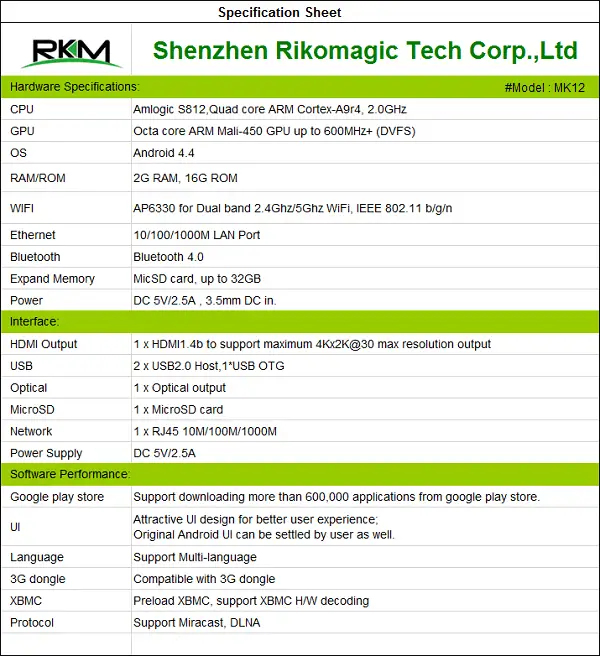
General info & Specifications
- OS: Android 4.4
- RAM: 2G, ROM: 16G
- CPU: Amlogic S812,Quad-core ARM Cortex-A9r4, 2.0 GHz
- GPU: Octa-core ARM Mali-450 GPU up to 600 MHz+ (DVFS)
- Pre-loaded With XBMC (H/W decoding Support).
Networking & Connectivity:
- WIFI: AP6330 for Dual-band 2.4Ghz/5Ghz WiFi, IEEE 802.11 a/b/g/n
- Expand Memory: Micro-SD card, up to 32GB.
- Ethernet: 10/100/1000M LAN Port.
- Power: DC 5V/2.5A, 3.5mm DC in.
- Bluetooth: Bluetooth 4.0
Interface:
- HDMI Output: 1 x HDMI1.4b to support maximum 4Kx2K@30 max resolution output
- Network: 1 x RJ45 10M/100M/1000M
- USB: 2 x USB2.0 Host,1*USB Host OTG.
- Power Supply: DC 5V/2.5A.
- Optical: 1 x Optical output
- Micro SD: 1 x Micro SD card.
Media Parameters:
- file formats, H.265 HEVC MP@L5.0 up to 4Kx2K@30fps
- Video Encoder: H.265 HEVC MP@L5.0 up to 4Kx2K@30fps
- Resolution: The maximum resolution is 4Kx2K.
Items in package:
- 1 x MK12 TV Box
- 1 x HDMI cable
- 1 x USB Cable
- 1 x Power supply
- 1 x Remote control
- 1 x English User Manual.
Package
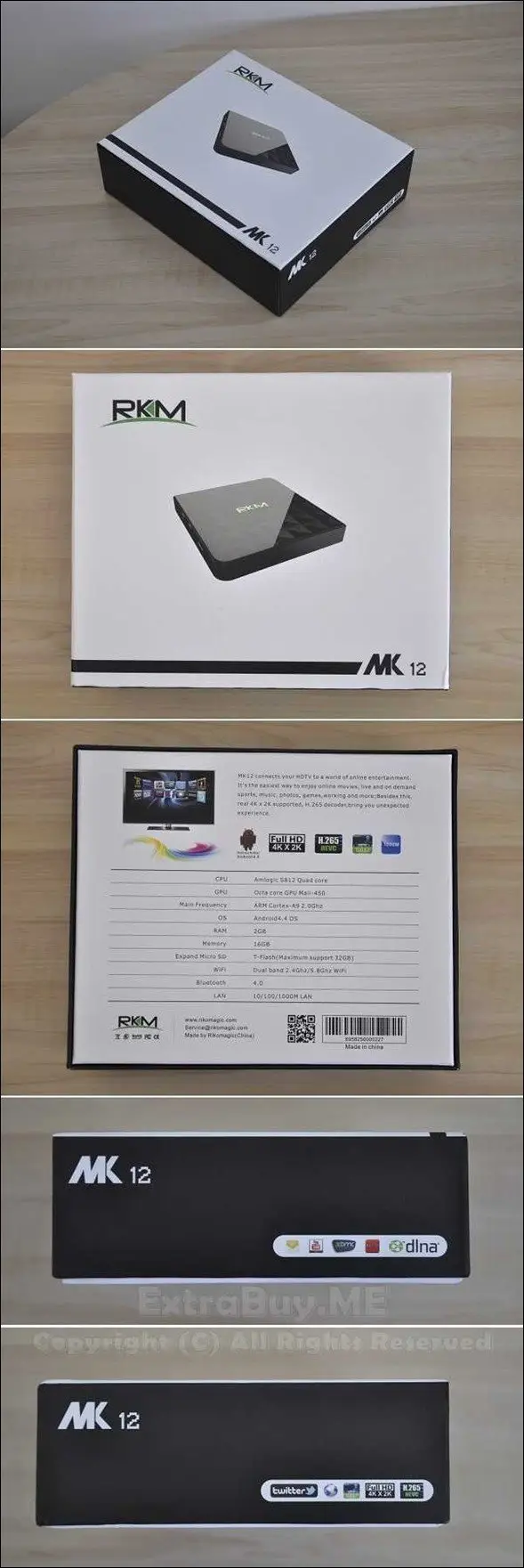
Unpacking

Items in package:
- 1x MK12 TV Box.
- 1x IR Remote Control Unit.
- 1x User Manual.
- 1x HDMI Cable (Type: Male-Male).
- 1x 5V / 2.5A Power Supply Unit.
- 1x OTG USB Cable (Type: Male-Male).
Remote Control
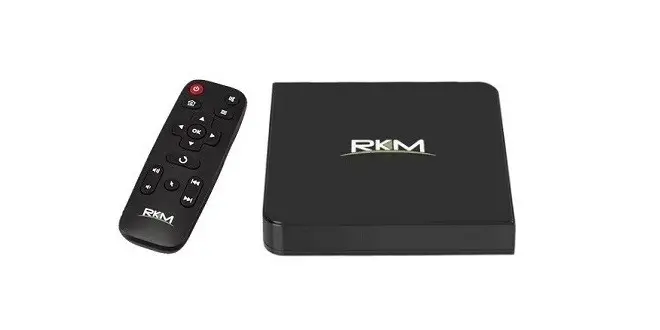
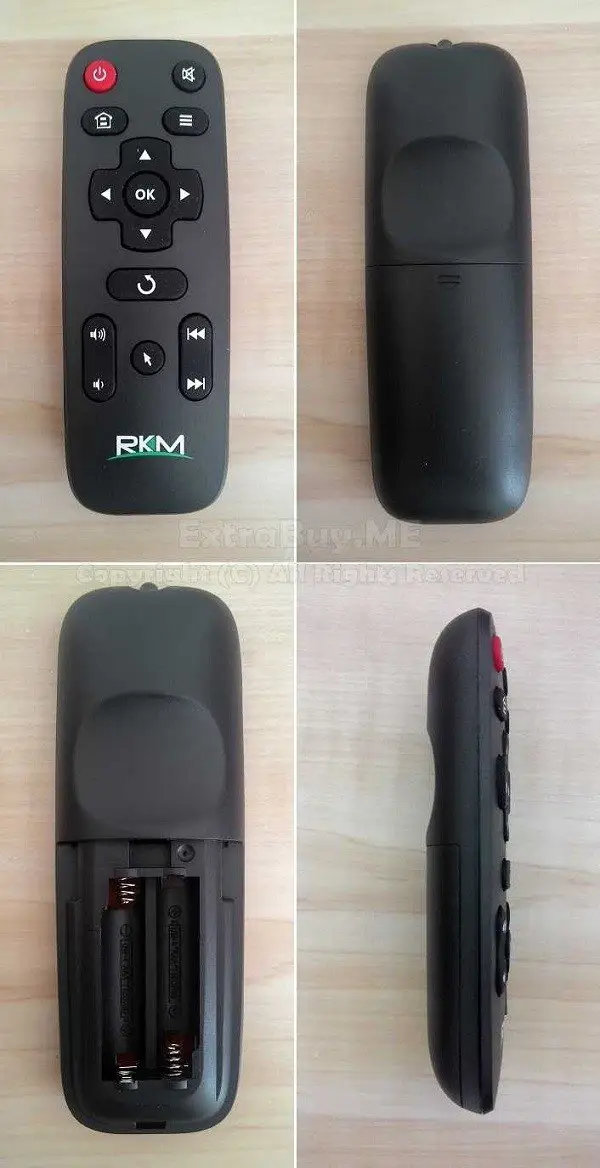
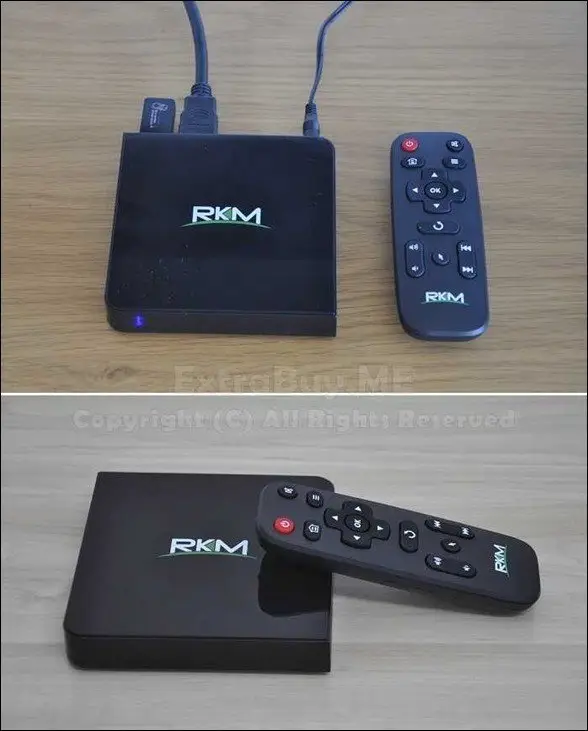
The MK12 IR remote control is very compatible to operate. Keys made from silicon rubber, soft on pressing, General feeling is of a high-quality item. Rikomagic didn’t include a power button integrated within the box. To Switch the device off you need to use the remote ON/OFF button. In this state, the device enters into a low power consumption mode.
Performance
Hardware specs include an Amlogic S812 Quad-core ARM Cortex-A9r4 Processor running at CPU clock speeds between 24 MHz-1.99 GHz (Peak speed) for each core. In idle mode, Nominal CPU clock speed is approximately 120 MHz and changes randomly according to consumed system resources.

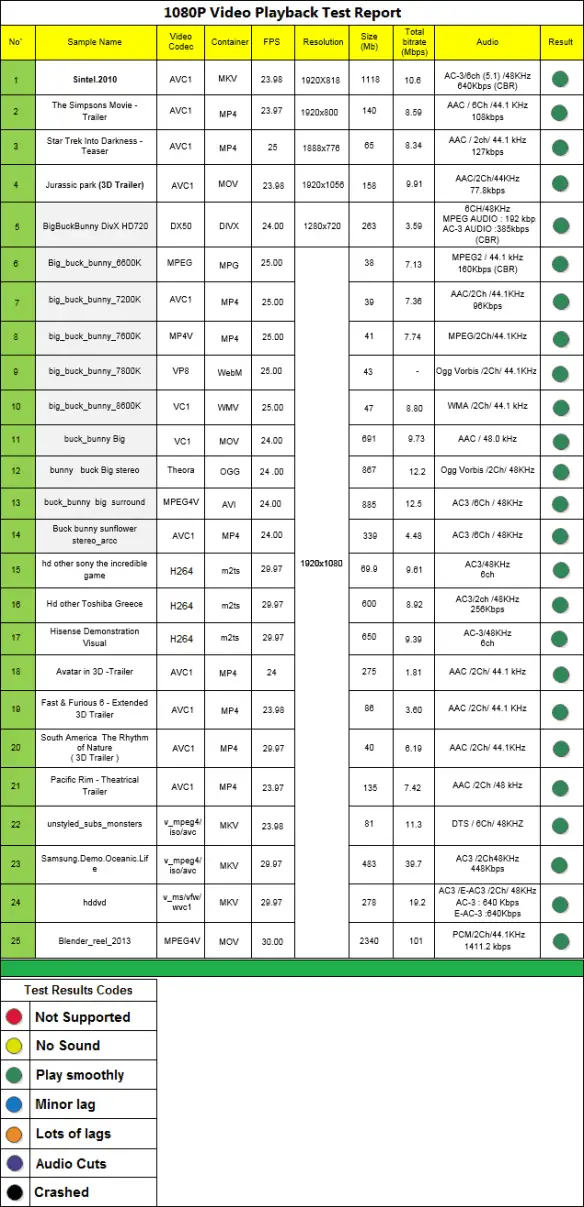
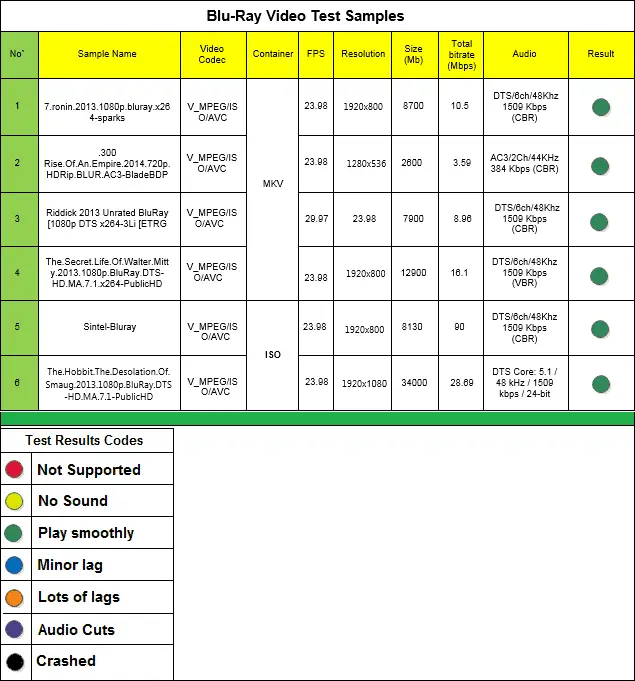
The Device featured a Mali-450 Octa-Core GPU (Graphic Processor Unit) that’s less powerful compared to Rockchip Mali-T764 GPU. Thanks to Amlogic SOC company support, hardware fully compatible playing high bitrate videos through Kodi media player. That being said, my tests will focus on testing playback capabilities including playing 2K& 4K videos from my personal video samples collection.
- Interface Type : USB 2.0 .
- Type: Video Playback test.
- Storage Space: External Hard Drive.
- XBMC Build: Kodi 14.0 “Helix” alpha 4
XBMC Playback Tests

Antutu Benchmark


Notes :
- Tested with the latest Antutu Benchmark tool.
- Antutu software failed in displaying 3D GPU info for the MK12 Device.
Design & Build Quality
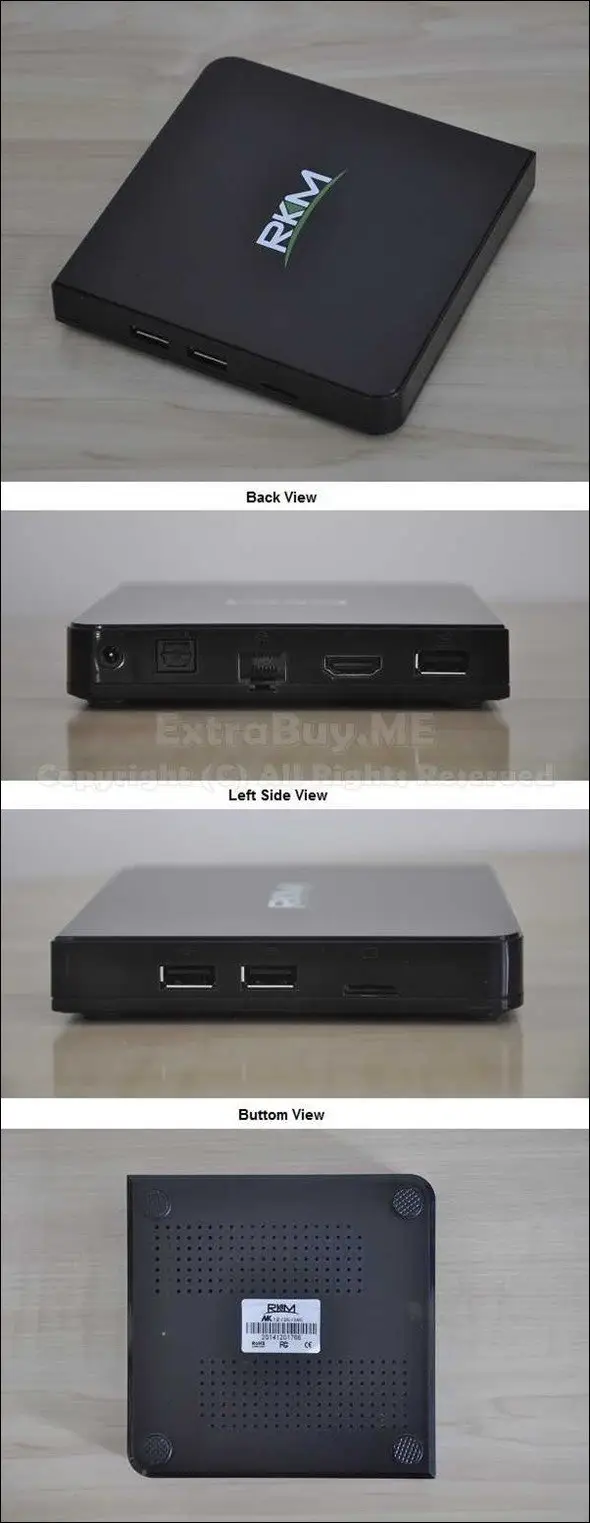
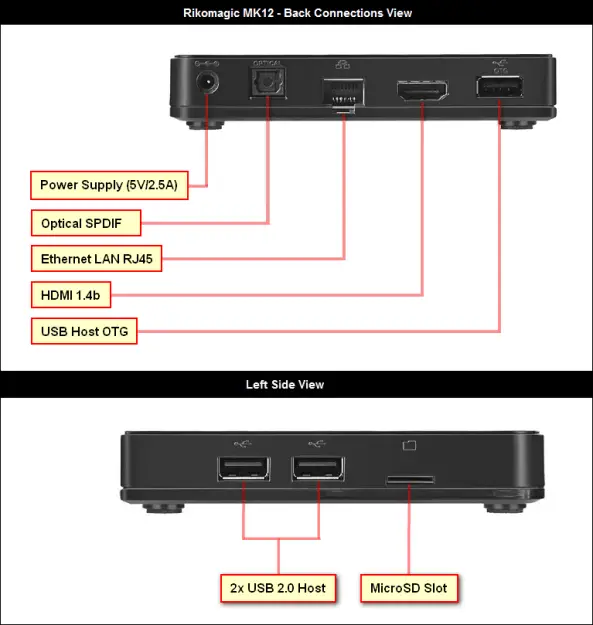
All Items that came with the package are of high quality. The MK12 Box is lightweight and compact in size, completely made from plastic. On the backside, you have all standard ports, including OTG Host Port intended for firmware updating purposes via provided USB cable. On the left side, there is a Micro SD Card slot with an additional two USB 2.0 ports for connecting external devices such as Hard drive Unit, Flash drive dongle, etc..
MK12 With IR Remote Control Unit.
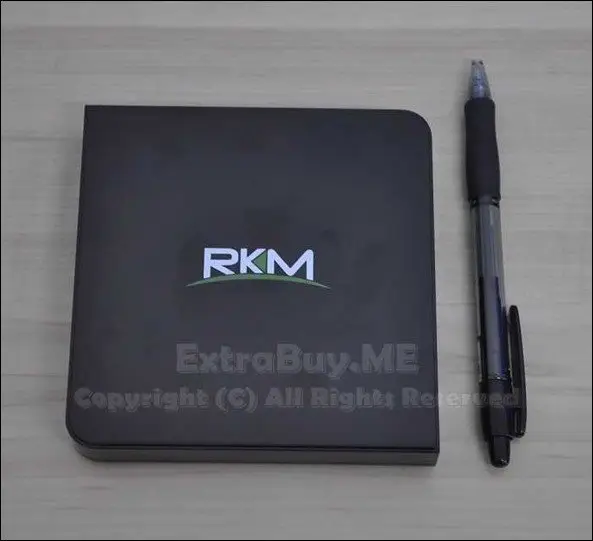
Size & Dimensions
The MK12 Box casing is square-shaped, smaller than a standard pen measuring: 116 x 112 x 18.91 mm.
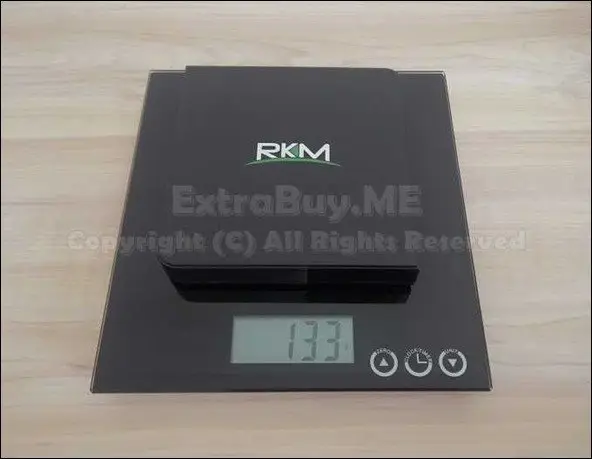
Weighting The MK12 Box
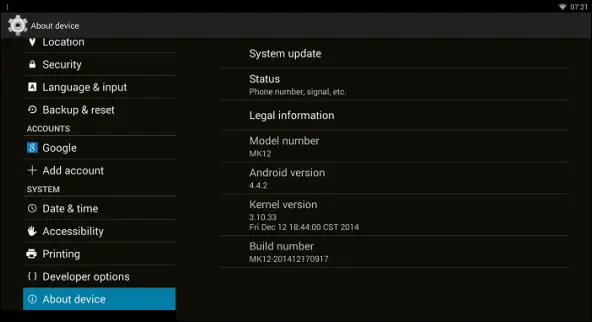
System
The latest new Firmware installed is built 201412170917 running Android KitKat 4.4.2 OS with Kernel 3.10.33. The first impression is that everything works well and stable. Rikomagic included a few additional apps such as Engadget, MXPlayer, SuperSu (root access), XBMC Gotham Build 13.1. As for UI design, It remains the same Windows 8 Tile style as in the V5 Mini PC TV Dongle.

Available Storage Space

Operation
After playing with the MK12 Box, It looks like it doesn’t heat very much, Even when playing high bitrate videos sample device still maintained relatively low temperature. WiFi single was also stronger compared to other devices I have tested from the same distance(~6M). Pretty good result for a set-top box without an external antenna.
MK12 Firmware Updating Steps:
The Rikomagic MK12 review will be focusing on the followings:
1 – Downloading & Extracting the latest firmware archive including upgrade tool & drivers.
2 – Installing USB_Burning_Tool_v2.0.1_x86
3 – During installation, the system will prompt to install driver, Selecting: “install driver”
4 – Installing USB_Burning_Tool_v2.0.2_x86, the same steps as above.
5 – Opening “USB_Burning_Tool” from Desktop shortcut
6 – Changing to English by selecting the second menu option.
7 – Loading image file from the menu, File > Import image, browse, and selecting the file.
8 – Connecting a USB cable to a computer USB port first (Not connect with MK12 yet).
9 – Pressing and hold the “restore” button on the device.
10 – Connecting the USB cable to the OTG port of the MK12, pressing “restore” for 3-5 seconds.
11 – When prompted It will install the necessary drivers.
12 – Device is listed under “Device ID” in the USB_Burning_Tool app.
13 – Clicking “Start” to write the image file (3-5 min waiting).
14 – Waiting until the update process shows: “100% Burning successfully” and clicking “Stop”.
15 – Closing the USB_Burning_Tool app.
16 – Disconnecting The MK12 Box.
Conclusions
Excellent Product. Plays fluently a wide selection of video formats with Kodi (XBMC) Media Player. The MK12 sales at $100 retail price including shipping, and I highly recommend it.
PROS
- Best XBMC Support & Compatibility : Plays 1080P , 2K , 4K Videos.
- High Quality.
- Comes pre-rooted.
- Fast & Stable.
CONS
– to 32 GBNone.