Maybe you missed it? Youyeetoo X1 Review
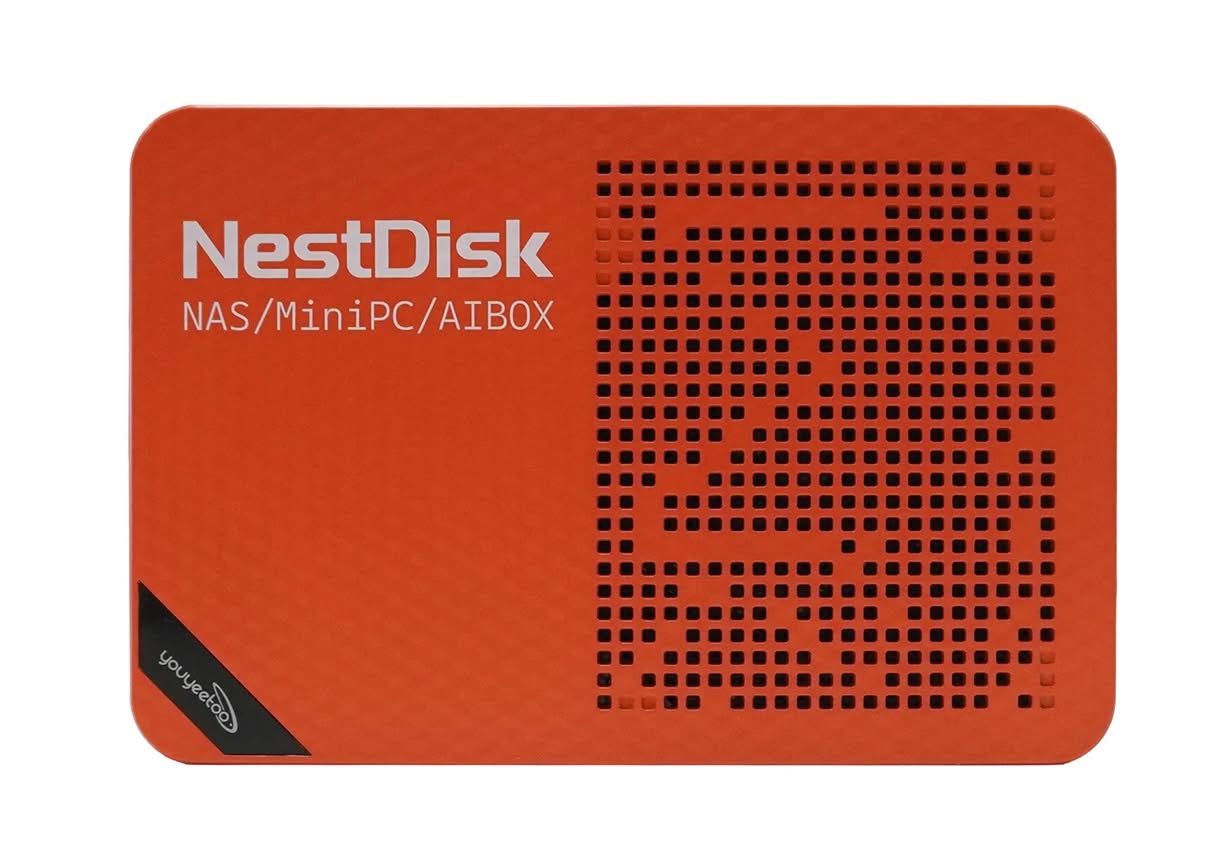
SHENZHEN, China – August 3, 2026 – We’ve all been there: running out of phone storage, paying annoying monthly fees for cloud space, or dealing with clunky home Wi-Fi. That’s why Youyeetoo offers the NestDisk Mini PC NAS solution. It’s basically a tiny, vibrant orange gadget that packs the power of a massive storage drive, a high-end home router, and a full desktop computer into a box that literally fits in the palm of your hand.
Whether you’re a parent looking to safely back up years of family photos, a work-from-home pro needing a reliable setup, or a tech tinkerer who loves smart-home gadgets, the NestDisk is designed to make your digital life easier, faster, and completely private.
Quick Product Introduction
Key highlights
- Compact 4-Bay NAS mini PC for edge computing: The Nest Disk NAS is a strong mini PC designed for edge computing. It has four slots for NVMe SSDs, making it great for home or school use.
- High-Performance Intel Twin Lake N150 Processor: Powered by the Intel Twin Lake N150 processor, this device delivers efficient performance for file storage, media streaming, and light server tasks.
- Dual 2.5 GbE Network Ports: The Nest Disk NAS has two 2.5 GbE network ports. This ensures fast data transfer and smooth network connections.
- Supports 4K output for High-Resolution Media: With 4K output capability, this mini PC is perfect for streaming high-resolution videos and managing media libraries with clarity and smoothness.
- You can select from various memory and storage configurations: 12GB DDR with a 1TB SSD, 12GB DDR with a 512GB SSD, or 12GB DDR without an SSD. This provides flexibility in storage options to meet different user needs.
Specifications
| Component Category | Technical Specifications |
| Processor (SoC) | Intel Processor N150 (Twin Lake / Alder Lake-N), 4 Cores / 4 Threads, 1.6 GHz base up to 3.6 GHz burst, 6W TDP |
| Graphics (GPU) | Integrated Intel UHD Graphics (24 Execution Units @ up to 1.0 GHz) |
| System Memory (RAM) | 12GB LPDDR5 (Soldered, non-upgradable; optional 6GB or 16GB variants) |
| Boot Storage | 64GB eMMC 5.1 onboard flash (Pre-installed with OpenMediaVault) |
| NVMe / SSD Storage | 4x M.2 2280 slots (PCIe 3.0 x2 speed via PCIe switch multiplexing; 1 slot supports M.2 SATA) |
| Maximum SSD Storage | Up to 32TB total (Supports 4x 8TB M.2 NVMe SSDs) |
| Wired Networking | 2x 2.5 GbE RJ-45 LAN ports (Intel i226-V controllers—ideal for OpenWrt/PfSense) |
| Wireless Connectivity | Wi-Fi 6 (802.11ax) + Bluetooth 5.2 |
| Display Support | Up to 3x simultaneous 4K@60Hz displays • 2x HDMI 2.1 • 1x USB Type-C (DisplayPort Alt Mode) |
| USB Interfaces | • 3x USB 3.2 Gen 2 Type-A (10 Gbps) • 1x USB Type-C (Full-function: Data, DP Alt Mode) • 1x USB Type-C (Dedicated Power Input) |
| Audio | 3.5mm CTIA Headphone/Microphone jack + Digital Audio via HDMI/USB-C |
| Cooling System | Internal 30mm cooling fan + thick aluminum SSD heatsink block (Optional dual USB external fans available) |
| Power Supply | 19V / 3.42A DC via dedicated USB-C Power Port |
| Power Consumption | ~11W Idle | ~25W–30W Peak load |
| Dimensions & Weight | 146 mm × 97.5 mm × 32 mm (~5.75″ × 3.84″ × 1.25″) |
| OS Compatibility | ✅ OpenMediaVault ✅ Windows 11 ✅ Ubuntu/Debian ✅ OpenWrt/iStoreOS ✅ TrueNAS Scale ✅ Proxmox VE |
Youyeetoo NestDisk Interfaces
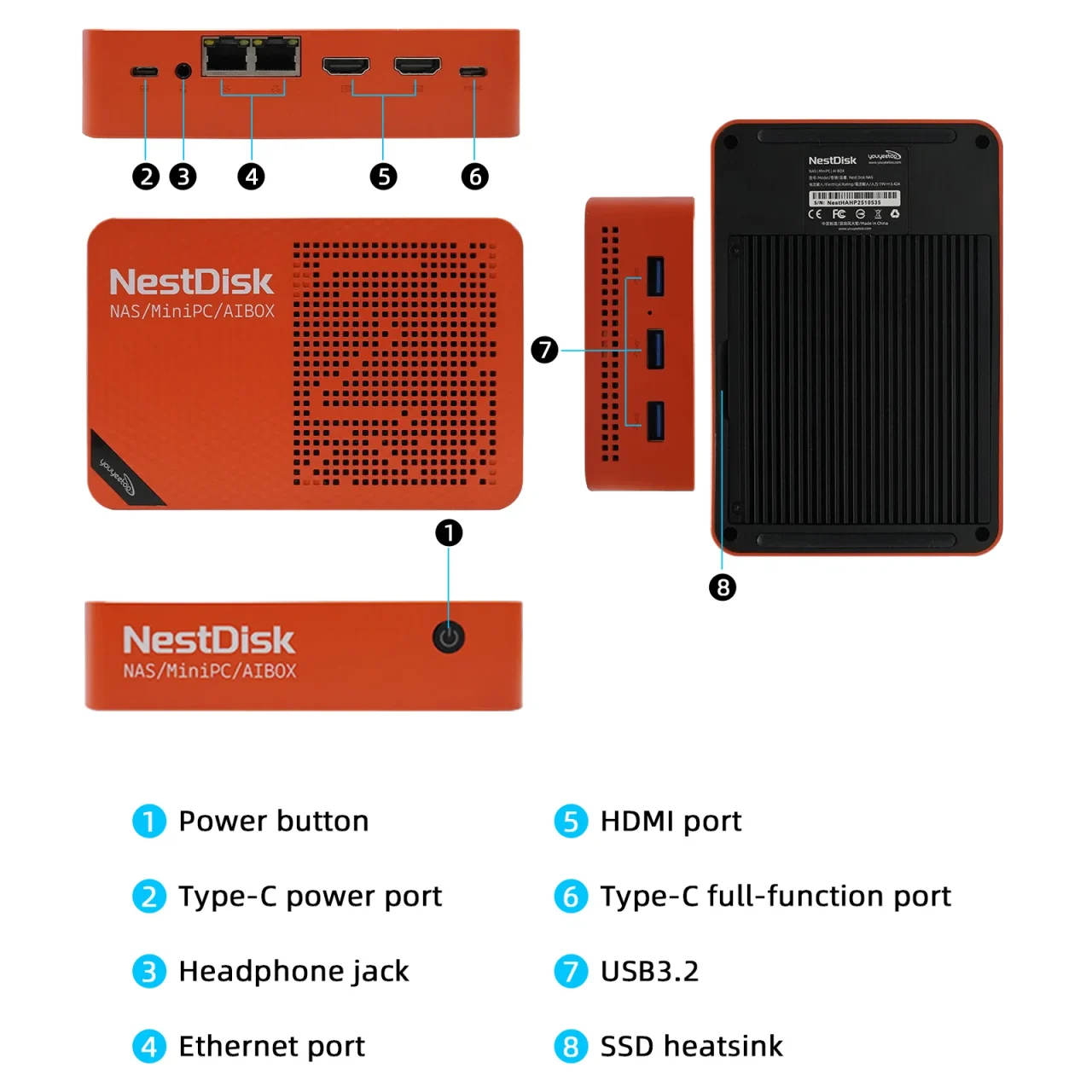
Tiny but Mighty: What’s Under the Hood?
Don’t let the small size fool you. The NestDisk is built to run quietly 24/7 without running up your electric bill, but it still has plenty of muscle when you need it:
- The Brains: It runs on an efficient Intel N150 quad-core processor. It’s quiet, stays cool, and easily handles everything from streaming 4K movies to running your daily office apps.
- The Memory: It comes loaded with 12GB of the latest DDR5 memory, giving you plenty of room to multitask, run virtual machines, or host smart-home apps without slowing down.
- Massive Storage: It features four slots for ultra-fast NVMe SSDs. You can easily build a personal storage vault holding up to 16TB of data—that’s thousands of movies, photos, and work files.
- Blazing-Fast Connections: With dual 2.5-Gigabit Ethernet ports and the latest WiFi 6, your file transfers and internet speeds will be lightning fast.
- Triple display output:You can connect up to three monitors at once using its HDMI and USB-C ports, supporting independent displays at 4K resolution with a refresh rate of 60 Hz (4Kp60).
- Additional I/O: The device includes three USB 3.2 Gen 2 Type-A ports (10 Gbps), a dedicated USB-C power supply port (19V/3.42A), a 3.5mm audio jack, and an active thermal subsystem. This subsystem features an internal 30mm cooling fan and robust aluminum SSD heatsinks to maintain optimal drive temperatures during prolonged data transfers.
All-in-one: A local cloud NAS, mini PC, and router in one device.
1. Your Very Own Private Cloud (Ditch the Monthly Fees!) Stop paying big tech companies every month just to store your own files. The NestDisk lets you create your own personal cloud. You can securely access your documents, photos, and videos from your phone, tablet, or laptop from anywhere in the world. Because it’s housed in your own home, your private data actually stays private. It’s also ready to run OpenMediaVault (OMV) right out of the box, making it incredibly easy to set up secure file-sharing for the whole family.
2. The “Brain” of Your Home Network Thanks to those dual high-speed network ports, tech-savvy users can turn the NestDisk into a “soft router.” Instead of buying a bulky, expensive commercial router, you can use the NestDisk to manage your home’s internet traffic, block ads, and prioritize your streaming or gaming devices.
3. Your Everyday Computer Need to get some work done? Just plug in a keyboard and mouse, and the NestDisk transforms into a fully capable Windows or Linux desktop. It’s perfect for browsing the web, writing emails, or managing your household budget.
Software Support
The best thing about the Youyeetoo NestDisk is that it doesn’t trap you into a single, complicated system. Because it runs on standard PC parts (an Intel processor), it’s like a chameleon—it can be whatever you need it to be, whether you are a tech expert or a complete beginner.
Here is a friendly breakdown of the software support available to you:
1. The “Easy Button” for Storage (OpenMediaVault)
If you just want your files safe and accessible without jumping through hoops, the NestDisk comes with OpenMediaVault (OMV).
- Why you’ll like it: It’s completely free and incredibly user-friendly. Once you set it up, you don’t need to fiddle with complicated code. You can manage your files, create user accounts for family members, and install apps all through a simple dashboard on your phone or laptop.
- Think of it as: Your own personal Google Drive, but with no monthly fees and total privacy.
2. For the “Movie Night” Crowd (Unraid & TrueNAS)
If you love collecting movies, TV shows, and music, this device is perfect for you. It supports popular home-server operating systems like Unraid and TrueNAS.
- Why you’ll like it: These systems let you stream your own private “Netflix” to any TV in your house (using apps like Plex or Jellyfin). They are also very forgiving—you can add different sizes of hard drives over time without worrying about technical conflicts.
- Think of it as: A powerful media library that keeps all your entertainment in one safe place.
3. Yes, It Can Run Windows!
Did we mention it’s basically a PC? You can easily install Windows 10 or 11 on the NestDisk.
- Why you’ll like it: It’s great for basic office work, browsing the web, or even as a computer for the kids’ homework. You can plug in a mouse and keyboard, and it works just like any other Windows computer you’ve used.
- Think of it as: A tiny, silent desktop computer that saves desk space.
4. Upgrade Your Home Internet (Soft Router)
The NestDisk has two high-speed internet ports, which allows it to act as a “Soft Router.” You can install smart network software like OpenWrt or pfSense.
- Why you’ll like it: This gives you “God mode” over your home internet. You can prioritize bandwidth for gaming, block annoying ads across all your devices, or set up a separate Wi-Fi network for your guests.
- Think of it as: A traffic cop for your home internet that makes sure everything runs smoothly.
Where to Get It
The Youyeetoo NestDisk Mini PC NAS is currently available on Amazon, eBay, and the official Youyeetoo website. From a user perspective, the “barebones” kit is the most cost-effective choice, enabling you to customize it with your preferred storage drives to suit your specific needs. It is offered in two colors: Dark Blue and Orange chassis options, both priced the same. The product configurations include the following options:
| Configuration | Technical Specifications |
| Barebone / No SSD | 12GB DDR5 + 64GB eMMC |
| Pre-configured bundles with storage. (512 GB / 1 TB NVMe) | 12GB DDR5 + 64GB eMMC + 512GB NVMe SSD |
| Pre-configured bundles with storage. (512 GB / 1 TB NVMe) | 12GB DDR5 + 64GB eMMC + 1TB NVMe SSD |
Where to buy
Here is a table of stores currently selling the Youyeetoo NestDisk, along with the product links and their current pricing:
| Store | Product Link | Current Price / Configuration |
|---|---|---|
| Amazon (US) | Amazon Link | $269.99 (12GB RAM + 64GB eMMC) $352.99 (+ 512GB SSD) $404.90 (+ 1TB SSD) |
| Youyeetoo Official Store | Official Store Link | $302.99 (Base Configuration) |
| eBay | eBay Listing | ~$285.28 (C$399.99) – Open Box (Pre-installed with OMV 8, accepts Best Offer) |
| Amazon (Canada) | Amazon CA Link | ~$383.77 CAD (Base Configuration) |
Purchase it on AliExpress.
Before making a purchase, we strongly recommend:
- Using our special discount coupon: JT6NP3YUYMVV ($3.71 discount coupon)
- Use AliExpress sitewide coupons.
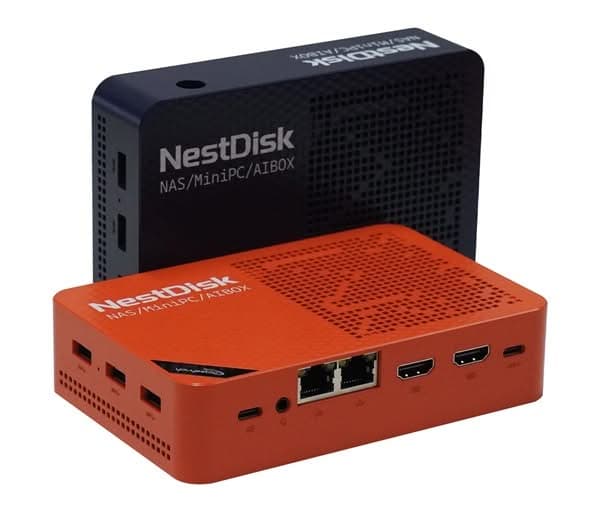
Youyeetoo Nest Disk NAS/Mini-PC
The Youyeetoo is a compact, palm-sized all-in-one Nest Disk NAS mini PC (measuring 146 × 97.5 × 32 mm) that serves as a four-bay NVMe storage device, a mini router, a lightweight desktop workstation, and a media center.
About Youyeetoo: (Youyeetoo Tech Co., Ltd.) is a Shenzhen-based hardware manufacturer, distributor, and engineering firm specializing in embedded systems, single-board computers (SBCs), edge AI platforms, and IoT hardware.
Established in 2012, the company operates both as a direct hardware vendor and as an original equipment manufacturer (OEM/ODM) providing customized computing solutions for the global maker community, software developers, and industrial clients.
If you would like to learn more or have any questions, please feel free to reach out.
- Drop us a line at shop@youyeetoo.com
- Offical Store: https://www.youyeetoo.com.
- Product wiki page: https://wiki.youyeetoo.com