Close Menu
  • Home
  • About
  • Wearables
  • Earbuds
  • Computer Accessories
    • Routers
    • Remotes
  • Embedded
    • Single Board Computers
    • Addon Boards
    • Raspberry Pi
  • Wireless Routers
  • Contact
Facebook X (Twitter) Instagram
Trending News
  • CamThink NE301 Ultra-Low Power Edge AI Camera Module runs Local AI Models
  • Orange Pi 6 Plus Review: A 12-Core SBC Powerhouse (Benchmarks, Specs, and Pricing)
  • Orange Pi 6 Unveiled: The Affordable, Slimmed-Down SBC Alternative to the 6 Plus
  • Ugoos SK4 Review (2025): The Best Mid-Range Android TV Box for Value & Features
  • AliExpress Black Friday 2025: 🚨 LATEST Deals & ALL Exclusive Country Promo Codes (Save 90%!)
  • LattePanda IOTA Review: 4 Reasons It Beats Raspberry Pi 5
  • POCO F8 Ultra/Pro global release date unveiled, showcasing flagship-level specs
  • Ugoos GaN Chargers 2025: 35W, 65W, 140W – Fast, Compact & Universal
AndroidPIMP
Facebook X (Twitter) Instagram
  • Home
  • About
  • Wearables
  • Earbuds
  • Computer Accessories
    • Routers
    • Remotes
  • Embedded
    • Single Board Computers
    • Addon Boards
    • Raspberry Pi
  • Wireless Routers
  • Contact
AndroidPIMP
Speakers

Tronsmart Element Force Review: The Best Portable Bluetooth Speaker 2021 Pick

By androidpimpJuly 23, 2019Updated:April 19, 2023No Comments7 Mins Read
Facebook Twitter Pinterest LinkedIn Tumblr Email
Follow Us
Google News Flipboard
Element Force Bluetooth Speaker
Table of contents
  1. Tronsmart Element Force review
  2. Price and Availability
    1. Tronsmart Element Force
  3. Main Highlights
  4. Specifications
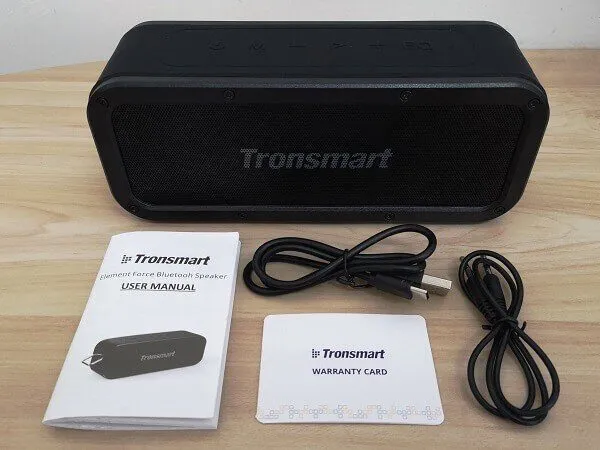
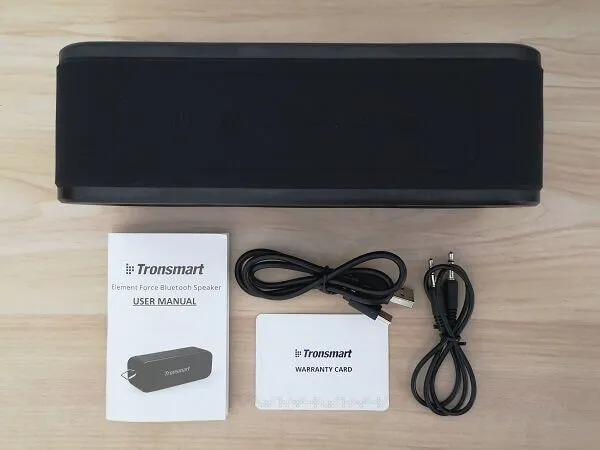
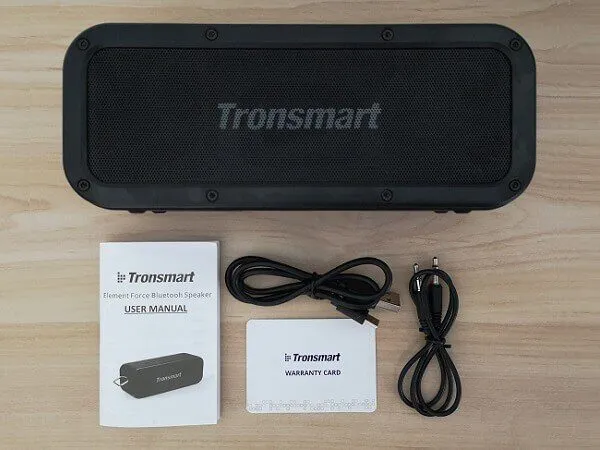
  5. Package
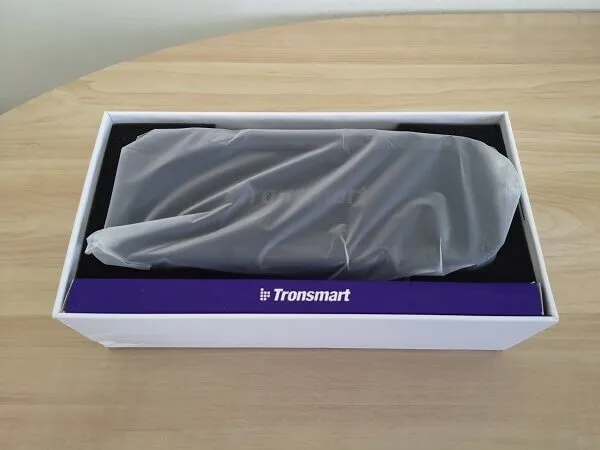
  6. Main Package โ€“ Unboxingย 
  7. Design
  8. Features & user interface
  9. Connectivity
    1. Bluetooth Pairing
    2. NFC Pairingย 
  10. Performance
  11. Final verdict

Perhaps you missed it? Blitzwolf BW-GT2 PC Gaming Speaker System for $70


Tronsmart Element Force review

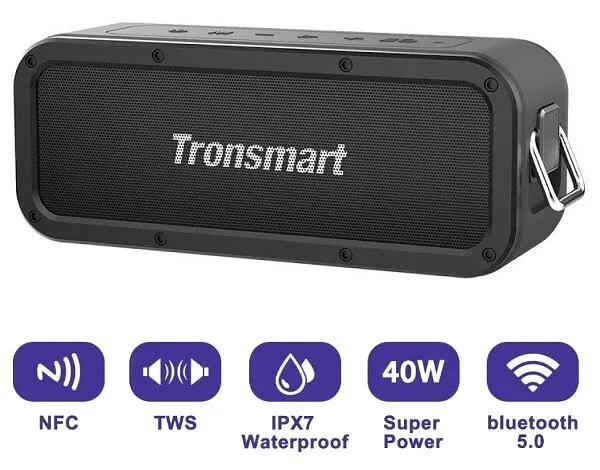
The Element Force is a heavy-duty portable Bluetooth speaker sold worldwide under the known Tronsmart brand name. This speaker is designed especially for outdoor applications. The speaker is dustproof, with operation buttons integrated within the speaker’s main shell. IPX7 waterproof protection is another advantage, as you can take it to the beach or the pool without worrying about spills or even being submerged in water (but please note that, thrown into the water for up to 30 minutes).

Element Force incorporates two passive radiator speakers, each provides 20W of power with 40W max power output. You can access your device’s Voice Assistant from the speaker with a simple button tap. According to the company, the speaker comes with a pair of 3300mAh batteries that can be fully charged in approximately 3 hours with 15 hours of continuous playback with a medium audio level setting, which is considered a good result for a low-cost Bluetooth speaker.

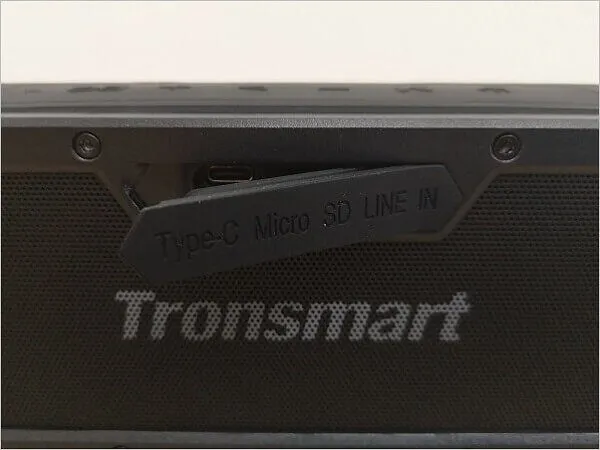
In addition to Bluetooth 5.0 support, this speaker also supports NFC connectivity functions that provide the best streaming experience. Battery for power conservation, there is a 3.5 mm AUX port located on the rear side of the unit designed for connecting devices such as mobile phones, tablet PCs, etc. Next, you will find a convenient Micro SD Card slot for playing locally stored music files.


Price and Availability

Based on user reviews, this product has a good build high, is packed with great features, and provides excellent sound quality. If you are searching for an affordable heavy-duty Bluetooth speaker, you are welcome to check the Geekbuying website (Link posted below):
Element Force bluetooth speaker 2

Tronsmart Element Force

$44.99
This site contains affiliate links to products. We may receive a commission for purchases made through these links.
Buy this item

Tronsmart Element Force SoundPulse


Element Force Bluetooth Speaker

Element Force bluetooth speaker

Main Highlights

  1. Dynamic Audio – Dual passive radiators provide up to 40W of output with potent bass filling your room’s corners.
  2. Durable – Portable Powerful.
  3. IPX7 Water-resistant – Take Force to the beach or the pool without worrying about spills or even submersion in water.
  4. 15 Hours Playtime – Music on the go for up to 15 hours on a single charge.
  5. True Wireless Stereo – Pair two Force speakers for the ultimate 3D stereo sound to enhance your audio experience.
  6. Tri-Bass Effects – 3 equalizer audio modes can be changed to suit any music genre (3D stereo, Extra bass, and Standard).
  7. Bluetooth 5.0 – Bluetooth 5.0 offers the latest connectivity option for a more stable connection & better range.
  8. Supports NFC – Connect and stream music easily with one-touch NFC technology.

Specifications

  • Model: Element Force
  • Bluetooth Version 5.0
  • Output (watt) 2 x 20W Max.
  • Main Features Micro SD/TF card, aux-in, hands-free
  • Transmission Distance 30m/98ft (open area)
  • Frequency 80Hz-18KHz
  • Water Resistant IPX7
  • Power Supply DC 5V/3A (max)
  • Battery Capacity 3300mAh x 2
  • Charging Time About 3 hours
  • Play Time Up to 15 hours (medium volume)
  • Driver Unit 53mm
  • Distortion of ≤1.0%
  • Connector USB-C charging port, 3.5mm aux-in port, TF/Micro SD card slot
  • EAN Code 6970232012888
  • Dimension 204 x 64 x 80mm / 8.03 x 2.51 x 3.14in
  • Net Weight 780±5g / 27.51±0.2 oz

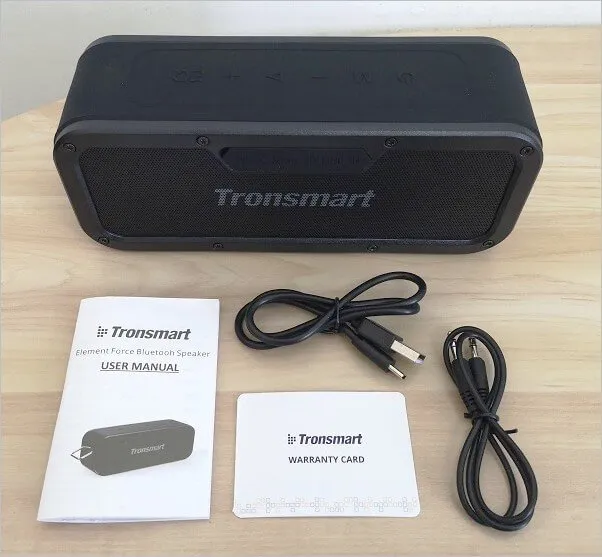
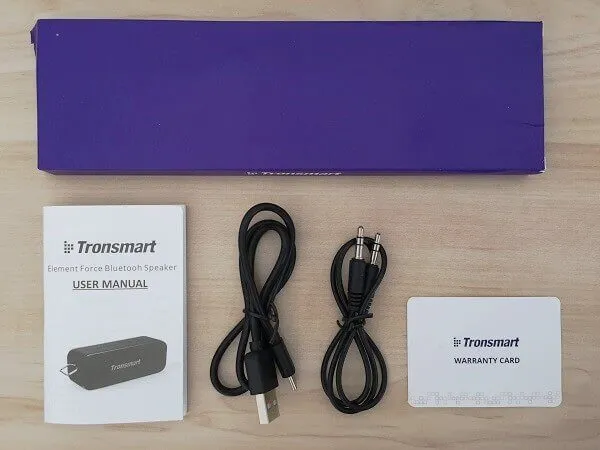
Package Contents:

  • 1 x Element Force Bluetooth speaker
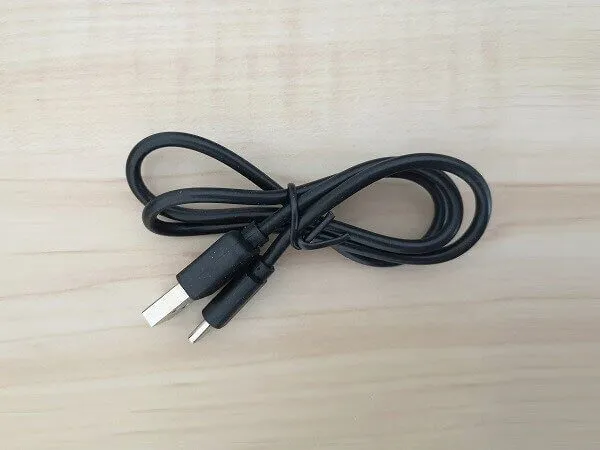
  • 1 x Charging cable
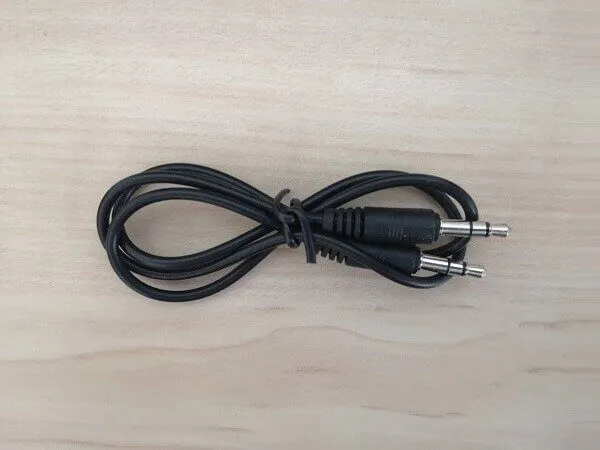
  • 1 x 3.5mm AUX cable
  • 1 x Warranty Card
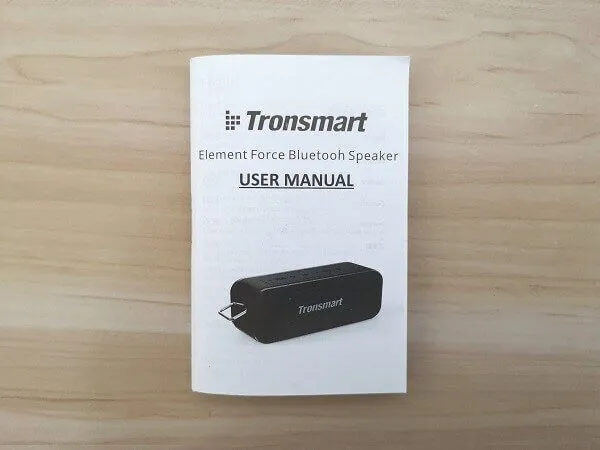
  • 1 x User manual

Package

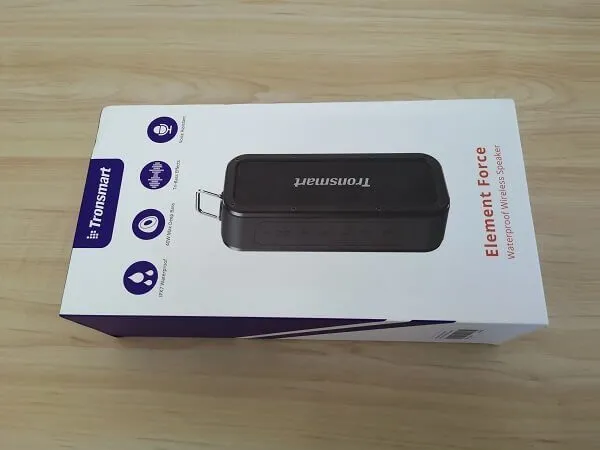
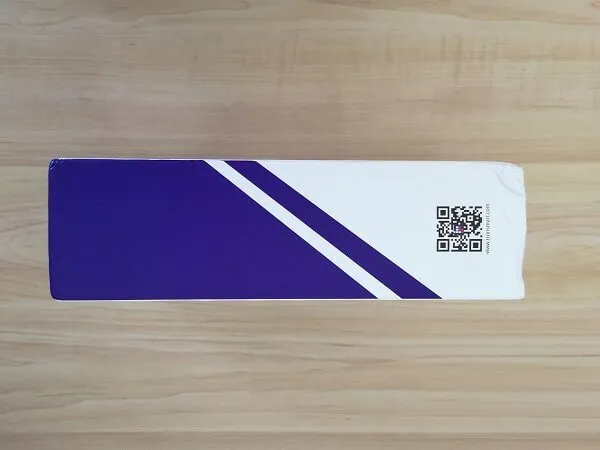
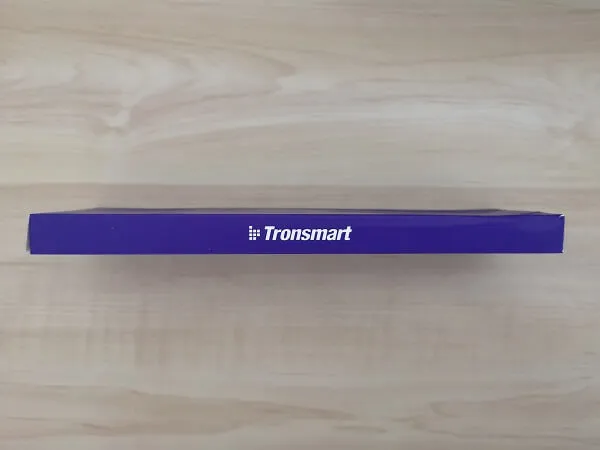
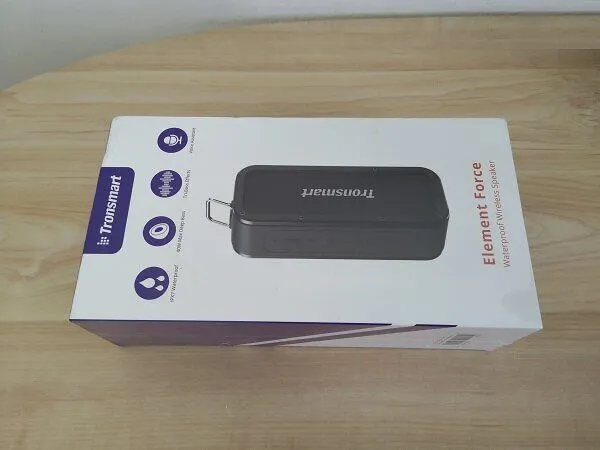
  • Element Force Pkg P1
    Element Force Pkg P1
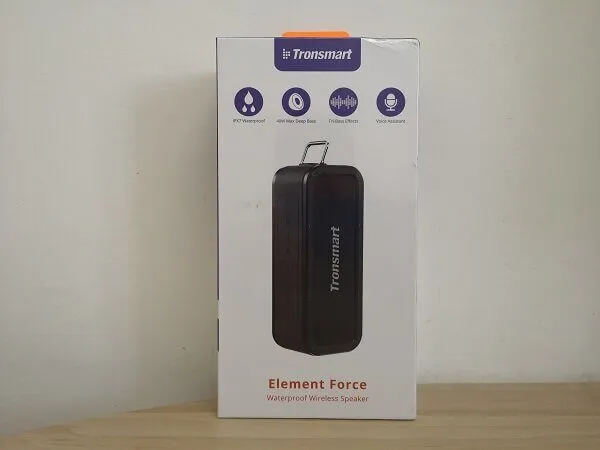
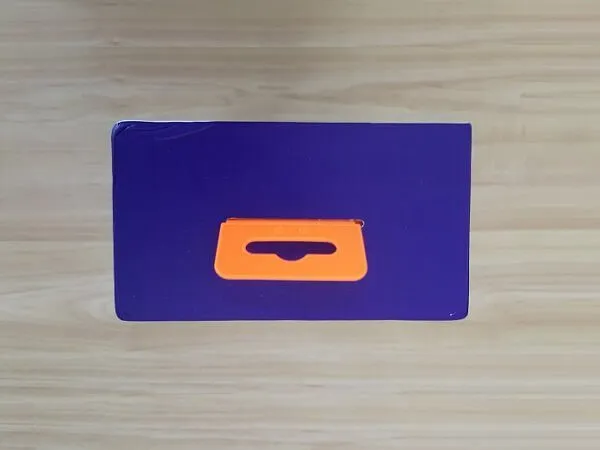
  • Element Force Pkg P2
    Element Force Pkg P2
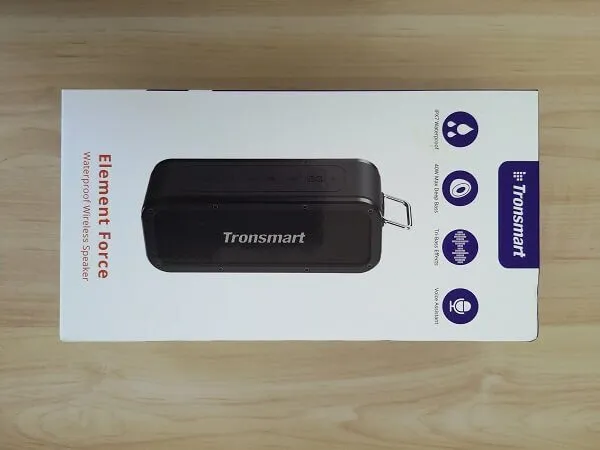
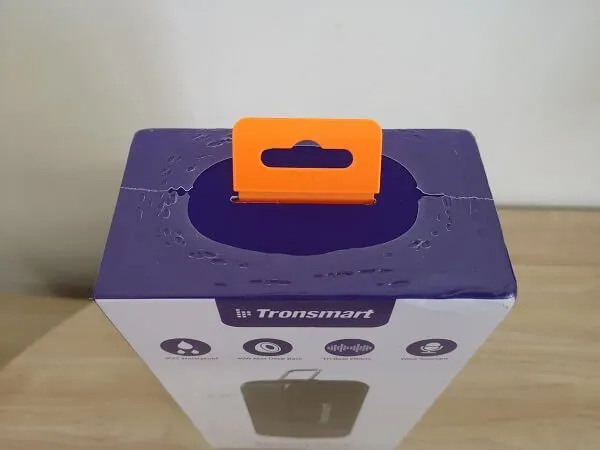
  • Element Force Pkg P3
    Element Force Pkg P3
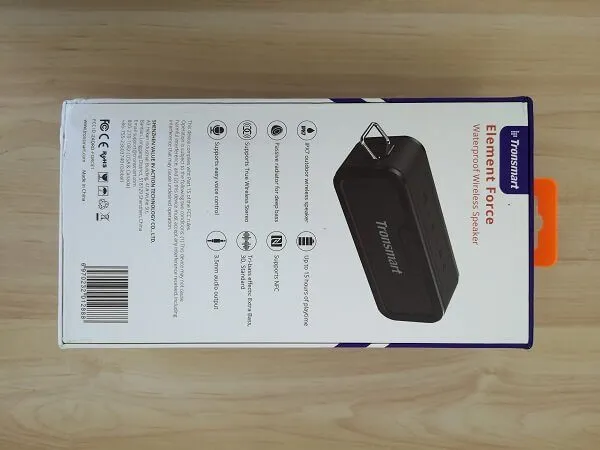
  • Element Force Pkg P4
    Element Force Pkg P4
  • Element Force Pkg P5
    Element Force Pkg P5
  • Element Force Pkg P6
    Element Force Pkg P6
  • Element Force Pkg P7
    Element Force Pkg P7
  • Element Force Pkg P8
    Element Force Pkg P8
  • Element Force Pkg P9
    Element Force Pkg P9

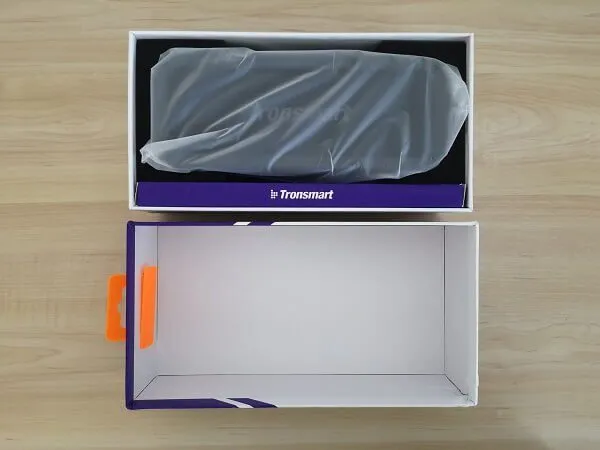
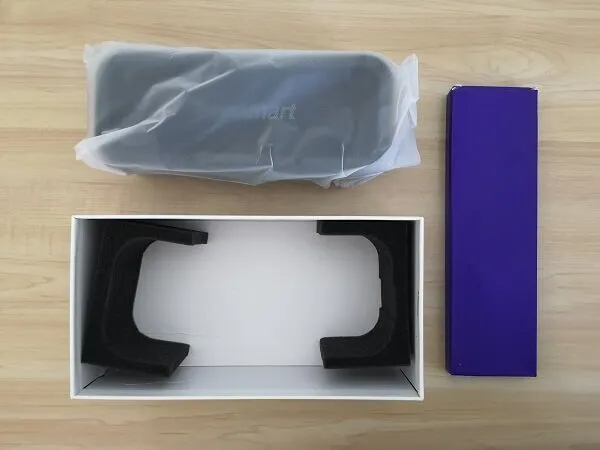
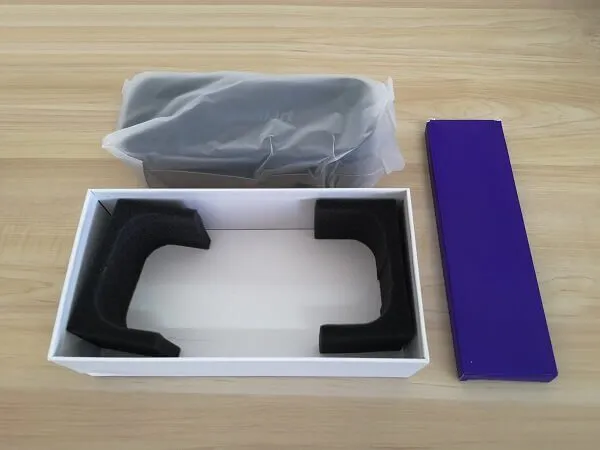
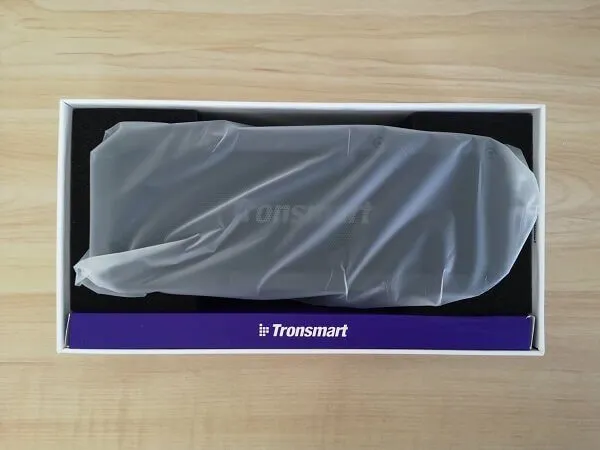
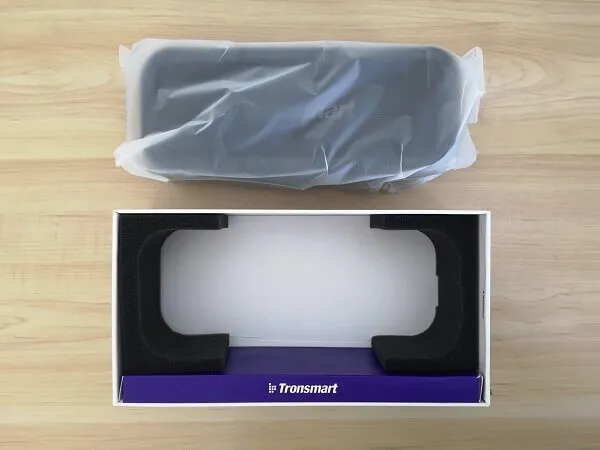
Main Package – Unboxing 

Tronsmart Element Force Items
 

 Main Package | Unboxing

  • Element Force Unbox P1 1
    Element Force Unbox P1 1
  • Element Force Unbox P2 1
    Element Force Unbox P2 1
  • Element Force Unbox P3 1
    Element Force Unbox P3 1
  • Element Force Unbox P4 1
    Element Force Unbox P4 1
  • Element Force Unbox P5 1
    Element Force Unbox P5 1
  • Element Force Unbox P6 1
    Element Force Unbox P6 1
  • Element Force Unbox P7 1
    Element Force Unbox P7 1
  • Element Force Unbox P8 1
    Element Force Unbox P8 1
  • Element Force Unbox P9 1
    Element Force Unbox P9 1

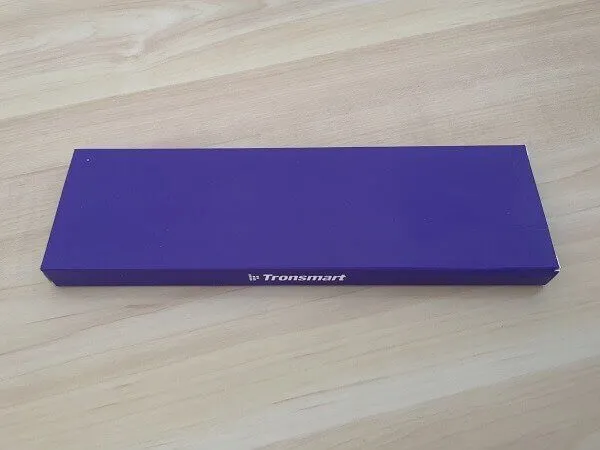
Accessories Package | Unboxing 
  • Element Force Pkg 1
    Element Force Pkg 1

  • Element Force Pkg 2
    Element Force Pkg 2
  • Element Force Pkg 3
    Element Force Pkg 3
  • Element Force Pkg 4
    Element Force Pkg 4
  • Element Force Pkg 5
    Element Force Pkg 5
  • Element Force Pkg 6
    Element Force Pkg 6
  • Element Force Pkg 7
    Element Force Pkg 7
  • Element Force Pkg 8
    Element Force Pkg 8

Design

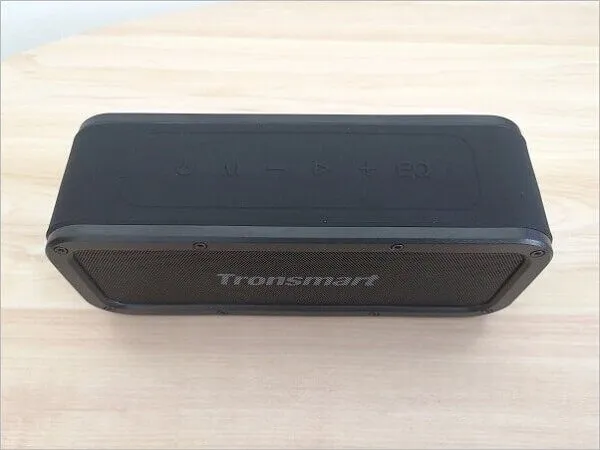
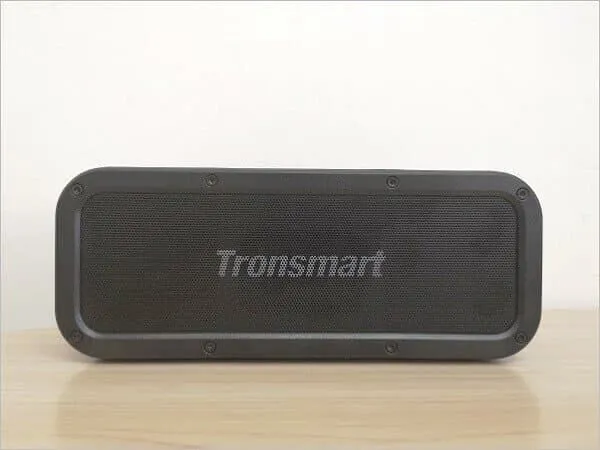
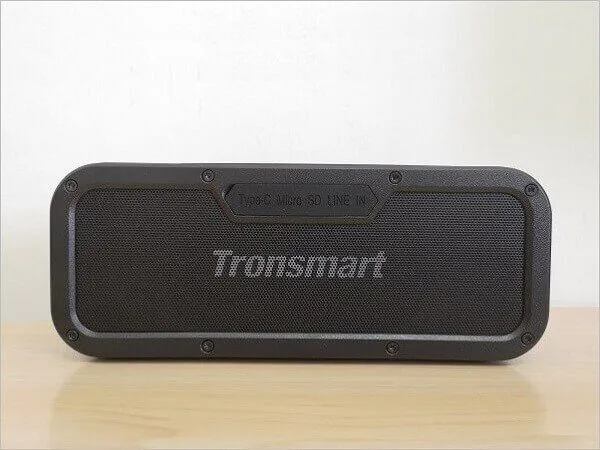
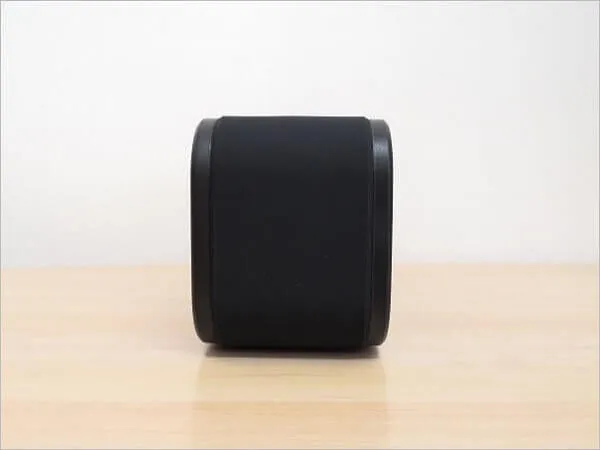
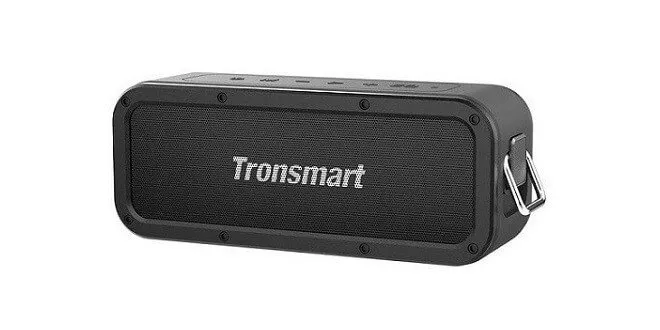
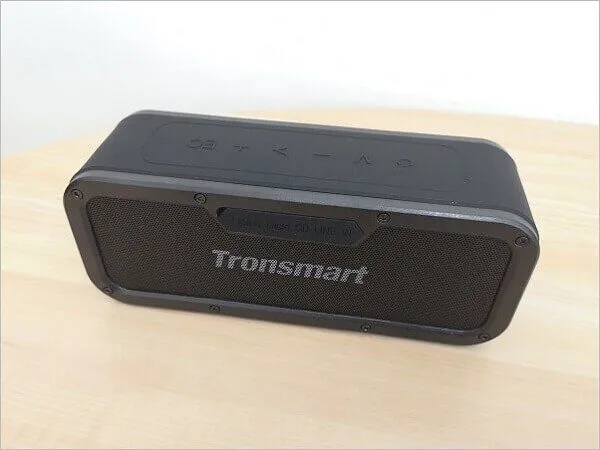
Element Force SoundPulse’s design is superb on every level possible, including material usage. The main shell of the speaker is composed of high-quality, durable plastic with two reinforcement frames on each side of the speaker grills, reinforced by a total of 16 screws on both sides.

Element Force SoundPulse is protected by a thick rubber coating that protects the speaker from scratches and bumps. The downside of the layer is that it can also easily attracts dust particles, so if you are planning to take it to the beach, it’s best you buy a protective carrying case, or the sand might stick to the rubber surface, and then you would have to invest some time in cleaning it.

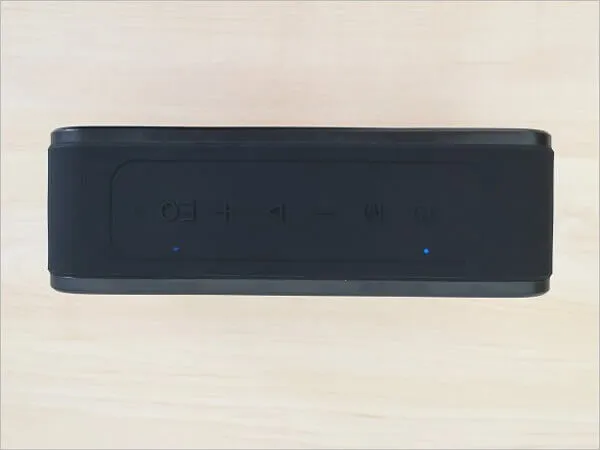
Element Force Speaker Controls
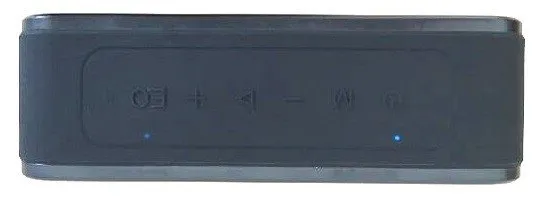
Element Force Speaker Controls

Controls From left to right:

  • Power – press on / off
  • M – mode – changes inputs from Bluetooth to SD card to AUX-in; also, hold for 6-8 seconds to factory reset and unpair all devices
  • Minus–click lowers volume; long-press skips back one track
  • Play/pause – clicking plays or pauses the music; answer/hangup for phone calls; 2-second press to reject a call; 6-8 second press to force a power down
  • Plus – click raises volume; long-press skips forward one track
  • EQ – change audio effects from extra bass, 3D sound, and standard
  • NFC – the small symbol on the right is the NFC pad – more on that below

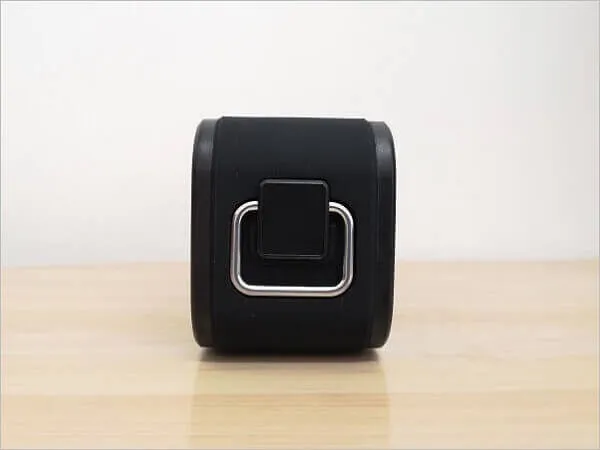
Metal Hook

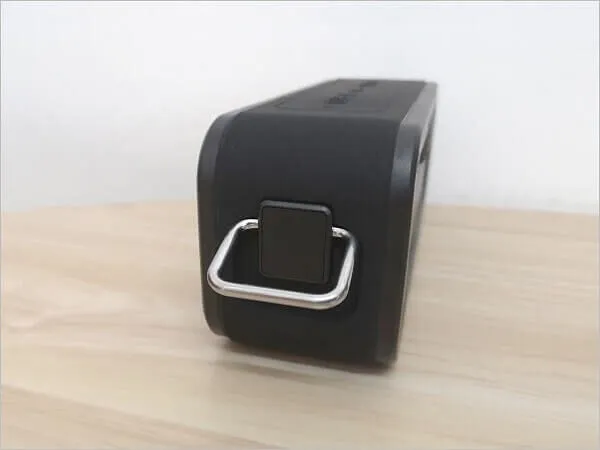
Element Force SoundPulse comes with a rectangle-shaped belt alloy metal hook for outdoor adventures like camping, hiking, or biking. You can attach the clip to a belt or a backpack, preferably with a rectangular-shaped metal belt loop.

Weight

Despite the superb build quality, the Element Force SoundPulse is not the most lightweight portable speaker, with a weight of 794gr. It might be challenging to carry if you plan on using it for long-distance walking trips mounted to a belt.

Tronsmart Element Force
  • Element Force 1
    Element Force 1
  • Element Force 2
    Element Force 2
  • Element Force 3
    Element Force 3
  • Element Force 4
    Element Force 4
  • Element Force 5
    Element Force 5
  • Element Force 6
    Element Force 6
  • Element Force 7
    Element Force 7
  • Element Force 8
    Element Force 8
  • Element Force 9
    Element Force 9

Features & user interface

Measuring only 204 x 64 x 80mm (HxWxD) and weighing 794 grams, the Element Force SoundPulse is so tiny you can hold it in one hand. It’s 3300mAh x2 lithium battery can power the speaker for up to fifteen hours on a single charge.

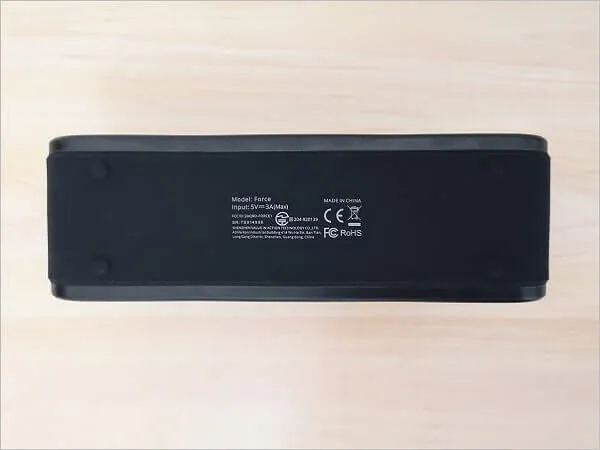
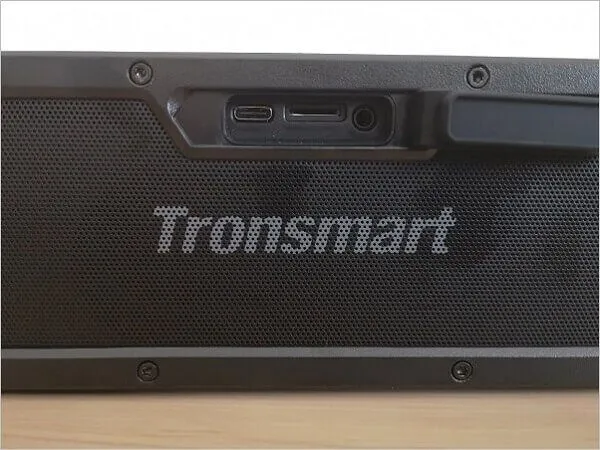
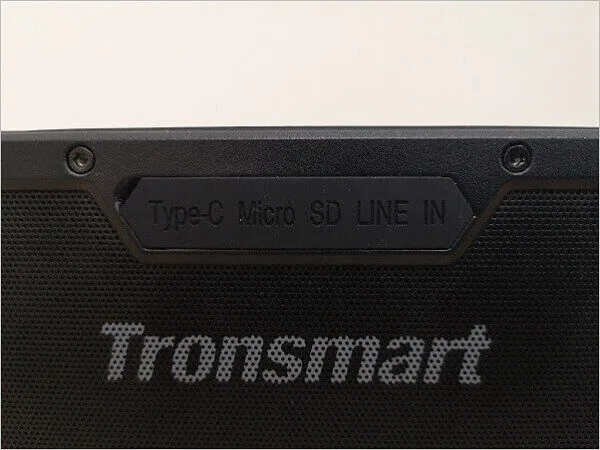
Element Force SoundPulse comes with a USB Type-C cable that connects to the Type-C port on the back, which can also accommodate other USB power sources that provide 5V/3A (Max), which most do. Next to the Type-C port, you have a Micro-SD slot and an AUX port to use the speaker through a stereo cable with P.C, laptop, tablet, etc.

The driver is joined by two side-firing passive radiators behind a perforated metal grille on both sides of the speaker. Powered by a 20-watt amp with advanced DSP equalization, the frequency response is specified to extend from 80Hz to 18KHz with a maximum acoustic distortion of ≤1.0%.

Tronsmart Element Force | Interfaces
  • Element Force Int 01
    Element Force Int 01
  • Element Force Int 02
    Element Force Int 02
  • Element Force Int 03
    Element Force Int 03

First Time Operation

You have two options to connect/pair the Element Force SoundPulse with a mobile device such as a handset /Tablet PC/Set-top box.

Connectivity

Bluetooth Pairing

To pair with a mobile device, you need to power on the speaker, go to the Bluetooth settings, and select the device name ‘Element Force SoundPulse.’ Once the pairing process is completed, you will hear a beeping sound, and that’s it; you are ready.


NFC Pairing 

An easy option for non-tech users. Using the NFC is a lot simpler and friendlier to use. To pair a handset (mobile phone), you just need to enable Bluetooth and the NFC options and place the phone on the speaker for a few seconds. The pairing between devices is established automatically, without the need to select a device from a list of Bluetooth devices.


Performance

The sound quality was impressive, with a significant bass effect that was very noticeable when tested with audio track samples. The speaker’s sound volume was also high and loud enough to be played both indoors and outdoors.


Final verdict

I didn’t find many cons about the speaker, except maybe an FM radio option, which could have been an excellent option, and its weight (794g) might be an issue for some people to carry outdoors. The bottom line, Tronsmart element Force Sound Pulse is a fantastic Bluetooth speaker with excellent sound quality that is definitely worth the money.
Share. Facebook Twitter Pinterest LinkedIn Tumblr Email
Previous ArticleRaspberry Pi 4 Release and Specs Finally Announced!
Next Article ROCK Pi 4 Review: The Raspberry Pi challenger Alternative
androidpimp
  • Website

Related Posts

Smalody Portable Bluetooth Speaker

Best budget Bluetooth speaker under $50 in 2023/4: Smalody 850.

October 2, 2024
Xiaomi Square Box 2 Bluetooth Speaker

Xiaomi Square Box 2 Review: Impressive Sound Quality and Easy to Carry

May 22, 2023
Anonsuo Bluetooth Speaker Review

Anonsuo Saturn Bluetooth Speaker Review

March 20, 2023

Comments are closed.

Categories
PureVPN
PureVPN Ad Banner
VyprVPN – No. 1 in Anonymity
Vyprvpn 350x260
PrivadoVPN – No. 1 in Parental Control
PrivadoVPN 350x437
Recent Posts
  • CamThink NE301 Ultra-Low Power Edge AI Camera Module runs Local AI Models
  • Orange Pi 6 Plus Review: A 12-Core SBC Powerhouse (Benchmarks, Specs, and Pricing)
  • Orange Pi 6 Unveiled: The Affordable, Slimmed-Down SBC Alternative to the 6 Plus
  • Ugoos SK4 Review (2025): The Best Mid-Range Android TV Box for Value & Features
  • AliExpress Black Friday 2025: 🚨 LATEST Deals & ALL Exclusive Country Promo Codes (Save 90%!)
  • LattePanda IOTA Review: 4 Reasons It Beats Raspberry Pi 5
  • POCO F8 Ultra/Pro global release date unveiled, showcasing flagship-level specs
  • Ugoos GaN Chargers 2025: 35W, 65W, 140W – Fast, Compact & Universal
  • Orange Pi RG: A retro handheld gaming console powered by RISC-V is currently in dev.
  • HUSKYLENS 2: DFRobot’s New AI Machine Vision Sensor Unveiled
  • Orange Pi 4 Pro RISC-V SBC Debuts with Allwinner SoC and WiFi 6 Support
  • Orange Pi RV2 Plus with Integrated Wi-Fi 6 Chip Confirmed!
  • Banana Pi BPI-R4 Pro (8X): Wi-Fi 7 Router with 10G SFP+ Ports Released
  • Youyeetoo K1 CoM Packs an Intel N100 processor and X2 Gigabit Ethernet ports
  • Youyeetoo YY3588 Review: Ultimate RK3588 COM for AI, 8K Video & Edge Computing in 2025
  • Xiaomi 17 Pro Max vs iPhone 17 Pro Max: Specs, Price & Honest Review
  • Premium Budget RGB Gaming Keyboard 2025? Rii RK805 Full Review
  • Orange Pi AI Studio / Pro launched Globally, Rivaling Nvidia Jetson Orin Nano
  • Redmi Pad 2 Review (2025): The Best Budget Tablet Value? Full Review
RSS Recent RSS Feed
  • CamThink NE301 Ultra-Low Power Edge AI Camera Module runs Local AI Models December 3, 2025
  • Orange Pi 6 Plus Review: A 12-Core SBC Powerhouse (Benchmarks, Specs, and Pricing) December 1, 2025
  • Orange Pi 6 Unveiled: The Affordable, Slimmed-Down SBC Alternative to the 6 Plus November 30, 2025
  • Ugoos SK4 Review (2025): The Best Mid-Range Android TV Box for Value & Features November 26, 2025
  • AliExpress Black Friday 2025: ๐Ÿšจ LATEST Deals & ALL Exclusive Country Promo Codes (Save 90%!) November 24, 2025
Facebook X (Twitter) Instagram Pinterest
@2025 - All Right Reserved. Designed by AndroidPIMP

Type above and press Enter to search. Press Esc to cancel.

Accessibility
Accessibility modes
Epilepsy Safe Mode
Dampens color and removes blinks
This mode enables people with epilepsy to use the website safely by eliminating the risk of seizures that result from flashing or blinking animations and risky color combinations.
Visually Impaired Mode
Improves website's visuals
This mode adjusts the website for the convenience of users with visual impairments such as Degrading Eyesight, Tunnel Vision, Cataract, Glaucoma, and others.
Cognitive Disability Mode
Helps to focus on specific content
This mode provides different assistive options to help users with cognitive impairments such as Dyslexia, Autism, CVA, and others, to focus on the essential elements of the website more easily.
ADHD Friendly Mode
Reduces distractions and improve focus
This mode helps users with ADHD and Neurodevelopmental disorders to read, browse, and focus on the main website elements more easily while significantly reducing distractions.
Blindness Mode
Allows using the site with your screen-reader
This mode configures the website to be compatible with screen-readers such as JAWS, NVDA, VoiceOver, and TalkBack. A screen-reader is software for blind users that is installed on a computer and smartphone, and websites must be compatible with it.
Readable Experience
Content Scaling
Default
Text Magnifier
Readable Font
Dyslexia Friendly
Highlight Titles
Highlight Links
Font Sizing
Default
Letter Spacing
Default
Left Aligned
Center Aligned
Right Aligned
Visually Pleasing Experience
Dark Contrast
Light Contrast
Monochrome
High Contrast
High Saturation
Low Saturation
Adjust Text Colors
Adjust Title Colors
Adjust Background Colors
Easy Orientation
Mute Sounds
Hide Images
Hide Emoji
Reading Guide
Stop Animations
Reading Mask
Highlight Hover
Highlight Focus
Big Dark Cursor
Big Light Cursor
Cognitive Reading
Virtual Keyboard
Navigation Keys
Voice Navigation

AndroidPIMP

Accessibility Statement

  • AndroidPIMP.com
  • 10/18/2025

Compliance status

We firmly believe that the internet should be available and accessible to anyone, and are committed to providing a website that is accessible to the widest possible audience, regardless of circumstance and ability.

To fulfill this, we aim to adhere as strictly as possible to the World Wide Web Consortiumโ€™s (W3C) Web Content Accessibility Guidelines 2.1 (WCAG 2.1) at the AA level. These guidelines explain how to make web content accessible to people with a wide array of disabilities. Complying with those guidelines helps us ensure that the website is accessible to all people: blind people, people with motor impairments, visual impairment, cognitive disabilities, and more.

This website utilizes various technologies that are meant to make it as accessible as possible at all times. We utilize an accessibility interface that allows persons with specific disabilities to adjust the websiteโ€™s UI (user interface) and design it to their personal needs.

Additionally, the website utilizes an AI-based application that runs in the background and optimizes its accessibility level constantly. This application remediates the websiteโ€™s HTML, adapts Its functionality and behavior for screen-readers used by the blind users, and for keyboard functions used by individuals with motor impairments.

If youโ€™ve found a malfunction or have ideas for improvement, weโ€™ll be happy to hear from you. You can reach out to the websiteโ€™s operators by using the following email

Screen-reader and keyboard navigation

Our website implements the ARIA attributes (Accessible Rich Internet Applications) technique, alongside various different behavioral changes, to ensure blind users visiting with screen-readers are able to read, comprehend, and enjoy the websiteโ€™s functions. As soon as a user with a screen-reader enters your site, they immediately receive a prompt to enter the Screen-Reader Profile so they can browse and operate your site effectively. Hereโ€™s how our website covers some of the most important screen-reader requirements, alongside console screenshots of code examples:

  1. Screen-reader optimization: we run a background process that learns the websiteโ€™s components from top to bottom, to ensure ongoing compliance even when updating the website. In this process, we provide screen-readers with meaningful data using the ARIA set of attributes. For example, we provide accurate form labels; descriptions for actionable icons (social media icons, search icons, cart icons, etc.); validation guidance for form inputs; element roles such as buttons, menus, modal dialogues (popups), and others. Additionally, the background process scans all the websiteโ€™s images and provides an accurate and meaningful image-object-recognition-based description as an ALT (alternate text) tag for images that are not described. It will also extract texts that are embedded within the image, using an OCR (optical character recognition) technology. To turn on screen-reader adjustments at any time, users need only to press the Alt+1 keyboard combination. Screen-reader users also get automatic announcements to turn the Screen-reader mode on as soon as they enter the website.

    These adjustments are compatible with all popular screen readers, including JAWS and NVDA.

  2. Keyboard navigation optimization: The background process also adjusts the websiteโ€™s HTML, and adds various behaviors using JavaScript code to make the website operable by the keyboard. This includes the ability to navigate the website using the Tab and Shift+Tab keys, operate dropdowns with the arrow keys, close them with Esc, trigger buttons and links using the Enter key, navigate between radio and checkbox elements using the arrow keys, and fill them in with the Spacebar or Enter key.Additionally, keyboard users will find quick-navigation and content-skip menus, available at any time by clicking Alt+1, or as the first elements of the site while navigating with the keyboard. The background process also handles triggered popups by moving the keyboard focus towards them as soon as they appear, and not allow the focus drift outside it.

    Users can also use shortcuts such as โ€œMโ€ (menus), โ€œHโ€ (headings), โ€œFโ€ (forms), โ€œBโ€ (buttons), and โ€œGโ€ (graphics) to jump to specific elements.

Disability profiles supported in our website

  • Epilepsy Safe Mode: this profile enables people with epilepsy to use the website safely by eliminating the risk of seizures that result from flashing or blinking animations and risky color combinations.
  • Visually Impaired Mode: this mode adjusts the website for the convenience of users with visual impairments such as Degrading Eyesight, Tunnel Vision, Cataract, Glaucoma, and others.
  • Cognitive Disability Mode: this mode provides different assistive options to help users with cognitive impairments such as Dyslexia, Autism, CVA, and others, to focus on the essential elements of the website more easily.
  • ADHD Friendly Mode: this mode helps users with ADHD and Neurodevelopmental disorders to read, browse, and focus on the main website elements more easily while significantly reducing distractions.
  • Blindness Mode: this mode configures the website to be compatible with screen-readers such as JAWS, NVDA, VoiceOver, and TalkBack. A screen-reader is software for blind users that is installed on a computer and smartphone, and websites must be compatible with it.
  • Keyboard Navigation Profile (Motor-Impaired): this profile enables motor-impaired persons to operate the website using the keyboard Tab, Shift+Tab, and the Enter keys. Users can also use shortcuts such as โ€œMโ€ (menus), โ€œHโ€ (headings), โ€œFโ€ (forms), โ€œBโ€ (buttons), and โ€œGโ€ (graphics) to jump to specific elements.

Additional UI, design, and readability adjustments

  1. Font adjustments โ€“ users, can increase and decrease its size, change its family (type), adjust the spacing, alignment, line height, and more.
  2. Color adjustments โ€“ users can select various color contrast profiles such as light, dark, inverted, and monochrome. Additionally, users can swap color schemes of titles, texts, and backgrounds, with over seven different coloring options.
  3. Animations โ€“ person with epilepsy can stop all running animations with the click of a button. Animations controlled by the interface include videos, GIFs, and CSS flashing transitions.
  4. Content highlighting โ€“ users can choose to emphasize important elements such as links and titles. They can also choose to highlight focused or hovered elements only.
  5. Audio muting โ€“ users with hearing devices may experience headaches or other issues due to automatic audio playing. This option lets users mute the entire website instantly.
  6. Cognitive disorders โ€“ we utilize a search engine that is linked to Wikipedia and Wiktionary, allowing people with cognitive disorders to decipher meanings of phrases, initials, slang, and others.
  7. Additional functions โ€“ we provide users the option to change cursor color and size, use a printing mode, enable a virtual keyboard, and many other functions.

Browser and assistive technology compatibility

We aim to support the widest array of browsers and assistive technologies as possible, so our users can choose the best fitting tools for them, with as few limitations as possible. Therefore, we have worked very hard to be able to support all major systems that comprise over 95% of the user market share including Google Chrome, Mozilla Firefox, Apple Safari, Opera and Microsoft Edge, JAWS and NVDA (screen readers).

Notes, comments, and feedback

Despite our very best efforts to allow anybody to adjust the website to their needs. There may still be pages or sections that are not fully accessible, are in the process of becoming accessible, or are lacking an adequate technological solution to make them accessible. Still, we are continually improving our accessibility, adding, updating and improving its options and features, and developing and adopting new technologies. All this is meant to reach the optimal level of accessibility, following technological advancements. For any assistance, please reach out to