Part 3: Viewing CPU, Memory, Network, Thermal, and Storage
CPU Information (FriendlyWrt)
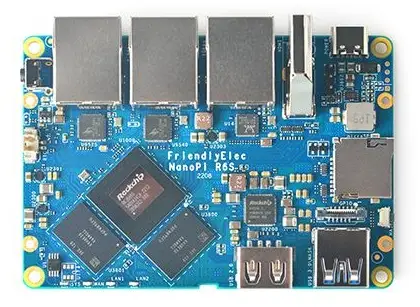
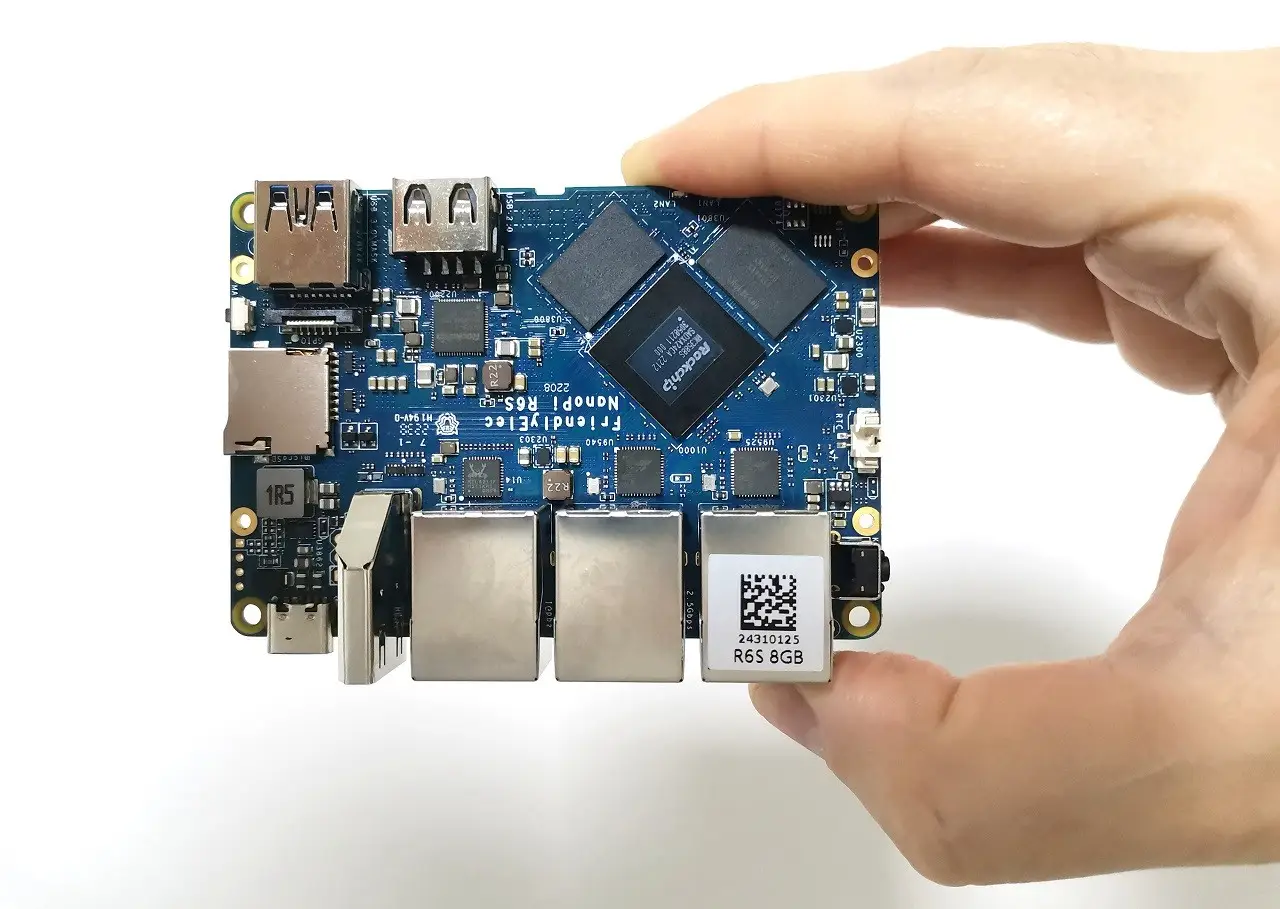
The NanoPi R6S comprises an Octa-Core. A Quad-core ARM Cortex-A76(up to 2.4GHz) and a quad-core Cortex-A55 CPU (up to 1.8GHz). Based on the following information, FriendlyWrt (OpenWrt) report confirms that by displaying cores from 0 to 7.
root@FriendlyWrt:~# cat /proc/cmdline and /proc/cpuinfo
storagemedia=emmc androidboot.storagemedia=emmc androidboot.mode=normal androidb               oot.dtbo_idx=0 androidboot.verifiedbootstate=orange earlycon=uart8250,mmio32,0xf               eb50000 console=ttyFIQ0 coherent_pool=1m irqchip.gicv3_pseudo_nmi=0 rw root=/dev               /mmcblk2p8 rootfstype=ext4 data=/dev/mmcblk2p9 consoleblank=0 cgroup_enable=cpus               et cgroup_memory=1 cgroup_enable=memory swapaccount=1
cat: and: No such file or directory
processor       : 0
BogoMIPS        : 48.00
Features        : fp asimd evtstrm aes pmull sha1 sha2 crc32 atomics fphp asimdh               p cpuid asimdrdm lrcpc dcpop asimddp
CPU implementer : 0x41
CPU architecture: 8
CPU variant     : 0x2
CPU part        : 0xd05
CPU revision    : 0

processor       : 1
BogoMIPS        : 48.00
Features        : fp asimd evtstrm aes pmull sha1 sha2 crc32 atomics fphp asimdh               p cpuid asimdrdm lrcpc dcpop asimddp
CPU implementer : 0x41
CPU architecture: 8
CPU variant     : 0x2
CPU part        : 0xd05
CPU revision    : 0

processor       : 2
BogoMIPS        : 48.00
Features        : fp asimd evtstrm aes pmull sha1 sha2 crc32 atomics fphp asimdh               p cpuid asimdrdm lrcpc dcpop asimddp
CPU implementer : 0x41
CPU architecture: 8
CPU variant     : 0x2
CPU part        : 0xd05
CPU revision    : 0

processor       : 3
BogoMIPS        : 48.00
Features        : fp asimd evtstrm aes pmull sha1 sha2 crc32 atomics fphp asimdh               p cpuid asimdrdm lrcpc dcpop asimddp
CPU implementer : 0x41
CPU architecture: 8
CPU variant     : 0x2
CPU part        : 0xd05
CPU revision    : 0

processor       : 4
BogoMIPS        : 48.00
Features        : fp asimd evtstrm aes pmull sha1 sha2 crc32 atomics fphp asimdh               p cpuid asimdrdm lrcpc dcpop asimddp
CPU implementer : 0x41
CPU architecture: 8
CPU variant     : 0x4
CPU part        : 0xd0b
CPU revision    : 0

processor       : 5
BogoMIPS        : 48.00
Features        : fp asimd evtstrm aes pmull sha1 sha2 crc32 atomics fphp asimdh               p cpuid asimdrdm lrcpc dcpop asimddp
CPU implementer : 0x41
CPU architecture: 8
CPU variant     : 0x4
CPU part        : 0xd0b
CPU revision    : 0

processor       : 6
BogoMIPS        : 48.00
Features        : fp asimd evtstrm aes pmull sha1 sha2 crc32 atomics fphp asimdh               p cpuid asimdrdm lrcpc dcpop asimddp
CPU implementer : 0x41
CPU architecture: 8
CPU variant     : 0x4
CPU part        : 0xd0b
CPU revision    : 0

processor       : 7
BogoMIPS        : 48.00
Features        : fp asimd evtstrm aes pmull sha1 sha2 crc32 atomics fphp asimdh               p cpuid asimdrdm lrcpc dcpop asimddp
CPU implementer : 0x41
CPU architecture: 8
CPU variant     : 0x4
CPU part        : 0xd0b
CPU revision    : 0

Serial          : b59d0d99a0480601
Memory Information (FriendlyWrt)
root@FriendlyWrt:~# free -m
              total        used        free      shared  buff/cache   available
Mem:        7856668      160964     7447172       33364      248532     7566076
Swap:             0           0           0
Network Cards Controller Information (FriendlyWrt)
root@FriendlyWrt:~# lspci | egrep -i --color 'network|ethernet'
0003:31:00.0 Ethernet controller: Realtek Semiconductor Co., Ltd. RTL8125 2.5GbE Controller (rev 05)
0004:41:00.0 Ethernet controller: Realtek Semiconductor Co., Ltd. RTL8125 2.5GbE Controller (rev 05)
Running a self-network throughput sender/receiver test.
root@FriendlyWrt:~# iperf3 -s -D && iperf3 -c 127.0.0.1
Connecting to host 127.0.0.1, port 5201
[  5] local 127.0.0.1 port 21552 connected to 127.0.0.1 port 5201
[ ID] Interval           Transfer     Bitrate         Retr  Cwnd
[  5]   0.00-1.00   sec  1.46 GBytes  12.6 Gbits/sec    0   10.5 MBytes
[  5]   1.00-2.00   sec  3.76 GBytes  32.3 Gbits/sec    0   10.5 MBytes
[  5]   2.00-3.00   sec  4.16 GBytes  35.8 Gbits/sec    0   10.5 MBytes
[  5]   3.00-4.00   sec  4.21 GBytes  36.2 Gbits/sec    0   10.5 MBytes
[  5]   4.00-5.00   sec  4.21 GBytes  36.1 Gbits/sec    0   10.5 MBytes
[  5]   5.00-6.00   sec  4.20 GBytes  36.1 Gbits/sec    0   10.5 MBytes
[  5]   6.00-7.00   sec  4.21 GBytes  36.2 Gbits/sec    0   10.5 MBytes
[  5]   7.00-8.00   sec  3.09 GBytes  26.6 Gbits/sec    0   10.5 MBytes
[  5]   8.00-9.00   sec  4.25 GBytes  36.5 Gbits/sec    0   10.5 MBytes
[  5]   9.00-10.00  sec  4.38 GBytes  37.6 Gbits/sec    0   10.5 MBytes
- - - - - - - - - - - - - - - - - - - - - - - - -
[ ID] Interval           Transfer     Bitrate         Retr
[  5]   0.00-10.00  sec  37.9 GBytes  32.6 Gbits/sec    0             sender
[  5]   0.00-10.00  sec  37.9 GBytes  32.6 Gbits/sec                  receiver

iperf Done.
iPerf Network throughput between two points (Devices)
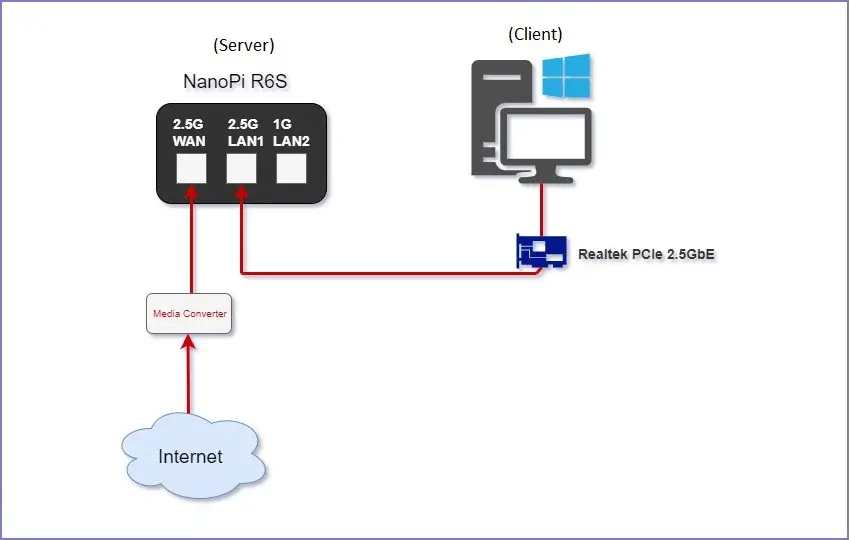
To measure the maximum achievable network throughput between two machines in our point-to-point test, we connected our NanoPi R6S to our Windows 11 workstation, equipped with a 2.5G ethernet card. In this test, the NanoPi R6 was the server, and the Desktop PC functioned as the client.
Network topology diagram
Test Results: The Server side
root@FriendlyWrt:~# iperf3 -s
-----------------------------------------------------------
Server listening on 5201 (test #1)
-----------------------------------------------------------
Accepted connection from 192.168.2.221, port 50189
[  5] local 192.168.2.1 port 5201 connected to 192.168.2.221 port 50190
[ ID] Interval           Transfer     Bitrate
[  5]   0.00-1.00   sec   263 MBytes  2.21 Gbits/sec
[  5]   1.00-2.00   sec   283 MBytes  2.37 Gbits/sec
[  5]   2.00-3.00   sec   282 MBytes  2.37 Gbits/sec
[  5]   3.00-4.00   sec   283 MBytes  2.37 Gbits/sec
[  5]   4.00-5.00   sec   283 MBytes  2.37 Gbits/sec
[  5]   5.00-6.00   sec   283 MBytes  2.37 Gbits/sec
[  5]   6.00-7.00   sec   282 MBytes  2.37 Gbits/sec
[  5]   7.00-8.00   sec   283 MBytes  2.37 Gbits/sec
[  5]   8.00-9.00   sec   282 MBytes  2.37 Gbits/sec
[  5]   9.00-10.00  sec   283 MBytes  2.37 Gbits/sec
[  5]  10.00-10.02  sec  6.59 MBytes  2.35 Gbits/sec
- - - - - - - - - - - - - - - - - - - - - - - - -
[ ID] Interval           Transfer     Bitrate
[  5]   0.00-10.02  sec  2.75 GBytes  2.35 Gbits/sec                  receiver
-----------------------------------------------------------
Test Results: The Client side
C:\Tmp>iperf3 -c 192.168.2.1
Connecting to host 192.168.2.1, port 5201
[  4] local 192.168.2.221 port 50190 connected to 192.168.2.1 port 5201
[ ID] Interval           Transfer     Bandwidth
[  4]   0.00-1.00   sec   270 MBytes  2.26 Gbits/sec
[  4]   1.00-2.00   sec   282 MBytes  2.37 Gbits/sec
[  4]   2.00-3.00   sec   283 MBytes  2.37 Gbits/sec
[  4]   3.00-4.00   sec   282 MBytes  2.37 Gbits/sec
[  4]   4.00-5.00   sec   283 MBytes  2.37 Gbits/sec
[  4]   5.00-6.00   sec   282 MBytes  2.37 Gbits/sec
[  4]   6.00-7.00   sec   283 MBytes  2.37 Gbits/sec
[  4]   7.00-8.00   sec   283 MBytes  2.37 Gbits/sec
[  4]   8.00-9.00   sec   283 MBytes  2.37 Gbits/sec
[  4]   9.00-10.00  sec   282 MBytes  2.37 Gbits/sec
- - - - - - - - - - - - - - - - - - - - - - - - -
[ ID] Interval           Transfer     Bandwidth
[  4]   0.00-10.00  sec  2.75 GBytes  2.36 Gbits/sec                  sender
[  4]   0.00-10.00  sec  2.75 GBytes  2.36 Gbits/sec                  receiver

iperf Done.
Final Conclusions
Based on our test results, the NanoPi R6S 2.5G ports can reach a respective maximum bandwidth of 2.36 Gbps.
2.5 GbE Link aggregation
Another popular feature related to FriendlyWrt (OpenWrt) is Link Aggregation, which can aggregate two LAN ports together to get the higher LAN speeds up to 2Gbps, depending on their throughput speeds. This function is helpful for users that have two types of infrastructures at home or office and want to use the NanoPi R6 as a gateway device to unite both links into a single one.
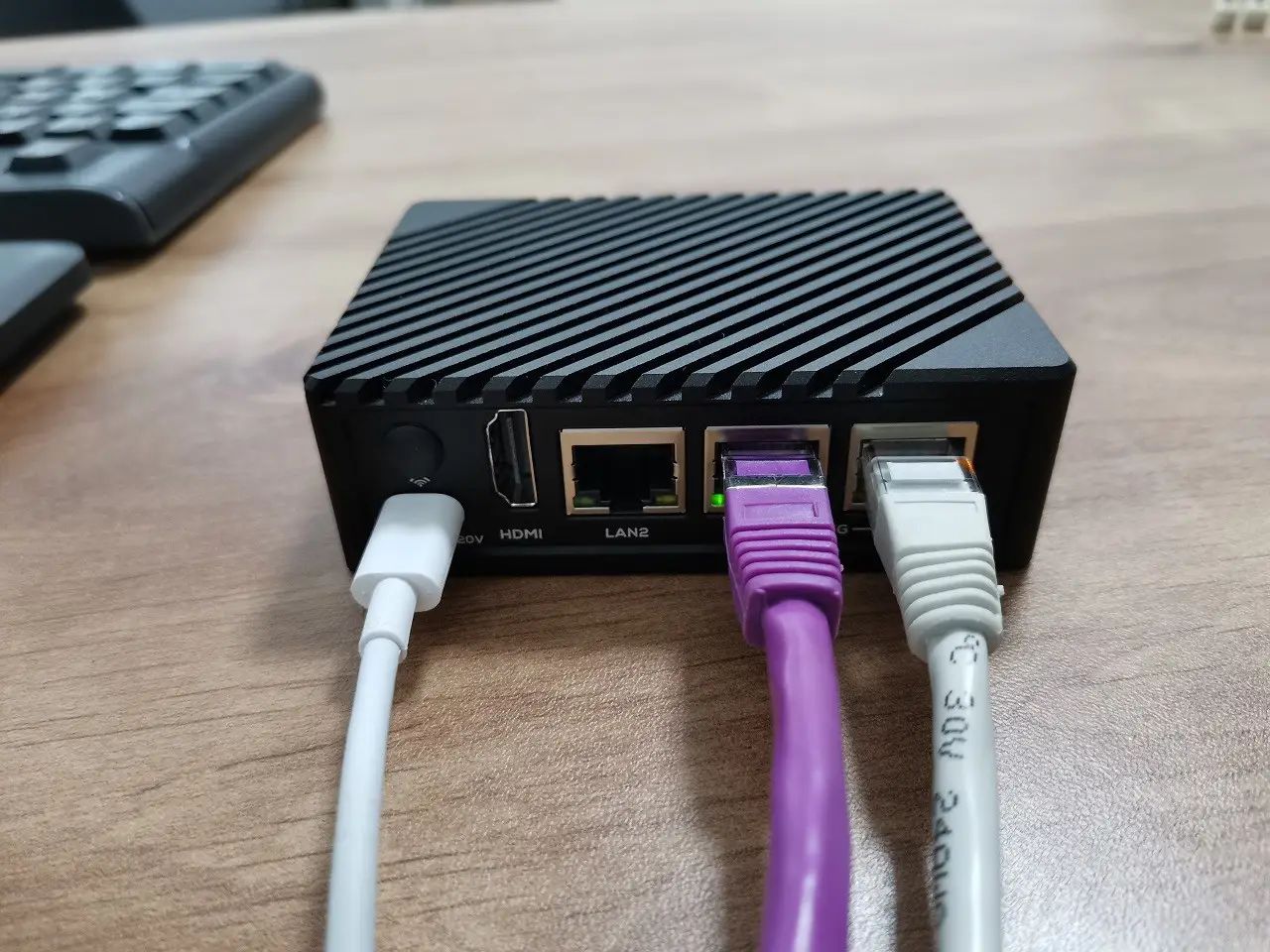
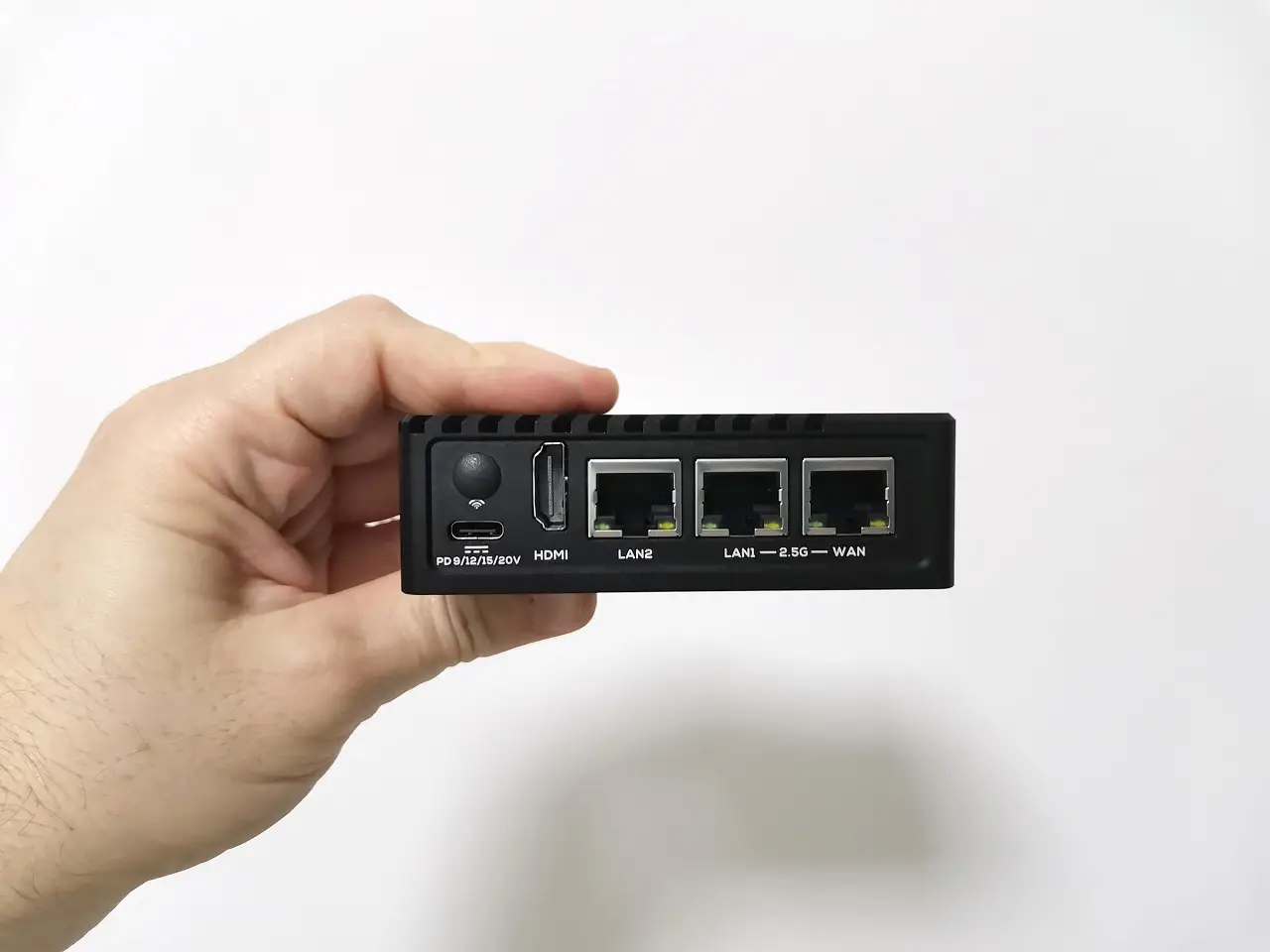
FriendlyElec team implemented two 2.5G GbE ports and a third 1 GbE port. Two identical 2.5Gbps LAN ports are better than none but lesser than three. Hence, in this situation, users with only one 2.5G GbE port in their router device are pretty limited for this function if one connection is already occupied and used as an input connection coming out from the router. The user is left with just one available 2.5GbE port. We hope that in future models, all three ports will have 2.5GbE support.
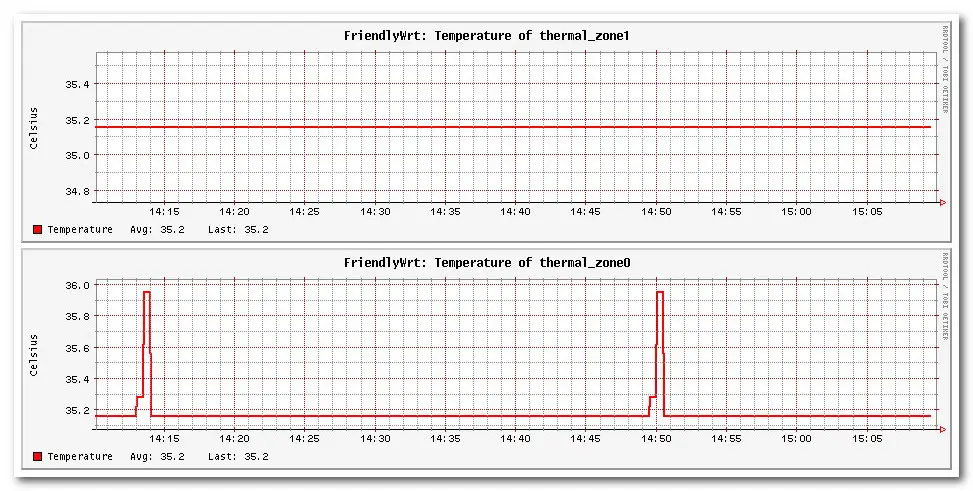
Thermal Information (FriendlyWrt)
Disk Space Information (FriendlyWrt)
root@FriendlyWrt:~# df -h
Filesystem      Size  Used Avail Use% Mounted on
tmpfs           512K     0  512K   0% /dev
tmpfs           768M  180K  768M   1% /run
overlay          29G 1012K   28G   1% /
tmpfs           3.8G   23M  3.8G   1% /tmp
cgroup          3.8G     0  3.8G   0% /sys/fs/cgroup
Listing all block devices (FriendlyWrt)
root@FriendlyWrt:~# lsblk
NAME         MAJ:MIN RM  SIZE RO TYPE MOUNTPOINTS
mmcblk2      179:0    0 28.9G  0 disk
├─mmcblk2p1  179:1    0    4M  0 part
├─mmcblk2p2  179:2    0    4M  0 part
├─mmcblk2p3  179:3    0    4M  0 part
├─mmcblk2p4  179:4    0   16M  0 part
├─mmcblk2p5  179:5    0   40M  0 part
├─mmcblk2p6  179:6    0   32M  0 part
├─mmcblk2p7  179:7    0   32M  0 part
├─mmcblk2p8  179:8    0  424M  0 part
└─mmcblk2p9  179:9    0 28.4G  0 part
mmcblk2boot0 179:32   0    4M  1 disk
mmcblk2boot1 179:64   0    4M  1 disk
More detailed information
The 32GB eMMC flash chip is listed as the device /dev/mmcblk2p9
root@FriendlyWrt:~# fdisk -l
Disk /dev/ram0: 4 MiB, 4194304 bytes, 8192 sectors
Units: sectors of 1 * 512 = 512 bytes
Sector size (logical/physical): 512 bytes / 4096 bytes
I/O size (minimum/optimal): 4096 bytes / 4096 bytes

Disk /dev/ram1: 4 MiB, 4194304 bytes, 8192 sectors
Units: sectors of 1 * 512 = 512 bytes
Sector size (logical/physical): 512 bytes / 4096 bytes
I/O size (minimum/optimal): 4096 bytes / 4096 bytes

Disk /dev/ram2: 4 MiB, 4194304 bytes, 8192 sectors
Units: sectors of 1 * 512 = 512 bytes
Sector size (logical/physical): 512 bytes / 4096 bytes
I/O size (minimum/optimal): 4096 bytes / 4096 bytes

Disk /dev/ram3: 4 MiB, 4194304 bytes, 8192 sectors
Units: sectors of 1 * 512 = 512 bytes
Sector size (logical/physical): 512 bytes / 4096 bytes
I/O size (minimum/optimal): 4096 bytes / 4096 bytes

Disk /dev/ram4: 4 MiB, 4194304 bytes, 8192 sectors
Units: sectors of 1 * 512 = 512 bytes
Sector size (logical/physical): 512 bytes / 4096 bytes
I/O size (minimum/optimal): 4096 bytes / 4096 bytes

Disk /dev/ram5: 4 MiB, 4194304 bytes, 8192 sectors
Units: sectors of 1 * 512 = 512 bytes
Sector size (logical/physical): 512 bytes / 4096 bytes
I/O size (minimum/optimal): 4096 bytes / 4096 bytes

Disk /dev/ram6: 4 MiB, 4194304 bytes, 8192 sectors
Units: sectors of 1 * 512 = 512 bytes
Sector size (logical/physical): 512 bytes / 4096 bytes
I/O size (minimum/optimal): 4096 bytes / 4096 bytes

Disk /dev/ram7: 4 MiB, 4194304 bytes, 8192 sectors
Units: sectors of 1 * 512 = 512 bytes
Sector size (logical/physical): 512 bytes / 4096 bytes
I/O size (minimum/optimal): 4096 bytes / 4096 bytes

Disk /dev/mmcblk2: 28.91 GiB, 31037849600 bytes, 60620800 sectors
Units: sectors of 1 * 512 = 512 bytes
Sector size (logical/physical): 512 bytes / 512 bytes
I/O size (minimum/optimal): 512 bytes / 512 bytes
Disklabel type: gpt
Disk identifier: 73987B6B-4974-4C94-A3E8-58AB2EB7A946

Device           Start      End  Sectors  Size Type
/dev/mmcblk2p1   16384    24575     8192    4M unknown
/dev/mmcblk2p2   24576    32767     8192    4M unknown
/dev/mmcblk2p3   32768    40959     8192    4M unknown
/dev/mmcblk2p4   40960    73727    32768   16M unknown
/dev/mmcblk2p5   73728   155647    81920   40M unknown
/dev/mmcblk2p6  155648   221183    65536   32M unknown
/dev/mmcblk2p7  221184   286719    65536   32M unknown
/dev/mmcblk2p8  286720  1155071   868352  424M unknown
/dev/mmcblk2p9 1155072 60620766 59465695 28.4G unknown
Price & Availability
The current price on FriendlyElec’s website is $119.00 for the bare board without accessories. A complete Kit with a metal enclosure will cost an extra $20.00.