Close Menu
  • Home
  • About
  • Wearables
  • Earbuds
  • Computer Accessories
    • Routers
    • Remotes
  • Embedded
    • Single Board Computers
    • Addon Boards
    • Raspberry Pi
  • Wireless Routers
  • Contact
Facebook X (Twitter) Instagram Threads
Trending
  • Banana Pi BPI-R4 Pro Review: The Best WiFi 7 OpenWrt Router? We Checked!
  • AliExpress New Promotions: Country-specific Promo Codes
  • CamThink NeoEyes NE301: An Ultra-Low Power Edge AI Camera with STM32N6 MCU (Review)
  • Kickpi K7C RK3576 Edge AI SBC Launches with 6 TOPS AI Power & Dual Gigabit Ethernet
  • Raspberry Pi 5 vs Orange Pi 6: Which SBC is Best in 2026?
  • Ugoos SK4 Review (2025): The Best Mid-Range Android TV Box for Value & Features
  • Orange Pi 6 Unveiled: The Affordable, Slimmed-Down SBC Alternative to the 6 Plus
  • Orange Pi 6 Plus Review: A 12-Core SBC Powerhouse (Benchmarks, Specs, and Pricing)
AndroidPIMP
Facebook X (Twitter) Instagram
  • Home
  • About
  • Wearables
  • Earbuds
  • Computer Accessories
    • Routers
    • Remotes
  • Embedded
    • Single Board Computers
    • Addon Boards
    • Raspberry Pi
  • Wireless Routers
  • Contact
AndroidPIMP
Mobile Phones

Poco X7 Pro Review: More Value for Less Money

By androidpimpMarch 30, 2025No Comments32 Mins Read
Facebook Twitter Pinterest LinkedIn Tumblr Email
Follow Us
Google News Flipboard
Xiaomi Poco X7 Pro Review
Table of contents
  1. Part I: The Xiaomi Poco X7/Pro Series is finally released
  2. Delivering flagship-level performance
  3. Powered by Xiaomi HyperOS and Crafted for an Unmatched Gaming Experience
  4. Specifications – Poco X7 vs. X7 Pro
  5. Poco X7: A clean design and strong construction
    1. Vegan Leather Design
    2. A limited edition for Marvel fans is now available.
    3. A Must-Have Design for Superhero Enthusiasts
  6. Display
  7. Gorilla Glass protection with enhanced water and dust resistance.
  8. Pro-level photography
    1. 1. Both models feature a flagship 50MP Sony IMX882 sensor.
  9. 2. Packed with AI tools to make photo and video editing easier.
    1. Dynamic Shots
    2. AI Erase Pro
    3. Excelling in videography.
  10. Enhanced by Next-Generation LiquidCool Technology 4.0
  11. A long battery life with 45W/90W fast charging
  12. A straightforward comparison table for the Xiaomi X7 and X7 Pro.
  13. Part II: Xiaomi Poco X7 Pro In-Depth Hands-On Review
  14. The Package
  15. Package Content (Unboxing)
    1. Unboxing the main package
      1. Unboxing the accessories package (sub package)
  16. Design
    1. What about the weight?
  17. Hardware
  18. Does the phone become very hot during intensive usage?
  19. Software
    1. Who much storage space is available?
    2. What resolution does the X7 Pro support for Netflix playback?
  20. IR blaster is also included
  21. Display
    1. Is the display visible outdoors?
  22. Sound & Speakers
  23. Photography
    1. Camera Configuration
    2. No 8K Recording Support
  24. Xiaomi Camera App
    1. AI Photography Enhancement Tools
      1. Erase Tool
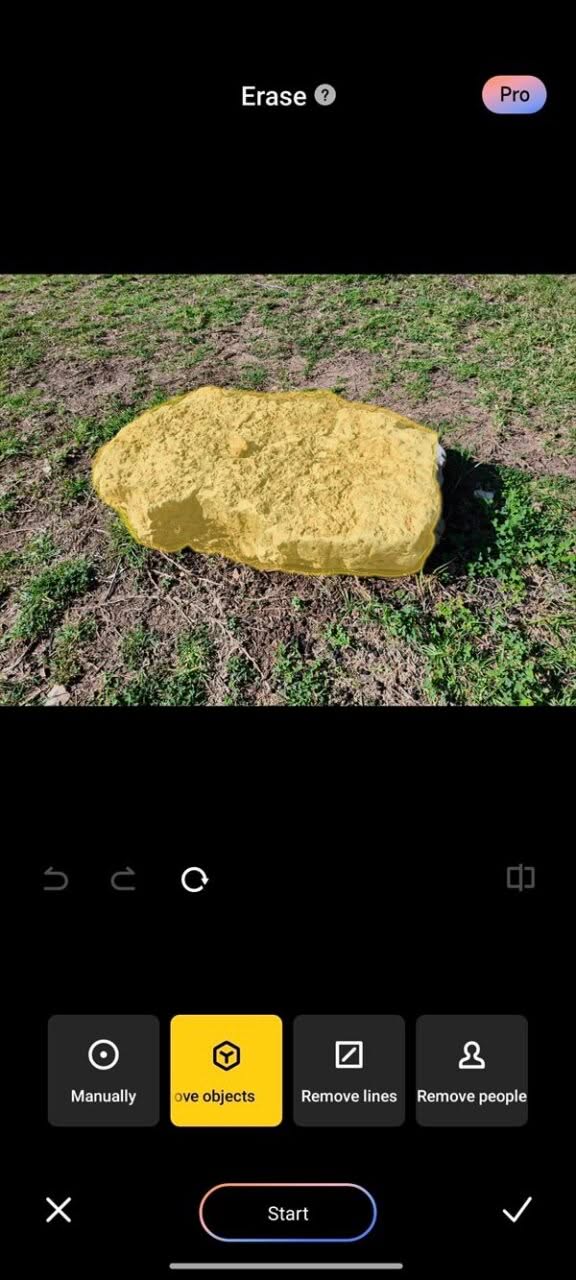
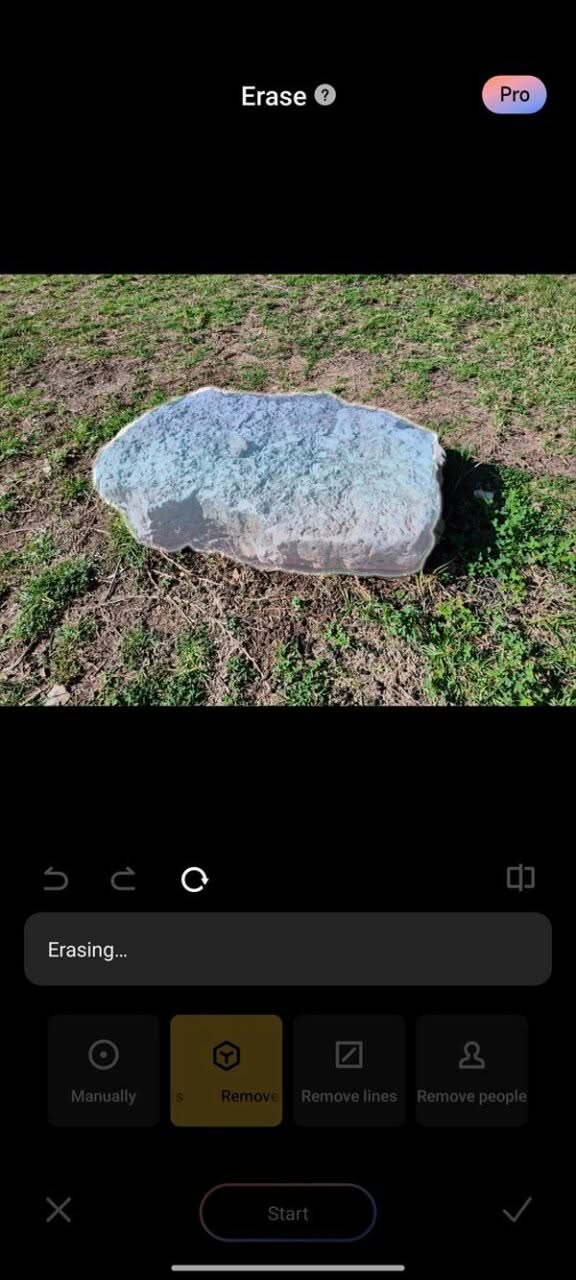
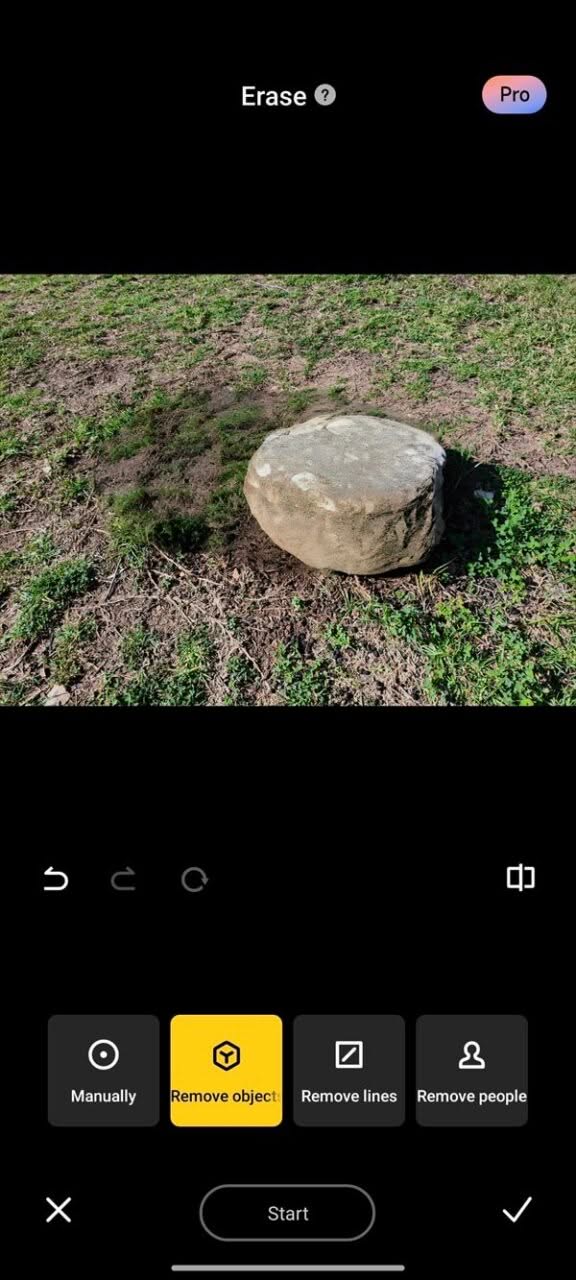
    2. Another attempt: eliminating a rock element from the image
      1. Sky Tool
    3. Expand Tool
    4. Comparing camera sensors: X7 Pro vs. F6 Pro.
  25. Saying farewell to a macro sensor?
    1. Macro Photography: X7 Pro vs. F6 Pro
    2. Let’s take a look at a sample picture captured by the two phones.
    3. Taking some shots in different scenarios
  26. Video Recording
    1. Zoom Capabilities
  27. Benchmarks
    1. AnTuTu benchmark
    2. Geekbench benchmark
  28. How does the X7 Pro compare to other competitors?
  29. Battery Life
    1. Charging Management Settings
    2. Battery check-up
    3. Charging rate settings: Standard / Top Speed charging
  30. Review: Final Verdict
    1. The Poco X7 Pro Top Highlights
  31. Essential Accessories for Protecting Your X7 Pro
  32. Poco X7 and X7 Pro Prices (Official Prices)
  33. Product Availability
  34. Available now on Poco AliExpress Store
    1. Xiaomi Poco X7/ Pro
POCO X7 Pro Camera
POCO X7 Pro (Main Camera)

Photography

Camera Configuration

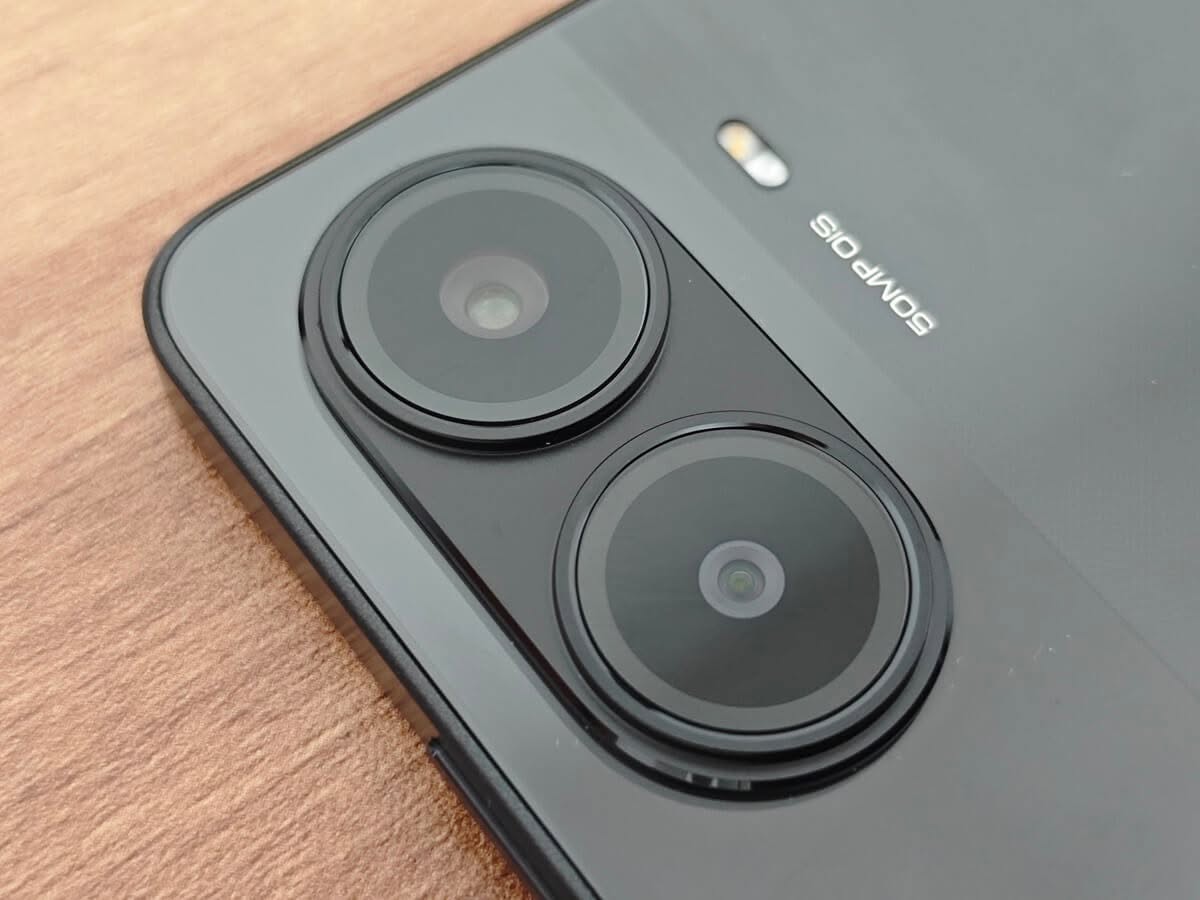
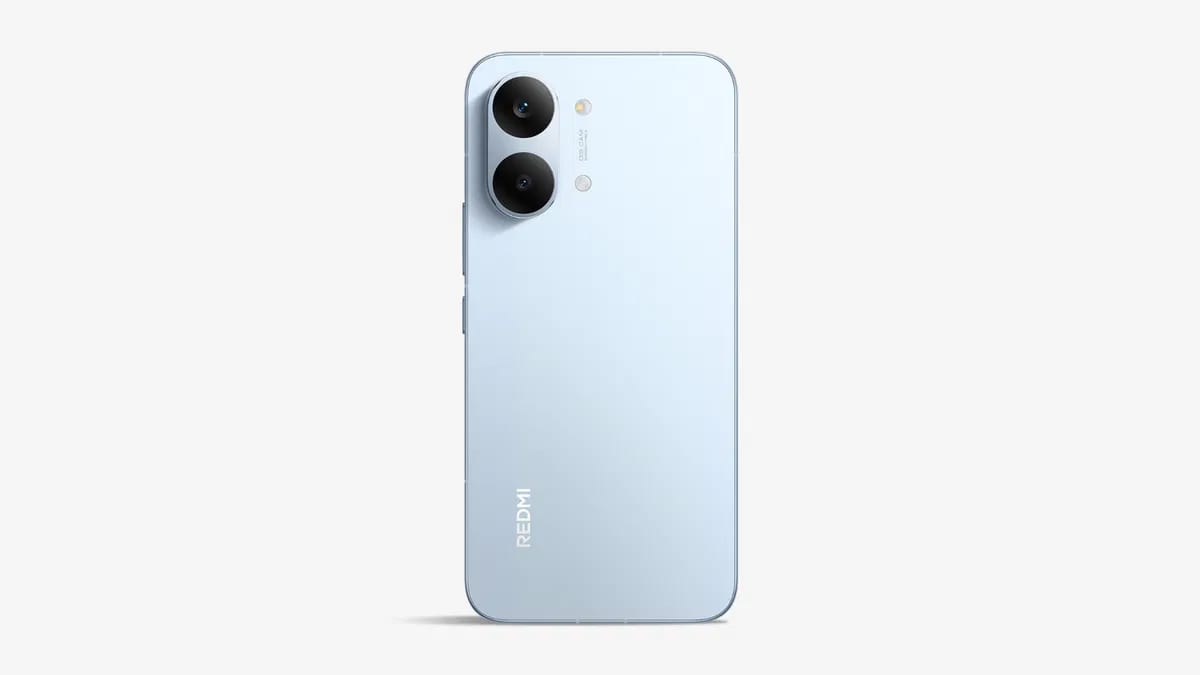
The main rear camera of the X7 Pro stands out for its impressive photography capabilities, enabling users to capture very good-looking shots with ease. The camera array boasts a dual-sensor configuration, featuring a Sony IMX882 50MP sensor with a bright f/1.5 aperture and a wide ISO sensitivity range of 72-6400, complemented by Optical Image Stabilization that helps keep pictures steady.

Alongside the Sony sensor, there is an 8MP ultra-wide sensor that expands the field of view beyond what standard camera lenses can offer, delivering above-decent quality results.

For the front-facing camera, Xiaomi has equipped its device with a 20MP sensor, which is designed to capture aesthetically pleasing selfies. This high-resolution camera not only enhances the clarity of images but also offers features that contribute to making the photographs more appealing, especially for social media platform fans.

No 8K Recording Support

Unfortunately, this device can’t handle 8K recording because its MediaTek Dimensity 8400-Ultra chipset isn’t made for super high-quality videos. It’s not a big problem, since most people don’t usually record in 8K anyway. It’s important to mention this, though. On the bright side, the device is perfect at recording in 4K at 60 fps. That should be more than enough for most people’s video needs.

Xiaomi Camera App

The X7 series also includes a cool camera app. It’s got all these awesome features that you can play around with. You can add stickers, use different filters, and there’s even a night mode for taking pictures in low-light conditions. Don’t forget the portrait mode for stylish bokeh shots. Plus, you can record videos in 4K@60 resolution, which is super sharp. And if you’re into photography, there’s a pro mode designed for professionals where you can manually control all the picture settings such as exposure levels, shutter speed, focus, ISO levels, saturation, WB (white balance), and much more.

AI Photography Enhancement Tools

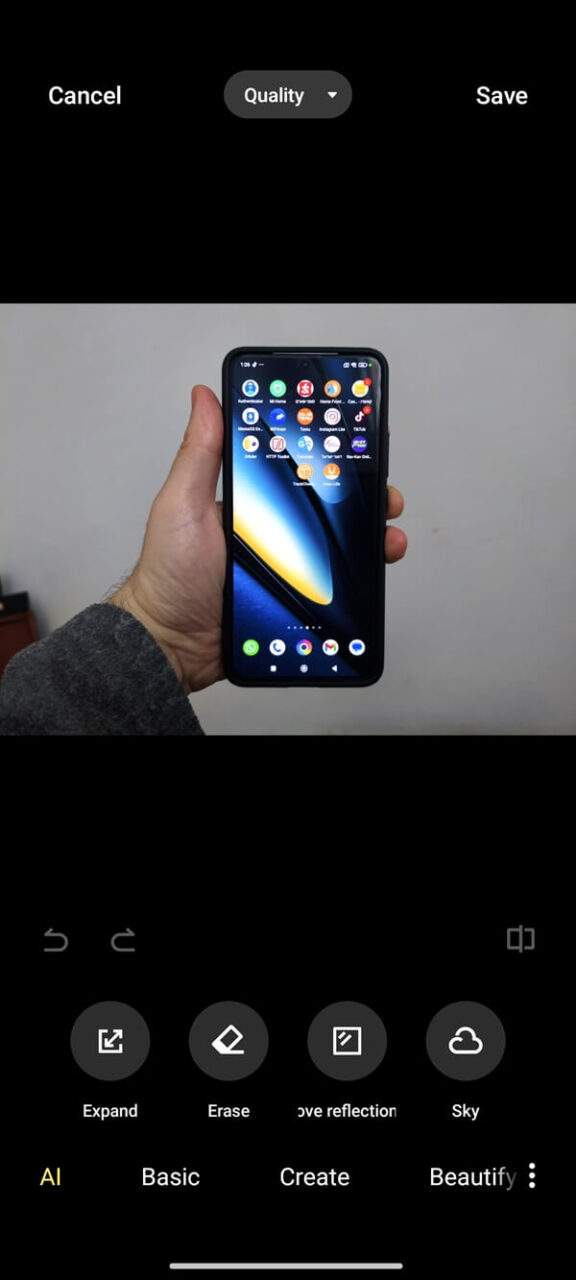
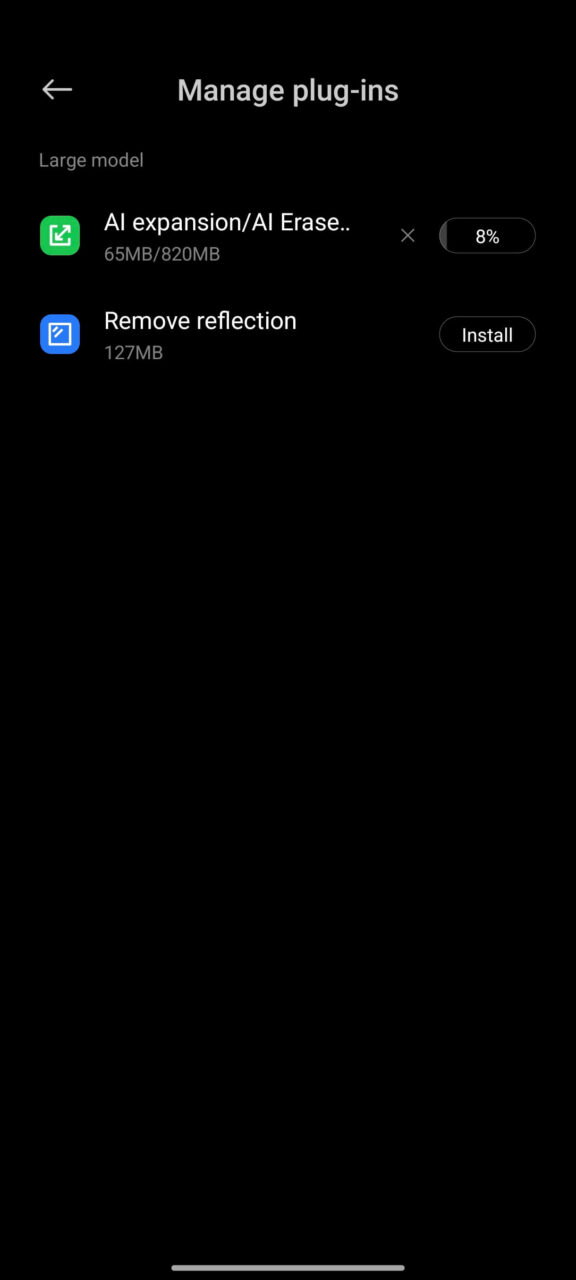
Xiaomi has integrated a range of useful features into its camera app aimed at enhancing AI photography. In the AI section of its apps, Xiaomi has incorporated innovative tools like Expand, Erase, Remove Reflections, and Sky.

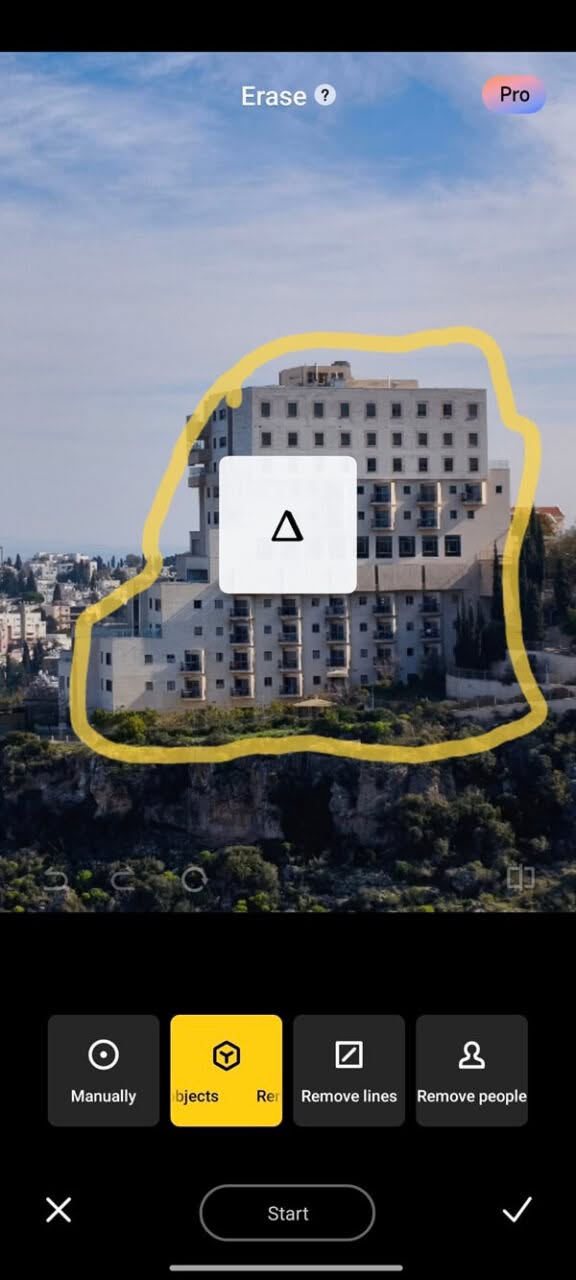
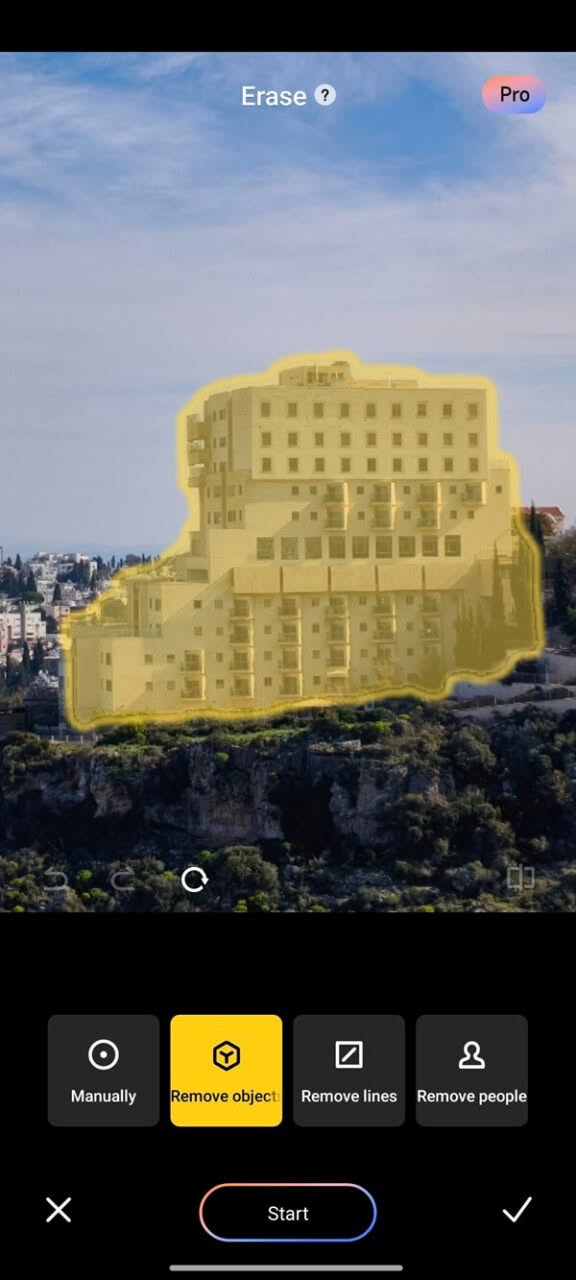
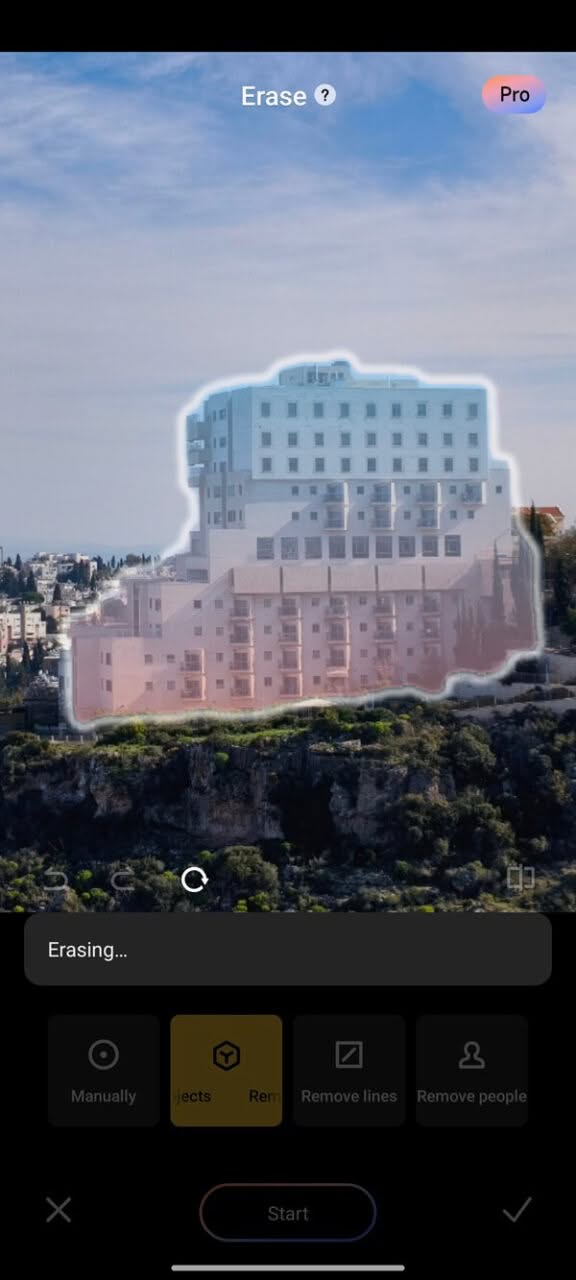
Erase Tool

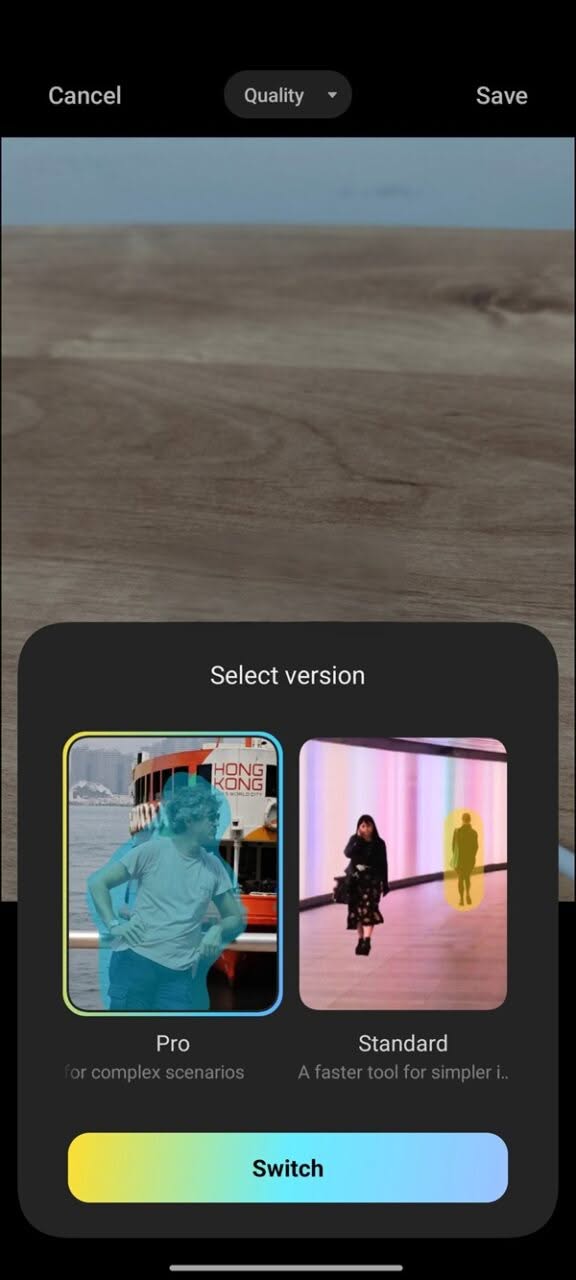
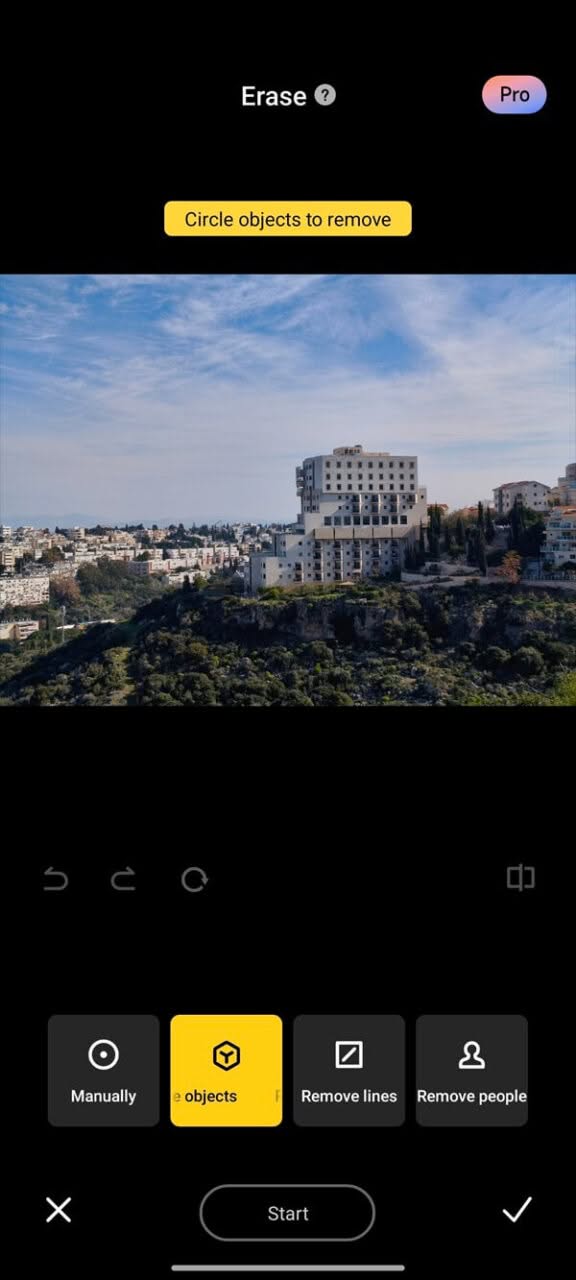
The erase tool is a notable feature that users can utilize regularly. It provides the ability to remove unwanted elements from photos and generally replaces erased objects with appropriate alternatives, randomly selected by the AI. Users can select an object to erase and choose between manual or automatic options, with the automatic option requiring only an outline of the object’s contour. While the results may not always be flawless, the tool generally delivers decent results.

Erase AI Tool (Xiaomi Camera App Screenshots)
X7 Pro AI Erase Tool 1
X7 Pro AI Erase Tool – PIC 1 of 7
X7 Pro AI Erase Tool 2
X7 Pro AI Erase Tool – PIC 2 of 7
X7 Pro AI Erase Tool 3
X7 Pro AI Erase Tool – PIC 3 of 7
X7 Pro AI Erase Tool 4
X7 Pro AI Erase Tool – PIC 4 of 7
X7 Pro AI Erase Tool 5
X7 Pro AI Erase Tool – PIC 5 of 7
X7 Pro AI Erase Tool 6
X7 Pro AI Erase Tool – PIC 6 of 7
X7 Pro AI Erase Tool 7
X7 Pro AI Erase Tool – PIC 7 of 7

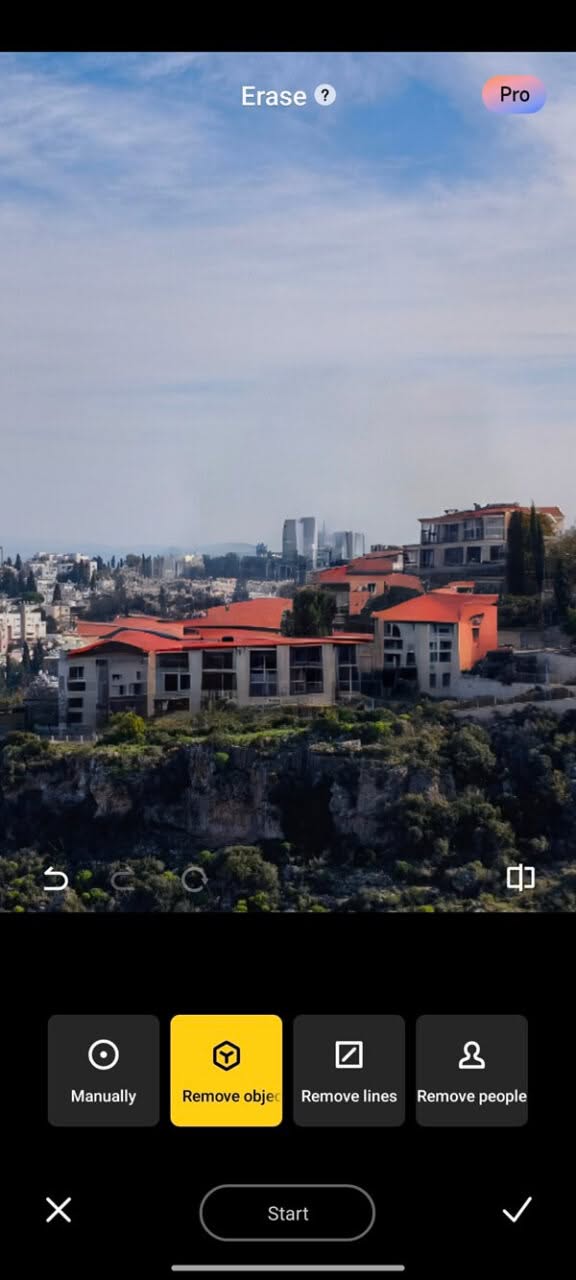
Using the erase tool to remove a building (The final result)

The original building was replaced by the AI with several buildings featuring red rooftops, as depicted in the photo.

Another attempt: eliminating a rock element from the image

x7 pro ai erase auto 1
x7 pro ai erase auto 2
x7 pro ai erase auto 3
x7 pro ai erase auto 4

Using the erase tool to remove a rock (The final result).

The original rock was taken from the photo and “substituted” by the AI with a round-shaped stone.


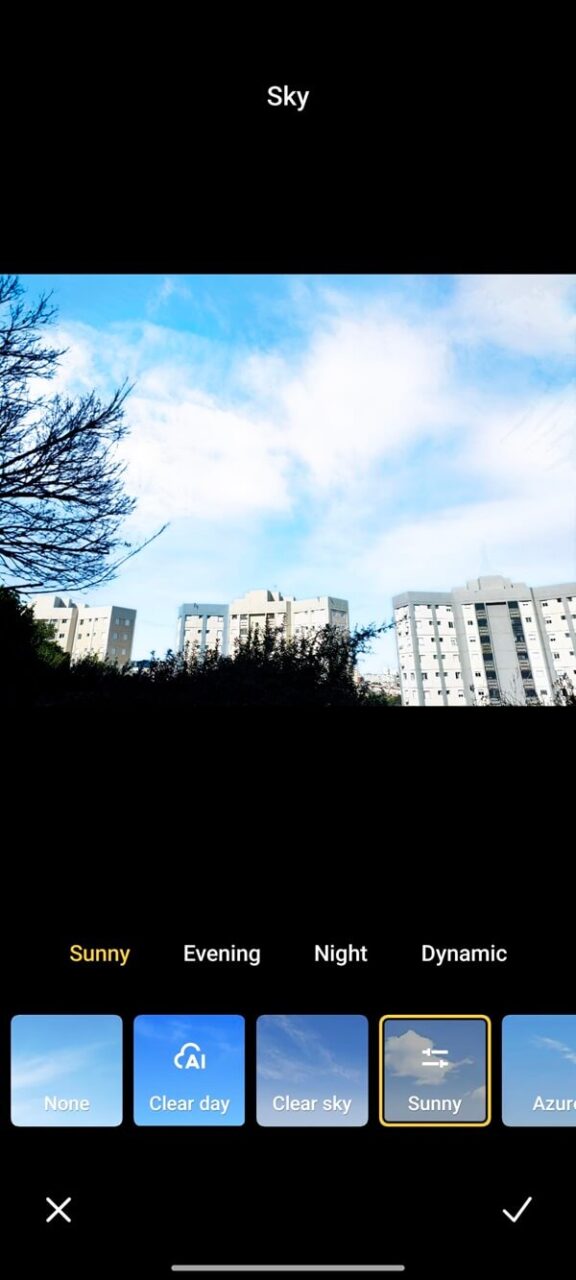
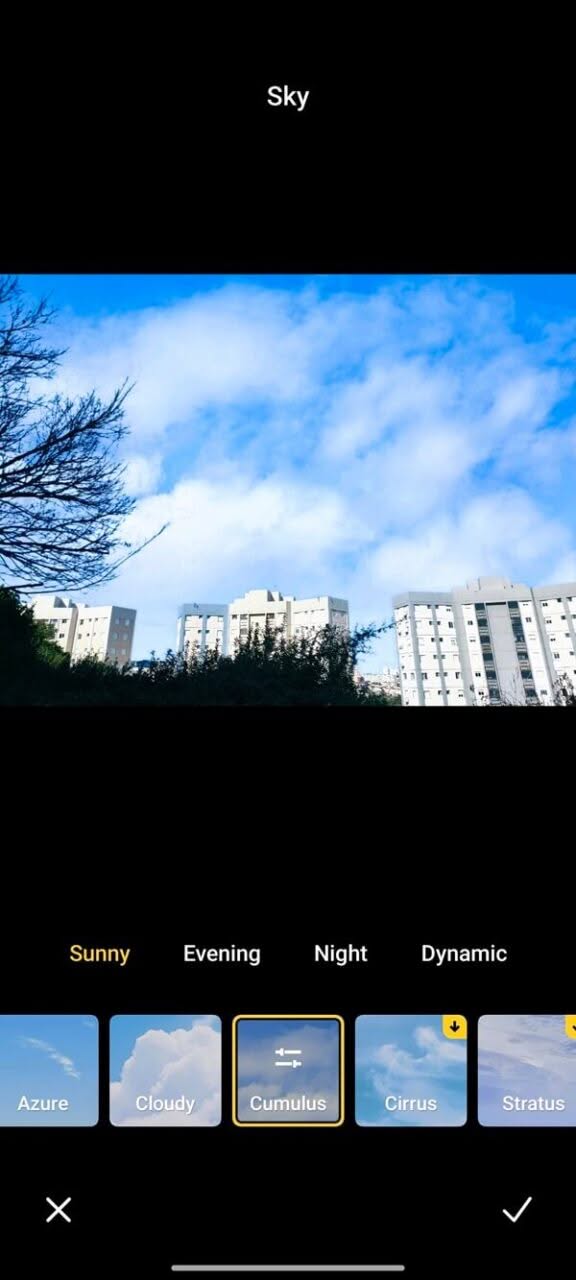
Sky Tool

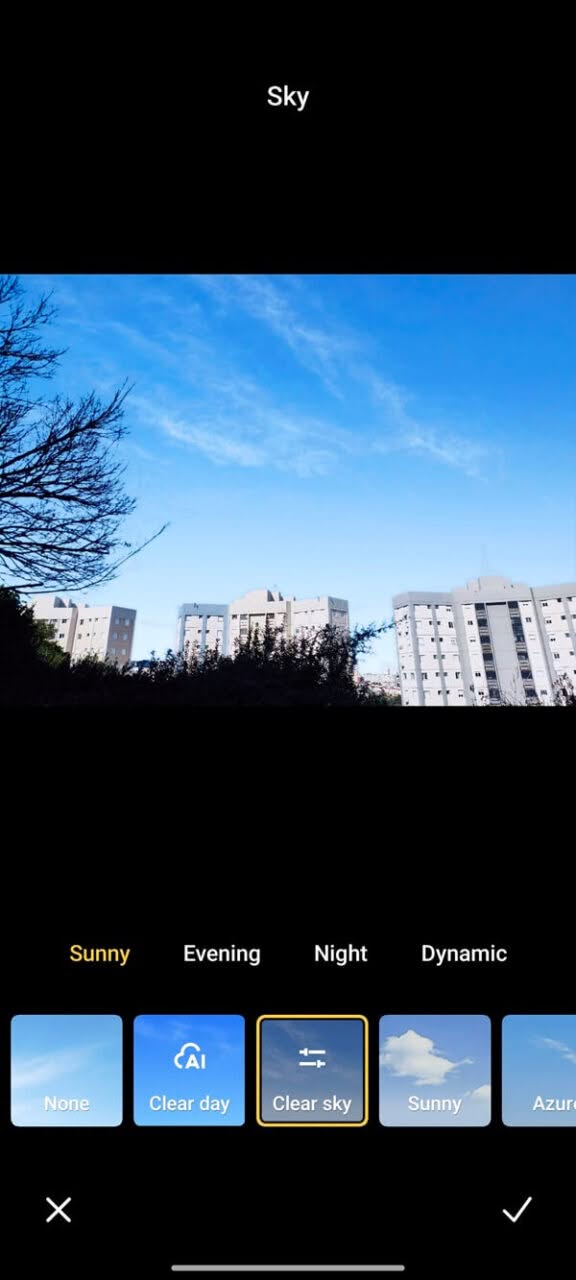
This tool provides users with the ability to effortlessly replace the sky background in their images with a variety of pre-made scenarios.

This feature empowers you to transform a dreary sky into a stunning sunset or introduce fluffy clouds against a pristine blue backdrop, meeting diverse creative needs and elevating the overall aesthetics of your photos. In just a few clicks, you can dramatically change the mood and atmosphere of your images. This tool is not limited to landscape photography; it can also enhance product presentations, making it versatile for various applications such as product marketing and so forth.

Sky AI Tool (Xiaomi Camera App Screenshots)
X7 Pro AI Sky Tool 1
X7 Pro AI Sky Tool – PIC 1 of 6
X7 Pro AI Sky Tool 2
X7 Pro AI Sky Tool – PIC 2 of 6
X7 Pro AI Sky Tool 3
X7 Pro AI Sky Tool – PIC 3 of 6
X7 Pro AI Sky Tool 4
X7 Pro AI Sky Tool – PIC 4 of 6
X7 Pro AI Sky Tool 5
X7 Pro AI Sky Tool – PIC 5of 6
X7 Pro AI Sky Tool 6
X7 Pro AI Sky Tool – PIC 6 of 6

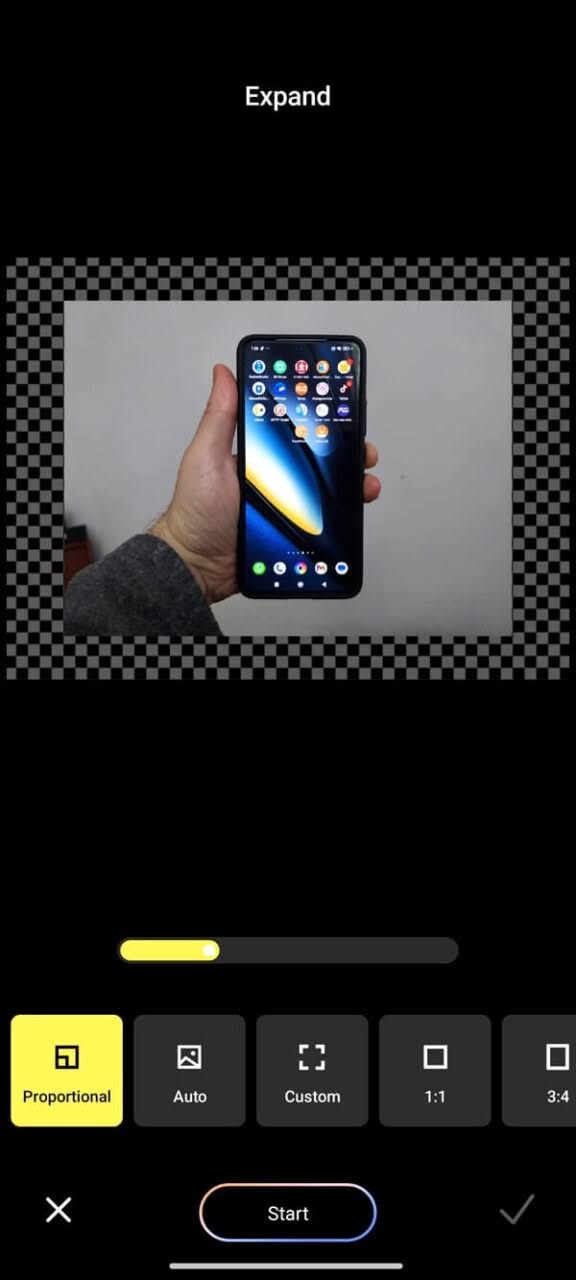
Expand Tool

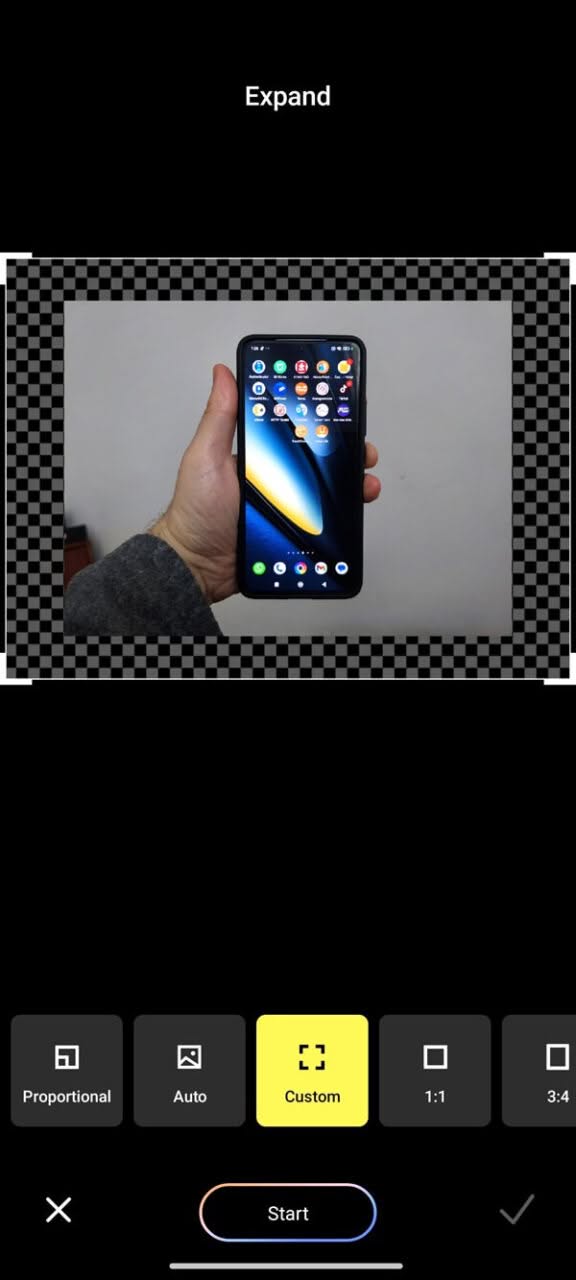
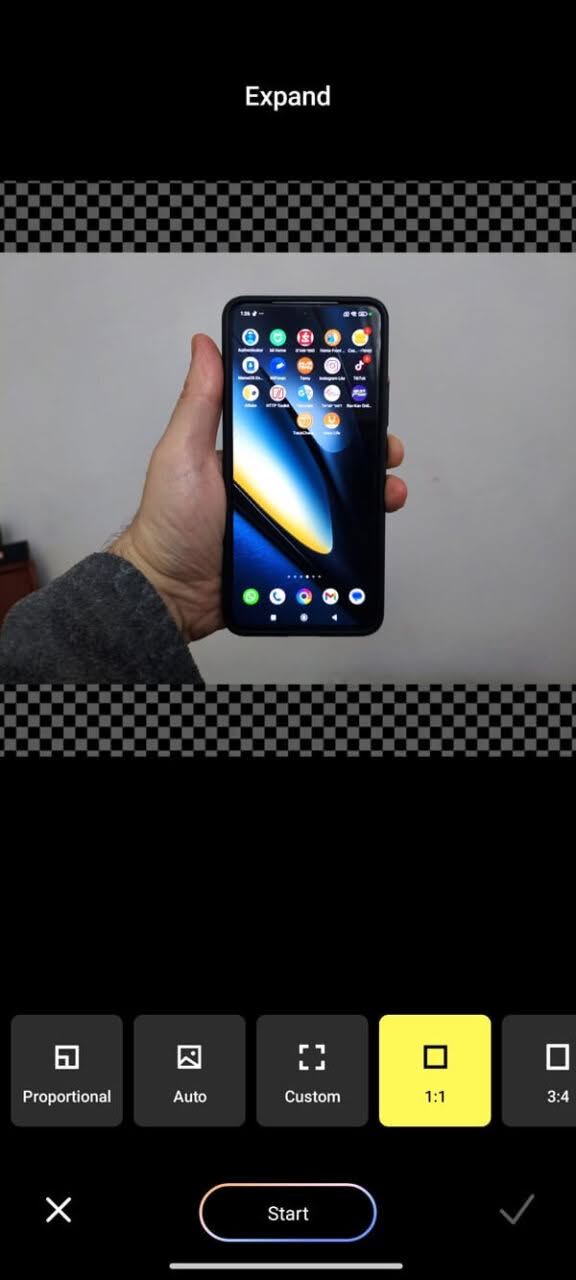
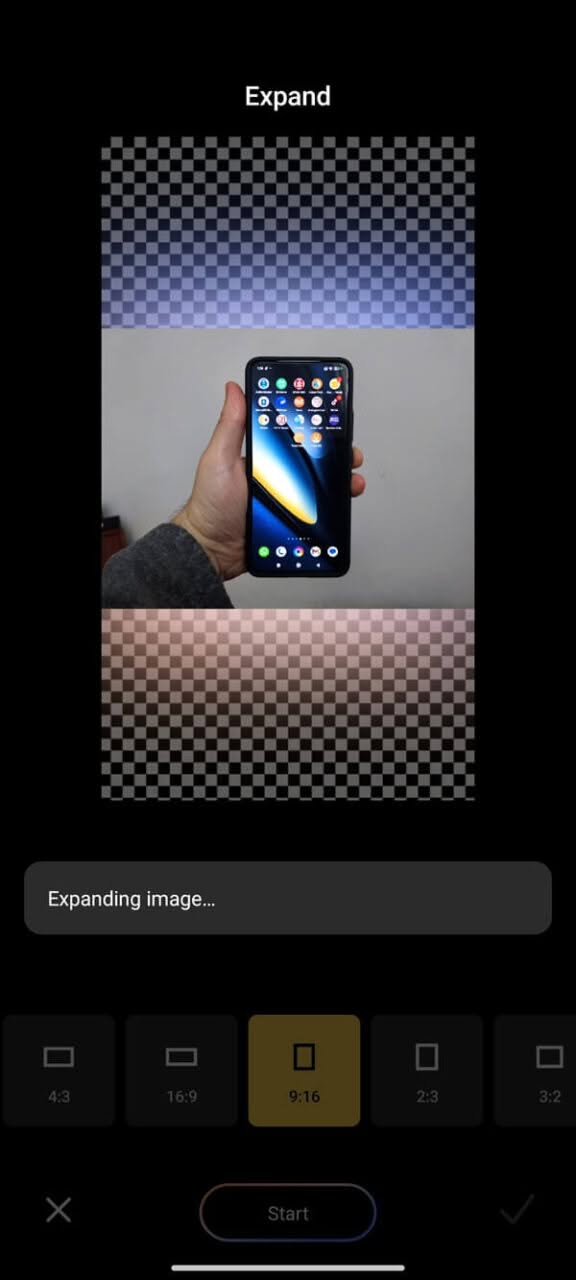
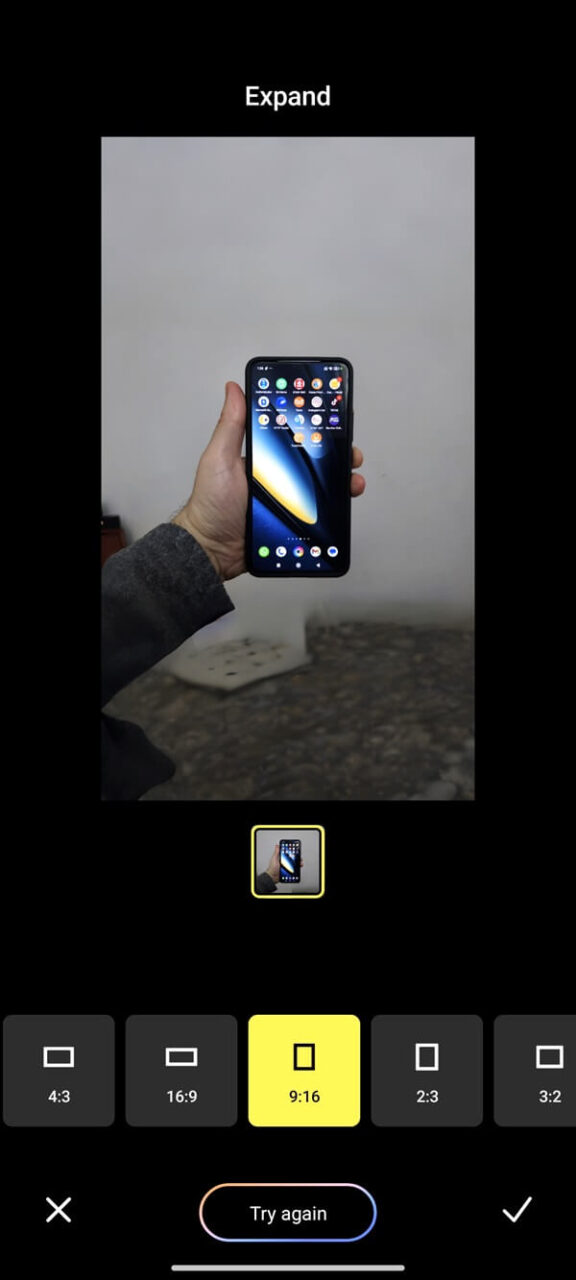
Enables users to seamlessly adjust the photo ratio to their desired specifications without compromising image quality, as the advanced AI technology intelligently fills in any gaps and enhances the overall image, ensuring it maintains a natural appearance that closely resembles the original.

Expand AI Tool (Xiaomi Camera App Screenshots)
X7 Pro AI Expand Tool 1
X7 Pro AI Expand Tool – PIC 1 of 6
X7 Pro AI Expand Tool 2
X7 Pro AI Expand Tool – PIC 2 of 6
X7 Pro AI Expand Tool 3
X7 Pro AI Expand Tool – PIC 3 of 6
X7 Pro AI Expand Tool 4
X7 Pro AI Expand Tool 5
X7 Pro AI Expand Tool – PIC 5 of 6
X7 Pro AI Expand Tool 6
X7 Pro AI Expand Tool – PIC 6 of 6

Comparing camera sensors: X7 Pro vs. F6 Pro.

Our recent tests indicate that the disparity between the two sensors is not significant. Both sensors perform well in capturing high-quality images in various lighting conditions, including bright daylight and low-light environments.

Having said that, Xiaomi’s Light Fusion 800 sensor is that it’s made to capture light in a super effective way. So, when you’re in a dimly lit room or a low-light situation, this sensor is going to rock it way better than the Sony IMX882 sensor. The reason for this is that the pixels on Xiaomi’s sensor are bigger, which means they can soak up more light. Plus, it has a wider dynamic range, so it can handle tricky lighting situations like a champ. Overall, it’s a major win for awesome photos, even in challenging lighting conditions!

FeatureLight Fusion 800 (Poco F6 Pro)Sony IMX882 (Poco X7 Pro)
Sensor Size1/1.55″1/2.0″
Resolution50MP50MP
Pixel Size2.0μm0.8μm
Aperturef/1.6f/1.8
Super Pixel4-in-1 Super PixelN/A
Low-Light PerformanceEnhanced by Dual Native ISO Fusion MaxGood, but less than Light Fusion 800
Dynamic Range13.2EV12EV

Saying farewell to a macro sensor?

If you didn’t notice, the X7 Pro does not have a dedicated macro sensor, which is surprisingly present only in the standard X7 variant, and if you check the Xiaomi camera app, it does not include any macro shooting feature. Does it mean you can’t capture close-up macro shots with your phone? The rear camera, featuring a Sony 50MP IMX882 sensor, offers a digital zoom of up to 10x. This capability allows you to capture intricate details in close-up shots while maintaining high picture quality.

Macro Photography: X7 Pro vs. F6 Pro

The Poco F6 Pro is equipped with a 2MP macro camera featuring a fixed focus, utilizing the GalaxyCore GC02M1 sensor. This camera boasts an aperture of f/2.4 and a focal length of 25mm.In contrast, the X7 Pro boasts the cutting-edge Sony IMX882 main sensor, featuring an impressive f/1.5 aperture.

This leads to excellent low-light performance and improved depth of field. Additionally, it offers digital zoom up to 10x, enabling you to capture good-looking images from a distance rather than being restricted to close-range shots.

Let’s take a look at a sample picture captured by the two phones.

Although the X7 Pro lacks a dedicated macro sensor, it excels in capturing impressive close-up images with its main camera, outperforming the Poco F6 in terms of both image quality and sharpness, as demonstrated in the photo below.

Loading…
  • Name
  • Size
  • Modified
  • Date of creation
  •  
  • Ascending
  • Descending
  • Thumbnails view
  • List view
  • No options…

Indoor photography comparison: X7 Pro vs. F6 Pro

Loading…
  • Name
  • Size
  • Modified
  • Date of creation
  •  
  • Ascending
  • Descending
  • Thumbnails view
  • List view
  • No options…

Taking some shots in different scenarios

Taking close-up macro photos of flowers.

Loading…
  • Name
  • Size
  • Modified
  • Date of creation
  •  
  • Ascending
  • Descending
  • Thumbnails view
  • List view
  • No options…

Taking daytime shots in a sunny non-cloudy day.

Loading…
  • Name
  • Size
  • Modified
  • Date of creation
  •  
  • Ascending
  • Descending
  • Thumbnails view
  • List view
  • No options…

Taking a few selfie shots, both indoors and outdoors.

Loading…
  • Name
  • Size
  • Modified
  • Date of creation
  •  
  • Ascending
  • Descending
  • Thumbnails view
  • List view
  • No options…

Taking evening/night shots in streetlights environment (without using flash)

Loading…
  • Name
  • Size
  • Modified
  • Date of creation
  •  
  • Ascending
  • Descending
  • Thumbnails view
  • List view
  • No options…

Testing Optical Zoom capabilities

(Testing Optical Zoom x0.6 up to x2.0)

Loading…
  • Name
  • Size
  • Modified
  • Date of creation
  •  
  • Ascending
  • Descending
  • Thumbnails view
  • List view
  • No options…

Testing both Optical and digital Zoom capabilities

(Zoom factors: x0.6, x1, x2, x5, x7.5)
Loading…
  • Name
  • Size
  • Modified
  • Date of creation
  •  
  • Ascending
  • Descending
  • Thumbnails view
  • List view
  • No options…
1 2 3 4 5 6 7 8 9 10 11 12 13 14
Share. Facebook Twitter Pinterest LinkedIn Tumblr Email
Previous ArticleBanana Pi R4 gets an 8GB RAM upgrade. Here’s why you should consider buying one!
Next Article Openwrt Two: An Enhanced Variant of Openwrt One Router
androidpimp
  • Website

Related Posts

Xiaomi 17 Pro and Pro Max flagship series

Xiaomi 17 Pro Max vs iPhone 17 Pro Max: Specs, Price & Honest Review

October 5, 2025
Xiaomi 17 Series upcoming model

Xiaomi 17 series debuts: Aiming to rival the iPhone 17?

September 19, 2025
Xiaomi 16 Ultra & Xiaomi 16 Pro Series

Xiaomi 16 Ultra/Pro Series Aim to overtake Apple with New Design and Upgrades

April 23, 2025
0 0 votes
Article Rating
Subscribe
Notify of
0 Comments
Oldest
Newest Most Voted
Inline Feedbacks
View all comments
Categories
PureVPN
PureVPN Ad Banner
VyprVPN – No. 1 in Anonymity
Vyprvpn 350x260
PrivadoVPN – No. 1 in Parental Control
PrivadoVPN 350x437
Recent Posts
  • Banana Pi BPI-R4 Pro Review: The Best WiFi 7 OpenWrt Router? We Checked!
  • AliExpress New Promotions: Country-specific Promo Codes
  • CamThink NeoEyes NE301: An Ultra-Low Power Edge AI Camera with STM32N6 MCU (Review)
  • Kickpi K7C RK3576 Edge AI SBC Launches with 6 TOPS AI Power & Dual Gigabit Ethernet
  • Raspberry Pi 5 vs Orange Pi 6: Which SBC is Best in 2026?
  • Ugoos SK4 Review (2025): The Best Mid-Range Android TV Box for Value & Features
  • Orange Pi 6 Unveiled: The Affordable, Slimmed-Down SBC Alternative to the 6 Plus
  • Orange Pi 6 Plus Review: A 12-Core SBC Powerhouse (Benchmarks, Specs, and Pricing)
  • LattePanda IOTA Review: 4 Reasons It Beats Raspberry Pi 5
  • Ugoos GaN Fast Chargers (35W, 65W, 140W): USB‑C PD 3.1, Ultra‑Compact, High‑Speed Charging 2026
RSS The Latest RSS Feeds
  • Banana Pi BPI-R4 Pro Review: The Best WiFi 7 OpenWrt Router? We Checked!
  • AliExpress New Promotions: Country-specific Promo Codes
  • CamThink NeoEyes NE301: An Ultra-Low Power Edge AI Camera with STM32N6 MCU (Review)
Facebook X (Twitter) Instagram Pinterest
@2026 - All Right Reserved. Designed by AndroidPIMP

Type above and press Enter to search. Press Esc to cancel.

Accessibility
Accessibility modes
Epilepsy Safe Mode
Dampens color and removes blinks
This mode enables people with epilepsy to use the website safely by eliminating the risk of seizures that result from flashing or blinking animations and risky color combinations.
Visually Impaired Mode
Improves website's visuals
This mode adjusts the website for the convenience of users with visual impairments such as Degrading Eyesight, Tunnel Vision, Cataract, Glaucoma, and others.
Cognitive Disability Mode
Helps to focus on specific content
This mode provides different assistive options to help users with cognitive impairments such as Dyslexia, Autism, CVA, and others, to focus on the essential elements of the website more easily.
ADHD Friendly Mode
Reduces distractions and improve focus
This mode helps users with ADHD and Neurodevelopmental disorders to read, browse, and focus on the main website elements more easily while significantly reducing distractions.
Blindness Mode
Allows using the site with your screen-reader
This mode configures the website to be compatible with screen-readers such as JAWS, NVDA, VoiceOver, and TalkBack. A screen-reader is software for blind users that is installed on a computer and smartphone, and websites must be compatible with it.
Readable Experience
Content Scaling
Default
Text Magnifier
Readable Font
Dyslexia Friendly
Highlight Titles
Highlight Links
Font Sizing
Default
Letter Spacing
Default
Left Aligned
Center Aligned
Right Aligned
Visually Pleasing Experience
Dark Contrast
Light Contrast
Monochrome
High Contrast
High Saturation
Low Saturation
Adjust Text Colors
Adjust Title Colors
Adjust Background Colors
Easy Orientation
Mute Sounds
Hide Images
Hide Emoji
Reading Guide
Stop Animations
Reading Mask
Highlight Hover
Highlight Focus
Big Dark Cursor
Big Light Cursor
Cognitive Reading
Virtual Keyboard
Navigation Keys
Voice Navigation

AndroidPIMP

Accessibility Statement

  • AndroidPIMP.com
  • 10/18/2025

Compliance status

We believe the internet should be open and accessible to everyone, and we’re dedicated to making our website usable for the widest audience possible, no matter their circumstances or abilities.

To achieve this, we follow the World Wide Web Consortium’s (W3C) Web Content Accessibility Guidelines 2.1 (WCAG 2.1) at the AA level as closely as possible. These guidelines outline how to make web content accessible for people with a variety of disabilities. By complying with them, we help ensure our website is usable by everyone, including those who are blind, have motor or visual impairments, cognitive disabilities, and more.

This website uses a range of technologies to stay accessible at all times. An accessibility interface lets people with specific disabilities customize the site’s UI and design to fit their personal needs.

The website also uses an AI-powered application that works in the background to constantly enhance its accessibility. This app fixes the site’s HTML, adjusts its features and behavior for screen readers used by blind users, and optimizes keyboard functions for people with motor impairments.

If you’ve found a malfunction or have ideas for improvement, we’ll be happy to hear from you. You can reach out to the website’s operators by using the following email [email protected]

Screen-reader and keyboard navigation

Our website implements the ARIA attributes (Accessible Rich Internet Applications) technique, alongside various different behavioral changes, to ensure blind users visiting with screen-readers are able to read, comprehend, and enjoy the website’s functions. As soon as a user with a screen-reader enters your site, they immediately receive a prompt to enter the Screen-Reader Profile so they can browse and operate your site effectively. Here’s how our website covers some of the most important screen-reader requirements, alongside console screenshots of code examples:

  1. Screen-reader optimization: we run a background process that learns the website’s components from top to bottom, to ensure ongoing compliance even when updating the website. In this process, we provide screen-readers with meaningful data using the ARIA set of attributes. For example, we provide accurate form labels; descriptions for actionable icons (social media icons, search icons, cart icons, etc.); validation guidance for form inputs; element roles such as buttons, menus, modal dialogues (popups), and others. Additionally, the background process scans all the website’s images and provides an accurate and meaningful image-object-recognition-based description as an ALT (alternate text) tag for images that are not described. It will also extract texts that are embedded within the image, using an OCR (optical character recognition) technology. To turn on screen-reader adjustments at any time, users need only to press the Alt+1 keyboard combination. Screen-reader users also get automatic announcements to turn the Screen-reader mode on as soon as they enter the website.

    These adjustments are compatible with all popular screen readers, including JAWS and NVDA.

  2. Keyboard navigation optimization: The background process also adjusts the website’s HTML, and adds various behaviors using JavaScript code to make the website operable by the keyboard. This includes the ability to navigate the website using the Tab and Shift+Tab keys, operate dropdowns with the arrow keys, close them with Esc, trigger buttons and links using the Enter key, navigate between radio and checkbox elements using the arrow keys, and fill them in with the Spacebar or Enter key.Additionally, keyboard users will find quick-navigation and content-skip menus, available at any time by clicking Alt+1, or as the first elements of the site while navigating with the keyboard. The background process also handles triggered popups by moving the keyboard focus towards them as soon as they appear, and not allow the focus drift outside it.

    Users can also use shortcuts such as “M” (menus), “H” (headings), “F” (forms), “B” (buttons), and “G” (graphics) to jump to specific elements.

Disability profiles supported in our website

  • Epilepsy Safe Mode: this profile enables people with epilepsy to use the website safely by eliminating the risk of seizures that result from flashing or blinking animations and risky color combinations.
  • Visually Impaired Mode: this mode adjusts the website for the convenience of users with visual impairments such as Degrading Eyesight, Tunnel Vision, Cataract, Glaucoma, and others.
  • Cognitive Disability Mode: this mode provides different assistive options to help users with cognitive impairments such as Dyslexia, Autism, CVA, and others, to focus on the essential elements of the website more easily.
  • ADHD Friendly Mode: this mode helps users with ADHD and Neurodevelopmental disorders to read, browse, and focus on the main website elements more easily while significantly reducing distractions.
  • Blindness Mode: this mode configures the website to be compatible with screen-readers such as JAWS, NVDA, VoiceOver, and TalkBack. A screen-reader is software for blind users that is installed on a computer and smartphone, and websites must be compatible with it.
  • Keyboard Navigation Profile (Motor-Impaired): this profile enables motor-impaired persons to operate the website using the keyboard Tab, Shift+Tab, and the Enter keys. Users can also use shortcuts such as “M” (menus), “H” (headings), “F” (forms), “B” (buttons), and “G” (graphics) to jump to specific elements.

Additional UI, design, and readability adjustments

  1. Font adjustments – users, can increase and decrease its size, change its family (type), adjust the spacing, alignment, line height, and more.
  2. Color adjustments – users can select various color contrast profiles such as light, dark, inverted, and monochrome. Additionally, users can swap color schemes of titles, texts, and backgrounds, with over seven different coloring options.
  3. Animations – person with epilepsy can stop all running animations with the click of a button. Animations controlled by the interface include videos, GIFs, and CSS flashing transitions.
  4. Content highlighting – users can choose to emphasize important elements such as links and titles. They can also choose to highlight focused or hovered elements only.
  5. Audio muting – users with hearing devices may experience headaches or other issues due to automatic audio playing. This option lets users mute the entire website instantly.
  6. Cognitive disorders – we utilize a search engine that is linked to Wikipedia and Wiktionary, allowing people with cognitive disorders to decipher meanings of phrases, initials, slang, and others.
  7. Additional functions – we provide users the option to change cursor color and size, use a printing mode, enable a virtual keyboard, and many other functions.

Browser and assistive technology compatibility

We aim to support the widest array of browsers and assistive technologies as possible, so our users can choose the best fitting tools for them, with as few limitations as possible. Therefore, we have worked very hard to be able to support all major systems that comprise over 95% of the user market share including Google Chrome, Mozilla Firefox, Apple Safari, Opera and Microsoft Edge, JAWS and NVDA (screen readers).

Notes, comments, and feedback

Despite our very best efforts to allow anybody to adjust the website to their needs. There may still be pages or sections that are not fully accessible, are in the process of becoming accessible, or are lacking an adequate technological solution to make them accessible. Still, we are continually improving our accessibility, adding, updating and improving its options and features, and developing and adopting new technologies. All this is meant to reach the optimal level of accessibility, following technological advancements. For any assistance, please reach out to [email protected]

wpDiscuz