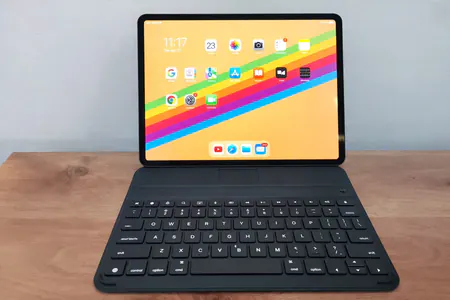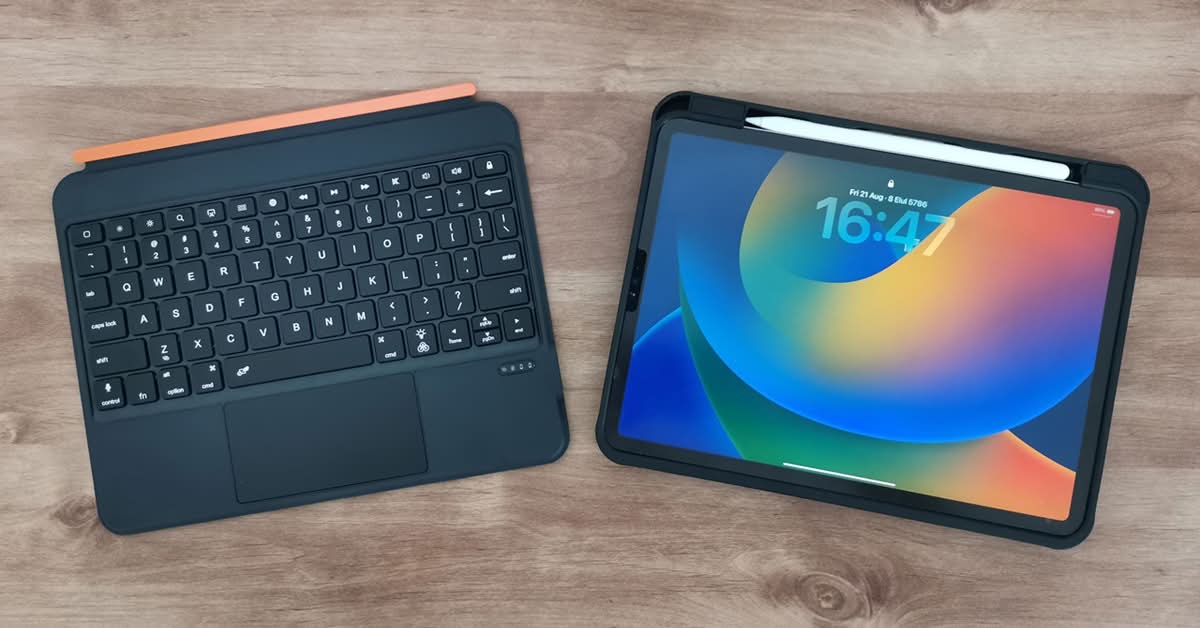
Integrated Touchpad: Goodbye, Touchscreen Fatigue
If there is one thing that ruins the “laptop replacement” illusion, it’s having to reach up and poke the screen every time you want to highlight text or move a window.
The Rii TU3607 solves this with an integrated touchpad located right below the spacebar. It’s a generous size, giving your thumb plenty of room to navigate. More importantly, it supports multi-touch gestures. You can do the standard two-finger scroll, pinch-to-zoom, and three-finger swipes to switch between apps.
Using the touchpad completely changes the workflow. It keeps your hands on the keyboard and stops you from leaving greasy fingerprints all over your gorgeous iPad display. The cursor response is snappy, with very little lag. While it doesn’t have the glass-smooth glide of a MacBook trackpad, it is vastly superior to tapping the screen a hundred times a day.
Battery Life: The 500mAh Reality Check
Wireless keyboards are only as good as their juice. The Rii TU3607 houses a built-in 500mAh lithium rechargeable battery.
Now, 500mAh doesn’t sound like a massive number if you’re coming from the phone world, but Bluetooth Low Energy (BLE) is incredibly efficient. This should get you around 4 days of battery life on a single charge.
You can expect roughly:
- Active use: about 50–100 hours of working time on a single charge (with the backlight turned off).
- Standby: more than 100 days in standby mode.
About 4 days of continuous use.
100 hours ÷ 24 hours/day = 4.16 days, so realistically just over four days on a single charge.
The exact number depends on whether you have the 250 mAh or 500 mAh battery version and how continuously you use it, but you’re safely in the “several days to a couple of weeks” range of real-world use per charge.
So, how does that hold up in the real world?
I’ll be honest, If you leave the backlight on 24/7, you’ll likely drain that 500mAh much faster. However, with the backlight set to auto-off or used only when necessary, we easily squeezed out three to four days of heavy typing before needing to plug it in.
Charging is straightforward via standard a Type-C cable, and it juices up relatively quickly. Having to charge it once a week is a minor inconvenience, especially since you can still use the iPad as a standard tablet while the keyboard is charging on your desk.
The Overlooked Factor: Weight and Portability
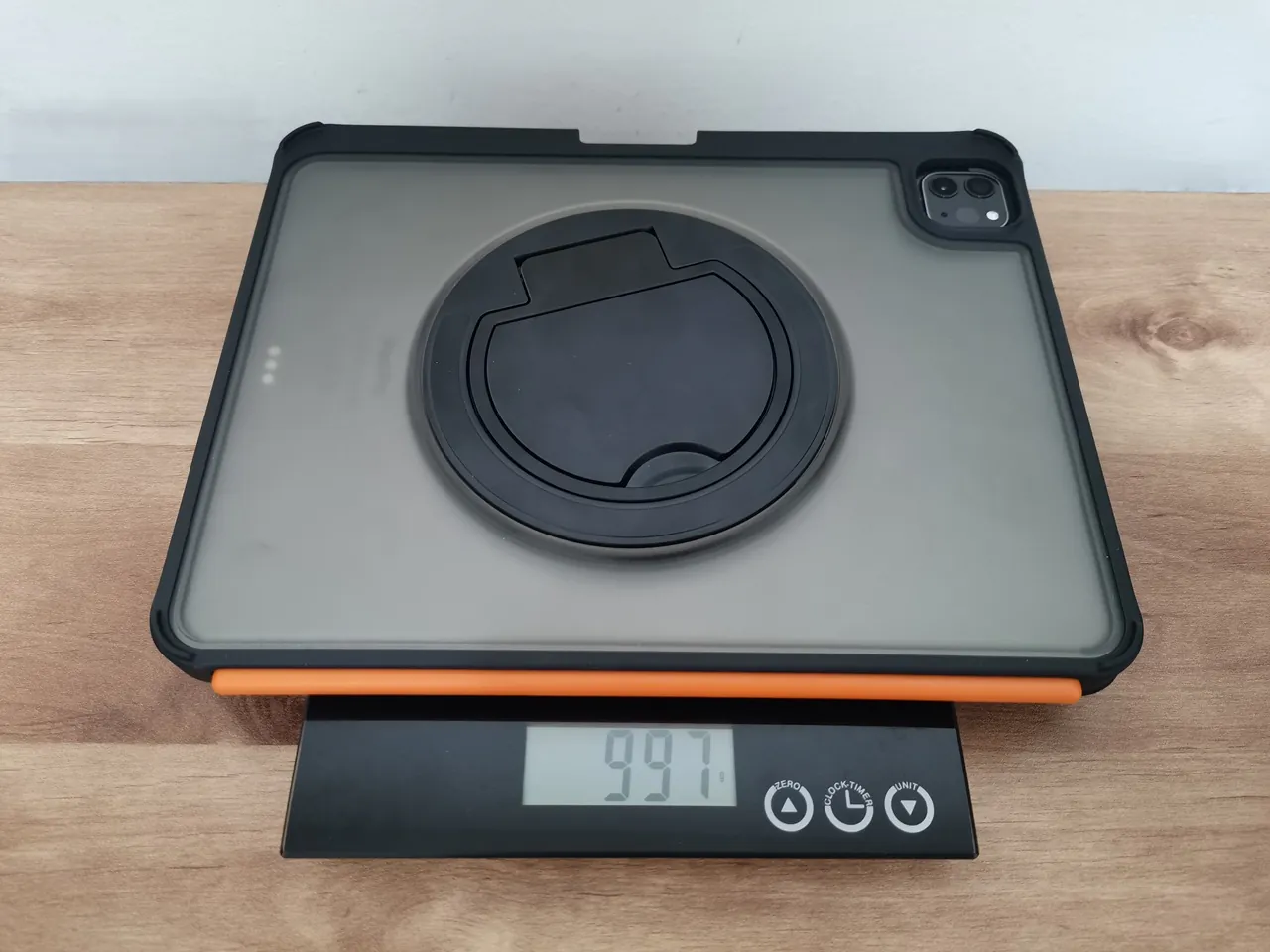
It’s essential to tackle the primary downside of the Rii TU3607, especially for highly mobile users, as this may be a dealbreaker. When the keyboard is combined with the protective case and the iPad Pro 11-inch, the overall weight can amount to about 997 grams.
Let’s put that into perspective. 997 grams is almost 2.2 pounds. For a laptop, that’s incredibly light. But for a tablet setup? It’s noticeably heavy. The whole point of buying an iPad over a laptop is supposed to be portability and lightweight convenience. When you hold this combined unit in your hands to read in bed or type on your lap, you will feel the weight.
If you are sitting at a desk, the 997g weight doesn’t matter at all. It sits perfectly flat and stable. But if you are walking around a convention center holding it like a clipboard, or trying to type on your lap on a bumpy train ride, your wrists will let you know that nearly a kilo of tech is attached to them.
The two-part detachable design helps mitigate this (since you can leave the heavy case behind if you just need the keyboard), but when fully assembled, it is undeniably a hefty package. Now, on the flip side, you can separate the keyboard from the iPad and save the extra weight of carrying the keyboard.
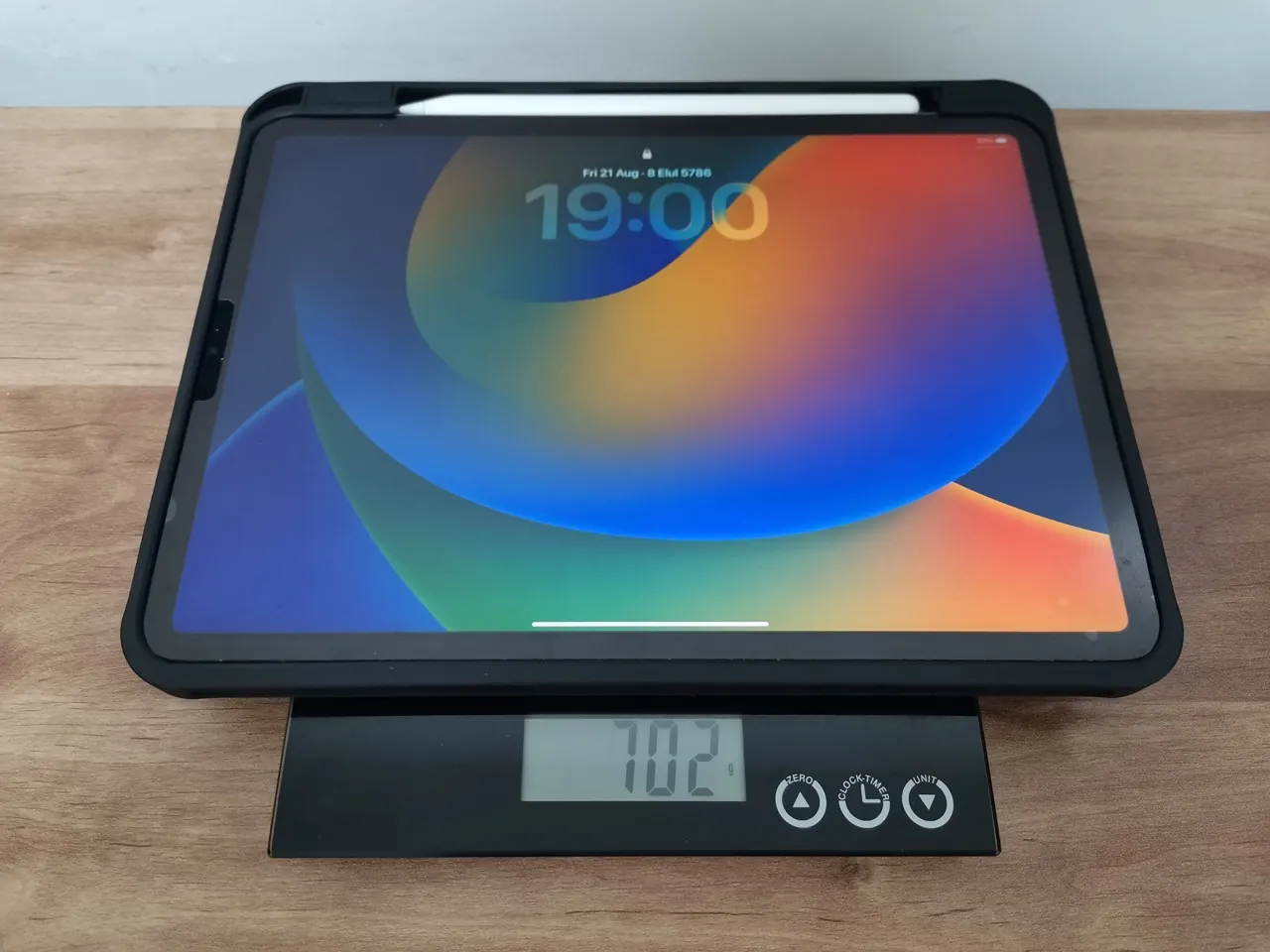
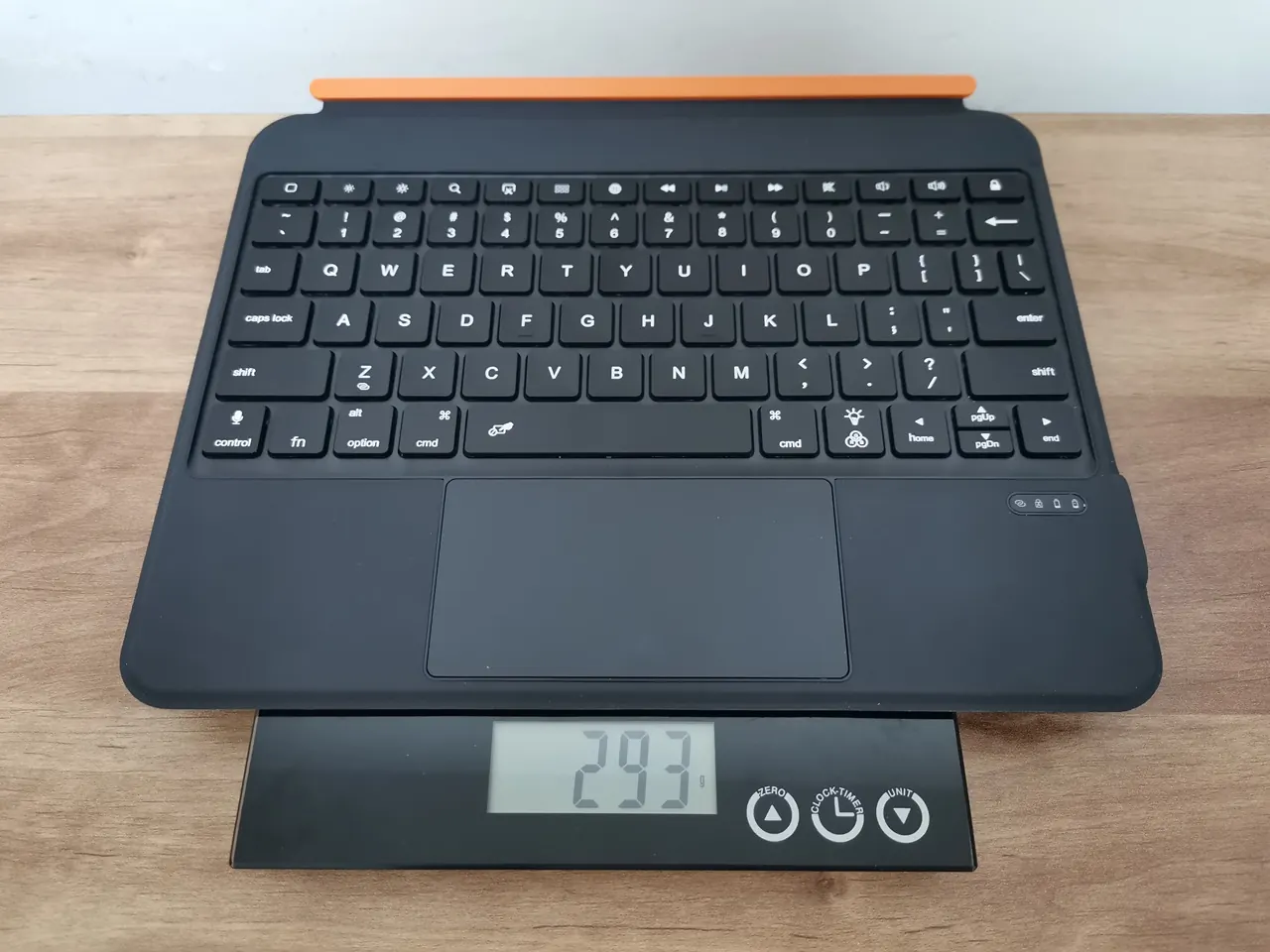
Weighting each component of the case:
| Item | Description | Weight |
|---|---|---|
| Case Part No. 1 | Keyboard | 293g |
| Case Part No. 2 | iPad 11+ Case | 702g |
Please keep in mind that our weight measurements might include minor inaccuracies and can fluctuate due to incorrect item placement and the precision of the scale.
Case part 1: Keyboard, iPad + case + stylus pen
Setup and Daily Usability
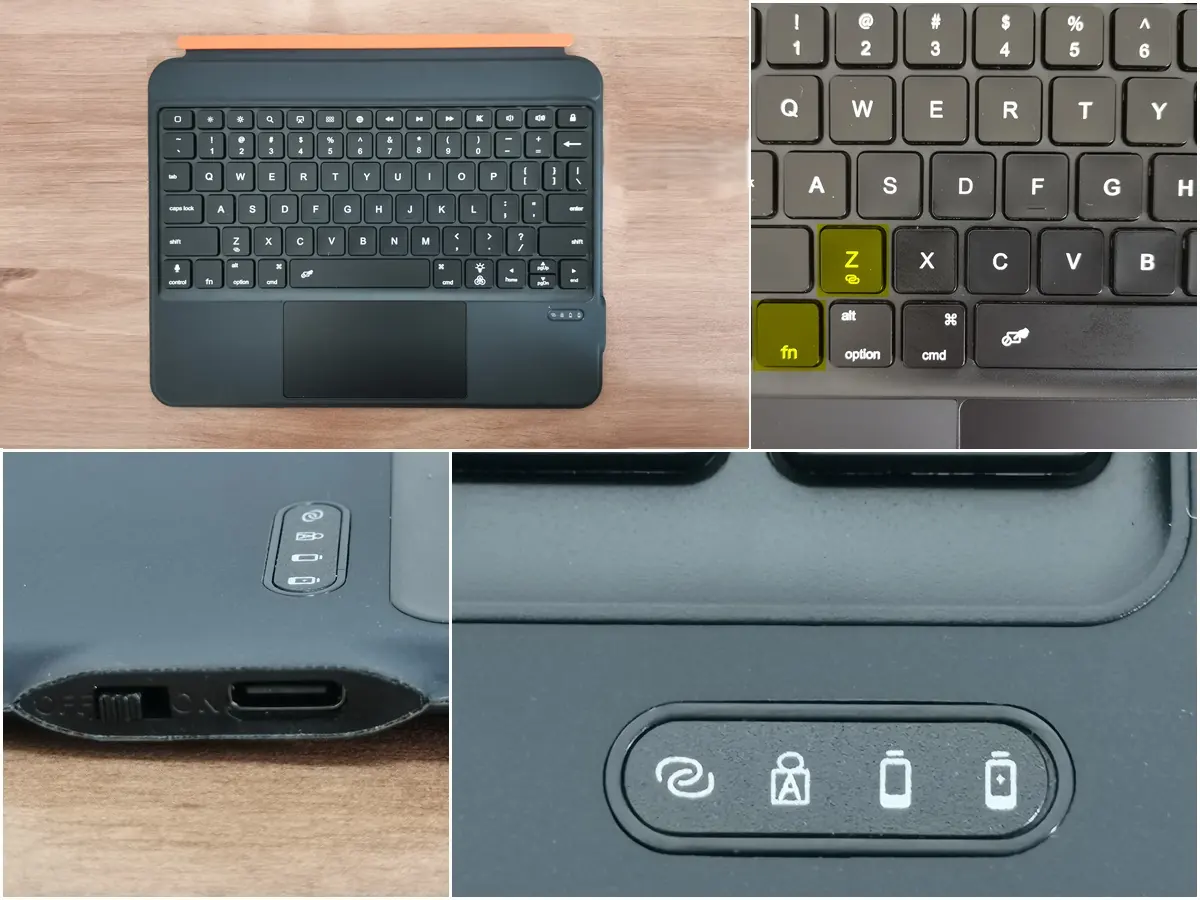
To set up the Rii TU3607, it takes approximately two minutes. Power it on, press the Bluetooth pairing buttons FN+Z, and select it from your iPad’s Bluetooth menu. You don’t need to download any proprietary app or install unusual software. It just works.
Operation status lights
The device features four status light indicators: Bluetooth working indicator, Caps Lock, low battery, and charging indicator.
In daily use, the keyboard wakes up almost instantly when you press a key, and goes to sleep to save battery when you walk away. The magnetic connection is reliable; I never had the iPad accidentally slide off while tossing it into my backpack.
Who is the Rii TU3607 Actually For?
After living with this keyboard case for a few weeks, I’ve figured out exactly who this is for—and who should look elsewhere.
You should buy the Rii TU3607 if:
- You want a laptop-like experience with a touchpad and backlit keys without spending $300+.
- You work primarily at a desk or a stable table where the 990g weight won’t bother your wrists.
- You love the idea of a detachable magnetic system that lets you separate the screen from the keyboard for media consumption.
- You need a “rugged” protection for your iPad Pro during commutes.
You should skip it if:
- You are a minimalist who wants the absolute lightest setup possible for handheld use.
- You prefer a folio-style case that folds into a triangle stand.
- You need a keyboard with ultra-deep, mechanical-style key travel.
Final Verdict
The Rii TU3607 iPad keyboard is a cool accessory that aims to combine a tough protective case with a premium productivity tool. It really does a good job. The two-part magnetic design is quite clever and offers a level of flexibility that Apple’s official keyboard doesn’t have, and the metal support ring is a nice bonus.
The integrated touchpad and backlit keys take the typing experience up a notch, making it feel like a legit laptop replacement. Plus, the 500mAh battery lasts around 4 days, which is super helpful for your workday.
However, you must acknowledge the physical trade-offs. With a combined weight of around 997g (including the iPad Pro, depending on the model), this device is primarily intended for use on a desk or lap, rather than for holding in your hands for extended periods.
If you can live with the weight, the Rii TU3607 offers a great price-to-performance ratio. It gives you 85% of the functionality of the ultra-premium keyboard cases for a fraction of the cost. For most students, writers, and remote workers, that is a trade-off well worth making.
Price and availability
This product has just been launched, but according to the RiiTek team, the expected retail price is around $59.99. We will share purchasing links as soon as they become available.
Business Inquiries
Please feel free to contact the company directly for any questions or business inquiries related to Riitek products, including pricing. Here is the contact information:
- Company name: Shenzhen Riitek Technology Co, Ltd.
- Contact Person: Lisa Pang
- Email: lisa@riitek.com
- Web: www.riitek.com