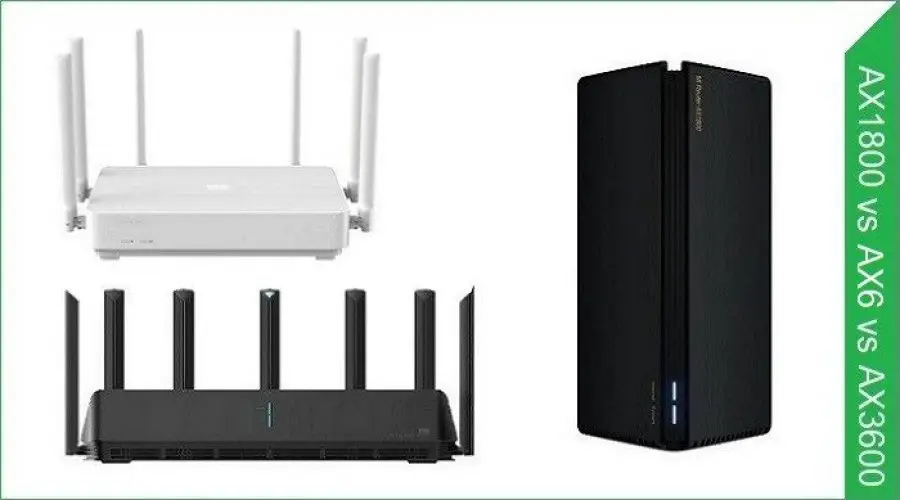
Comparison of Features: Xiaomi AX1800 vs AX6 vs AX3600 AIoT Router.
If you are asking yourself which type of routers are the most suitable for broadband internet? Especially for fiber-optic connection, which in recent years gained worldwide popularity. What are the differences between the most cost-effective routers launched by Xiaomi, the AX1800, AX3600, and the Redmi AX6?
Read more: All about the Best WiFi-6 Routers for 2021.
Is better hardware important?
The short answer is yes. A faster CPU, more memory, and fast access flash storage can definitely help to maintain and establish a faster and more responsive connection. But not all users actually need a high-end router. It really depends on your specific needs.
If you have multiple devices constantly connected to the internet, a low-cost AX1800 will do the job very well. If you are a power user with a large home space with lots of smart devices connected to the internet, picking Xiaomi AX3600 is the best choice. On paper, Xiaomi stated that their AX3600 router could support up to 248 devices, but again if you don’t have so many devices at home, it’s pointless to invest in buying a higher model.
Basic requirements
We recommend conducting a few speed tests to a few server geographic locations worldwide at different times of the day: morning, afternoon, and evening to get an estimate of your try connection bandwidth. We recommend using Speedtest by Ookla is the top reliable website for testing internet broadband speeds.
Now, based on your “real world” speed tests results, you can choose a router with the following characteristics (Basic Parameters):
| Hardware | Based on Specs: CPU, RAM, Internal Storage |
| Max connected devices | The more, the better! |
| WAN Gigabit Port | x1 |
| Gigabit LAN Ports | x4 or more |
| Antennas | x2 (Minimum) |
| 4GHz | Transmission Rate up to 300-600Mbps |
| 5GHz | Transmission Rate up to 867Mbps |
The meaning of the router model name
The WiFi-6 (IEEE 802.11ax) is the marketing brand name defined by WiFi Alliance. This way, it makes more sense to remember names and differentiate between different router products. The prefix AX at the beginning of the model starts with two words, which specify that it supports WiFi 6 standard. Next to AX, you normally have a number that specifies the device maximum theoretical speed in Mbps that is sometimes rounded to a nice number. Another final point worth mentioning is that the total transfer speed is actually composed of both 5 GHz and 2.4 GHz bands combined.
Examples:
| Router Model | Standard | Maximum Speed | Bands |
| Xiaomi AX1800 | WiFi 5/6 | 1800Mbps | 2.4GHz: 574Mbps 5GHz: 1201Mbps |
| Xiaomi Redmi AX6 | WiFi 5/6 | 3600Mbps | 2.4GHz: 574Mbps 5GHz: 2402Mbps |
| Xiaomi AX3600 | WiFi 5/6 | 3600Mbps | 2.4GHz: 574Mbps 5GHz: 2402Mbps |
| Archer VR600 | AC1600 | WiFi 5 | 1600Mbps | 2.4GHz: 300Mbps 5GHz: 1300Mbps |
Wi-Fi 6 Ready
Wi-Fi 6 is the next evolution of wireless local area network (WLAN) technology. The name Wi-Fi 6 is part of a new naming system assigned by Wi-Fi Alliance to make them more easily understood by Wi-Fi users.
When choosing a new router in 2021, it’s best to pick a router that will serve you well in the coming two+ years. With more smart devices such as tablets, laptops, network cards, and router products supporting the new Wi-Fi 6 standard, users can enjoy immersive streaming and gaming experiences.
Wi-Fi 6 has a much higher theoretical speed limit of 9.6 Gbps compared to its predecessor Wi-Fi 5, capable of a maximum throughput of 3.5 Gbps. The connection can be split up across a whole network of devices. That means more potential speed for each device.
| Wi-Fi standard | Technology | Release date |
| WiFi 6 | 802.11ax | 2019 |
| WiFi 5 | 802.11ac | 2014 |
| WiFi 4 | 802.11n | 2009 |
| WiFi 3 | 802.11g | 2003 |
| WiFi 2 | 802.11a | 1999 |
| WiFi 1 | 802.11b | 1999 |
Combining 4GHz and 5Ghz Bands under one SSID
Older routers allow you to create separate WiFi networks, one for the 2.4GHz band that performs well in long distances and the 5GHz band that works best in short distances. With the newest generation routers, you can enjoy both worlds by merging both bands under the same SSID (Wireless Network Name).
| Band | 2.4 GHz | 5 GHz |
| Channel | Three non-overlapping channels | 23 non-overlapping channels |
| Standard | Wireless-B, G, and N | Wireless-A, N, and AC |
| Network Range | Wider Range | Shorter Range |
| Interference | Higher | Lower |
What are the advantages?
- It can help in establishing a more stable connection.
- It can help improve signal strength.
Should you keep both bands separate?
There is no clear, simple answer to this question. It depends on the environmental conditions and distance from the router unit. Practically speaking, you should check if it works well for you by using the Trial and error method to check the effects on your connection. Also, from a security perspective, some users would prefer to separate both bands to keep their network more secure in potential cyber-attacks.
Immediate Wi-Fi 6 uses
If you currently don’t have any device with WiFi-6 support, it doesn’t mean you can’t make use of this new tech at home or office by buying network adapters that are super cheap that will also greatly improve your network performance.
Upgrading your old Tablet/Laptop
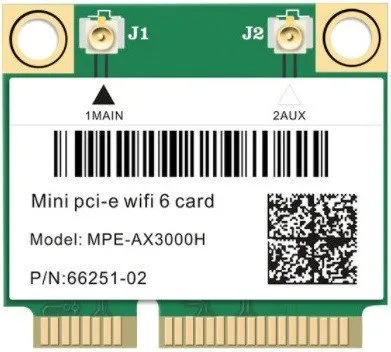
You can find a Mini PCIe network card combined with Bluetooth 5.0 on AliExpress, which offers high bandwidth, including WiFi-6 support at a lower price tag starting at $22. If you have an old laptop, upgrading from an old network WiFi-5 module would be a great upgrade worth investing in!
Specs list:
- Model: Wi-Fi 6 MPE-AX3000H
- Interface: Mini PCI-E
- Dual band: 2.4Ghz / 5Ghz (160Mhz); Speed up to 2400Mbps (The router must on 160Mhz) (802.11ax).
- Support 802.11ax/ac
- Support Bluetooth 5.0
- Support MU-MIMO and OFDMA; Support Windows 10 64bit/Linux;
Wi-Fi 6 MPE-AX3000H
Upgrading your Desktop PC
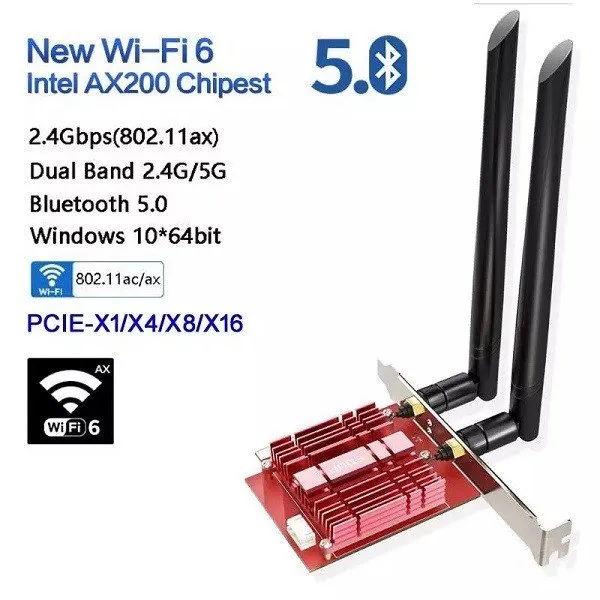
If you have a desktop PC connected to a WiFi-5 generation network card and interested in enjoying top internet speeds, a WiFi-6 network card would be another great low cost upgrade.
The Benefits of Wi-Fi 6
The Benefits of Wi-Fi 6 | – |
Less interference |  |
Longer range | |
Gigabite speeds | |
Low power consuption | |
Reduced latency | |
High performance levels in the most dense environments | |
Increased efficiency | |
Dealing with various amounts of connected devices | |
AX3600 vs. AX1800 vs. AX6
Product Photo | 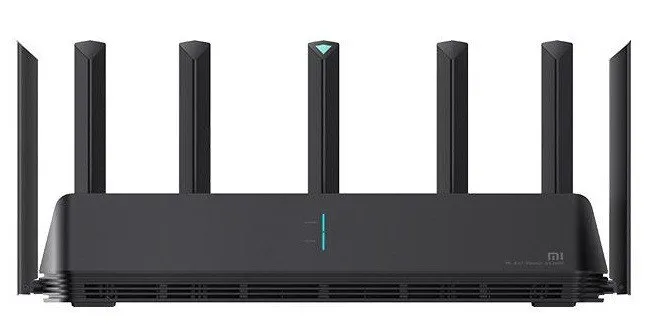 | 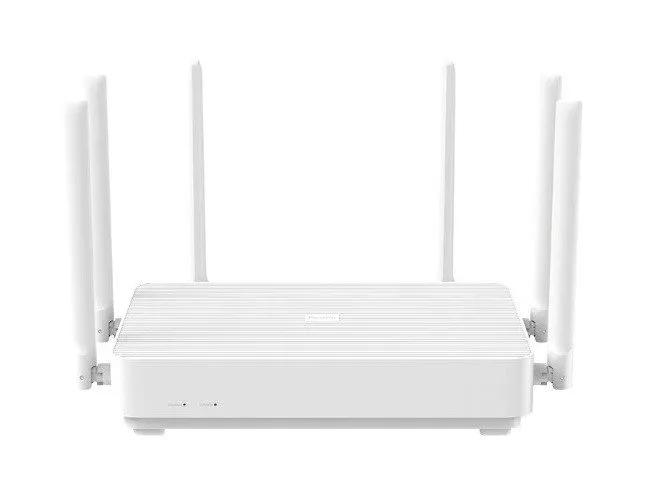 | 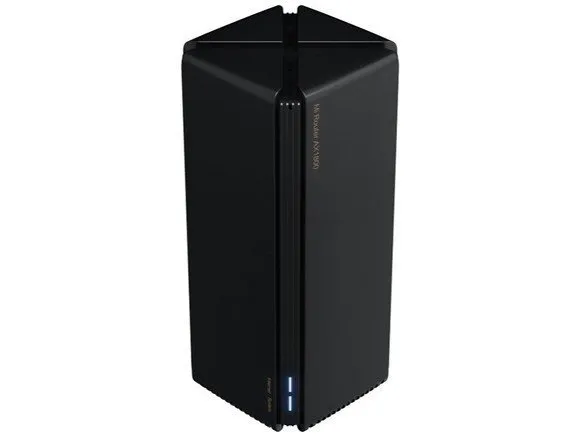 |
Model | Xiaomi AIoT Router AX3600 | Xiaomi Redmi AX6 | Xiaomi Mijia Router AX1800 |
Design Type | Horizontal | Horizontal | Tower |
CPU | Qualcomm x4 Cores, Cortex ARM A53 chip IPQ8071A (1.4GHz) | Qualcomm x4 Cores, Cortrax ARM A53 chip IPQ8071A4 | Qualcomm 4x Core ,Cortex ARM A53 chip |
Network acceleration engine | Dual core 1.7GHz NPU | Dual core 1.7GHz NPU | Single core 1.7GHz NPU |
Memory | 512MB | 512MB | 256MB |
ROM | 256MB | 256MB | 128MB |
Antennas | 7 External high gain antennas. | 6 External high gain antennas | 2 Built-in gain antennas |
Signal amplifiers | 6 independent signal amplifiers | 6 independent signal amplifiers | 4 independent signal amplifiers |
Independent IoT Antenna | |  | |
Wi-Fi 5/6 (802.11ac/ax) | | | |
MU-MIMO | | | |
OFDMA | | | |
Wi-Fi Mesh | | | |
Wall anchors | | | |
Physical Interface | 1x WAN 1G 3x LAN 1G | 1x WAN 1G 3x LAN 1G | 1x WAN 1G 3x LAN 1G |
MAX terminal | Can connect up to 248 devices at the same time | Can connect up to 248 devices at the same time | Can connect up to 128 devices at the same time |
Theoretical network throughput | 2.4GHz: 574Mbps | 2.4GHz: 574Mbps | 2.4GHz: 574Mbps |
Power | 12V/1.5A | 12V/2A | 12V/1.0A |
Language: | Chinese, English and others with Mi Wi-Fi App | Chinese, English and others with Mi Wi-Fi App | Chinese, English and others with Mi Wi-Fi App |
Price | Starting at $100 | Starting at $70 | $54-58 |
Product Buy Links |