- Maybe you missed it? Best Single Board Computers 2023/4 Brands
- Youyeetoo R1: A sneak peek, Specifications, and Features.
Youyeetoo R1
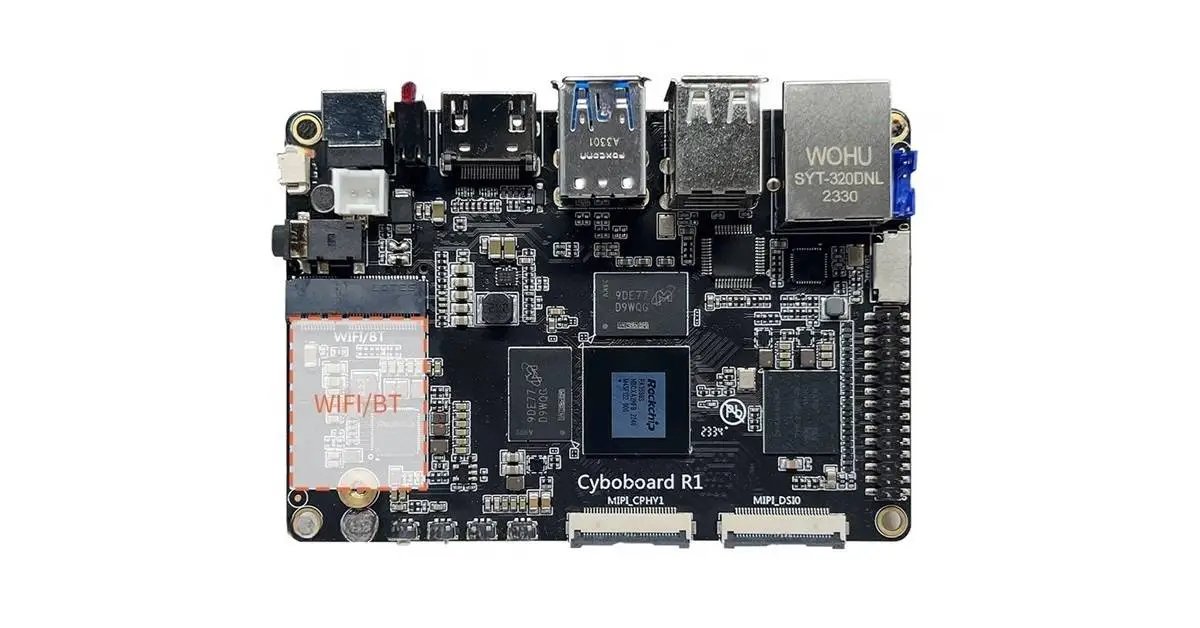
The R1, created by youyeetoo.com, is an extraordinary Single Board Computer (SBC) specifically designed for the expanding AIoT (AI of Things) market. Packed with an array of impressive features, this compact device is driven by the groundbreaking RK3588s Octa-core 64-bit processor developed by Rockchip. With its cutting-edge 8 nm technology, this ingenious SBC operates at an impressive clock speed of up to 2.4GHz.
This device stands out for its exceptional features. With a potent ARM Mali-G610 MP4 GPU and a built-in NPU (Neural Processing Unit), it possesses the remarkable ability to carry out an impressive 6 TOPS (Trillions of Operations Per Second) of AI computing. Its exceptional speed and energy-efficiency make it the perfect choice for a multitude of AI applications.
Youyeetoo R1 Specifications
Youyeetoo R1 Hardware Specifications | |
Model | Youyeetoo R1 |
Hardware features | |
CPU | Rockchip RK3588S (8nm LP process) |
CPU architecture | ARMv8-A |
NPU for AI | Built-in Al accelerator NPU with up to 6 TOPS, supports INT4/INT8/INT16 mixed operation. |
Core number | 8-core (64-bit) |
CPU Frequency (Max) | • 4x Cortex-A55 (2.4GHz) • 4x Cortex-A76 processor (2.4GHz) |
GPU | ARM Mali-G610 MP4, Quad-core (1GHz) • Vulkan 1.1, 1.2450 GFLOPS • 3D and 2D graphics engine |
RAM | LPDDR4 4GB/8GB/16GB/32GB |
Storage | • 1x Micro SD (TF) Card Slot |
USB | • x2 USB-A : USB 2.0 (Limit 500mA) • x1 USB-A: USB 3.071 (Limit 1A) • x1 USB-C: Type C (USB3.1 OTG/DP1.4) (Limit 2A) • x1 USB socket: USB 2.0 (4 pin header: PH-4A 2.0mm ) |
M.2 interfaces (Socket) | • 1x M2 2242 M-Key Socket, PCIe Gen 2.0 lan 2, support: NVMe/4G LTE Modules. |
Camera interface | 2x MIPI CSI 4 lane (MIPI_CPHYO/MIPI_CPHY1) |
Display | • HDMI: 1 x HDMI2.1 (8K@60Hz or 4K@120Hz) • MIPI FPC: 2x MIPI-DSI (DSIO/DSI1 4K@60Hz) |
HDMI Input | Supports up to 4K@60fps (YUV420) Through adapter board: HDMI IN to MIPI-CSI FPC socket. (You need to purchase an adapter board separately) |
VPU (Video Codec) | Video encoding: (Up to 32-channel 1080P @30fps decoding + 16-channel 1080P@30fps. ——————————————————— Video decoding: • 8kK@30fps H.264 • 4K@60fps AVI • 1080P@60fps MPEG-2/-1/VC-1/VP8 |
Audio Output | • x1 3.5mm audio jack (with mic) • x1 HDMI audio output • x1 4-pin headerJ368: R/L/GND/MIC (header: SH1.25mm). |
Audio Input | • x1 Audio & Microphone 3.5mm audio jack. • x1 Microphone (On board socket). |
Network | • x1 Ethernet: 10/100/1000Mbps • x1 M.2(E-Key) Socket for Wireless Module |
NFC | Yes, Included |
30PIN Socket | • I2C:12C *3 (I2C1, 12C3, 12C7) default 3.3V • ADC: ADC * 2(ADC3, ADC4) (GPIO1_A7/GPIO1_A4/GPIO1_D5/GPIO2_A6/GPIO1_B1/GPIO0_B • VCC:VCC *2(VCC3v3, VEC5v0) |
LED light | x3 LED red/green |
Button | • 1x :Boot • 1x Reset • 1x Recovery • 1x Power |
Debug port | x1 Debug UART (UART2 3P SH1.25) |
RTC Button battery socket | x1 2-Pin 1.25mm SH1.25 |
PCB size | 100 x 69.3mm |
On-board FAN Socket | 5V 3P ,1.25mm-SH1.25 Adjustable speed |
Weight | – |
Power | • DC jeck: 12V (5.5×2.1mm, 12V3A) |
OS | Android/Ubuntu/Debian |
Astimate Price | – |
Packed with a wide range of interfaces.
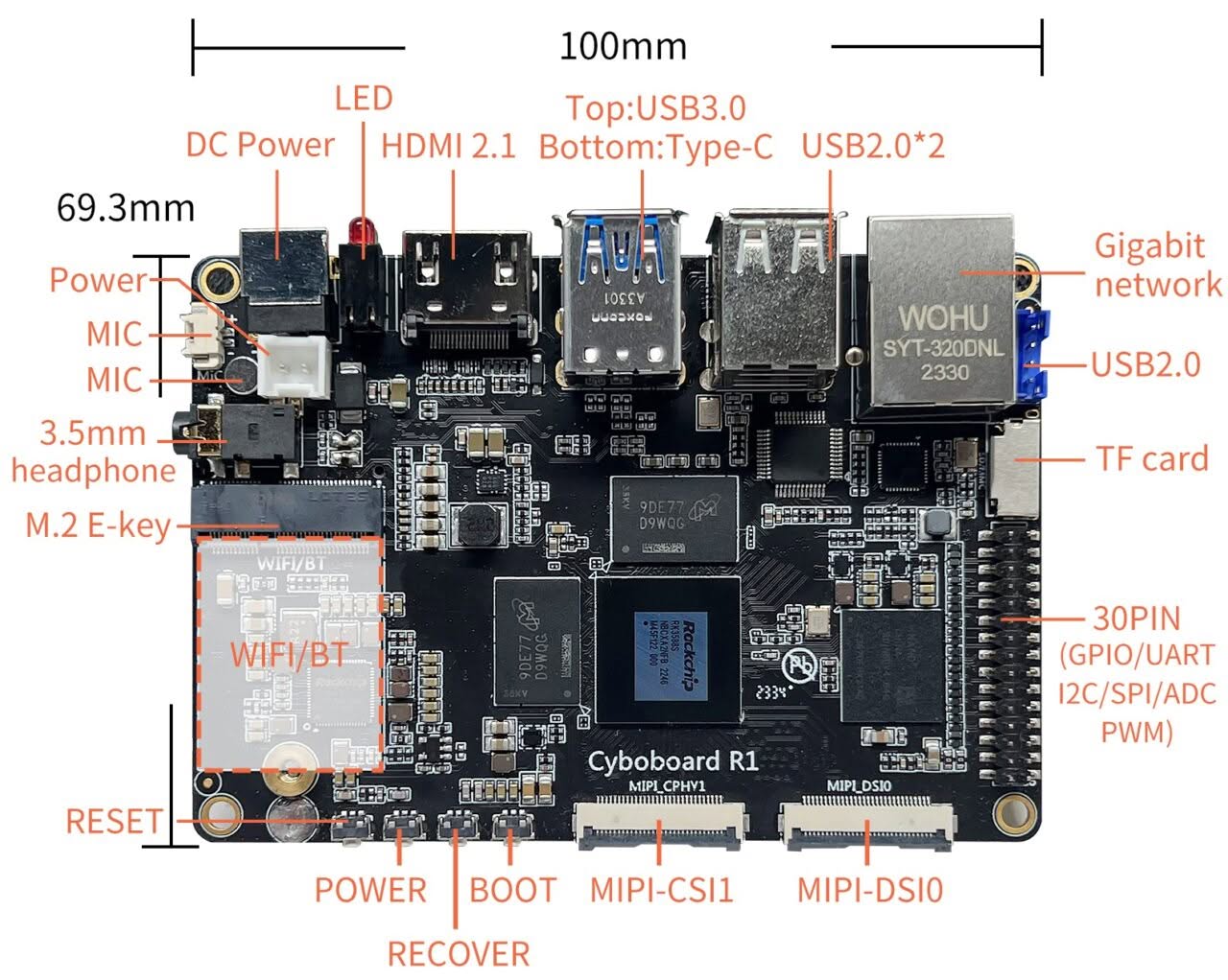
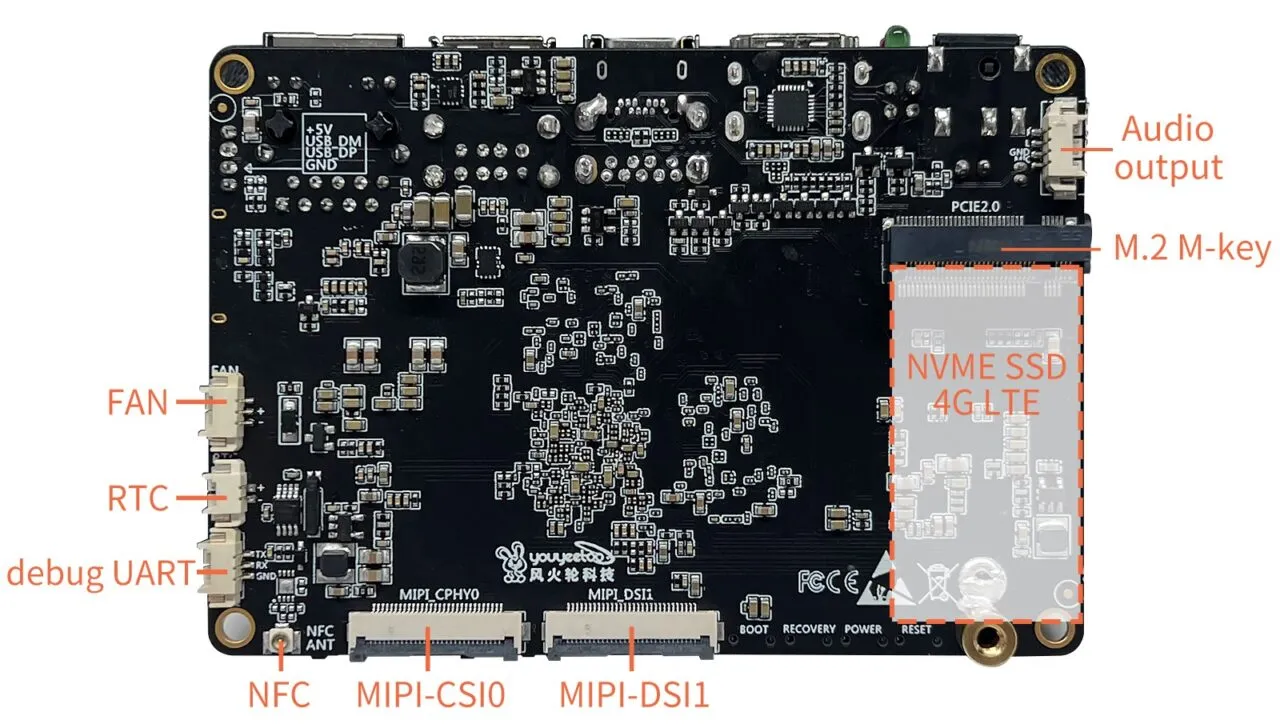
Despite being only 100 x 69.3 mm in size, the R1 SBC offers a wide range of interfaces. These include Gigabit Ethernet, HDMI output with 8K support, Type-C, M.2 PCIe2.0, dual MIPI cameras and screens, as well as 3 x USB2.0, 1 x USB3.0, 4 x UART serial port, 2 x I2C, GPIO x 7, SPI x 1, ADC x 2, CAN x 1, and many other common interfaces for AIoT (Artificial intelligence of things).
The R1 is capable of running multiple operating systems, making it highly versatile in a wide range of fields. It can be effectively utilized in cutting-edge areas like edge computing, artificial intelligence, advertising machines, smart homes, and other AIoT applications.
Offering extra value with NFC Support
One of the unique features of the R1 SBC is its inclusion of an NFC (near-field communication) chip. This allows you to conveniently transfer data between the motherboard and your mobile phone (whether it’s Android or iOS) with a simple touch. The youyeetoo team even provides tutorials with application examples to guide you through this process.
An SBC design done the right way
Compared to many of the SBCs we’ve reviewed, this board stands out with its conveniently placed operation buttons on the front side. With easy access to reset, boot, recover, and power buttons. If you’re using a case, you will not have to constantly open it to easily access them.
An additional point to highlight is the wide range of microphone interface options available on the board. You have quite a few of them at your disposal, which can be useful for projects involving sound recording applications. Lastly, there is an additional video option available through a Type-C DP1.4 port that has the impressive capability of decoding video at an astonishing 8K resolution.
Price and availability
You can get the bare board, complete with 4GB/32GB eMMC and a heat sink, at the appealing price of $99.00. For the 8GB/64GB eMMC model, the price is only slightly higher at $119.00. Additionally, there are optional accessory kits available, which include a power adapter and USB serial debug kit.
Our goal is to provide exceptional value for your investment, competing with the likes of the Orange Pi 5B and NanoPi 6C boards. Furthermore, the board showcases a wide array of interfaces, along with an integrated NFC option that provides unmatched versatility.