The Company
SHENZHEN Uyesee Co., Ltd is a leading OEM/ODM manufacturer specialized in providing an open Android-based hardware and software platform for OTT Android boxes with embedded digital TV tuner support. The company has a wide range of product lines for potential customers, such as content providers, service providers, and Telco operators. Their main focus is on android based smart devices, including hardware and software with a fast response team that allows them to adapt and make the necessary changes tailored to specified customer needs.
SoundMate WM201 – Product Introduction
The SoundMate WM201 is a Wi-Fi audio streaming device, which is able to transform your old speakers into a modern Wi-Fi HIFI Smart audio System. With Soulmate, the user can stream music from local storage or cloud from any of your devices by airplay or DLNA streaming protocol, including phone, Tablet PCs, laptops with complete OS support for Android, iOS, Windows, Windows and Mac compatibility.
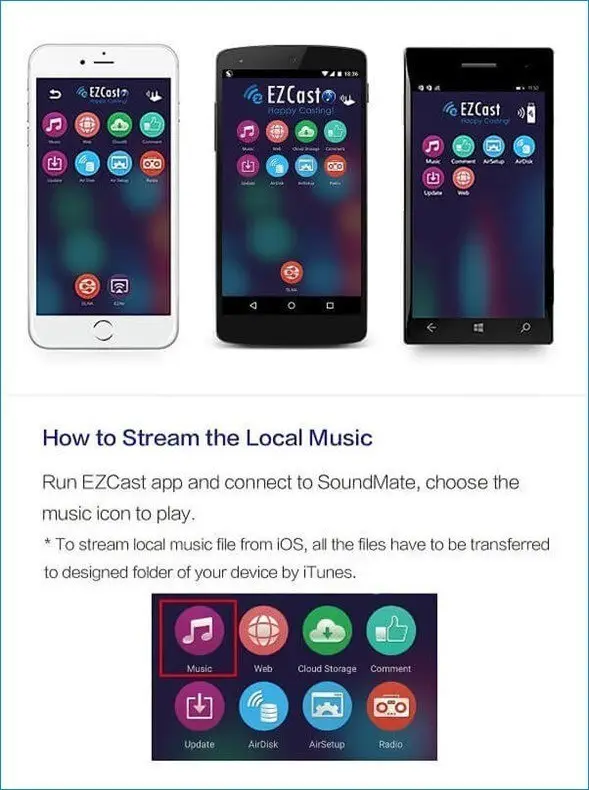
EZCast app ensures perfect user experience and best compatibility of all smart devices and best audio performance, which supports a comprehensive audio format for normal audio files to lossless audio files, such as fleas, ape, WAV. Compared to popular audio streaming devices based on Bluetooth technology, this product uses a standard Wi-Fi connection that assures better and wider signal coverage, especially indoors.
Main Features
- Support Multi-people online, share music one by one.
- Ensure compatibility with all widely used streaming protocols, including DLNA and AirPlay.
- Our product fully supports playing from USB pen drives and TF cards.
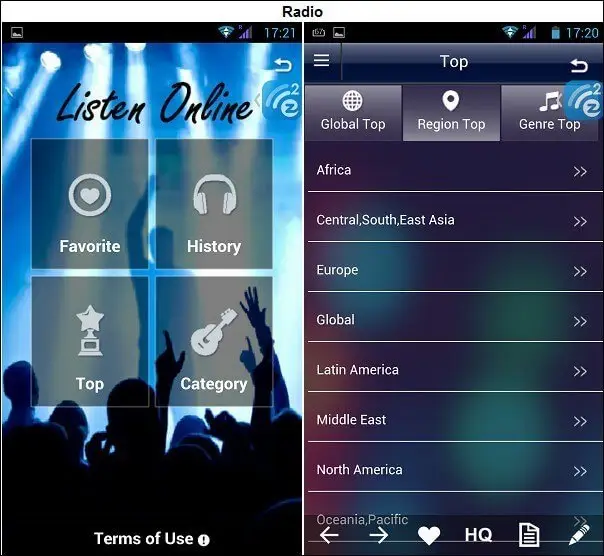
- Discover a world of music with Internet Radio: over 120 countries and more than 10,000 channels at your fingertips.
- Support Streaming music from the Cloud.
Supported Formats
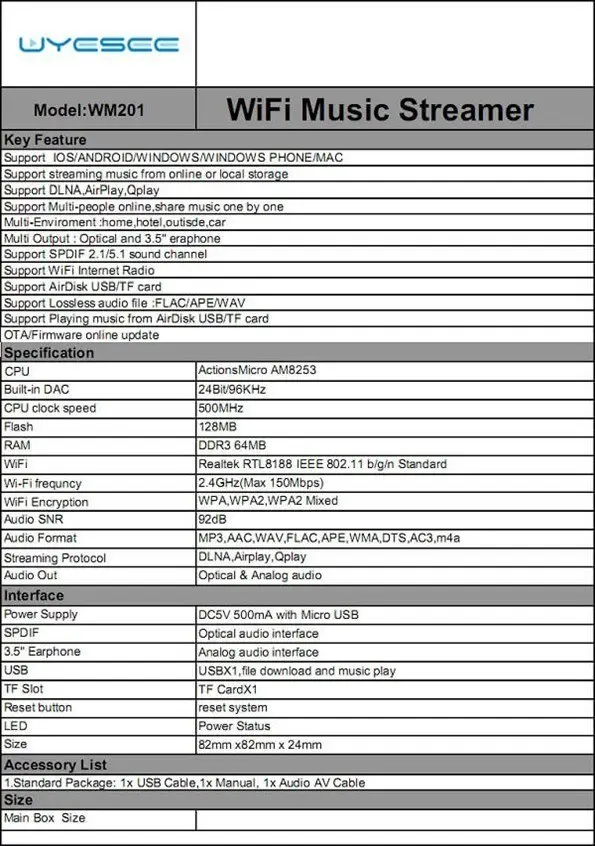
- Audio formats.aac.mp3.wav.flac, ape.
- Stream protocols: DLNA, Airplay, Qplay.
I/O
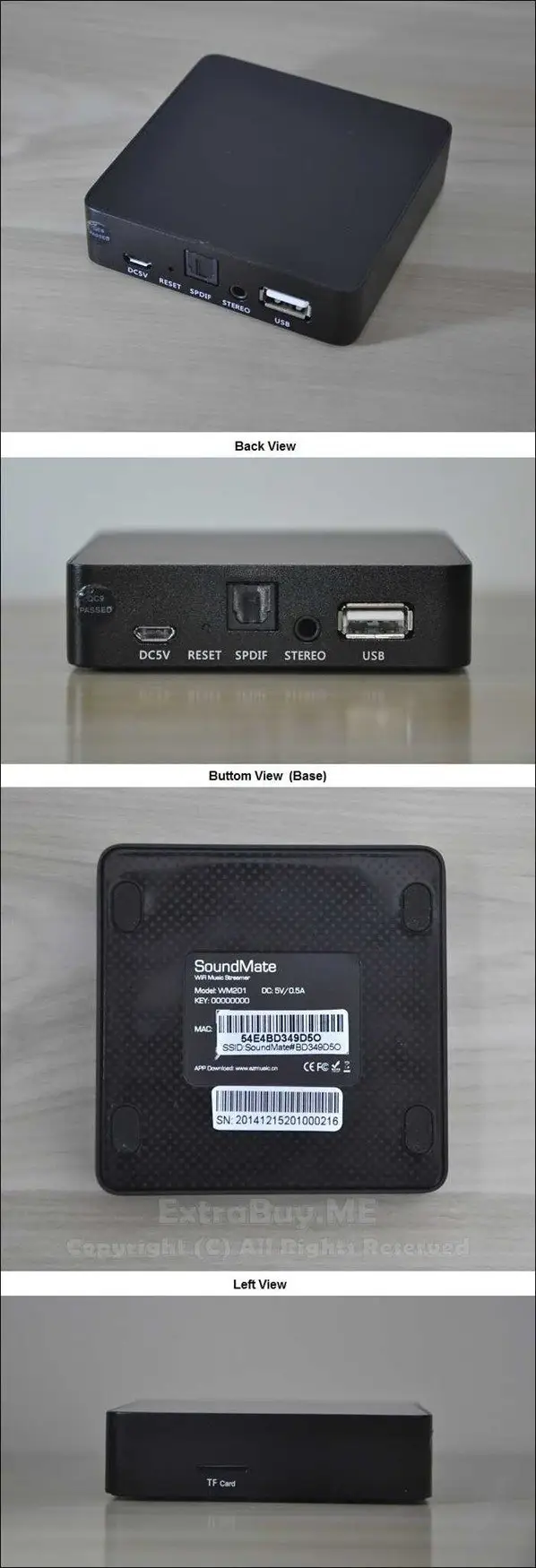
- 1 power LED: indicating the power status.
- 1 x Micro USB Port (5V Power Supply).
- 1 x WiFi LED: WiFi Signal.
- 1 x USB: Extend uDisk.
- 1 x TF slot: TF card.
- 1 x Audio 3.5 mm Jack Output (Analog audio interface).
- 1 x Optical S/PDIF (supports PCM 2.0, 2.1, 5.1 channels).
- 1 x Reset hole button (System reset).
Connectivity
- 802.11 b/g/n Wi-Fi Open (default), WPA, WPA2, WPA2 Mixed Security.
Support & Compatibility
- Supports IOS/Android/Windows Phone/MAC/Windows devices.
The Package
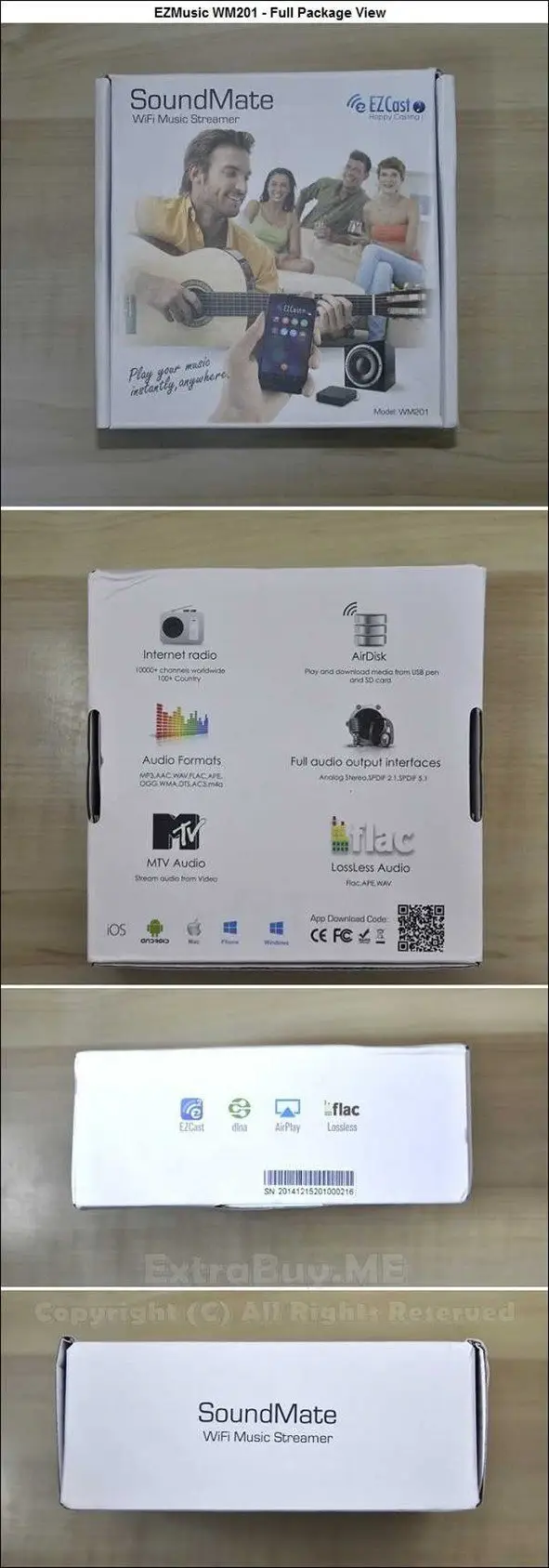
Unpacking
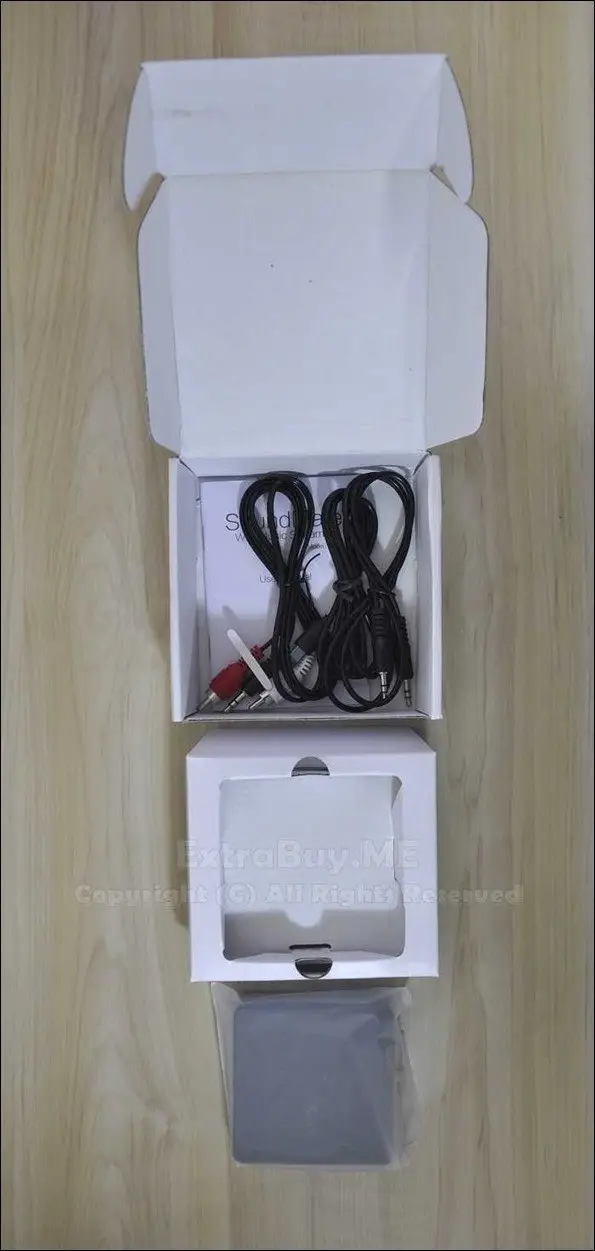
Package Contents
- 1 x SoundMate WM201 Music Streaming Box.
- 1 x User Manual.
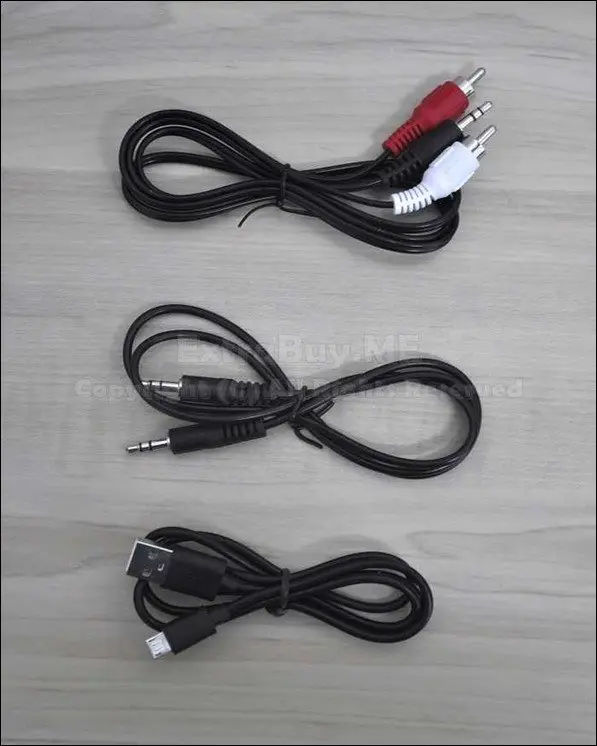
- 1 x Audio AV Cable (Coax).
- 1 x Stereo Cable (Male-Male).
- 1 x USB Cable (USB-Micro USB).

Accessories
- 1 x Audio AV Cable (Coax).
- 1 x Stereo Cable (Male-Male).
- 1 x USB Cable (USB-Micro USB).
Design & Build Quality
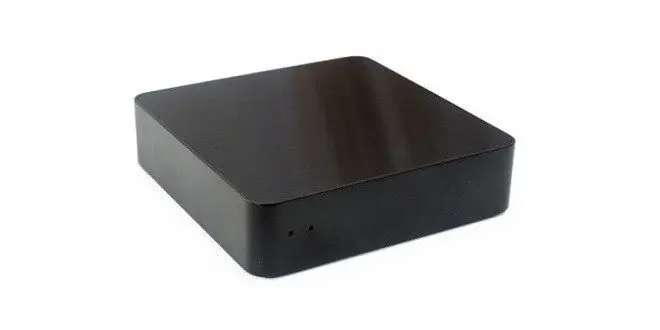
The WM201 SoundMate casing design is excellent. I am not sure if the casing is completely made from plastic material (ABS) or also combines a metal frame. The general feeling is of high-quality plastic molding casing with glossy smooth surfaces.
Dimensions
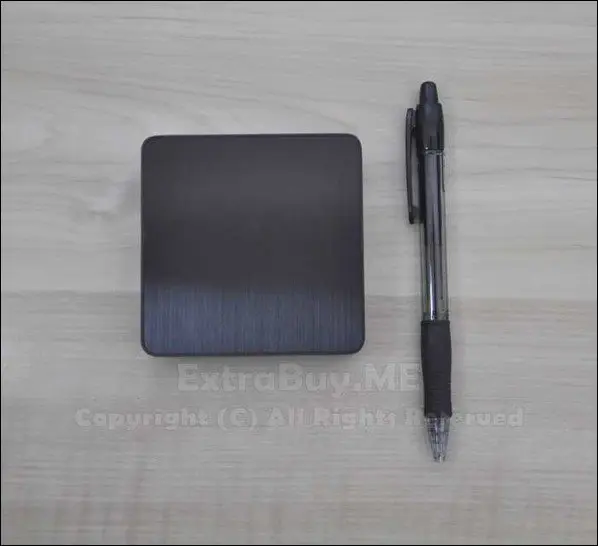
The WM201 is very compact and small in dimensions. Only 80x80x20 mm, Smaller than a standard pan (As shown in the photo below).
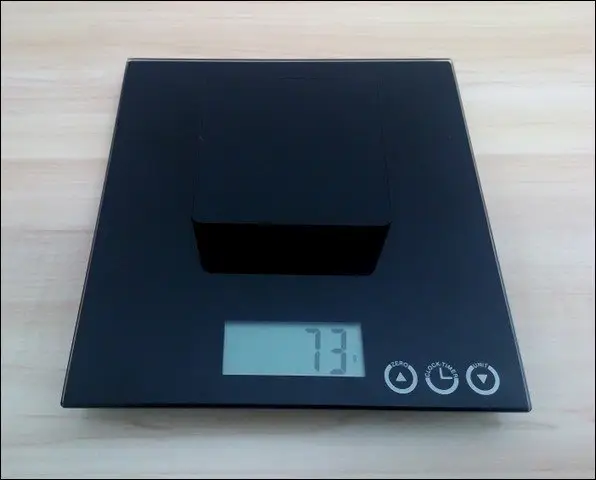
Weighting
Operation
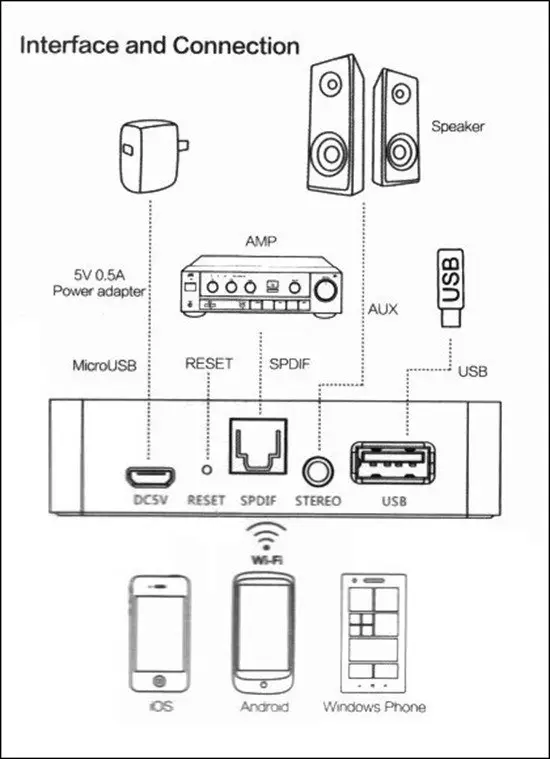
Optional Connections:
– SPDIF: via Optical Cable to an Amplifier Digital Port.
-Analog Audio: via Jack 3.5 mm provides cable connection to an amplifier, AUX or headphone.
Connections Diagram
First-time Operation (3 Steps):
1 – Downloading the EZCast App.
2 – Running EZCast app and selecting device SSID (Note: also listed at the bottom of box).
3 – Entering default Password: 00000000 (Note: Also listed at the bottom of the box).
4 – Going to ‘Airsetup‘ > ‘Internet‘ and typing the home network router password.
Play Options
-Play audio files straight from the cloud with ‘Dropbox‘ cloud service.
-Play audio files through external Storage Sources: Hard drive, TF Card, USB Dongle, etc..
-Listen to online radio stations via the “Radio” option.
User Manual
The user manual is printed in color. Very organized and detailed, with clear to understand instructions followed by UI screenshots explaining all necessary steps needed to operate the device. On the backside, you can find Chinese instructions that are less relevant.
Power Supply
The power supply unit isn’t included in the package, therefore you will have to connect it with 5V /0.5A power adapter or alternatively connect it through a PC USB port.
Software
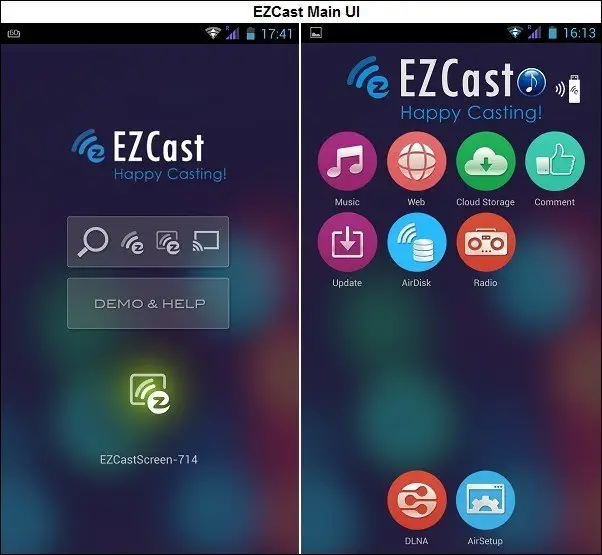
The WM210 box is powered by EZCast software with a user-friendly and easy to handle UI. The mobile client can be downloaded from the official EZCast website, including from the Google market App. After playing with the product, the ‘AirDisk’ option didn’t seem to work and looks like it’s not active, probably a new option still under development. Streaming audio files from the cloud feature currently only support ‘Dropbox’ service, which limits the user just to one provider. But it’s OK, from my personal experience and knowledge, the company frequently updates their mobile client and firmware, adding new features.
Conclusions
The product works well and is very easy to operate. The UI needs further improvements, especially in the ‘radio’ option. For a price tag of $37.99 retail (including shipping fee), you can say it’s a pretty good deal. A great solution for listening to online radio stations from all over the world or just playing audio files independently without using a P.C. The bottom line is that the product is recommended, and it’s super cheap!
PROS
-Mobile App including device firmware is frequently updated.
-Works well as described.
-Good Audio Quality.
-Low cost.
CONS
– ‘Radio’ option needs further improvements in terms of UI design.
-Streaming from the cloud option only support ‘Dropbox’ Service.
Web: www.uyesee.com
Product Video: Click Here