Close Menu
    Facebook X (Twitter) Instagram Threads
    Trending
    • Rii TU3607 iPad Keyboard Case Review: Dream or Heavy Burden?
    • PrivadoVPN Review 2026: Does the Free Tier Still Work for Streaming?
    • Rii 518BT Review: Is This Pocket Keyboard Actually Usable?
    • Rii RK807 Pro Review: The Best Budget Apple Magic Keyboard Alternative?
    • Rii RK808 Review: The Best Foldable Travel Keyboard?
    • Rii RS201 Review: $69 16-Inch Portable Monitor Tested
    • AliExpress Promo Codes: August 2026 (100% Verified)
    • Orange Pi 6 Review: Is It Suitable for Running Local LLMs? We Checked.
    AndroidPIMP
    Facebook X (Twitter) Instagram
    • Mini PCs & Media Players
    • Embedded Computers
    • Wearables
    • Wireless Routers
    • Edge AI Cameras Vision Hardware
    • Tech Accessories
    AndroidPIMP
    egreat ak64 fly mouse
    egreat ak64 fly mouse

    Egreat AK64 Air Fly Mouse Review

    0
    By androidpimp on February 6, 2022 Wireless Remote Controls
    Table of contents
    1. Egreat AK64 Air Fly Mouse
    2. Specifications
    3. First-time Operation
    4. Automatic Power Saving Mode
    5. Ergonomics
    6. Design
    7. Accuracy
    8. Conclusion

    Egreat AK64 Air Fly Mouse

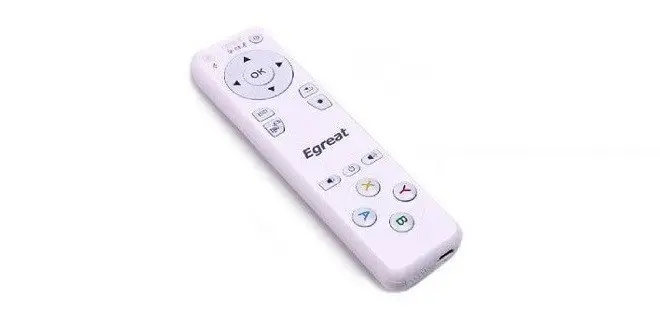
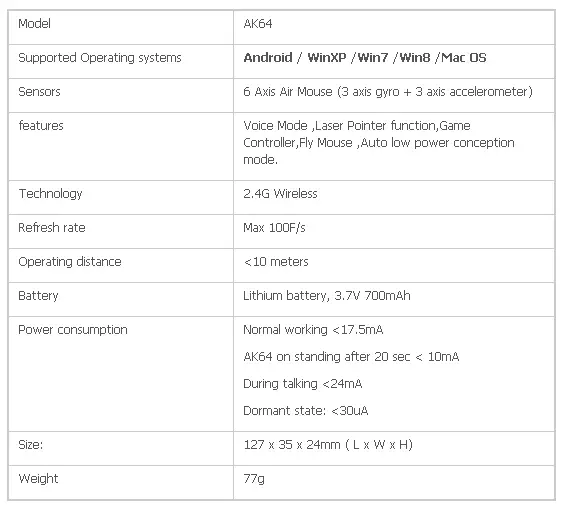
    In this review, I’m checking the AK64 Remote control Air Mouse from Egreat technology CO, LTD. The AK64 offers all in one device with a few neat features in a very simple and yet very easy to operate remote control unit. The remote has interesting features such as a gyroscope, Accelerometer, laser pointer for presentations and also supports voice mode feature with a built-in microphone. Just for this review, they were kind enough to send me one sample for testing.


    Specifications
    AK64_Specs

    AK64RemotecontrolAirMouse.jpg

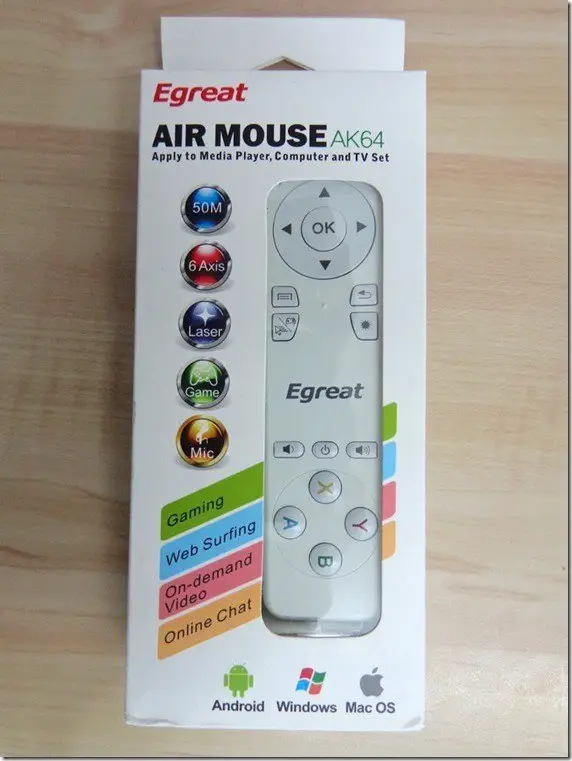
     Package

    Front_thumb.jpg

     Back view

    Back_thumb.jpg


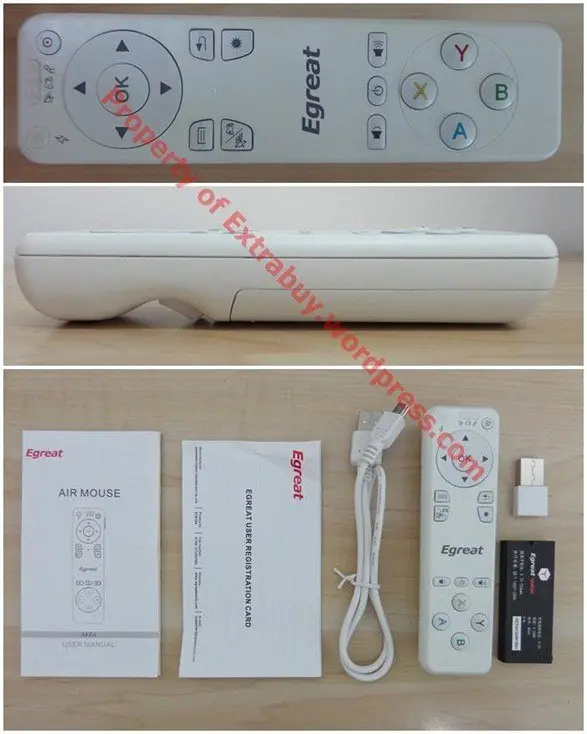
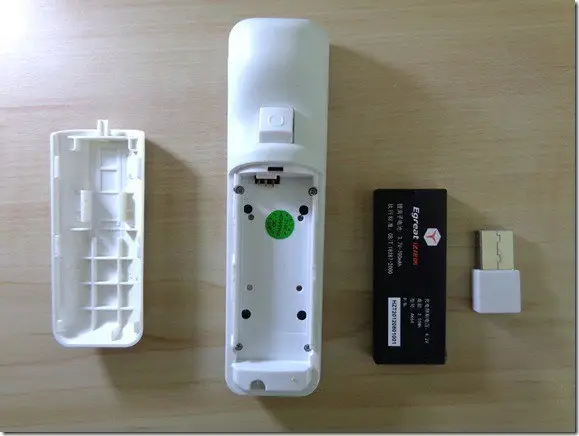
    Unboxing – All Items inside Package :

    • User Guide.
    • User Registration card.
    • Mini USB Cable (Charging Cable).
    • AK64 Remote.
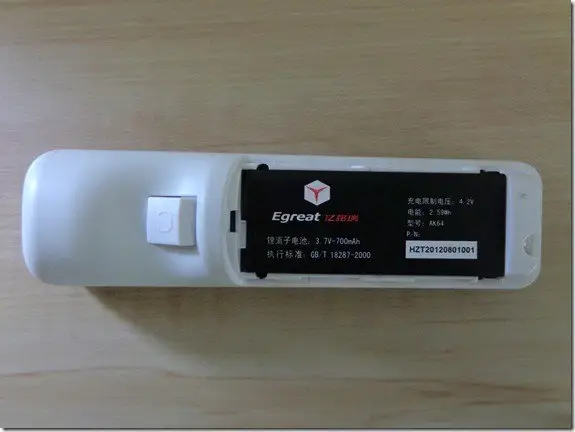
    • lithium battery (3.7V – 700mAh).
    • Dongle (Receiver).
    AK64 Remote control All Items in Package

    Design

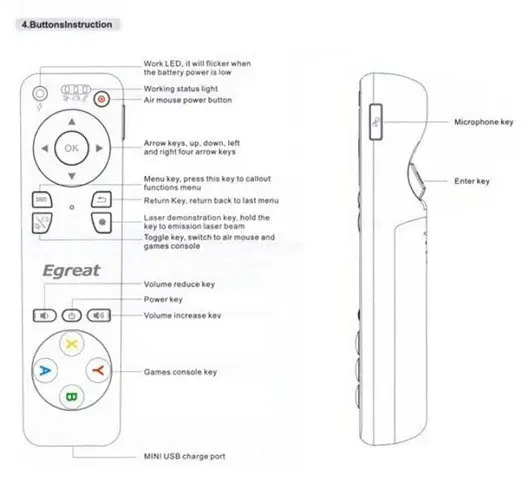
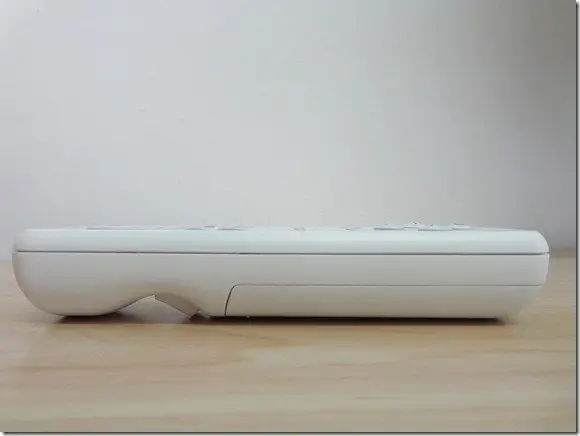
    Side View – The Enter (select) button is located in the back side of the unit.
    side_thumb.jpg

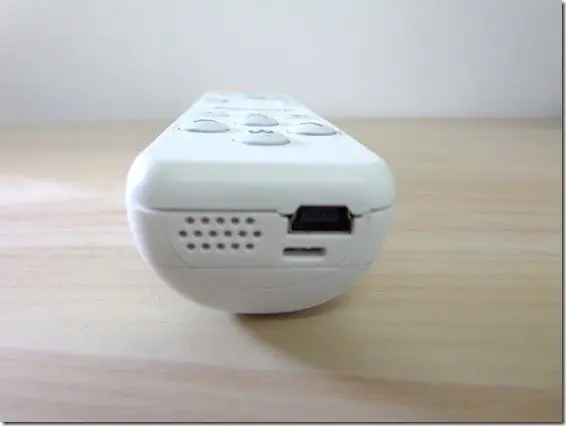
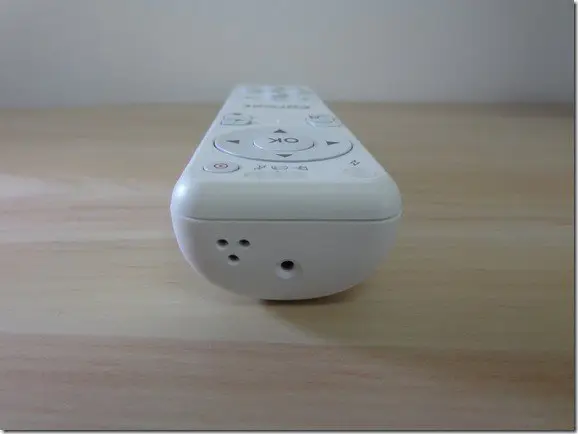
     Bottom View

    Buttom_thumb.jpg

     Front View

    Front_thumb.jpg

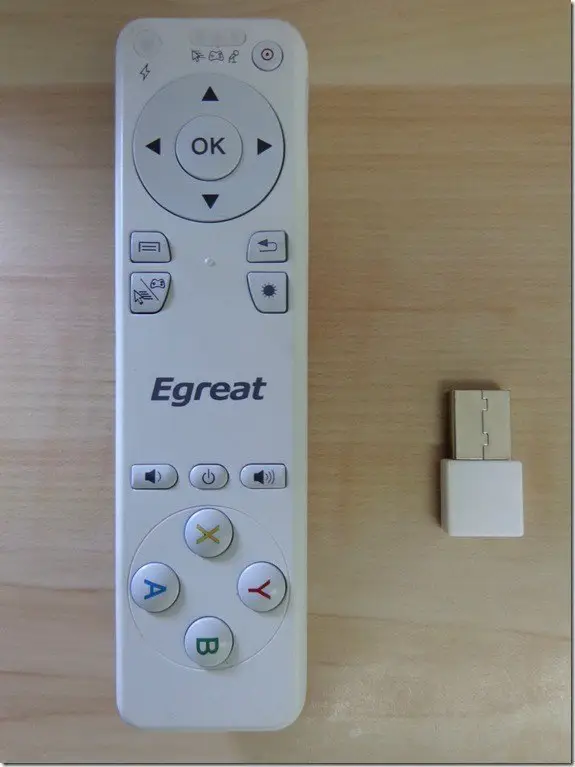
    TOP View – AK64 Remote with the Mini Dongle

    Upper middle light indicator states operation modes: Fly Mouse, GamePad, Voice.
    DSC00920_thumb.jpg

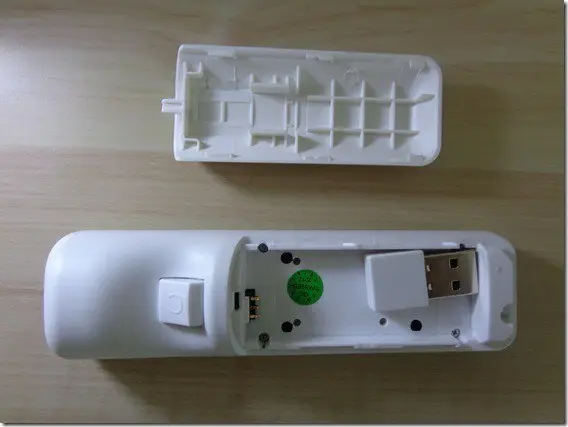
    Mini dongle unit (Receiver) was temporarily stored in back cover where the attachable lithium battery is inserted.after opening it noticed the ribs in the cover. two vertical and three horizontal ribs for extra strength and stiffness what indicates that general design is very professional.
    DSC00912_thumb.jpg

    DSC00919_thumb.jpg

    DSC00917_thumb.jpg

    First-time Operation

    After placing the lithium battery The unit needs to be fully charged. Charging is done with provided mini USB Cable that connects to any available P.C USB port. Charging process takes about 20-30 min in that time lights in red and blue color flashes on and off until they stop and you hear a short bell-like sound indicating the battery is fully charged.

    Switching between various operation modes

    The remote has three main features. Air Mouse mode for “point and click” tasks, Gamepad mode for playing games when the device is positioned vertically towards the user like with a real gamepad device. and Last and maybe the most important one is the voice future. Pressing the right microphone button located on the side allows the user to perform voice search commands with any supported software, web browser or use it as a phone with Skype software.

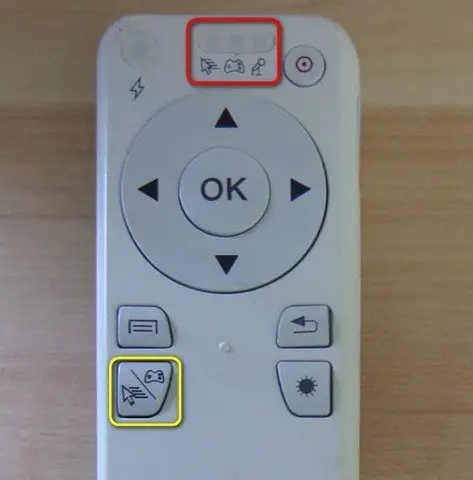
    • Red square –> Light status indicator (Mode switching indicator).
    • Yellow square –> Clicking the button switch between Fly mouse or GamePad mode.
    AK64 _Remote_Keys

    Automatic Power Saving Mode

    If you leave the unit in operational mode and untouched for a few seconds you will hear a bell-like sound indicating the device is automatically switched off. Powering the device is done by manually pressing the power button.

    Ergonomics

    At first, was hard to get used to the feeling that the enter/select button is really located in the back of the device opposed to the top like any usual remote control unit. symbols on the buttons used for game console keys could be more informative and clearer for the user to understand. holding the products in the hand is comfortable since its relatively small in size vs. standard remote controls.

    Design

    The general design is solid and compact in size. microphone key button located on the right upper side of the unit. its a relatively small size button those making it harder to press with your finger.

    Accuracy

    Remote preformed accurate. very easy to handle, move and point the cursor on the screen.

    Conclusion

    Very good product packed with lots of features. Highly recommended.
    Share. Facebook Twitter Pinterest LinkedIn Tumblr Email
    Previous ArticleXiaomi Redmi AX6 Wireless Router: Powerful & Cheap
    Next Article Best Qi Wireless Charger for iPhone & Android Phones [Baseus BS-W526]
    androidpimp
    • Website

    Related Posts

    rii i4 wireless keyboard

    Rii i4 Wireless Keyboard: Affordable Mini Keyboard Combo

    September 29, 2023
    rii i8 wireless bluetooth keyboard

    Zoweetek Rii i8 Wireless Bluetooth Keyboard Review

    December 11, 2015
    k12bt 1 wireless bluetooth keyboard

    Zoweetek K12BT-1 Wireless Bluetooth Keyboard Review

    October 8, 2015

    Comments are closed.

    Categories
    PureVPN
    PureVPN Ad Banner
    PrivadoVPN – No. 1 in Parental Control
    PrivadoVPN 350x437
    Recent Posts
    • Rii TU3607 iPad Keyboard Case Review: Dream or Heavy Burden?
    • PrivadoVPN Review 2026: Does the Free Tier Still Work for Streaming?
    • Rii 518BT Review: Is This Pocket Keyboard Actually Usable?
    • Rii RK807 Pro Review: The Best Budget Apple Magic Keyboard Alternative?
    • Rii RK808 Review: The Best Foldable Travel Keyboard?
    • Rii RS201 Review: $69 16-Inch Portable Monitor Tested
    • AliExpress Promo Codes: August 2026 (100% Verified)
    • Orange Pi 6 Review: Is It Suitable for Running Local LLMs? We Checked.
    • Youyeetoo NestDisk Mini PC/Router: Is This Pocket-Sized 3-in-1 NAS Worth It?
    • DFRobot Unveils seeMote Cube: A 6DoF Physical Controller for Apple Vision Pro
    RSS feed: The Latest RSS Feeds The Latest RSS Feeds
    • Rii TU3607 iPad Keyboard Case Review: Dream or Heavy Burden?
    • PrivadoVPN Review 2026: Does the Free Tier Still Work for Streaming?
    • Rii 518BT Review: Is This Pocket Keyboard Actually Usable?
    Facebook X (Twitter) Instagram Pinterest
    @2026 - All Right Reserved. Designed by AndroidPIMP

    Type above and press Enter to search. Press Esc to cancel.