Close Menu
    Facebook X (Twitter) Instagram Threads
    Trending
    • RiiTek RK807 Pro Review: The Best Budget Apple Magic Keyboard Alternative?
    • Rii 518BT Review: Is This Pocket Keyboard Actually Usable?
    • RiiTek RK808 Review: The Best Foldable Travel Keyboard?
    • Rii RS201 Review: $69 16-Inch Portable Monitor Tested
    • AliExpress Promo Codes: August 2026 (100% Verified)
    • Orange Pi 6 Review: Is It Suitable for Running Local LLMs? We Checked.
    • Youyeetoo NestDisk Mini PC/Router: Is This Pocket-Sized 3-in-1 NAS Worth It?
    • DFRobot Unveils seeMote Cube: A 6DoF Physical Controller for Apple Vision Pro
    AndroidPIMP
    Facebook X (Twitter) Instagram
    • Mini PCs & Media Players
    • Embedded Computers
    • Wearables
    • Wireless Routers
    • Edge AI Cameras Vision Hardware
    • Tech Accessories
    AndroidPIMP
    WaveNote
    WaveNote

    WaveNote AI Recorder Review: Is the Subscription Actually Worth It?

    0
    By androidpimp on February 26, 2026 Edge AI Cameras Vision Hardware
    Table of contents
    1. Part I: Product introduction
    2. WaveNote is a cutting-edge AI gadget designed for meeting summaries, call transcriptions, and note-taking, capable of supporting more than 112 languages.
      1. Main highlights
    3. 1. Hardware: A Slim AI Recorder Built for RealWorld Use
    4. 1.1 Design and build
    5. 2. Audio Capture System
    6. 3. Storage and Battery
    7. 4. The Wave AI Note Taker & Recorder App
    8. 5. Call Transcribing & Meeting Summarizer: Advanced recording and capturing with automatic transcription
    9. 6. Transcription Accuracy and Speaker Detection
    10. 7. AI Summaries and Note Structuring
    11. 8. Organization, Search, and Chat
    12. 9. Integrations and Workflow Fit
    13. 10. Subscription Plans
      1. 10.1 The Subscription Tiers (Most Popular)
      2. 10.2 The “Minute Packages” (Alternative to Credits)
      3. 10.3 What exactly are you paying for?
      4. Tips for saving money on AI credits:
    14. 11. Privacy, Security, and Reliability
    15. 12. Real-World Feedback and User Experience
    16. 13. Best Scenarios: Real-World Applications
    17. Part II: WaveNote Review (Currently under updating)
      1. The Package
    18. Unboxing all Items
      1. Contents of the Package
      2. Unboxing the Items
    19. Design & Build Quality
      1. An extensive array of colors to choose from
      2. Shell Material
      3. Protective Carrying Case
    20. This case is also designed to be compatible with Android phones.
    21. Transcribing phone calls
    22. Setup Process Overview
      1. Pairing a smartphone with WaveNote – how it works?
      2. What distinguishes this product as a superior option compared to the Google NotebookLM App?
      3. Supplementary FAQs
        1. Can I continue to use the device even after reaching my credit limit?
        2. Is it possible to use Wavenote App with Google NotebookLM App?
    23. Putting it to the test!
      1. The final result
    24. Here are all of our exports: Transcript, Summary, Mind Map, and our audio test sample.
      1. Here’s a glimpse of our test showcased within the WaveNoter mobile app.
    25. Powering Up and Charging the WaveNote
    26. Integrated voice-sensitive microphone
    27. Final thoughts
    28. The Cons
    29. The Pros
    30. Price and availability
      1. Price & Subscription
      2. Availability
      3. WaveNote AI

    Setup Process Overview

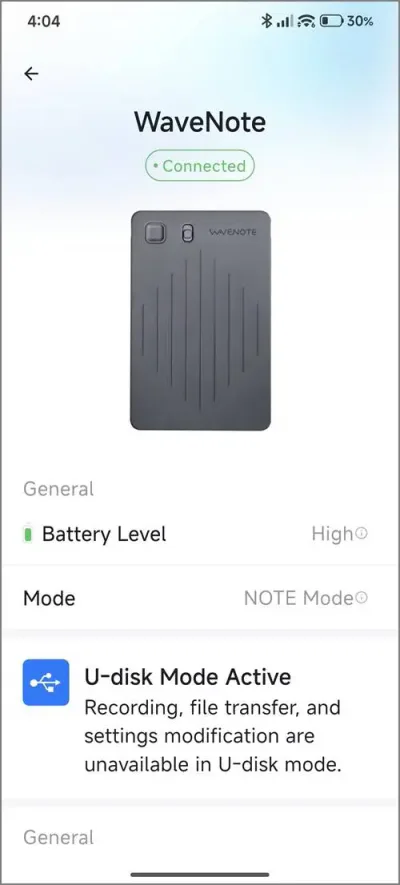
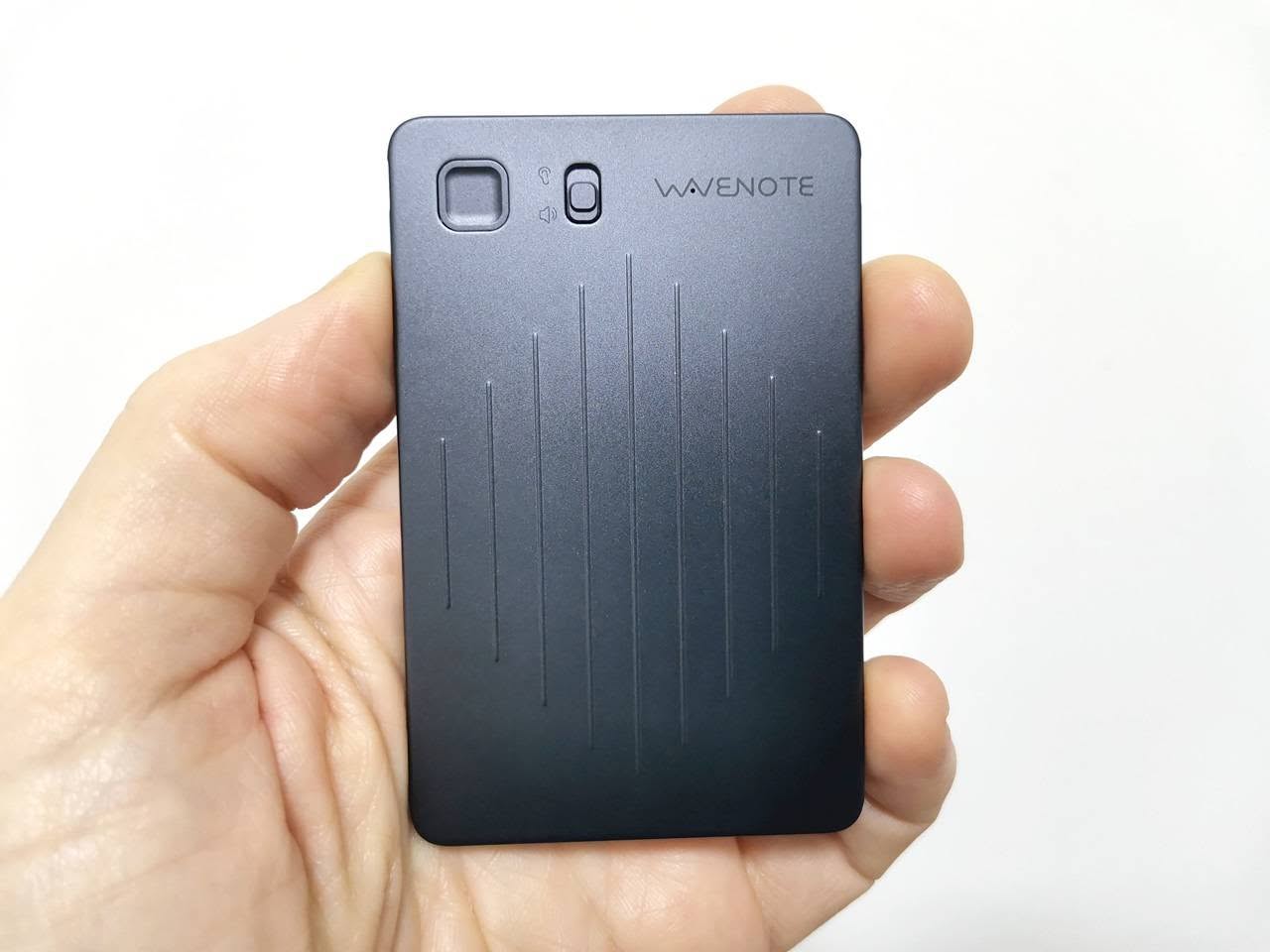
    The WaveNote device features Bluetooth V5.0 connectivity, which allows for seamless pairing with your mobile phone from several meters away, especially in open spaces. Its user-friendly design includes a squared-shaped record button and a switch for recording modes, making operation straightforward and efficient. At the back of the device, there’s a four-point connector for the USB charging cable that magnetically secures to the device, reminiscent of the charging methods used by some older smartwatch models.
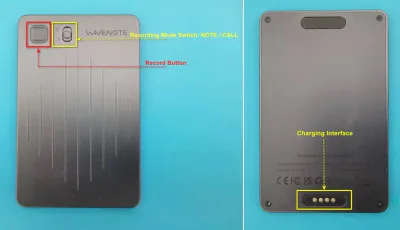
    WaveNote Functions
    WaveNote Functions

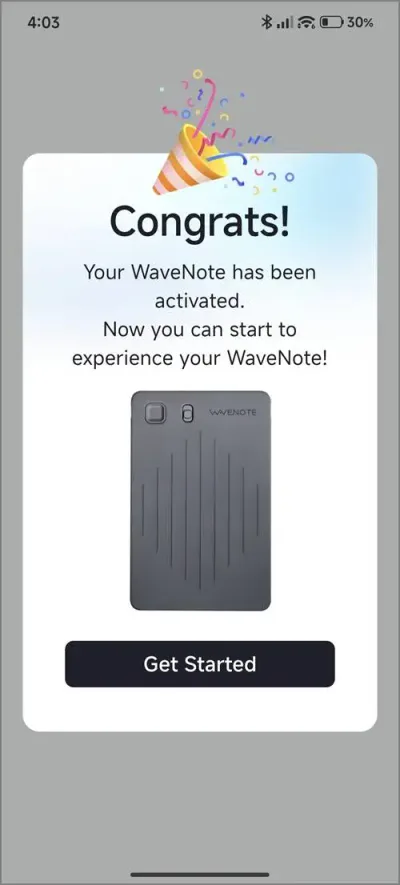
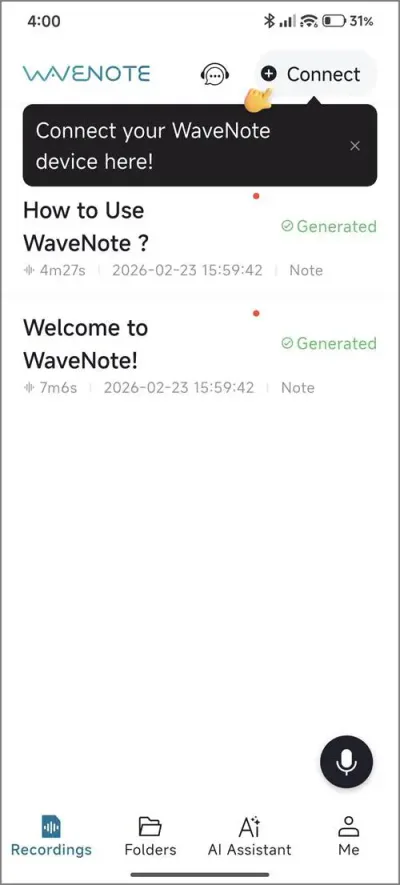
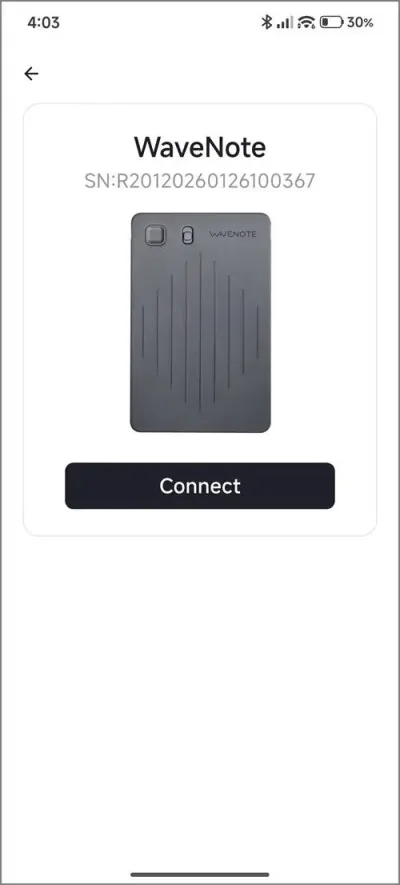
    Pairing a smartphone with WaveNote – how it works?

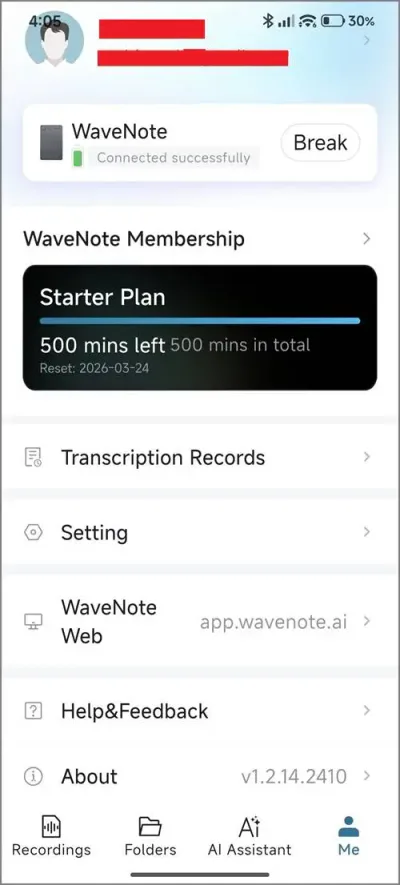
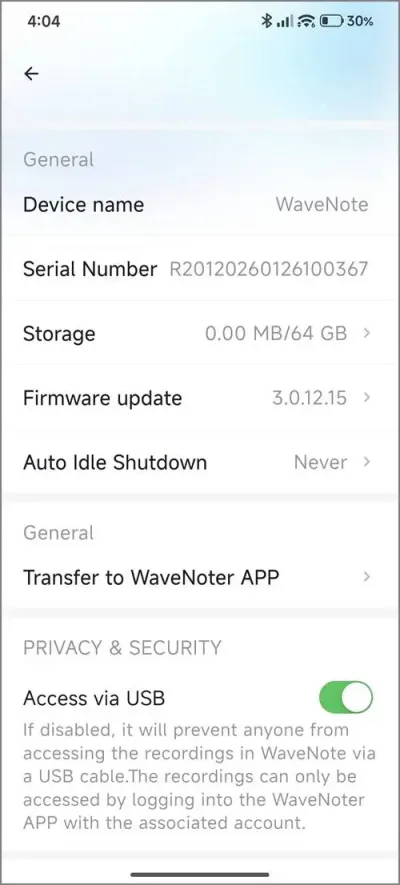
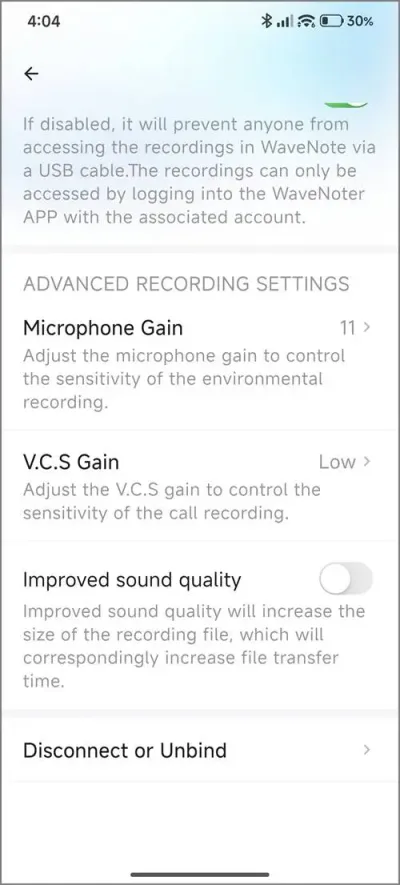
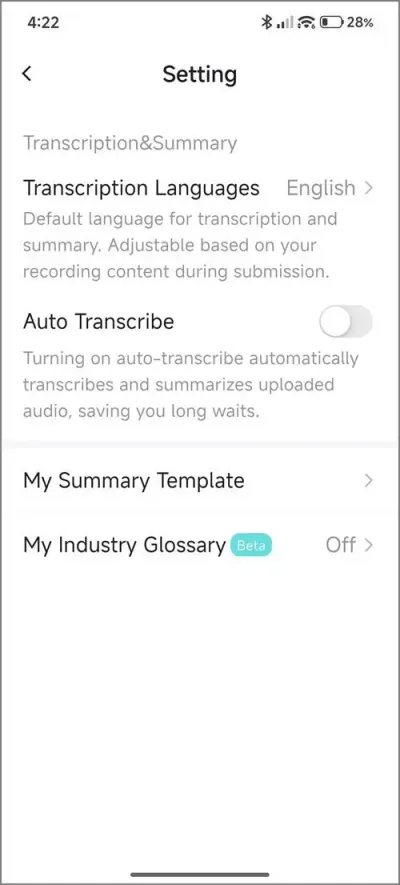
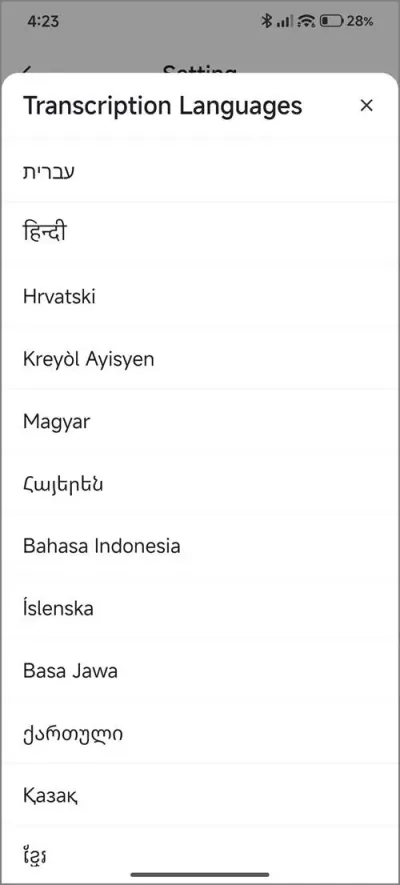
    This device seamlessly supports both Apple and Android mobile devices. Once you’ve installed the WaveNoter app, you’ll need to create a new user account and connect your device using the automatic discovery feature within the app. When you subscribe, you’ll be automatically placed into the Starter Plan, which provides 500 minutes of transcription time per month for an entire year.

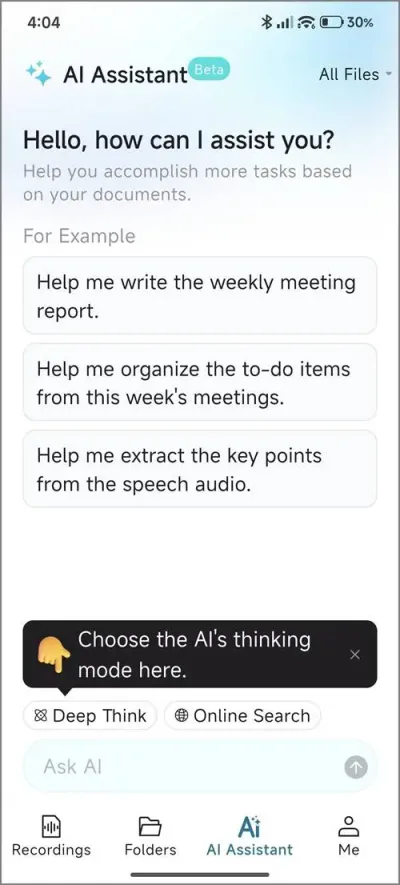
    WaveNoter App (Android) – Screenshots
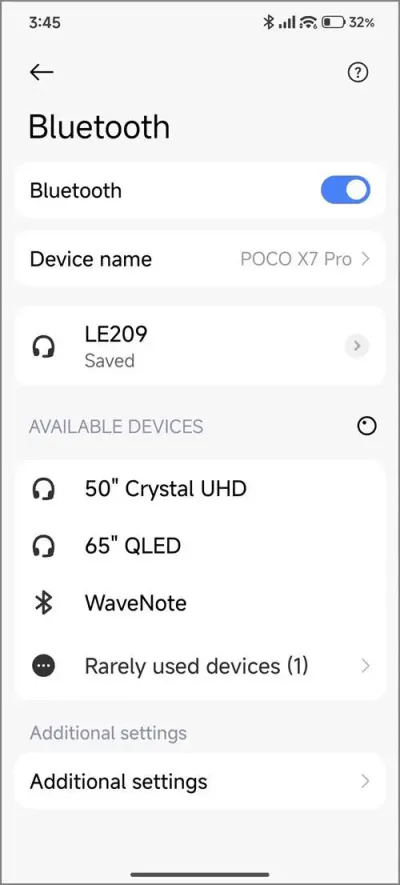
    WaveNoter App 1
    WaveNoter App – PIC 1
    WaveNoter App 2
    WaveNoter App – PIC 2
    WaveNoter App 3
    WaveNoter App – PIC 3
    WaveNoter App 4
    WaveNoter App – PIC 4
    WaveNoter App 5
    WaveNoter App – PIC 5
    WaveNoter App 6
    WaveNoter App – PI C 6
    WaveNoter App 7
    WaveNoter App – PIC 7
    WaveNoter App 8
    WaveNoter App – PIC 8
    WaveNoter App 9
    WaveNoter App – PIC 9
    WaveNoter App 10
    WaveNoter App – PIC 10
    WaveNoter App 11
    WaveNoter App – PIC 11

    What distinguishes this product as a superior option compared to the Google NotebookLM App?

    While NotebookLM provides an exceptional transcription solution, it falls short in one essential area: hardware. For instance, relying on a mobile phone during lectures or meetings can be quite cumbersome. Here are several compelling reasons to prefer this device over a smartphone:

    1. It features advanced background noise filtering and senstivity, making it superior to using a mobile phone.
    2. With its slim and portable design, this device can be effortlessly placed on a table, ensuring a smooth user experience without any interruptions, surpassing the convenience of using a smartphone.
    3. Long Range: Utilizing Bluetooth technology, you can position the device at a distance from your smartphone. This feature is particularly beneficial during lectures when the lecturer is situated far from the students or audience.

    Supplementary FAQs

    Can I continue to use the device even after reaching my credit limit?

    Yes, you will still have access to the voice recording option; however, the transcription and summary features associated with a paid subscription plan will not be available.

    Is it possible to use Wavenote App with Google NotebookLM App?

    Certainly! Once you save the audio files within the app, you have the option to export them in either WAV or MP3 format. You can then upload these files to the Google NotebookLM app to complete the transcription process.
    1 2 3 4 5 6 7 8 9 10
    Share. Facebook Twitter Pinterest LinkedIn Tumblr Email
    Previous ArticleCamThink NE301 Review: 25 FPS YOLOv8 on STM32 Edge AI
    Next Article DFRobot ESP32-S3 LoRaWAN & Gateway Review: Build a Private IoT Network
    androidpimp
    • Website

    Related Posts

    NeoEyes NE301 Review

    CamThink NE301 Review: 25 FPS YOLOv8 on STM32 Edge AI

    February 19, 2026
    WonderLLM Chatbot Module

    HiWonder WonderLLM: ESP32-S3 AI Vision & Chatbot Module with 2MP Camera

    January 30, 2026
    HuskyLens 2 AI Machine Vision sensor

    HUSKYLENS 2: DFRobot’s New AI Machine Vision Sensor Unveiled

    November 5, 2025
    0 0 votes
    Article Rating
    Subscribe
    Notify of
    0 Comments
    Oldest
    Newest Most Voted
    Categories
    PureVPN
    PureVPN Ad Banner
    PrivadoVPN – No. 1 in Parental Control
    PrivadoVPN 350x437
    Recent Posts
    • RiiTek RK807 Pro Review: The Best Budget Apple Magic Keyboard Alternative?
    • Rii 518BT Review: Is This Pocket Keyboard Actually Usable?
    • RiiTek RK808 Review: The Best Foldable Travel Keyboard?
    • Rii RS201 Review: $69 16-Inch Portable Monitor Tested
    • AliExpress Promo Codes: August 2026 (100% Verified)
    • Orange Pi 6 Review: Is It Suitable for Running Local LLMs? We Checked.
    • Youyeetoo NestDisk Mini PC/Router: Is This Pocket-Sized 3-in-1 NAS Worth It?
    • DFRobot Unveils seeMote Cube: A 6DoF Physical Controller for Apple Vision Pro
    • Orange Pi X2 Mini PC Is Officially in the Works – Here’s What We Know
    • BPI-R4 Wi-Fi 7 NIC (BE14): OpenWrt Setup & Optimal WiFi Power Guide
    RSS feed: The Latest RSS Feeds The Latest RSS Feeds
    • RiiTek RK807 Pro Review: The Best Budget Apple Magic Keyboard Alternative?
    • Rii 518BT Review: Is This Pocket Keyboard Actually Usable?
    • RiiTek RK808 Review: The Best Foldable Travel Keyboard?
    Facebook X (Twitter) Instagram Pinterest
    @2026 - All Right Reserved. Designed by AndroidPIMP

    Type above and press Enter to search. Press Esc to cancel.

    wpDiscuz