- Maybe you missed it? Best Single Board Computers 2023 Brands
- Orange Pi 5: A sneak peak, Specifications, and Benchmarks
Orange Pi 5 SBC
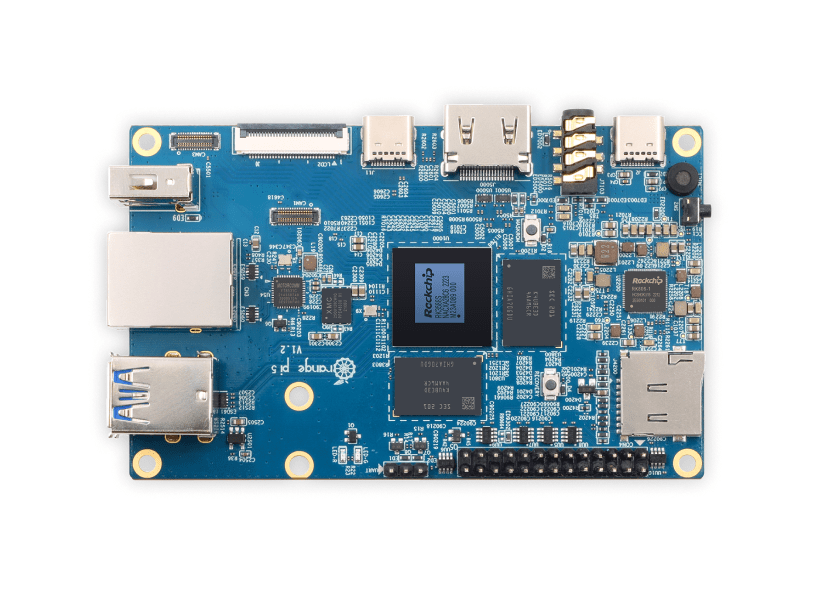
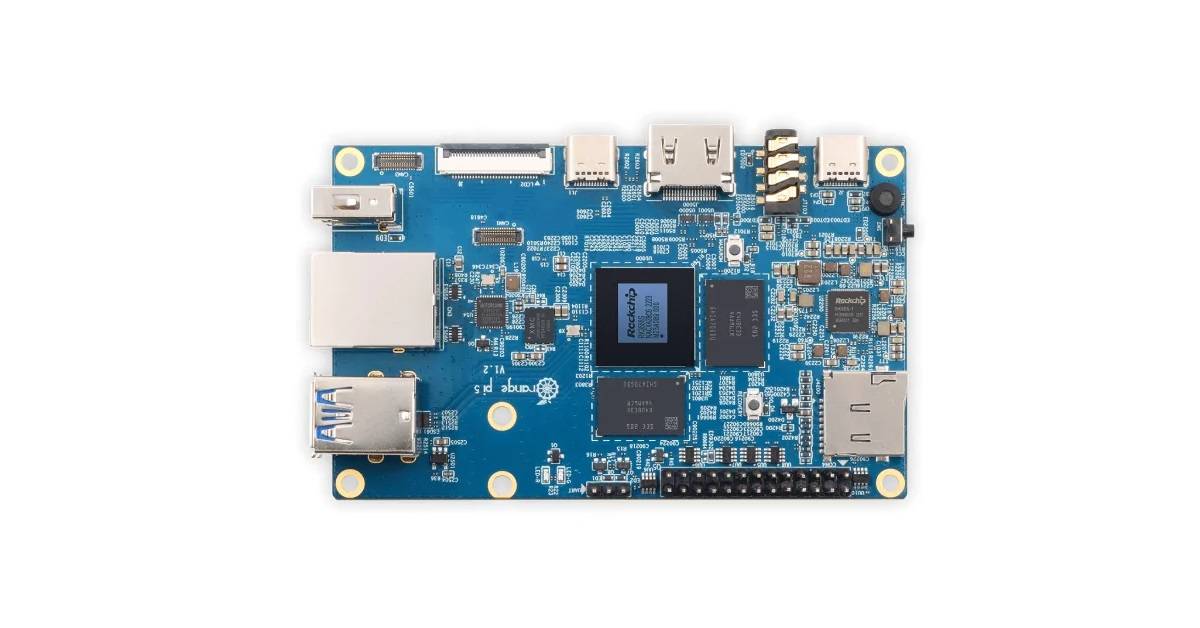
Introducing the Orange Pi 5, the latest single-board computer equipped with the mighty RK3588S CPU developed by Rockchip. It is an octa-core processor with four neural processing units (NPUs) capable of up to TOPS of AI performance, four 1.8 GHz Cortex-A55 cores, four 2.4 GHz ARM Cortex-A76 CPU cores, and Mali-G610 MP4 GPU.
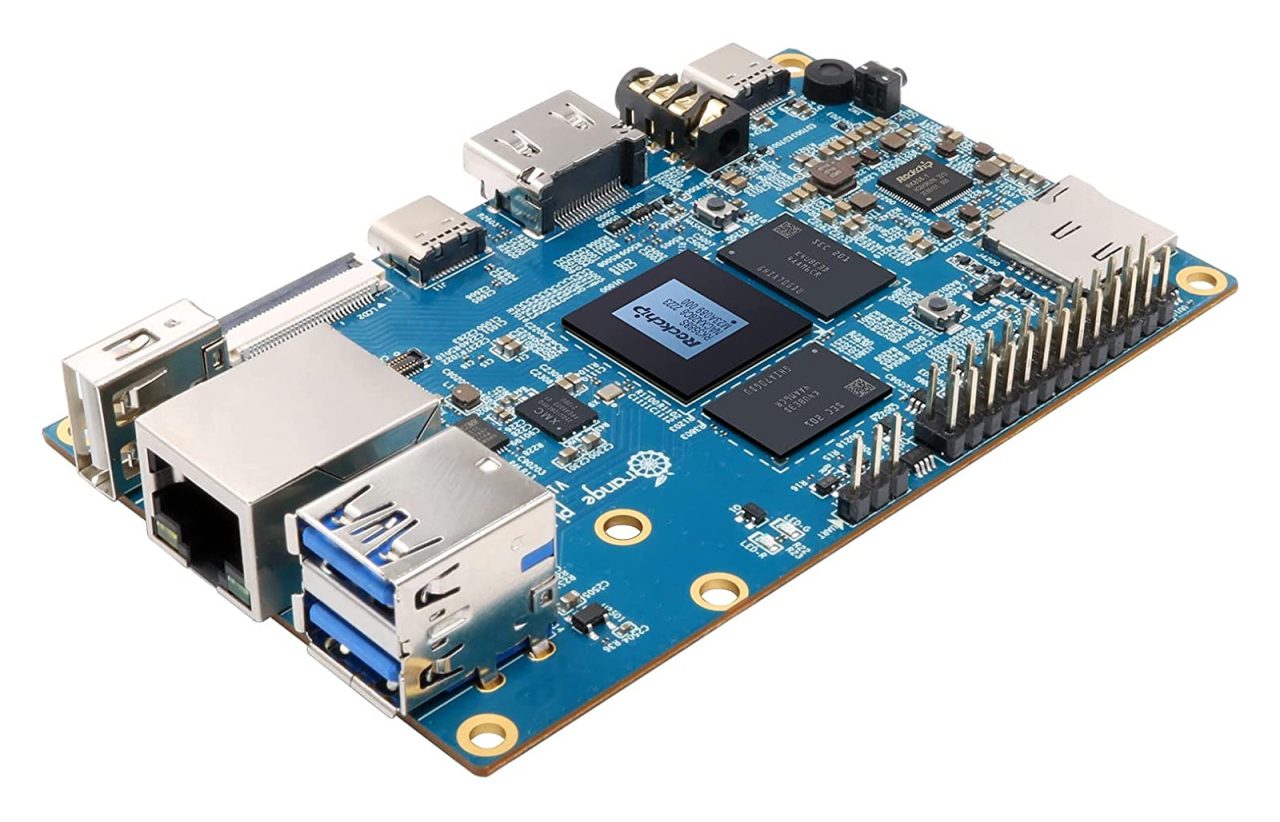
Main Highlights:
- Rockchip RK3588S new Gen. AIoT chip.
- Internal Storage: 4/8/16 eMMC.
- Maximum memory supported – 32GB.
- WIFI & BT – Possible using an M.2 NVME to PCIe adapter.
- HDMI2.1, up to 8K @60Hz.
- 1x USB 3.1 Type-C (with power delivery and DisplayPort 1.4 support).
- 2x MIPI D-PHY TX 4Lane, configurable up to 4K @60Hz.
Hardware Specifications
Orange Pi 5 (Product specification) | |
Brand | Orange Pi |
Model | Orange Pi 5 |
SoC | Rockchip RK3588S |
CPU | • 8-core 64-bit processor |
GPU | • Arm Mali-G610 MP4 “Odin” GPU
|
NPU | Built-in AI accelerator NPU with up to 6 TOPS, supports INT4/INT8/INT16 mixed operation |
System Memory | 4GB, 8GB, 16GB, or 32GB (Optional) PDDR4/4x |
Storage | M.2 NVME to PCIe 2.0, MicroSD card slot |
Video Output | Support HDMI 2.1 8K video output, USB-C (DP1.4), dual MIPI D-PHY video output for multi-screen display, support |
WiFi & Bluetooth | Possible, using an M.2 NVME to PCIe adapter. |
LAN | GbE Ethernet RJ45 (YT8531) |
External Display Interface | 2x 4-lane MIPI DSI connector up to 4Kp60 |
Camera Interfaces | 3x MIPI CSI 4-Lane |
USB | • 1x USB 3.0 port • 1x USB 3.1 Gen 1 Type-C port (5 Gbps) • 2x USB 2.0 ports |
Audio | • ES8388 audio codec • 3.5mm audio jack – headphone & microphone |
Expansion | • 26-pin header with up to 15x GPIO • 3x PWM • 2x I2C • 1x CAN |
Debug | 3pin UART header for serial console |
Buttons / Keys | • 1x MaskROM key • 1x RECOVERY |
LEDs | • Power LED • Status LED |
Power Supply | • 5V/4A via DC jack • USB Type-C port (USB PD 3.0) |
Dimensions | 100 x 62 mm |
Weight | 46 grams |
Raspberry Pi 4 vs. Orange Pi 5
Raspberry Pi 4 vs. Orange Pi 5 | ||
Model | Raspberry Pi 4B | Orange Pi 5 |
– |  |  |
Hardware features | ||
SoC | Broadcom BCM2711 | Rockchip RK3588S |
RAM Configurations | 1GB/2GB/4GB/8GB | 4GB/8GB/16GB/32GB |
CPU architecture | Cortex-A72 (ARM v8) (64-bit SoC) | Cortex A76+A55 (64-bit SoC) |
Core number | 4 | 8 |
CPU Frequency (Max) | 4×1.50 GHz | 4x Cortex-A76 (2.4GHz) 4x Cortex-A55 (1.8GHz) |
GPU | Broadcom VideoCore VI (500MHz) | Arm Mali-G610 MP4 (600 MHz) 4 Execution units |
GPIO header | 40 pin | 26 pin |
Display & Camera Interfaces | 1x 2-lane MIPI DSI display port | 1x 4-Lane MIPI DSI display port |
MicroSD (TF) Card Slot |  | |
M.2 M-KEY Socket |  | |
eMMC Storage | | |
QSPI Nor FLASH 16MB | | |
USB | x2 USB 3.0 ports x2 USB 2.0 ports | x2 USB3.0 x1 Type-C (USB3.1) |
Integrated WiFi & BT | | PCIe NVMe SSD / PCIe Wi-Fi6+BT5.0 (Using an expansion card) |
3 Pin debug serial port (UART) | | |
On/Off Button | | |
Integrated Recovery Button | | |
10/100/1000Mbps Ethernet | | |
HDMI | 2 × micro-HDMI ports (up to 4kp60 supported) | HDMI2.1, up to 8K @60Hz |
Integrated Microphone | | |
3.5mm jack | Audio & Video Out | Audio In & Out |
PCB size | 286mm × 122mm | 100mm x 62mm |
Power Interface | Type-C (5V/4A) | Type-C (5V/3A) |
PMU | STMicroelectronics STPMIC1A | RK806-1 |
OS | Android/Ubuntu/debian | Android/Ubuntu/debian |
Astimate Price | Starting at $170 (4GB RAM Model) | Starting at $75-80 (4GB RAM Model) |
Which SoC is better: RK3588 or RK3588S?
Rockchip is a well-known and highly regarded semiconductor company responsible for the development and production of cutting-edge system-on-chip (SoC) solutions. It recently released two powerful SoCs, the RK3588 and RK3588S. While both of these chips are built on the same architecture, there are some differences that set them apart. In this article, we will look at these two SoCs and compare their features.
The RK3588 and RK3588S are built on the powerful Arm Cortex-A76 architecture, which is renowned for its exceptional performance and efficient energy consumption. However, the RK3588S has a slightly higher clock speed than the RK3588. The RK3588S features a 2.4 GHz Cortex-A76 CPU while the RK3588 is clocked at 2.2 GHz. This means that it can perform tasks faster than the RK3588.
In terms of GPU performance, both SoCs feature the Arm Mali-G610 MP4. However, the RK3588S has a 30% faster GPU than the RK3588. This means that the RK3588S is better suited to graphics-intensive applications such as gaming.
The RK3588S and RK3588 are both mighty SoCs, boasting comparable architectures. The main differences between them lie in CPU and GPU performance, connectivity, and power consumption. The RK3588S has a faster CPU and GPU, wider 5G frequency support, and is more power-efficient thanks to a smaller manufacturing process. Ultimately, the choice between the two will depend on the specific requirements of the application in which they are used.
Power Consumption: The RK3588S is built using a 6nm manufacturing process, while the RK3588 is built on a 7nm process. This means that the RK3588S is more power-efficient than the RK3588.
Additionally, the RK3588S supports Wi-Fi 6E, which is the latest Wi-Fi standard operating in the 6GHz frequency band. This means that devices with the RK3588S can connect to Wi-Fi networks that operate in the 6GHz band, which can provide faster and more reliable Wi-Fi speeds.
Interfaces
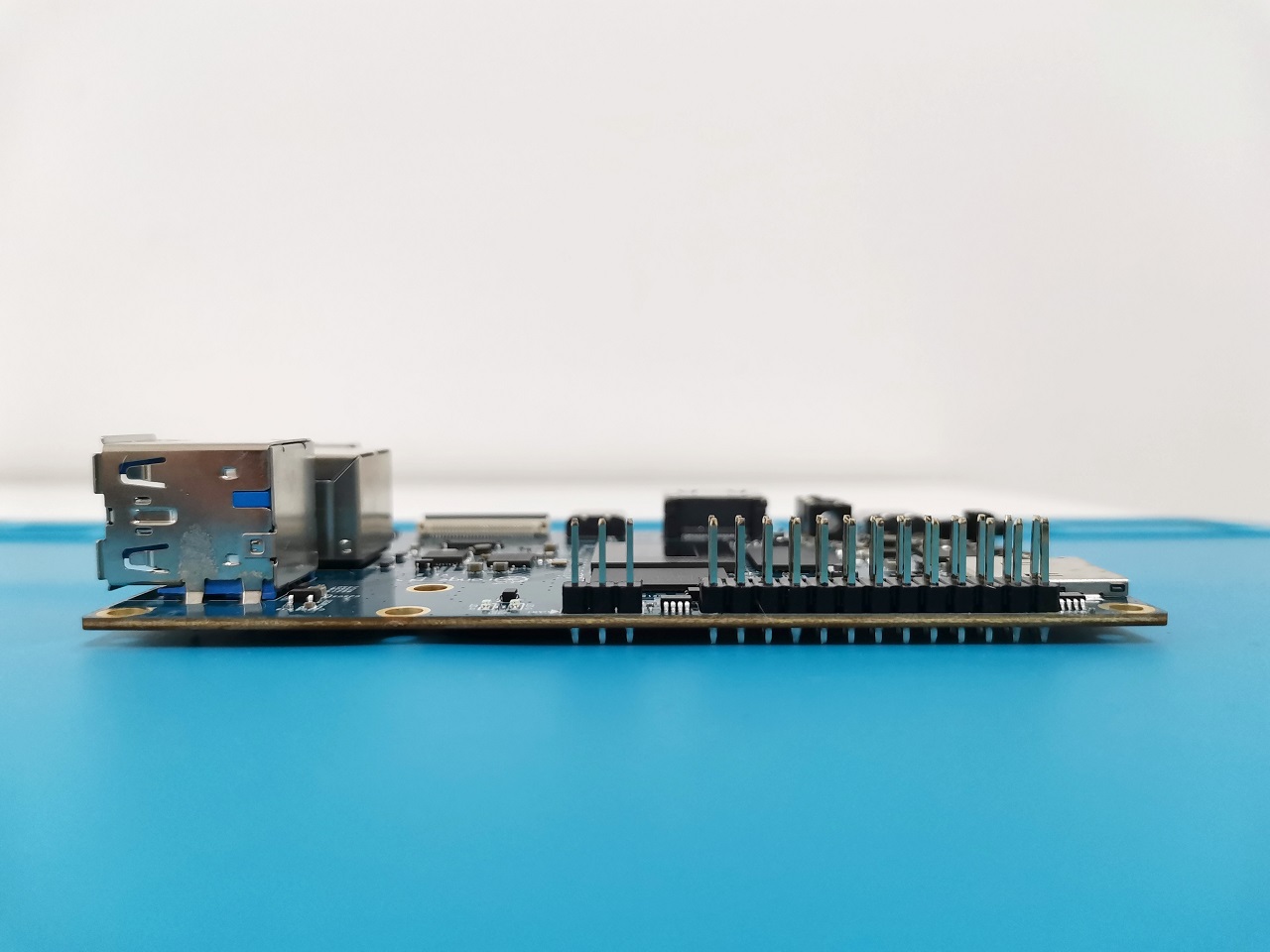
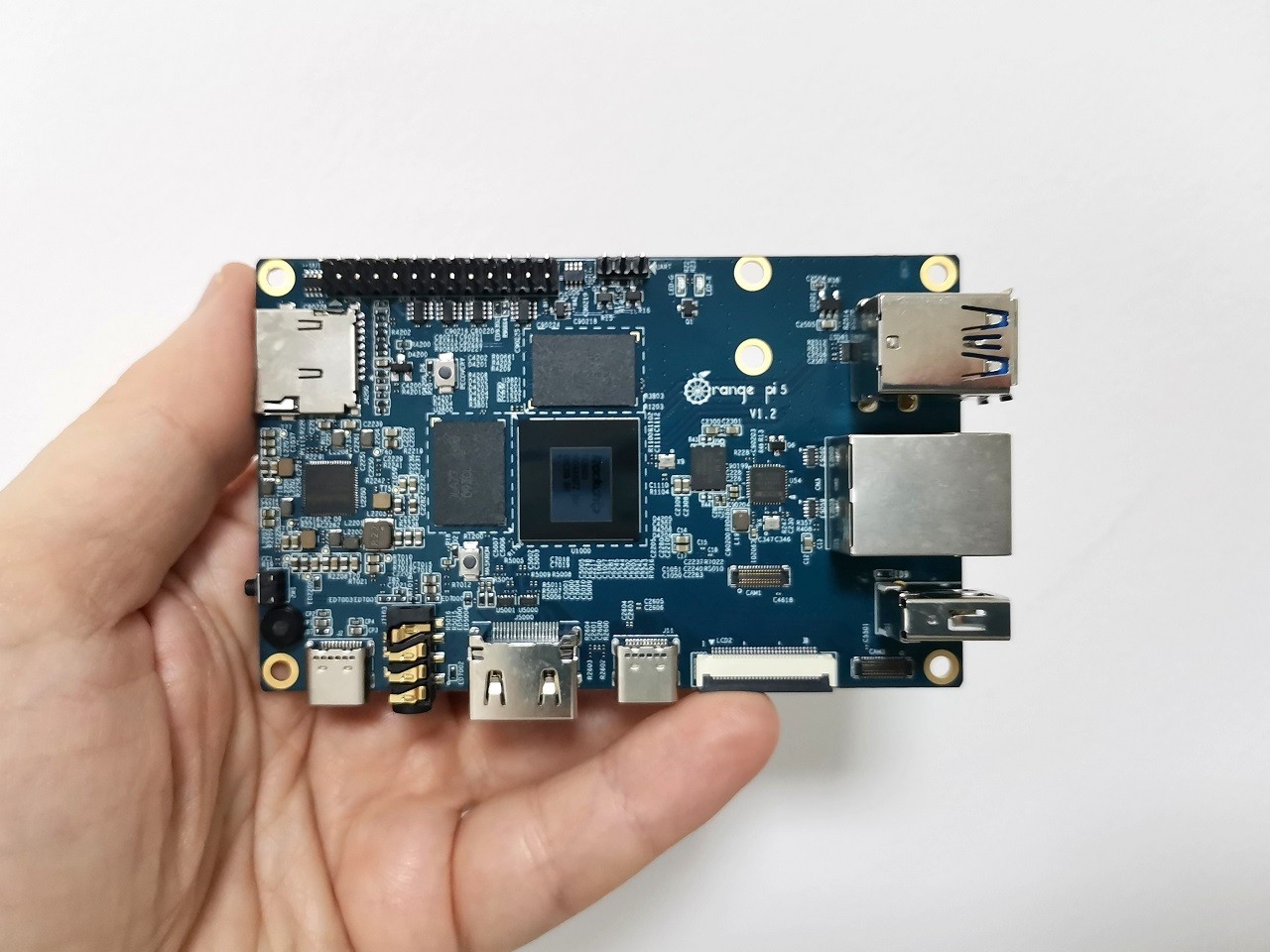
The boardincludes two MIPI DSI display interfaces, three camera interfaces, Gigabit Ethernet with up to 32GB of RAM, 32GB of eMMC memory, HDMI 2.1 and DisplayPort 1.4 8K video outputs, several USB ports, and a 26-pin GPIO header.
(Front/Top view)
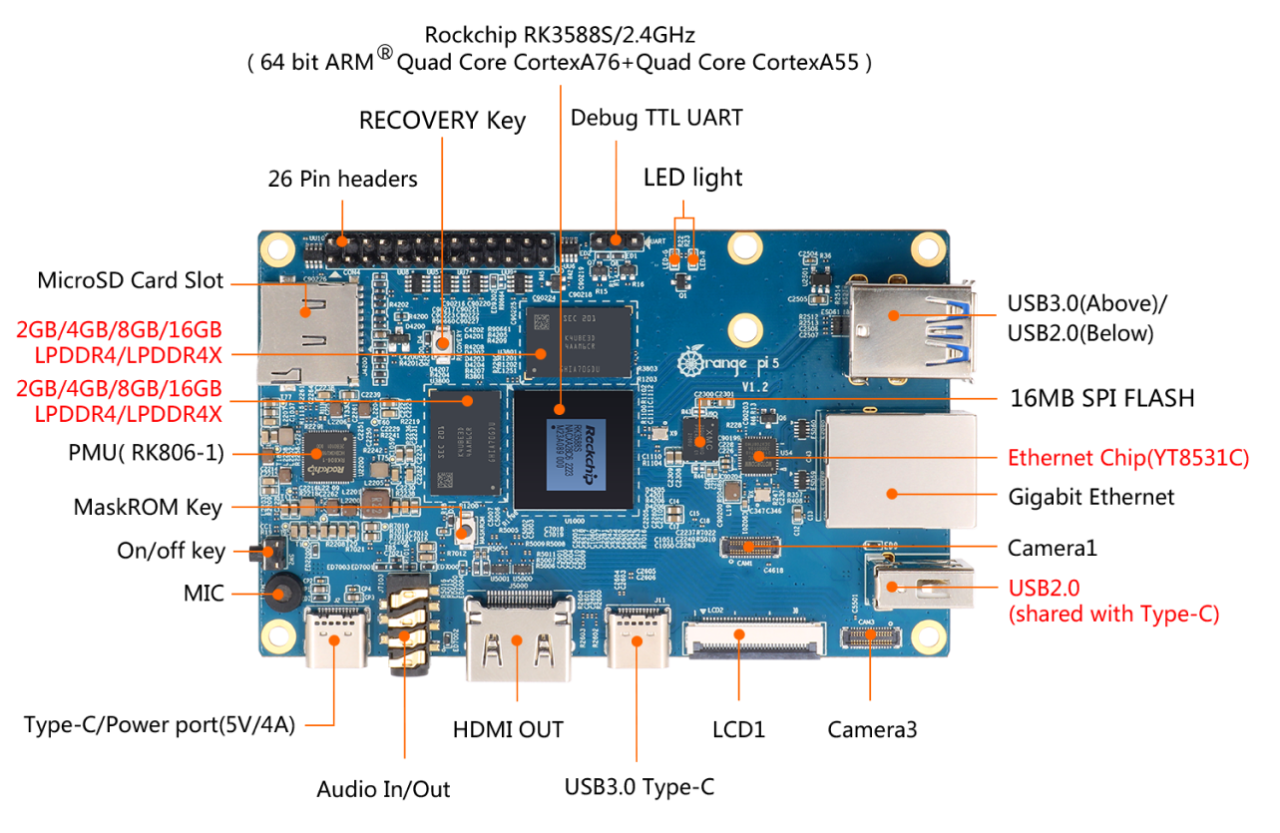
(Back)

Hardware
The board is equipped with various impressive features that enhance its functionality. These include a MicroSD card slot, HDMI 2.1 video output, 8/16/32GB eMMC flash memory, and an M.2 PCIe 2.0 slot. The M.2 PCIe 2.0 slot specifically allows for seamless connections with a Wi-Fi/BT module board or an NVMe SSD card. Also, there is an option for up to 32GB of LPDDRx4 RAM, which is four times more than what the top-tier Raspberry Pi 4 offers (although entry-level configurations will have far fewer options, including 4GB, 8GB, 16GB, or 32GB).
The topology of the board (16GB RAM Model)
Take a look at this screenshot showcasing an intricate graphical display of the different hardware elements. This includes information such as NUMA memory nodes, shared caches, CPU packages, processor cores, threads, NOR 16MB FLASH, installed 0.5TB M.2 NVMe SSD. And much more.

Software Support
Supporting Android 12 and Ubuntu/Debian just like the previous Rockchip RK3588/RK3588S boards we’ve seen. To access the most current list of supported images, please consult the table provided below.
No. | Distribution name | Description | Referral links |
1 | Android 12.0 Ubuntu | Orange Pi website images | |
2 | OpenWRT | Orange Pi website images | |
3 | Diet Pi | Lightweight customizable | |
4 | FydeOS | Chrome OS based | |
5 | Armbian | Highly customizable & optimized | |
6 | RebornOS | Arch Based | |
7 | Batocera | Retro Gaming | |
8 | JELOS | Retrob Gaming | |
9 | Ubuntu 22.04.1 TLS | Project Contributors: Patrick Schur, Joshua Riek | |
10 | Debian & Ubuntu | bullseye, jammy | |
11 | OpenWrt | Running under docker | |
12 | Windows 11 (ARM) | Under development | |
Updated on 25 April 2023 | |||
26-pin header
The Orange Pi 5 and Raspberry Pi (RPI) are popular single-board computers used in many DIY projects. There is a significant difference between the two in terms of the quantity of pins on their headers. The board has a 26-pin header, while the RPI has a 40-pin header. The extra pins on the RPI allow for more connectivity options, such as additional USB ports, Ethernet, and GPIO. However, the board header can be beneficial for projects that require a smaller form factor. Ultimately, the choice between the two will depend on the specific needs of the project and the desired level of connectivity.
Raspberry Pi 4/B vs. Orange Pi 5/B (Header Comparison) | ||
Model | Raspberry Pi 4/B | Orange Pi 5/B |
– | | |
GPIO header | 40 pin | 26 pin |
No’ of Ground pins | 8 | 5 |
No’ of 5V Power pins | 2 | 1 |
No’ of 3V Power pins | 2 | 2 |
No’ of SPI pins | 26 | 4 |
UART Receiver/transmiter | 2 | 8 (4 pairs for TX/RX) |
I2C Receiver/transmiter | 4 | 6 |
PCM PCM Data-Out | | |
Exploring the Benefits of Hardware Graphic Acceleration
The Pi 5 is a powerful single-board computer that offers a range of features and capabilities. One of the most notable features of the board is its hardware graphic acceleration. This can significantly boost graphics-intensive applications. In this article, we will explore the benefits of hardware graphic acceleration and how it can improve applications’ performance.
Hardware graphic acceleration technology allows the Pi 5 to use its dedicated graphics processing unit (GPU) to process graphics-intensive tasks. This can significantly boost the performance of applications that require graphical processing power. For example, video editing, 3D rendering, and gaming applications can benefit from hardware graphic acceleration.
The use of hardware graphic acceleration enhances image quality. This is due to the GPU’s ability to process images with enhanced precision and clarity, leading to crisper and more detailed images. This impacts applications like video editing, where image quality
With hardware graphic acceleration, the Pi 5 can achieve better power efficiency. By using this technology, the GPU can handle graphics-intensive tasks, reducing overall power consumption. Users can enjoy longer battery life and lower energy consumption
Finally, the board hardware graphic acceleration improves security. By offloading graphics-intensive tasks to the GPU, the Pi 5 can reduce the amount of data processed by the CPU, which can reduce the risk of malicious attacks.
In conclusion, the Pi 5 hardware graphic acceleration can provide various benefits, including improved performance, image quality, power efficiency, and security. By taking advantage of this technology, users can enjoy improved performance and enhanced security for their applications.
NPU Support: Orange Pi 5 vs. Raspberry Pi 4
The Raspberry Pi 4, released in 2019, does not have a dedicated neural processing unit (NPU). However, it has a VideoCore VI graphics processing unit (GPU) that performs some machine learning tasks.
It’s also worth noting that there are add-on boards and accessories for the Raspberry Pi that can provide additional hardware acceleration for machine learning, such as the Google Coral USB Accelerator.
Orange Pi 5’s Hardware Graphic Acceleration
The Orange Pi 5 is a powerful single-board computer that offers hardware graphic acceleration. This feature can maximize performance and improve user experience. In this article, we will discuss how to optimize performance with Orange Pi 5’s hardware graphic acceleration.
First, it is essential to understand hardware graphic acceleration. This technology uses dedicated hardware to process graphics-intensive tasks like 3D rendering and video playback. This allows for faster and smoother performance, as the processor does not have to handle graphics processing.
The board is equipped with its own Arm Mali-G610 MP4 GPU, which is capable of providing powerful hardware graphic acceleration. You will need to install the appropriate drivers to use this feature. The drivers can be downloaded from the official Orange Pi website. Once the drivers are installed, you can enable hardware graphic acceleration in the system settings.
Once hardware graphic acceleration is enabled, you can benefit from its benefits. One of the most noticeable benefits is improved performance when running graphics-intensive tasks. This can be especially useful for gaming, as improved performance can lead to a smoother and more enjoyable experience.
In conclusion, hardware graphic acceleration can be used to maximize performance and improve the user experience on the Orange Pi 5. To take advantage of this feature, you must install the appropriate drivers and enable hardware graphic acceleration in the system settings. Once enabled, you can benefit from its benefits, such as improved performance, battery life, and user experience. We strongly recommend checking the Armbian distribution with hardware graphic acceleration support, which can be downloaded here.
Package Contents
- 1x Orange Pi 5 Board (16GB RAM Edition).
- 1x Quick Start Guide.
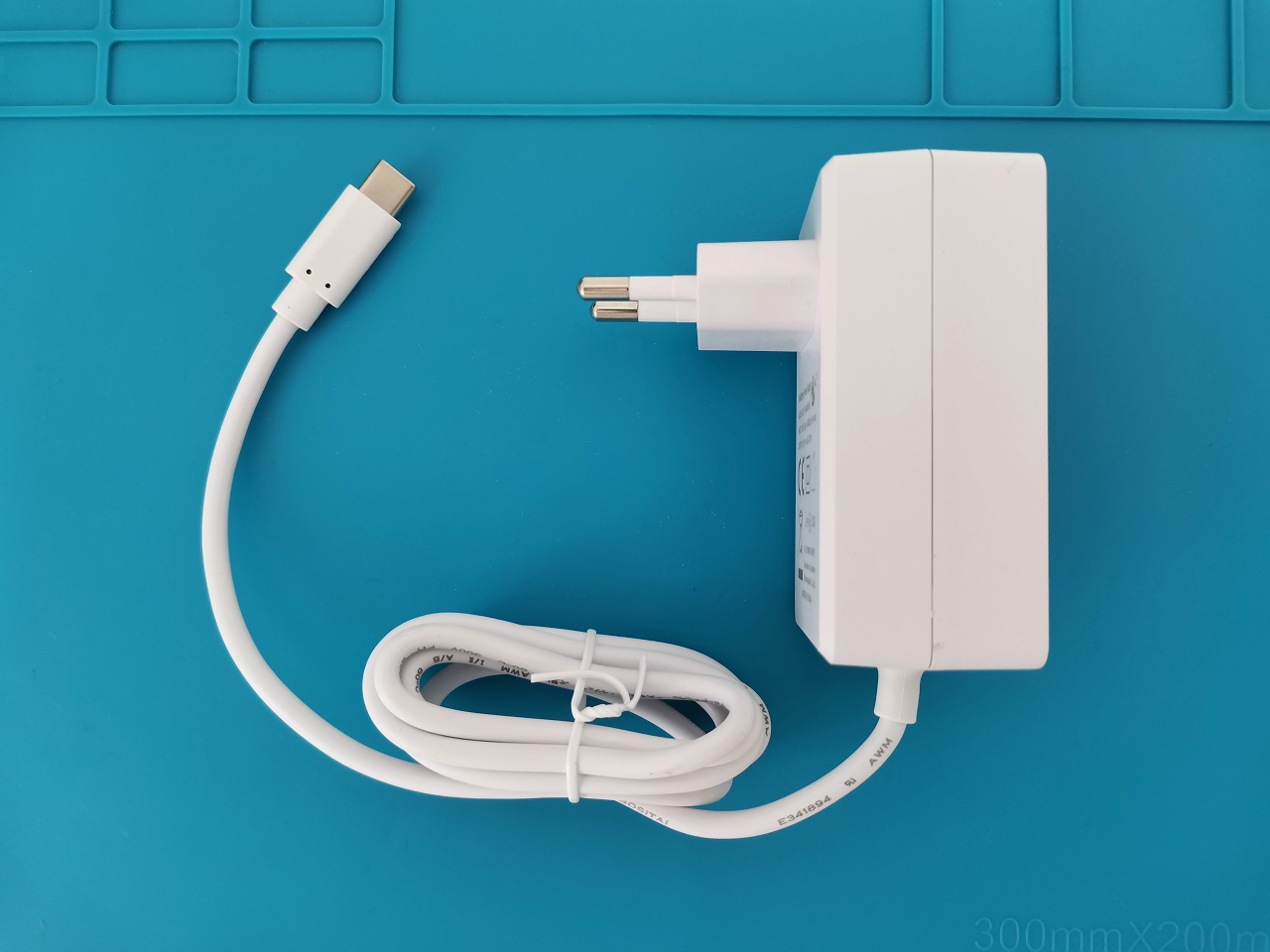
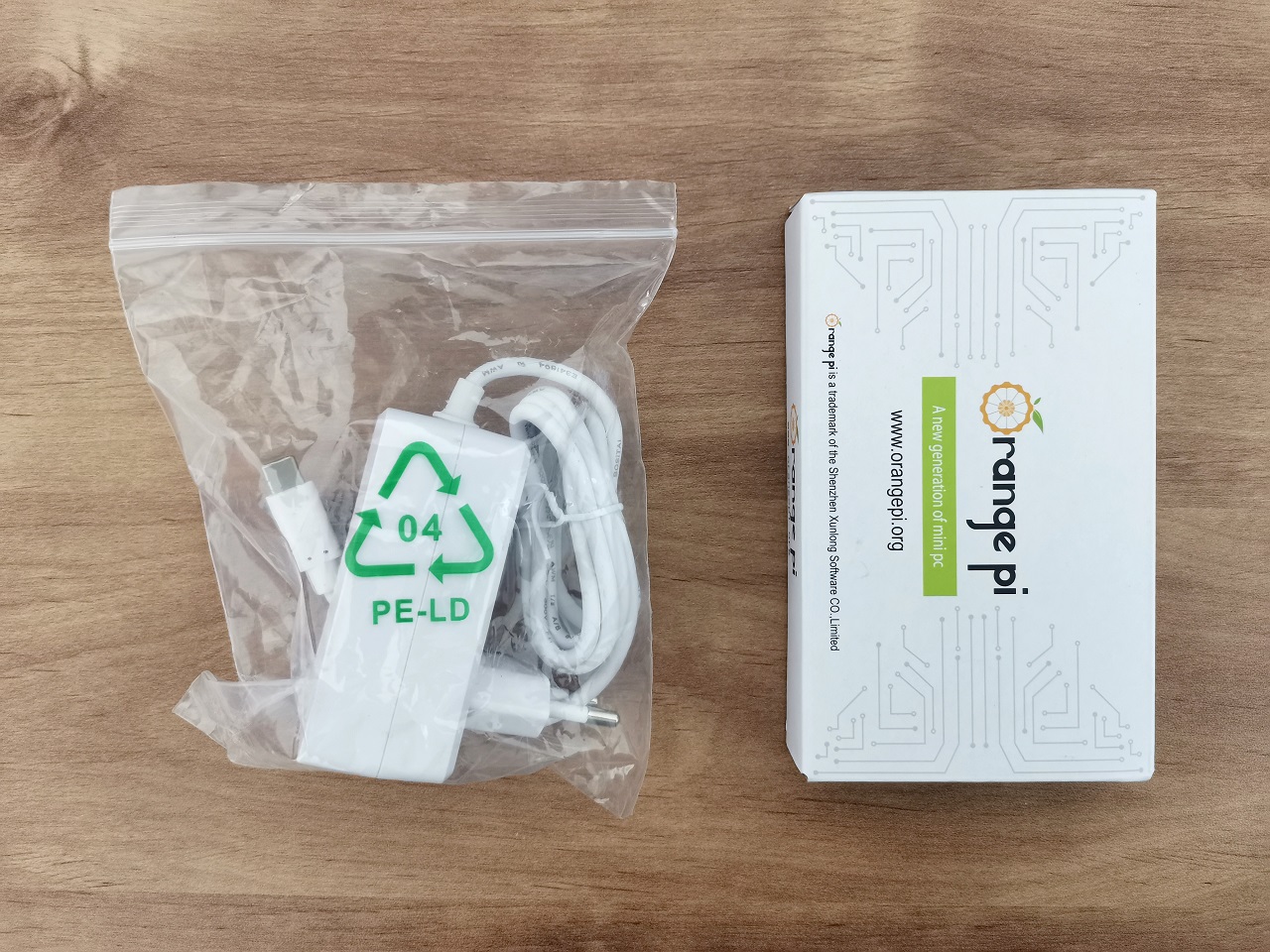
- 1x USB Type-C Power Adapter (5V-4A).
The Orange Pi 5 Board Package

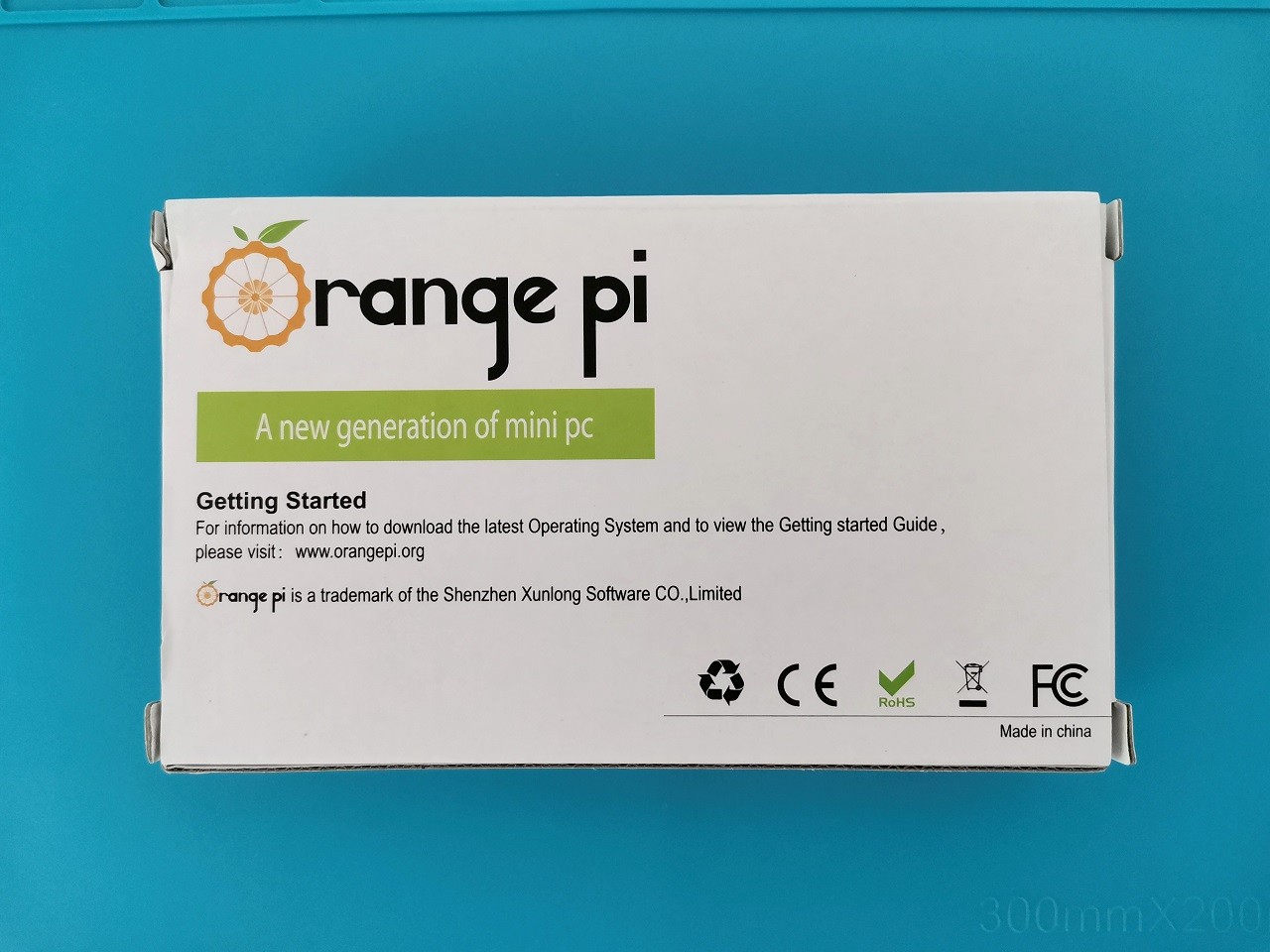

Unboxing All of the items



A Closer Look at the Orange Pi 5




Orange Pi 5 with a Metal Case (Optional)
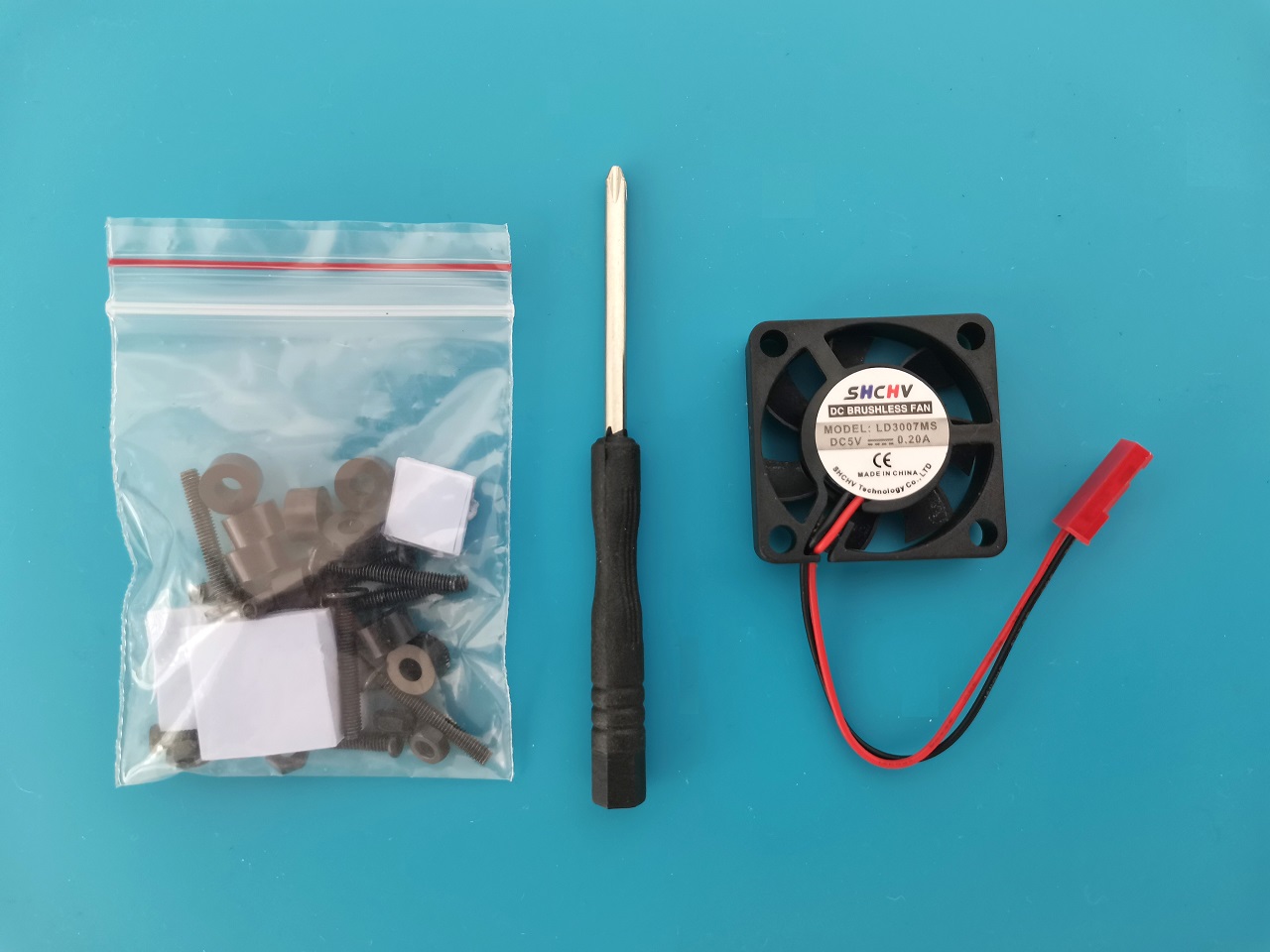
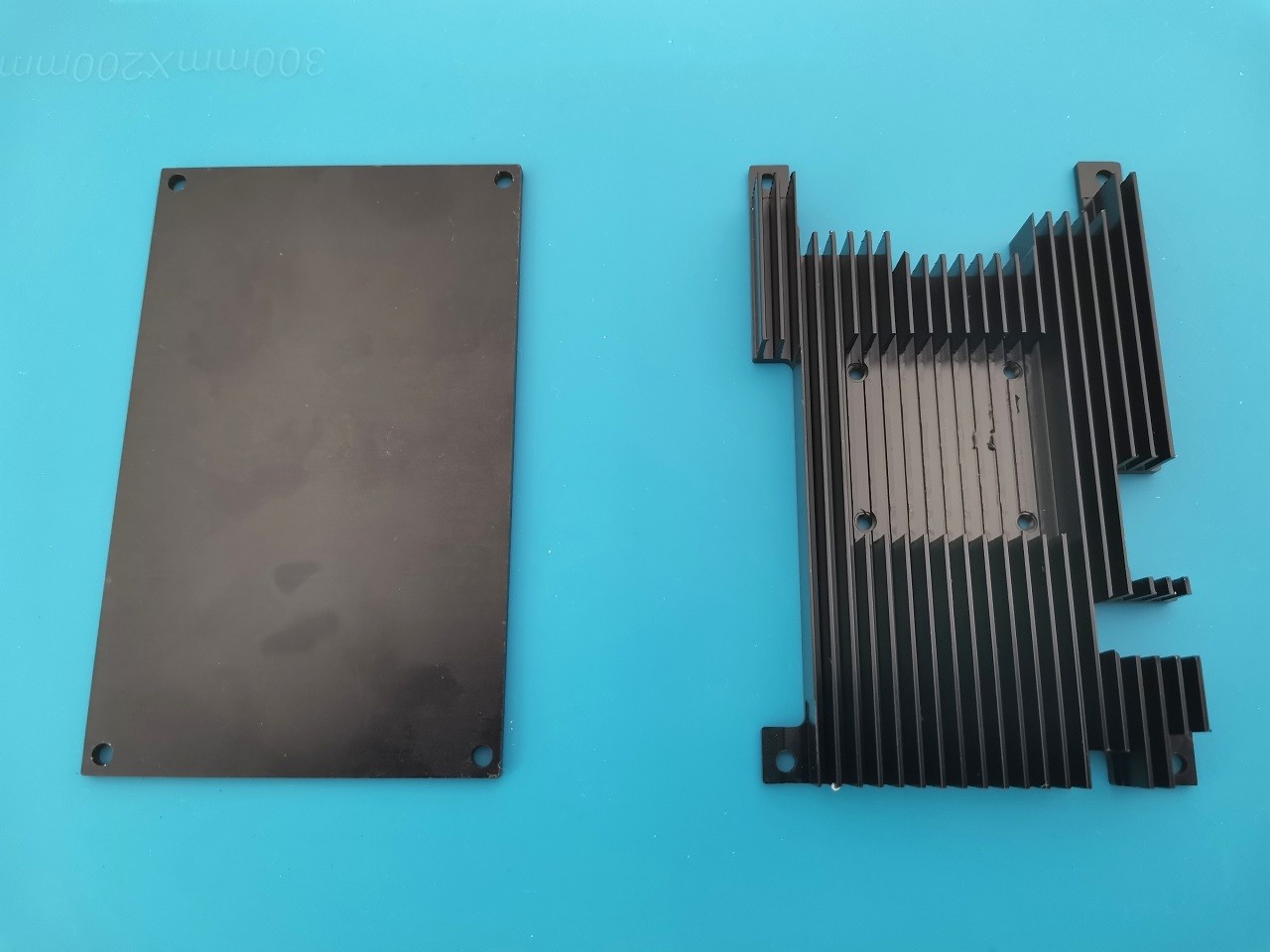
The Orange Pi 5 does not include a metal case by default. There are currently two options for this board. You can either choose a closed type plastic acrylic transparent case or this semi-open metal case (as shown in the photos below). We recommend using a metal case for better cooling and easy access to chips and interfaces, compared to a closed plastic case. Therefore, you don’t have to unscrew any additional screws to access the camera interfaces, GPIO pins and so forth.




The case Design
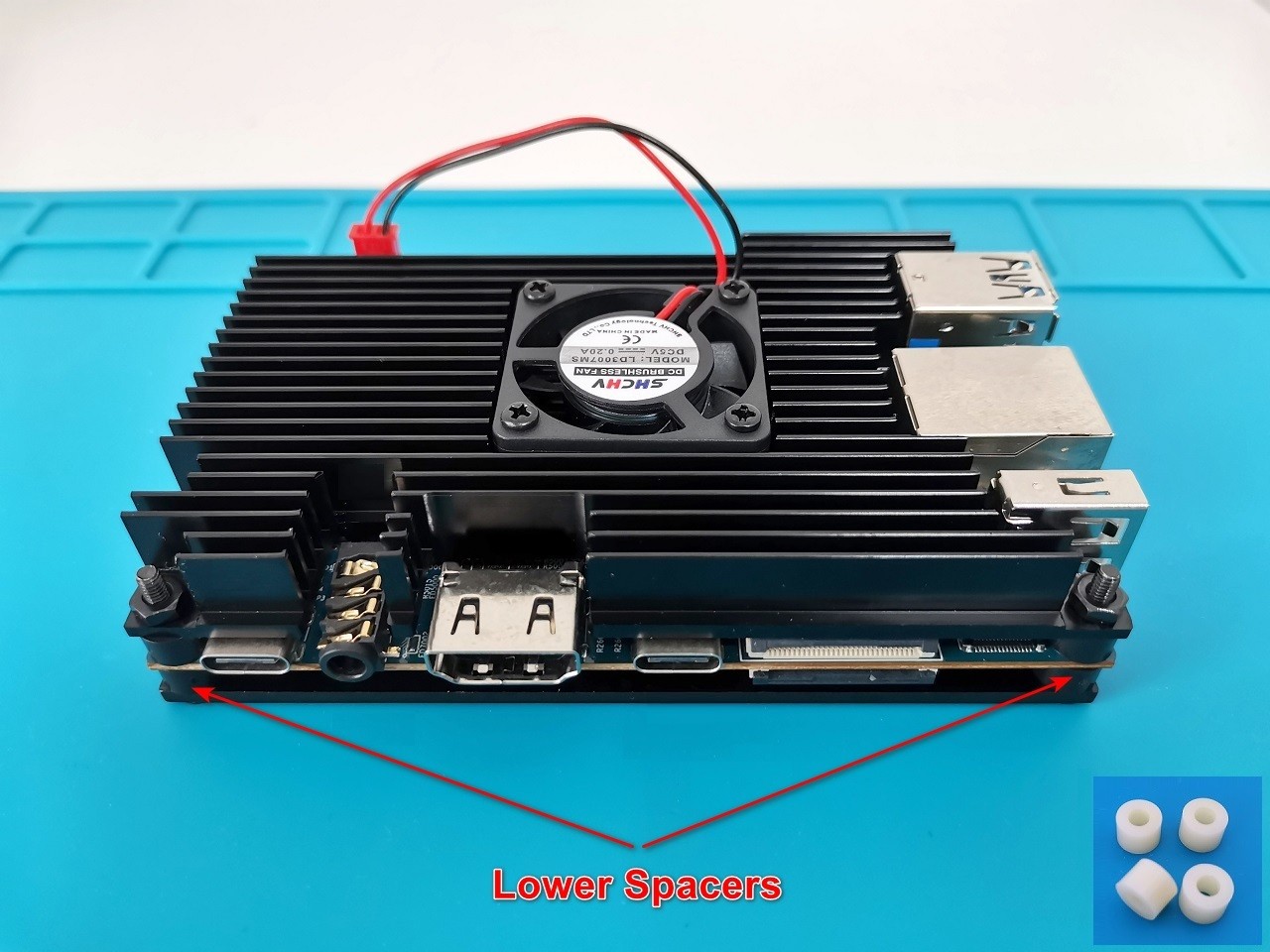
Composed of two main metal plates. There is a small housing pocket for mounting the fan on the upper cover, which has cooling fins. The two plates are firmly connected with four screws, creating a tight sandwich-like structure where the Pi 5 board is snugly placed between them and held in position by four spacers. The case kit includes a Philips screwdriver, four thermal pads, and a 5V fan. Based on our impression, the fan does an excellent job cooling the chips. The fan isn’t noisy, and you can expect CPU temperatures to drop as low as 32℃ in idle mode.
Accessing ports & Interfaces
Another option for using the case. If for some reason you need to access the camera port (CAM2), located on the rear side of the board and the gap is too small and limiting access, you can buy and add additional spacers to increase the space between the lower plate and the board.
This arrangement will be ideal for adding extra space when installing a 2242 M.2 SSD card with a heatsink. In some situations, you can also cut the length of the spacers so that the 2242 M.2 SSD Card will contact the lower plate for maximum thermal conductivity.
Increasing the space between the lower case plate and the Orange Pi 5 board
The Orange Pi 5 case after Assembly


Disadvantages of using the semi open metal case
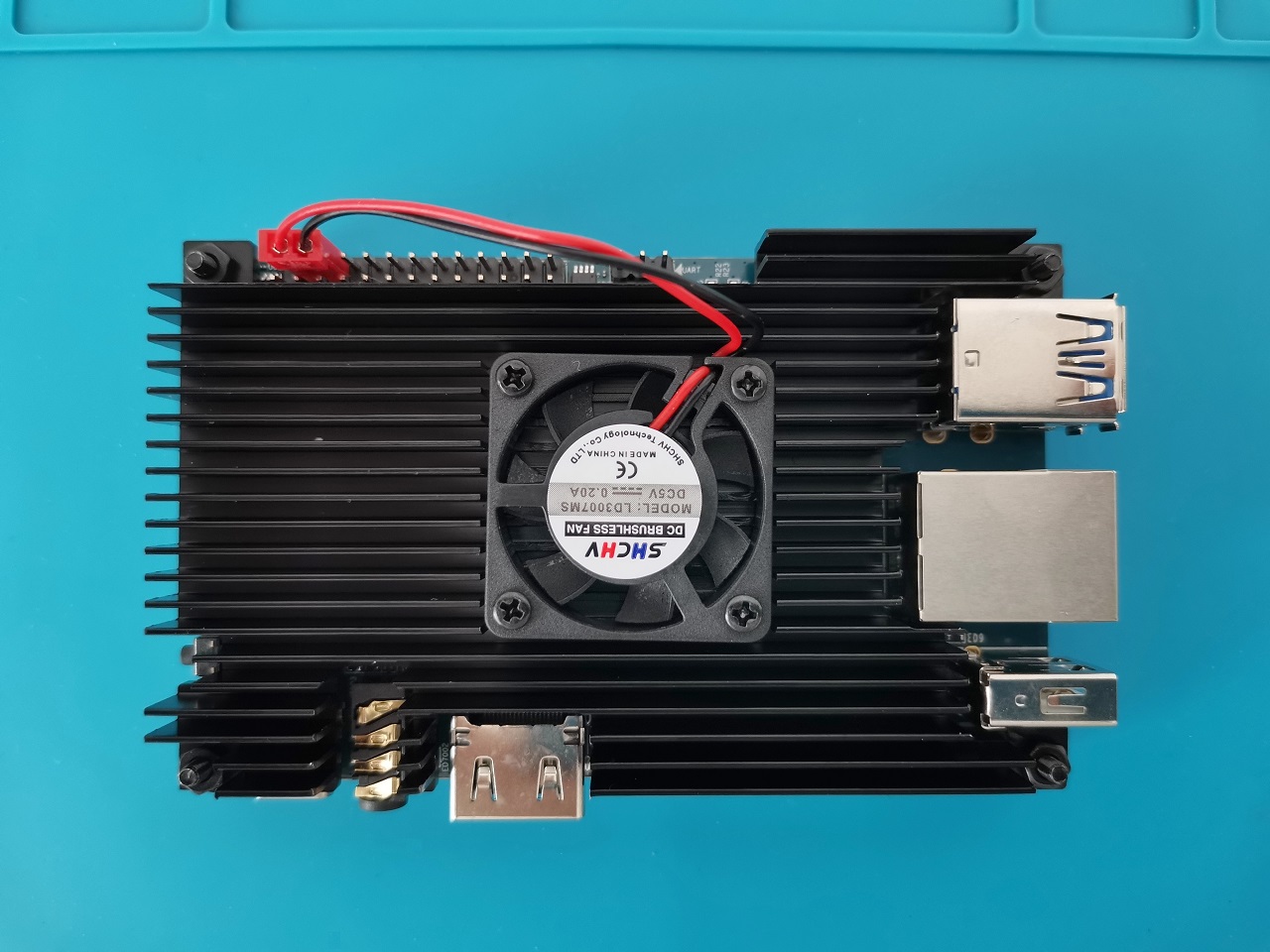
Although this case provides an excellent cooling solution for the Pi 5 board, there are a few drawbacks or limitations to using this solution. For example, the Maskrom and recovery buttons are the last resort if your bootloader is damaged or you need to flash Raw Firmware to eMMC.
In Maskrom mode, instead of booting off eMMC or microSD, the CPU loads binaries from the USB OTG port. In this way, you can perform low-level maintenance tasks. Because the Maskrom and recovery button are located near the Orange CPU and RAM chips, the metal case covers it, making it inaccessible. To overcome this issue, we recommend using acrylic or sheet metal cases or installing individual heatsinks on top of each chip.
CPU stress and monitoring
Let’s dive back into the performance of the Pi 5, both under normal and high workloads. When used with a metal case you can expect the following temperatures. Based on our tests, we were able to overload all eight CPU cores at 100% using the stress tool S-tui, and reached 78 °C. As for the recovery time, or the time it takes the CPU temp to reach “normal” core values of approximately ~48℃, it took us about 20–26 seconds from the moment we stopped stressing the CPU.
S-tui stress testing (Armbian)
Operating temperature
Case designs and purchasing links
| Product | Model | FEATURES | |
|---|---|---|---|
EDITORS CHOICE  |
|
at AliExpress PRICE RANGE: Starting from $12.99 |
|
EDITORS CHOICE 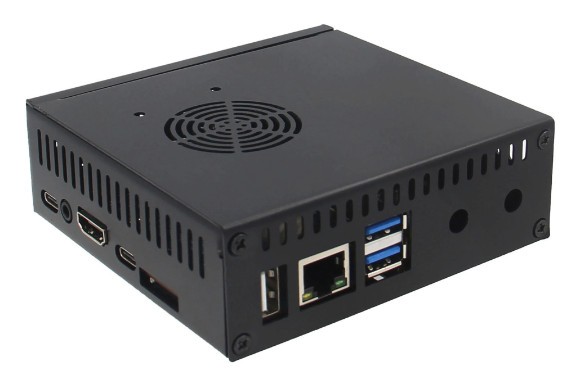 |
|
at AliExpress PRICE RANGE: Starting from $15.99 |
|
Top Pick  |
|
at AliExpress PRICE RANGE: Starting from $17 |
|
Best cooling 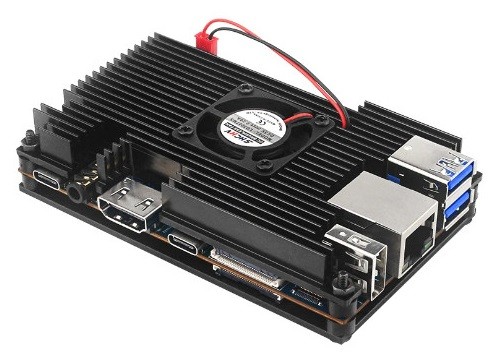 |
|
at AliExpress PRICE RANGE: $6.48 |
|
Best low cosT 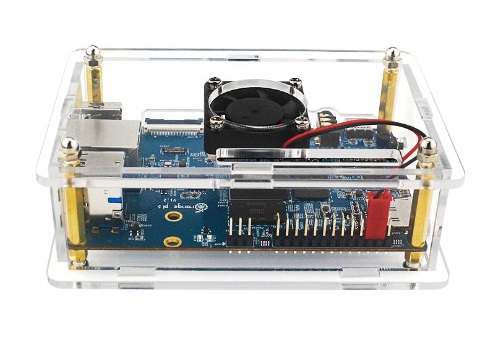 |
|
at AliExpress PRICE RANGE: Starting from $2.40 |
Monitoring system resources
Based on our check, in a clean Armbian installation you can expect to be left with a total of 14.4Gib of free RAM with CPU load of %4 (Idle Mode). As mentioned in the board specification sheet, the Orange Pi 5 doesn’t have an eMMC flash option. It’s not a dealbreaker, but we strongly advise using a fast 64G/128G Micro-SD card. But if you need faster read/write speeds, you have the option to add an 2242 NVMe SSD expansion card.


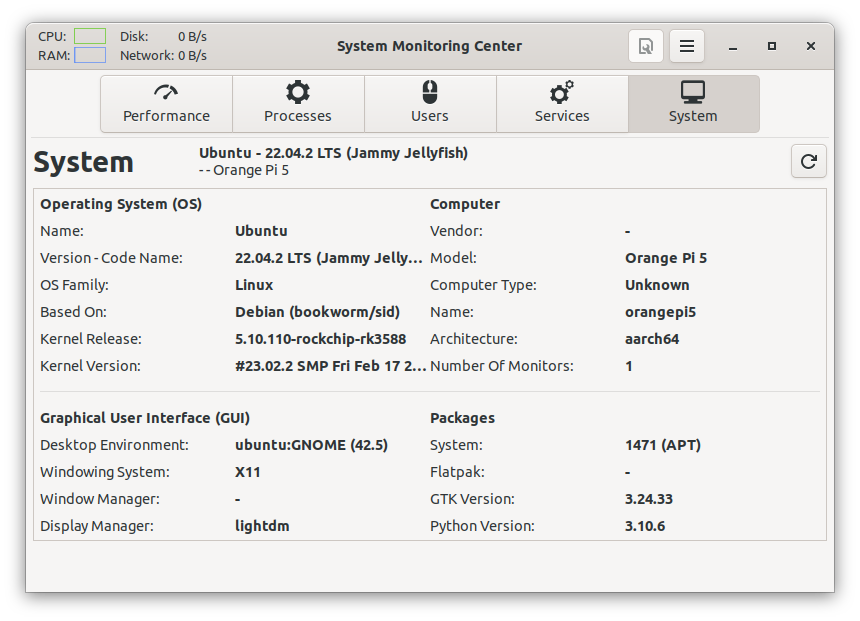
Armbian Linux (Desktop)
The Orange Pi 5 works excellently with this highly optimized distribution. We had an excellent user experience using this distribution. The entire system worked smoothly and opened apps like the LibreOffice suite quickly. Additionally, the drivers provide excellent support for GPU hardware acceleration. If you are planning to use the Orange Pi 5 as a portable mini PC/Workstation, then this is the right choic
Armbian 23.02 Jammy Gnome (Desktop)


GPU Acceleration Support
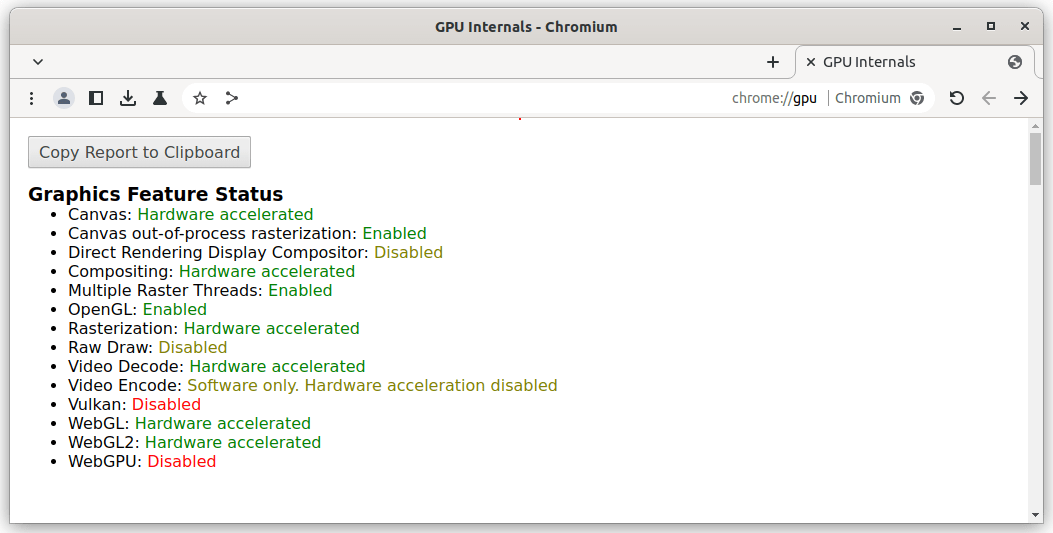
Thanks to hardware GPU acceleration support, games, animations, and movies played through the Chrome browser run smoother with fewer lags or hiccups. Instead of the CPU handling all the processed data, the GPU handles them more efficiently. This boosts execution speed and ultimately improves the user experience when watching online content.
Thanks to our careful adherence to Armbian’s comprehensive instructions, we effortlessly installed the Mesa 3D graphics drivers and incorporated the Mali G610 firmware into our system. Undoubtedly, our overall user experience was greatly improved by the impressive outcome of this endeavor.
Playing YouTube videos in high resolution was really awesome. Some 4K videos will probably not always run smoothly, so don’t expect perfection in supporting all video formats known today. We can say that overall, playing videos in 720P and 1080P resolutions was impressive as you would expect from a high-end media player device.
Chrome browser: Hardware acceleration settings
The Kodi Experience – What to expect?
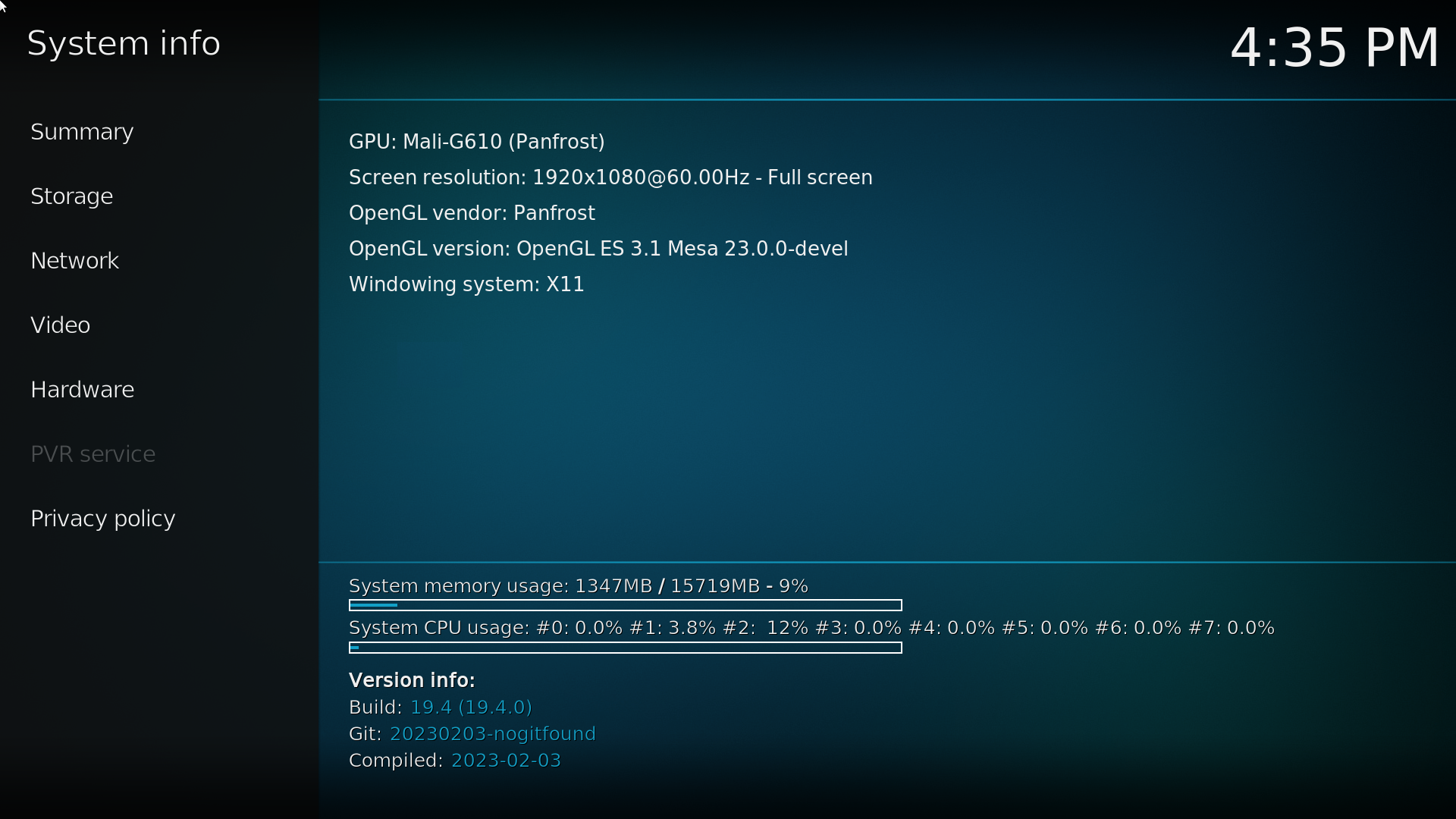
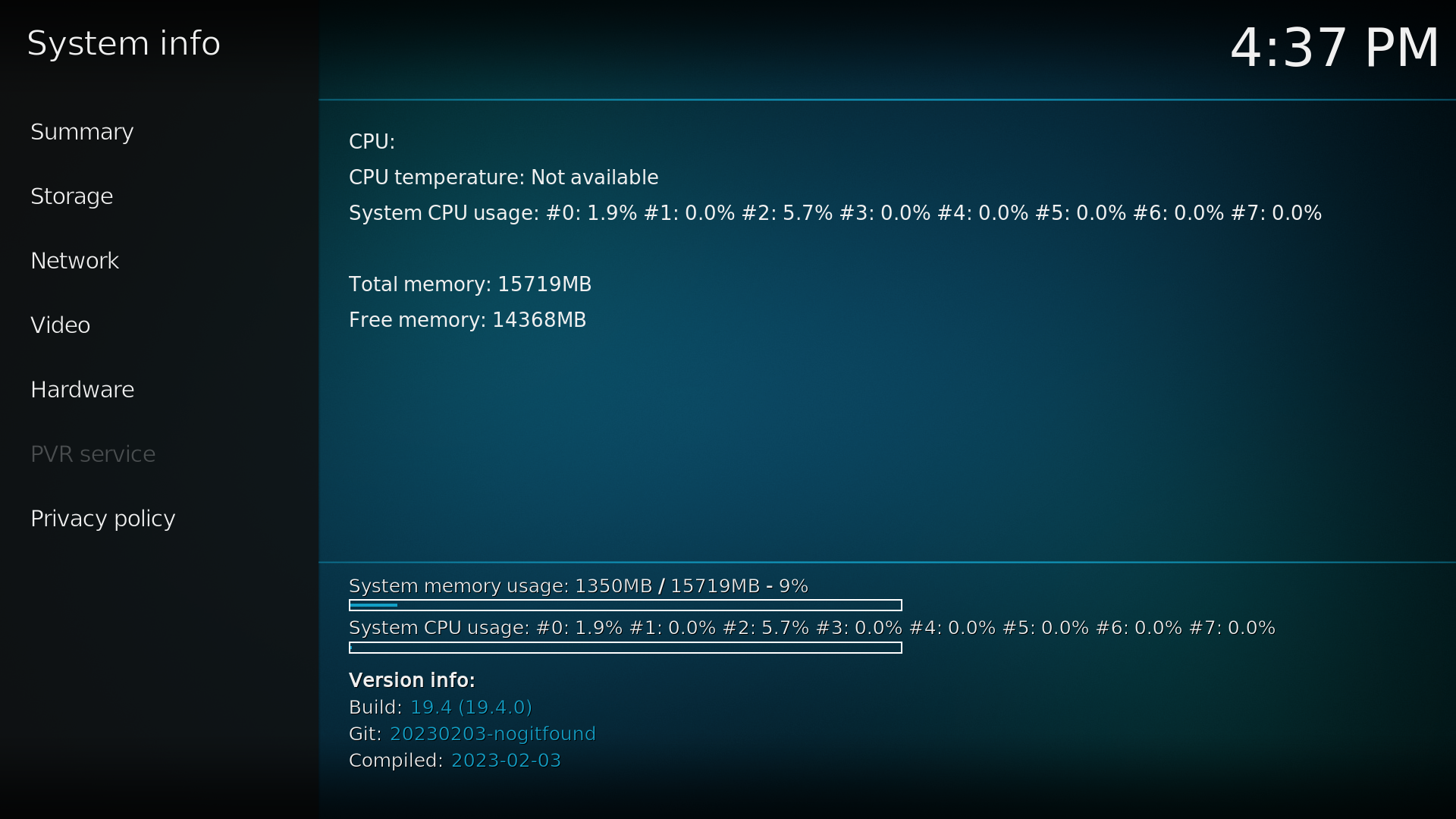
When it comes to video performance, the Orange Pi 5 is a real hardware beast. We played with Kodi Matrix 19.4 under the Armbian 23.02 Jammy (Gnome) distribution, which is super optimized and based on Ubuntu. Kodi loaded instantly. Also, we managed to play a few heavy videos recorded in 2K & 4K quality very smoothly without any noticeable lags.
From 16GB of RAM, only 9% were used. It is imperative to emphasize that not every format is playable on Kodi. Some files will surely fail. But based on our personal impression, the hardware is more than adequate for heavy high-resolution video playback. In addition, we managed to stream live shows from Samsung TV Plus and Pluto TV in 1080P resolution without any problems.



Practical Applications
The Orange Pi 5 may be used extensively in various domains, including tablets, edge computing, AI, cloud computing, AR/VR, smart security, smart homes, and other tech areas that cover several AIoT industries.
Installing and Benchmarking an M.2 NVMe SSD
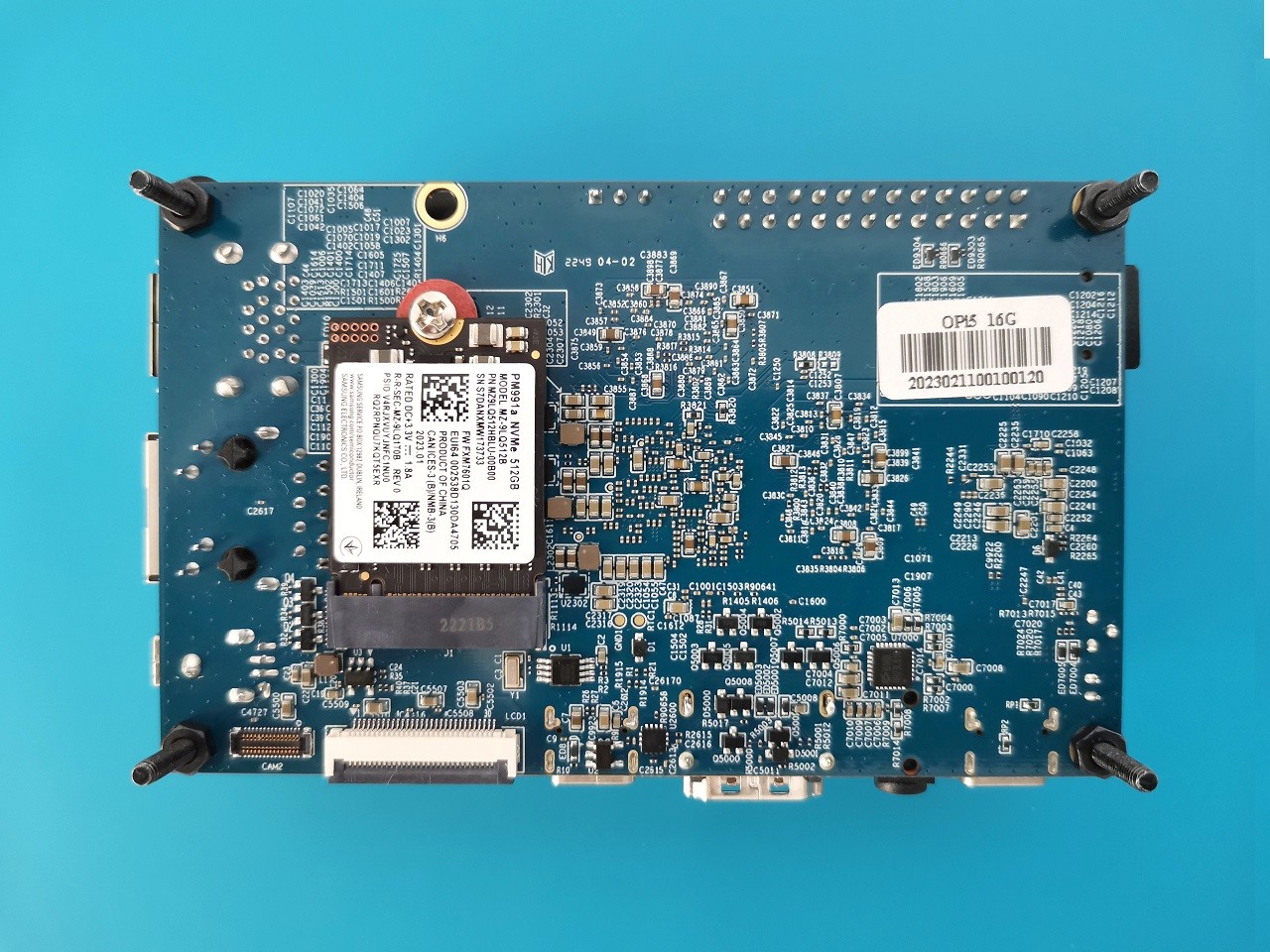
Orange Pi 5 M.2 interface supports 2230 and 2242 NVMe SSDs. According to our benchmark tests running under Armbian 23.02 Jammy with GNOME Disk Utility, we were able to achieve 380-400 MB/s read and write speeds similar to those of the NanoPi R5S board. In our hands-on test, we used an M.2 2230 type by SAMSUNG, model MZ-9LQ512 (512GB). A helpful installation practice is to use the right height spacer between the card and the Orange Pi 5. By doing this, it will prevent it from accidentally getting lost in the socket or causing contact problems when assembled together.
Assembling the MZ-9LQ512 (512GB) NVMe/SATA SSD


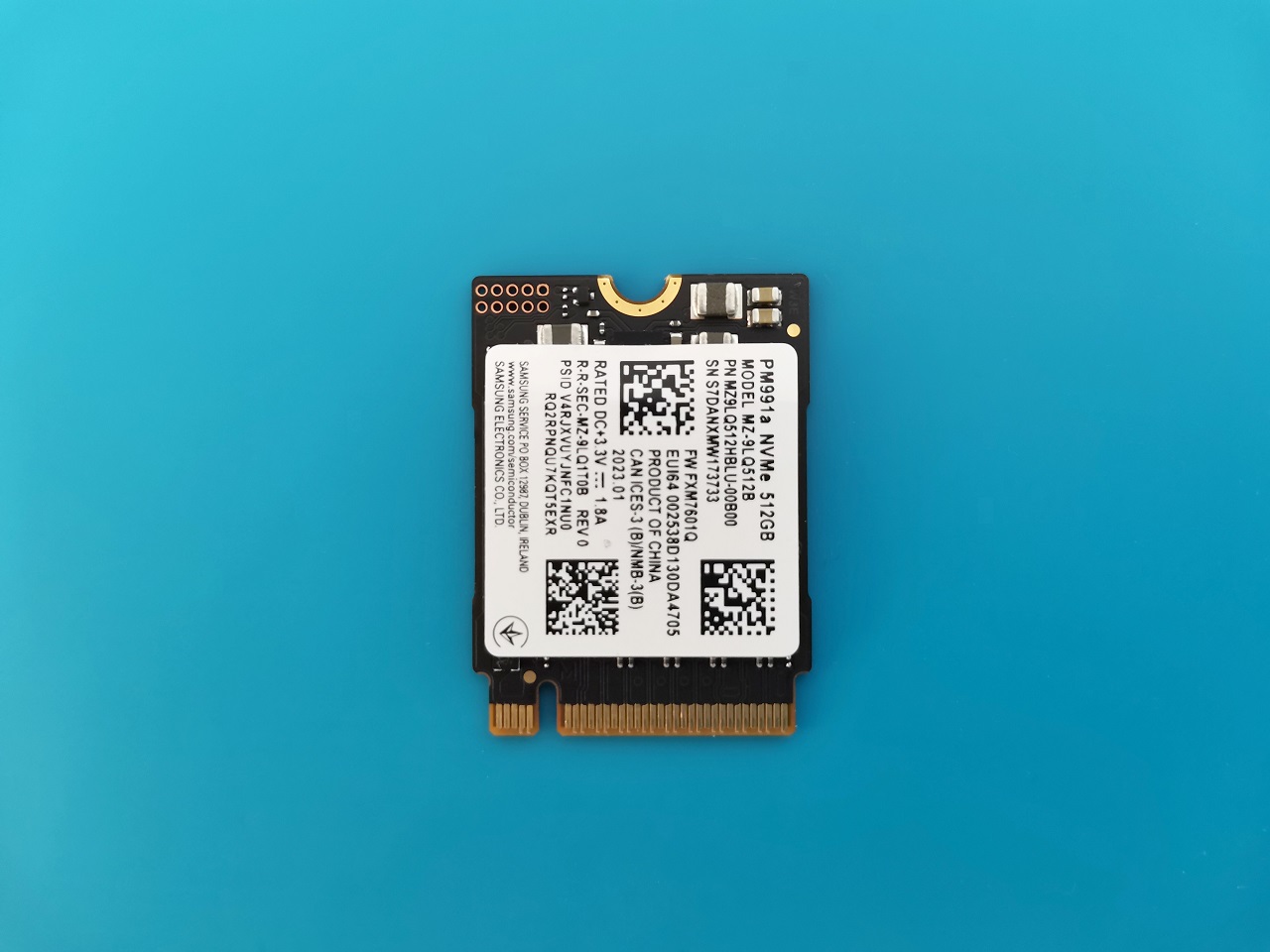
Compatibility with NV2 M.2 2280 PCIe NVMe
Can I still use an M.2 2280 NVMe Card?
The answer is yes. Despite the fact that its form factor exceeds the pi 5 board dimensions, it can be used in some situations. For example, it may be possible if you design your own custom-made enclosure that fits the card dimensions. The ideal card size for most case designs is 2242 (42mm) , but if you are still very keen on installing a 2280 card because of the low price point, we recommend buying the N506 metal enclosure that should fit it well.

SSD Benchmarks
After booting into Ubuntu via a Micro SD card, we formatted the SSD with the ext4 file system through the GNOME disk app. It is very easy to use and user-friendly. To check if the transfer speeds were stable, we set our sample file size to 200MiB and checked the results. Although the SSD card we used supports x4.0 lanes, the Orange Pi 5 M.2 interface only supports x2 speeds.
The read/write speeds we got were around the ~400MB/s (Peak speed), as previously mentioned. For some known reason when we increased the sample file size to 1000MiB (1GB) the SSD had more difficulty maintaining consistent and stable write speeds and dropped to 278MB/s.


Compatible brands tested with the Orange Pi 5
Brand | Model | Bus Speed | Interface | Tested | Buy Link |
Kioxia | KBG40ZNS | PCIe® Gen3 x4 | M.2 2230 | | |
Samsung | PM991a | PCIe® Gen3 x4 | M.2 2230 | | |
This site contains affiliate links to products. We may receive a commission for purchases made through these links. | |||||
Orange Pi 5 vs. Raspberry Pi 4
Orange Pi 5 single-board computer (SBC) is powered by an octa-core Rockchip RK3588S new generation 8-core 64-bit processor that can reach speeds up to 2.4GHz. This processor offers more cores than the Raspberry Pi 4, powered by a quad-core ARM Cortex A72 processor. The Orange Pi 5 can handle more complex tasks and multitasking, making it more suitable for intensive gaming and video streaming applications.
The Orange Pi 5 is more powerful than the Raspberry Pi 4. It has more RAM options than the Raspberry Pi 4, with up to 32GB LPDDR4/4x RAM. This allows it to run multiple applications at once without performance issues. In addition, it has an Arm Mali-G610 MP4 GPU, which offers better graphics performance than the Raspberry Pi 4’s VideoCore IV GPU.
Pricing and Availability (Updated on Friday, 3 February 2023)
Shenzhen Xunlong company is known for its aggressive pricing strategies, and it should be considerably less expensive than the $219 requested for the ROC-RK3588S-PC with 4GB RAM and 32GB eMMC flash. The initial starting price for the Orange Pi 5 bare board with 4GB RAM is $75.00, and $90.00 for the 8GB RAM model. Although the Orange Pi 5 board does not come with onboard Wi-Fi/BT support, worry not, as there is an easy solution. Buy a wireless module board with an M.2 converter adapter to easily connect Wi-Fi and Bluetooth to your Orange Pi 5 board.
Where can you get it?
Overall, the Orange Pi 5 is an awesome piece of hardware with exemplary performance. It should be noted that some packages don’t include a 5V-4A power adaptor, so if you already have one, you can save a few bucks.
That said, the bare board with 4GB of RAM is currently priced at $66. The 8GB RAM model, which is currently priced at $85, is also available for more demanding hardware applications. You are welcome to check the Shenzhen Xunlong official AliExpress store to keep updated on upcoming products, including the latest Orange Pi 5 prices.