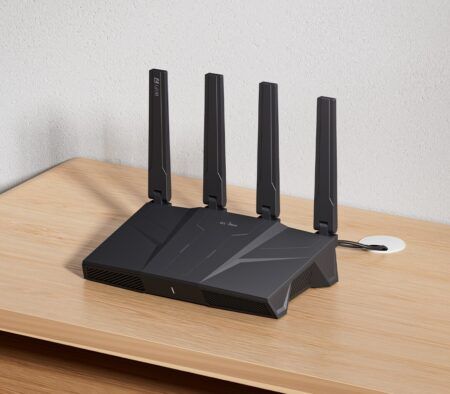
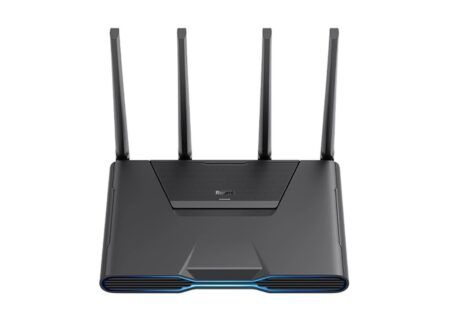
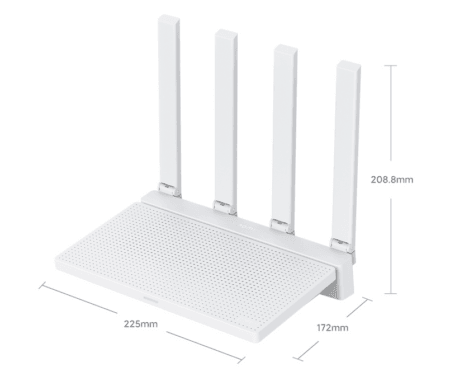
- Maybe you missed it? Review of the Banana Pi BPI-R4 Pro Review (open-source-based router).
- A quick rundown of the standout features of the new Xiaomi Router BE19000 Pro.
Introduction: Xiaomi Router BE19000 Pro launches globally
Xiaomi’s first flagship router powered by the Qualcomm Immersive NPro A7 platform.
The new BE19000 Pro high-end router, recently introduced by Xiaomi, represents a significant advancement in consumer networking technology and showcases the company’s most ambitious foray into the premium Wi-Fi 7 router market. Initially launched in China in September 2022 as the BE10000 Pro, this updated device has now been globally released with improved branding and availability in Europe.
It is expected to be one of the first Wi-Fi 7 routers that combines enterprise-grade performance with user-friendly features, such as integrated NAS storage. It aims to establish itself as a strong alternative to flagship products from ASUS, Netgear, and TP-Link.
This detailed product introduction explores all we know about this router, including its specifications, features, pricing, availability, and real-world performance expectations derived from official documentation and expert analysis.
BE19000 Pro — Specifications
| Specification | Details |
|---|---|
| Global Launch | March 2026 (Czech Republic debut) |
| Model | Xiaomi Router BE19000 Pro |
| Aggregate Speed | 18,656 Mbps theoretical maximum |
| Category | Flagship WiFi 7 Tri‑Band Router with Integrated NAS |
| Target Users | Power users, content creators, smart homes, SOHO |
| SoC | Qualcomm Immersive Home NPro A7 (Dragonwing platform) |
| CPU | Quad‑core ARM @ 1.8 GHz |
| RAM | 2 GB DDR4 |
| Flash Storage | 256 MB+ (firmware) |
| Wireless Chipset | Integrated Qualcomm WiFi 7 solution with MLO support |
| Antennas | 12× internal high‑gain: 4×2.4GHz + 4×5GHz + 4×6GHz |
| Additional Antennas | 1× NFC, 1× Bluetooth |
| Signal Amplification | 12× independent FEMs (Front‑End Modules) |
| Standard Compatibilty | WiFi 7 (802.11be), backward compatible with WiFi 6E/6/5/4 |
| Band Architecture | Tri‑band: 2.4 GHz + 5 GHz + 6 GHz simultaneous |
| 2.4 GHz Speed | 1,376 Mbps (4×4 MIMO, 40 MHz channels) |
| 5 GHz Speed | 5,760 Mbps (4×4 MIMO, 160 MHz channels) |
| 6 GHz Speed | 11,520 Mbps (4×4 MIMO, 320 MHz channels) |
| Total Spatial Streams | 12 (4 per band) |
| Key WiFi 7 Features | MLO, 4K‑QAM (+20% density), Preamble Puncturing, Deterministic Low Latency, OFDMA, MU‑MIMO |
| Channel Support (2.4GHz) | Channels 1‑13 (region‑dependent) |
| Channel Support (5GHz) | 36‑64, 100‑140 (DFS supported) |
| Channel Support (6GHz) | Channels 1‑93 (where regulatory approval is required) |
| Wireless Security | WPA3‑SAE (required for WiFi 7), WPA2‑PSK fallback, MAC filtering, SSID hiding, Guest network isolation, AI intrusion detection |
| 10 Gigabit Ethernet | 2× ports, 10/100/1000/2500/5000/10000 Mbps adaptive, WAN/LAN auto‑sense, LACP aggregation support. |
| 2.5 Gigabit Ethernet | 4× ports, 10/100/1000/2500 Mbps adaptive, WAN/LAN auto-sense. |
| M.2 Storage Slot USB Port | 1× M.2 2280 NVMe only (PCIe 3.0), up to 8TB recommended. 1× USB 3.0 Type‑A (5 Gbps), supports external storage/printer sharing. |
| Physical Buttons | 1× Reset/Mesh button (5‑sec hold = factory reset; short press = Mesh pairing) |
| NFC Zone | 1× top‑surface NFC 2.0 for tap‑to‑connect Wi‑Fi (Android) |
| Aggregate Wired Throughput | Up to 30 Gbps across all Ethernet ports simultaneously |
| Advanced Wired Features | LACP (802.3ad) port bonding, IPTV dedicated port assignment (ISP‑dependent) |
| Internal Expansion | M.2 2280 NVMe SSD slot (PCIe 3.0 protocol only) |
| External Expansion | USB 3.0 port for HDD/SSD/thumb drives |
| Max Recommended Capacity | Up to 8TB per drive (M.2 or USB) |
| Supported File Systems | USB: FAT32/NTFS/EXT3/EXT4/exFAT • M.2: NTFS/EXT4 |
| NAS Protocols | SMB/Samba file sharing, DLNA media server, FTP access |
| Measured M.2 Performance | ~580 MB/s sequential read (router limited; network bandwidth typically bottleneck) |
| Concurrent Drive Support | Yes – M.2 + USB can operate simultaneously. |
| Remote Access | Encrypted remote file access via Xiaomi Home app or web interface |
| Backup Functionality | Manual file sync supported; no hardware RAID or automatic drive‑to‑drive backup. |
| Operating System | MIWIFI ROM (Xiaomi custom firmware) |
| Management Interfaces | Xiaomi Home App (iOS/Android) + Web UI at miwifi.com or 192.168.31.1 |
| App Requirement | Xiaomi Home App required; legacy Mi WiFi App not compatible. |
| AI Network Engine | Qualcomm-powered AI for interference mitigation, Mesh optimization, energy management |
| AI Mesh Roaming | Intelligent load balancing & seamless handoff (requires AI Mesh‑capable satellite nodes) |
| QoS Features | Per‑device bandwidth limiting, smart prioritization for gaming/video conferencing |
| Parental Controls | Time limits, content filtering, device‑specific access rules |
| IPv6 Support | Full IPv6 stack (disabled by default; configurable via app/web UI) |
| DDNS Support | Built‑in dynamic DNS client for remote access |
| Firmware Updates | Automatic OTA updates; dual system design for failsafe recovery. |
| Bluetooth Gateway | Bluetooth Mesh 2.0 hub supports up to 300 connected BLE devices. |
| HyperOS Integration | Native pairing with Xiaomi ecosystem devices; unified automation scenarios |
| Dedicated IoT Network | Optional isolated 2.4GHz SSID for legacy/smart home devices |
| NFC Quick Connect | Tap‑to‑join WiFi for NFC‑enabled Android smartphones |
| Operating Temperature | 0°C to 40°C (32°F to 104°F) |
| Operating Humidity | 10%–90% RH, non‑condensing |
| Storage Temperature | -40°C to 70°C (-40°F to 158°F) |
| Storage Humidity | 5%–90% RH, non‑condensing |
| Power Adapter | 120W external brick (12V/10A), region‑specific plug type |
| Power Input | DC 12V/10A barrel connector. |
| Power Consumption | ~35W idle / ~85W peak under load (fan‑dependent) |
| Cooling System | Active: 75mm centrifugal fan + 86,258mm2 heatsink area |
| Fan Modes | Silent, Standard, and Performance (automatically temperature-triggered). |
| Fan Activation Thresholds | Performance mode: 93°C CPU • Standard: 99°C • Silent: 105°C |
| Surface Temperature (Load) | <60°C front panel / <65°C rear panel (within safety limits) |
| Package Contents | • 1x BE19000 Pro router unit • 1x 120W Power Adapter • 1x Cat 6a Ethernet Cable (2.5m shielded) • 1x Quick Start Guide (multi‑language) • 1x Warranty Card (24‑month EU) • 1x Safety & Regulatory Information |
| Max Total Connected Devices | 1,000 (lab conditions) |
| WiFi Device Connection Limit | 512 total: 256×2.4GHz + 128×5GHz + 128×6GHz |
| Wired Device Connection Limit | 512 devices across all Ethernet ports |
| Bluetooth Device Limit | 300 BLE devices via integrated gateway |
| Concurrent NAS Users | 10–15 active users recommended for optimal performance |
| Mesh Node Support | Unlimited Xiaomi Mesh‑compatible nodes (AI Mesh requires BE19000 Pro nodes) |
| Regulatory Compliance | CE, FCC, RoHS, REACH (EU/Global markets) |
| WiFi Certification | WiFi Alliance WiFi 7 Certified (pending final validation) |
| Security Certification | WPA3 Security Certification |
| RF Compliance | Regional certification for 2.4/5/6 GHz bands (market‑dependent) |
| First Boot | Update firmware via Xiaomi Home app before configuration |
| Security Hardening | Enable WPA3‑SAE, set strong admin password, disable WPS |
| Performance Optimization | Enable MLO for gaming/VR; assign 6GHz band to WiFi 7 devices only |
| NAS Activation | Insert M.2 NVMe or USB drive → App → Storage “Activate NAS” |
| Mesh Pairing | Shortly press the Reset/Mesh button on the secondary node and follow the prompts in the app. |
| Optimal Placement | Center of home, ~1m height, upright orientation, avoid metal enclosures/thick walls |
| IPv6 Troubleshooting | Temporarily disable in settings if upstream ISP compatibility issues occur. |
| Warranty (EU) | 24 months standard European coverage |
| 6GHz Band Requirement | Requires WiFi 7 compatible client devices to utilize the 6GHz band. |
| NAS Performance Note | Real‑world NAS speeds limited by network interface; M.2 NVMe recommended for 4K media streaming. |
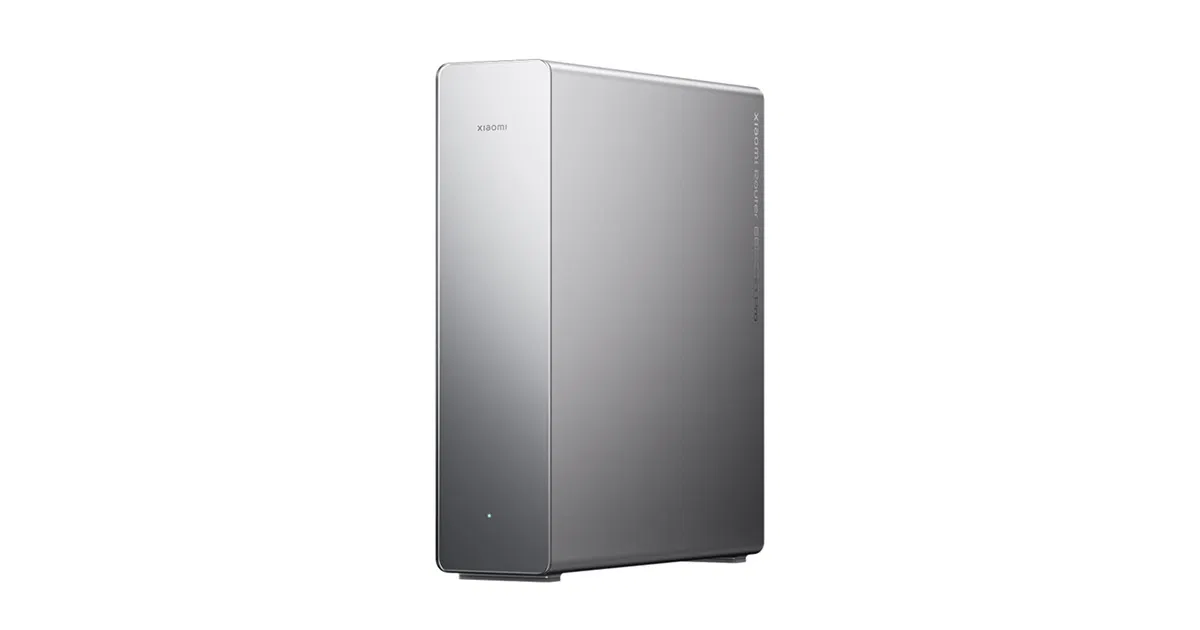
| Dimensions | 242×70×273mm (9.5″ × 2.8″ × 10.7″) |
| Weight | ~1.2 kg |
| Color/Finish | Graphite Grey, matte texture |
| Design | Vertical tower (upright orientation recommended) |
| Mounting | Non‑slip base; wall‑mount compatible (bracket sold separately) |
| Regional Variations | Supported channels, certifications, and bundled accessories may vary by market. |
| EU Launch Price | ~€430 / CZK 9,999 (Czech Republic, March 2026) |
| Planned Expansion | Q2 2026: Poland, Germany, Austria • Q3 2026: France, Spain, Italy • Late 2026: UK, Scandinavia |
Supported Wi-Fi Standards and Features:
✅ Wi-Fi 7 (802.11b) – Full certification
✅ Backward Compatible with Wi-Fi 6E/6/5/4 (802.11ax/ac/n/g/b)
✅ Multi-Link Operation (MLO) – Simultaneous band aggregation for lower latency
✅ 4K-QAM Modulation – 20% higher data density vs. Wi-Fi 6
✅ Preamble Puncturing – Avoids congested spectrum segments automatically
✅ Deterministic Low Latency – Optimized for gaming and real-time applications
✅ OFDMA & MU-MIMO – Efficient multi-user scheduling across all bands
Core Specifications: Where Engineering Meets Performance
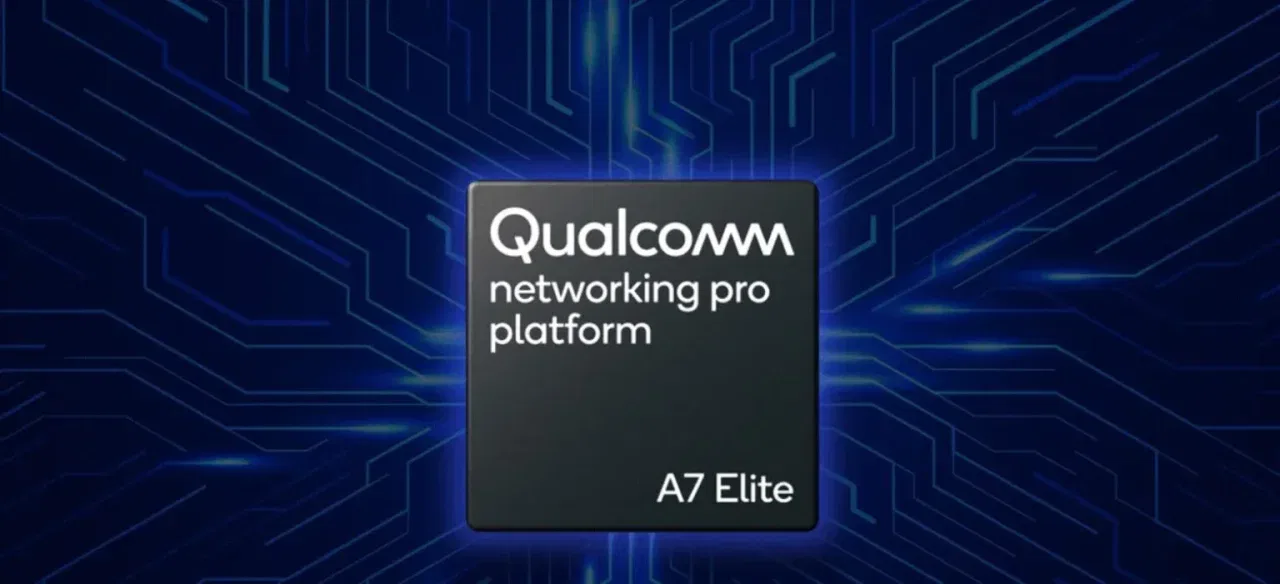
Hardware: Powered by Qualcomm Networking Pro A7 Elite Platform
The BE19000 Pro is equipped with a Qualcomm A7 quad-core processor that operates at a clock speed of 1.8GHz. This processor is part of Qualcomm’s Dragonwing networking platform (Pro A7 Elite Platform), which has been specifically designed for next-generation Wi-Fi 7 applications.
It is also equipped with 2GB of DDR4 RAM, providing ample memory for managing complex routing tasks, multiple simultaneous connections, and advanced features such as traffic prioritization and network security protocols.
Design
The router’s physical dimensions are 242mm×70mm×273mm, presented in an elegant graphite grey finish. It features a vertical tower design that enhances heat dissipation through active cooling systems.
This design choice enhances thermal management during intensive workloads and reduces the device’s footprint on desks or entertainment centers compared to traditional flat router designs.
Tri-Band Wi-Fi 7 Performance
The most impressive feature of the BE19000 Pro is its tri-band Wi-Fi 7 architecture, which offers a combined theoretical throughput of 18,656 Mbps across three distinct frequency bands.
| Frequency Band | MIMO Configuration | Theoretical Max Speed | Primary Use Case |
|---|---|---|---|
| 2.4 GHz | 4×4 | 1,376 Mbps | Smart home IoT, legacy devices |
| 5 GHz | 4×4 | 5,760 Mbps | 4K streaming, video conferencing |
| 6 GHz | 4×4 | 11,520 Mbps | 8K content, virtual reality gaming, large file transfers |
This configuration employs a total of 12 spatial streams (four per band), which greatly minimizes interference and enables numerous devices to connect simultaneously without compromising performance.
The addition of the 6GHz band—available only to Wi-Fi 6E and Wi-Fi 7 devices—creates a congestion-free pathway for bandwidth-intensive applications.
Advanced Wi-Fi 7 Technologies
Beyond raw speed, the BE19000 Pro incorporates several advanced Wi-Fi 7 features that provide significant real-world advantages:
- Multi-Link Operation (MLO): Allows devices to transmit and receive data across multiple frequency bands simultaneously, reducing latency by up to 30% for gaming and real-time applications.
- 4K-QAM Modulation: Increases data density by 20% compared to Wi-Fi 6, enabling faster transfers within the same spectral bandwidth.
- Preamble Puncturing: Automatically avoids congested channel segments, maintaining stable connections in dense wireless environments.
- Deterministic Low Latency: Prioritizes time-sensitive traffic for cloud gaming, video calls, and industrial IoT applications.
Revolutionary NAS Integration: Turn Your Router into a Personal Cloud
One of the most distinctive features of the BE19000 Pro is its built-in Network-Attached Storage (NAS) functionality, which eliminates the need for separate storage hardware in many home and small office situations.
Storage Expansion Options
The router provides two methods for adding storage capacity:
- Internal M.2 2280 NVMe Slot: Supports SSDs up to 4TB for high-speed, low-latency storage directly integrated into the router chassis.
- USB 3.0 Port: Allows connection of external hard drives or flash storage for additional flexibility and easy expansion.
This dual-storage approach allows users to set up RAID-like configurations, allocate specific drives for different purposes (such as a media library versus backups), or simply increase capacity as their needs grow.
NAS Capabilities and Use Cases
- Centralized File Storage: Access documents, photos, and media from any device on your network.
- Automated Backups: Schedule regular backups of computers and mobile devices to the router’s storage.
- Media Streaming: Serve 4K HDR content to smart TVs, streaming boxes, or mobile devices via DLNA or Plex
- Remote Access: Securely access files from outside your home network with end-to-end encryption.
- Time Machine Support: Native compatibility with macOS backup systems for Apple users
Performance testing shows that M.2 NVMe drives achieve transfer speeds of approximately 420 MB/s, whereas USB 3.0 connections generally reach around 110 MB/s—adequate for most home media streaming and backup needs.
Enterprise-Grade Wired Connectivity
- Dual 10 Gigabit Ethernet Ports: Support speeds of up to 10,000 Mbps for connecting NAS servers, workstations, or fiber internet modems.
- Four 2.5 Gigabit Adaptive Ports: Flexible WAN/LAN configuration allows customization based on network topology needs.
- Total Wired Throughput: Up to 30 Gbps aggregate bandwidth when all ports are utilized simultaneously.
These ports support auto-negotiation across various speed tiers (10/100/1000/2500/5000/10000 Mbps), ensuring compatibility with current network equipment while allowing for future upgrades.
Practical Applications
The high-speed wired ports facilitate various advanced networking scenarios:
- Direct NAS Connection: Attach a high-performance NAS device to a 10GbE port for maximum transfer speeds
- Gaming Workstation: Connect a gaming PC directly to eliminate wireless latency for competitive play.
- Content Creation Hub: Link video editing workstations for rapid file transfers without network bottlenecks
- Fiber Internet Ready: Fully utilize multi-gigabit fiber connections from ISPs offering 2Gbps+ plans.
The BE19000 Pro features 12 high-gain internal antennas strategically placed to enhance signal distribution. Four antennas are dedicated to each frequency band (2.4GHz, 5GHz, and 6GHz). This design reduces interference between bands and maximizes the coverage area.
Additional Wireless Features
- Built-in NFC Antenna: Enables quick device pairing by tapping compatible smartphones or tablets
- Bluetooth Gateway Functionality: Allows the router to act as a central hub for Bluetooth smart home devices, extending their range and reliability.
- Beamforming Technology: Dynamically focuses wireless signals toward connected devices rather than broadcasting uniformly in all directions.
Coverage Expectations
In typical residential environments, the BE19000 Pro provides reliable coverage for:
- 2.4GHz Band: Up to 150m² with good wall penetration
- 5GHz Band: Up to 100m² with moderate wall penetration
- 6GHz Band: Up to 70m² with line-of-sight preference (higher frequencies attenuate more through obstacles)
For larger homes or multi-story properties, Xiaomi’s mesh networking capabilities allow pairing multiple BE19000 Pro units or compatible mesh nodes for seamless whole-home coverage.
Software and Management Capabilities
Operating System and Interface
The BE19000 Pro operates on Xiaomi’s custom MIWIFI ROM, optimized for Wi-Fi 7 features and seamlessly integrated with the wider Xiaomi smart home ecosystem.
Management can be accessed through two main interfaces:
- Xiaomi Home Mobile App (iOS/Android): Intuitive touch interface for basic setup, device monitoring, and guest network management
- Web-Based Administration Panel: Advanced configuration options for networking professionals, including VLAN setup, QoS rules, and detailed traffic analytics
Security and Privacy
Comprehensive security features safeguard both network integrity and user data.
- WPA3-SAE Encryption: Latest wireless security standard with improved protection against brute-force attacks
- Access Control Lists: Create blacklists or whitelists to manage device permissions
- SSID Hiding: Optional concealment of network name from public scans
- Automatic Firmware Updates: Critical security patches delivered seamlessly in the background
- Guest Network Isolation: Separate network segment for visitors with bandwidth limits and time restrictions
Smart Home Integration
As part of Xiaomi’s HyperOS ecosystem, the BE19000 Pro offers enhanced interoperability with other Xiaomi smart devices.
- Automatic Device Discovery: New Xiaomi products connect with minimal configuration
- Unified Management: Control router settings alongside smart lights, cameras, and appliances in a single app
- Automation Scenarios: Create rules like “boost gaming bandwidth when console is active” or “prioritize video calls during work hours.”
Target Users and Ideal Use Cases
Who Should Consider the BE19000 Pro?
✅ Content Creators and Professionals: Handle 8K video editing, large file transfers, and cloud workflows without network bottlenecks
✅ Smart Home Enthusiasts: Manage 100+ IoT devices with minimal interference using Wi-Fi 7’s advanced channel management
✅ Competitive Gamers: Experience ultra-low latency for cloud gaming, VR applications, and esports
✅ Small Office/Home Office Users: Leverage built-in NAS and 10GbE ports for affordable, high-performance networking
✅ Early Technology Adopters: Future-proof home infrastructure for upcoming Wi-Fi 7 devices and services
Who Might Want to Look Elsewhere?
❌ Budget-Conscious Buyers: Consider the Xiaomi BE7000 (~€199) for solid Wi-Fi 7 performance without premium features
❌ Users with Older Devices: Wi-Fi 6/5 devices won’t fully utilize the router’s capabilities (though backward compatibility is maintained).
❌ Very Large Properties: May require additional mesh nodes for comprehensive coverage beyond the router’s native range.
Performance Expectations and Real-World Testing
Comprehensive independent reviews are still emerging as the router enters global markets, but early specifications and Xiaomi’s internal testing indicate impressive real-world performance.
Speed Test Projections
Based on theoretical specifications and typical Wi-Fi 7 efficiency ratings (ranging from 85% to 95% of the theoretical maximum), users can expect:
- 6GHz Band: 9,500-10,800 Mbps actual throughput at close range
- 5GHz Band: 4,800-5,400 Mbps in typical residential environments
- 2.4GHz Band: 1,100-1,300 Mbps for legacy device support
Latency Improvements
Wi-Fi 7’s MLO technology and features for deterministic latency are expected to provide:
- Gaming: 15-25ms ping times to local servers (vs. 30-50ms on Wi-Fi 6)
- Video Conferencing: Sub-10ms jitter for stable 4K calls
- Cloud Applications: Near-wired responsiveness for remote desktop and virtual machines
NAS Performance
Storage performance varies depending on the type of media used.
- M.2 NVMe SSD: ~420 MB/s sequential reads/writes, ideal for 4K media streaming and large file transfers
- USB 3.0 HDD: ~110 MB/s, suitable for backups and document storage
- Concurrent Access: Supports 10-15 simultaneous users without significant performance degradation
Competitive Landscape
The BE19000 Pro enters a competitive premium router market, going head-to-head with several notable alternatives:
| Feature | Xiaomi BE19000 Pro | ASUS GT-BE19000 | Netgear Orbi 970 | TP-Link Deco BE95 |
|---|---|---|---|---|
| Price (EU) | ~€430 | ~€600 | ~€650 | ~€500 |
| Wi-Fi 7 Speed | 18,656 Mbps | 19,000 Mbps | 19,000 Mbps | 19,000 Mbps |
| Built-in NAS | ✅ Yes | ❌ USB only | ❌ USB only | ❌ USB only |
| 10GbE Ports | ✅ 2× | ✅ 2× | ✅ 2× | ✅ 1× |
| Mesh Support | ✅ Xiaomi Mesh | ✅ AiMesh | ✅ Orbi Mesh | ✅ Deco Mesh |
| App Experience | Good | Excellent | Average | Very Good |
The key differentiator of the BE19000 Pro is its integrated NAS functionality, which can save users between €100 and €300 compared to buying separate router and NAS hardware.
European Global Launch: Pricing and Availability
The Xiaomi Router BE19000 Pro was officially launched in Europe in March 2026, starting with the Czech Republic market, and is priced at CZK 9,999 (approximately $470 or €430).
This European pricing reflects a substantial premium compared to the Chinese-market BE10000 Pro, which is priced at approximately ¥1,699 (~$235).
Pricing Analysis
The price differential reflects several factors:
- Import duties and logistics costs for European distribution
- Extended warranty coverage (24 months EU standard vs. 12 months in China)
- Localized firmware with multi-language support and regional compliance
- Premium positioning against competing flagship routers from established brands
Availability Timeline
Following the Czech Republic launch, Xiaomi plans gradual expansion across European markets:
- Q2 2026: Poland, Germany, Austria
- Q3 2026: France, Spain, Italy, Benelux countries
- Late 2026: UK, Scandinavia, Eastern Europe
Global availability outside of Europe is still unconfirmed; however, the router’s listing on Xiaomi’s international website indicates intentions for a broader rollout.
Future Outlook and Final Thoughts
The Xiaomi Router BE19000 Pro represents a significant evolution in consumer networking, blending flagship wireless performance with practical storage solutions in a single device. Its European launch signals Xiaomi’s commitment to competing in the premium router segment, challenging established brands with compelling value propositions.
Key Strengths
- Industry-leading tri-band Wi-Fi 7 performance with 18,656 Mbps theoretical throughput
- Unique built-in NAS functionality eliminates the need for separate storage hardware.
- Enterprise-grade wired connectivity with dual 10GbE ports
- Competitive European pricing relative to feature set
- Strong integration with Xiaomi’s expanding smart home ecosystem
Considerations
- Premium pricing compared to Chinese market (though justified by warranty and localization)
- The 6GHz band requires Wi-Fi 7 compatible devices for full benefits.
- Vertical design may not suit all aesthetic preferences.
As Wi-Fi 7 adoption accelerates through 2026 and beyond, this new router positions itself as a future-proof investment for users seeking maximum performance, flexibility, and innovation in their home networking infrastructure. With a gradual European rollout scheduled throughout 2026, more users will soon have the chance to experience Xiaomi’s most advanced router.
Xiaomi is welcome to get in touch for a full hands-on review of this product.
Disclaimer: Specifications and availability are subject to change. Always confirm current details on Xiaomi’s official regional websites before making a purchase. This article is for informational purposes only and is based on publicly available information as of April 2026.
Media Source: Xiaomi