Close Menu
    Facebook X (Twitter) Instagram Threads
    Trending
    • Rii TU3607 iPad Keyboard Case Review: Dream or Heavy Burden?
    • PrivadoVPN Review 2026: Does the Free Tier Still Work for Streaming?
    • Rii 518BT Review: Is This Pocket Keyboard Actually Usable?
    • Rii RK807 Pro Review: The Best Budget Apple Magic Keyboard Alternative?
    • Rii RK808 Review: The Best Foldable Travel Keyboard?
    • Rii RS201 Review: $69 16-Inch Portable Monitor Tested
    • AliExpress Promo Codes: August 2026 (100% Verified)
    • Orange Pi 6 Review: Is It Suitable for Running Local LLMs? We Checked.
    AndroidPIMP
    Facebook X (Twitter) Instagram
    • Mini PCs & Media Players
    • Embedded Computers
    • Wearables
    • Wireless Routers
    • Edge AI Cameras Vision Hardware
    • Tech Accessories
    AndroidPIMP
    Orange Pi 800 Computer Kit

    Orange Pi 800 Review: All-in-one PC Inside a Keyboard Kit

    0
    By androidpimp on November 23, 2022 Mini PCs & Media Players
    Table of contents
    1. Orange Pi 800
    2. Product Highlights
      1. Orange Pi 800 specifications
    3. Portable and lightweight
    4. Hardware & Interfaces
    5. Orange Pi 800 Keyboard layout
    6. Orange Pi 800 Review
      1. Package, Unboxing, Package Content, Design & Build Quality, and Installation
        1. The Package
        2. Unboxing All Items
    7. Package Content
      1. Design
      2. Portability – A Single Board Computer inside a Keyboard
      3. Build Quality
      4. Cooling
      5. External Speaker
    8. Installation
    9. Software
    10. Hardware Information
      1. CPU Information
      2. Block Device Information
      3. Internal Storage Information
    11. Performing GPU, CPU, and I/O stress testing
      1. S-tui CPU Stress Test
      2. HardInfo: Comparing Performance to other CPUs
    12. Sysbench – Benchmarking (CPU, Memory, File IO) 
      1. CPU Benchmark
      2. Memory Benchmark
      3. I/O Benchmark
    13. Geekbench 5: Benchmarks Test Results 
      1. Geekbench 5 test results: Single-Core Performance
      2. Geekbench 5 test results: Multi-Core Performance
    14. Glmark2: GPU Stress testing & benchmarking
      1. GPU Driver
      2. Running glmark2 benchmark suite.
    15. What about video playback?
    16. Kodi Support
    17. Fixing user experience problems
    18. Final Words
    19. Price & Availability
    • Maybe you missed it? Orange Pi 4LTS Review
    • Orange Pi 800 Combo Mini PC Keyboard Specs, Review, Features, and price.

    Orange Pi 800

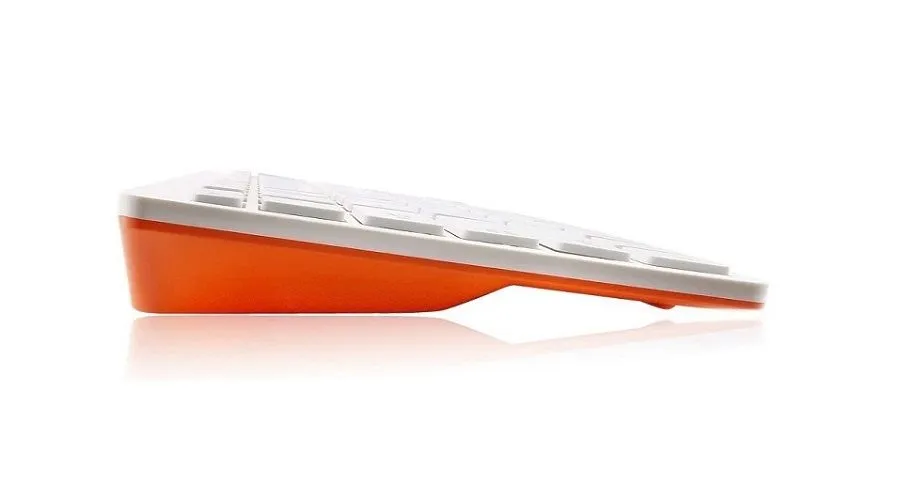
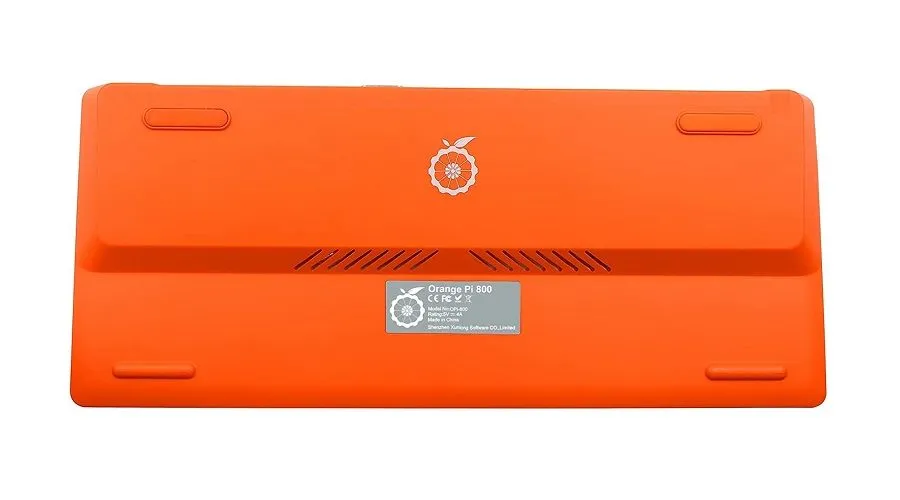
    Orange Pi 800 from Shenzhen Xunlong is an all-in-one keyboard similar to the Raspberry Pi 400 Keyboard. Deep diving into the keyboard’s internals, It’s an SBC (Single board computer) mounted inside a keyboard, making the product more convenient and portable for users. It combines a Mini PC functionality and can run popular Operating systems such as Linux or Android.

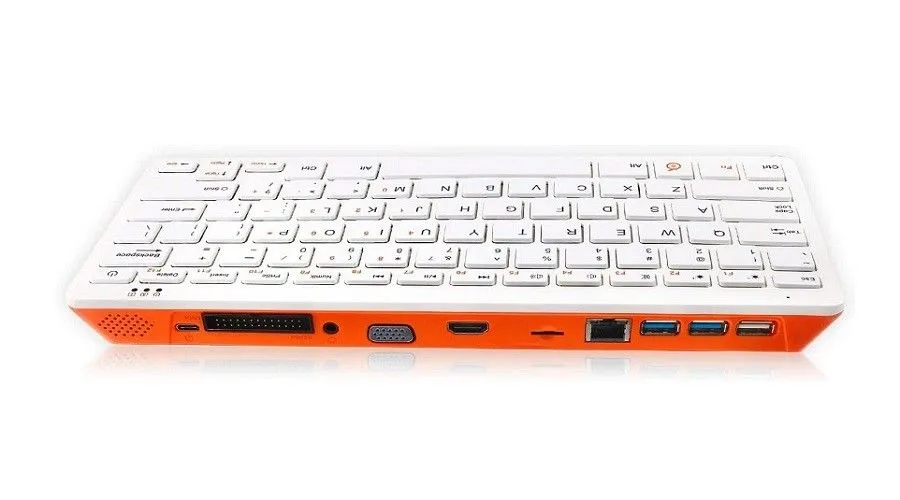
    The dream of providing computers to Underprivileged people in 3rd world countries is becoming a reality, and this product has a good starting point. Installation of the product is hassle-free. You got an HDMI port capable of 4Kp60 resolution plus a VGA port. To use the product, you plug one of the mentioned interfaces into any TV or computer display, and you’re ready to go. Also, connecting it to a small portable projector unit is another optional configuration that can be very likable by some users.

    Orange Pi 800
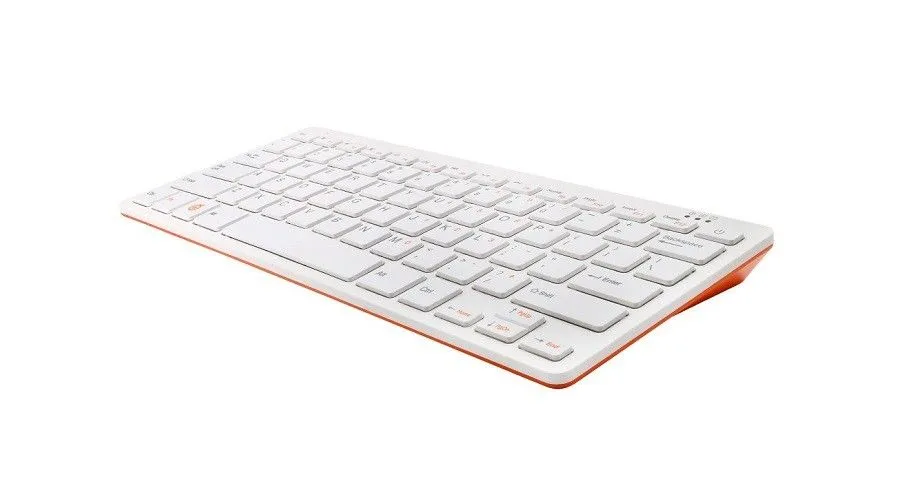
    • Orange Pi 800 Keyboard Mini PC
      Orange Pi 800 Mini PC Keyboard - PIC 1 of 5
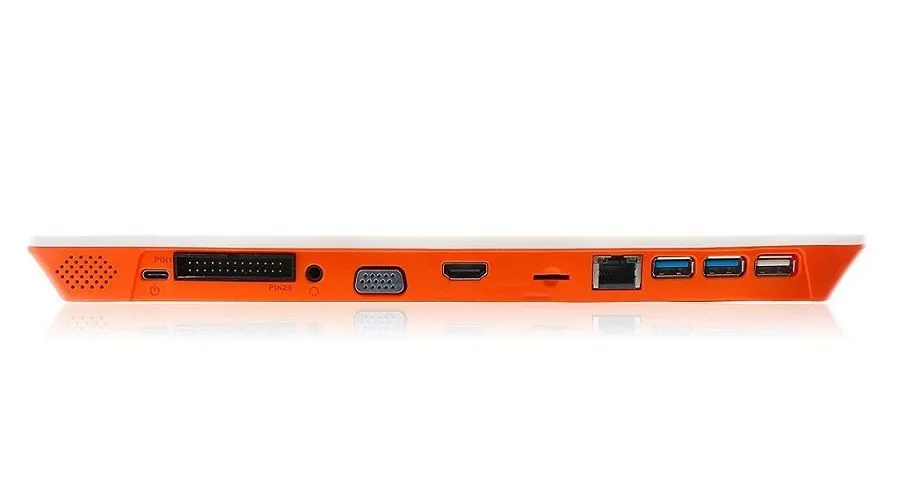
    • Orange Pi 800 Keyboard Mini PC
      Orange Pi 800 Mini PC Keyboard - PIC 2 of 5
    • Orange Pi 800 Keyboard Mini PC
      Orange Pi 800 Mini PC Keyboard - PIC 3 of 5
    • Orange Pi 800 Keyboard Mini PC
      Orange Pi 800 Mini PC Keyboard - PIC 4 of 5
    • Orange Pi 800 Keyboard Mini PC
      Orange Pi 800 Mini PC Keyboard - PIC 5 of 5

    Product Highlights

    • High-Performance Chip: Orange Pi 800 adopts Rockchip RK3399(28nm) 6-core ARM 64-bit processor, Based on the large and small size core architecture of big.LITTLE: Dual-core Cortex-A72 up to 1.8GHz(large core)+ Quad core Cortex-A53 up to 1.4GHz(small core).
    • It’s a PC inside a keyboard: The Orange Pi 800 is a fully integrated personal computer inside a keyboard – just plug in and play! It also means you don’t have to waste any space with a clunky desktop PC. Low-cost and portable, it is ideal for home study and for teaching computing concepts like programming, physical computing, and networking.
    • Go Wireless: The Orange Pi 800 comes equipped with a wireless LAN adaptor which will enable any one of you to take your device away with you anywhere. It isn’t necessary for those without a wireless connection as it also has a Gigabit Ethernet port.
    • Versatile and Affordable: Supporting Dual-band (2.4GHz and 5.0GHz) wireless WiFi, Bluetooth 5.0, Gigabit Ethernet, dual-display output, HDMI 4K HD video output, 1080P VGA video output, 2*USB 3.0 and 1* USB 2.0 ports. Orange Pi 800 offers a range of different ports. You can insert TF cards, display screens, and other devices. 26 Pin interface is reserved on the keyboard, which is convenient for users to complete some basic experimental projects.

    Orange Pi 800 specifications

    Specifications

    Model

    Orange Pi 800

    Keyboard

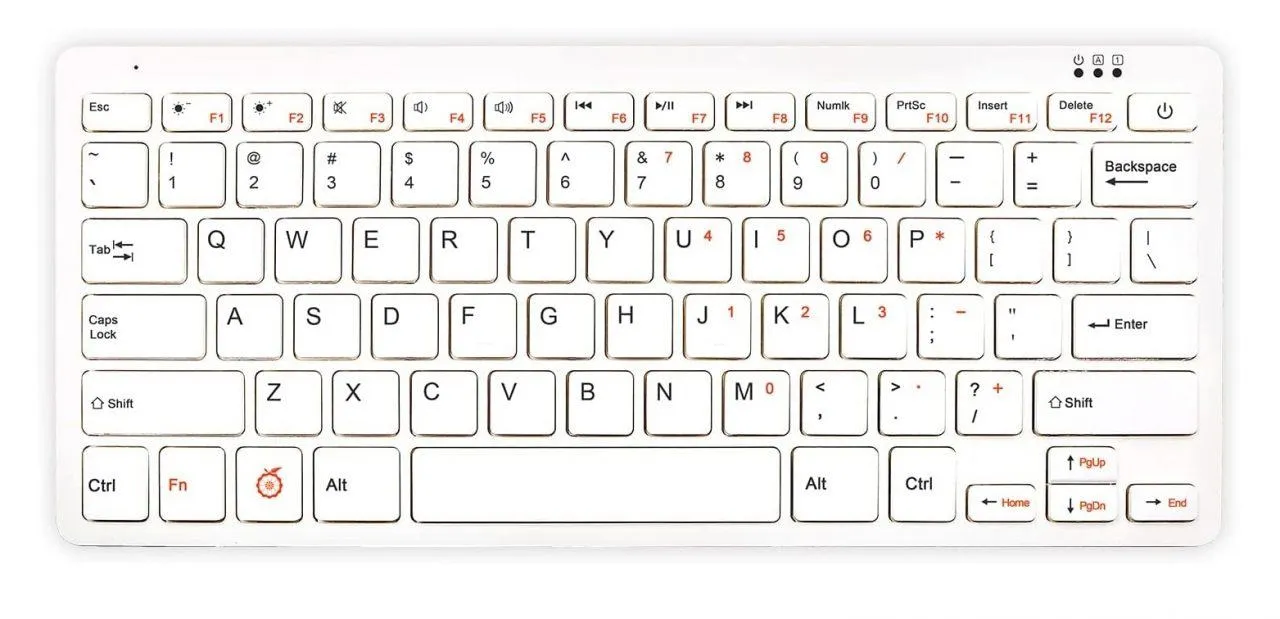
    78-key QWERTY keyboard

    CPU

    SoC

    Rockchip RK3399

    Total Cores

     6

    Total Threads

    6

    Cache Memory

    512 KB

    TDP

    7W

    GPU

    Processor Graphics

    ARM Mali-T860MP4

    Graphics Base Frequency

    350 MHz

    Graphics Base Frequency

    700 MHz

    Max Resolution

    4096×2160@60Hz

    Execution Units

    ?

    Operating System

    Pre-installed with 64bit Windows 11 Pro OS, supports Windows 11 Home, Windows IOT Enterprise, and Linux (Ubuntu, Debian).

    Memory
    (RAM)

    Memory Size

    4GB

    Memory Speed

    ? MHz

    Memory Type

    LPDDR4x

    Storage

    eMMC

    64GB (eMMC 5.1,Theoretical data speed 400MB/s )

    MicoSD Card Slot

    Yes

    SATA Slot (2.5″HDD)

    2.5inch SATA Slot × 1pc
    SATA III Theoretical data speed 6Gbps.


    Support SATA HDD/SSD up to 4TB (The Height of disk ≤9.5mm)”

    Graphics Outputs

    HDMI output

    HDMI 2.0, Support 4K@60fps
    Max Resolution:4096×2160@60

    VGA

    VGA × 1pc

    Audio

    Audio output

    HDMI 2.0 

    Audio input: onboard MIC, 3.5mm Headphone jack (input and output).

    Audio Input

    1x Microphone (Combo with 3.5mm earphone).

    Connectivity

    WiFi

    WiFi + Bluetooth: On-board module (CDW-20U5622); 2.4GHz/5GHz dual-band WiFi.

    Bluetooth

    BT5.2

    Ethernet

    10/100/1000Mbps (YT8531C)

    RJ-45

    USB Ports

    USB Type-C

    Yes (Power supply)

    USB 3.0

    x2  USB3.0
    Support external HDD and SSD up to 5TB

    USB 2.0

    x1 USB2.0 (480Mbps)

    Software

    Open Source Harmony OS

    Android 12.1

    Orange Pi OS

    Manjaro

    Ubuntu / Debian

    Other Interfaces

    Power supply: USB Type C interface.26Pin interface: with I2C*1, SPI, UART, and multiple GPIO ports.

    Power Button

    On/Off

    Power Button

    Power Indicator

    Power Indicator

    Power off: Red indicator
    Working and Sleep: Blue indicator

    Reset button

    BIOS Reset button

    Bios reset button × 1pc

    CMOS battery

    None-Rechargable

    Non-rechargeable Lithium-Manganese battery CR2032

    Power

    DC IN 5V/4A

    Dimensions

    286mm X 122 mm X 22 mm

    Weight:

     0.385KG


    Portable and lightweight

    The advantages are significant, particularly in portability. Only weighing 385g, Students can carry the keyboard for studying Linux or just for using it as a low-level Mini PC. Based on our experience running SBC based on RockChip hardware, specifications should be enough for running applications, using it to run open office, streaming, gaming, browsing the internet, etc.


    Hardware & Interfaces

    Powered with a Rockchip RK3399 SoC, a 6-core ARM 64-bit processor,4GB LPDDR4, dual-band (2.4GHz and 5.0GHz) wireless WiFi, Bluetooth 5.0, Gigabit Ethernet,dual-display output, 4K HD video output,2 x USB 3.0 and 1 x USB 2.0 ports. Orange Pi 800 offers a range of different ports. You can insert TF cards, display screens, and other devices. 26 Pin interface is reserved on the keyboard, which is convenient for many users, including open-source Linux hobbyists, developers, and DIY professionals.
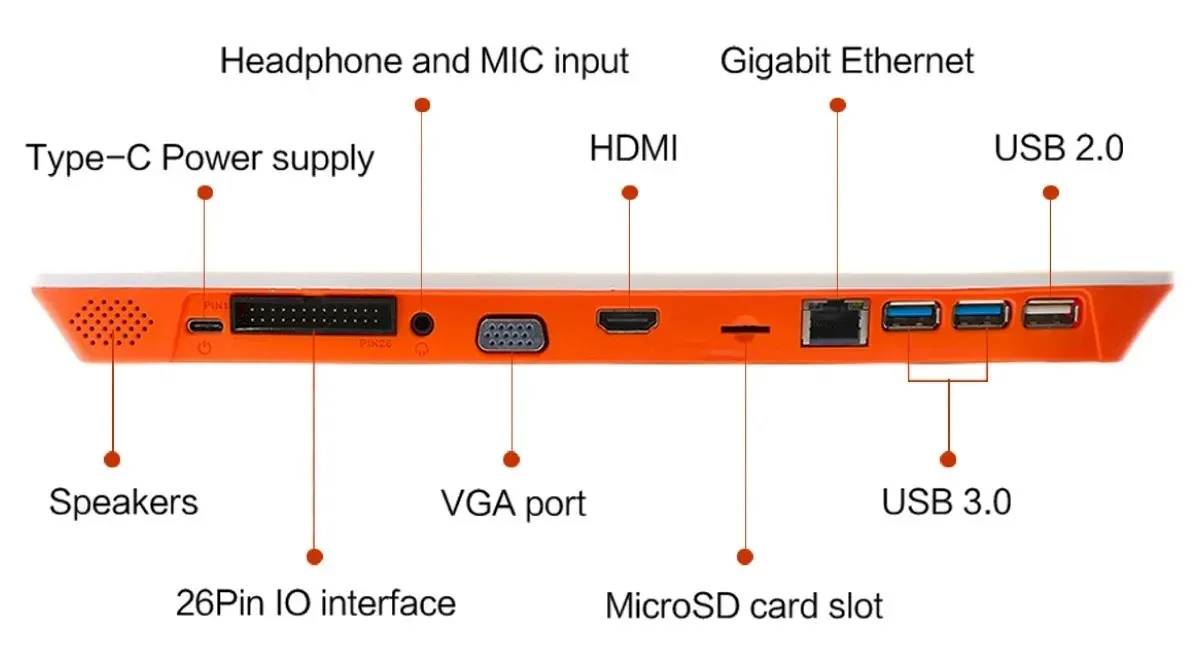
    Orange Pi 800 Interfaces

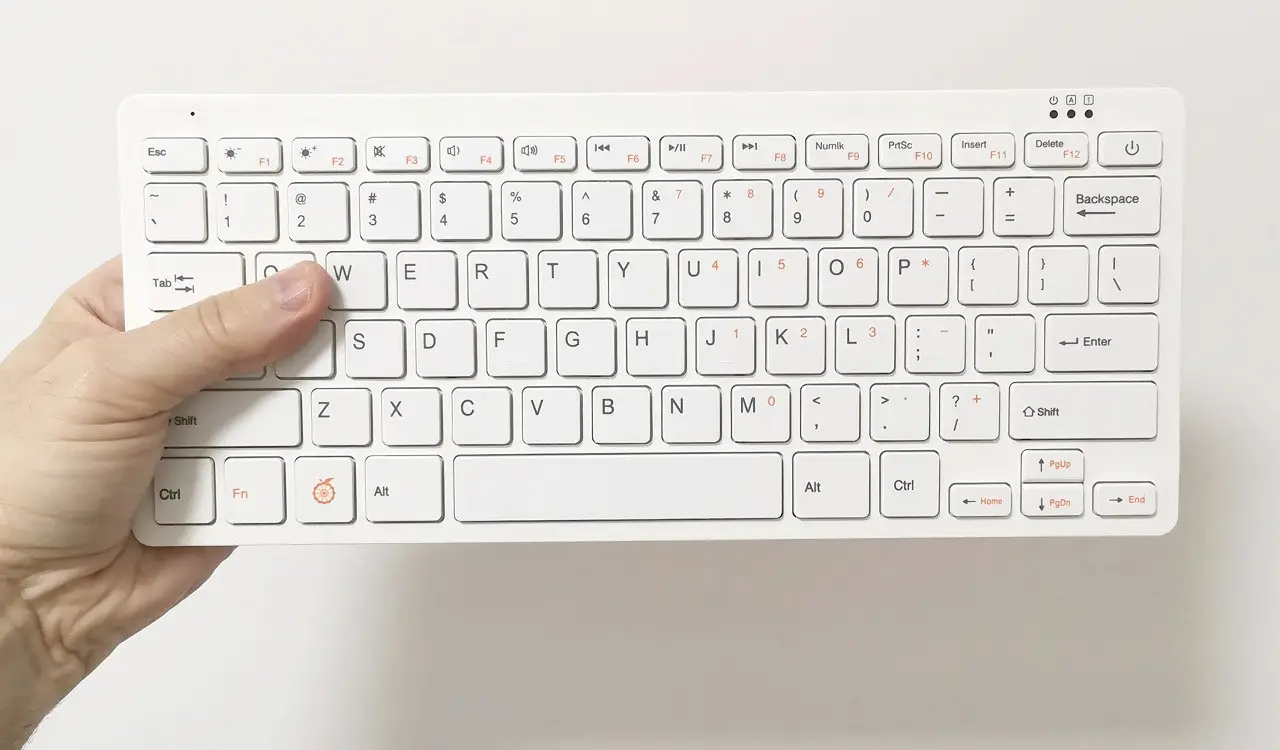
    Orange Pi 800 Keyboard layout

    Orange Pi 800 Keyboard Layout
    1 2 3 4
    Share. Facebook Twitter Pinterest LinkedIn Tumblr Email
    Previous ArticleASUS Tinker Edge T/R To Challenge the Raspberry Pi 4
    Next Article NanoPi R5C Tiny & Powerful OpenWrt Router Starts at $49
    androidpimp
    • Website

    Related Posts

    Youyeetoo NestDisk Mini PC Router

    Youyeetoo NestDisk Mini PC/Router: Is This Pocket-Sized 3-in-1 NAS Worth It?

    August 4, 2026
    Orange Pi X2 Mini PC 1

    Orange Pi X2 Mini PC Is Officially in the Works – Here’s What We Know

    July 29, 2026
    Ugoos SK4 Review

    Ugoos SK4 Review: The Best Mid-Range Android TV Box for Value & Features

    December 6, 2025
    0 0 votes
    Article Rating
    Subscribe
    Notify of
    0 Comments
    Oldest
    Newest Most Voted
    Categories
    PureVPN
    PureVPN Ad Banner
    PrivadoVPN – No. 1 in Parental Control
    PrivadoVPN 350x437
    Recent Posts
    • Rii TU3607 iPad Keyboard Case Review: Dream or Heavy Burden?
    • PrivadoVPN Review 2026: Does the Free Tier Still Work for Streaming?
    • Rii 518BT Review: Is This Pocket Keyboard Actually Usable?
    • Rii RK807 Pro Review: The Best Budget Apple Magic Keyboard Alternative?
    • Rii RK808 Review: The Best Foldable Travel Keyboard?
    • Rii RS201 Review: $69 16-Inch Portable Monitor Tested
    • AliExpress Promo Codes: August 2026 (100% Verified)
    • Orange Pi 6 Review: Is It Suitable for Running Local LLMs? We Checked.
    • Youyeetoo NestDisk Mini PC/Router: Is This Pocket-Sized 3-in-1 NAS Worth It?
    • DFRobot Unveils seeMote Cube: A 6DoF Physical Controller for Apple Vision Pro
    RSS feed: The Latest RSS Feeds The Latest RSS Feeds
    • Rii TU3607 iPad Keyboard Case Review: Dream or Heavy Burden?
    • PrivadoVPN Review 2026: Does the Free Tier Still Work for Streaming?
    • Rii 518BT Review: Is This Pocket Keyboard Actually Usable?
    Facebook X (Twitter) Instagram Pinterest
    @2026 - All Right Reserved. Designed by AndroidPIMP

    Type above and press Enter to search. Press Esc to cancel.

    wpDiscuz