Close Menu
  • Home
  • About
  • Wearables
  • Earbuds
  • Computer Accessories
    • Routers
    • Remotes
  • Embedded
    • Single Board Computers
    • Addon Boards
    • Raspberry Pi
  • Wireless Routers
  • Contact
Facebook X (Twitter) Instagram Threads
Trending
  • WaveNote AI Review 2026: An Honest Pro/Con Comparison (Tested)
  • Top Global AliExpress Promo Codes February 25, 2026
  • CamThink NE301 Review: 25 FPS YOLOv8 on STM32 Edge AI
  • PrivadoVPN Review 2026: Is the Best Free VPN Still Good for Streaming?
  • Orange Pi 6: Why Buy an AI HAT+? This SBC has 45 TOPS of Integrated AI Power
  • AliExpress Shopping Guide 2026: How to Find Top Deals & Avoid Scams
  • Banana Pi BPI-R4 Pro Review: The Best WiFi 7 OpenWrt Router? We Checked!
  • Best Off-Grid LoRa Mesh Messenger [2026] – LoraSecret
AndroidPIMP
Facebook X (Twitter) Instagram
  • Home
  • About
  • Wearables
  • Earbuds
  • Computer Accessories
    • Routers
    • Remotes
  • Embedded
    • Single Board Computers
    • Addon Boards
    • Raspberry Pi
  • Wireless Routers
  • Contact
AndroidPIMP
Mobile Phones

Xiaomi Poco X3 NFC review: one of the best cheapest phones

By androidpimpNovember 28, 2020Updated:April 12, 2023No Comments13 Mins Read
Facebook Twitter Pinterest LinkedIn Tumblr Email
Follow Us
Google News Flipboard
POCO X3 NFC Smartphone
Table of contents
  1. Poco X3 NFC price and release date
  2. Positioning and price
  3. Specs and Highlights
  4. Specification
  5. Package(s)
  6. Whatโ€™s in the box
  7. Design, materials, build quality
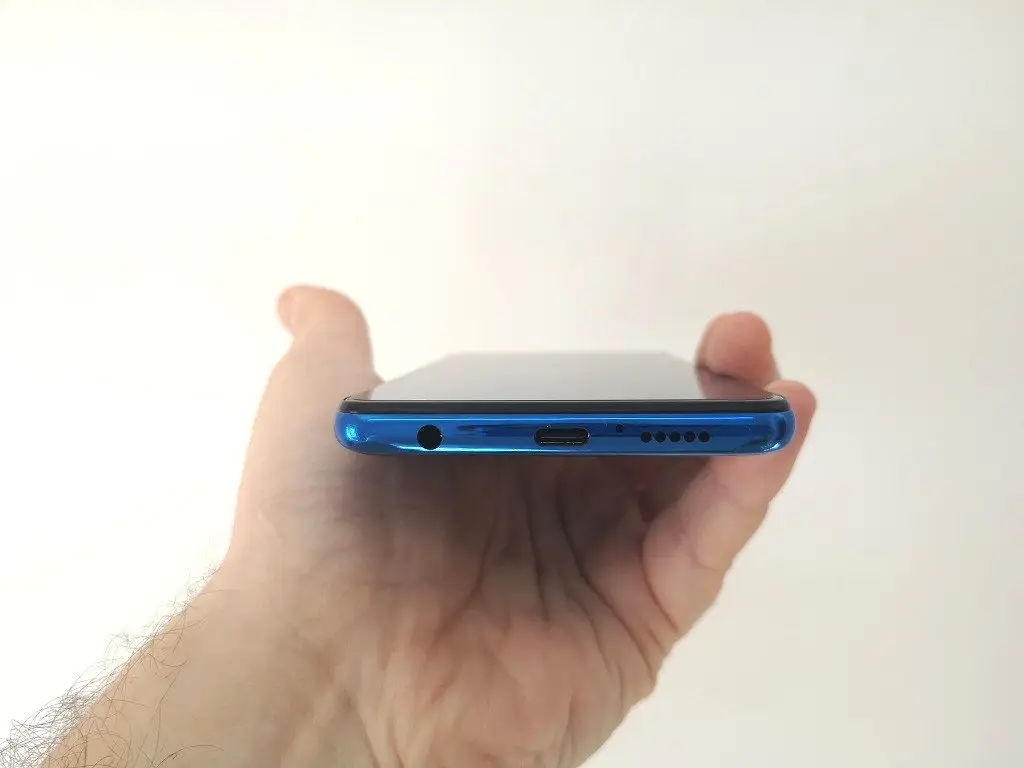
  8. The POCO X3 Design
  9. The POCO X3 Build Quality
  10. Display
  11. Hardware and performance
  12. Designed for Gaming
  13. Charging & Battery life
  14. Battery life
  15. Cameras
  16. What quality photos can you expect?
  17. Video Recording
  18. Poco X3 vs Huawei P20 Main Camera
  19. Sound
  20. Biometric unlocking
  21. Firmware and software
  22. Other useful features
  23. Verdict
  24. Where can I buy the Xiaomi POCO X3 ?

Xiaomi Poco X3 NFC review & features .


Poco X3 NFC price and release date

As part of Xiaomi’s marketing strategy, the POCO brand was created as a separate independent entity in India by establishing an independent company, responsible for the market mid-range handsets as well as flagship smartphones to compete with OnePlus and Samsung. The POCO X3 was recently launched in India on 2020 September 22nd and achieved great success with 100,000 os unit sales in just three days. It’s sold in India at a retail price starting at ₹18,499 ($251USD) for the 128 GB / 6 GB RAM model. on other stores, including Aliexpress you can also find it in a price range of $220-290USD.


Positioning and price

The POCO X3 is positioned as one of the top affordable smartphones for the end of 2020 and possibly beyond, due to its excellent specification price-value ratio. The average price range for the high-end model with 6GB and 64GB starts at $250 and above, depending on the internal storage space configuration.

POCO X3 was initially designed from the Indian market. Xiaomi’s desire to become a key dominant player in India and worldwide has started to prove itself. The new handset comes with features every user would like to have such as the built-in NFC function, dual stereo speakers, large capacity 5160mAh battery, and a great 64MP rear camera array, which is more than capable of producing above-average quality photos.


Specs and Highlights

  • OS/Software: MIUI 12 (Android 10.0)
  • Chipset: Octa-core Qualcomm Snapdragon 768G, Adreno 618 GPU
  • Display – 6.67″-inch display, 10-Points Touch Bright, and clear display in resolution of 2400x1080px with Refresh rate 120 Hz and brightness 450 nits.
  • Memory & Storage: 6GB/8GB RAM – 64GB, 128GB, 256GB storage.
  • Sony IMX682 rear camera with a 64Mp sensor takes great pictures, and the 20Mp front camera is designed for selfies.
  • MicroSD slot – Yes, Expandable storage up to 256GB.
  • IR blaster – Yes
  • IP53 splash-proof – Yes
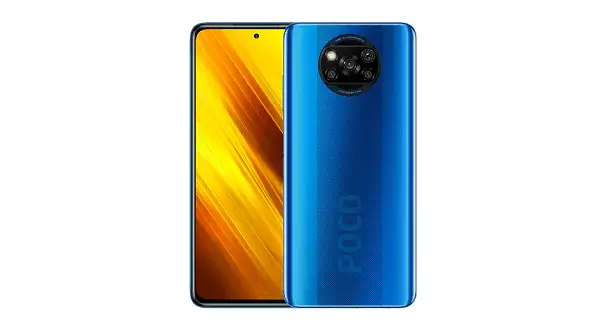
  • Available colours: Cobalt Blue, Shadow Gray.
  • A standard 3.5mm headphone jack – Yes
  • Built-in NFC – Yes
  • FM Radio – Yes
  • Battery: Li-Po 5160 mAh Large Capacity Battery with Fast charging 33W.
  • Sensors: Fingerprint (side-mounted), accelerometer, gyro, proximity, a compass.

Specification

Release StatusRelease 2020, Sep
ProcessorOcta-core (2×2.3 GHz Kryo 470 Gold & 6×1.8 GHz Kryo 470 Silver)
ChipsetQualcomm SM7150-AC Snapdragon 732G (8 nm)
GPUAdreno 618
RAM & Storage64GB 6GB RAM, 128GB 6GB RAM, UFS 2.1
External StoragemicroSDXC (uses shared SIM slot)
OSAndroid 10, MIUI 12
BatteryLi-Po 5160 mAh, non-removable battery
Fast charging 33W, 62% in 30 min, 100% in 65 min (advertised)
Display size6.67 inches, 107.4 cm2 (~84.6% screen-to-body ratio)
1080 x 2400 pixels, 20:9 ratio (~395 PPI density)
Display type IPS LCD capacitive touchscreen, 16M colors
FeaturesCorning Gorilla Glass 5
HDR10
120Hz refresh rate
450 nits type. brightness (advertised)
Dimension165.3  x  76.8  x  9.4 mm
Weight215 g (7.58 oz)
Body TypeGlass front (Gorilla Glass 5), aluminum frame, plastic back
Water-repellent coating
ColorsCobalt Blue, Shadow Gray
Connectivity
SIMHybrid Dual SIM (Nano-SIM, dual stand-by)
Data SpeedHSPA 42.2/5.76 Mbps, LTE-A
WifiWi-Fi 802.11 a/b/g/n/ac, dual-band, Wi-Fi Direct, hotspot
Bluetooth5.1, A2DP, LE
NFCYes
InfraredYes
USB2.0, Type-C 1.0 reversible connector, USB On-The-Go
SensorsFingerprint (side-mounted), accelerometer, gyro, proximity, compass
GPSYes, with A-GPS, GLONASS, BDS
RadioFM radio, recording
Rear CameraQuad: 64 MP, f/1.9, (wide), 1/1.73″, 0.8µm, PDAF + 13 MP, f/2.2, 119˚ (ultrawide), 1.0µm + 2 MP, f/2.4, (macro) + 2 MP, f/2.4, (depth)
Front Camera20 MP, f/2.2, (wide), 1/3.4″, 0.8µm
Video4K@30fps, 1080p@30/120fps, 720p@960fps; gyro-EIS
Selfie: 1080p@30fps
FeaturesDual-LED flash, HDR, panorama
Selfie: HDR
Loud SpeakerYes, with stereo speakers
Sound JackYes
24-bit/192kHz audio
RadioFM radio, recording

Package(s)

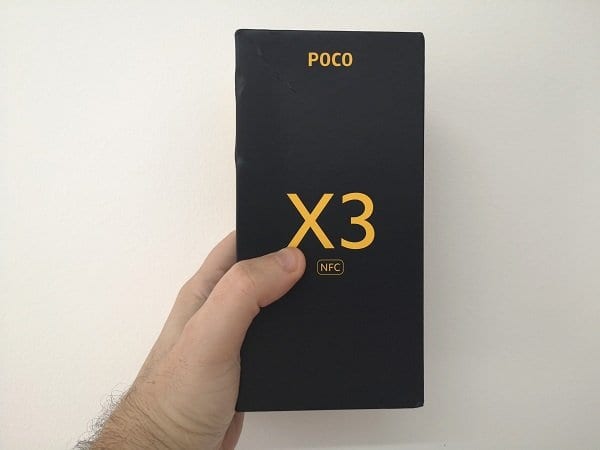
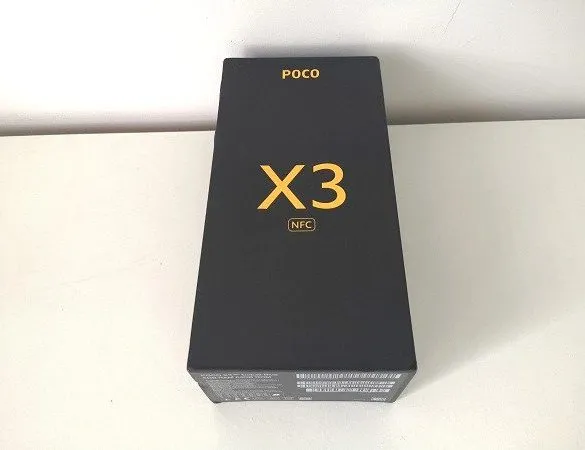
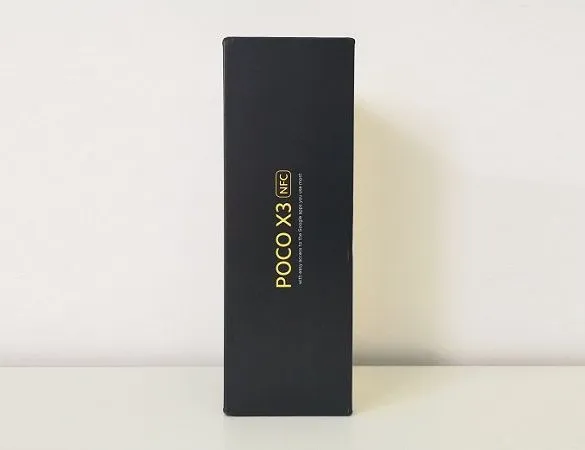
  • Xiaomi POCO X3 Pkg 1
    Xiaomi POCO X3 Package - PIC 1 of 5
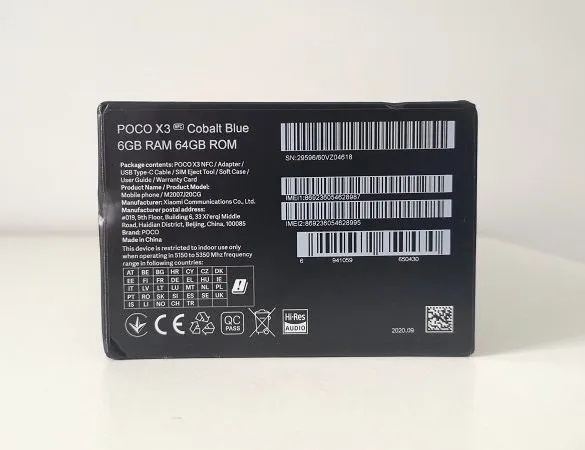
  • Xiaomi POCO X3 Pkg 2
    Xiaomi POCO X3 Package - PIC 2 of 5
  • Xiaomi POCO X3 Pkg 3
    Xiaomi POCO X3 Package - PIC 3 of 5
  • Xiaomi POCO X3 Pkg 4
    Xiaomi POCO X3 Package - PIC 4 of 5
  • Xiaomi POCO X3 Pkg 5
    Xiaomi POCO X3 Package - PIC 5 of 5

Accessories Package

  • POCO X3 Pkg2 1
    POCO X3 | Accessories Package - PIC 1 of 4
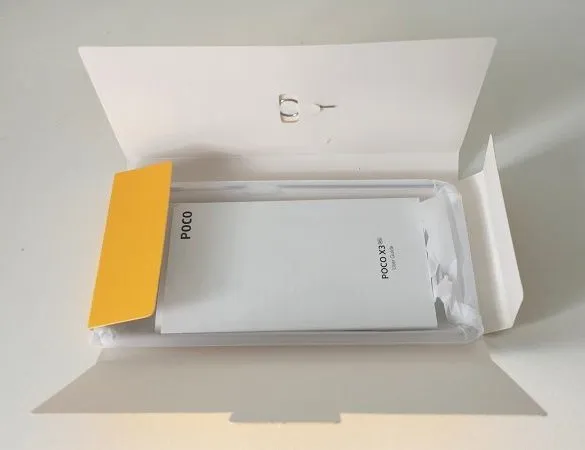
  • POCO X3 Pkg2 2
    POCO X3 | Accessories Package - PIC 2 of 4
  • POCO X3 Pkg2 3
    POCO X3 | Accessories Package - PIC 3 of 4
  • POCO X3 Pkg2 4
    POCO X3 | Accessories Package - PIC 4 of 4

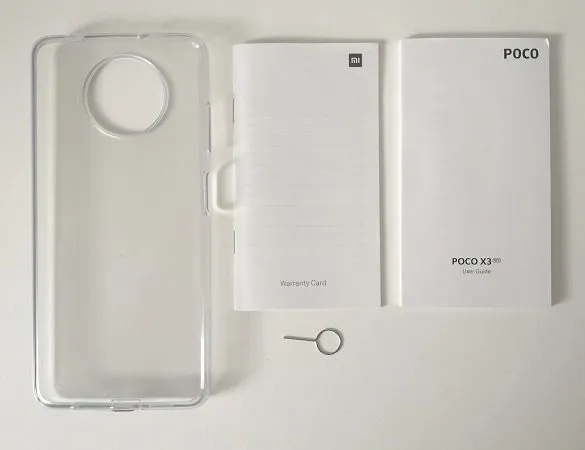
What’s in the box

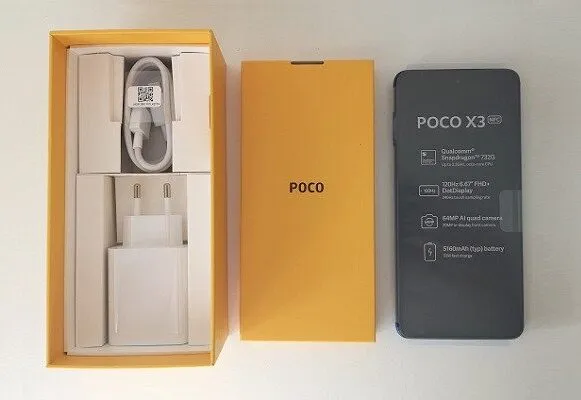
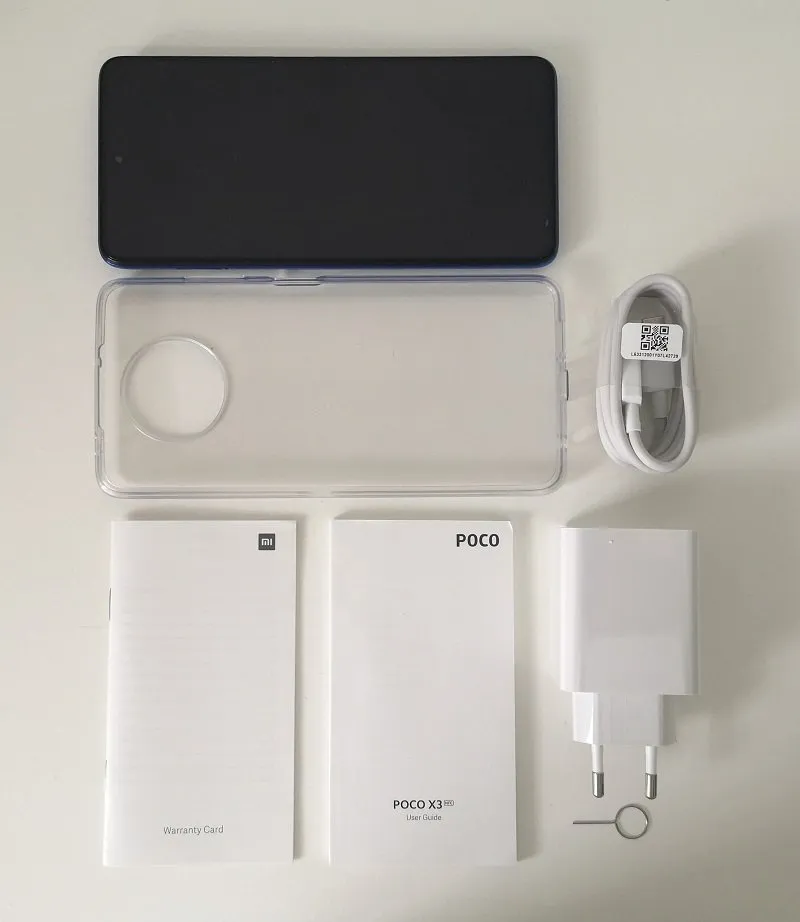
  • 1x POCO X3.
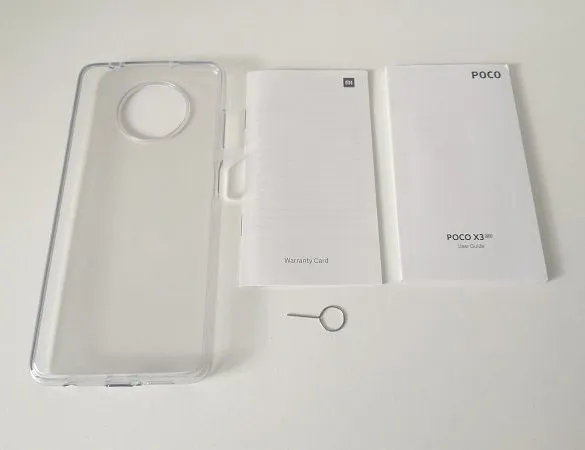
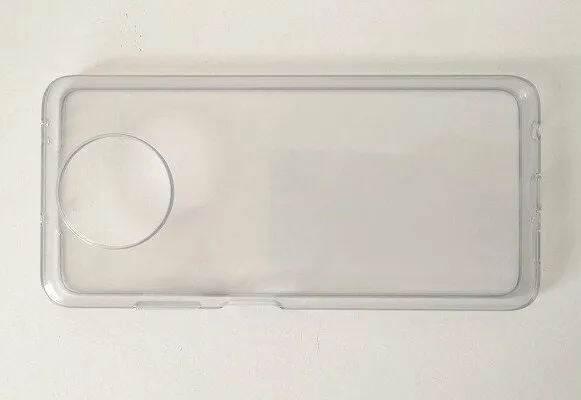
  • 1x TPU protective case.
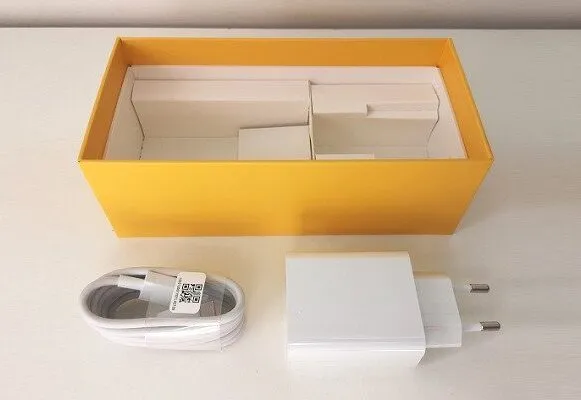
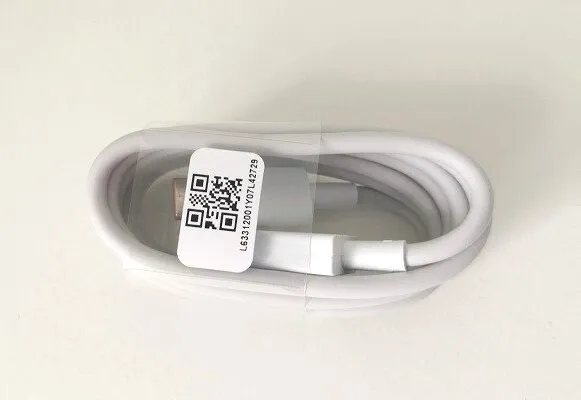
  • 1x USB Type-C Cable.
  • 1x Warranty booklet.
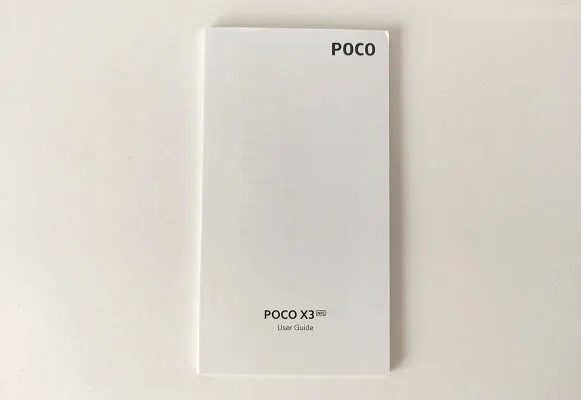
  • 1x User guide.
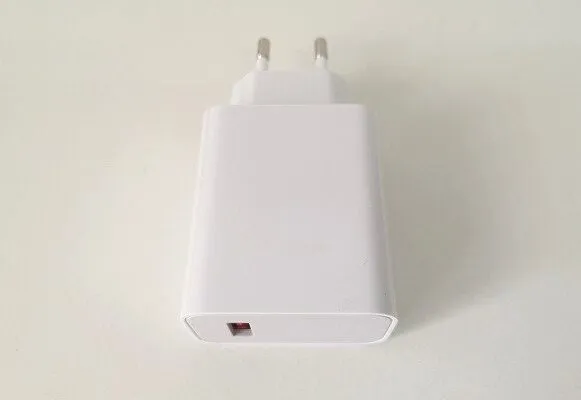
  • 1x Charger.
  • 1x SIM eject tool.

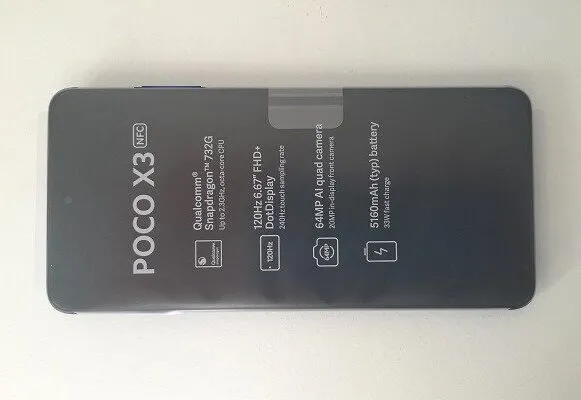
POCO X3 | Unboxing All Items

  • POCO X3 Unboxing 1
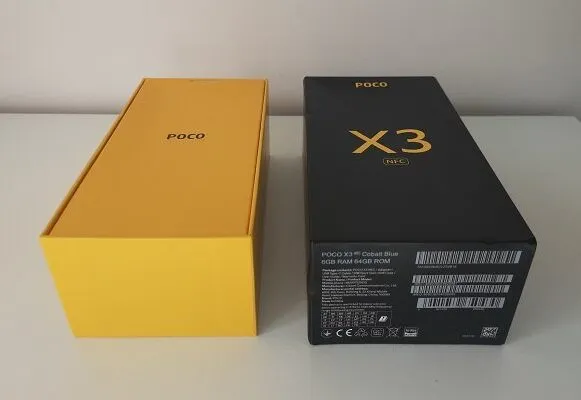
    POCO X3 Unboxing | Main Package
  • POCO X3 Unboxing 2
    POCO X3 Unboxing | Main Package + Second Package

  • POCO X3 Unboxing 3
    POCO X3 Unboxing | Main Package opened
  • POCO X3 Unboxing 4
    POCO X3 Unboxing | Main Package unboxing
  • POCO X3 Unboxing 5
    POCO X3 Unboxing | Front view
  • POCO X3 Unboxing 6
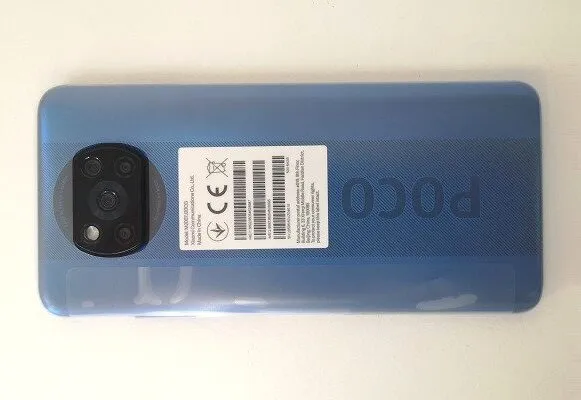
    POCO X3 Unboxing | Back view
  • POCO X3 Unboxing 7
    POCO X3 Unboxing | TPU Case
  • POCO X3 Unboxing 8
    POCO X3 Unboxing | Charger
  • POCO X3 Unboxing 9
    POCO X3 Unboxing | USB Type-C Cable
  • POCO X3 Unboxing 12
    POCO X3 Unboxing | Sim Card Tray Pin Eject Tool
  • POCO X3 Unboxing 10
    POCO X3 Unboxing | User Guide
  • POCO X3 Unboxing 11
    POCO X3 Unboxing | Warranty brochure

POCO X3 | All Items

Xiaomi POCO X3 Items

Design, materials, build quality

The POCO X3 Materials

The POCO X3 smartphone is made from an aluminum frame. For the display, Xiaomi used an impressive 2.5D curved glass screen combined with Gorilla Glass 5 protection that helps protect the device from scratch and short-distance drops.

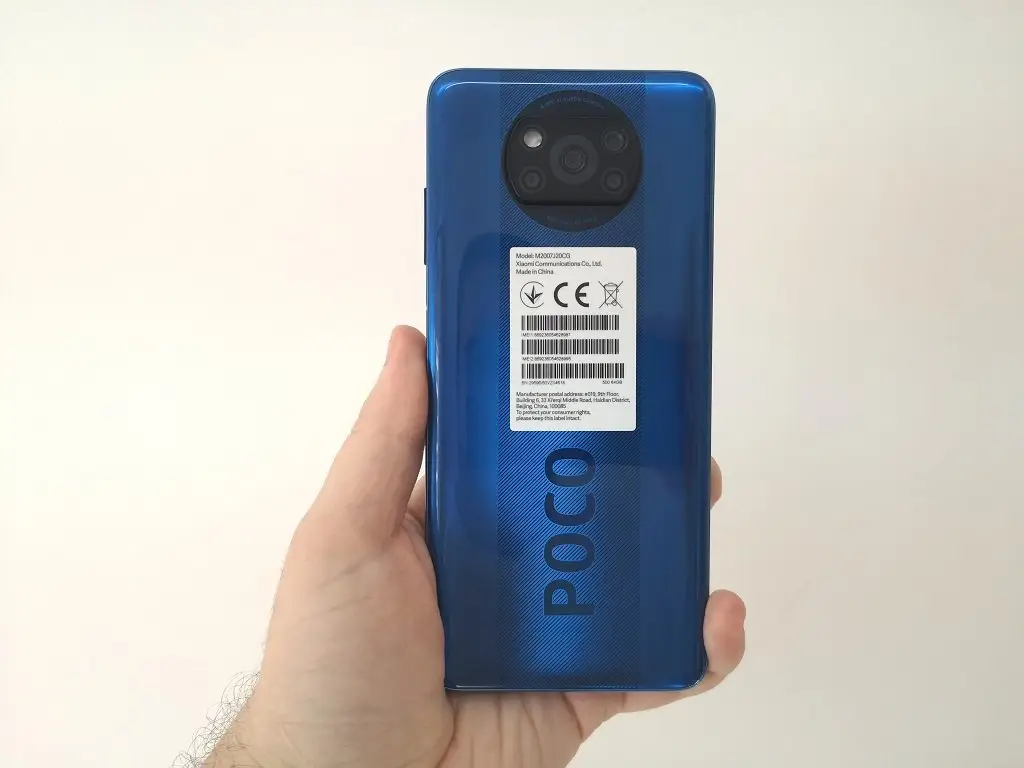
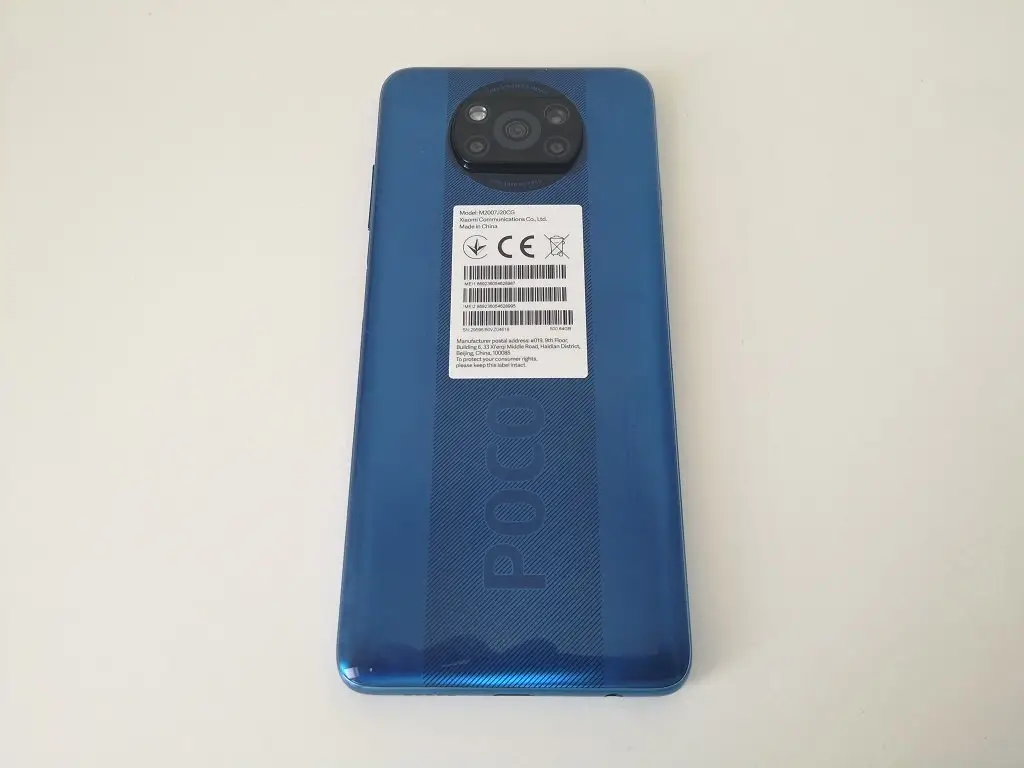
As for the back cover, Xiaomi made it completely from a very high-quality plastic material in three main colors: cobalt blue, and shadow Gray with an imprint of the POCO brand name.

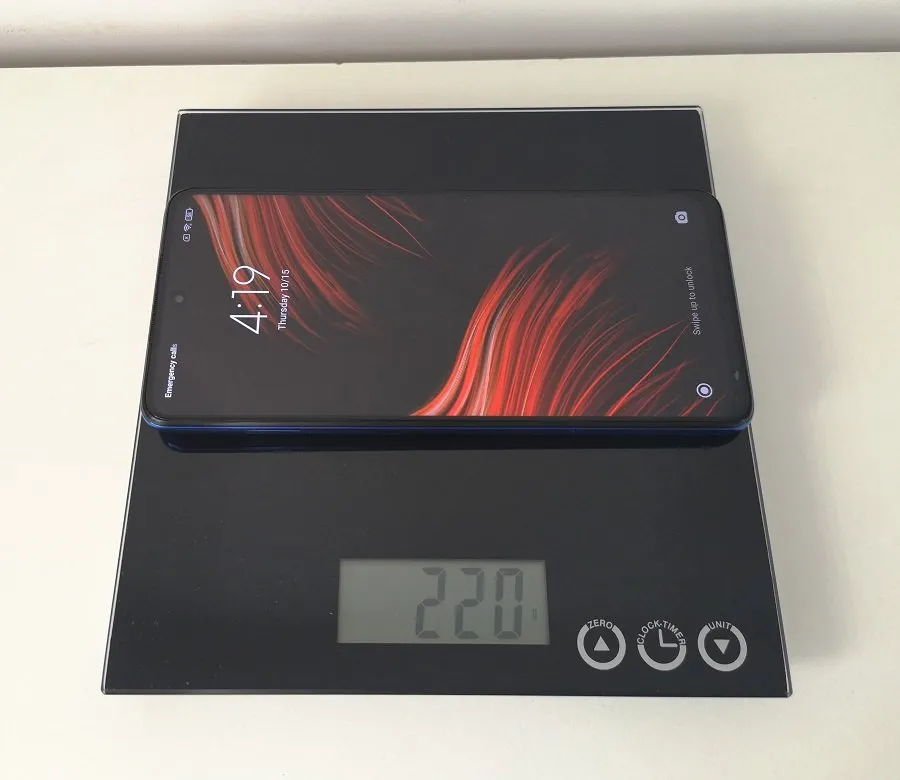
Most likely, that the weight consideration was a key consideration because the rear camera array also carries some extra weight to the device, something that Xiaomi most likely wanted to avoid, and still keep the device considerably light. The POCO X3 weight without any sim or case weighs exactly 220 g. Some users would find it pretty heavy to carry, but again it’s a matter of personal convenience.

The POCO X3 Design

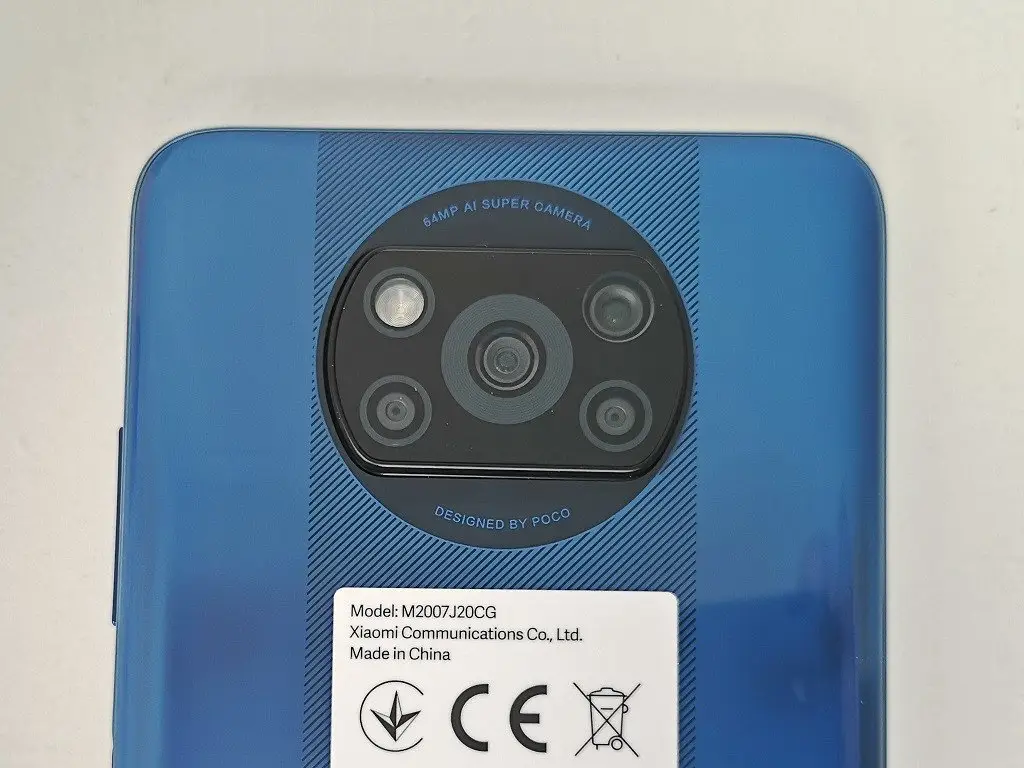
In the design arena, we noticed the camera array located on the back of the phone that doesn’t give the device a very elegant clean look and sticks out in about 3 mm. If you buy the POCO X3 you would know that buying a good protective case is a real necessity. It will help protect the camera lens from drops and scratches.

The POCO X3 Build Quality

Excellent as with most Xiaomi products. We didn’t find any flaws or problems in the design. The build quality looked very well and when holding the phone, we felt like holding an expensive premium device.

Xiaomi POCO X 3 | Full view
POCO X3 02
POCO X3 02
POCO X3 03
POCO X3 03
POCO X3 04
POCO X3 04
POCO X3 05
POCO X3 05
POCO X3 06
POCO X3 06
POCO X3 07
POCO X3 07
POCO X3 01
POCO X3 01

Display

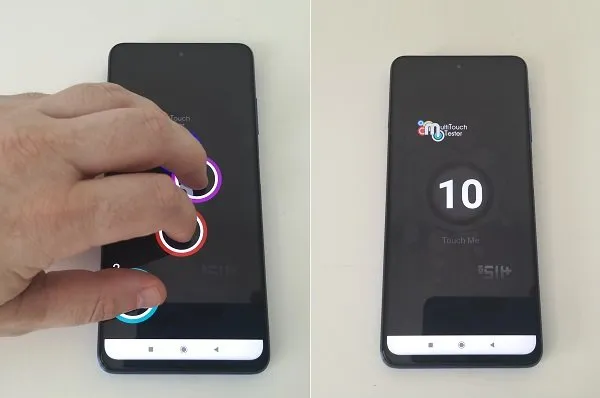
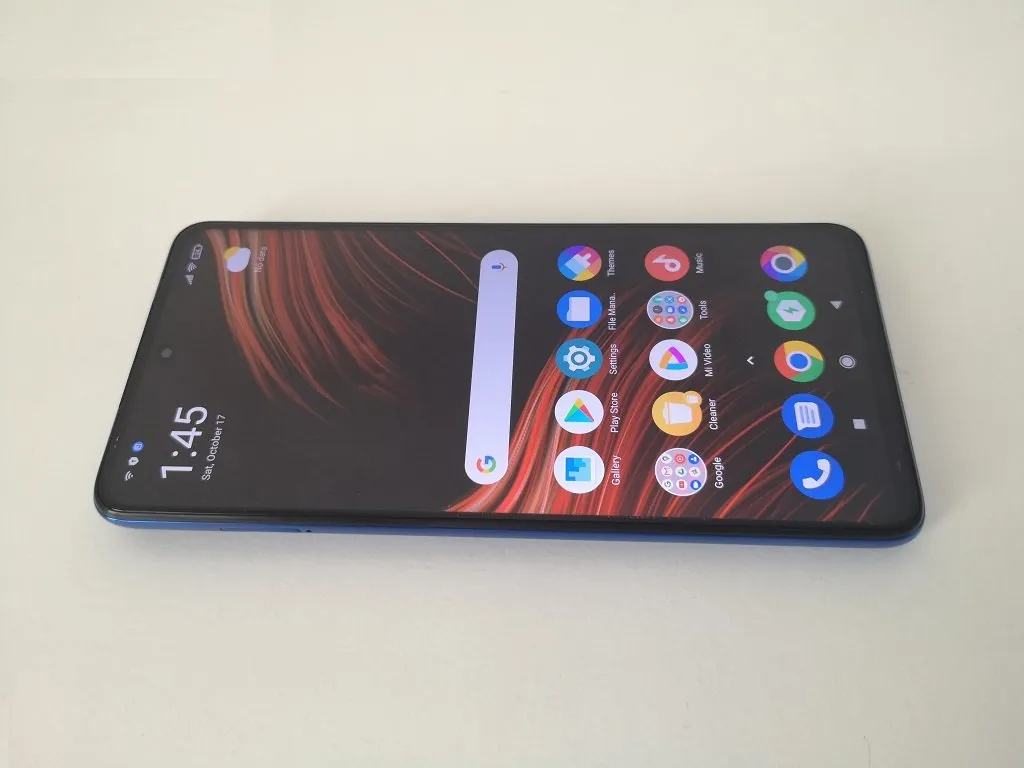
The POCO X3 comes with a sharp 10-Points scratch-resistant LCD type display in resolution of 1080 x 2400 pixels with a density of 395ppi, 20:9 ratio, and a screen diagonal of 6.66 inches. It supports high refresh rates from 60Hz up to 120MHz. If needed, you can manually control the refresh settings under the display settings section and probably squeeze some extra battery life.

The POCO X3 squared elongated shape display makes it very easy to hold and operate the phone in just one hand. Besides, Xiaomi also integrated a light sensor that works pretty well in automatically adjusting the display brightness level according to different environmental conditions which helps to save power.

Another key element related to the design of the display is the 20 MP, f/2.2 selfie camera with Hole-punch Notch design, which gives the phone a great elegant look we really liked.
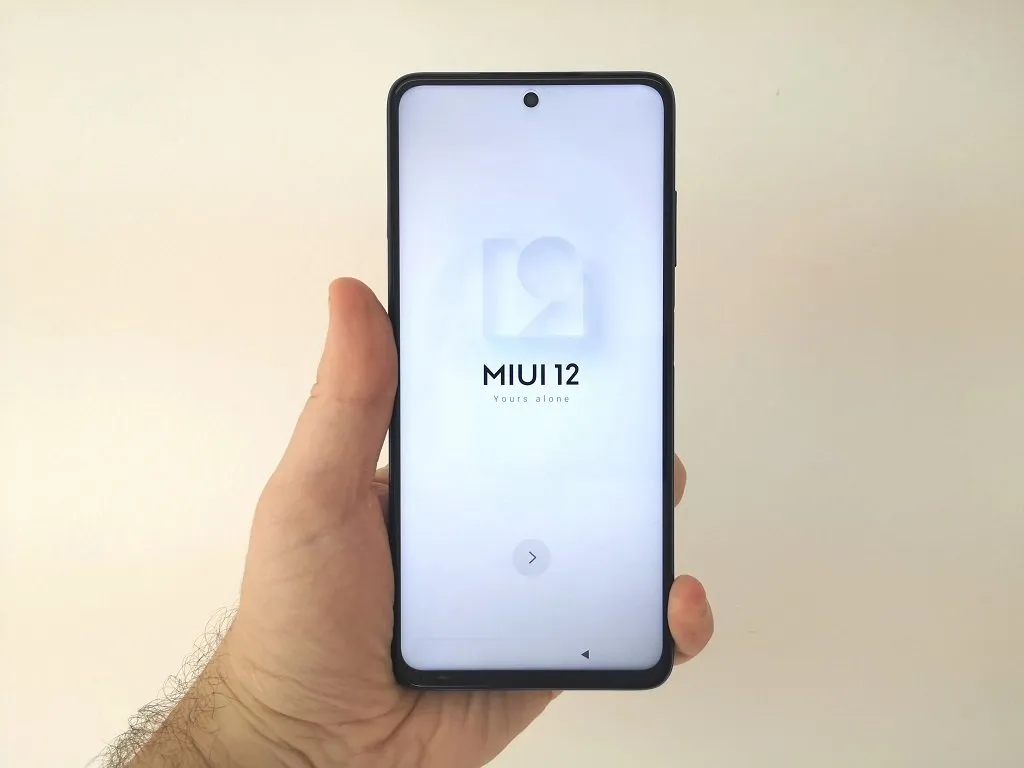
Xiaomi POCO X3 Display 1
Xiaomi POCO X3 Display 2
POCO X3 Touch Screen
POCO X3 – 10 Points Touch Display

Hardware and performance

The POCO X3 is powered by a Qualcomm SM7150-AC Snapdragon 732G processor dedicated to the smartphone sector, it has a total of 8 cores: two cortex-A76 cores capable of operating at a peak frequency of 1.80GHz and additional six Cortex-A55 cores working at a maximum frequency of 2.30GHz.

POCO X3 | CPU-Z System information
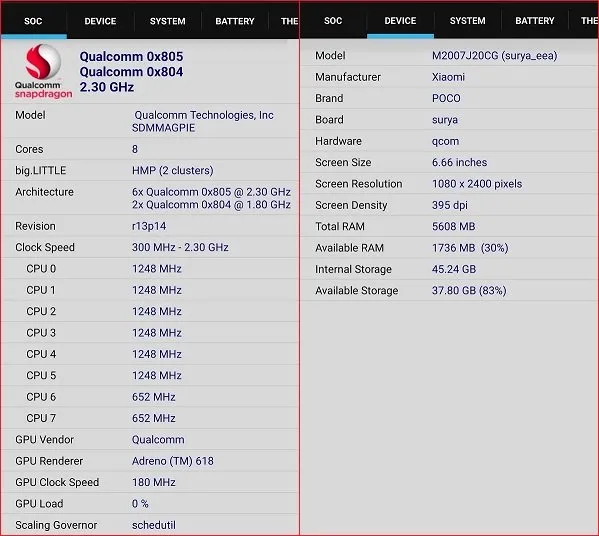
POCO X3 Hardware
POCO X3 Hardware
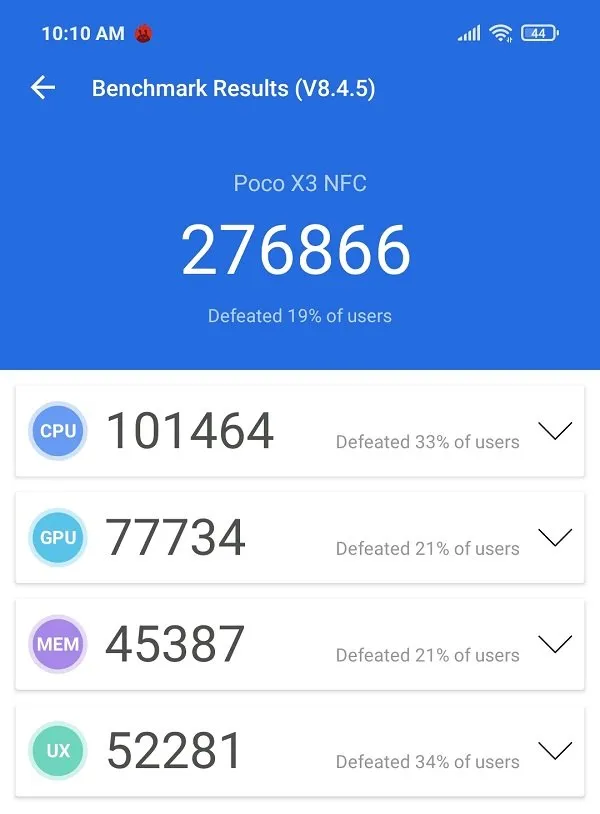
POCO X3 Antutu
POCO X3 Antutu

Designed for Gaming

At the heart of the POCO X3, you will find a Qualcomm Adreno 618 GPU designed for upper mid-range users. To improve the gaming experience, Xiaomi included a special game boost feature that works with a few popular games that were also pre-installed in MIUI software such as Block Puzzle Guardian, Bouble shooter with friends, Bubble story, Tile Fun, Block Puzzle Guardian, Crazy Juicer, and Dust settle.


Charging & Battery life

The POCO X3 comes with a large capacity non-removable battery Li-Po 5160 mAh battery can potentially that last up to 2-day in moderate use. In our opinion, the battery life is closer to a day in normal usage. Xiaomi used an LCD that consumes quite an amount of power instead of choosing an AMOLED display. Xiaomi also included their Cleaner app and battery power management tools that help clean temporary Internet files, cookies, history, memory, redundant, and cache files.

Charging Time

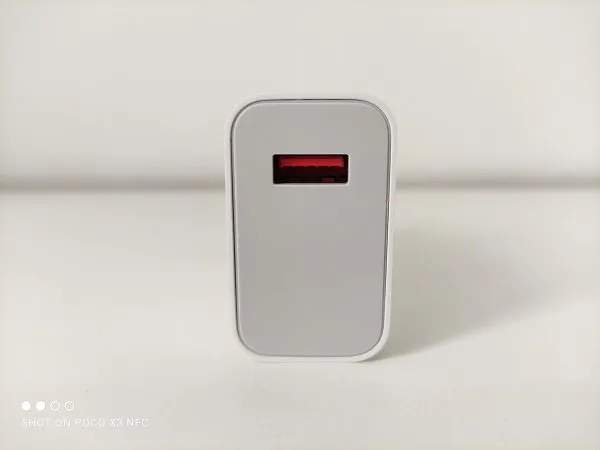
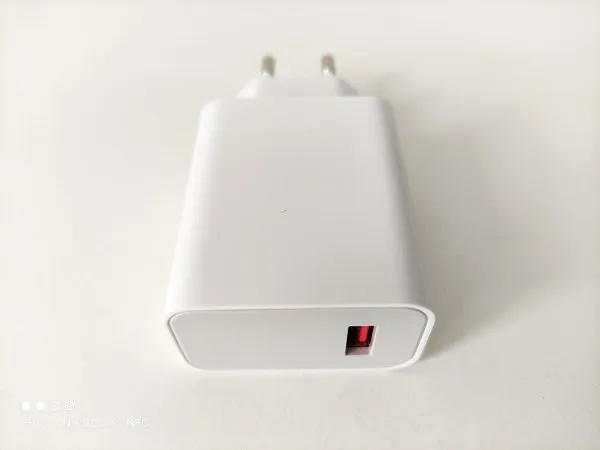
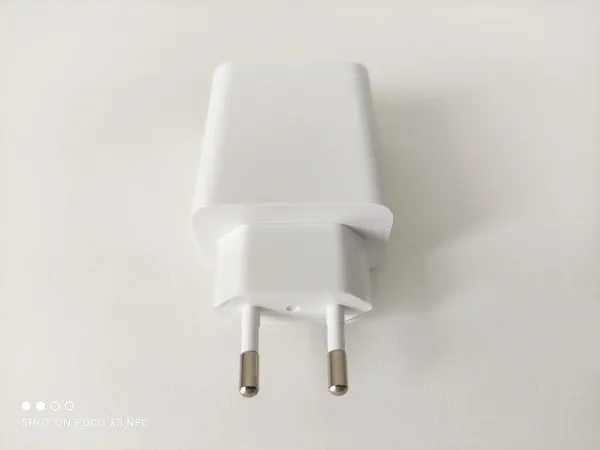
Another important feature we found is fast-charging 33W support. Poco X2 has 33W fast charging over Power Delivery standards. It has three charging profiles at 5V 3A, 9V 3A, and 12V 2.5A. According to our test, after fully discharging the battery it took exactly 60 minutes to charge the POCO X3 phone to %100 capacity.

POCO X3 Charger
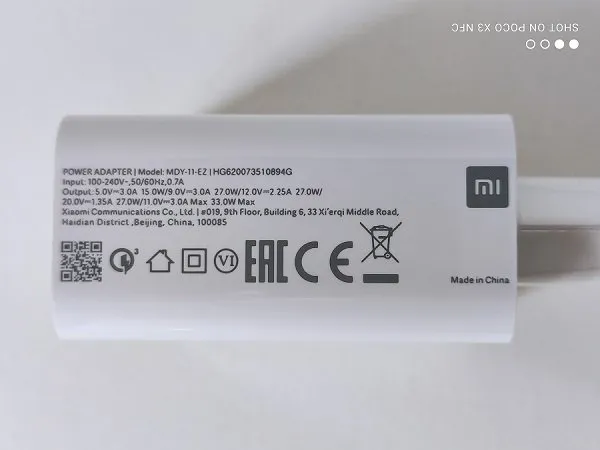
  • POCO X3 Charger 01
    POCO X3 Charger - PIC 1 of 4
  • POCO X3 Charger 02
    POCO X3 Charger - PIC 2 of 4
  • POCO X3 Charger 03
    POCO X3 Charger - PIC 3 of 4
  • POCO X3 Charger 04
    POCO X3 Charger - PIC 4 of 4

Battery life

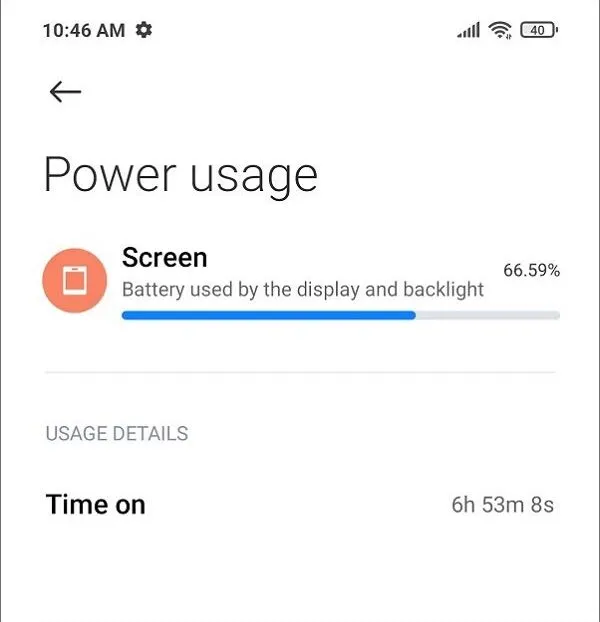
POCO X3 comes with an exceptionally high capacity Li-Po 5160 battery that will last you about a day (depending on the type of usage). In a very modest usage with some browsing and IM with display brightness set manually to ~%25, the power consumption for %55 was 2855mAh with a very respectful time on Screen of 6h 53m. Keep in mind that with more aggressive power management settings, you will most like can achieve up to 7h of time on screen.

POCO X3 | Battery Power Consumption
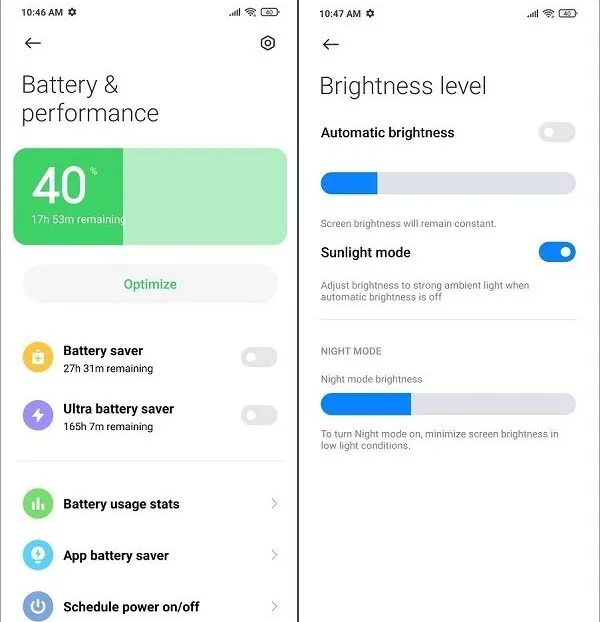
  • POCO X3 Battery 1
    POCO X3 | Battery Power Consumption - PIC 1 of 3
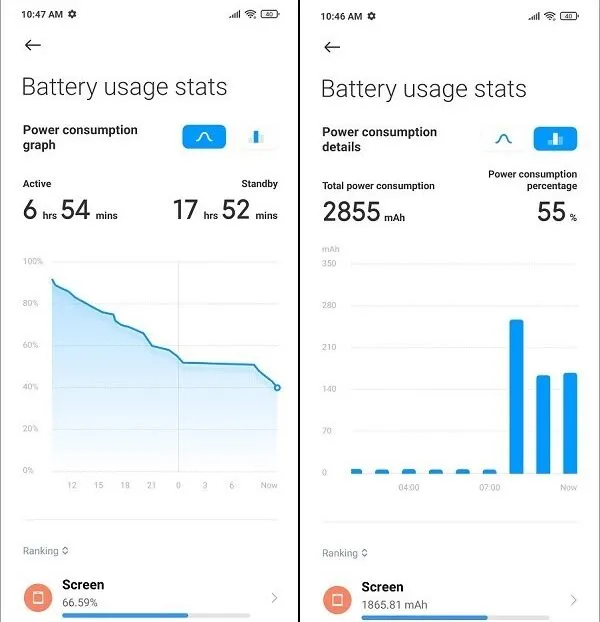
  • POCO X3 Battery 2
    POCO X3 | Battery Power Consumption - PIC 2 of 3
  • POCO X3 Battery 3
    POCO X3 | Battery Power Consumption - PIC 3 of 3

Cameras

At the core of the POCO X3 quad-camera array, you will find a Sony IMX682 sensor with an aperture of f/1.89, along with additional three sensors for ultrawide, macro and depts photography. For the front selfie camera, Xiaomi implementer a 20MP camera with an aperture of f/2.22 that produces pretty decent quality photos.

Main (Back) Camera:

  • 64 MP, f/1.9, (wide), 1/1.73″, 0.8µm, PDAF.
  • 13 MP, f/2.2, 119˚ (ultrawide), 1.0µm
  • 2 MP, f/2.4, (macro).
  • 2 MP, f/2.4, (depth).

Selfie Camera: 20 MP, f/2.2, (wide), 1/3.4″, 0.8µm


What quality photos can you expect?

Optimal light conditions

In optimal light conditions, you can expect the POCO X3 to produce high-quality photos, nor less than those you can find in high-end smartphones. Based on our tests, the main 64 MP camera performance was pretty impressive and responded very fast when focusing on photographed objects.

Low light conditions

As expected, in low light conditions the POCO X3 64MP camera performed pretty much as most mid-range smartphones, producing average quality photos. Again, being realistic, you should not expect a $250+ device to have the same level of optics as in a $500 premium smartphone. Having said that, The quality of the shots also depends on the specific light conditions. With the right conditions with just using street lighting without any flash assistance, we managed to produce some good photos.

Zoom Factor

The POCO X3 supports optical zoom with a scale factor of x0.6,1x and x2. Beyond those values between x4 up to x5, you will still be able to take good decent shots, but when the zoom factor is increased using digital zoom, the shots will look less Impressive.

POCO X3 | Zoom shots of a building: x0.6 / 1x / x2

Loading…
  • Name
  • Size
  • Modified
  • Date of creation
  •  
  • Ascending
  • Descending
  • No options…

Xiaomi POCO X3 Camera samples

Day Samples

Loading…
  • Name
  • Size
  • Modified
  • Date of creation
  •  
  • Ascending
  • Descending
  • No options…

Night Samples

Loading…
  • Name
  • Size
  • Modified
  • Date of creation
  •  
  • Ascending
  • Descending
  • No options…

POCO X3 | Macro Shots (Daylight)

Loading…
  • Name
  • Size
  • Modified
  • Date of creation
  •  
  • Ascending
  • Descending
  • No options…

POCO X3 | Selfie (Daylight)

Loading…
  • Name
  • Size
  • Modified
  • Date of creation
  •  
  • Ascending
  • Descending
  • No options…

Video Recording

POCO X3 supports four recording modes: 720P@30fp, 1080P@30, 1080P@30, and 4K@30fps. The rear camera has optical image stabilization (OIS) to counteract camera shakes. It works best in walking on a bumpy road or another type of light usage. Overall, our video experience was excellent.

Video Sample | 1080@P60fps

Video Sample | 4K@30fps


Poco X3 vs Huawei P20 Main Camera

For reference, we tested the Huawei P20 phone’s decent quality 20MP main front camera against the POCO X3 64MP rear camera. Although both devices use different camera sensors, the results were pretty supersizing, and if we can honestly say that both phones are almost equal in terms of the quality of shots with a slight advantage for Huawei P20 device in producing more natural with less intense colors compared to the POCO X3.

Test Sample – 1 of 4 (Indoors)

X3
P20

Test Sample – 2 of 4 (Outdoors)

X3 1
P20 1

Test Sample – 3 of 4 (Outdoors)

X3 2
P20 2

Test Sample – 4 of 4 (Outdoors)


Sound

Experience listing to music with the POCO X3 was good. It’s most likely you would not find almost if any dual stereo speakers systems in a $250+ smartphone. From our impression, the POCO X3 sound quality was good and reasonably loud.


Biometric unlocking

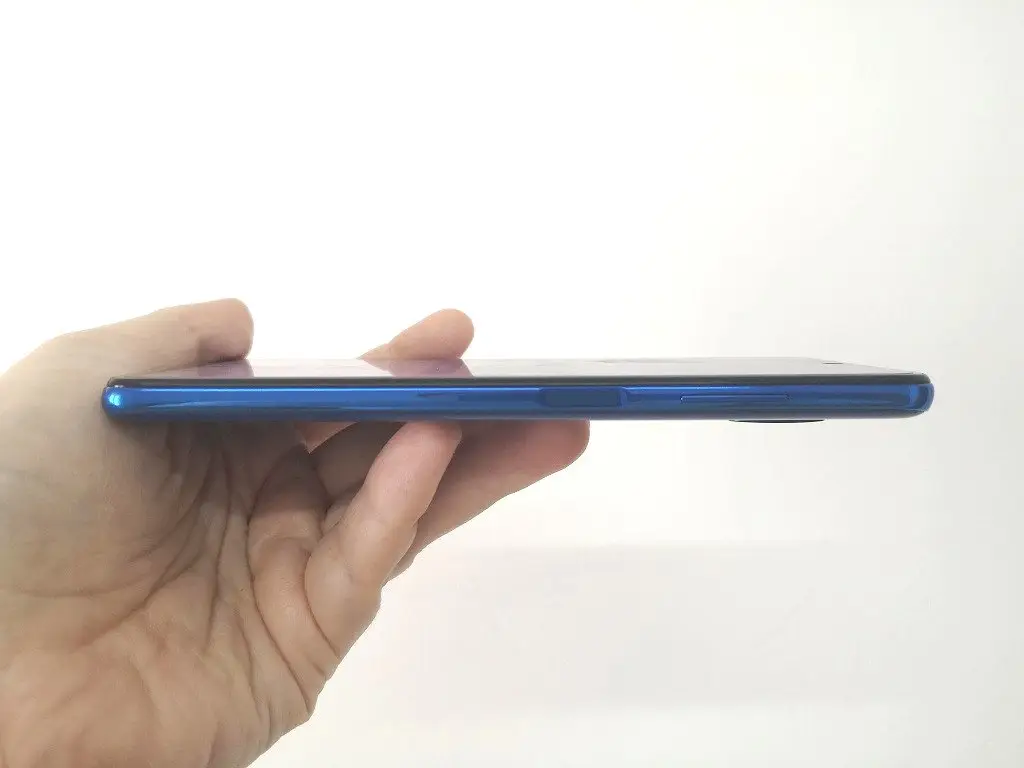
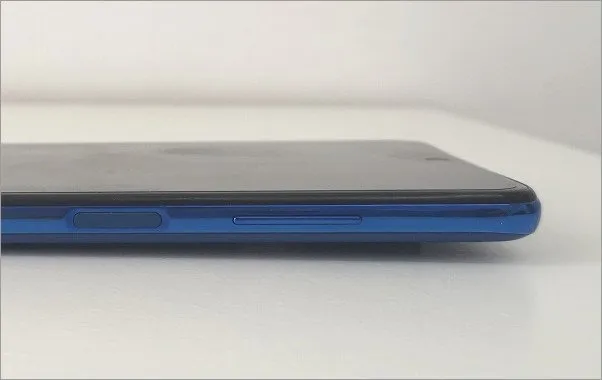
Xiaomi implemented a fast response side-mounted fingerprint sensor within the power on/off button, located on the right side of the POCO X3 just beneath volume rocker buttons. It’s very comfortable having the fingerprint sensor on the side, because it’s very accessible within one handgrip, instead of trying to reach the sensor on the front or back of the phone.

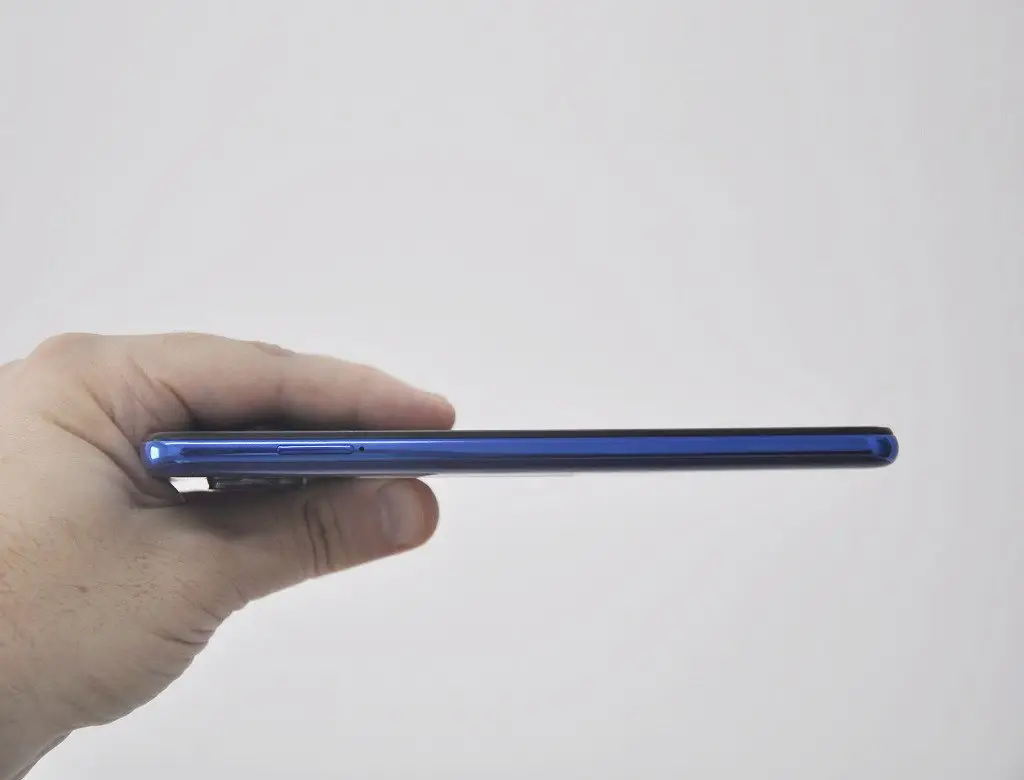
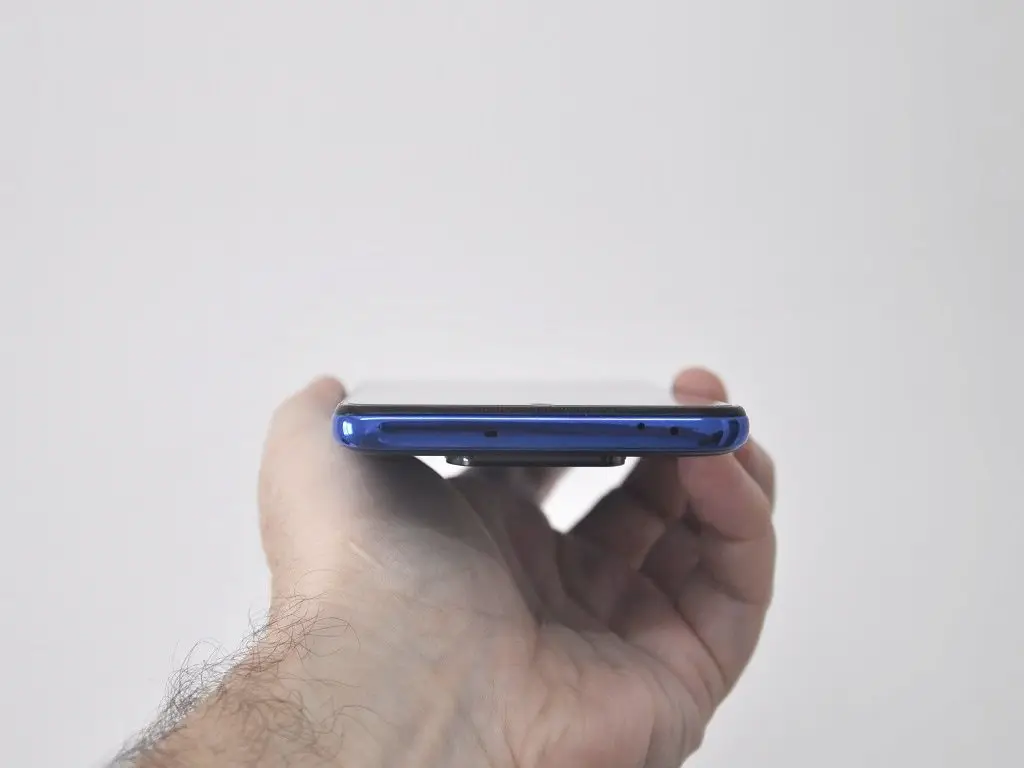
POCO X3 | Control Buttons
POCO X3 Buttons
POCO X3 – Phone Control Buttons

Firmware and software

Xiaomi did a great job designing the MIUI 12.0.X, which is a very responsive user interface packed with tons of interesting features built on top of Android 10.0 OS. Our experience using the MIUI was nothing excellent, and everything worked very smoothly.

How to Remove Unwanted Ads from MIUI 12

As part of Android OS, Xiaomi decided to implement a googles advertisement recommendation engine that pushes unnecessary advertisements into a few MIUI system apps. If you want to disable the Google ads recommendation feature, you can do it in a few steps:

Step #1 – Disabling msa Service:

Settings>password and security>Authorization & revocation and set msa off. Now, you will have to wait 10 seconds before you can tap Revoke.

Step #2 – Disabling Ads inside all MIUI system Apps:

Navigate to..Option to Disable
Cleaner> Settings Receive recommendations.
Music>Settings>Advanced settingsShow ads
Online content services
Downloads>Settings Show recommended content.
File Manager>Settings>AboutRecommendations
Mi Video> Profile option> SettingsPersonalized recommendations.
Themes>My page>SettingsRecommendations

Step #3 – Under Settings>Privacy> Ads enable Opt-out Ads Personalization

Step #4 – Removing advertising during apps launch: Just after installing any App click the upper right Settings button and disable Receive recommendations.


Other useful features

IR Blaster

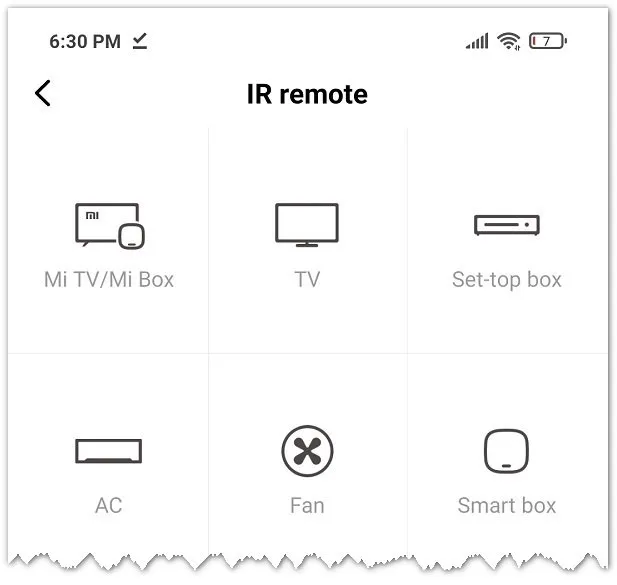
Among the standard sensors you can find in most smartphones, Xiaomi also included an IR Blaster that lets you use your phone as a universal remote control unit. Using ‘Mi Remote app, you can control a wide selection of home electronic appliances such as AC, Cameras, TVs, and Fans based categories and manufacturer names.

Xiaomi also included Mi TV/Mi TV Box in the list of manufacturers. The IR blaster is not a must-have type of feature to have inside a smartphone. However, still, it’s nice to have it, especially if for some reason you lost your Mi Box remote control, and you don’t have any immediate alternatives to operate your device.

POCO X3 |Appliances list by categories (IR Blaster Apps)
POCO X3 IR Blaster
POCO X3 IR Blaster

IR Blaster App| Set-top box remote c. virtual keys layout
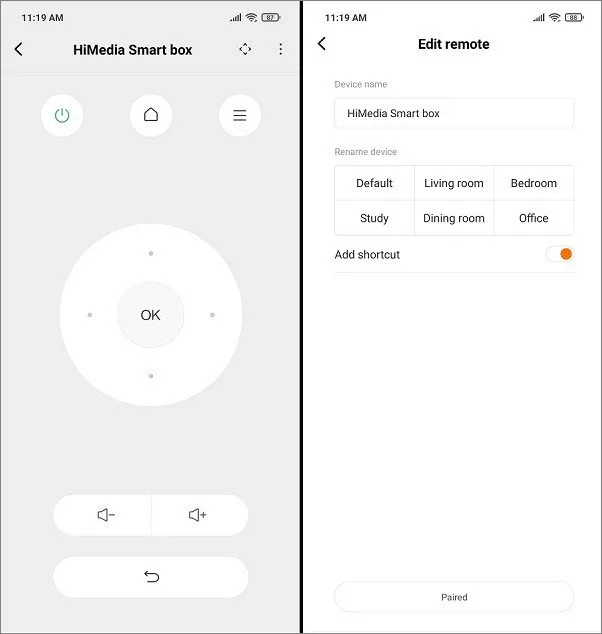
Xiaomi POCO X3 IR Blaster

FM Radio App

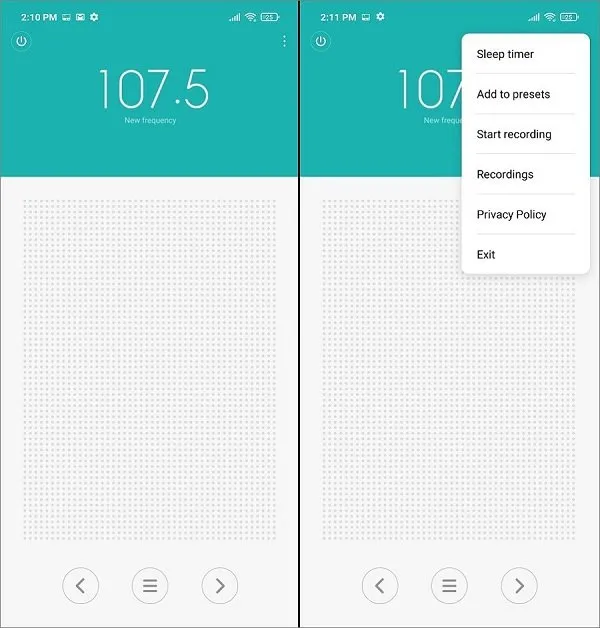
The POCO X3 Radio App is easy to operate. It offers manual and automatic and manual radio station presetting with recording options. Although, it’s less recommended we were able to receive a few radio stations without plugging an earphone into the phone 3.5 mm headphone jack.

POCO X3 | Radio App
NFC

Xiaomi also included NFC support inside the POCO X3. You can surely say it’s the amongst top highlight of this phone, becoming more popular worldwide. NFC secure technology is a real necessity when used in a wide selection of electronic wallet applications.


Verdict

POCO X3 is a superb high-value handest we definitely recommend buying. It has all the functions most users would ever possibly need and more, including NFC support at a super low price tag.

On the less positive side, you should consider twice when buying it for a young teenager that might not like the idea of carrying a 220gr smartphone that can accidentally drop the phone and cause damage to the back camera lens. Having said that, if you do choose to buy it, picking a high-quality rigid type case will provide excellent protection for this phone and is a real necessity.


Where can I buy the Xiaomi POCO X3 ?

If you find this smartphone very cool and affordable as we did, you are welcome to check more details on Banggood Official store link posted below:

Discount Coupon: BGPX3
Final Price: $229
Expiration date: 10.31
Share. Facebook Twitter Pinterest LinkedIn Tumblr Email
Previous ArticleNanoPi R2S Gets All Metal Protective Case
Next Article Nanopi R4S Review, Specs: RK3399 OpenWrt Powered SBC
androidpimp
  • Website

Related Posts

xiaomi redmi turbo 5 max

Redmi Turbo 5 Max (2026) unveiled with 9,000mAh battery, specs, price, and design

February 2, 2026
REDMI Note 15 Series

Redmi Note 15 Global Debut: 200MP Camera, eSIM & Titan Toughness

January 25, 2026
Xiaomi 17 Pro and Pro Max flagship series

Xiaomi 17 Pro Max vs iPhone 17 Pro Max: Specs, Price & Honest Review

October 5, 2025
0 0 votes
Article Rating
Subscribe
Notify of
0 Comments
Oldest
Newest Most Voted
Inline Feedbacks
View all comments
PureVPN
PureVPN Ad Banner
VyprVPN – No. 1 in Anonymity
Vyprvpn 350x260
PrivadoVPN – No. 1 in Parental Control
PrivadoVPN 350x437
Recent Posts
  • WaveNote AI Review 2026: An Honest Pro/Con Comparison (Tested)
  • Top Global AliExpress Promo Codes February 25, 2026
  • CamThink NE301 Review: 25 FPS YOLOv8 on STM32 Edge AI
  • PrivadoVPN Review 2026: Is the Best Free VPN Still Good for Streaming?
  • Orange Pi 6: Why Buy an AI HAT+? This SBC has 45 TOPS of Integrated AI Power
  • AliExpress Shopping Guide 2026: How to Find Top Deals & Avoid Scams
  • Banana Pi BPI-R4 Pro Review: The Best WiFi 7 OpenWrt Router? We Checked!
  • Best Off-Grid LoRa Mesh Messenger [2026] – LoraSecret
  • Redmi Turbo 5 Max (2026) unveiled with 9,000mAh battery, specs, price, and design
  • HiWonder WonderLLM: ESP32-S3 AI Vision & Chatbot Module with 2MP Camera
RSS The Latest RSS Feeds
  • WaveNote AI Review 2026: An Honest Pro/Con Comparison (Tested)
  • Top Global AliExpress Promo Codes February 25, 2026
  • CamThink NE301 Review: 25 FPS YOLOv8 on STM32 Edge AI
Facebook X (Twitter) Instagram Pinterest
@2026 - All Right Reserved. Designed by AndroidPIMP

Type above and press Enter to search. Press Esc to cancel.

Powered by
►
Necessary cookies enable essential site features like secure log-ins and consent preference adjustments. They do not store personal data.
None
►
Functional cookies support features like content sharing on social media, collecting feedback, and enabling third-party tools.
None
►
Analytical cookies track visitor interactions, providing insights on metrics like visitor count, bounce rate, and traffic sources.
None
►
Advertisement cookies deliver personalized ads based on your previous visits and analyze the effectiveness of ad campaigns.
None
►
Unclassified cookies are cookies that we are in the process of classifying, together with the providers of individual cookies.
None
Powered by
Accessibility
Accessibility modes
Epilepsy Safe Mode
Dampens color and removes blinks
This mode enables people with epilepsy to use the website safely by eliminating the risk of seizures that result from flashing or blinking animations and risky color combinations.
Visually Impaired Mode
Improves website's visuals
This mode adjusts the website for the convenience of users with visual impairments such as Degrading Eyesight, Tunnel Vision, Cataract, Glaucoma, and others.
Cognitive Disability Mode
Helps to focus on specific content
This mode provides different assistive options to help users with cognitive impairments such as Dyslexia, Autism, CVA, and others, to focus on the essential elements of the website more easily.
ADHD Friendly Mode
Reduces distractions and improve focus
This mode helps users with ADHD and Neurodevelopmental disorders to read, browse, and focus on the main website elements more easily while significantly reducing distractions.
Blindness Mode
Allows using the site with your screen-reader
This mode configures the website to be compatible with screen-readers such as JAWS, NVDA, VoiceOver, and TalkBack. A screen-reader is software for blind users that is installed on a computer and smartphone, and websites must be compatible with it.
Readable Experience
Content Scaling
Default
Text Magnifier
Readable Font
Dyslexia Friendly
Highlight Titles
Highlight Links
Font Sizing
Default
Letter Spacing
Default
Left Aligned
Center Aligned
Right Aligned
Visually Pleasing Experience
Dark Contrast
Light Contrast
Monochrome
High Contrast
High Saturation
Low Saturation
Adjust Text Colors
Adjust Title Colors
Adjust Background Colors
Easy Orientation
Mute Sounds
Hide Images
Hide Emoji
Reading Guide
Stop Animations
Reading Mask
Highlight Hover
Highlight Focus
Big Dark Cursor
Big Light Cursor
Cognitive Reading
Virtual Keyboard
Navigation Keys
Voice Navigation

AndroidPIMP

Accessibility Statement

  • AndroidPIMP.com
  • 10/18/2025

Compliance status

We believe the internet should be open and accessible to everyone, and weโ€™re dedicated to making our website usable for the widest audience possible, no matter their circumstances or abilities.

To achieve this, we follow the World Wide Web Consortiumโ€™s (W3C) Web Content Accessibility Guidelines 2.1 (WCAG 2.1) at the AA level as closely as possible. These guidelines outline how to make web content accessible for people with a variety of disabilities. By complying with them, we help ensure our website is usable by everyone, including those who are blind, have motor or visual impairments, cognitive disabilities, and more.

This website uses a range of technologies to stay accessible at all times. An accessibility interface lets people with specific disabilities customize the siteโ€™s UI and design to fit their personal needs.

The website also uses an AI-powered application that works in the background to constantly enhance its accessibility. This app fixes the siteโ€™s HTML, adjusts its features and behavior for screen readers used by blind users, and optimizes keyboard functions for people with motor impairments.

If youโ€™ve found a malfunction or have ideas for improvement, weโ€™ll be happy to hear from you. You can reach out to the websiteโ€™s operators by using the following email [email protected]

Screen-reader and keyboard navigation

Our website implements the ARIA attributes (Accessible Rich Internet Applications) technique, alongside various different behavioral changes, to ensure blind users visiting with screen-readers are able to read, comprehend, and enjoy the websiteโ€™s functions. As soon as a user with a screen-reader enters your site, they immediately receive a prompt to enter the Screen-Reader Profile so they can browse and operate your site effectively. Hereโ€™s how our website covers some of the most important screen-reader requirements, alongside console screenshots of code examples:

  1. Screen-reader optimization: we run a background process that learns the websiteโ€™s components from top to bottom, to ensure ongoing compliance even when updating the website. In this process, we provide screen-readers with meaningful data using the ARIA set of attributes. For example, we provide accurate form labels; descriptions for actionable icons (social media icons, search icons, cart icons, etc.); validation guidance for form inputs; element roles such as buttons, menus, modal dialogues (popups), and others. Additionally, the background process scans all the websiteโ€™s images and provides an accurate and meaningful image-object-recognition-based description as an ALT (alternate text) tag for images that are not described. It will also extract texts that are embedded within the image, using an OCR (optical character recognition) technology. To turn on screen-reader adjustments at any time, users need only to press the Alt+1 keyboard combination. Screen-reader users also get automatic announcements to turn the Screen-reader mode on as soon as they enter the website.

    These adjustments are compatible with all popular screen readers, including JAWS and NVDA.

  2. Keyboard navigation optimization: The background process also adjusts the websiteโ€™s HTML, and adds various behaviors using JavaScript code to make the website operable by the keyboard. This includes the ability to navigate the website using the Tab and Shift+Tab keys, operate dropdowns with the arrow keys, close them with Esc, trigger buttons and links using the Enter key, navigate between radio and checkbox elements using the arrow keys, and fill them in with the Spacebar or Enter key.Additionally, keyboard users will find quick-navigation and content-skip menus, available at any time by clicking Alt+1, or as the first elements of the site while navigating with the keyboard. The background process also handles triggered popups by moving the keyboard focus towards them as soon as they appear, and not allow the focus drift outside it.

    Users can also use shortcuts such as โ€œMโ€ (menus), โ€œHโ€ (headings), โ€œFโ€ (forms), โ€œBโ€ (buttons), and โ€œGโ€ (graphics) to jump to specific elements.

Disability profiles supported in our website

  • Epilepsy Safe Mode: this profile enables people with epilepsy to use the website safely by eliminating the risk of seizures that result from flashing or blinking animations and risky color combinations.
  • Visually Impaired Mode: this mode adjusts the website for the convenience of users with visual impairments such as Degrading Eyesight, Tunnel Vision, Cataract, Glaucoma, and others.
  • Cognitive Disability Mode: this mode provides different assistive options to help users with cognitive impairments such as Dyslexia, Autism, CVA, and others, to focus on the essential elements of the website more easily.
  • ADHD Friendly Mode: this mode helps users with ADHD and Neurodevelopmental disorders to read, browse, and focus on the main website elements more easily while significantly reducing distractions.
  • Blindness Mode: this mode configures the website to be compatible with screen-readers such as JAWS, NVDA, VoiceOver, and TalkBack. A screen-reader is software for blind users that is installed on a computer and smartphone, and websites must be compatible with it.
  • Keyboard Navigation Profile (Motor-Impaired): this profile enables motor-impaired persons to operate the website using the keyboard Tab, Shift+Tab, and the Enter keys. Users can also use shortcuts such as โ€œMโ€ (menus), โ€œHโ€ (headings), โ€œFโ€ (forms), โ€œBโ€ (buttons), and โ€œGโ€ (graphics) to jump to specific elements.

Additional UI, design, and readability adjustments

  1. Font adjustments โ€“ users, can increase and decrease its size, change its family (type), adjust the spacing, alignment, line height, and more.
  2. Color adjustments โ€“ users can select various color contrast profiles such as light, dark, inverted, and monochrome. Additionally, users can swap color schemes of titles, texts, and backgrounds, with over seven different coloring options.
  3. Animations โ€“ person with epilepsy can stop all running animations with the click of a button. Animations controlled by the interface include videos, GIFs, and CSS flashing transitions.
  4. Content highlighting โ€“ users can choose to emphasize important elements such as links and titles. They can also choose to highlight focused or hovered elements only.
  5. Audio muting โ€“ users with hearing devices may experience headaches or other issues due to automatic audio playing. This option lets users mute the entire website instantly.
  6. Cognitive disorders โ€“ we utilize a search engine that is linked to Wikipedia and Wiktionary, allowing people with cognitive disorders to decipher meanings of phrases, initials, slang, and others.
  7. Additional functions โ€“ we provide users the option to change cursor color and size, use a printing mode, enable a virtual keyboard, and many other functions.

Browser and assistive technology compatibility

We aim to support the widest array of browsers and assistive technologies as possible, so our users can choose the best fitting tools for them, with as few limitations as possible. Therefore, we have worked very hard to be able to support all major systems that comprise over 95% of the user market share including Google Chrome, Mozilla Firefox, Apple Safari, Opera and Microsoft Edge, JAWS and NVDA (screen readers).

Notes, comments, and feedback

Despite our very best efforts to allow anybody to adjust the website to their needs. There may still be pages or sections that are not fully accessible, are in the process of becoming accessible, or are lacking an adequate technological solution to make them accessible. Still, we are continually improving our accessibility, adding, updating and improving its options and features, and developing and adopting new technologies. All this is meant to reach the optimal level of accessibility, following technological advancements. For any assistance, please reach out to [email protected]

wpDiscuz