The RiiTek 518BT: A Mini Pocket-Sized Keyboard Powerhouse
We have all been there. You are lounging on the couch with a tablet or a smart TV remote in hand, and you need to type a quick search query, reply to an email, or enter a Wi-Fi password. Suddenly, you are greeted by the sluggish, frustrating experience of pecking at an on-screen glass keyboard. Or, if you are working with a Raspberry Pi or a home theater PC, you are faced with the absurdity of dragging a full-sized, wire-cluttered desktop keyboard onto your coffee table.
Introducing the RiiTek 518BT Mini Keyboard.
At first glance, it looks almost like a novelty item. But after spending serious time with it, it becomes clear that this tiny peripheral is a highly purposeful tool. It is not trying to replace your mechanical daily driver. Instead, it aims to solve a very specific set of problems with remarkable efficiency. It is a device that excels in compactness, lightweight design, and sheer portability, though it does ask you to make a noticeable compromise when it comes to menu navigation. Let’s break down exactly what makes this little keyboard tick, where it shines, and where it might leave you wanting more.
Specfications
| Specification | Details |
| Model | Rii 518BT |
| Dimensions | 4.3 x 2.3 x 0.4 inches (109 x 58 x 10 mm) |
| Weight | 3.2 oz / 90 g (0.18 lbs) |
| Connectivity | Bluetooth 5.0 (up to 10m / 33ft range) |
| Key Layout | 66-Key QWERTY Layout with Fn multimedia keys (F1–F12) |
| Backlight | Single-color White LED backlight (with auto-sleep timeout) |
| Battery Type | Built-in 450 mAh Rechargeable Lithium-Ion |
| Battery Life | ~30–40 hours active use (1–2 hours full charge time) |
| Charging Port | USB Type-C |
| Compatibility | Windows, macOS, Android, Linux, iOS/iPadOS, Smart TVs, HTPC/Steam Deck |
Package Contents
| Item No. | Details |
| 1 | Rii 518BT Mini Keyboard |
| 2 | User Manual |
| 3 | USB Type-C Charging Cable |
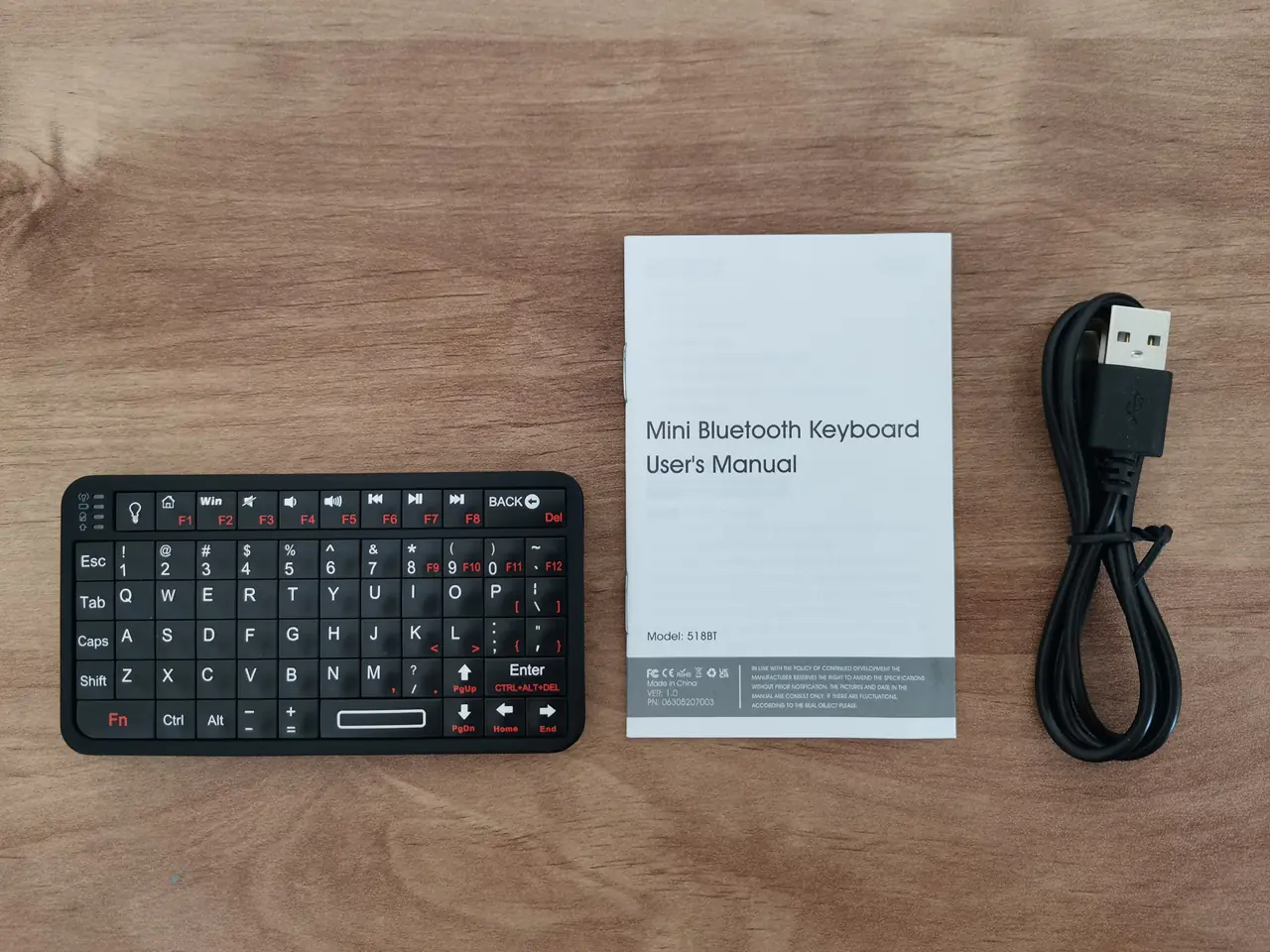
First Impressions
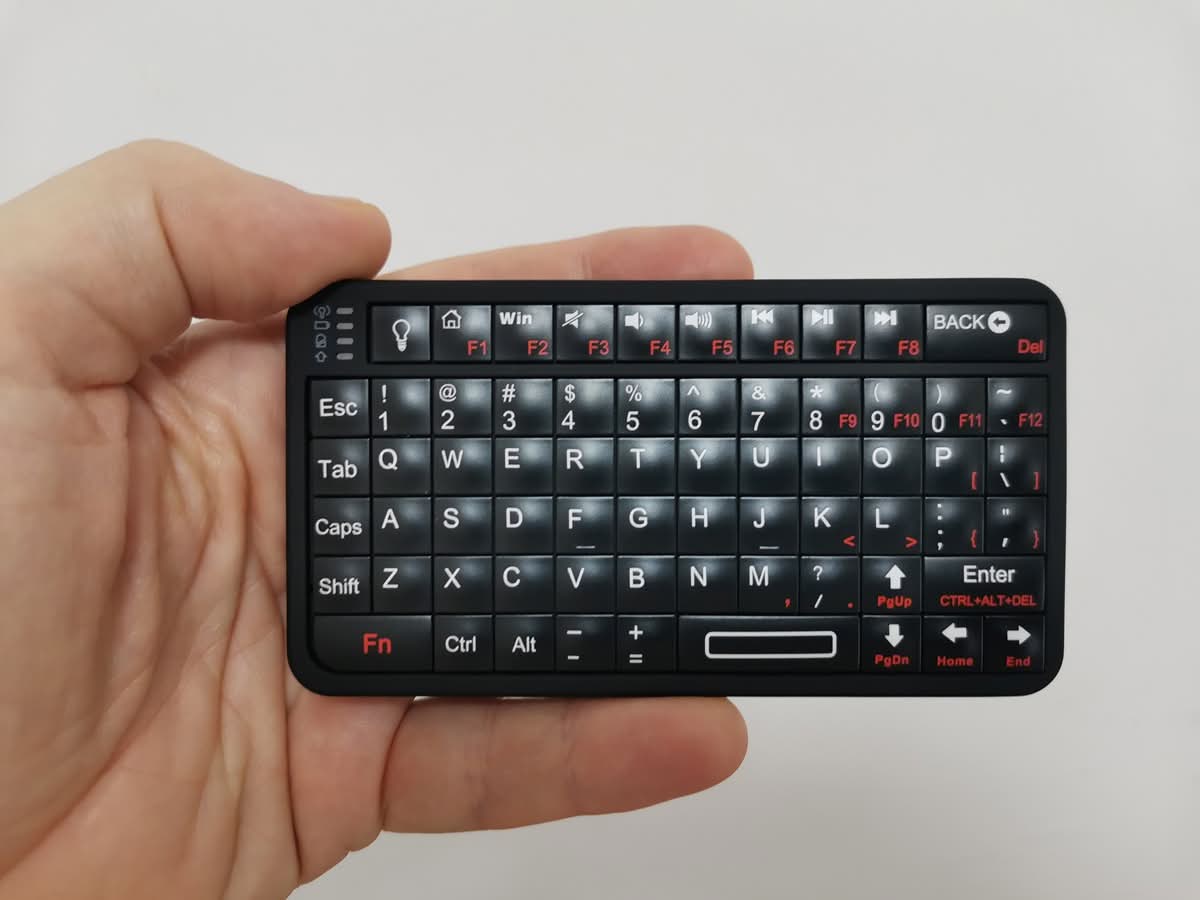
When you pull the RiiTek 518BT out of its packaging, the first thing that strikes you is just how small it is. The dimensions are listed at a mere 4.09 inches long, 2.28 inches wide, and 0.43 inches thick. To put that into perspective, it is roughly the size of a standard credit card, albeit a bit thicker. Weighing in at a featherlight 0.18 lbs (about 64.8 grams), it feels almost insubstantial in your hand, but in the best way possible.
A Closer Look at the 518BT Keyboard
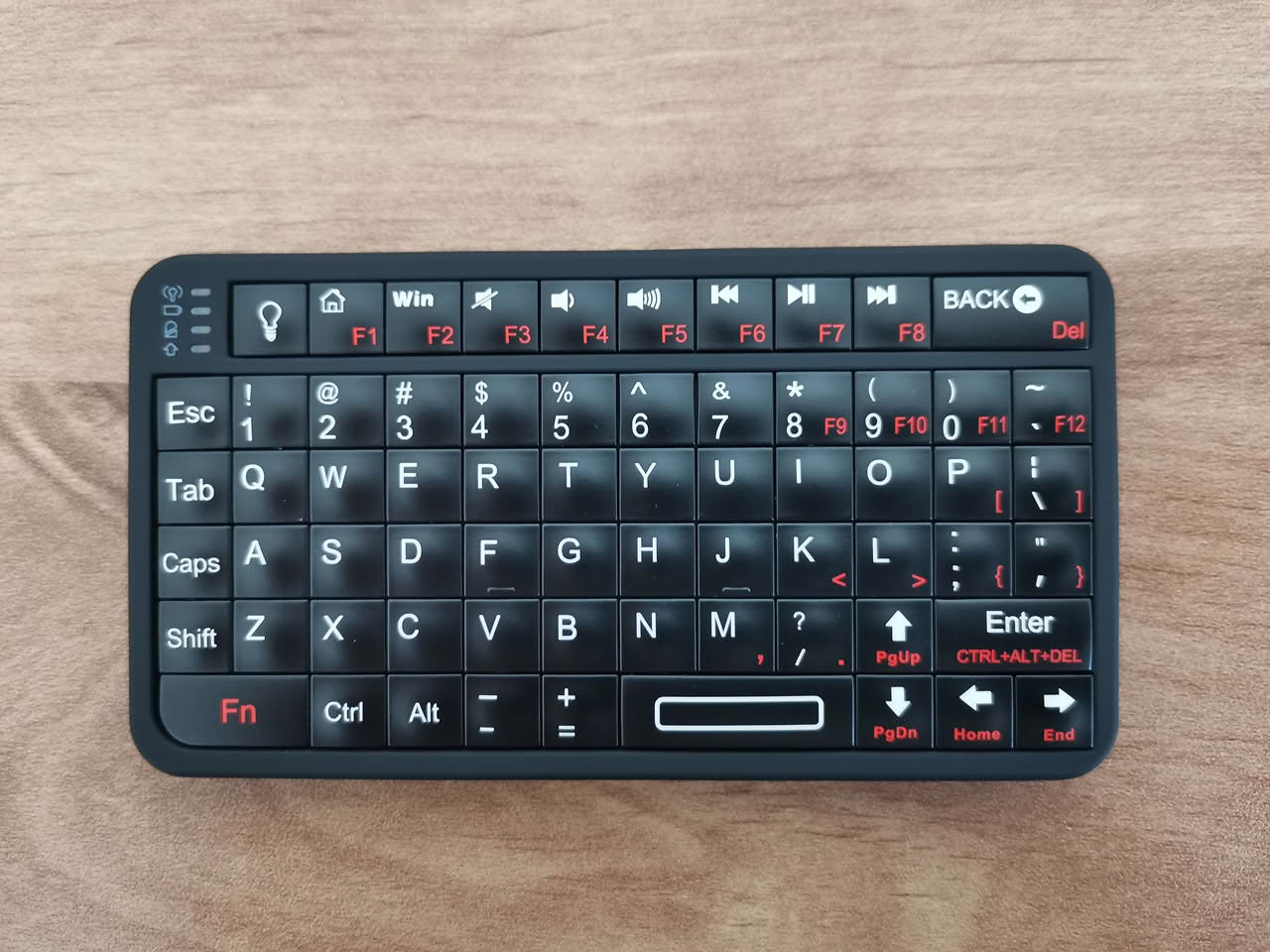
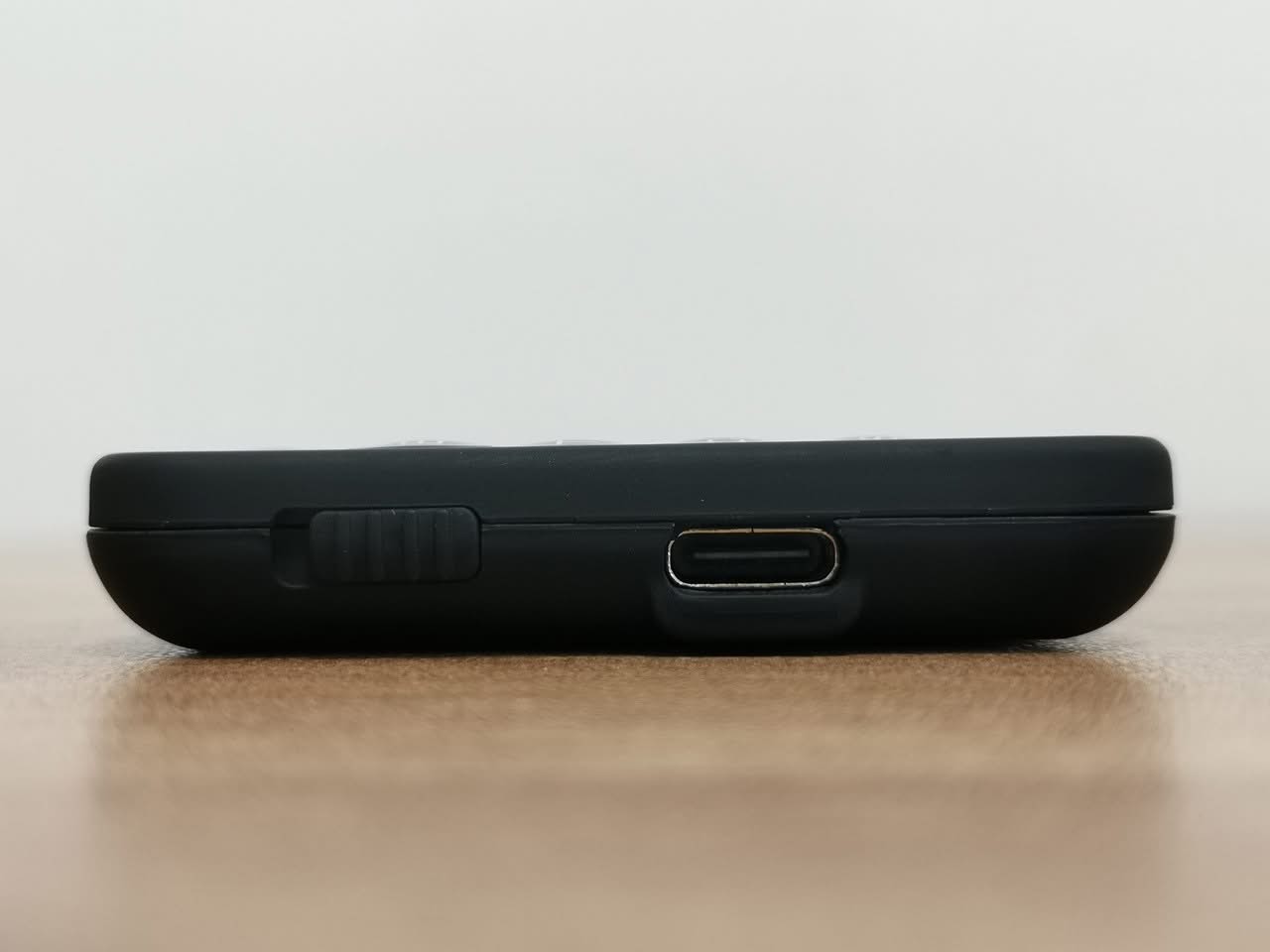
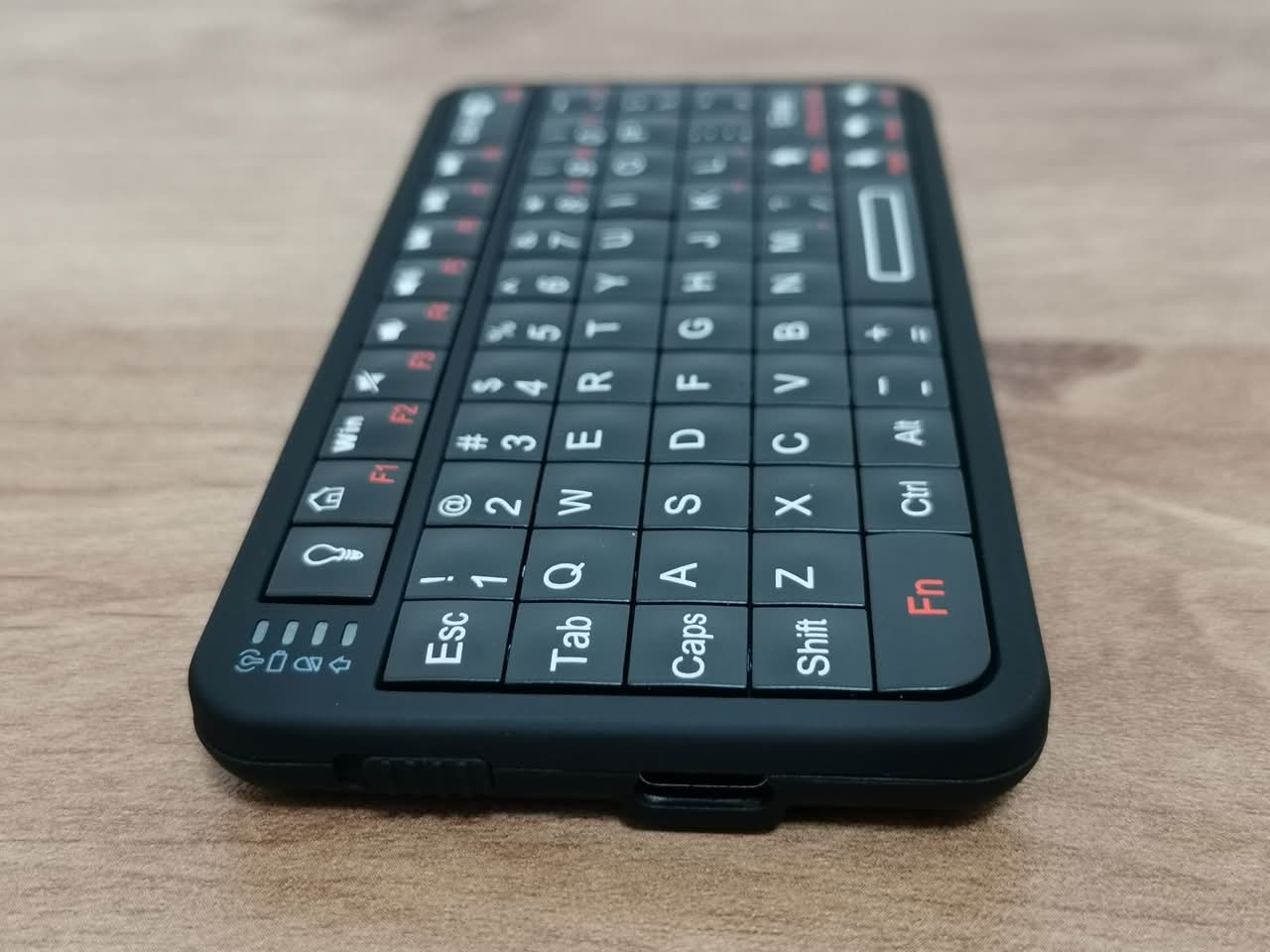
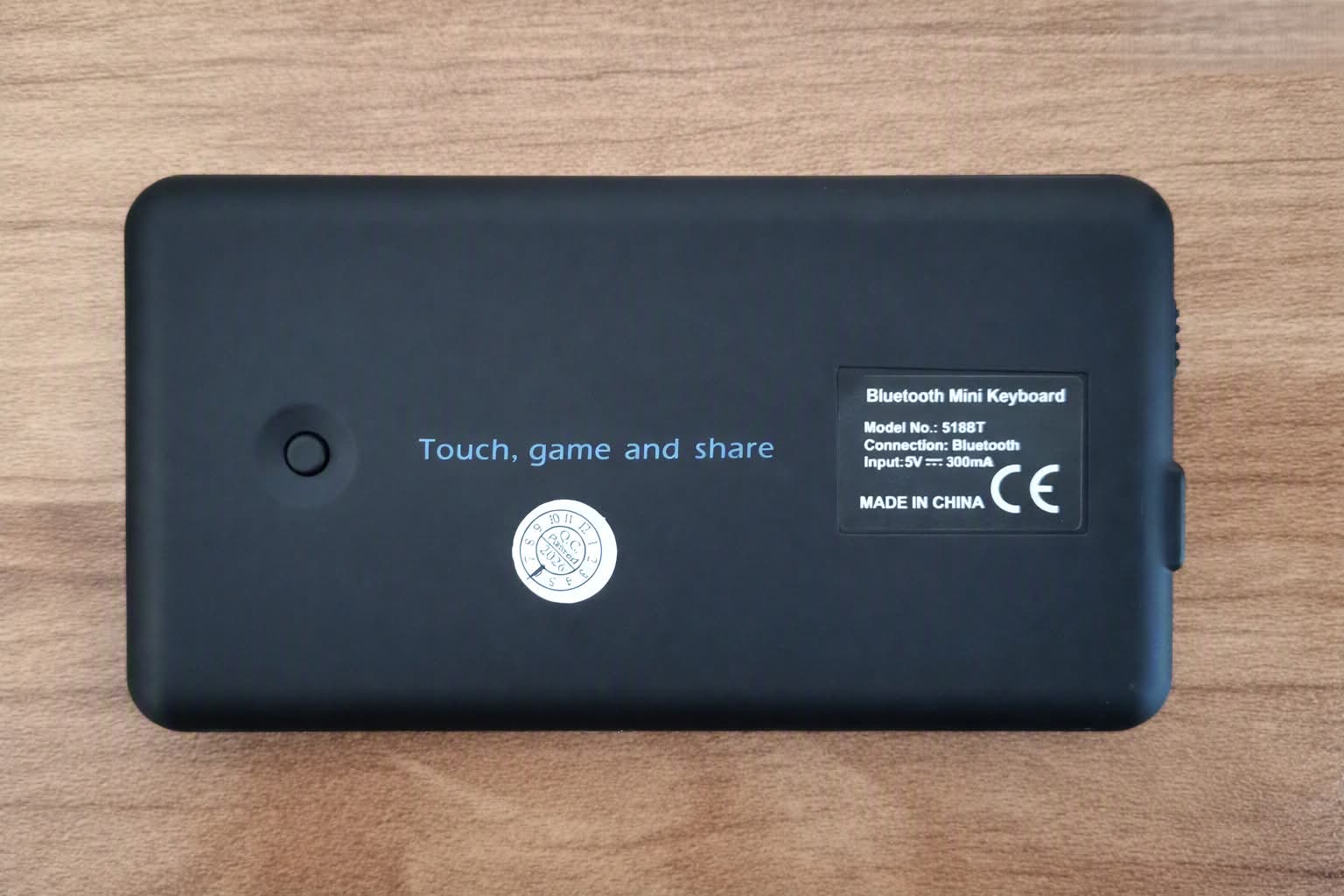
1. Build quality
The build quality is surprisingly solid for something this diminutive. It is constructed from durable Acrylonitrile Butadiene Styrene (ABS) plastic. It does not feel like a cheap, hollow toy that will snap if you look at it wrong. There is a satisfying rigidity to the chassis. The back of the device features a slightly textured finish, which provides a bit of grip and prevents it from feeling completely slippery, though it is still light enough that vigorous typing on a smooth desk will cause it to skitter around.
2. Lightweight and portable design
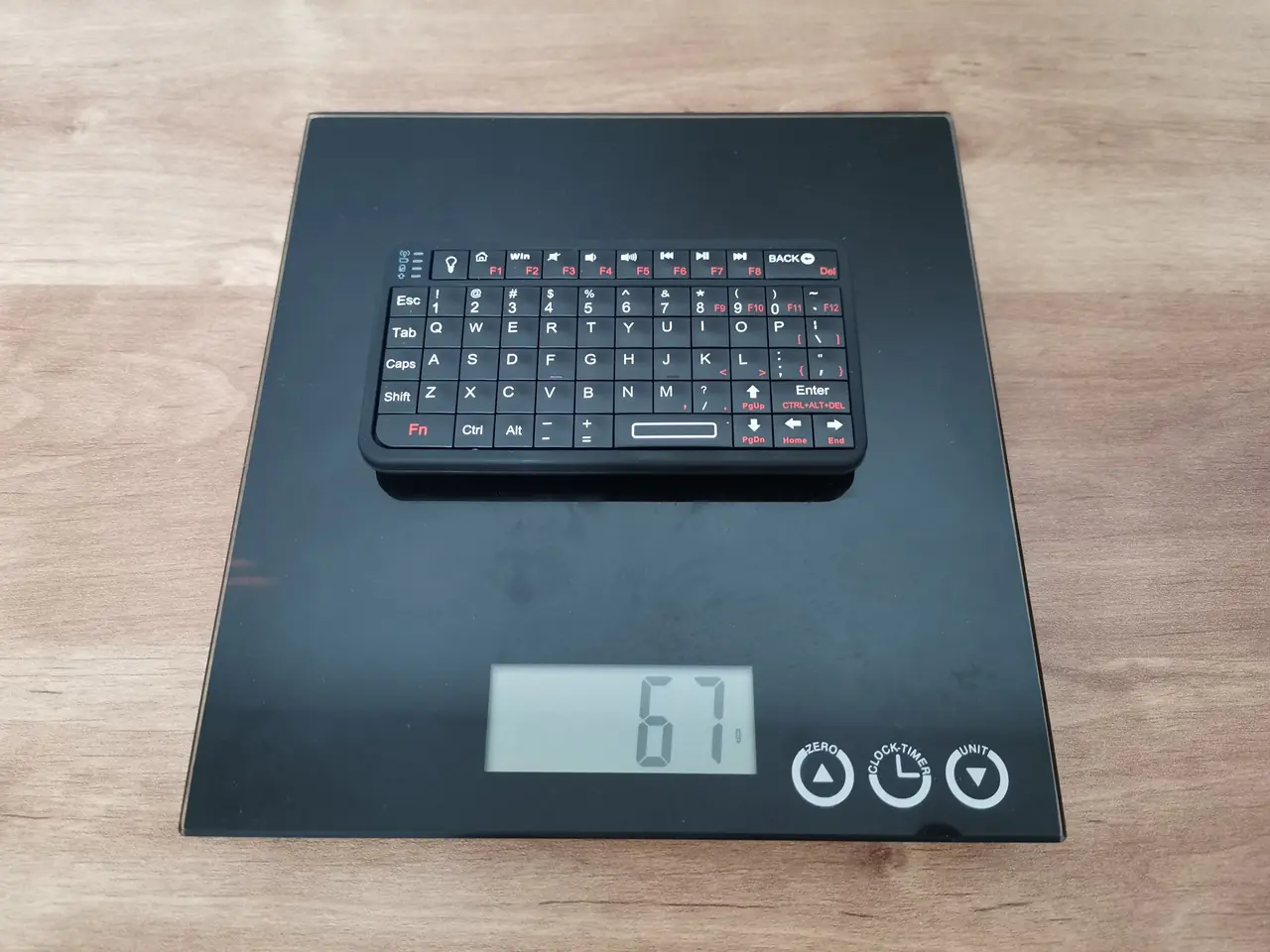
This is where the keyboard’s primary pros truly shine: compactness, lightweight design, and portability. You can easily slip this device into the small zipper pocket of a backpack, a messenger bag, or even the front pocket of a pair of jeans without it creating an awkward bulge. For travelers, digital nomads, or anyone who values a minimalist carry, the 518BT is a dream. It adds virtually zero weight (67g) or bulk to your setup, yet it unlocks the ability to type physically whenever you need it.
Weighing the 518BT Mini Keyboard
Typing Experience
You might reasonably assume that a keyboard this small would be a nightmare to type on. Surprisingly, that is not entirely the case. The 518BT features a 66-key layout arranged in a grid-like, ortholinear fashion, heavily reminiscent of classic Blackberry phones or old-school Sidekicks.
The keys themselves offer a genuinely pleasant tactile style experience. They are not mushy or bottomless. Instead, they provide a distinct, “clicky” feedback that lets your fingers know a keystroke has been registered. This is a massive relief, as many ultra-compact keyboards suffer from terrible, unresponsive membrane switches. The travel distance is short, but it is deliberate.
Naturally, there is a learning curve. If you are accustomed to the staggered layout of a standard QWERTY keyboard, your fingers will initially hunt for the right keys. However, the 518BT is clearly designed with thumb-typing in mind. Once you cradle it in the palms of your hands and let your thumbs do the walking, the muscle memory kicks in surprisingly fast. For short bursts of typing—like sending a message, entering a command line, or searching for a movie—it is highly effective.
LED backlit
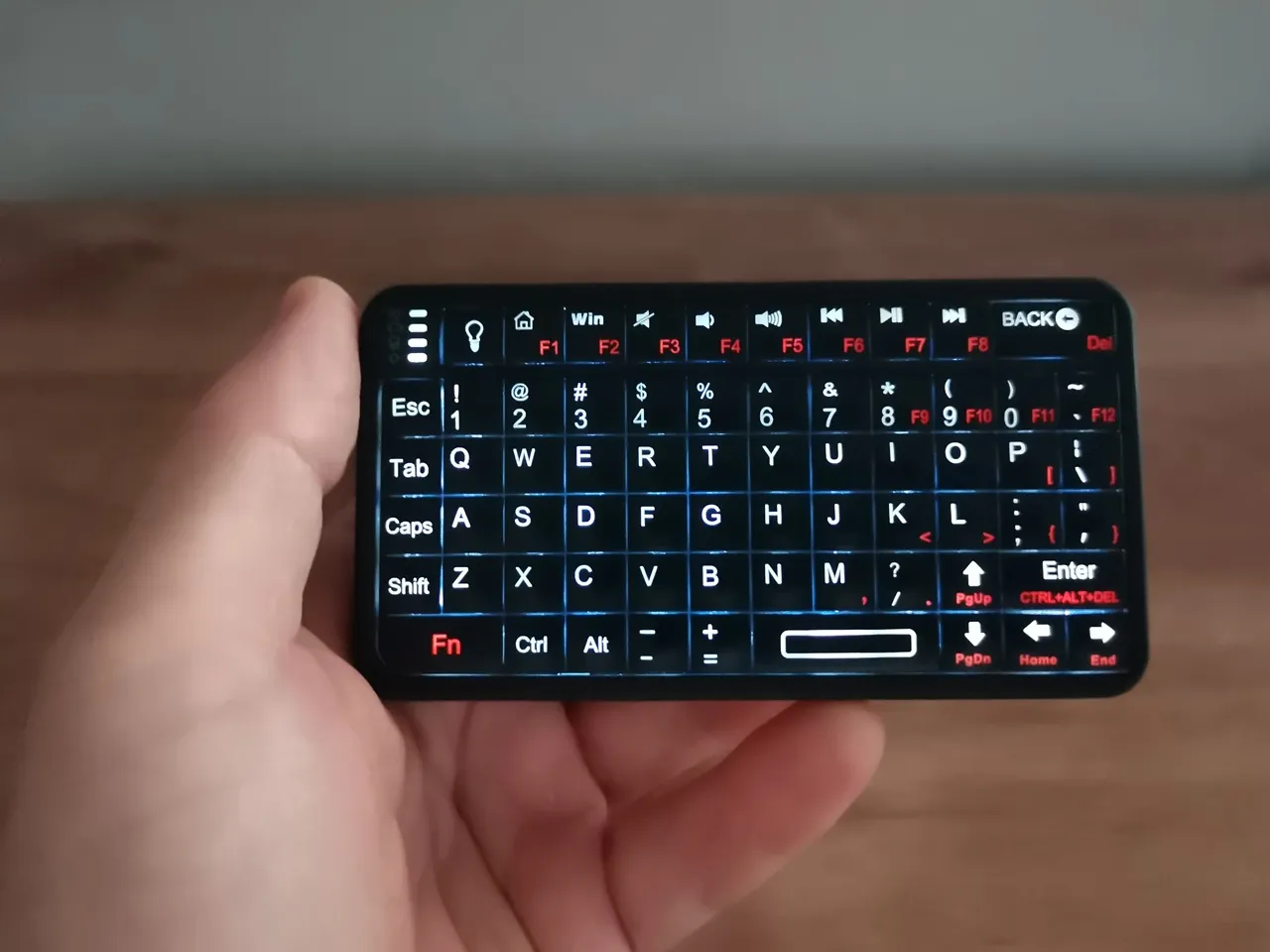
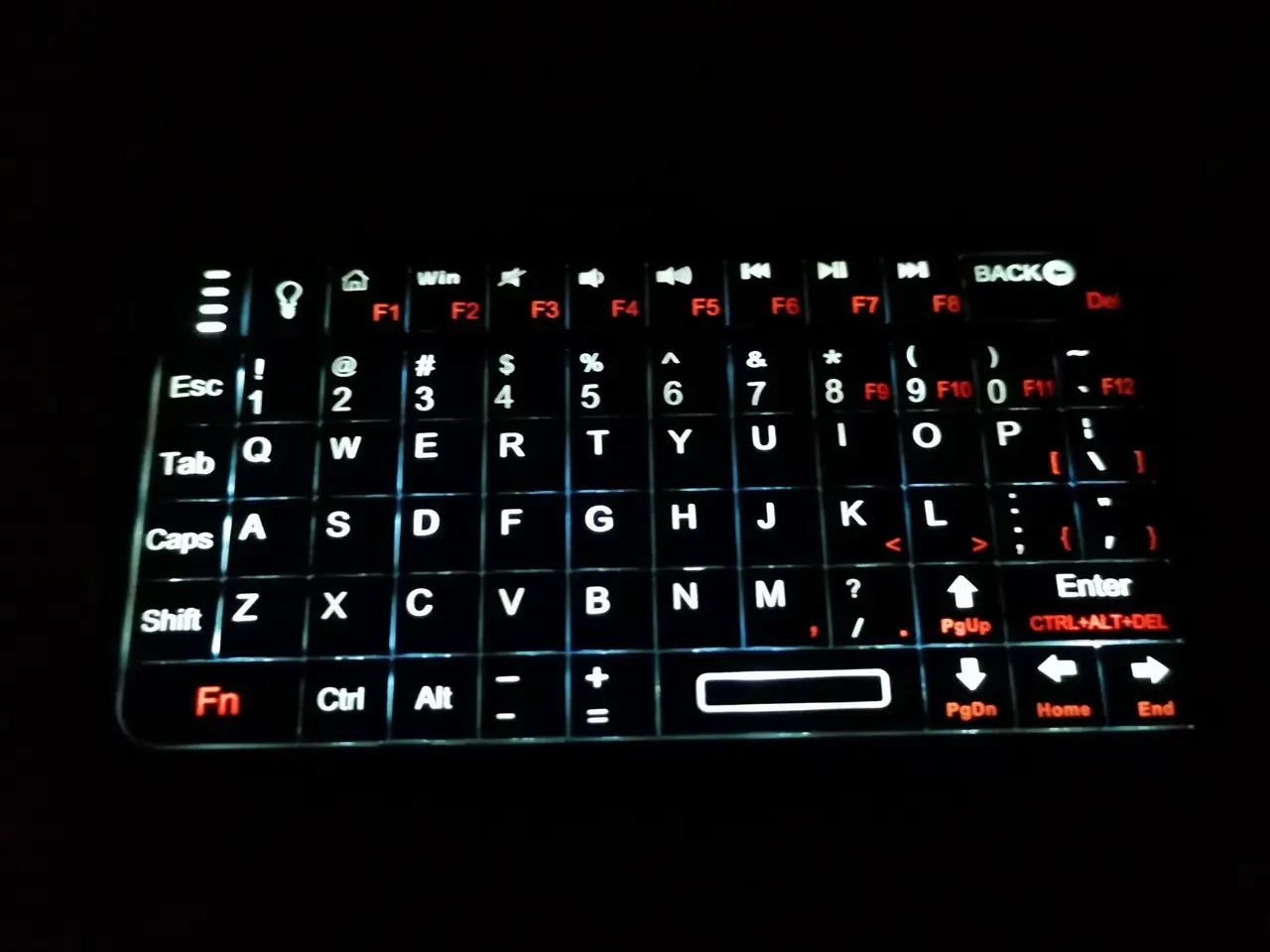
Another standout feature is the white LED backlight. It is a single-color backlight, but it is executed well. The illumination is bright enough to make the key clearly visible in a dark room, but not so blinding that it becomes a distraction. This makes the 518BT an excellent companion for late-night coding sessions, bedside reading on a tablet, or managing a home theater setup in the dark. The backlight also features an auto-shutoff function after a period of inactivity, which is a thoughtful touch that helps preserve the battery.
Evaluating the backlit illumination intensity in a dim environment
Evaluating the backlit illumination intensity in a fully dark environment
Connectivity and Compatibility: Playing Nice with Everything
Connectivity
Under the hood, the RiiTek 518BT runs on Bluetooth 5.0. This is a significant advantage, as Bluetooth 5.0 offers a more stable connection, faster data transmission, and better range compared to older Bluetooth standards. Pairing the device is straightforward, though it requires a bit of finesse. There is a tiny, recessed pairing button located on the underside on the back of the keyboard. You press and hold it for a few seconds until the indicator light flashes, and then you select the keyboard from your device’s Bluetooth menu.
Pairing our RiiTek 518BT with the Ugoos AM6 TV Box
Connecting our AM6 device to the keyboard was uncomplicated. By pressing the pairing button found on the back of the keyboard, the device goes into auto discovery mode, and after it is recognized on the controlled device, you can choose to connect to it. Indeed, it is that easy. This setup worked well for us. This straightforward configuration is advantageous if typing help is required; the keyboard can complement our default remote control that does not provide typing assistance.
Pairing with our Ugoos AM6 TV Box
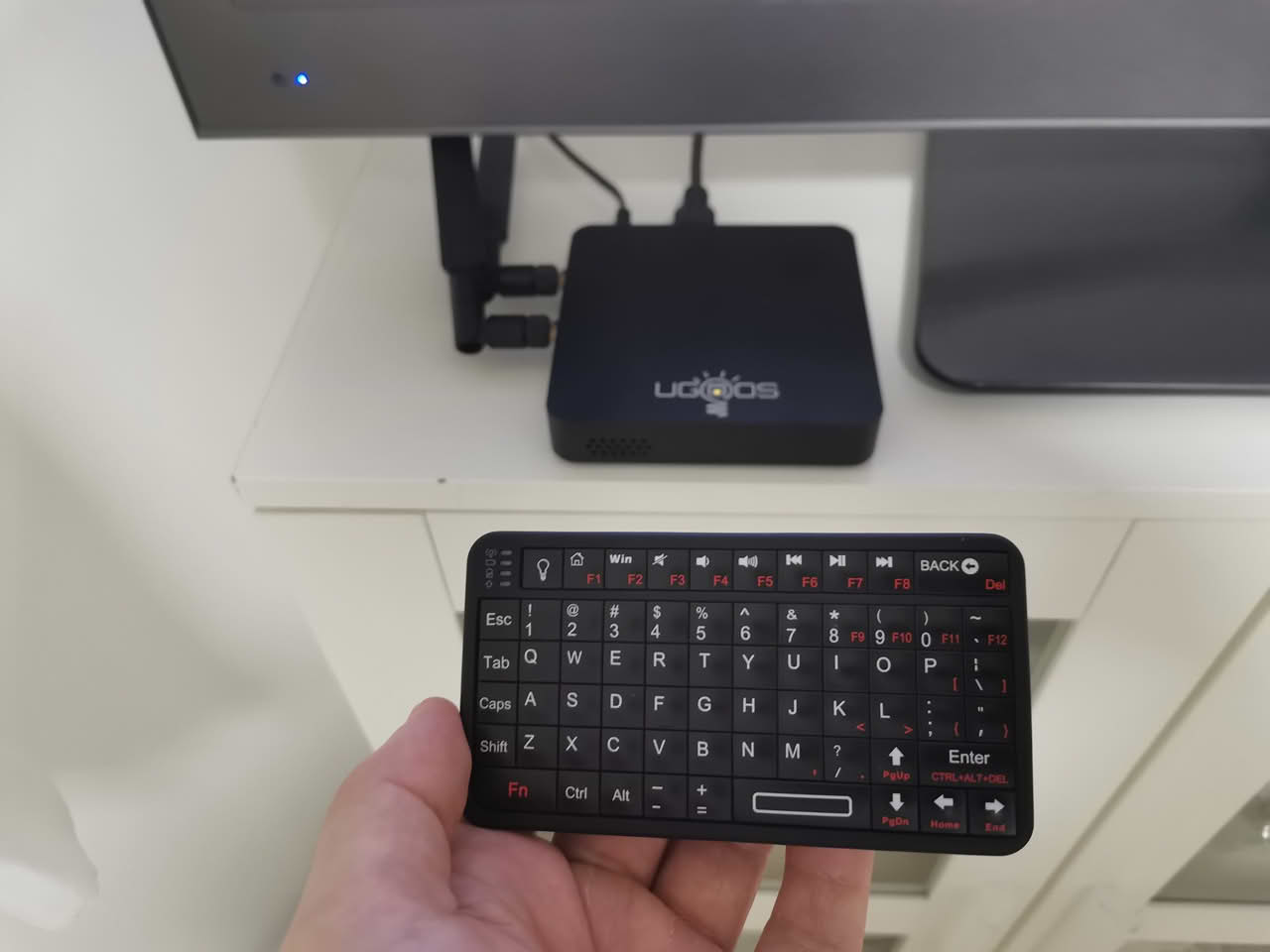
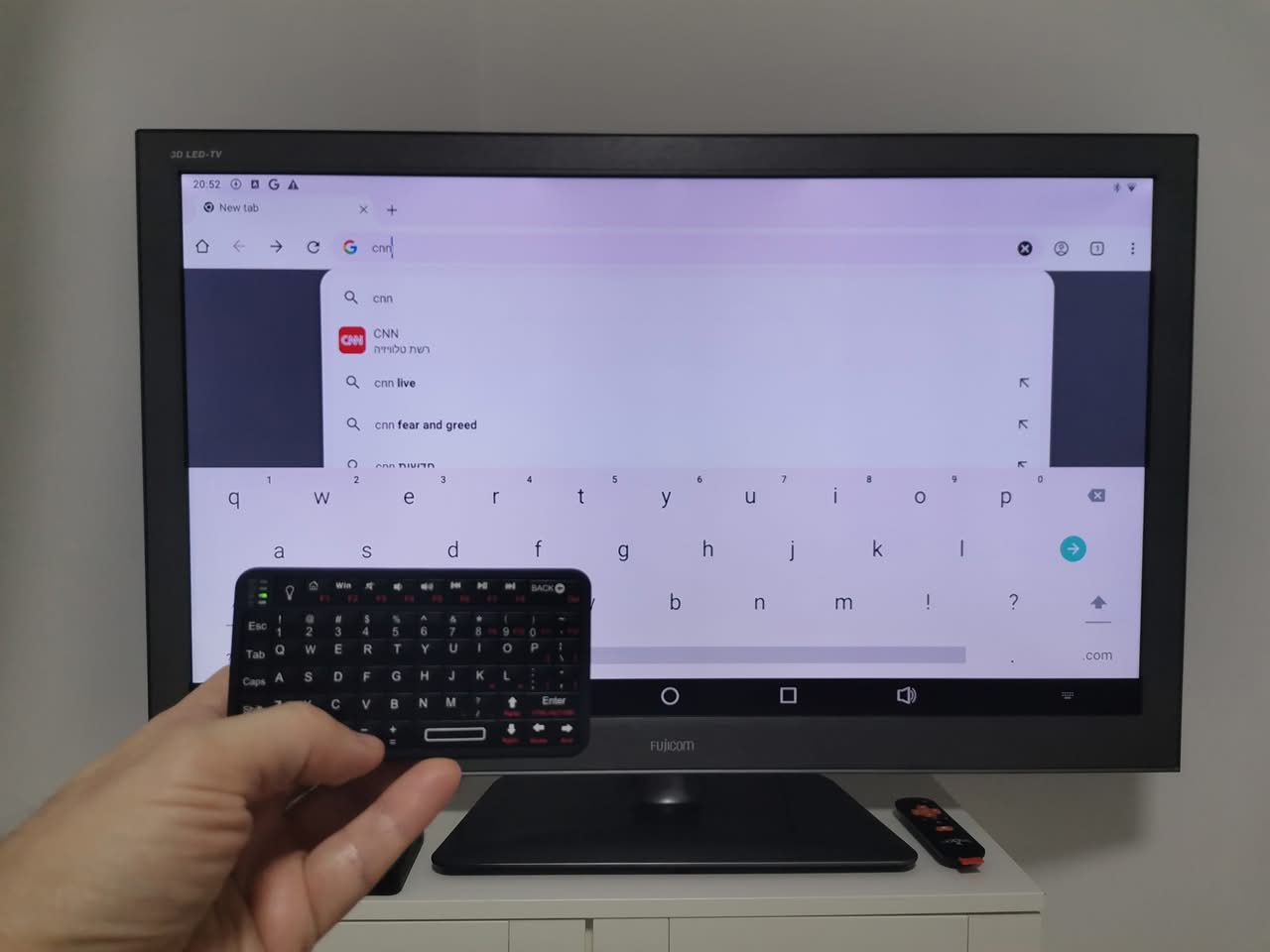
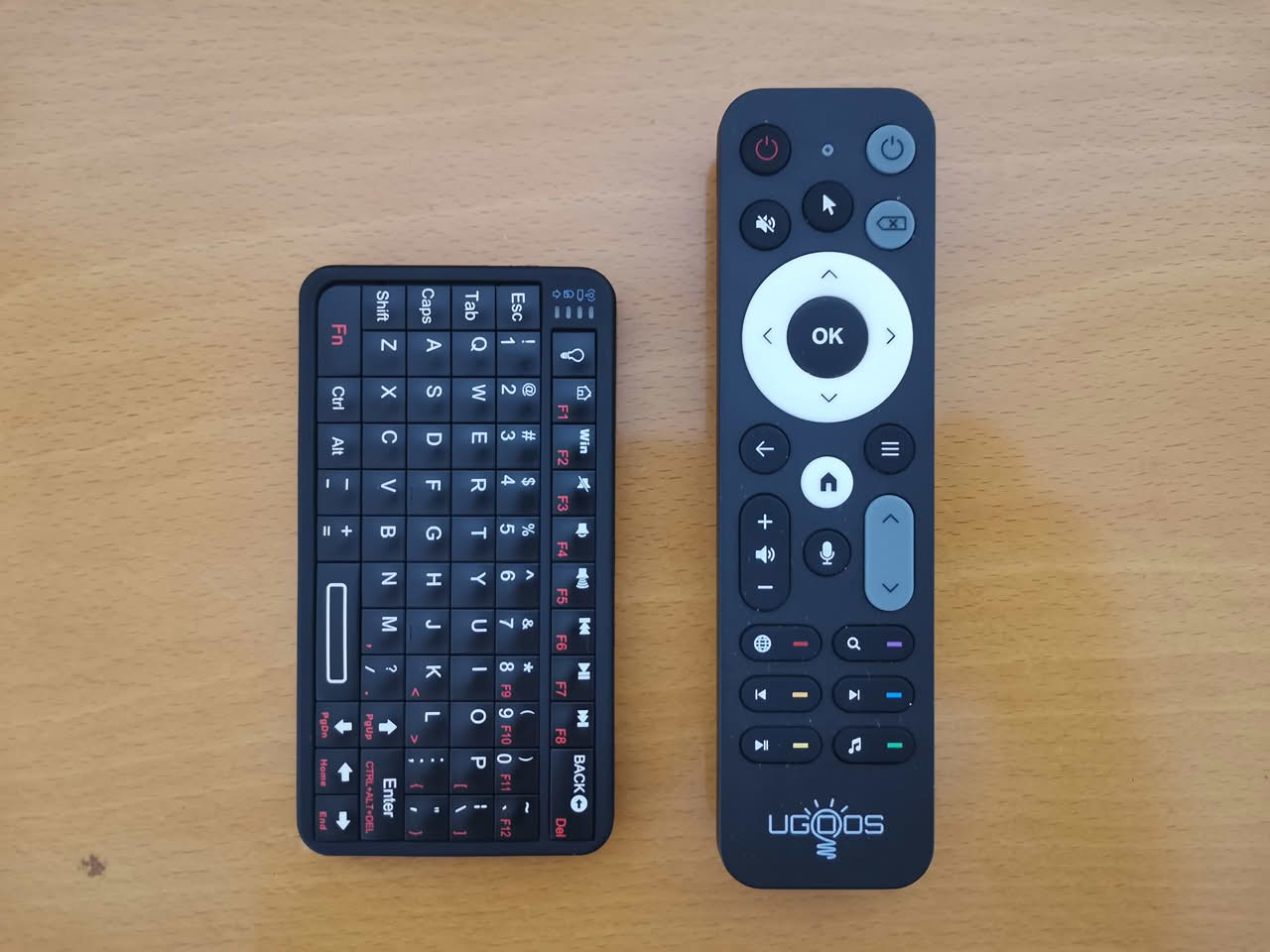
One crucial pro-tip for Apple users, which is explicitly mentioned in the product documentation and user reviews: before pairing with an iOS device, you need to enable the “AssistiveTouch” function in your iPhone or iPad settings. Without this, the keyboard may not register inputs correctly. It is a minor hoop to jump through, but once it is done, the connection is seamless.
Compatibility
The compatibility list is impressively broad. It works effortlessly with Windows PCs, macOS, Android smartphones and tablets, iOS devices, Raspberry Pi setups, Smart TVs, and even VR headsets. Speaking of VR, anyone who has tried to type using virtual reality hand-tracking or motion controllers knows what a tedious chore it is. Having a physical, pocket-sized keyboard like the 518BT to pair with a VR headset is an absolute game-changer for productivity in virtual spaces.
Charging
Powering this compact device is a built-in 450 mA rechargeable battery, which charges through a modern USB-C port. This is a significant advantage, as many older or budget mini keyboards still depend on unreliable Micro-USB or disposable AAA batteries. The USB-C port allows you to use the same cable you use for your phone or tablet. User feedback indicates that the battery life is good. With moderate daily usage and the backlight either turned off or used minimally, the keyboard can last for a few days on a single charge.
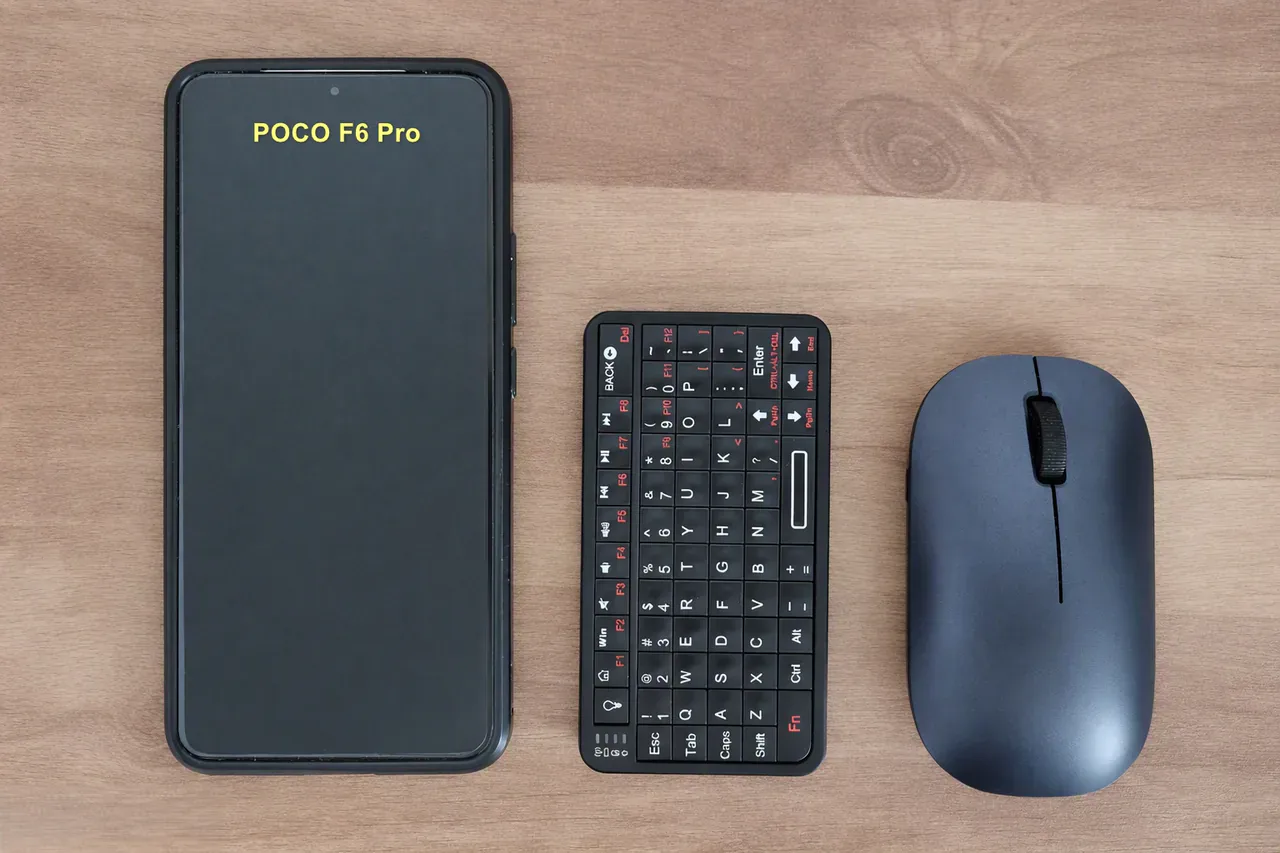
Featuring a super-compact design, it’s smaller than a smartphone and only marginally larger than a computer mouse.
With its compact size of only 109 x 58 x 10 mm, this mini keyboard can be conveniently carried in a small bag or pocket
The Elephant in the Room
Navigation Limitations: No device is flawless, and it’s essential to address the most significant compromise of the RiiTek 518BT. In the quest for ultimate compactness, the designers made a crucial trade-off: this device lacks a directional four-way navigation button or a mini joystick-style button, both of which could have been useful during presentations and lectures.
To understand why this matters, you have to look at how people use mini keyboards. A large portion of buyers purchase these devices to control Smart TVs, Android TV boxes, Raspberry Pi media centers (like Kodi), or retro gaming emulators. In those specific environments, navigating menus is often more important than typing text. Competing mini keyboards frequently solve this by including a small, built-in touchpad or a dedicated circular D-pad/joystick that allows for smooth, sweeping cursor movements and easy menu selection.
The 518BT strips all of that out. Instead, you are entirely reliant on its small, grid-aligned arrow keys to navigate interfaces. While the arrow keys are functional, they are cramped and positioned in a way that some users find unintuitive. If you are trying to scroll through a Netflix menu, select files in a media center, or navigate a retro gaming library, the absence of a dedicated five-way navigation joystick-style button becomes very apparent. You lose that tactile, sweeping comfort of a thumbstick. You have to tap individual arrow keys repeatedly, which can feel tedious and slow compared to a fluid touchpad or a dedicated directional pad.
Furthermore, since the keyboard has a rubberized coating, oily hands may leave fingerprints on it. Based on our past experience with rubber-coated products, the rubber tends to melt and become sticky after a few years. Therefore, while a rubber coating is nice to have, we believe it is unnecessary on any chinese product.
Real-World Use Cases: Who is This Actually For?
Despite the navigation quirk, the RiiTek 518BT has carved out a fiercely loyal following in several specific communities.
First and foremost are the makers and tinkerers. If you browse forums dedicated to Raspberry Pi projects or “cyberdecks” (custom-built, portable, retro-futuristic computers), the Rii 518BT is a ubiquitous sight. For a hobbyist building a compact, battery-powered computing rig, every millimeter of space and gram of weight matters. The 518BT provides a full typing experience without consuming the valuable real estate that a desktop keyboard would. It is the perfect finishing touch for a portable Linux machine.
Second, it is a fantastic tool for travelers and tablet users. If you frequently work from coffee shops or airports with an iPad or Android tablet, the on-screen keyboard eats up half your screen real estate and slows down your workflow. The 518BT allows you to keep the tablet in a stand while you type comfortably, and when you are done, it vanishes into your bag. It is also a lifesaver for Steam Deck or handheld PC owners who want a quick, physical way to type in game chats or browse the web without relying on the device’s trackpads.
Finally, it serves as an excellent, discreet remote for Home Theater PCs (HTPC). Placed on a coffee table, it is unobtrusive and always ready for when you need to search for a specific video or adjust a setting that your standard TV remote cannot handle.
The Final Verdict
So, is the RiiTek 518BT Mini Keyboard worth your money? At a price point that typically hovers around $17-$24, it offers an incredible value and quality for what it offers.
If your top priorities are compactness, lightweight design, and ultimate portability, this keyboard is a home run. It is remarkably well-built for its size, offers satisfying tactile feedback, boasts excellent battery life via USB-C, and features a genuinely useful backlight. It solves the problem of “how do I type on this device without a massive keyboard?” with elegant simplicity.
However, you must go into the purchase with your eyes open regarding its limitations. The lack of a five-way navigation button or joystick-style button means that menu-heavy tasks on smart TVs or media centers will be a bit more cumbersome than they would be on a model with a touchpad or dedicated D-pad. You are trading navigation luxury for raw, unadulterated portability.
If you can adjust to using the small arrow keys for navigation, or if your main need is simply to input text while on the move, the RiiTek 518BT is an exceptional and highly recommended addition to your tech collection. This small device performs remarkably well for its size, demonstrating that often the best tools are those that can be easily tucked away in your pocket until needed. Overall, it’s a fantastic mini keyboard, perfectly sized for portability, and it performs its job well.
Price and Availability
| Retailer / Source | Price Range (USD / ILS) | Details |
|---|---|---|
| AliExpress | $11.00 – $30.00 | Varies by seller, ongoing sales, and shipping destination |
| Amazon | $23.99 and higher | |
| RiiMall | $25.99 – $29.99 | Official store pricing |
Where to buy
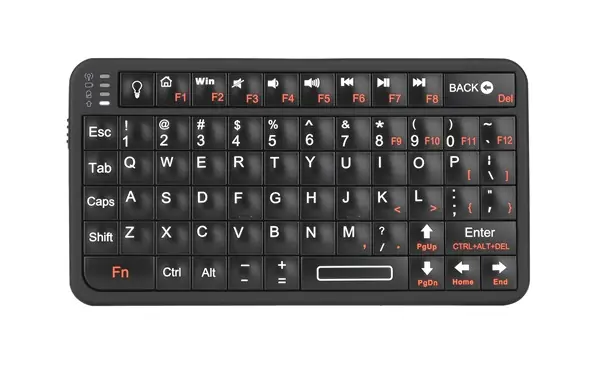
518BT Mini Keyboard
The Rii 518BT is a compact and travel-friendly mini wireless keyboard that boasts Bluetooth connectivity and a built-in rechargeable battery.