Close Menu
    Facebook X (Twitter) Instagram Threads
    Trending
    • RiiTek RK807 Pro Review: The Best Budget Apple Magic Keyboard Alternative?
    • Rii 518BT Review: Is This Pocket Keyboard Actually Usable?
    • RiiTek RK808 Review: The Best Foldable Travel Keyboard?
    • Rii RS201 Review: $69 16-Inch Portable Monitor Tested
    • AliExpress Promo Codes: August 2026 (100% Verified)
    • Orange Pi 6 Review: Is It Suitable for Running Local LLMs? We Checked.
    • Youyeetoo NestDisk Mini PC/Router: Is This Pocket-Sized 3-in-1 NAS Worth It?
    • DFRobot Unveils seeMote Cube: A 6DoF Physical Controller for Apple Vision Pro
    AndroidPIMP
    Facebook X (Twitter) Instagram
    • Mini PCs & Media Players
    • Embedded Computers
    • Wearables
    • Wireless Routers
    • Edge AI Cameras Vision Hardware
    • Tech Accessories
    AndroidPIMP
    NeoEyes NE301 Review
    NeoEyes NE301

    CamThink NE301 Review: 25 FPS YOLOv8 on STM32 Edge AI

    0
    By androidpimp on February 19, 2026 Edge AI Cameras Vision Hardware
    Table of contents
    1. Part 1 – Introducing the Product
    2. Meet the CamThink NE301 Edge AI Camera Module, designed to run AI models locally and offer a wide range of additional features.
    3. Short video intro
    4. Modular Design
    5. Design with an open hardware architecture in mind
      1. It can also connect to external sensors
    6. Key highlights
    7. A closer look at the main board that powers the device
    8. Hardware – Behind the Scenes
    9. Specifications
    10. Designed for Edge AI computing, it offers durability along with water and dust resistance.
      1. It can be used for AI applications, either running locally or sending data to the cloud.
    11. Part 2 – Review of the CamThink NeoEyes NE301 (currently being updated)
      1. The Package
      2. Package Contents
    12. A closer look at the NE300-MB01 development board, the powerhouse behind the NeoEyes NE301 camera.
    13. Installing additional components
      1. LTE Cat.1 Communication Board
      2. The camera Module
    14. The NE301 Case
    15. The lesser good
      1. Protection against water and dust
    16. Power supply
      1. Powering the NE301 with a cable
        1. Option #1
        2. Option #2
        3. Final thoughts
      2. Extra interfaces
    17. Cooling the main board components
    18. Mounting Options
    19. Operation
    20. Software-wise
      1. Training AI Models
      2. What are the steps?
      3. How to Train AI Models – A Complete Summary of the Workflow
      4. We gave a few trained models a spin to see how they performed.
    21. Final verdict
    22. CamThink NeoEyes NE301 price
      1. Prices and availability

    Operation

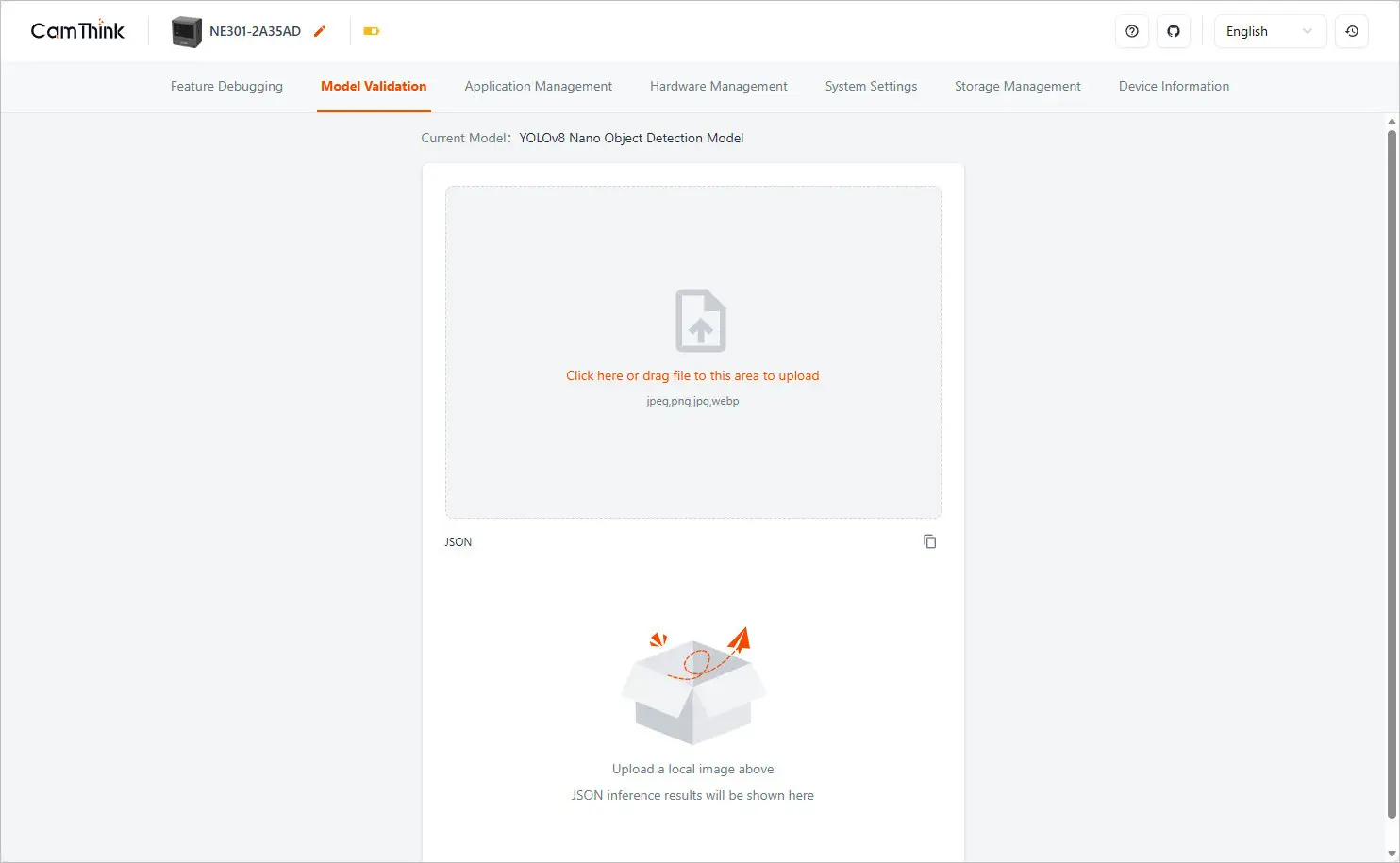
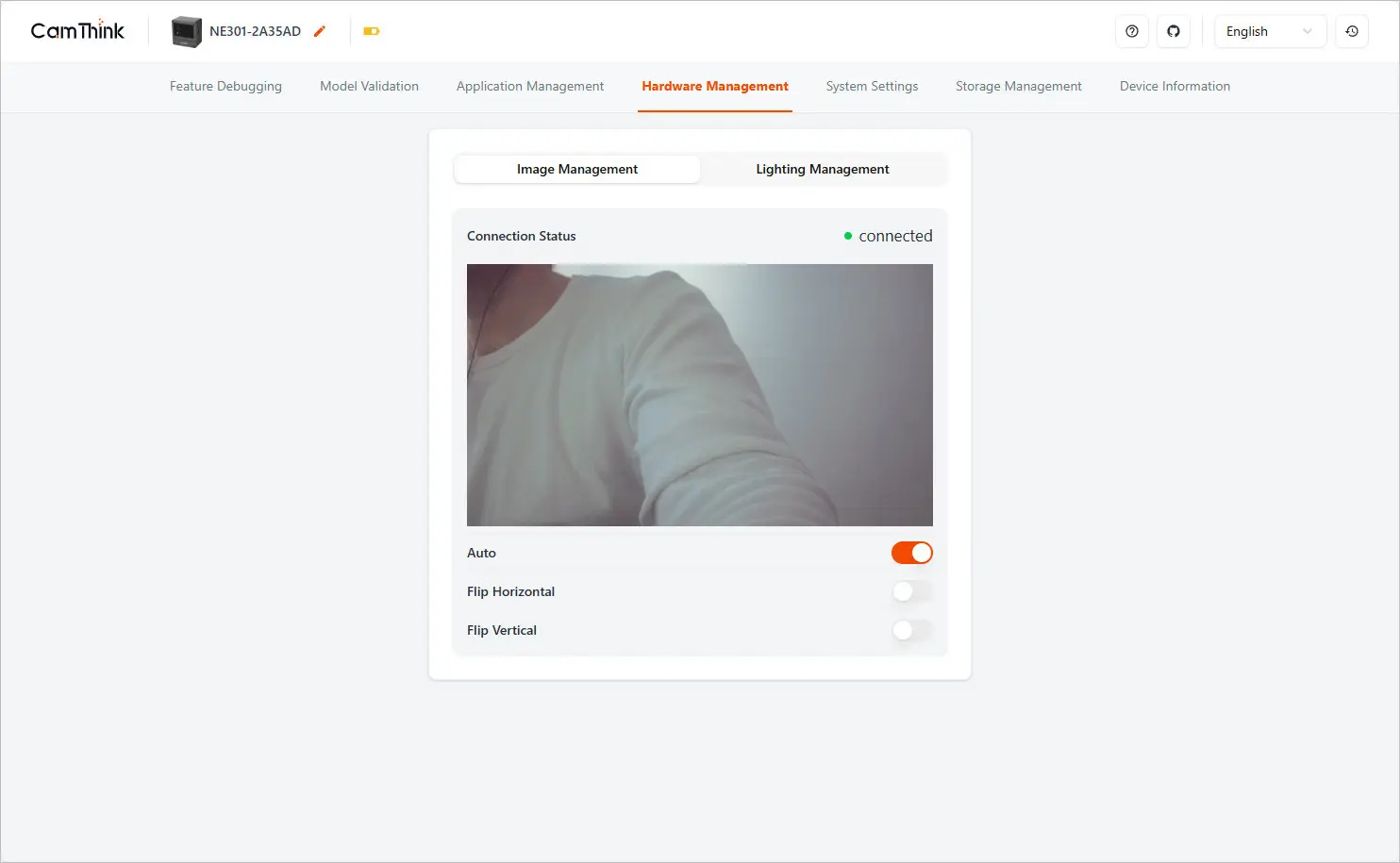
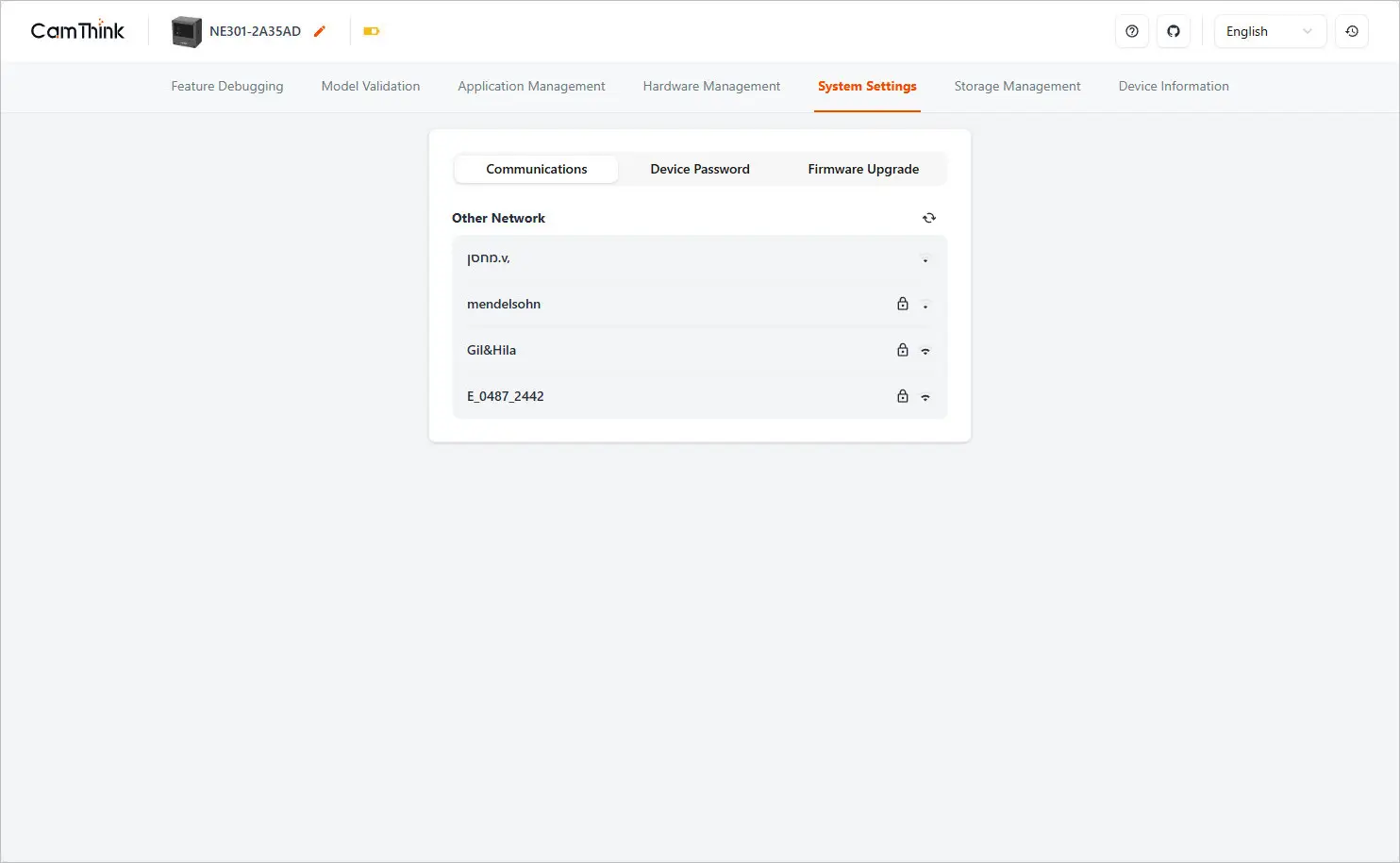
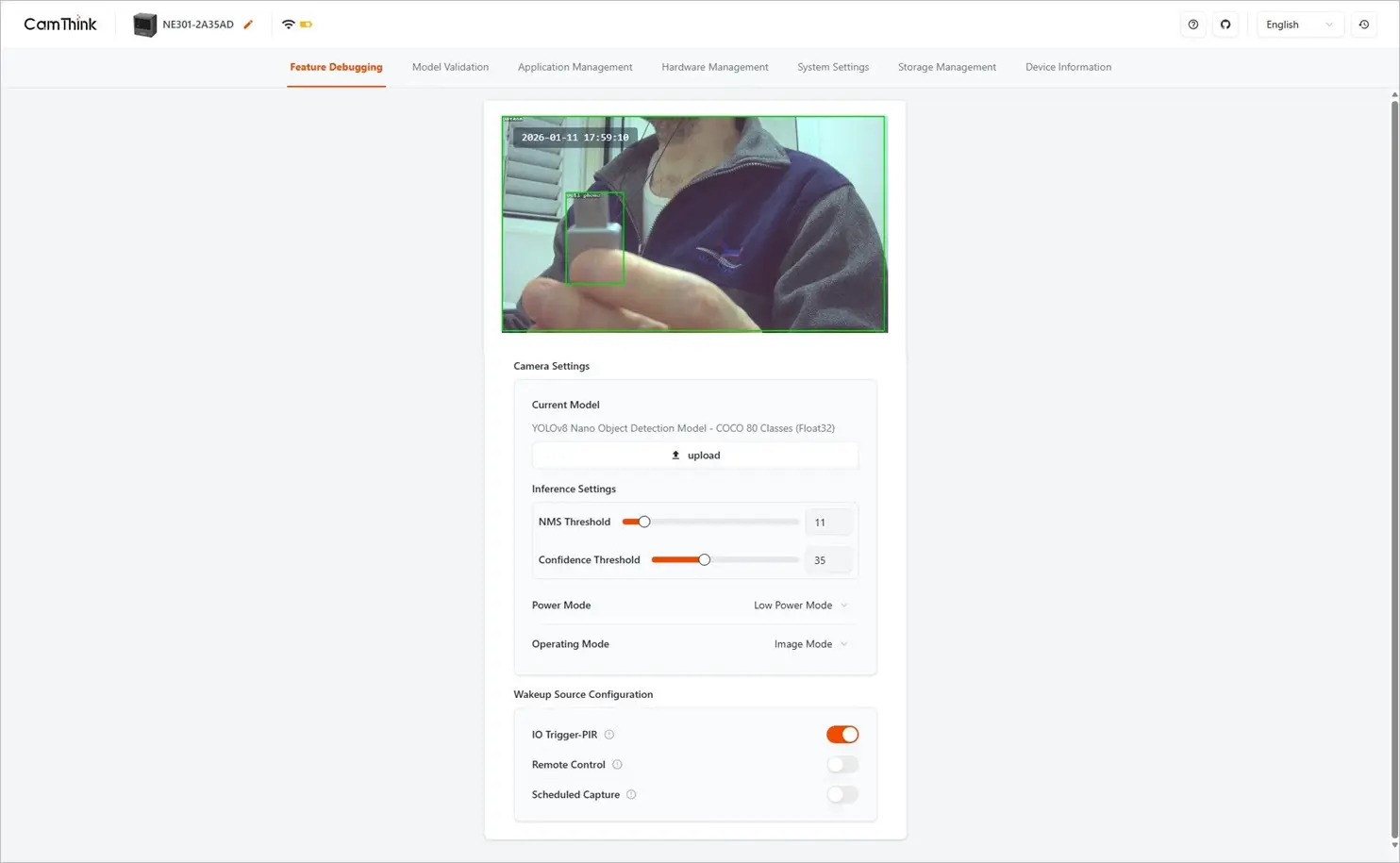
    The NE301 creates its own Wi-Fi access point, allowing you to set it up and connect it to your main Wi-Fi network. Through its web interface, you can view a live video preview, switch between models, upload your own YOLOv8 models, and tweak thresholds and output formats.


    Software-wise

    The NE301 is an edge AI camera built around the STM32N6 microcontroller. The CamThink team has developed an open source-based web GUI for controlling the camera operations. The product is designed to offer developers, AI enthusiasts, and smart home fans an affordable, low-power AI camera capable of running local AI models based on YOLOv8 (You Only Look Once) which is also open source based.

    From our hands-on experience, it works quite well and offers advantages over running object detection AI models through a cloud server. Running local models is much faster, meaning you can enjoy lower latency time. This device can also be used as a security surveillance camera to monitor people and environments, so the only limit is your imagination.

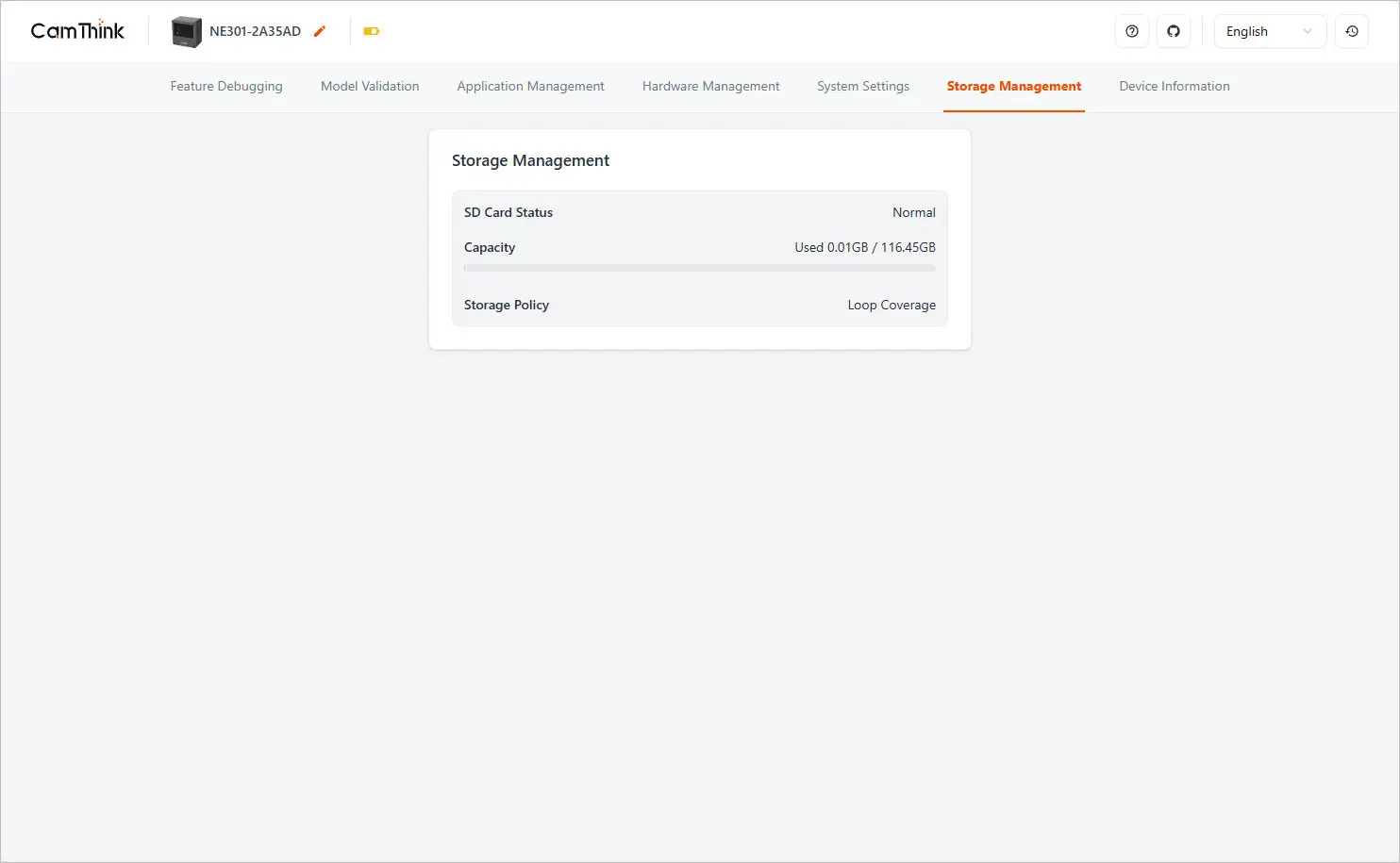
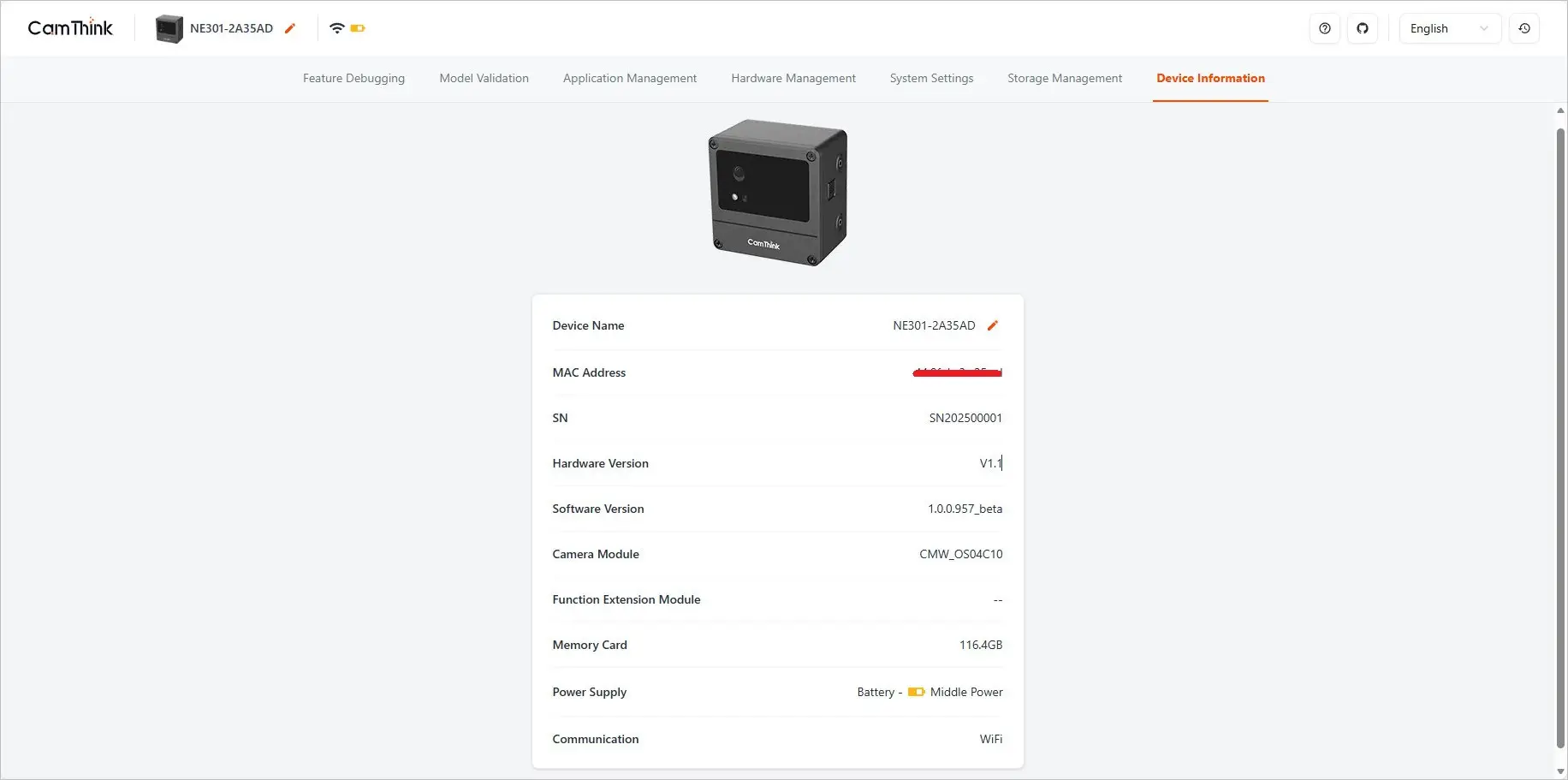
    The NE301 comes with CamThink management software pre-installed on its 128MB HyperFlash. To access it, you will need to power the device and connect to it via Wi-Fi as an access point. Once connected, just open a web browser and enter the device’s gateway IP address: http://192.168.10.10. From there, the web interface lets you easily control camera functions and deploy AI models.

    The device main operating settings can be grouped into the following categories:

    • Load a model (factory or custom)
    • Run inference on incoming data (e.g., camera frames)
    • Tune thresholds to optimize detection behavior
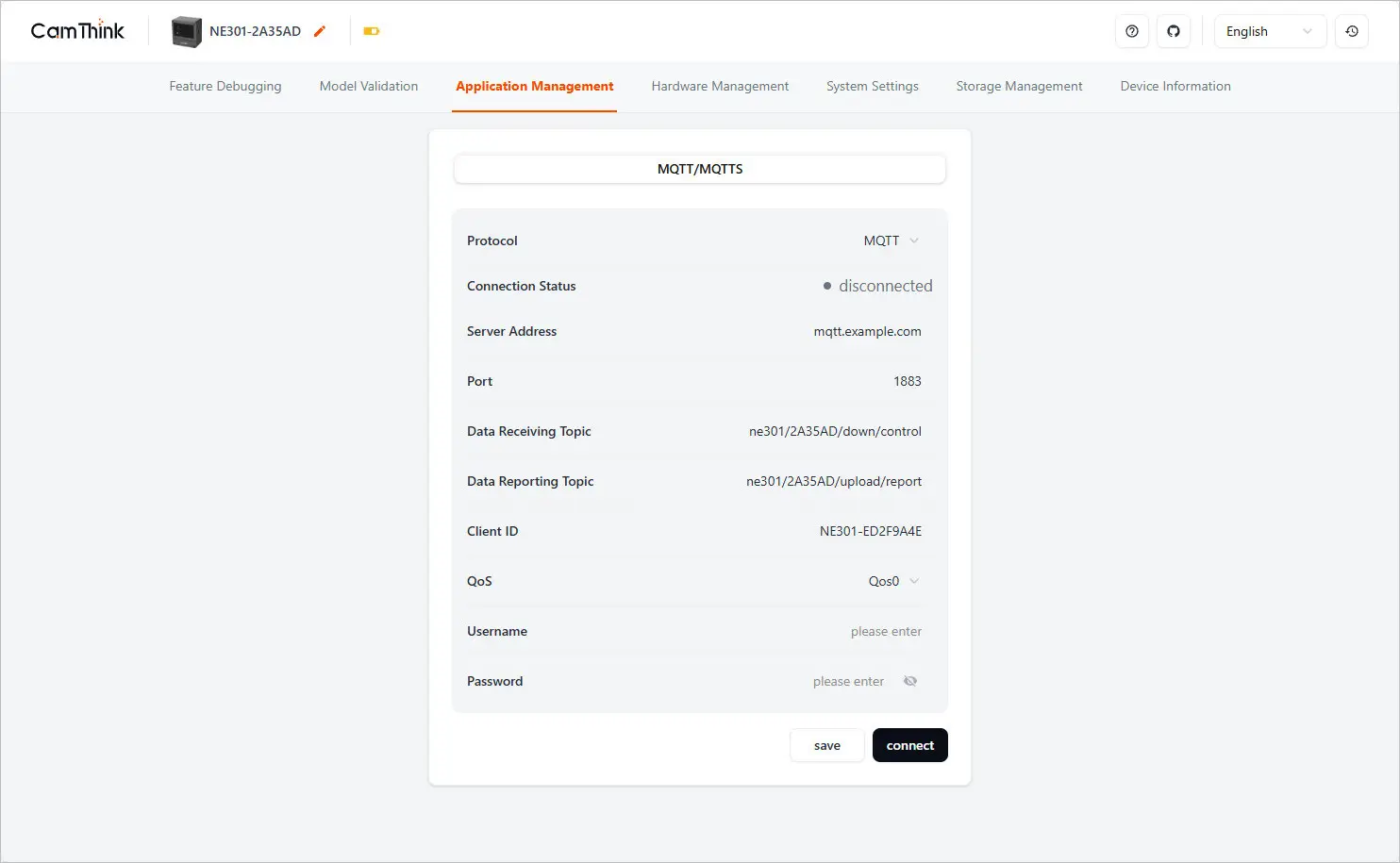
    • Send results upstream via MQTT for monitoring or automation

    For example, the Object detection AI identifies and recognizes the objects it sees. So, what it does is:

    • Detects people, vehicles, animals, packages, etc.
    • Draws bounding boxes around detected objects.
    • Classifies objects (e.g., “Person”, “Car”, “Dog”).
    • Tracks objects as they move across frames.

    Training AI Models

    You will need to train your AI models. This is part of the learning process, like teaching a baby its first steps. When you first turn on the NE301 device, it’s worth noting that it won’t automatically successfully recognizes objects or be ready to use straight out of the box. Training AI models for the NeoEyes NE301 is done with CamThink’s AI Tool Stack—a complete pipeline for data collection, annotation, training, quantization, and deploying models to the camera. The NE301 doesn’t train models onboard; instead, you train them on a computer or in the cloud and then deploy them to the camera.

    What are the steps?

    How to Train AI Models – A Complete Summary of the Workflow

    The AI Tool Stack can be installed on a Linux-based computer or even a Mini PC. While an NVIDIA GPU is recommended for better performance, it’s not required. The table below outlines the workflow steps for training and deploying an AI model using the NE301.

    StageToolWhat Happens
    1. Data CollectionNE301 CameraCapture images/events for training
    2. AnnotationAI Tool StackLabel objects/actions in images
    3. TrainingAI Tool Stack + UltralyticsTrain YOLO‑based model on PC/cloud
    4. QuantizationAI Tool StackConvert model to INT8 for STM32N6
    5. DeploymentNE301 Web UIUpload model and run inference on camera

    We gave a few trained models a spin to see how they performed.

    The company kindly sent us a few pre-trained YOLOv8 models to try out. The first one featured object detection, mainly for humans, along with distance approximation to estimate range, which worked rather well. The second model was designed to detect various types of objects captured by the camera but ended up performing poorly, likely due to insufficient AI training or human error, so it’s understandable.

    Overall, the web-based GUI is rather easy to operate and offers a wide selection of features and settings to explore. For more accurate AI-based object detection, you can connect the NE301 to the OpenAI API. While this will likely boost accuracy, it could also lead to higher latency or slower response times, since the server has to send and receive data packets over the internet.

    NE301 management software
    NE301 Software 1
    NE301 Software 1
    NE301 Software 2
    NE301 Software 2
    NE301 Software 3
    NE301 Software 3
    NE301 Software 4
    NE301 Software 4
    NE301 Software 5
    NE301 Software 5
    NE301 Software 6
    NE301 Software 6
    NE301 Software 7
    NE301 Software 7
    1 2 3 4 5 6 7 8 9 10 11
    Share. Facebook Twitter Pinterest LinkedIn Tumblr Email
    Previous ArticlePrivadoVPN Review 2026: Is the Best Free VPN Still Good for Streaming?
    Next Article WaveNote AI Recorder Review: Is the Subscription Actually Worth It?
    androidpimp
    • Website

    Related Posts

    WaveNote

    WaveNote AI Recorder Review: Is the Subscription Actually Worth It?

    February 26, 2026
    WonderLLM Chatbot Module

    HiWonder WonderLLM: ESP32-S3 AI Vision & Chatbot Module with 2MP Camera

    January 30, 2026
    HuskyLens 2 AI Machine Vision sensor

    HUSKYLENS 2: DFRobot’s New AI Machine Vision Sensor Unveiled

    November 5, 2025
    0 0 votes
    Article Rating
    Subscribe
    Notify of
    0 Comments
    Oldest
    Newest Most Voted
    Categories
    PureVPN
    PureVPN Ad Banner
    PrivadoVPN – No. 1 in Parental Control
    PrivadoVPN 350x437
    Recent Posts
    • RiiTek RK807 Pro Review: The Best Budget Apple Magic Keyboard Alternative?
    • Rii 518BT Review: Is This Pocket Keyboard Actually Usable?
    • RiiTek RK808 Review: The Best Foldable Travel Keyboard?
    • Rii RS201 Review: $69 16-Inch Portable Monitor Tested
    • AliExpress Promo Codes: August 2026 (100% Verified)
    • Orange Pi 6 Review: Is It Suitable for Running Local LLMs? We Checked.
    • Youyeetoo NestDisk Mini PC/Router: Is This Pocket-Sized 3-in-1 NAS Worth It?
    • DFRobot Unveils seeMote Cube: A 6DoF Physical Controller for Apple Vision Pro
    • Orange Pi X2 Mini PC Is Officially in the Works – Here’s What We Know
    • BPI-R4 Wi-Fi 7 NIC (BE14): OpenWrt Setup & Optimal WiFi Power Guide
    RSS feed: The Latest RSS Feeds The Latest RSS Feeds
    • RiiTek RK807 Pro Review: The Best Budget Apple Magic Keyboard Alternative?
    • Rii 518BT Review: Is This Pocket Keyboard Actually Usable?
    • RiiTek RK808 Review: The Best Foldable Travel Keyboard?
    Facebook X (Twitter) Instagram Pinterest
    @2026 - All Right Reserved. Designed by AndroidPIMP

    Type above and press Enter to search. Press Esc to cancel.

    wpDiscuz