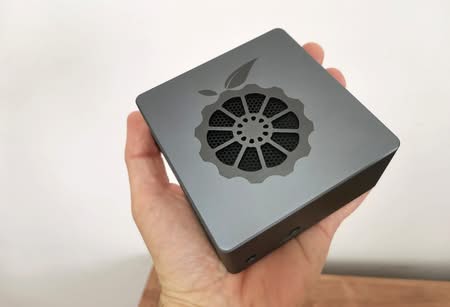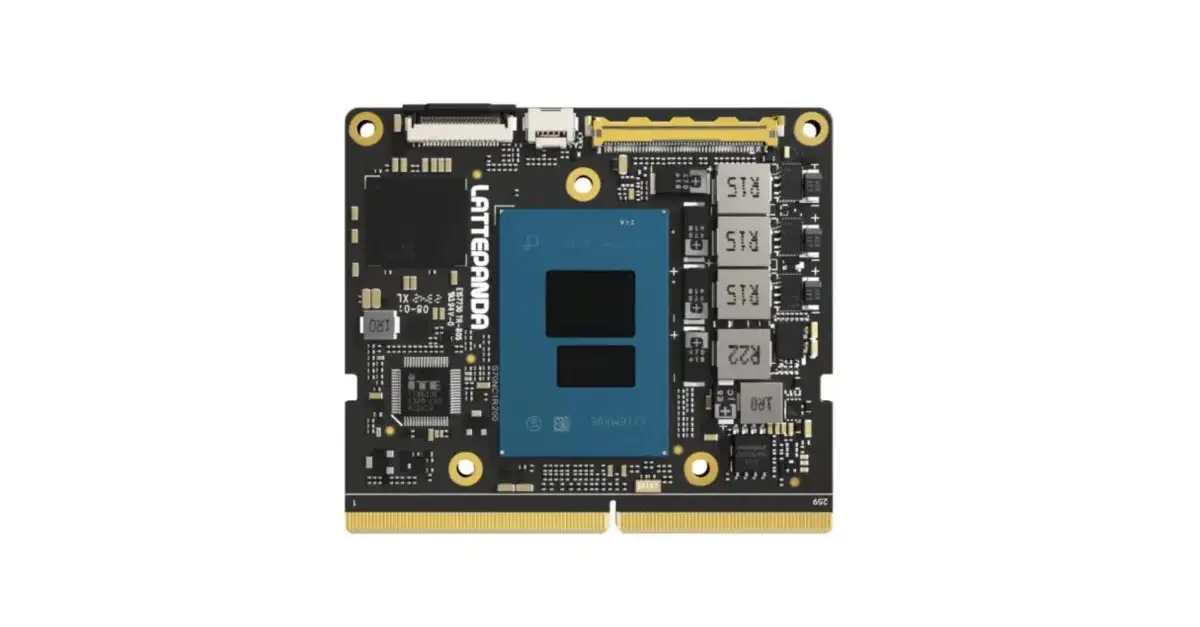
- LattePanda Mu Review: A quick peek at the Features and Pricing of DFRobot’s Computing Module.
- Maybe you missed it? LattePanda Review.
Customize your X86 SBC with the LattePanda Mu module
On May 22, 2024, the LattePanda team introduced their latest innovation: the LattePanda Mu, a compact x86 compute module tailored for a wide range of home, DIY, and commercial applications. With dimensions of just 60mm x 69.6mm, this board packs a powerful punch. It boasts an Intel N100 quad-core processor, featuring 4 cores and 4 threads, with a turbo frequency reaching 3.4GHz—making it ideal for modern x86 soft routers and NAS systems. Its design closely resembles that of the Raspberry Pi CM4, allowing seamless integration with an x86 carrier board via a 200-pin SODIMM type socket.
LattePanda Mu
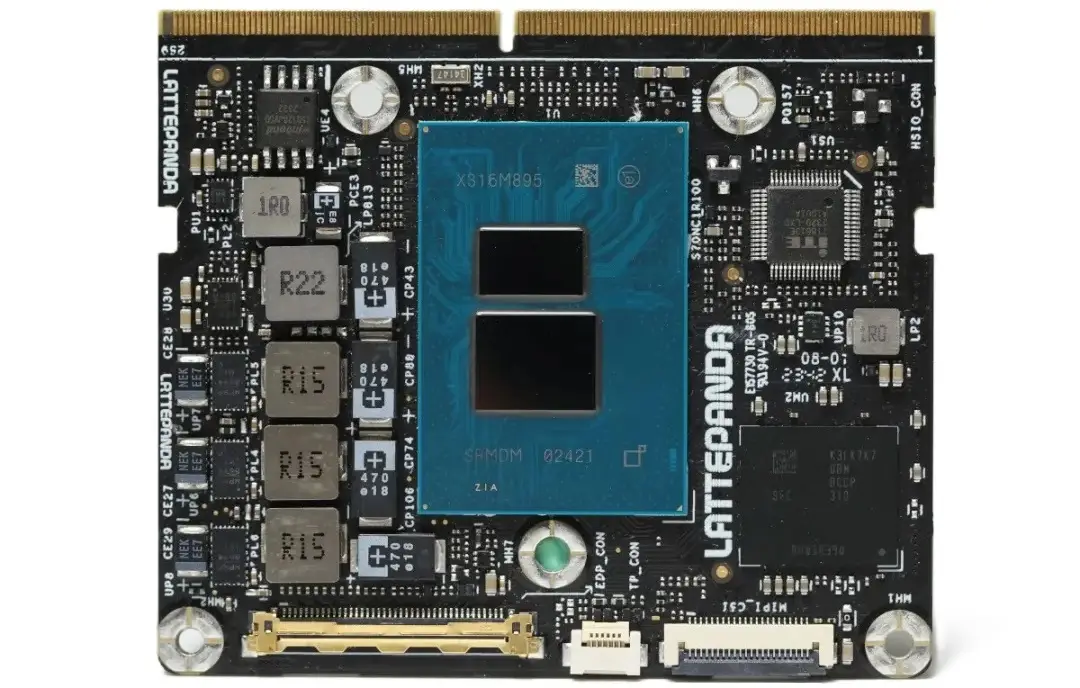
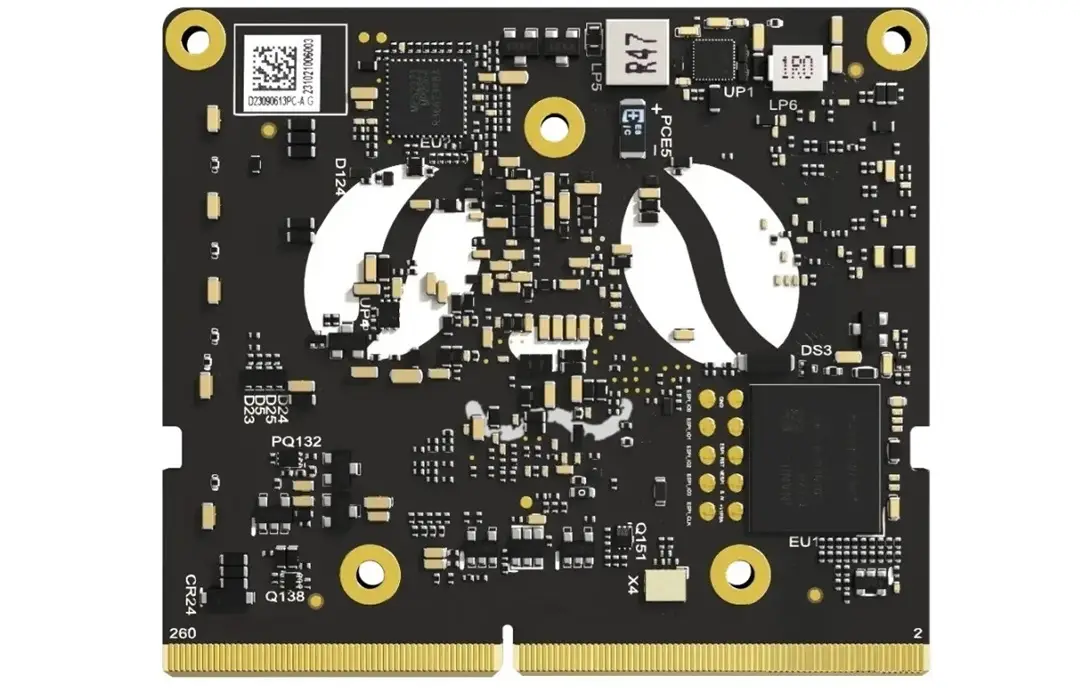
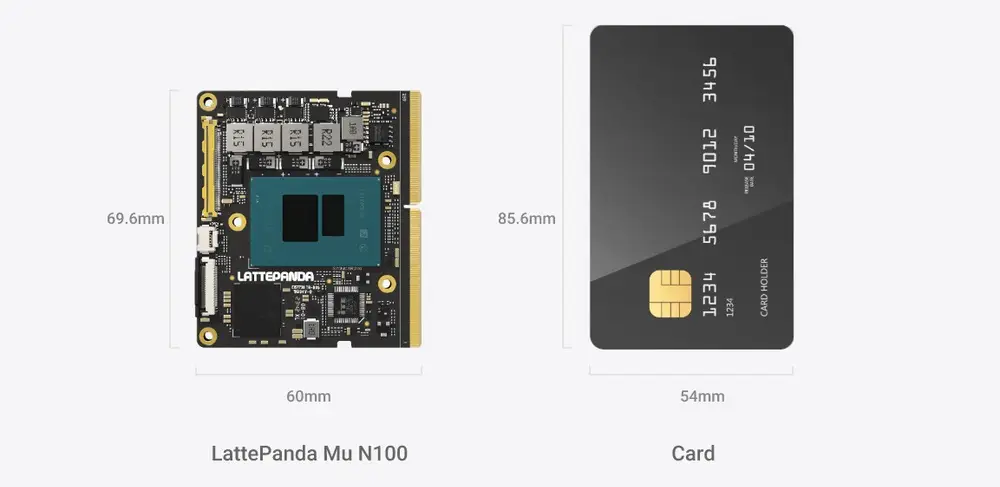
Small form factor, credit card-sized.
Measuring just 69.6mm x 60mm, the LattePanda Mu x86 compute module is designed for seamless integration into space-restricted devices. It offers robust computational capabilities while taking up minimal space, making it an ideal solution for compact applications.
LattePanda Mu Specification
| Parameter | LattePanda Mu |
|---|---|
| Processor | Intel N100 Quad-Core, Four-Thread up to 3.4 GHz |
| GPU | Intel UHD Graphics up to 750 MHz |
| RAM | 8GB LPDDR5 4800 MHz |
| Storage | 64GB eMMC |
| Connectivity | Via carrier board |
| Display (Optional) | It varies based on the specific carrier board. 1x eDP 1.4 3x HDMI 2.0/DisplayPort 1.4 Output up to 3 signals simultaneously |
| Other interfaces (Optional) | It varies based on the specific carrier board. Up to 9 PCIe 3.0 Lanes Up to x4 USB 3.2 (10Gbps) 8x USB 2.0 4x UART 4x I2C 64 GPIOs via carrier board |
| Power | Supports voltage input of 19-20V. |
| Dimensions | 60 x 69.6mm |
| Price | $139 for module |
| The total price of $190 encompasses both the Primer Carrier and the Active Cooler. $240 with Full Evaluation Carrier |
A Brief Product Intro Video
Configuration and performance
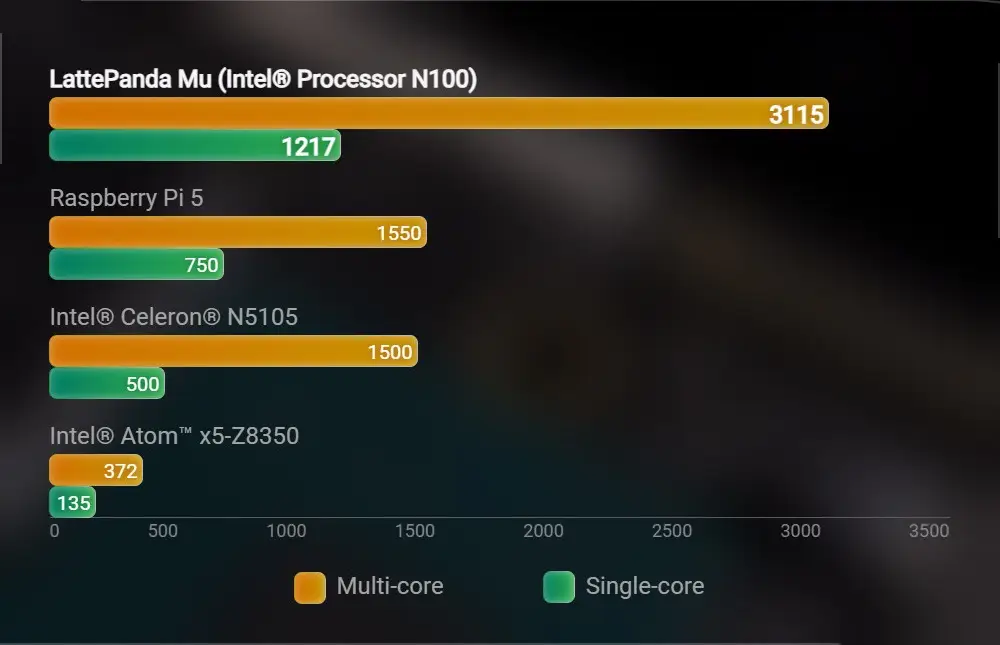
The default configuration includes 4 cores, 8GB of RAM, and 64GB of storage, powered by the Intel N100 CPU, which supports both Windows and Linux. This CPU outperforms the Raspberry Pi 5 and boasts superior GPU performance compared to many traditional development boards. It effortlessly operates the ChatGLM3-6B large language model, delivering a seamless and engaging conversational experience.
Energy efficient
The LattePanda Mu excels in energy efficiency, allowing users to tailor the thermal design power consumption (TDP) to meet their specific requirements. The TDP of LattePanda Mu can be as low as 6W and as high as 35W, which can be adjusted according to your carrier board needs. It also supports passive cooling at low power.
A Speedier Option than Raspberry Pi 5
The company’s CPU stress testing demonstrates that the processor effectively maintains a peak temperature of approximately 70°C, while the FPU operates robustly at around 86°C. In the Geekbench 6 version 6.3.0 benchmark, the CPU delivered remarkable results, achieving an impressive single-core score of 1201 points and an exceptional multicore score of 3204 points. Additionally, it excelled in OpenCL with a score of 3300 and delivered a stellar performance in Vulkan, reaching 3753 points.
A real Raspberry Pi 5 alternative?
Performance Benchmark Tests: Comparing the Raspberry Pi 5 and LattePanda Me
| Test type | Rapberry Pi 5 | LattePanda Mu | Percentage |
|---|---|---|---|
| Single core | 1217 | 750 | 100.97% |
| Multi core | 3115 | 1150 | 62.33% |
Compatibility with a diverse range of carrier boards featuring extensive interfaces.
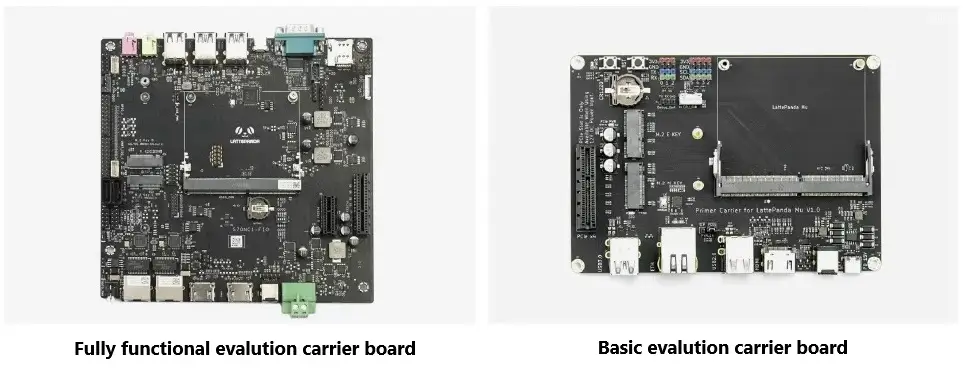
LattePanda has also introduced “Lite” and “Full function” carrier boards tailored to its unique features. These carrier boards provide enhanced connectivity options and facilitate easier integration into various projects. Additionally, they support a wide range of peripherals, making them versatile choices for developers and hobbyists alike. These versatile carrier boards provide a wide range of interfaces, including three HDMI/DisplayPort connections, eight USB 2.0 ports, as well as up to four USB 3.2 ports and nine PCIe 3.0 slots.
1. Basic/Lite Evalution Carrier Board
The basic carrier board is designed for versatility, featuring a flexible power input and a PCIe 3.0 x4 slot. It boasts two M.2 slots along with multiple connection options for RTC battery, CPU fan, UART, I2C, and more. Additionally, it incorporates two USB 3.2 ports, Gigabit Ethernet, HDMI 2.0, and an extra USB port, all within a sleek and compact dimension of 146mm x 102mm. This compact design not only enhances portability but also ensures efficient heat dissipation and reliable performance. With its robust connectivity options, the Lite carrier board is ideal for a wide range of applications, from IoT projects to industrial automation.
2. ITX form factor Carrier Board
This state-of-the-art evaluation carrier board significantly enhances connectivity and functionality. It features a user-friendly front panel equipped with a microphone, headphone jack, USB port, a DB9 RS232 port, and a SIM card slot. The rear panel includes a power button, dual Intel 2.5GbE network ports, and dual HDMI 2.0 outputs. It offers extensive expansion options with PCIe and M.2 slots for WLAN and Wwan cards, and incorporates SATA interfaces, all while conforming to the ITX standard dimensions of 170 x 170mm. This design optimizes versatility for a variety of applications and ensures efficient thermal management for peak performance. Consequently, it is ideal for both industrial and consumer electronics markets, effectively addressing a broad spectrum of user requirements.
3. NAS Carrier Board
Easily tailor the interfaces and form factors essential for your carrier board design. With this board you can build an ultra-energy-efficient NAS or a high-performance NAS featuring a 10GbE network. The LattePanda Mu, supported by IBE CC, delivers outstanding stability for prolonged periods, comparable to that of a traditional server. This carrier board also has the capability to support up to eight NVMe connections.
4. Cluster Carrier Board
Designed to create a high-performance network that links multiple LattePanda Mu devices, allowing you to construct your own Kubernetes clusters, Proxmox VE virtualization clusters, or Ceph distributed storage systems. Dive into local experimentation with the latest networking technologies and discover the forefront of innovation.
5. Graphic Carrier Board
This flexible carrier board design allows the LattePanda Mu to be paired with PCIe, MXM, or even SXM and OAM graphics cards. Whether it’s running games, image processing, or local ChatGPT, it’s flexible enough and still keeps the entire system at an elegant size.
Software Support
In terms of system support, the official supports Windows 10 IoT Enterprise Edition LTSC; Windows 11; Ubuntu 22.04 LTS. The LattePanda company team offers Windows 10 and 11 drivers meticulously designed for the Mu module, ensuring optimal functionality and performance. For the best performance on Linux, it is recommended to use a distribution with a 5.18 kernel or higher, with Linux 6.1+ being the ideal choice. This information will assist you in quickly evaluating the module’s capabilities.
Certainly! Let’s dive into the advantages of x86 Single-Board Computers (SBCs). While ARM-based SBCs have dominated the market, there’s definitely a time and place for their x86 counterparts. Here’s why:
The Advantages of x86 SBCs
- Processing Performance: x86 single board computers (SBCs) deliver significantly greater processing power. For those seeking exceptional performance, particularly for server hosting or running resource-intensive emulators, x86 is the superior choice. These boards are generally equipped to manage more demanding workloads than their ARM-based counterparts.
- Compatibility with Operating Systems: For those who appreciate versatility, x86 SBCs are indispensable companions. They seamlessly support a diverse array of operating systems, including various Linux distributions and Windows. Whether you’re experimenting with Linux-based projects or require native Windows functionality, these boards are the best fit for OS compatibility.
You can also discover BIOS, drivers, mechanical design files, and additional information on GitHub. Furthermore, KiCAD hardware design files for the carrier board are available in the GitHub repository: https://github.com/LattePandaTeam/LattePanda-Mu.
Price and Availability
The LattePanda Mu is now available at a price of $139, making it an excellent choice for tech enthusiasts. For those looking to enhance their experience further, the LattePanda Mu Kit is also available, featuring the LattePanda Mu, the LattePanda Mu Lite Carrier, and a high-performance active cooler for approximately $178. For comprehensive details, we strongly encourage you to delve into the full range of features and specifications available on the official DFRobot website.