NanoPi M3 Review
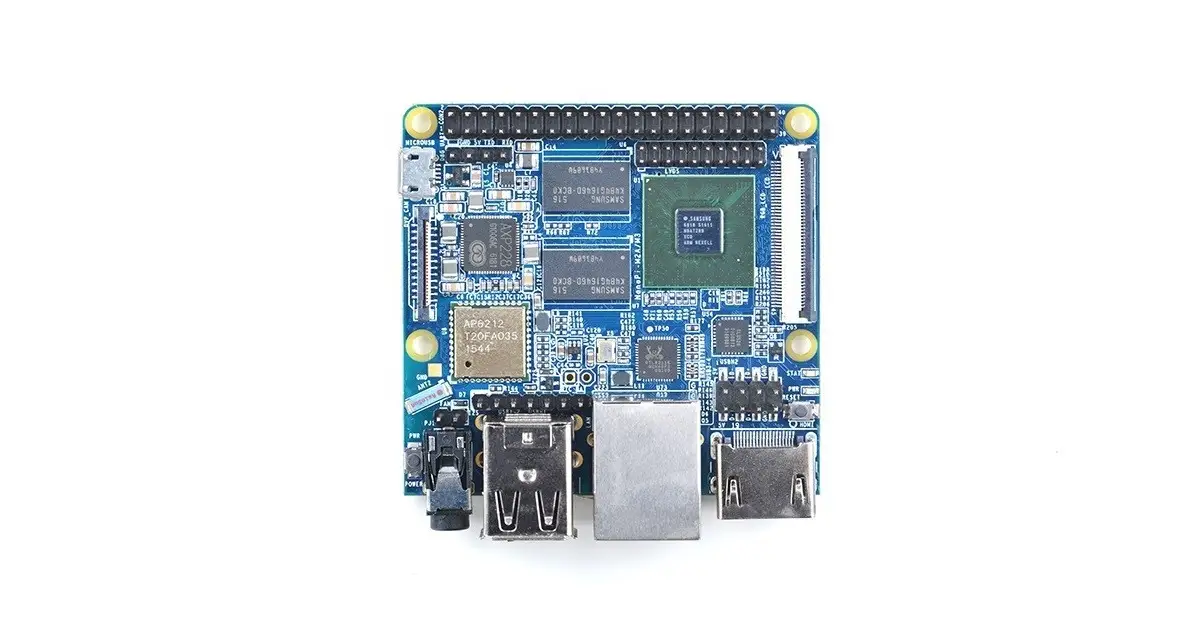
FriendlyARM NanoPi M3 is a Single Board Computer (SBC), smaller than the Raspberry Pi 2 and Ardunio boards, that uses a Samsung Octa-Core Cortex-A53 S5P6818 SoC. with a dynamic frequency scaling from 400MHz up to 1.4GHz. It has a Gbps Ethernet port, built-in WiFi, and Bluetooth support. Its AXP228 PMU (power management unit) supports power off, sleep, and wake-up functions.
In addition, the NanoPi M3 has a Micro USB port for power supply and an onboard porcelain antenna. The Board integrates various ports and interfaces, such as DVP Camera/LVDS/HDMI/LCD interfaces, Ethernet, I2S, a 3.5 mm audio jack, and four USB v 2.0 ports.
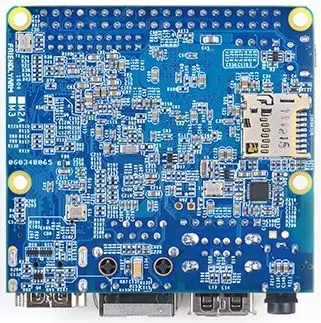
NanoPi M3 | Back View
NanoPi M3 Specifications
- SoC: Samsung S5P6818 Octa- Core Cortex-A53, 400 MHz – 1.4 G Hz
- Power Management Unit: AXP228 PMU, supports software power-off and wake-up.
- USB Host: 4 x USB 2.0 Host, two Type-A ports, and two 2.54 mm pitch pin-headers
- Other features – Power and reset buttons; power and status LEDs
- System Memory: 1GB 32-bit DDR3 RAM
- Ethernet: Gbit Ethernet (RTL8211E)
- Storage: 1 x Micro SD Card Socket (up to 64GB)
- WiFi: 802.11 b/g/n
- Bluetooth: 4.0 dual-mode
- Antenna: Porcelain Antenna IPX Interface
- Audio: 3.5 mm audio jack / via HDMI
- I2S: 7pin, 2.54 mm pitch pin- header
- Micro USB: 1 x Micro USB 2.0 Client, Type A
- LCD Interface: 0.5 mm pitch 45 pin FPC seat, full-color RGB 8-8-8
- HDMI: 1.4A Type A, 1080P
- LVDS: 20 pin 2.00 mm pitch pin- header
- DVP Camera: 0.5 mm pitch 24 pin FPC seat
- GPIO: 2.54 mm pitch, Raspberry Pi compatible GPIO 40 pin- header.
- Other Interfaces: UART, SPI, I2C, PWM, etc.
- Serial Debug Port: 2.54 mm pitch 4pin- header
- User Key: K1 ( power), Reset
- LED: 1 x power LED and 1 x status LED
- RTC Battery: RTC Battery Seat
- Heat Sink: 1 x Heat Sink (Optional).
- Dimension: 64 mm x 60 mm
- Power Supply: DC 5V/2A
- Operating systems: Debian Linux and Android with Uboot images available; also supports Ubuntu, Ubuntu Mate, Kali, and Deepin.
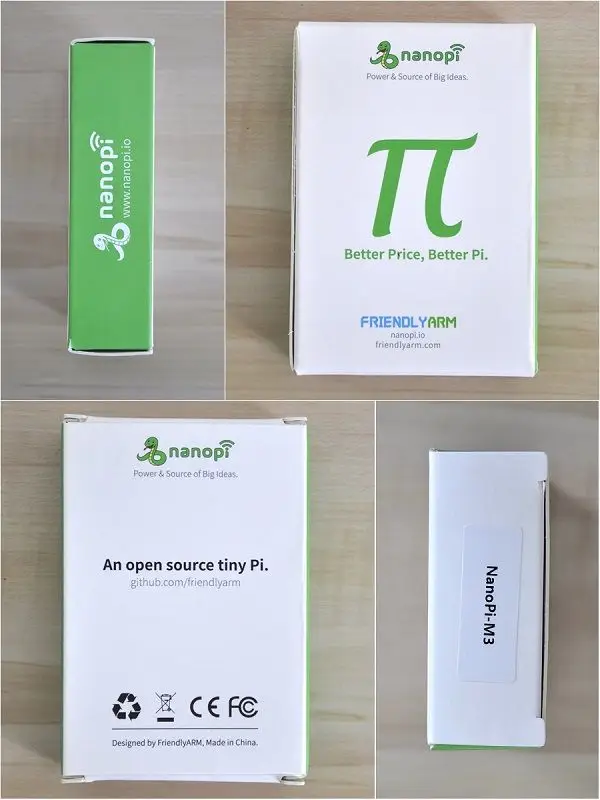
NanoPi M3 Package
Optional Accessories
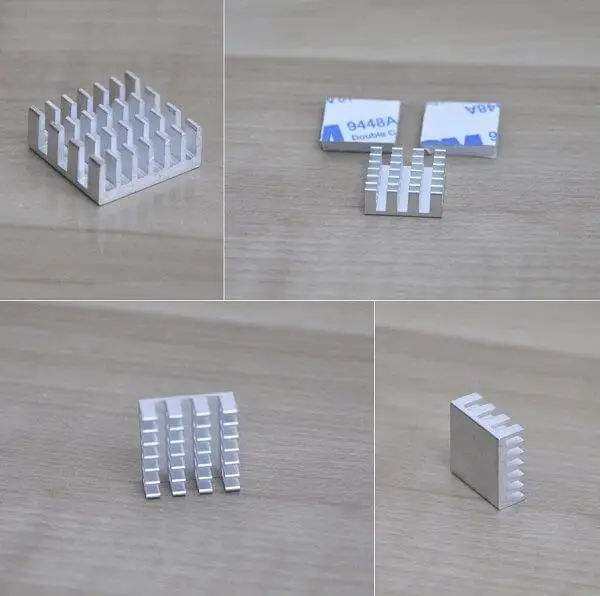
FirendlyARM offers a few optional accessories for their NanoPi M3 that are not included in the default package that only contains the development board. There is an option to order a nice 3D Printed Housing (Case) that comes with all necessary screws and spacers for PCB Assembly, or alternatively use the cad files containing STL files for self-production ( Download Link ). Another item that is highly recommended is the CPU heat sink unit that comes with two sets of Thermal Adhesive Pad. Again, it’s a fast solution if you don’t have extra time to DIY (Do it yourself).
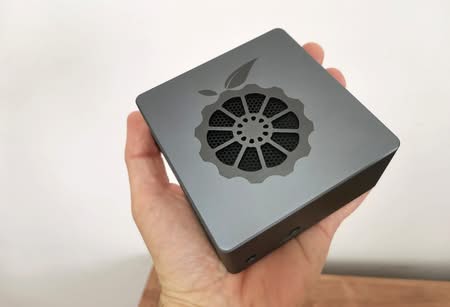
NanoPi M3’s 3D Printed Housing
Hardware Platform
The NanoPi M3 Hardware is powered by a 64-bit Samsung S5P6818 Octa-Core Cortex-A53 processor running at clock speeds between 400 MHz – 1.4G Hz (Peak Speed) along with a Mali 400MP GPU, that’s more than enough for playing a video at resolutions of 1080P.
On the backside, you will find a pair of USB v 2.0 ports, plus an additional external interface (Onboard), HDMI 1.4A, 10/100/1000 Mbps LAN, Power, and the Reset buttons. According to the product’s main specifications, the power required for operating the board is 5V-2A. FriendlyARM Company recommends purchasing using their power adapter for max stability (Note: at additional cost). That said, the board comes with AXP228 PMU advanced power unit which supports software power-off, sleep, and wake-up functions, which makes this board very power sufficient. I didn’t find a Microphone or eMMC Flash memory that can achieve higher read/write speeds vs. loading system files directly from a Micro SD Card. For users that still prefer the eMMC option, I personally recommend checking the more advanced NanoPC-T3 model that sells at a retail price of $60.
NanoPi M3 Board
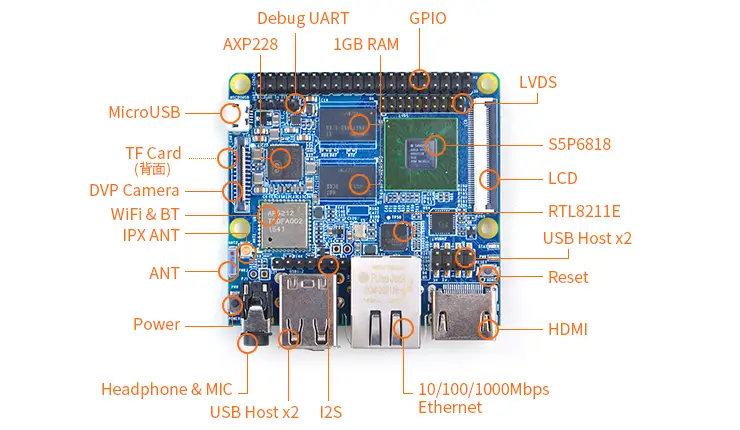
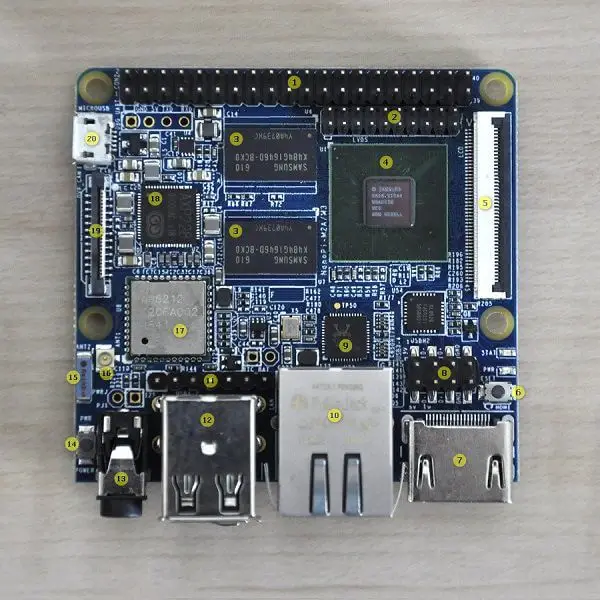
NanoPi M3 Board Layout
- 40 Pin Header GPIO
- LVDS
- 1GB RAM
- SP6818 CPU & Mali 400MP GPU.
- LCD Interface.
- Reset
- HDMI Interface
- USB Host x2 (Onboard Interface)
- RLT8211
- 10/100/1000Mbps Ethernet
- I2S
- USB Host x2
- 3.5 mm audio jack
- Power
- IPX Antenna
- WiFi & BT
- AXP228
- Micro SD Card Socket
- Micro USB
Power usage
To power the NanoPi M3 board you will need to use a USB-type Adapter, and a USB-Micro Cable connected to the board OTG port. As mentioned previously the NanoPi M3 uses 5V – 2A (Max). In my test using a voltage meter USB key nominal voltage range (maximum values) where 5.5V – 0.22A (Normal Operating mode without load).
CPU Temperature
Because the processor tends to heat much, It’s highly recommended to buy a good heat sink made from copper or aluminum. For my tests, I used a 14 mm x 14 mm x 7 mm Aluminum Heat sink that came with two Thermal Compound Adhesive Pads, also provided by FirendlyARM.
NanoPi M3 | Testing CPU Temperature
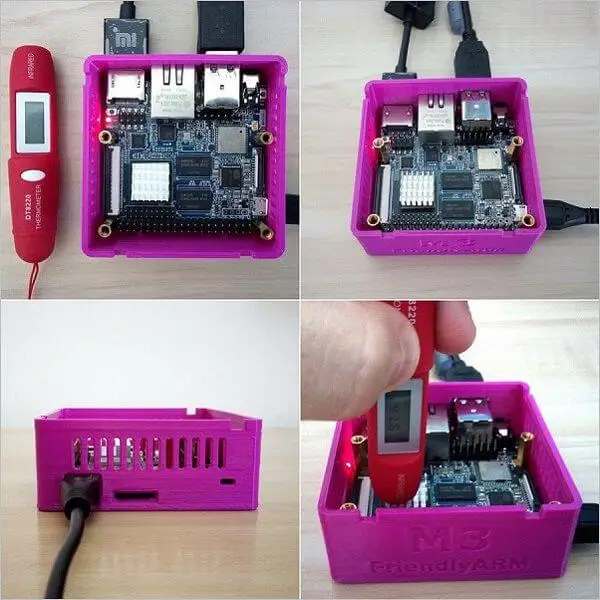
Measured Temperatures (Without heat sink, Open Case):
- Test Tool: Thermometer
- Normal operation mode (Low CPU Load): 50C – 63C.
Measured Temperatures (With heat sink, Open Case):
- Test Tool: Thermometer
- 38C – 41C (Low CPU Load).
Software
Current system images available for the NanoPi M3 are pretty limited. Among them, you will find the most popular ones such as Debian Linux, Android 5.1, Ubuntu, Ubuntu Mate, Kali, Debian, and Deepin and I expect FriendlyARM will develop and provide more extensive OS image support.
Loading System Images
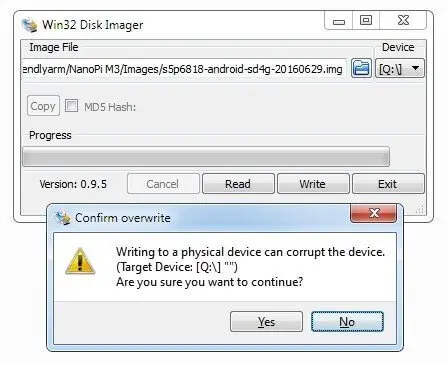
To burn an image file containing operating system files you will need a formatted Class 10 Micro SD Card in size of 4GB and higher according to image size. Flashing the SD Card under the Windows environment is done with the “Win32 Disk Image” Software. If you or using Linux you can use popular tools such as “ImageWriter” or do it without a GUI command line in Linux mode.
Flashing SD Card With Win32 Disk Image
NanoPi M3 Hands-on Review
Final words
Overall the NanoPi M3 is a good development board with a high-performance Octa-Core processor. What was missing for me as an end-user is more operating systems image support, something FriendlyArm should improve and invest more resources in. That said, If you are looking to buy a low-budget board for $35, then this product could be a good pick.
Pros
- High-Performance Hardware (Octa-Core Processor).
- High Quality.
- Cost-Effective.
Cons
- No eMMC Chip.
- Limited Software Support.
Company Links:
- Company Page: http://www.friendlyarm.com
- Facebook: https://www.facebook.com/FriendlyARM.Community/

Key Takeaways
- It has a Gbps Ethernet port, built-in WiFi, and Bluetooth support.
- Its AXP228 PMU (power management unit) supports power off, sleep, and wake-up functions.
- In addition, the NanoPi M3 has a Micro USB port for power supply and an onboard porcelain antenna.
- NanoPi M3 NanoPi M3 | Back View NanoPi M3 Specifications SoC: Samsung S5P6818 Octa- Core Cortex-A53, 400 MHz - 1.
- 4 G Hz Power Management Unit: AXP228 PMU, supports software power-off and wake-up.
Frequently Asked Questions
What is nanopi m3 review?
FriendlyARM NanoPi M3 is a Single Board Computer (SBC), smaller than the Raspberry Pi 2 and Ardunio boards, that uses a Samsung Octa-Core Cortex-A53 S5P6818 SoC.
What is nanopi m3 specifications?
SoC: Samsung S5P6818 Octa- Core Cortex-A53, 400 MHz - 1.
What is optional accessories?
FirendlyARM offers a few optional accessories for their NanoPi M3 that are not included in the default package that only contains the development board.
What is hardware platform?
The NanoPi M3 Hardware is powered by a 64-bit Samsung S5P6818 Octa-Core Cortex-A53 processor running at clock speeds between 400 MHz - 1.