Close Menu
  • Home
  • About
  • Wearables
  • Earbuds
  • Computer Accessories
    • Routers
    • Remotes
  • Embedded
    • Single Board Computers
    • Addon Boards
    • Raspberry Pi
  • Wireless Routers
  • Contact
Facebook X (Twitter) Instagram Threads
Trending
  • Orange Pi Zero 3W Review: $25 Dual Video Pi Zero 2W Killer?
  • DFRobot 6.67″ Flexible AMOLED Review: Curved Display for Raspberry Pi & LattePanda
  • Banana Pi BPI-SM10 Review: 60 TOPS RISC-V Jetson Orin Nano Alternative
  • SpacemiT K3 Pico-ITX Review: 60-TOPS RISC-V Powerhouse for LLMs?
  • Banana Pi BPI-R4 Pro Review: The Best WiFi 7 OpenWrt Router? We Checked!
  • DFRobot ESP32-S3 LoRaWAN & Gateway Review: Build a Private IoT Network
  • Top Global AliExpress Promo Worldwide Country Codes June 11, 2026
  • WaveNote AI Review 2026: An Honest Pro/Con Comparison (Tested)
AndroidPIMP
Facebook X (Twitter) Instagram
  • Home
  • About
  • Wearables
  • Earbuds
  • Computer Accessories
    • Routers
    • Remotes
  • Embedded
    • Single Board Computers
    • Addon Boards
    • Raspberry Pi
  • Wireless Routers
  • Contact
AndroidPIMP

Redmi Pad 2 Review (2025): The Best Budget Tablet Value? Full Review

0
By androidpimp on September 26, 2025 Tablet PCs
Redmi Pad 2 Tablet Review
Table of contents
  1. Part I: Presenting the budget-friendly Redmi Pad 2 Tablet!
  2. Now Officially Released
  3. Design
    1. External Design
    2. Color variants
  4. Display
  5. Software โ€“ Powered by HyperOS 2.0
  6. Hardware
  7. Battery and Charging
  8. Specifications
    1. The Package
  9. Unboxing All Items
  10. Design & Build Quality
  11. Weight
    1. Comparing this deviceโ€™s weight to other top tablet brands.
  12. Display
    1. Assessing display visibility under various lighting conditions.
    2. Display size and aspect ratio
  13. Recommended Accessories (Optional for an additional fee)
    1. Screen Protection
    2. Is the display made with Gorilla Glass to ensure greater durability?
    3. Protection cover
    4. Redmi Smart Pen
      1. The Smart Pen Latency (Responsiveness)
      2. The Pros and Cons in a Nutshell
  14. Speakers & Sound Quality
    1. How would you describe the sound quality?
  15. Cameras & Photography
  16. The main camera housing design
  17. Personal impression
    1. Capturing videos and images at high resolutions
  18. Software
    1. Widevine L1 Certification
  19. Storage Space
    1. Available Space
    2. Internal Storage (Flash)
    3. Does this device operate on a 64-bit operating system? Absolutely!
    4. Is it possible to install the Kodi 64-bit APK?
    5. How much Memory and CPU resources are utilized
    6. Youtube video playback
  20. Hardware
    1. CPU Architecture
    2. Overall performance assessment of the device
    3. Redmi Pad 2 vs. Oppo Pad SE
    4. Side-by-side hardware comparison of the Poco Pad and Redmi Pad 2
  21. Conclusions
    1. GPU
    2. Gaming Performance
  22. Performance Benchmarks
    1. Running Geekbench 6.0
    2. Single-Core Test Results
    3. Multi-Core Test Results
    4. Comparing our benchmark results to equivalent devices
  23. Connectivity
  24. Battery Life & Charging Speed
    1. Battery life testing
    2. Test No. 1 โ€“ Testing in lightweight usage (YouTube only)
    3. Test No. 2 โ€“ Testing in moderate usage (YouTube & Stremio)
    4. Recommended Power adapter
    5. Charging Speed
  25. Conclusions
  26. Final Verdict
  27. Price and availability of the Redmi Pad 2.
  28. Overall thoughts after three months of testing the Tablet
    1. Redmi Pad 2
    2. Redmi Pad 2
    3. Redmi Pad 2
  29. FAQ
    1. Is the Redmi Pad 2 compatible with a stylus?
    2. Does it have a headphone jack?
    3. When was the Redmi Pad 2 released?
    4. What operating system does the Redmi Pad 2 run on?
    5. What are the RAM and storage configurations available?
    6. Is the storage expandable?
    7. Does it support fast charging?
    8. How does the Redmi Pad 2 compare to the Redmi Pad SE?
    9. What is the price of the Redmi Pad 2?
    10. Is the Redmi Pad 2 good for gaming?
    11. What color options are available for the Redmi Pad 2?
    12. How long does the battery last?
    13. What are the camera specifications?
    14. What are the displayโ€™s brightness and color capabilities?


Software

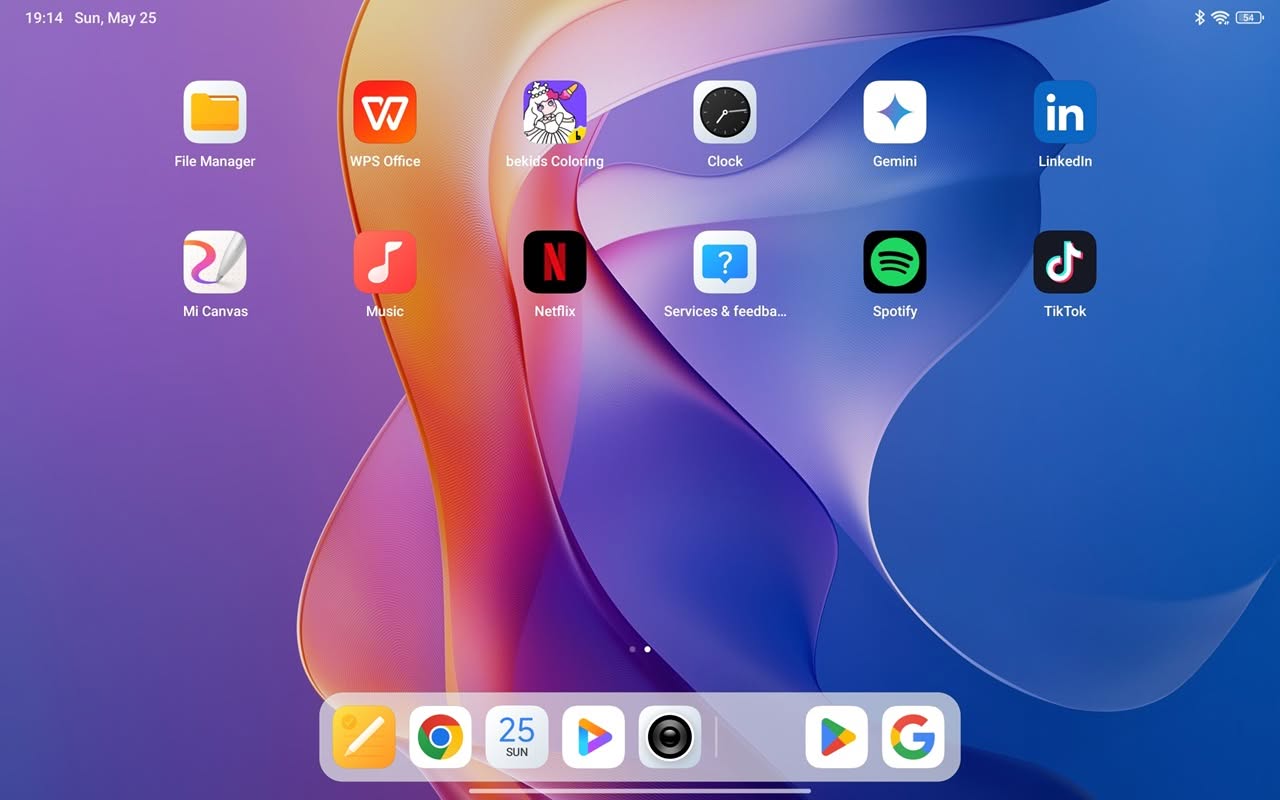
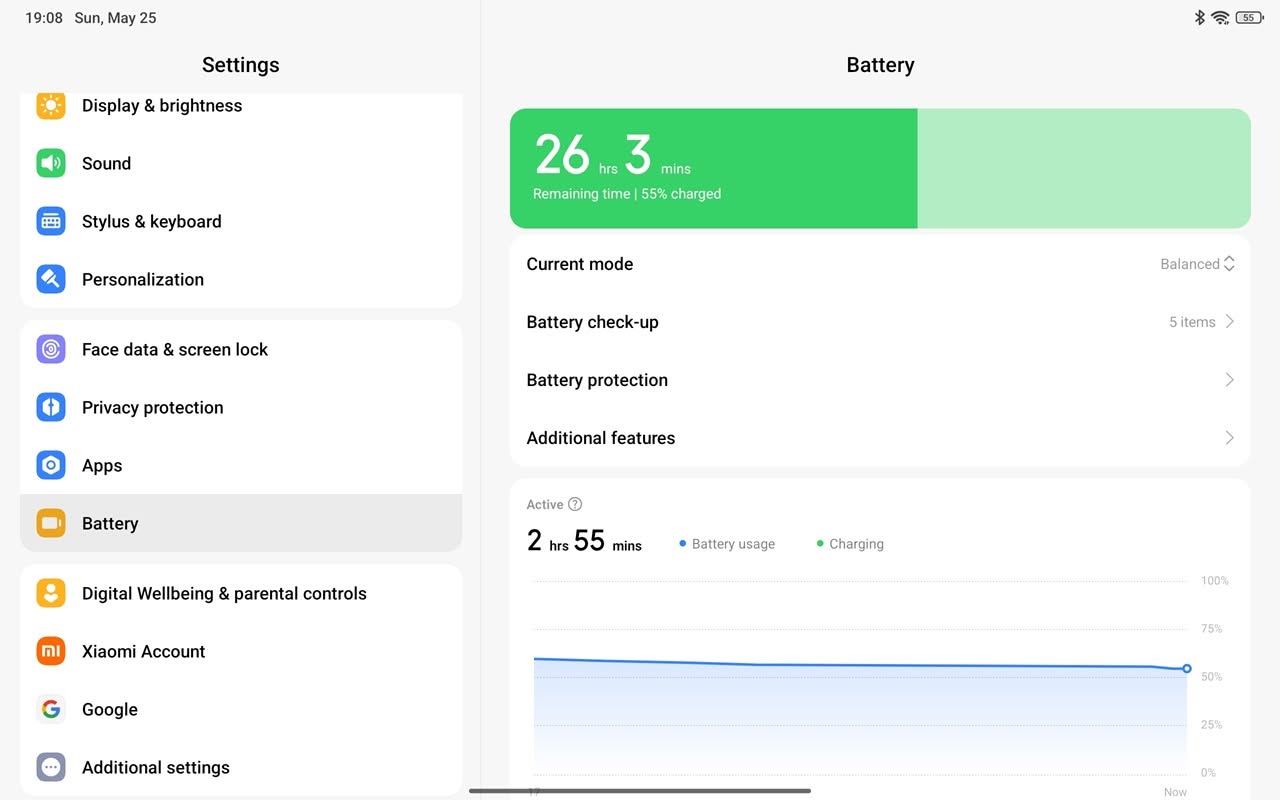
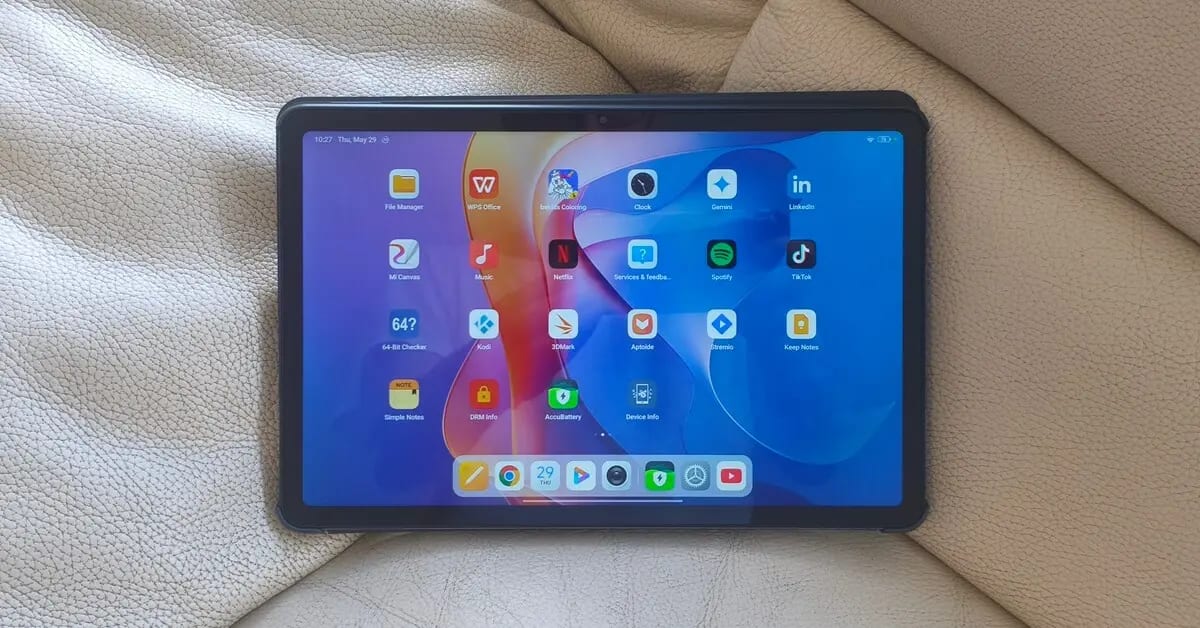
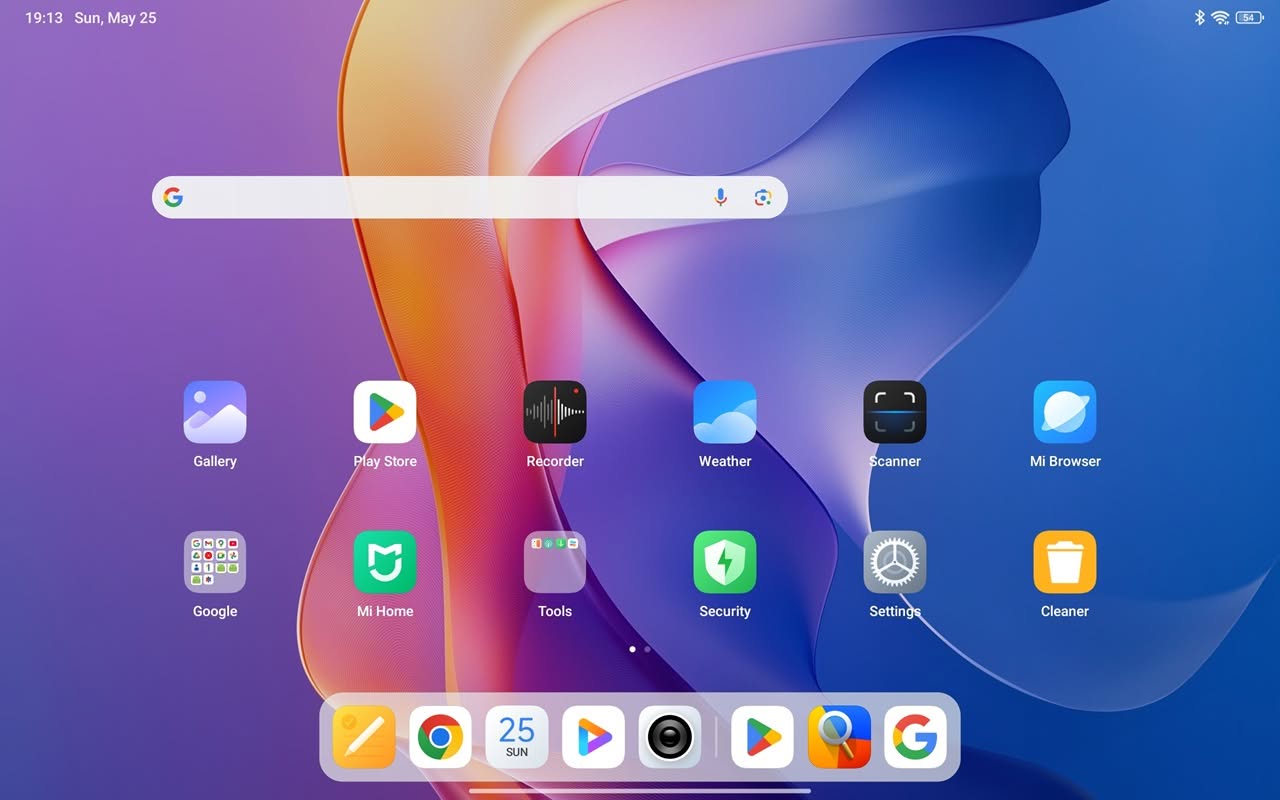
The device runs Xiaomi HyperOS 2.0.102.0, based on Android 15. The operating system provides options for users to customize their experience, including the ability to disable ads and reduce bloatware to minimal. It also comes with several popular pre-installed applications, including Netflix, Spotify, TikTok, WPS Office, LinkedIn, and the Mi Home App for managing Xiaomi smart devices. For writing and drawing hobbyists, the bundle also includes Bekids Coloring and Mi Canvas apps, designed for use with the Stylus pen accessory.

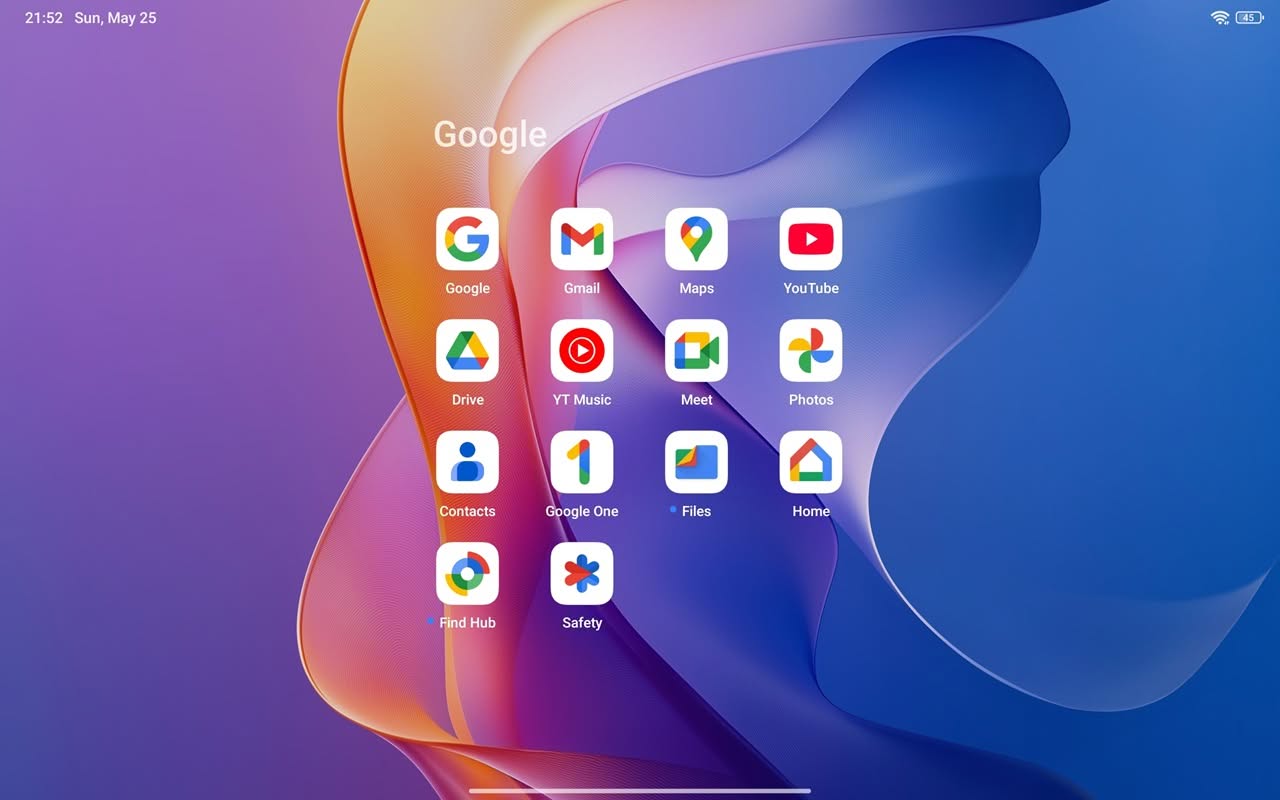
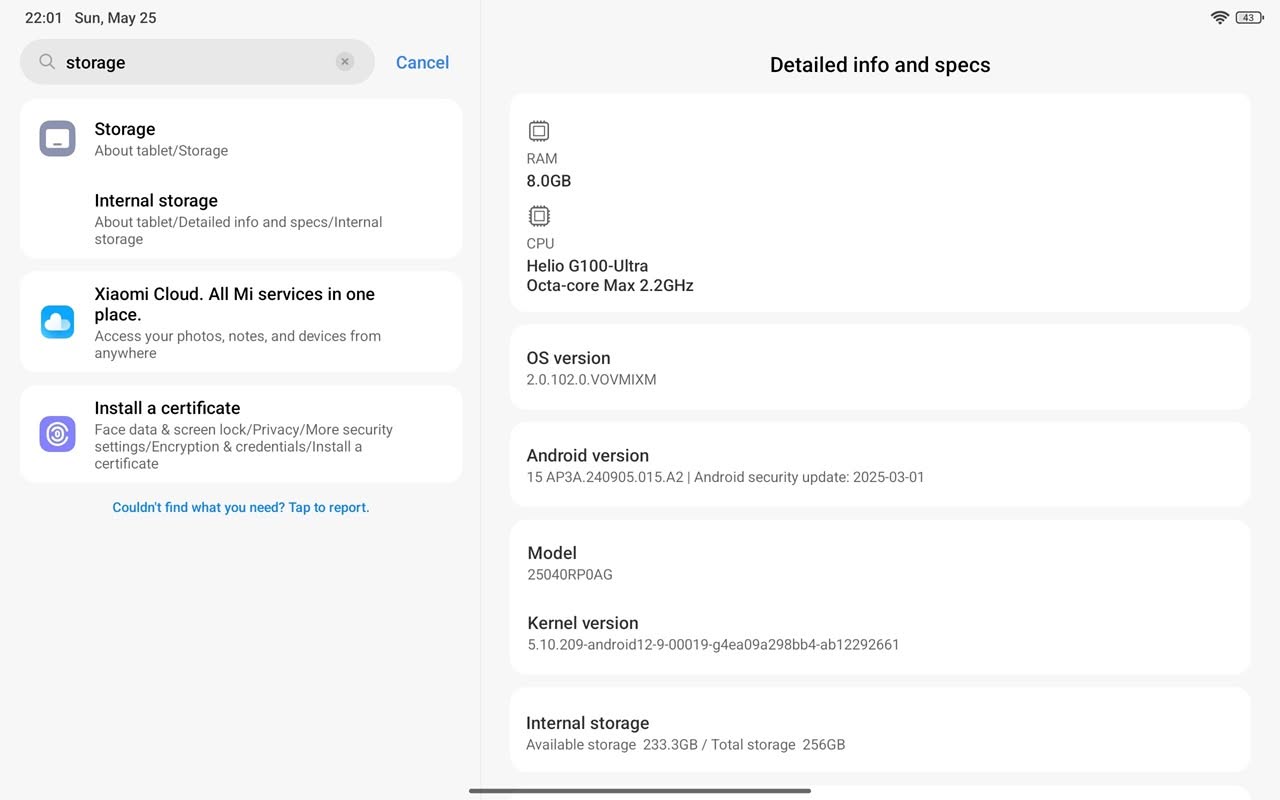
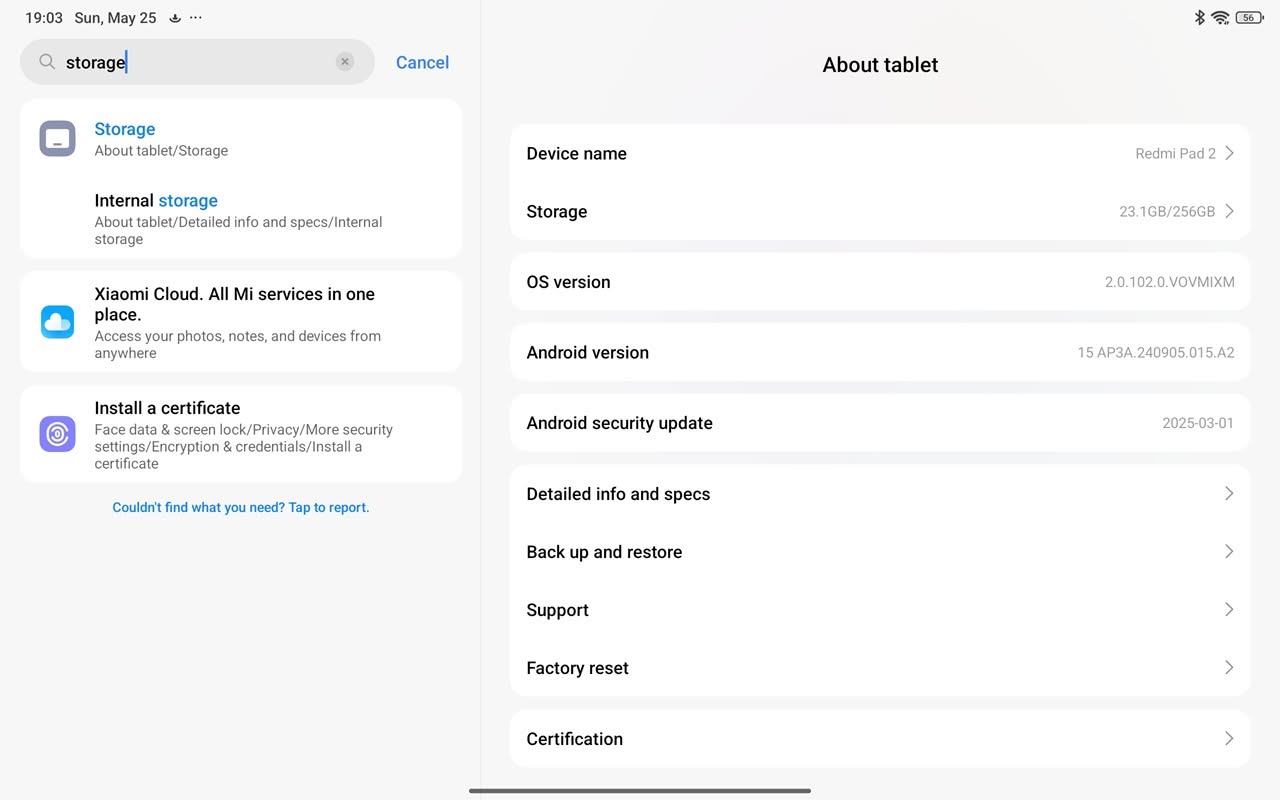
Xiaomi HyperOS 2.0.102.0 (Screenshots)
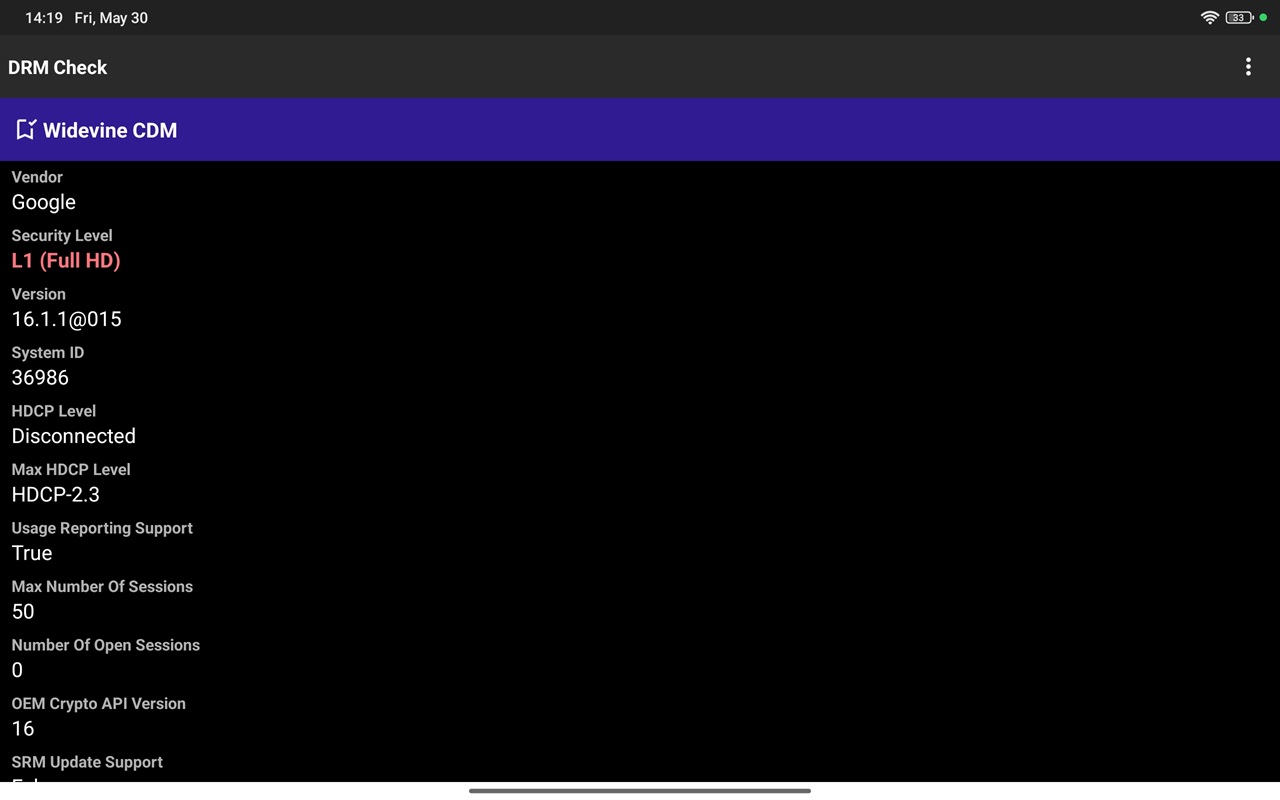
Widevine L1 Certification

Devices certified with Widevine L1 enable streaming of videos at the peak resolutions set by the content provider’s standards. This encompasses Full HD (1080p), 4K (2160p), and HDR content.

It is important to note that, although we have not thoroughly assessed each individual service included in our review, our DRM check application plays a vital role in confirming that Full HD (1080p) playback capabilities are genuinely supported.

Storage Space

Available Space

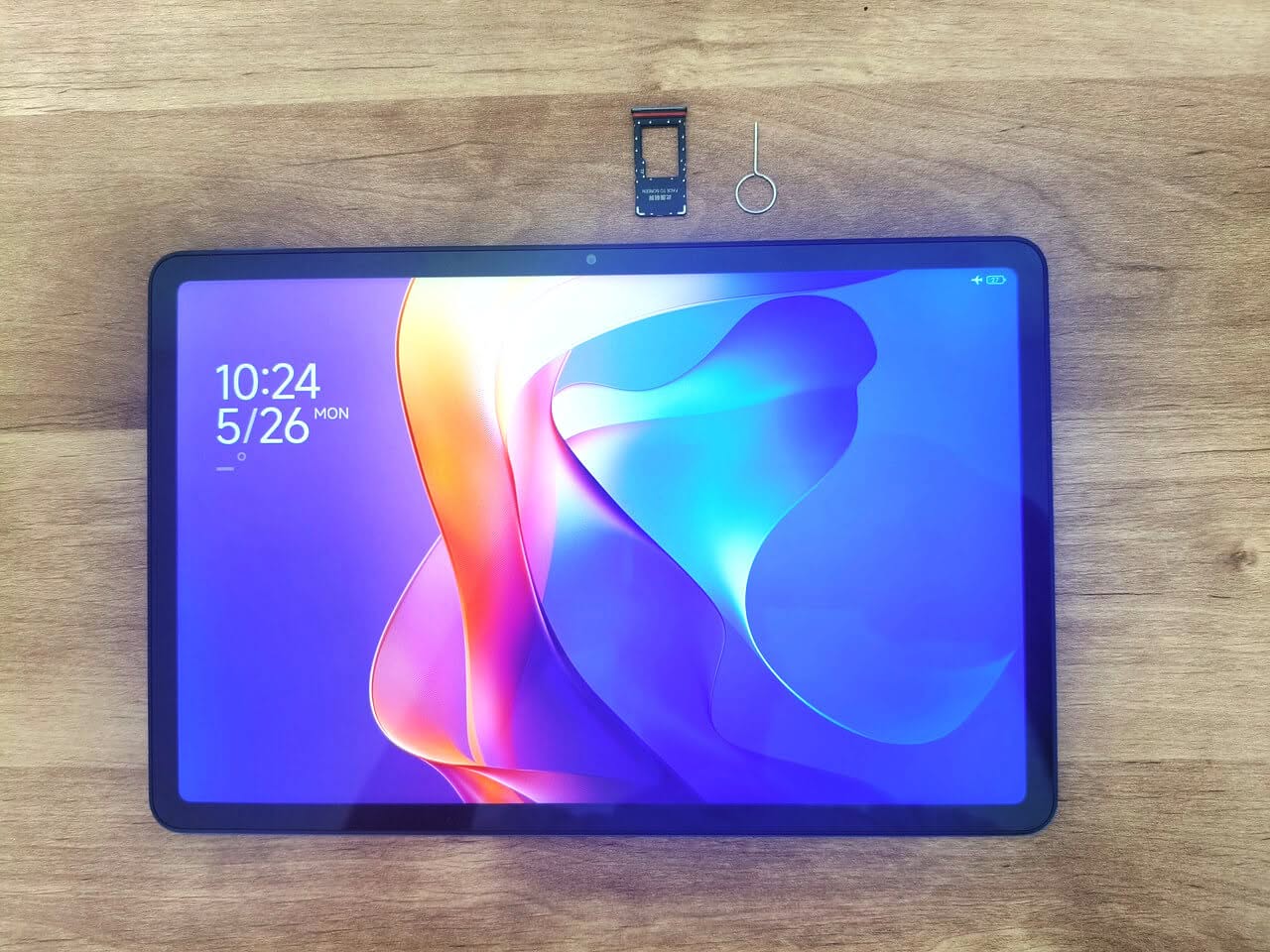
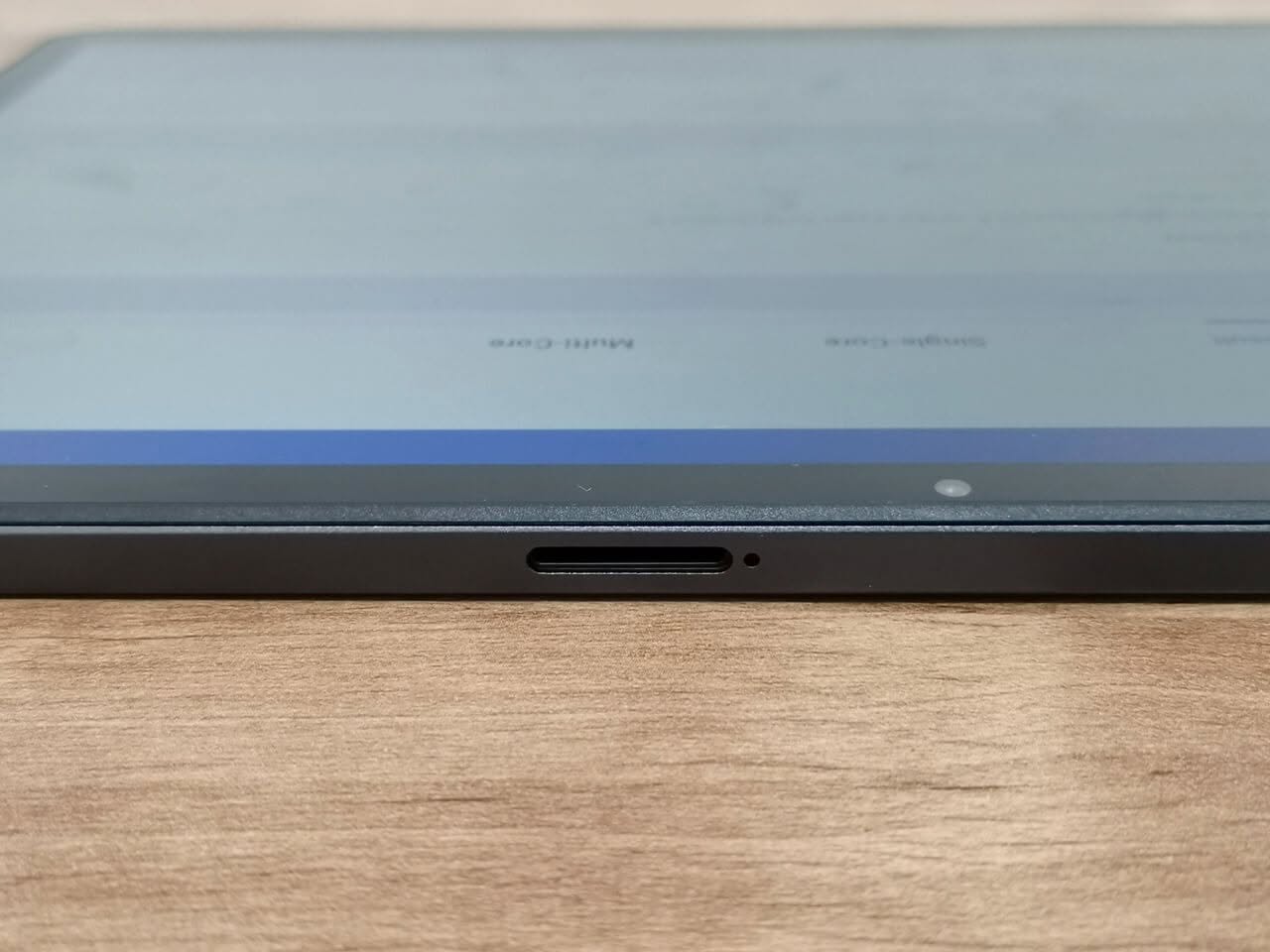
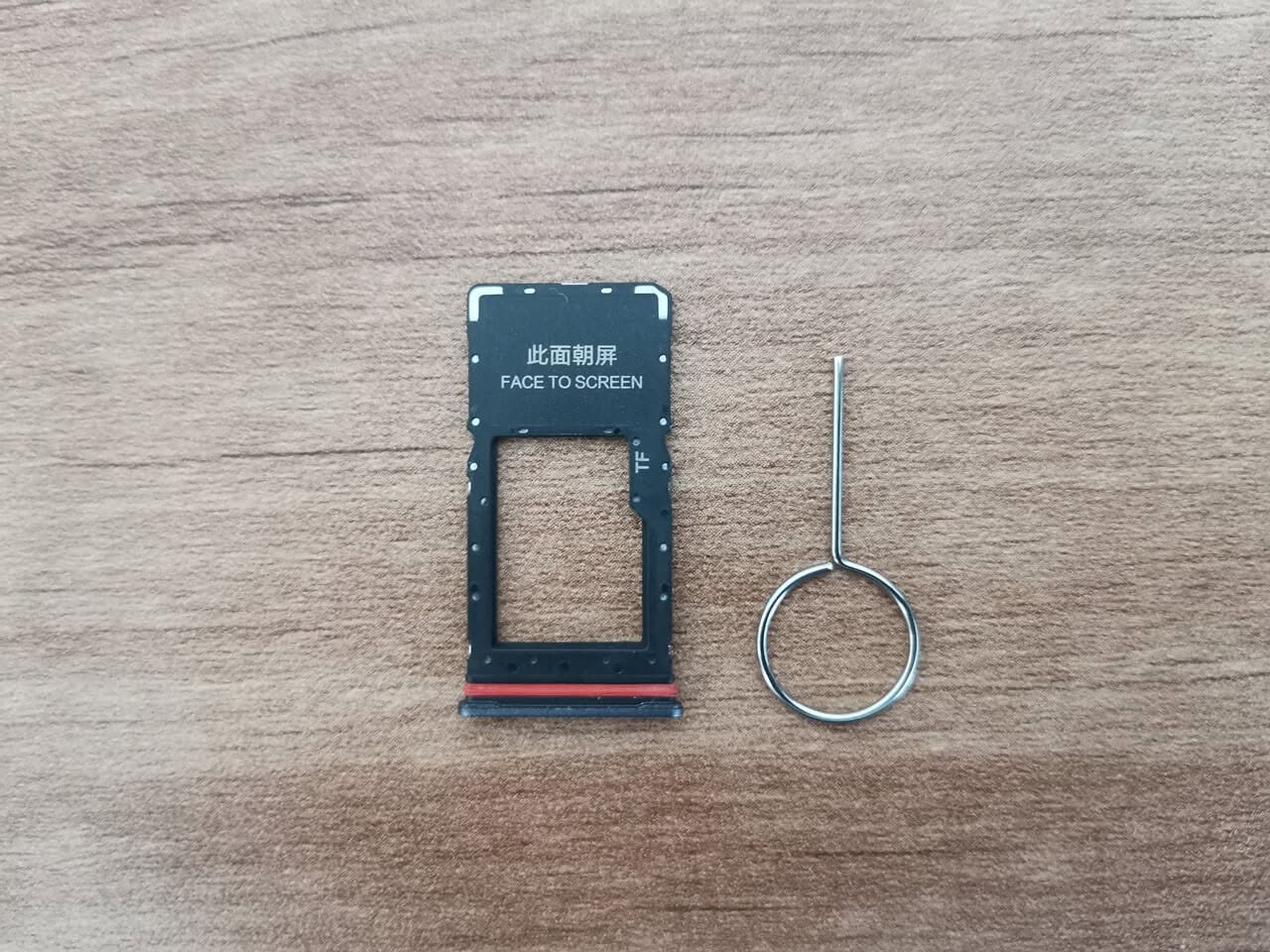
The model specified for this review includes 8GB of memory and 256GB of internal eMMC storage. Considering the operating system files, around 233GB of free space is available. Furthermore, Xiaomi has included a microSDXC card slot, enabling users to expand storage up to 2TB.

The microSDXC card slot is conveniently positioned on the top side of the tablet. To access it, Xiaomi provides a pin ejector tool, as illustrated in the photos below.
Internal Storage (Flash)

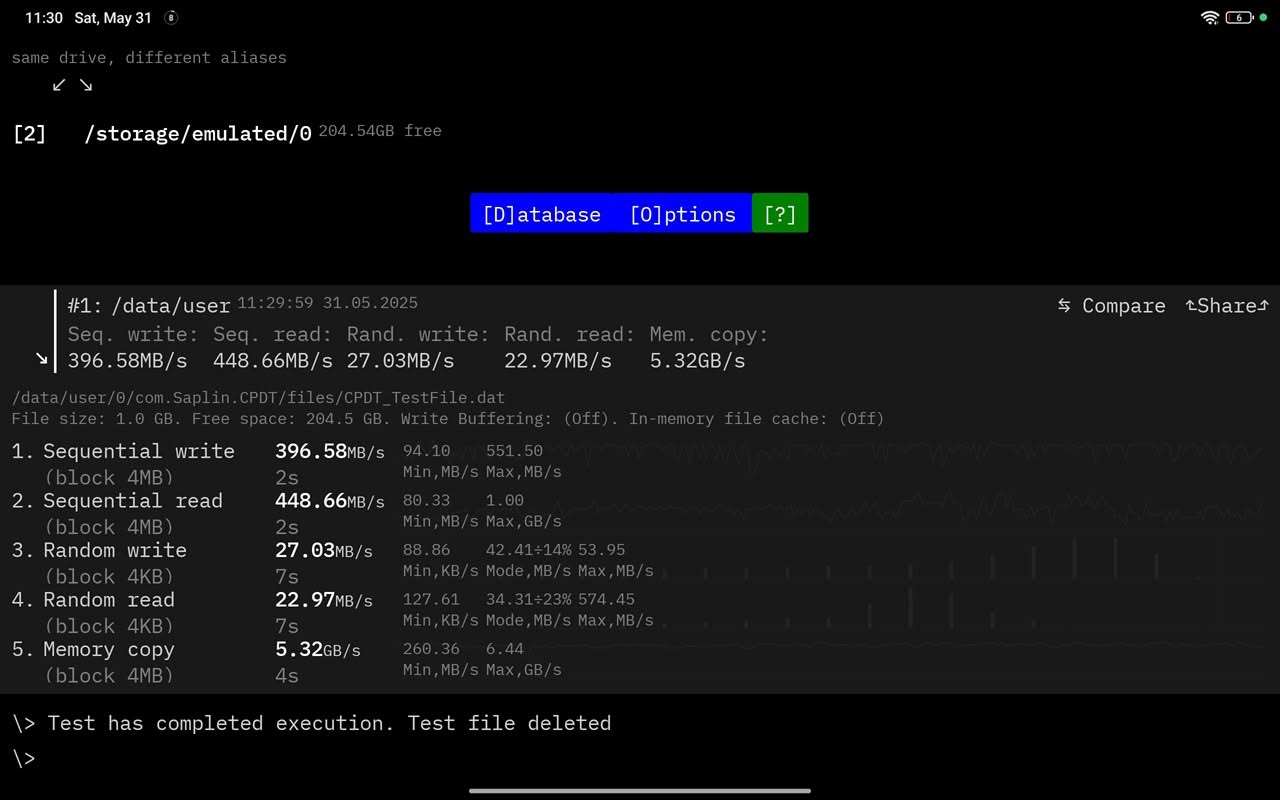
The tablet features UFS 2.2 storage, which, while not the fastest option on the market, especially in comparison to the UFS 4.0 file system, but it’s acceptable for a entry-level tablet device. UFS 2.2 generally offers sequential read speeds of up to 850 MB/s and sequential write speeds around 250 MB/s. However, in our testing, we achieved a sequential write speed of 396.58 MB/s and a sequential read speed of 448.66 MB/s, which is fine and acceptable.

Evaluating data transfer rates (Internal Storage Space)

Does this device operate on a 64-bit operating system? Absolutely!
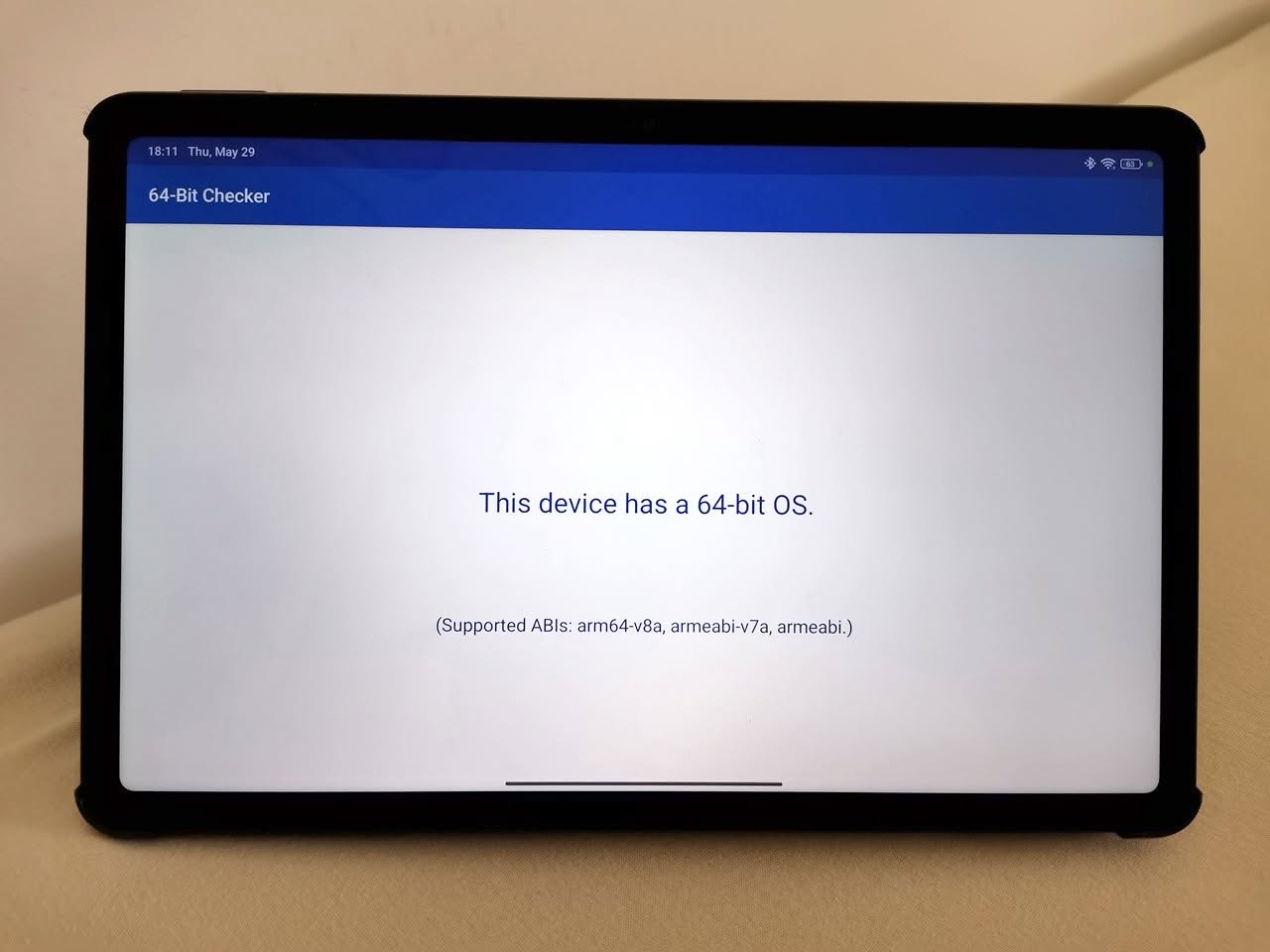
Xiaomi HyperOS support for multiple CPU instruction sets provides a range of options, including arm64-v8a, armeabi-v7a, and armeabi.

Here’s a breakdown of each:

  • arm64-v8a: This is for 64-bit ARM processors, based on the ARMv8-A architecture. It’s optimized for modern devices, offering better performance and efficiency.
  • armeabi-v7a: This is for 32-bit ARM processors, based on the ARMv7-A architecture. It’s widely used in older devices and provides good performance but lacks the advanced capabilities of 64-bit architecture.
  • armeabi: This is an even older 32-bit ARM architecture (ARMv5 and earlier). It’s mostly obsolete, as newer apps and systems have moved on to arm64-v8a and armeabi-v7a for better performance and compatibility.

Is it possible to install the Kodi 64-bit APK?

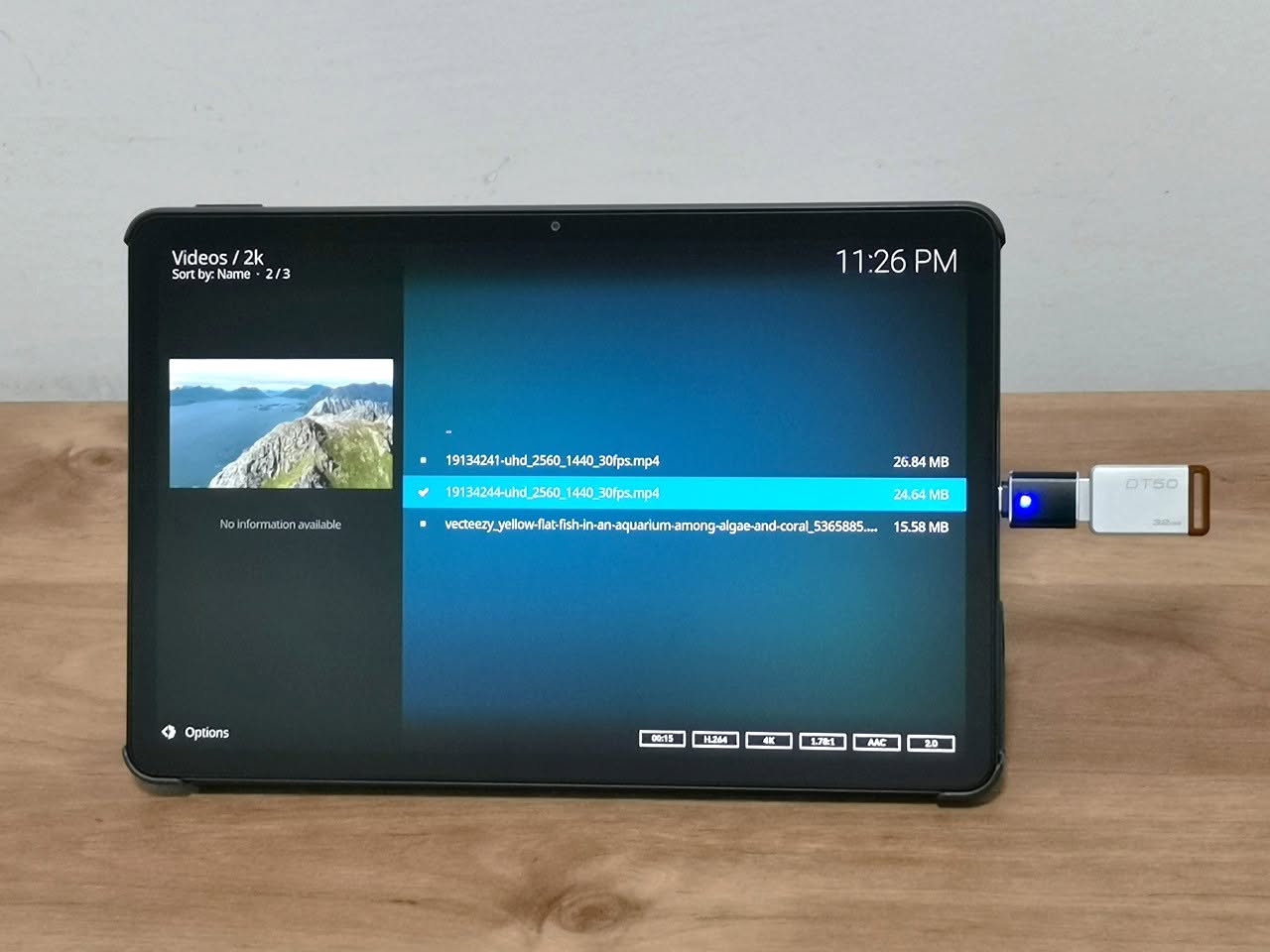
Yep, the answer is definitely yes! Kodi did an awesome job. Even though Kodi can’t handle 4K decoding well, we tested some video samples stored on a USB flash drive, and Kodi played 2K (2048 x 1080 pixels) videos without any hiccups.

Playing 2k video samples with Kodi 21.2 (Omega)
How much Memory and CPU resources are utilized

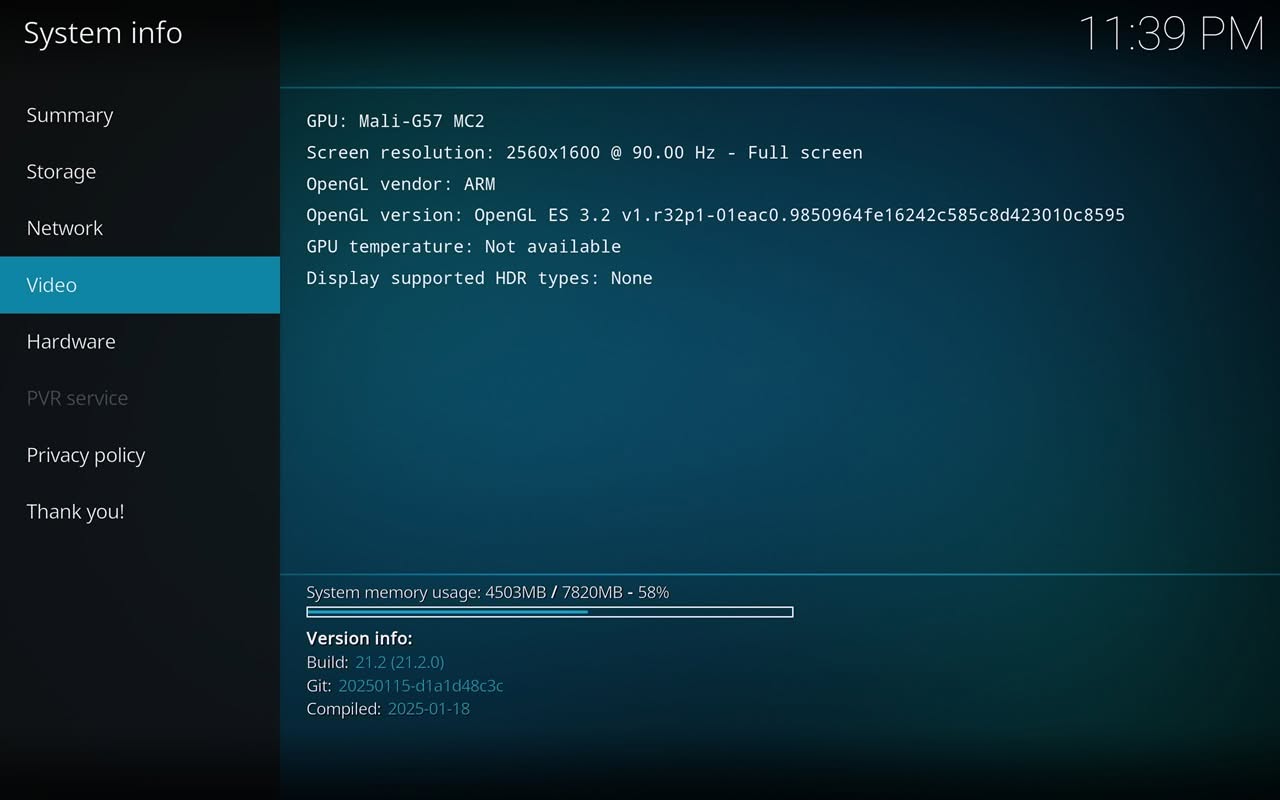
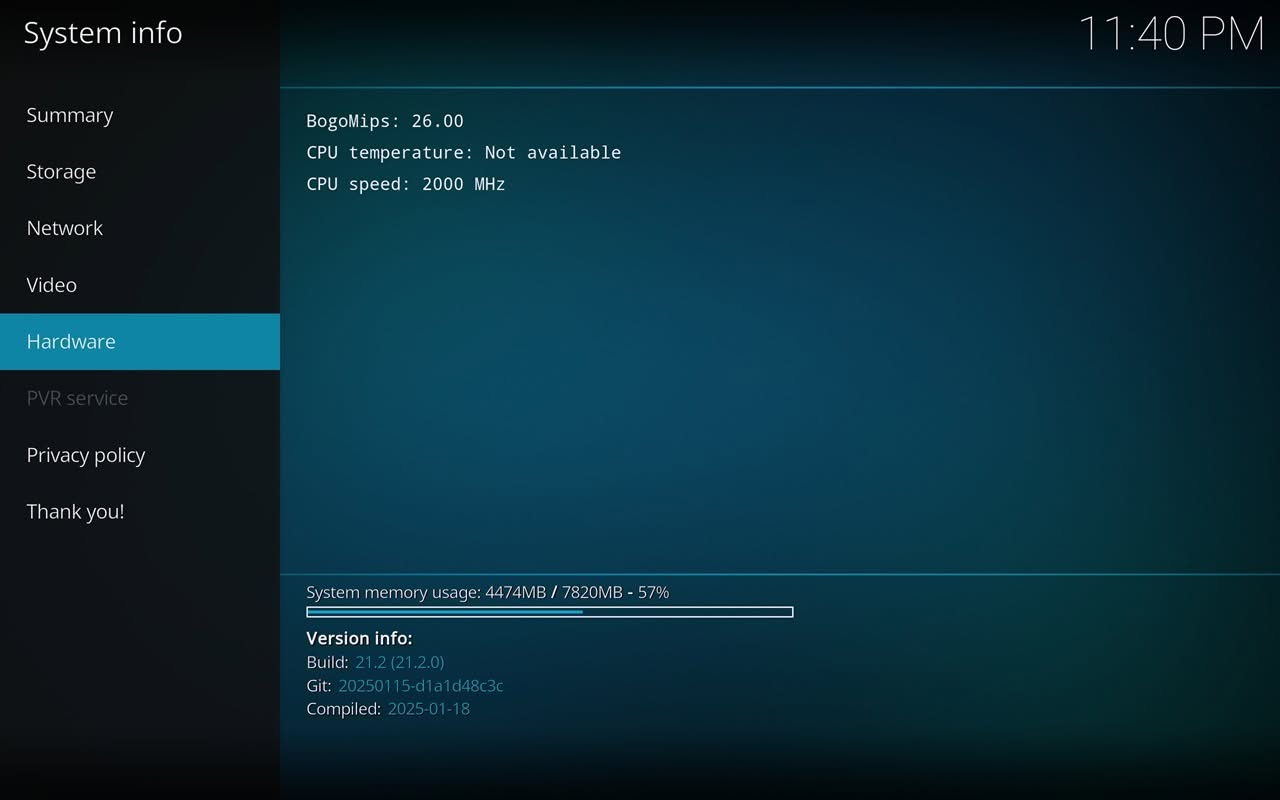
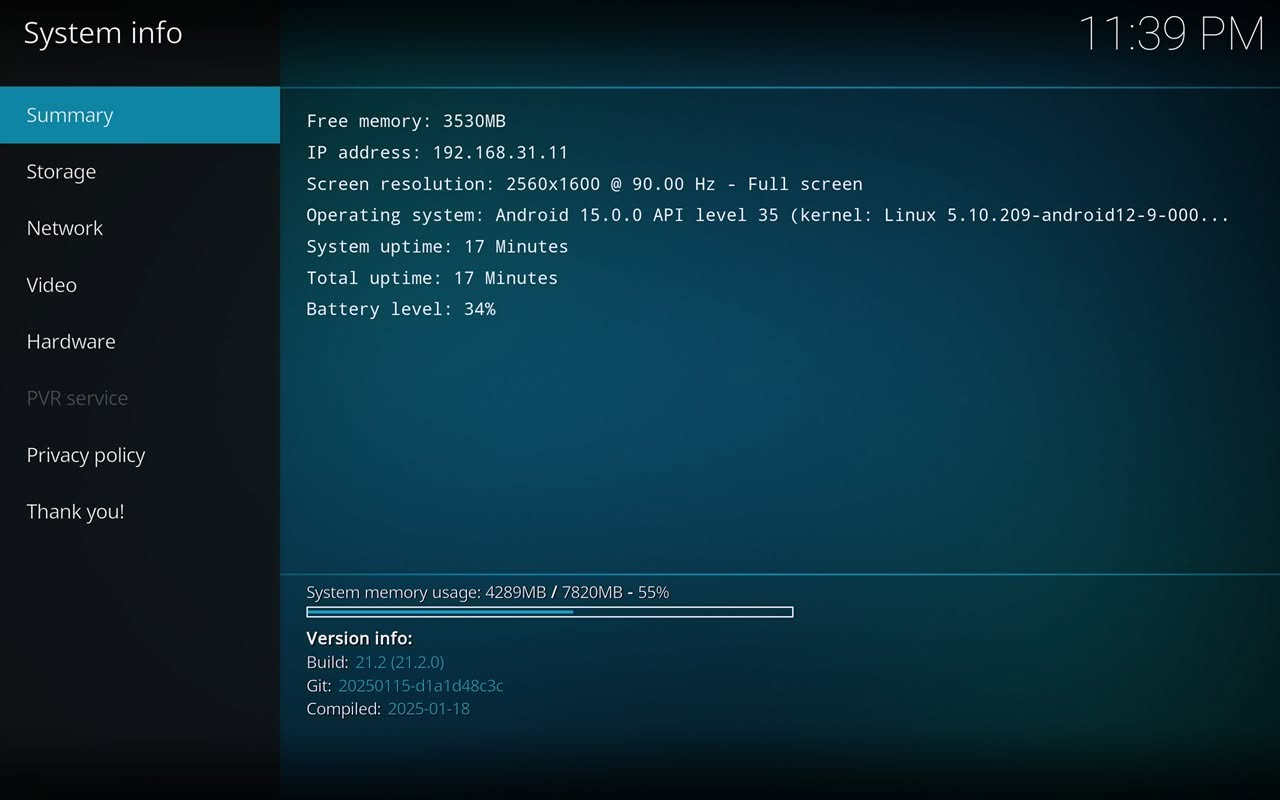
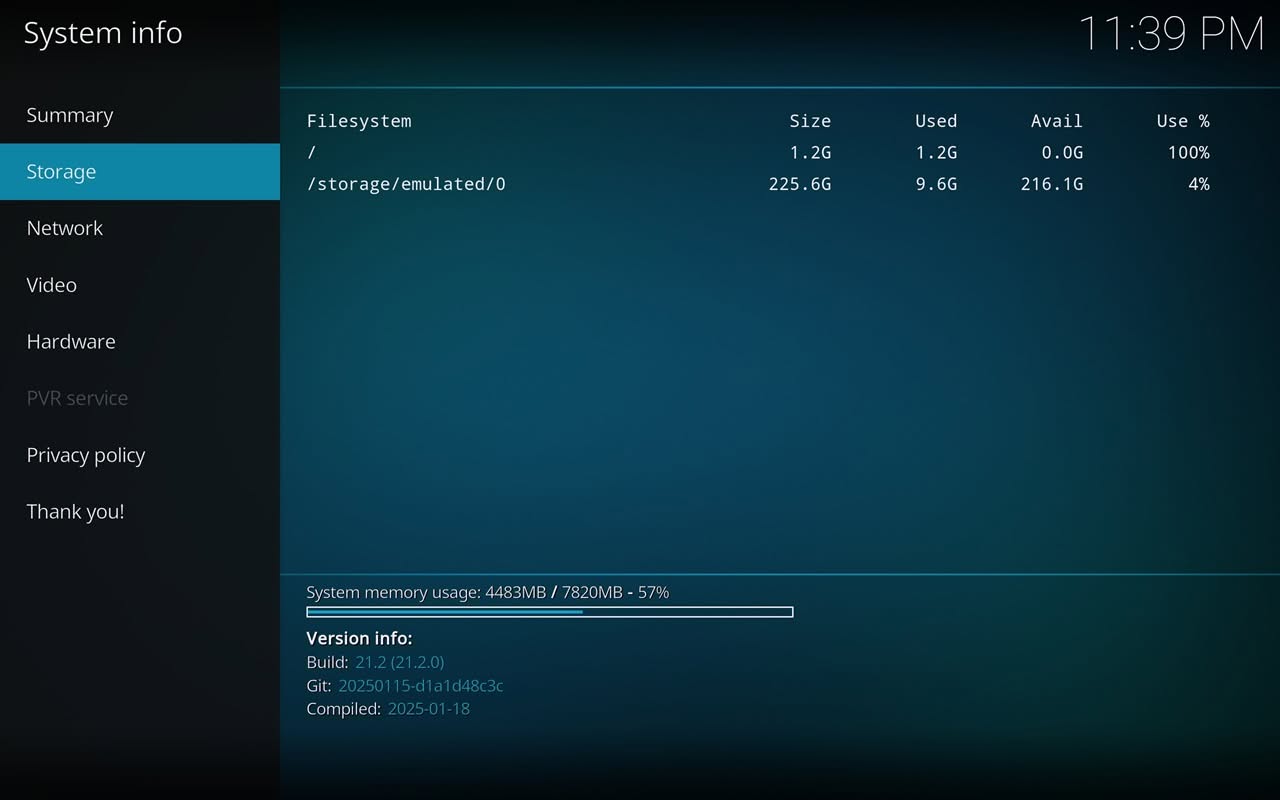
Out of 7820MB of available RAM, approximately 54% has been utilized, leaving us with roughly 3553MB of free RAM for Kodi. If you’re considering installing special skins, be aware that RAM consumption will increase correspondingly. To ensure smooth performance while using Kodi, as a tip we recommend keeping your setup simple and clean as possible, avoiding unnecessary add-ons or resource-heavy skins.

Kodi 21.2 (Omega) | System information
Youtube video playback

We successfully played high-resolution 4K videos from YouTube without experiencing any lags or connectivity issues, which truly showcases the power of our setup. Furthermore, the display boasts support for HDR, greatly enhancing the picture quality with more vibrant colors and improved contrast, making for a much more immersive viewing experience.

1 2 3 4 5 6 7 8 9 10 11 12 13 14 15
Share. Facebook Twitter Pinterest LinkedIn Tumblr Email
Previous ArticleOrange Pi 600 specs revealed: A compact Intel PC built into a keyboard, featuring an Intel N150 processor
Next Article Orange Pi AI Studio / Pro launched Globally, Rivaling Nvidia Jetson Orin Nano
androidpimp
  • Website

Related Posts

Xiaomi Poco Pad Review

Poco Pad Review: A Detailed Hands-on Review

March 27, 2025
Xiaomi Redmi Pad 5 Review

Xiaomi Redmi Pad Review: Powerful and Affordable

June 30, 2024

Xiaomi Pad 6 Specs, price and top features

July 7, 2023
0 0 votes
Article Rating
Subscribe
Notify of
0 Comments
Oldest
Newest Most Voted
PureVPN
PureVPN Ad Banner
VyprVPN – No. 1 in Anonymity
Vyprvpn 350x260
PrivadoVPN – No. 1 in Parental Control
PrivadoVPN 350x437
Recent Posts
  • Orange Pi Zero 3W Review: $25 Dual Video Pi Zero 2W Killer?
  • DFRobot 6.67″ Flexible AMOLED Review: Curved Display for Raspberry Pi & LattePanda
  • Banana Pi BPI-SM10 Review: 60 TOPS RISC-V Jetson Orin Nano Alternative
  • SpacemiT K3 Pico-ITX Review: 60-TOPS RISC-V Powerhouse for LLMs?
  • Banana Pi BPI-R4 Pro Review: The Best WiFi 7 OpenWrt Router? We Checked!
  • DFRobot ESP32-S3 LoRaWAN & Gateway Review: Build a Private IoT Network
  • Top Global AliExpress Promo Worldwide Country Codes June 11, 2026
  • WaveNote AI Review 2026: An Honest Pro/Con Comparison (Tested)
  • CamThink NE301 Review: 25 FPS YOLOv8 on STM32 Edge AI
  • PrivadoVPN Review 2026: Is the Best Free VPN Still Good for Streaming?
RSS The Latest RSS Feeds
  • Orange Pi Zero 3W Review: $25 Dual Video Pi Zero 2W Killer?
  • DFRobot 6.67โ€ณ Flexible AMOLED Review: Curved Display for Raspberry Pi & LattePanda
  • Banana Pi BPI-SM10 Review: 60 TOPS RISC-V Jetson Orin Nano Alternative
Facebook X (Twitter) Instagram Pinterest
@2026 - All Right Reserved. Designed by AndroidPIMP

Type above and press Enter to search. Press Esc to cancel.

Powered by
►
Necessary cookies enable essential site features like secure log-ins and consent preference adjustments. They do not store personal data.
None
►
Functional cookies support features like content sharing on social media, collecting feedback, and enabling third-party tools.
None
►
Analytical cookies track visitor interactions, providing insights on metrics like visitor count, bounce rate, and traffic sources.
None
►
Advertisement cookies deliver personalized ads based on your previous visits and analyze the effectiveness of ad campaigns.
None
►
Unclassified cookies are cookies that we are in the process of classifying, together with the providers of individual cookies.
None
Powered by
wpDiscuz