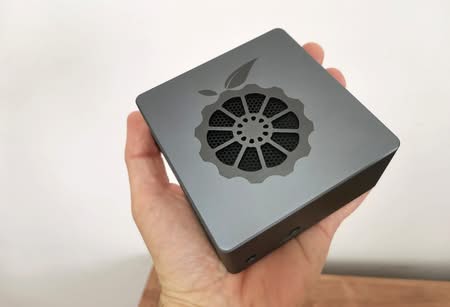
NanoPi R2S Review
Build a Secure Cheap Portable Router
After covering FrienldyElec FriendlyWrt (OpenWrt), Linux distribution advantages in providing excellent security at almost zero cost comes the newest fresh NanoPi R2S SBC. The new board comes with a few significant hardware improvements compared to the “older” NanoPi R1 board series based on Allwinner H3/H5 Soc, which only supported a single Gigabit Ethernet port and had 512MB of RAM.
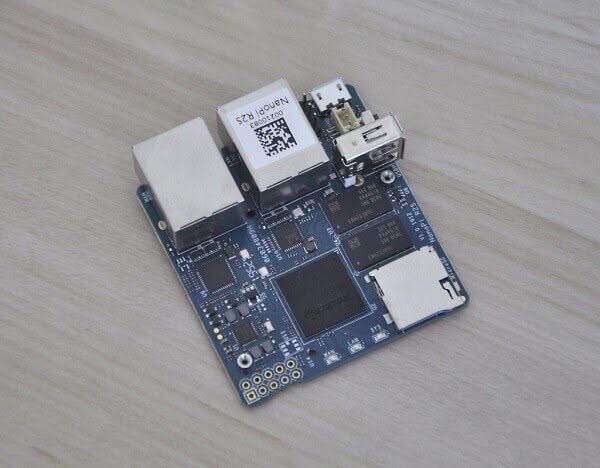
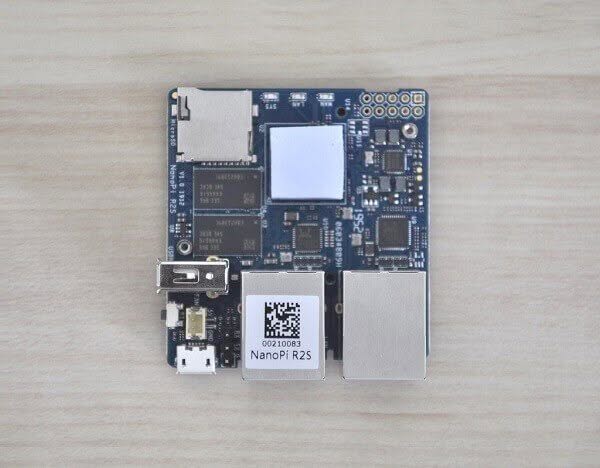
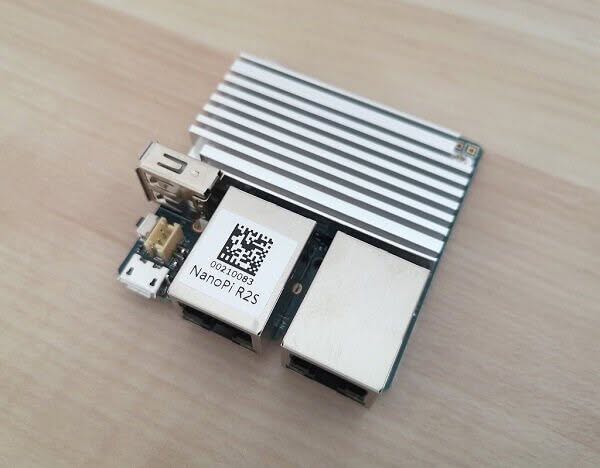
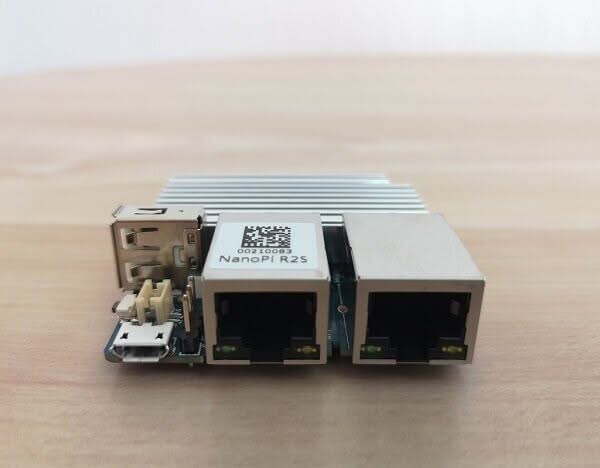
The NanoPi R2S is an impressively compact board, measuring just 55.6 x 52mm, making it highly portable and compatible with a wide range of small devices equipped with an Ethernet port. This powerful board offers two variants, both featuring dual Ethernet ports, driven by a Rockchip RK3328 processor with 1GB DDR4 memory. It also incorporates one Ethernet port utilizing the GMAC from the chip, while the other Ethernet port is supported by a USB 3.0 to Ethernet controller, delivering exceptional versatility and performance in a tiny package.
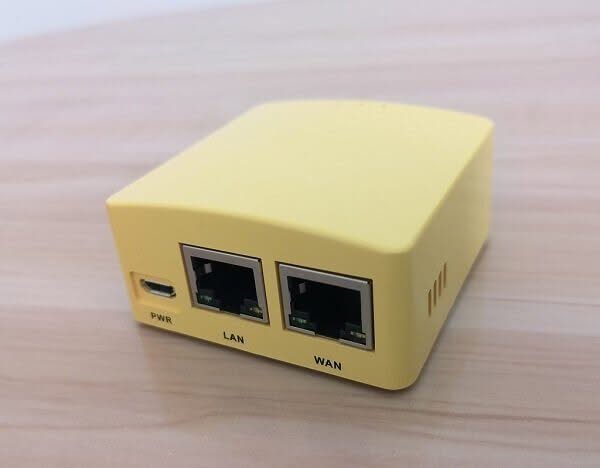
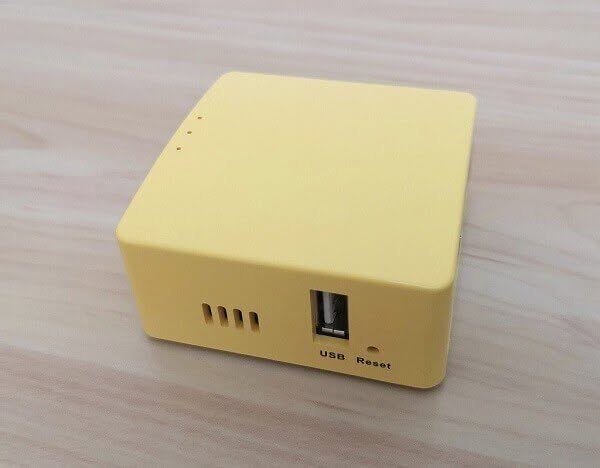
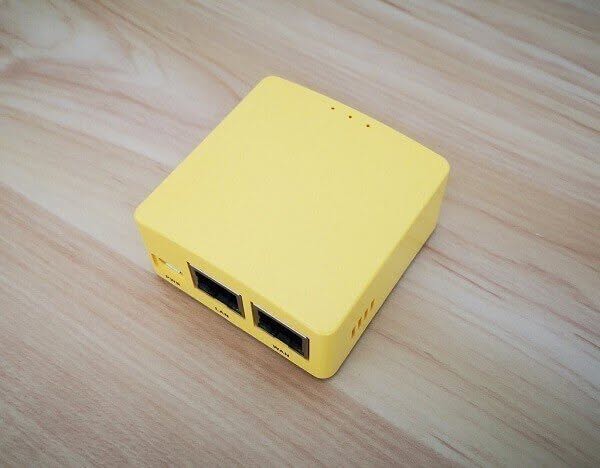
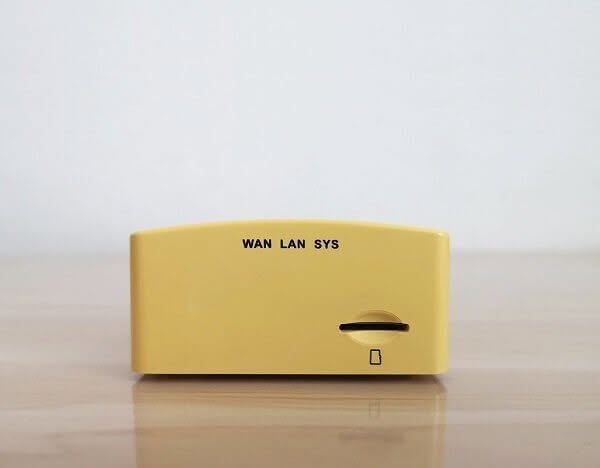
The NanoPi R2S, as with most of FriednlyElec boards, supports FriendlyWrt (OpenWrt) and FriendlyCore, based on Ubuntu 18.04 Core. The NanoPi R2S board has the exact dimensions and interfaces as the NanoPi R1S, fully compatible with the same yellow case used for NanoPi R1S.
The NanoPi R2S currently lacks WiFi support and an eMMC storage option, likely due to cost and target market considerations. However, it is entirely conceivable, and I anticipate that future models will incorporate both features.
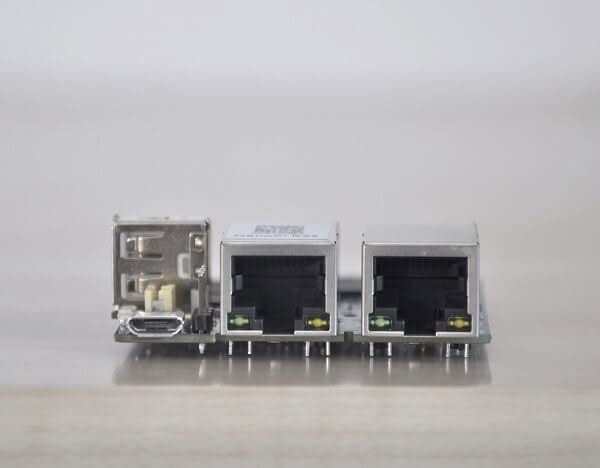
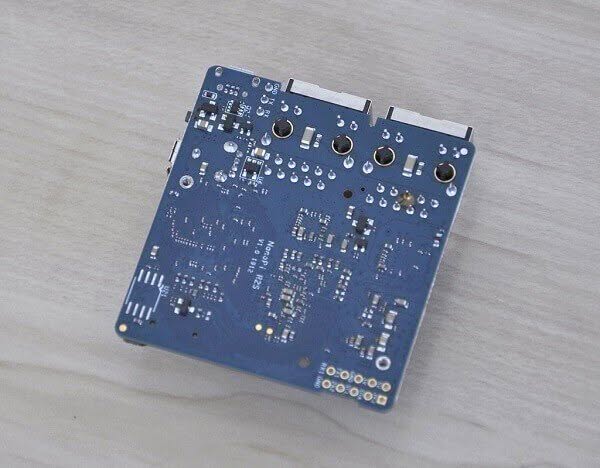
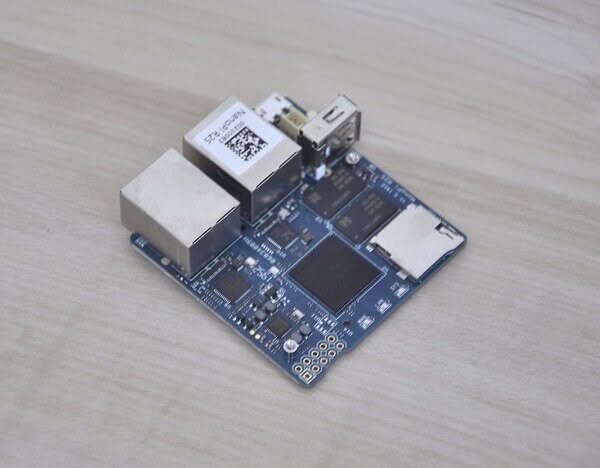
NanoPi R2S | Rearview
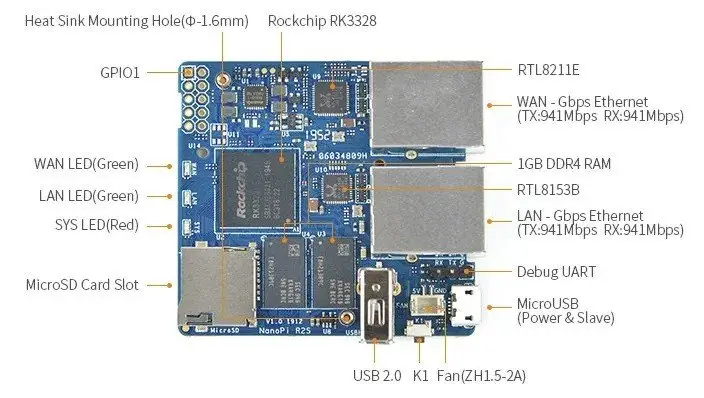
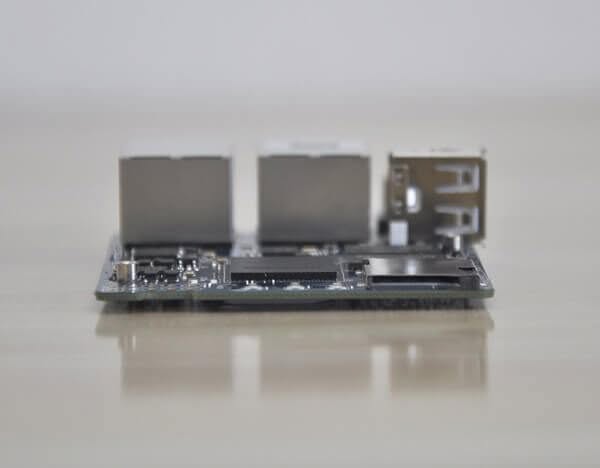
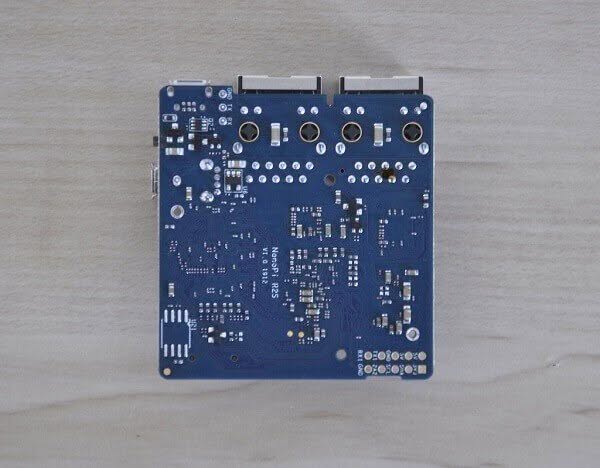
NanoPi R2S | Back view
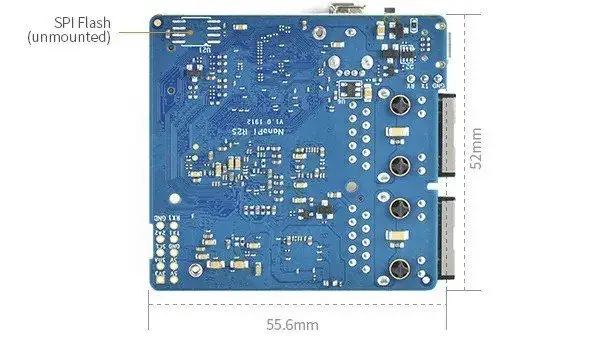
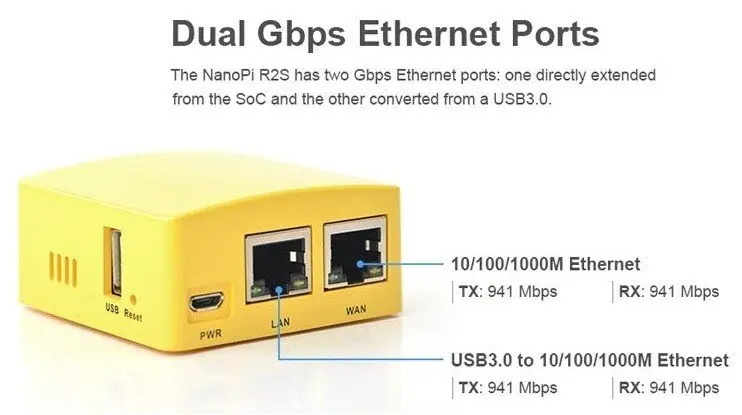
NanoPi R2S Case
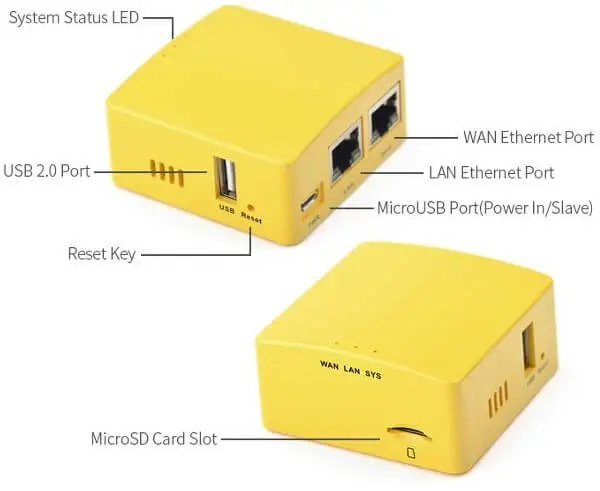
NanoPi R2S specifications
- SoC: Rockchip RK3328 quad-core Cortex-A53 @ 1.5 GHz
- GPU: Arm Mali-450MP2
- System Memory – 1GB DDR4 RAM
- Storage – MicroSD Slot, SPI flash footprint
- Connectivity
- 1x Gigabit Ethernet (WAN) up to 941 Mbps (measured)
- 1x USB 3.0 Gigabit Ethernet (LAN) up to 941 Mbps (measured) via Realtek RTL8153
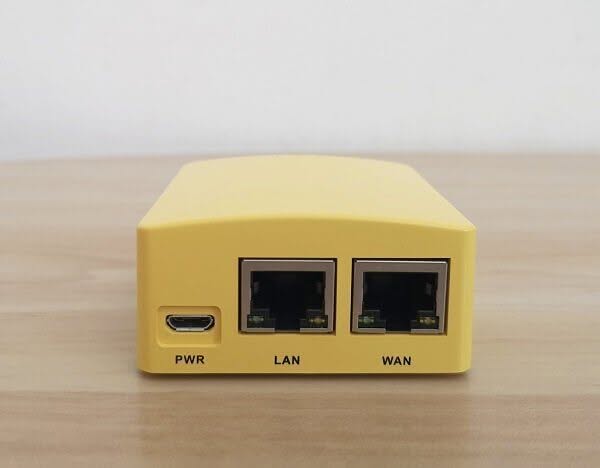
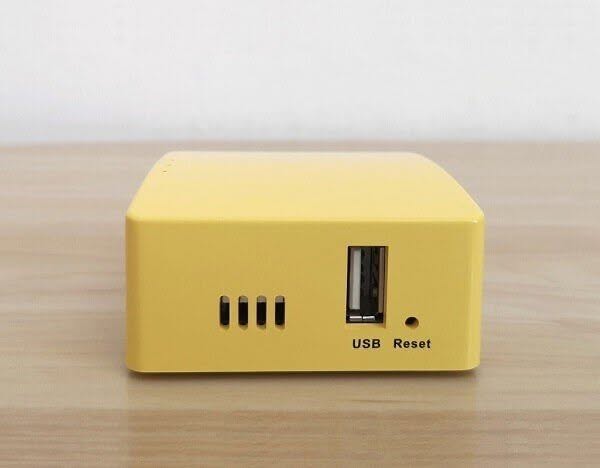
- USB: 1x USB Type-A host port, 1x micro USB port (power + slave)
- Debugging: 3-pin 2.54mm pitch header for serial console
- Expansion: 10-pin GPIO header with GPIOs, I2C, UART, IR_Rx, 5V, 3.3V and GND
- Misc: 3x LEDs (WAN, LAN, SYS), K1 reset button, fan header
- Power Supply: 5VDC/3A via micro USB port
- Dimensions: 55.6 x 52mm
- Temperature Range: -20℃ to 70℃
NanoPi R2S Board Overview
The NanoPi R2S is a diminutive form of SBC measuring 55.6x 52 mm. It currently supports two types of Linux distributions. Ubuntu core and FriendlyWrt (OpenWrt) is a customized version made by FriendlyElec and based on the known OpenWrt platform. The primary purpose of the NanoPi R2S with OpenWrt is to offer a router, firewall well, and VPN functionality that is convenient and affordable. This board can be carried anywhere and connected to a standard Ethernet port, a handy device, especially if you connect to unsecured networks while traveling abroad. The OpenWrt offers many functions up to a level where you can filter ingoing/outgoing traffic and block malicious attacks by defining different firewall behavior rules.
An additional function for the daily average is using the NanoPi R2S as a small NAS backup server. For example, you can mount internal/external storage devices such as Hard drives or USB drives and connect to them remotely. FriendlyWrt platform includes thousands of packages in the software repository, and you can install the ssh service as with all Linux distributions.
On the downside, the NanoPi R2S doesn’t come with eMMC storage nor WiFi options. Therefore it can be used as a gateway firewall bridge connected via a wired connection. If you still need them, you can check the NanoPi NEO board series that have them. I feel that using a USB V2.0 host port is pretty obsolete. Adding a USB V3.0 Host in this configuration would be a wiser choice. That said, considering the low price tag of $20+ for the board, it’s still an exemplary configuration in terms of value for the buck ratio.
NanoPi R2S Board
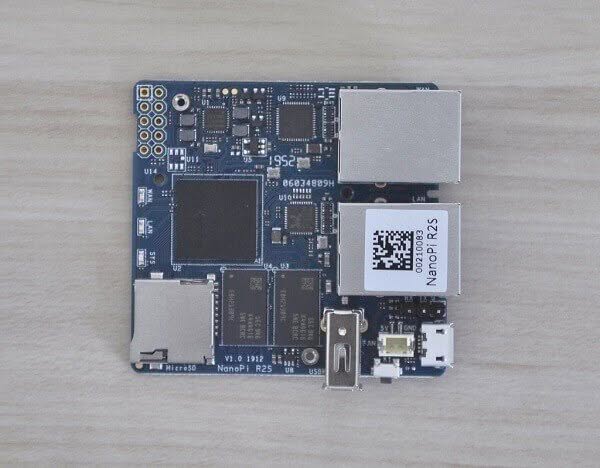 NanoPi R2S Board 1
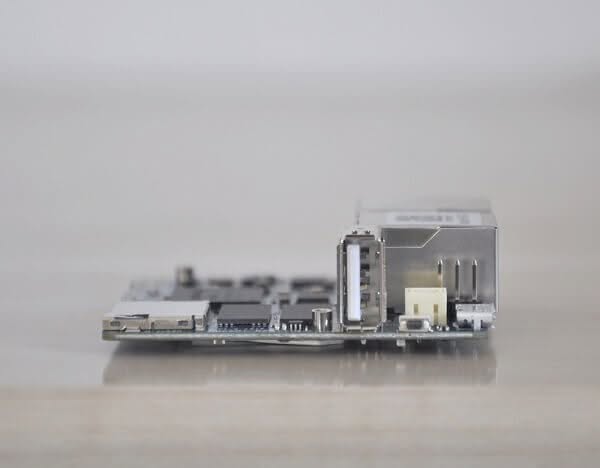
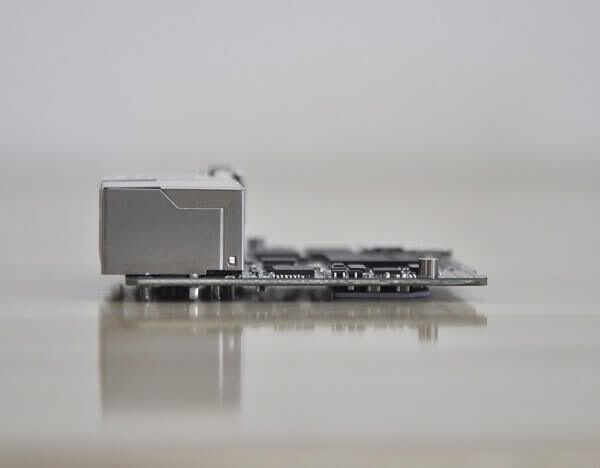
NanoPi R2S Heatsink
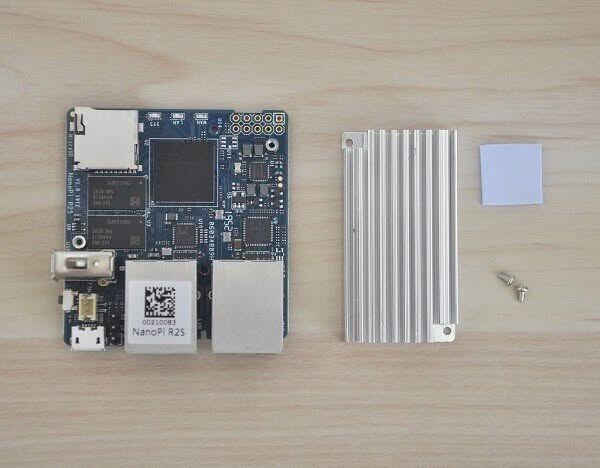
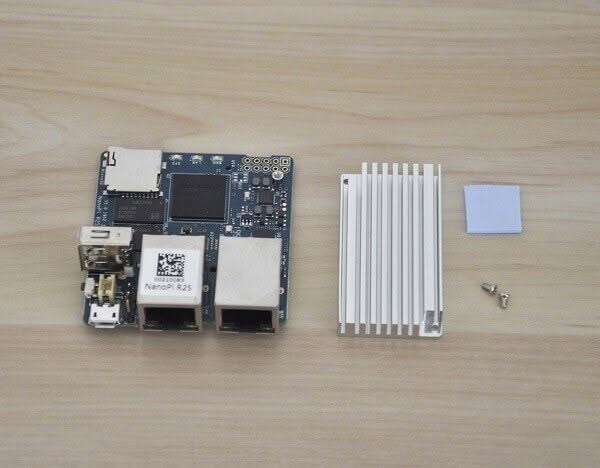
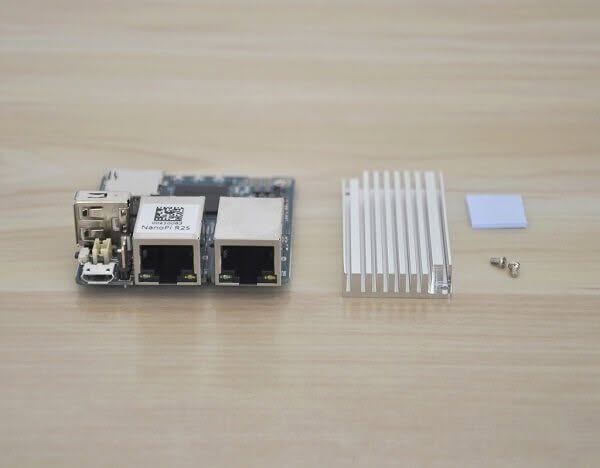
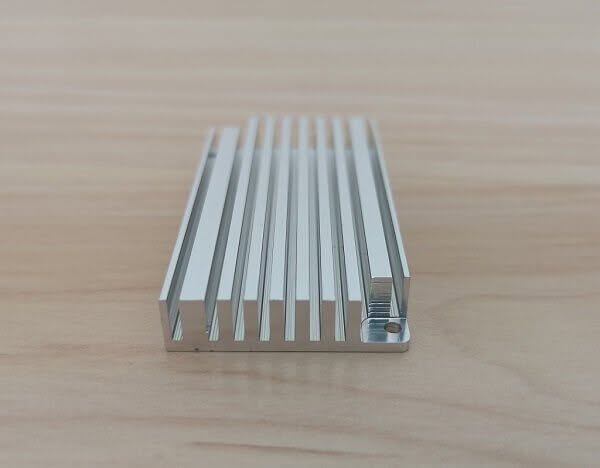
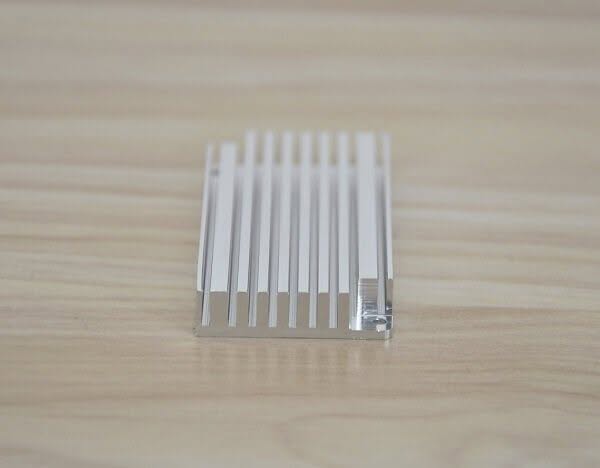
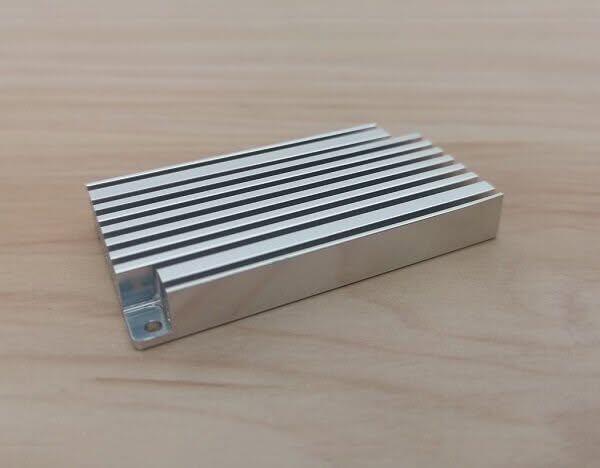
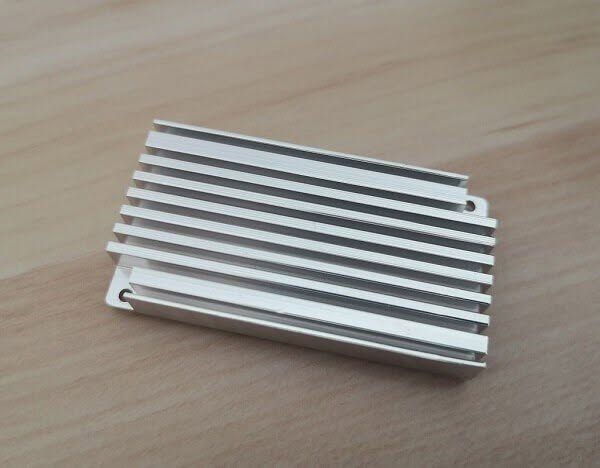
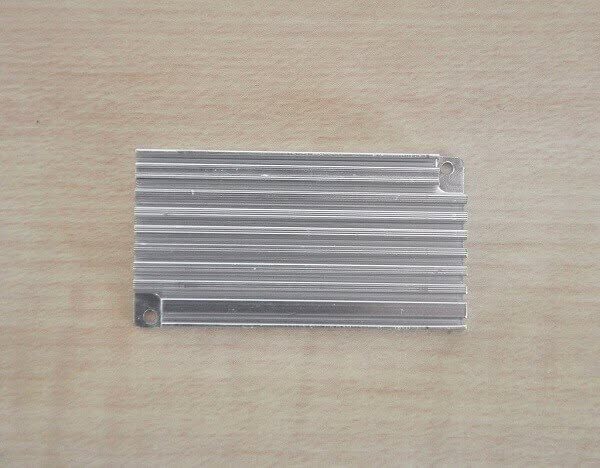
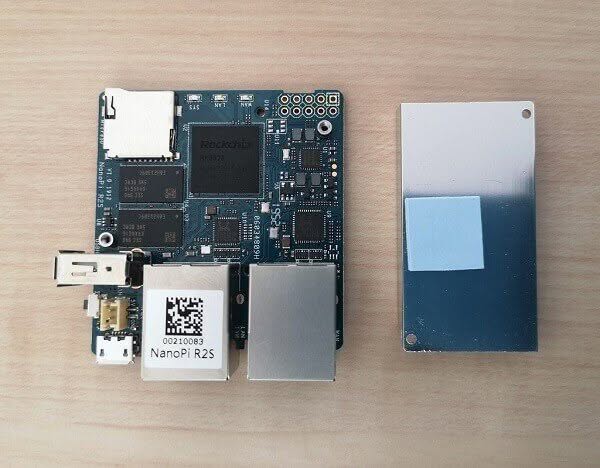
The NanoPi R2S kit includes a high-quality passive aluminum heat sink measuring 26x 95mm connected to the PCB using a pair of mount threaded Standoffs. It covers all the board chips and should provide a passive heat sink that is enough to cool the low-consumption Rockchip RK3328 CPU. From my checking, the heat sink mainly covers the CPU chip, but the memory chips also need an additional thermal pad to ensure there are other air gaps between the heat sink and the chips. You can solve this quickly by buying other thermal pads or applying some thermal paste in small quantities.
 NanoPi R2S Heatsink 1






Case Design
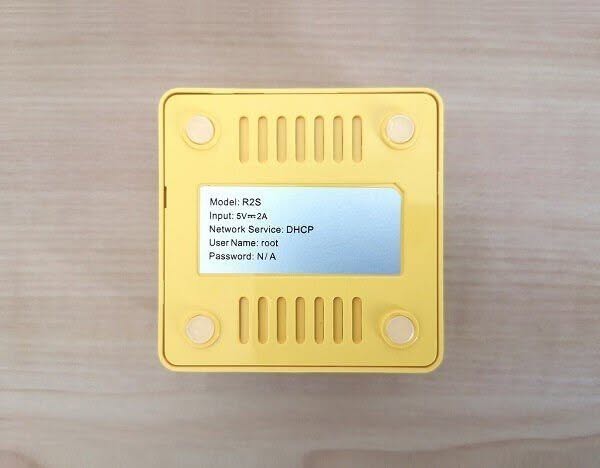
Perhaps one of the most needed items, I think, is a ‘must-have’ item. The case provided by FriendlyElec is well-crafted and made from a plastic material. It has a good build, design, and high-level shiny surface quality. According to your choice, the case is an optional item you can buy with or without the NanoPi R2S. If you don’t want to waste extra time in 3D printing a customized case, buying a ready case is definitely worth the cost.
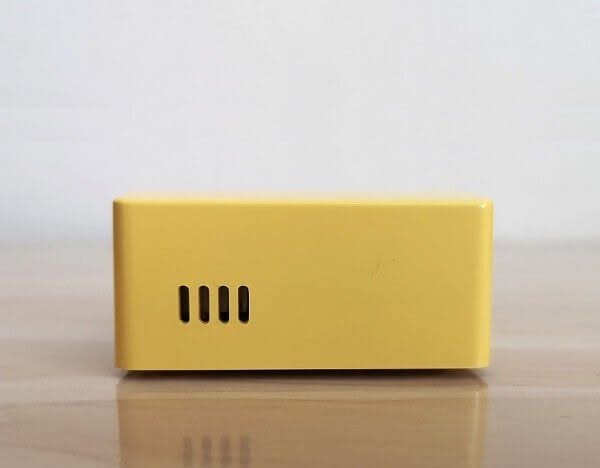
The NanoPi R2S board is mounted inside the case using a simple snap-type assembly without any screws. The case unit comprises two main plastic parts: the bottom cover and the main envelope (shell). FriendlyElec added a few venting slots on both sides of the case walls to let the extra heat get out. The overall design is excellent and straightforward, even for geeks/tech experts.
Another point worth mentioning is that the NanoPi R2S also comes with an onboard fan plug socket. You can buy and connect a small 2A fan but take into consideration that you will most likely need to drill little holes or even saw a window on the upper side of the case to let the hot air out to assure better air circulation vs. the less optimal solution of making the heat build inside the case.
NanoPi R2S Case Teardown
 NanoPi R2S Case Open 1
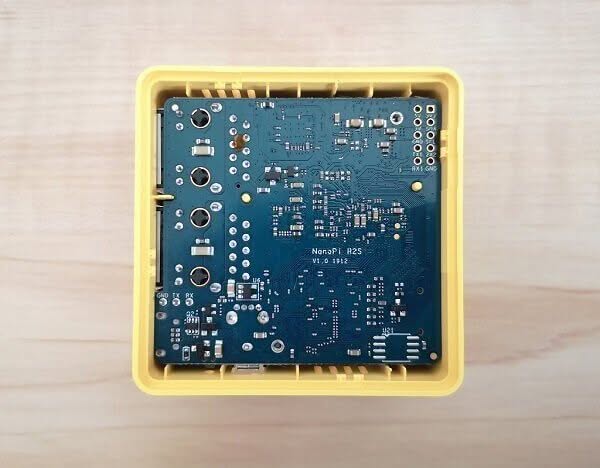
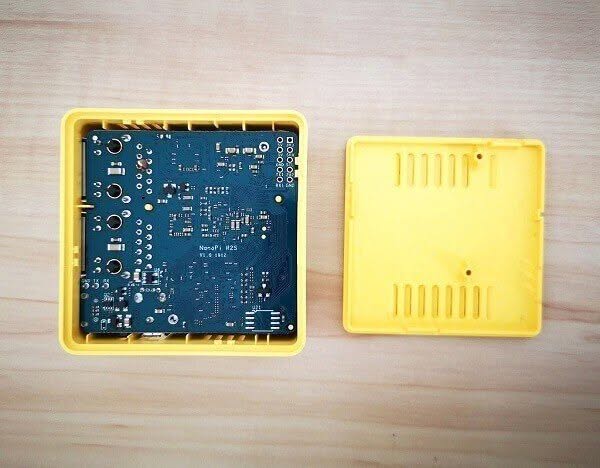
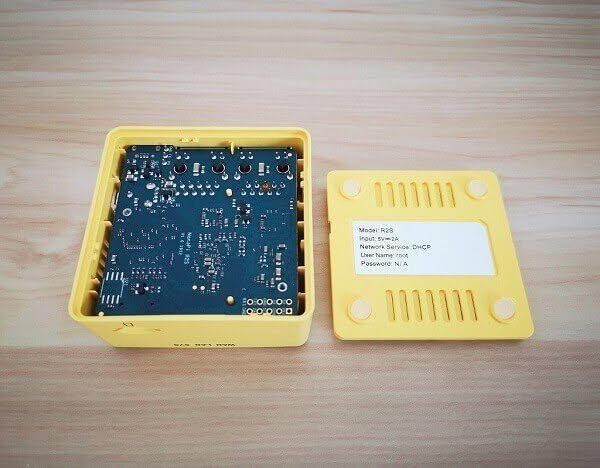
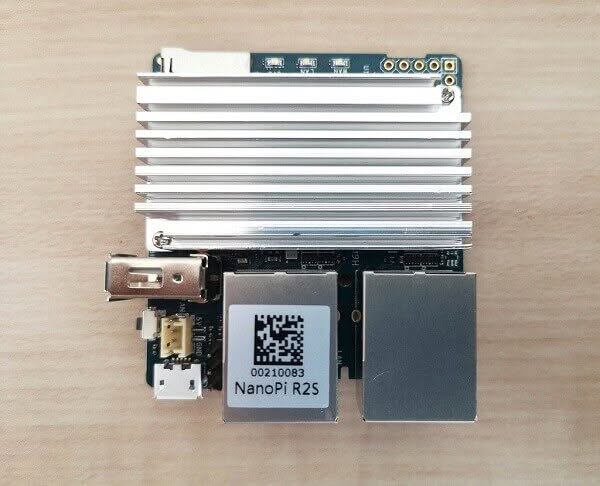
NanoPi R2S + Case
 NanoPi R2S 1

Software
The NanoPi R2S can run Ubuntu Core Linux based on the known Ubuntu distribution. It’s just a slimmer, lightweight distro without the desktop environment features. Because this board doesn’t have an HDMI output, all settings are configured in Command-line mode; most users would prefer using the board to boot FriednlyWrt software via Micro SD Card. Friendlier provides extended functionality on Ubuntu, such as samba service, FTP, SSH service, Ad blocking package, firewall, and so forth, available on the OpenWrt package repository.
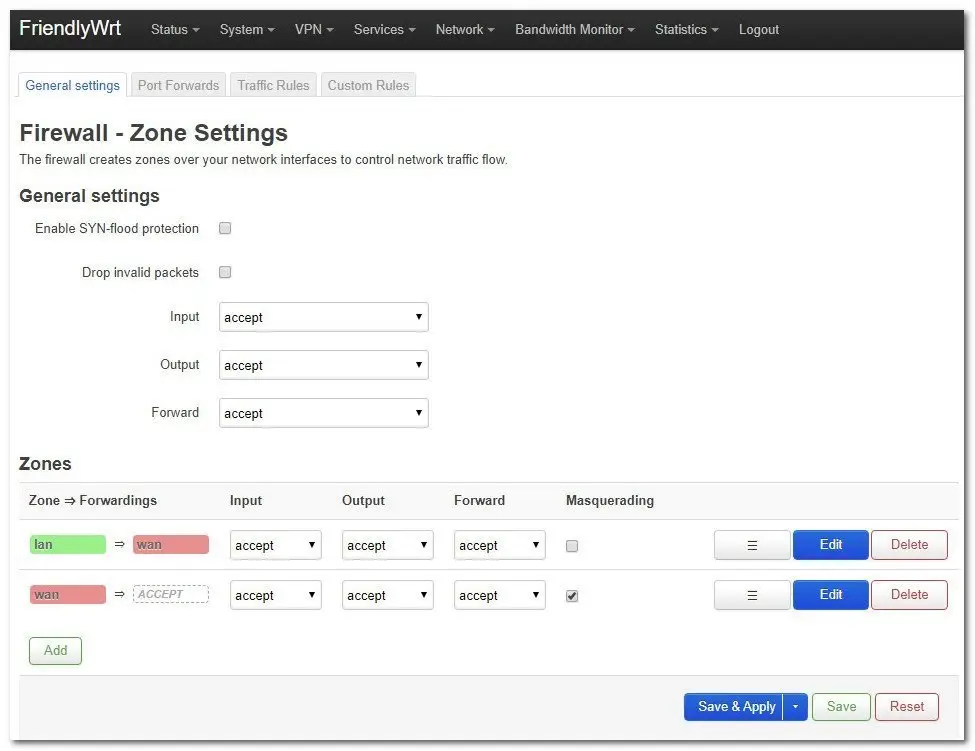
Under the ‘Network’ settings, you can use many highly advanced networking options to control traffic flow in and out of your device. For example, you can prioritize network traffic selected by addresses, ports, or services with QoS. Also, under the firewall section, you can limit traffic to specific Firewall zones, Enable SYN-flood protection, apply traffic rules, and drop traffic between different LAN interfaces and forward ports.
Fixing a minor repository problem
For some reason, one of the repository URL sources for the Opkg manager was wrong, so it was impossible to install or update it to newer packages. To fix this issue, you must replace the first line in the distfeeds.conf file.
Step #1: Editing the distfeeds.conf
vi /etc/opkg/distfeeds.conf
Step #2: Replacing the first line in the distfeeds.conf
src/gz openwrt_core http://downloads.openwrt.org/releases/...
Replace:
http://downloads.openwrt.org/releases/…
With the following URL:
https://downloads.openwrt.org/releases/…
Step #2: Updating the repository package list
opkg update
Mounting a Storage Device
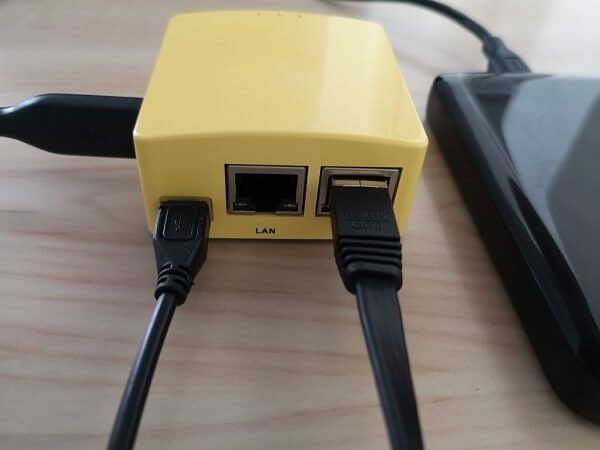
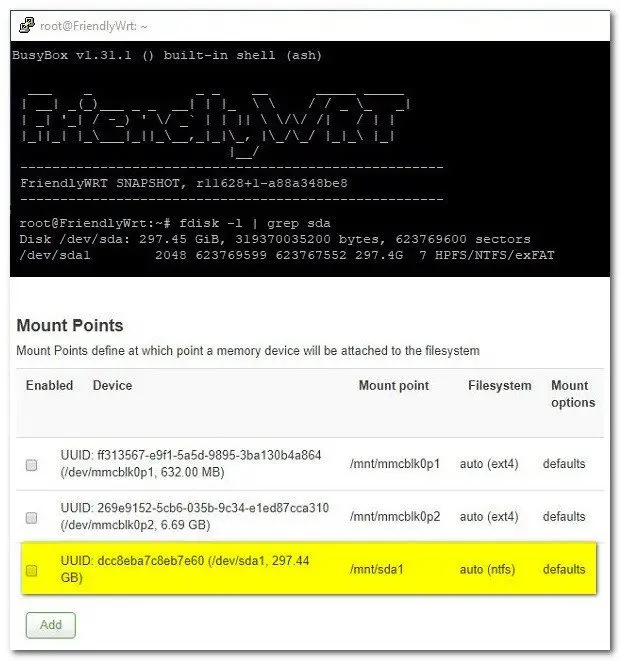
You can connect an external hard drive or a USB Disk to the NanoPi R2 Board. To do it, you will need to find the device designated name and mount it. By entering the device IP address, you can do it in the command line (Terminal) mode or Access OpenWrt via a web interface (LuCI web interface).
The most straightforward option is to use the Web interface. After logging in with the root username, you need to go to the ‘SYSTEM -> Mount points’ section. There you will find all the settings to mount/unmount devices, set swap space, and add tools as needed. In the scenario of adding a simple external hard drive with a USB interface, your device name would be assigned in the following order as sda1.. 2… 3, and so forth, according to the number of connected devices.
Mounting a Western Digital 256G External HDD
 NanoPi R2S Harddrive 1


System Information
Running ‘Top’ – FriendlyWrt
Approximately ~300MB of RAM is used from a total of 1GB.
root@FriendlyWrt:~# top
Mem: 309568K used, 666088K free, 1036K shrd, 6392K buff, 159068K cached
CPU:   2% usr  12% sys   0% nic  85% idle   0% io   0% irq   0% sirq
Load average: 1.72 1.37 0.82 3/160 29039
System Information – FriendlyWrt
root@FriendlyWrt:~# cat /proc/version
Linux version 5.4.12 (tzs@tzs-i7pc) (gcc version 6.4.0 (ctng-1.23.0-150g-FA)
Networking
Network Devices – FriendlyWrt
root@FriendlyWrt:~# ifconfig
br-lan    Link encap:Ethernet  HWaddr 7A:DC:82:7B:2F:1D
          inet addr:192.168.2.1  Bcast:192.168.2.255  Mask:255.255.255.0
          inet6 addr: fda3:2392:9734:4::1/62 Scope:Global
          inet6 addr: fd92:997:22c4::1/60 Scope:Global
          UP BROADCAST MULTICAST  MTU:1500  Metric:1
          RX packets:0 errors:0 dropped:0 overruns:0 frame:0
          TX packets:3 errors:0 dropped:0 overruns:0 carrier:0
          collisions:0 txqueuelen:1000
          RX bytes:0 (0.0 B)  TX bytes:370 (370.0 B)

docker0   Link encap:Ethernet  HWaddr 02:42:45:87:70:23
          inet addr:172.17.0.1  Bcast:172.17.255.255  Mask:255.255.0.0
          UP BROADCAST MULTICAST  MTU:1500  Metric:1
          RX packets:0 errors:0 dropped:0 overruns:0 frame:0
          TX packets:0 errors:0 dropped:0 overruns:0 carrier:0
          collisions:0 txqueuelen:0
          RX bytes:0 (0.0 B)  TX bytes:0 (0.0 B)

eth0      Link encap:Ethernet  HWaddr 6E:BA:C5:07:3B:DB
          inet addr:192.168.1.238  Bcast:192.168.1.255  Mask:255.255.255.0
          inet6 addr: fe80::6cba:c5ff:fe07:3bdb/64 Scope:Link
          inet6 addr: fda3:2392:9734:0:6cba:c5ff:fe07:3bdb/64 Scope:Global
          inet6 addr: fda3:2392:9734::fc0/128 Scope:Global
          UP BROADCAST RUNNING MULTICAST  MTU:1500  Metric:1
          RX packets:7370 errors:0 dropped:0 overruns:0 frame:0
          TX packets:6921 errors:0 dropped:0 overruns:0 carrier:0
          collisions:0 txqueuelen:1000
          RX bytes:724124 (707.1 KiB)  TX bytes:1260620 (1.2 MiB)
          Interrupt:28

eth1      Link encap:Ethernet  HWaddr 7A:DC:82:7B:2F:1D
          UP BROADCAST MULTICAST  MTU:1500  Metric:1
          RX packets:0 errors:0 dropped:0 overruns:0 frame:0
          TX packets:0 errors:0 dropped:0 overruns:0 carrier:0
          collisions:0 txqueuelen:1000
          RX bytes:0 (0.0 B)  TX bytes:0 (0.0 B)

lo        Link encap:Local Loopback
          inet addr:127.0.0.1  Mask:255.0.0.0
          inet6 addr: ::1/128 Scope:Host
          UP LOOPBACK RUNNING  MTU:65536  Metric:1
          RX packets:1986 errors:0 dropped:0 overruns:0 frame:0
          TX packets:1986 errors:0 dropped:0 overruns:0 carrier:0
          collisions:0 txqueuelen:1000
          RX bytes:140915 (137.6 KiB)  TX bytes:140915 (137.6 KiB)
Ethernet ports WAN & LAN – (Theoretical speed)
- Interface: LAN
- Device name: eth0
root@FriendlyWrt:~# ethtool eth0
Settings for eth0:
        Supported ports: [ TP MII ]
        Supported link modes:   10baseT/Half 10baseT/Full
                                100baseT/Half 100baseT/Full
                                1000baseT/Half 1000baseT/Full
        Supported pause frame use: Symmetric Receive-only
        Supports auto-negotiation: Yes
        Supported FEC modes: Not reported
        Advertised link modes:  10baseT/Half 10baseT/Full
                                100baseT/Half 100baseT/Full
                                1000baseT/Half 1000baseT/Full
        Advertised pause frame use: Symmetric Receive-only
        Advertised auto-negotiation: Yes
        Advertised FEC modes: Not reported
        Link partner advertised link modes:  10baseT/Half 10baseT/Full
                                             100baseT/Half 100baseT/Full
                                             1000baseT/Full
        Link partner advertised pause frame use: Symmetric
        Link partner advertised auto-negotiation: Yes
        Link partner advertised FEC modes: Not reported
        Speed: 1000Mb/s
        Duplex: Full
        Port: MII
        PHYAD: 0
        Transceiver: internal
        Auto-negotiation: on
        Supports Wake-on: ug
        Wake-on: d
        Current message level: 0x0000003f (63)
                               drv probe link timer ifdown ifup
        Link detected: yes
- Interface: WAN
- Device name: eth1
root@FriendlyWrt:~# ethtool eth1
Settings for eth1:
        Supported ports: [ TP MII ]
        Supported link modes:   10baseT/Half 10baseT/Full
                                100baseT/Half 100baseT/Full
                                1000baseT/Half 1000baseT/Full
        Supported pause frame use: No
        Supports auto-negotiation: Yes
        Supported FEC modes: Not reported
        Advertised link modes:  10baseT/Half 10baseT/Full
                                100baseT/Half 100baseT/Full
                                1000baseT/Full
        Advertised pause frame use: Symmetric Receive-only
        Advertised auto-negotiation: Yes
        Advertised FEC modes: Not reported
        Link partner advertised link modes:  10baseT/Half 10baseT/Full
                                             100baseT/Half 100baseT/Full
                                             1000baseT/Full
        Link partner advertised pause frame use: Symmetric Receive-only
        Link partner advertised auto-negotiation: Yes
        Link partner advertised FEC modes: Not reported
        Speed: 1000Mb/s
        Duplex: Full
        Port: MII
iPerf bandwidth/throughput tests
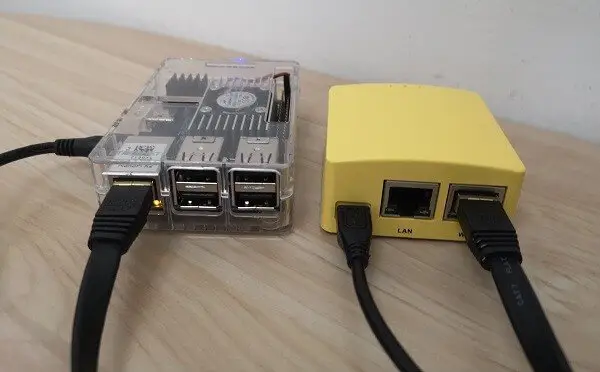
- NanoPi K2 and NanoPi R2S are connected separately through an RJ45 cable to a router.
- Test Type: Test the network speed between two SBCs.
Test No. 1: UDP Port 5003
- Server: NanoPi K2
root@nanopik2:~# iperf3 -s -p5003
-----------------------------------------------------------
Server listening on 5003
-----------------------------------------------------------
Accepted connection from 192.168.1.238, port 52350
iperf3: error - received an unknown control message
-----------------------------------------------------------
Server listening on 5003
-----------------------------------------------------------
Client: NanoPi R2S
root@FriendlyWrt:~# iperf  -c 192.168.1.133 -p5003
------------------------------------------------------------
Client connecting to 192.168.1.133, TCP port 5003
TCP window size:  450 KByte (default)
------------------------------------------------------------
[  3] local 192.168.1.238 port 52350 connected with 192.168.1.133 port 5003
write failed: Connection reset by peer
[ ID] Interval       Transfer     Bandwidth
[  3]  0.0- 7.9 sec   888 MBytes   937 Mbits/sec
Test No. 2: TCP Port 21
- Server: NanoPi K2
root@nanopik2:~# iperf3 -s -p21
-----------------------------------------------------------
Server listening on 21
-----------------------------------------------------------
Accepted connection from 192.168.1.238, port 45298
iperf3: error - received an unknown control message
-----------------------------------------------------------
Server listening on 21
-----------------------------------------------------------
Client: NanoPi R2S
root@FriendlyWrt:~# iperf  -c 192.168.1.133 -p21
------------------------------------------------------------
Client connecting to 192.168.1.133, TCP port 21
TCP window size:  348 KByte (default)
------------------------------------------------------------
[  3] local 192.168.1.238 port 45298 connected with 192.168.1.133 port 21
write failed: Connection reset by peer
[ ID] Interval       Transfer     Bandwidth
[  3]  0.0- 8.4 sec   887 MBytes   884 Mbits/sec
Result: Max throughput of 884 Mbit/sec.
Final words
The Nano Pi R2S is an excellent product I enjoyed testing. FriendlyElec invested highly in the quality of the case and the board design. I was expecting a pair of USB V3.0 Hosts and perhaps a MIPI Camera Serial Interface 2 (MIPI CSI-2) that would allow the option to connect a camera module and use the board as an open-source-based IP surveillance camera solution.
In conclusion,, having such a device for domestic and traveling as a personal firewall solution is worth the money and will not burn a hole in your pocket.
Where to Buy
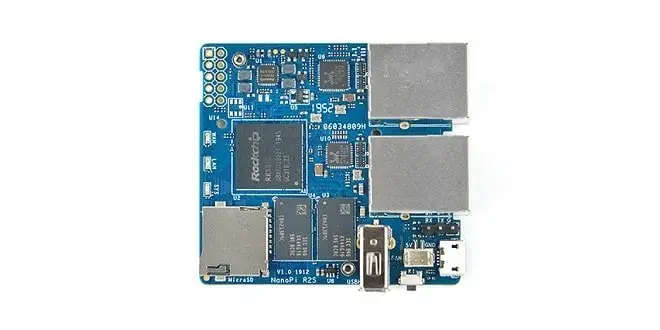
Nano Pi R2S
Key Takeaways
- The NanoPi R2S is an impressively compact board, measuring just 55.
- The NanoPi R2S, as with most of FriednlyElec boards, supports FriendlyWrt (OpenWrt) and FriendlyCore, based on Ubuntu 18.
- The NanoPi R2S board has the exact dimensions and interfaces as the NanoPi R1S, fully compatible with the same yellow case used for NanoPi R1S.
- NanoPi R2S | Rearview NanoPi R2S | Back view NanoPi R2S Case NanoPi R2S specifications SoC: Rockchip RK3328 quad-core Cortex-A53 @ 1.
- 6 x 52mm Temperature Range: -20℃ to 70℃ NanoPi R2S Board Overview The NanoPi R2S is a diminutive form of SBC measuring 55.
Frequently Asked Questions
What is build a secure cheap portable router?
After covering FrienldyElec FriendlyWrt (OpenWrt), Linux distribution advantages in providing excellent security at almost zero cost comes the newest fresh NanoPi R2S SBC.
What is nanopi r2s specifications?
SoC: Rockchip RK3328 quad-core Cortex-A53 @ 1.
What is nanopi r2s board overview?
The NanoPi R2S is a diminutive form of SBC measuring 55.
What is nanopi r2s heatsink?
The NanoPi R2S kit includes a high-quality passive aluminum heat sink measuring 26x 95mm connected to the PCB using a pair of mount threaded Standoffs.