Close Menu
    Facebook X (Twitter) Instagram Threads
    Trending
    • Rii TU3607 iPad Keyboard Case Review: Dream or Heavy Burden?
    • PrivadoVPN Review 2026: Does the Free Tier Still Work for Streaming?
    • Rii 518BT Review: Is This Pocket Keyboard Actually Usable?
    • Rii RK807 Pro Review: The Best Budget Apple Magic Keyboard Alternative?
    • Rii RK808 Review: The Best Foldable Travel Keyboard?
    • Rii RS201 Review: $69 16-Inch Portable Monitor Tested
    • AliExpress Promo Codes: August 2026 (100% Verified)
    • Orange Pi 6 Review: Is It Suitable for Running Local LLMs? We Checked.
    AndroidPIMP
    Facebook X (Twitter) Instagram
    • Mini PCs & Media Players
    • Embedded Computers
    • Wearables
    • Wireless Routers
    • Edge AI Cameras Vision Hardware
    • Tech Accessories
    AndroidPIMP
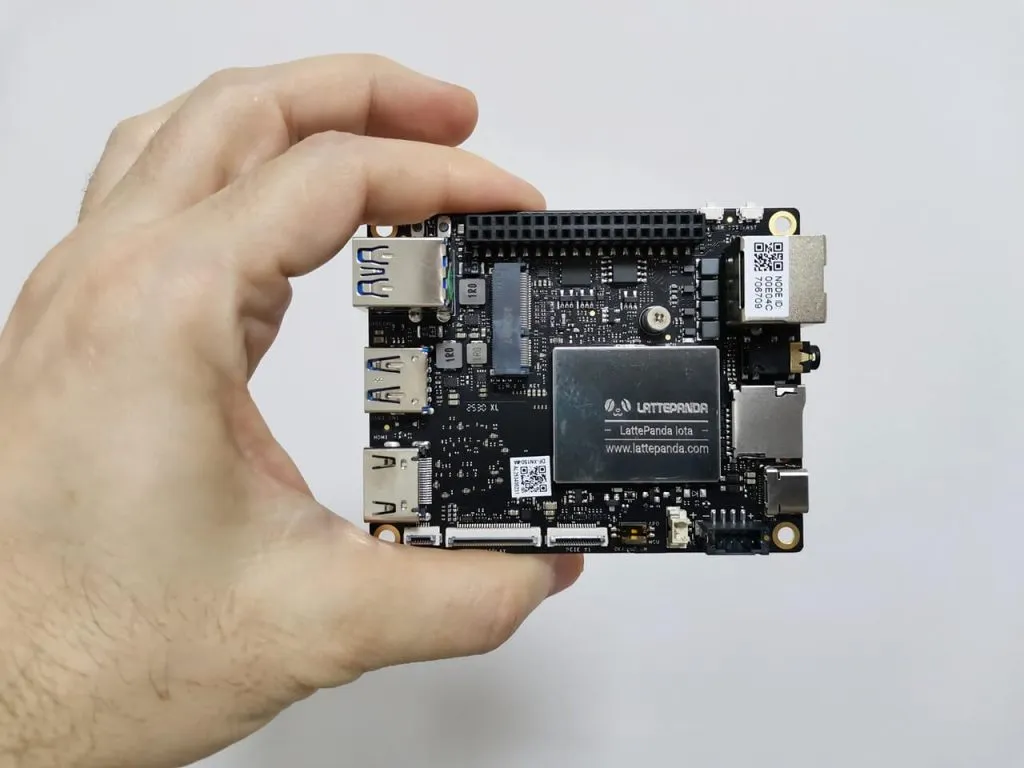
    LattePanda IOTA Board
    LattePanda IOTA Board

    LattePanda IOTA Review: 4 Reasons It Beats Raspberry Pi 5

    2
    By androidpimp on November 23, 2025 Embedded Computers
    Table of contents
    1. Part 1: Product Introduction
    2. A new X86 SBC, offering endless possibilities for creativity and innovation in DIY projects.
    3. A product introduction video.
    4. An enhanced version of the LattePanda V1 Board.
      1. Form factor
      2. LattePanda V1 vs LattePanda IOTA โ€” Specification Comparison
      3. Main distinctions.
      4. ๐Ÿง  LattePanda IOTA vs. Raspberry Pi 5: Hardware Specs & Benchmarks
      5. Summary
      6. Interfaces and ports
    5. Keeping the board components cool.
      1. ๐Ÿง  Specifications
    6. ๐Ÿง Featuring a Raspberry Pi RP2040 microcontroller โ€“ whatโ€™s it all about?
      1. ๐Ÿ”ง Key Specs:
      2. The benefits
      3. ๐Ÿ› ๏ธ Co-Processor Roles:
      4. PIO subsystem
      5. Key Components of PIO
      6. ๐Ÿ’ก Why Itโ€™s Game-Changing
      7. What can be accomplished with PIO?
    7. Practical Applications
    8. Part 2: LattePanda IOTA Review (Currently being updated)
      1. The Packages (Contents of the Package)
    9. All the packages
    10. Unpacking all the items.
      1. LattePanda IOTA [8GB/64 eMMC] (DFR1226)
      2. Smart UPS (DFR1247)
      3. 51W PoE++ HAT (DFR1248)
      4. M.2 4G Expansion Board (DRF1249)
      5. M2 M-Key Expansion Board (DFR1250)
      6. AX210 WiFi Kit (FIT0822)
      7. Active Cooler (FIT1027)
    11. A closer look at the board
    12. First-time installation.
      1. Installing a Crucial P3 Plus 1TB NVMe SSD.
      2. Installing an active heatsink.
    13. Repurposing the cooling fan from the older LattePanda V1 board and modifying it for compatibility with the IOTA board.
    14. The cheapest and simplest solution to migrate or make use of the V1 fan
      1. How can the FAN migration be accomplished?
      2. Setting up the WiFi 6E Kit
        1. Installing
        2. Performance-wise
    15. Getting into the BIOS settings
      1. Changing the TDP in BIOS or UEFI settings
      2. Why itโ€™s needed and what are the benefits
        1. 1. Boost Performance
        2. ๐ŸŒก๏ธ 2. Improve Thermal Management
        3. ๐Ÿ”‹ 3. Optimize Power Efficiency
        4. ๐Ÿงช 4. Experimentation and Customization
        5. ๐Ÿ–ฅ๏ธ 5. Match System Capabilities
    16. Explaining the settings
      1. Recommendations
      2. What temperatures should you expect?
    17. Same form factor as the LattePanda V1, but not quite as fast!
    18. Operating system support
      1. Windows OS Licensing
      2. Available storage and memory
    19. Installing an M.2 4G expansion board.
    20. Installing the 18650ย UPSย Expansionย Board
      1. Configuring the board
      2. Optional power inputs
        1. Hardware Power Management (DIP Switch)
      3. Checking overall battery performance
      4. โœ… Summary
    21. An improved rack configuration
    22. Hardware
    23. But wait, thatโ€™s not all!
      1. GPU Performance
    24. So, does the hardware outperforms the Raspberry Pi 5?
      1. ๐Ÿฅ‡ 1. Superior CPU Performance
      2. ๐ŸŽจ 2. Exceptional GPU Power
      3. ๐Ÿ”Œ 3. Advanced Connectivity & Expansion
      4. ๐Ÿ–ฅ๏ธ 4. Full x86 OS Compatibility
    25. Performance Comparison
    26. Key highlights
      1. How does it perform for gaming?
    27. Geekbench 6.5 benchmark tests
    28. How does it stack against other devices with the same hardware?
      1. ๐Ÿงฎ Geekbench: A comparison of the LattePanda IOTA vs other popular Intel N150 Mini PCs.
    29. Benchmarking storage performance
    30. Power Requirements and usage
      1. Power supply requirements as officially recommended by DFRobot.
    31. The Kodi Experience
    32. So how is the playback performance?
    33. The aluminum metal case
      1. The package
      2. Unboxing
      3. A closer look at the case
      4. Design-wise
      5. Other parts of the case
      6. Assembling the LattePanda IOTA (16GB RAM / 128GB eMMC)
      7. Additional eMMC storage space
      8. The lesser good
      9. Accessibility of interfaces
      10. How does it perform?
      11. Stress stability test
      12. How about CPU throttling?
      13. ๐Ÿ“Š Is 3% throttling good?
      14. Checking hardware information
      15. Our experience
    34. Final Thoughts
    35. Configuration, price, and availability
      1. The Mainboardย Options/Configurations
      2. LattePanda IOTA Price and availability
      3. Here is a list of all accessories and optional add-ons for the board.
    36. Inquiries and questions.
      1. LattePanda IOTA (Kit)
      2. LattePanda IOTA 16GB
    37. Frequently asked questions.
      1. What is the price range?
      2. What expandable features are available for this board?
      3. What are the power requirements?
      4. What makes it different from previous LattePanda models?
      5. Can it be used with Kodi as a media center?

    Installing an M.2 4G expansion board.

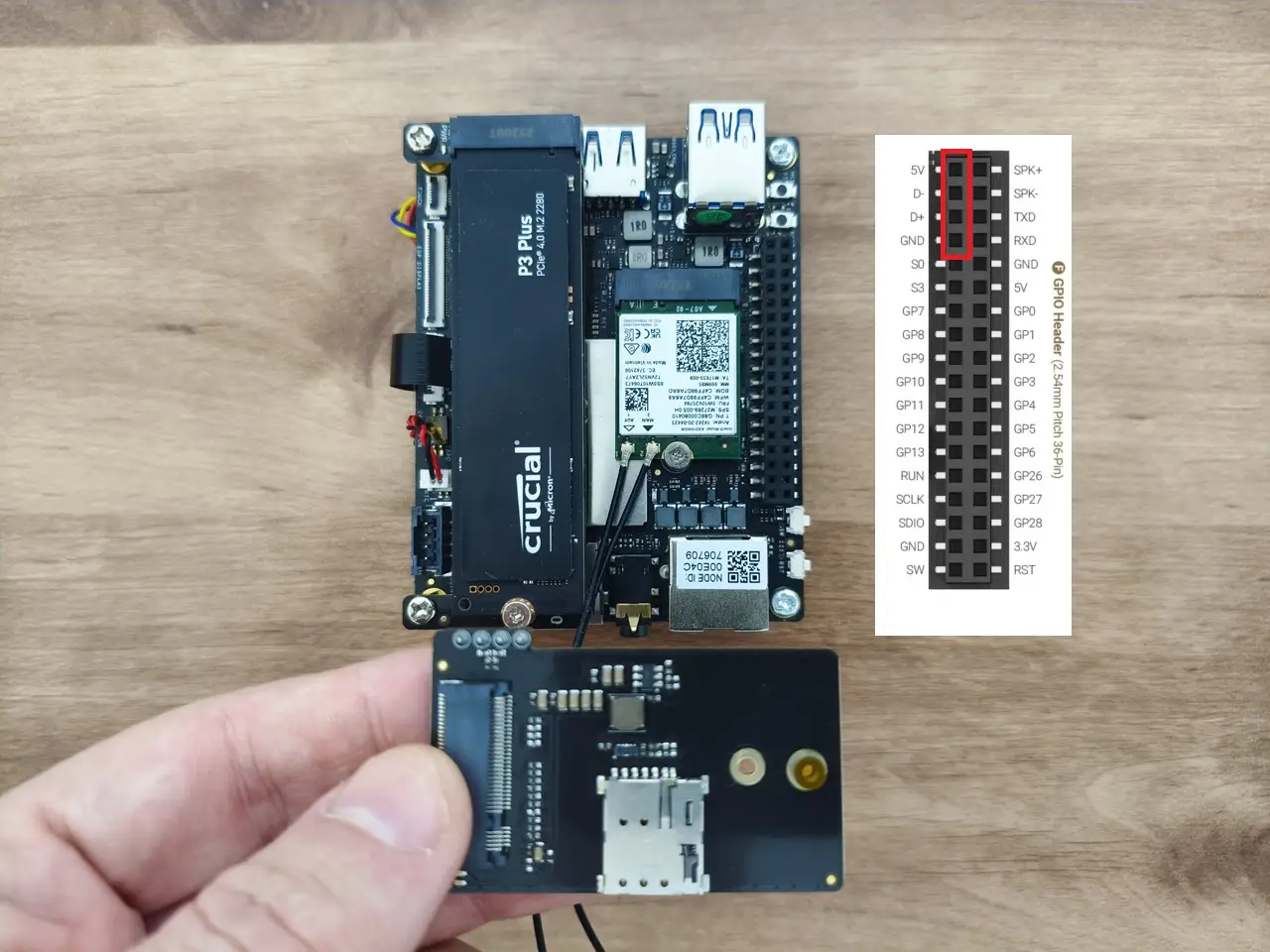
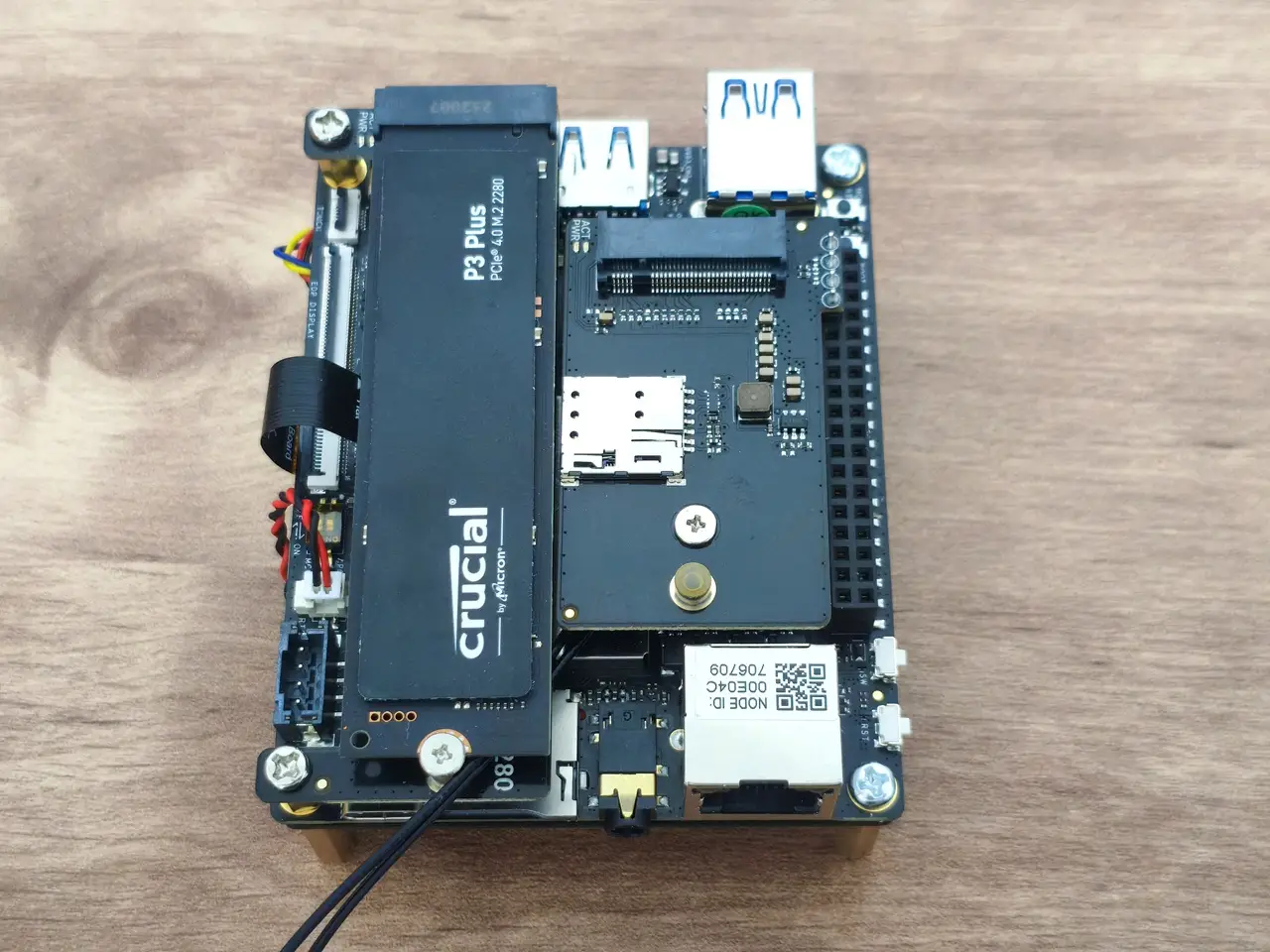
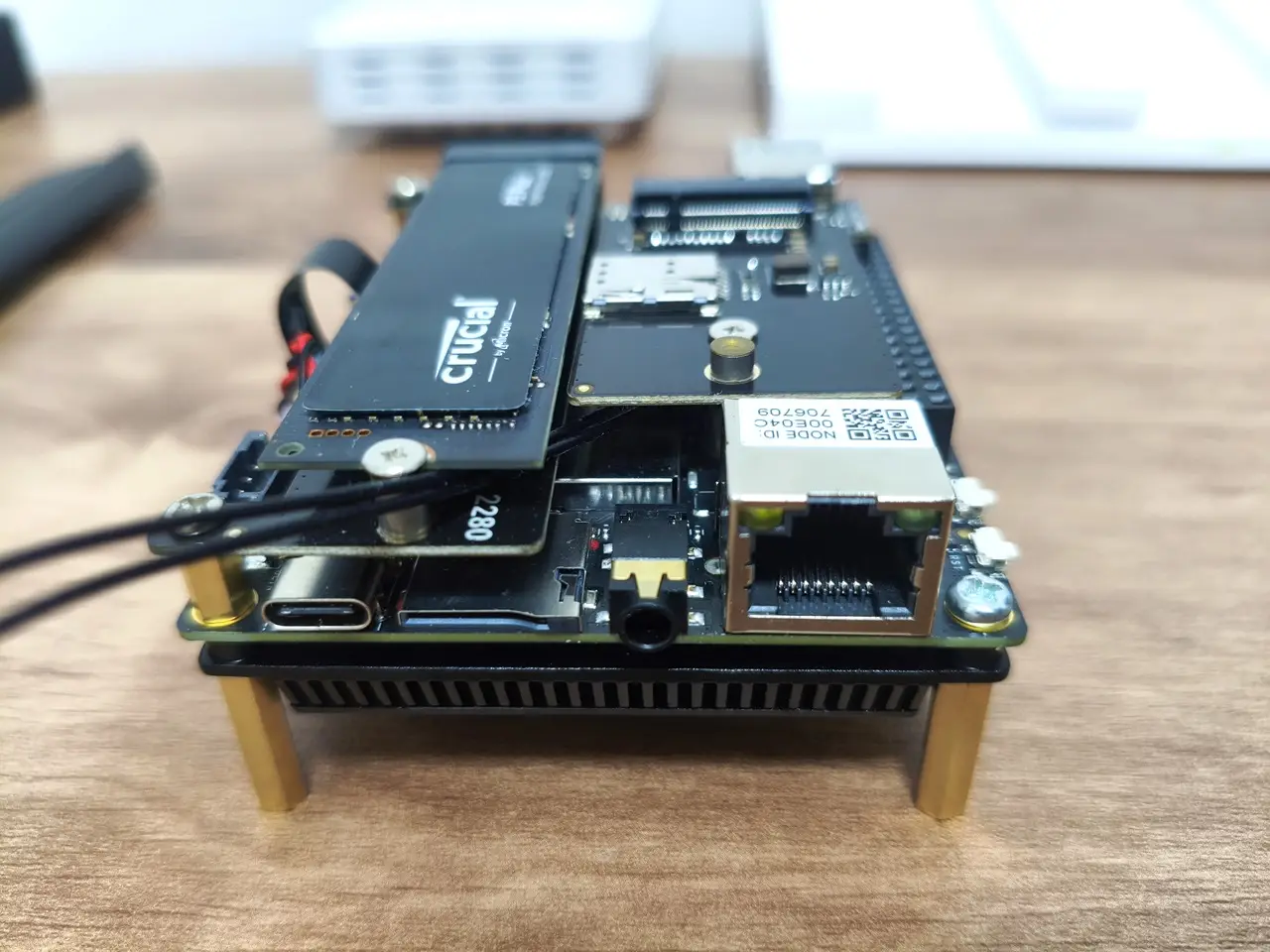
    For those seeking 4G/LTE cellular connectivity, consider purchasing and installing an M.2 4G Expansion Board. The configuration consists of two distinct scenarios: one with a WiFi card installed, while the other does not. In both scenarios, it’s essential to add a hex standoff for proper support of the 4G expansion card.

    Installing an M.2 4G expansion board.

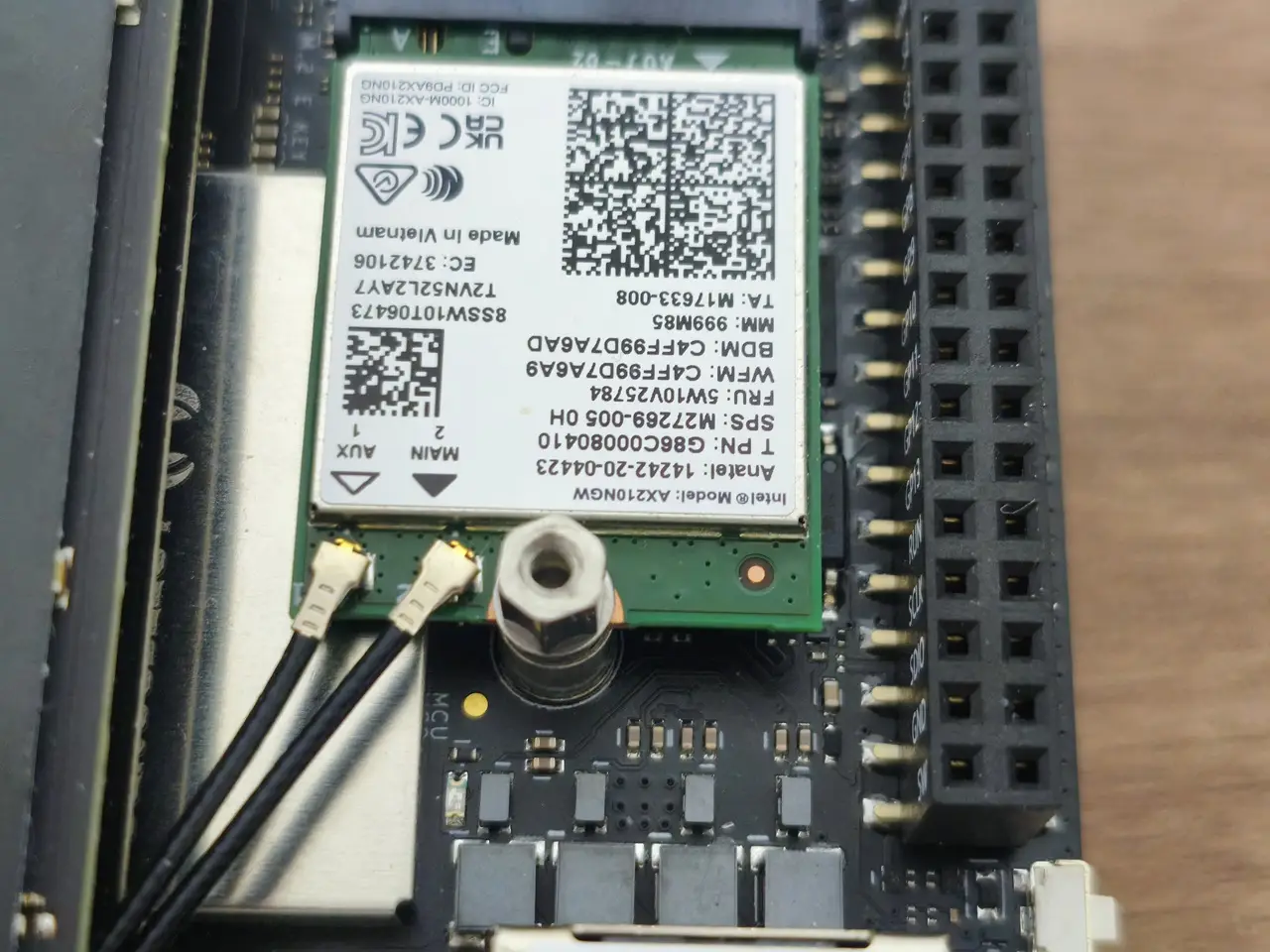
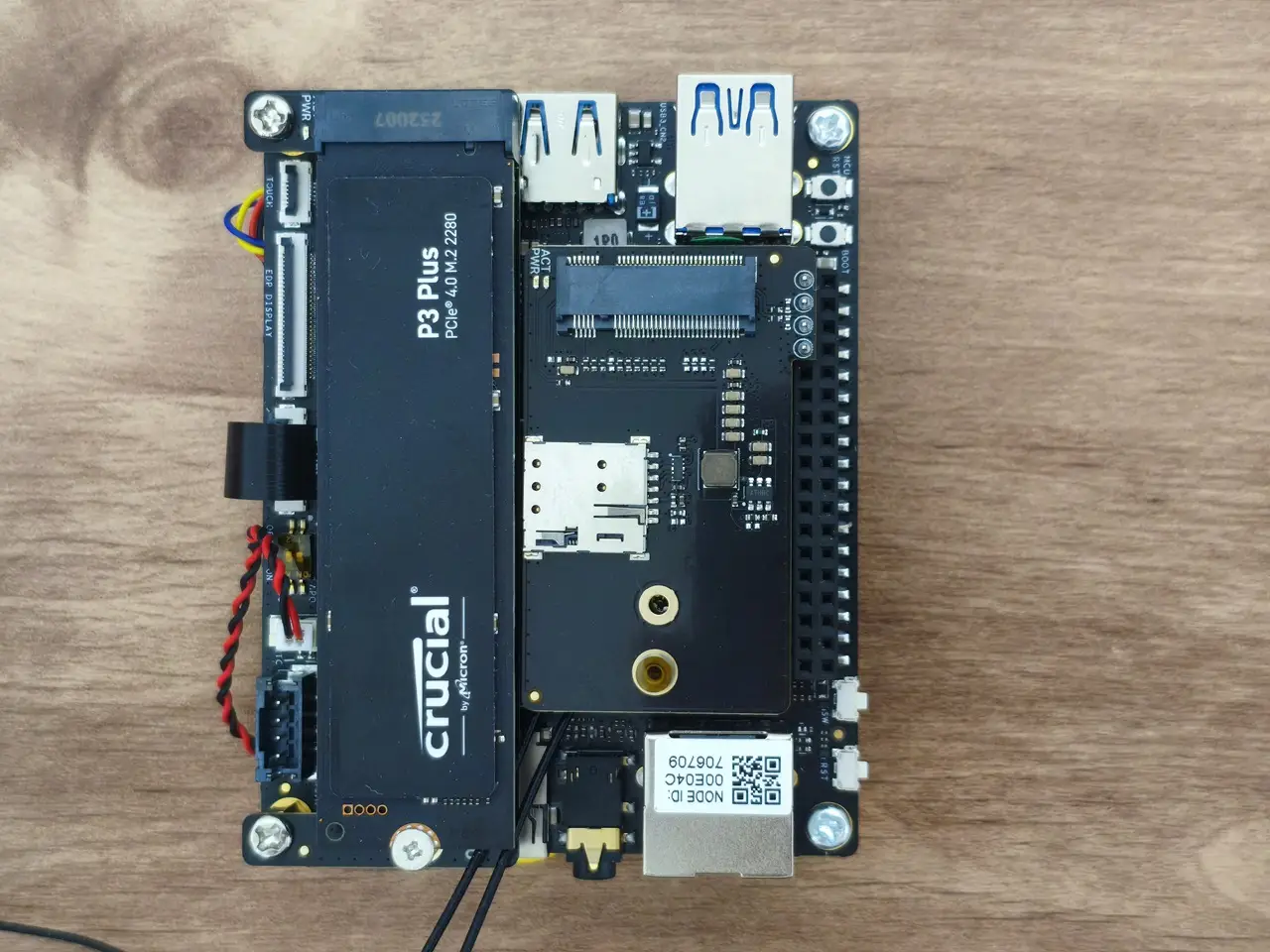
    The expansion card connects to the GPIO pins interface using a 4-pin header but needs extra support during assembly. To achieve this, you should extend the screw height with a hex standoff from the screw pack included with the card. As shown in the photos below, the expansion card is essentially assembled above the WiFi card, right next to our 1TB NVMe SSD we previously installed.
    LatteIOT M.2 4G Card 4
    LatteIOT M.2 4G Card 5
    LatteIOT M.2 4G Card 1
    LatteIOT M.2 4G Card 2
    LatteIOT M.2 4G Card 3
    1 2 3 4 5 6 7 8 9 10 11 12 13 14 15 16 17 18 19 20
    Share. Facebook Twitter Pinterest LinkedIn Tumblr Email
    Previous ArticleUgoos GaN Fast Chargers (35W, 65W, 140W): USBโ€‘C PD 3.1, Ultraโ€‘Compact, Highโ€‘Speed Charging 2026
    Next Article Orange Pi 6 Plus Review: A 12-Core SBC Powerhouse (Benchmarks, Specs, and Pricing)
    androidpimp
    • Website

    Related Posts

    Orange Pi Review

    Orange Pi 6 Review: Is It Suitable for Running Local LLMs? We Checked.

    August 12, 2026
    BPi Wi Fi 7 NIC BE14(V2.1)

    BPI-R4 Wi-Fi 7 NIC (BE14): OpenWrt Setup & Optimal WiFi Power Guide

    July 27, 2026
    Raspberry Pi Zero 3W SBC

    Orange Pi Zero 3W Review: $25 Dual Video Pi Zero 2W Killer?

    June 26, 2026
    3.2 5 votes
    Article Rating
    Subscribe
    Notify of
    2 Comments
    Oldest
    Newest Most Voted
    CC
    10 months ago

    When you installed the IOTA Active Cooler, was there a gap between the CPU and the cooler? Mine seems to have an air gap that can’t be overcome with thermal paste.

    0
    Reply
    Author
    androidpimp
    10 months ago
    Reply to  CC

    Maybe, but I can’t say for sure. The thermal paste should help, even if there is a very small gap.
    If you’re really annoyed with the gap, you can always try adding a thermal pad. What you should focus on is checking the temperatures to see if they are stable. If they are stable and reasonable in range, then everything is working as it should.

    0
    Reply
    Categories
    PureVPN
    PureVPN Ad Banner
    PrivadoVPN – No. 1 in Parental Control
    PrivadoVPN 350x437
    Recent Posts
    • Rii TU3607 iPad Keyboard Case Review: Dream or Heavy Burden?
    • PrivadoVPN Review 2026: Does the Free Tier Still Work for Streaming?
    • Rii 518BT Review: Is This Pocket Keyboard Actually Usable?
    • Rii RK807 Pro Review: The Best Budget Apple Magic Keyboard Alternative?
    • Rii RK808 Review: The Best Foldable Travel Keyboard?
    • Rii RS201 Review: $69 16-Inch Portable Monitor Tested
    • AliExpress Promo Codes: August 2026 (100% Verified)
    • Orange Pi 6 Review: Is It Suitable for Running Local LLMs? We Checked.
    • Youyeetoo NestDisk Mini PC/Router: Is This Pocket-Sized 3-in-1 NAS Worth It?
    • DFRobot Unveils seeMote Cube: A 6DoF Physical Controller for Apple Vision Pro
    RSS feed: The Latest RSS Feeds The Latest RSS Feeds
    • Rii TU3607 iPad Keyboard Case Review: Dream or Heavy Burden?
    • PrivadoVPN Review 2026: Does the Free Tier Still Work for Streaming?
    • Rii 518BT Review: Is This Pocket Keyboard Actually Usable?
    Facebook X (Twitter) Instagram Pinterest
    @2026 - All Right Reserved. Designed by AndroidPIMP

    Type above and press Enter to search. Press Esc to cancel.

    wpDiscuz