Close Menu
  • Home
  • About
  • Wearables
  • Earbuds
  • Computer Accessories
    • Routers
    • Remotes
  • Embedded
    • Single Board Computers
    • Addon Boards
    • Raspberry Pi
  • Wireless Routers
  • Contact
Facebook X (Twitter) Instagram Threads
Trending
  • Orange Pi Zero 3W Review: $25 Dual Video Pi Zero 2W Killer?
  • Banana Pi BPI-SM10 Review: 60 TOPS RISC-V Jetson Orin Nano Alternative
  • SpacemiT K3 Pico-ITX Review: 60-TOPS RISC-V Powerhouse for LLMs?
  • Banana Pi BPI-R4 Pro Review: The Best WiFi 7 OpenWrt Router? We Checked!
  • DFRobot ESP32-S3 LoRaWAN & Gateway Review: Build a Private IoT Network
  • Top Global AliExpress Promo Worldwide Country Codes June 7, 2026
  • WaveNote AI Review 2026: An Honest Pro/Con Comparison (Tested)
  • CamThink NE301 Review: 25 FPS YOLOv8 on STM32 Edge AI
AndroidPIMP
Facebook X (Twitter) Instagram
  • Home
  • About
  • Wearables
  • Earbuds
  • Computer Accessories
    • Routers
    • Remotes
  • Embedded
    • Single Board Computers
    • Addon Boards
    • Raspberry Pi
  • Wireless Routers
  • Contact
AndroidPIMP

Orange Pi 4A Review: A low-cost 8-core RISC-V SBC powered by Allwinner T527 SoC

0
By androidpimp on December 17, 2024 Embedded Computers
OrangePi 4A SBC
OrangePi 4A SBC
Table of contents
  1. Part 1: Product Introduction
    1. Orange Pi 4A: A more robust and affordable RISC-V single-board computer.
  2. Orange Pi 4A Specifications
  3. Examining Board Design and Layout
  4. Powered by an Allwinner T527 SoC (System on chip)
    1. Applications Across Multiple Industries
    2. Enhanced thermal management
  5. Equipped with a 2TOPS NPU (Neural Processing Unit)
  6. Suited for audio-related applications.
    1. Key Features
    2. Advantages
  7. Part 2: Orange Pi 4A Review
    1. The Product Package
  8. Unpacking the board along with extra accessories
  9. A Closer Look at the Board
  10. Why is it so cheap? Pros and cons.
    1. The Compromises
    2. The placement of the operational buttons.
    3. The Good Stuff
  11. Orange Pi 4A Temperature Readings
  12. We also evaluated the sound quality.
  13. Software Support
    1. Available system resources
  14. Installing Android OS
  15. What is the assessment of the overall performance?
  16. Can Kodi play video files smoothly?
  17. Do you have an NVMe SSD installed?
  18. We also verify hardware info using the CPU-Z application.
  19. Geekbench Benchmarking
    1. When comparing the Orange Pi 4 and the Raspberry Pi 5, which one offers superior computing power?
    2. When comparing the Orange Pi 4A and the Raspberry Pi 4, which one offers superior computing power?
  20. Connectivity
    1. Assessing the Performance of the Ethernet LAN Port
    2. Our test results
  21. Available storage Options
    1. What is the advantage of using the eMMC chip?
    2. Evaluating the performance of an eMMC chip with the GNOME Disk Utility Benchmark tool.
    3. Testing a 1 TB NVMe using the GNOME Disk Benchmark tool.
    4. Test results
  22. Conclusions and Verdict
    1. The Positive
    2. The less positive
  23. Business inquiries
  24. Price and Availability
    1. OrangePi 4A (4GB RAM)

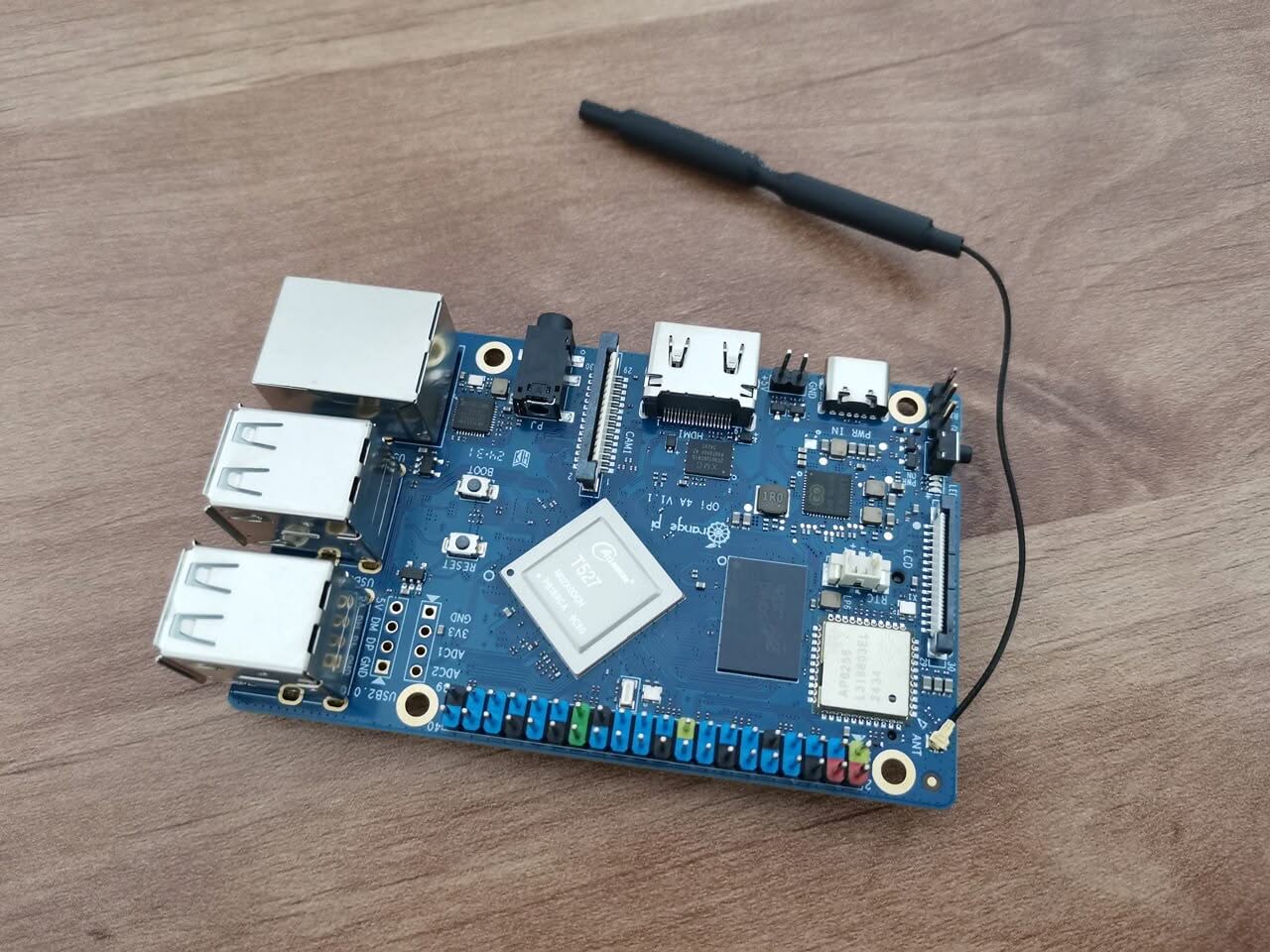
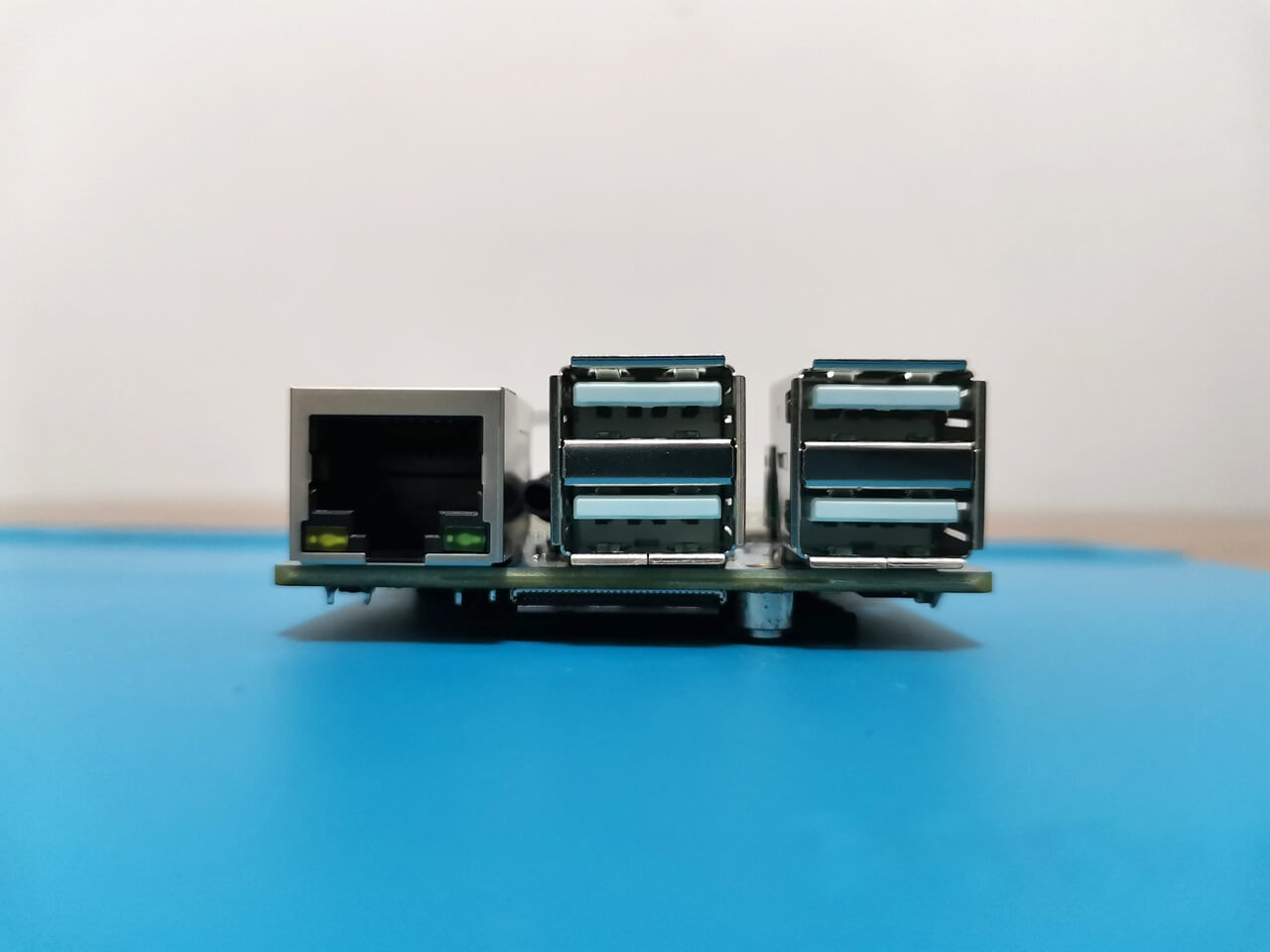
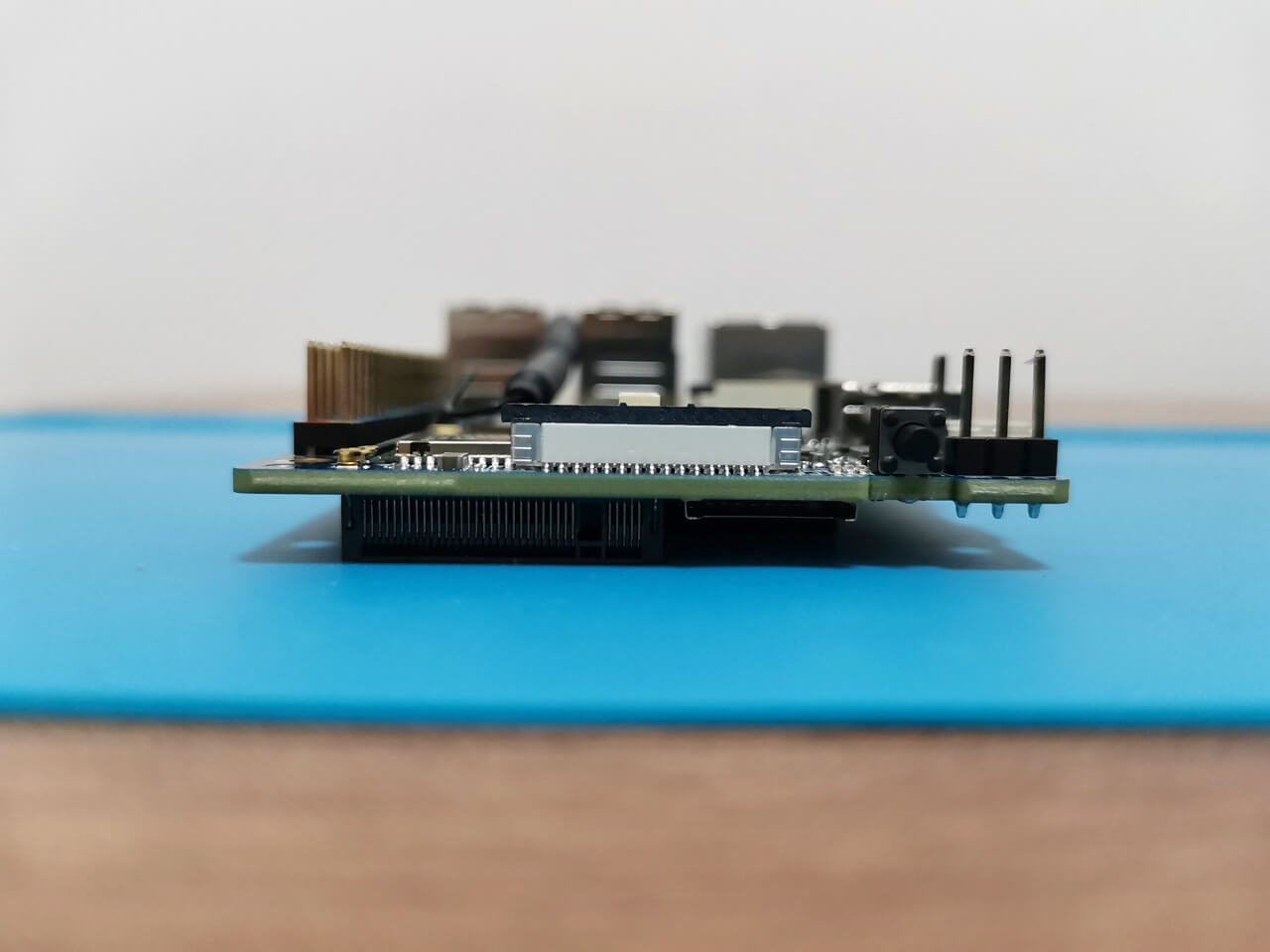
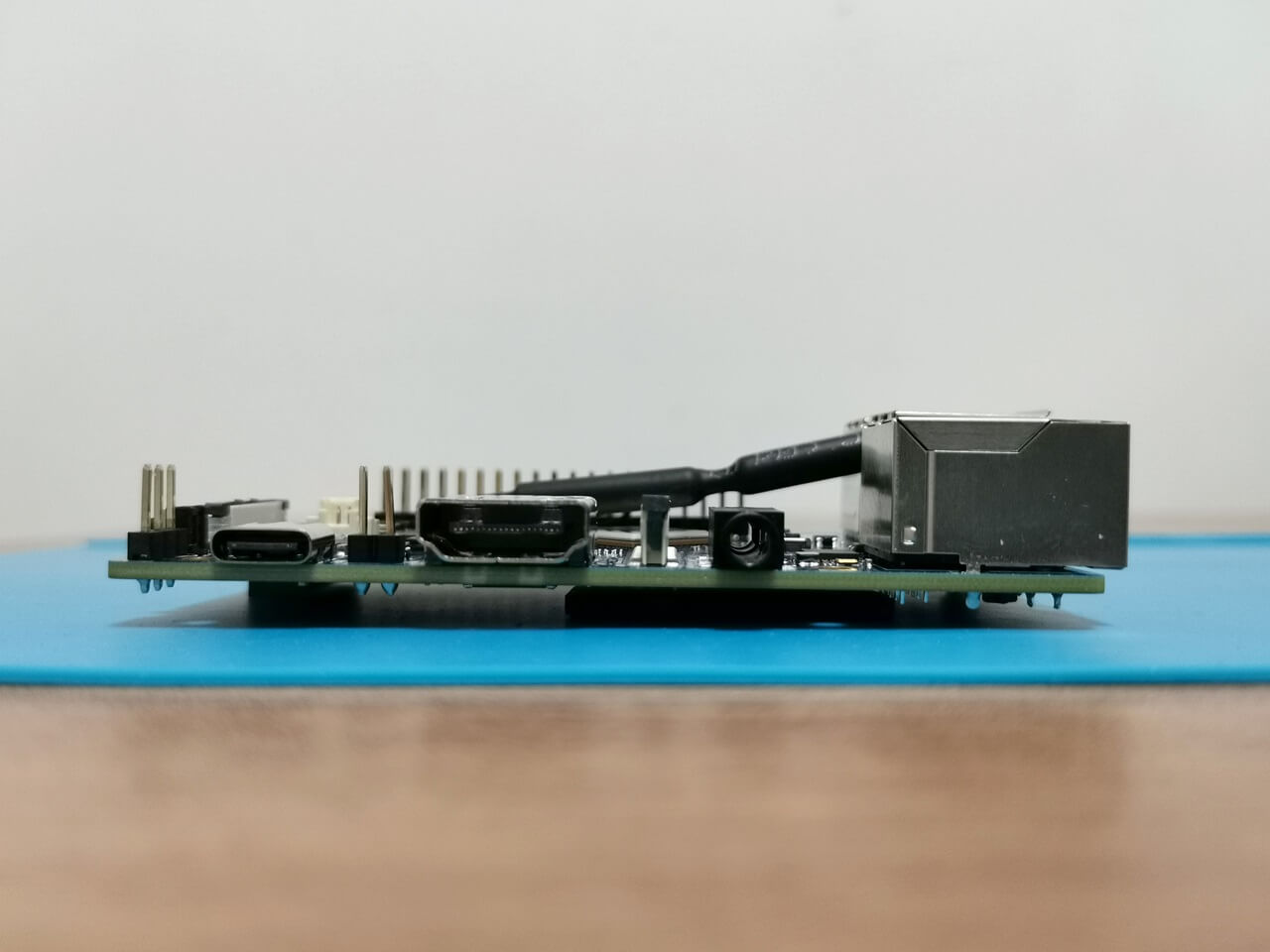
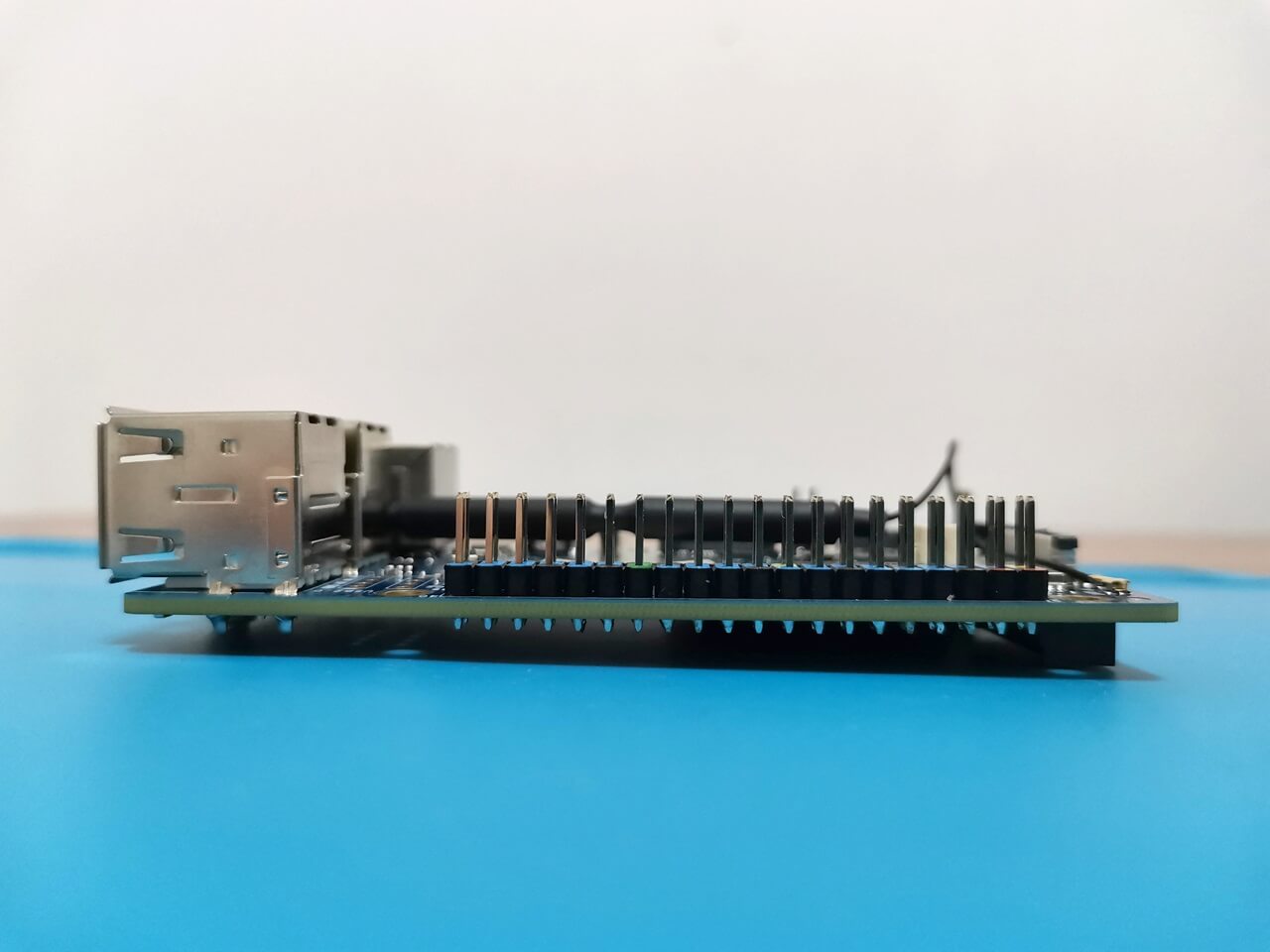
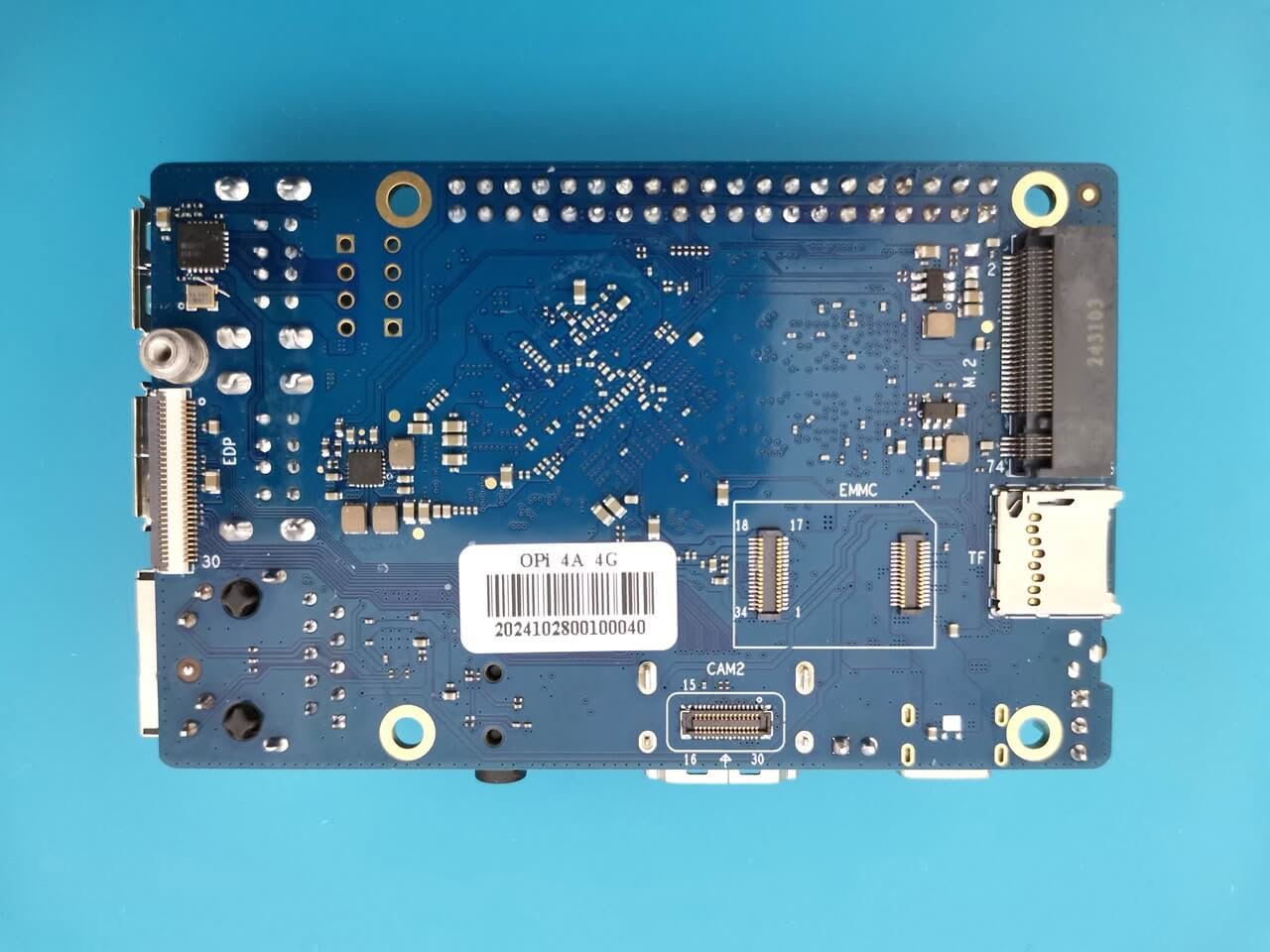
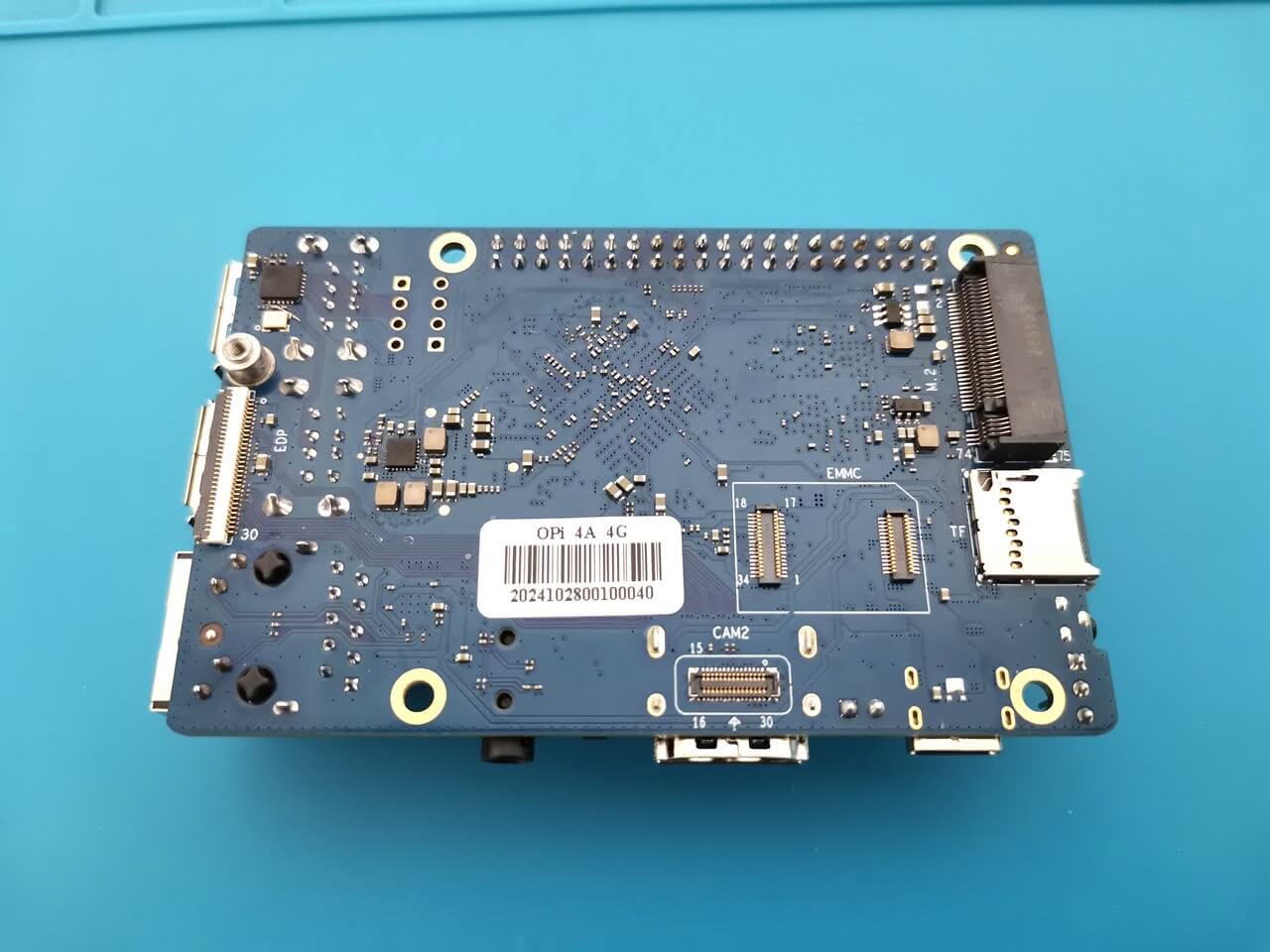
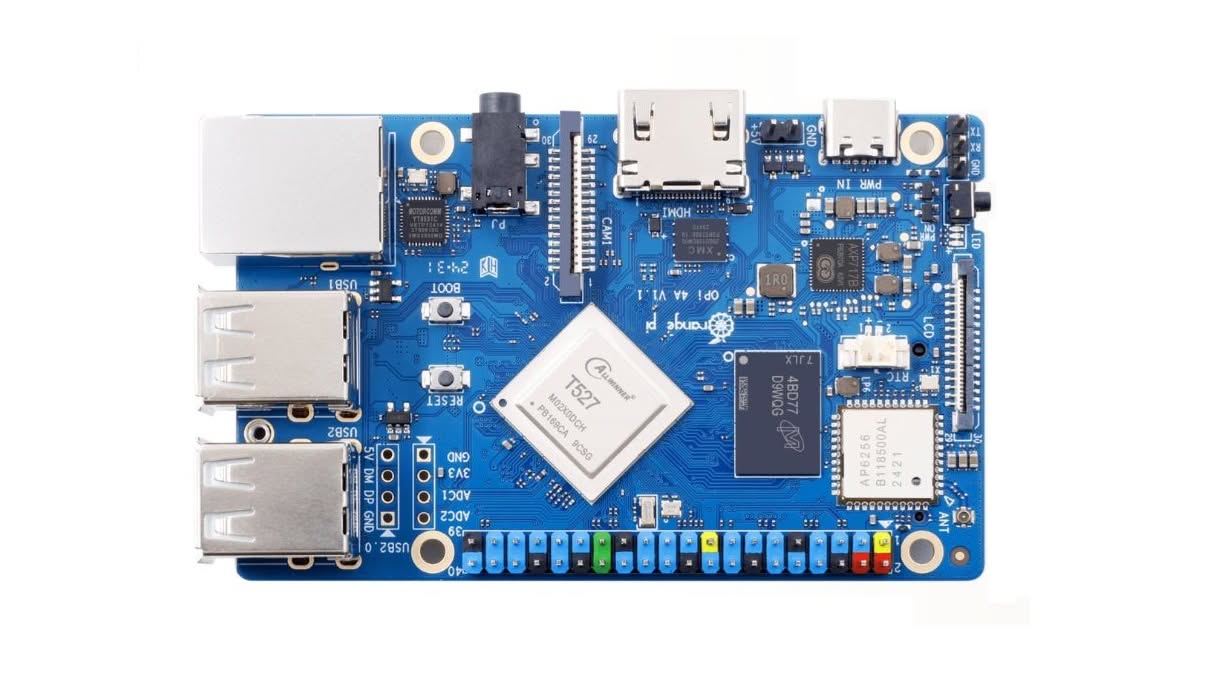
A Closer Look at the Board
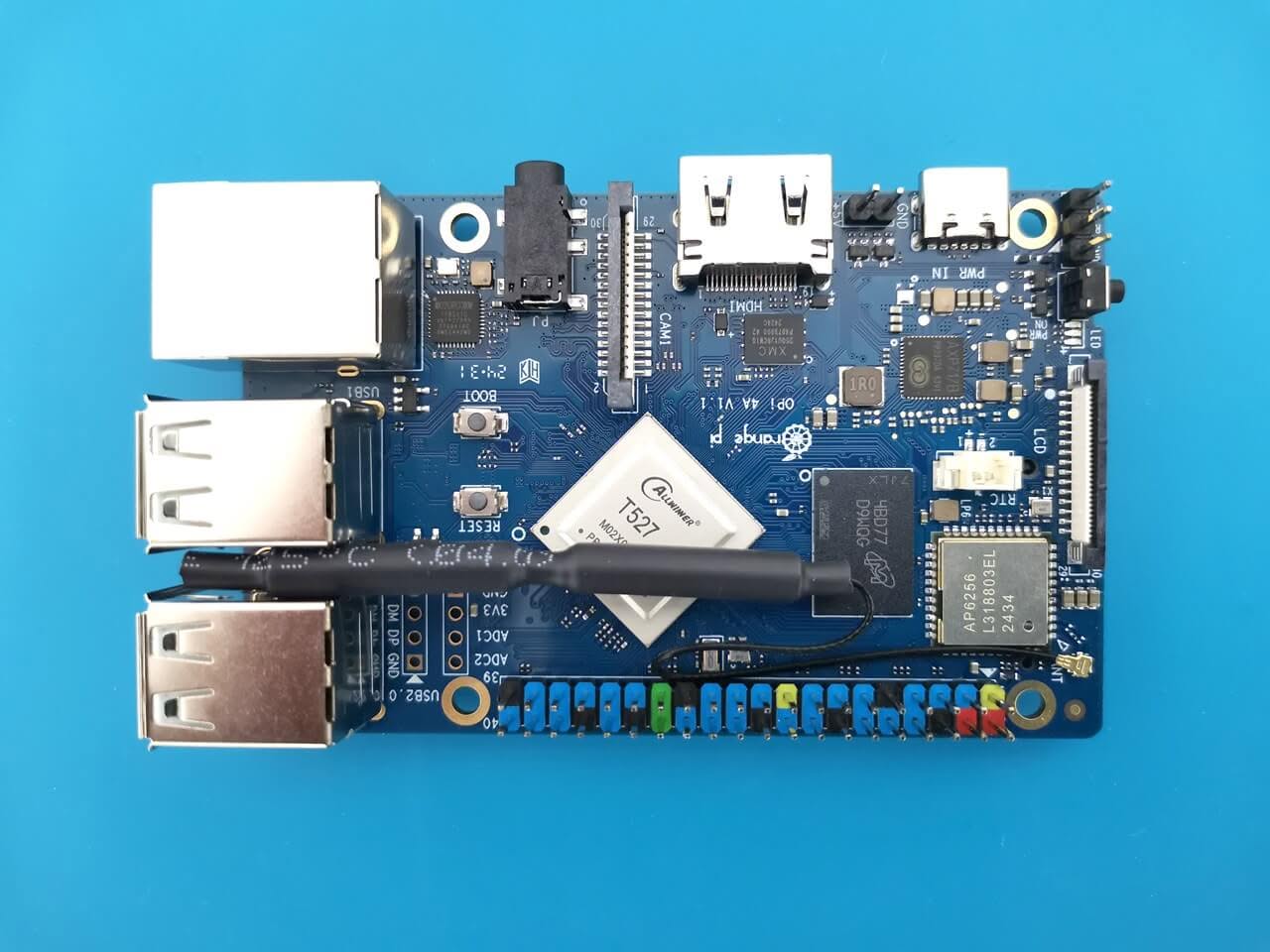
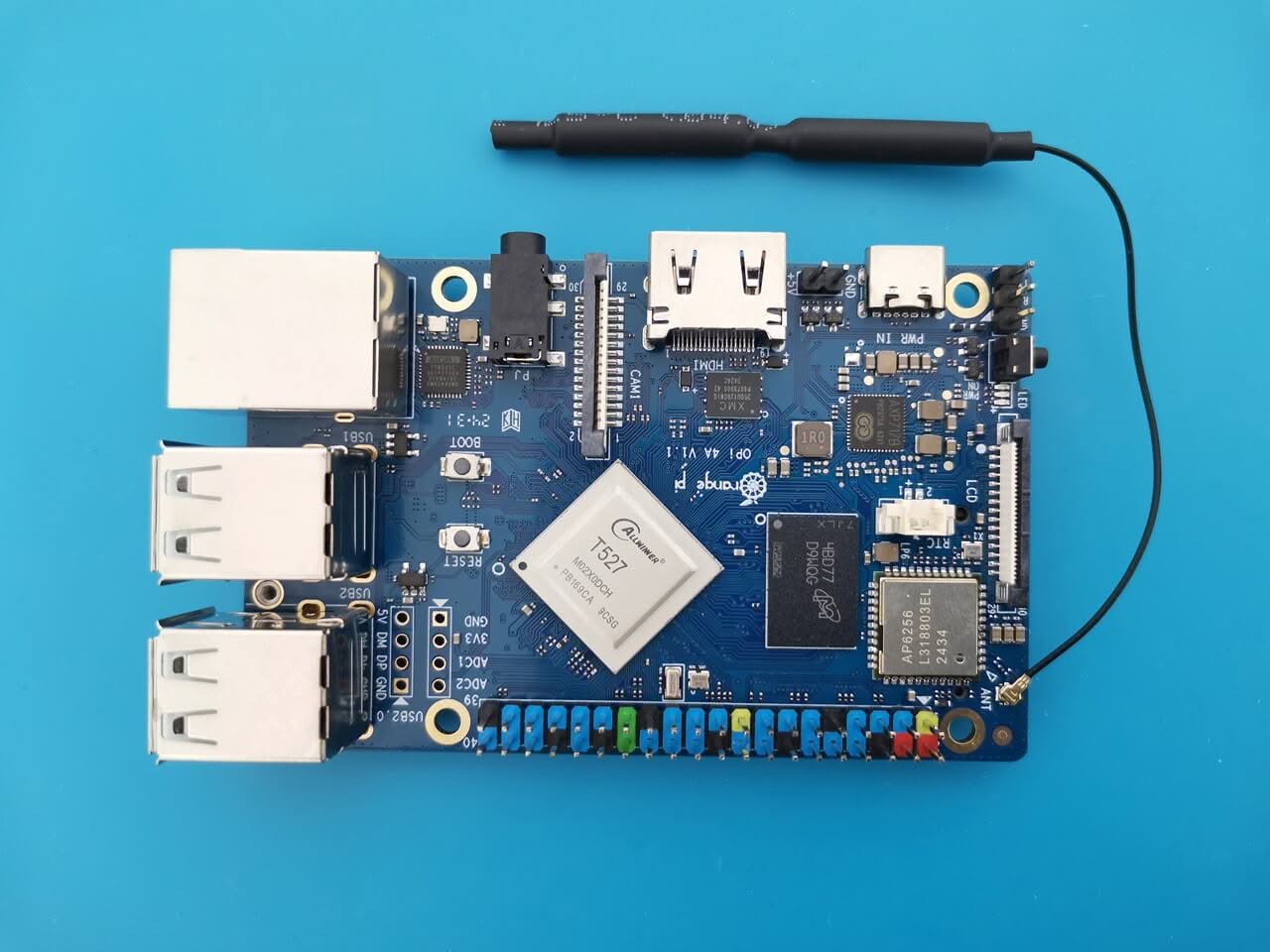
Orange Pi 4A 1
Orange Pi 4A 1
Orange Pi 4A 2
Orange Pi 4A 2
Orange Pi 4A 3
Orange Pi 4A 3
Orange Pi 4A 4
Orange Pi 4A 4
Orange Pi 4A 5
Orange Pi 4A 5
Orange Pi 4A 6
Orange Pi 4A 6
Orange Pi 4A 7
Orange Pi 4A 7
Orange Pi 4A 8
Orange Pi 4A 8
Orange Pi 4A 9
Orange Pi 4A 9

Why is it so cheap? Pros and cons.

A 4GB RAM board priced at just $40 is an incredible bargain from a buyer’s perspective. However, what compromises have been made to achieve such an impressive price point?

The Compromises

The board’s hardware design includes four USB 2.0 ports; however, it lacks any USB 3.0 ports. Additionally, although the Wi-Fi chip supports both 2.4 GHz and5 GHzz bands, it does not offer Wi-Fi 6 connectivity—an aspect that remains absent even in the Raspberry 5. While these limitations may not be significant drawbacks, they are certainly worth noting.

The placement of the operational buttons.

The Boot and Reset buttons are positioned at the top of the PCB, a choice likely made due to the dense arrangement of components. Unfortunately, this location proves to be quite inconvenient, as it restricts easy access to these essential functions, especially when the board is housed within a closed case.

The Good Stuff

You are obtaining a single-board computer (SBC) equipped with an 8-core processor, multiple interfaces, and options for 2 or 4 GB of RAM. It also has the capacity for expansion using an NVMe SSD card through an M.2 M-Key 2280 slot, which can enable the board to function as a small server or a mini-PC for running lightweight applications.


Orange Pi 4A Temperature Readings

At first glance, it becomes evident that the Allwinner T527 stands out as truly remarkable when compared to the performance-sensitive yet heat-generating Rockchip RK3588S SoC, which often struggles with thermal management.

The T527 stands out with its outstanding thermal efficiency and reliability, seamlessly operating in extreme temperatures from 49 to over 50 degrees Celsius. Remarkably, it maintains stability with minimal temperature increase in ambient conditions of around 20 to 21 degrees Celsius. What’s even more impressive is that it accomplishes this remarkable performance without requiring a heat sink.

For optimal cooling performance, we recommend installing a 20x20x10mm heat sink. While covering the DDR4 RAM alongside the main SoC chip can be more challenging, utilizing a longer heat sink can help address this issue. The most effective approach is to employ two separate heat sinks. Notably, our temperature readings with the 20×20 mm heat sink were very acceptable, consistently measuring below 43°C. It’s important to note that these temperature readings were taken with the board not assembled inside a closed case, while running non-intensive, basic tasks, such as browsing and playing videos from YouTube.

# Checking Temperatures Across All Thermal Zones
paste <(cat /sys/class/thermal/thermal_zone*/type) <(cat /sys/class/thermal/thermal_zone*/temp) | column -s $'\t' -t | sed 's/\(.\)..$/.\1°C/'

cpul_thermal_zone 43.5°C
cpub_thermal_zone 43.5°C
gpu_thermal_zone 43.8°C
npu_thermal_zone 43.8°C
ddr_thermal_zone 42.6°C
axp2202-usb 34.1°C

We also evaluated the sound quality.

The Orange Pi 4A boasts a HIFI4 Audio DSP operating at 600MHz, specifically designed for high-fidelity audio applications, as outlined in its product specifications. But what does this mean from a user standpoint? It means that this board excels in multimedia applications, particularly when it comes to delivering exceptional audio performance.

The audio quality through the 3.5mm headphone jack truly exceeded our expectations. This board is an excellent choice for development applications that require voice commands with audio input/output support. Furthermore, for those looking to create a compact home audio streaming device that allows for enjoyable music playback from Spotify and other music streaming platforms, this board stands out as an outstanding option.
1 2 3 4 5 6 7 8
Share. Facebook Twitter Pinterest LinkedIn Tumblr Email
Previous ArticleRedmi AX5400 Gaming Router Review – Top WiFi 6 Router on Steroids
Next Article MeLE Quieter DL, Fanless miniโ€“PC Powered by Intel features 2×2.5G GbE ports.
androidpimp
  • Website

Related Posts

Raspberry Pi Zero 3W SBC

Orange Pi Zero 3W Review: $25 Dual Video Pi Zero 2W Killer?

June 4, 2026
Banana Pi SM10 Kit

Banana Pi BPI-SM10 Review: 60 TOPS RISC-V Jetson Orin Nano Alternative

June 3, 2026
SpacemiT K3 Pico ITX

SpacemiT K3 Pico-ITX Review: 60-TOPS RISC-V Powerhouse for LLMs?

June 2, 2026
5 1 vote
Article Rating
Subscribe
Notify of
0 Comments
Oldest
Newest Most Voted
PureVPN
PureVPN Ad Banner
VyprVPN – No. 1 in Anonymity
Vyprvpn 350x260
PrivadoVPN – No. 1 in Parental Control
PrivadoVPN 350x437
Recent Posts
  • Orange Pi Zero 3W Review: $25 Dual Video Pi Zero 2W Killer?
  • Banana Pi BPI-SM10 Review: 60 TOPS RISC-V Jetson Orin Nano Alternative
  • SpacemiT K3 Pico-ITX Review: 60-TOPS RISC-V Powerhouse for LLMs?
  • Banana Pi BPI-R4 Pro Review: The Best WiFi 7 OpenWrt Router? We Checked!
  • DFRobot ESP32-S3 LoRaWAN & Gateway Review: Build a Private IoT Network
  • Top Global AliExpress Promo Worldwide Country Codes June 7, 2026
  • WaveNote AI Review 2026: An Honest Pro/Con Comparison (Tested)
  • CamThink NE301 Review: 25 FPS YOLOv8 on STM32 Edge AI
  • PrivadoVPN Review 2026: Is the Best Free VPN Still Good for Streaming?
  • Orange Pi 6: Built-In 45 TOPS AI Power Beats Any AI HAT+
RSS The Latest RSS Feeds
  • Orange Pi Zero 3W Review: $25 Dual Video Pi Zero 2W Killer?
  • Banana Pi BPI-SM10 Review: 60 TOPS RISC-V Jetson Orin Nano Alternative
  • SpacemiT K3 Pico-ITX Review: 60-TOPS RISC-V Powerhouse for LLMs?
Facebook X (Twitter) Instagram Pinterest
@2026 - All Right Reserved. Designed by AndroidPIMP

Type above and press Enter to search. Press Esc to cancel.

Powered by
►
Necessary cookies enable essential site features like secure log-ins and consent preference adjustments. They do not store personal data.
None
►
Functional cookies support features like content sharing on social media, collecting feedback, and enabling third-party tools.
None
►
Analytical cookies track visitor interactions, providing insights on metrics like visitor count, bounce rate, and traffic sources.
None
►
Advertisement cookies deliver personalized ads based on your previous visits and analyze the effectiveness of ad campaigns.
None
►
Unclassified cookies are cookies that we are in the process of classifying, together with the providers of individual cookies.
None
Powered by
wpDiscuz