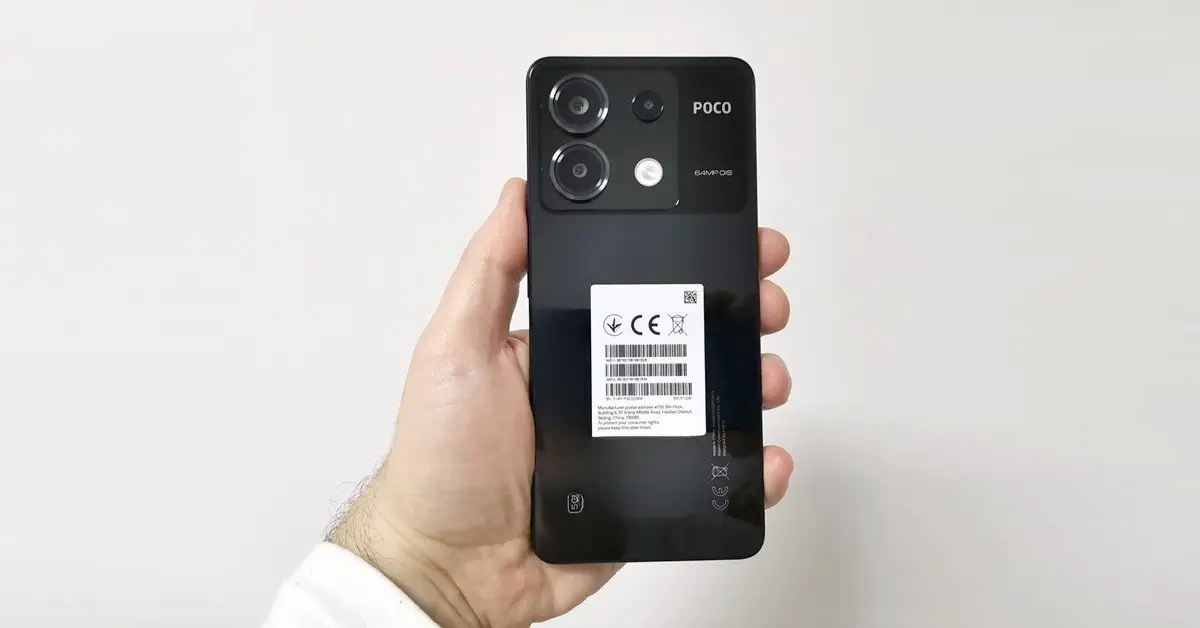
Close Menu
    Facebook X (Twitter) Instagram Threads
    Trending
    • Rii TU3607 iPad Keyboard Case Review: Dream or Heavy Burden?
    • PrivadoVPN Review 2026: Does the Free Tier Still Work for Streaming?
    • Rii 518BT Review: Is This Pocket Keyboard Actually Usable?
    • Rii RK807 Pro Review: The Best Budget Apple Magic Keyboard Alternative?
    • Rii RK808 Review: The Best Foldable Travel Keyboard?
    • Rii RS201 Review: $69 16-Inch Portable Monitor Tested
    • AliExpress Promo Codes: August 2026 (100% Verified)
    • Orange Pi 6 Review: Is It Suitable for Running Local LLMs? We Checked.
    AndroidPIMP
    Facebook X (Twitter) Instagram
    • Mini PCs & Media Players
    • Embedded Computers
    • Wearables
    • Wireless Routers
    • Edge AI Cameras Vision Hardware
    • Tech Accessories
    AndroidPIMP
    Xiaomi Poco X6 Review
    Xiaomi POCO X6 Review

    POCO X6 Review: Does it justify the cost?

    0
    By androidpimp on June 27, 2024 Mobile Phones
    Table of contents
    1. Part I: Introduction to the Poco X6 series
      1. Unmatched mid-level performance
      2. Camera Features
    2. Back side
      1. Main Camera (Wide)
      2. Second sensor (Ultra-wide)
      3. Third sensor (Macro)
    3. Front side
      1. Rear-Facing/Selfi Camera
    4. The Poco X6 is specifically designed with the Gen Z in mind.
      1. Experience the vivid and stunning AMOLED display.
    5. Part II: Poco X6 review
      1. The Package
      2. Unboxing All Items
    6. POCO X6 Design and Build Quality
      1. When it comes to choosing between plastic and metal frames, the question arises as to which option is superior?
      2. Enhanced external appearance
      3. Heat dissipation capabilities
      4. ย Structural toughness
      5. The cost of production is lower
      6. Enhanced wireless signal transmission
      7. Weighting the POCO X6
      8. The rear side of the phone
      9. The front side of the phone
    7. Does it feel and look inexpensive?
    8. Poco x6 waterproof protection
      1. Should you consider purchasing additional accessories to protect the device?
      2. Buying camera lens protector?
    9. Buying a sturdy case.
    10. Comparing Poco X6 and Poco X6 Pro
      1. MediaTek Dimensity 8300 Ultra vs. Snapdragon 7s Gen 2
      2. Performance
    11. Power Efficiency
      1. Connectivity
    12. Features
      1. Universal Flash Storage (UFS) Comparison โ€“ POCO X6 vs. POCO X6 Pro
    13. Poco x6 Antutu Benchmarks Score
    14. Display and Screen Technology
      1. Adjusting refresh rate and brightness levels
    15. Software and User Interface
      1. Pre-Installed Apps and games
      2. Storage space: How much space is available?
      3. Memory usage: How much RAM is available?
      4. Whatโ€™s HyperOS all about?
    16. Audio Features
      1. High-quality sound
    17. Camera sensors
      1. Front Camera
      2. Rear Camera
      3. Night mode
      4. Pro mode
      5. Zoom levels
      6. Test No.1: Zoom range x0.6, x1, x2, x4.
      7. Test No.2: Zoom range x0.6, x1, x2, x4.
      8. Test No.3: Zoom range x0.6, x1, x2, x4, x10.
      9. Indoor photography
      10. Macro Photography
    18. Poco X6 Video Recording
    19. Battery Life and Charging
      1. Xiaomi fast-charging technology
    20. How is the battery life?
      1. How fast can you charge the X6 battery.
      2. All-day battery life
      3. 5 Tips for Extending Battery Life
    21. Connectivity and Network Support of the Poco X6
      1. Wireless connectivity
      2. Whatโ€™s the difference between Wi-Fi 5 and Wi-Fi 6?
      3. Wi-Fi 5 vs. Wi-Fi 6 in a nutshell
      4. So how does it effect the average user?
    22. Poco X6: Navigating with Ease
      1. Supporting multiple satellite systems
      2. 0ffline Navigation
    23. Impressions after using for 3 months
    24. Is the Poco X6 worth buying?
    25. Poco X6 Price and Availability
    26. POCO X6 (12GB+512GB)

    Battery Life and Charging

    • Large 5100mAh battery.
    • Superfast 67W turbocharging.

    Xiaomi fast-charging technology

    Xiaomi has made significant strides in the realm of fast charging technology, introducing a range of innovative solutions that aim to provide users with rapid and efficient charging capabilities. One of the most notable advancements in this domain is Xiaomi’s introduction of its proprietary fast charging technologies, including “HyperCharge” and “Mi TurboCharge.”

    HyperCharge, which was unveiled by Xiaomi in 2021, represents a major milestone in fast charging technology. This groundbreaking solution is capable of delivering astonishing charging speeds, enabling users to power up their devices at an unprecedented rate. With HyperCharge, Xiaomi has achieved remarkable charging speeds of up to 200W wired and 120W wireless, setting new benchmarks for fast charging in the smartphone industry. This means that users can significantly reduce the time spent waiting for their devices to charge, thereby enhancing their overall experience and productivity.

    By leveraging advanced engineering and materials, Xiaomi has been able to optimize the charging process, ensuring that devices can be quickly replenished with power without compromising on safety or performance.

    In addition to HyperCharge, Xiaomi has also developed Mi TurboCharge, an innovative fast-charging technology that is designed to provide users with a rapid and reliable charging experience. Mi TurboCharge encompasses a range of charging solutions, including wired and wireless options, each tailored to meet the diverse needs of users. With Mi TurboCharge, Xiaomi has focused on optimizing charging efficiency, heat management, and device safety, ensuring that users can enjoy fast charging without any compromise on the longevity or performance of their devices.


    How is the battery life?

    How fast can you charge the X6 battery.

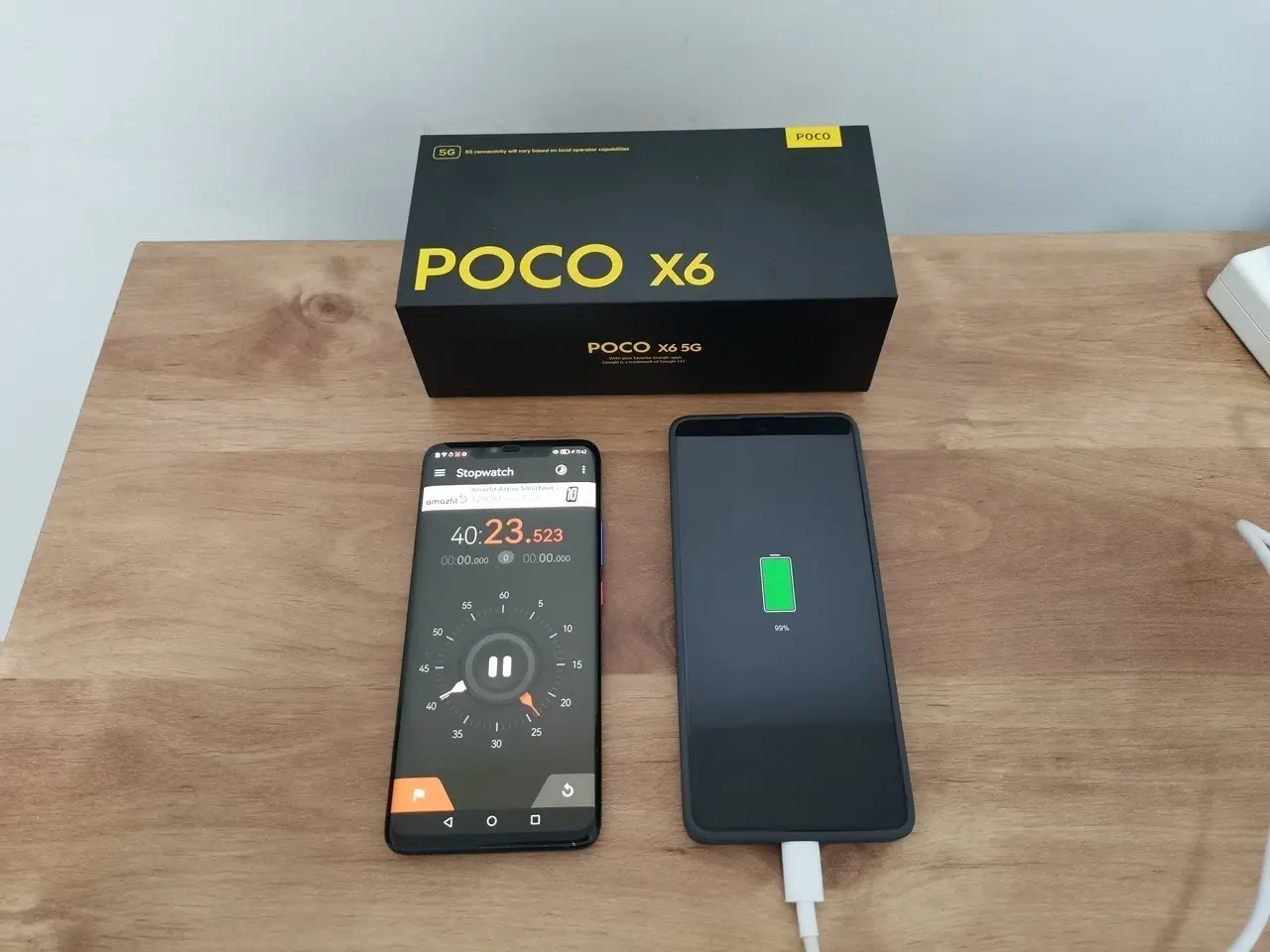
    The performance is truly impressive! In a mere 15 minutes, we were able to recharge 48% of the battery’s capacity. Our test results reveal that we were able to completely charge the 5100mAh battery from 0% to 100% in 40 min. In typical everyday scenarios, users usually don’t fully deplete the battery and often find themselves only needing between 20% to 80% of the battery’s capacity.
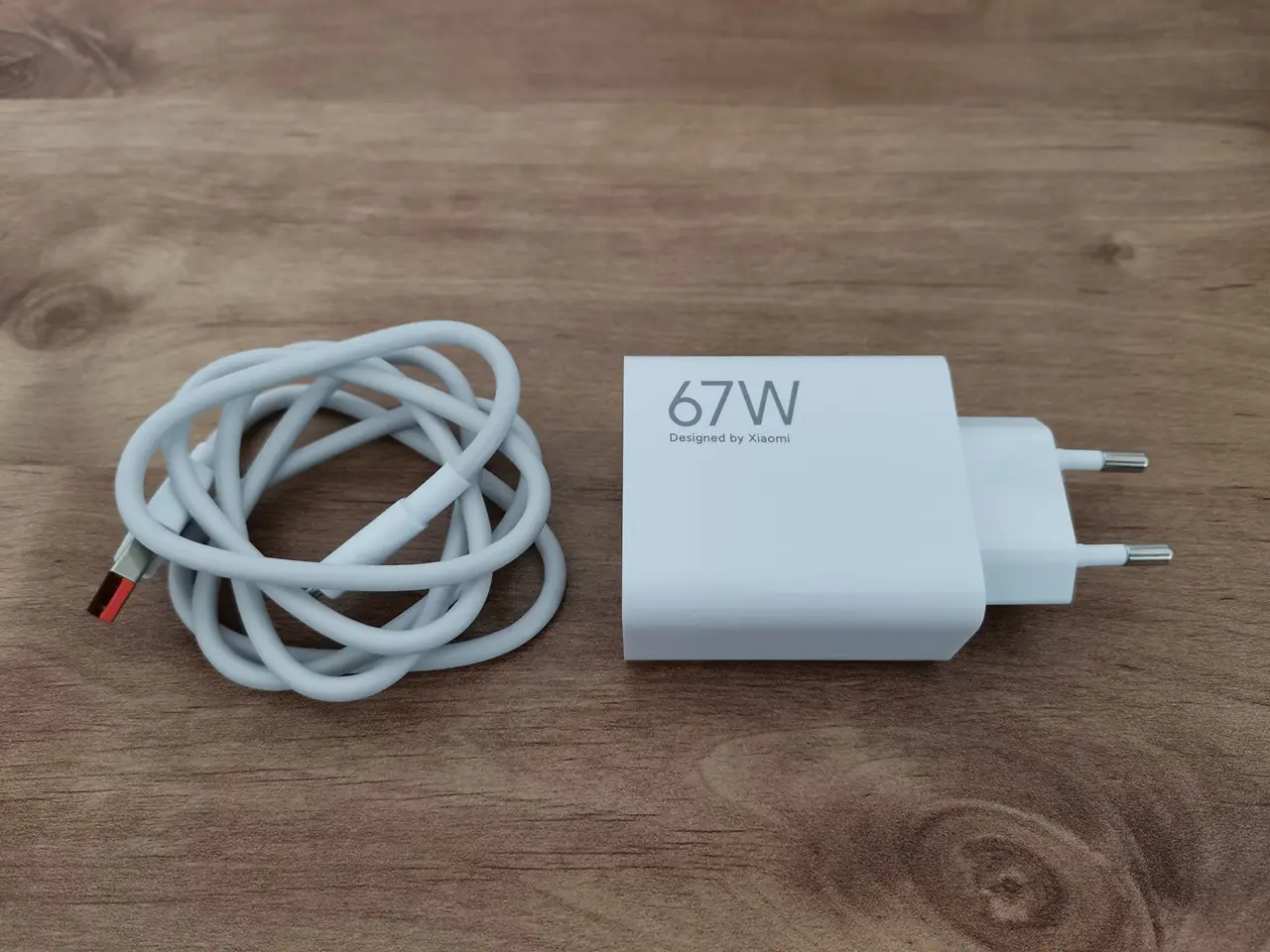
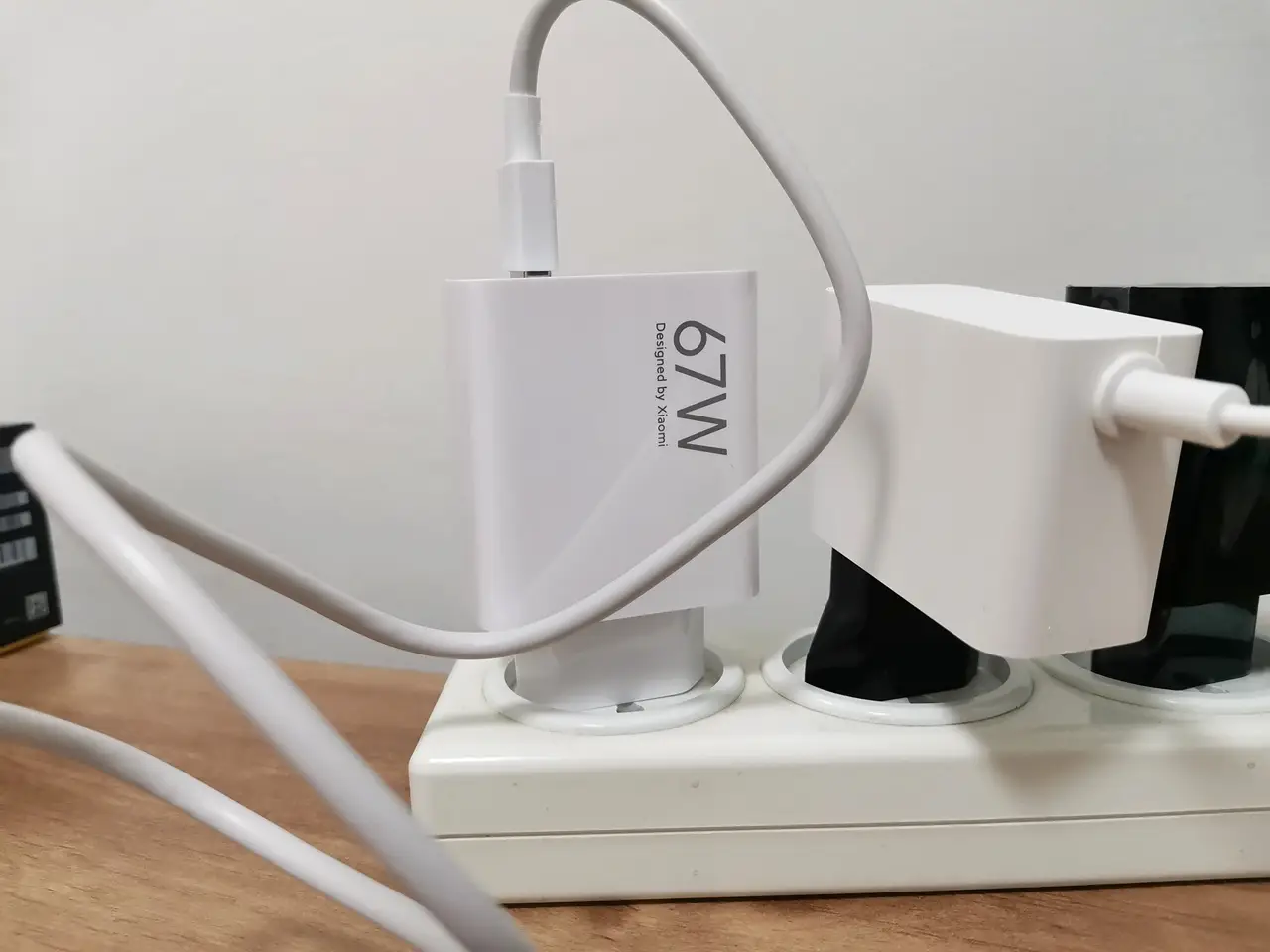
    Poco X6 Charging 2
    POCO X6 Charging 2
    Poco X6 Charging 3
    POCO X6 Charging 3
    Poco X6 Charging 1
    POCO X6 Charging 1

    Charging rate test

    All-day battery life

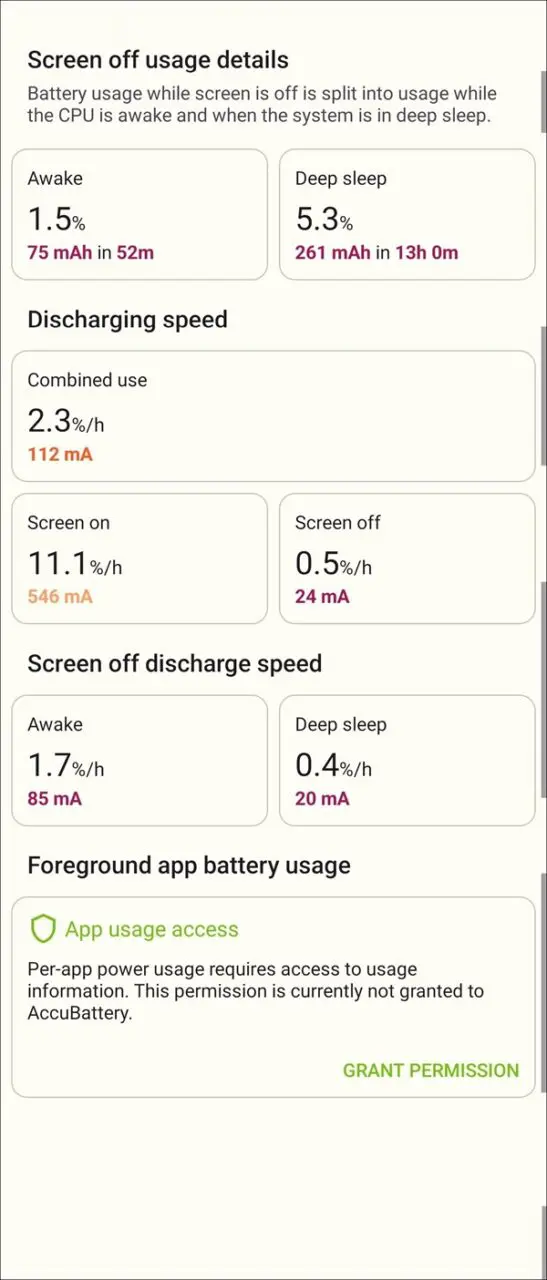
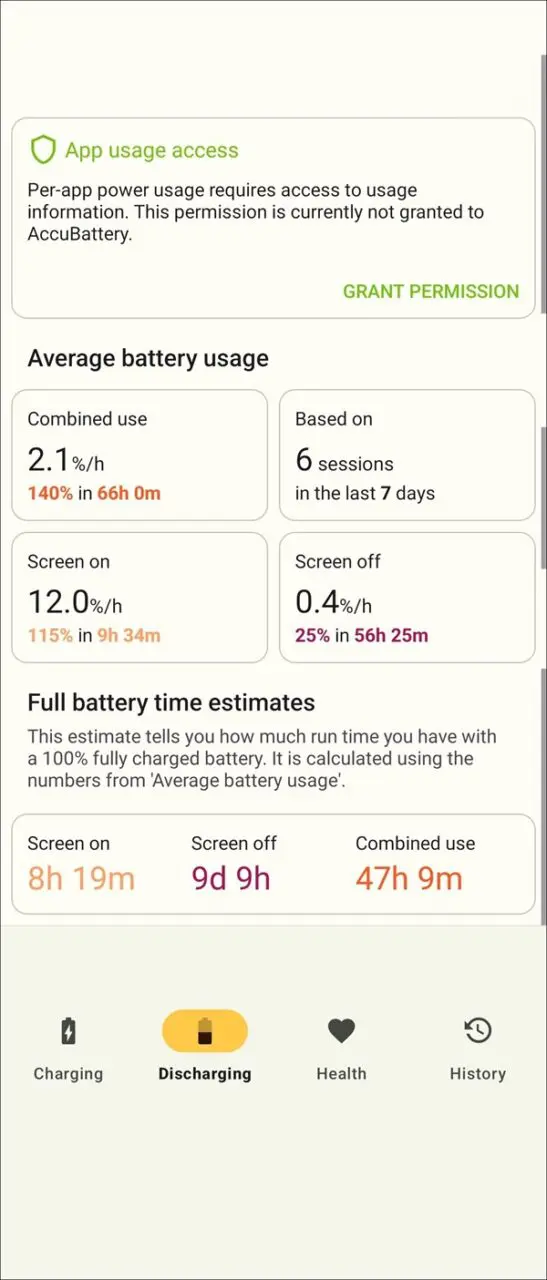
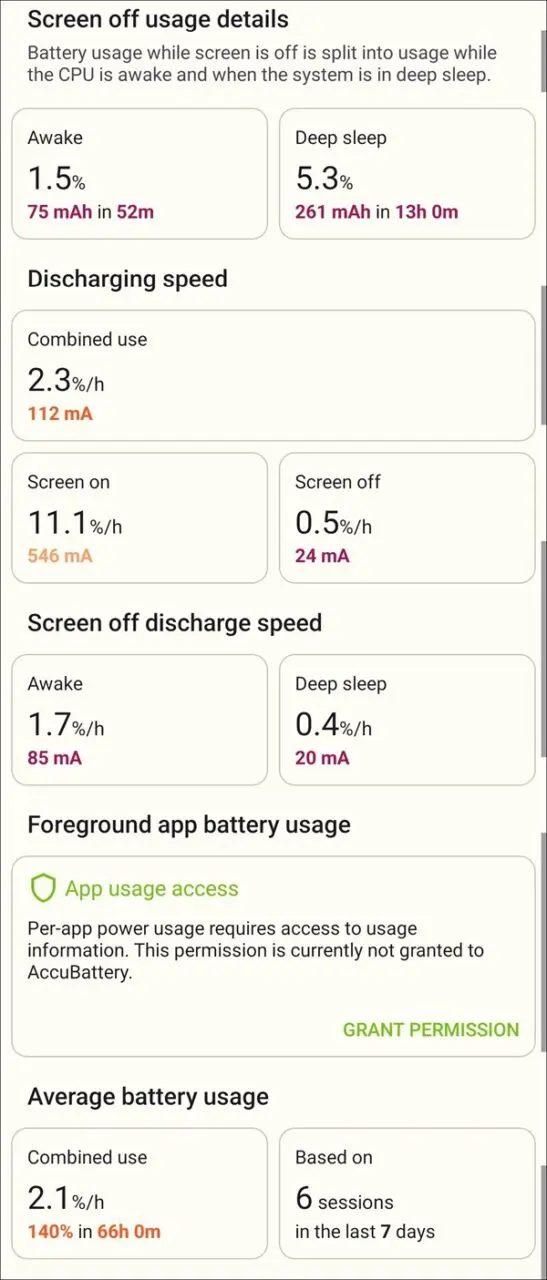
    Our test results show that with a single charge, the battery can operate for an impressive 16–17 hours under moderate to non-intensive use. This demonstrates the exceptional optimization of battery operation time by Xiaomi’s MIUI OS.

    Using the battery saver option will likely allow you to squeeze even more. The advanced battery management app is also very helpful in adjusting other settings, like going into dark mode, turning off flimsy on-screen alerts, and adjusting pointless services and apps that could use up the battery more quickly.

    AccuBattery App Information

    In moderate usage, maintaining balanced settings, and refraining from adjusting battery app settings, you can achieve approximately 8+ hours of screen time on a single full charge.
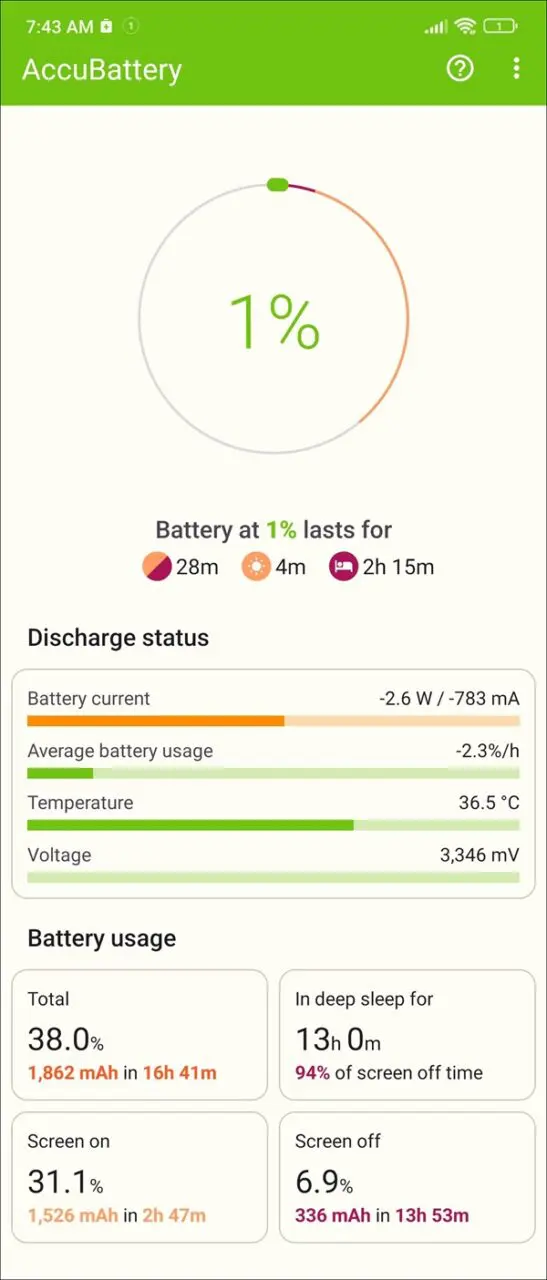
    Poco X6 Battery 1
    POCO X6 Battery 1
    Poco X6 Battery 2
    POCO X6 Battery 2
    Poco X6 Battery 3
    POCO X6 Battery 3
    Poco X6 Battery 4
    POCO X6 Battery 4

    5 Tips for Extending Battery Life

    In today’s fast-paced world, smartphones have become an essential part of our daily lives, enabling us to stay connected with friends and family and manage work and entertainment on the go. The Poco X6 smartphone offers a powerful and feature-packed device that can keep up with our busy lifestyles. Although the phone’s battery life is impressive, there are always ways to extend it further. Here are five tips to help you maximize your smartphone’s battery life.

    1. Adjust Screen Brightness: One of the most power-consuming features of any smartphone is the display. By adjusting the screen brightness to a lower level, you can significantly reduce the amount of power your Poco X6 uses. Consider using the adaptive brightness feature to automatically adjust the screen brightness based on your surroundings.
    2. Enable Battery Saver Mode: The device comes with a built-in battery saver mode that can help prolong its battery life. When enabled, this mode restricts background activity, reduces performance, and limits some visual effects to save power. You can customize the battery saver settings to balance power-saving features with your usage needs.
    3. Manage App Usage: Some apps can drain the battery more quickly than others. Take the time to review which apps are consuming the most power and consider limiting their usage or uninstalling them if they are not essential. Additionally, you can enable the battery optimization feature for individual apps to reduce their impact on battery life.
    4. Disable Unnecessary Features: The X6 comes with a range of features such as Bluetooth, GPS, and NFC, which can drain the battery when not in use. Consider disabling these features when you’re not actively using them to conserve power. Additionally, you can also turn off vibration feedback and haptic feedback to further extend battery life.
    5. Keep Software Up to Date: Regular software updates not only bring new features and improvements but also often optimize the device’s performance and power consumption. Ensure that you’re running the latest software version to benefit from any battery-saving enhancements.

    Implementing following these tips, you can get the most out of your smartphone’s battery life, allowing you to stay connected and productive throughout the day without worrying about running out of power. With a few simple adjustments and mindful usage, you can enjoy extended battery life and make the most of your device.

    1 2 3 4 5 6 7 8 9 10 11 12 13
    Share. Facebook Twitter Pinterest LinkedIn Tumblr Email
    Previous ArticleOrange Pi Alpro 20T SBC Powered by Huawei AI Chip is finally released!
    Next Article Xiaomi Redmi Pad Review: Powerful and Affordable
    androidpimp
    • Website

    Related Posts

    xiaomi redmi turbo 5 max

    Redmi Turbo 5 Max (2026) unveiled with 9,000mAh battery, specs, price, and design

    February 2, 2026
    REDMI Note 15 Series

    Redmi Note 15 Global Debut: 200MP Camera, eSIM & Titan Toughness

    January 25, 2026
    Xiaomi 17 Pro and Pro Max flagship series

    Xiaomi 17 Pro Max vs iPhone 17 Pro Max: Specs, Price & Honest Review

    October 5, 2025
    0 0 votes
    Article Rating
    Subscribe
    Notify of
    0 Comments
    Oldest
    Newest Most Voted
    Categories
    PureVPN
    PureVPN Ad Banner
    PrivadoVPN – No. 1 in Parental Control
    PrivadoVPN 350x437
    Recent Posts
    • Rii TU3607 iPad Keyboard Case Review: Dream or Heavy Burden?
    • PrivadoVPN Review 2026: Does the Free Tier Still Work for Streaming?
    • Rii 518BT Review: Is This Pocket Keyboard Actually Usable?
    • Rii RK807 Pro Review: The Best Budget Apple Magic Keyboard Alternative?
    • Rii RK808 Review: The Best Foldable Travel Keyboard?
    • Rii RS201 Review: $69 16-Inch Portable Monitor Tested
    • AliExpress Promo Codes: August 2026 (100% Verified)
    • Orange Pi 6 Review: Is It Suitable for Running Local LLMs? We Checked.
    • Youyeetoo NestDisk Mini PC/Router: Is This Pocket-Sized 3-in-1 NAS Worth It?
    • DFRobot Unveils seeMote Cube: A 6DoF Physical Controller for Apple Vision Pro
    RSS feed: The Latest RSS Feeds The Latest RSS Feeds
    • Rii TU3607 iPad Keyboard Case Review: Dream or Heavy Burden?
    • PrivadoVPN Review 2026: Does the Free Tier Still Work for Streaming?
    • Rii 518BT Review: Is This Pocket Keyboard Actually Usable?
    Facebook X (Twitter) Instagram Pinterest
    @2026 - All Right Reserved. Designed by AndroidPIMP

    Type above and press Enter to search. Press Esc to cancel.

    wpDiscuz