Raspberry Pi Self Powered USB Hub
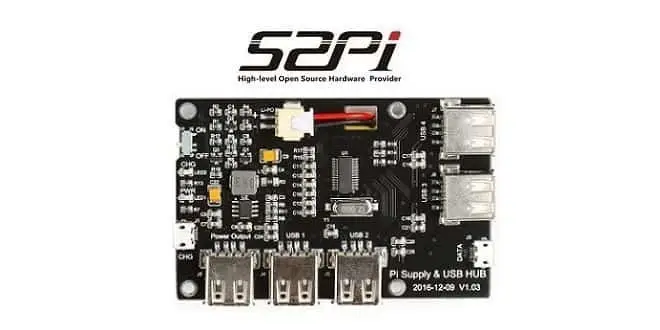
52Pi is a Raspberry Pi kit supplier, specializing in designing modules and special expansion cards for the Pi board Series. Their New USB Power Supply Hub Expansion Card product is an All-in-one hardware solution for existing Raspberry Pi boards. With it the user can add four USB Hosts in addition to the existing four ports built-in on the Pi Board, the user will gain a total of eight USB ports.
The Power Hub Expansion Card comes with a built-in 3800 mAh Battery that serves as a power source for the Pi board and can be charged through a standard PC / Laptop, or alternatively can be used to charge external devices, such as Android OS based phones.
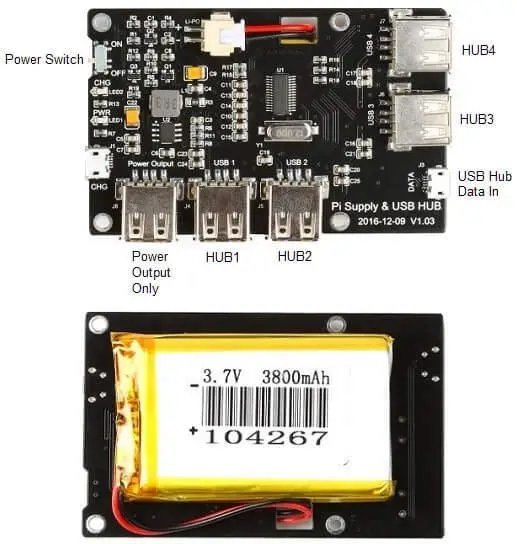
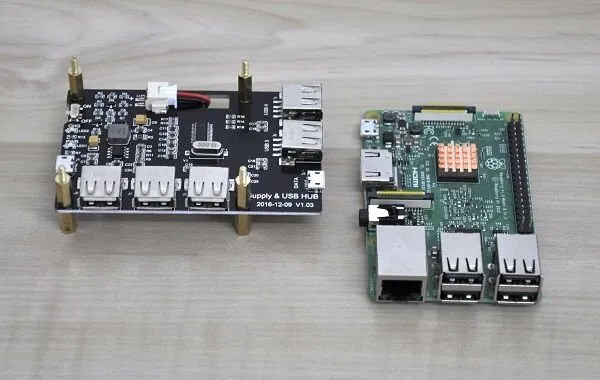
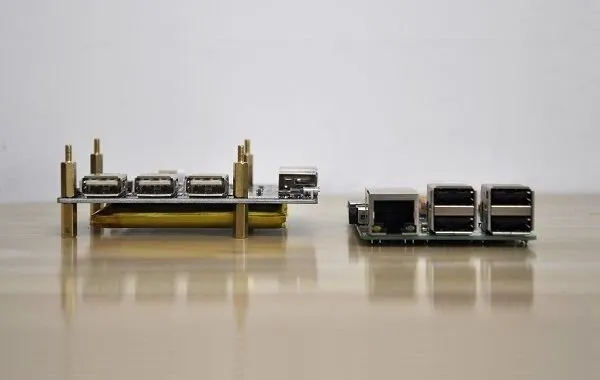
USB Charging Hub | Front / Rear View
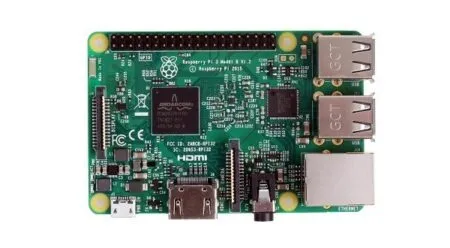
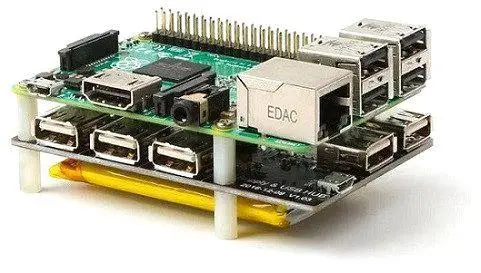
USB Charging Hub + Raspberry Pi 3 Board
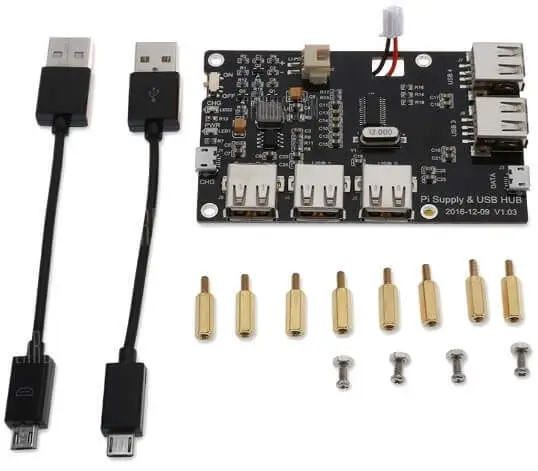
USB Power Supply Hub Items
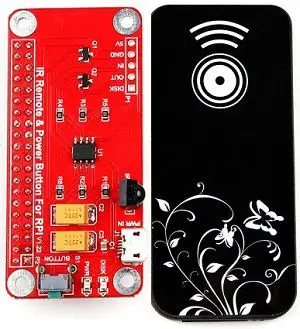
Power Button Module + IR Remote (Optional Item)
Features:
- Type: Battery Expansion Board for Raspberry Pi
- Operation time: 3-6 hours (Powering Pi 3 Board)
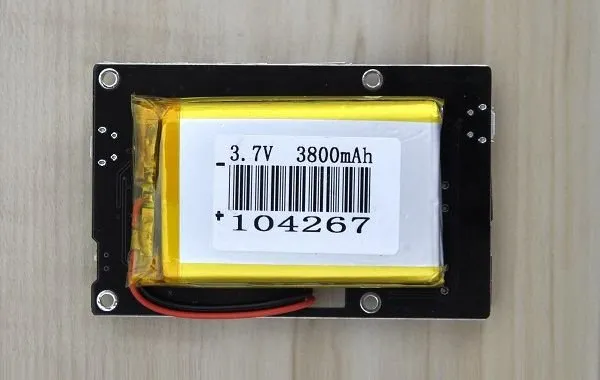
- Battery: 3.7V / 3800mAh (1.0A 5V Output)
- It can provide power charging for your cellphone.
- Compatibility: Raspberry Pi 3 Model B, Pi 2B, Pi B+, Pi A+, Pi B, Pi Zero
- Product Size (L x W x H): 8.70 x 5.50 x 2.00 cm / 3.43 x 2.17 x 0.79 inches
- Package Size (L x W x H): 11.00 x 7.00 x 4.00 cm / 4.33 x 2.76 x 1.57 inches
- Product weight: 0.1120 kg
- Package weight: 0.1350 kg
Package Contents
- 1x 3800 mAh Battery Expansion Board for Raspberry Pi
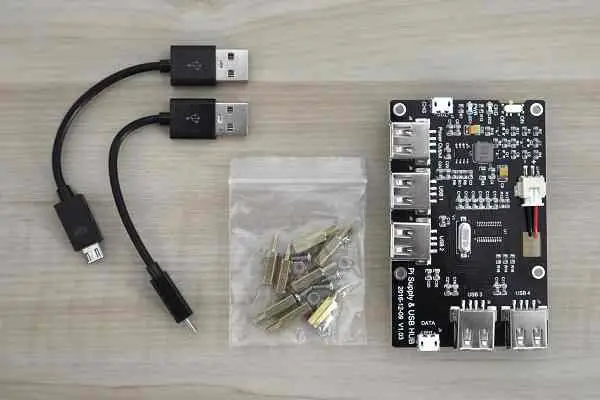
- 2x Micro USB Cable
- 8x PCB Hex type nut
- 4x Philips Bolts
- 4x Philips screws
Packaging and accessories
The 52Pi package includes the USB Power Supply Hub board with 3.7V 3800 mAh battery mounted/glued on the backside of the PCB. The kit comes with two USB- Micro USB Cables, eight Hex type Bolts and screws for mounting it to a Raspberry Pi board hole. A case is currently not available, so you will need to build and design one by yourself. If you are planning on adding the power button module board and connecting it to the Pi header pins, I recommend buying additional two Hex type Bolts to mount and support it properly, so the PCB will not support only with the header-pins and “hang” on air.
52Pi USB Power Hub Board Items
A Closer Look at the Board
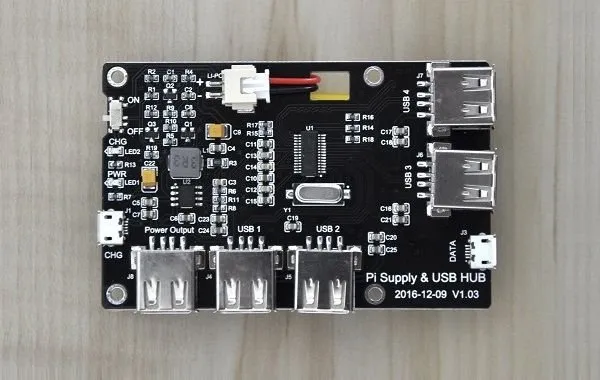
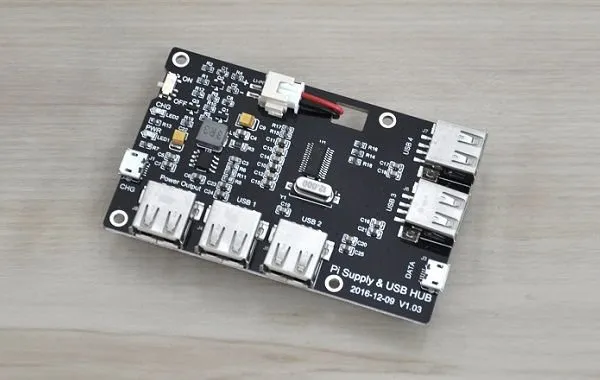
The 52pi USB power hub board was initially designed to be assembled with the Raspberry Pi board series, according to both PCB hole distances, but it can also be used with other types of ARM boards. According to the type of source and specific board design, the lower board consumption is, the longer time the battery will operate and provide power.
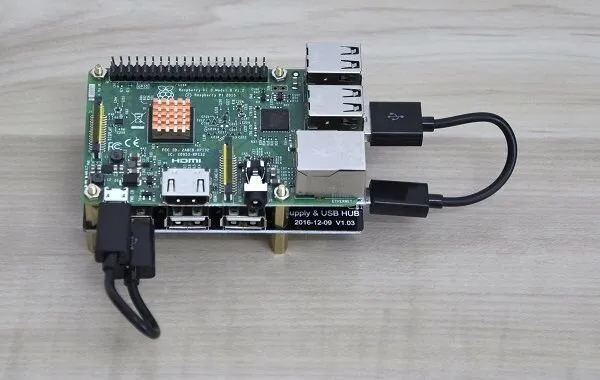
To connect with the Raspberry Pi board you will need to use two types of cables to bridge both boards together. One USB cable for power, and an additional data type. When connecting/bridging both cables you will need to “sacrifice” two USB Ports. From a total of nine USB Host ports on both boards, you will be left with seven available USB ports.
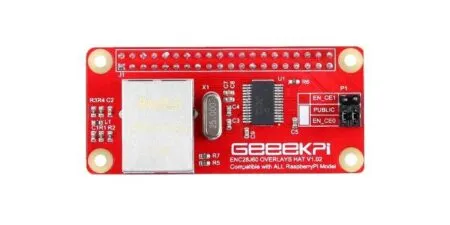
Adding a Power Button Module (Optional Configuration)
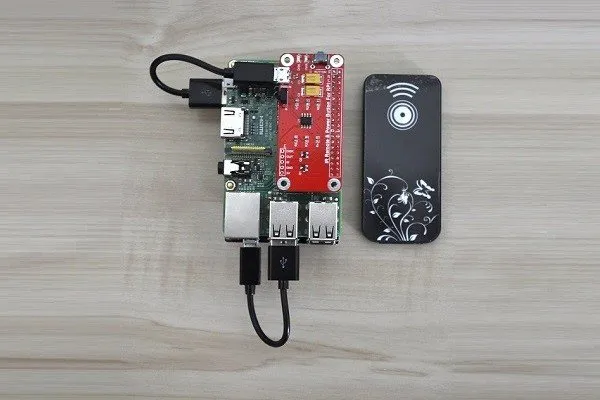
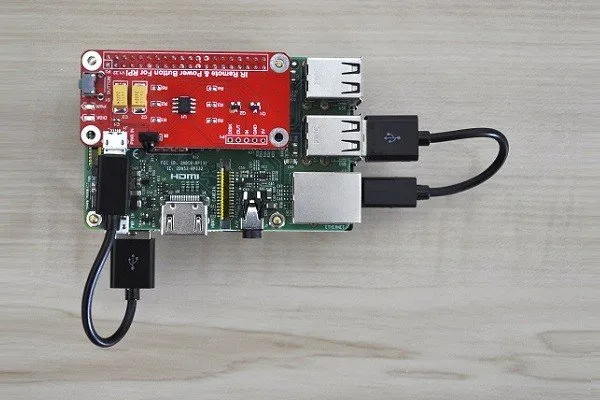
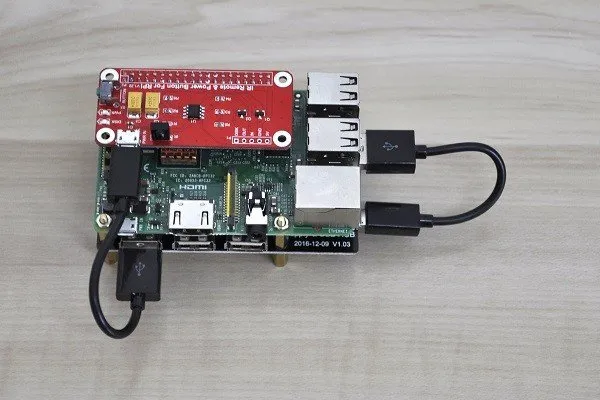
This board gives users an option to turn the Pi board via IR remote control unit and also shut down the Pi board in a more organized way, compared to just unplug the DC power plug from the board. In this specific type of arrangement, the bridging between the three boards is slightly different. First, you will need to connect the Power Button Module directly to the Pi GPIO Pin header interface. The next step is bridging (connecting) the USB power cable coming out of the power hub with the Power Button Module.
52Pi USB Power Supply Hub
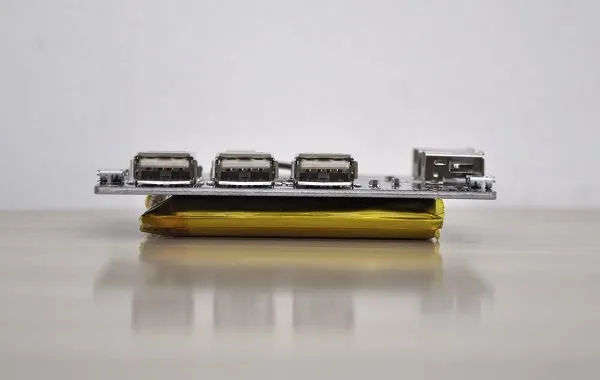
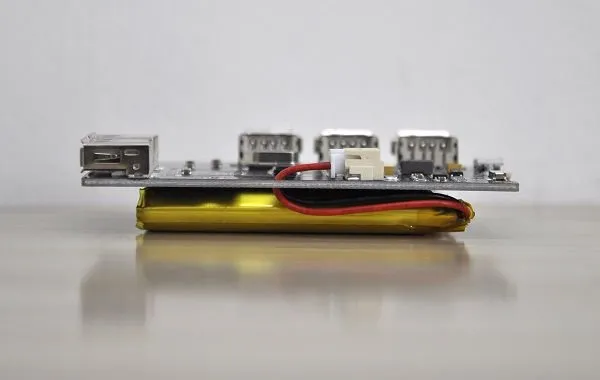
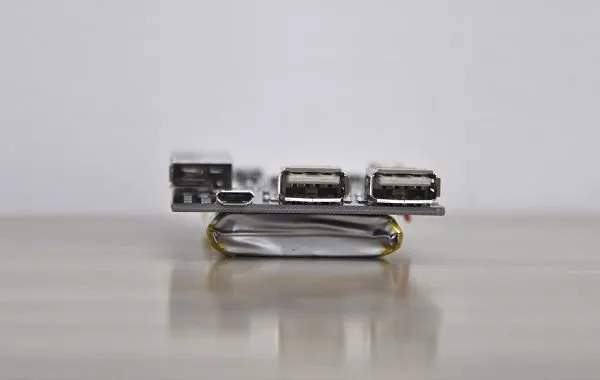
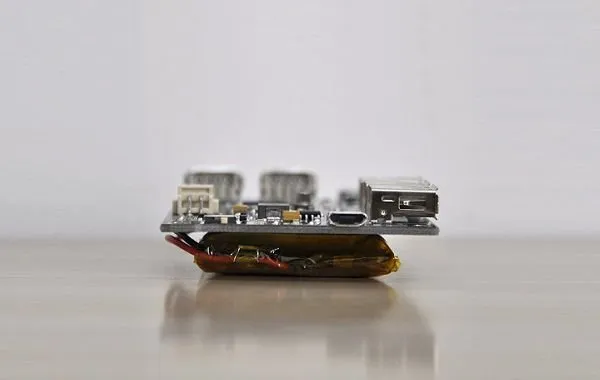
Features
As explained in the product introduction, the 52pi USB power hub is an All-in-One solution board. If you are asking for what other applications can it be used for, then here is a shortlist of reasons why it’s needed:
Example #1: A Safe Power Shutdown
If you have a server based on the Raspberry Pi board connected to the hard drive array and for some reason, there is no power, it gives the user enough time to initialize a proper shutdown. Another option with this board is using it combined with the power module expansion board, which lets you initialize a proper showdown using an IR remote control, or on-board power button. Instead of just unplugging the power adapter from the electric socket, what can damage stored data and corrupt files during the shutdown process.
Example #2: Additional USB Host Ports
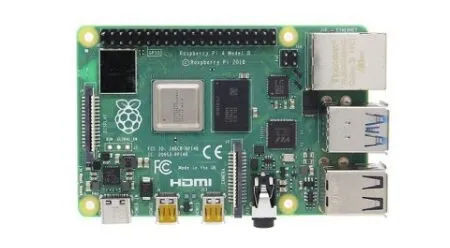
The Raspberry Pi 2/3 series boards have a total of four available USB Host ports each. It limits if you are planning on connecting additional devices such as hard drives. With this USB power hub board, you will have a total of eight available ports, without a need to buy and use a separated external USB Hub.
Example #3: Portability
The board has a built-in lithium 3.7V 3800 mAh battery that can power the board and also can basically use as a type of emergency power source in case of a power surge. It also can be used with the Pi board as a portable device when there is no power available.
Example #4: Charging other USB Devices
This is maybe the less needed option, but it is definitely worth mentioning. According to 52Pi, the USB power board is capable of charging external Android Based Phones.
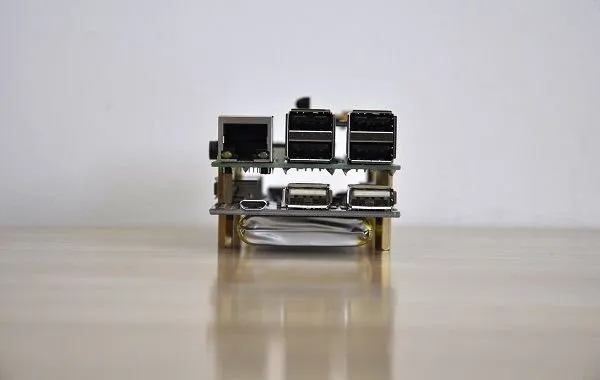
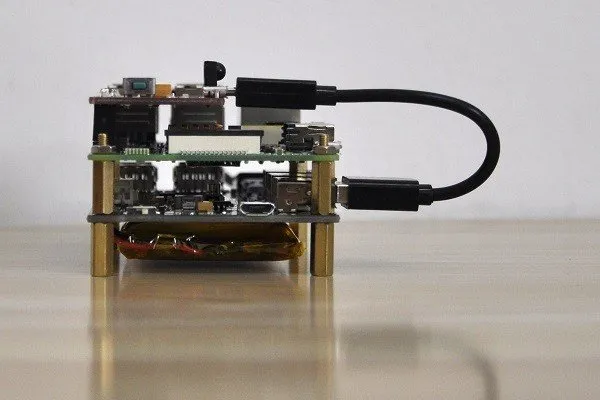
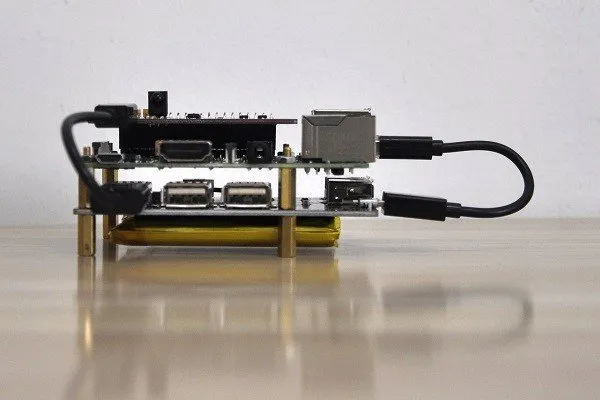
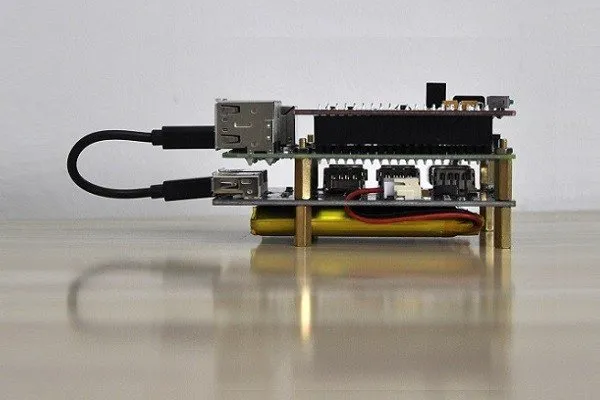
There are basically two types of optional configurations that this board can be used when assembled with the Pi Boards:
- Option #1: Raspberry Pi Board + 52pi USB Power Hub.
- Option #2: Raspberry Pi Board + 52pi USB Power Hub + Power Button Module.
Option #1 | 2 Boards Configuration
 raspberry pi 3 usb power hub 1
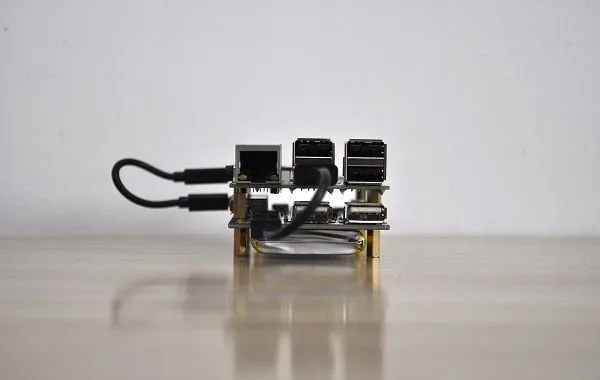
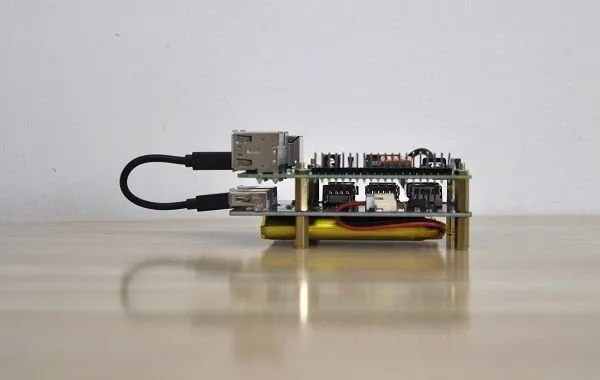
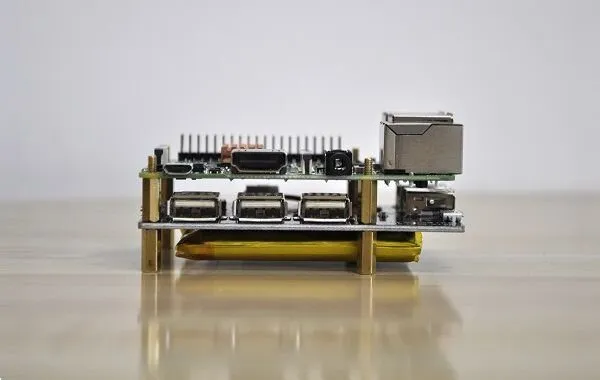
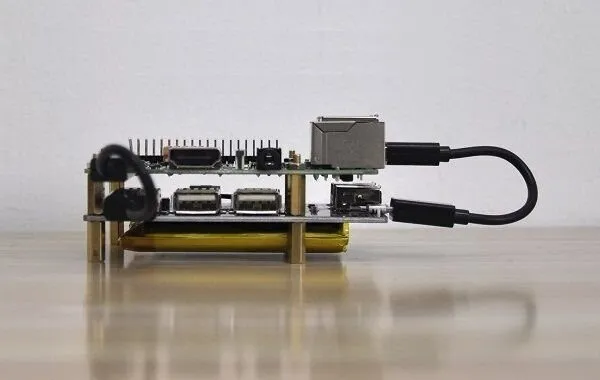
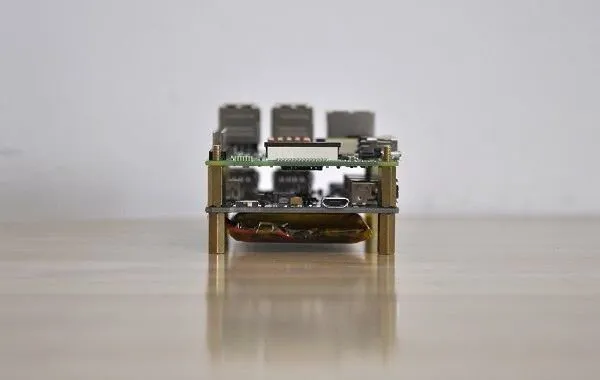
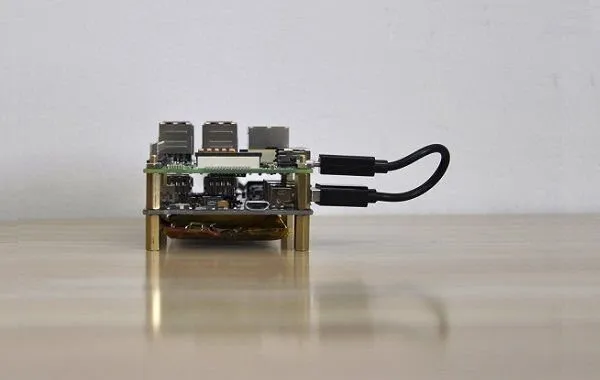
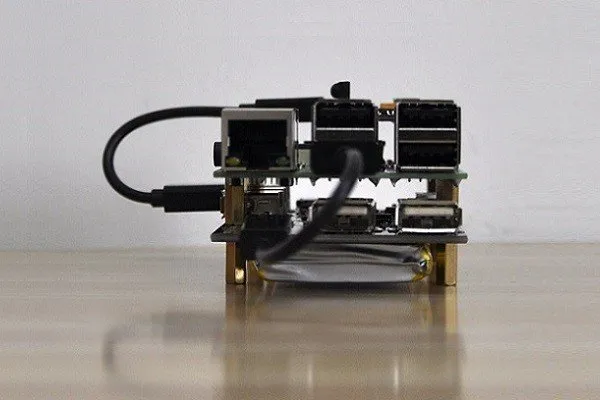
Option #2 | 3 Boards Configuration
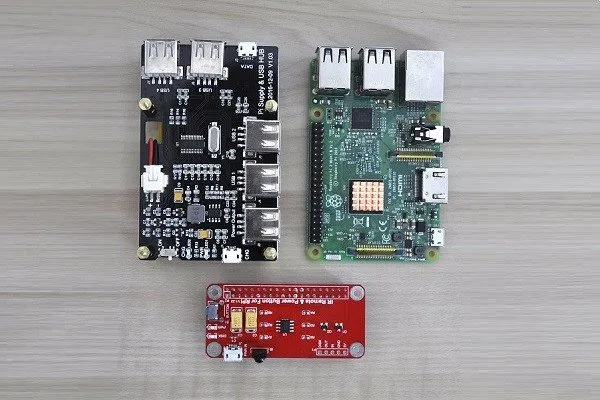 Raspberry Pi 52Pi Expansion Boards 1
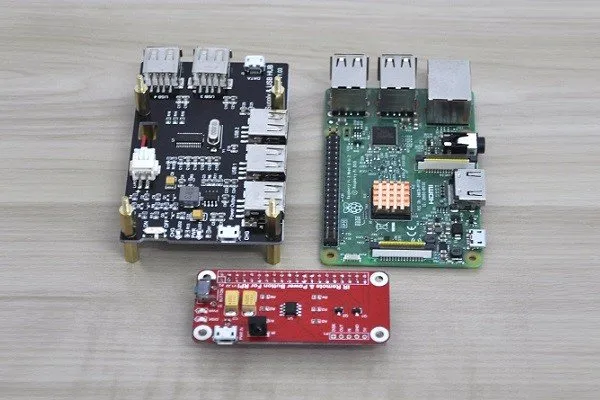
Operation
After connecting (bridging) the Raspberry Pi board with the USB Power Hub using the provided data and power cables, which are the same USB to Micro USB type cables, you will be able to power the Pi board the following ways:
Operation Modes:
- The Pi Board is powered via Pi Power supply unit, but USB Power Supply Hub is switched off (Switch is on Off) while the battery is charged (Recommended option).
- The Pi Board is powered via Pi Power Supply and the USB Power Supply Hub is also powered while charging the battery. This option is not recommended according to 52pi because it may overcharge the battery and damage it.
- The Pi Board is powered only via the USB Power Supply Hub 3.7V 3800 mAh battery.
- 3 boards configuration with Power Button Module, with it, you power the Pi Board via the IR remote control unit or manually using the on-board power push button.
Charging the Power Hub (3.7V 3800MhA Battery)
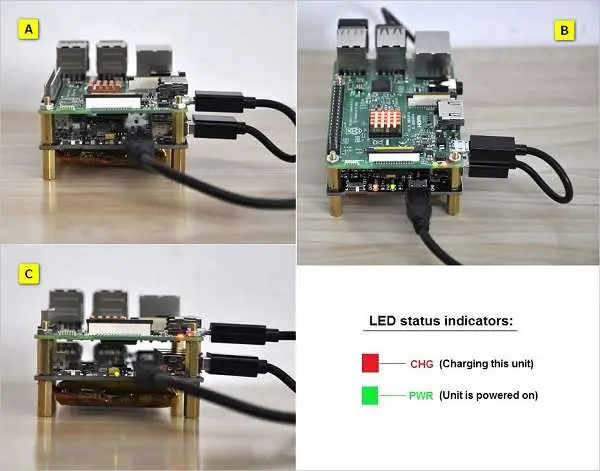
To charge the unit you will first need to switch the Power Hub power switch off and connect it with a 2.5A Raspberry Pi power adapter for a few 3–4 hours. Basically, you have two LED status indicators that provide info when the battery is fully charged or discharged. The red-colored LED light turns on when the unit needs charging. And vise versa, off when it doesn’t need additional charging.
- A – The unit is not powered.
- B – Red + Green: Charging the Unit with Pi power supply.
- C – Green: USB Power Supply Hub Battery is charged (Operational Mode).
Hardware Compatibility
The USB Power Supply Hub is designed to be mounted and fit with the Pi 2/3 Board series, which have the exact hole distances and dimensions. Because it doesn’t require any special software installation or settings, It should also work with other ARM Boards with similar power consumption: DC 5V 2.5A (Max).
Powering the 52PI Raspberry Pi Model B3
If you are asking yourself how much time can the battery provide power to a Raspberry Pi Model B3 board, the answer is depending on usage type and how many and what type of external devices you are connecting to both boards USB Host ports. For my simple test, I first charged the power hub battery. Burned Ubuntu 16.04 OS Image on a Transcend 32GB Micro SD Card. I disconnected the external power source (Pi power adapter) and plugged in the LAN Ethernet cable.
As a final step, I opened Firefox browser and I let YouTube continuously stream a 240P video until the battery is drained, and the unit completely shut down. Based on my test result, the battery was able to sustain power under this none heavy, “light” video streaming for about 3 hours.
Power Requirements
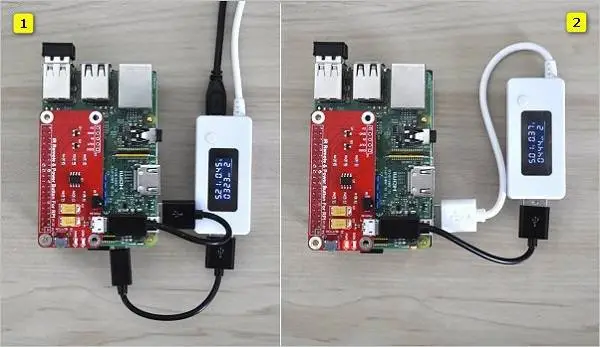
For my tests, I used USB Voltage Current Tester that I connected between the USB Power HUB and the Raspberry Pi Model B3 Board.
- Test conditions: idle mode.
- Connected Device: Wireless Mouse & Keyboard (Hooked into the Pi USB Ports).
Power Measurement Tests:
Test #1: USB Power Supply Hub connected to the Raspberry Pi Power adapter while charging the battery. Both boards are bridged with a USB Voltage Current Tester.
Measurement Results: 0.33-0.84 A
Test #2: USB Power Supply Hub provides power, while both boards are bridged with a USB Voltage Current Tester.
Measurement Results: 0.36-0.66 A
3 Boards Array: USB Power HUB + RPI 3+ Power Module Switch
Final Verdict (Pros / Cons)
Using a USB Power Supply Hub board is a great idea and concept I personally liked. Very practical for users that need extra USB ports and backup batteries in the same unit. A higher capacity battery could have been nicer to have that can last more.
Because none of the Pi boards does have an on-board power button. The power module switch can be a nice addition. With all 3 boards connected, including the Pi, you will be able to use 7 USB hosts, and use the 3.7V 3800 mAh rechargeable battery as an alternative power source and also switch the Pi board using a remote control. The bottom line, both boards offer great functionality for Pi board fans.