Close Menu
    Facebook X (Twitter) Instagram Threads
    Trending
    • Huawei challenges Nvidia with a new Ascend 960 AI chip
    • AliExpress Promo Codes by Country (100% Verified – 09/2026)
    • LattePanda Mu Ultra Debuts with Intel Lunar Lake & 115 TOPS AI Power
    • Orange Pi Zero 4 Review: Is This $26 Micro SBC a Raspberry Pi Killer?
    • Youyeetoo NestDisk Review: Pocket-Sized Mini PC, Router & NAS
    • Rii TU3607 iPad Keyboard Case Review: Dream or Heavy Burden?
    • PrivadoVPN Review 2026: Does the Free Tier Still Work for Streaming?
    • Rii 518BT Review: Is This Pocket Keyboard Actually Usable?
    AndroidPIMP
    Facebook X (Twitter) Instagram
    • Mini PCs & Media Players
    • Embedded
    • Wearables
    • Wireless Routers
    • Edge AI Cameras
    • Tech Accessories
    AndroidPIMP

    DFRobot UNIHIKER is a ML-powered AI development board

    0
    By androidpimp on June 19, 2023 Embedded Computers
    1 min read

    Related reading

    🔄 September 2026 Update: Verified for accuracy.
    • HUSKYLENS 2: DFRobot's New AI Machine Vision Sensor Unveiled
    • Youyeetoo NestDisk Review: Pocket-Sized Mini PC, Router & NAS
    • HUSKYLENS 2: DFRobot's New AI Machine Vision Sensor Unveiled
    • • UNIHIKER
    • • Product Introduction video
    • • A Closer look at the UNIHIKER Interfaces
    • • Specifications
    • • What can you do with the hardware?
    • • Software Support
    • • Price and Availability

    UNIHIKER

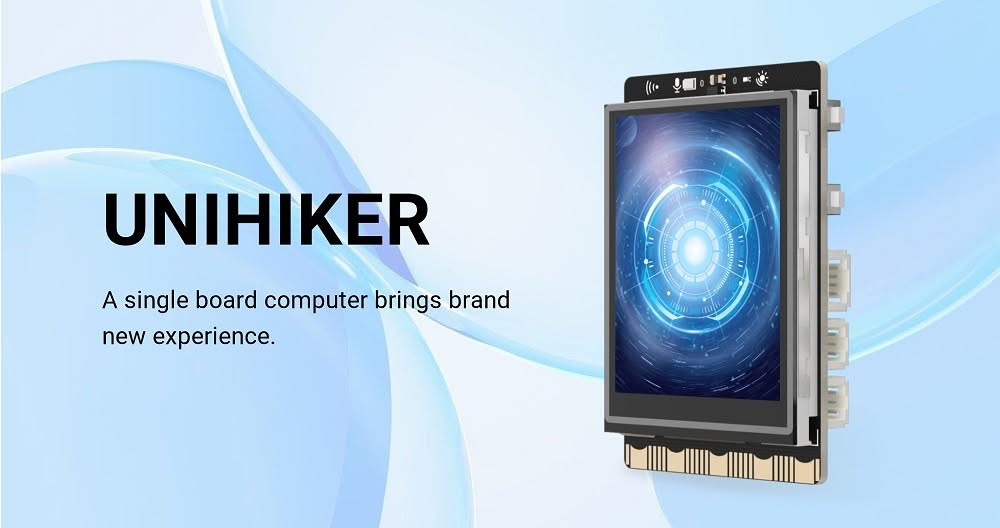
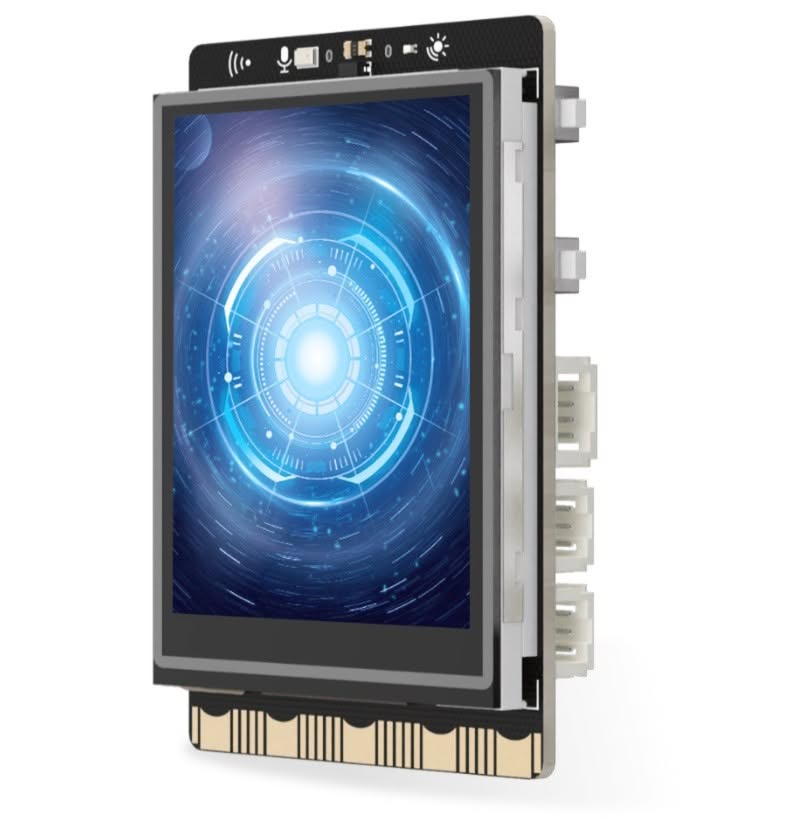
    DFRobot’s team has recently launched their latest product, the Unihiker Single Board Computer, which is integrated with a 2.8-inch display. This is similar to the previous HuskyLens board, which was launched two years ago, but it does not have a built-in camera. The newly released board dimensions are small, measuring 83 x 52 mm. Based on the low-power Rockchip RK3308 chipset, coupled with 512 MB of RAM and 16 GB of storage.

    UNIHIKER Single board computer


    Product Introduction video


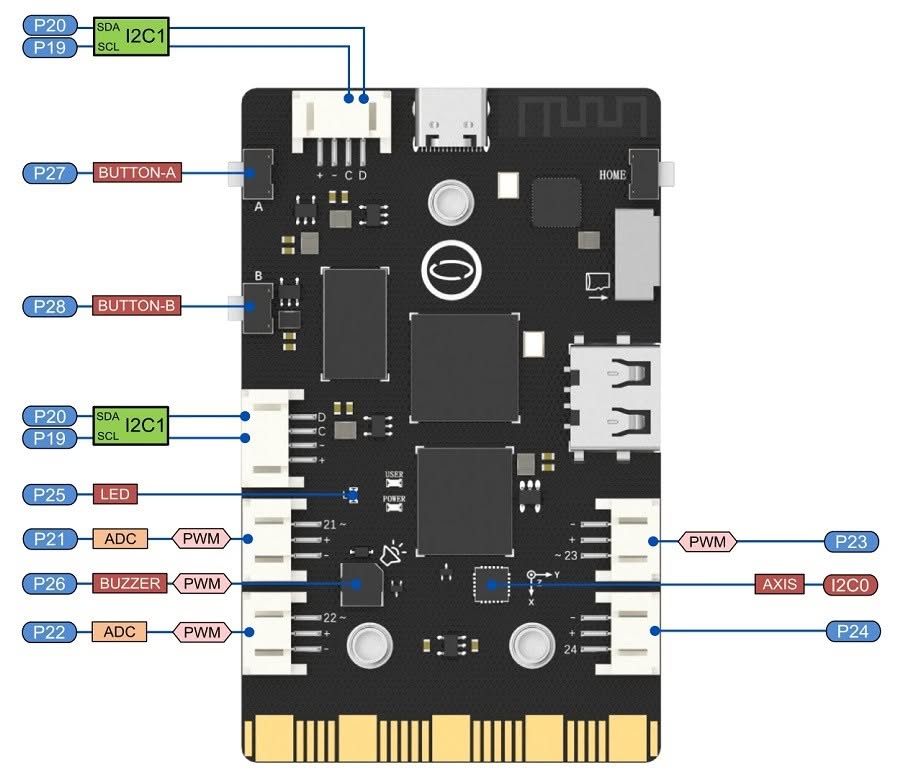
    A Closer look at the UNIHIKER Interfaces

    Specifications

    UNIHIKER

    (Product specification)

    Brand

    DFRobot

    Model

    UNIHIKER

    CPU

    RK3308 Arm 64-bit 4-core 1.2GHz

    MCU (Microcontroller)

    GD32VF103C8T6 RISC-V co-processor

    System Memory Configurations

    512MB

    SPI Flash

    16MB

    Display

    2.8 Inch Touch Screen, 240×320 resolution

    Media Storage

    MicroSD card slot

    Ports

    USB Type-C (Supply power for mainboard)

    USB-A, Gravity 3pin&4pin port

    Buttons

    1x A Button

    1x B Button

    1x Home Button

    LED

    Blue LED

    Integrated Microphone 

    Yes (Capacitive silicon microphone)

    Sensors

    • Light Sensor (PT0603 Photosensitive triode).
    • Accelerometer Sensor.
    • Gyroscope Sensor (3-axis accelerator and 3-axis gyroscope (ICM20689).

    Integrated WiFi & Bluetooth

    RTL8723DS 2.4G& Bluetooth4.0

    Interfaces

    • I/O Pins
    • Buzzer
    • I2C

    Power Supply

    • 5V 2A for USB Type-C

    Dimensions

    51.6mmx83mmx13mm

    Gold Finger (Edge Connector)

    Pin numbers are compatible with micro:bit, 19 independent I/O (Support 1 ×I2C, 1×UART, 2×SPI, 6×12-bit ADC, 5×10-bit PWM)

    Weight

      ?

    Software Support

    • Debian
    • Development environments: VS Code, VIM, jupyter, Thonny
    • Python library packages: PinPong, Unihiker 
    • Mind+ programming tool

    Package Contents


    • x1 Type-C USB cable
    • x1 UNIHIKER Single Board Computer
    • x4 Double Sided PH2.0-3P white 20cm silicone wire
    • x2 Double Sided PH2.0-4P white 20cm silicone wire


    What can you do with the hardware?

    A combination of hardware and embedded display makes this product an ideal choice for AI machine vision applications. This includes detecting objects, faces, lines, colors, and tags. Depending on your imagination, you can use it for security applications via face recognition, science projects, IoT including robots. In addition, you can use it for educational DIY projects to learn Python coding and other popular programming languages.


    Software Support

    Its design makes it easy for users to get started quickly. VS Code, Thonny, or standard text editors are also supported as development tools, including a Jupyter Notebook that is configured for the device’s on-board hardware. Python is the preferred language, with a control library called PinPong for hardware access, web interface, and MQTT support.


    Price and Availability

    More information on the UNIHIKER is available on the official brand website, while DFRobot has opened orders in its store for $79.90.
    UNIHIKER

    $79.90
    Buy this item
    *DFRobot Official Store*
    Share. Facebook Twitter Pinterest LinkedIn Tumblr Email
    Previous ArticleBanana Pi BPI M3 Review
    Next Article Orange Pi 5 Review: Is it a Raspberry Pi 4 Challenger?
    androidpimp
    • Website

    0 0 votes
    Article Rating
    Subscribe
    Notify of
    0 Comments
    Oldest
    Newest Most Voted
    Categories
    Recent Posts
    • Huawei challenges Nvidia with a new Ascend 960 AI chip
    • AliExpress Promo Codes by Country (100% Verified – 09/2026)
    • LattePanda Mu Ultra Debuts with Intel Lunar Lake & 115 TOPS AI Power
    • Orange Pi Zero 4 Review: Is This $26 Micro SBC a Raspberry Pi Killer?
    • Youyeetoo NestDisk Review: Pocket-Sized Mini PC, Router & NAS
    • Rii TU3607 iPad Keyboard Case Review: Dream or Heavy Burden?
    • PrivadoVPN Review 2026: Does the Free Tier Still Work for Streaming?
    • Rii 518BT Review: Is This Pocket Keyboard Actually Usable?
    • Rii RK807 Pro Review: The Best Budget Apple Magic Keyboard Alternative?
    • Rii RK808 Review: The Best Foldable Travel Keyboard?
    RSS feed: The Latest RSS Feeds The Latest RSS Feeds
    • Huawei challenges Nvidia with a new Ascend 960 AI chip
    • AliExpress Promo Codes by Country (100% Verified – 09/2026)
    • LattePanda Mu Ultra Debuts with Intel Lunar Lake & 115 TOPS AI Power
    Facebook X (Twitter) Instagram Pinterest
    @2026 - All Right Reserved. Designed by AndroidPIMP

    Type above and press Enter to search. Press Esc to cancel.

    wpDiscuz