Banana Pi Debut Wi-Fi 7 Module NIC BE14 (V2.1) for the R4 / R4 Pro OpenWrt router series
Part I: Product introduction
Let’s be honest: for a long time, if you wanted true Wi-Fi 7 performance, you had to drop serious cash on proprietary, closed-off enterprise gear. But Banana Pi is flipping that script with their new Wi-Fi 7 NIC. This week, they officially announced the BPI-R4-NIC-BE14, a Wi-Fi 7 network card built specifically for their wildly popular BPI-R4/Pro open-source router series. If you’ve been waiting to bring next-gen wireless speeds to your DIY networking setup without selling a kidney, this is the hardware you’ve been looking for.
The BPI-R4 has established itself as a powerhouse in the realm of open-source routing boards, featuring 2.5G and 10G SFP ports that typically come at a high cost. However, its wireless capabilities have previously been limited by older Wi-Fi standards. The new BE14 NIC revolutionizes the board, converting it into a fully-fledged, carrier-grade wireless access point that truly realizes its wired potential.
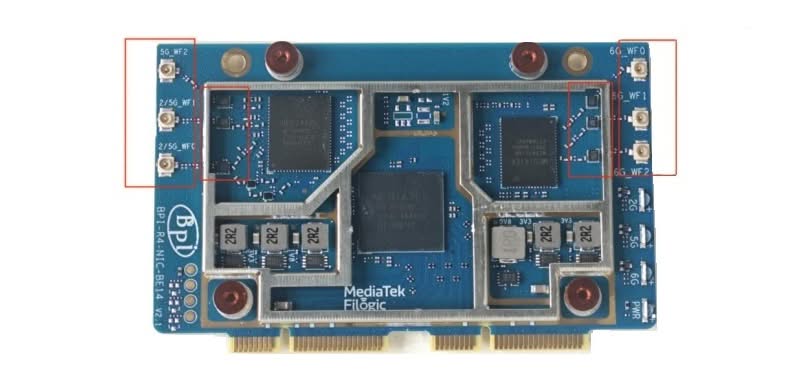
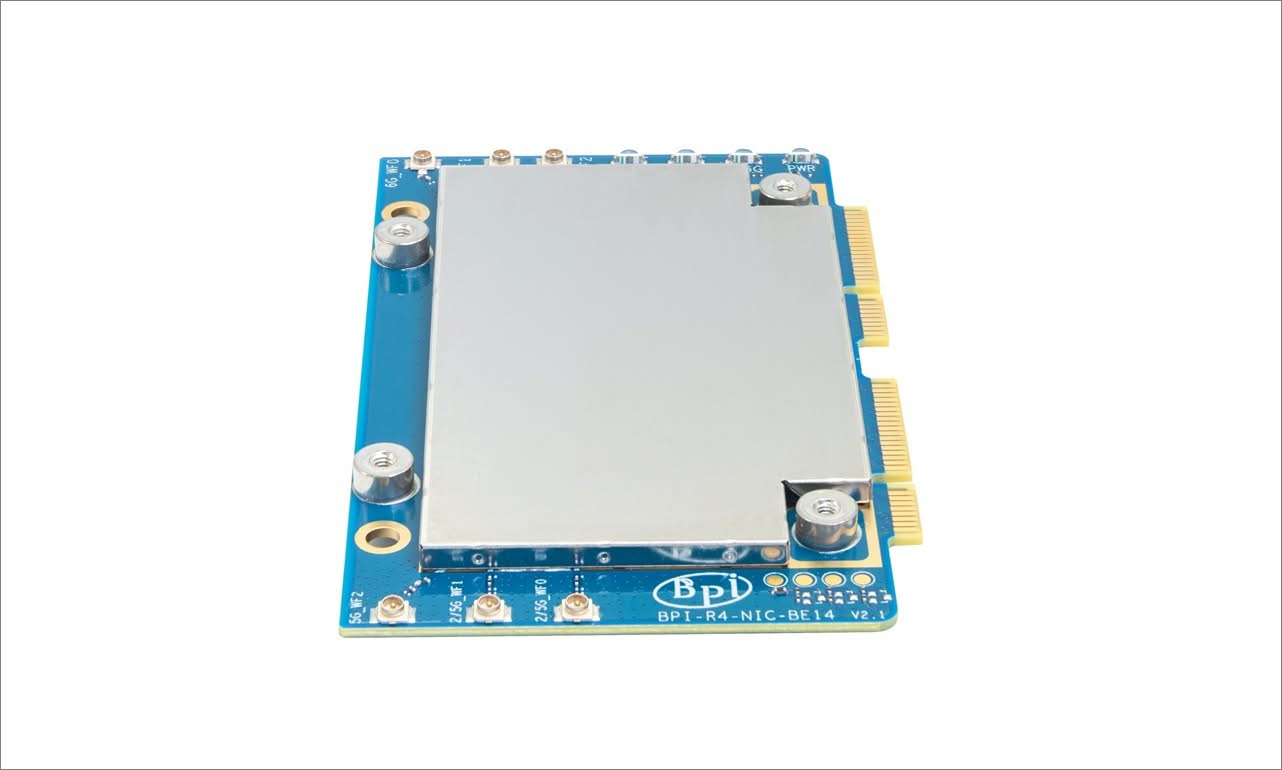
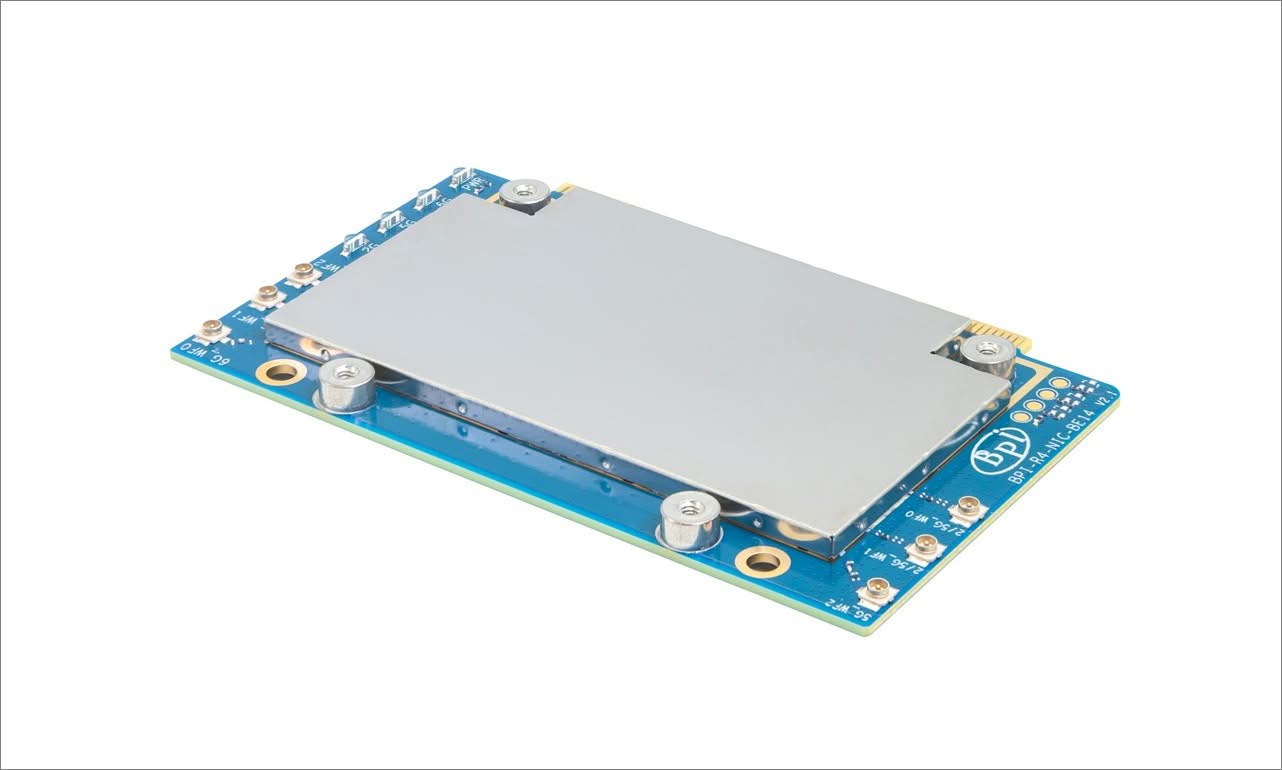
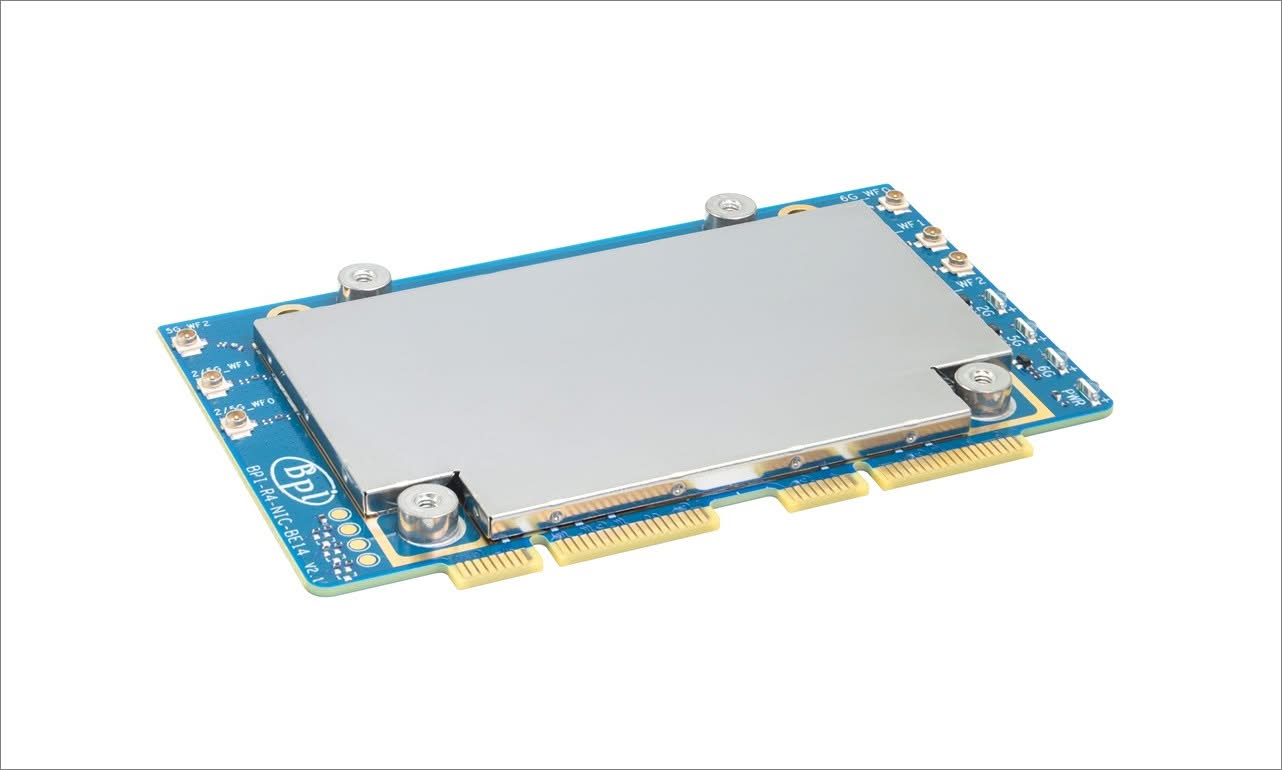
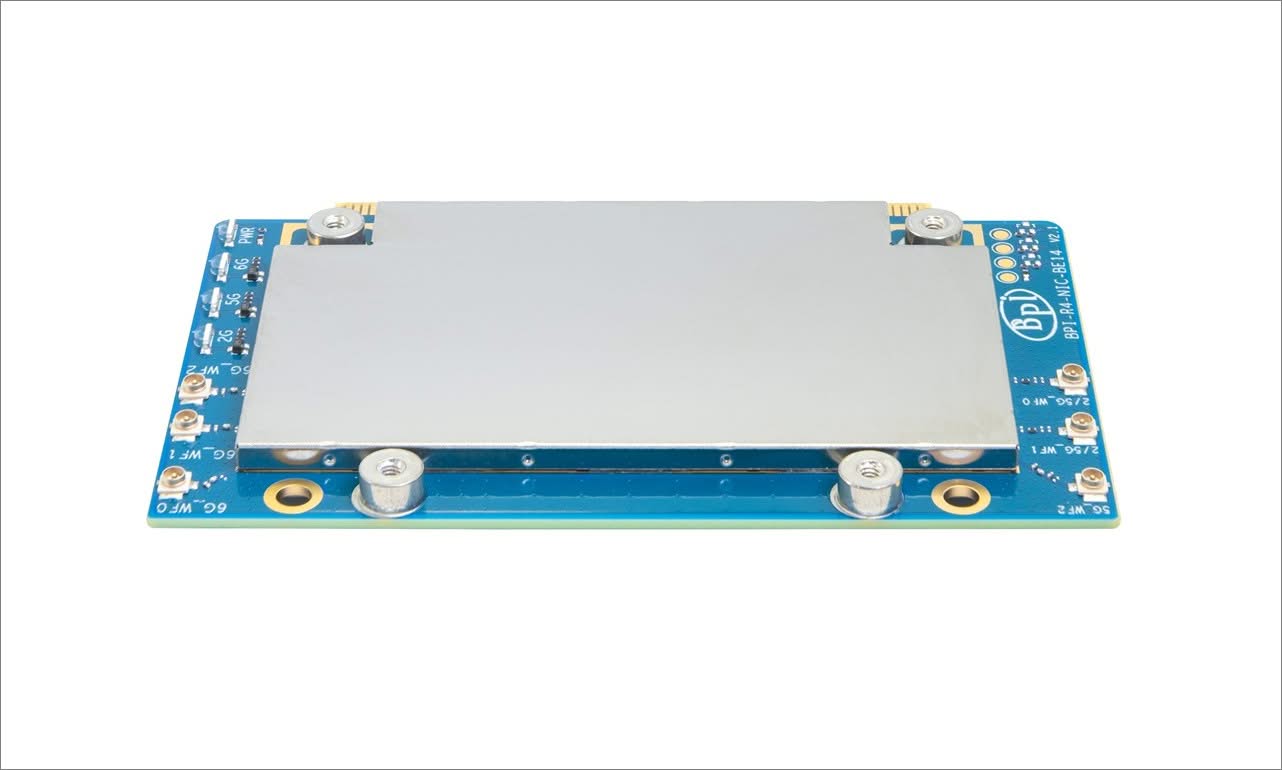
A closer look at the BPI-R4-NIC-BE14 (V2.1)
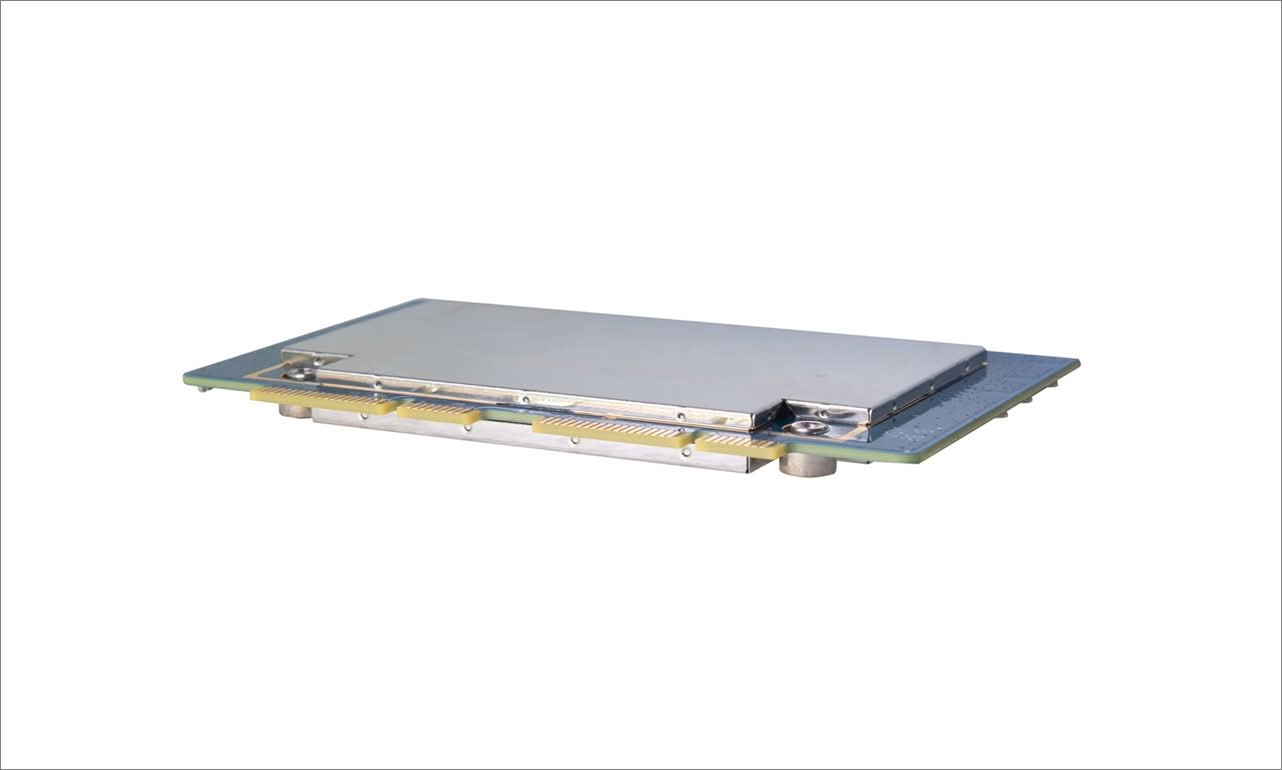
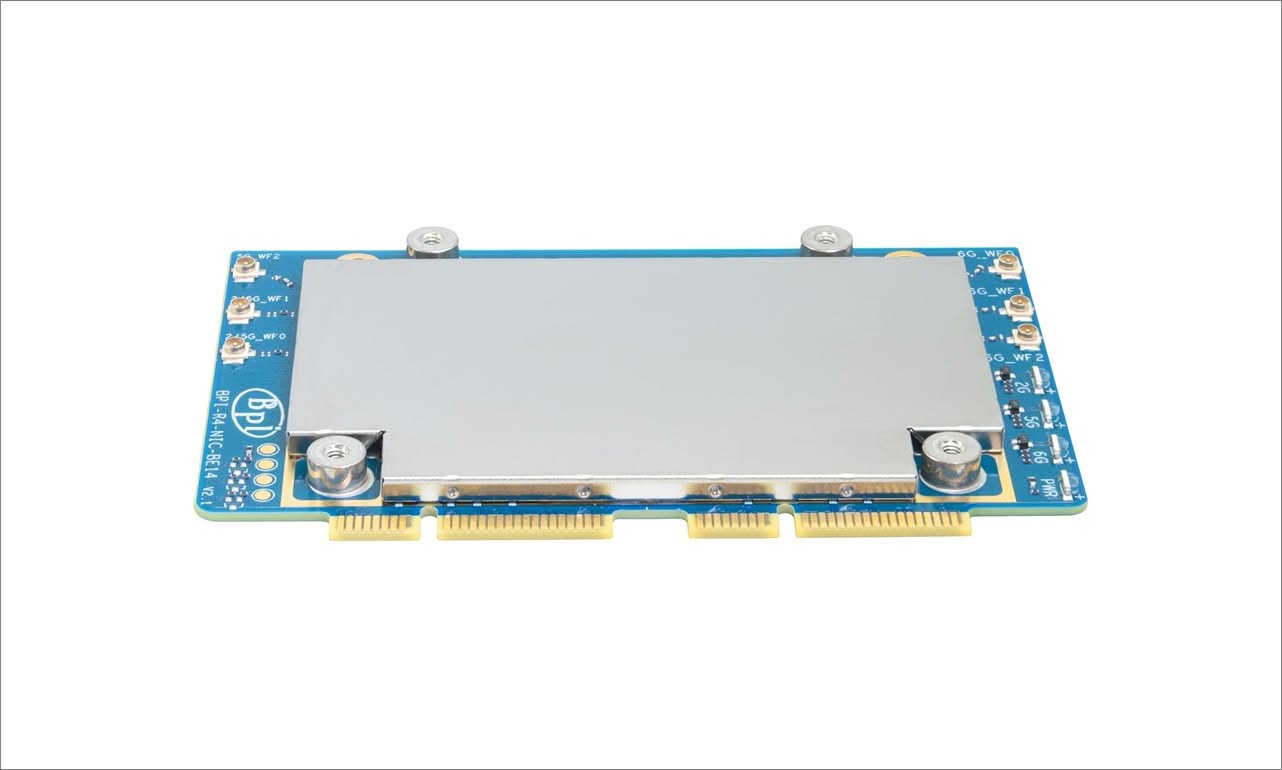
Key Features
- Wi-Fi 7 Module with MediaTek MT7995AV Chipset Equipped with the advanced MediaTek MT7995AV chipset, this module delivers ultra-fast wireless performance, supporting the latest WiFi 7 standard for seamless high-speed connectivity.
- Powerful RISC-V MCU Integration Featuring a RISC-V MCU, the module ensures efficient processing and low power consumption, ideal for demanding applications requiring high responsiveness and reliability.
- 2 PCIe 3.0 Interfaces with 2-Lane Support The module offers 2 PCIe 3.0 interfaces with 2-lane configuration, enabling high-bandwidth data transfer and optimal performance when connected to compatible systems.
- Designed for BPI-R4 Compatibility Specifically designed for the BPI-R4 platform, this extension board guarantees plug-and-play compatibility, making it an ideal upgrade for users looking to enhance their device’s wireless capabilities.
- Includes 6 High-Gain Antennas: Depending on the kit, it includes 6 high-performance antennas that enhance signal strength and coverage, ensuring stable and consistent wireless performance in various environments.
Software and Feature Status (OpenWrt)
Even with the appropriate v2.1 hardware module installed, achieving “full” Wi-Fi 7 feature support under open-source software (such as OpenWrt) is still a work in progress and has some limitations. While it’s not perfect or ideal, it does represent an improvement over the previous design, and we believe it’s worth the upgrade. Below is a list of features you can expect after this upgrade:
- Basic Tri-Band Operation (2.4 / 5 / 6 GHz): Fully Supported. Running recent software releases (such as the OpenWrt 25 series or current development snapshots), the underlying
mt76driver recognizes the hardware cleanly. You can broadcast high-speed channels natively. - 320 MHz Channel Width: Partially Supported / Inconsistent. A hallmark of Wi-Fi 7 is the massive 320 MHz wide channels on the 6 GHz band. On the BPI-R4, configuring 320 MHz can still be unstable or scale back under open-source drivers depending on local regulatory domains.
- Multi-Link Operation (MLO): Experimental. MLO (allowing a phone or client to connect to 5 GHz and 6 GHz simultaneously for combined speed and stability) is actively being integrated into mainline software. It technically functions, but users frequently report drops and stability bugs.
- The “0 TX Power” Bug: On some vanilla OpenWrt installations, the Wi-Fi card registers with zero transmit power out-of-the-box, requiring manual firmware modifications or regulatory overrides (
regdbpatching) to activate full transmission strength.
Hardware Design: Keeping Things Cool
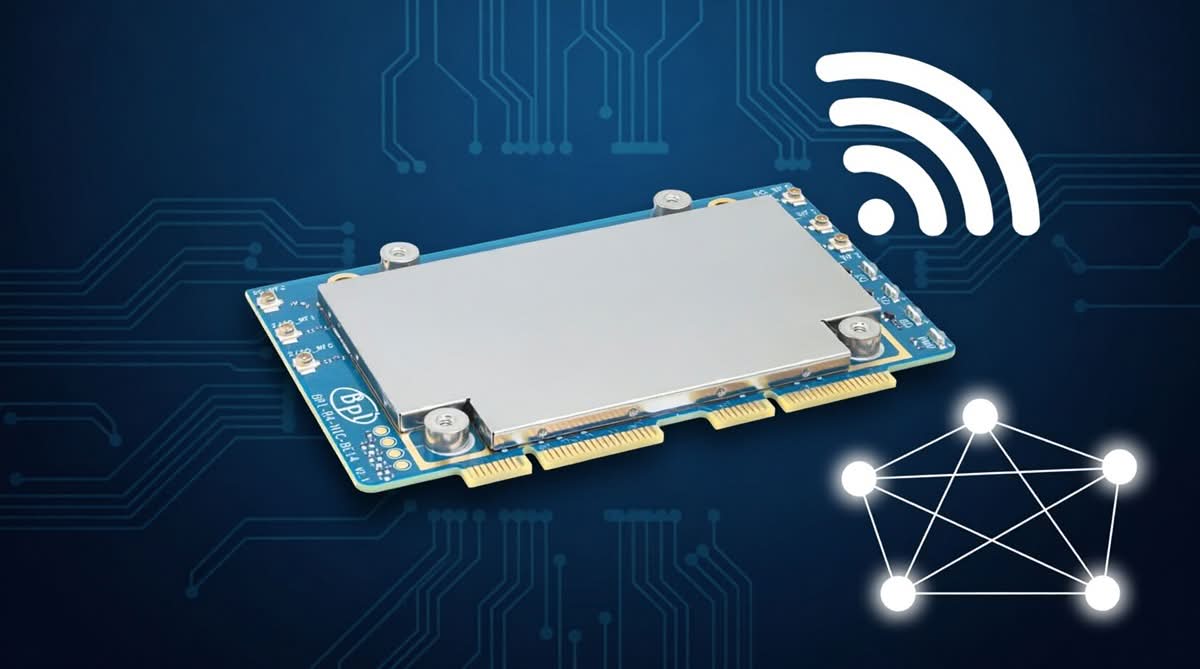
The card utilizes a mini-PCIe (mPCIe) physical form factor interface, allowing it to fit perfectly into the BPI-R4’s expansion bay. Banana Pi has connected it through PCIe 3.0, which is essential because you certainly don’t want a slow data bus hindering your impressive new Wi-Fi speeds.
But here’s the thing about Wi-Fi 7 chips: they run hot. Really hot. Banana Pi clearly knows this, because they didn’t just slap a tiny piece of metal on the board and call it a day. Depending on the kit, the BE14 comes with a beefy, custom-machined aluminum alloy heatsink. It’s a passive cooler, meaning you won’t have to deal with annoying fan whine, but it’s large enough to keep the silicon from thermal throttling when you’re pushing multi-gigabit loads 24/7.
It also breaks out with six IPEX (U.FL) connectors for external antennas. This is a huge win for tinkerers, as it allows you to attach high-gain antennas and actually tune your wireless coverage to your physical space, rather than being stuck with whatever the default PCB traces give you.
Software: Finally, Drivers That Just Work
Let’s get real for a second: in the open-source router world, hardware is only half the battle. Software is where things usually get messy. Fortunately, Banana Pi has been working closely with the OpenWrt community to make sure the BE14 isn’t just a very expensive paperweight.
The card uses the mt799x driver family. If you’ve been in the OpenWrt trenches over the last few years, you know MediaTek drivers have had a slightly rocky past. But the 802.11be support has matured massively. Out of the box, the latest OpenWrt snapshots recognize the card and let you configure advanced features like fast roaming (802.11r), 802.11k/v, and VLAN tagging right from the LuCI web interface. You won’t need to be compiling custom kernel modules at 2 AM just to get your 6 GHz network to broadcast.
Who is this product intended for?
So, who is the target audience here? If you’re a homelabber or a prosumer tired of your ISP’s locked-down router, this is your new best friend. It’s a future-proof foundation for a smart home drowning in 8K streams, cloud gaming, and the latest Wi-Fi 7 smartphones.
But it’s not just for hobbyists. Small businesses, boutique cafes, and co-working spaces can use the BPI-R4 and the BE14 to build a highly secure, segmented network for a fraction of the cost of a traditional enterprise setup. Because it runs open-source software, your IT admin has total control over the firewall and traffic shaping. Plus, the ultra-low latency makes it surprisingly viable for edge computing tasks, like real-time IoT monitoring or robotics, where network jitter will completely ruin your day.
NIC (Network Interface Controller) – Old vs. new design
For those familiar with the previous NIC design, there were some issues in version 1.0 that are now fixed in this new model (version 2.1). Please check the conversion table below for details.
| Feature / Metric | Original Model (v1.0) | Newer / Optimized Model (v2.1) |
|---|---|---|
| RF Isolation & Shielding | None. Bare chips are completely exposed, leading to massive electromagnetic interference (EMI) and cross-talk. | Added comprehensive metal shielding cans over the key circuitry blocks. The enclosed shielding effectively isolates the wireless RF paths from inner electromagnetic interference (EMI), stabilizing overall throughput performance. |
| RF Filtering Components | Utilized standard generic capacitors and resistors for the RF filtering and impedance matching networks. | Upgraded to brand-new, high-performance filtering components, featuring fine-tuned bandpass filters and matching networks tailored for both 2/5G and 6G RF pathways, alongside an optimized PCB stack-up utilizing an 8-layer, 2-stage HDI (blind and buried via) process. This integration significantly suppresses out-of-band spurious emissions and substantially enhances cross-channel isolation. |
| Default Transmit Power (TX) | Often hard-locked or restricted to a weak 6 dBm out-of-the-box due to hardware-to-firmware communication bugs. | Restored to full operational TX levels; properly registers high-output profiles without custom regulatory hacks. |
| Signal Range & Noise Floor | High noise floor, erratic Signal-to-Noise Ratio (SNR), and rapid signal drop-offs beyond a few meters. | Drastically reduced noise floor, stable SNR, and normal long-range Wi-Fi 7 coverage. |
| IPEX (U.FL) Pitch | The spacing between RF antenna connectors was tight, leaving limited clearance for dense cabling or enclosure assembly. | Increased the pitch between IPEX connectors. This provides optimal clearance for the dual-band and 6G antenna cables, reducing the risk of connector collision during assembly. |
| RF Filtering Components | Utilized standard generic capacitors and resistors for the RF filtering and impedance matching networks. | pgraded to brand-new, high-performance filtering components, featuring fine-tuned bandpass filters and matching networks tailored for both 2/5G and 6G RF pathways, alongside an optimized PCB stack-up utilizing an 8-layer, 2-stage HDI (blind and buried via) process. This integration significantly suppresses out-of-band spurious emissions and substantially enhances cross-channel isolation. |