Design and Build Quality: The “Slim” Promise
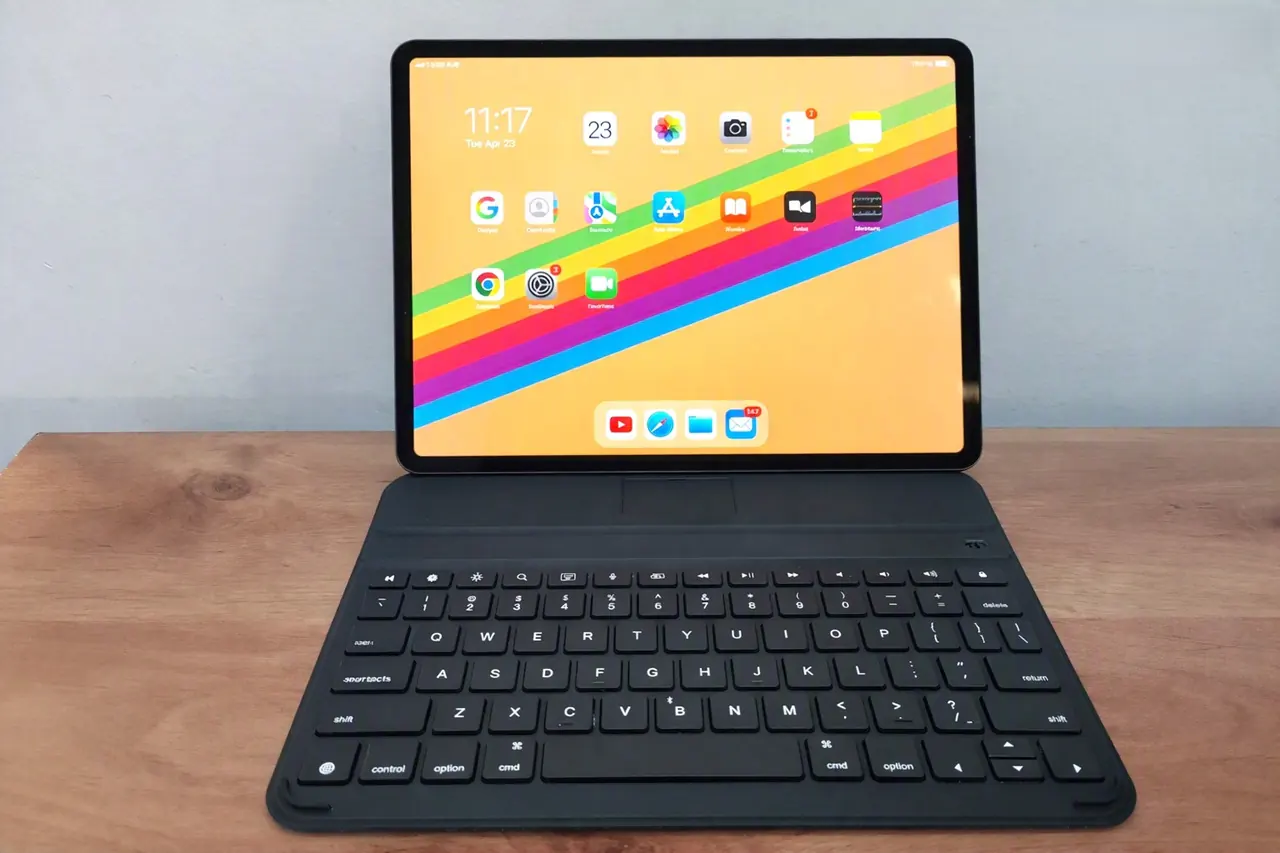
The first thing you notice when unboxing the RK807 Pro is its namesake feature: the vey slender profile. In an era where keyboard cases have become increasingly bulky to accommodate larger batteries and glass trackpads, Riitek has made a deliberate choice to prioritize portability and aesthetics.
The chassis is made from lightweight but tough materials covered in PU leather, which gives it a high-end look. This choice of material doesn’t just look good; it also adds solid structure to keep the keyboard from bending when you type hard.
The “Slim” moniker is further justified by the detachable design. Unlike clamshell cases that permanently add bulk to your iPad, the device features a magnetic pogo-pin or Bluetooth-first detachable mechanism (depending on the specific SKU), allowing you to separate the keyboard from the protective backplate. This means when you want to use your iPad purely for reading, sketching with the Apple Pencil, or watching media, you aren’t forced to carry the extra weight of a keyboard hinge.
First Impressions: It’s Actually Slim
When a company puts “Slim” in the product name, I usually roll my eyes. Almost everything is marketed as “slim” or “ultra-thin” these days. But the product actually earns the title.
When you first pull it out of the box, the thing that hits you is the weight. Or rather, the lack of it. If you’re used to the Apple Magic Keyboard or the Logitech Combo Touch, holding the product feels almost like holding nothing at all. It slides into a backpack sleeve so easily you’ll forget it’s there.
The build quality genuinely surprised me, too. Instead of cheap, glossy plastic that attracts fingerprints and scratches, the base is made of an aluminum-magnesium alloy. It has that cool, matte metal feel that matches the back of the iPad perfectly. It doesn’t flex when you press down hard on the keys, which is a huge deal when you’re typing on your lap.
The case part that holds the iPad is pretty minimalist. It’s a snap-on backplate with a microfiber lining so it won’t scratch your tablet, and it has raised lips around the edges and the camera bump. It’s not going to save your iPad if you drop it down a flight of concrete stairs, but it will easily handle the daily bumps of commuting. Plus, the keyboard detaches magnetically. If you just want to use your iPad to watch a movie or draw with the Apple Pencil, you just pull the keyboard off and leave the slim case on.
The Typing Experience: Surprisingly Good
Let’s get to the most important part: how does it actually feel to type on?
A lot of third-party keyboards use cheap membrane switches that feel like typing on a sponge. The Riitek uses scissor-switch mechanisms, which are the same type of switches found in most high-end laptops.
The key travel is about 1.2mm. That’s slightly shallower than a full-sized desktop keyboard, but it’s perfect for a tablet setup. There’s a really satisfying, with a soft “click” at the bottom of the keystroke. It’s quiet enough that you won’t annoy the person sitting next to you in a library, but tactile enough that your fingers know exactly when a key has registered.
The keys have a slight dip in the middle (they’re concave), which helps keep your fingers from slipping off during long typing sessions. I ended up writing a few long reports on this thing, and honestly, my hands didn’t feel as fatigued as they do on my laptop. The rigid aluminum base means the keyboard doesn’t bounce around when you type fast, which is a massive upgrade from the flimsy Bluetooth keyboards you find in the discount bin.
The Elephant in the Room: What’s Missing?
The Elephant in the Room: What’s Missing?
Okay, let’s talk about the trade-offs, because there’s no such thing as a perfect keyboard, especially at this price point.
To keep the RK807 Pro this thin and this light, Riitek had to cut a few features.
First, there is no trackpad. If you absolutely rely on a trackpad to navigate iPadOS, you might want to stop reading right now. You’ll have to use the iPad’s touchscreen or pair a separate Bluetooth mouse.
Second, there is no backlight. The keys aren’t going to light up in the dark.
Third, there are no built-in hinges for viewing angles. It’s a flat keyboard case, so you have to rely on the magnetic grooves in the cover to prop the iPad up.
Are these dealbreakers? For some people, yes. But for me, these omissions are exactly why this keyboard works so well. By skipping the heavy battery needed for a backlight, the bulky glass trackpad, and the complex hinge mechanism, Ritek kept the weight down and the price low. If you already use a mouse, or if you mostly work in well-lit environments, you won’t miss those features once you realize how much lighter your bag is.
Living with iPadOS
One of the most frustrating things about cheap iPad keyboards is that the manufacturers don’t bother to map the keys correctly. You end up pressing what you think is the Command key, only to realize it’s mapped to Control, and suddenly you’re highlighting text instead of copying it.
Ritek clearly gets how iPadOS works. The modifier keys (Command, Option) are in the exact right spots. When you press Command-C, it copies. When you press Command-Tab, it switches apps. It just works, which sounds like a low bar, but you’d be surprised how many keyboards fail at it.
The top row of function keys is also dedicated to iPad controls. You get direct buttons for screen brightness, volume, media playback, and locking the screen. There are also dedicated keys for bringing up the home screen and the app switcher. It makes navigating the tablet feel a lot more like using a Mac, which is exactly what you want when you’re trying to get actual work done.
Battery Life, Connectivity and Power Management
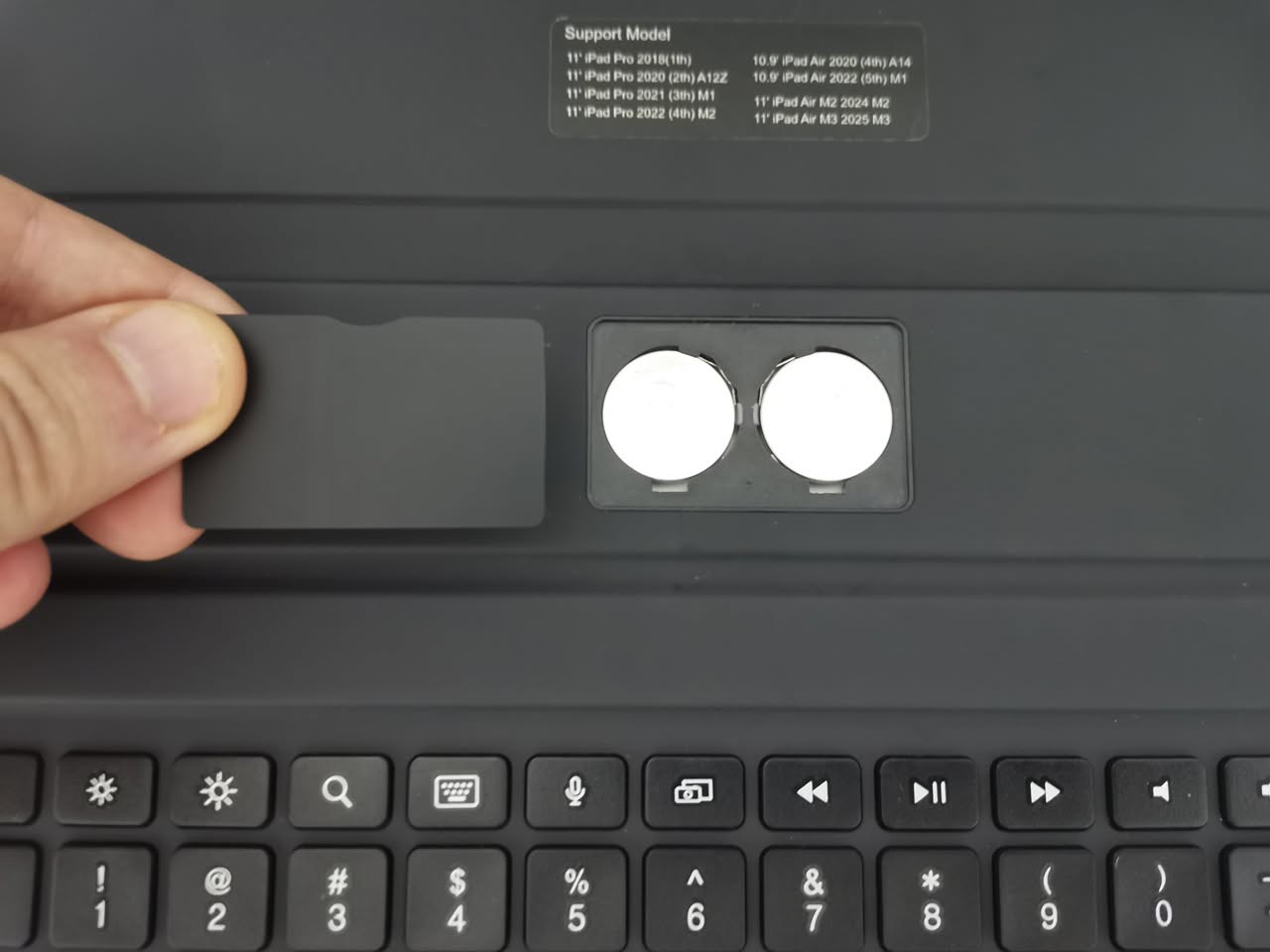
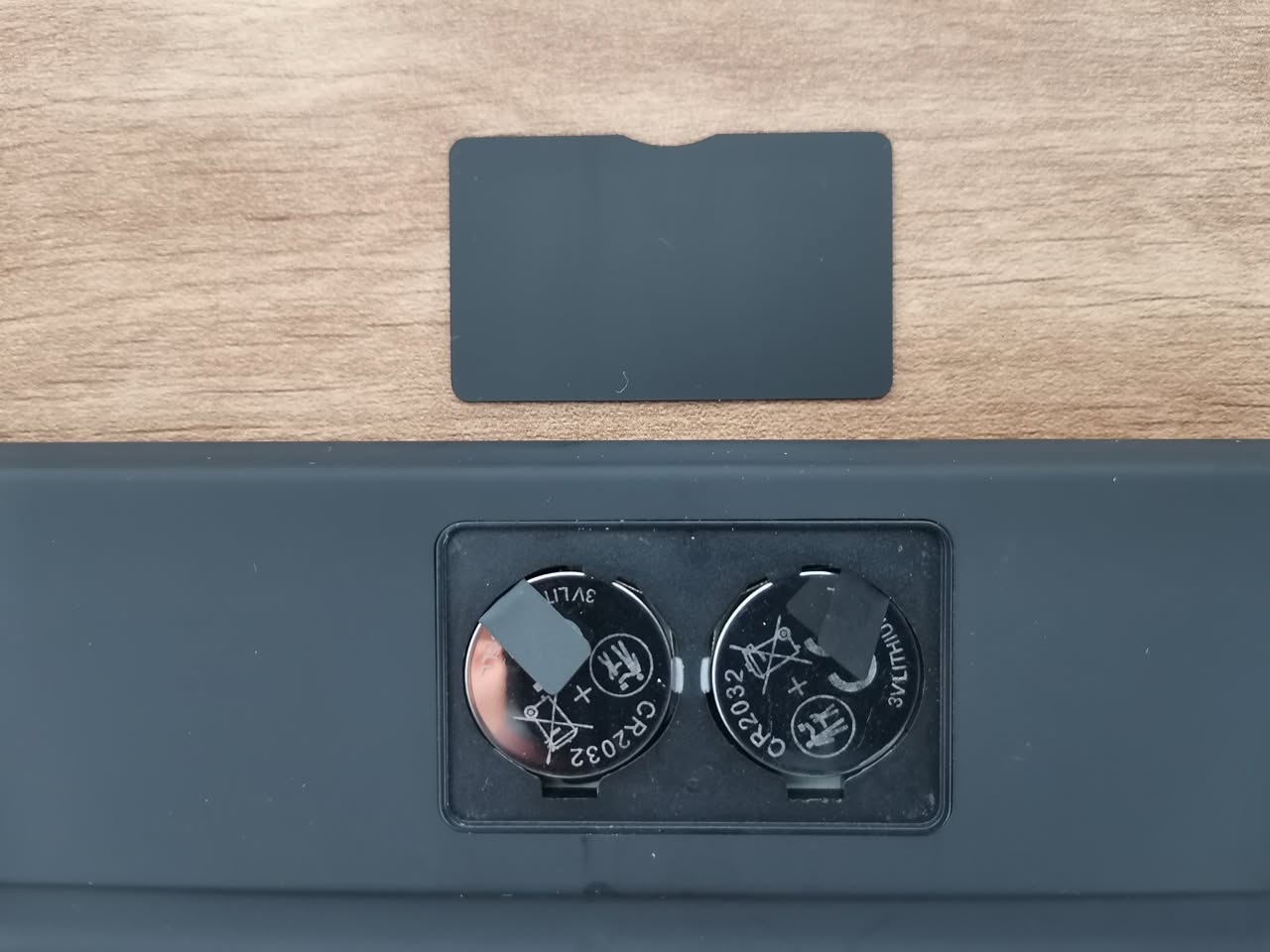
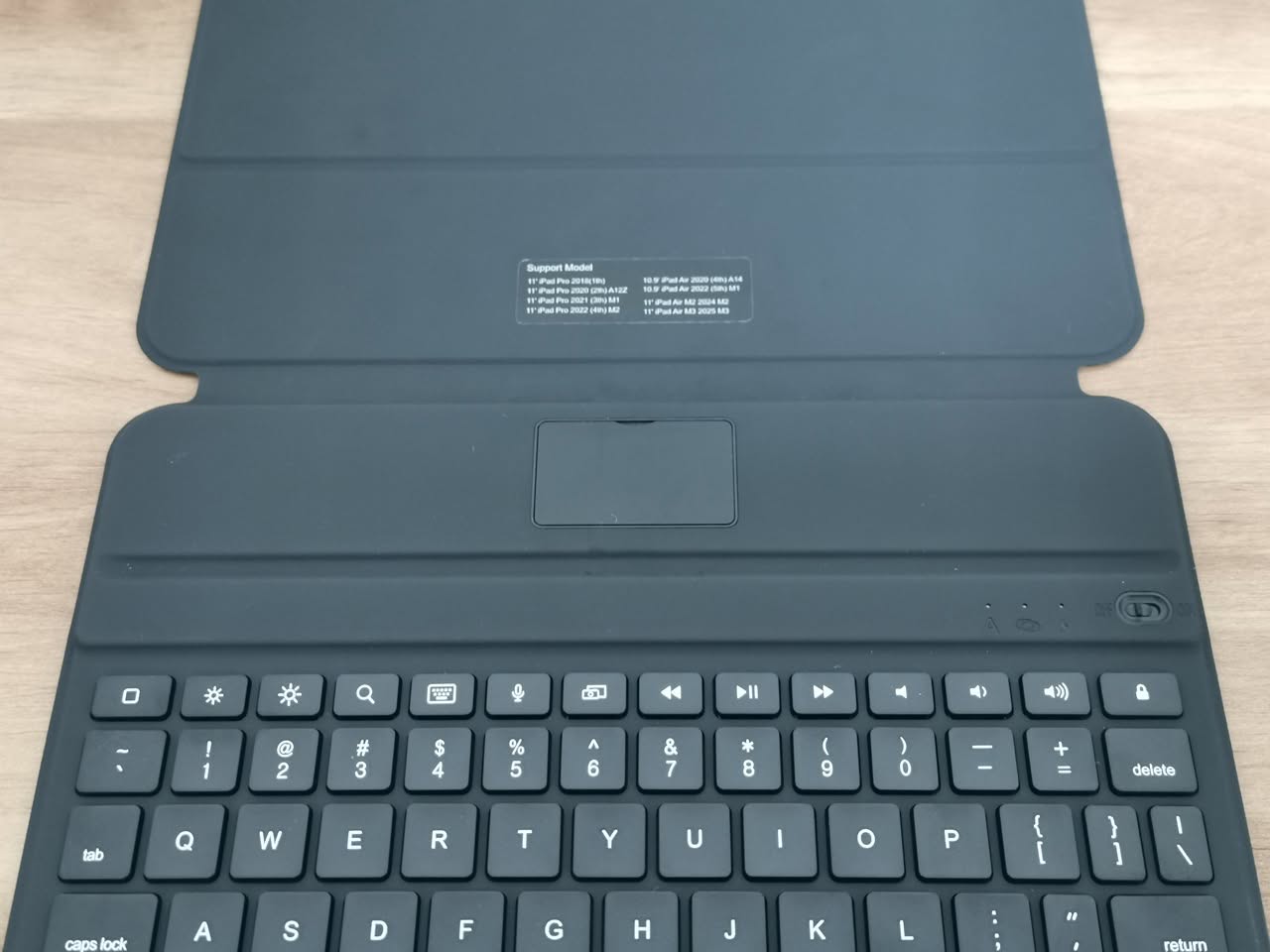
The keyboard probably has great battery life since it doesn’t use power for a backlight. It takes two CR2032 coin-cell lithium batteries in its compartment, but you can’t charge it because it doesn’t have a rechargeable battery. On the bright side, it’s lightweight, and the battery cover is easy to remove and attaches magnetically to the keyboard. Plus, the device will automatically sleep after 10 minutes, helping to save battery life.
The battery compartment of the RK807 Pro
So, how much battery life can you expect?
| Parameter | Value / Metric |
| Battery Type | 2x CR2032 Coin Cell (~220 mAh total usable capacity) |
| Operating current | < 1.0 mA |
| Standby Current | < 0.3 mA |
| Sleep Current | < 25 µA (0.025 mA) |
| Auto-Sleep Timer | 10 minutes of inactivity |
Realistic Battery Life Estimates
Actual battery drain depends significantly on usage patterns, such as active typing versus sitting idle or in sleep mode. Here are some real-world estimates:
| Usage Profile | Active Typing Time | Daily Power Drain | Estimated Lifespan |
| Heavy Use | ~4 hours / day | ~4.5 mAh / day | ~45 to 50 days (~1.5 months) |
| Moderate Use | ~1 to 2 hours / day | ~1.6 to 2.55 mAh / day | ~2.5 to 4.5 months |
| Continuous Use | 24 hours / day (nonstop) | 24.0 mAh / day | ~9 days (~220 continuous hours) |
Strong Estimate Verdict:
For average daily desktop/tablet work (1–3 hours of active typing per day with auto-sleep kicking in after 10 minutes), expect to replace the CR2032 coin batteries every 2 to 3 months
Connectivity
Connectivity is handled via Bluetooth 5.3. We didn’t experience a single dropped connection or weird latency issue. The typing feels instantaneous. Riitek states that the maximum range is around 10m, which should be plenty for most people. Overall, the response speed is solid, and we don’t have any complaints.
No multi-device feature here. You can’t pair it, for example, with three different devices (say, your iPad, your iPhone, and your work laptop) and switch between them with the press of a button.
Who is This Keyboard Actually For?
After spending some time with the Riitek RK807 Pro, we figured out exactly who this is for—and who should probably look elsewhere.
You should buy this if:
- You hate heavy bags. If you’re a student or a commuter who already carries a heavy backpack, this keyboard will feel like a breath of fresh air. It adds almost zero weight to your iPad.
- You just want to type. If you use your iPad mostly for writing, coding, or answering emails, and you don’t care about having a trackpad, this gives you a premium typing experience without the premium price tag.
- You travel a lot. It’s thin enough to slip into the sleeve of a 13-inch laptop bag without taking up extra room, and the battery life means you can leave your charging cable at home for weeks.
- You’re on a budget. It costs a fraction of the Apple Magic Keyboard but delivers about 90% of the typing quality.
You should skip this if:
- You need a trackpad. If you don’t want to touch the screen and don’t want to carry a separate mouse, you need to buy a keyboard with a built-in trackpad.
- You work in the dark. If you’re a late-night writer or you work in dimly lit environments, the lack of a backlit keyboard is going to annoy you.
- You want a built-in stand. If you like having your iPad propped up at multiple adjustable angles via a heavy-duty hinge, this flat case design won’t work for you.