
Table of Contents
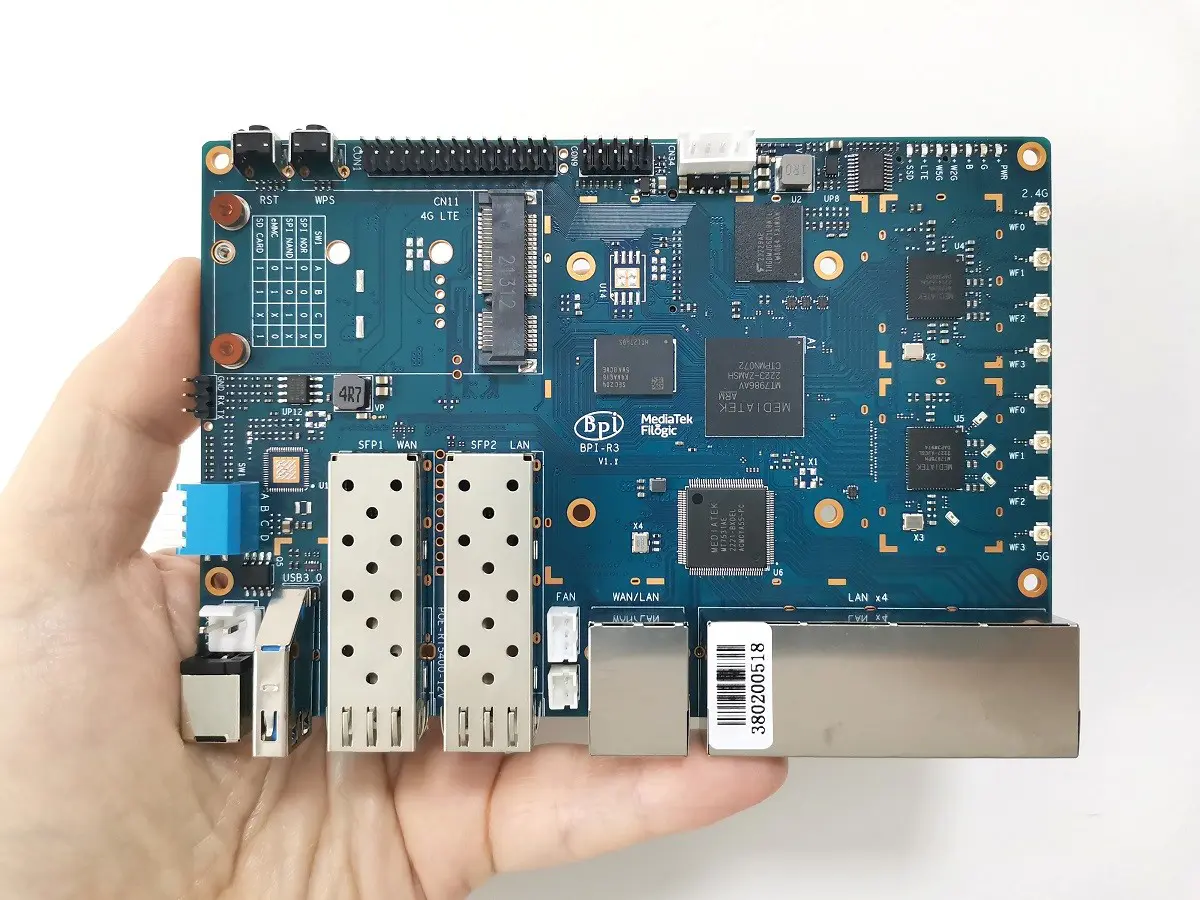
- Banana Pi BPI-R3 board
- Banana Pi BPI-R3
- Specifications
- Key Features
- Real-World Applications
- Improved Cooling
- A Quick Product Demo
- Banana Pi BPI-R3 Board Layout
- Hardware
- Storage Interfaces
- Connectivity
- Wi-Fi 6 Ready
- Misc & Other Interfaces
- Part 1: Package Contents, Unboxing, and Hardware
- Package Contents:
- Unboxing All Items
- The Banana Pi R3 Board
- Unboxing the Banana Pi R3 Case – 1 of 2
- Unboxing the Banana Pi R3 Case – 2 of 2
- Power Supply
- Antennas
- Part 2: Case Design
- Great Design but not flawless
- Part 3: Operation
- Downloading OpenWrt image file
- Flashing and Booting From eMMC
- Bootstrap switch
- Flashing OS files via USB Serial Module
- How to Install an M.2 NVMe SSD
- Installing an SSD Card With a Heatsink
- NVMe Performance Testing
- (Read/Write) SSD Performance Test
- Part 4: Installing a Fan-Cooled Heat Sink
- FAN Wiring Configurations (Options)
- Configuration Option No. 1 (Passive Cooling)
- Cooled FAN Heatsink
- Preparing Conductive Silicone Thermal Pad
- Configuration Option No. 2
- Connecting 4 Pins Cooled Heatsink wires w/ the XH2.54 4 PIN wires
- Final Step (Powering/Operating the FAN)
- How to Automatically load the script
- Configuration Option No. 3
- Connecting 4 Pins Cooled Heatsink wires w/ the VH3.96-2PIN wires
- Configuration Option No. 3 (With Support for PWM)
- Configuration Option No. 4 (Without PWM Support)
- Adjusting these trip points
- Controlling the fan rotation speeds:
- Part 5: Checking Temperatures
- Testing another Cooling Configuration.
- Part 6: WiFi Antennas Installation (Best Practices)
- Antennas Arrangement & Installation
- Installation tips!
- Installing a Wi-Fi 6E Expansion Network Card
- Part 7: Adding a 2.5G Network Card (Optional Configuration)
- Part 8: Setting up a NAS Server (Optional Configuration)
- How to set up a NAS device (Optional Configuration, DIY Style)
- Part 9: Connectivity
- Network Throughput Testing using iPerf
- What WIFI throughput speeds should you expect?
- iPerf Test: 2.5 SFP RJ45 LAN Speed Test
- Banana Pi R3 (Back view)
- iPerf Test: Wireless (WiFi) Speed Test
- Tweaking Network Performance
- Final Thoughts
- Should You Buy it?
- Price and Availability
Part 5: Checking Temperatures
Checking the CPU Temperature:
cat /sys/class/thermal/thermal_zone0/temp
45848
Checking other sensors information:
cat /sys/devices/platform/sfp1/hwmon/hwmon1/temp1_input
40094
cat /sys/devices/platform/soc/18000000.wmac/ieee80211/phy0/hwmon2/temp1_input
47000
cat /sys/devices/platform/soc/18000000.wmac/ieee80211/phy1/hwmon3/temp1_input
53000| Device ID | Interface name | Temperature |
| CPU | thermal_zone0 | 45°C |
| SFP1 | – | 40°C |
| 2.4G (MT7975N Chip) | phy0 | 47°C |
| 5G (MT7975P Chip) | phy1 | 53°C |
The following temperature measurements were taken while the FAN was switched on in a closed enclosure.
Testing another Cooling Configuration.
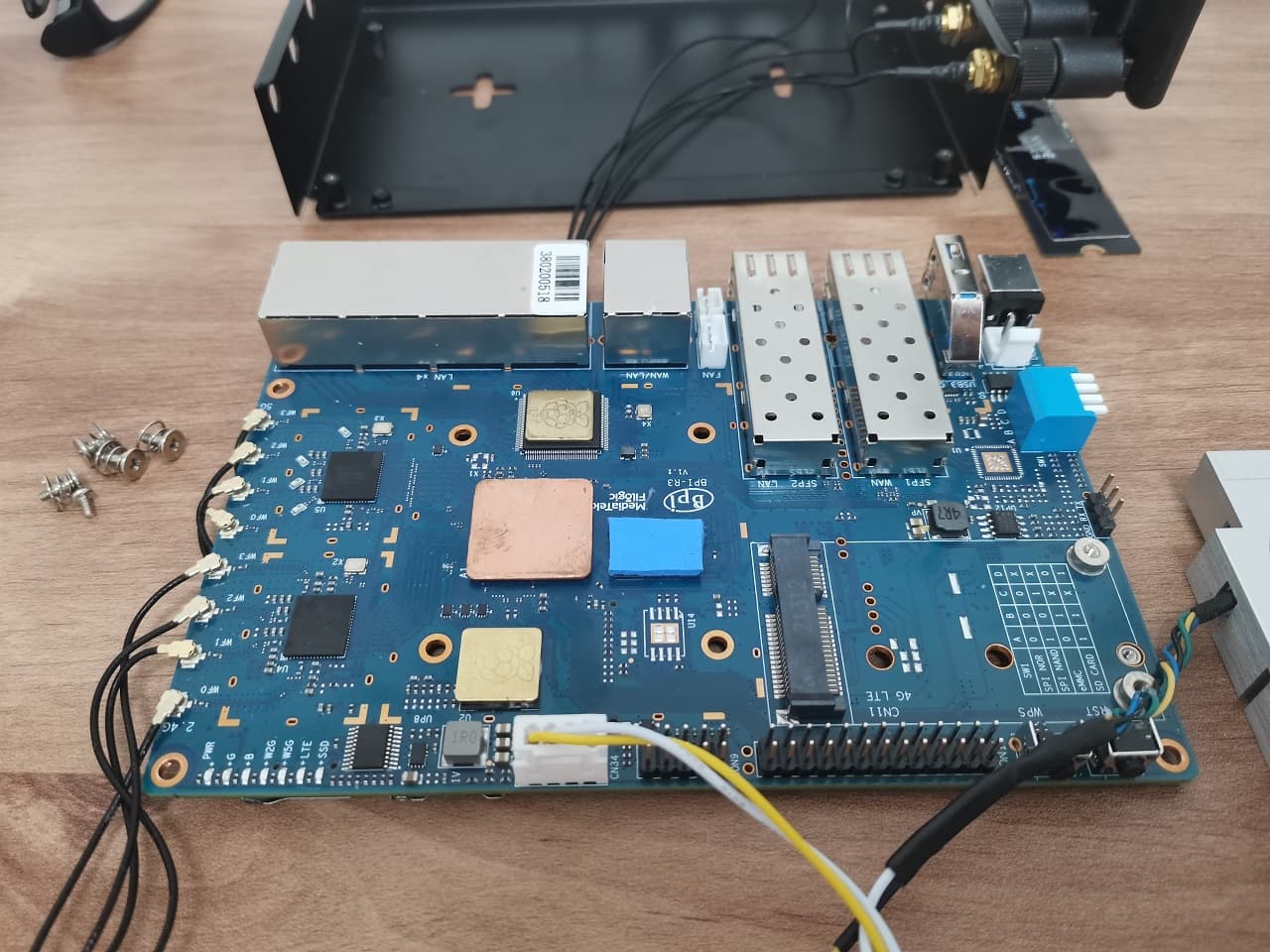
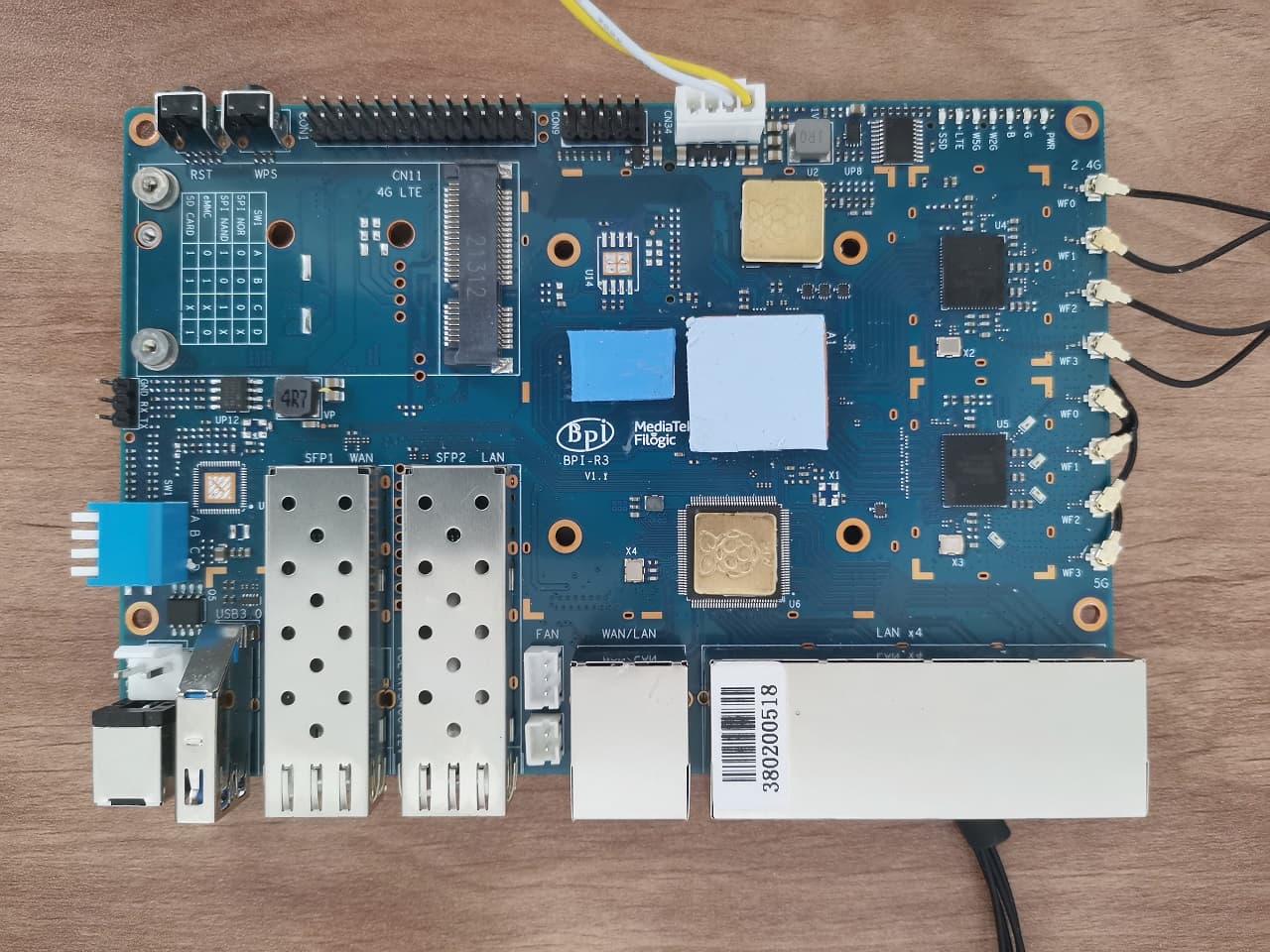
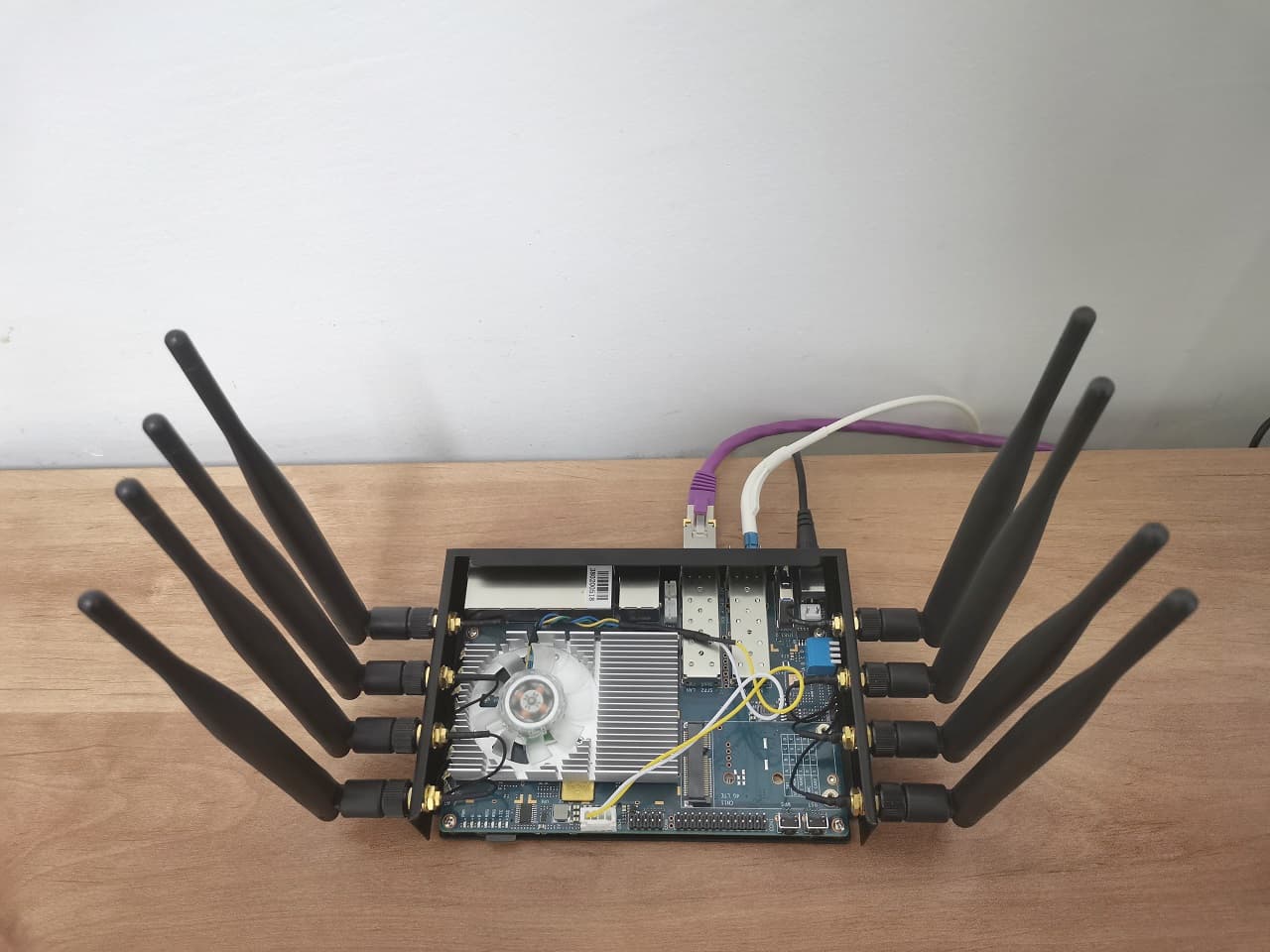
Not satisfied with previous temperature results. We used three copper-made sheet plates. We placed one on top of the MT7986A Chip, a second on the 8 GB eMMC Chip, and a third on the MT75531 AE Chip. Because of their tiny size, we didn’t find compatible plates for the 2 GB DDR4 RAM and the Wifi Chips. A partial solution is still better than no solution. That said, our CPU work temperature was improved and dropped from 45°C to ~39°C.
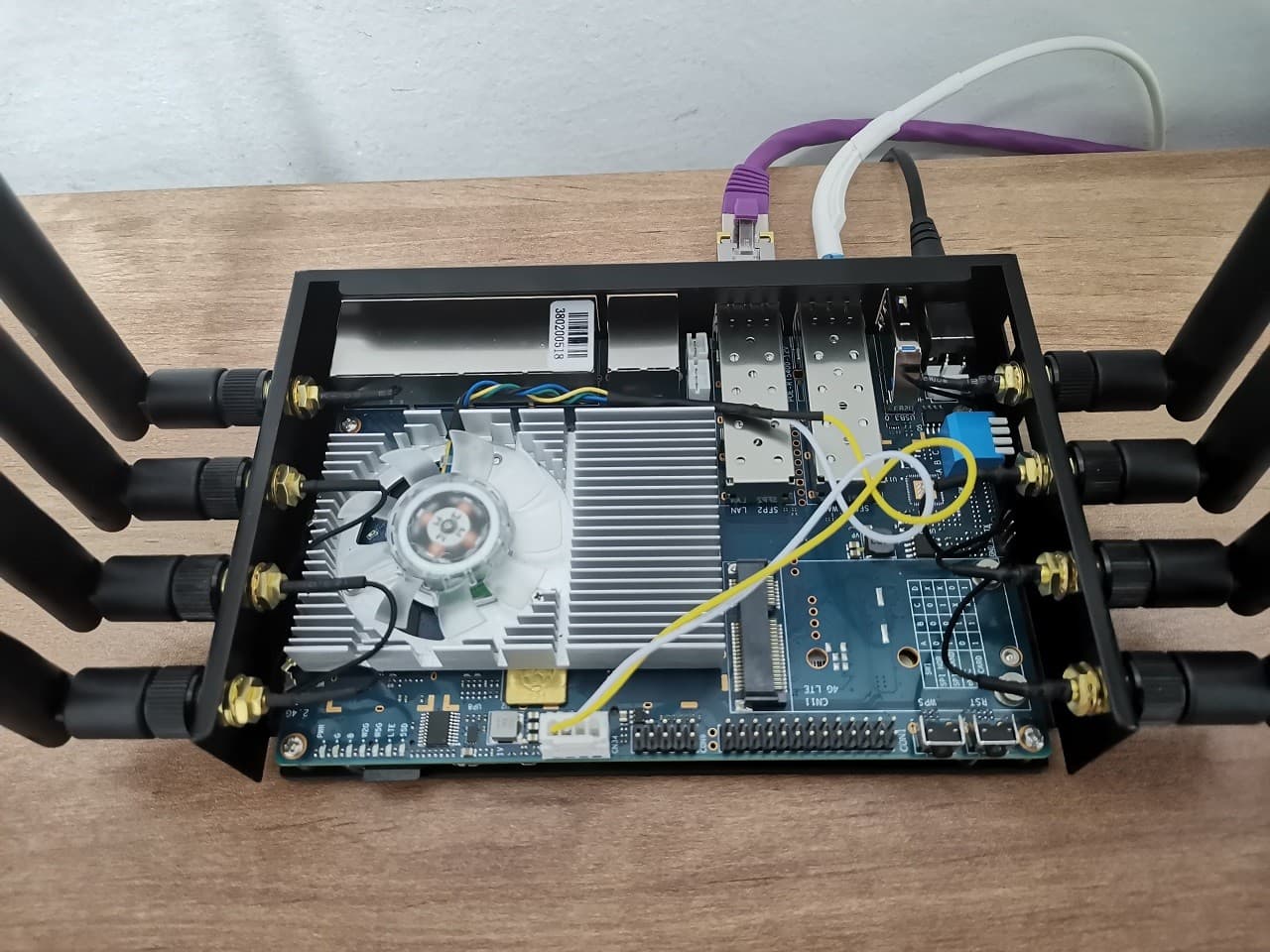
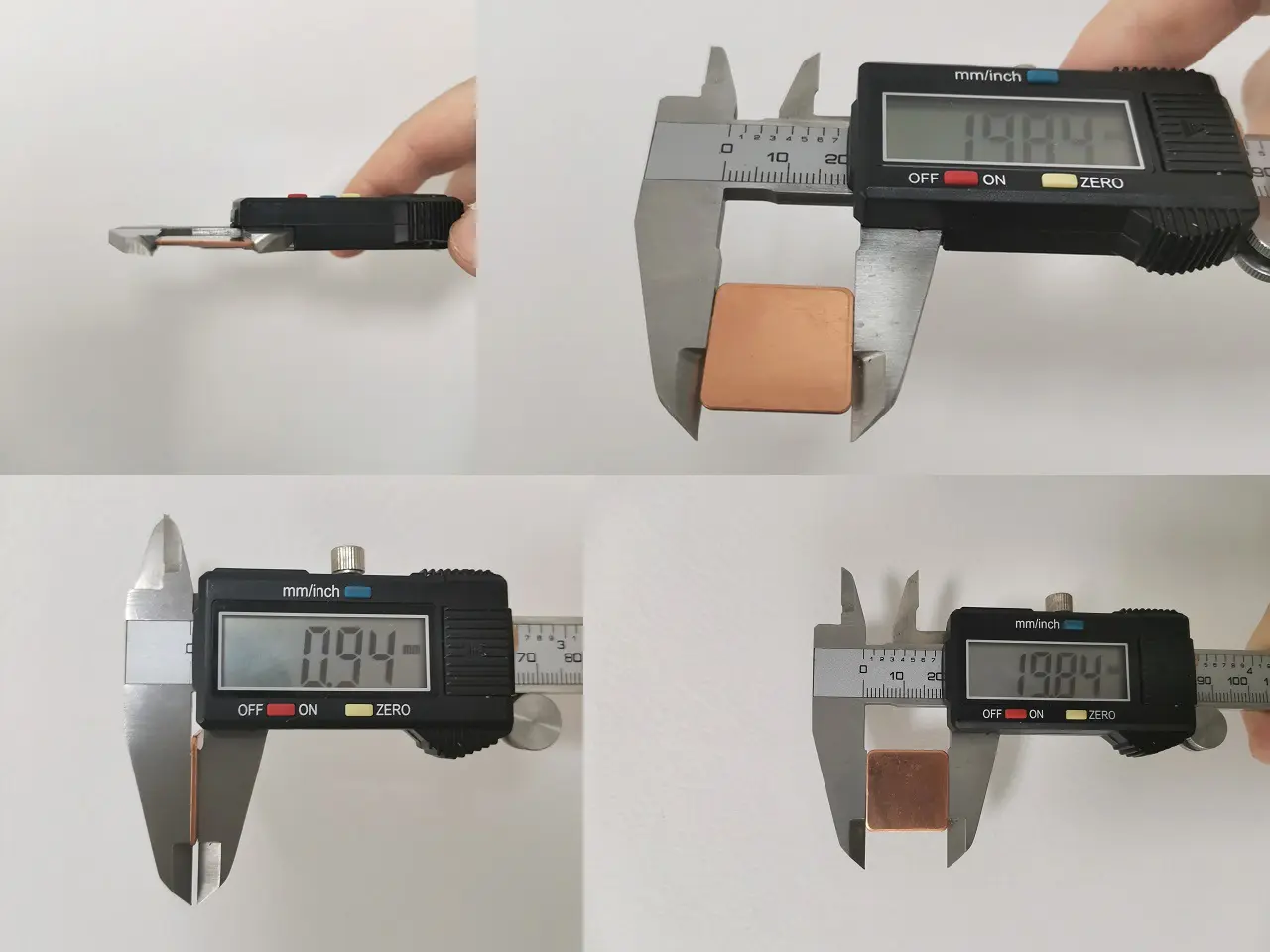
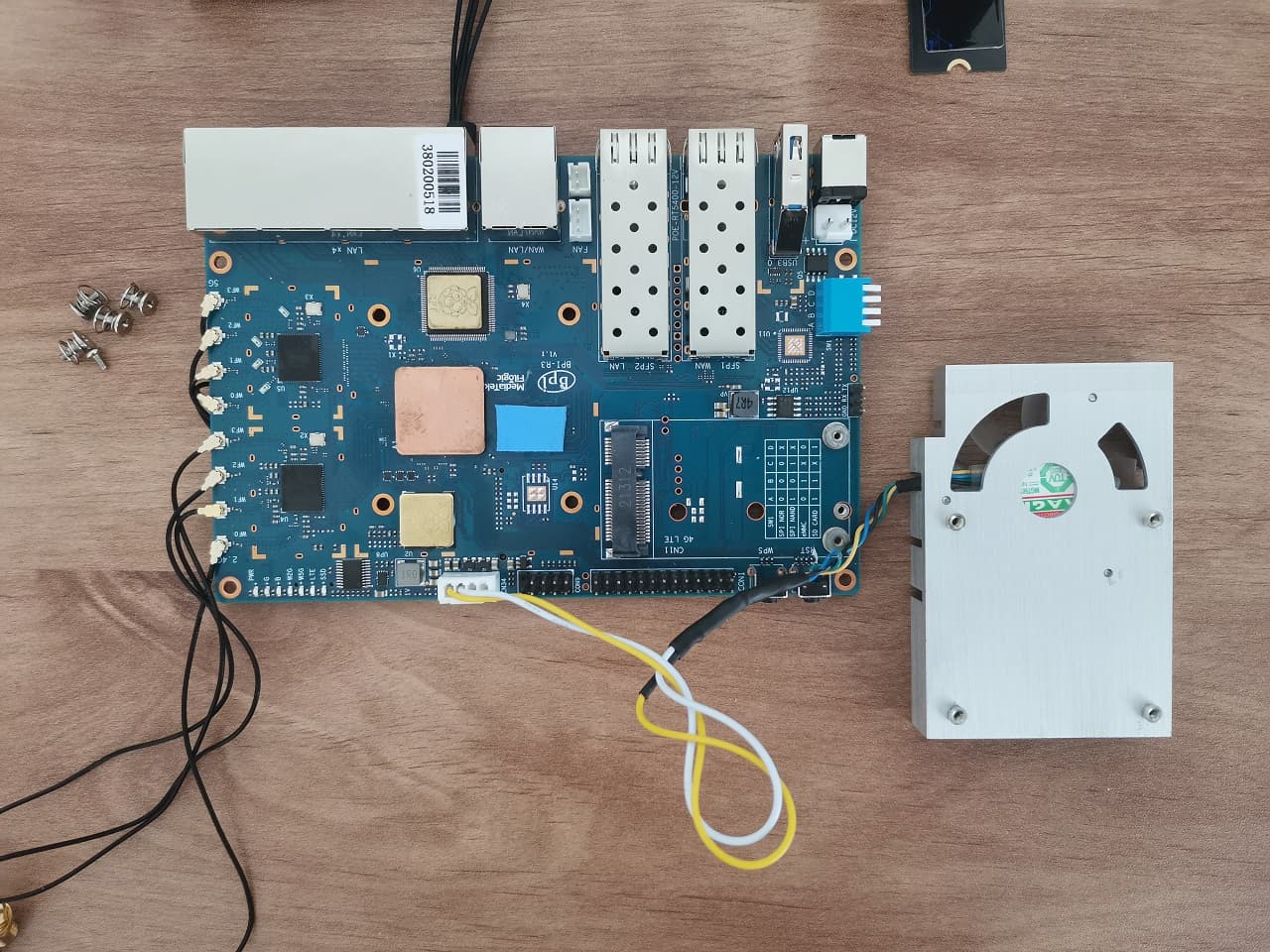
Checking the CPU Temperature:
cat /sys/class/thermal/thermal_zone0/temp
39506
Checking other sensors information:
cat /sys/devices/platform/sfp1/hwmon/hwmon1/temp1_input
39031
cat /sys/devices/platform/soc/18000000.wmac/ieee80211/phy0/hwmon2/temp1_input
45000
cat /sys/devices/platform/soc/18000000.wmac/ieee80211/phy1/hwmon3/temp1_input
53000| Device ID | Interface name | Temperature |
| CPU | thermal_zone0 | 39 – 40°C |
| SFP1 | – | 39°C |
| 2.4G (MT7975N Chip) | phy0 | 44°C |
| 5G (MT7975P Chip) | phy1 | 53°C |
The following temperature measurements were taken while the FAN was switched on in a closed enclosure.


When you do recommend installing a passive (or active) heat sink to this setup? Passive cooling is I think a no brainer, it’s cheap and silent. Strange they don’t add passive heat sink to their package product, as part of the package.
“Strange they don’t add passive heat sink to their package product, as part of the package”.
They had some supply problems because of COVID.
If you have a large heatsink that will fit and cover all chips, it might be worth trying the passive cooling option. Just use a lower in height so you have the option to add a fan.
I just noticed that the “complete kit” also comes with heat sinks. Seperate heatsinks for each chip. If you buy a large heatsink, that will work as well, BUT keep in mind that the chips have different heights, meaning you should use different heat pads (1.5 mm and 0.5 mm) to have a good coverage of the heat sink on the different chips. I did read about performance issues on forum.banana-pi.org forum, when you don’t cool the chips enough. Especially with passive cooling, it might still be a good idea to add additional vent holes manually in the casing. Since… Read more »
So use 1.5-2 mm thermal pads. Nothing will happen. They are elastic, so it does not matter if you are using the highest type for all chips. It’s not rocket science. I agree about the vent holes. You can drill a few holes.. or you can also glue a small fan to the bottom of the case. And maybe use the GPIO header pins as a power source. Just to get the hot air out of the case.
Actually there is a fan header connnector on the R3 board. Which can do PWM.
Kindly Try it, and let me know if it works well.
you can email me with the info. Thanks
Ps. also add a link to the package deal of the Banana Pi BPI-R3? https://www.aliexpress.com/item/1005004886608696.html.
Since you mentioned the single board computer only on your last page.
Thanks. I added the link for the complete kit.
Which version of PCIe does the board support?
According to MediaTek website >> M.2 M-Key PCIe interface (2-lane PCIe 2.0)
Is there any nas software or docker image that will handle those multiple hdds ? Exampme if i want to raid, zfs or btrfs
1) OpenWrt has NAS support.
2) You can also try CasaOS.
3) OpenMediaVault should run on Debian.
I don’t get what is about the ONTi SFP. It is suposed to be a GPON ONT? In aliexpress I see that it comes in pairs (Tx 1310 and Rx 1550 the first one and other with Tx 1550 and 1310), like a pair which is meant to be connected together.
https://es.aliexpress.com/item/4000265957277.html?spm=a2g0o.productlist.main.17.5893oPf4oPf4kf&algo_pvid=54d3e4cb-00c6-4269-8acb-3ae1e2c40f54&algo_exp_id=54d3e4cb-00c6-4269-8acb-3ae1e2c40f54-8&pdp_npi=4%40dis%21ARS%217735.49%213867.74%21%21%2122.10%21%21%402132a26216964772264216569ed485%2110000001076765699%21sea%21AR%214647643211%21AB&curPageLogUid=VmCG7Kwqm2TR
This module is not compatible with GPON technology.
If the module information / specifications do not indicate it’s a GPON compliance, then it is safe to say that it is not GPON compliant.
Did you use anything to glue the copper-made sheet plates on chips?
I used a thermal silicone adhesive plaster.
This website doesn’t work. Whenever you click on a topic or try to love to Next page it refreshes the page and stays on page 1
Thank u. The problem was fixed.
Hello, I can’t read other 9 pages from 10 in the Banana Pi BPI-R3: Everything you need to know article. Now content is unavaible. Please to fix, it’s great portion of knowledge. Best regards
Hi, please check now.
Thanks
It’s working now, great, thank You:)
Above you mention that the XH2.54 4PIN SATA power connector can be used with a 12v fan. Would I lose PWM capacity?
It should work, but I didn’t try it with a 12V Fan. In a worst-case scenario, you can always buy a 5V separately from AliExpress and assemble it with screws on top of your existing heatsink.
If you choose to connect to the 3-pins FAN socket using Banana Pi original heatsink, PWM is also enabled by default or at least the option to
set a tipping temp point when the fan will stop or start working.