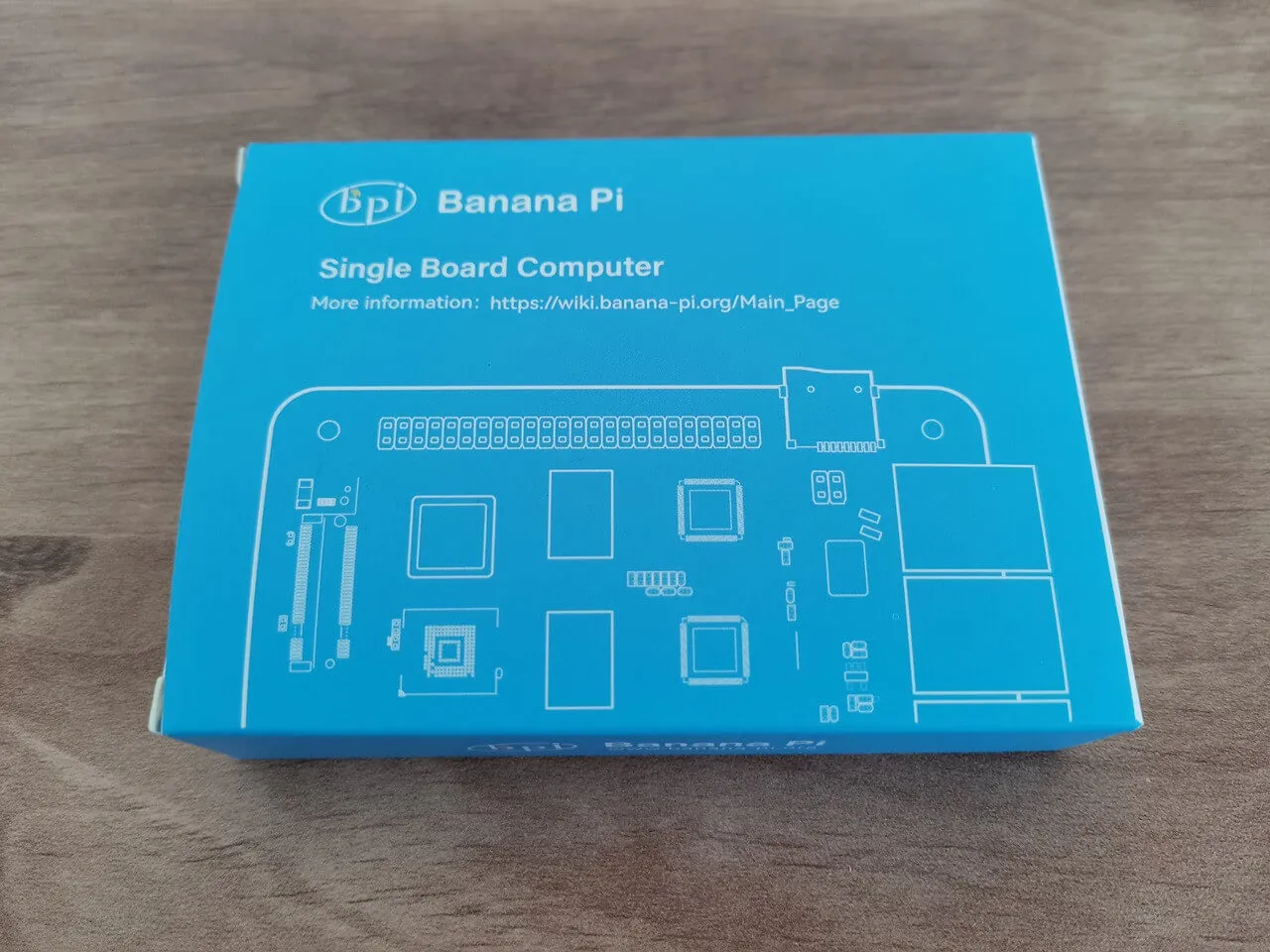
Close Menu
  • Home
  • About
  • Wearables
  • Earbuds
  • Computer Accessories
    • Routers
    • Remotes
  • Embedded
    • Single Board Computers
    • Addon Boards
    • Raspberry Pi
  • Wireless Routers
  • Contact
Facebook X (Twitter) Instagram Threads
Trending
  • DFRobot ESP32-S3 LoRaWAN & Gateway Review: Build a Private IoT Network
  • Top Global AliExpress Promo Worldwide Country Codes March 14, 2026
  • WaveNote AI Review 2026: An Honest Pro/Con Comparison (Tested)
  • CamThink NE301 Review: 25 FPS YOLOv8 on STM32 Edge AI
  • PrivadoVPN Review 2026: Is the Best Free VPN Still Good for Streaming?
  • Orange Pi 6: Why Buy an AI HAT+? This SBC has 45 TOPS of Integrated AI Power
  • AliExpress Shopping Guide 2026: How to Find Top Deals & Avoid Scams
  • Banana Pi BPI-R4 Pro Review: The Best WiFi 7 OpenWrt Router? We Checked!
AndroidPIMP
Facebook X (Twitter) Instagram
  • Home
  • About
  • Wearables
  • Earbuds
  • Computer Accessories
    • Routers
    • Remotes
  • Embedded
    • Single Board Computers
    • Addon Boards
    • Raspberry Pi
  • Wireless Routers
  • Contact
AndroidPIMP

Banana Pi BPI-R4 Review: Wi-Fi 7 OpenWrt Router board with dual SFP+ ports

4
By androidpimp on February 25, 2025 Embedded Computers
Table of contents
  1. Part I: Banana Pi BPI-R4 – Product introduction
  2. Interfaces
  3. Key Features
  4. Hardware Specifications
  5. Enhanced Performance
  6. Comparative Analysis: Banana Pi R3 vs. Banana Pi R4 Hardware Specifications
  7. More simple to operate
  8. New features and better connectivity
  9. Model 1: Banana Pi BPI-R4 Layout (x2 SFP+ Cages)
  10. Model 2: Banana Pi BPI-R4 Layout (x1 SFP+ Cage)
  11. A Closer Look at the R4 Wi-Fi 7 NIC (Network Interface Card)
    1. Tri-band Connectivity explained
    2. Two design choices
    3. Design No.1: Banana Pi R4 Wi-Fi 7 NIC (4T4R & 4T5R Design)
    4. Design No.2: Banana Pi R4 Wi-Fi 7 NIC (3T3R Design)
    5. WiFi7 iPA NIC Module (BPI-R4-NIC-BE14)
    6. What is 3T3R?
  12. Enhanced connectivity
  13. Embedded Routers: What are the advantages?
  14. Practical Applications
  15. Cost-Effective Solution for Small and Medium-Sized Businesses
  16. Part II: Banana Pi BPI-R4 Review (Current status: pending review)
    1. Unboxing (Bare board only)
  17. Let’s take a closer look at the Banana Pi BPI-R4.
  18. The process of installing a heat sink
    1. Heat sink dimensions
  19. Purchasing an Active Heat sink
  20. Replacing the active heat sink connector
  21. Ensuring proper cooling for the SFP+ cages
    1. FAN Wiring
  22. Wait, there is a simpler method.
  23. Making a UART Serial extension cable.
    1. Measuring CPU temperatures
  24. Operating the R4 fan effectively through setting a trip point.
    1. Purpose of the Command
  25. If your Banana Pi R4 is experiencing serious overheating problems. How can I fix this issue?
  26. Testing temperatures
  27. Choosing the right power supply adapter
    1. Banana Pi R4 Power Adapter
  28. Wired cable Data Transfer Rate
    1. How many Ethernet 2.5G PHYs are needed to achieve a real throughput of 10Gbps?
    2. Performing iPerf throughput test with 10GBASE-T SFP+ Copper RJ-45 transceivers.
    3. Checking Network Interface Properties:
    4. SFP+ RJ45 Transceivers
    5. Our network topology
  29. Desktop PC network interface card (NIC) + x2 RJ45 SFP+ Transceivers
    1. Testing the Network Bandwidth and Throughput.
  30. Installing an M.2 NVMe SSD
    1. Preforming a hdparm speed test
  31. Software support and Installation
  32. Switch jumper
  33. The updating process
  34. Flashing the OpenWrt Snapshot Image to Nand and eMMC
  35. Step No. 1
  36. Step No. 2
  37. Step No. 3
  38. Step No. 4
  39. Step No. 5
  40. Step No. 6
  41. Step No. 7
  42. Step No. 8
  43. Step No. 9
  44. Step No. 10
  45. Step No. 11
  46. Step No. 12
  47. Step No. 13
  48. Step No. 14
  49. Step No. 15
  50. Step No. 16
  51. Step No. 17
  52. The easiest way to install OpenWrt
  53. Banana Pi R4 Metal Case (Recommended optional accessory)
  54. Assembling the case parts
  55. Replacing and customizing the R4 Metal Case upper cover
  56. What are the benefits of opting for a plastic cover instead?
  57. Here’s a guide on how to set up a 6-bay NAS rack for 2.5-inch HDD/SSDs using the Banana Pi R4 Board!
    1. Step-by-Step Guide for Installing a NAS Drive Rack (HDD 2.5″)
    2. Can you use the existing metal case for this project?
    3. Performing some basic calculations:
    4. The PSU’s total wattage capacity is the sum of the individual rail wattage:
    5. The following is a list of components needed to construct the NAS:
    6. Olmaster MR-6601 NAS Rack
    7. DB8234 HDD PSU Module
    8. Choosing the right 12V power adapter for the PSU Board
  58. What are the power requirements?
    1. 5-port M.2 NVME to SATA 3.0
  59. 5-port M.2 (Key M+B) NVMe to SATA 3.0 converter
  60. Installing the 5-port M.2 (Key M+B) NVMe to SATA 3.0 converter onto the Banana-Pi-R4
    1. 5-Pin Moldex Power-Cables
  61. Assembling all the parts together
    1. Modifying the case
  62. The end result.
  63. It’s time for the final check to make sure everything is working properly.
    1. Checking if the SSDs are functioning correctly
    2. Conclusions
  64. Enhancing the design
  65. More Optional NAS Racks are available.
  66. Setting Up the Banana Pi BE14000 Wireless NIC Expansion Card
    1. Unboxing the Item
    2. A closer look at the board
  67. WIFI antennas
    1. Installation
    2. The wireless connectivity capabilities of the Banana BPI-R4-NIC-BE14.
      1. What should you expect?
    3. Utilizing the 6GHz band
    4. What are the benefits of WiFi 7?
  68. Checking wireless network interfaces, access point names, and frequency bands.
  69. An alternative Wi-Fi configuration
    1. Installing the necessary drivers
  70. Final words
  71. Frequently Asked Questions & Purchase Options.
    1. Which operating system is compatible with the Banana Pi R4?
    2. Is it possible to use 2.5GbE SFP modules with the Banana Pi R4?
    3. Does the Banana Pi 4 support GPON connectivity?
    4. What is the maximum data transfer speed of the SFP+ ports on the Banana Pi 4?
    5. Can the Banana Pi R4 be used with 4G/5G Modules?
    6. Can I install an NVMe SSD on the Banana Pi R4?
    7. How much does the Banana Pi R4 cost?
    8. Is it necessary for me to purchase the entire kit that includes the metal case?
  72. Price and Availability
    1. Banana Pi R4

It’s time for the final check to make sure everything is working properly.

Our SATA controller card has been successfully recognized by Ubuntu:
root@BPI-R4:~# lspci -vmm
Slot: 0002:00:00.0
Class: PCI bridge
Vendor: MEDIATEK Corp.
Device: Device 7988
Rev: 01
ProgIf: 00

Slot: 0002:01:00.0
Class: SATA controller
Vendor: JMicron Technology Corp.
Device: JMB58x AHCI SATA controller
SVendor: JMicron Technology Corp.
SDevice: JMB58x AHCI SATA controller
ProgIf: 01
Checking detectable storage devices:
root@BPI-R4:~# lsblk
NAME MAJ:MIN RM SIZE RO TYPE MOUNTPOINTS
loop0 7:0 0 4K 1 loop /snap/bare/5
loop1 7:1 0 69.2M 1 loop /snap/core22/1438
loop2 7:2 0 33.7M 1 loop /snap/snapd/21761
sda 8:0 0 953.9G 0 disk
sdb 8:16 0 111.8G 0 disk
└─sdb1 8:17 0 111.8G 0 part
mtdblock0 31:0 0 128M 0 disk
mtdblock1 31:1 0 1M 1 disk
mtdblock2 31:2 0 512K 0 disk
mtdblock3 31:3 0 4M 0 disk
mtdblock4 31:4 0 2M 0 disk
mmcblk0 179:0 0 14.5G 0 disk
├─mmcblk0p1 179:1 0 4M 0 part
├─mmcblk0p2 179:2 0 512K 0 part
├─mmcblk0p3 179:3 0 2M 0 part
├─mmcblk0p4 179:4 0 4M 0 part
├─mmcblk0p5 179:5 0 256M 0 part /boot
└─mmcblk0p6 179:6 0 6.8G 0 part /

We have successfully identified two SSDs under Ubuntu 24.04 LTS, running Kernel 5.4.260. One drive boasts a size of 120 GB, and another with a larger capacity of 1 TB. While our M.2 SATA card accommodates a maximum of 5 SATA ports, our rack has the capacity for up to 6 SSDs. Unfortunately, this limits us to using only five drives. Nonetheless, this configuration is good, providing users with an incredibly cost-effective option to maximize their Banana Pi R4 storage capacity.

Device nameBrandModelCapacity
sdaOEINGOEING 1TB1 TB
sdb1KingSpecC3000-120120 GB
Showcasing storage devices and their partitions:
root@BPI-R4:~# fdisk -l
Disk /dev/loop0: 4 KiB, 4096 bytes, 8 sectors
Units: sectors of 1 * 512 = 512 bytes
Sector size (logical/physical): 512 bytes / 512 bytes
I/O size (minimum/optimal): 512 bytes / 512 bytes
Disk /dev/loop1: 69.21 MiB, 72572928 bytes, 141744 sectors
Units: sectors of 1 * 512 = 512 bytes
Sector size (logical/physical): 512 bytes / 512 bytes
I/O size (minimum/optimal): 512 bytes / 512 bytes
Disk /dev/loop2: 33.71 MiB, 35344384 bytes, 69032 sectors
Units: sectors of 1 * 512 = 512 bytes
Sector size (logical/physical): 512 bytes / 512 bytes
I/O size (minimum/optimal): 512 bytes / 512 bytes
Disk /dev/loop3: 69.24 MiB, 72605696 bytes, 141808 sectors
Units: sectors of 1 * 512 = 512 bytes
Sector size (logical/physical): 512 bytes / 512 bytes
I/O size (minimum/optimal): 512 bytes / 512 bytes
Disk /dev/mtdblock0: 128 MiB, 134217728 bytes, 262144 sectors
Units: sectors of 1 * 512 = 512 bytes
Sector size (logical/physical): 512 bytes / 512 bytes
I/O size (minimum/optimal): 512 bytes / 512 bytes
Disk /dev/sda: 953.87 GiB, 1024209543168 bytes, 2000409264 sectors
Disk model: OEING 1TB
Units: sectors of 1 * 512 = 512 bytes
Sector size (logical/physical): 512 bytes / 512 bytes
I/O size (minimum/optimal): 512 bytes / 512 bytes
Disk /dev/sdb: 111.79 GiB, 120034123776 bytes, 234441648 sectors
Disk model: C3000-120
Units: sectors of 1 * 512 = 512 bytes
Sector size (logical/physical): 512 bytes / 512 bytes
I/O size (minimum/optimal): 512 bytes / 512 bytes
Disklabel type: dos
Disk identifier: 0x4eef5367
Device Boot Start End Sectors Size Id Type
/dev/sdb1 * 2048 234440703 234438656 111.8G 7 HPFS/NTFS/exFAT
GPT PMBR size mismatch (14942207 != 30318591) will be corrected by write.
Disk /dev/mmcblk0: 14.46 GiB, 15523119104 bytes, 30318592 sectors
Units: sectors of 1 * 512 = 512 bytes
Sector size (logical/physical): 512 bytes / 512 bytes
I/O size (minimum/optimal): 512 bytes / 512 bytes
Disklabel type: gpt
Disk identifier: 5452574F-2211-4433-5566-778899AABB00
Device Start End Sectors Size Type
/dev/mmcblk0p1 34 8191 8158 4M Linux filesystem
/dev/mmcblk0p2 8192 9215 1024 512K Linux filesystem
/dev/mmcblk0p3 9216 13311 4096 2M Linux filesystem
/dev/mmcblk0p4 13312 21503 8192 4M EFI System
/dev/mmcblk0p5 204800 729087 524288 256M Microsoft basic data
/dev/mmcblk0p6 729088 14940159 14211072 6.8G Linux filesystem
Disk /dev/mtdblock1: 1 MiB, 1048576 bytes, 2048 sectors
Units: sectors of 1 * 512 = 512 bytes
Sector size (logical/physical): 512 bytes / 512 bytes
I/O size (minimum/optimal): 512 bytes / 512 bytes
Disk /dev/mtdblock2: 512 KiB, 524288 bytes, 1024 sectors
Units: sectors of 1 * 512 = 512 bytes
Sector size (logical/physical): 512 bytes / 512 bytes
I/O size (minimum/optimal): 512 bytes / 512 bytes
Disk /dev/mtdblock3: 4 MiB, 4194304 bytes, 8192 sectors
Units: sectors of 1 * 512 = 512 bytes
Sector size (logical/physical): 512 bytes / 512 bytes
I/O size (minimum/optimal): 512 bytes / 512 bytes
Disk /dev/mtdblock4: 2 MiB, 2097152 bytes, 4096 sectors
Units: sectors of 1 * 512 = 512 bytes
Sector size (logical/physical): 512 bytes / 512 bytes
I/O size (minimum/optimal): 512 bytes / 512 bytes

Checking if the SSDs are functioning correctly

Measuring the Read/Write speeds of the 1TB SSD.

SSD Model: OEING-1
Read Test:
root@BPI-R4:~# hdparm -t –direct /dev/sda
/dev/sda:
Timing O_DIRECT disk reads: 1372 MB in 3.00 seconds = 456.81 MB/sec

Write Speed (Creating a 1 GB test file named “test” and saving it to a storage device.).
root@BPI-R4:/media/OEING-1# sudo dd if=/dev/zero of=test bs=1G count=1 oflag=direct
1+0 records in
1+0 records out
1073741824 bytes (1.1 GB, 1.0 GiB) copied, 3.04559 s, 353 MB/s
Measuring the Read/Write speeds of the 120 GB SSD.

SSD Model: C3000-120
Read Test:
root@BPI-R4:~# hdparm -t –direct /dev/sdb1
/dev/sdb:
Timing O_DIRECT disk reads: 1134 MB in 3.00 seconds = 377.55 MB/sec

Write Speed (Creating a 500Mb test file named “test” and saving it to a storage device.).
root@BPI-R4:/media/C3000-120# sudo dd if=/dev/zero of=test bs=500M count=1 oflag=direct
1+0 records in
1+0 records out
524288000 bytes (524 MB, 500 MiB) copied, 3.9872 s, 131 MB/s

Conclusions

The IOCrest M.2 5-port SATA adapter enables high-speed PCIe 3.0 connectivity with a dual-lane (x2) configuration. On the other hand, the Banana Pi R4 M.2 Key-M socket accommodates a single-lane (x1), and it also offers PCIe 3.0 performance with a theoretical maximum speed of approximately 970 MB/s. However, it is worth noting that actual speeds may fluctuate due to various factors, including controller quality, NAND type, and system overhead.

Even with a speed of 400 MB/s, the performance remains quite satisfactory. However, if you wish to achieve even faster read/write speeds, it would be worth considering powering the PSU board with a 12V-10A power adapter and upgrading the SATA cables.


Enhancing the design

For those passionate about 3D printing, we strongly advise creating an intricately designed case that encompasses the PSU board, HDD rack, and the Banana Pi R4 board. This remarkable case will not only exude a visually stunning appearance but also provide unparalleled protection for all these valuable components.

Banana Pi R4 NAS Configurtions | The Final Outcome
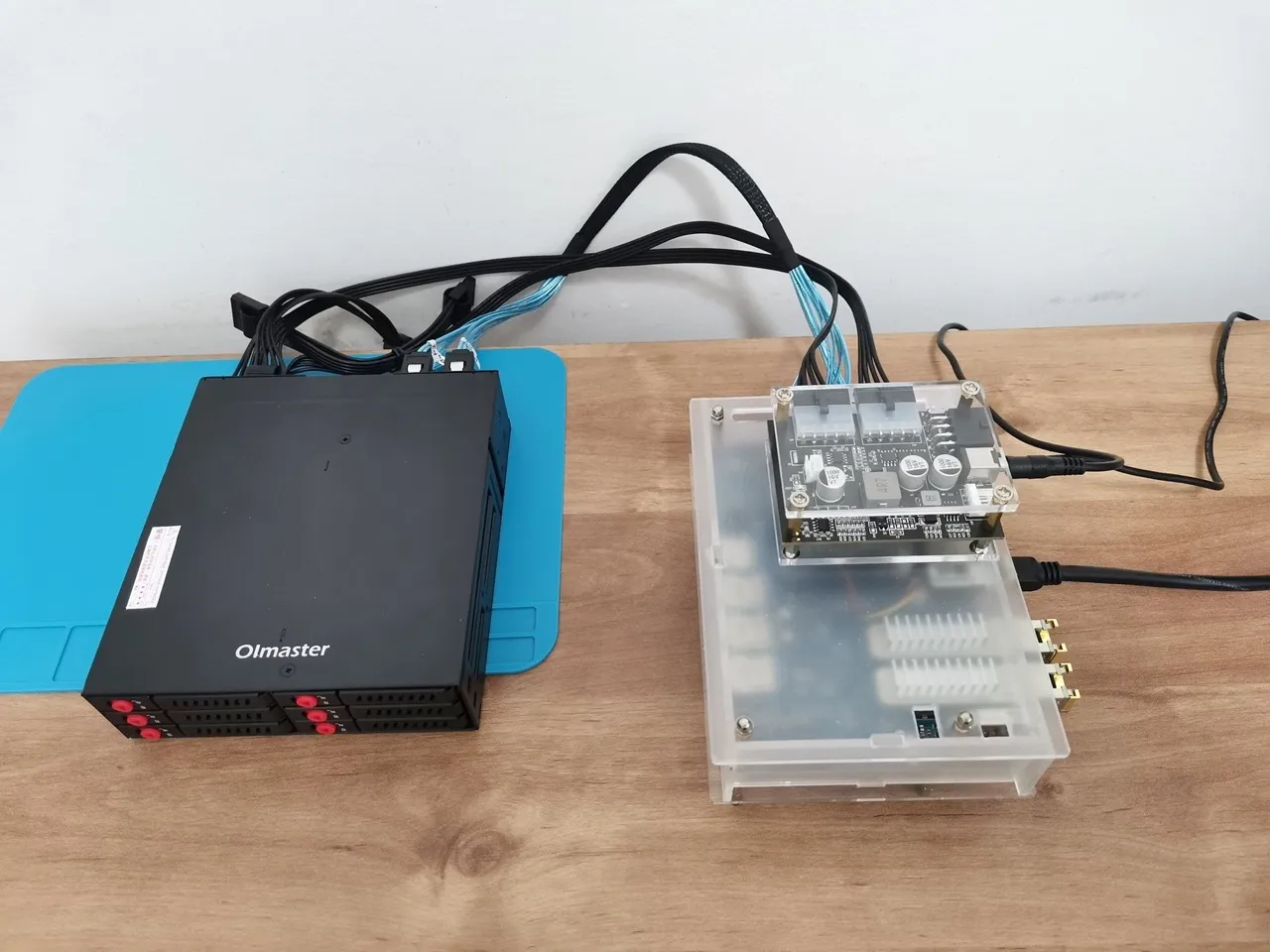
Banana Pi R4 NAS ASM

More Optional NAS Racks are available.

If you are in search of a reasonably priced NAS Rack that is also compatible with 3.5-inch drives, not just with 2.5-inch drives, this case is definitely worth exploring.

Check details on Jennifer Boutique Store.

This site contains affiliate links to products. We may receive a commission for purchases made through these links.

A 5 Storage Rack NAS is designed to accommodate 2.5 and 3.5-inch drives.
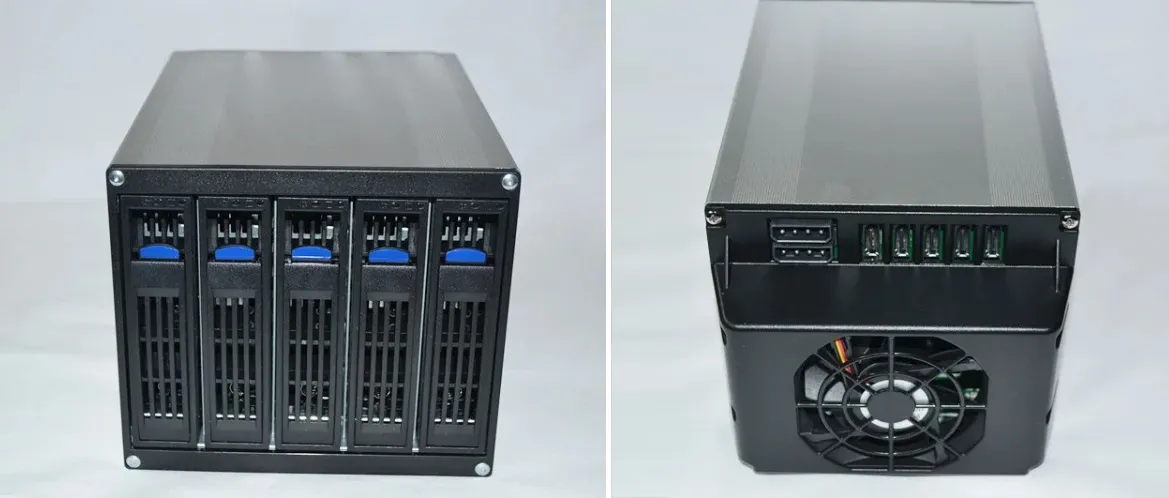
5 Rack 3.5 inch NAS Box
5 Rack – 3.5 inch NAS Box

Setting Up the Banana Pi BE14000 Wireless NIC Expansion Card

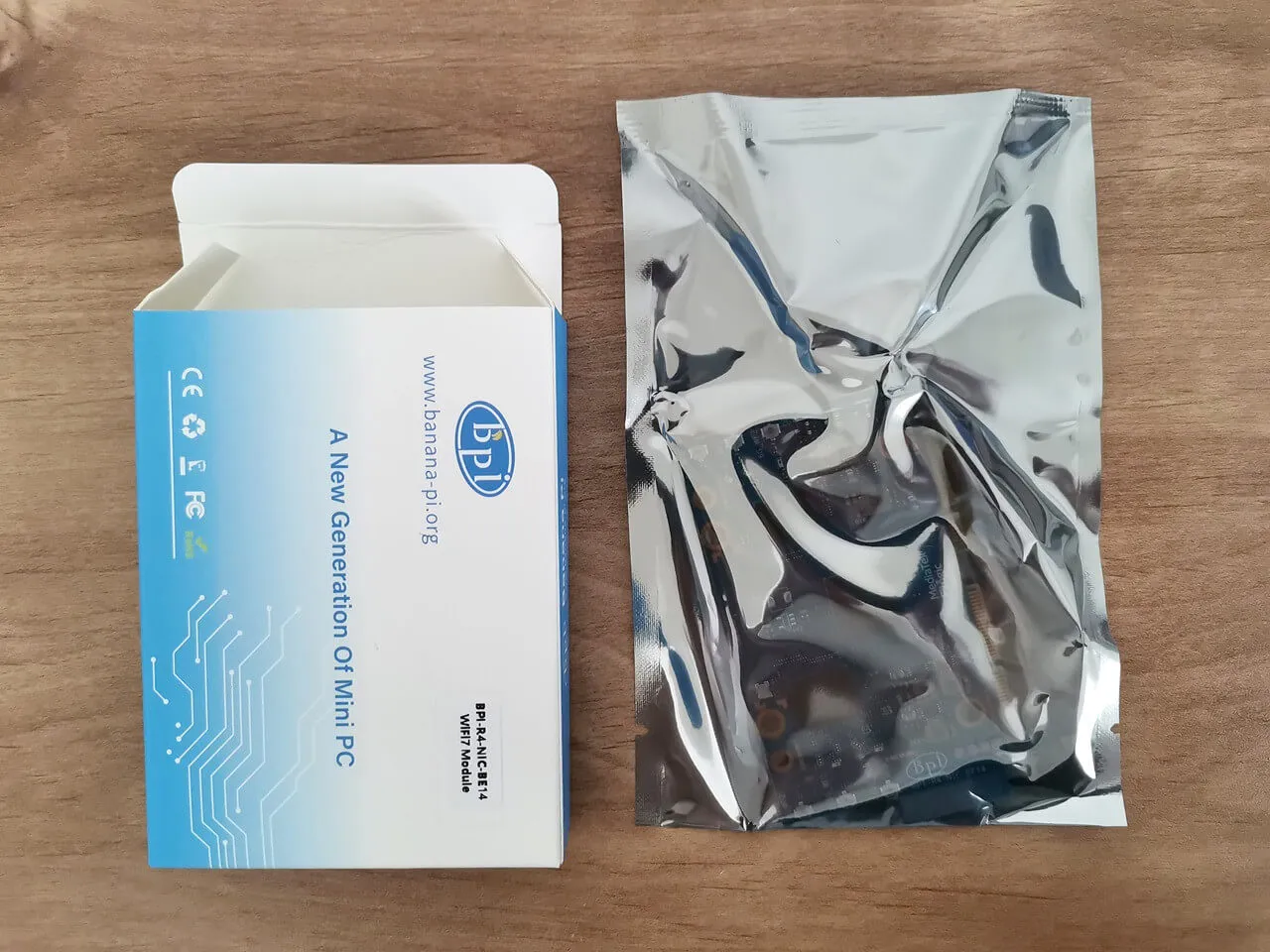
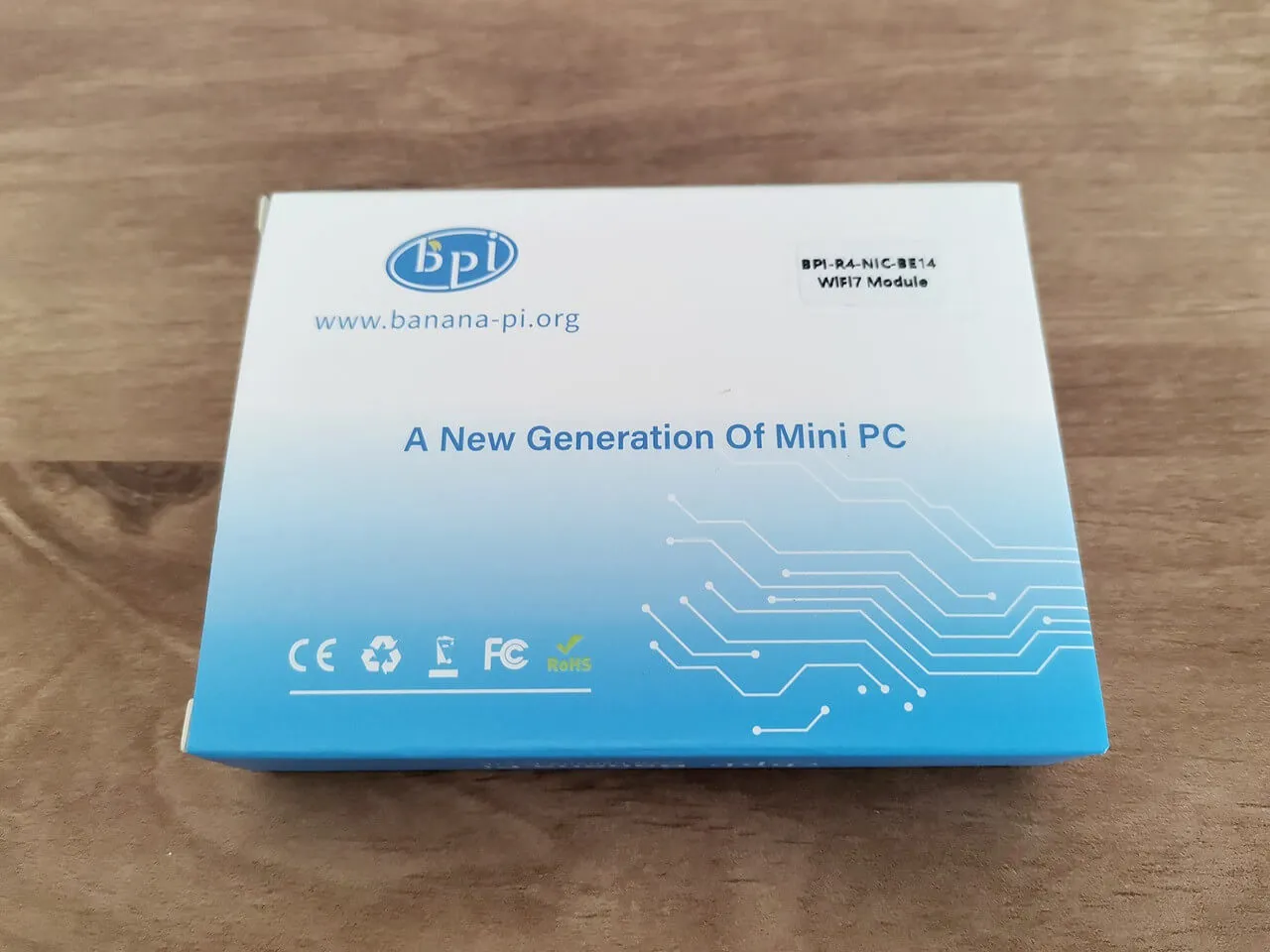
Unboxing the Item
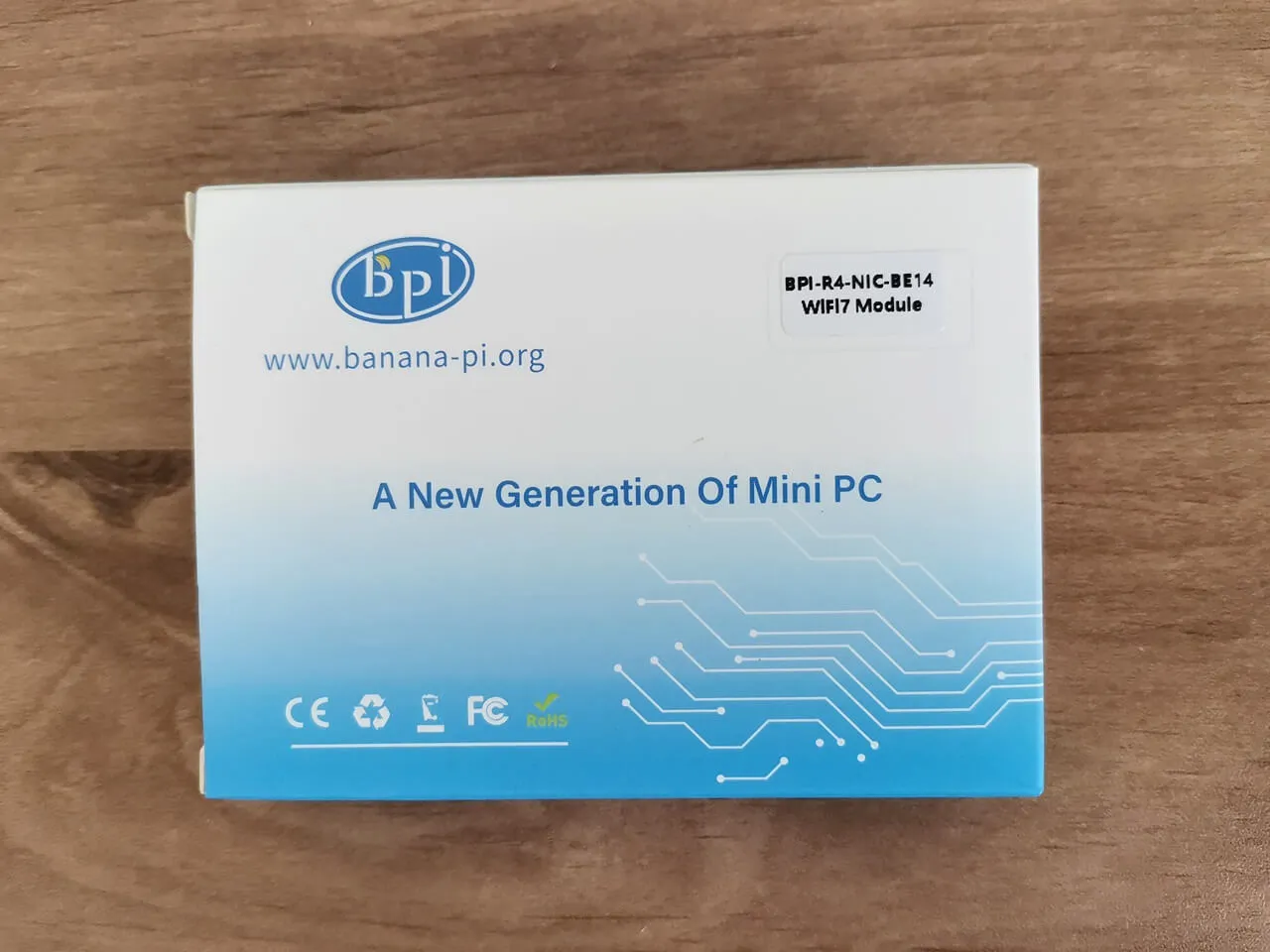
BPI R4 NIC BE14 Unbox 2
BPI R4 NIC BE14 Unbox 3
BPI R4 NIC BE14 Unbox 5
BPI R4 NIC BE14 Unbox 4
BPI R4 NIC BE14 Unbox 1

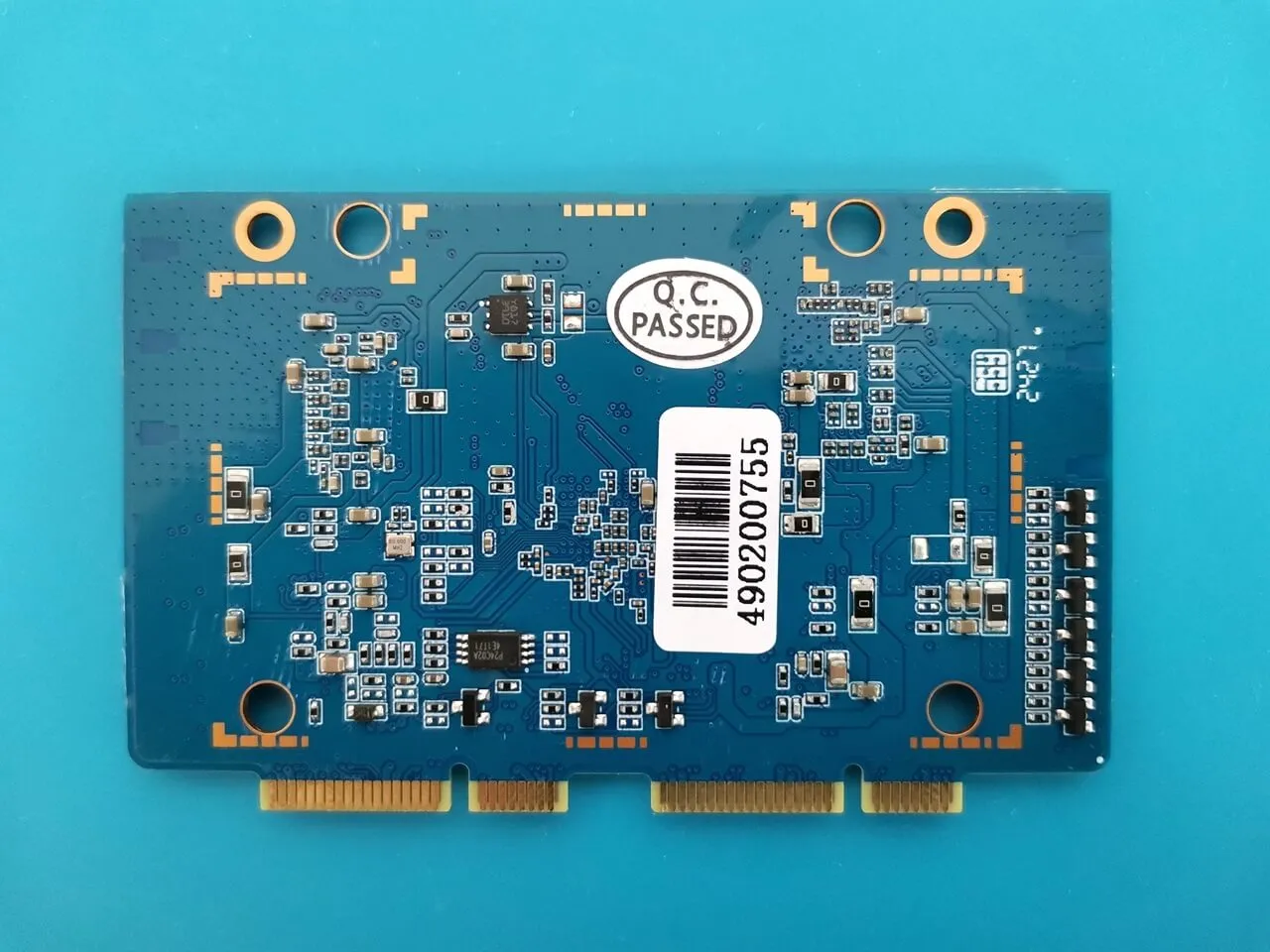
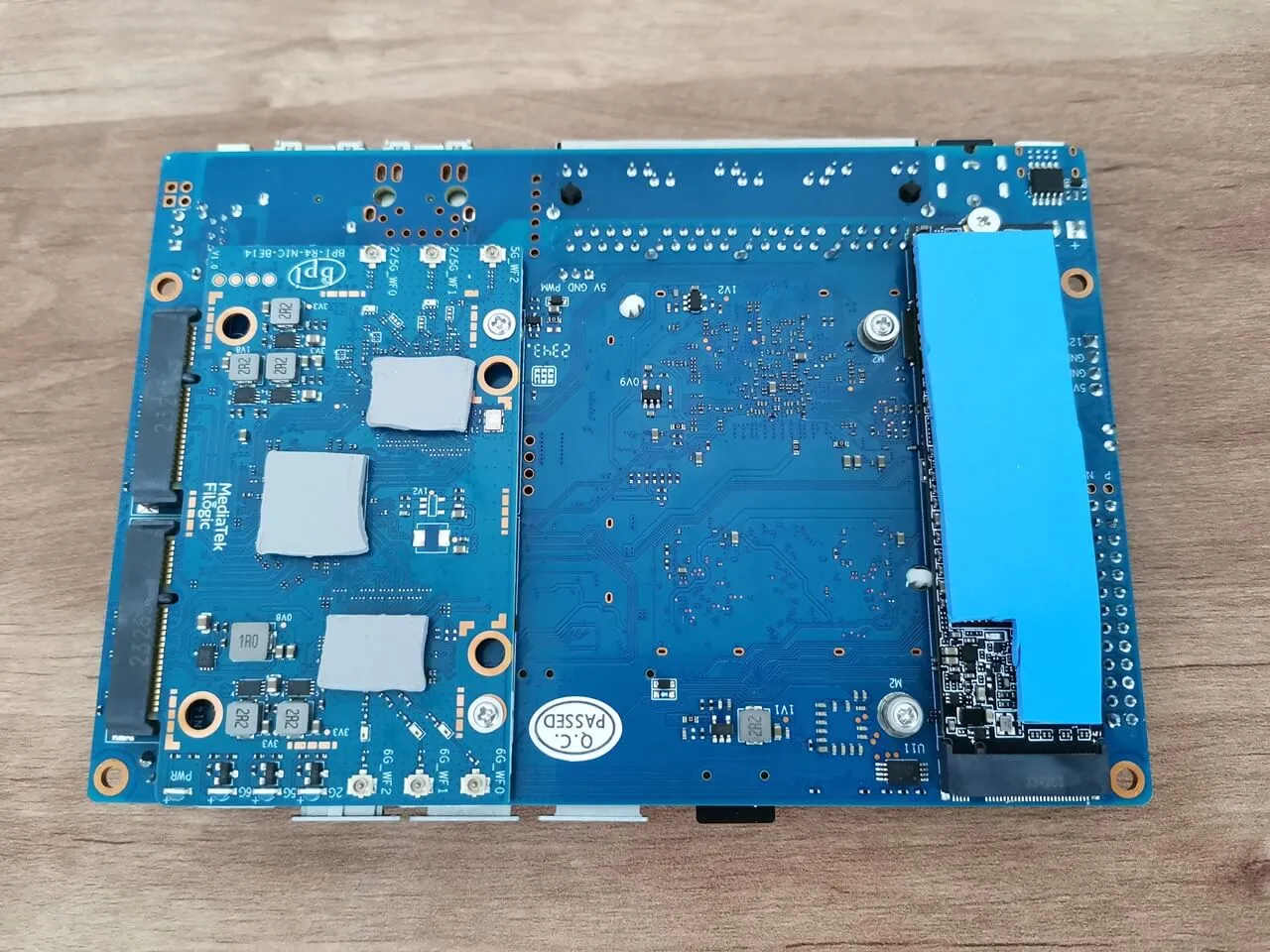
A closer look at the board

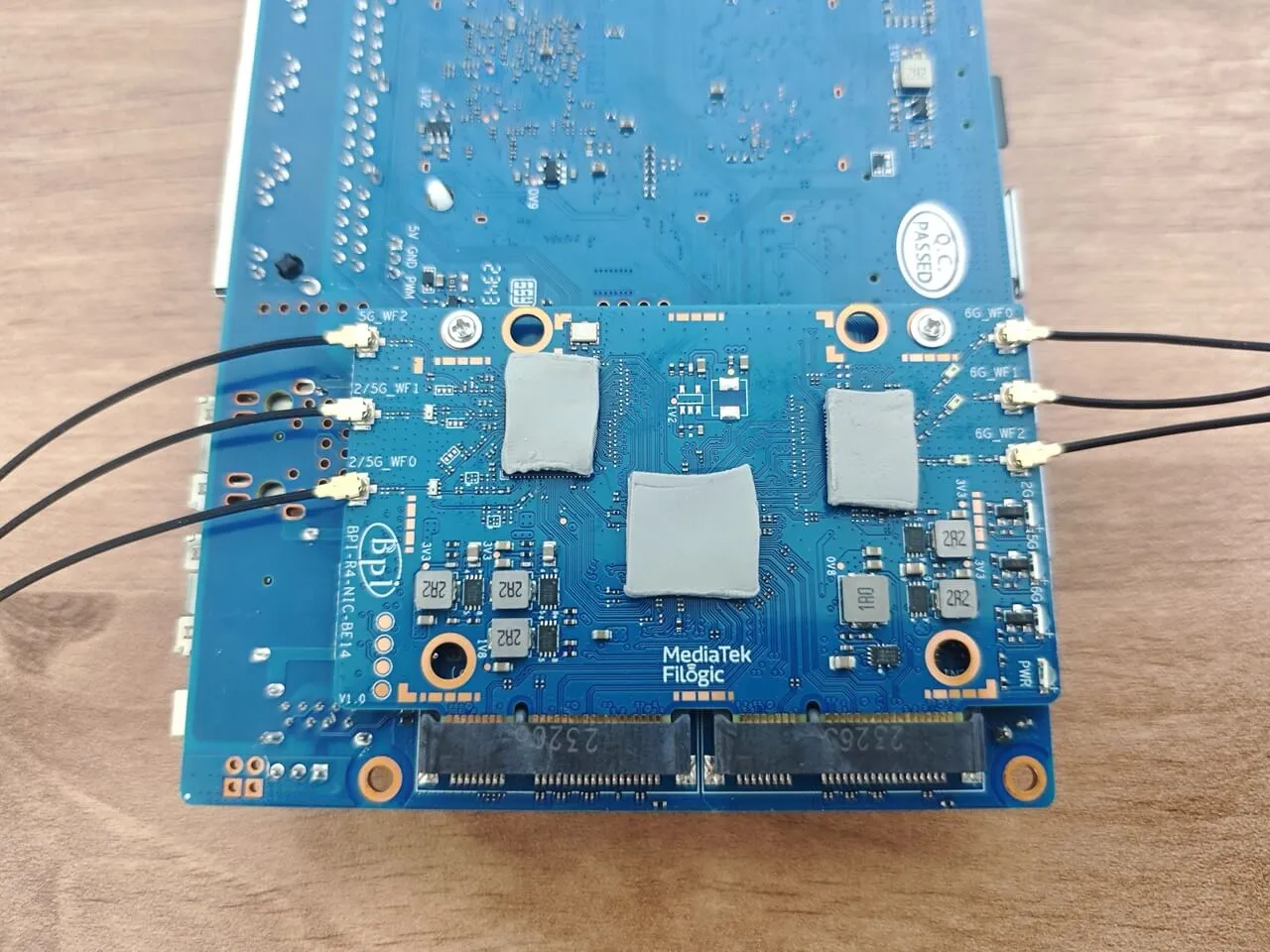
The Banana Pi R4 NIC Card is powered by a Mediatek chipset and is composed of three chips: MT7995AV, WT7976CN, and MT79771AN, which support the latest Wi-Fi 7 wireless technology. This remarkable card boasts IEEE802.11a/b/g/n/ac/ax/be compliance, with 2.4GHz 2×2, 5GHz 3×3 3ss, and 6GHz 3×3 capabilities. Additionally, it comes equipped with three ipex sockets for easy attachment of external WIFI antennas. This expansion board is priced at around $80. It may not be an essential item, but it is definitely worth the investment if you are looking for a superfast, high bandwidth connection.
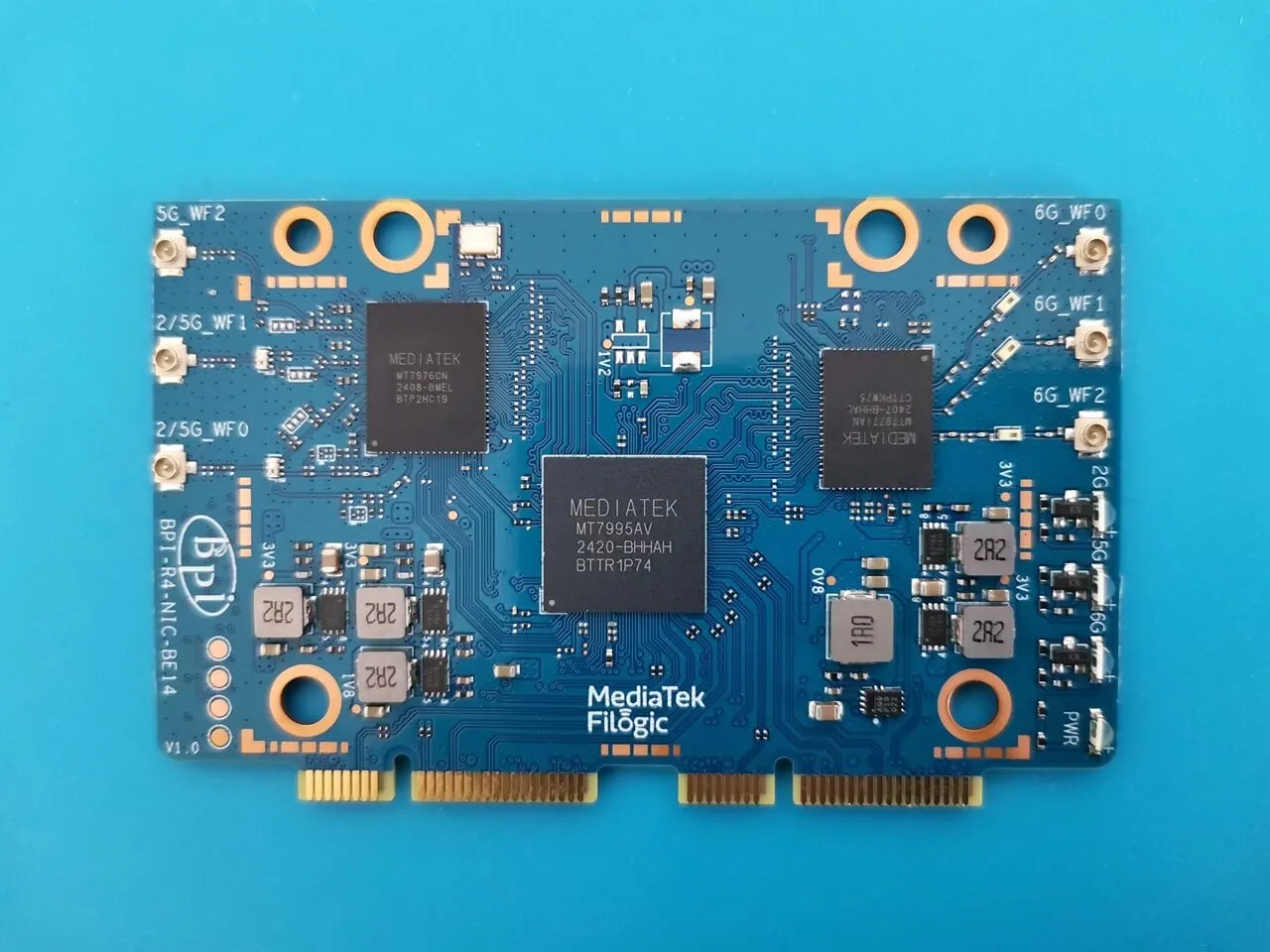
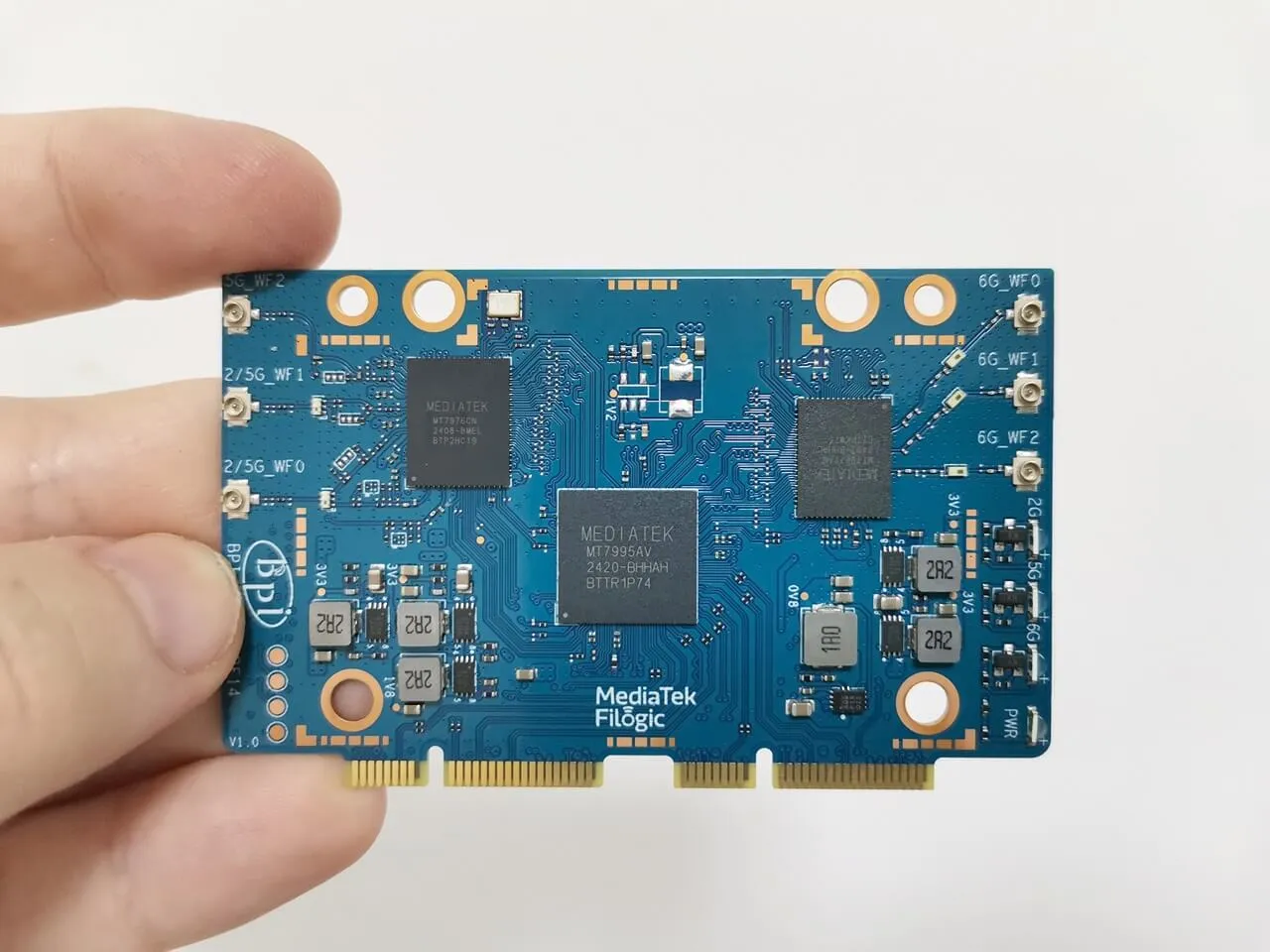
R4 NIC Card BE14 2
R4 NIC Card BE14 2
R4 NIC Card BE14 1
R4 NIC Card BE14 1
R4 NIC Card BE14 3
R4 NIC Card BE14 3

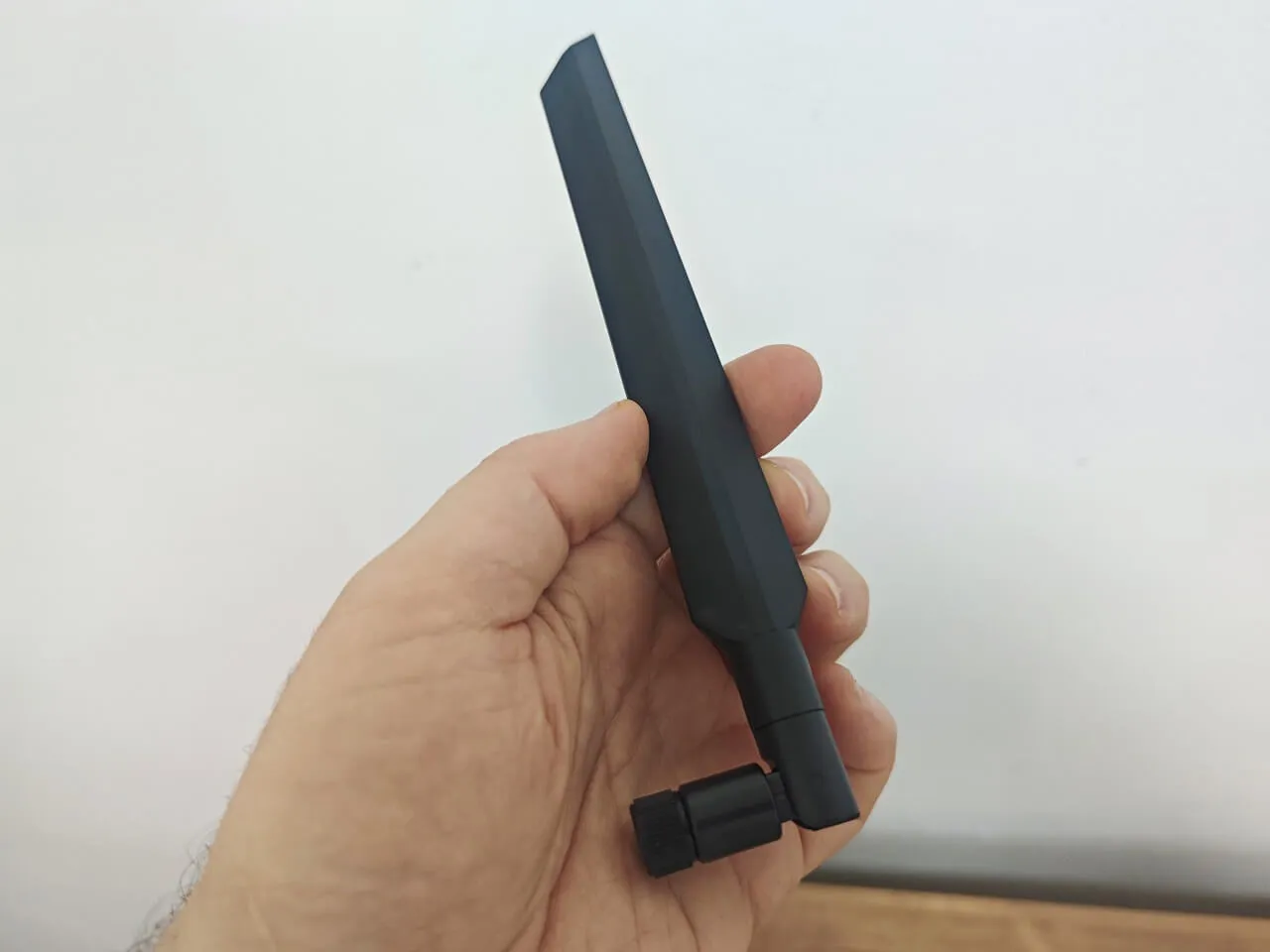
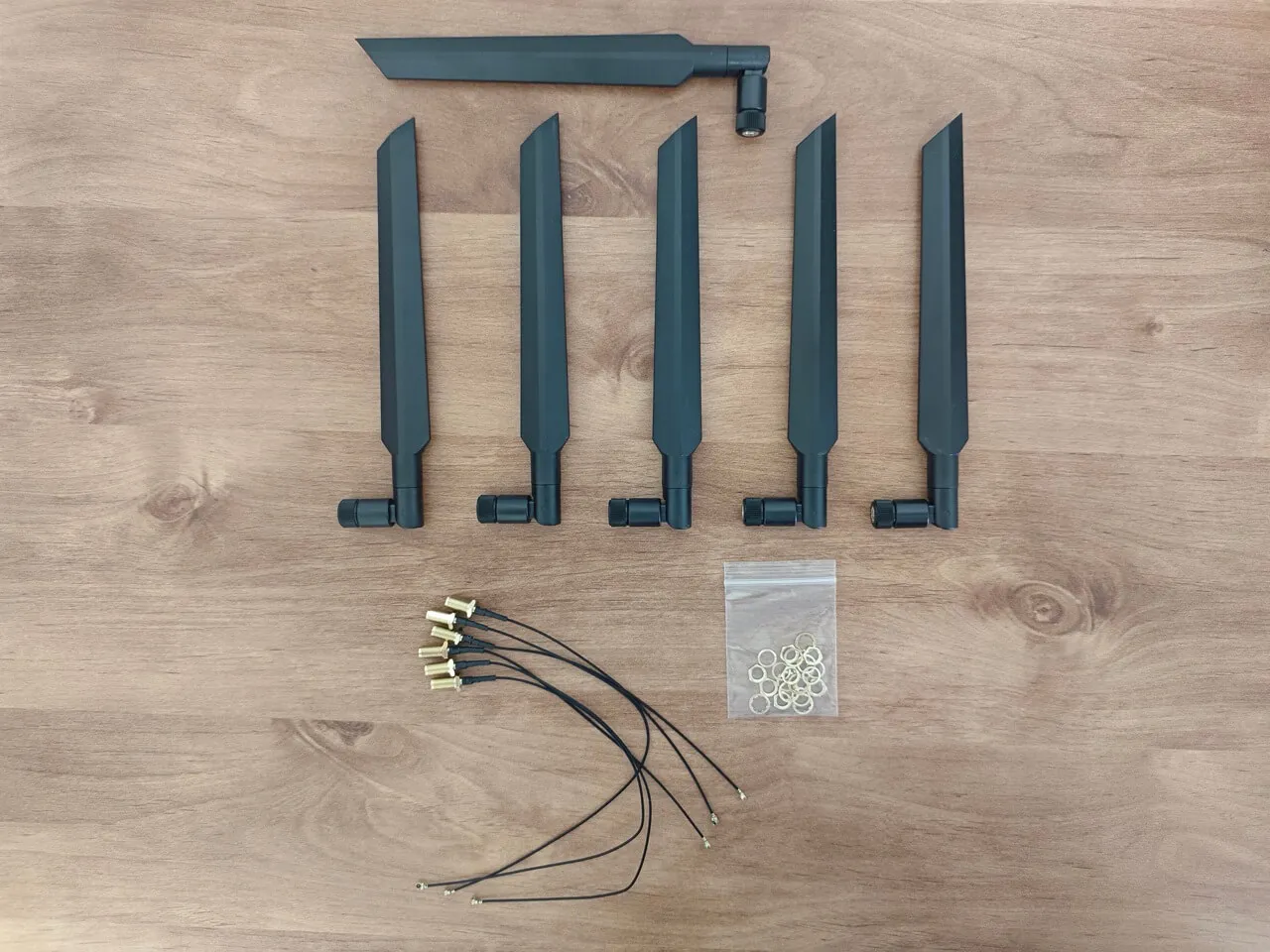
WIFI antennas

The NIC card is normally included when you purchase the full Banana Pi R4 kit. If you already have six antennas at home, you can save a few dollars by just buying the NIC card. Here’s a closer look at the antennas.
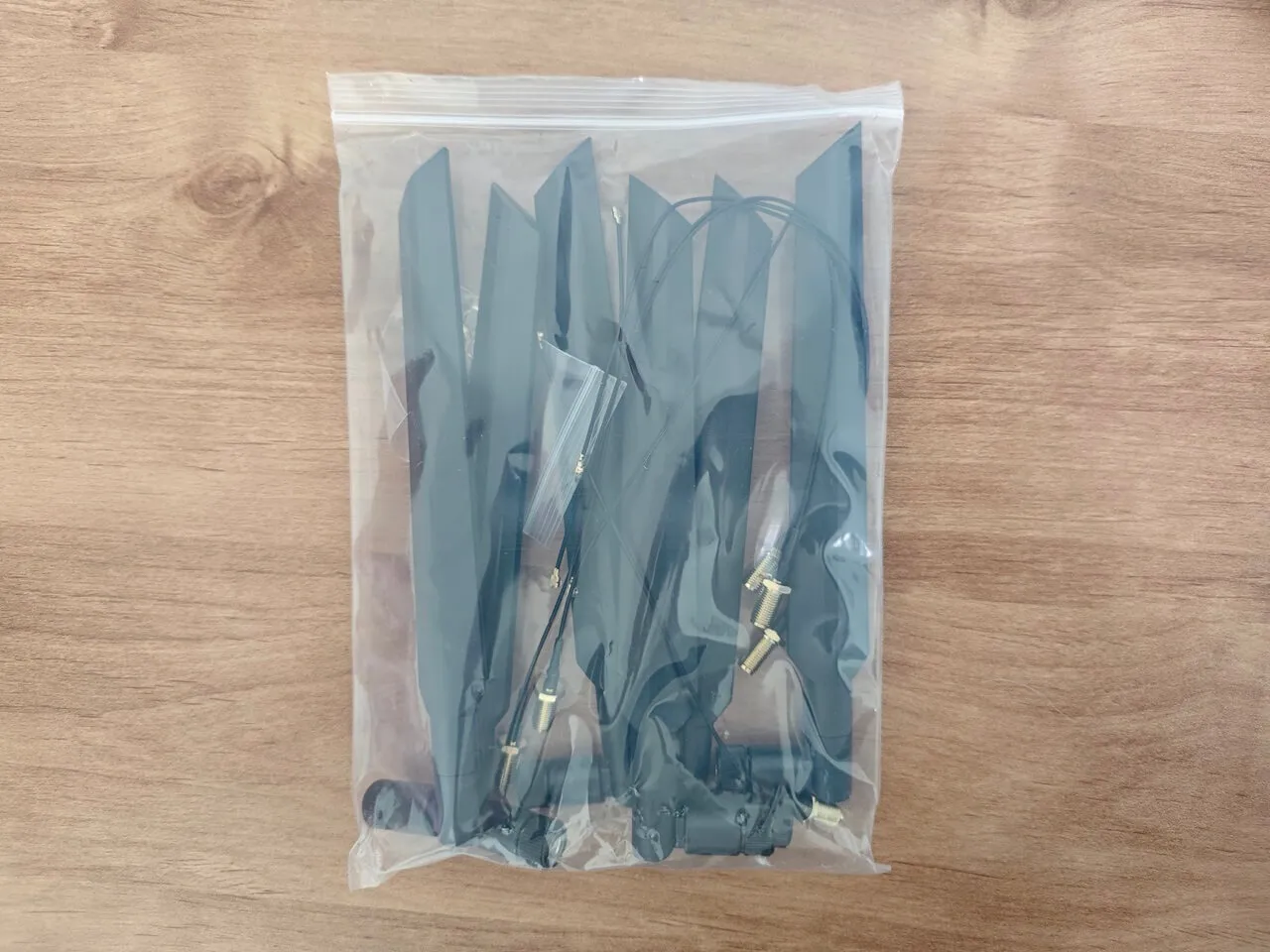
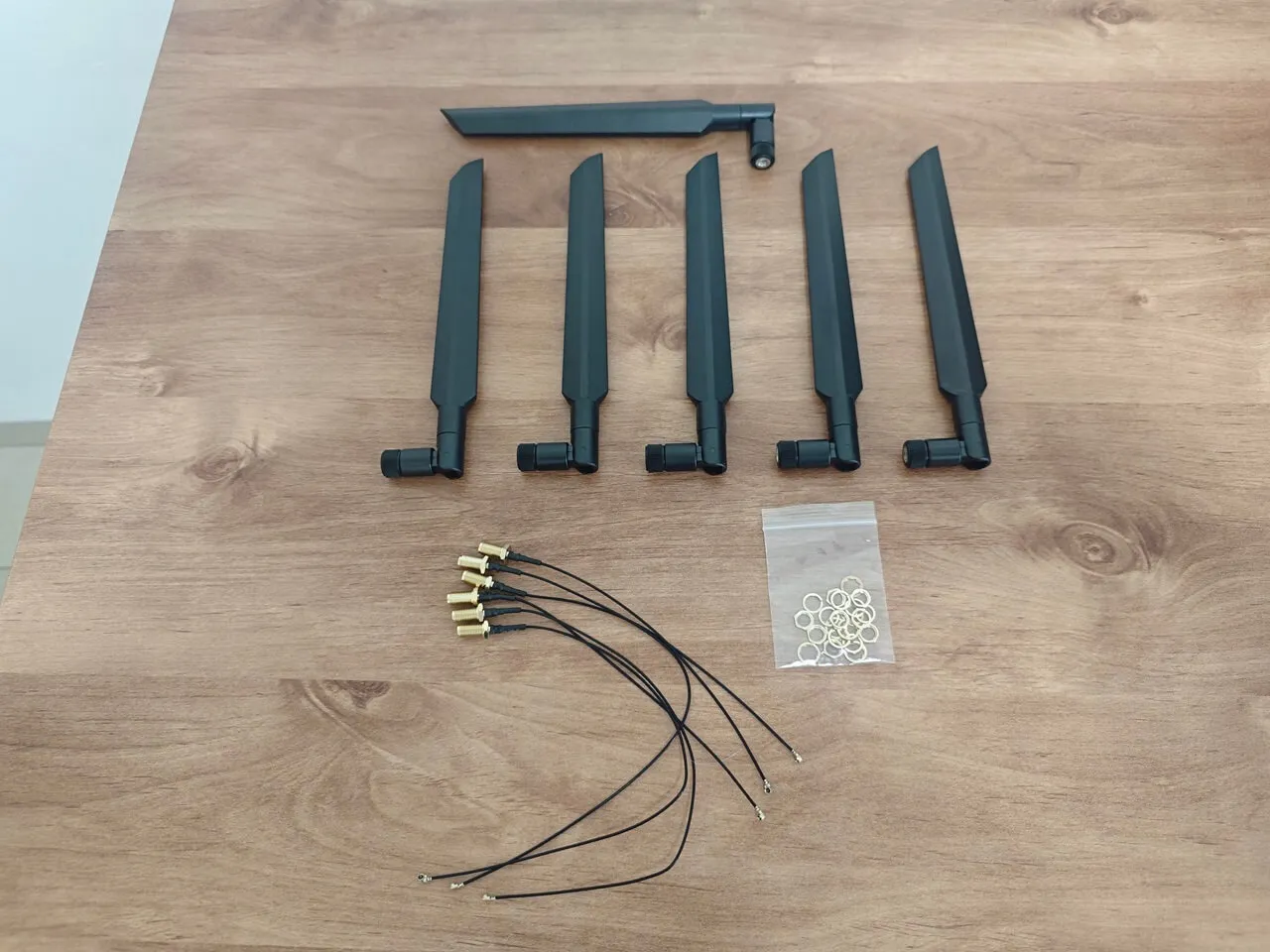
Banana Pi R4 BPI Antennas 1
Banana Pi R4 BPI Antennas 3
Banana Pi R4 BPI Antennas 4
Banana Pi R4 BPI Antennas 2

Installation

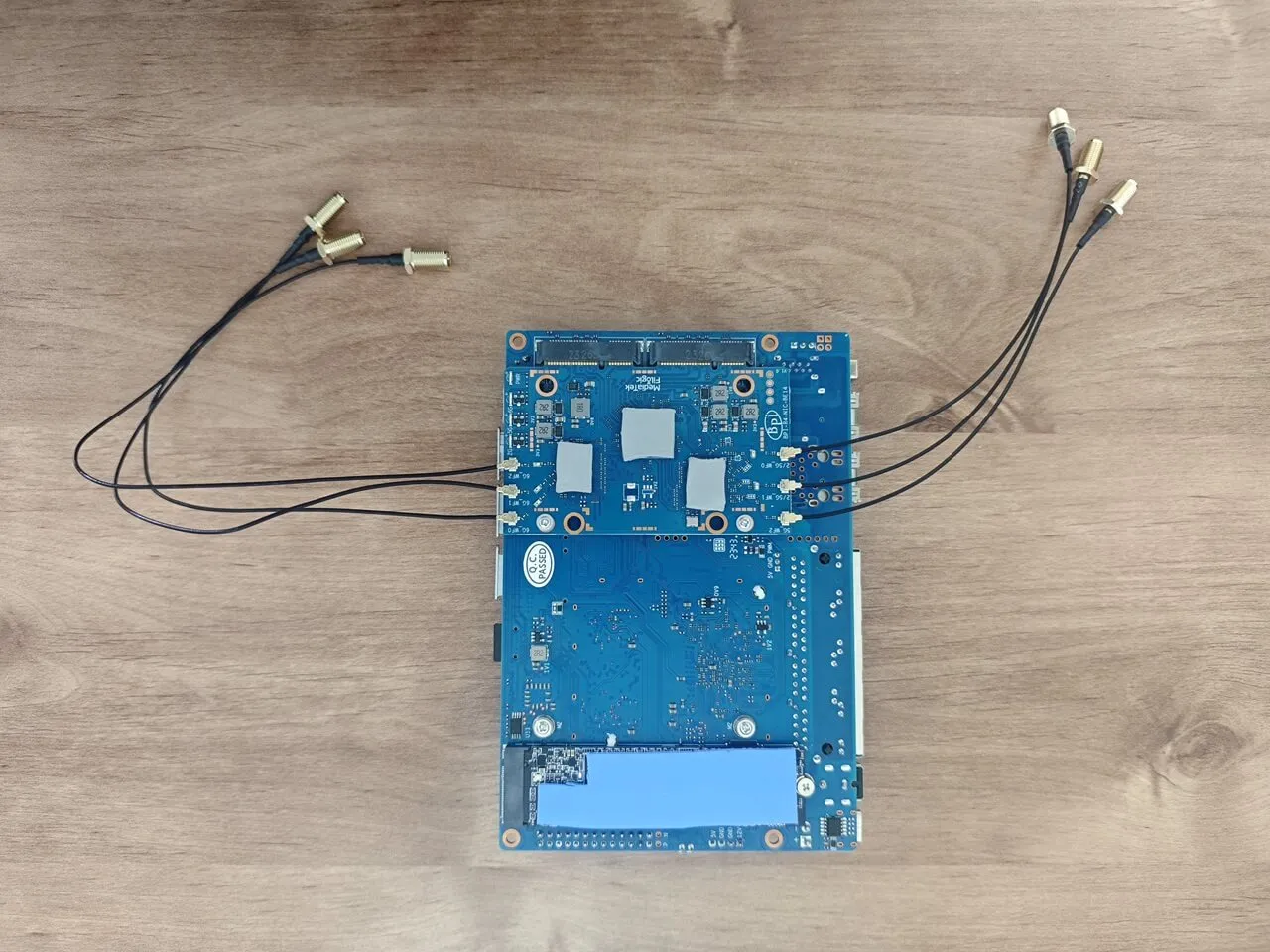
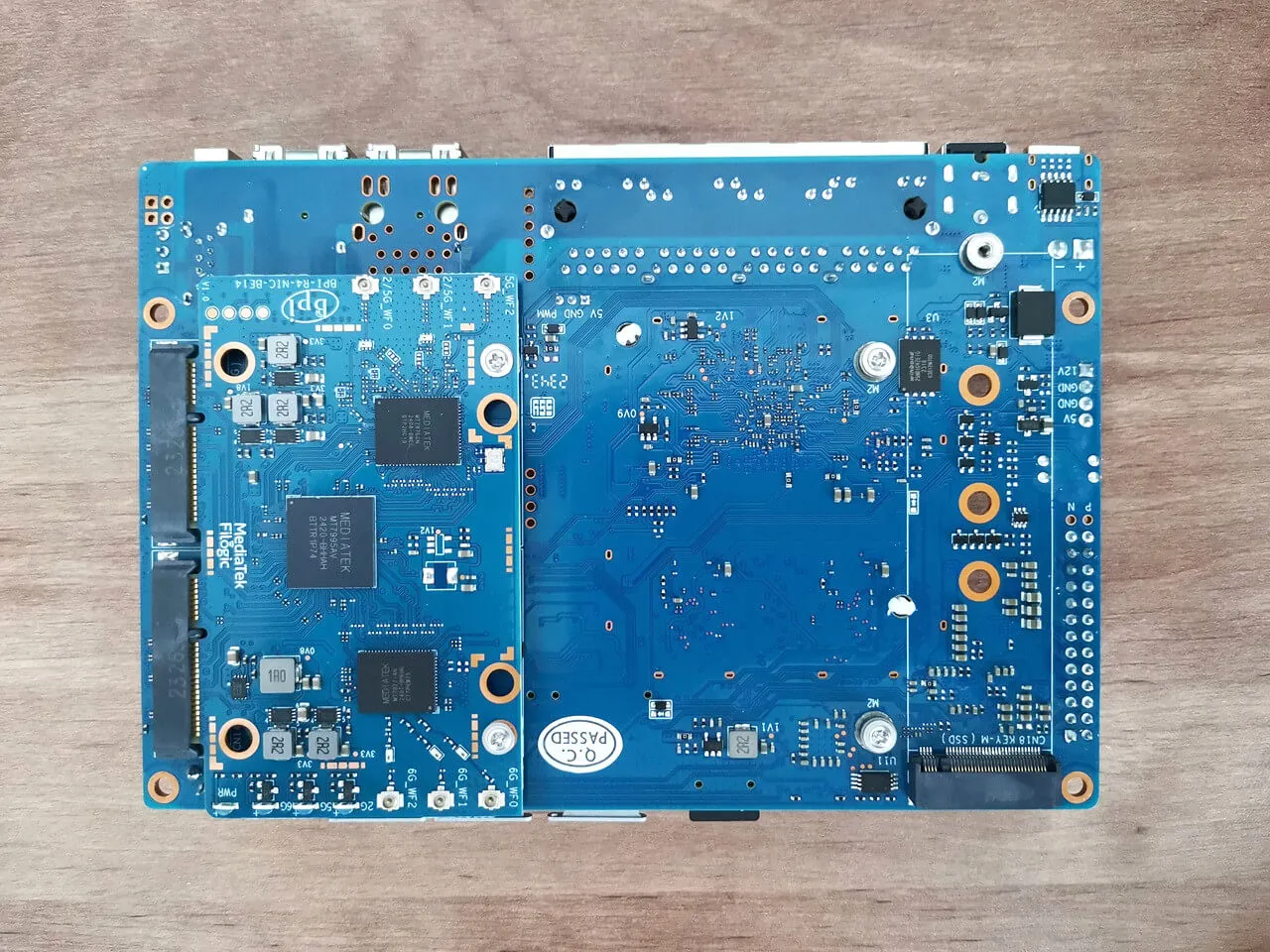
The installation process was very straightforward and hassle-free. You will need to Insert the NIC card into the PCIe 3.0 Socket, located on the back of the R4 board. The Banana Pi team has thoughtfully pre-inserted a pair of screws, ensuring that mounting the board is simple and it was.

Additionally, three thermal pads are included as part of the board accessories, aligning perfectly with the design concept, which involves utilizing the case body for efficient heat discharge.

If you want to install an NVMe card, it’s recommended to use a thermal pad that covers the chips on the card. A thermal pad with a thickness of 3 mm will provide good contact with the case.

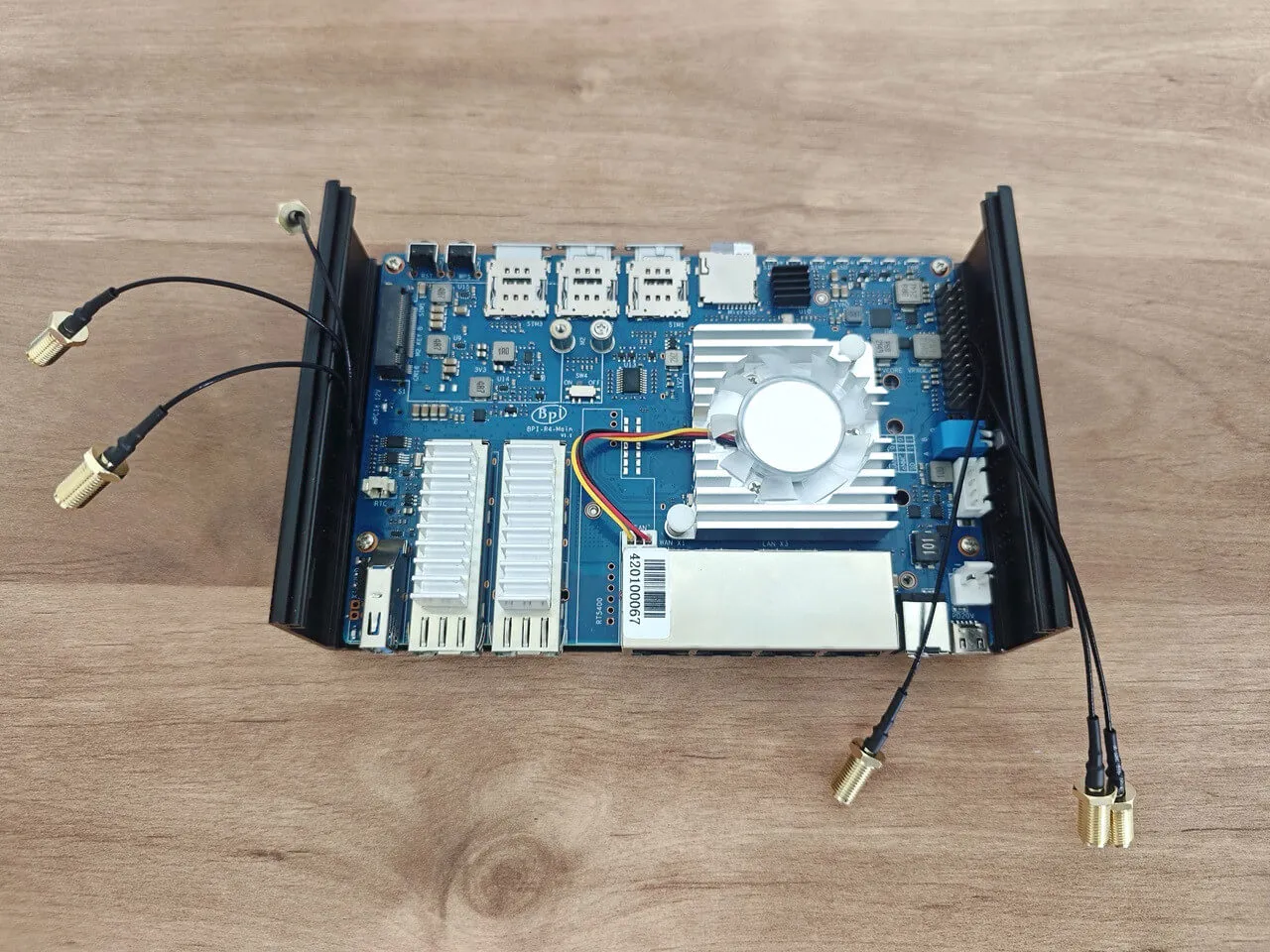
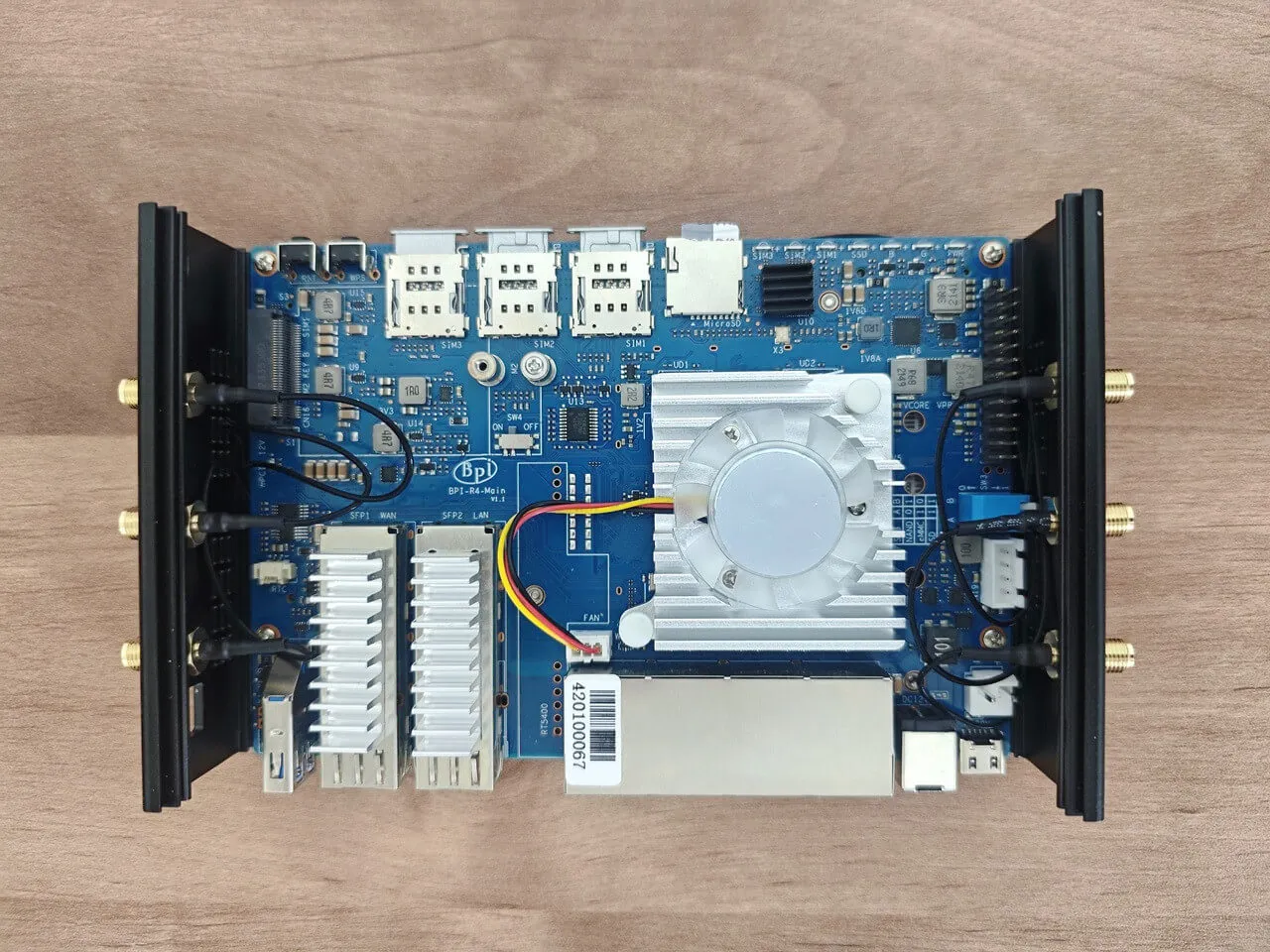
Mounting the Banana BPI-R4-NIC-BE14 and arranging the antenna wires
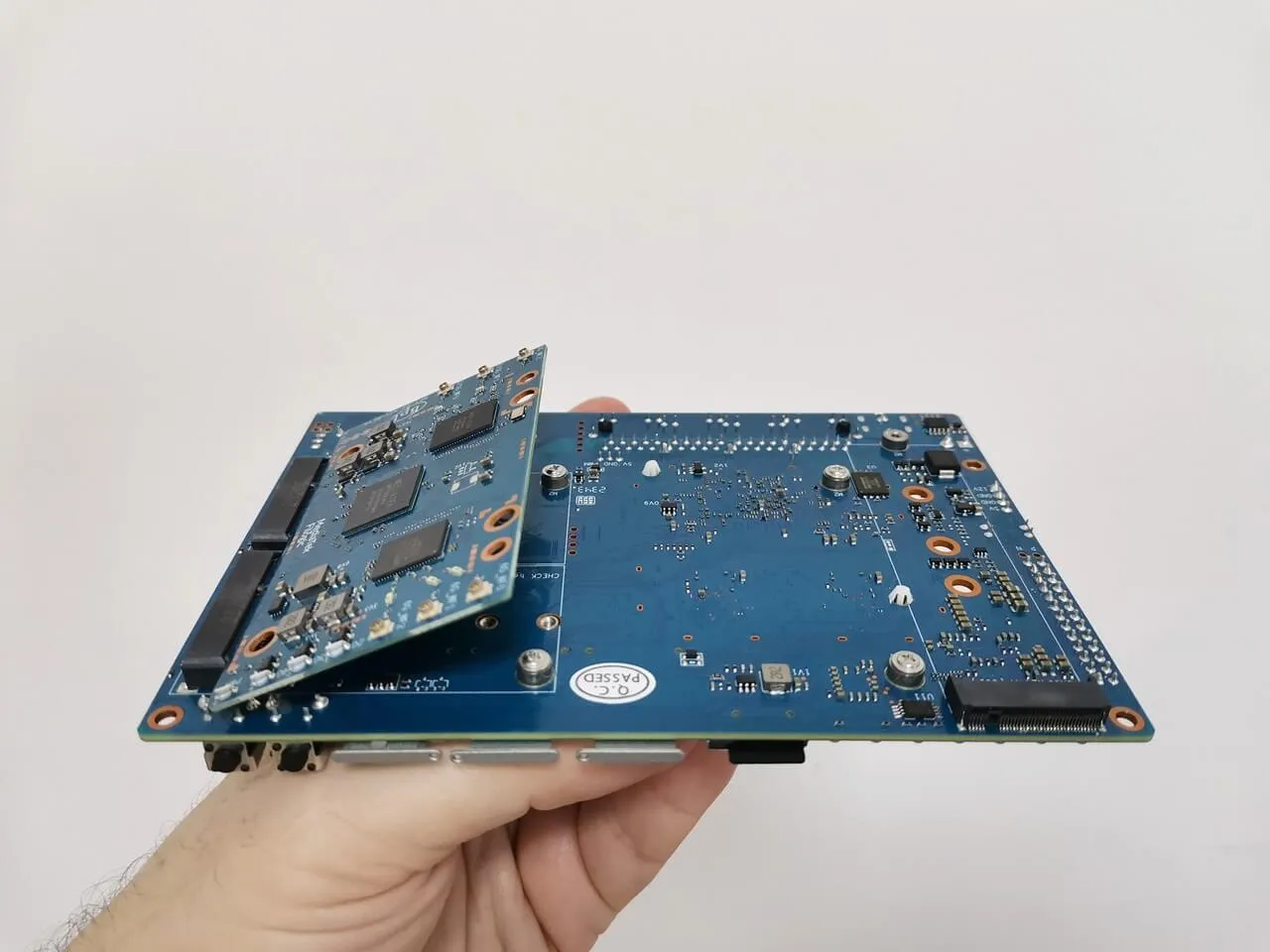
Banana Pi R4 NIC BE14 Install 1
Banana Pi R4 NIC BE14 Install 3
Banana Pi R4 NIC BE14 Install 5
Banana Pi R4 NIC BE14 Install 4
Banana Pi R4 NIC BE14 Install 6
Banana Pi R4 NIC BE14 Install 7
Banana Pi R4 NIC BE14 Install 2

The wireless connectivity capabilities of the Banana BPI-R4-NIC-BE14.

What should you expect?

Wi-Fi 7, also known as IEEE 802.11be, is the next-generation Wi-Fi standard that’s here to turbocharge our wireless experiences. So, let’s talk frequencies! Wi-Fi 7 is like a musical trio—it harmoniously utilizes three frequency bands:

  • 6 GHz: This high-frequency spectrum dances between 5.925 and 7.125 GHz.
  • 2.4 GHz: This band ranges from 2.400 to 2.495 GHz, providing valuable coverage, particularly over extended distances.
  • 5 GHz: A dynamic band that seamlessly operates within the frequency range of 5.170 to 5.835 GHz.

Utilizing the 6GHz band

Our tri-band WiFi card module has been tested and works reliably in Israel’s 5.9GHz spectrum. It includes a built-in DFS antenna integrated on the R4 board and collaborates with the device OS Kernel to monitor radar signals. This enables it to switch to unused frequency channels, allowing Wi-Fi networks to function safely without interfering with important radar operations.

Additionally, it is crucial to acknowledge that performance can differ across various regions, and the module may automatically engage higher frequency ranges exceeding 5.925 GHz.

An updated list of countries has fully endorsed the 5925-7125 GHz frequency band as of 2024.

CountryFrequency Range (MHz)Status
United States5925-7125Fully implemented
Canada5925-7125Fully implemented
Brazil5925-7125Fully implemented
South Korea5925-7125Fully implemented
Taiwan / China5925-7125Fully implemented
United Arab Emirates5925-7125Fully implemented
Saudi Arabia5925-7125Fully implemented
Costa Rica5925-7125Fully implemented
Peru5925-7125Fully implemented
Honduras5925-7125Fully implemented
Guatemala5925-7125Fully implemented

What are the benefits of WiFi 7?

  • 320 MHz channels: The 6 GHz band offers significantly higher throughput with Wi-Fi 7’s 320 MHz channels, compared to 160 MHz in Wi-Fi 6, effectively doubling the speed.
  • 4K QAM improves signal density by 20%, boosting data rates from 2.4 Gbps with 1K QAM to 5.8 Gbps. This upgrade enables flawless 4K/8K streaming, lag-free gaming, and high-quality video conferencing.
  • Multi-Link Operation (MLO): Qualcomm describes MLO technology as essential for combining channels across frequency bands for better data transmission. The MLO dramatically decreases latency, reducing it from one second to an impressive 10–20 milliseconds by utilizing less congested channels.

Checking wireless network interfaces, access point names, and frequency bands.

Showcasing all wireless network interfaces along with their respective frequency bands.
root@OpenWrt:~# iw dev
phy#2
Interface apclix0
ifindex 21
wdev 0x200000002
addr 06:0c:43:26:60:e8
type managed
channel 37 (6135 MHz), width: 320 MHz, center1: 6105 MHz
4addr: on
Interface rax0
ifindex 16
wdev 0x200000001
addr 00:0c:43:26:60:e8
ssid AP_MTK_MT7990_6G
type AP
channel 37 (6135 MHz), width: 320 MHz, center1: 6105 MHz
phy#1
Interface apclii0
ifindex 20
wdev 0x100000002
addr 06:0c:43:26:60:90
type managed
channel 36 (5180 MHz), width: 160 MHz, center1: 5250 MHz
4addr: on
Interface rai0
ifindex 15
wdev 0x100000001
addr 00:0c:43:26:60:90
ssid AP_MTK_MT7990_5G
type AP
channel 36 (5180 MHz), width: 160 MHz, center1: 5250 MHz
phy#0
Interface apcli0
ifindex 17
wdev 0x2
addr 06:0c:43:26:60:28
type managed
channel 6 (2437 MHz), width: 20 MHz, center1: 2437 MHz
4addr: on
Interface ra0
ifindex 14
wdev 0x1
addr 00:0c:43:26:60:28
ssid AP_MTK_MT7990_2G
type AP
channel 6 (2437 MHz), width: 20 MHz, center1: 2437 MHz
root@OpenWrt:~# clear
root@OpenWrt:~# iw dev
phy#2
Interface apclix0
ifindex 21
wdev 0x200000002
addr 06:0c:43:26:60:e8
type managed
channel 37 (6135 MHz), width: 320 MHz, center1: 6105 MHz
4addr: on
Interface rax0
ifindex 16
wdev 0x200000001
addr 00:0c:43:26:60:e8
ssid AP_MTK_MT7990_6G
type AP
channel 37 (6135 MHz), width: 320 MHz, center1: 6105 MHz
phy#1
Interface apclii0
ifindex 20
wdev 0x100000002
addr 06:0c:43:26:60:90
type managed
channel 36 (5180 MHz), width: 160 MHz, center1: 5250 MHz
4addr: on
Interface rai0
ifindex 15
wdev 0x100000001
addr 00:0c:43:26:60:90
ssid AP_MTK_MT7990_5G
type AP
channel 36 (5180 MHz), width: 160 MHz, center1: 5250 MHz
phy#0
Interface apcli0
ifindex 17
wdev 0x2
addr 06:0c:43:26:60:28
type managed
channel 6 (2437 MHz), width: 20 MHz, center1: 2437 MHz
4addr: on
Interface ra0
ifindex 14
wdev 0x1
addr 00:0c:43:26:60:28
ssid AP_MTK_MT7990_2G
type AP
channel 6 (2437 MHz), width: 20 MHz, center1: 2437 MHz

An alternative Wi-Fi configuration

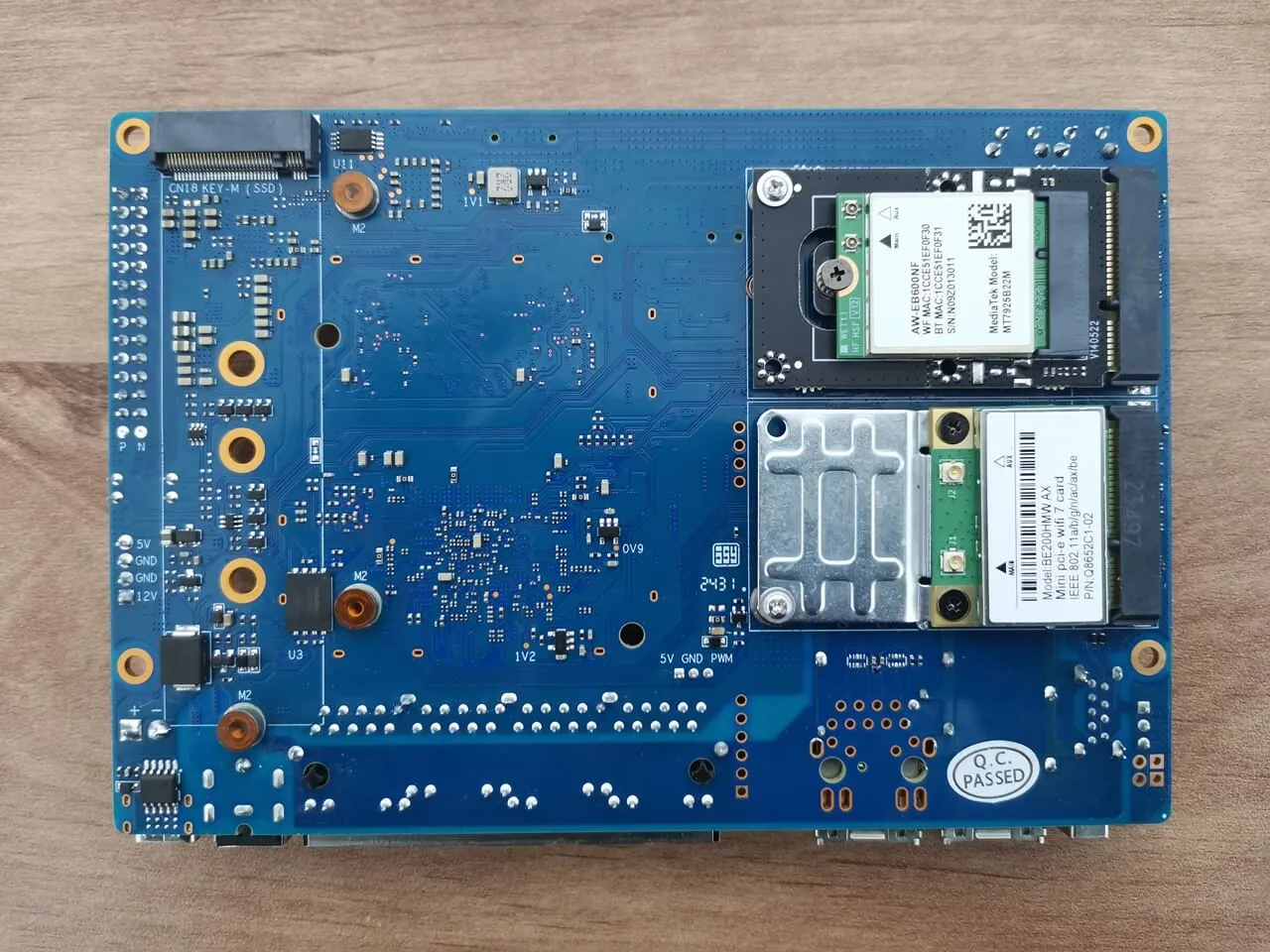
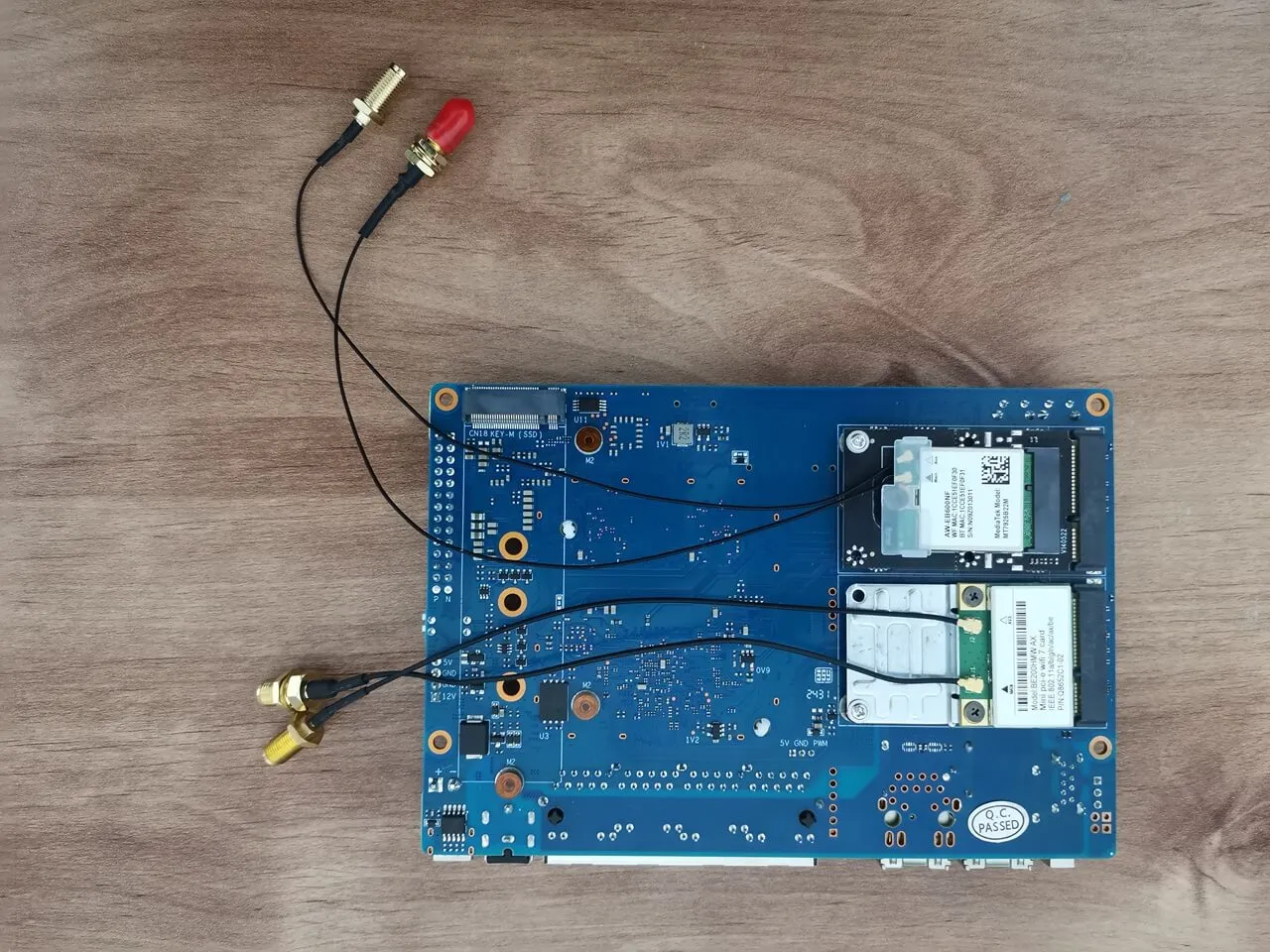
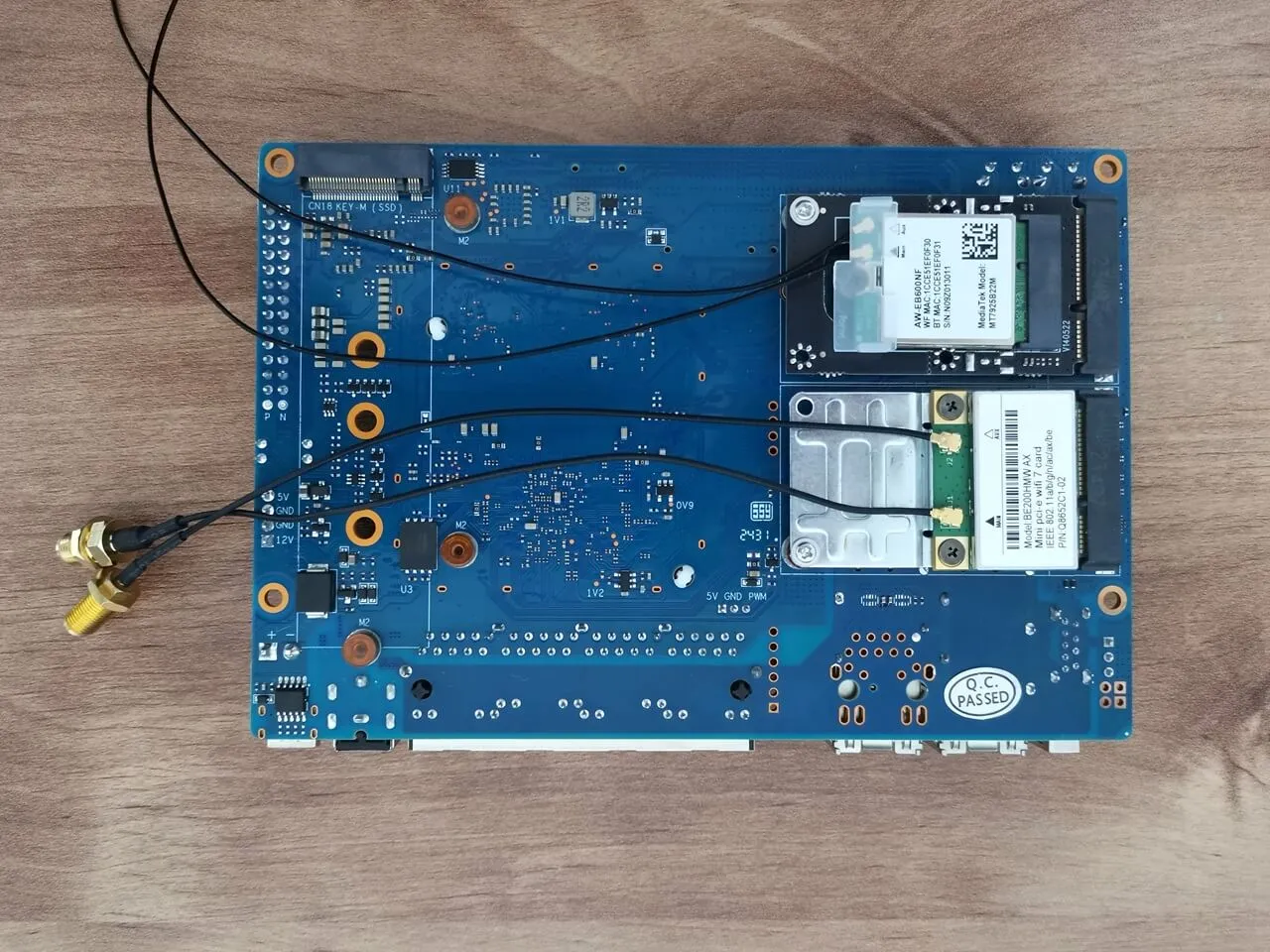
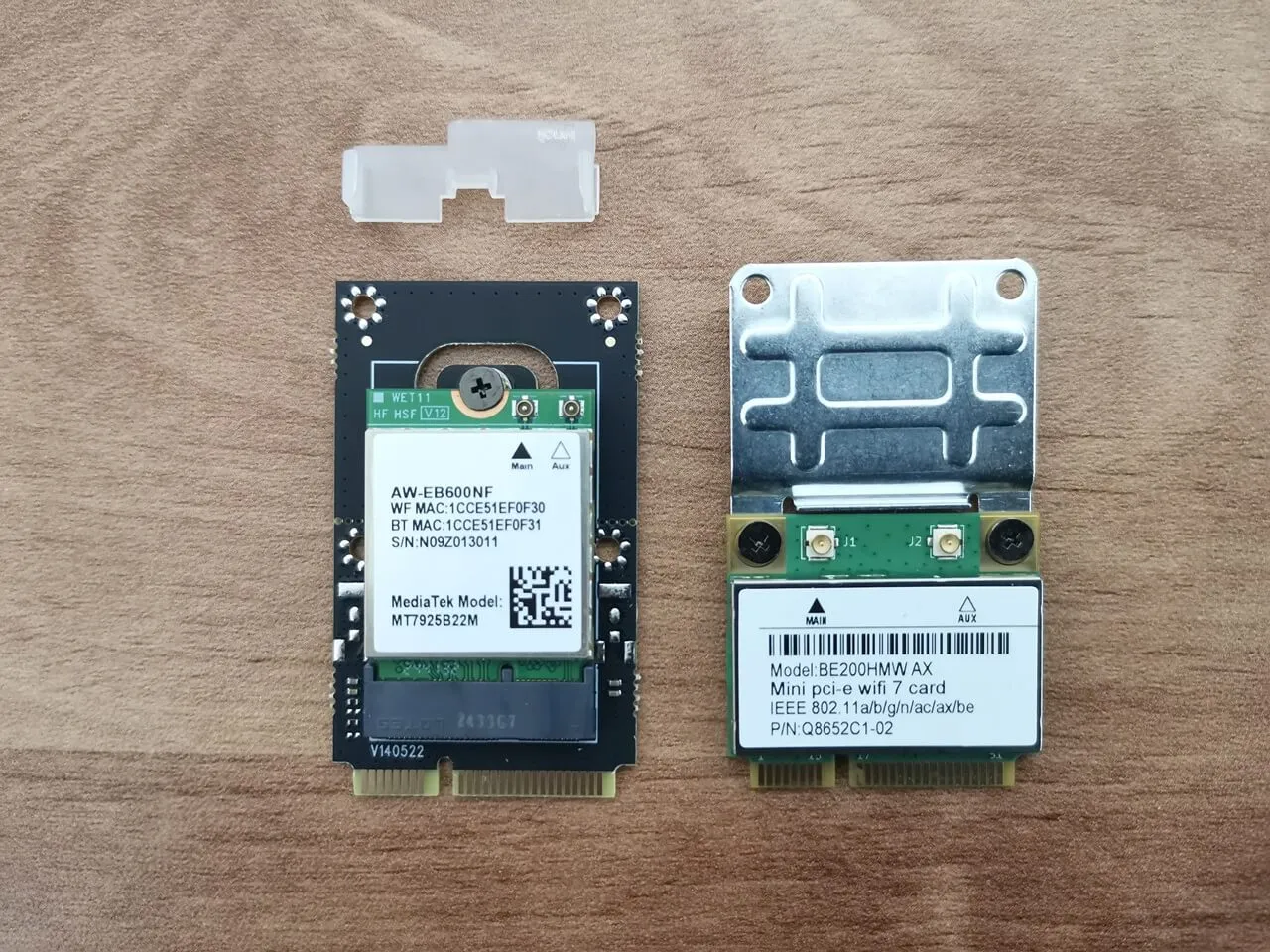
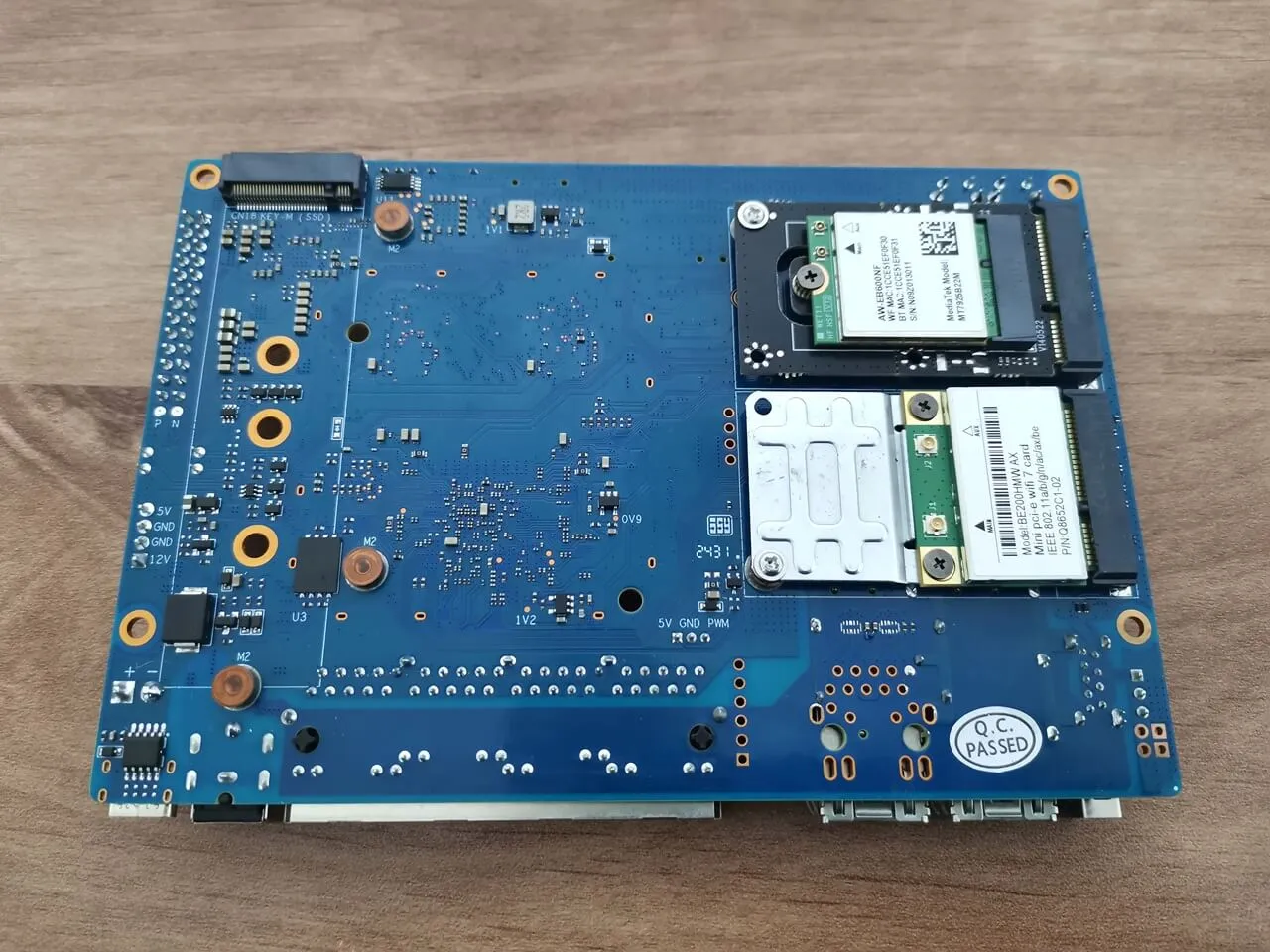
In this setup, we installed two distinct Wi-Fi 7 cards into the R4 board’s mini-PCIe slots. This is an alternative configuration that offers a cheaper solution than buying the BPI-R4-NIC-BE14 module expansion card, which costs around $78 (excluding antennas). To make this option work, you will need to install a single or two Wi-Fi cards that is preferably based on MediaTek chipsets. In our configuration, we used a mini-PCIe card based on the MT7925B22M chip, but most likely other models based on MTK should also work. You can find the full compatibility list of cards on OpenWrt website compatible hardware list.

Furthermore, Intel-based cards frequently encounter compatibility issues, resulting in incomplete functionality or certain features being disabled. Therefore, we strongly recommend testing with MTK-based chipsets for optimal performance.

Installing two Wi-Fi 7 Cards: Intel BE200HMW & MT7925B22M
Installing the necessary drivers

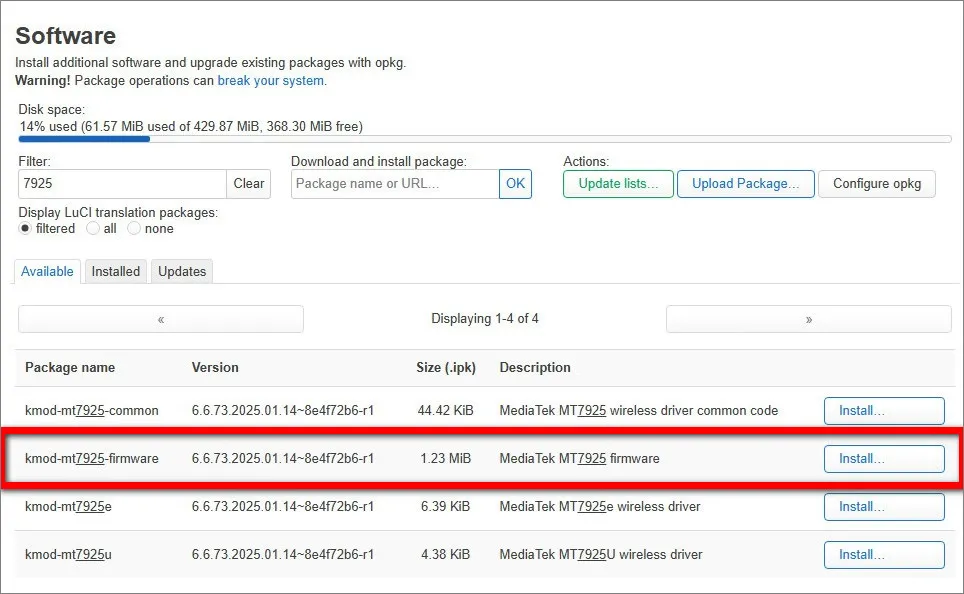
The table below includes a list of packages required for both cards to function effectively. Additionally, it’s essential to explore the latest OpenWrt snapshots and releases that utilize kernel version 6.6 or higher for optimal results. If you find the command line less user-friendly, you can also install the needed packages through the LuCI web interface.

BE200HMWMT7925B22M
opkg update
opkg install kmod-iwlwifi
opkg install iwlwifi-firmware-be200
opkg update
opkg install kmod-mt7925e
opkg install kmod-mt7925u
opkg install mt76

Installing the Installing the MT7925 driver via LuCI Web interface.
1 2 3 4 5 6 7 8 9 10 11
Share. Facebook Twitter Pinterest LinkedIn Tumblr Email
Previous ArticleOrange Pi AIPro powered by Huawei Ascend SoC, launched globally
Next Article Xiaomi Watch S3 Review: Great design, but is it worth the HyperOS hype?
androidpimp
  • Website

Related Posts

DFRobot ESP32 S3 with Gateway

DFRobot ESP32-S3 LoRaWAN & Gateway Review: Build a Private IoT Network

March 14, 2026
Orange Pi 6

Orange Pi 6: Why Buy an AI HAT+? This SBC has 45 TOPS of Integrated AI Power

February 17, 2026
Banana bpi r4 pro

Banana Pi BPI-R4 Pro Review: The Best WiFi 7 OpenWrt Router? We Checked!

February 7, 2026
5 1 vote
Article Rating
Subscribe
Notify of
4 Comments
Oldest
Newest Most Voted
Inline Feedbacks
View all comments
joise meerde
1 year ago

Good Job

0
Reply
Author
androidpimp
1 year ago
Reply to  joise meerde

Thanks

0
Reply
Dimitris B.
3 months ago

That’s the most in-depth review I’ve seen of the BPI-R4. However, the benchmark and Wi-Fi testing sections are noticeably missing. Any reason why?

0
Reply
Author
androidpimp
3 months ago
Reply to  Dimitris B.

Thanks. Probably at that time I didn’t have the extra patience to wait until they fixed the bugs/problems. Hopefully a few months have passed and it should be fine now.

0
Reply
PureVPN
PureVPN Ad Banner
VyprVPN – No. 1 in Anonymity
Vyprvpn 350x260
PrivadoVPN – No. 1 in Parental Control
PrivadoVPN 350x437
Recent Posts
  • DFRobot ESP32-S3 LoRaWAN & Gateway Review: Build a Private IoT Network
  • Top Global AliExpress Promo Worldwide Country Codes March 14, 2026
  • WaveNote AI Review 2026: An Honest Pro/Con Comparison (Tested)
  • CamThink NE301 Review: 25 FPS YOLOv8 on STM32 Edge AI
  • PrivadoVPN Review 2026: Is the Best Free VPN Still Good for Streaming?
  • Orange Pi 6: Why Buy an AI HAT+? This SBC has 45 TOPS of Integrated AI Power
  • AliExpress Shopping Guide 2026: How to Find Top Deals & Avoid Scams
  • Banana Pi BPI-R4 Pro Review: The Best WiFi 7 OpenWrt Router? We Checked!
  • Best Off-Grid LoRa Mesh Messenger 2026 – LoraSecret
  • Redmi Turbo 5 Max (2026) unveiled with 9,000mAh battery, specs, price, and design
RSS The Latest RSS Feeds
  • DFRobot ESP32-S3 LoRaWAN & Gateway Review: Build a Private IoT Network
  • Top Global AliExpress Promo Worldwide Country Codes March 14, 2026
  • WaveNote AI Review 2026: An Honest Pro/Con Comparison (Tested)
Facebook X (Twitter) Instagram Pinterest
@2026 - All Right Reserved. Designed by AndroidPIMP

Type above and press Enter to search. Press Esc to cancel.

Powered by
►
Necessary cookies enable essential site features like secure log-ins and consent preference adjustments. They do not store personal data.
None
►
Functional cookies support features like content sharing on social media, collecting feedback, and enabling third-party tools.
None
►
Analytical cookies track visitor interactions, providing insights on metrics like visitor count, bounce rate, and traffic sources.
None
►
Advertisement cookies deliver personalized ads based on your previous visits and analyze the effectiveness of ad campaigns.
None
►
Unclassified cookies are cookies that we are in the process of classifying, together with the providers of individual cookies.
None
Powered by
Accessibility
Accessibility modes
Epilepsy Safe Mode
Dampens color and removes blinks
This mode enables people with epilepsy to use the website safely by eliminating the risk of seizures that result from flashing or blinking animations and risky color combinations.
Visually Impaired Mode
Improves website's visuals
This mode adjusts the website for the convenience of users with visual impairments such as Degrading Eyesight, Tunnel Vision, Cataract, Glaucoma, and others.
Cognitive Disability Mode
Helps to focus on specific content
This mode provides different assistive options to help users with cognitive impairments such as Dyslexia, Autism, CVA, and others, to focus on the essential elements of the website more easily.
ADHD Friendly Mode
Reduces distractions and improve focus
This mode helps users with ADHD and Neurodevelopmental disorders to read, browse, and focus on the main website elements more easily while significantly reducing distractions.
Blindness Mode
Allows using the site with your screen-reader
This mode configures the website to be compatible with screen-readers such as JAWS, NVDA, VoiceOver, and TalkBack. A screen-reader is software for blind users that is installed on a computer and smartphone, and websites must be compatible with it.
Readable Experience
Content Scaling
Default
Text Magnifier
Readable Font
Dyslexia Friendly
Highlight Titles
Highlight Links
Font Sizing
Default
Letter Spacing
Default
Left Aligned
Center Aligned
Right Aligned
Visually Pleasing Experience
Dark Contrast
Light Contrast
Monochrome
High Contrast
High Saturation
Low Saturation
Adjust Text Colors
Adjust Title Colors
Adjust Background Colors
Easy Orientation
Mute Sounds
Hide Images
Hide Emoji
Reading Guide
Stop Animations
Reading Mask
Highlight Hover
Highlight Focus
Big Dark Cursor
Big Light Cursor
Cognitive Reading
Virtual Keyboard
Navigation Keys
Voice Navigation

AndroidPIMP

Accessibility Statement

  • AndroidPIMP.com
  • 10/18/2025

Compliance status

We believe the internet should be open and accessible to everyone, and we’re dedicated to making our website usable for the widest audience possible, no matter their circumstances or abilities.

To achieve this, we follow the World Wide Web Consortium’s (W3C) Web Content Accessibility Guidelines 2.1 (WCAG 2.1) at the AA level as closely as possible. These guidelines outline how to make web content accessible for people with a variety of disabilities. By complying with them, we help ensure our website is usable by everyone, including those who are blind, have motor or visual impairments, cognitive disabilities, and more.

This website uses a range of technologies to stay accessible at all times. An accessibility interface lets people with specific disabilities customize the site’s UI and design to fit their personal needs.

The website also uses an AI-powered application that works in the background to constantly enhance its accessibility. This app fixes the site’s HTML, adjusts its features and behavior for screen readers used by blind users, and optimizes keyboard functions for people with motor impairments.

If you’ve found a malfunction or have ideas for improvement, we’ll be happy to hear from you. You can reach out to the website’s operators by using the following email [email protected]

Screen-reader and keyboard navigation

Our website implements the ARIA attributes (Accessible Rich Internet Applications) technique, alongside various different behavioral changes, to ensure blind users visiting with screen-readers are able to read, comprehend, and enjoy the website’s functions. As soon as a user with a screen-reader enters your site, they immediately receive a prompt to enter the Screen-Reader Profile so they can browse and operate your site effectively. Here’s how our website covers some of the most important screen-reader requirements, alongside console screenshots of code examples:

  1. Screen-reader optimization:we run a background process that learns the website’s components from top to bottom, to ensure ongoing compliance even when updating the website. In this process, we provide screen-readers with meaningful data using the ARIA set of attributes. For example, we provide accurate form labels; descriptions for actionable icons (social media icons, search icons, cart icons, etc.); validation guidance for form inputs; element roles such as buttons, menus, modal dialogues (popups), and others. Additionally, the background process scans all the website’s images and provides an accurate and meaningful image-object-recognition-based description as an ALT (alternate text) tag for images that are not described. It will also extract texts that are embedded within the image, using an OCR (optical character recognition) technology. To turn on screen-reader adjustments at any time, users need only to press the Alt+1 keyboard combination. Screen-reader users also get automatic announcements to turn the Screen-reader mode on as soon as they enter the website.

    These adjustments are compatible with all popular screen readers, including JAWS and NVDA.

  2. Keyboard navigation optimization:The background process also adjusts the website’s HTML, and adds various behaviors using JavaScript code to make the website operable by the keyboard. This includes the ability to navigate the website using the Tab and Shift+Tab keys, operate dropdowns with the arrow keys, close them with Esc, trigger buttons and links using the Enter key, navigate between radio and checkbox elements using the arrow keys, and fill them in with the Spacebar or Enter key.Additionally, keyboard users will find quick-navigation and content-skip menus, available at any time by clicking Alt+1, or as the first elements of the site while navigating with the keyboard. The background process also handles triggered popups by moving the keyboard focus towards them as soon as they appear, and not allow the focus drift outside it.

    Users can also use shortcuts such as “M” (menus), “H” (headings), “F” (forms), “B” (buttons), and “G” (graphics) to jump to specific elements.

Disability profiles supported in our website

  • Epilepsy Safe Mode: this profile enables people with epilepsy to use the website safely by eliminating the risk of seizures that result from flashing or blinking animations and risky color combinations.
  • Visually Impaired Mode: this mode adjusts the website for the convenience of users with visual impairments such as Degrading Eyesight, Tunnel Vision, Cataract, Glaucoma, and others.
  • Cognitive Disability Mode: this mode provides different assistive options to help users with cognitive impairments such as Dyslexia, Autism, CVA, and others, to focus on the essential elements of the website more easily.
  • ADHD Friendly Mode: this mode helps users with ADHD and Neurodevelopmental disorders to read, browse, and focus on the main website elements more easily while significantly reducing distractions.
  • Blindness Mode: this mode configures the website to be compatible with screen-readers such as JAWS, NVDA, VoiceOver, and TalkBack. A screen-reader is software for blind users that is installed on a computer and smartphone, and websites must be compatible with it.
  • Keyboard Navigation Profile (Motor-Impaired): this profile enables motor-impaired persons to operate the website using the keyboard Tab, Shift+Tab, and the Enter keys. Users can also use shortcuts such as “M” (menus), “H” (headings), “F” (forms), “B” (buttons), and “G” (graphics) to jump to specific elements.

Additional UI, design, and readability adjustments

  1. Font adjustments – users, can increase and decrease its size, change its family (type), adjust the spacing, alignment, line height, and more.
  2. Color adjustments – users can select various color contrast profiles such as light, dark, inverted, and monochrome. Additionally, users can swap color schemes of titles, texts, and backgrounds, with over seven different coloring options.
  3. Animations – person with epilepsy can stop all running animations with the click of a button. Animations controlled by the interface include videos, GIFs, and CSS flashing transitions.
  4. Content highlighting – users can choose to emphasize important elements such as links and titles. They can also choose to highlight focused or hovered elements only.
  5. Audio muting – users with hearing devices may experience headaches or other issues due to automatic audio playing. This option lets users mute the entire website instantly.
  6. Cognitive disorders – we utilize a search engine that is linked to Wikipedia and Wiktionary, allowing people with cognitive disorders to decipher meanings of phrases, initials, slang, and others.
  7. Additional functions – we provide users the option to change cursor color and size, use a printing mode, enable a virtual keyboard, and many other functions.

Browser and assistive technology compatibility

We aim to support the widest array of browsers and assistive technologies as possible, so our users can choose the best fitting tools for them, with as few limitations as possible. Therefore, we have worked very hard to be able to support all major systems that comprise over 95% of the user market share including Google Chrome, Mozilla Firefox, Apple Safari, Opera and Microsoft Edge, JAWS and NVDA (screen readers).

Notes, comments, and feedback

Despite our very best efforts to allow anybody to adjust the website to their needs. There may still be pages or sections that are not fully accessible, are in the process of becoming accessible, or are lacking an adequate technological solution to make them accessible. Still, we are continually improving our accessibility, adding, updating and improving its options and features, and developing and adopting new technologies. All this is meant to reach the optimal level of accessibility, following technological advancements. For any assistance, please reach out to [email protected]

wpDiscuz