Close Menu
  • Home
  • About
  • Wearables
  • Earbuds
  • Computer Accessories
    • Routers
    • Remotes
  • Embedded
    • Single Board Computers
    • Addon Boards
    • Raspberry Pi
  • Wireless Routers
  • Contact
Facebook X (Twitter) Instagram Threads
Trending
  • Orange Pi Zero 3W Review: $25 Dual Video Pi Zero 2W Killer?
  • Orange Pi 6: 45 TOPS AI Power Crushes Raspberry Pi AI HATs
  • AliExpress Promo Codes: June 2026 (100% Verified)
  • DFRobot 6.67″ Flexible AMOLED Review: Curved Display for Raspberry Pi & LattePanda
  • Banana Pi BPI-SM10 Review: 60 TOPS RISC-V Jetson Orin Nano Alternative
  • SpacemiT K3 Pico-ITX Review: 60-TOPS RISC-V Powerhouse for LLMs?
  • Banana Pi BPI-R4 Pro Review: The Best WiFi 7 OpenWrt Router? We Checked!
  • DFRobot ESP32-S3 LoRaWAN & Gateway Review: Build a Private IoT Network
AndroidPIMP
Facebook X (Twitter) Instagram
  • Home
  • About
  • Wearables
  • Earbuds
  • Computer Accessories
    • Routers
    • Remotes
  • Embedded
    • Single Board Computers
    • Addon Boards
    • Raspberry Pi
  • Wireless Routers
  • Contact
AndroidPIMP

Banana Pi BPI-R4 Review: Wi-Fi 7 OpenWrt Router board with dual SFP+ ports

4
By androidpimp on February 25, 2025 Embedded Computers
Table of contents
  1. Part I: Banana Pi BPI-R4 โ€“ Product introduction
  2. Interfaces
  3. Key Features
  4. Hardware Specifications
  5. Enhanced Performance
  6. Comparative Analysis: Banana Pi R3 vs. Banana Pi R4 Hardware Specifications
  7. More simple to operate
  8. New features and better connectivity
  9. Model 1: Banana Pi BPI-R4 Layout (x2 SFP+ Cages)
  10. Model 2: Banana Pi BPI-R4 Layout (x1 SFP+ Cage)
  11. A Closer Look at the R4 Wi-Fi 7 NIC (Network Interface Card)
    1. Tri-band Connectivity explained
    2. Two design choices
    3. Design No.1: Banana Pi R4 Wi-Fi 7 NIC (4T4R & 4T5R Design)
    4. Design No.2: Banana Pi R4 Wi-Fi 7 NIC (3T3R Design)
    5. WiFi7 iPA NIC Module (BPI-R4-NIC-BE14)
    6. What is 3T3R?
  12. Enhanced connectivity
  13. Embedded Routers: What are the advantages?
  14. Practical Applications
  15. Cost-Effective Solution for Small and Medium-Sized Businesses
  16. Part II: Banana Pi BPI-R4 Review (Current status: pending review)
    1. Unboxing (Bare board only)
  17. Letโ€™s take a closer look at the Banana Pi BPI-R4.
  18. The process of installing a heat sink
    1. Heat sink dimensions
  19. Purchasing an Active Heat sink
  20. Replacing the active heat sink connector
  21. Ensuring proper cooling for the SFP+ cages
    1. FAN Wiring
  22. Wait, there is a simpler method.
  23. Making a UART Serial extension cable.
    1. Measuring CPU temperatures
  24. Operating the R4 fan effectively through setting a trip point.
    1. Purpose of the Command
  25. If your Banana Pi R4 is experiencing serious overheating problems. How can I fix this issue?
  26. Testing temperatures
  27. Choosing the right power supply adapter
    1. Banana Pi R4 Power Adapter
  28. Wired cable Data Transfer Rate
    1. How many Ethernet 2.5G PHYs are needed to achieve a real throughput of 10Gbps?
    2. Performing iPerf throughput test with 10GBASE-T SFP+ Copper RJ-45 transceivers.
    3. Checking Network Interface Properties:
    4. SFP+ RJ45 Transceivers
    5. Our network topology
  29. Desktop PC network interface cardย (NIC) + x2 RJ45 SFP+ Transceivers
    1. Testing the Network Bandwidth and Throughput.
  30. Installing an M.2 NVMe SSD
    1. Preforming a hdparm speed test
  31. Software support and Installation
  32. Switchย jumper
  33. The updating process
  34. Flashing the OpenWrt Snapshot Image to Nand and eMMC
  35. Step No. 1
  36. Step No. 2
  37. Step No. 3
  38. Step No. 4
  39. Step No. 5
  40. Step No. 6
  41. Step No. 7
  42. Step No. 8
  43. Step No. 9
  44. Step No. 10
  45. Step No. 11
  46. Step No. 12
  47. Step No. 13
  48. Step No. 14
  49. Step No. 15
  50. Step No. 16
  51. Step No. 17
  52. The easiest way to install OpenWrt
  53. Banana Pi R4 Metal Case (Recommended optional accessory)
  54. Assembling the case parts
  55. Replacing and customizing the R4 Metal Case upper cover
  56. What are the benefits of opting for a plastic cover instead?
  57. Hereโ€™s a guide on how to set up a 6-bay NAS rack for 2.5-inch HDD/SSDs using the Banana Pi R4 Board!
    1. Step-by-Step Guide for Installing a NAS Drive Rack (HDD 2.5โ€ณ)
    2. Can you use the existing metal case for this project?
    3. Performing some basic calculations:
    4. The PSUโ€™s total wattage capacity is the sum of the individual rail wattage:
    5. The following is a list of components needed to construct the NAS:
    6. Olmaster MR-6601 NAS Rack
    7. DB8234 HDD PSU Module
    8. Choosing the right 12V power adapter for the PSU Board
  58. What are the power requirements?
    1. 5-port M.2 NVME to SATA 3.0
  59. 5-port M.2 (Key M+B) NVMe to SATA 3.0 converter
  60. Installing the 5-port M.2 (Key M+B) NVMe to SATA 3.0 converter onto the Banana-Pi-R4
    1. 5-Pin Moldex Power-Cables
  61. Assembling all the parts together
    1. Modifying the case
  62. The end result.
  63. Itโ€™s time for the final check to make sure everything is working properly.
    1. Checking if the SSDs are functioning correctly
    2. Conclusions
  64. Enhancing the design
  65. More Optional NAS Racks are available.
  66. Setting Up the Banana Pi BE14000 Wireless NIC Expansion Card
    1. Unboxing the Item
    2. A closer look at the board
  67. WIFI antennas
    1. Installation
    2. The wireless connectivity capabilities of the Banana BPI-R4-NIC-BE14.
      1. What should you expect?
    3. Utilizing the 6GHz band
    4. What are the benefits of WiFi 7?
  68. Checking wireless network interfaces, access point names, and frequency bands.
  69. An alternative Wi-Fi configuration
    1. Installing the necessary drivers
  70. Final words
  71. Frequently Asked Questions & Purchase Options.
    1. Which operating system is compatible with the Banana Pi R4?
    2. Is it possible to use 2.5GbE SFP modules with the Banana Pi R4?
    3. Does the Banana Pi 4 support GPON connectivity?
    4. What is the maximum data transfer speed of the SFP+ ports on the Banana Pi 4?
    5. Can the Banana Pi R4 be used with 4G/5G Modules?
    6. Can I install an NVMe SSD on the Banana Pi R4?
    7. How much does the Banana Pi R4 cost?
    8. Is it necessary for me to purchase the entire kit that includes the metal case?
  72. Price and Availability
    1. Banana Pi R4

Making a UART Serial extension cable.

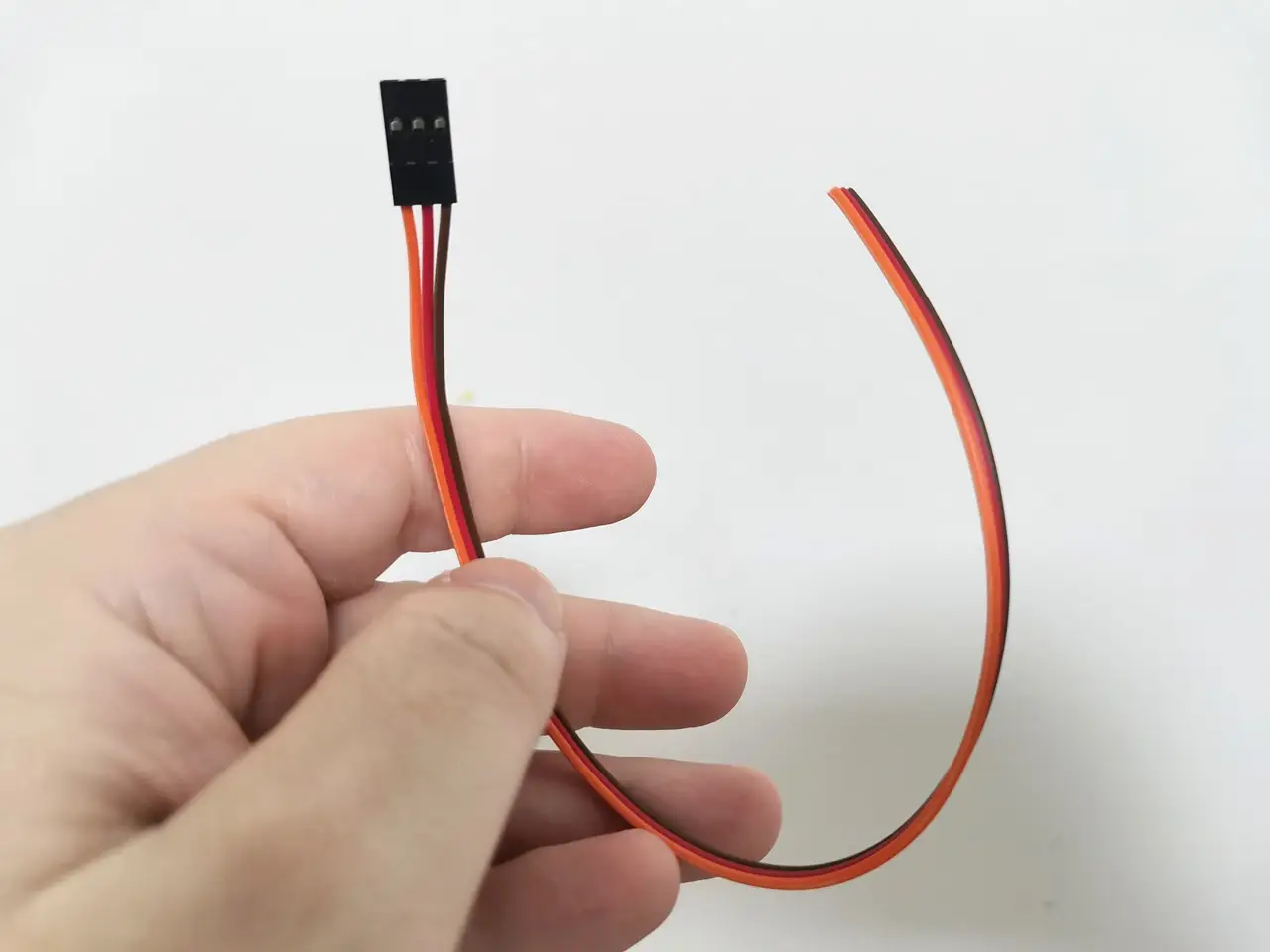
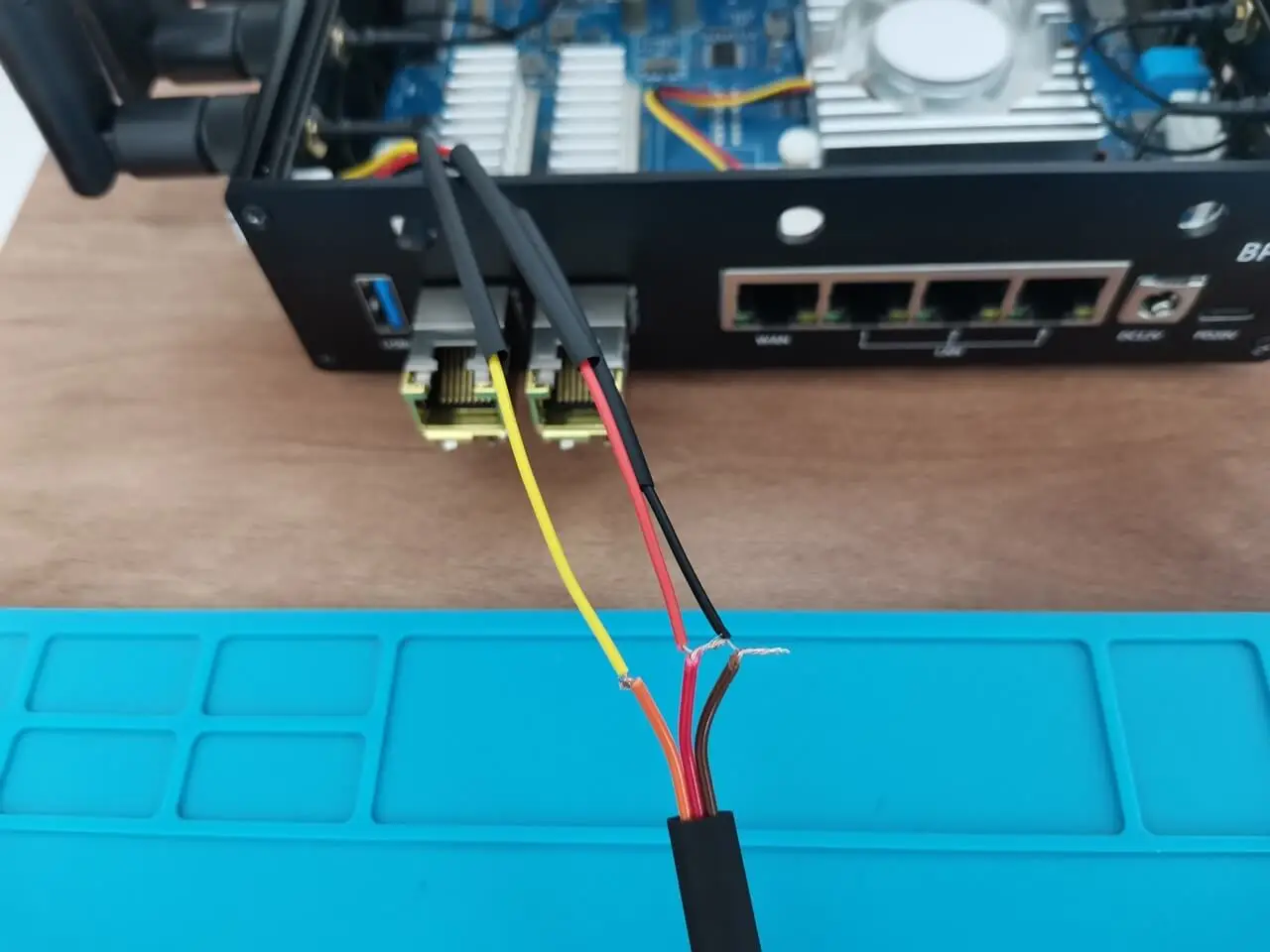
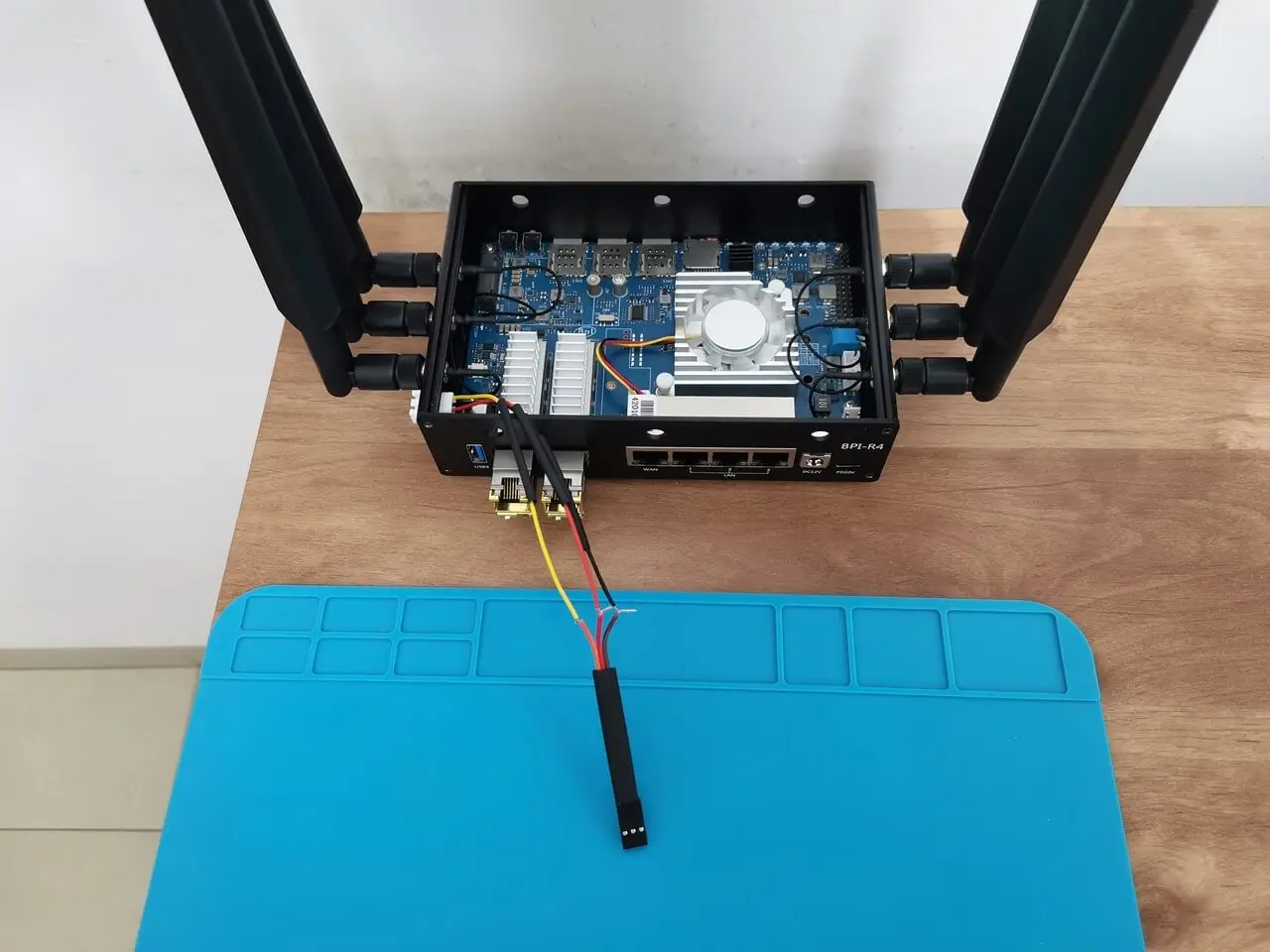
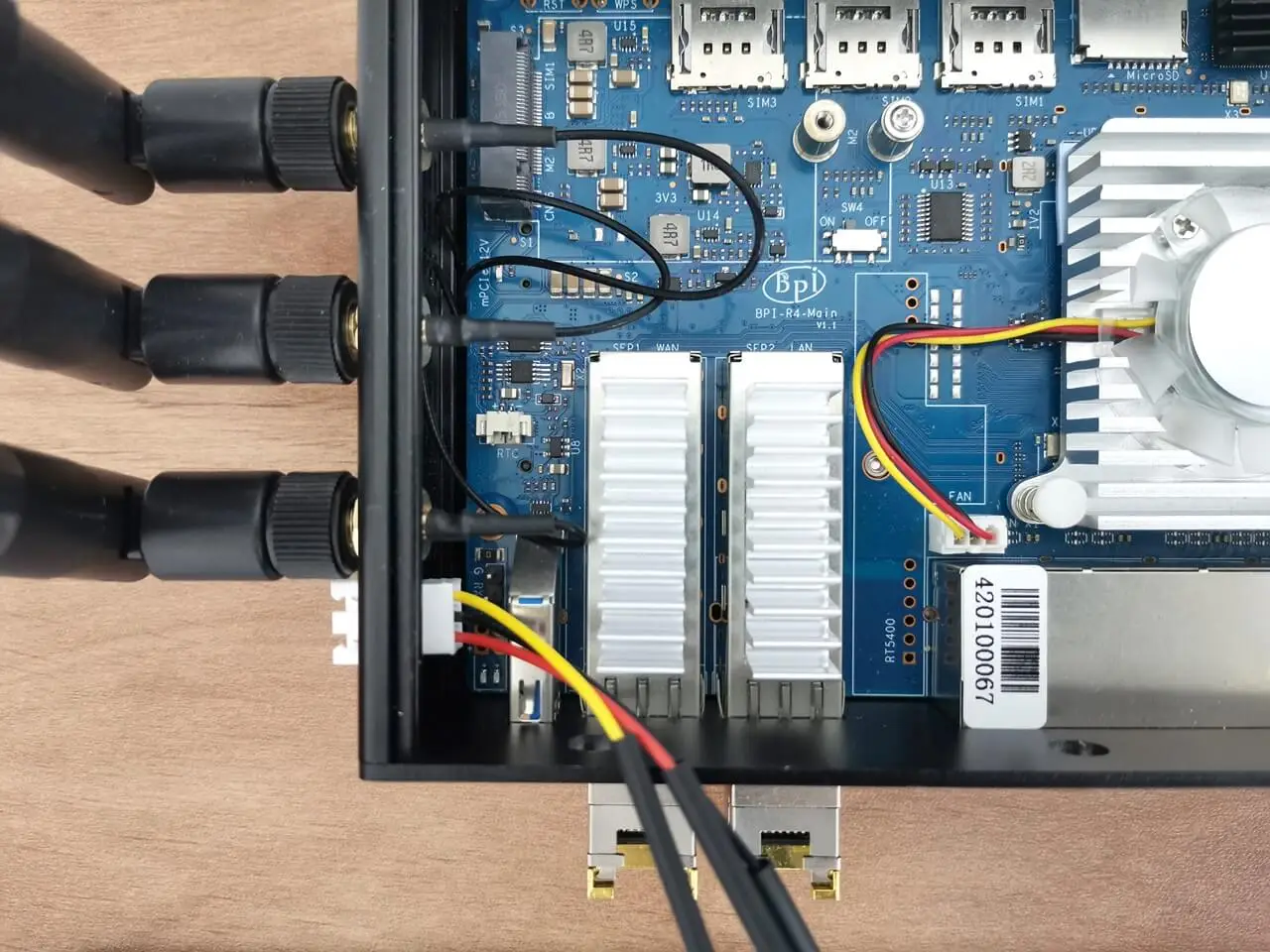
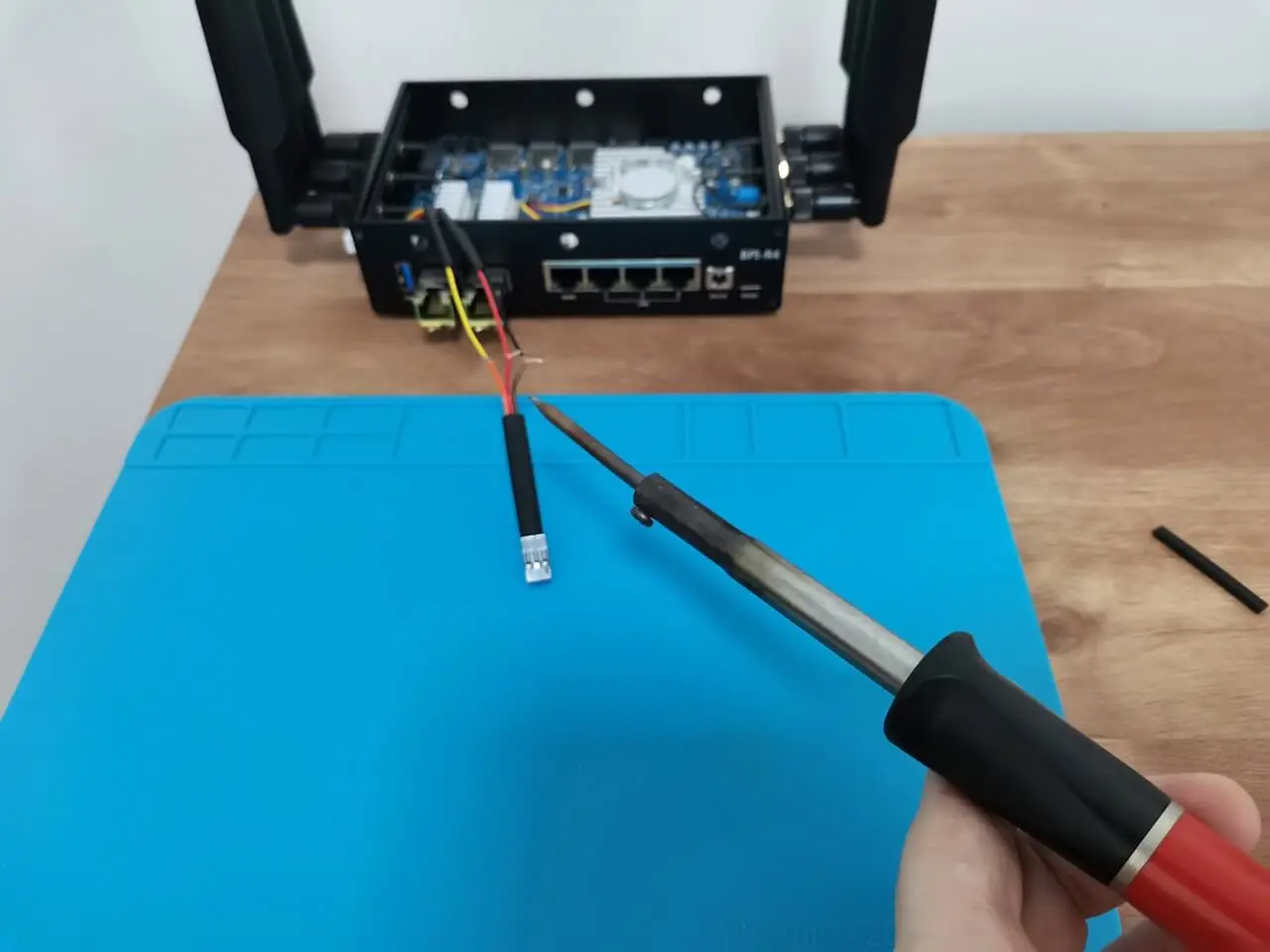
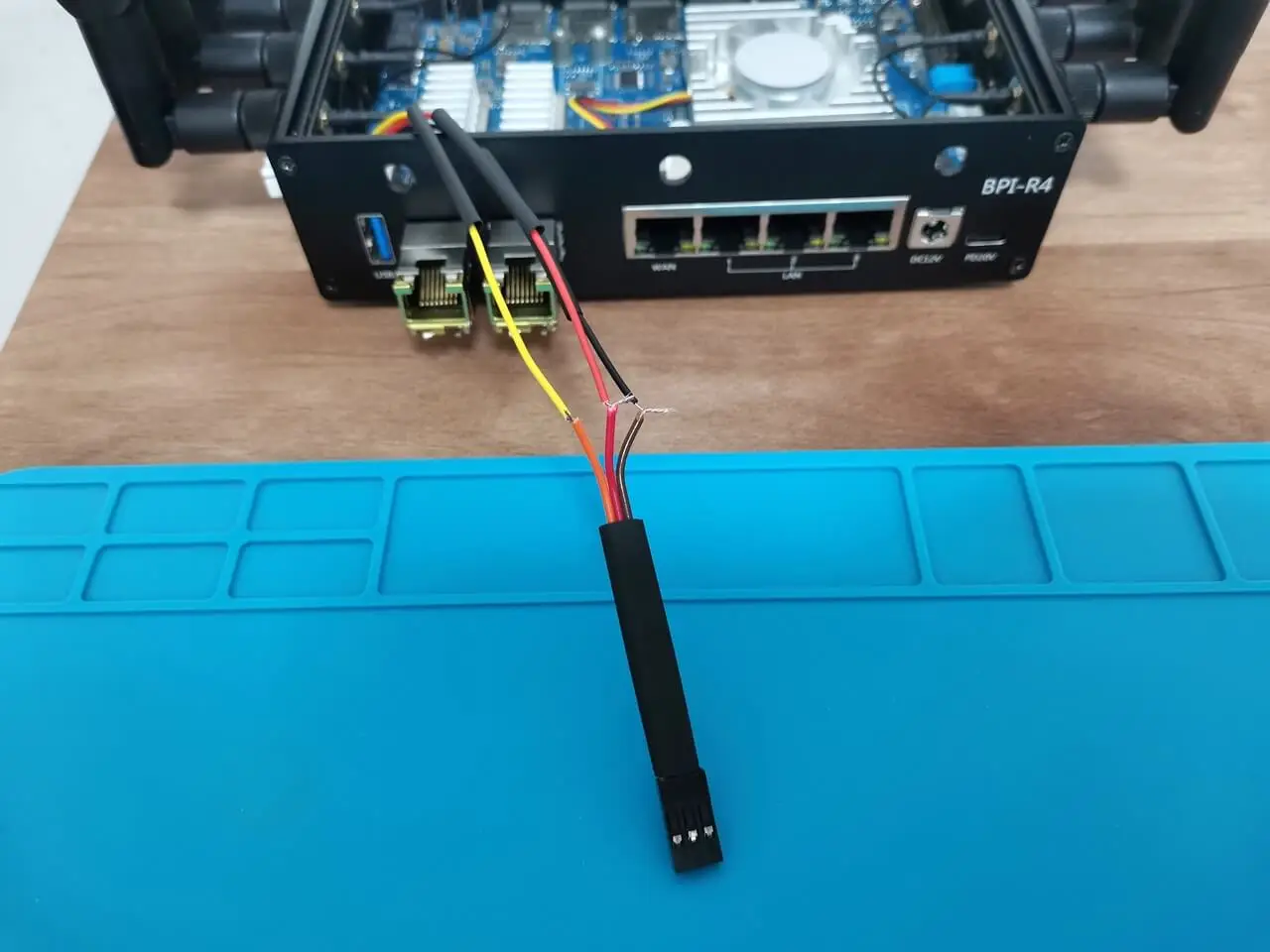
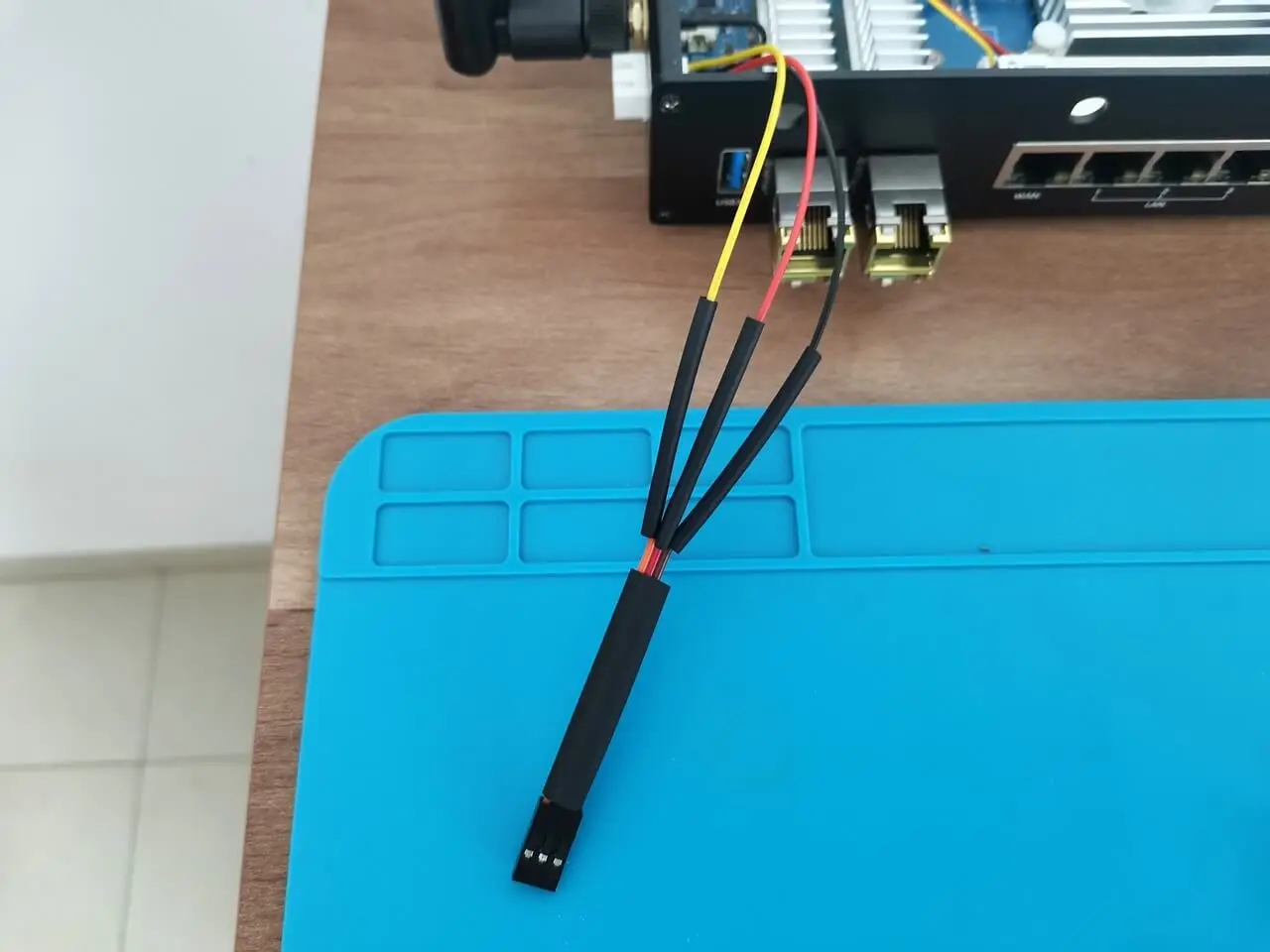
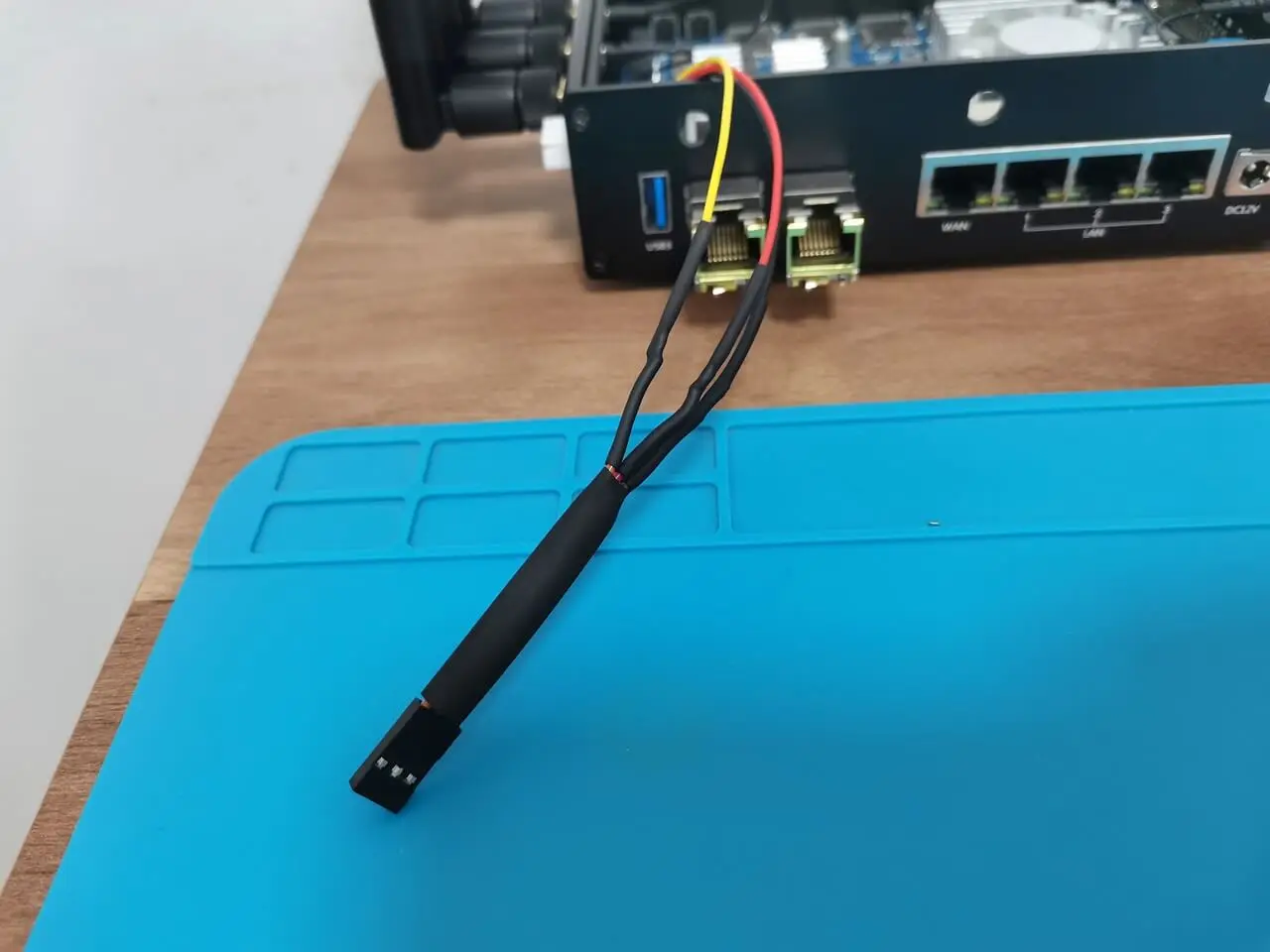
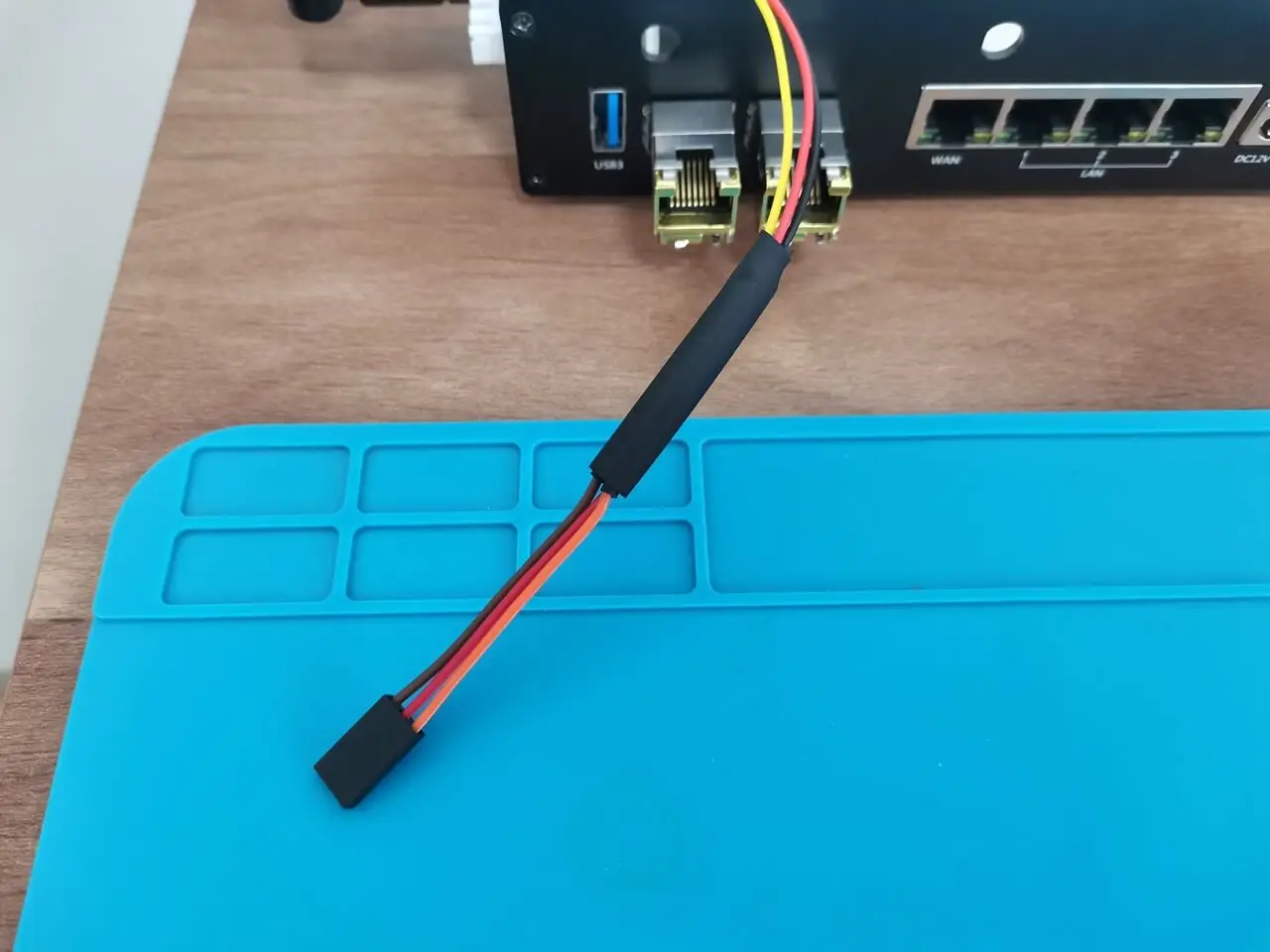
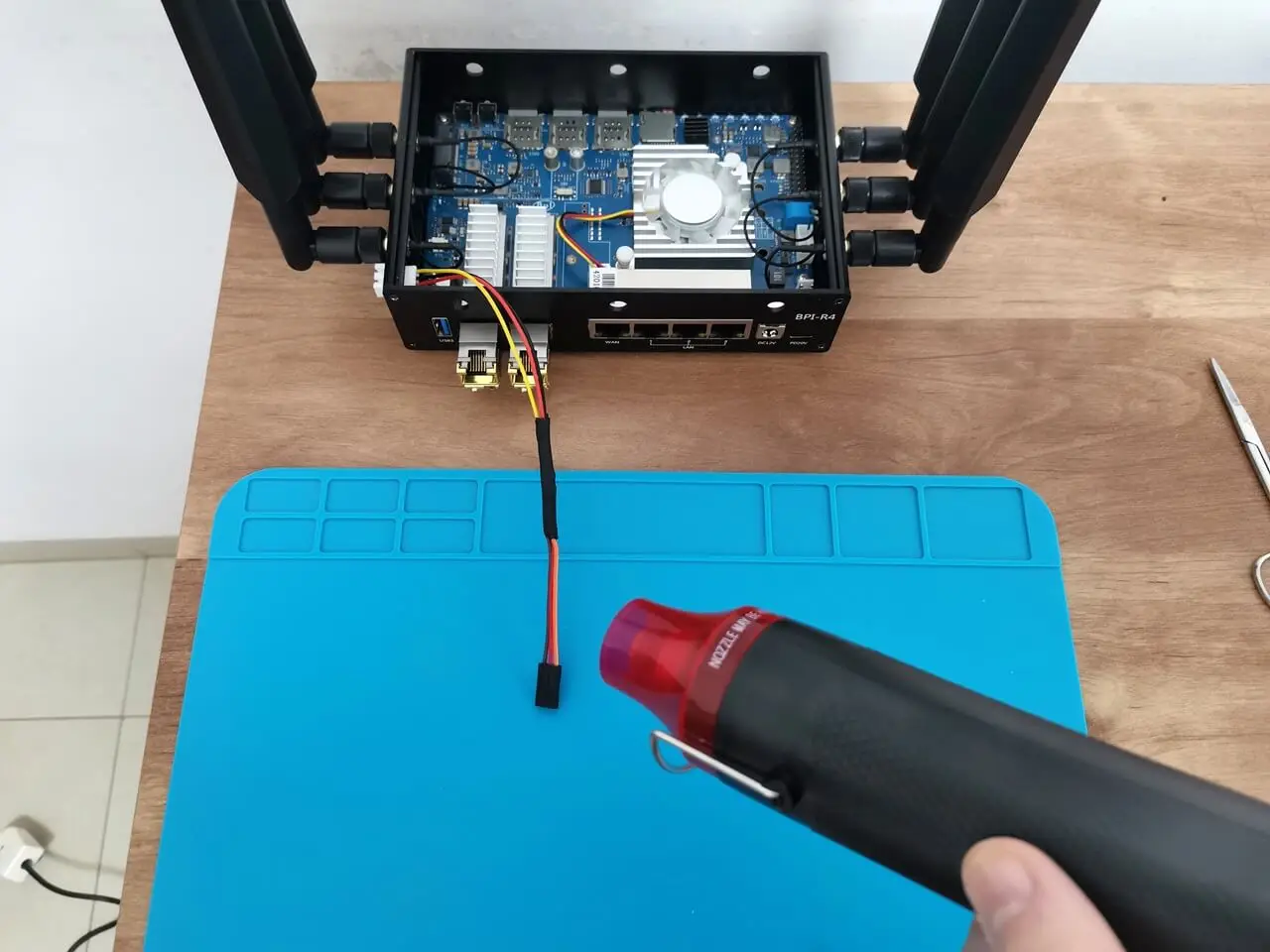
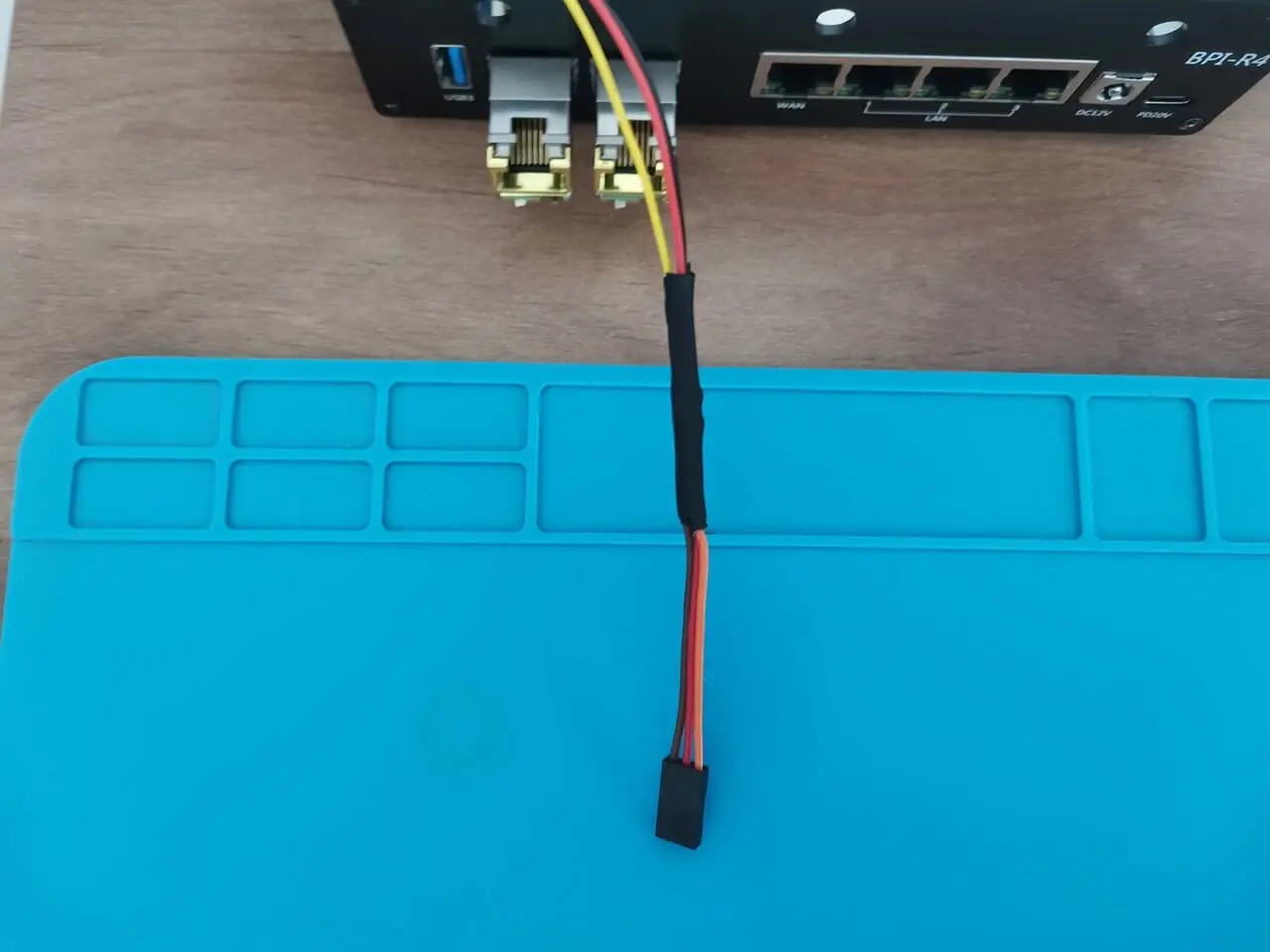
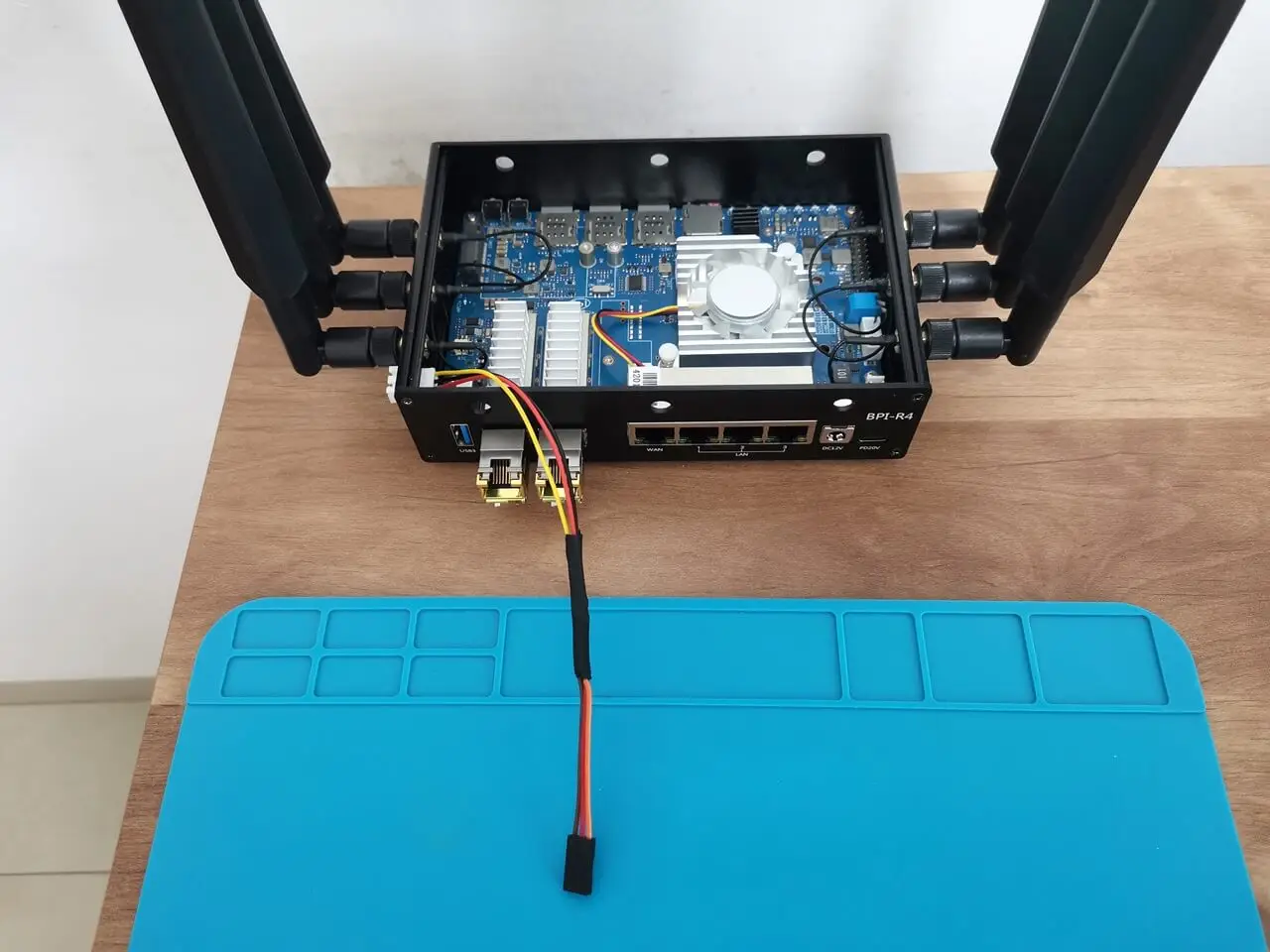
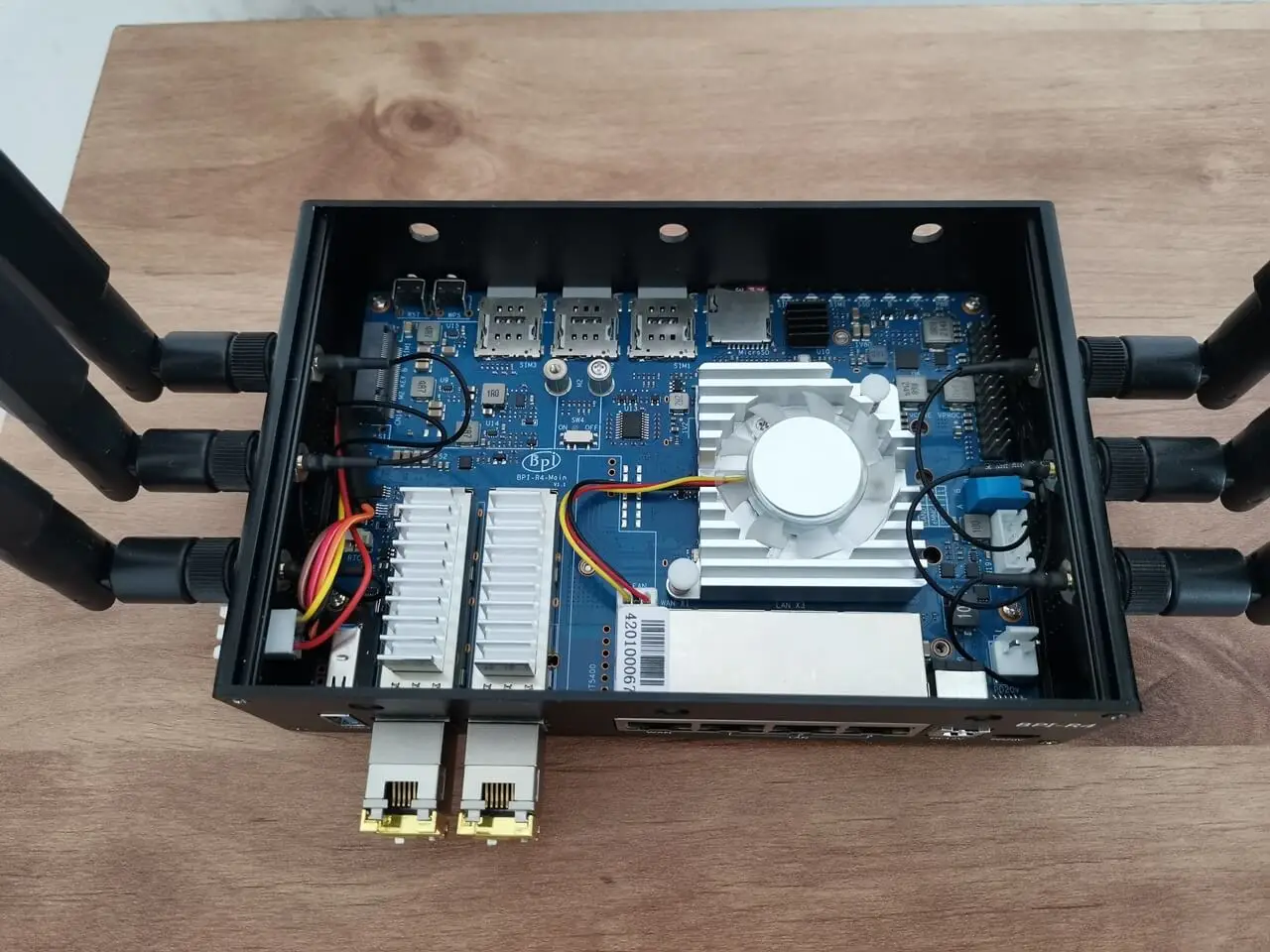
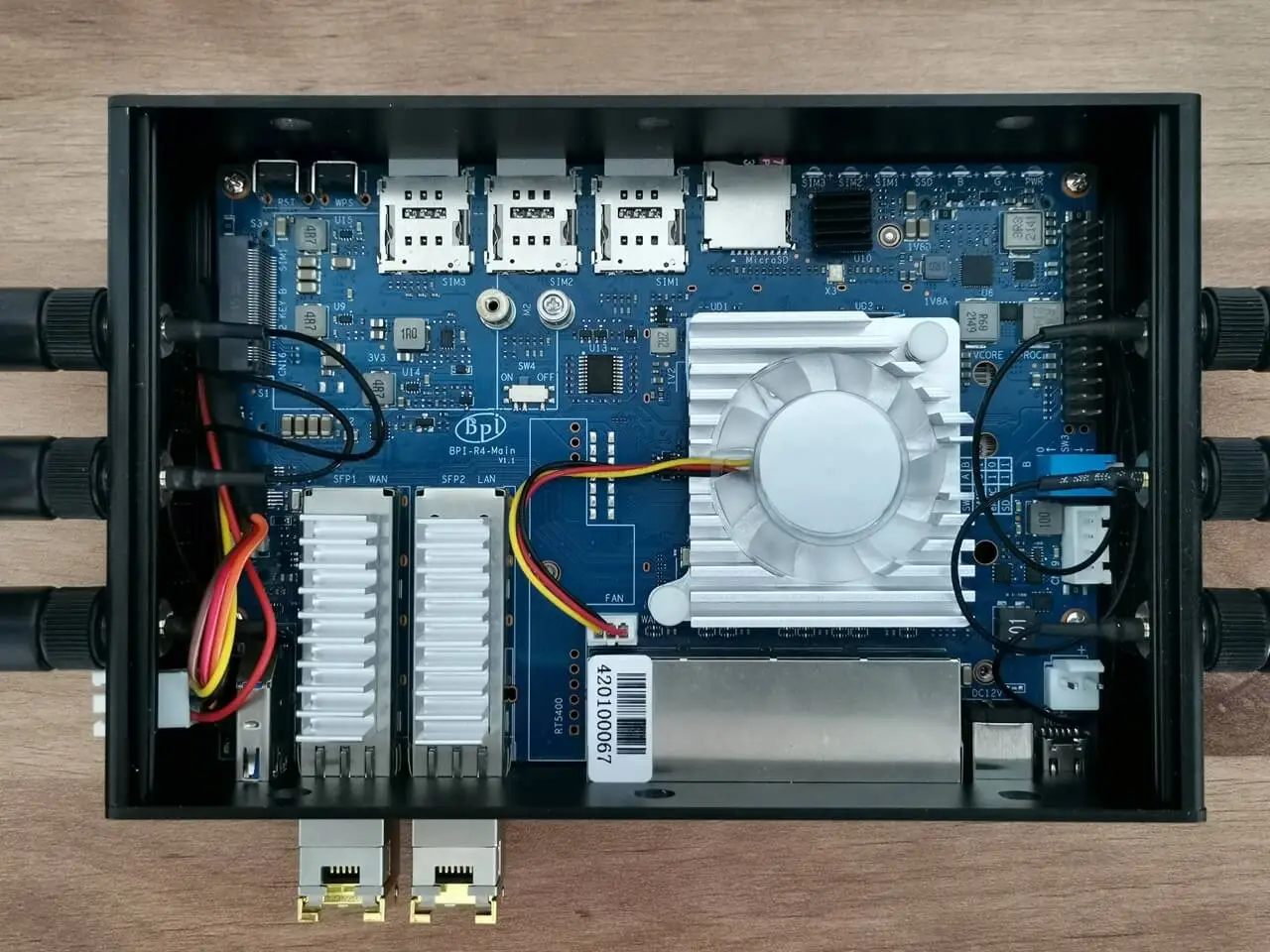
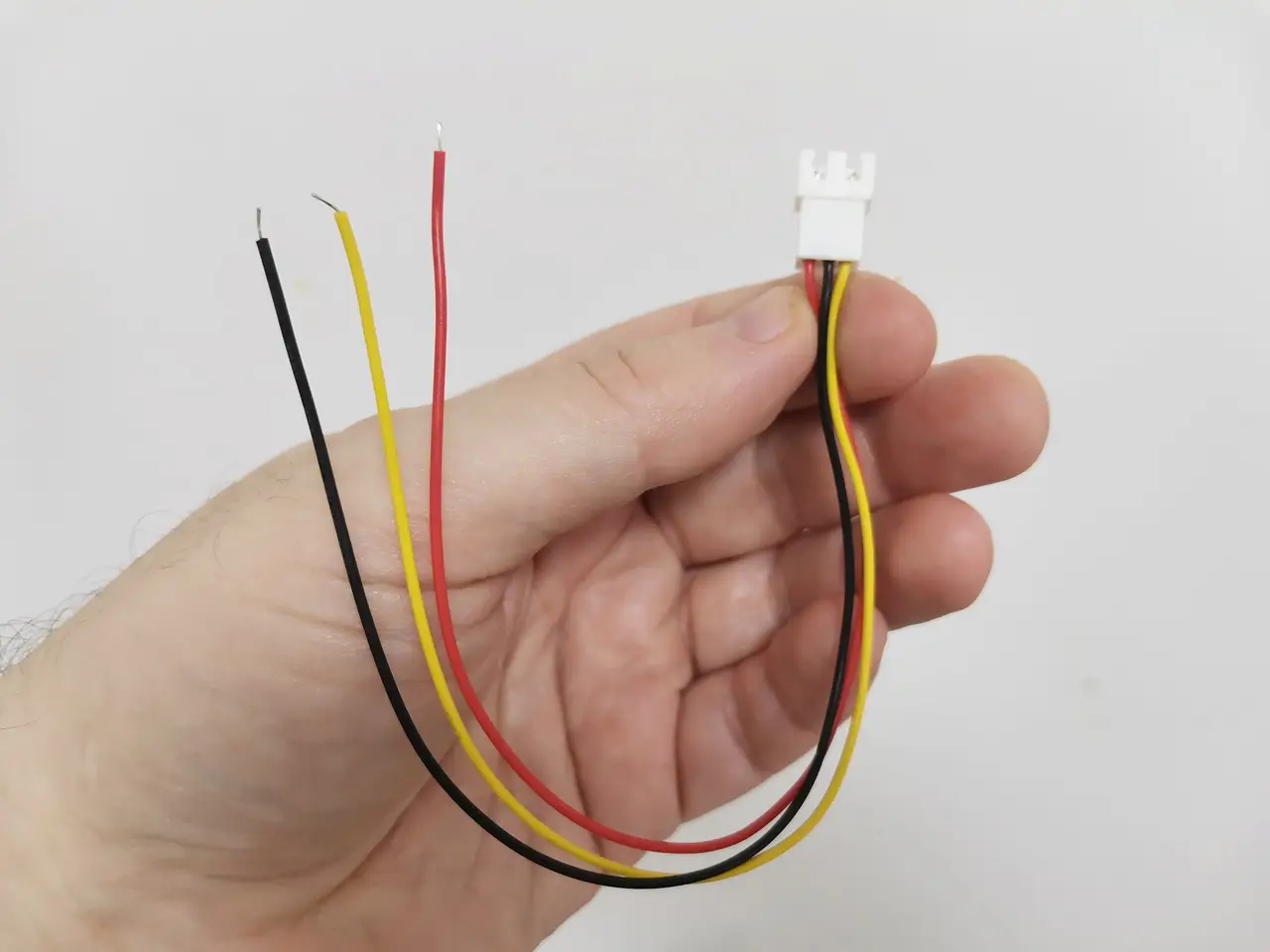
The primary goal of this arrangement is to facilitate external access to the board’s UART serial headers without the need to remove the upper cover of the case. This is accomplished by incorporating a female HX2.54 3-Pin connector into the pre-existing rectangular cutout in the R4 metal case.

The upper case fits securely into the lid of the case, but it really makes it incompatible to open repeatedly. This becomes particularly challenging when flashing the operating system onto the board’s SPI/eMMC flash chips when you need access to the R4 board serial port. To address this issue, we carefully cut and soldered two varieties of wire: one featuring an HX2.54 3-pin connector and the other equipped with a 2.54mm 3-pin connector that will fit perfectly with the R4 UART header pins.
  • Banana Pi BPI R4 UART Cable 1
    Banana Pi BPI R4 UART Cable 1
  • Banana Pi BPI R4 UART Cable 2
    Banana Pi BPI R4 UART Cable 2
  • Banana Pi BPI R4 UART Cable 3
    Banana Pi BPI R4 UART Cable 3
  • Banana Pi BPI R4 UART Cable 4
    Banana Pi BPI R4 UART Cable 4
  • Banana Pi BPI R4 UART Cable 5
    Banana Pi BPI R4 UART Cable 5
  • Banana Pi BPI R4 UART Cable 6
    Banana Pi BPI R4 UART Cable 6
  • Banana Pi BPI R4 UART Cable 7
    Banana Pi BPI R4 UART Cable 7
  • Banana Pi BPI R4 UART Cable 8
    Banana Pi BPI R4 UART Cable 8
  • Banana Pi BPI R4 UART Cable 9
    Banana Pi BPI R4 UART Cable 9
  • Banana Pi BPI R4 UART Cable 10
    Banana Pi BPI R4 UART Cable 10
  • Banana Pi BPI R4 UART Cable 11
    Banana Pi BPI R4 UART Cable 11
  • Banana Pi BPI R4 UART Cable 12
    Banana Pi BPI R4 UART Cable 12
  • Banana Pi BPI R4 UART Cable 13
    Banana Pi BPI R4 UART Cable 13
  • Banana Pi BPI R4 UART Cable 14
    Banana Pi BPI R4 UART Cable 14
  • Banana Pi BPI R4 UART Cable 15
    Banana Pi BPI R4 UART Cable 15
  • Banana Pi BPI R4 UART Cable 16
    Banana Pi BPI R4 UART Cable 16
1 2 3 4 5 6 7 8 9 10 11
Share. Facebook Twitter Pinterest LinkedIn Tumblr Email
Previous ArticleOrange Pi AIPro powered by Huawei Ascend SoC, launched globally
Next Article Xiaomi Watch S3 Review: Great design, but is it worth the HyperOS hype?
androidpimp
  • Website

Related Posts

Raspberry Pi Zero 3W SBC

Orange Pi Zero 3W Review: $25 Dual Video Pi Zero 2W Killer?

June 17, 2026
Orange Pi 6

Orange Pi 6: 45 TOPS AI Power Crushes Raspberry Pi AI HATs

June 17, 2026
DFRobot Flexible AMOLED Display

DFRobot 6.67″ Flexible AMOLED Review: Curved Display for Raspberry Pi & LattePanda

June 8, 2026
5 1 vote
Article Rating
Subscribe
Notify of
4 Comments
Oldest
Newest Most Voted
joise meerde
2 years ago

Good Job

0
Reply
Author
androidpimp
2 years ago
Reply to  joise meerde

Thanks

0
Reply
Dimitris B.
6 months ago

That’s the most in-depth review I’ve seen of the BPI-R4. However, the benchmark and Wi-Fi testing sections are noticeably missing. Any reason why?

0
Reply
Author
androidpimp
6 months ago
Reply to  Dimitris B.

Thanks. Probably at that time I didnโ€™t have the extra patience to wait until they fixed the bugs/problems. Hopefully a few months have passed and it should be fine now.

0
Reply
PureVPN
PureVPN Ad Banner
VyprVPN – No. 1 in Anonymity
Vyprvpn 350x260
PrivadoVPN – No. 1 in Parental Control
PrivadoVPN 350x437
Recent Posts
  • Orange Pi Zero 3W Review: $25 Dual Video Pi Zero 2W Killer?
  • Orange Pi 6: 45 TOPS AI Power Crushes Raspberry Pi AI HATs
  • AliExpress Promo Codes: June 2026 (100% Verified)
  • DFRobot 6.67″ Flexible AMOLED Review: Curved Display for Raspberry Pi & LattePanda
  • Banana Pi BPI-SM10 Review: 60 TOPS RISC-V Jetson Orin Nano Alternative
  • SpacemiT K3 Pico-ITX Review: 60-TOPS RISC-V Powerhouse for LLMs?
  • Banana Pi BPI-R4 Pro Review: The Best WiFi 7 OpenWrt Router? We Checked!
  • DFRobot ESP32-S3 LoRaWAN & Gateway Review: Build a Private IoT Network
  • WaveNote AI Review 2026: An Honest Pro/Con Comparison (Tested)
  • CamThink NE301 Review: 25 FPS YOLOv8 on STM32 Edge AI
RSS The Latest RSS Feeds
  • Orange Pi Zero 3W Review: $25 Dual Video Pi Zero 2W Killer?
  • Orange Pi 6: Built-In 45 TOPS AI Power Beats Any AI HAT+
  • AliExpress Promo Codes: June 2026 (100% Verified)
Facebook X (Twitter) Instagram Pinterest
@2026 - All Right Reserved. Designed by AndroidPIMP

Type above and press Enter to search. Press Esc to cancel.

Powered by
►
Necessary cookies enable essential site features like secure log-ins and consent preference adjustments. They do not store personal data.
None
►
Functional cookies support features like content sharing on social media, collecting feedback, and enabling third-party tools.
None
►
Analytical cookies track visitor interactions, providing insights on metrics like visitor count, bounce rate, and traffic sources.
None
►
Advertisement cookies deliver personalized ads based on your previous visits and analyze the effectiveness of ad campaigns.
None
►
Unclassified cookies are cookies that we are in the process of classifying, together with the providers of individual cookies.
None
Powered by
wpDiscuz