Close Menu
  • Home
  • About
  • Wearables
  • Earbuds
  • Tech Accessories
    • Routers
    • Remotes
  • Embedded
    • Single Board Computers
    • Addon Boards
    • Raspberry Pi
  • Wireless Routers
  • Contact
Facebook X (Twitter) Instagram Threads
Trending
  • RiiTek RK807 Pro Review: The Best Budget Apple Magic Keyboard Alternative?
  • Rii 518BT Review: Is This Pocket Keyboard Actually Usable?
  • RiiTek RK808 Review: The Best Foldable Travel Keyboard?
  • Rii RS201 Review: $69 16-Inch Portable Monitor Tested
  • AliExpress Promo Codes: August 2026 (100% Verified)
  • Orange Pi 6 Review: Is It Suitable for Running Local LLMs? We Checked.
  • Youyeetoo NestDisk Mini PC/Router: Is This Pocket-Sized 3-in-1 NAS Worth It?
  • DFRobot Unveils seeMote Cube: A 6DoF Physical Controller for Apple Vision Pro
AndroidPIMP
Facebook X (Twitter) Instagram
  • Home
  • About
  • Wearables
  • Earbuds
  • Tech Accessories
    • Routers
    • Remotes
  • Embedded
    • Single Board Computers
    • Addon Boards
    • Raspberry Pi
  • Wireless Routers
  • Contact
AndroidPIMP
Edge AI Hardware

HUSKYLENS 2: DFRobot’s New AI Machine Vision Sensor Unveiled

By androidpimpNovember 5, 2025Updated:August 5, 2026No Comments17 Mins Read
Facebook Twitter Pinterest LinkedIn Tumblr Email
Follow Us
Google News Flipboard
HuskyLens 2 AI Machine Vision sensor
Table of contents
  1. HUSKYLENS 2: An advanced AI-powered machine vision camera perfect for AI and robotics applications.
  2. Part I: Introducing the Product
  3. A full up-close view of the product
  4. Key Features
  5. Model Context Protocol (MCP) support and large language models (LLMs)
    1. 🧠 MCP (Model Context Protocol)
    2. 🤖 Leveraging the LLM
    3. 🚀 Why It Matters
    4. 🧠 What is LLM all about?
    5. 📚 How It Works
  6. Specifications
  7. With over 20 built-in algorithms ready to use
  8. Applications in education and AI project development.
  9. Broad compatibility with popular controllers and SBCs
    1. Wide Controller Support
  10. What’s included in the package?
  11. Additional accessories
  12. Part II: HUSKYLENS 2 Review (Currently being updated)
    1. The Product Package
  13. Unboxing all Items
    1. Package Contents
  14. The Main Module/Unit
  15. The camera module
  16. Interfaces
    1. HUSKYLENS 2 Power Board
      1. The advantages of the Power Board
      2. So, when would you need to use it?
  17. Operation
    1. Standalone mode
    2. Self-Learning Capabilities (A partial list)
  18. YOLO-Style Workflow
    1. How It Works on HuskyLens 2
  19. Connecting with external hardware
    1. Interfacing with the Orange Pi RV2
      1. Orange Pi RV2 to HuskyLens 2 Wiring (I2C Mode)
      2. Orange Pi RV2 to HuskyLens 2 Wiring (UART Mode)
  20. Connecting the Orange Pi RV2 to the HuskyLens 2 in I2C mode.
  21. Software Setup
    1. 1. Enabling the I2C3 interface
    2. 2. Installing I2C Tools
    3. 3. Installing the HuskYLENS Python library
    4. 4. Checking for available I2C devices connected to the HUSKYLENS 2
  22. 5. Final result?
  23. The great features of HUSKYLENS 2
    1. Real-world user cases
  24. Price and availability

The Main Module/Unit

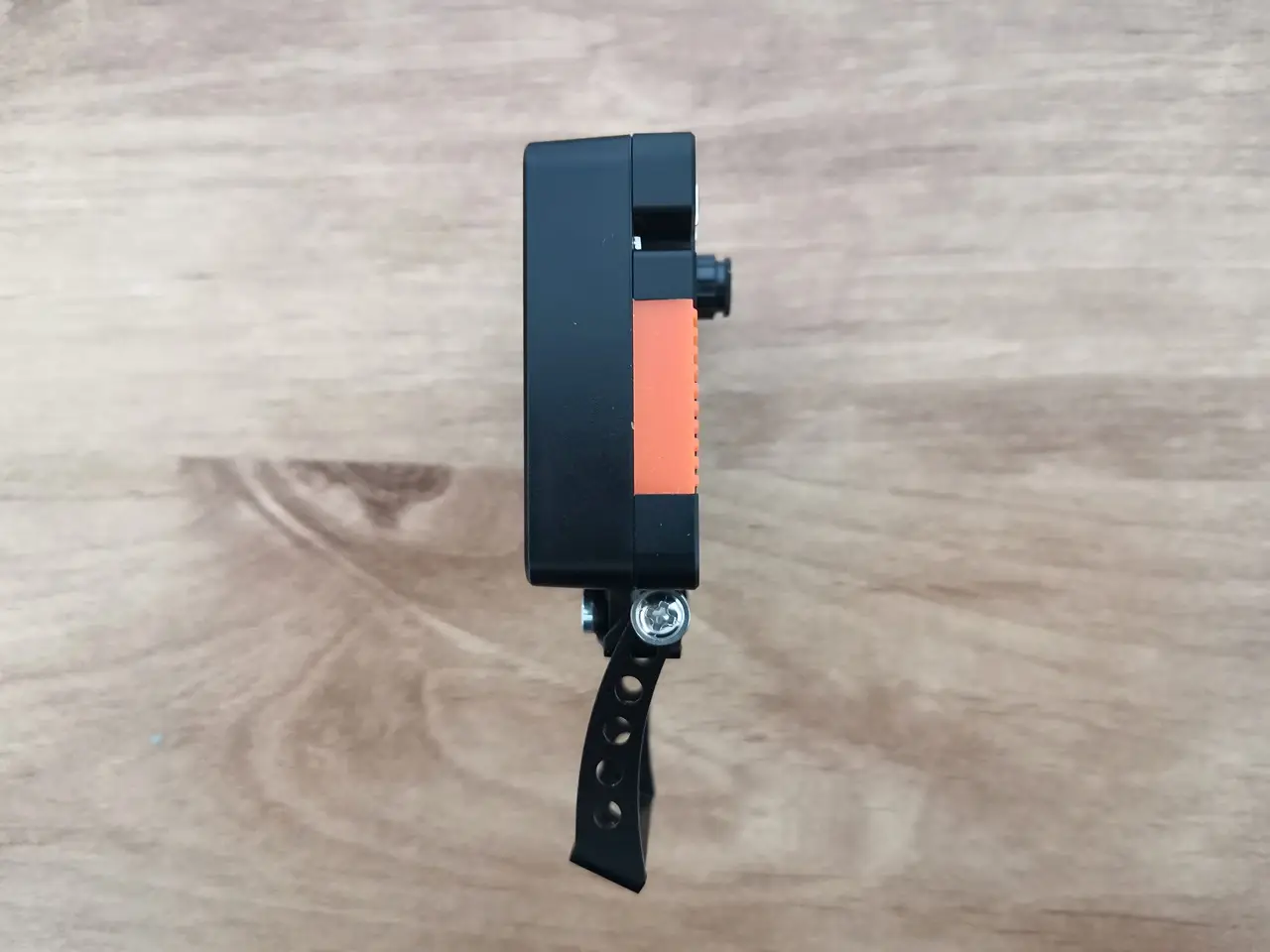
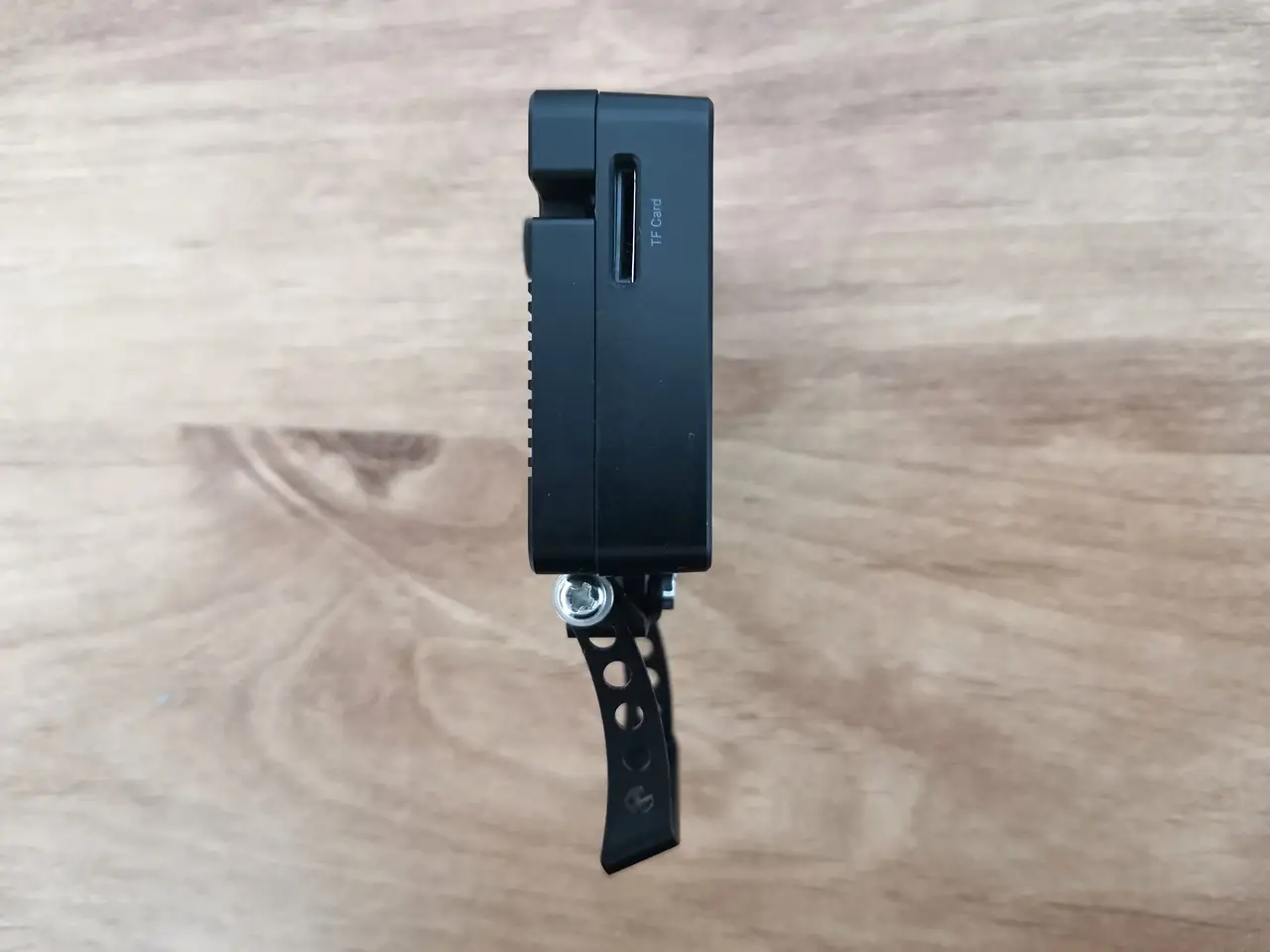
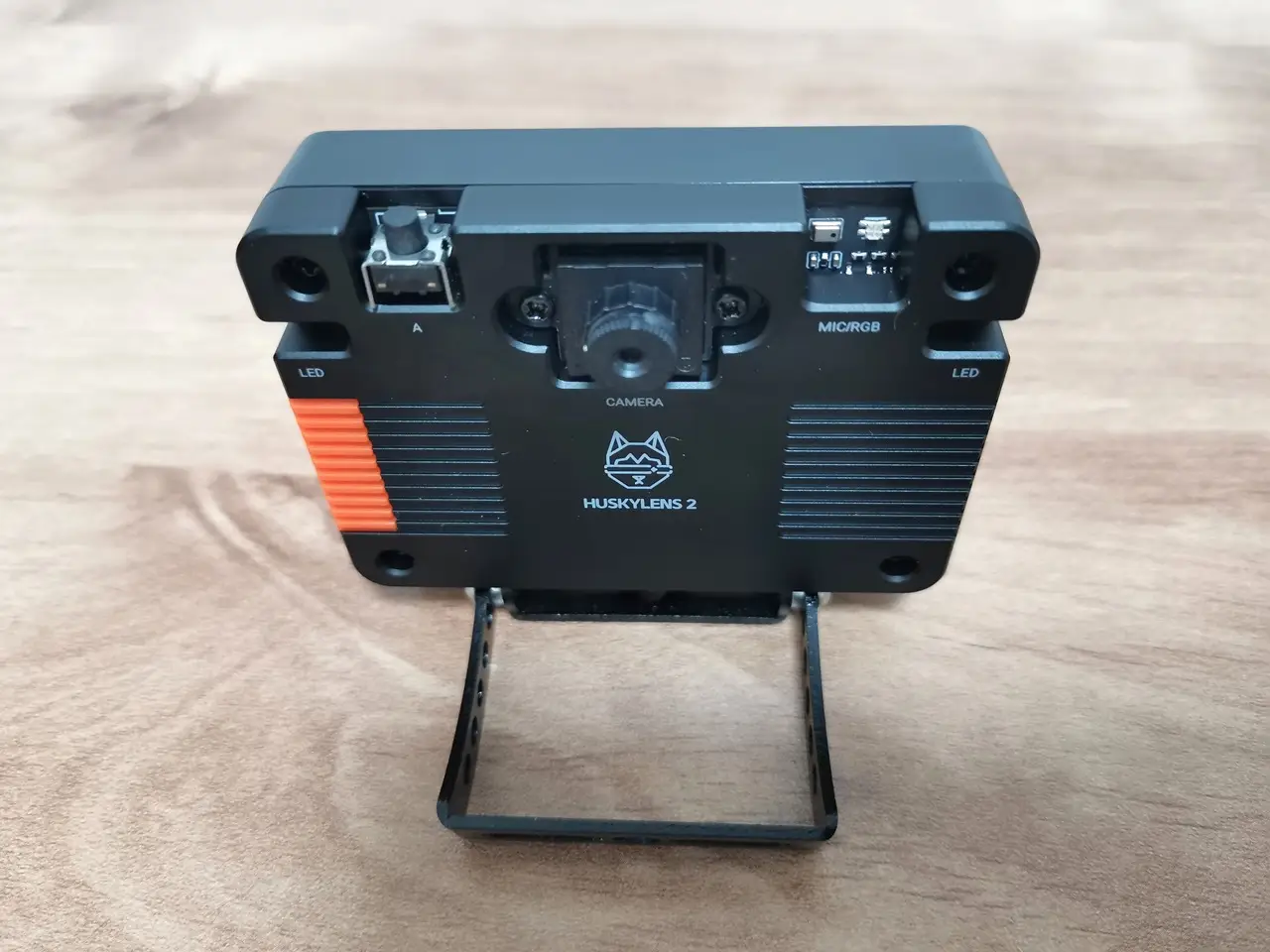
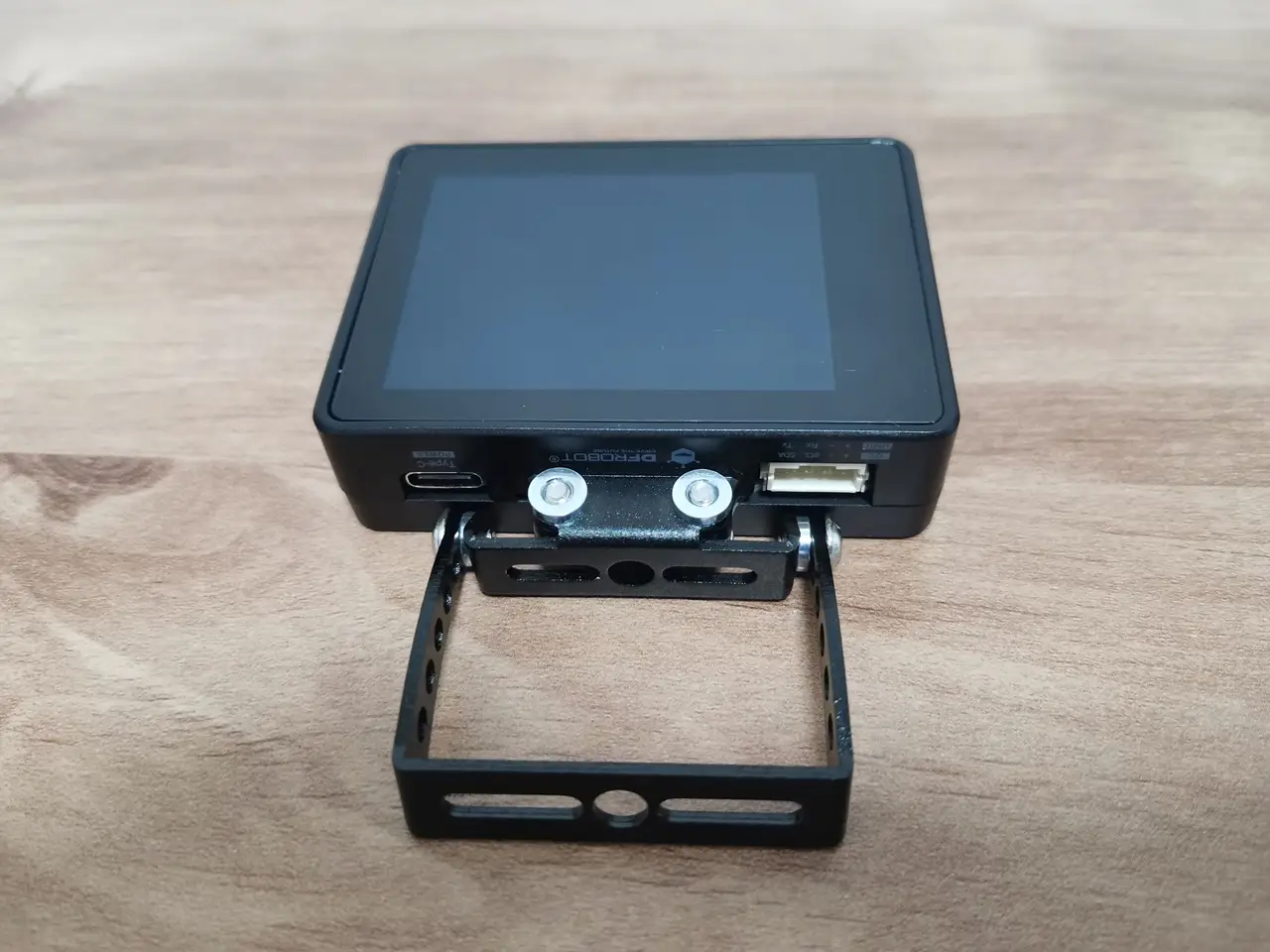
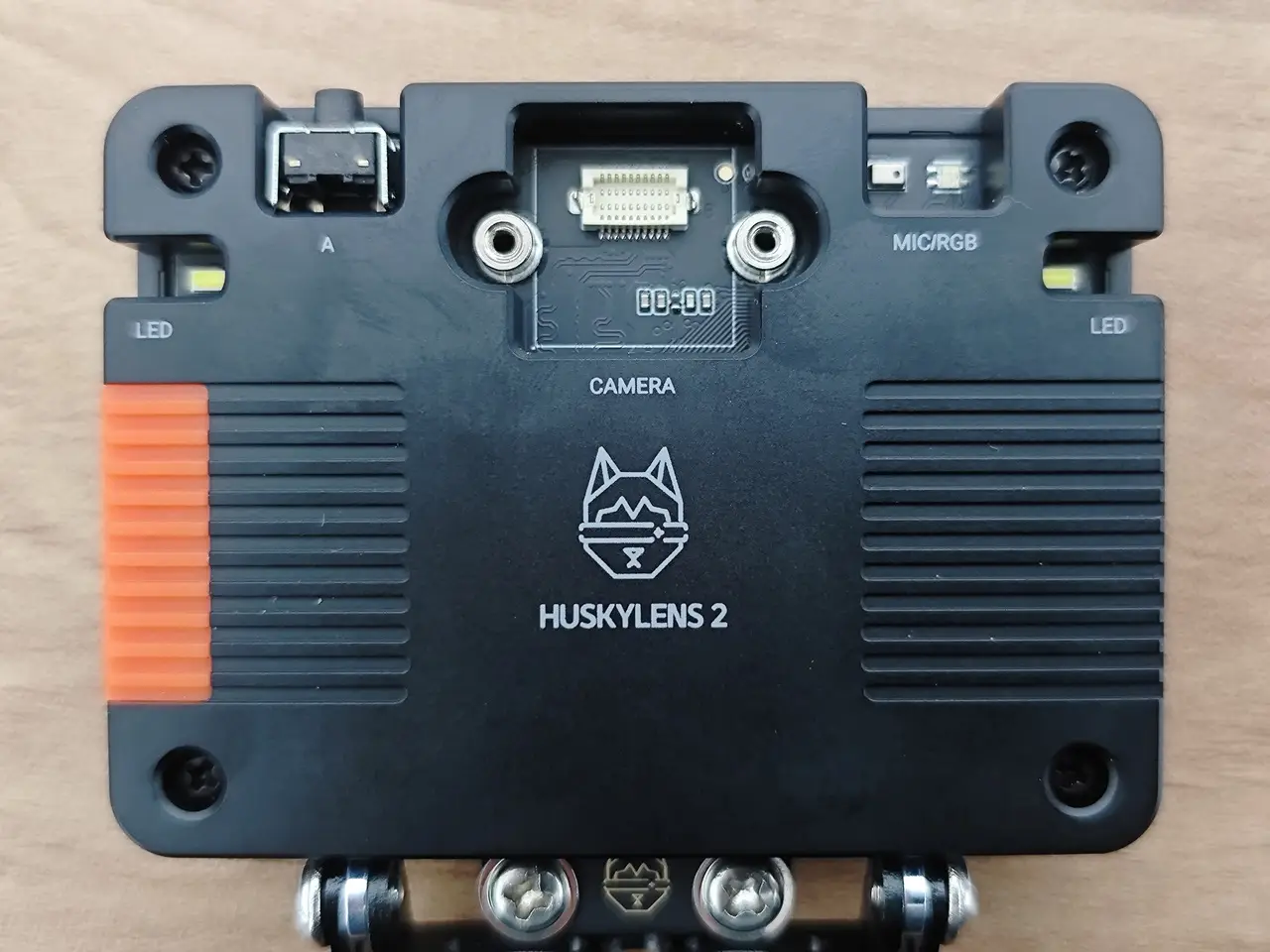
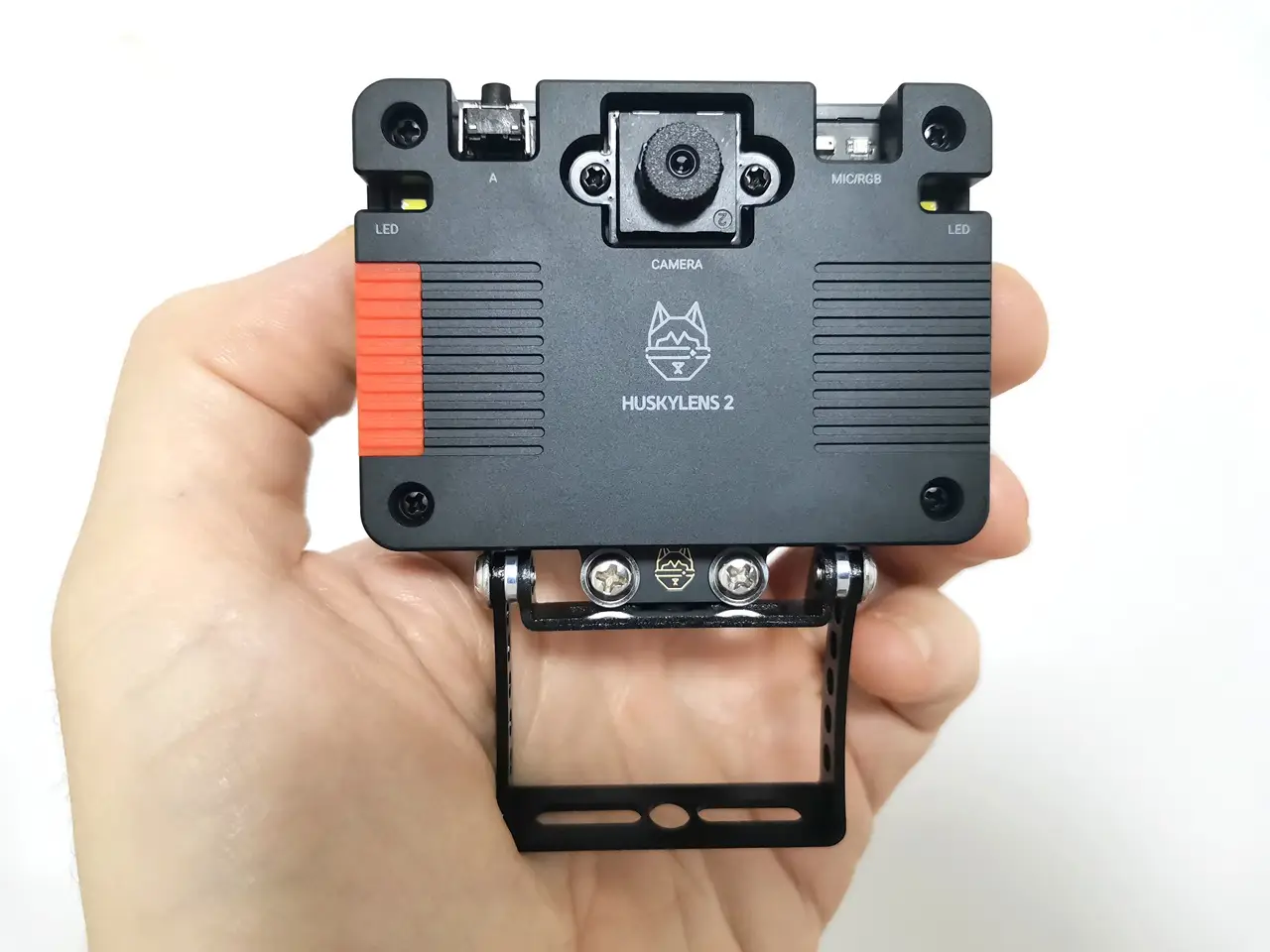
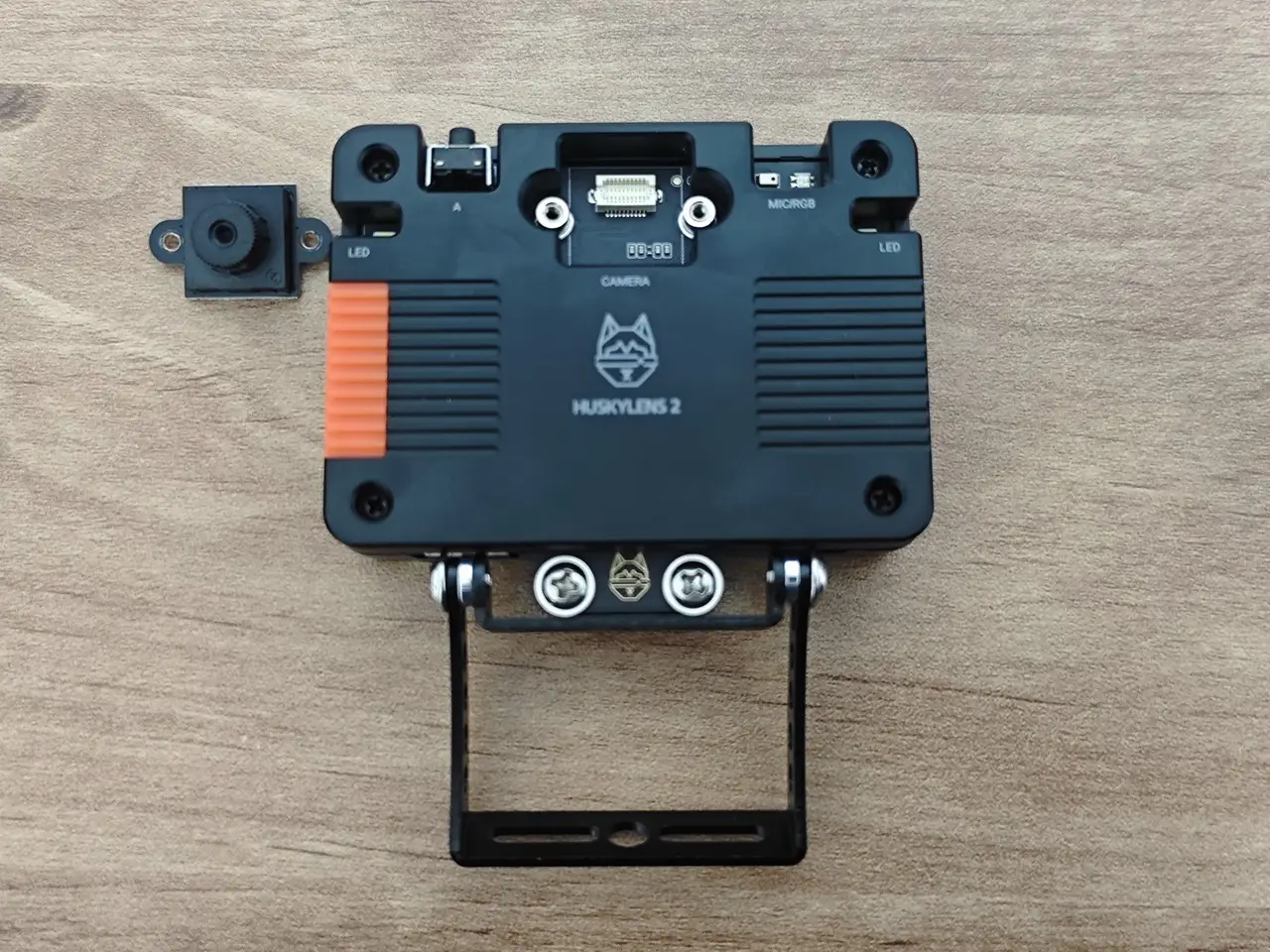
This product includes key components like a display, camera, and various interfaces. It’s basically a sleek, well-crafted SBC module designed for AI applications, appealing to more than just hobbyists. The board arrives pre-assembled in a sturdy, premium plastic casing, which we found to be a thoughtful and appreciated detail.

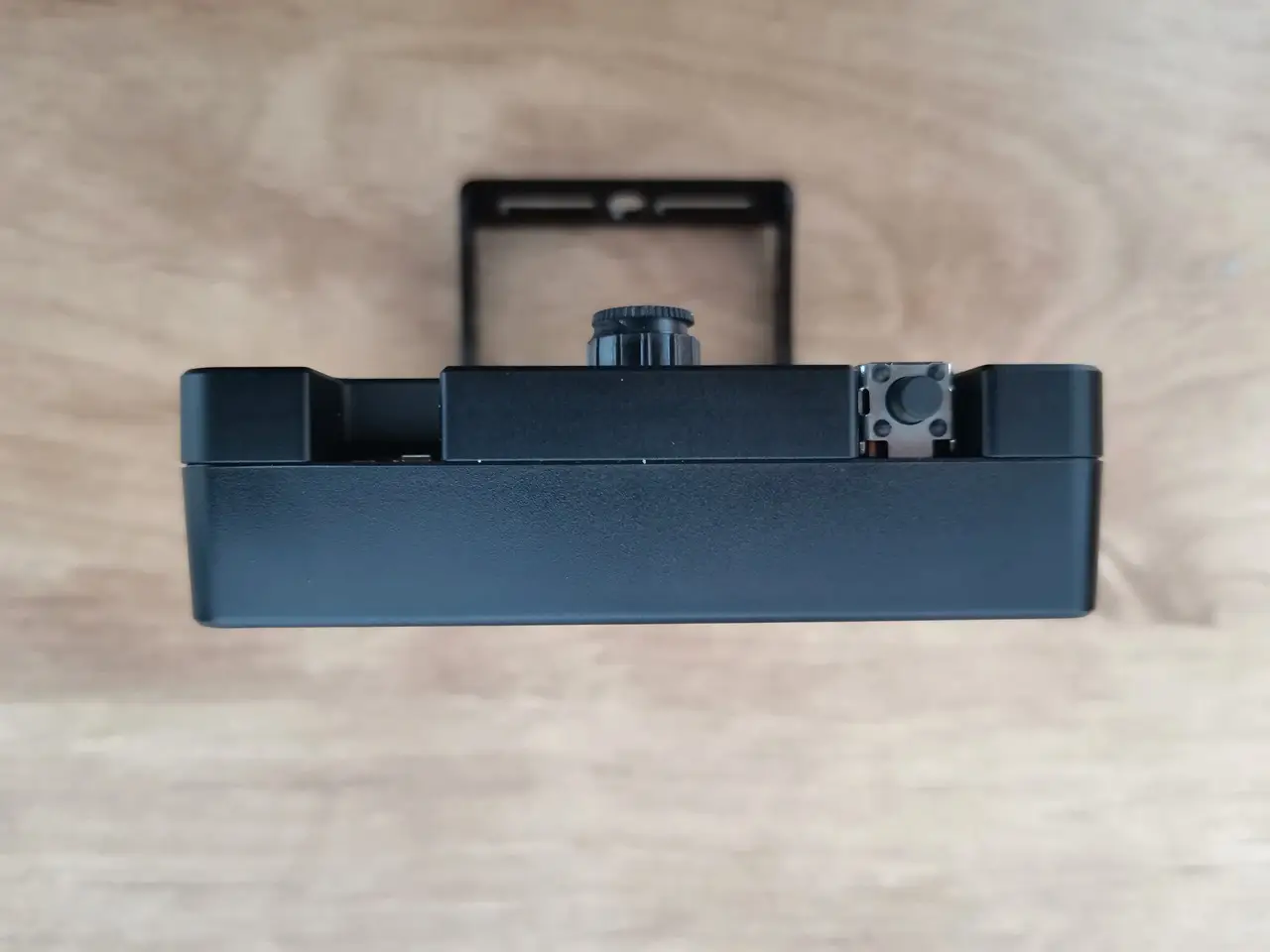
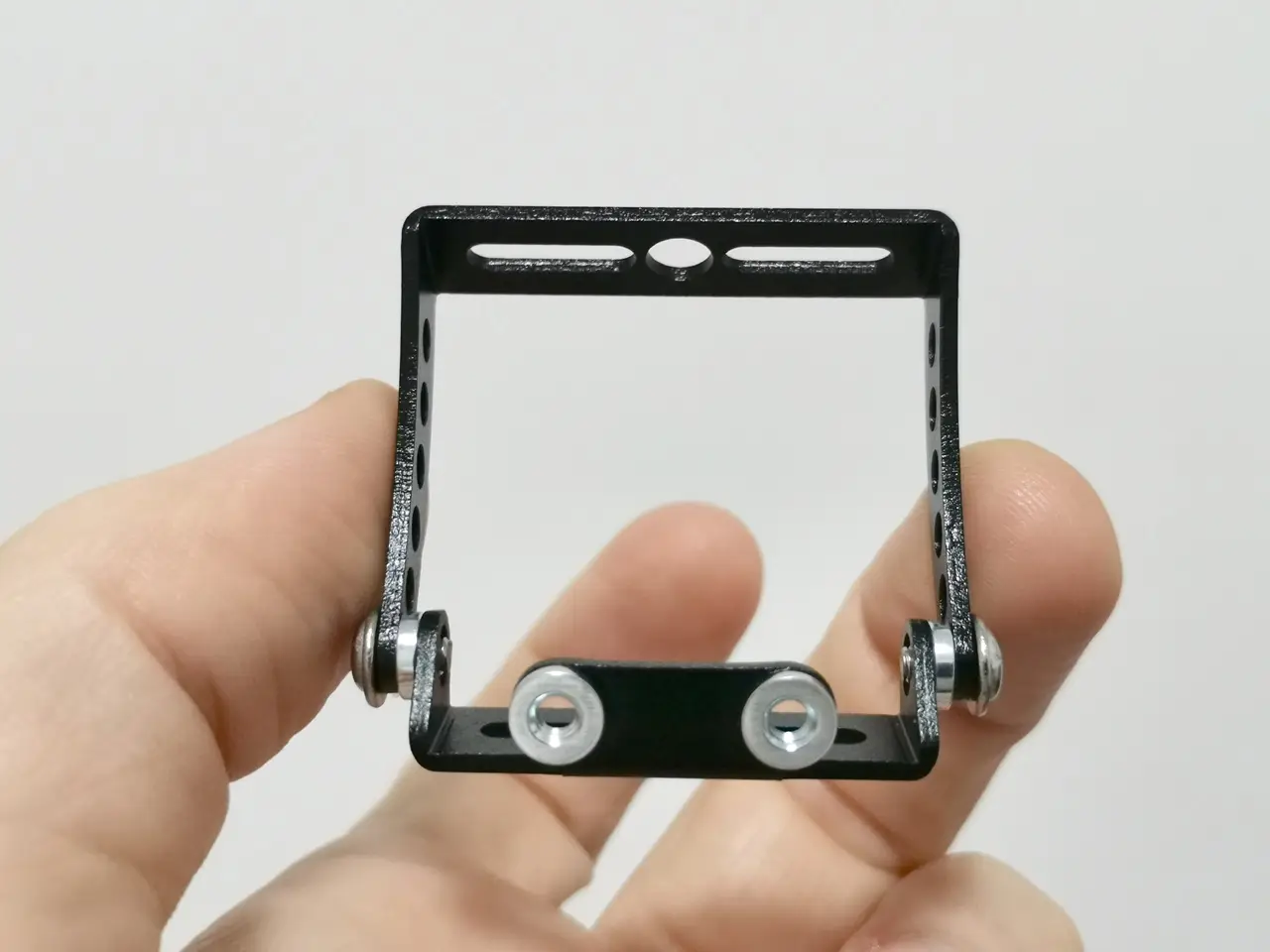
In addition to the sturdy case, DFRobot company also included a pair of metal brackets that let you mount the device on various surfaces. You’ll probably be able to mount it on a tripod, car, or even bicycles if you have the proper screws. One of the brackets features built-in threads, and the kit includes all the necessary screws. The bracket height can be easily adjusted using the provided screws and nuts. Overall, it’s a very useful addition to the product.

A closer peak HUSKYLENS 2, complete with its assembled mounting bracket.
HUSKYLENS 2 P1
HUSKYLENS 2 P1
HUSKYLENS 2 P2
HUSKYLENS 2 P2
HUSKYLENS 2 P3
HUSKYLENS 2 P3
HUSKYLENS 2 P4
HUSKYLENS 2 P4
HUSKYLENS 2 P5
HUSKYLENS 2 P5
HUSKYLENS 2 P6
HUSKYLENS 2 P6
HUSKYLENS 2 P0
HUSKYLENS 2 P0

The camera module

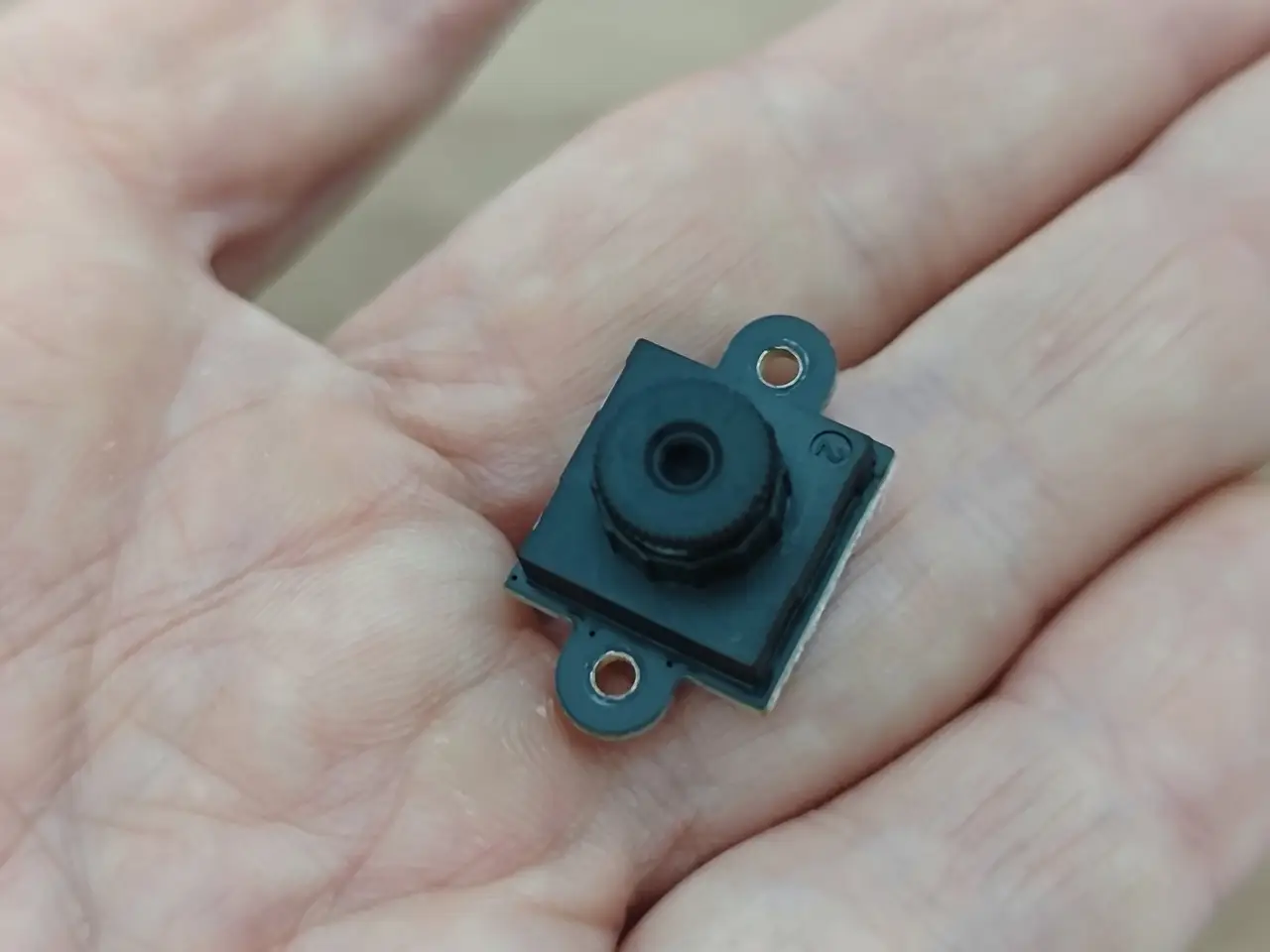
Compared to the previous HUSKYLENS model, which featured a fixed integrated camera, this device includes a 2 MP (GC2093) camera with interchangeable lenses. The camera module is easy to disassemble with just a couple of screws, making it simple to replace with an upgraded sensor or swap out if damaged. Overall, from a user’s standpoint, that’s a great option to have.
HUSKYLENS 2 Camera 1
HUSKYLENS 2 Camera 3
HUSKYLENS 2 Camera 2

Interfaces

The HUSKYLENS 2 features a USB-C port for power and firmware updates, a 4-pin “Gravity” connector that provides UART, I²C, and Power/GND for host communication, and an optional slot for a 2.4 GHz Wi-Fi 6 module to enable wireless connectivity. It also includes a TF-card (micro-SD) slot on the side for extra storage or dataset capture, making it highly expandable.

HUSKYLENS 2 Power Board

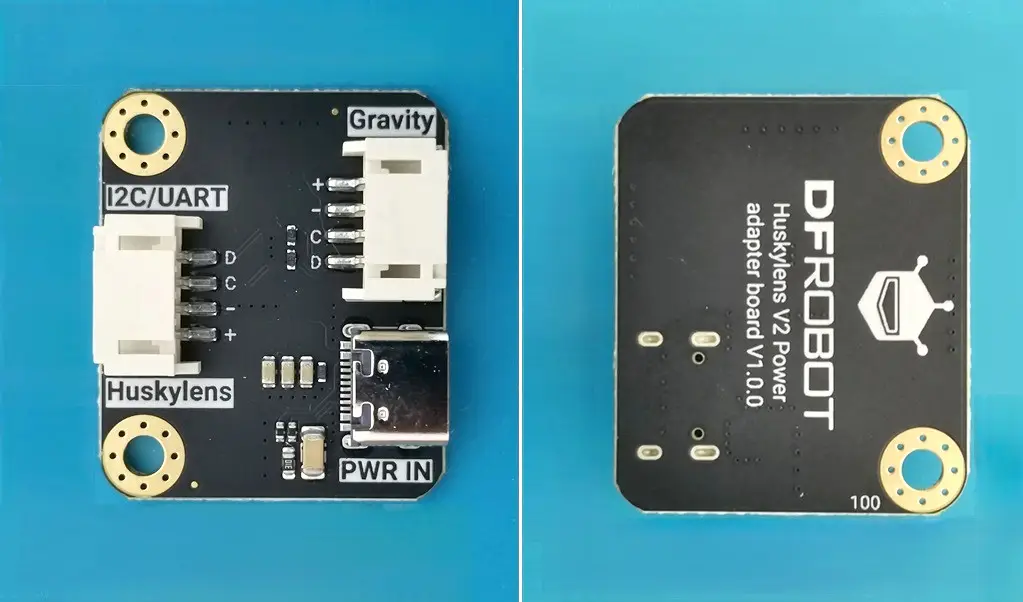
DFRobot recommends users of Arduino, Raspberry Pi, micro:bit, and other popular brands to try this board, which is also likely compatible with various Chinese brands. Additionally, DFRobot includes this power board in the board kit. It ensures stable and sufficient power delivery to the HuskyLens 2 AI vision sensor, especially when paired with microcontrollers like Arduino or ESP32.

The advantages of the Power Board

  • Stable Power Supply: The HuskyLens 2 needs a steady 5V power source to run its AI chip, touchscreen, camera, and other parts. Most microcontrollers can’t reliably provide this power through their onboard pins.
  • Avoids Brownouts and Crashes: Without enough power, the device might reboot unexpectedly or struggle to run AI models smoothly. The Power Board tackles these problems by managing voltage and current effectively.
  • Simplifies Wiring: It features dedicated connectors and voltage regulation, simplifying integration with platforms like Arduino, Raspberry Pi, ESP32, and micro:bit.
  • Supports Add-ons: When using accessories like the WiFi module or microscope lens, the Power Board ensures the extra power draw is managed safely.

So, when would you need to use it?

  • Using USB Power from a Microcontroller: Most boards can’t supply enough current through USB or GPIO pins.
  • Running Complex AI Models: Tasks like face recognition, object detection, or pose estimation require more power than basic sensors.
  • Deploying Custom Models: If you’re loading YOLO-style models or using the full 6 TOPS AI chip capability, stable power becomes critical.

HuskyLens 2 Power Board
HUSKYLENS 2 Power Board
1 2 3 4 5 6
AI Machine Vision Sensor HUSKYLENS 2
Share. Facebook Twitter Pinterest LinkedIn Tumblr Email
Previous ArticleOrange Pi 4 Pro RISC-V SBC Debuts with Allwinner SoC and WiFi 6 Support
Next Article Orange Pi RG: A retro handheld gaming console powered by RISC-V is currently in dev.
androidpimp
  • Website

Related Posts

WaveNote

WaveNote AI Recorder Review: Is the Subscription Actually Worth It?

February 26, 2026
NeoEyes NE301 Review

CamThink NE301 Review: 25 FPS YOLOv8 on STM32 Edge AI

February 19, 2026
WonderLLM Chatbot Module

HiWonder WonderLLM: ESP32-S3 AI Vision & Chatbot Module with 2MP Camera

January 30, 2026
0 0 votes
Article Rating
Subscribe
Notify of
0 Comments
Oldest
Newest Most Voted
Categories
PureVPN
PureVPN Ad Banner
PrivadoVPN – No. 1 in Parental Control
PrivadoVPN 350x437
Recent Posts
  • RiiTek RK807 Pro Review: The Best Budget Apple Magic Keyboard Alternative?
  • Rii 518BT Review: Is This Pocket Keyboard Actually Usable?
  • RiiTek RK808 Review: The Best Foldable Travel Keyboard?
  • Rii RS201 Review: $69 16-Inch Portable Monitor Tested
  • AliExpress Promo Codes: August 2026 (100% Verified)
  • Orange Pi 6 Review: Is It Suitable for Running Local LLMs? We Checked.
  • Youyeetoo NestDisk Mini PC/Router: Is This Pocket-Sized 3-in-1 NAS Worth It?
  • DFRobot Unveils seeMote Cube: A 6DoF Physical Controller for Apple Vision Pro
  • Orange Pi X2 Mini PC Is Officially in the Works – Here’s What We Know
  • BPI-R4 Wi-Fi 7 NIC (BE14): OpenWrt Setup & Optimal WiFi Power Guide
RSS feed: The Latest RSS Feeds The Latest RSS Feeds
  • RiiTek RK807 Pro Review: The Best Budget Apple Magic Keyboard Alternative?
  • Rii 518BT Review: Is This Pocket Keyboard Actually Usable?
  • RiiTek RK808 Review: The Best Foldable Travel Keyboard?
Facebook X (Twitter) Instagram Pinterest
@2026 - All Right Reserved. Designed by AndroidPIMP

Type above and press Enter to search. Press Esc to cancel.

wpDiscuz