
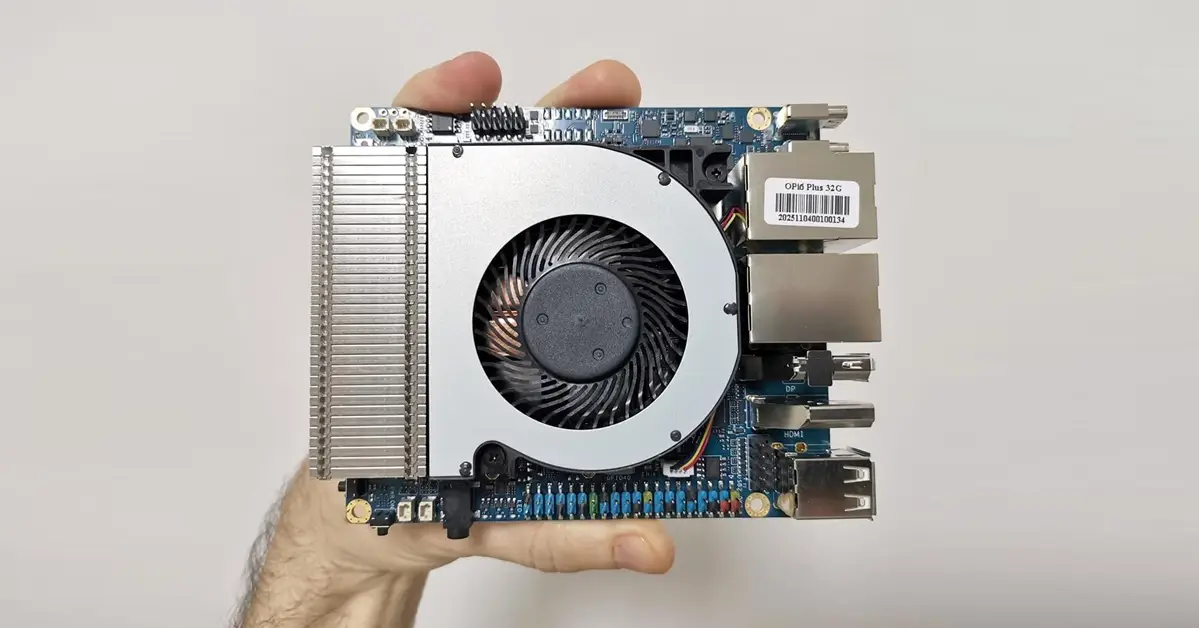
System information
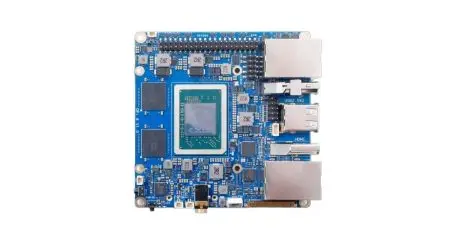
The hardware setup runs on ARM’s big.LITTLE architecture with three different types of CPU cores. In simple terms, the CD8160 chipset in this board—also known as the CIX P1 from CIX Technology—packs a total of 12 cores and delivers impressive performance.
This is known as a heterogeneous CPU design (big.LITTLE plus medium tier). Rather than having all identical cores, the system features:
- Big cores → maximum speed when needed.
- Medium cores → balance between speed and efficiency.
- LITTLE cores → ultra‑low power for background tasks.
| Category | Number of cores | Architecture | Clock frequency |
| Big cores | 4x | Cortex®-A720 | up to 2.6GHz |
| Medium cores | 4x | Cortex®‑A720 | up to 2.4GHz |
| LITTLE cores | 4x | Cortex®‑A520 | up to 1.8GHz |
Advantages of this Design:
- Performance scaling: High speed when needed, but not always active.
- Battery efficiency: Saves power by offloading light tasks to LITTLE cores.
- Thermal management: Prevents overheating by distributing tasks across cores.
- Flexibility: More cores overall (12 total) → better multitasking.
root@orangepi6plus:/#  lscpu
Architecture:           aarch64
  CPU op-mode(s):       64-bit
  Byte Order:           Little Endian
CPU(s):                 12
  On-line CPU(s) list:  0-11
Vendor ID:              ARM
  BIOS Vendor ID:       Cix Technology Group Co., Ltd.
  Model name:           Cortex-A720
    BIOS Model name:    CIX P1 CD8160   CPU @ 1.9GHz
    BIOS CPU family:    258
    Model:              1
    Thread(s) per core: 1
    Core(s) per socket: 1
    Socket(s):          1
    Stepping:           r0p1
    CPU(s) scaling MHz: 31%
    CPU max MHz:        2600.1980
    CPU min MHz:        799.8650
    BogoMIPS:           2000.00
    Flags:              fp asimd evtstrm aes pmull sha1 sha2 crc32 atomics fphp asimdhp cpuid asimdrdm jscvt fcma lrcpc d
                        cpop sha3 sm3 sm4 asimddp sha512 sve asimdfhm dit uscat ilrcpc flagm ssbs sb paca pacg dcpodp sve
                        2 sveaes svepmull svebitperm svesha3 svesm4 flagm2 frint svei8mm svebf16 i8mm bf16 dgh bti ecv af
                        p wfxt
  Model name:           Cortex-A520
    BIOS Model name:    CIX P1 CD8160   CPU @ 1.9GHz
    BIOS CPU family:    258
    Model:              1
    Thread(s) per core: 1
    Core(s) per socket: 4
    Socket(s):          1
    Stepping:           r0p1
    CPU(s) scaling MHz: 100%
    CPU max MHz:        1799.9980
    CPU min MHz:        799.9990
    BogoMIPS:           2000.00
    Flags:              fp asimd evtstrm aes pmull sha1 sha2 crc32 atomics fphp asimdhp cpuid asimdrdm jscvt fcma lrcpc d
                        cpop sha3 sm3 sm4 asimddp sha512 sve asimdfhm dit uscat ilrcpc flagm ssbs sb paca pacg dcpodp sve
                        2 sveaes svepmull svebitperm svesha3 svesm4 flagm2 frint svei8mm svebf16 i8mm bf16 dgh bti ecv af
                        p wfxt
  Model name:           Cortex-A720
    BIOS Model name:    CIX P1 CD8160   CPU @ 1.9GHz
    BIOS CPU family:    258
    Model:              1
    Thread(s) per core: 1
    Core(s) per socket: 7
    Socket(s):          1
    Stepping:           r0p1
    CPU(s) scaling MHz: 34%
    CPU max MHz:        2600.1980
    CPU min MHz:        799.8400
    BogoMIPS:           2000.00
    Flags:              fp asimd evtstrm aes pmull sha1 sha2 crc32 atomics fphp asimdhp cpuid asimdrdm jscvt fcma lrcpc d
                        cpop sha3 sm3 sm4 asimddp sha512 sve asimdfhm dit uscat ilrcpc flagm ssbs sb paca pacg dcpodp sve
                        2 sveaes svepmull svebitperm svesha3 svesm4 flagm2 frint svei8mm svebf16 i8mm bf16 dgh bti ecv af
                        p wfxt
NUMA:
  NUMA node(s):         1
  NUMA node0 CPU(s):    0-11
Vulnerabilities:
  Gather data sampling: Not affected
  Itlb multihit:        Not affected
  L1tf:                 Not affected
  Mds:                  Not affected
  Meltdown:             Not affected
  Mmio stale data:      Not affected
  Retbleed:             Not affected
  Spec rstack overflow: Not affected
  Spec store bypass:    Mitigation; Speculative Store Bypass disabled via prctl
  Spectre v1:           Mitigation; __user pointer sanitization
  Spectre v2:           Not affected
  Srbds:                Not affected
  Tsx async abort:      Not affected
Out of 32GB of RAM, how much is actually available?
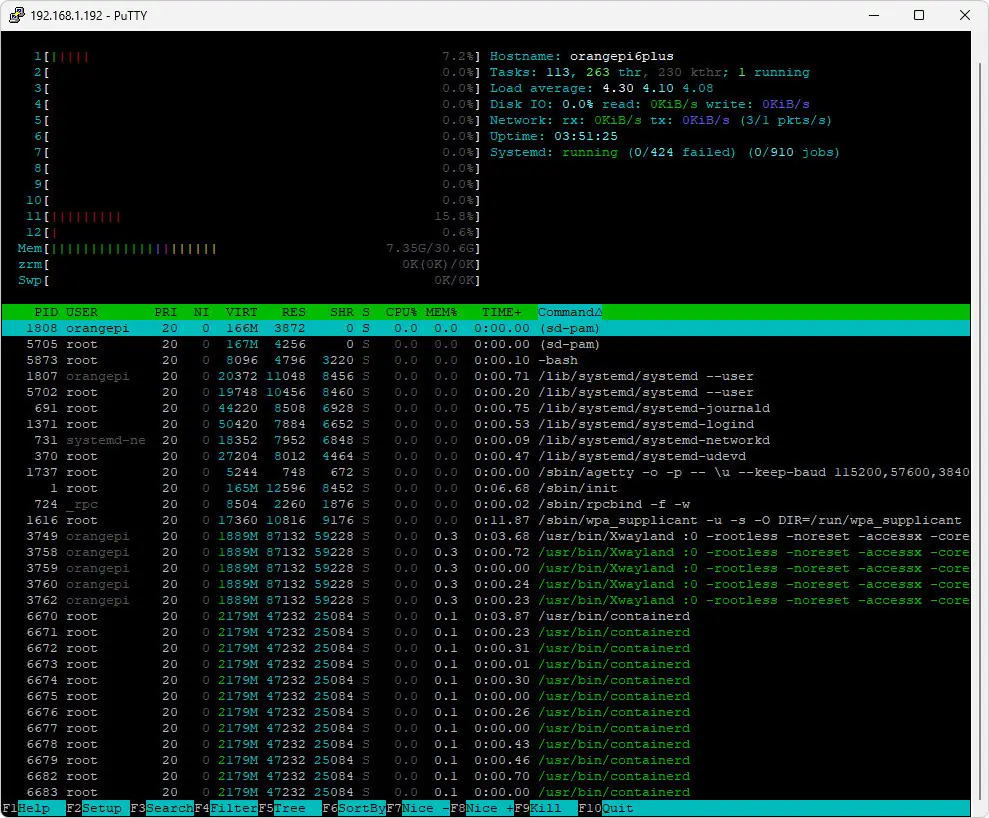
On a clean system, without installing extra background services that consume RAM, from 32GB of memory you’ll have about 22GB free, which is pretty awesome.
root@orangepi6plus:/mnt/ssd# free -h
total used free shared buff/cache available
Mem: 30Gi 7.7Gi 20Gi 17Mi 3.0Gi 22Gi
Swap: 0B 0B 0B
running htop
Storage space and memory options
Storage
This board doesn’t include an integrated eMMC chip, but the Orange Pi 6 Plus makes up for it with a microSD card slot, plenty of USB ports, and two M.2 Key-M 2280 slots for NVMe SSDs. Each slot supports PCIe Gen4 x4 lanes, delivering high-speed storage expansion with theoretical bandwidths of up to 8 GB/s per slot. It can accommodate standard consumer NVMe SSDs in sizes like 1TB, 2TB, 4TB, and even 8TB, allowing for up to 16TB of internal storage. For our review tests, we used a 128GB HP microSD card (V30 A1 class) to flash the Debian/Ubuntu images containing all of the operating system files.
Memory
Compared to the Raspberry Pi 5, which is our main focus in this review and maxes out at 16GB of RAM, the Orange Pi 6 Plus stands out with configurations offering up to 64GB.This offers a big advantage for applications that require more memory, making it especially useful for AI and server-related work.
Yes, the Orange Pi 6 Plus also has a BIOS
Rather than relying on the traditional U-Boot bootloader, this board features a BIOS/UEFI option. The Pi 6 Plus board comes with a BIOS-style firmware setup utility that makes boot configuration simpler, supports multiple storage options like NVMe, SPI Flash, and TF cards, enables hardware-level debugging, and offers better operating system compatibility compared to older Orange Pi models.
How does it stack up against the Raspberry Pi 5?
The BIOS in the Pi 6 Plus is much more advanced and professional than the Raspberry Pi boot menu, offering plenty of hardware features to explore.
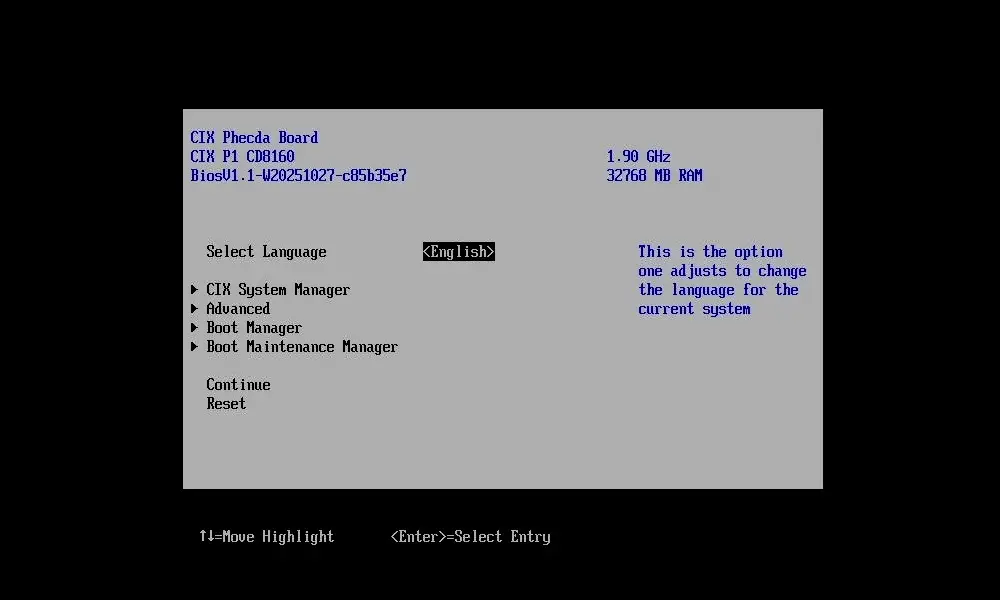
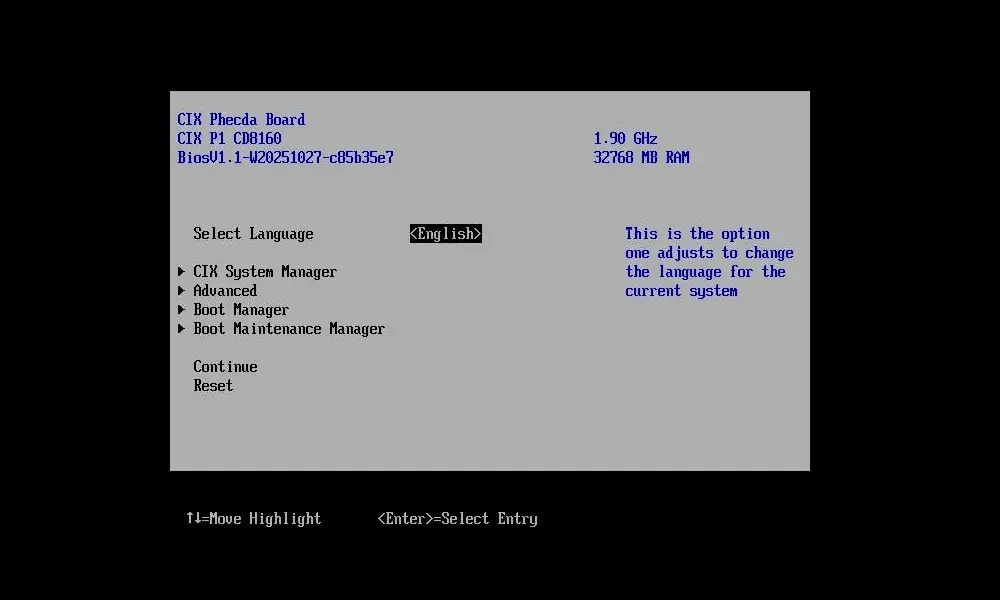
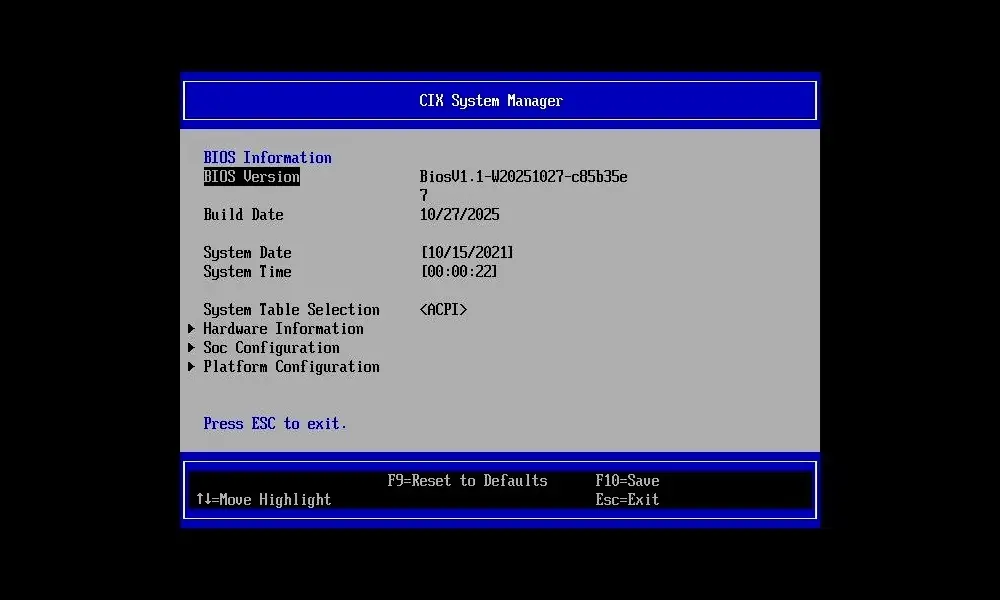
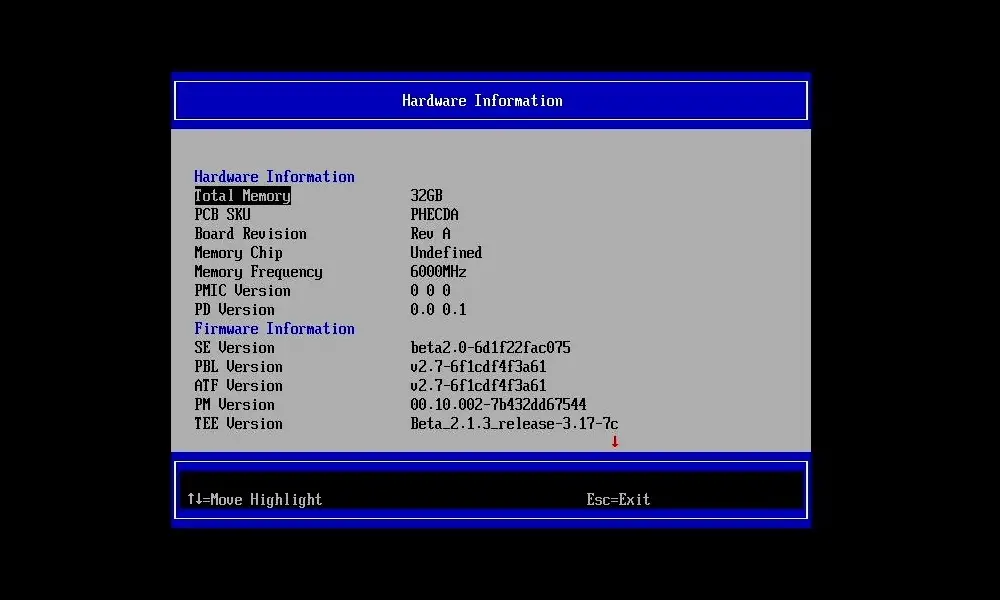
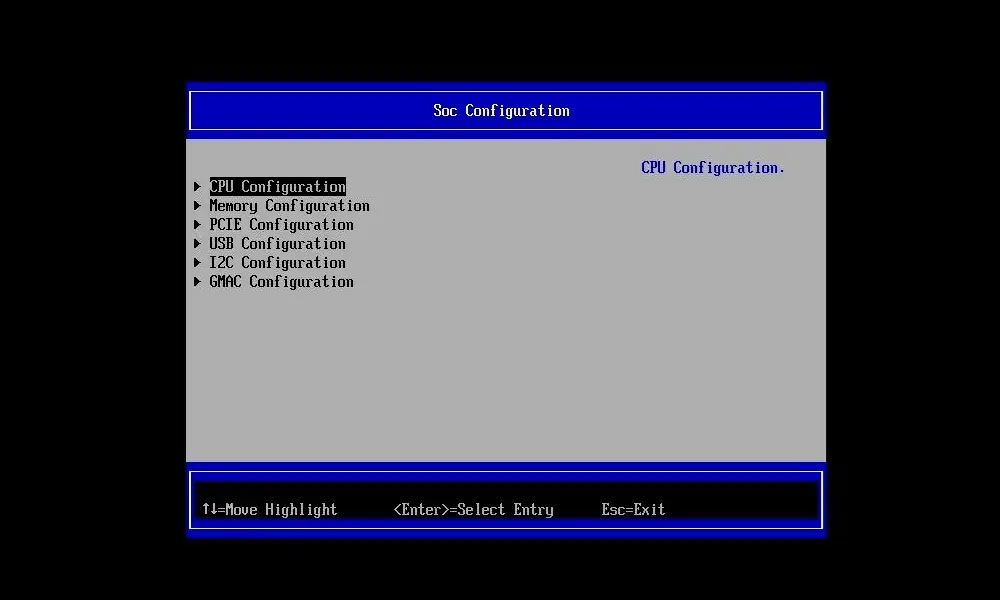
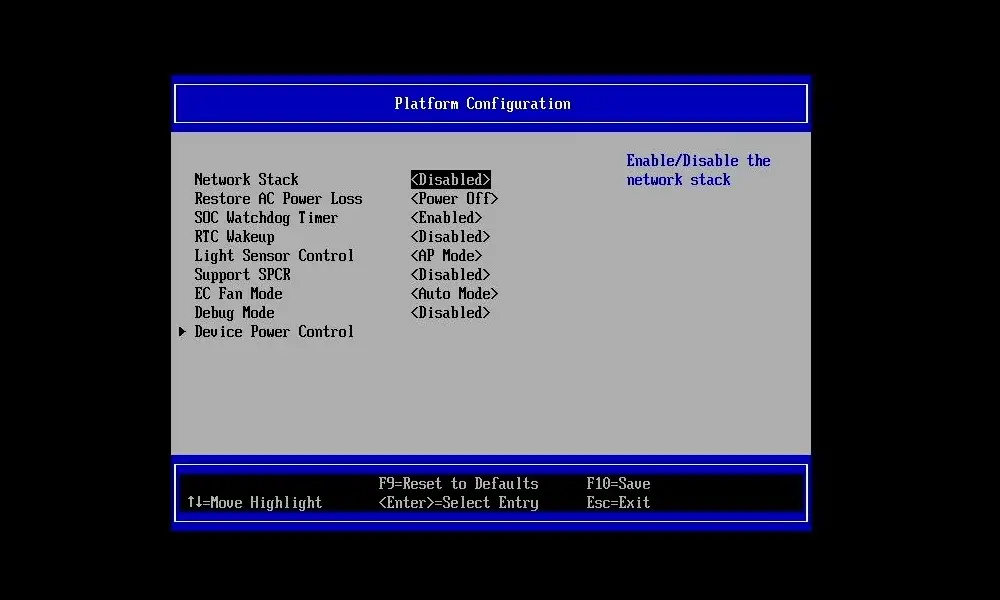
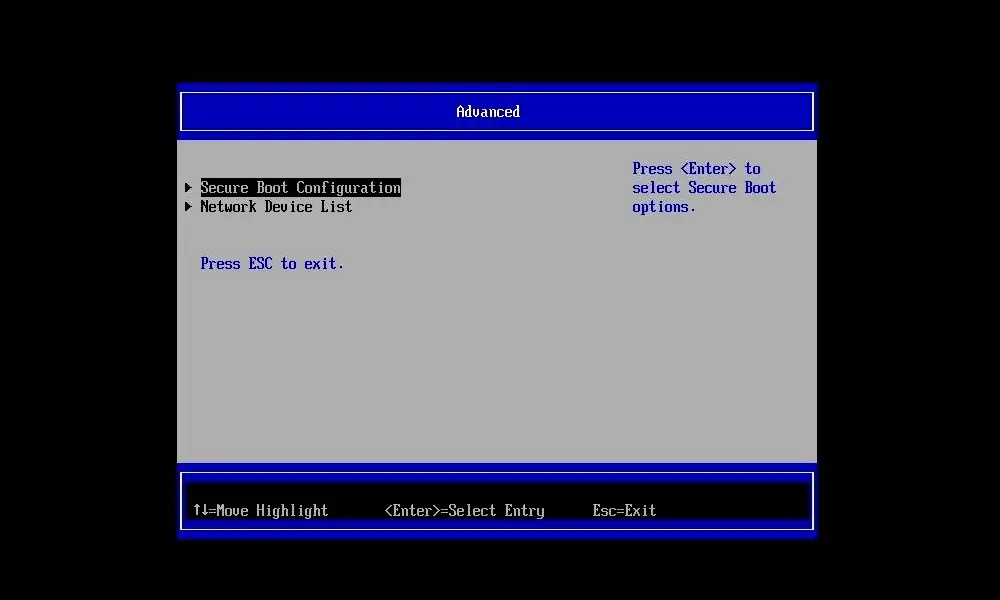
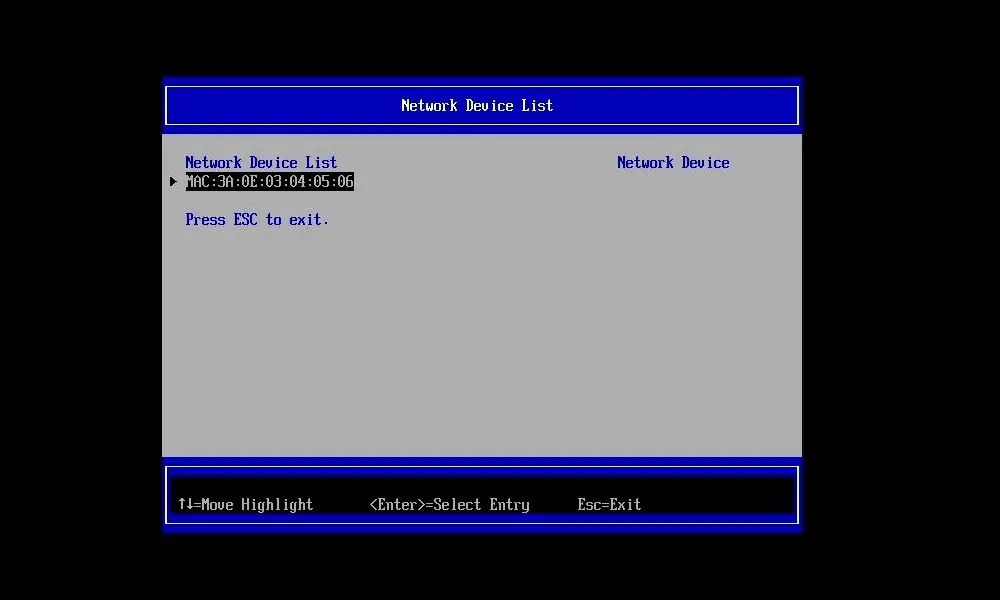
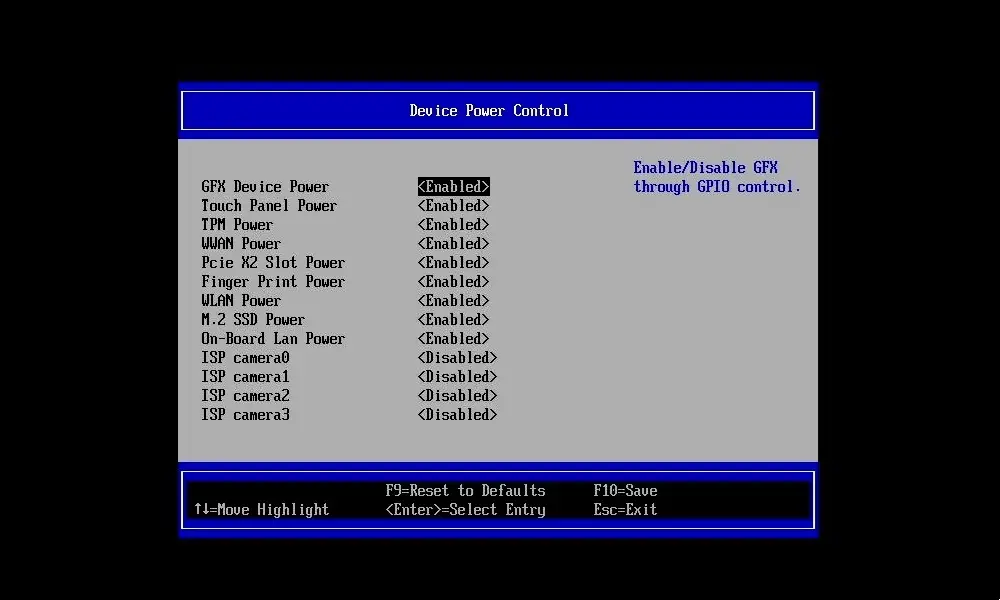
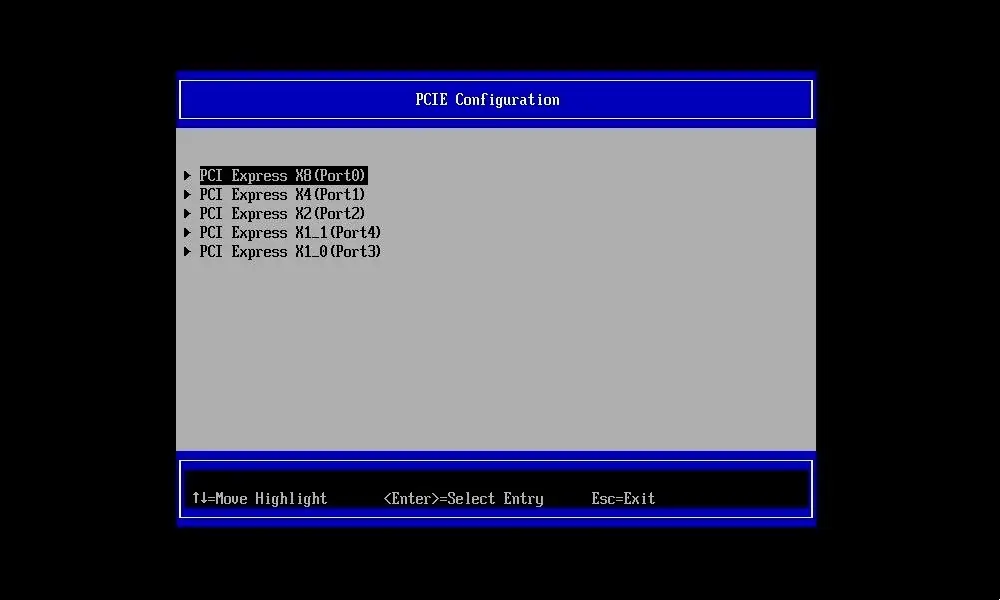
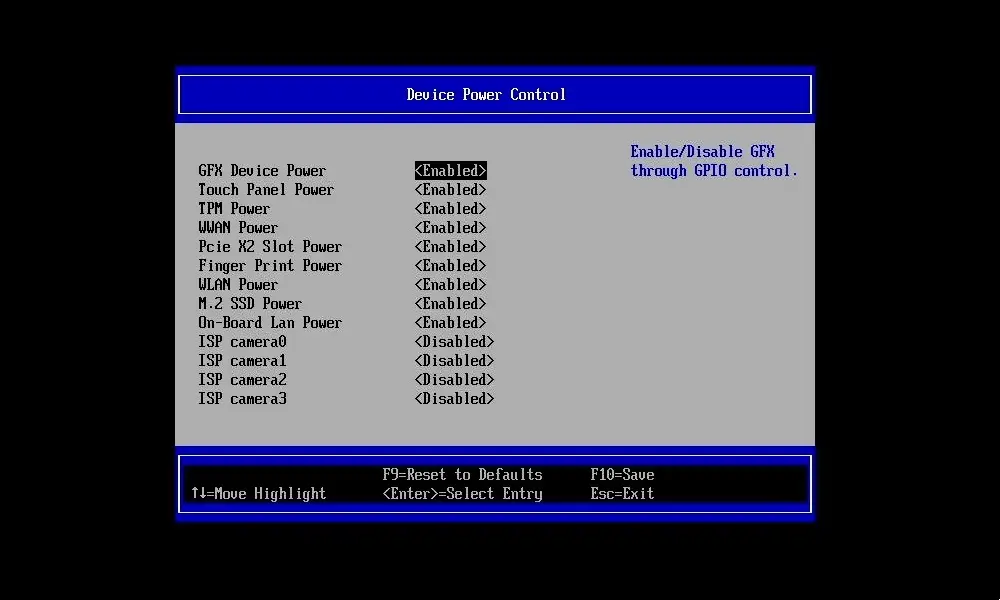
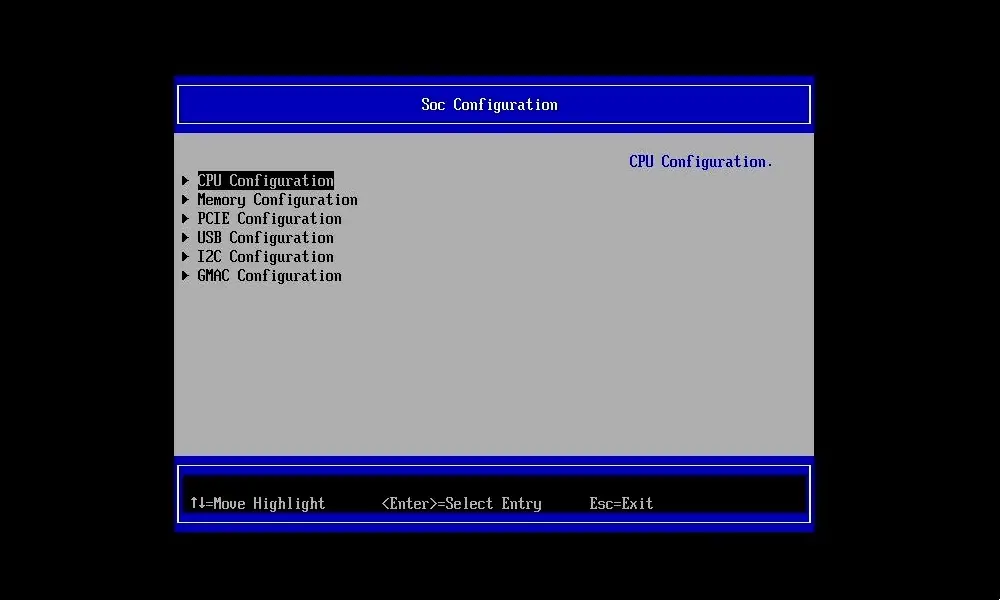
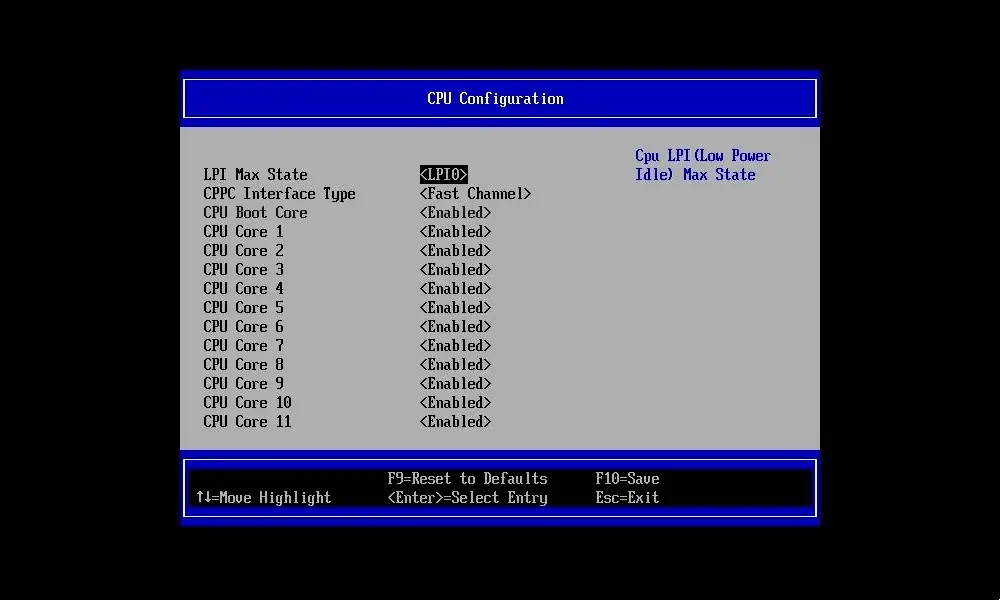
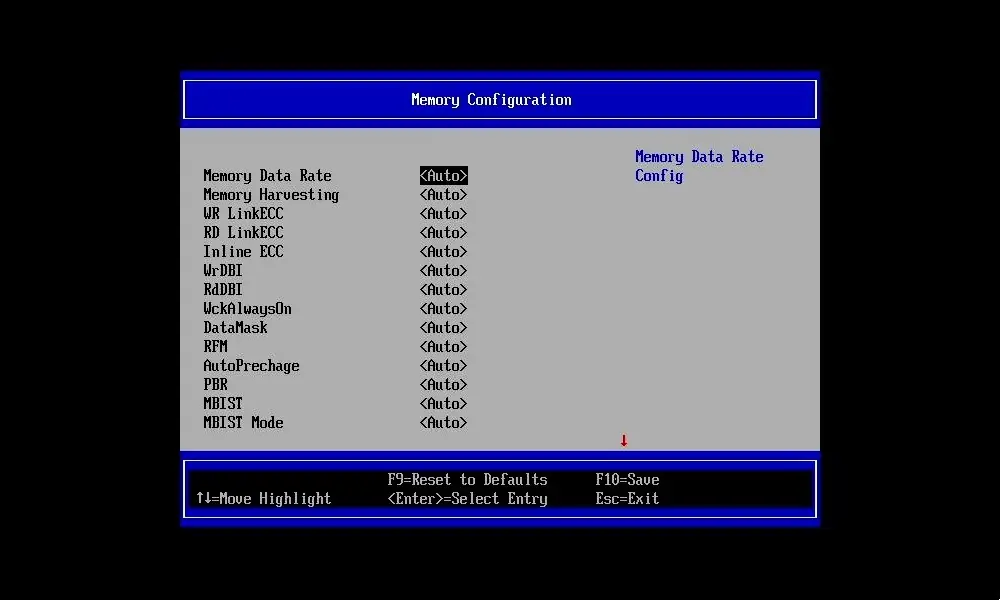
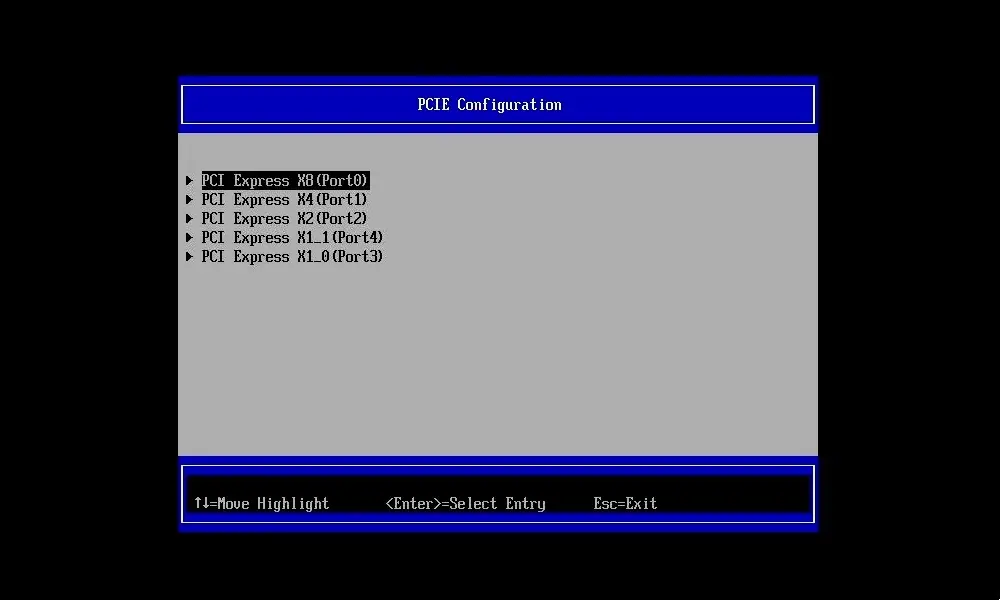
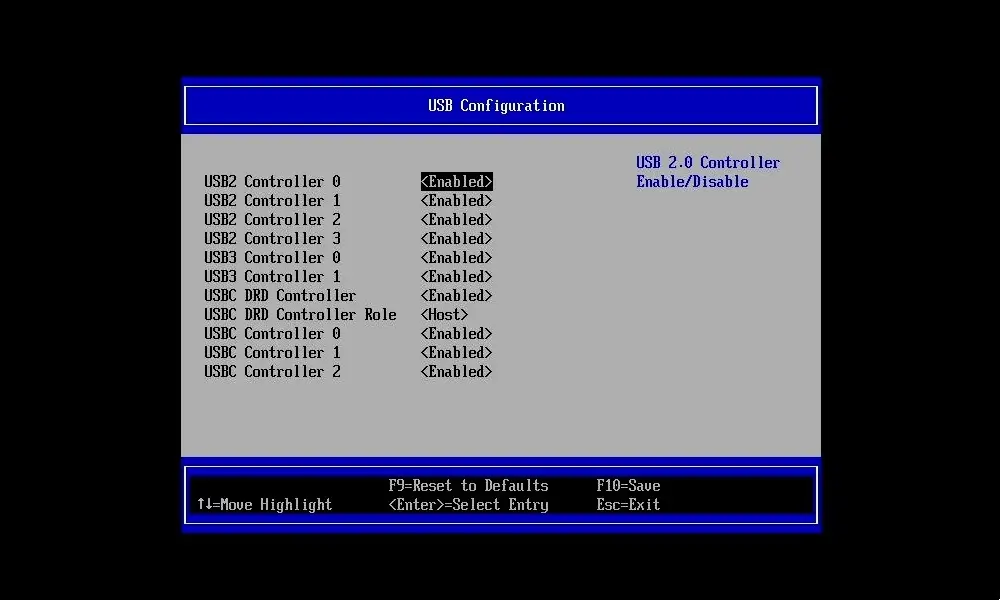
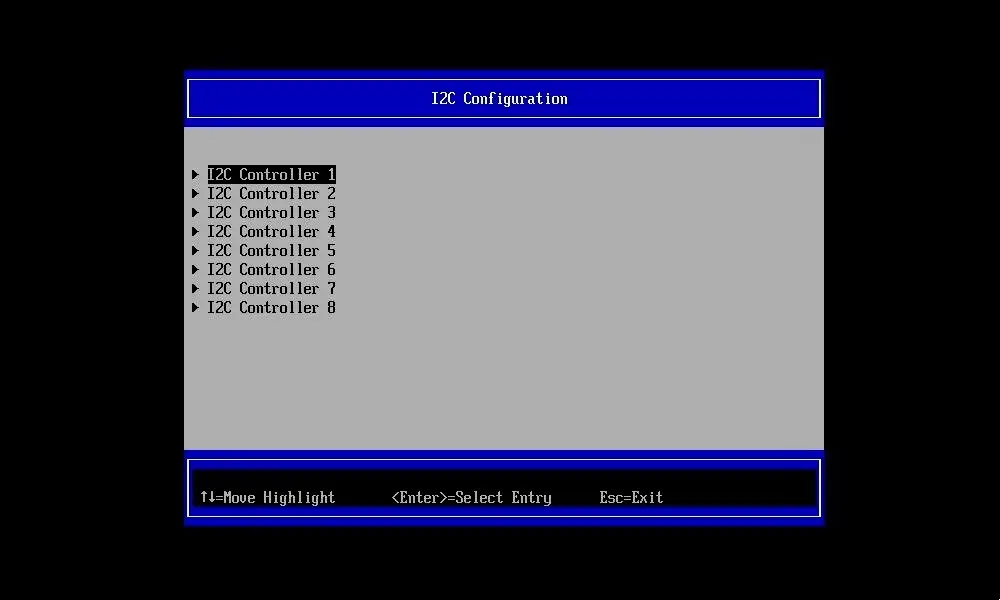
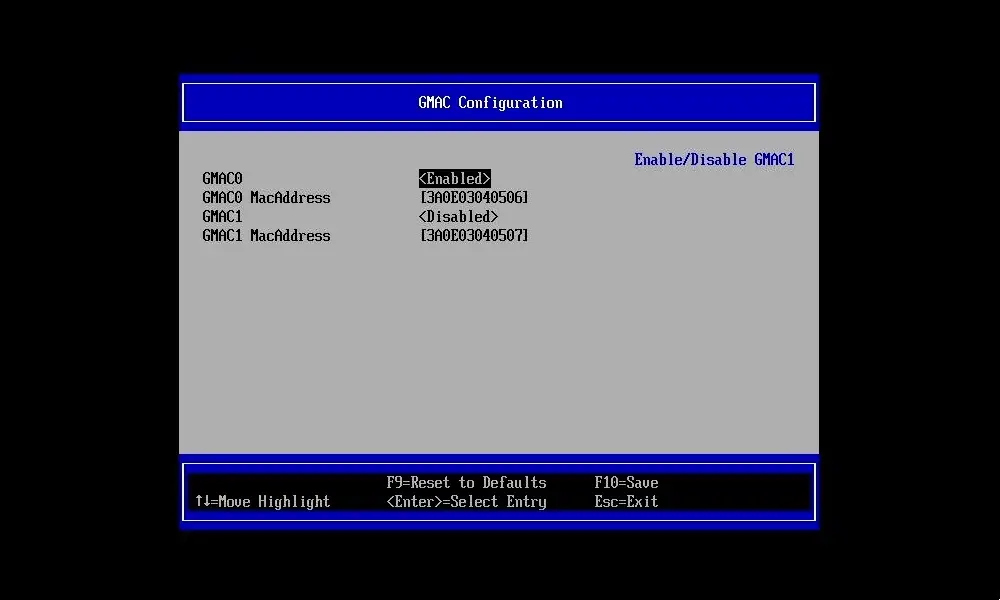
🖥️What Makes the BIOS of the Orange Pi 6 Plus Stand Out
The 6 Plus comes with a BIOS-style interface, giving users a familiar, PC-like experience. Here are the key benefits:
- User-Friendly Setup: Offers a structured interface for setting up hardware parameters, unlike the older boards that relied solely on the command-line-based U-Boot.
- Multiple Boot Sources: Boot can be configured from NVMe SSDs, SPI Flash, or TF cards, offering flexibility for a variety of use cases.
- Hardware Debugging Support: The BIOS connects with the 10-pin debugging serial port, making it easy for developers to troubleshoot at a low level.
- Improved OS Compatibility: Compatible with Debian, Ubuntu, Android, Windows, and ROS2, offering BIOS-level settings to optimize boot performance for each system.
- Storage Performance: With dual M.2 NVMe slots, the BIOS handles high-speed storage setup, delivering quicker read and write performance


This is great, but i have a Orange Pi 5 Max almost a year and still there is only first versions of few images for that board and few beta on some forums. So support for that is like zero after board is released.
From my checking, the Orange Pi 5 Max supports around 3-4 distributions. There’s often a delay for new images after hardware release, but the popular RK3588 SoC has solid support. You can always upgrade your existing distribution and install a newer kernel with the latest packages. You can always switch to an RP5 that has less powerful hardware but comes with better software support.
I think this is BS, no announcements form the Orange PI, nothing on the forums.
I would definitely buy this with 32GB or 64GB, now that would be a decent platform
It’s not ready yet, but the news is reliable, and the company has also shared some updates about it.
Well, if they truly on this, this will be a great SBC, I would buy one immediately.
This should be marketed using like 5$ vouchers in ARACE, OrangePI would immediately gauge the interest and get some early revenue o produce the board