
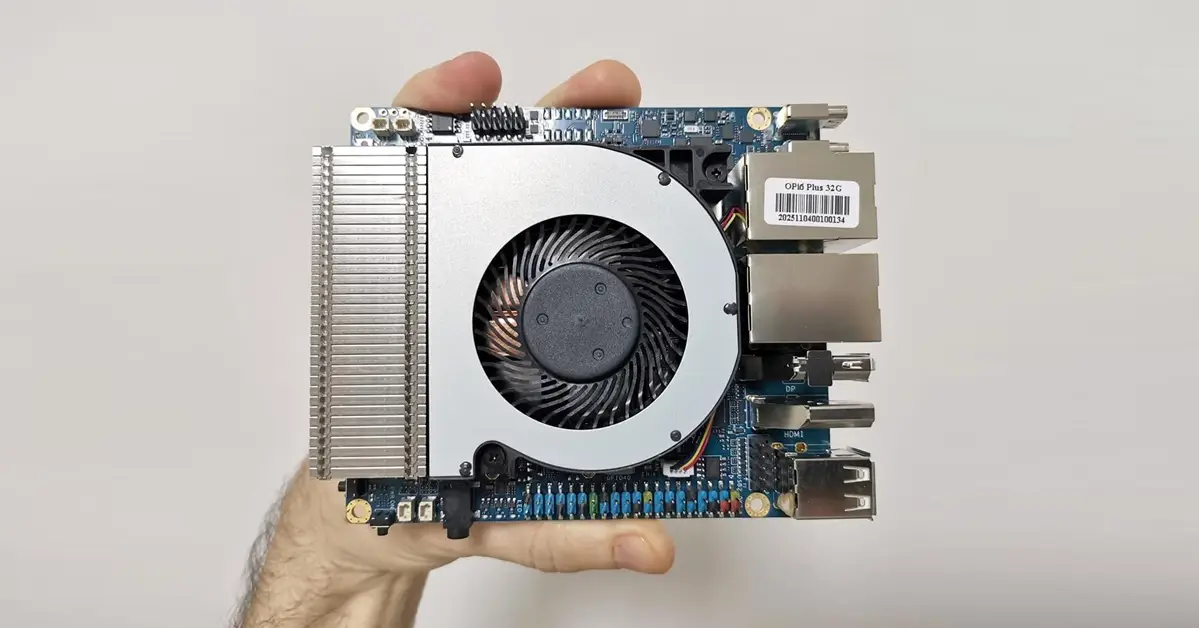
Testing the read and write speeds of the NVMe SSD
The Orange Pi 6 Plus features dual M.2 slots for NVMe SSDs, making it an ideal choice for setting up a small NAS or Samba server. For testing, we installed a Crucial P3 Plus 1TB NVMe SSD, which was successfully recognized as /dev/nvme0n1. It had two existing NTFS partitions, so we deleted them and formatted it into a single partition.
root@orangepi6plus:/# fdisk -l

Disk /dev/ram0: 40 MiB, 41943040 bytes, 81920 sectors
Units: sectors of 1 * 512 = 512 bytes
Sector size (logical/physical): 512 bytes / 4096 bytes
I/O size (minimum/optimal): 4096 bytes / 4096 bytes


Disk /dev/ram1: 40 MiB, 41943040 bytes, 81920 sectors
Units: sectors of 1 * 512 = 512 bytes
Sector size (logical/physical): 512 bytes / 4096 bytes
I/O size (minimum/optimal): 4096 bytes / 4096 bytes


Disk /dev/ram2: 40 MiB, 41943040 bytes, 81920 sectors
Units: sectors of 1 * 512 = 512 bytes
Sector size (logical/physical): 512 bytes / 4096 bytes
I/O size (minimum/optimal): 4096 bytes / 4096 bytes


Disk /dev/ram3: 40 MiB, 41943040 bytes, 81920 sectors
Units: sectors of 1 * 512 = 512 bytes
Sector size (logical/physical): 512 bytes / 4096 bytes
I/O size (minimum/optimal): 4096 bytes / 4096 bytes


Disk /dev/ram4: 40 MiB, 41943040 bytes, 81920 sectors
Units: sectors of 1 * 512 = 512 bytes
Sector size (logical/physical): 512 bytes / 4096 bytes
I/O size (minimum/optimal): 4096 bytes / 4096 bytes


Disk /dev/ram5: 40 MiB, 41943040 bytes, 81920 sectors
Units: sectors of 1 * 512 = 512 bytes
Sector size (logical/physical): 512 bytes / 4096 bytes
I/O size (minimum/optimal): 4096 bytes / 4096 bytes


Disk /dev/ram6: 40 MiB, 41943040 bytes, 81920 sectors
Units: sectors of 1 * 512 = 512 bytes
Sector size (logical/physical): 512 bytes / 4096 bytes
I/O size (minimum/optimal): 4096 bytes / 4096 bytes


Disk /dev/ram7: 40 MiB, 41943040 bytes, 81920 sectors
Units: sectors of 1 * 512 = 512 bytes
Sector size (logical/physical): 512 bytes / 4096 bytes
I/O size (minimum/optimal): 4096 bytes / 4096 bytes


Disk /dev/ram8: 40 MiB, 41943040 bytes, 81920 sectors
Units: sectors of 1 * 512 = 512 bytes
Sector size (logical/physical): 512 bytes / 4096 bytes
I/O size (minimum/optimal): 4096 bytes / 4096 bytes


Disk /dev/ram9: 40 MiB, 41943040 bytes, 81920 sectors
Units: sectors of 1 * 512 = 512 bytes
Sector size (logical/physical): 512 bytes / 4096 bytes
I/O size (minimum/optimal): 4096 bytes / 4096 bytes


Disk /dev/ram10: 40 MiB, 41943040 bytes, 81920 sectors
Units: sectors of 1 * 512 = 512 bytes
Sector size (logical/physical): 512 bytes / 4096 bytes
I/O size (minimum/optimal): 4096 bytes / 4096 bytes


Disk /dev/ram11: 40 MiB, 41943040 bytes, 81920 sectors
Units: sectors of 1 * 512 = 512 bytes
Sector size (logical/physical): 512 bytes / 4096 bytes
I/O size (minimum/optimal): 4096 bytes / 4096 bytes


Disk /dev/ram12: 40 MiB, 41943040 bytes, 81920 sectors
Units: sectors of 1 * 512 = 512 bytes
Sector size (logical/physical): 512 bytes / 4096 bytes
I/O size (minimum/optimal): 4096 bytes / 4096 bytes


Disk /dev/ram13: 40 MiB, 41943040 bytes, 81920 sectors
Units: sectors of 1 * 512 = 512 bytes
Sector size (logical/physical): 512 bytes / 4096 bytes
I/O size (minimum/optimal): 4096 bytes / 4096 bytes


Disk /dev/ram14: 40 MiB, 41943040 bytes, 81920 sectors
Units: sectors of 1 * 512 = 512 bytes
Sector size (logical/physical): 512 bytes / 4096 bytes
I/O size (minimum/optimal): 4096 bytes / 4096 bytes


Disk /dev/ram15: 40 MiB, 41943040 bytes, 81920 sectors
Units: sectors of 1 * 512 = 512 bytes
Sector size (logical/physical): 512 bytes / 4096 bytes
I/O size (minimum/optimal): 4096 bytes / 4096 bytes


Disk /dev/sda: 117.2 GiB, 125844324352 bytes, 245789696 sectors
Disk model: MassStorageClass
Units: sectors of 1 * 512 = 512 bytes
Sector size (logical/physical): 512 bytes / 512 bytes
I/O size (minimum/optimal): 512 bytes / 512 bytes
Disklabel type: gpt
Disk identifier: A33164F8-F15B-4B3E-98CC-563CDD6B21BB

Device      Start       End   Sectors   Size Type
/dev/sda1   20480    430079    409600   200M EFI System
/dev/sda2  430080 243302399 242872320 115.8G Linux filesystem


Disk /dev/nvme0n1: 931.51 GiB, 1000204886016 bytes, 1953525168 sectors
Disk model: CT1000P3PSSD8
Units: sectors of 1 * 512 = 512 bytes
Sector size (logical/physical): 512 bytes / 512 bytes
I/O size (minimum/optimal): 512 bytes / 512 bytes
Disklabel type: gpt
Disk identifier: E031DAD0-27D2-4D6D-A9B7-653F14AE1823

Device           Start        End    Sectors   Size Type
/dev/nvme0n1p1    8192    2105343    2097152     1G EFI System
/dev/nvme0n1p2 2105344 1953521663 1951416320 930.5G Microsoft basic data
# After deleting both partitions and formatting the new one to ext4.
root@orangepi6plus:/# lsblk
NAME MAJ:MIN RM SIZE RO TYPE MOUNTPOINTS
sda 8:0 1 117.2G 0 disk
├─sda1 8:1 1 200M 0 part
└─sda2 8:2 1 115.8G 0 part /var/log.hdd
/
nvme0n1 259:0 0 931.5G 0 disk
└─nvme0n1p1 259:1 0 931.5G 0 part /mnt/ssd
Test Results
As expected from high-end hardware, we managed to maximize our NVMe SSD performance with excellent read and write speeds.
Timing cached reads: 20396 MB in 2.00 seconds = 10214.33 MB/sec
Timing buffered disk reads: 9866 MB in 3.00 seconds = 3288.24 MB/sec- Cached reads (~10 GB/s) → This measures how fast data can be read from the system’s RAM cache, not the disk itself. That’s why the number is extremely high — it reflects memory bandwidth.
- Buffered disk reads (~3.3 GB/s) → This is the actual sequential read speed from the NVMe SSD. ~3.3 GB/s is typical for consumer NVMe drives, so this looks healthy.
Summary
| Write Test 1 of 2 | Raw disk speed | ~3.3 GB/s (from hdparm buffered reads). |
| Write Test 2 of 2 | Write speed (uncached) | : ~1.0 GB/s (realistic with sync writes). |
| Read Test 1 of 2 | Read speed (cached) | ~7.3 GB/s (actually RAM speed, not disk). |
| Read test 2 of 2 (without caching) | Read speed (uncached) | 3.7 GB/s |
#Write Test 1 of 2
root@orangepi6plus:/# hdparm -Tt /dev/nvme0n1

/dev/nvme0n1:
 Timing cached reads: 20396 MB in 2.00 seconds = 10214.33 MB/sec
 Timing buffered disk reads: 9866 MB in 3.00 seconds = 3288.24 MB/sec


#Write Test 2 of 2
root@orangepi6plus:/mnt/ssd# dd if=/dev/zero of=/mnt/ssd/testfile bs=1M count=1024 conv=fdatasync
1024+0 records in
1024+0 records out
1073741824 bytes (1.1 GB, 1.0 GiB) copied, 1.03581 s, 1.0 GB/s


#Read test 1 of 2
droot@orangepi6plus:/mnt/ssd# dd if=/mnt/ssd/testfile of=/dev/null bs=1M count=1024
1024+0 records in
1024+0 records out
1073741824 bytes (1.1 GB, 1.0 GiB) copied, 0.146752 s, 7.3 GB/s

#Read test 2 of 2 (without caching)
root@orangepi6plus:/mnt/ssd# dd if=/mnt/ssd/testfile of=/dev/null bs=1M count=1024 iflag=direct
1024+0 records in
1024+0 records out
1073741824 bytes (1.1 GB, 1.0 GiB) copied, 0.286665 s, 3.7 GB/s


This is great, but i have a Orange Pi 5 Max almost a year and still there is only first versions of few images for that board and few beta on some forums. So support for that is like zero after board is released.
From my checking, the Orange Pi 5 Max supports around 3-4 distributions. There’s often a delay for new images after hardware release, but the popular RK3588 SoC has solid support. You can always upgrade your existing distribution and install a newer kernel with the latest packages. You can always switch to an RP5 that has less powerful hardware but comes with better software support.
I think this is BS, no announcements form the Orange PI, nothing on the forums.
I would definitely buy this with 32GB or 64GB, now that would be a decent platform
It’s not ready yet, but the news is reliable, and the company has also shared some updates about it.
Well, if they truly on this, this will be a great SBC, I would buy one immediately.
This should be marketed using like 5$ vouchers in ARACE, OrangePI would immediately gauge the interest and get some early revenue o produce the board