Close Menu
  • Home
  • About
  • Wearables
  • Earbuds
  • Computer Accessories
    • Routers
    • Remotes
  • Embedded
    • Single Board Computers
    • Addon Boards
    • Raspberry Pi
  • Wireless Routers
  • Contact
Facebook X (Twitter) Instagram Threads
Trending
  • AliExpress Promo Codes: June 2026 (100% Verified)
  • Orange Pi Zero 3W Review: $25 Dual Video Pi Zero 2W Killer?
  • DFRobot 6.67″ Flexible AMOLED Review: Curved Display for Raspberry Pi & LattePanda
  • Banana Pi BPI-SM10 Review: 60 TOPS RISC-V Jetson Orin Nano Alternative
  • SpacemiT K3 Pico-ITX Review: 60-TOPS RISC-V Powerhouse for LLMs?
  • Banana Pi BPI-R4 Pro Review: The Best WiFi 7 OpenWrt Router? We Checked!
  • DFRobot ESP32-S3 LoRaWAN & Gateway Review: Build a Private IoT Network
  • WaveNote AI Review 2026: An Honest Pro/Con Comparison (Tested)
AndroidPIMP
Facebook X (Twitter) Instagram
  • Home
  • About
  • Wearables
  • Earbuds
  • Computer Accessories
    • Routers
    • Remotes
  • Embedded
    • Single Board Computers
    • Addon Boards
    • Raspberry Pi
  • Wireless Routers
  • Contact
AndroidPIMP

Orange Pi 5/5B: How to build an awesome hybrid metal case

0
By androidpimp on May 8, 2023 Embedded Computers
Table of contents
  1. Orange Pi 5 Case Building: Building a hybrid metal case
  2. Assembling all the parts together
  3. Step 1: Ordering the following items from AliExpress
  4. Step 2: Assembling the Board nuts and studs
  5. Step 3: Cutting the thermal pad
  6. Step 4: Placing the thermal pads on the Chips
  7. Step 5: Assembling the C3600 case upper cover
  8. Step 6: Removing the Fan from the metal case cover
  9. Step 7: Mounting the Orange Pi 5 inside the metal case (N505)
  10. Step 8: Closing the main cover
  11. The final result
  12. Step 9: Checking CPU temperatures
  13. Final words

Maybe you missed it? Learn more about the Orange Pi 5


Orange Pi 5 Case Building: Building a hybrid metal case

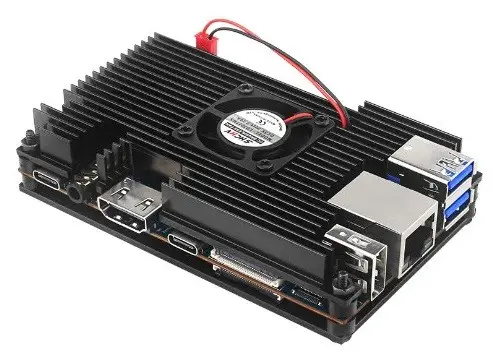
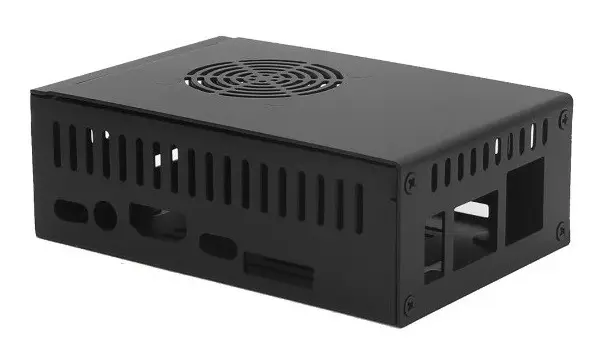
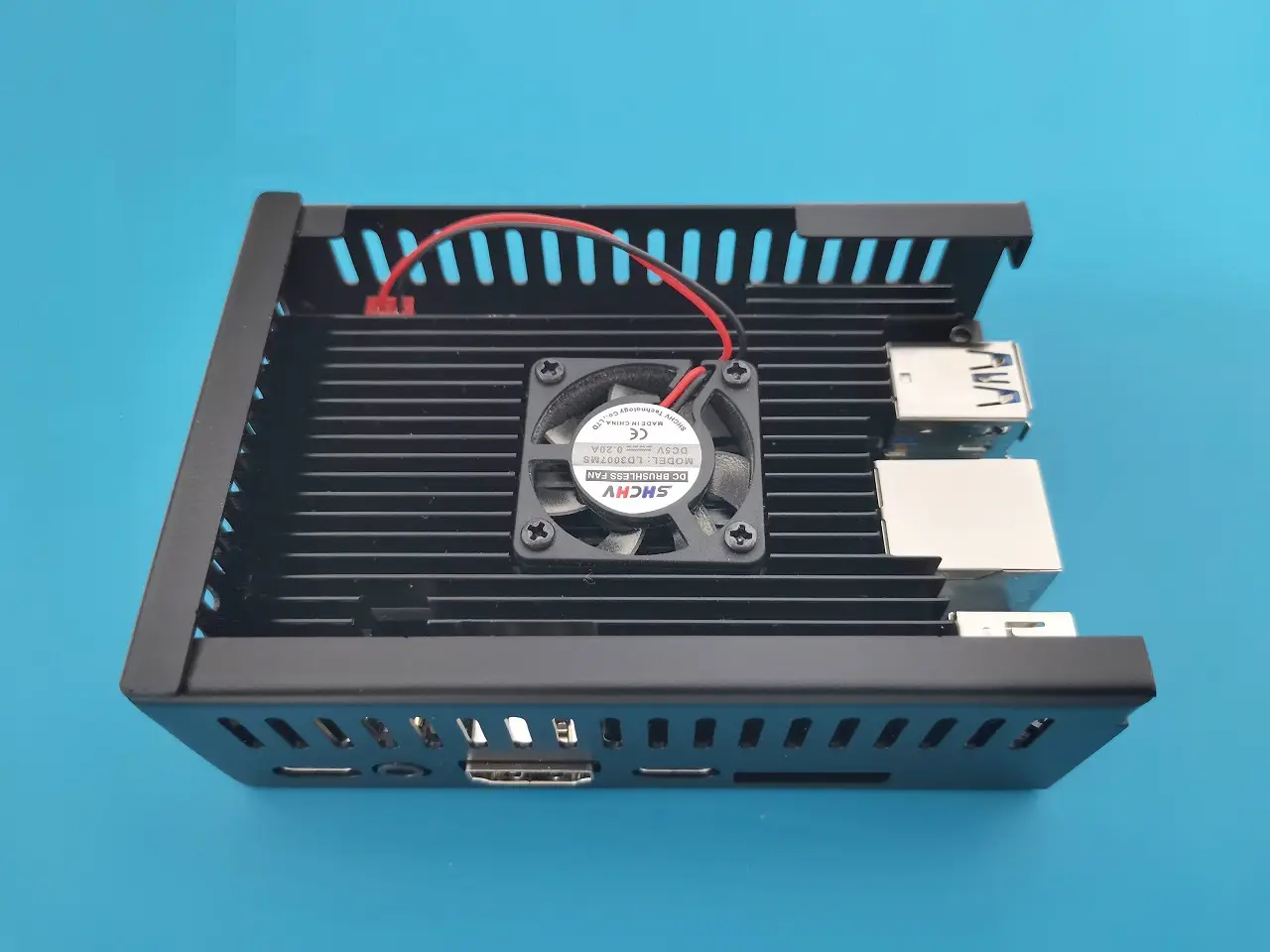
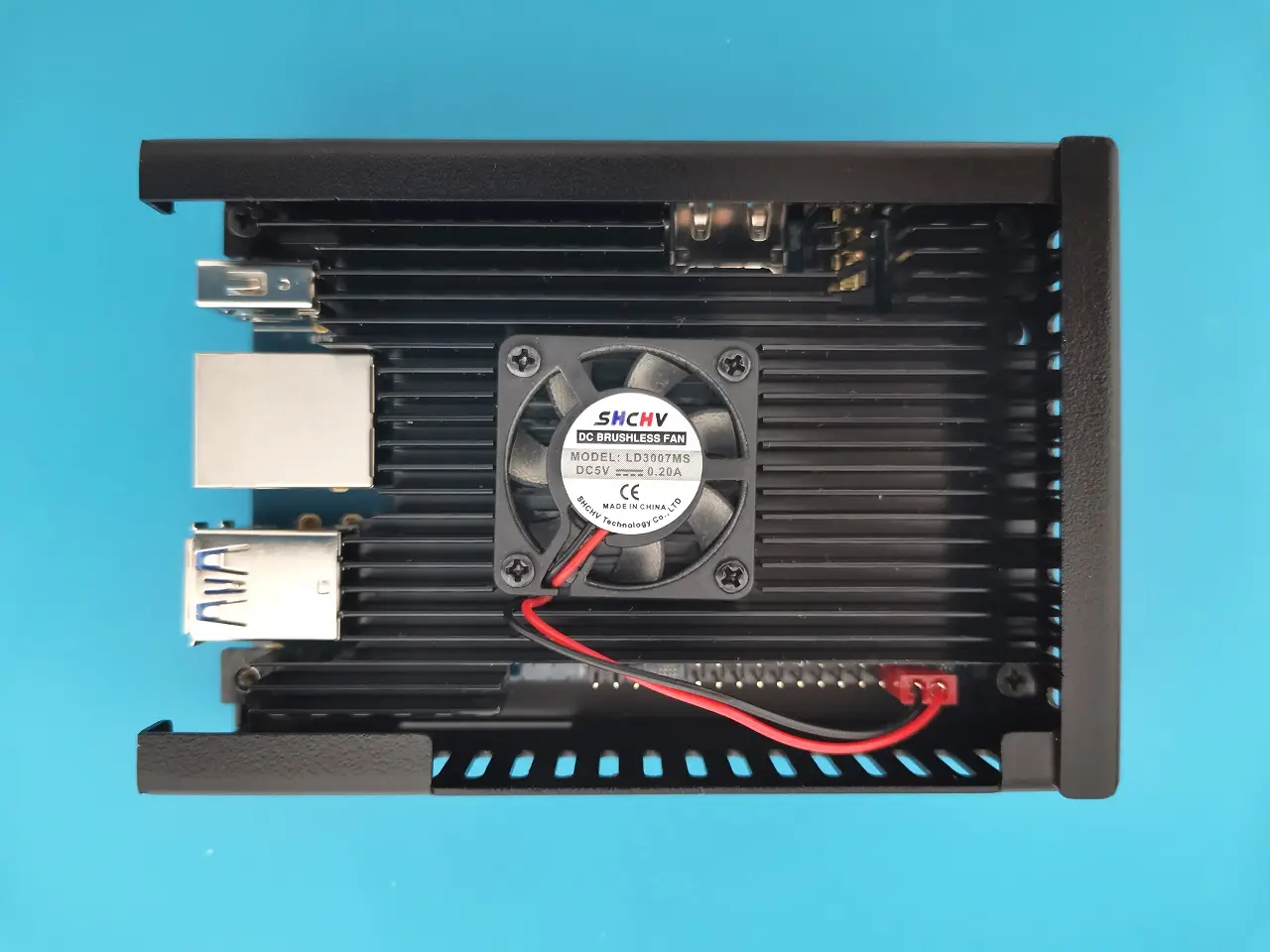
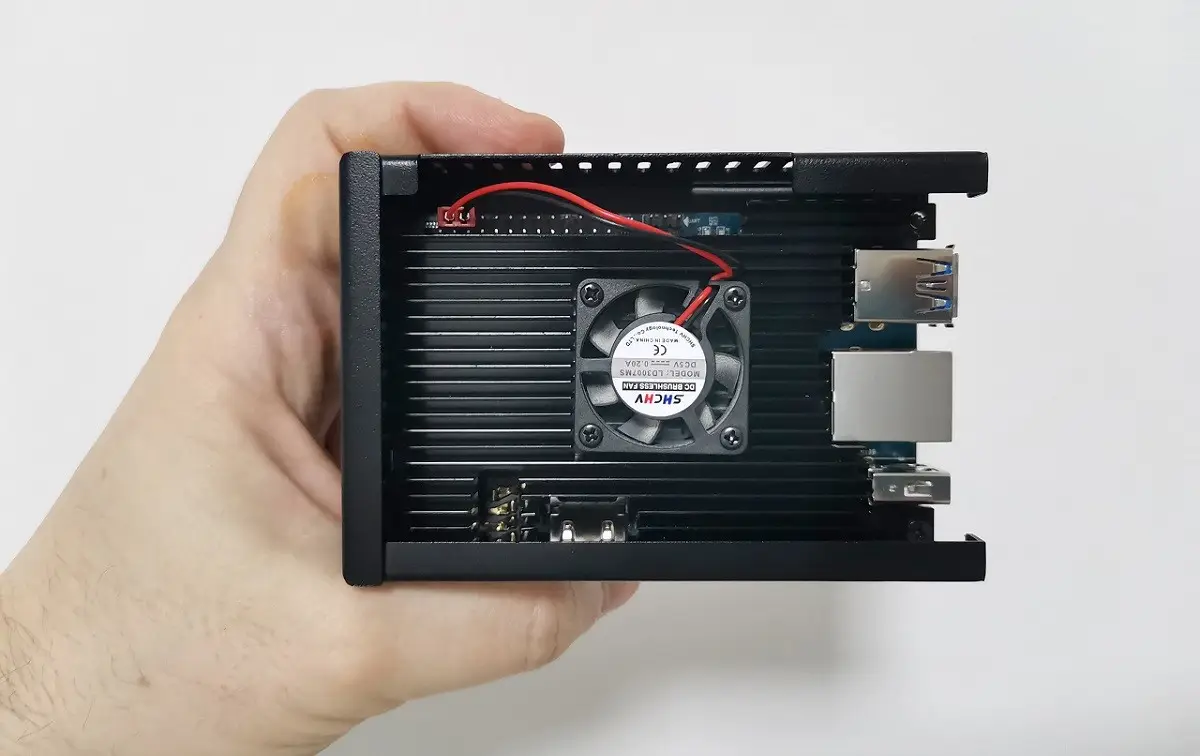
In this article, we will guide you through the steps required to build a hybrid metal case for the Orange Pi 5. We will use two types of metal cases, a semi-open (C3600) and closed (N505), made from sheet metal. Both cases will be combined to create a single, enclosed, and protected case. It should be noted that this type of arrangement can also be applied to the latest Orange Pi 5B SBC with built-in wireless support.


Assembling all the parts together

Step 1: Ordering the following items from AliExpress

Product Photo

QTY

Product description

Purchasing link

Model: C3600


1

Semi-open metal case
Compatible with Orange Pi 5/B

View on AliExpress


N505 (Enhanced)

1

Metal Case
Compatible with Orange Pi 5/B

View on AliExpress


4

M2.5 / L=8

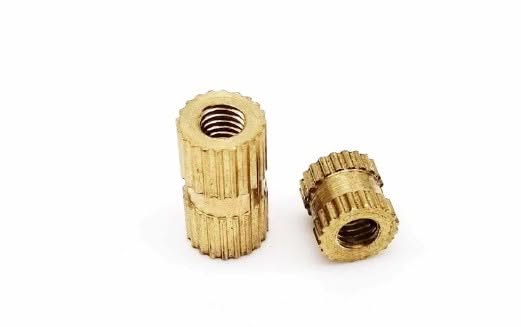
Threaded nut

View on AliExpress


N/A

1

10mm Thermal pad

View on AliExpress


N/A

4

M2.5 x 6mm

(Philip screws)

View on AliExpress


This site contains affiliate links to products. We may receive a commission for purchases made through these links.


Step 2: Assembling the Board nuts and studs

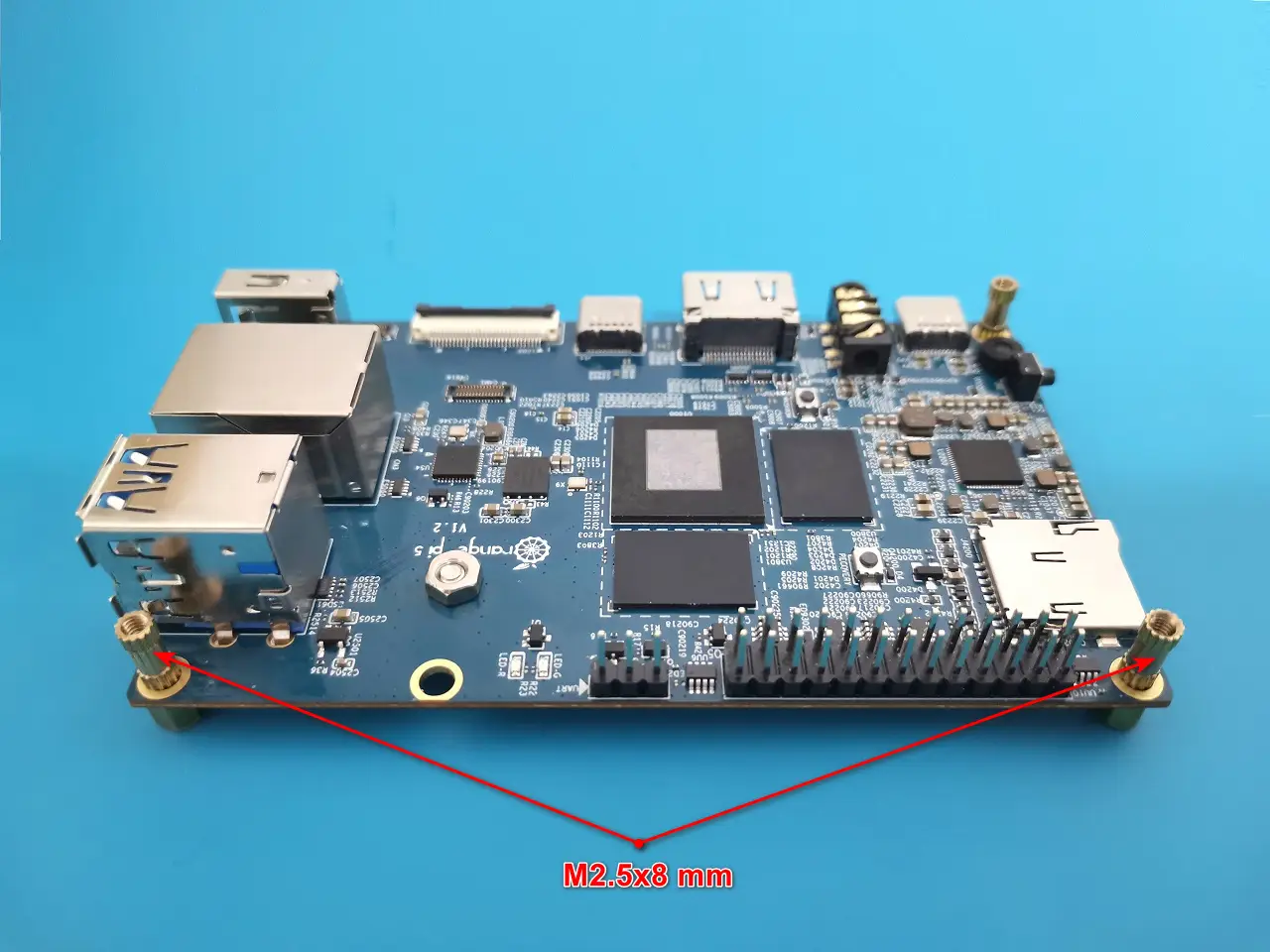
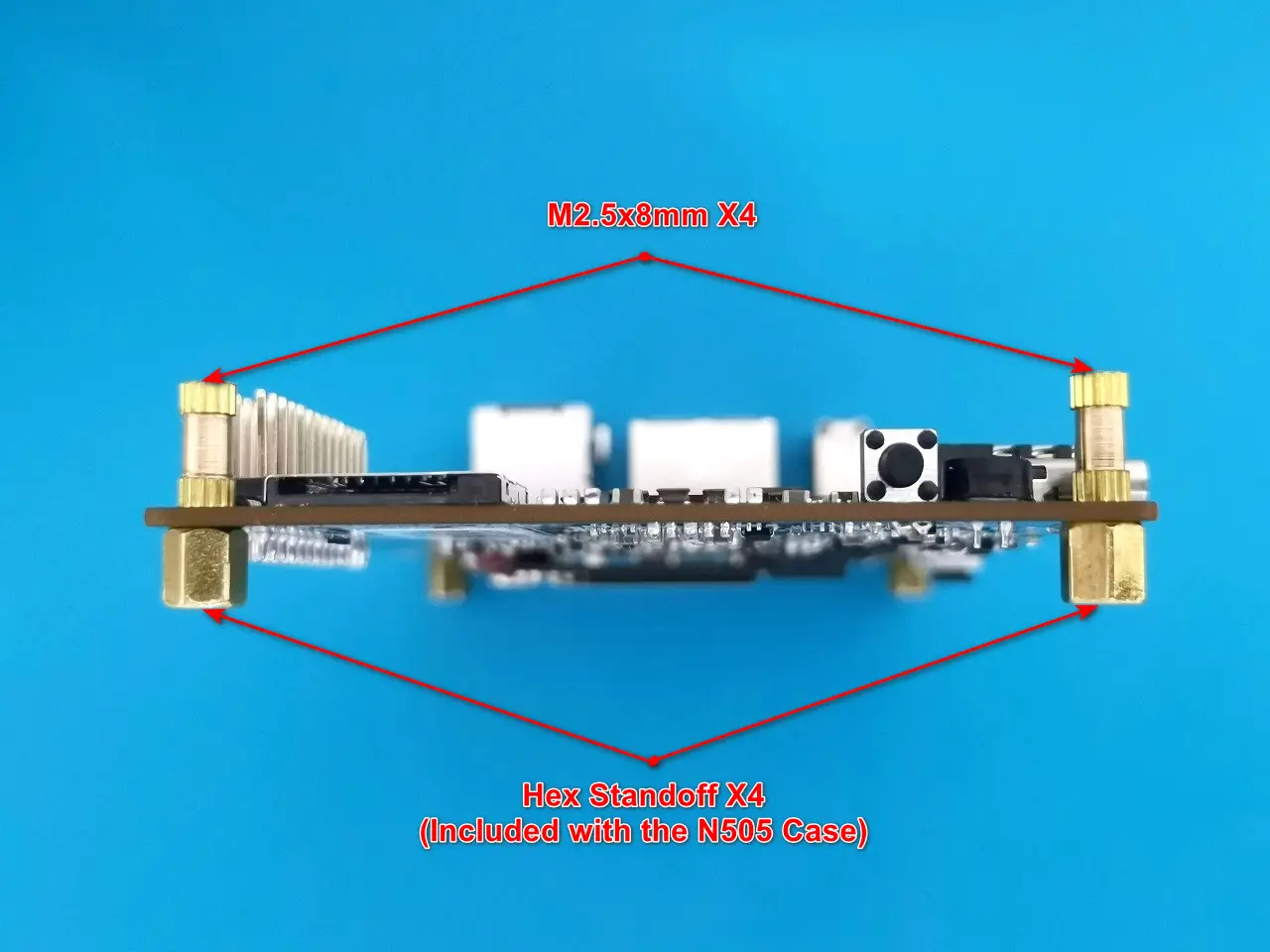
Assemble the M2.5×8 mm treaded nuts with the M2.5 Hexagon standoffs already provided with the N505 metal case.
Step 3: Cutting the thermal pad

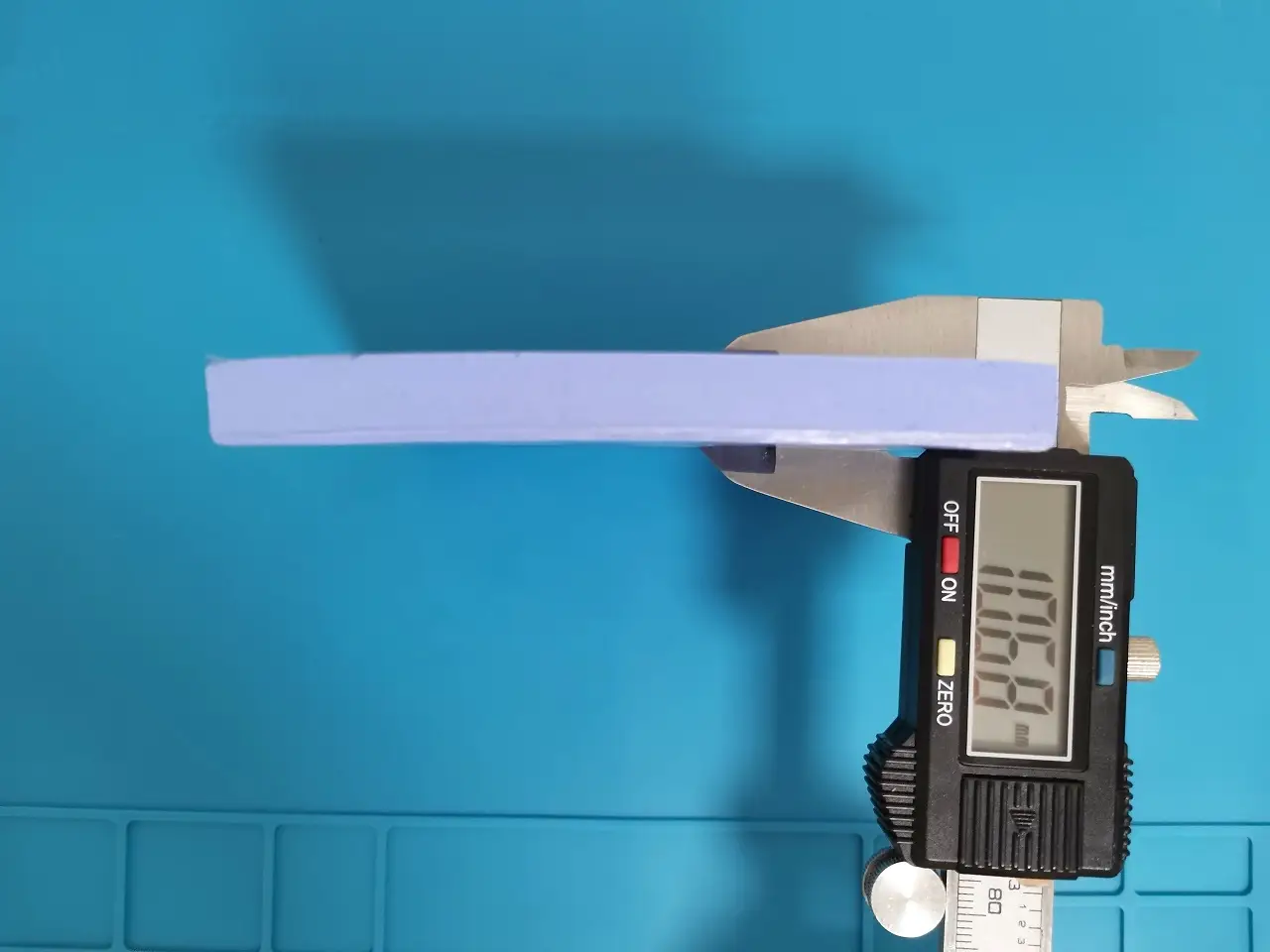
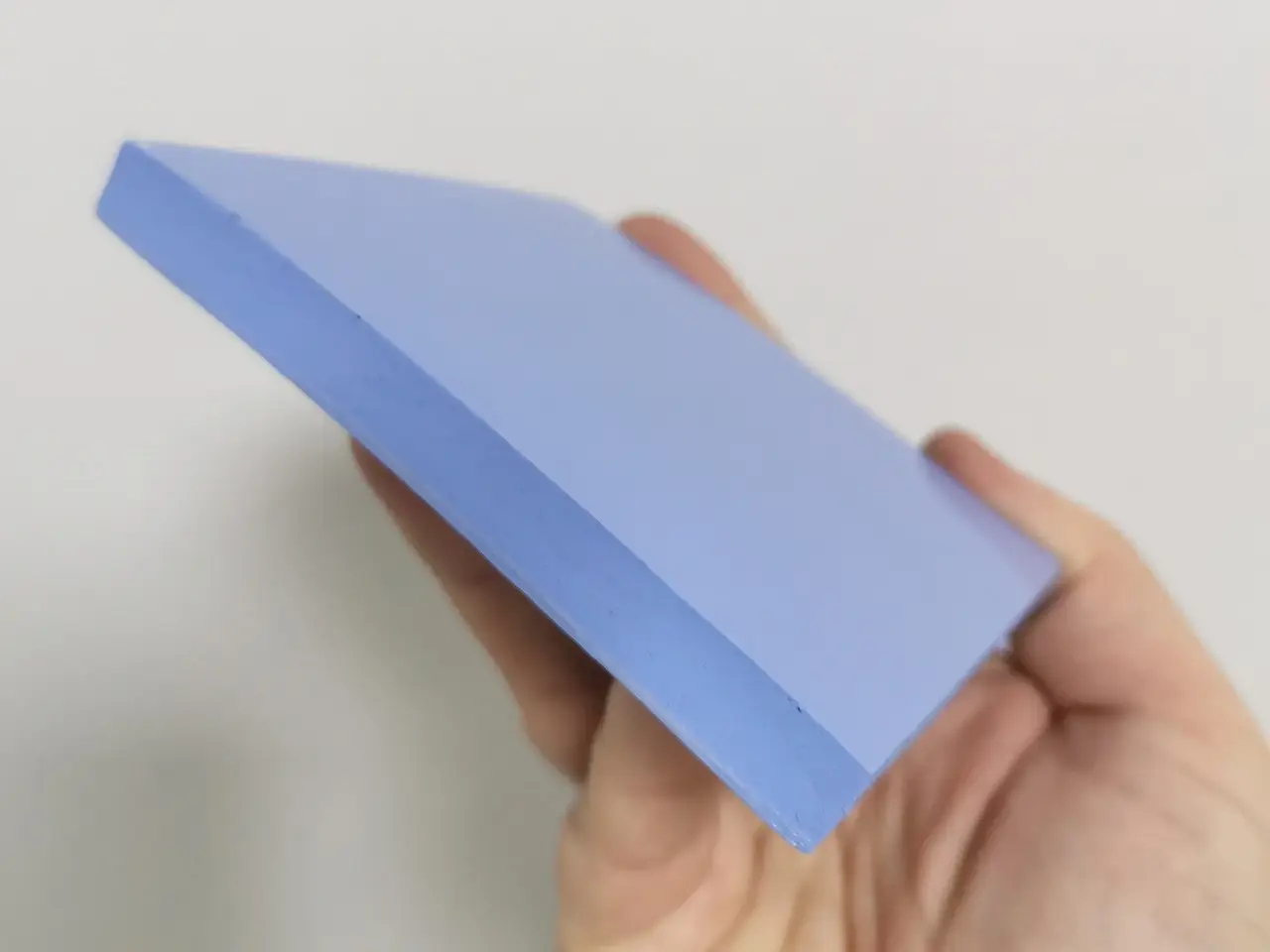
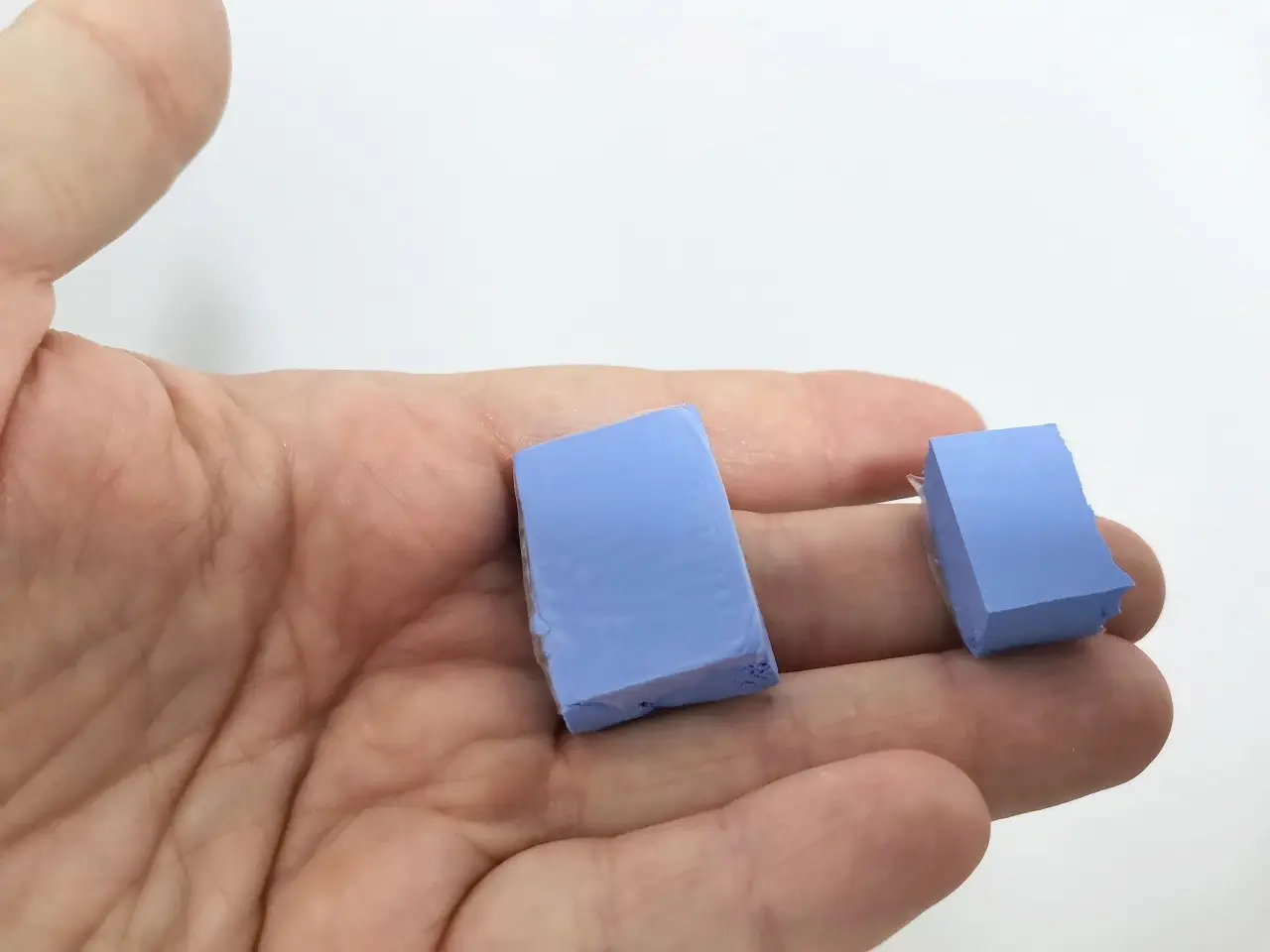
Using a utility knive, cut the 10 mm thermal pad sheet according to the chip sizes. Make sure to wear safety gloves to protect yourself.
Step 4: Placing the thermal pads on the Chips

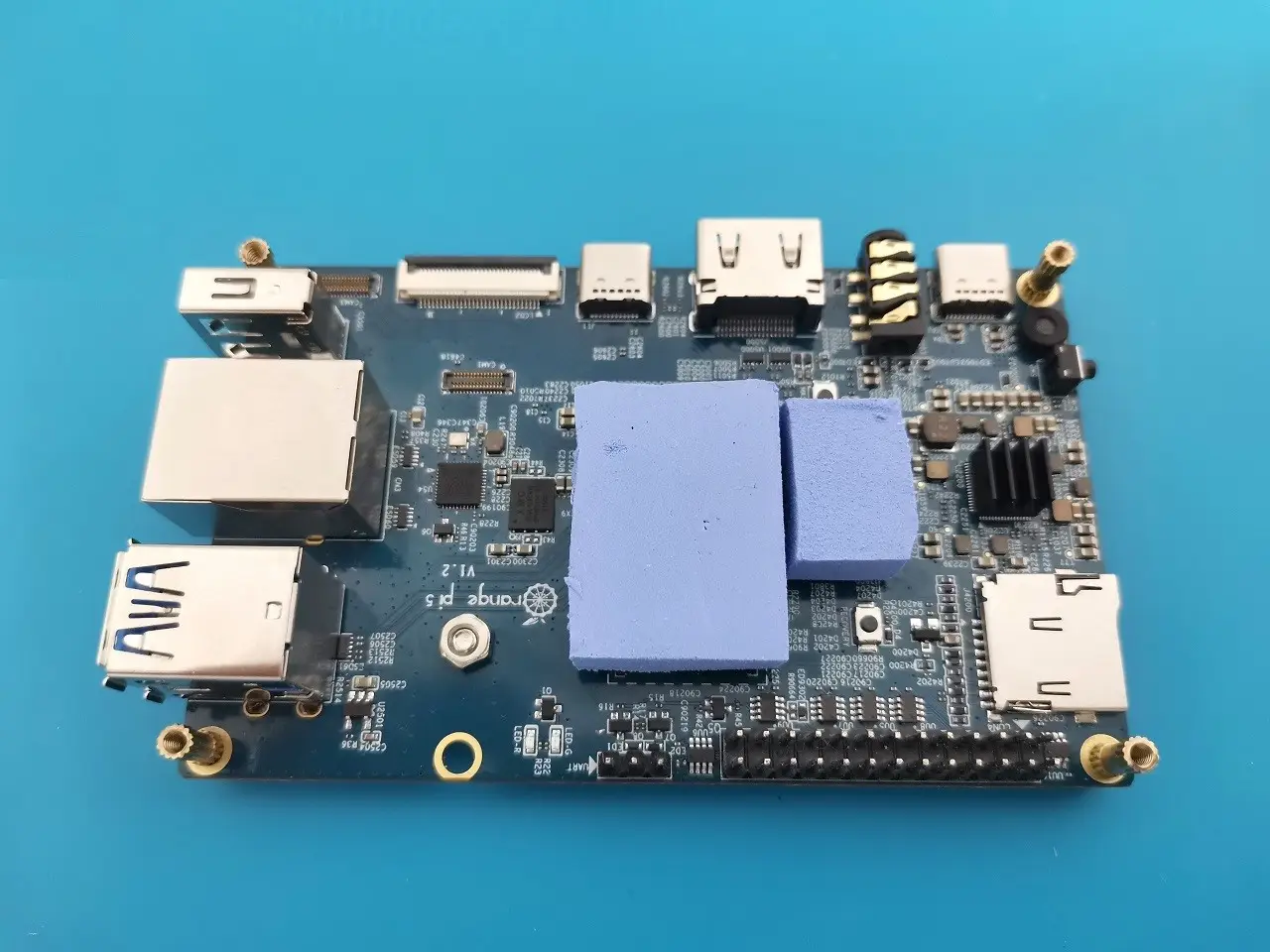
Place the thermal pads on the memory and main chip. You can also use a small heatsink provided with the N505 case kit items and place it on top of the PMU chip.

Step 5: Assembling the C3600 case upper cover

Now that all of the thermal pads are placed on the Pi 5 board chips you will need to place the C3600 case upper cover on top of the nuts and close all four with the M2.5 x6 mm screws.

When assembling the hybrid metal case for your Orange Pi 5, it’s important to ensure that the adhesive pads are at the correct height with good contact with the chips on the Pi 5 board without pressing the PCB too much, which can cause deformation of the board which we want to avoid. If you see that the thermal pads are too much higher you can cut them to a thickness smaller than 10mm.
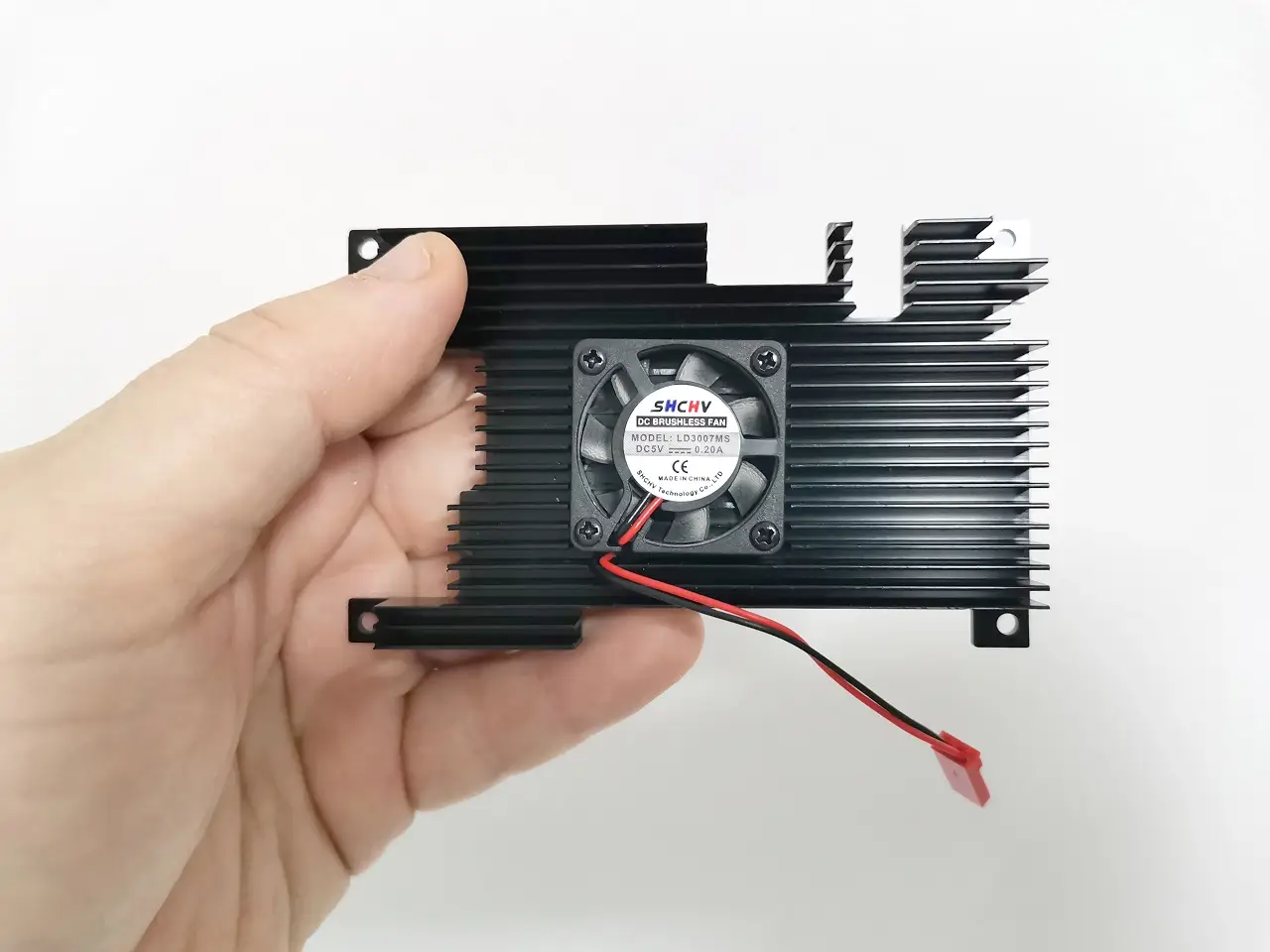
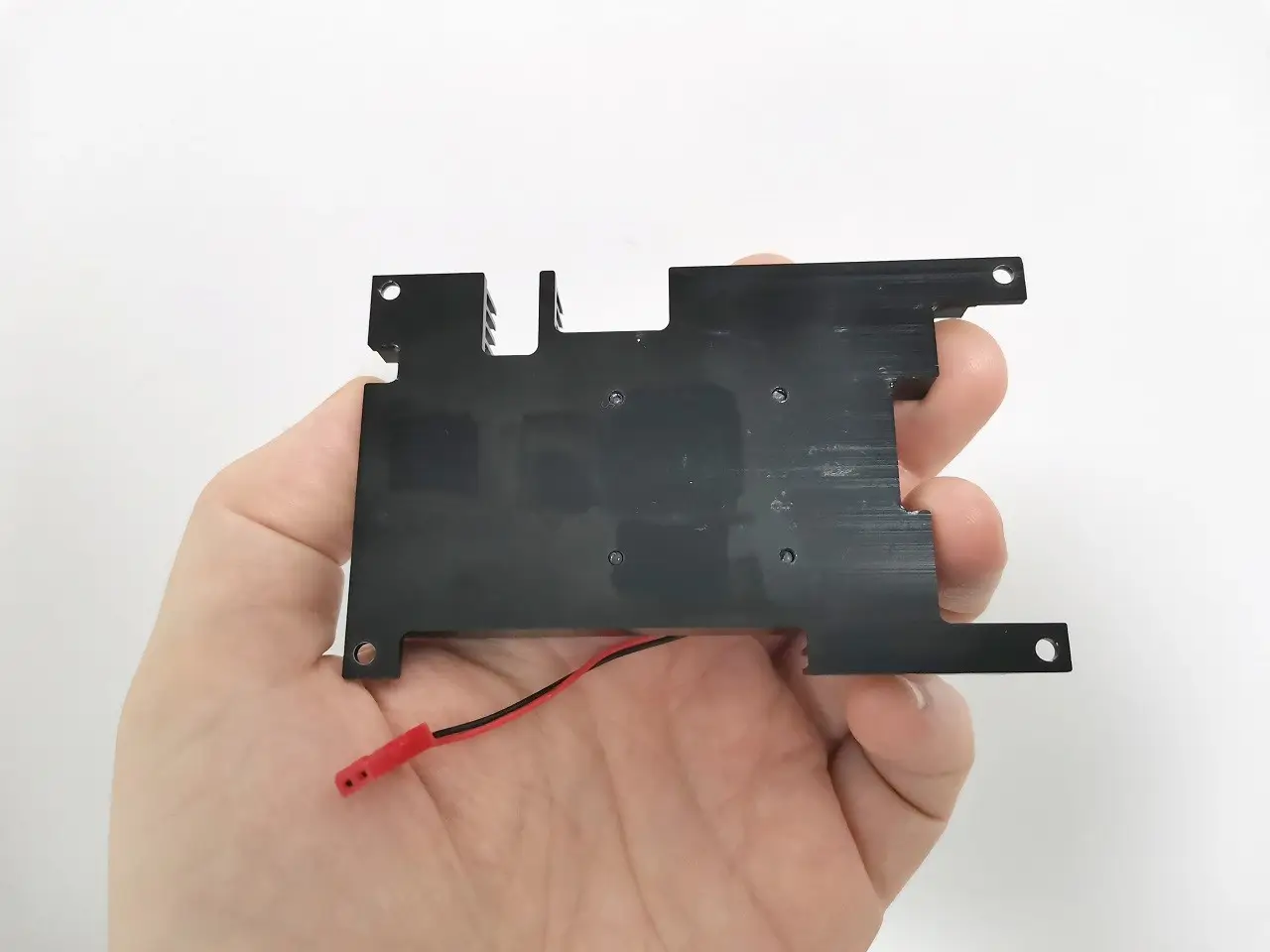
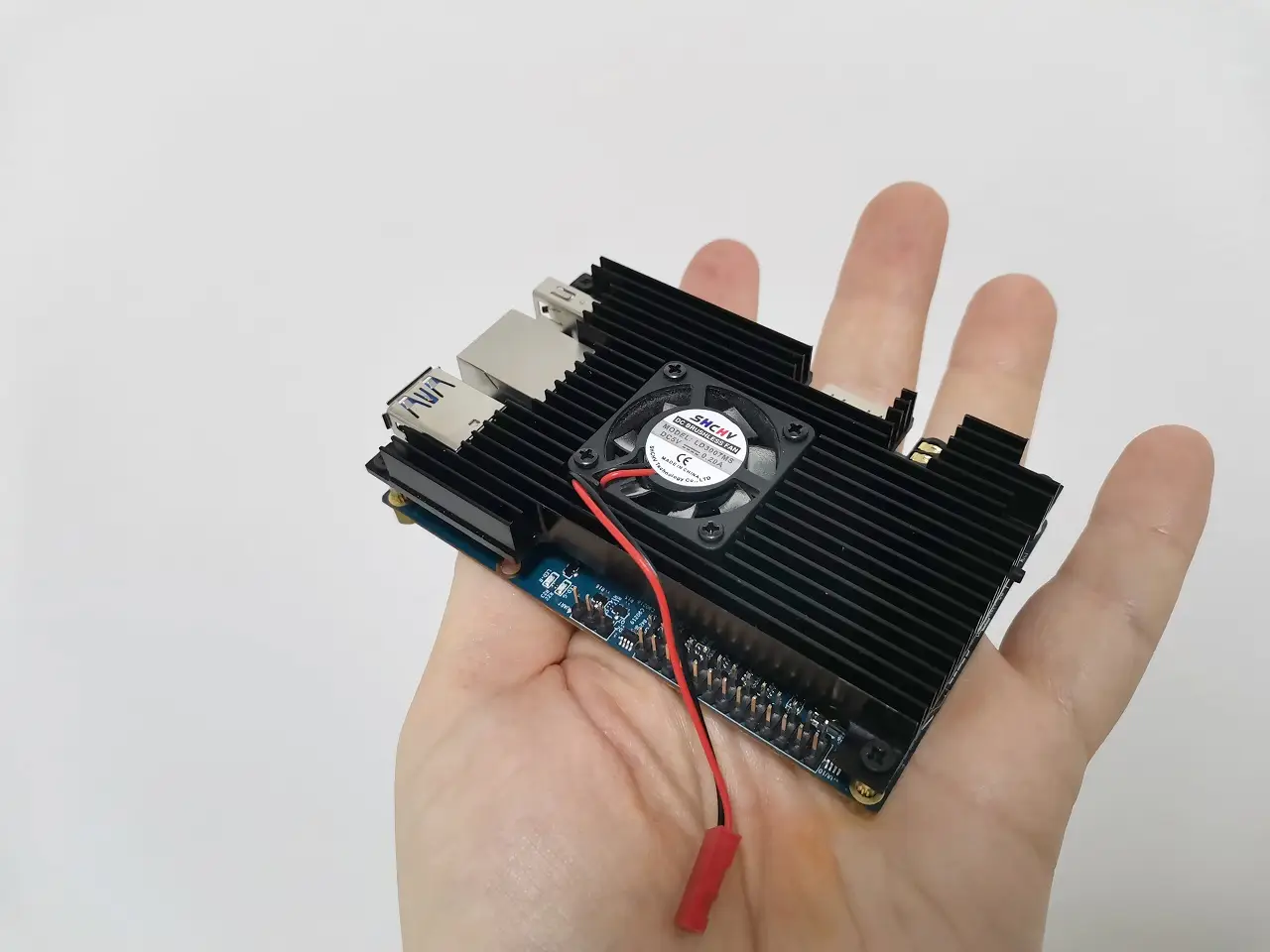
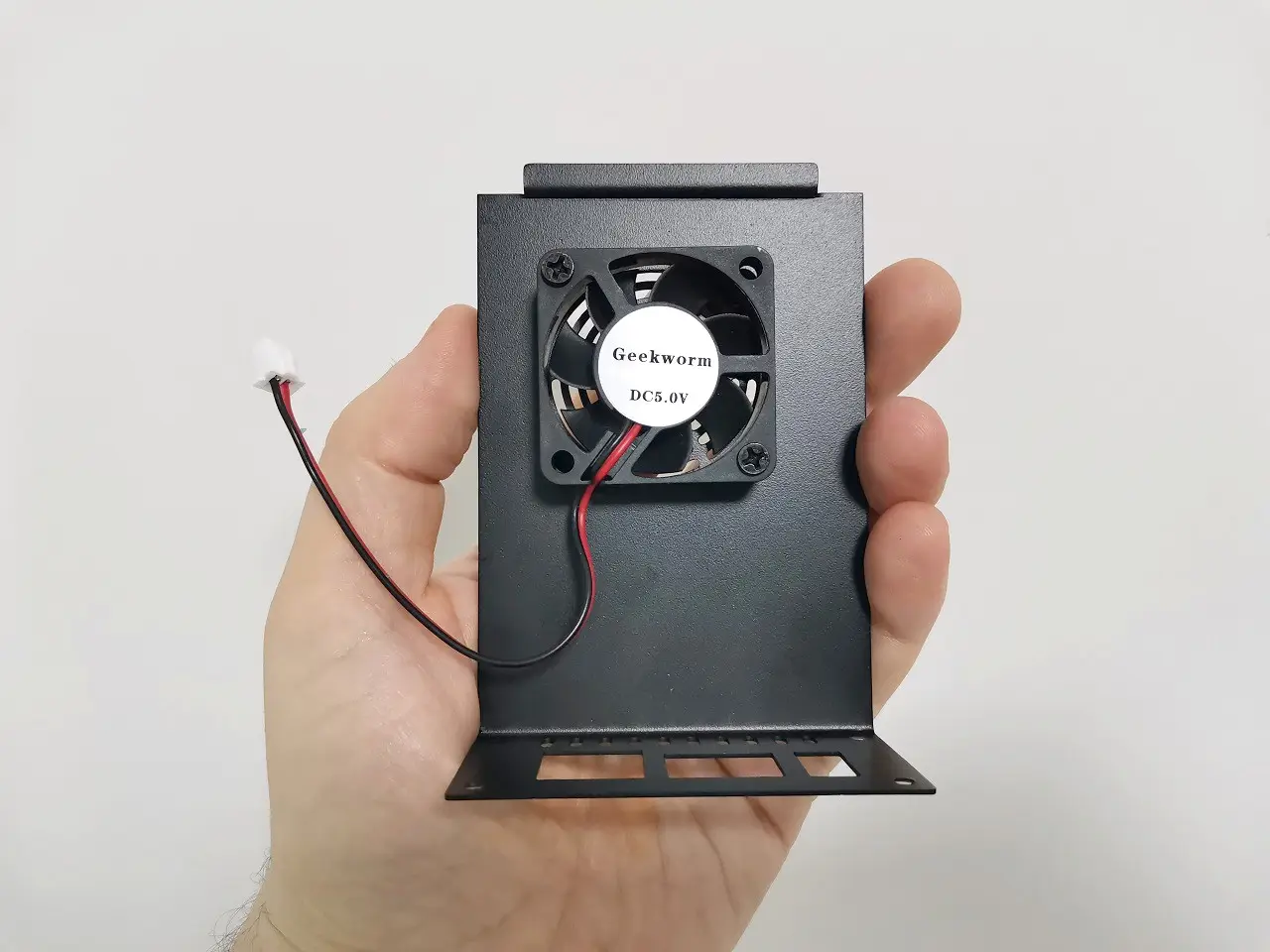
Step 6: Removing the Fan from the metal case cover

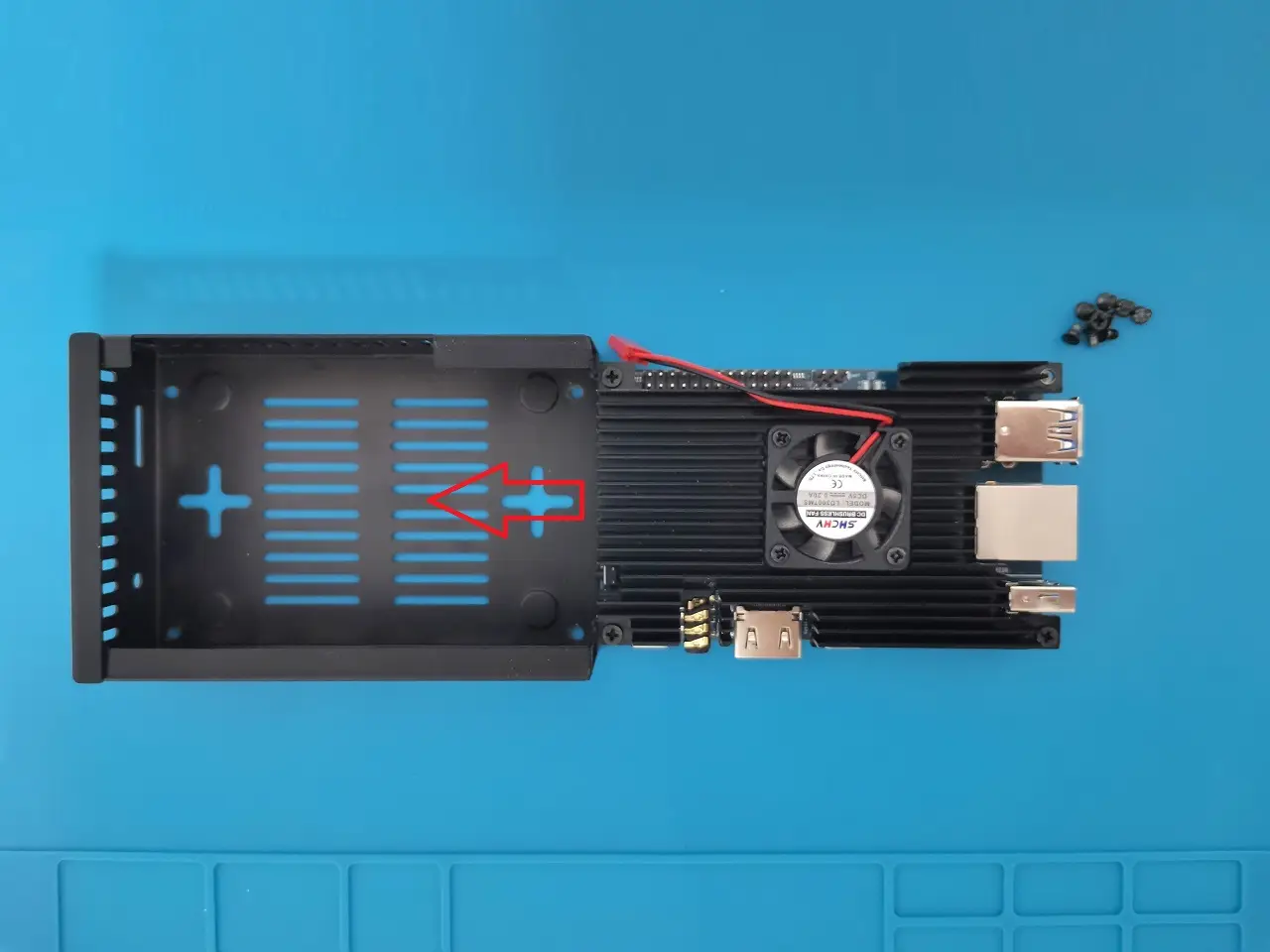
To properly close the case upper cover its necessary to unscrew and remove the FAN provided with the N505 case upper cover.
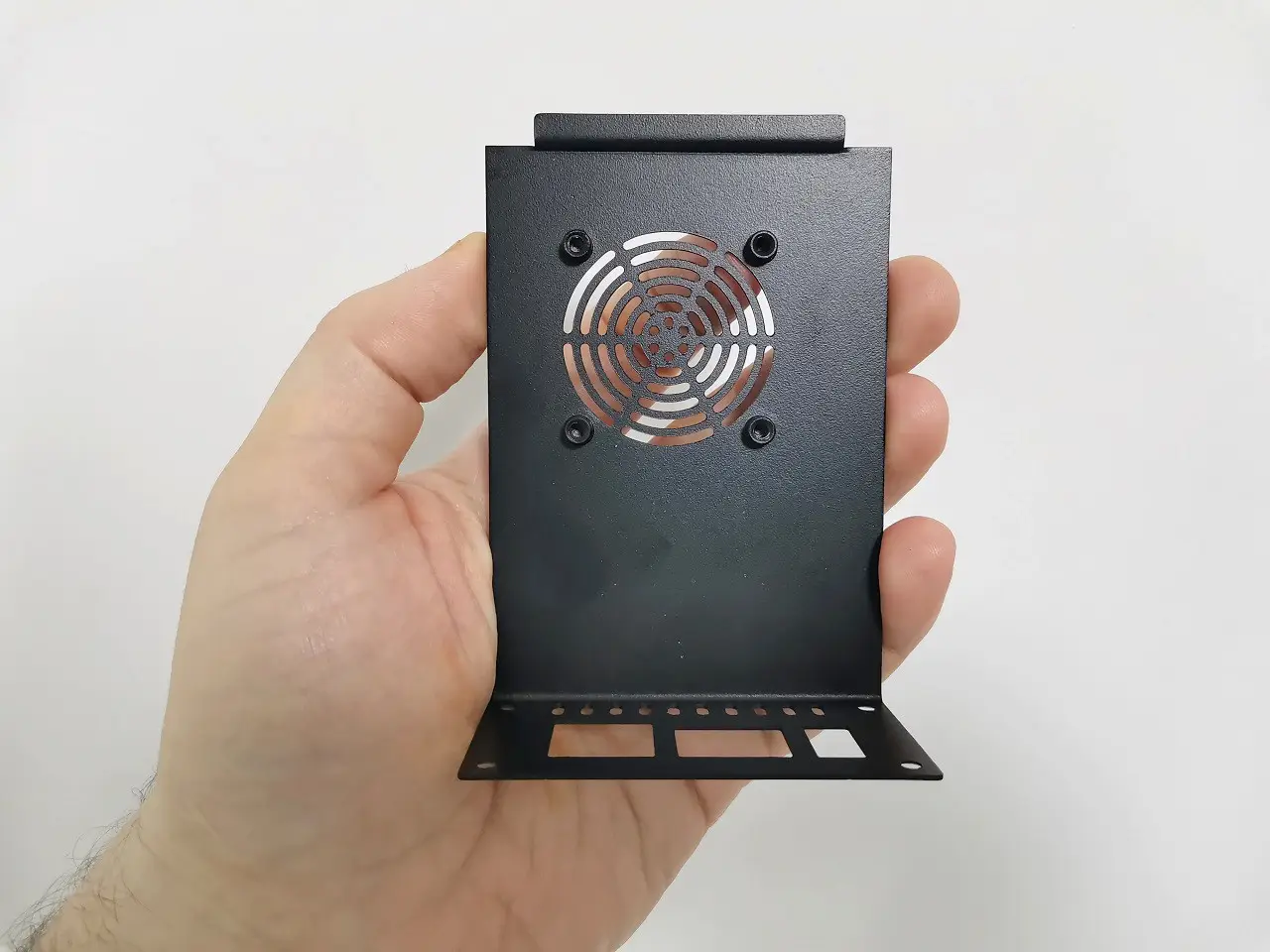
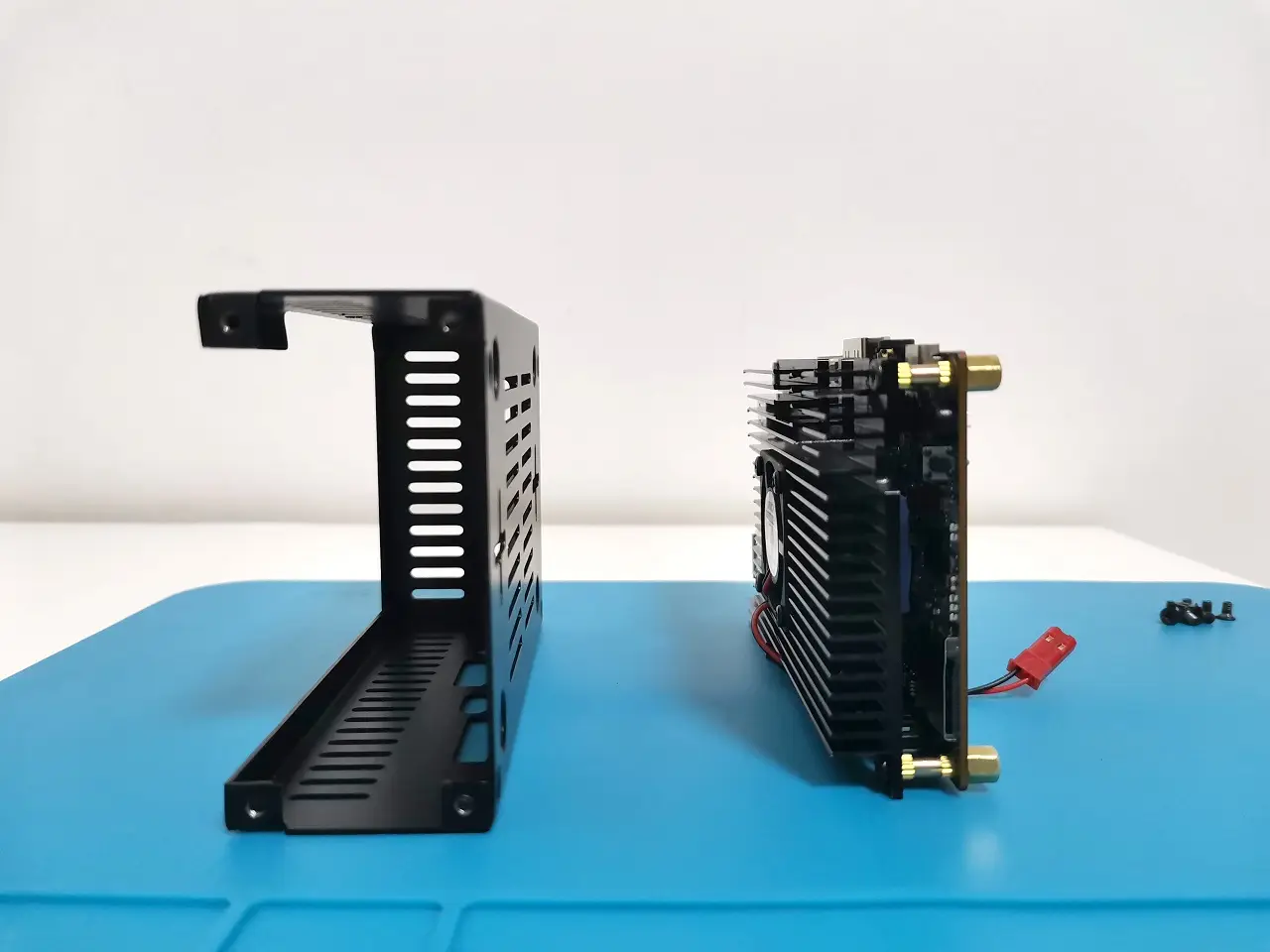
Step 7: Mounting the Orange Pi 5 inside the metal case (N505)

Using four M2.5 screws, fasten the PCB mounting Hexe type studs.

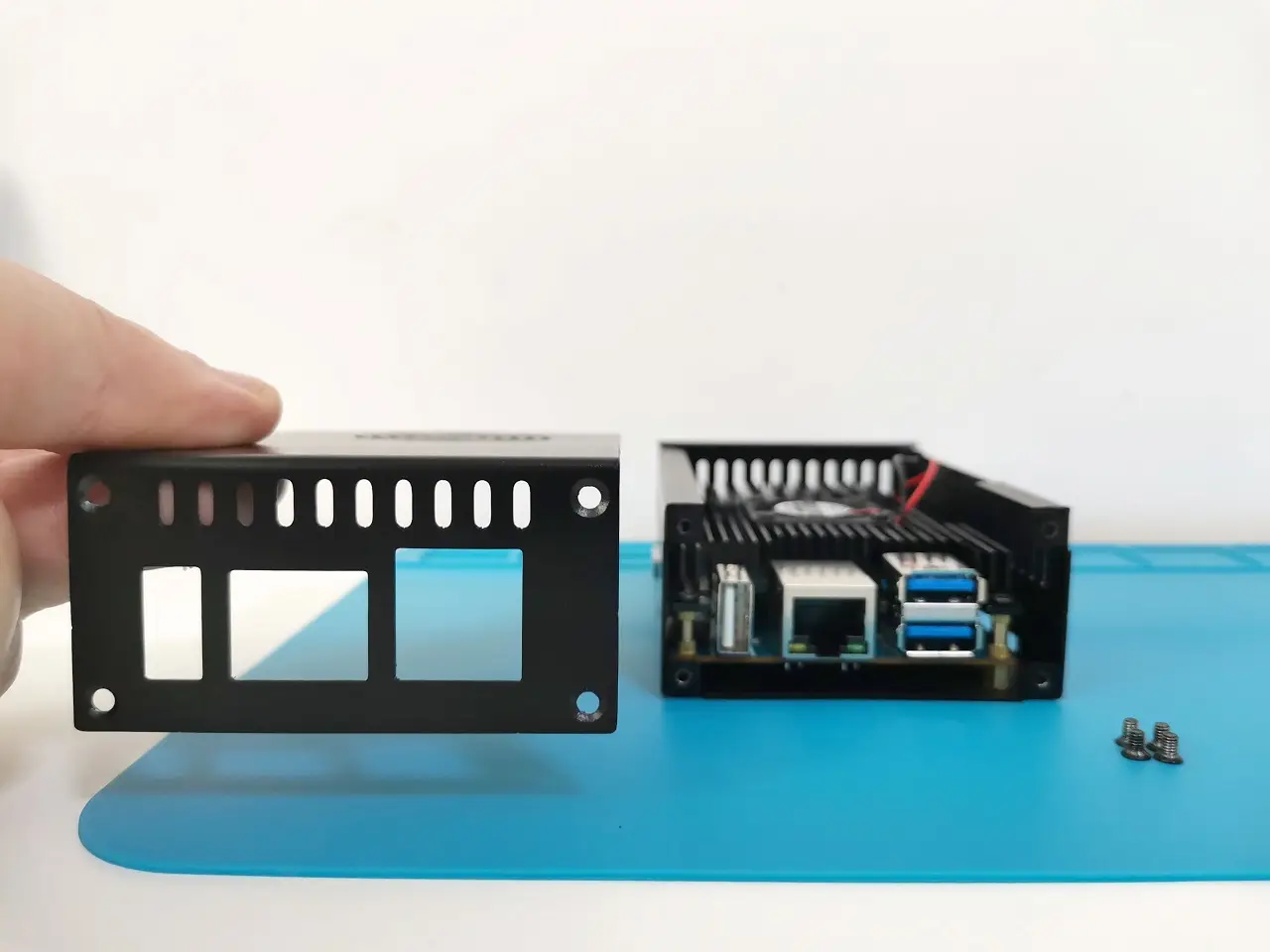
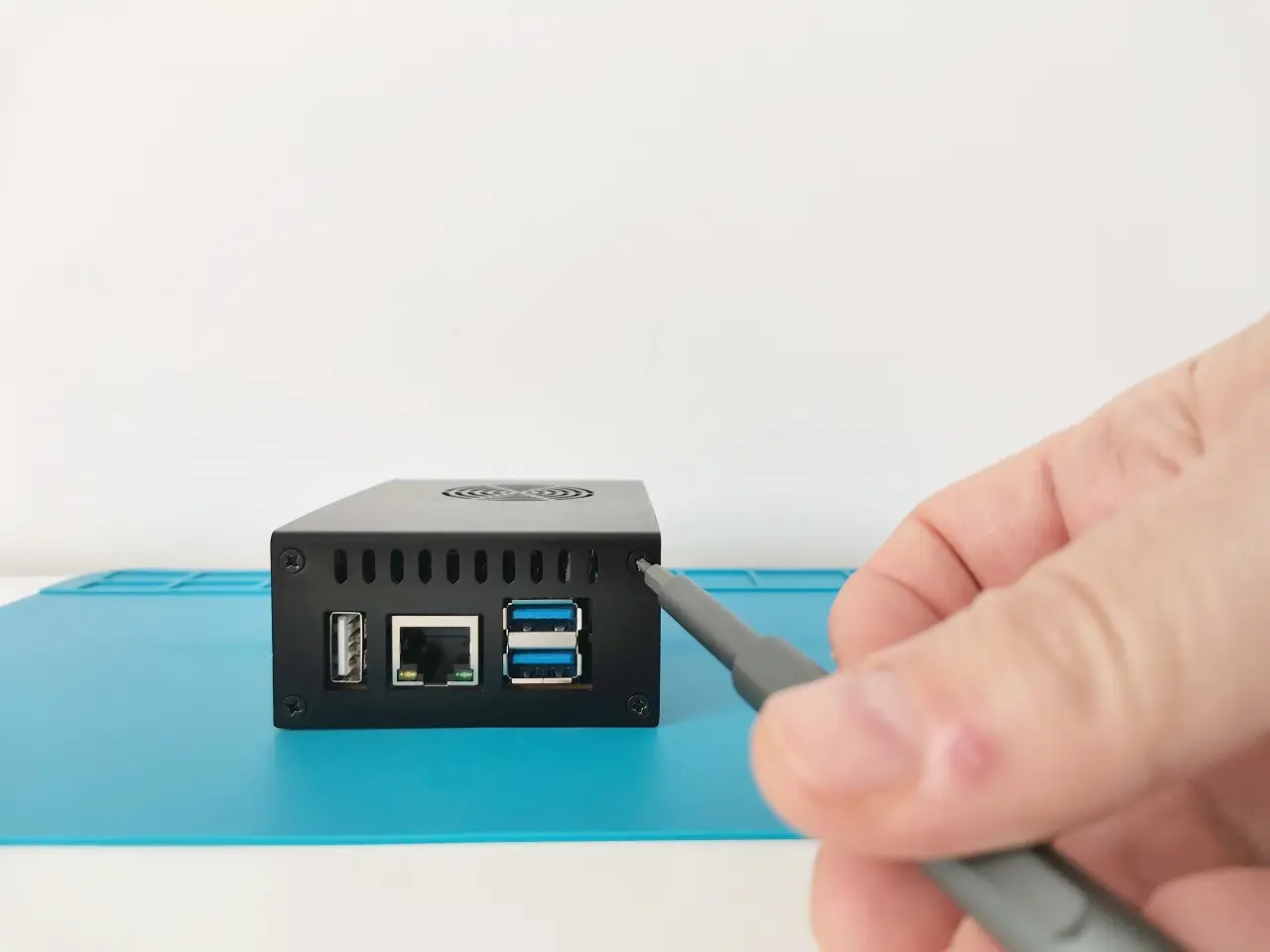
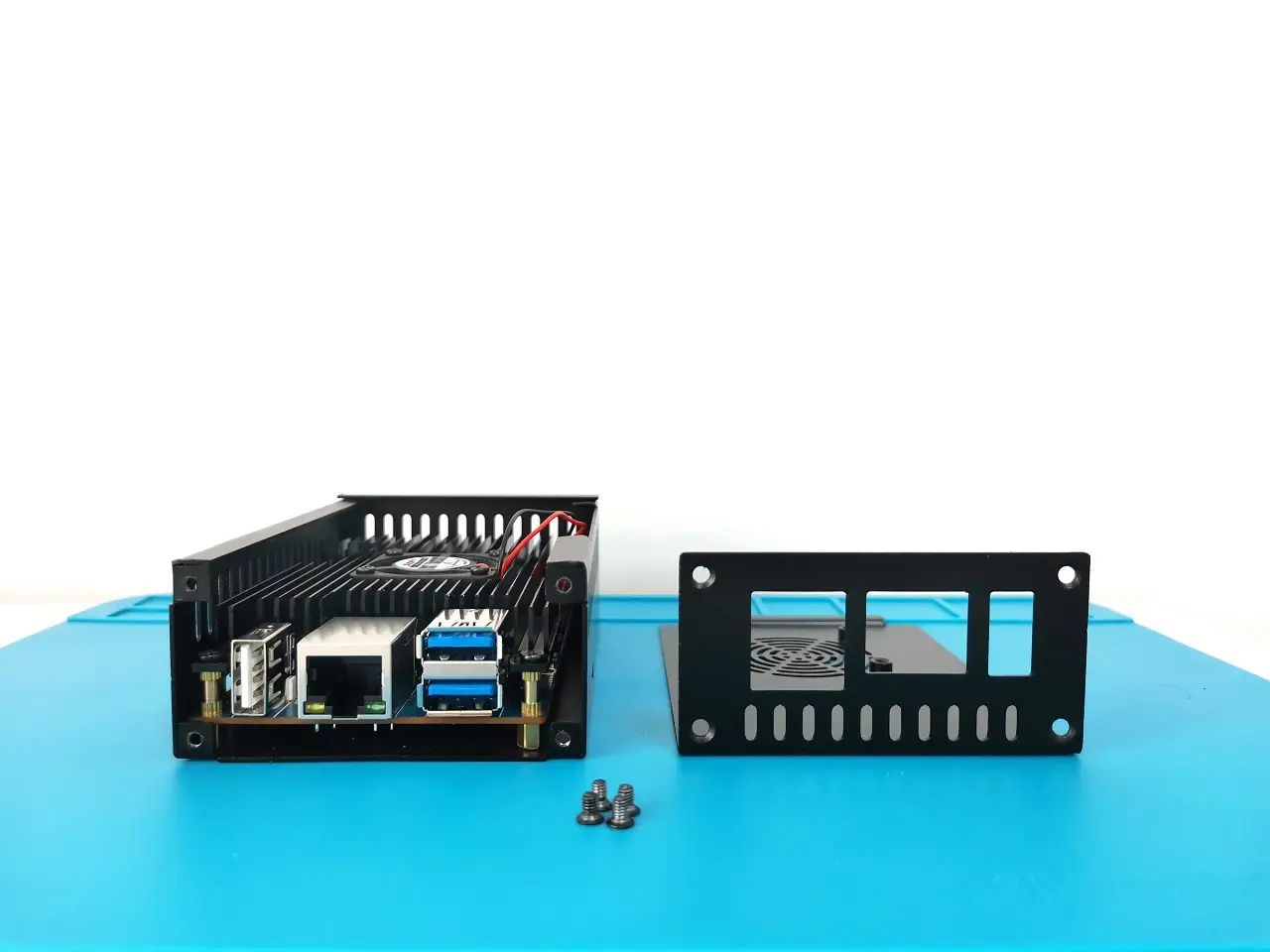
Step 8: Closing the main cover

Last but not least, use the four screws on the side to completely close the case.

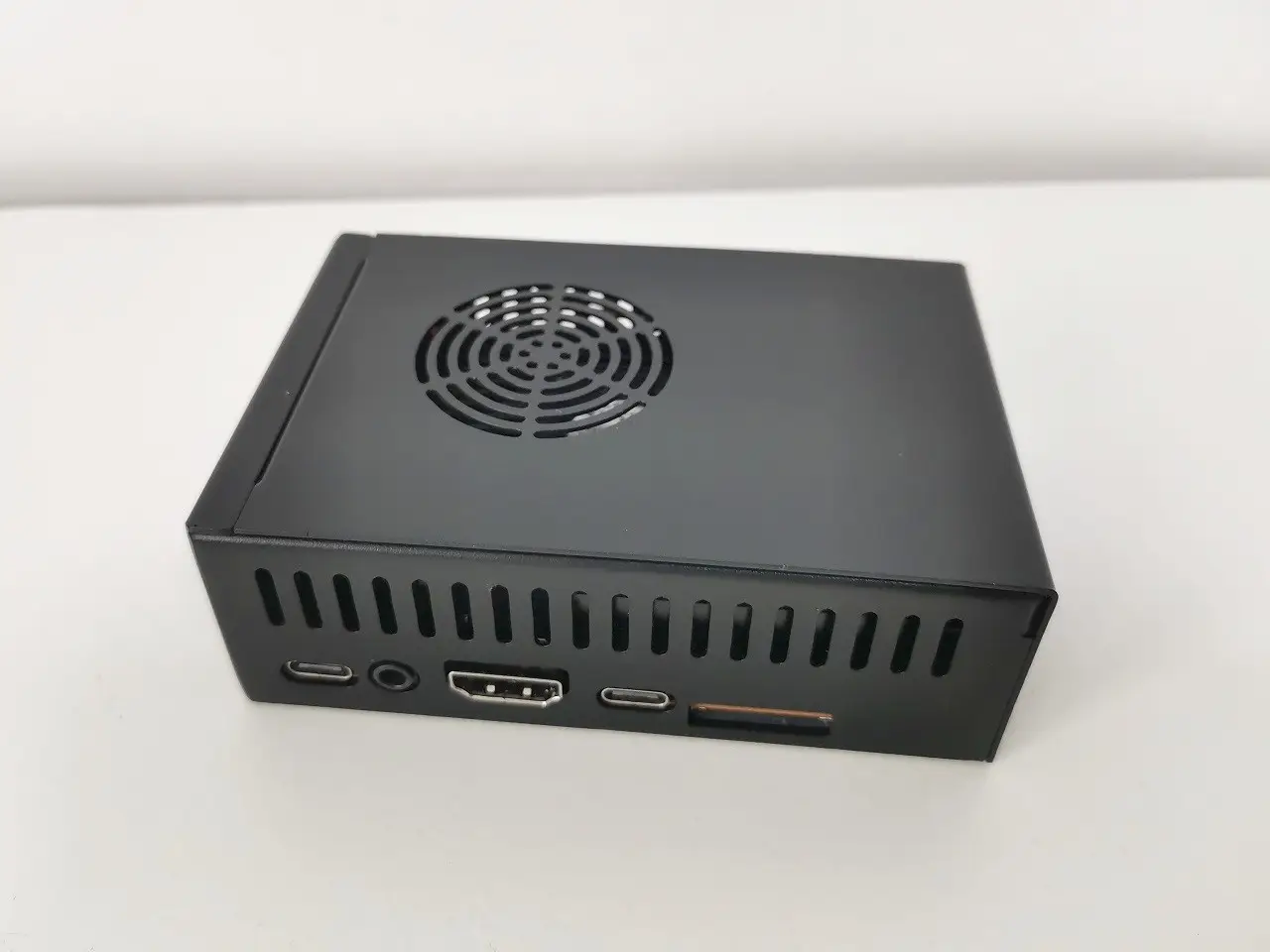
The final result

Step 9: Checking CPU temperatures

Make sure that everything works properly and that there are no shorts or other issues with the case assembly. You can run the hardware monitor app under the Armbian System Monitoring Center app to check CPU core temperatures in real-time. Based on a few tests, the working temperature ranged between 31°C to ~45°C for regular non-heavy usage without overloading CPU cores too much.


Final words

In conclusion, building a hybrid metal case for your Orange Pi 5 is an excellent way to protect your SBC while keeping the chips cool. By following the steps outlined in this article, you can build a hybrid metal case that keeps your Orange Pi 5 shielded.
Share. Facebook Twitter Pinterest LinkedIn Tumblr Email
Previous ArticleBanana Pi BPI W2 OpenWrt Open Source Router (SBC)
Next Article Orange Pi 5B Unveiled with Wi-Fi 6 starting at low as $89
androidpimp
  • Website

Related Posts

Raspberry Pi Zero 3W SBC

Orange Pi Zero 3W Review: $25 Dual Video Pi Zero 2W Killer?

June 12, 2026
DFRobot Flexible AMOLED Display

DFRobot 6.67″ Flexible AMOLED Review: Curved Display for Raspberry Pi & LattePanda

June 8, 2026
Banana Pi SM10 Kit

Banana Pi BPI-SM10 Review: 60 TOPS RISC-V Jetson Orin Nano Alternative

June 3, 2026
0 0 votes
Article Rating
Subscribe
Notify of
0 Comments
Oldest
Newest Most Voted
PureVPN
PureVPN Ad Banner
VyprVPN – No. 1 in Anonymity
Vyprvpn 350x260
PrivadoVPN – No. 1 in Parental Control
PrivadoVPN 350x437
Recent Posts
  • AliExpress Promo Codes: June 2026 (100% Verified)
  • Orange Pi Zero 3W Review: $25 Dual Video Pi Zero 2W Killer?
  • DFRobot 6.67″ Flexible AMOLED Review: Curved Display for Raspberry Pi & LattePanda
  • Banana Pi BPI-SM10 Review: 60 TOPS RISC-V Jetson Orin Nano Alternative
  • SpacemiT K3 Pico-ITX Review: 60-TOPS RISC-V Powerhouse for LLMs?
  • Banana Pi BPI-R4 Pro Review: The Best WiFi 7 OpenWrt Router? We Checked!
  • DFRobot ESP32-S3 LoRaWAN & Gateway Review: Build a Private IoT Network
  • WaveNote AI Review 2026: An Honest Pro/Con Comparison (Tested)
  • CamThink NE301 Review: 25 FPS YOLOv8 on STM32 Edge AI
  • PrivadoVPN Review 2026: Is the Best Free VPN Still Good for Streaming?
RSS The Latest RSS Feeds
  • AliExpress Promo Codes: June 2026 (100% Verified)
  • Orange Pi Zero 3W Review: $25 Dual Video Pi Zero 2W Killer?
  • DFRobot 6.67″ Flexible AMOLED Review: Curved Display for Raspberry Pi & LattePanda
Facebook X (Twitter) Instagram Pinterest
@2026 - All Right Reserved. Designed by AndroidPIMP

Type above and press Enter to search. Press Esc to cancel.

Powered by
►
Necessary cookies enable essential site features like secure log-ins and consent preference adjustments. They do not store personal data.
None
►
Functional cookies support features like content sharing on social media, collecting feedback, and enabling third-party tools.
None
►
Analytical cookies track visitor interactions, providing insights on metrics like visitor count, bounce rate, and traffic sources.
None
►
Advertisement cookies deliver personalized ads based on your previous visits and analyze the effectiveness of ad campaigns.
None
►
Unclassified cookies are cookies that we are in the process of classifying, together with the providers of individual cookies.
None
Powered by
wpDiscuz