Close Menu
  • Home
  • About
  • Wearables
  • Earbuds
  • Computer Accessories
    • Routers
    • Remotes
  • Embedded
    • Single Board Computers
    • Addon Boards
    • Raspberry Pi
  • Wireless Routers
  • Contact
Facebook X (Twitter) Instagram Threads
Trending
  • AliExpress Promo Codes: July 2026 (100% Verified)
  • Orange Pi 6 Launches: New 45 TOPS AI SBC Beats Raspberry Pi HATs in Speed
  • Orange Pi Zero 3W Review: $25 Dual Video Pi Zero 2W Killer?
  • CamThink NeoEyes NE503: A 20 TOPS 4k Edge AI Camera Platform Powerhouse
  • DFRobot 6.67″ Flexible AMOLED Review: Best Raspberry Pi & LattePanda Display?
  • Banana Pi BPI-SM10 Review: 60 TOPS RISC-V Jetson Orin Nano Alternative
  • SpacemiT K3 Pico-ITX Review: 60-TOPS RISC-V Powerhouse for LLMs?
  • Banana Pi BPI-R4 Pro Review: The Best WiFi 7 OpenWrt Router? We Checked!
AndroidPIMP
Facebook X (Twitter) Instagram
  • Home
  • About
  • Wearables
  • Earbuds
  • Computer Accessories
    • Routers
    • Remotes
  • Embedded
    • Single Board Computers
    • Addon Boards
    • Raspberry Pi
  • Wireless Routers
  • Contact
AndroidPIMP
Raspberry Pi

Raspberry Pi 3 / 2 Best Cooling Fan Kit

By androidpimpFebruary 28, 2018Updated:June 25, 2024No Comments3 Mins Read
Facebook Twitter Pinterest LinkedIn Tumblr Email
Follow Us
Google News Flipboard
RaspberryPi CPU Cooling Fan1
Table of contents
  1. Product Introduction
  2. Main Features
  3. Package Includes
  4. Whatโ€™s included in the Package?
  5. First-time Installation

Product Introduction

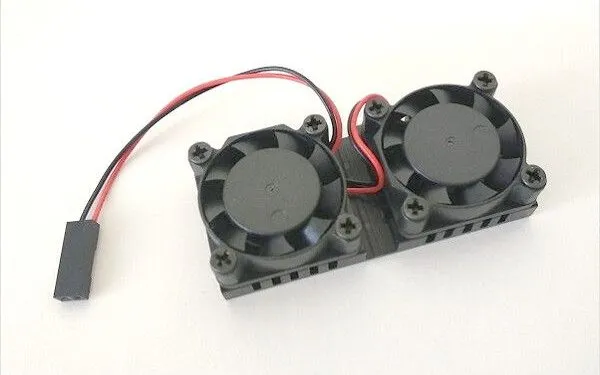
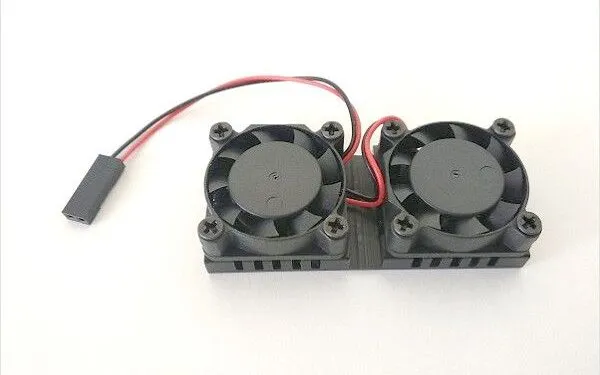
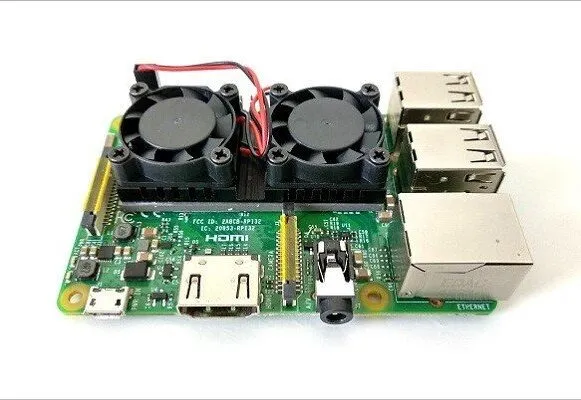
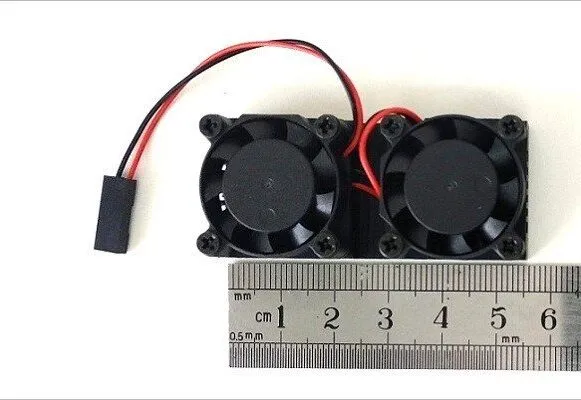
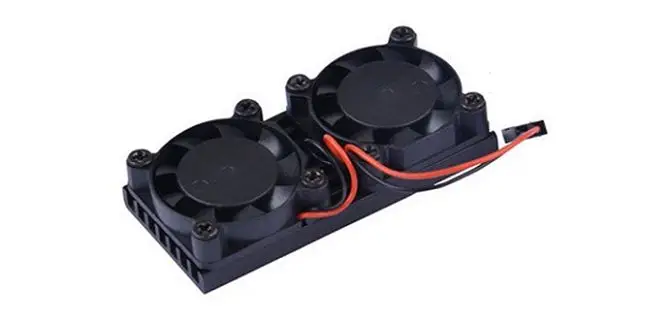
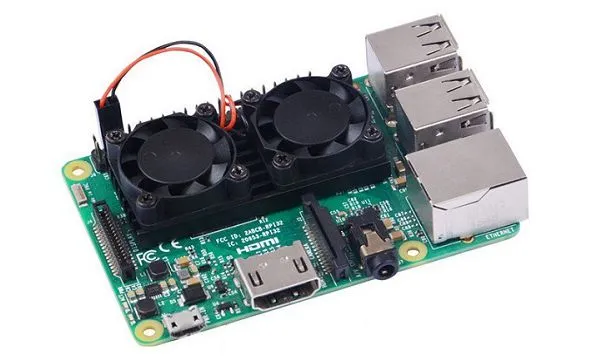
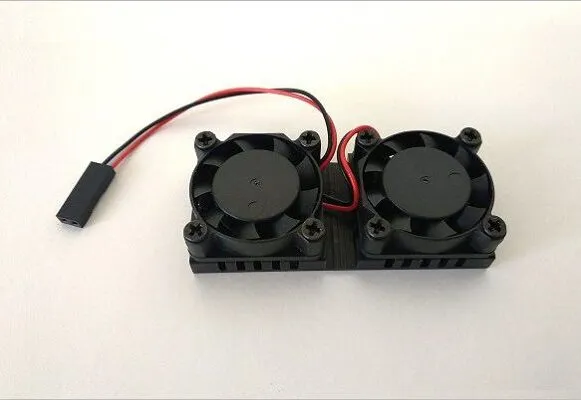
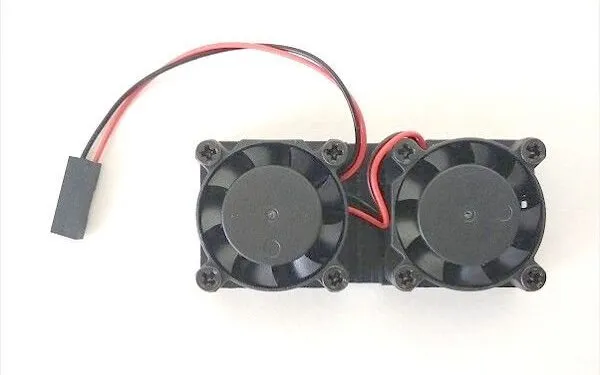
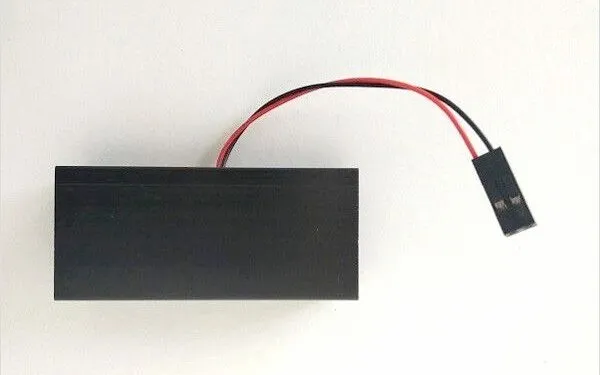
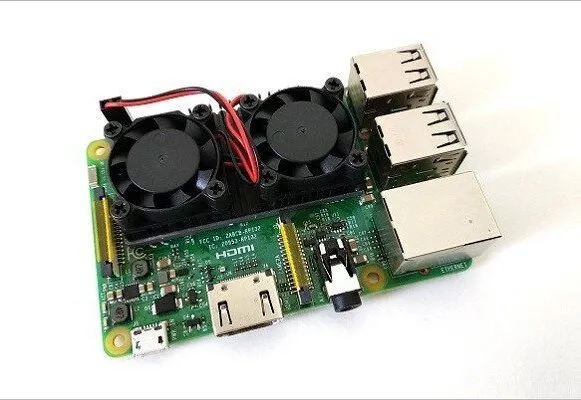
The GeeekPi unique cooling solution is designed especially for the Raspberry Pi 3/2 board series. The dual fan Kit is composed of two fans mounted on one single cooler unit that is mounted on top of the main CPU chip and the network chip, giving both chips proper cooling. Because there are no mounting holes in the Raspberry Pi boards, attaching the unit is done with thin thermal tape, also included with the kit.

To cool the back side of the Raspberry Pi board 52Pi company included a flat copper heating pad with a one-side thermal sticker that helps with heat distribution and provides good cooling without occupying extra height when the board is assembled inside a case. 52Pi stated that their solution is capable of reducing overall temperature up to 20 degrees compared to other existing solutions on the market, which can be ideal for users that are into overclocking related projects.


GeeekPi Raspberry Pi CPU Cooling Fan Kit

Main Features

  • Fast heat dissipation
  • Silent Fan without noise
  • Reduce temperature up to 20 degrees
  • It can be close to the heating chip for better heat dissipation.
  • Used for Raspberry Pi 3/2 Model B/B+, Perfect fit for Retroflag Nespi NES Case, High Speed, and Low Noise.

Package Includes

  • 1x User Manual
  • 1x Dual Fan
  • 1 x Thin Thermal Tape
  • 1x Thick Thermal Tape
  • 1x Copper Heatsink
  • 1x User Manual

52Pi Cooling Fan Kit | Package 
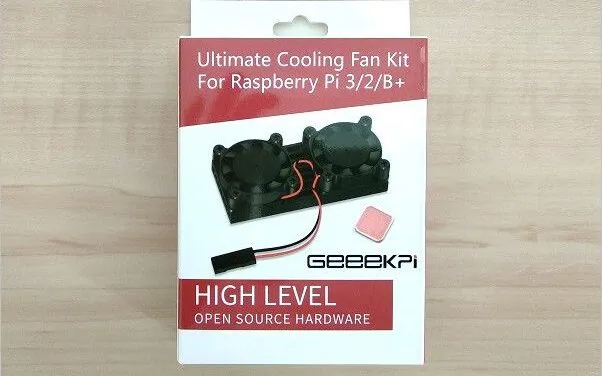
  • Dual Cooling Fan Kit Package 1
    52 Pi Dual Fan Heatsink Kit Package - 1 of 4
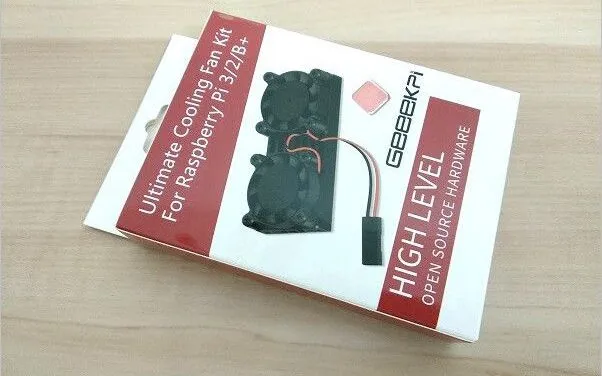
  • Dual Cooling Fan Kit Package 2
    52 Pi Dual Fan Heatsink Kit Package - 2 of 4
  • Dual Cooling Fan Kit Package 3
    52 Pi Dual Fan Heatsink Kit Package - 3 of 4
  • Dual Cooling Fan Kit Package 4
    52 Pi Dual Fan Heatsink Kit Package - 4 of 4

What’s included in the Package?

The kit is composed of a Heatsink with dual fans mounted on top, two thermal taps with different thickness with a sticker on each side. According to 52Pi, if you pick the one with a thickness of 0.5 mm it should be the best for optimal heat conductivity. The company also added a very easy to, understand user guide explaining how to connect the Heatsink 5V power plug to the Raspberry Pi board GPIO header pins. And finally, an extra addition to this package is a copper-made Heatsink with a one-side sticker designed to be attached to the Raspberry Pi RAM chip.

52Pi Cooling Solution | Unboxing
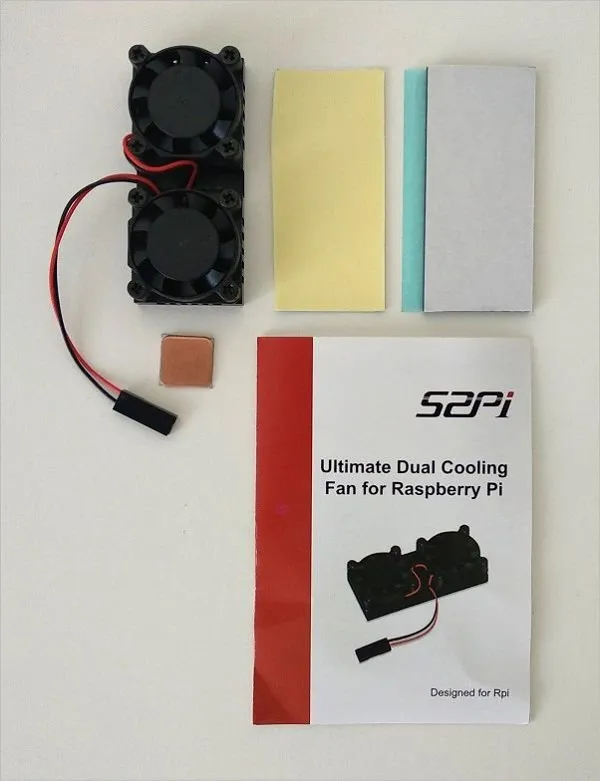
52Pi Cooling Fan Kit | All Items
  • Dual Cooling Fan Kit Item1
    Dual Cooling Fan Kit Item1

  • Dual Cooling Fan Kit Item2
    Dual Cooling Fan Kit Item2
  • Dual Cooling Fan Kit Item3
    Dual Cooling Fan Kit Item3
  • Dual Cooling Fan Kit Item4
    Dual Cooling Fan Kit Item4
  • Dual Cooling Fan Kit Item5
    Dual Cooling Fan Kit Item5

First-time Installation

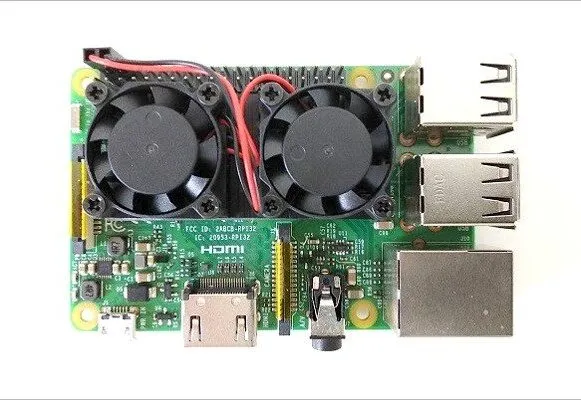
Because the Raspberry Pi boards lack any mounting holes for Heat sinks, therefore thermal pads or using thermal conductive past is the only solution to attach the unit to the chips. Depending on the specific board design, if you place the Heatsink unit Raspberry Pi 3 Board it will be mounted on top of the Broadcom CPU chip along with the Ethernet Chip.

52Pi Heatsink Dual Fan Unit
  • RaspberryPi CPU Cooling Fan 2
    RaspberryPi CPU Cooling Fan 2
  • RaspberryPi CPU Cooling Fan 3
    RaspberryPi CPU Cooling Fan 3
  • RaspberryPi CPU Cooling Fan 1
    RaspberryPi CPU Cooling Fan 1
  • RaspberryPi CPU Cooling Fan 4
    RaspberryPi CPU Cooling Fan 4

52Pi Dual Fan Unit | Mounted on the Pi 3 Board
  • RaspberryPi CPU Cooling Fan Kit 1
    RaspberryPi CPU Cooling Fan Kit 1
  • RaspberryPi CPU Cooling Fan Kit 2
    RaspberryPi CPU Cooling Fan Kit 2
  • RaspberryPi CPU Cooling Fan Kit 3
    RaspberryPi CPU Cooling Fan Kit 3
  • RaspberryPi CPU Cooling Fan Kit 4
    RaspberryPi CPU Cooling Fan Kit 4
  • RaspberryPi CPU Cooling Fan Kit 5
    RaspberryPi CPU Cooling Fan Kit 5
Share. Facebook Twitter Pinterest LinkedIn Tumblr Email
Previous ArticleXiaomi TENS Machine: A Greet Pain Relief Therapy Massager
Next Article Raspberry Pi Display: Driver Free Touchscreen Display
androidpimp
  • Website

Related Posts

Raspberry Pi 4 Released

Raspberry Pi 4 Release and Specs Finally Announced!

June 25, 2019
52PI Raspberry Pi USB HUB

Raspberry Pi 3/4 Self Powered USB Hub

March 29, 2019
Raspberry Pi Zero Board LAN Adapter1

Raspberry Pi Zero Board LAN Expansion Board

March 5, 2019

Comments are closed.

PureVPN
PureVPN Ad Banner
VyprVPN – No. 1 in Anonymity
Vyprvpn 350x260
PrivadoVPN – No. 1 in Parental Control
PrivadoVPN 350x437
Recent Posts
  • AliExpress Promo Codes: July 2026 (100% Verified)
  • Orange Pi 6 Launches: New 45 TOPS AI SBC Beats Raspberry Pi HATs in Speed
  • Orange Pi Zero 3W Review: $25 Dual Video Pi Zero 2W Killer?
  • CamThink NeoEyes NE503: A 20 TOPS 4k Edge AI Camera Platform Powerhouse
  • DFRobot 6.67″ Flexible AMOLED Review: Best Raspberry Pi & LattePanda Display?
  • Banana Pi BPI-SM10 Review: 60 TOPS RISC-V Jetson Orin Nano Alternative
  • SpacemiT K3 Pico-ITX Review: 60-TOPS RISC-V Powerhouse for LLMs?
  • Banana Pi BPI-R4 Pro Review: The Best WiFi 7 OpenWrt Router? We Checked!
  • DFRobot ESP32-S3 LoRaWAN & Gateway Review: Build a Private IoT Network
  • WaveNote AI Recorder Review: Is the Subscription Actually Worth It?
RSS The Latest RSS Feeds
  • AliExpress Promo Codes: July 2026 (100% Verified)
  • Orange Pi 6 Launches: New 45 TOPS AI SBC Beats Raspberry Pi HATs in Speed
  • Orange Pi Zero 3W Review: $25 Dual Video Pi Zero 2W Killer?
Facebook X (Twitter) Instagram Pinterest
@2026 - All Right Reserved. Designed by AndroidPIMP

Type above and press Enter to search. Press Esc to cancel.

Powered by
►
Necessary cookies enable essential site features like secure log-ins and consent preference adjustments. They do not store personal data.
None
►
Functional cookies support features like content sharing on social media, collecting feedback, and enabling third-party tools.
None
►
Analytical cookies track visitor interactions, providing insights on metrics like visitor count, bounce rate, and traffic sources.
None
►
Advertisement cookies deliver personalized ads based on your previous visits and analyze the effectiveness of ad campaigns.
None
►
Unclassified cookies are cookies that we are in the process of classifying, together with the providers of individual cookies.
None
Powered by