Close Menu
  • Home
  • About
  • Wearables
  • Earbuds
  • Computer Accessories
    • Routers
    • Remotes
  • Embedded
    • Single Board Computers
    • Addon Boards
    • Raspberry Pi
  • Wireless Routers
  • Contact
Facebook X (Twitter) Instagram Threads
Trending
  • Meet the CamThink NE503: A 20 TOPS 4k Edge AI Camera Platform Powerhouse
  • AliExpress Promo Codes: June 2026 (100% Verified)
  • Orange Pi Zero 3W Review: $25 Dual Video Pi Zero 2W Killer?
  • DFRobot 6.67″ Flexible AMOLED Review: Best Raspberry Pi & LattePanda Display?
  • Orange Pi 6: 45 TOPS AI Power Crushes Raspberry Pi AI HATs
  • Banana Pi BPI-SM10 Review: 60 TOPS RISC-V Jetson Orin Nano Alternative
  • SpacemiT K3 Pico-ITX Review: 60-TOPS RISC-V Powerhouse for LLMs?
  • Banana Pi BPI-R4 Pro Review: The Best WiFi 7 OpenWrt Router? We Checked!
AndroidPIMP
Facebook X (Twitter) Instagram
  • Home
  • About
  • Wearables
  • Earbuds
  • Computer Accessories
    • Routers
    • Remotes
  • Embedded
    • Single Board Computers
    • Addon Boards
    • Raspberry Pi
  • Wireless Routers
  • Contact
AndroidPIMP

Orange Pi 5 Ultra Review: A New Fast SBC in the Spotlight

2
By androidpimp on February 16, 2025 Embedded Computers
OrangePi 5 Ultra
OrangePi 5 Ultra
Table of contents
  1. Part 1: Introducing the Orange Pi 5 Ultra
  2. A new SBC featuring a few significant upgrades.
    1. Featuring a 4K HDMI 2.0 Input – What advantages does having a 4K HDMI input provide?
      1. Here are several practical applications:
  3. Specifications for the Orange Pi 5 Ultra.
  4. The Design and Layout of the Board
  5. How does it compare to Orange Pi 5 Max model?
    1. The Ultra 5 Model Comes Equipped with an HDMI Input port
    2. Here’s a hardware comparison between the Orange Pi 5 Max and Orange Pi 5 Ultra:
  6. What are the new updates in this particular model?
  7. What’s New and Improved?
  8. Software Support
  9. How does the new model compare to the Raspberry Pi 5?
  10. Part 2: Orange Pi 5 Ultra Review
    1. The Package
  11. Unboxing (Package Contents)
  12. A Close Look at the Board
  13. Installing a heat sink
  14. How well does the heatsink perform?
  15. Assembling the heatsink
  16. Mounting the board with the heatsink contained within a metal enclosure
  17. Software Support
    1. User Experience
    2. What is the expected amount of free RAM available?
  18. Available Storage Options
  19. x4 USB Host Ports
  20. Benchmarking Storage Devices
  21. Testing the eMMC Chip
    1. Evaluating the performance of a 1TB NVMe SSD
  22. How does the 5 Ultra perform compared to the Raspberry Pi 5?
  23. Power usage
    1. Evaluating CPU and Memory Performance under Load
    2. User Experience Running Kodi
    3. Final Words
  24. Business inquiries
  25. Price and Availability
    1. Orange Pi 5 Ultra

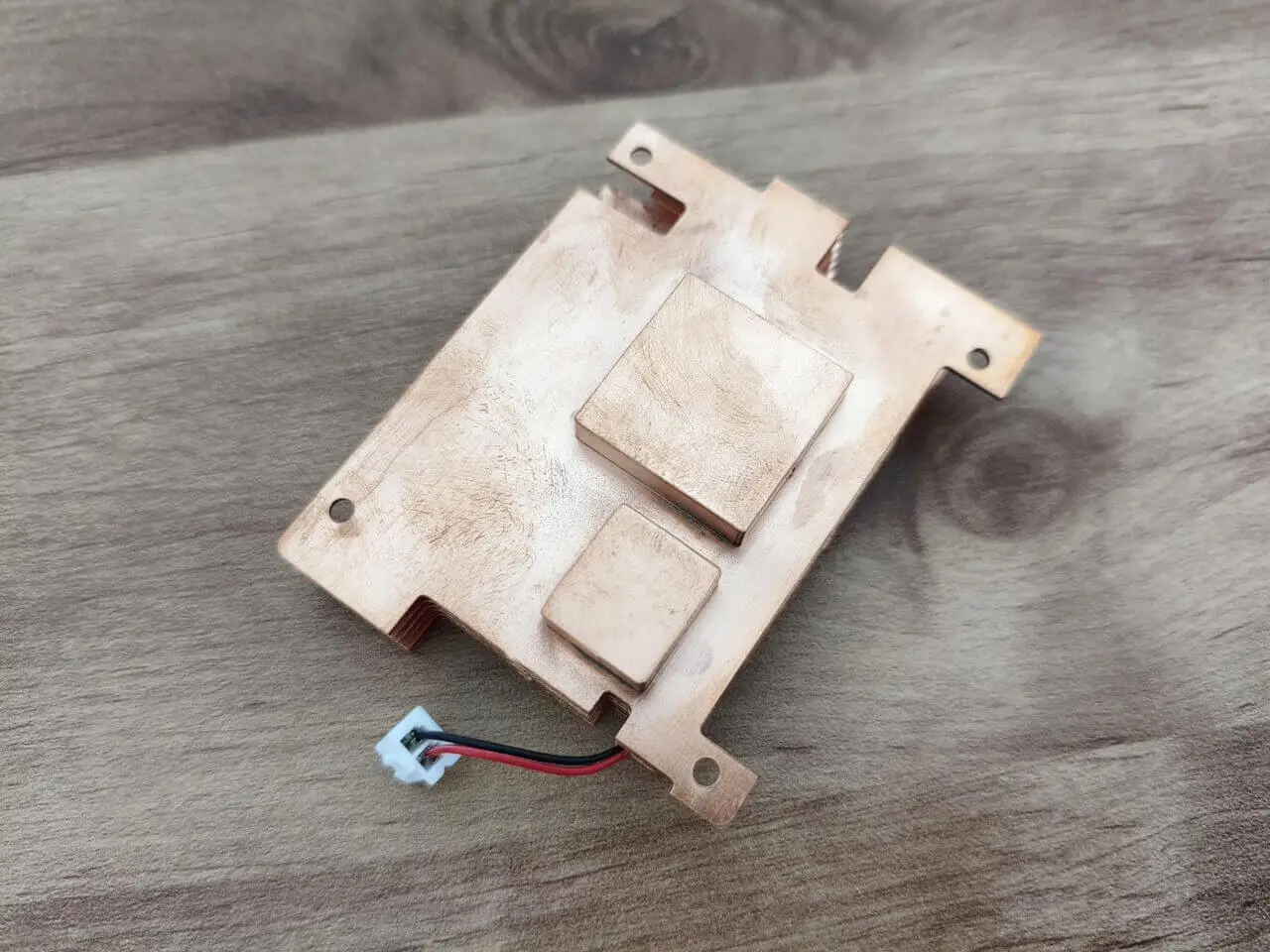
Installing a heat sink

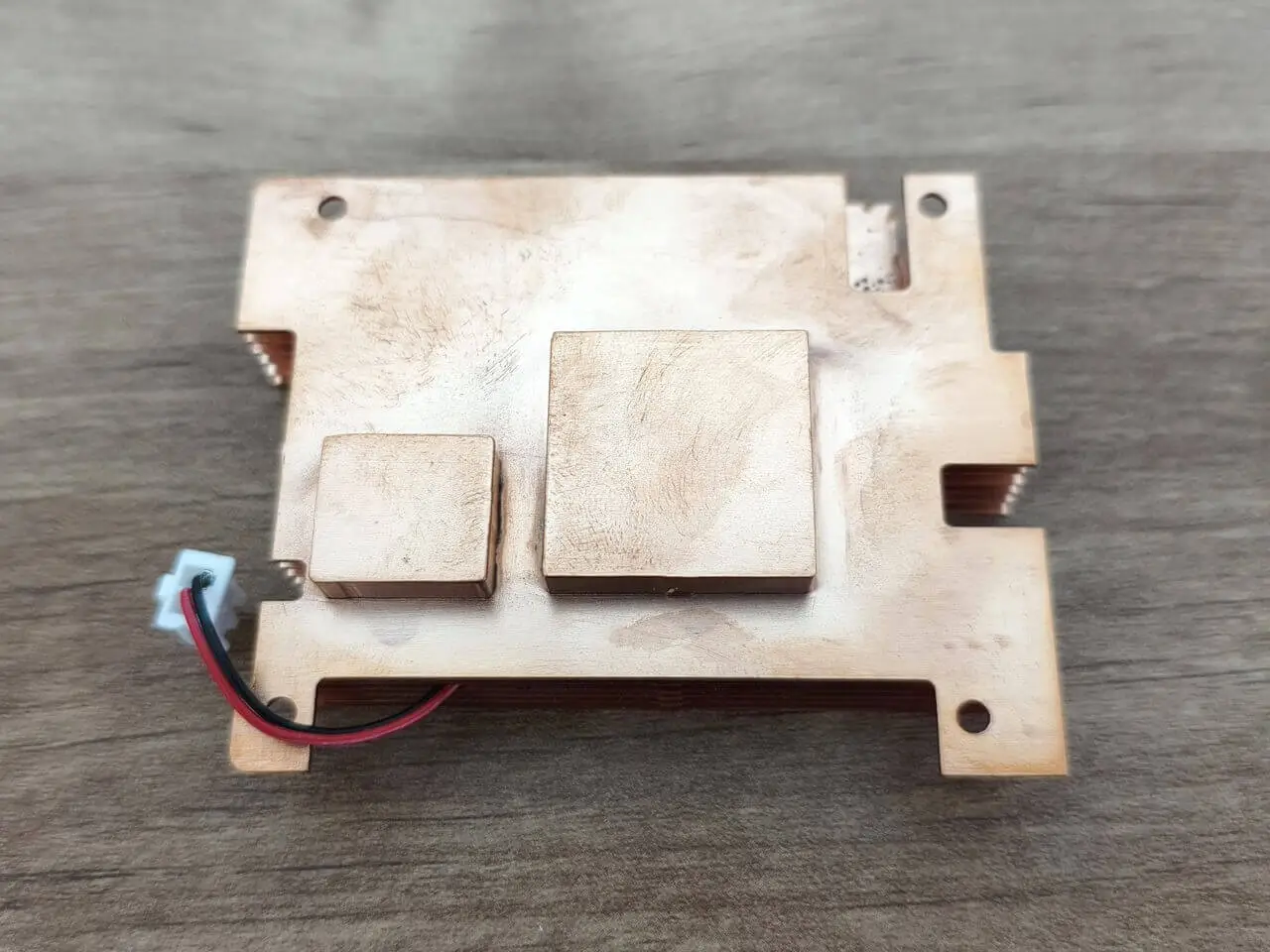
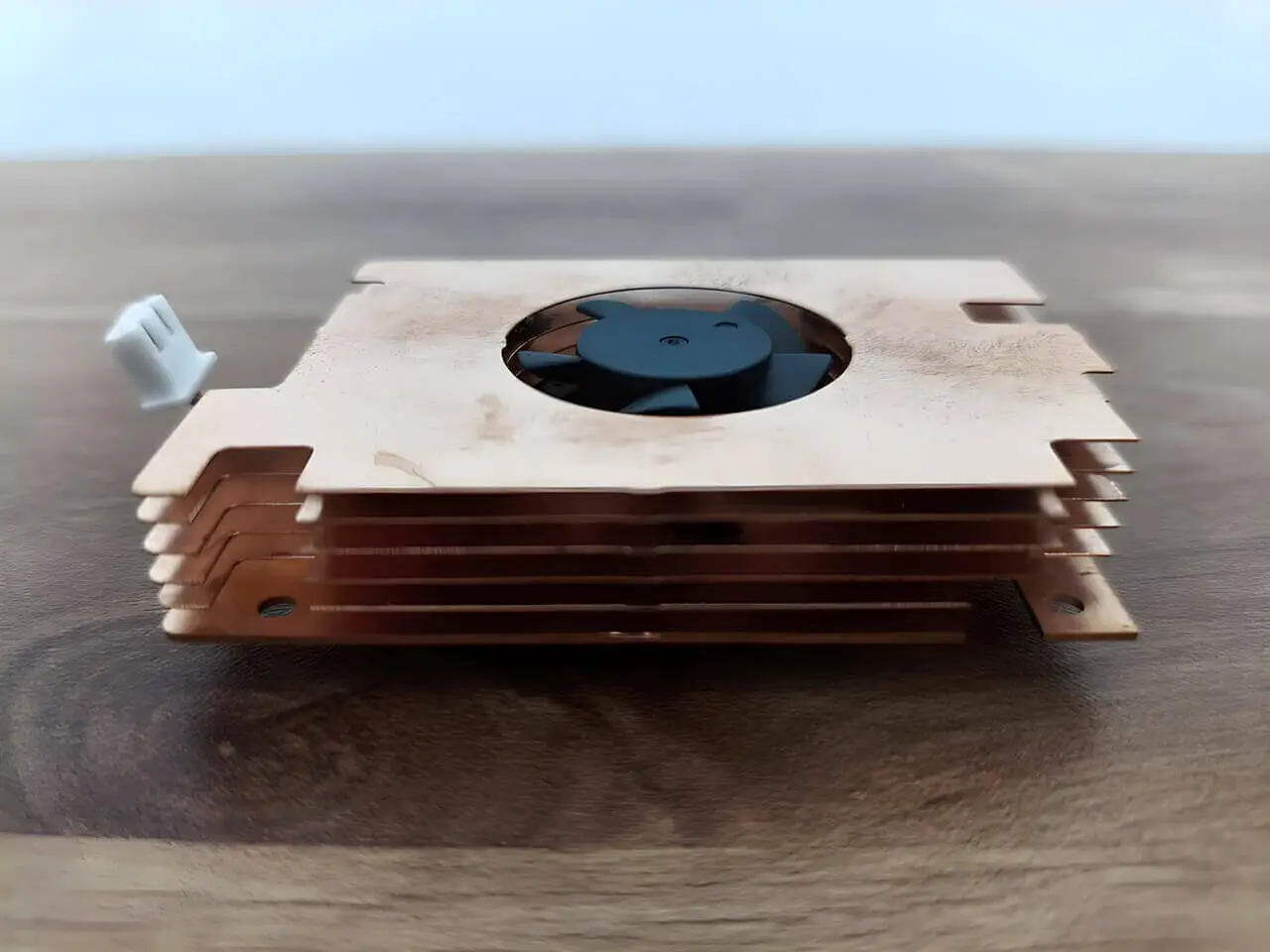
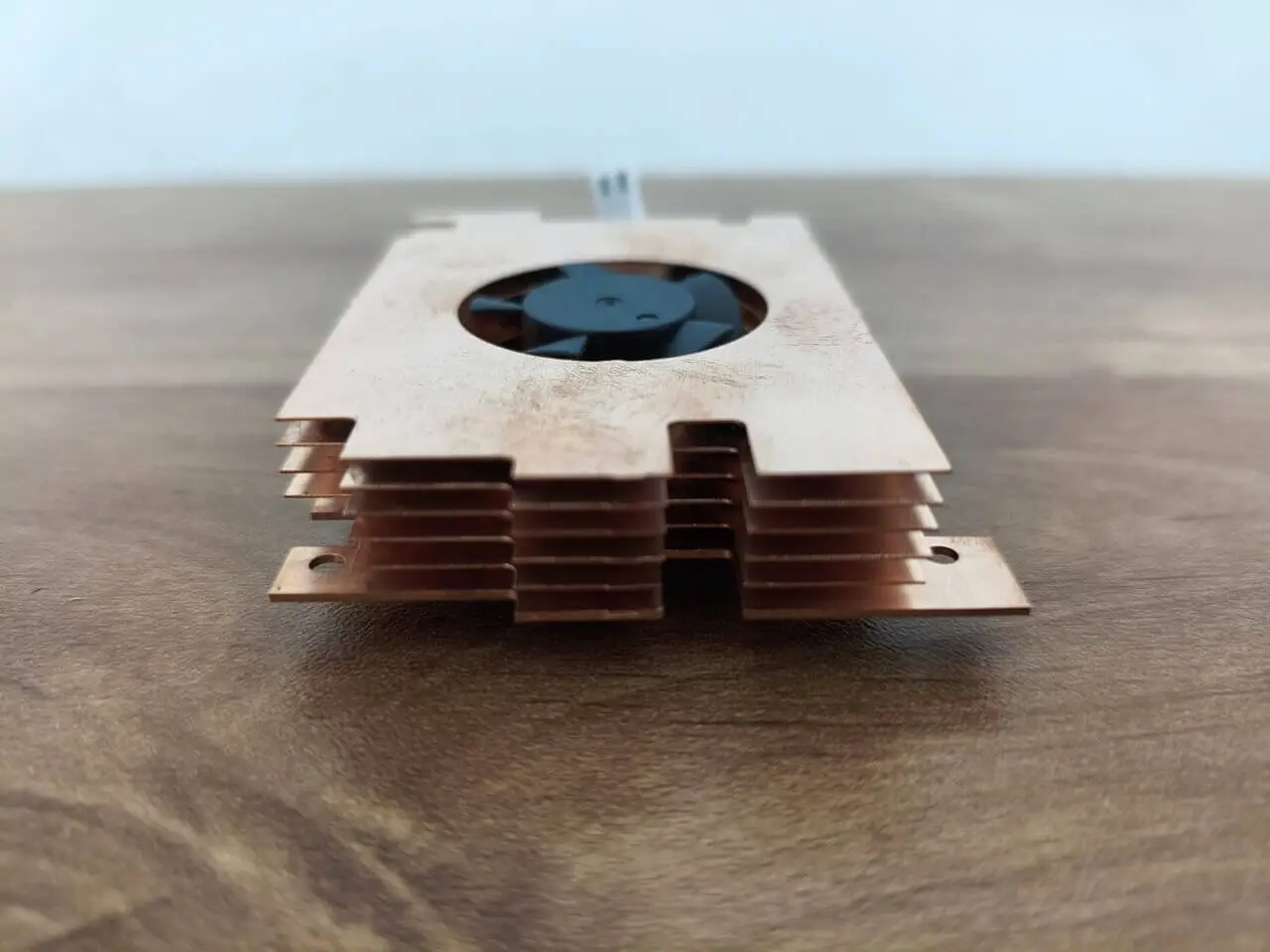
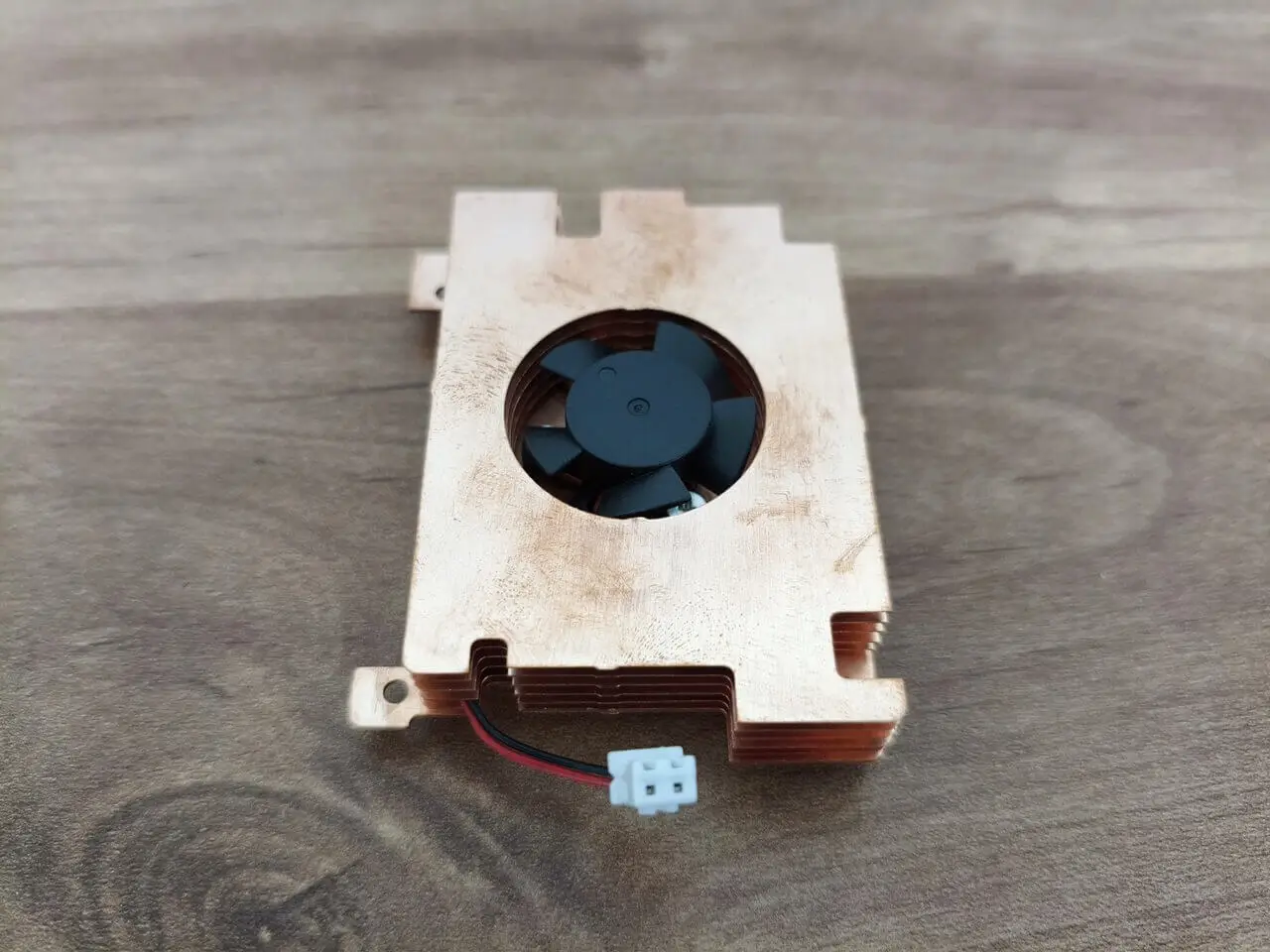
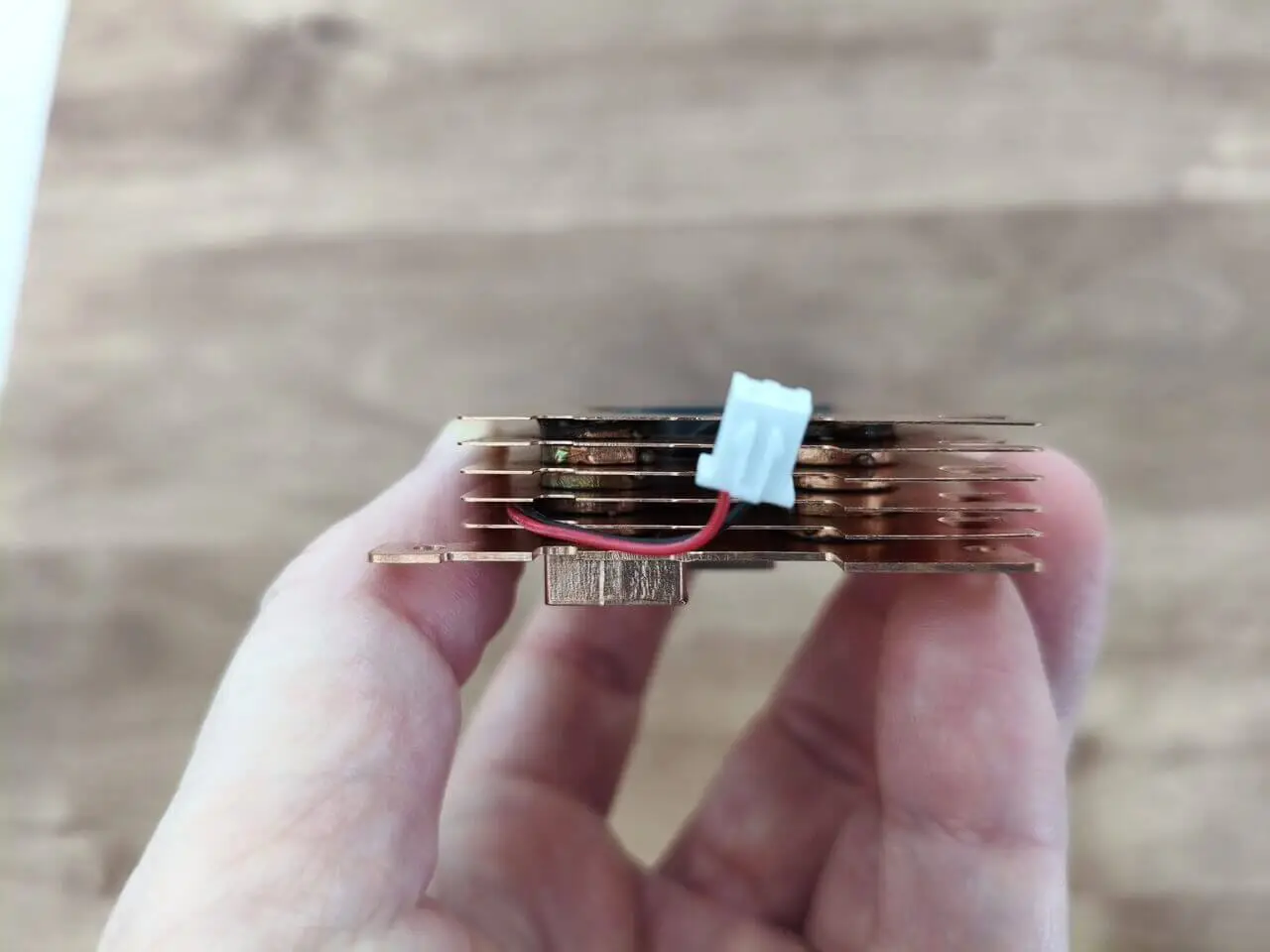
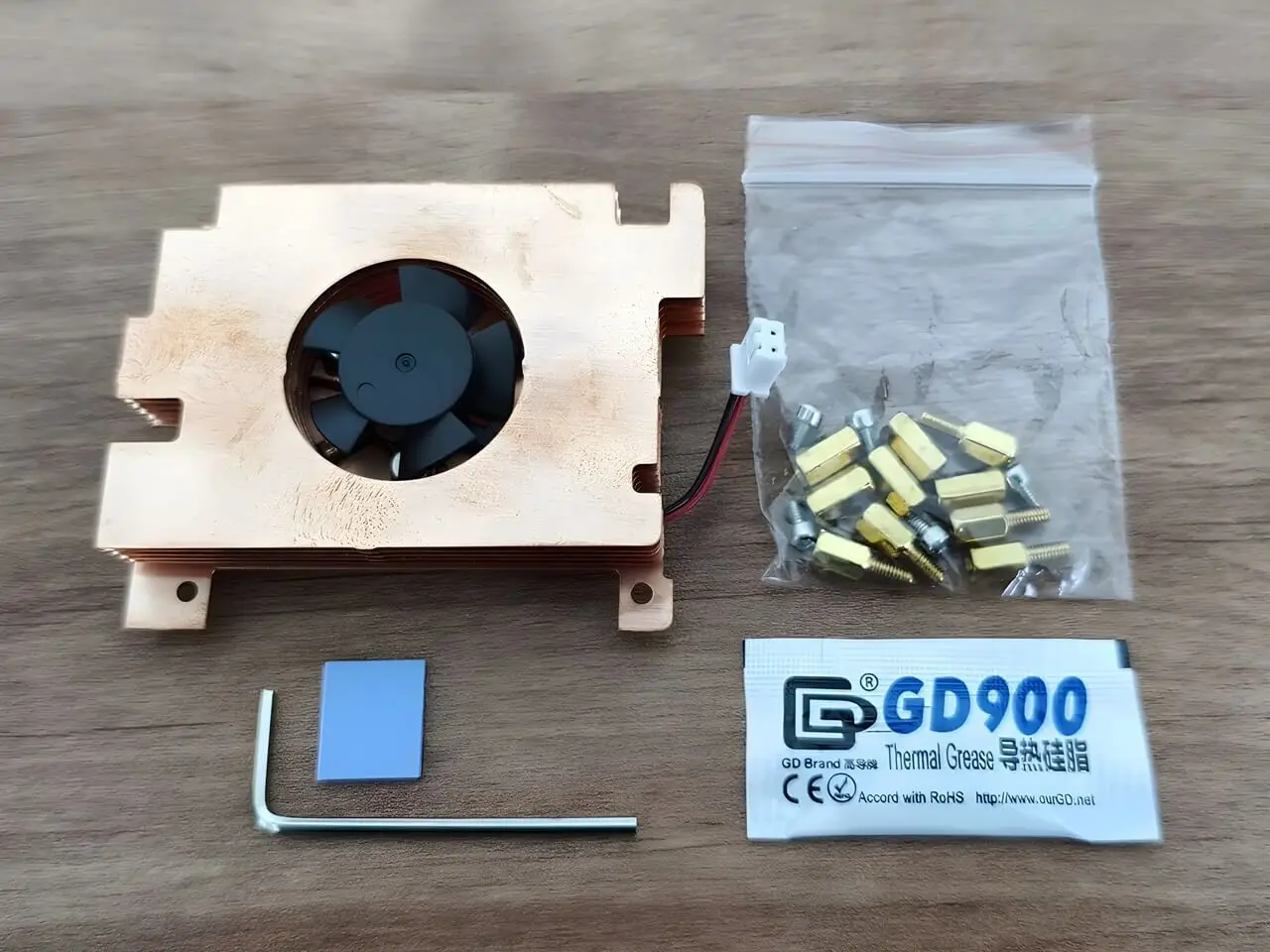
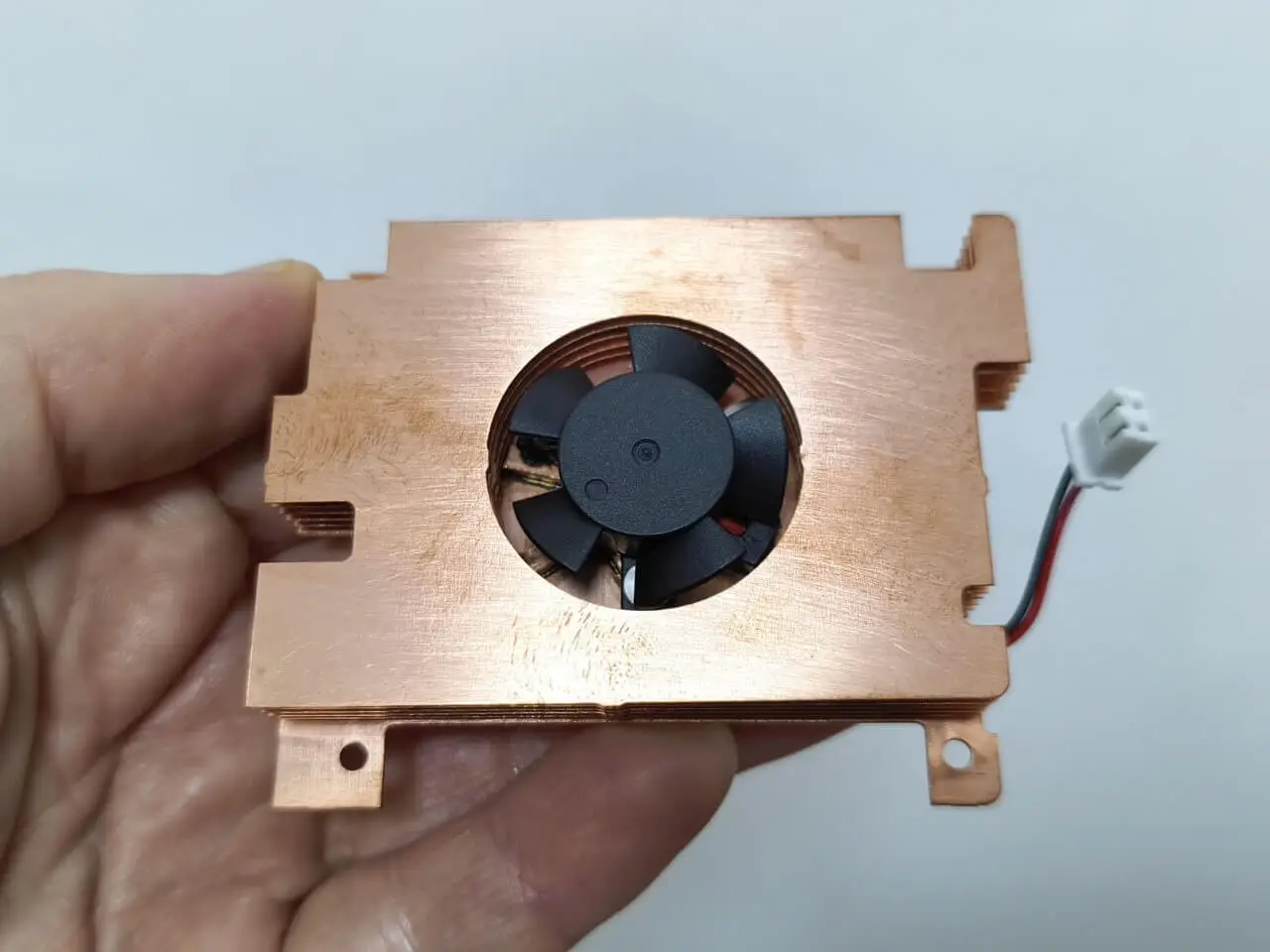
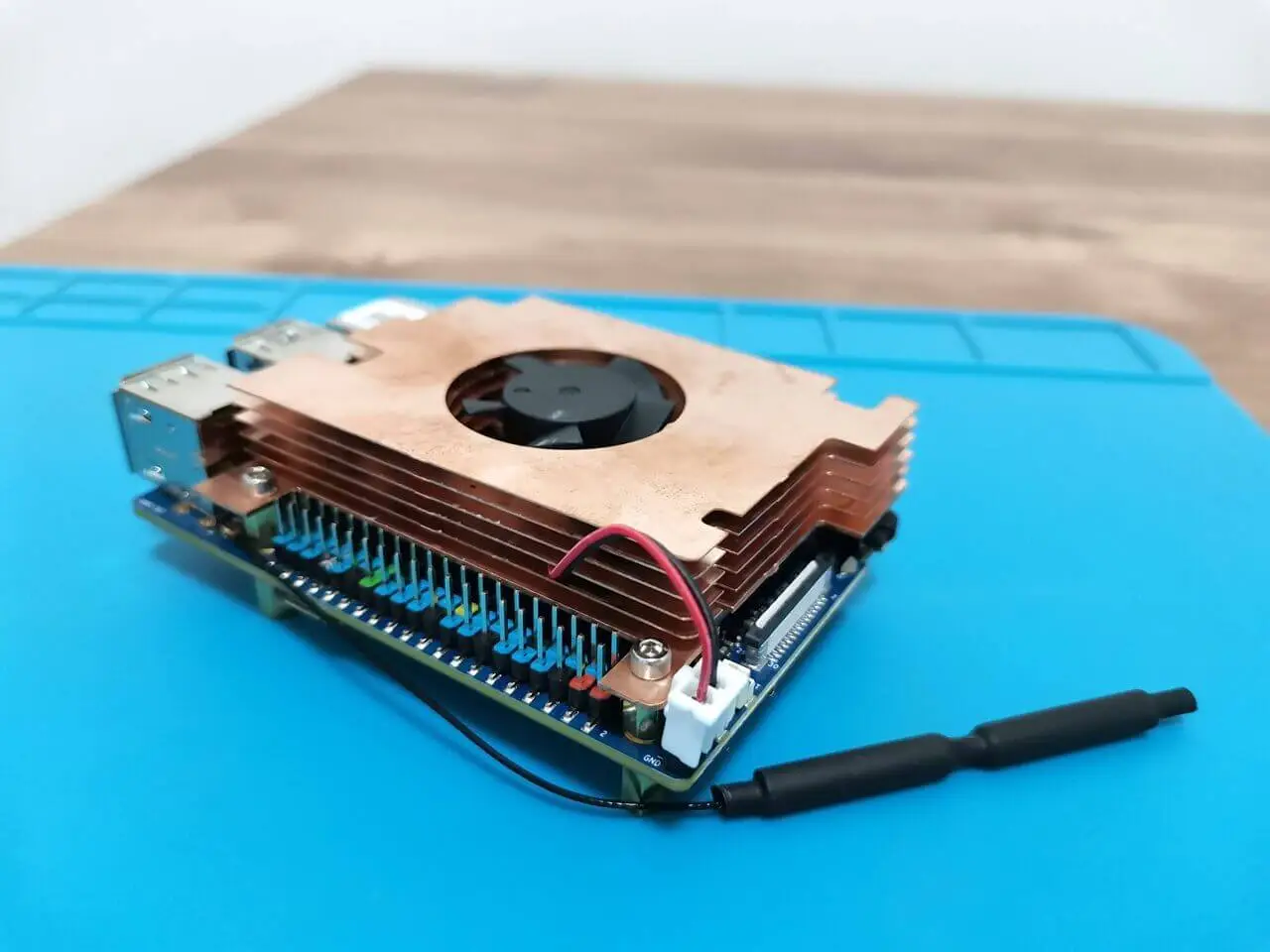
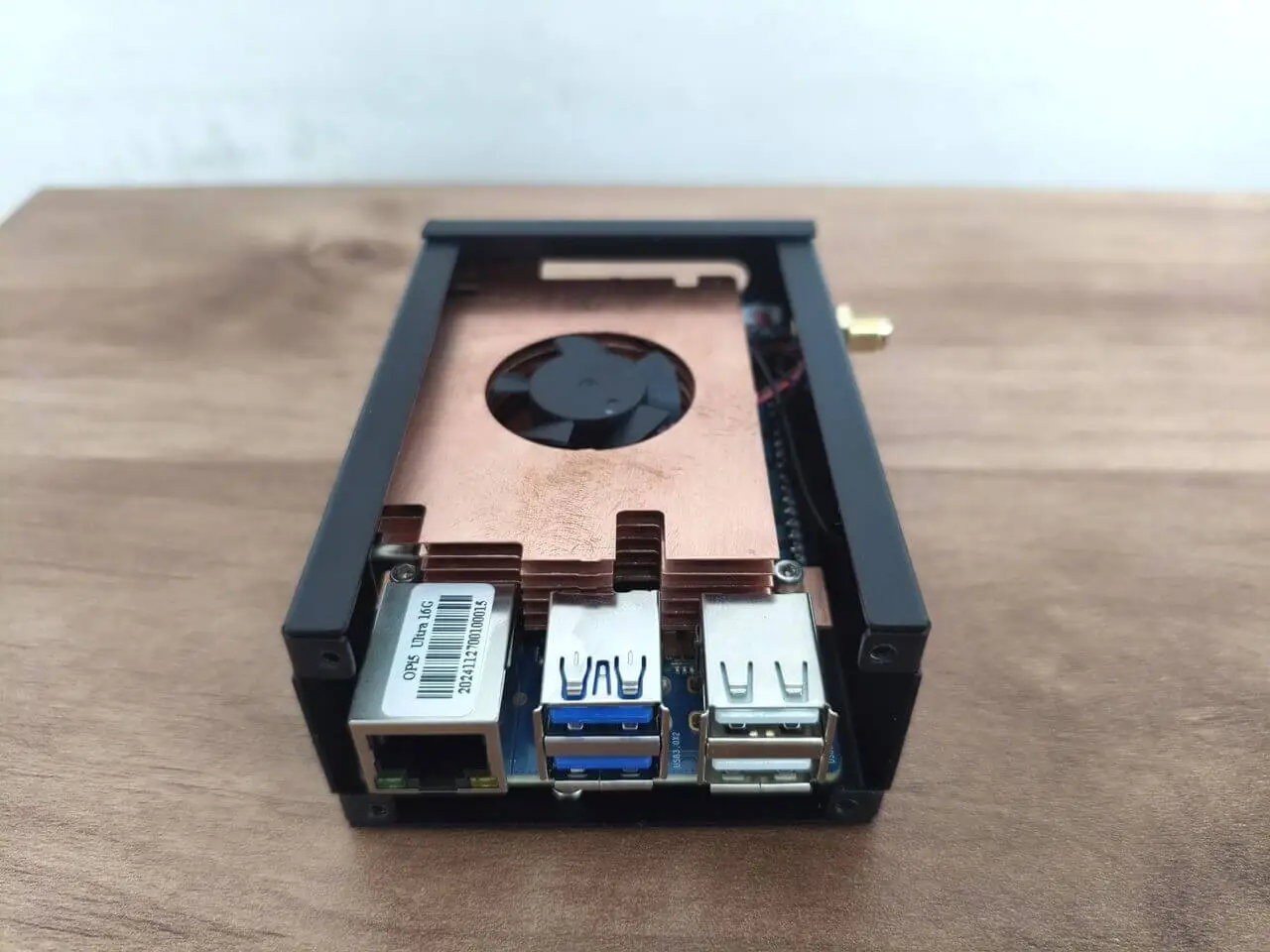
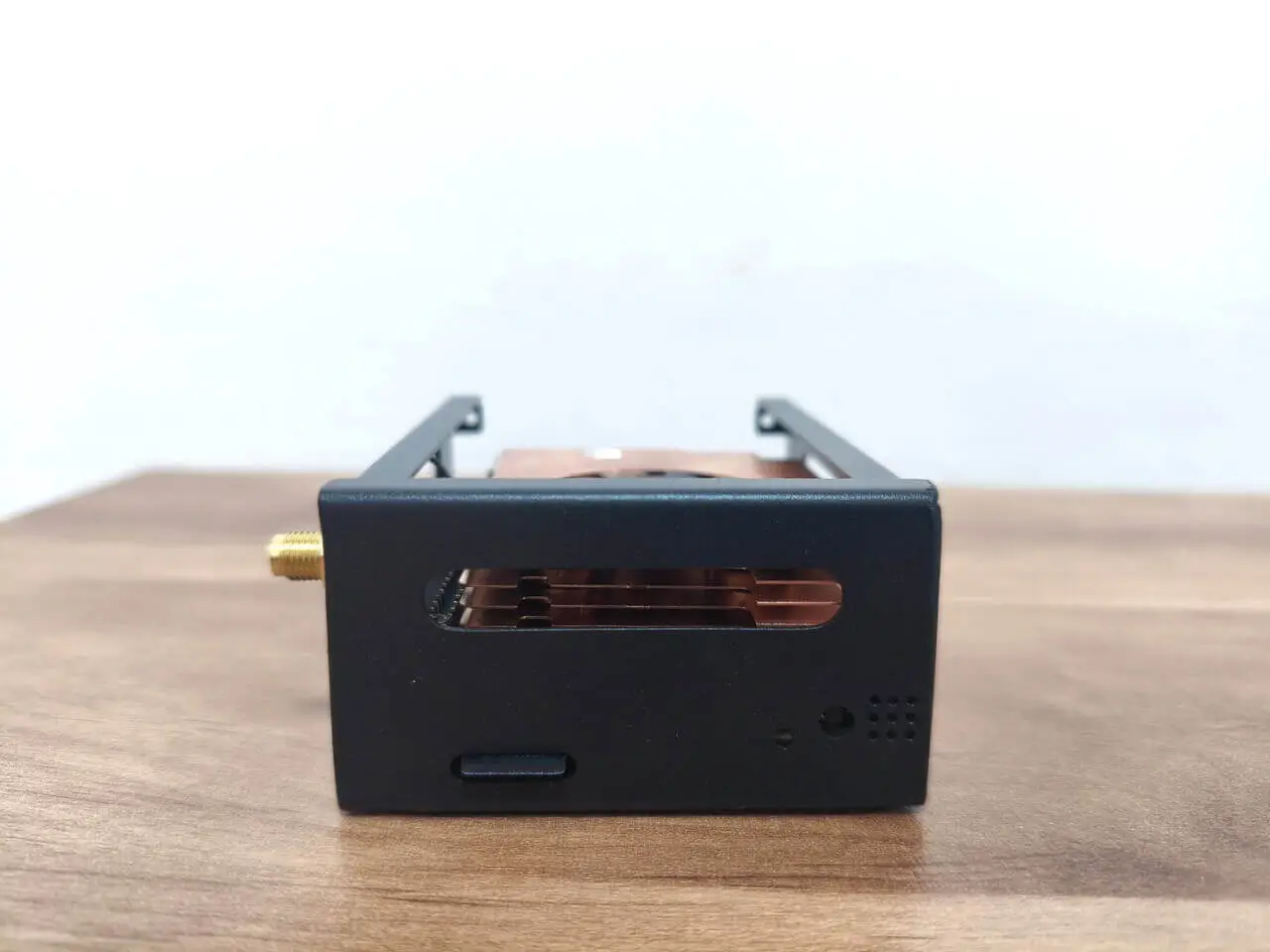
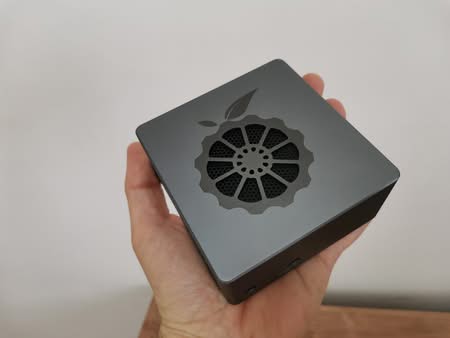
Finding a compatible heatsink for this board proved challenging, so we opted to order a copper heatsink with a built-in fan. This heatsink not only serves as an efficient radiator but also significantly enhances the cooling performance of the board.

How well does the heatsink perform?

It effectively cools the board components, achieving temperatures around 26°C in an ambient environment of approximately 21°C. In a closed case under typical, non-resource-intensive conditions, you can expect temperatures to rise to about 30°C, which is still very impressive.
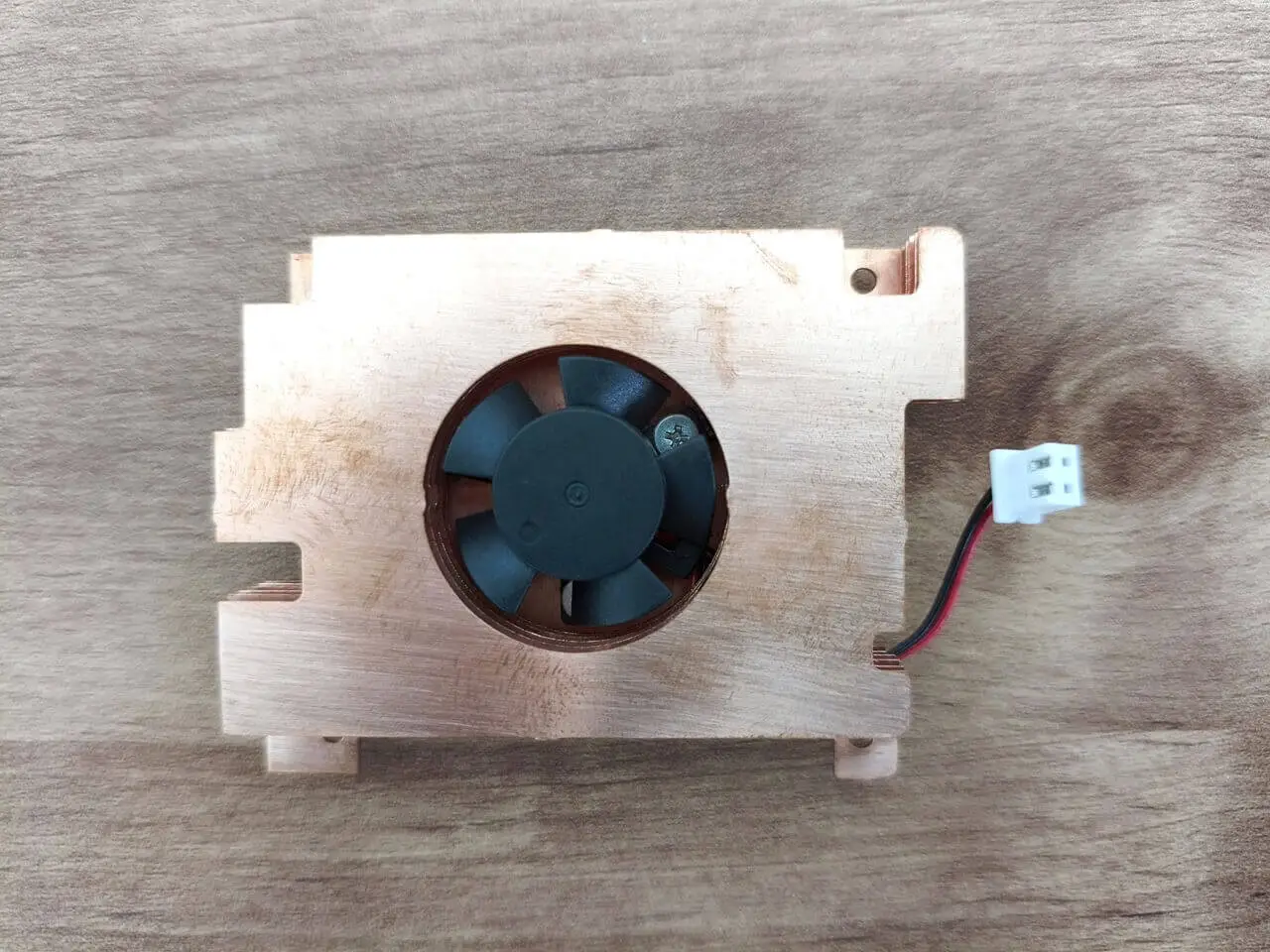
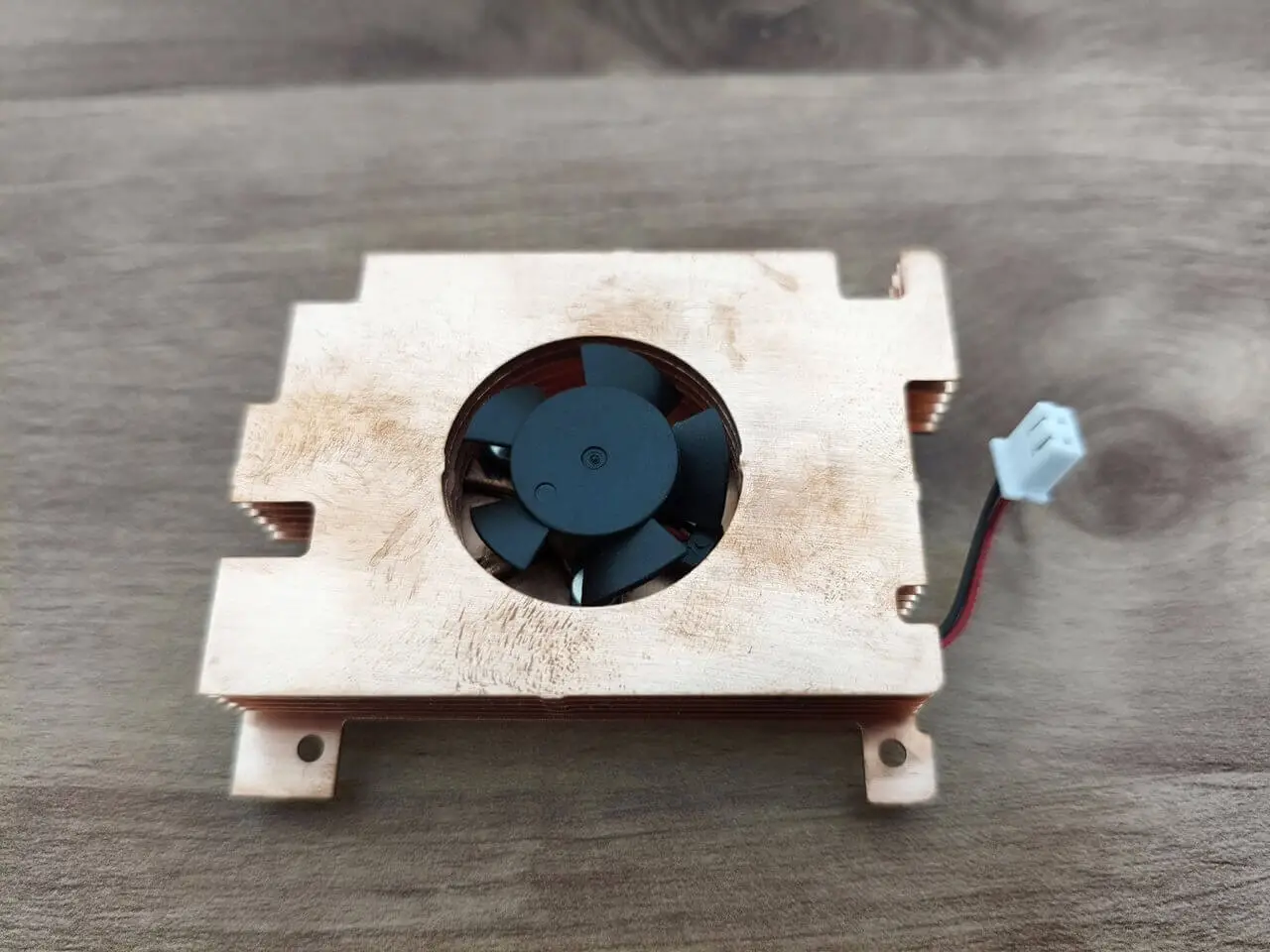
Assembling the heatsink

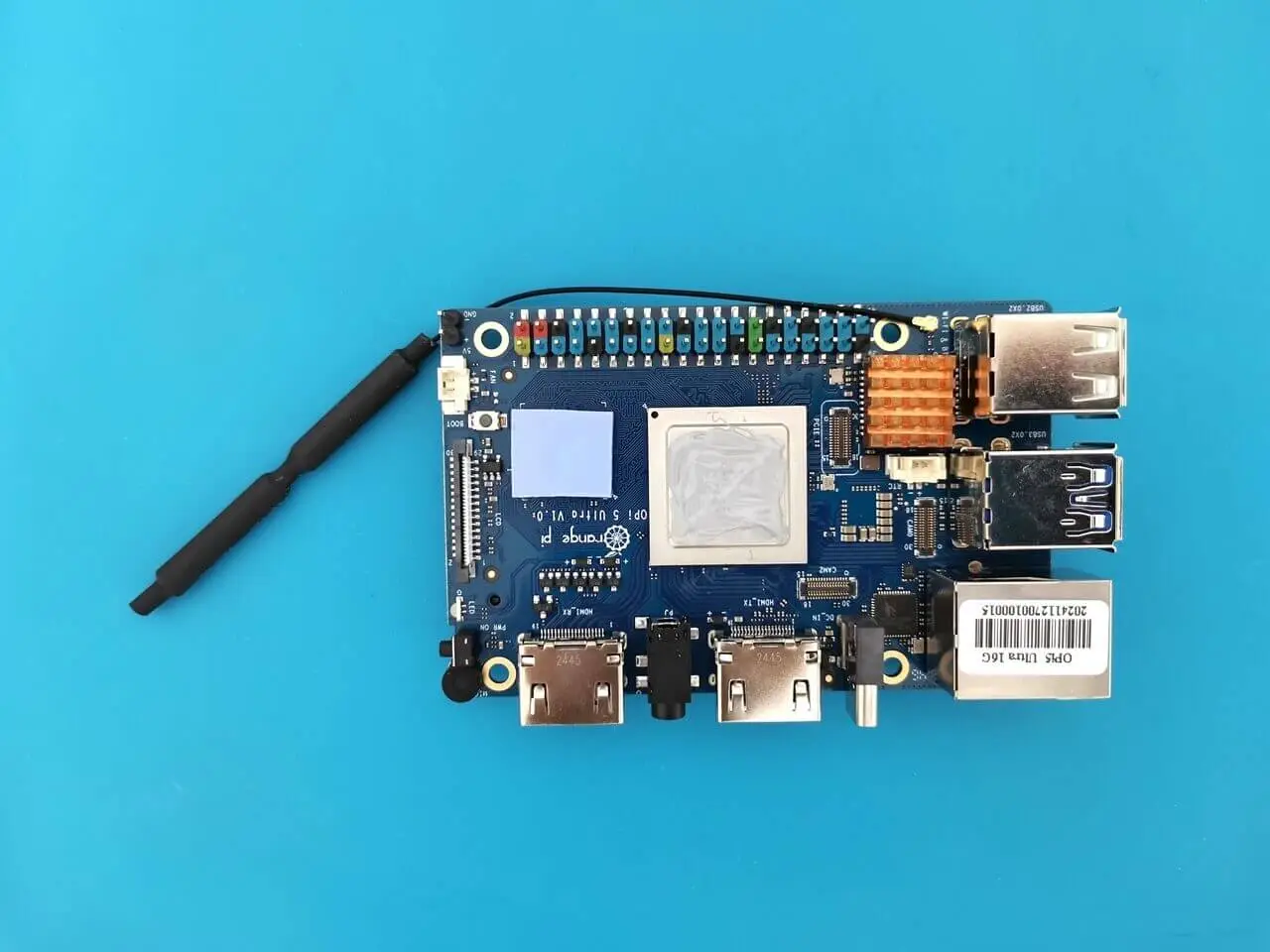
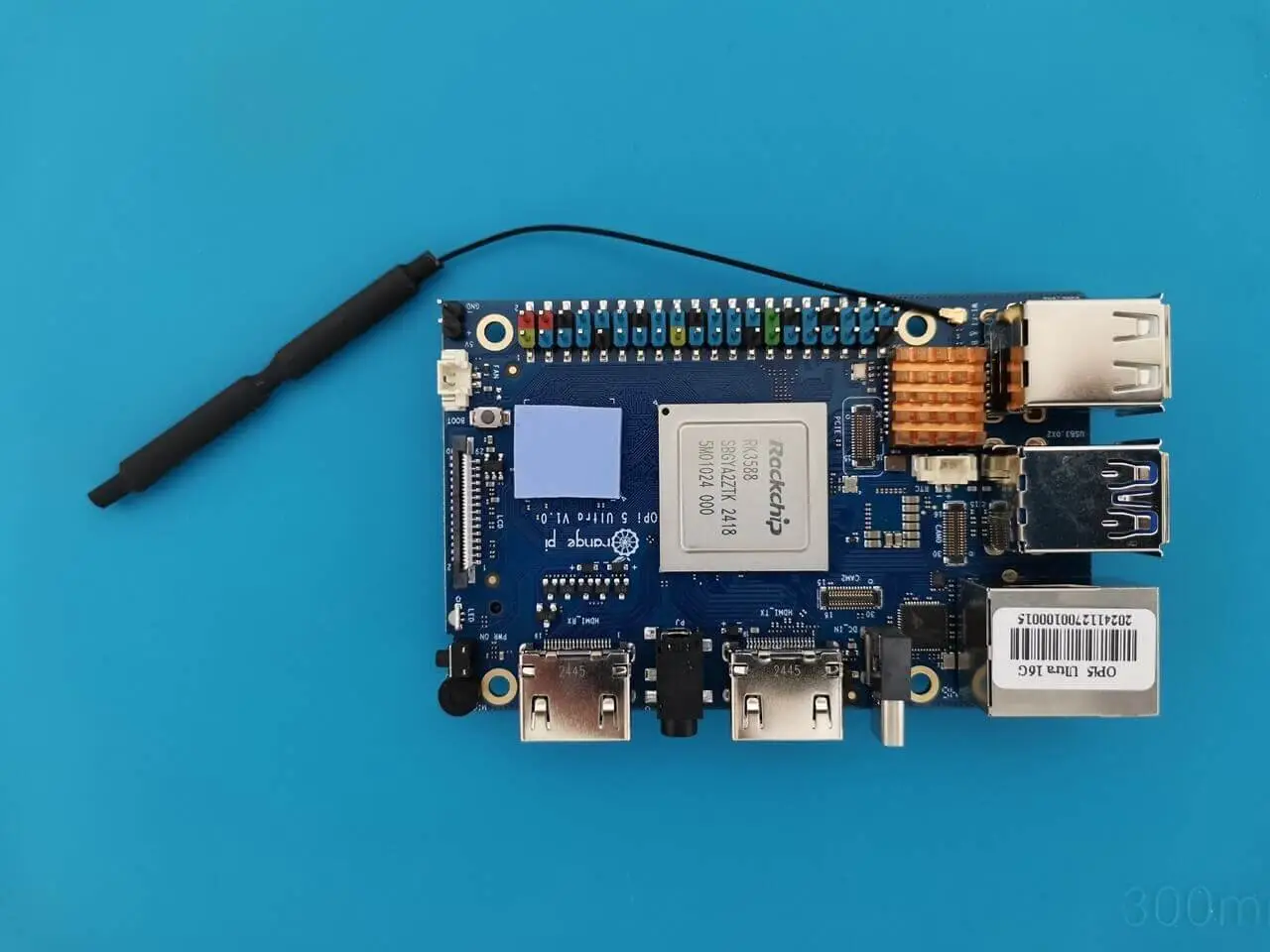
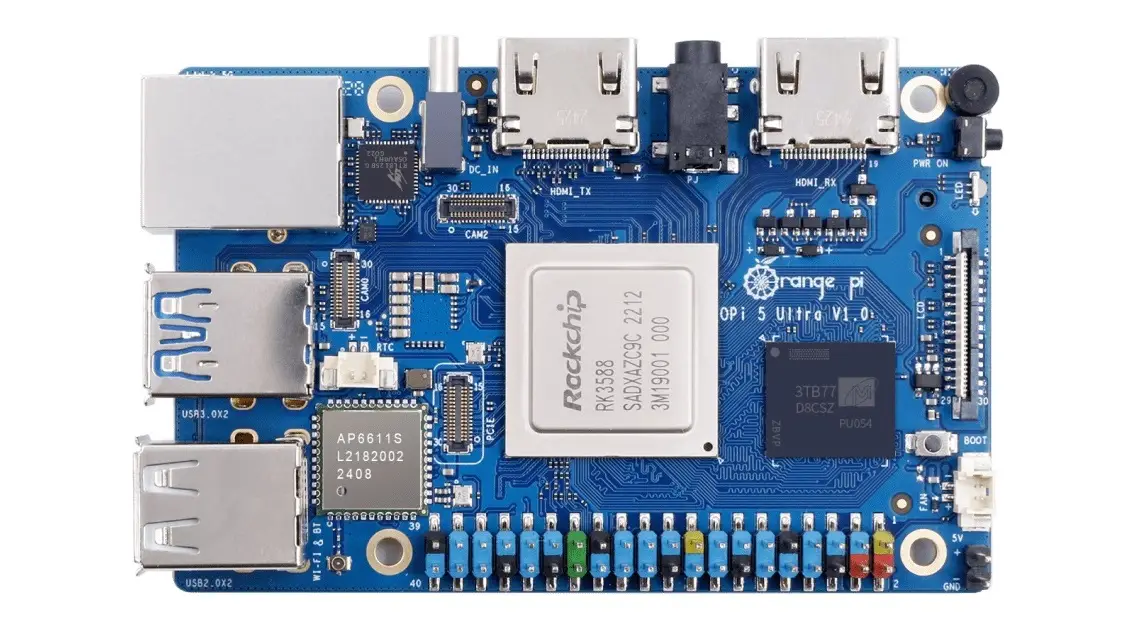
The installation process was straightforward and effortless. We also enhanced the setup by adding an extra copper heatsink on top of the Wi-Fi/Bluetooth chip, ensuring that its height does not exceed 5 mm. Additionally, we utilized the supplied thermal pad as well as the thermal paste we applied to the main RK3588 chip.
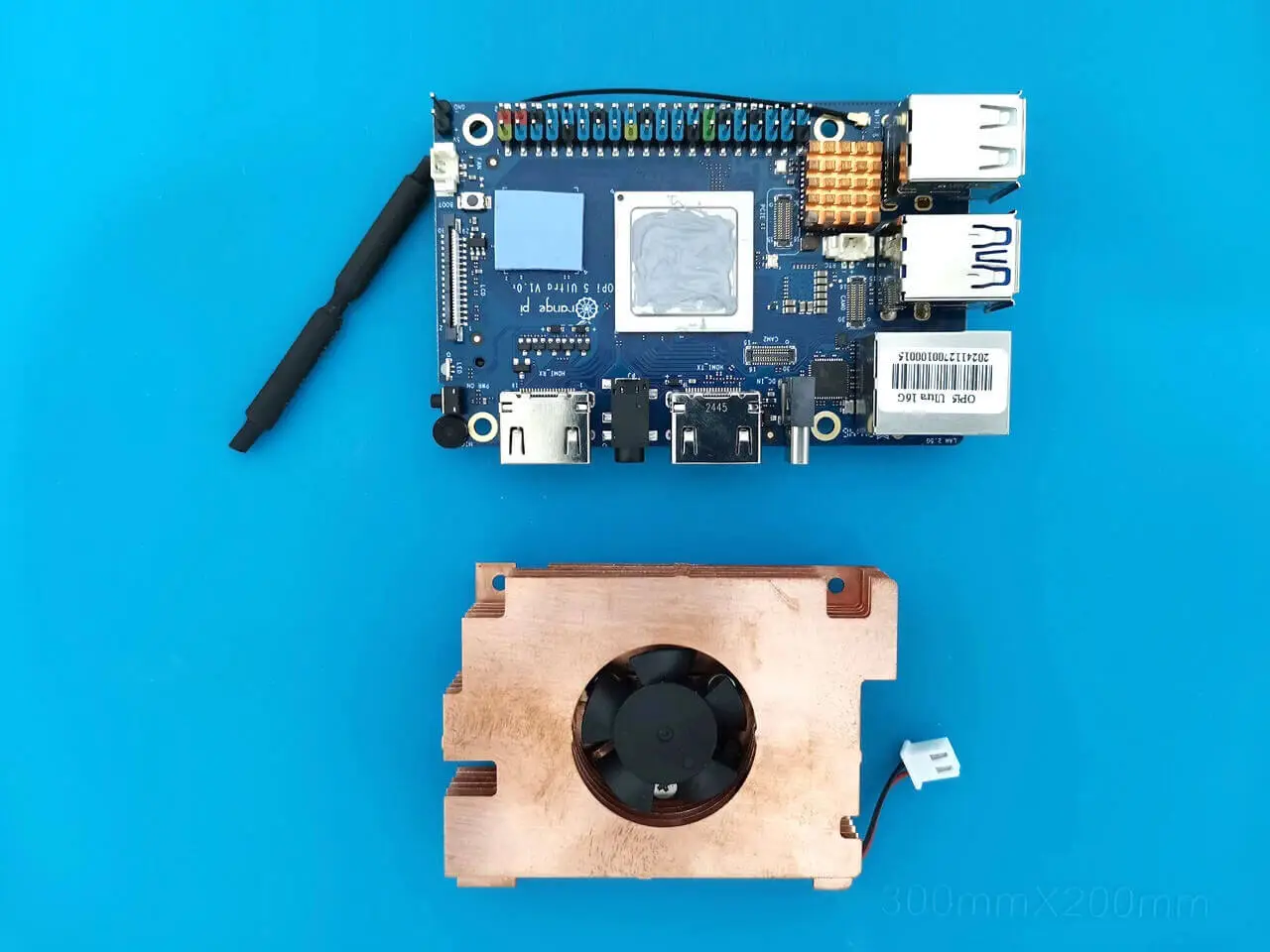
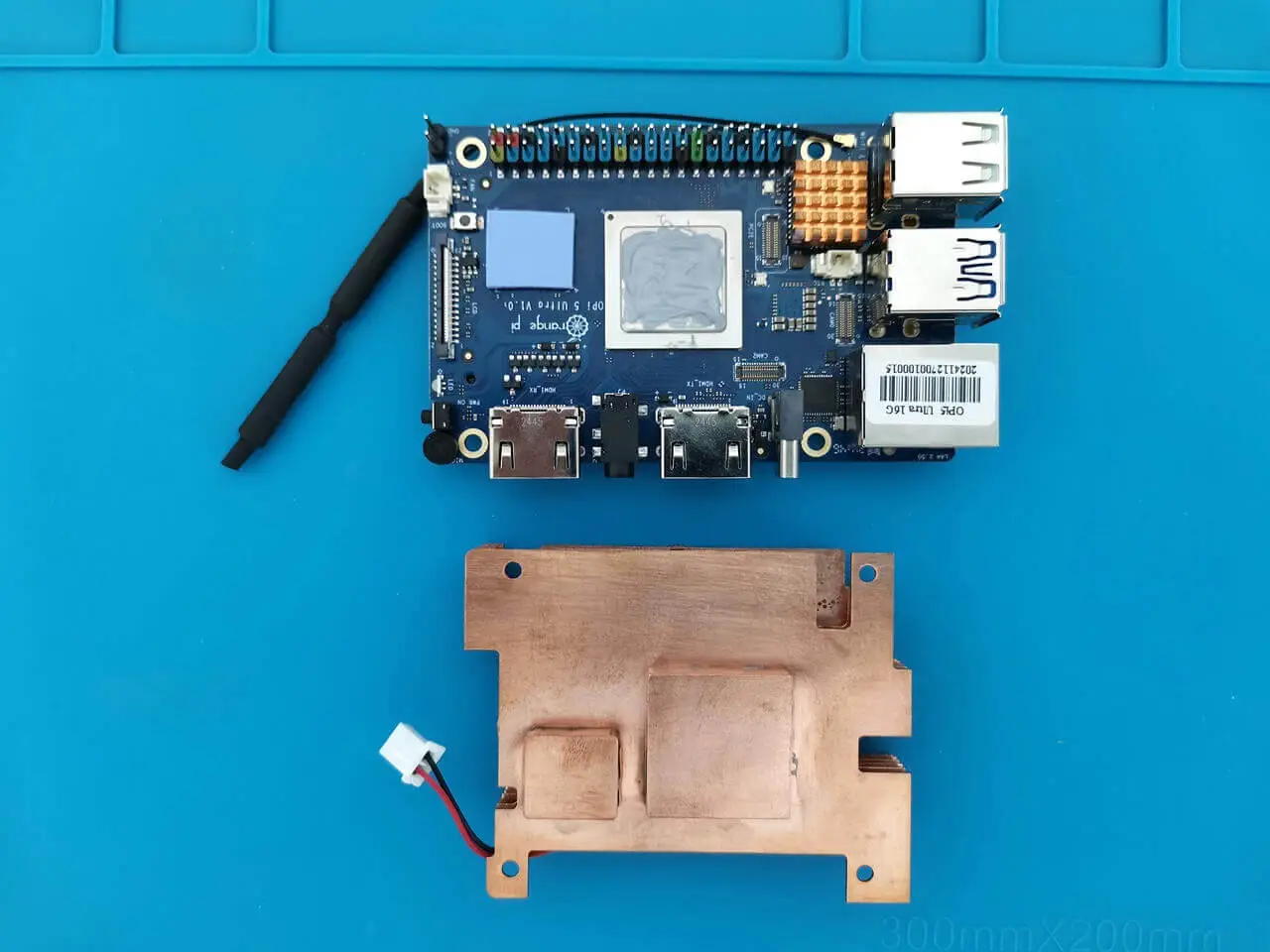
# Checking Temperatures Across All Thermal Zones (Board Without a Case)
paste <(cat /sys/class/thermal/thermal_zone*/type) <(cat /sys/class/thermal/thermal_zone*/temp) | column -s $'\t' -t | sed 's/\(.\)..$/.\1°C/'

cpul_thermal_zone 26.8°C
cpub_thermal_zone 26.8°C
gpu_thermal_zone 26.8°C
npu_thermal_zone 26.8°C
ddr_thermal_zone 26.8°C
axp2202-usb 26.8°C

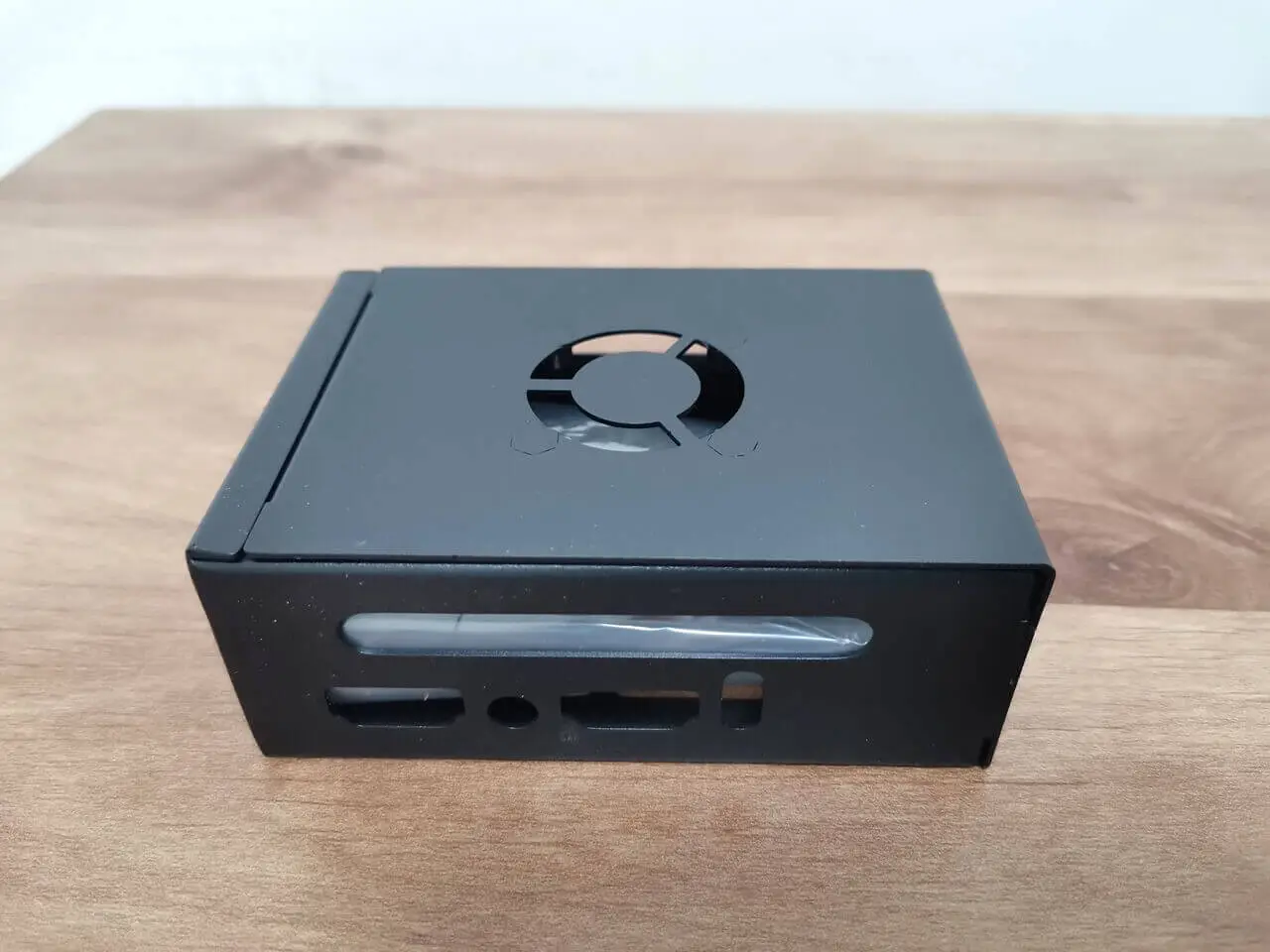
Mounting the board with the heatsink contained within a metal enclosure

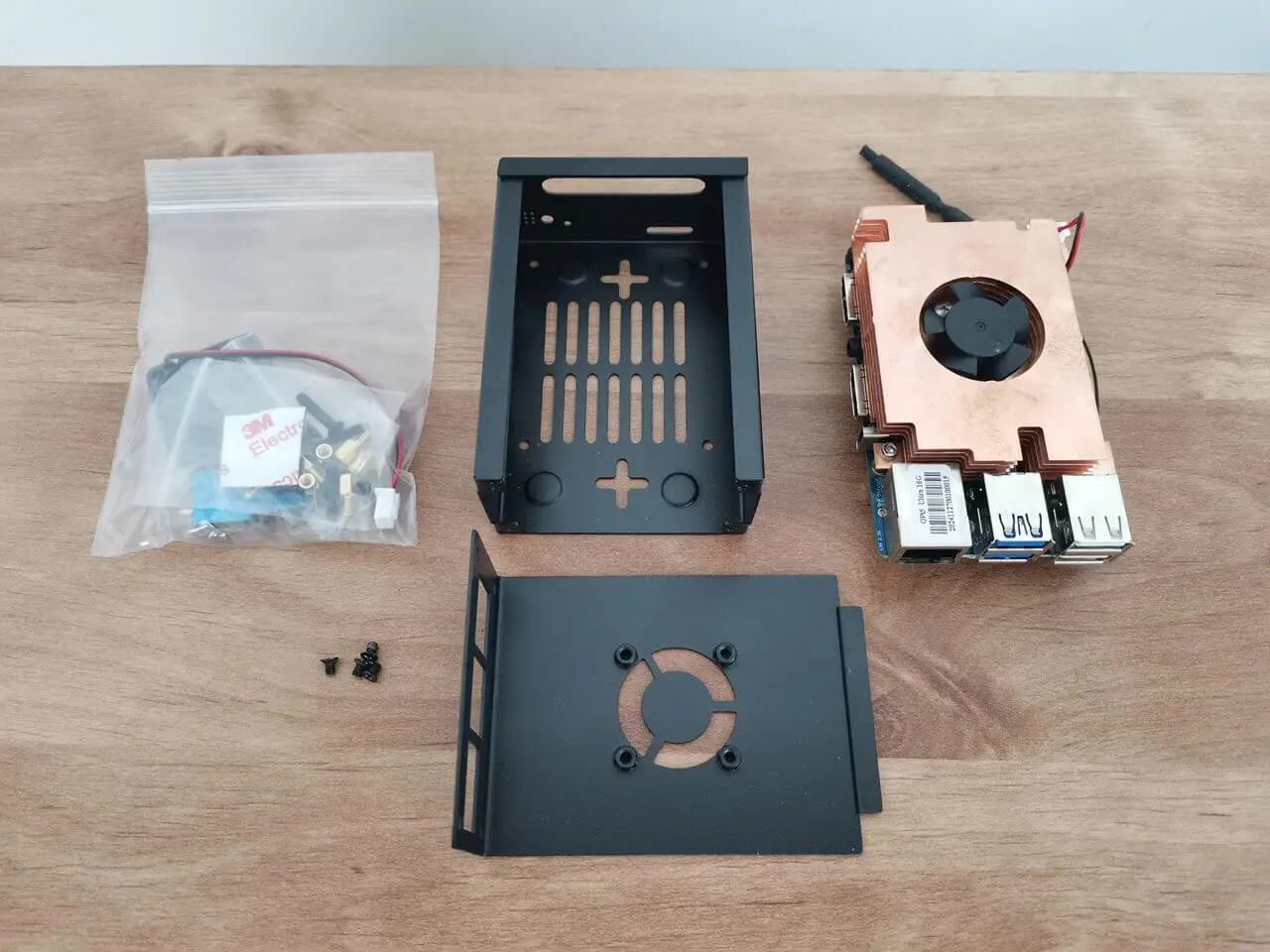
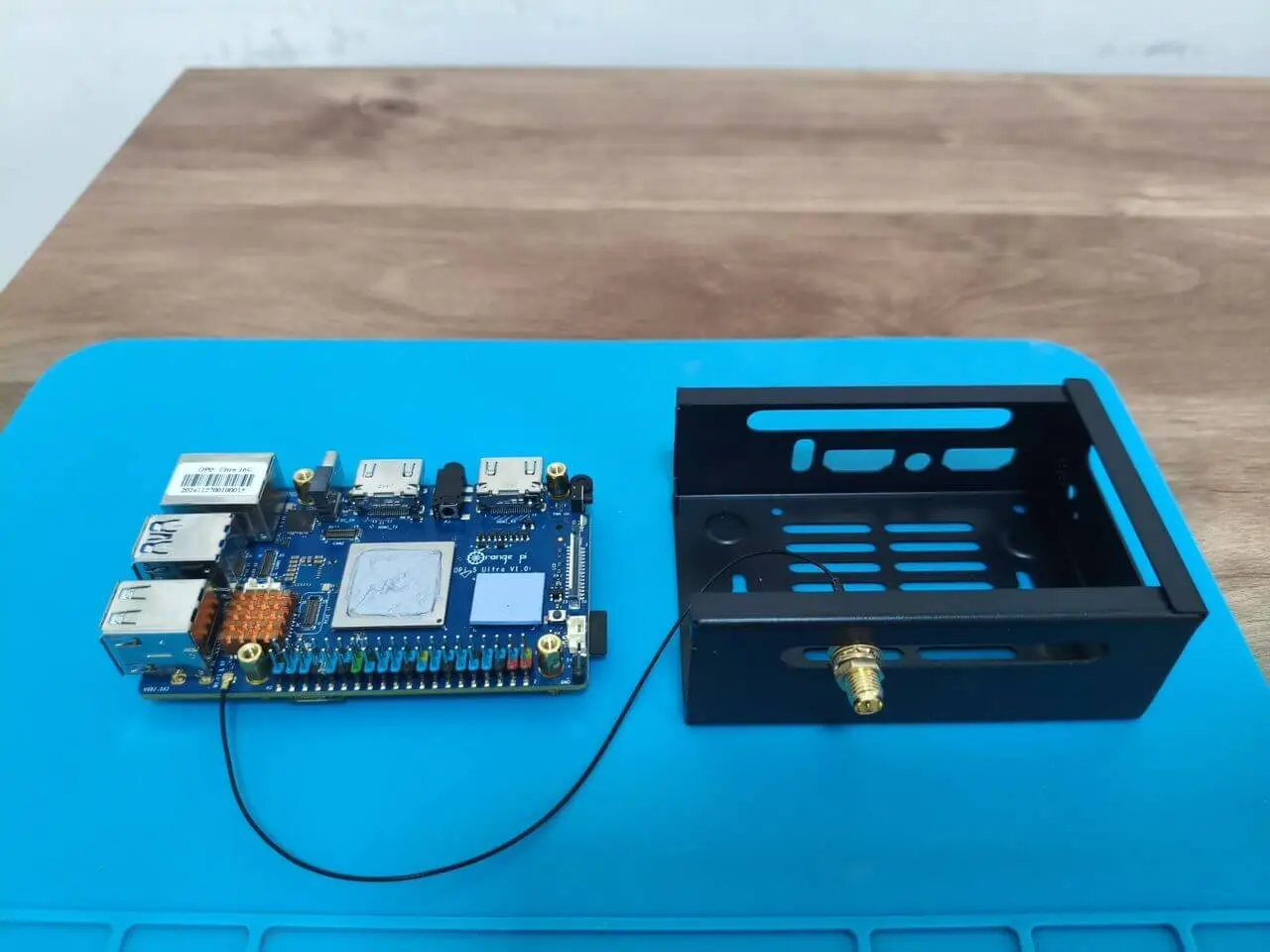
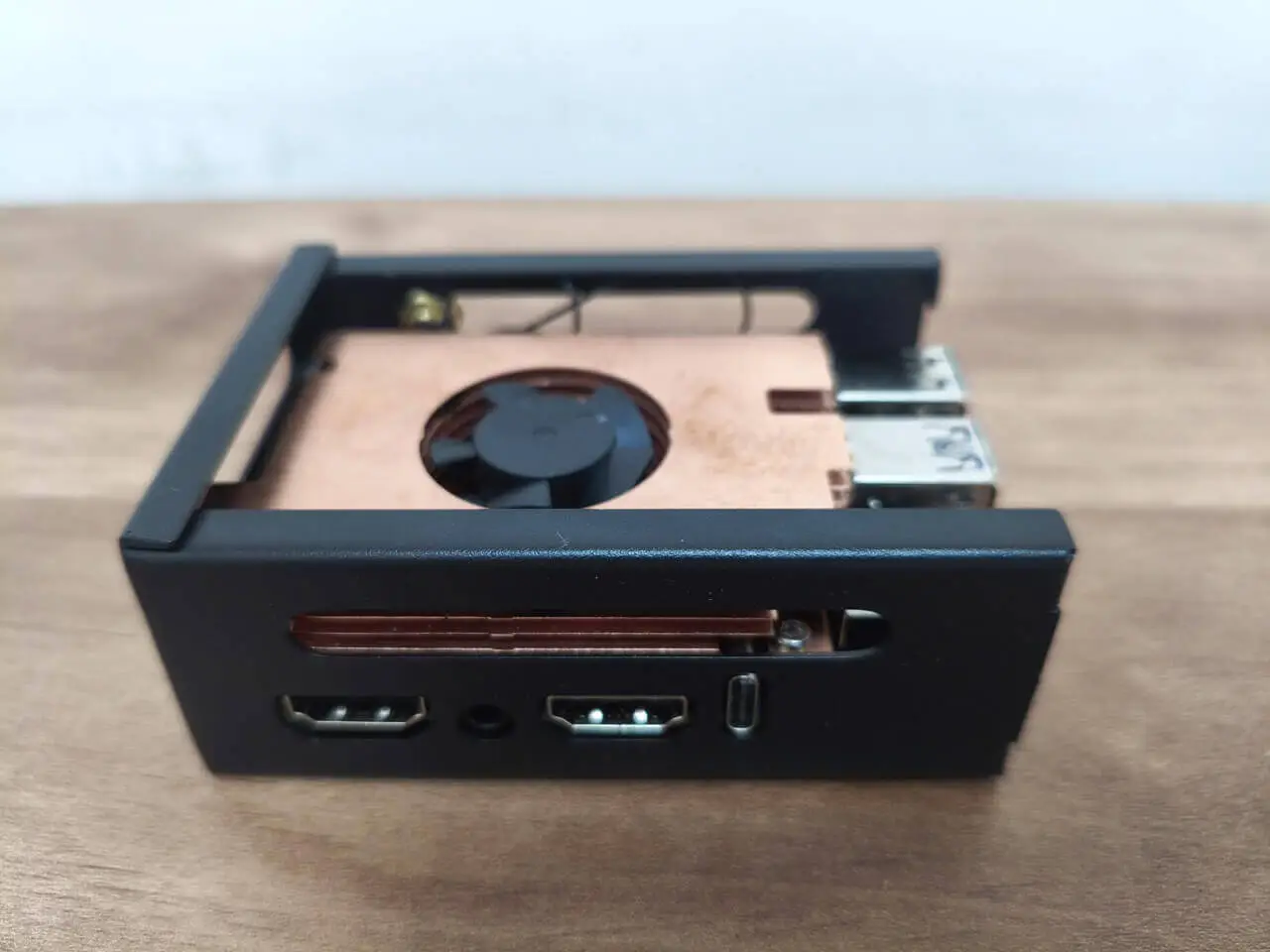
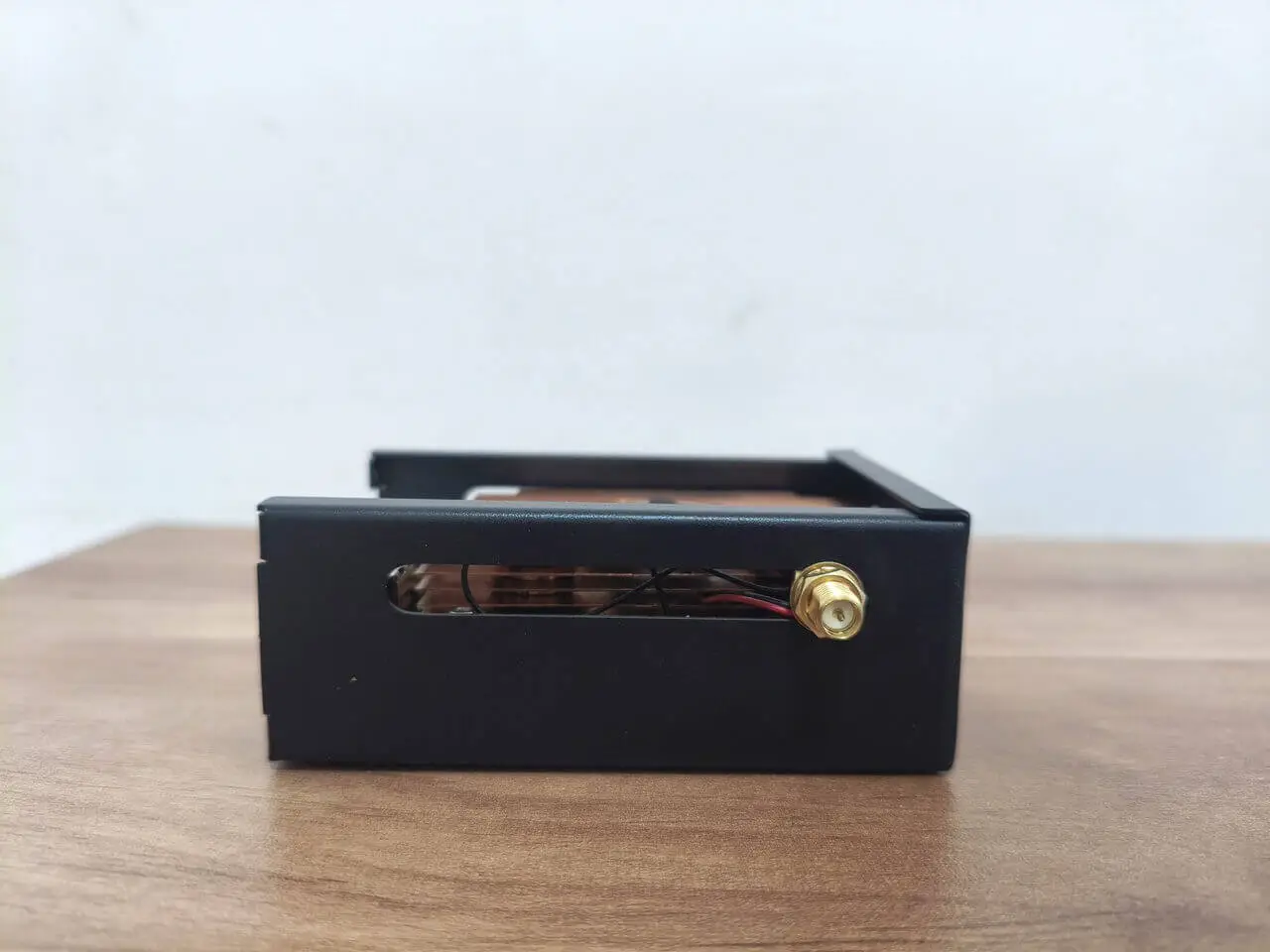
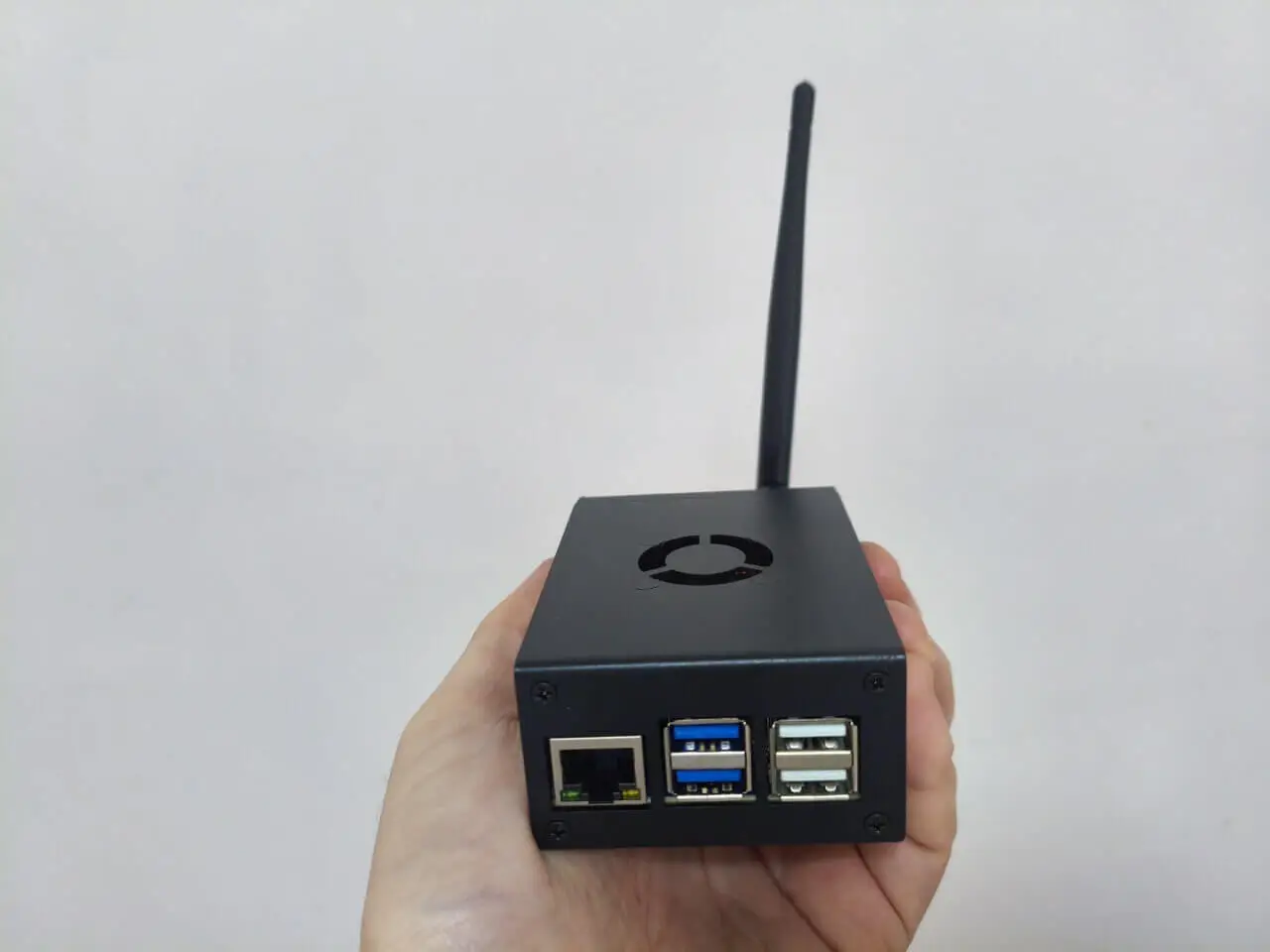
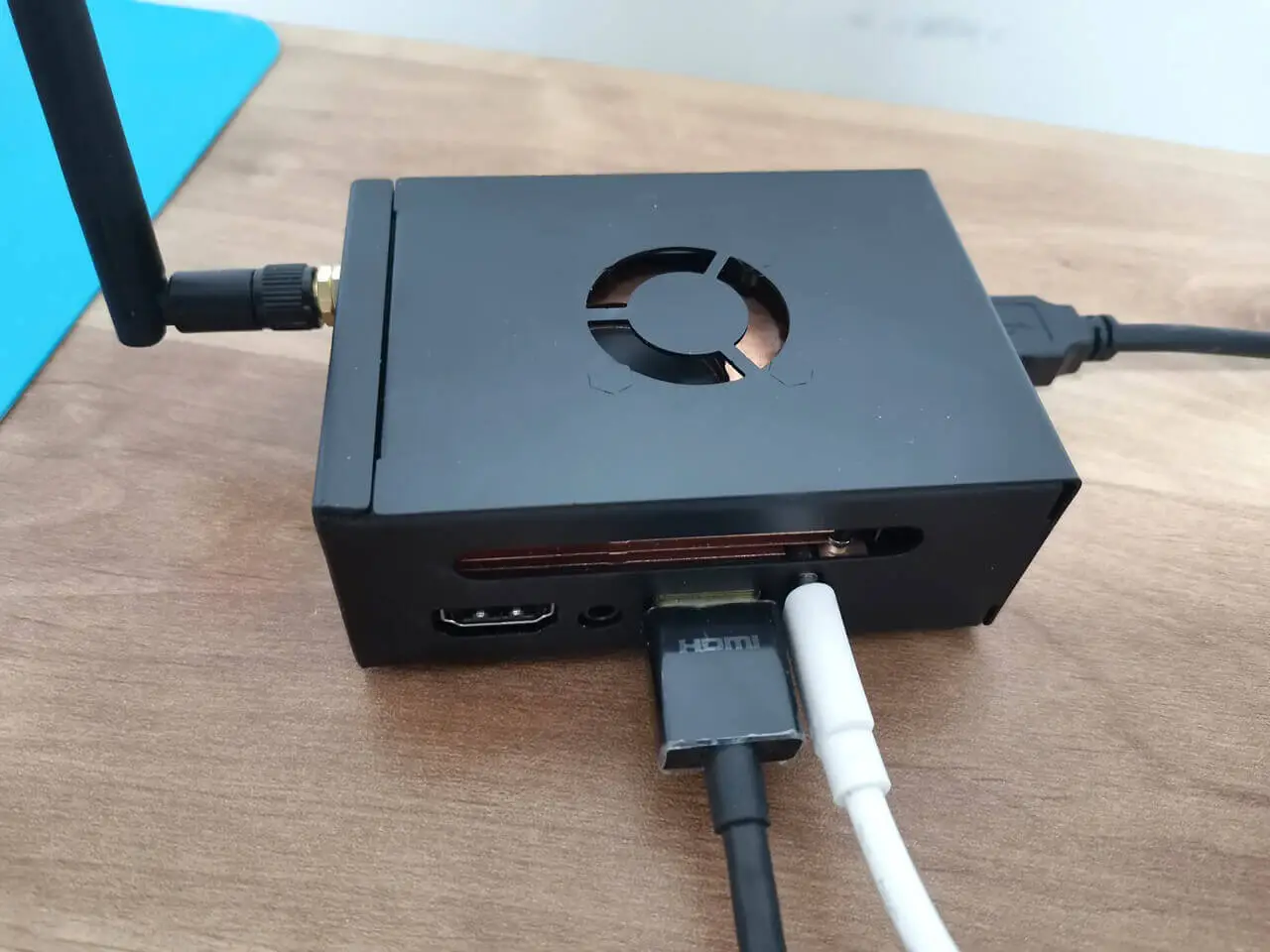
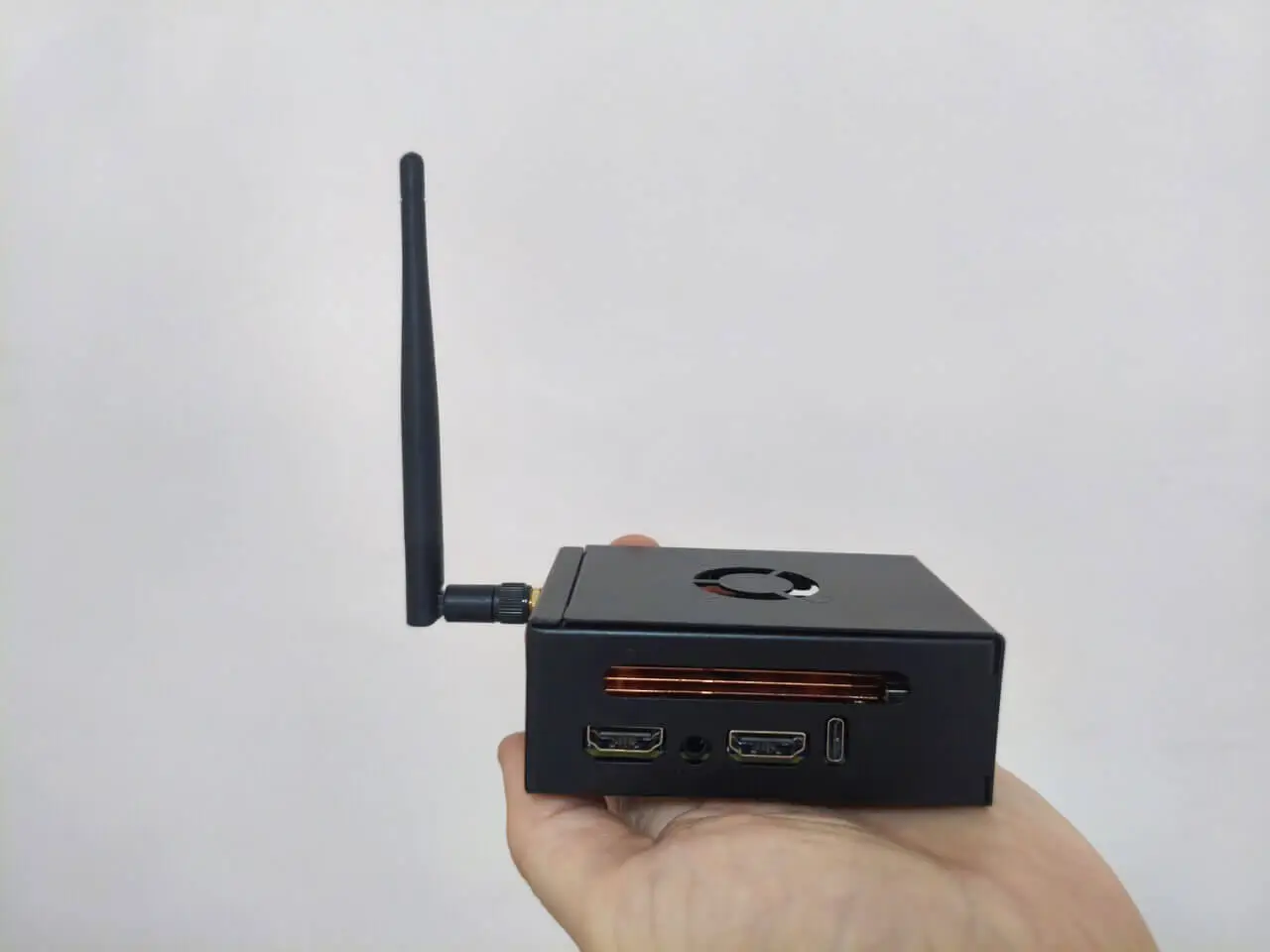
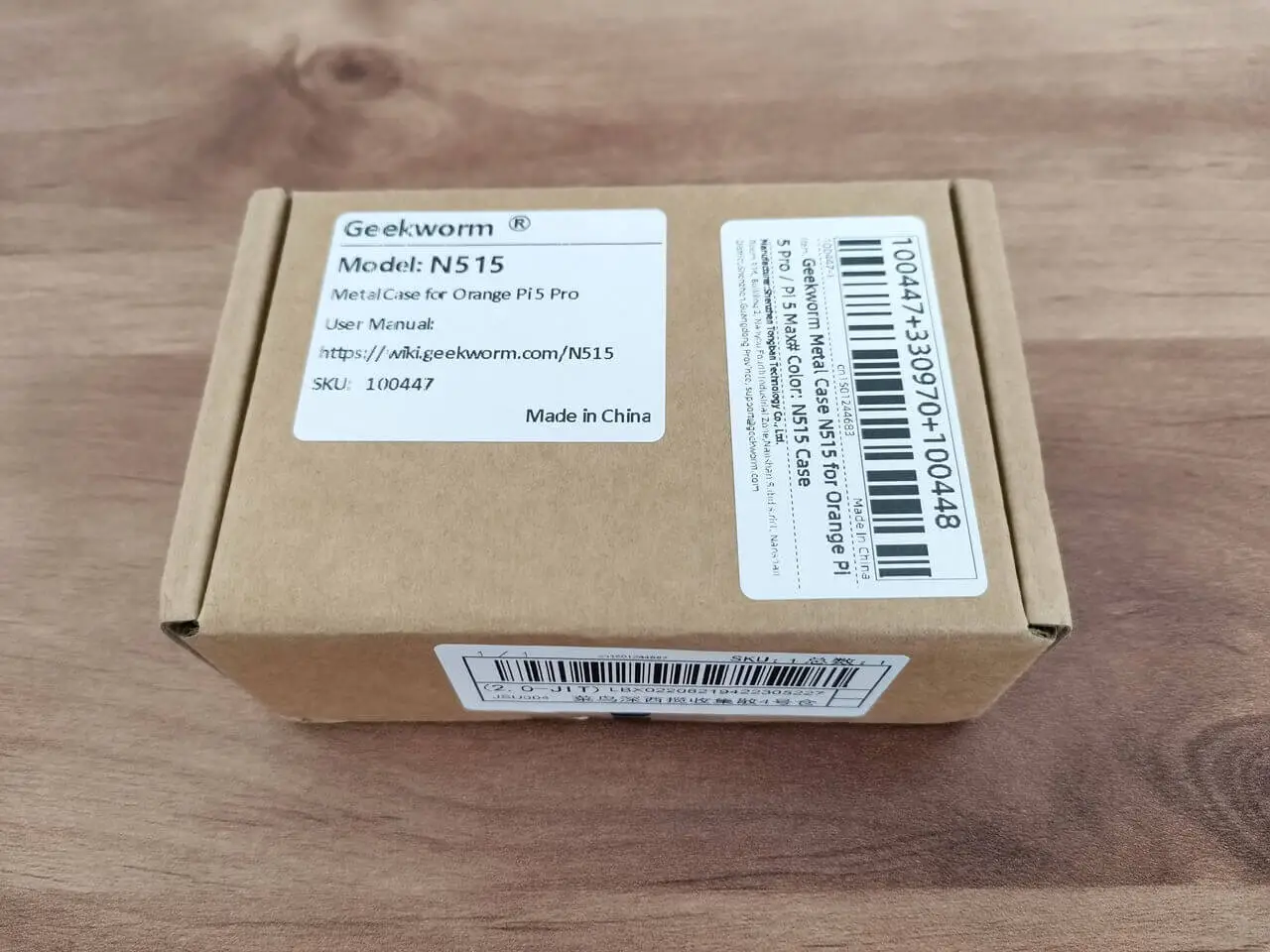
Since there isn’t an official metal case specifically designed for the 5 Ultra board, a fantastic alternative is to opt for a case designed for the Orange Pi Max. Both boards share the same form factor and compatible interfaces, making the Orange Pi Max case an excellent fit. This option not only safeguards your board but also ensures it remains well-ventilated from the sides.

Installing the board with the heat sink inside the metal enclosure
# Checking Temperatures Across All Thermal Zones (Board Inside a Case)
paste <(cat /sys/class/thermal/thermal_zone*/type) <(cat /sys/class/thermal/thermal_zone*/temp) | column -s $'\t' -t | sed 's/\(.\)..$/.\1°C/'

cpul_thermal_zone 29.0°C
cpub_thermal_zone 29.0°C
gpu_thermal_zone 29.0°C
npu_thermal_zone 29.0°C
ddr_thermal_zone 29.0°C
axp2202-usb 29.0°C
1 2 3 4 5 6 7 8 9 10 11 12
Share. Facebook Twitter Pinterest LinkedIn Tumblr Email
Previous ArticleBest Usenet Provider for 2026: Check Giganews Usenet Plans!
Next Article Orange Pi AIPro powered by Huawei Ascend SoC, launched globally
androidpimp
  • Website

Related Posts

NeoEyes NE503 Edge AI Camera

Meet the CamThink NE503: A 20 TOPS 4k Edge AI Camera Platform Powerhouse

June 24, 2026
Raspberry Pi Zero 3W SBC

Orange Pi Zero 3W Review: $25 Dual Video Pi Zero 2W Killer?

June 19, 2026
DFRobot Flexible AMOLED Display

DFRobot 6.67″ Flexible AMOLED Review: Best Raspberry Pi & LattePanda Display?

June 19, 2026
5 1 vote
Article Rating
Subscribe
Notify of
2 Comments
Oldest
Newest Most Voted
MatterTatter
1 year ago

Orange Pi needs to stop this nonsense. ANOTHER board?? Nobody can keep up with software – Armbian isn’t even supporting the Max.

0
Reply
Author
androidpimp
1 year ago
Reply to  MatterTatter

You don’t have to use Armbian, although it offers long-term support. The Orange Pi Ubuntu image works well, and I’m sure that a DietPi image will be available soon.
Well, there is a factory and employees, so people need continuous work all the time.

0
Reply
PureVPN
PureVPN Ad Banner
VyprVPN – No. 1 in Anonymity
Vyprvpn 350x260
PrivadoVPN – No. 1 in Parental Control
PrivadoVPN 350x437
Recent Posts
  • Meet the CamThink NE503: A 20 TOPS 4k Edge AI Camera Platform Powerhouse
  • AliExpress Promo Codes: June 2026 (100% Verified)
  • Orange Pi Zero 3W Review: $25 Dual Video Pi Zero 2W Killer?
  • DFRobot 6.67″ Flexible AMOLED Review: Best Raspberry Pi & LattePanda Display?
  • Orange Pi 6: 45 TOPS AI Power Crushes Raspberry Pi AI HATs
  • Banana Pi BPI-SM10 Review: 60 TOPS RISC-V Jetson Orin Nano Alternative
  • SpacemiT K3 Pico-ITX Review: 60-TOPS RISC-V Powerhouse for LLMs?
  • Banana Pi BPI-R4 Pro Review: The Best WiFi 7 OpenWrt Router? We Checked!
  • DFRobot ESP32-S3 LoRaWAN & Gateway Review: Build a Private IoT Network
  • WaveNote AI Review 2026: An Honest Pro/Con Comparison (Tested)
RSS The Latest RSS Feeds
  • Meet the CamThink NE503: A 20 TOPS 4k Edge AI Camera Platform Powerhouse
  • AliExpress Promo Codes: June 2026 (100% Verified)
  • Orange Pi Zero 3W Review: $25 Dual Video Pi Zero 2W Killer?
Facebook X (Twitter) Instagram Pinterest
@2026 - All Right Reserved. Designed by AndroidPIMP

Type above and press Enter to search. Press Esc to cancel.

Powered by
►
Necessary cookies enable essential site features like secure log-ins and consent preference adjustments. They do not store personal data.
None
►
Functional cookies support features like content sharing on social media, collecting feedback, and enabling third-party tools.
None
►
Analytical cookies track visitor interactions, providing insights on metrics like visitor count, bounce rate, and traffic sources.
None
►
Advertisement cookies deliver personalized ads based on your previous visits and analyze the effectiveness of ad campaigns.
None
►
Unclassified cookies are cookies that we are in the process of classifying, together with the providers of individual cookies.
None
Powered by
wpDiscuz