Close Menu
    Facebook X (Twitter) Instagram Threads
    Trending
    • Wi-Fi 7 Setup Guide: Banana Pi BPI-R4 OpenWrt & NIC Setup
    • 16 TOPS for $195? The Orange Pi O1 Redefines Budget RISC-V AI
    • Ugoos SK3 Review: The Real NVIDIA Shield Alternative?
    • PrivadoVPN Review 2026: Does the Free Tier Still Work for Streaming?
    • Orange Pi 6 Review: Is It Suitable for Running Local LLMs? We Checked.
    • AliExpress Promo Codes by Country (100% Verified – 10/2026)
    • GL.iNet’s Tiny Mango 2 OpenWrt Router Just Got Gigabit Ethernet & Wi-Fi 5 Support
    • Huawei challenges Nvidia with a new Ascend 960 AI chip
    AndroidPIMP
    Facebook X (Twitter) Instagram
    • Mini PCs & Media Players
    • Embedded
    • Wearables
    • Wireless Routers
    • Edge AI Cameras
    • Tech Accessories
    AndroidPIMP
    Embedded Computers

    Orange Pi 5 Ultra Review: A New Fast SBC in the Spotlight

    By androidpimp2025-02-16Updated:2025-02-282 Comments16 Mins Read
    Facebook Twitter Pinterest LinkedIn Tumblr Email
    Follow Us
    Google News Flipboard
    OrangePi 5 Ultra
    OrangePi 5 Ultra
    Skip to Content
    14 min readâ—ˆUpdated 2025-02-28
    • • Part 1: Introducing the Orange Pi 5 Ultra
    • • A SBC featuring a few significant upgrades.NEW
    • • Featuring a 4K HDMI 2.0 Input – What advantages does having a 4K HDMI input provide?
    • • Specifications for the Orange Pi 5 Ultra.
    • • The Design and Layout of the Board
    • • How does it compare to Orange Pi 5 Max model?
    • • The Ultra 5 Model Comes Equipped with an HDMI Input port
    • • Here's a hardware comparison between the Orange Pi 5 Max and Orange Pi 5 Ultra:
    • • What are the updates in this particular model?NEW
    • • What's and Improved?NEW
    • • Software Support
    • • How does the model compare to the Raspberry Pi 5?NEW
    • • Part 2: Orange Pi 5 Ultra Review p2
    • • The Package p2
    • • Unboxing (Package Contents) p2
    • • A Close Look at the Board p3
    • • Installing a heat sink p4
    • • How well does the heatsink perform? p4
    • • Assembling the heatsink p4
    • • Mounting the board with the heatsink contained within a metal enclosure p4
    • • Software Support p5
    • • User Experience p5
    • • What is the expected amount of free RAM available? p5
    • • Available Storage Options p6
    • • x4 USB Host Ports p6
    • • Benchmarking Storage Devices p7
    • • Testing the eMMC Chip p7
    • • Evaluating the performance of a 1TB NVMe SSD p7
    • • How does the 5 Ultra perform compared to the Raspberry Pi 5? p8
    • • Power usage p9
    • • Evaluating CPU and Memory Performance under Load p9
    • • User Experience Running Kodi p10
    • • Final Words p11
    • • Business inquiries p12
    • • Price and Availability p12
    Article Completed!

    Related reading

    • Orange Pi Zero 3W Review: $25 Dual Video Pi Zero 2W Killer?
    • DFRobot 6.67" Flexible AMOLED Review: Best Raspberry Pi & LattePanda Display?
    • OpenWrt One Review: Discover the Futures and Highlights

    Available Storage Options

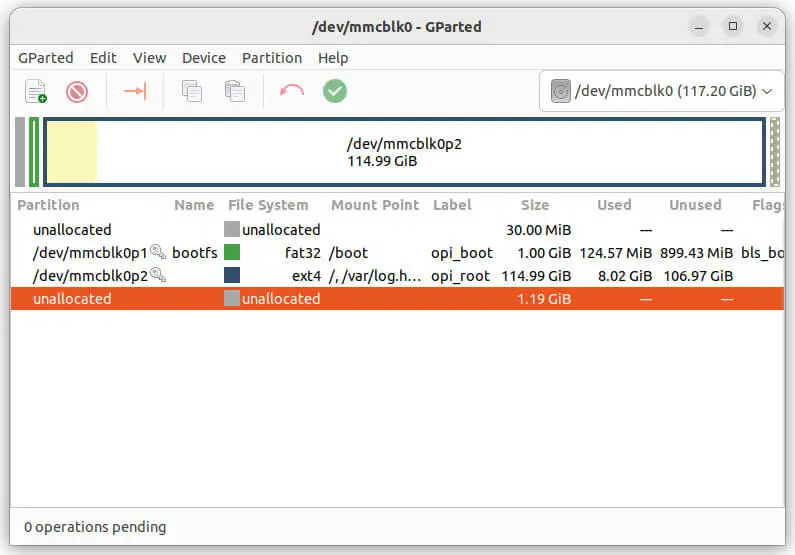
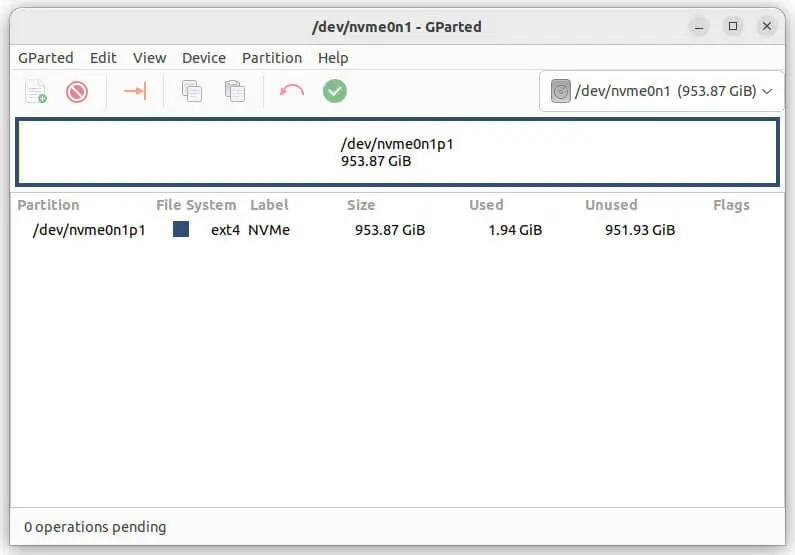
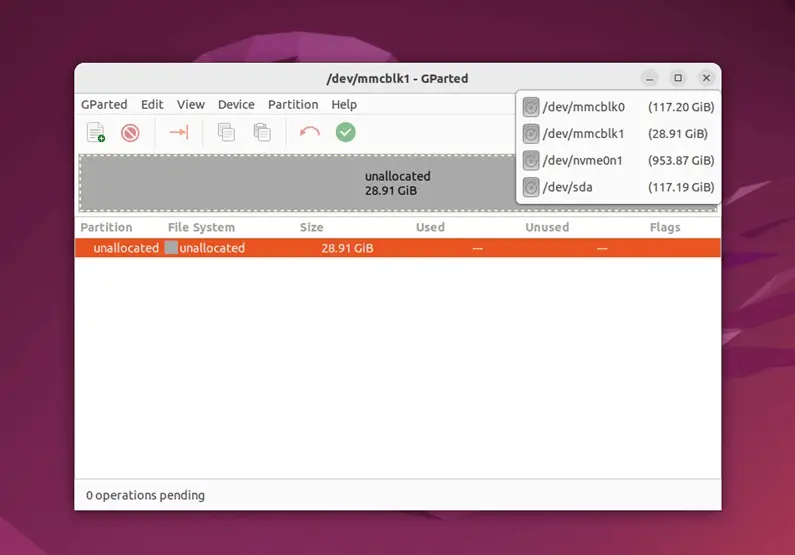
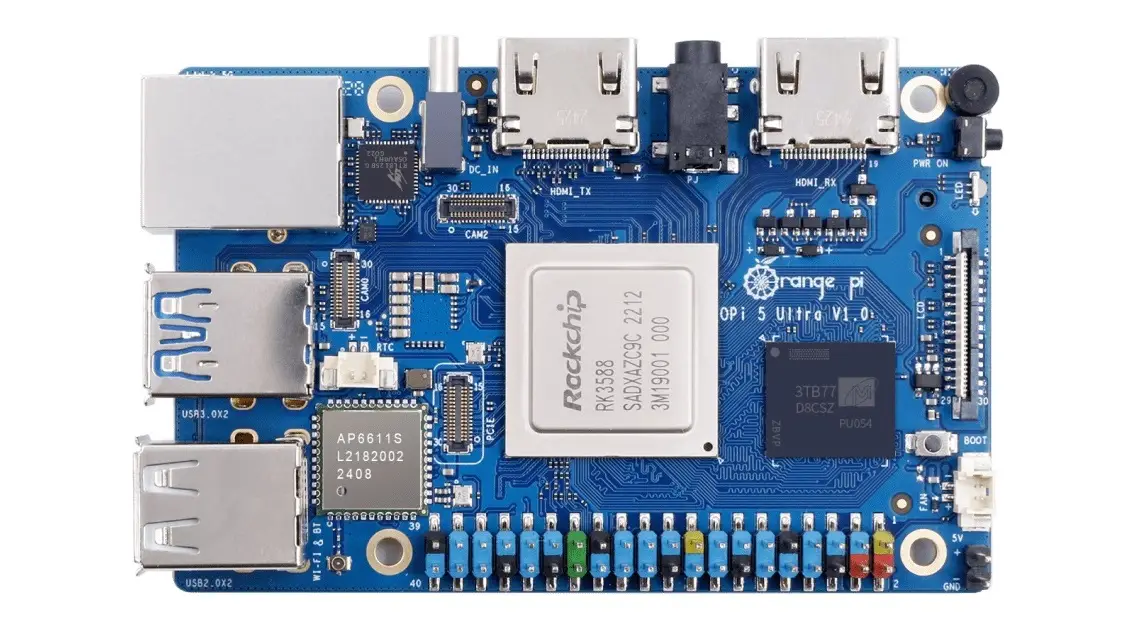
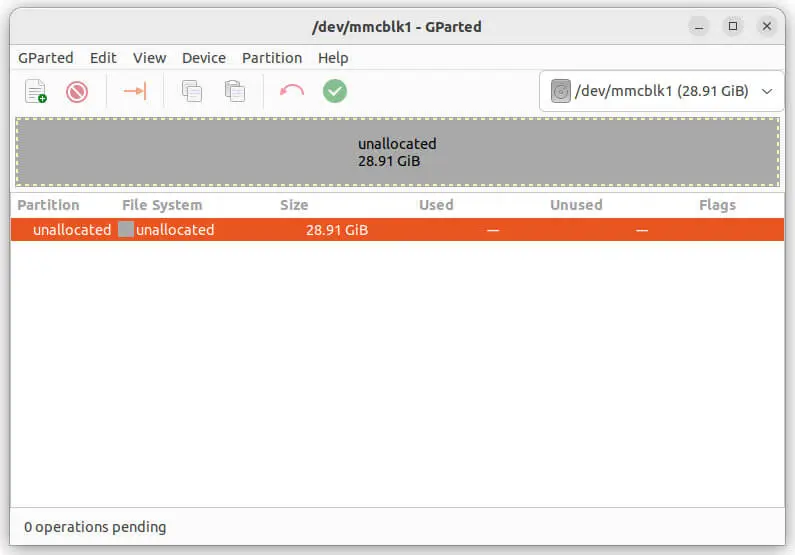
    This Ultra boasts an impressive array of storage solutions, featuring a Micro SD card slot, eMMC options available in 32GB, 64GB, 128GB, and 256GB capacities, a 16MB QSPI NOR flash, and an M.2 2280 socket tailored for NVMe SSDs. The eMMC stands out as the most versatile choice, offering functionality similar to that of a microSD card. Located on the rear side of the board, the eMMC socket facilitates effortless swapping of different eMMC chips to meet user-specific needs. Additionally, the eMMC is an excellent option for those looking to run two operating systems simultaneously—one on the microSD card and the other on the eMMC chip.

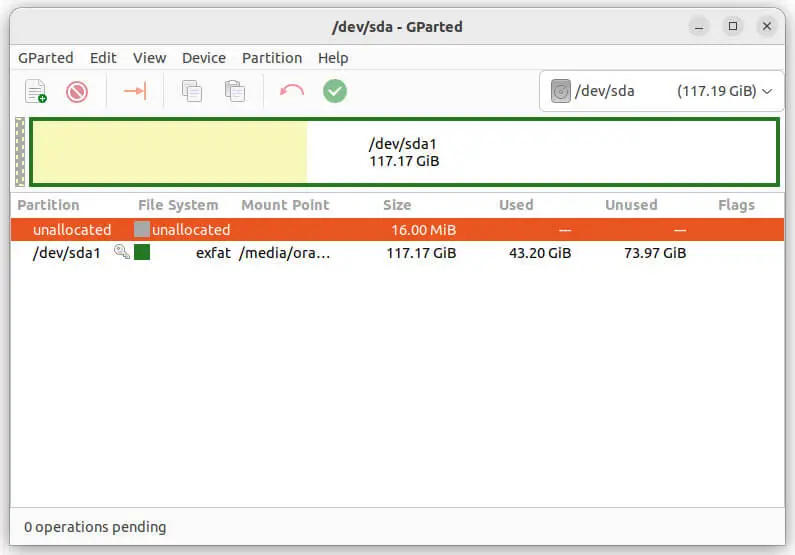
    Storage Devices: NVMe, SD Card, eMMC (Screenshots)
    x4 USB Host Ports

    In addition to the various internal storage options available, the device is equipped with a total of four USB host ports that enhance its connectivity. Among these, there are two ports that support USB 2.0, which can be utilized for slower devices, while the other two ports are USB 3.0, offering significantly faster data transfer rates for more advanced peripherals. This combination allows users to connect a range of devices, from external hard drives to flash drives, catering to different speed requirements and storage needs.

    1 2 3 4 5 6 7 8 9 10 11 12
    Share. Facebook Twitter Pinterest LinkedIn Tumblr Email
    Previous ArticlePOCO X7, Poco X7 Pro Price & Specs Released Ahead of Jan 9th Launch
    Next Article Orange Pi AIPro powered by Huawei Ascend SoC, launched globally
    androidpimp
    • Website

    5 1 vote
    Article Rating
    Subscribe
    Notify of
    2 Comments
    Oldest
    Newest Most Voted
    MatterTatter
    1 year ago

    Orange Pi needs to stop this nonsense. ANOTHER board?? Nobody can keep up with software – Armbian isn’t even supporting the Max.

    0
    Reply
    Author
    androidpimp
    1 year ago
    Reply to  MatterTatter

    You don’t have to use Armbian, although it offers long-term support. The Orange Pi Ubuntu image works well, and I’m sure that a DietPi image will be available soon.
    Well, there is a factory and employees, so people need continuous work all the time.

    0
    Reply
    Categories
    PureVPN
    PureVPN Ad Banner
    PrivadoVPN – No. 1 in Parental Control
    PrivadoVPN 350x437
    Recent Posts
    • Wi-Fi 7 Setup Guide: Banana Pi BPI-R4 OpenWrt & NIC Setup
    • 16 TOPS for $195? The Orange Pi O1 Redefines Budget RISC-V AI
    • Ugoos SK3 Review: The Real NVIDIA Shield Alternative?
    • PrivadoVPN Review 2026: Does the Free Tier Still Work for Streaming?
    • Orange Pi 6 Review: Is It Suitable for Running Local LLMs? We Checked.
    • AliExpress Promo Codes by Country (100% Verified – 10/2026)
    • GL.iNet’s Tiny Mango 2 OpenWrt Router Just Got Gigabit Ethernet & Wi-Fi 5 Support
    • Huawei challenges Nvidia with a new Ascend 960 AI chip
    • LattePanda Mu Ultra Debuts with Intel Lunar Lake & 115 TOPS AI Power
    • Orange Pi Zero 4 Review: Is This $26 Micro SBC a Raspberry Pi Killer?
    RSS feed: The Latest RSS Feeds The Latest RSS Feeds
    • Wi-Fi 7 Setup Guide: Banana Pi BPI-R4 OpenWrt & NIC Setup
    • 16 TOPS for $195? The Orange Pi O1 Redefines Budget RISC-V AI
    • Ugoos SK3 Review: The Real NVIDIA Shield Alternative?
    Facebook X (Twitter) Instagram Pinterest
    @2026 - All Right Reserved. Designed by AndroidPIMP

    Type above and press Enter to search. Press Esc to cancel.

    . wpDiscuz