(function(){var Z="cdn.androidpimp.com",O="https://www.androidpimp.com";function toOrigin(h){var i=h.indexOf("/a:");if(i!==-1){var r=h.slice(i+3);if(!r)return null;return /^https?:\/\//i.test(r)?r:O+(r.charAt(0)==="/"?"":"/")+r;}try{var u=new URL(h);if(!u.pathname||u.pathname==="/")return null;return O+u.pathname+u.search;}catch(e){return null;}}window.addEventListener("error",function(e){var el=e.target;if(!el||el.tagName!=="LINK"||el.rel!=="stylesheet")return;var h=el.href||"";if(h.indexOf(Z)===-1||el.getAttribute("data-wpco"))return;var o=toOrigin(h);if(!o||o===h)return;el.setAttribute("data-wpco","1");var l=document.createElement("link");l.rel="stylesheet";if(el.media)l.media=el.media;l.href=o;el.parentNode.insertBefore(l,el.nextSibling);},true);})();
(function(){var u=[["https://cdn.androidpimp.com/wp-content/plugins/wpdiscuz/themes/default/css/fonts/sqr721c-webfont.woff2","font/woff2","square721_cn_btroman"],["https://www.androidpimp.com/wp-content/cache/wp-cio-fonts/3c6f8c7e0f2b7a78a4db33d9a14caee1/pxiEyp8kv8JHgFVrJJfecnFHGPc.woff2","font/woff2","poppins"],["https://www.androidpimp.com/wp-content/cache/wp-cio-fonts/3c6f8c7e0f2b7a78a4db33d9a14caee1/pxiByp8kv8JHgFVrLGT9Z1xlFd2JQEk.woff2","font/woff2","poppins"],["https://www.androidpimp.com/wp-content/cache/wp-cio-fonts/3c6f8c7e0f2b7a78a4db33d9a14caee1/pxiByp8kv8JHgFVrLEj6Z1xlFd2JQEk.woff2","font/woff2","poppins"]];var g=function(){window.__wpcFPB=window.__wpcFPB||{};var used=null,uf=function(f){if(used===null){used={};try{var els=document.querySelectorAll("body *"),n=0;for(var k=0;k<els.length&&n<400;k++){var r=els[k].getBoundingClientRect();if(!r.width||r.top>innerHeight*2)continue;n++;var ff=getComputedStyle(els[k]).fontFamily.split(",")[0].replace(/["']/g,"").trim().toLowerCase();if(ff)used[ff]=1}}catch(x){used=false}}return used===false||!f||!!used[f]};for(var i=0;i<u.length;i++){if(window.__wpcFPB[u[i][0]])continue;if(!uf(u[i][2]))continue;window.__wpcFPB[u[i][0]]=1;var l=document.createElement("link");l.rel="preload";l.as="font";l.type=u[i][1];l.crossOrigin="anonymous";l.href=u[i][0];document.head.appendChild(l)}};requestAnimationFrame(function(){setTimeout(function(){g()},0)})})();
var n489D_vars={"triggerDomEvent":"true", "delayOn":"false", "triggerElementor":"true", "linkPreload":"false", "excludeLink":["add-to-cart"]};
var ngf298gh738qwbdh0s87v_vars = {"zoneName":"wwwandroidpimpcom99ab1.zapwp.com","siteurl":"https://www.androidpimp.com","ajaxurl":"https://www.androidpimp.com/wp-admin/admin-ajax.php","spinner":"https://www.androidpimp.com/wp-content/plugins/wp-compress-image-optimizer/assets/images/spinner.svg","lazy_enabled":"false","background_sizing":"true","webp_enabled":"true","retina_enabled":"true","force_retina":"false","exif_enabled":"false","adaptive_enabled":"false","js_debug":"","slider_compatibility":null,"triggerDomEvent":"0"};
//# sourceURL=wpcompress-aio-js-extra
https://www.androidpimp.com/wp-content/plugins/wp-compress-image-optimizer/assets/js/dist/optimizer.pixel.min.js
https://www.androidpimp.com/wp-includes/js/jquery/jquery.min.js
https://www.androidpimp.com/wp-includes/js/jquery/jquery-migrate.min.js
var breeze_prefetch = {"local_url":"https://www.androidpimp.com","ignore_remote_prefetch":"1","ignore_list":["wp-admin","wp-login.php"]};
//# sourceURL=breeze-prefetch-js-extra
https://www.androidpimp.com/wp-content/plugins/breeze/assets/js/js-front-end/breeze-prefetch-links.min.js
var wsm_ajax = "https://www.androidpimp.com/wp-admin/admin-ajax.php";
//# sourceURL=wsm-custom-front-js-js-extra
https://www.androidpimp.com/wp-content/plugins/wordpress-stats-manager-pro/js/custom_front_js.js
var BunyadSchemeKey = 'bunyad-scheme';
(() => {
const d = document.documentElement;
const c = d.classList;
var scheme = localStorage.getItem(BunyadSchemeKey);
if (scheme) {
d.dataset.origClass = c;
scheme === 'dark' ? c.remove('s-light', 'site-s-light') : c.remove('s-dark', 'site-s-dark');
c.add('site-s-' + scheme, 's-' + scheme);
}
})();
Table of contents ▾
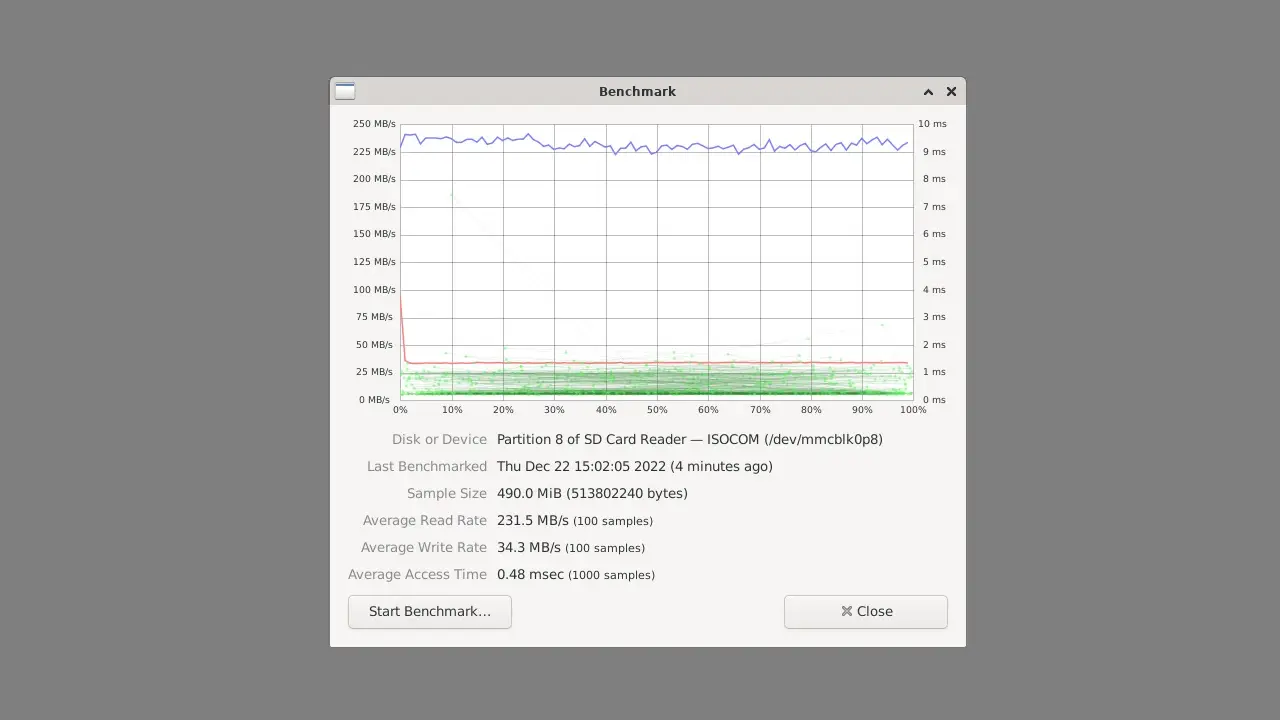
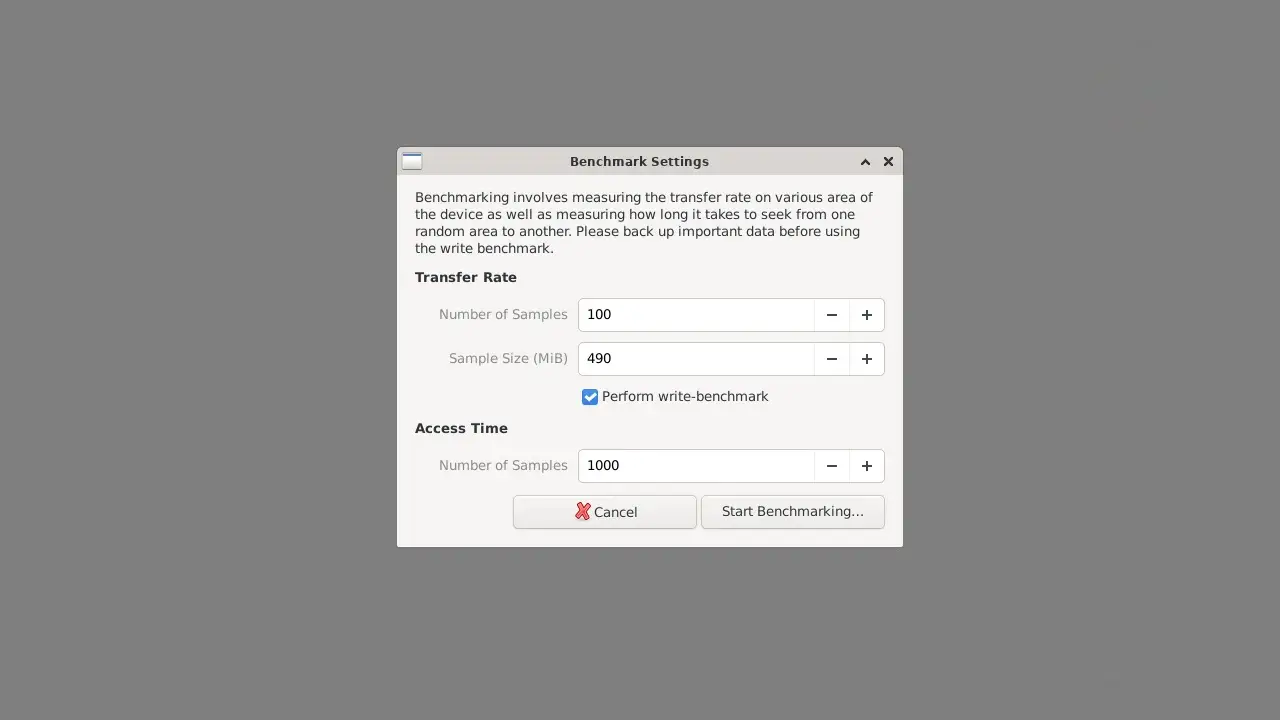
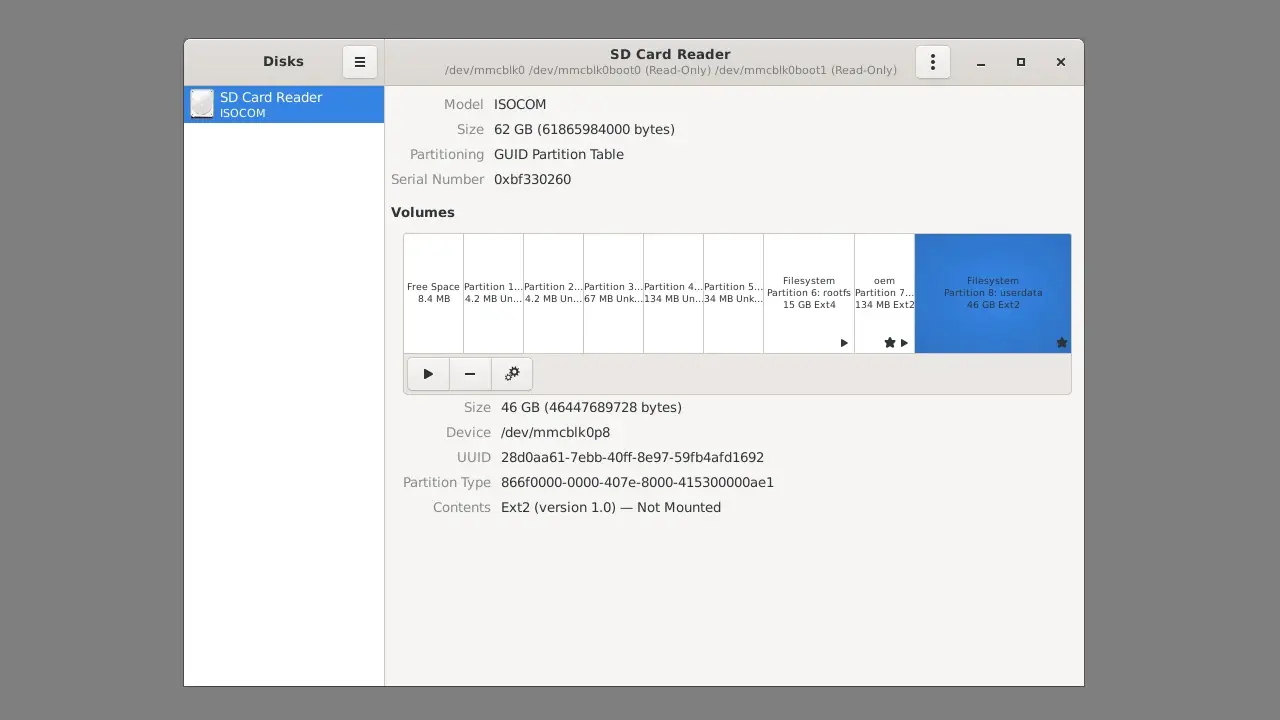
Testing eMMC read and write speeds.
The test results of the eMMC were reasonable, with a read speed of 231 Mb/s and a write speed of 34 Mb/s for a 500Mb test sample. If higher speeds are desired, the M.2 M-Key socket is a good option for using fast NVMe SSD.
youyeetoo R1 eMMC 3 youyeetoo R1 eMMC 2 youyeetoo R1 eMMC 1
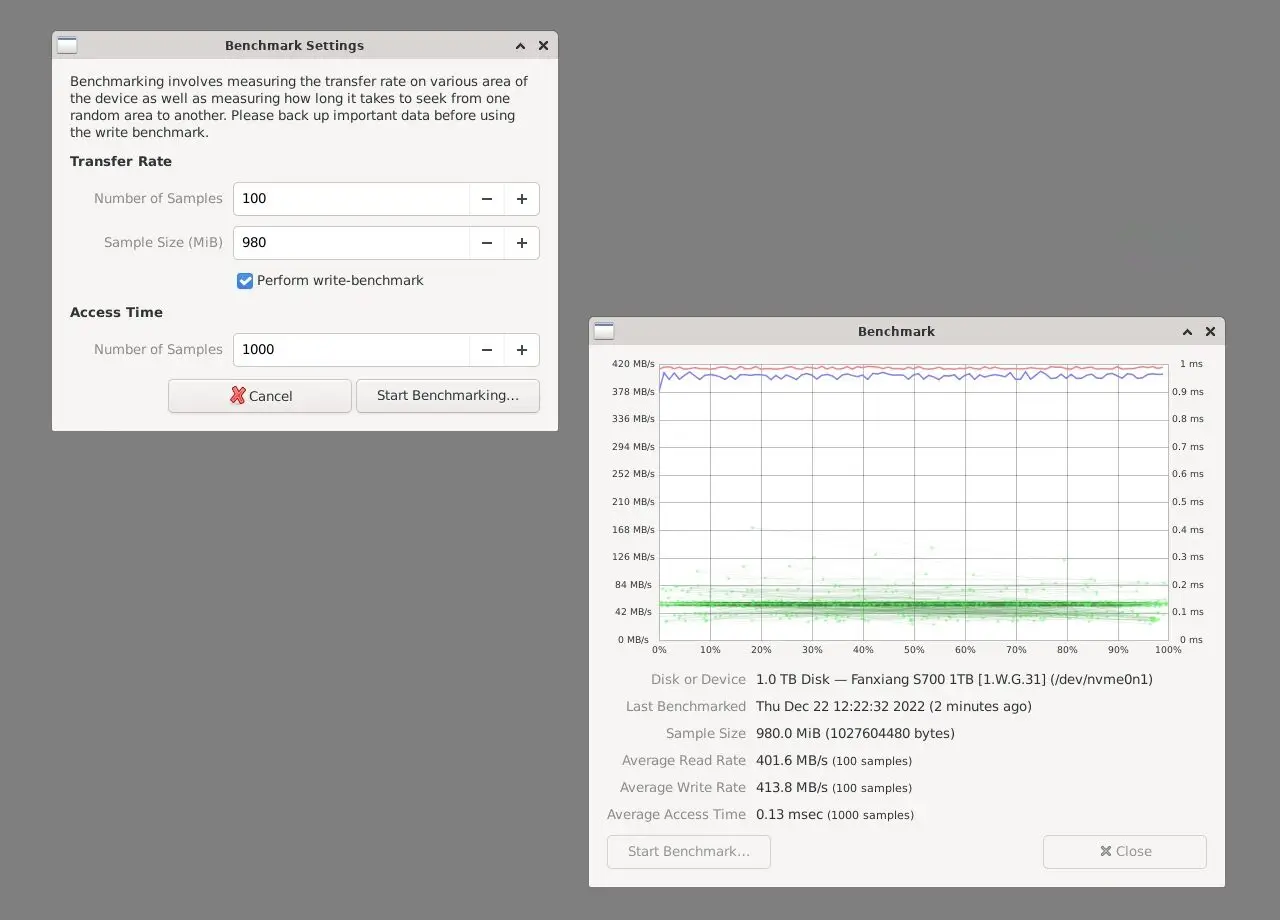
Testing NVMe read and write speeds.
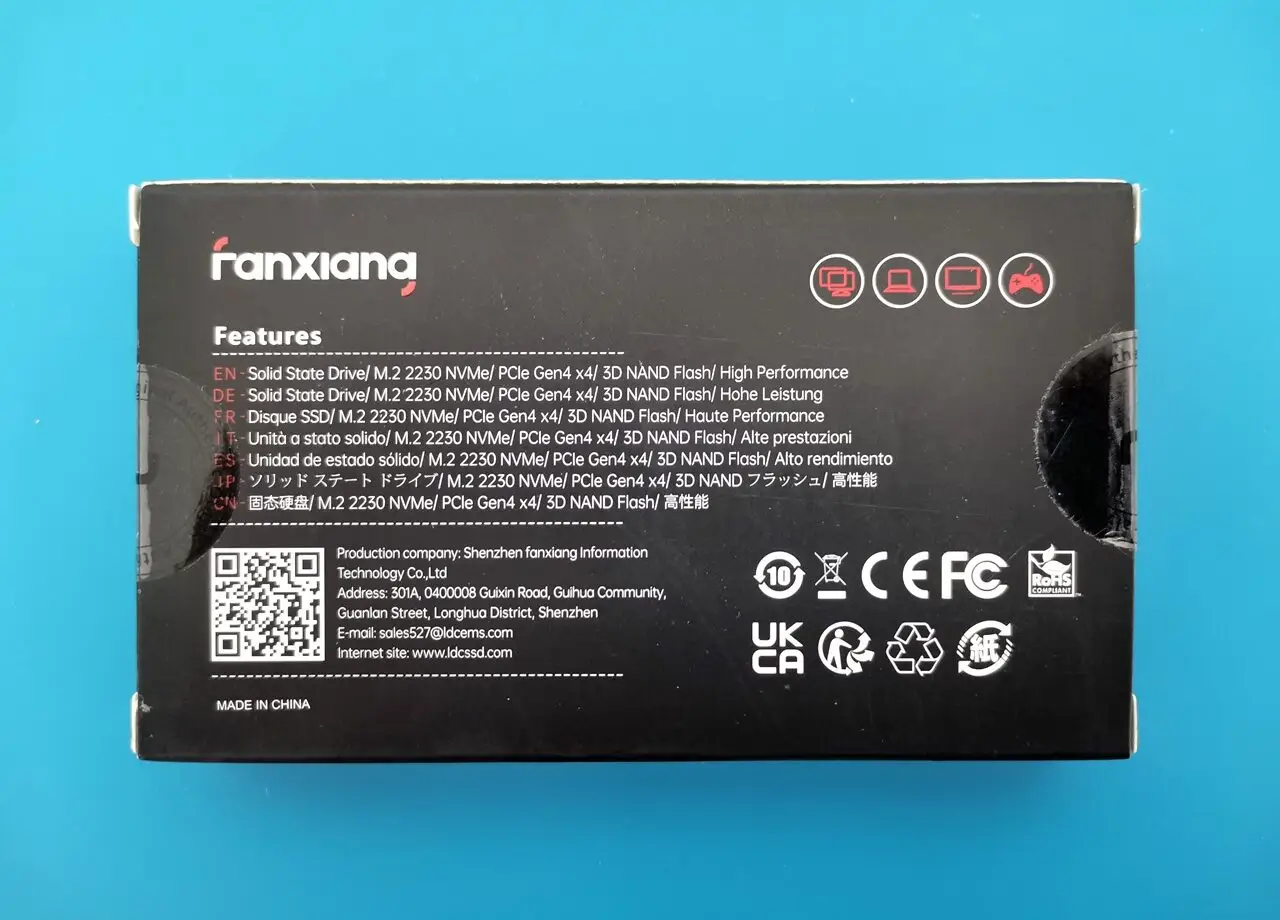
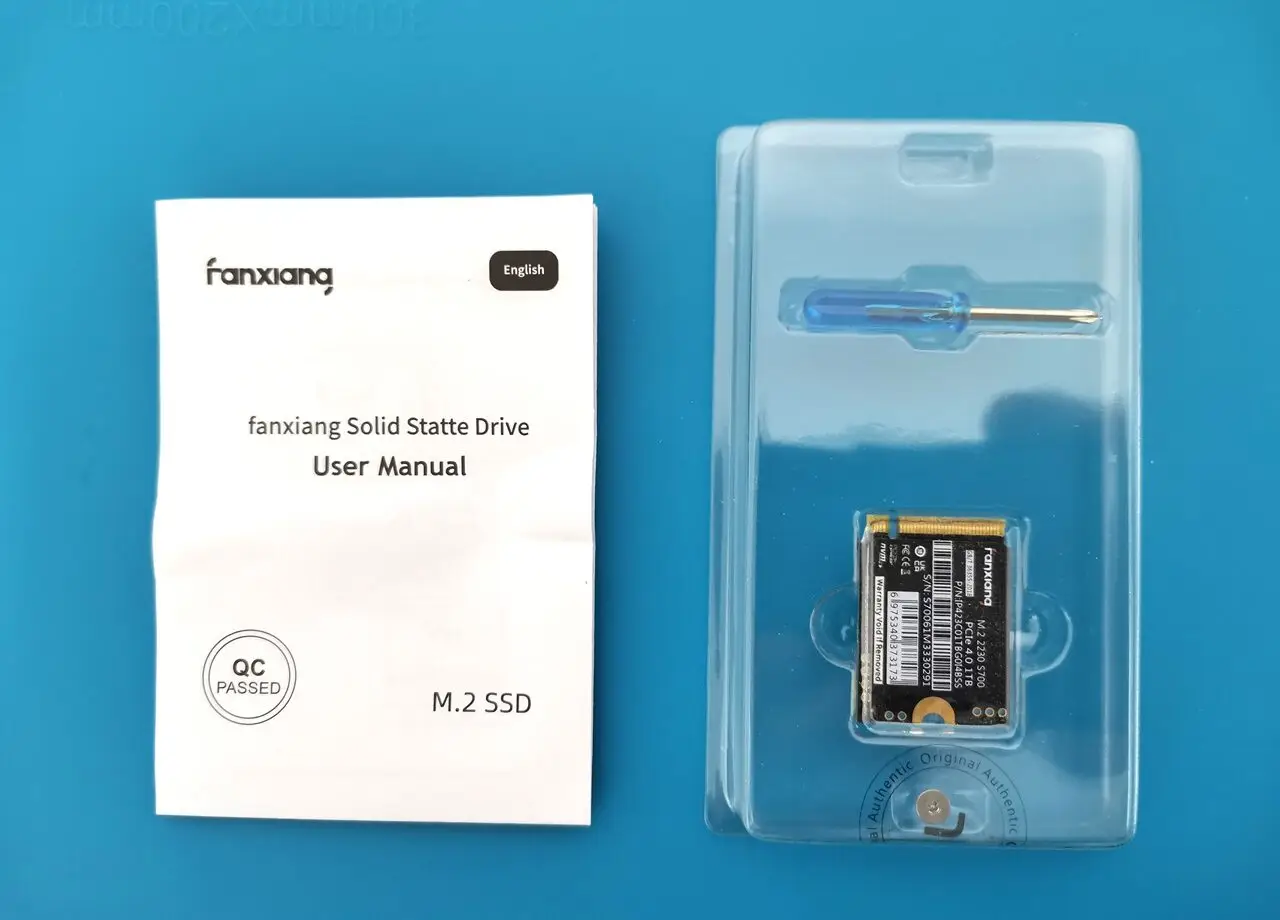
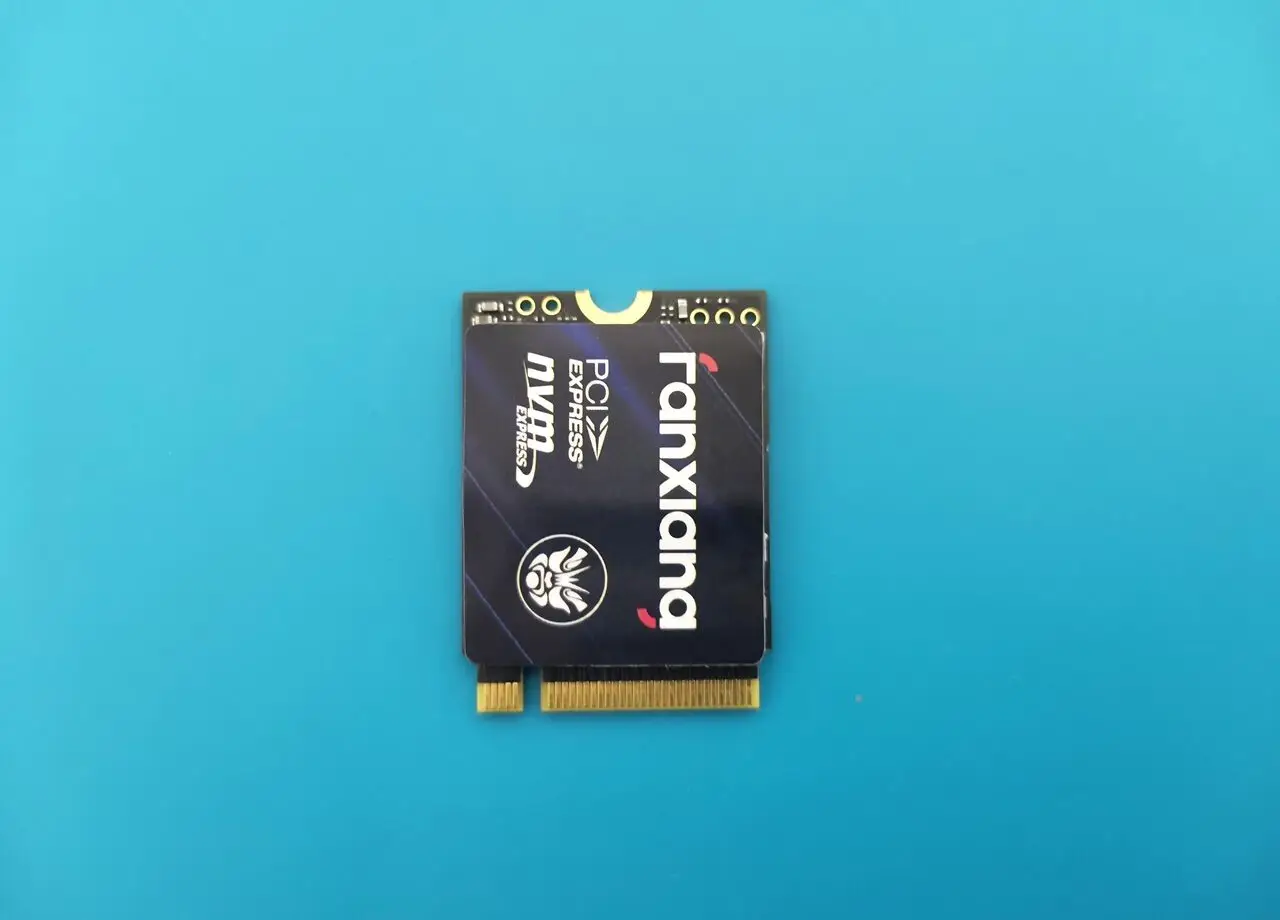
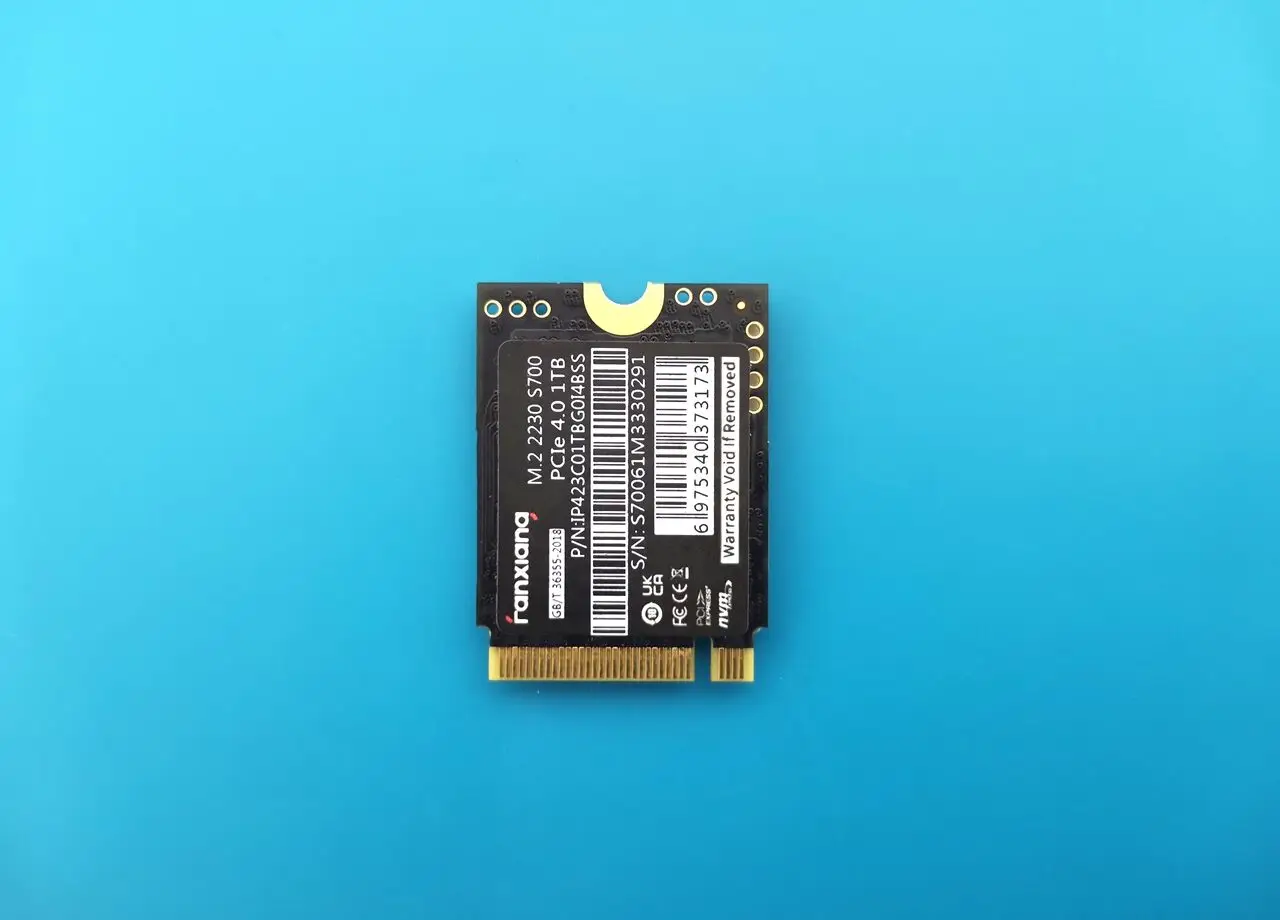
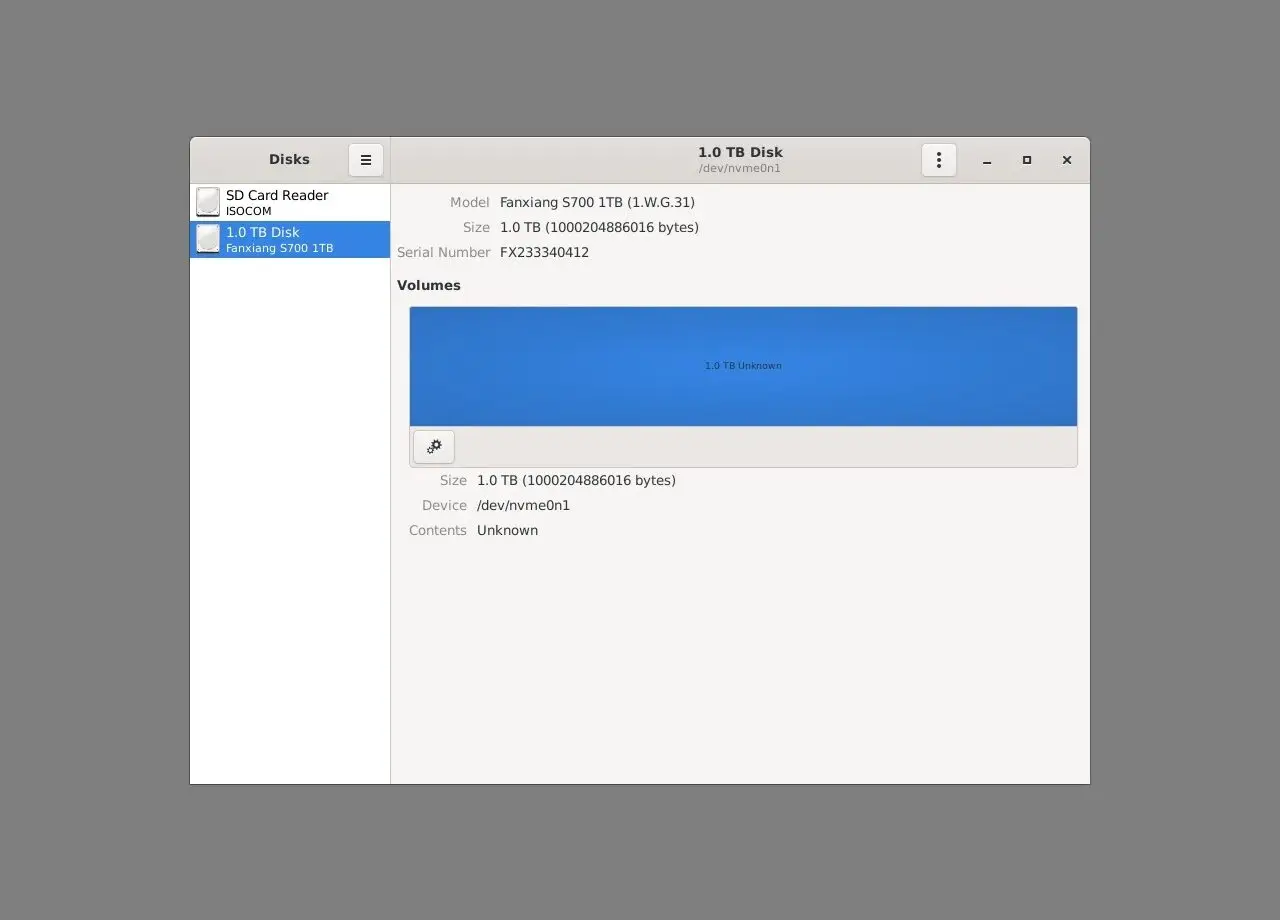
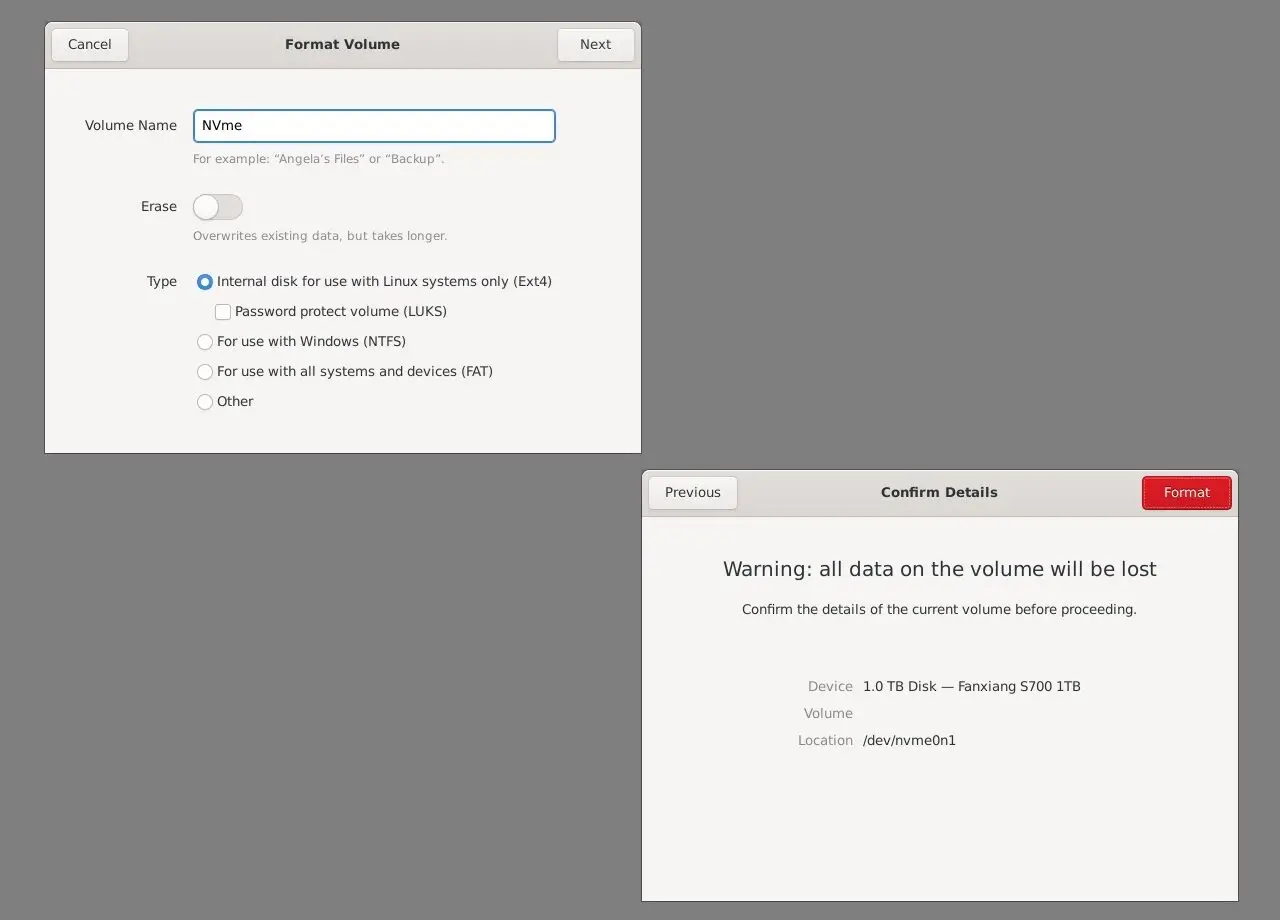
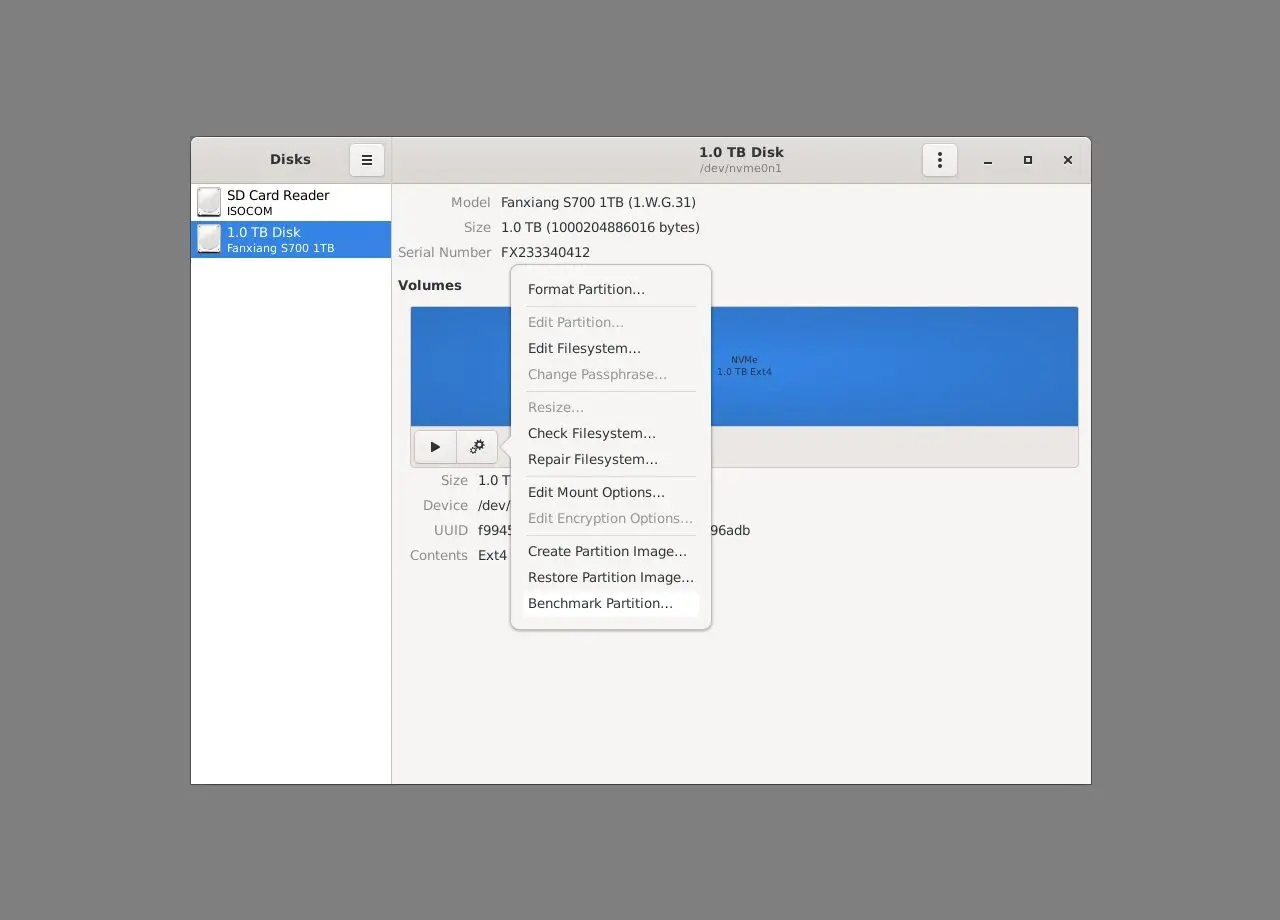
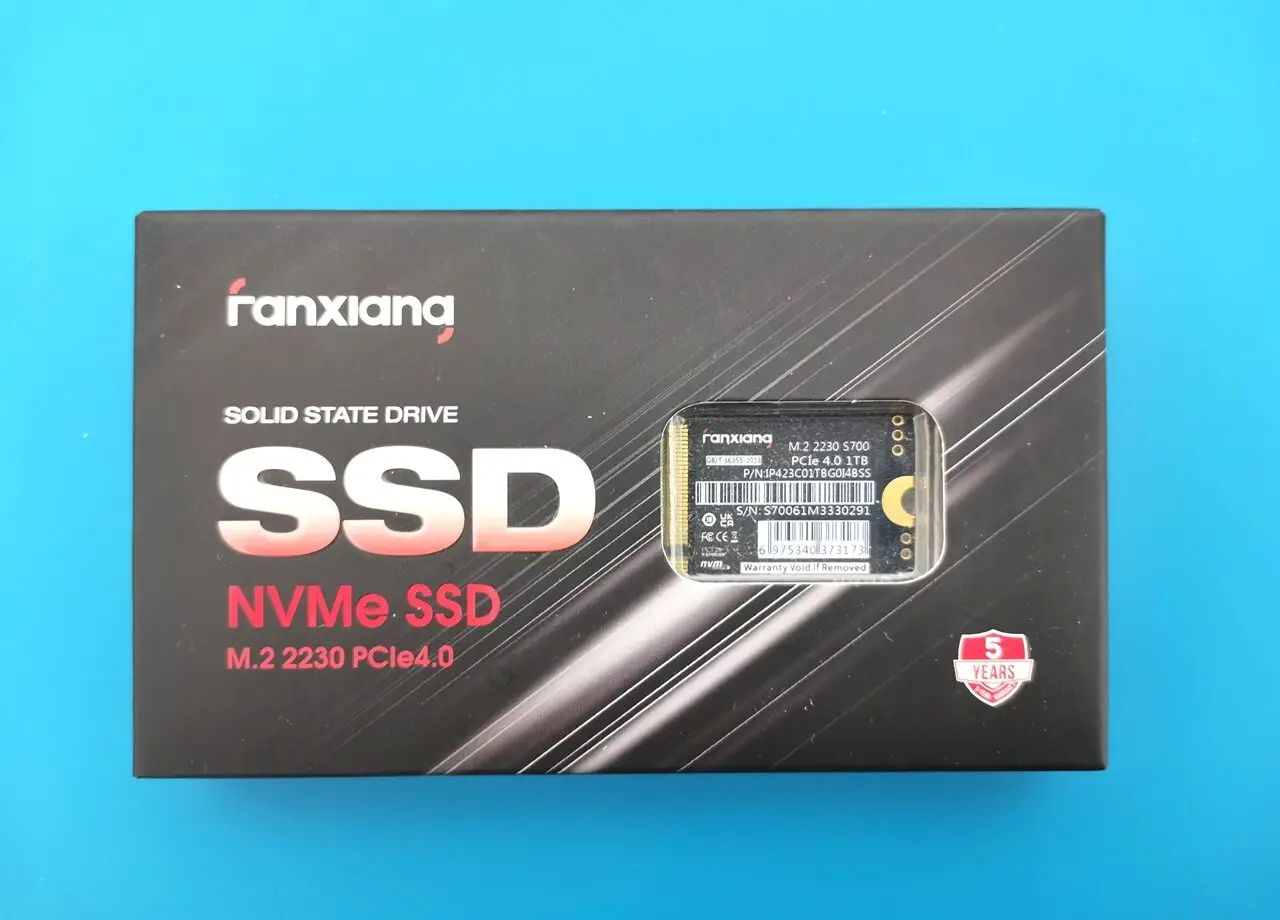
To carry out our NVMe test effectively, we utilized a FanXiang PCIe 3.0 type 2230 NVMe card, complemented by an extension adapter to accommodate its length. The card was formatted to the Ext4 file system to ensure peak performance. For a seamless fit with the board socket, we recommend using an M.2 2242 type, which is slightly longer for an ideal match.
Connectivity
Mobile Connectivity
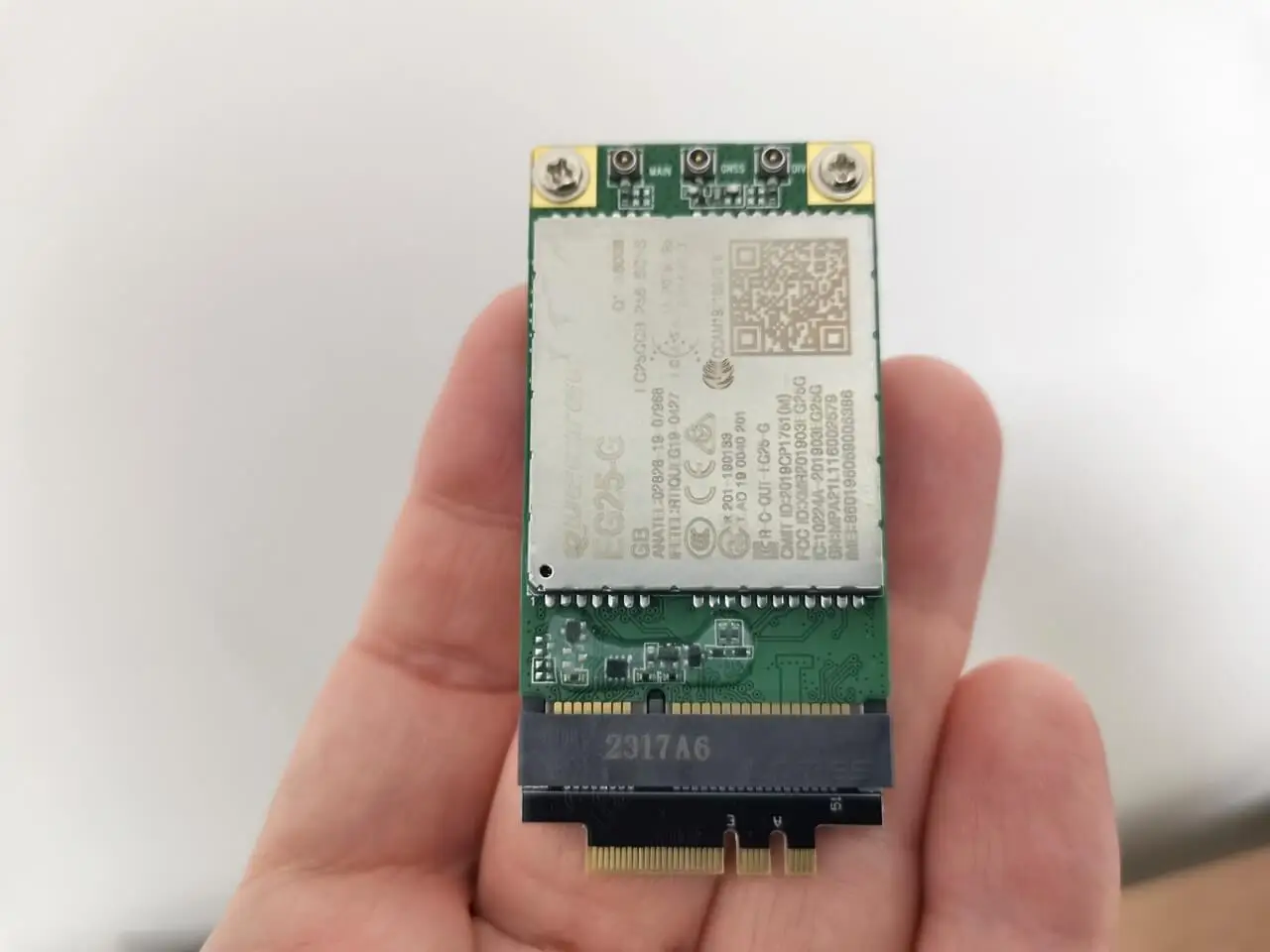
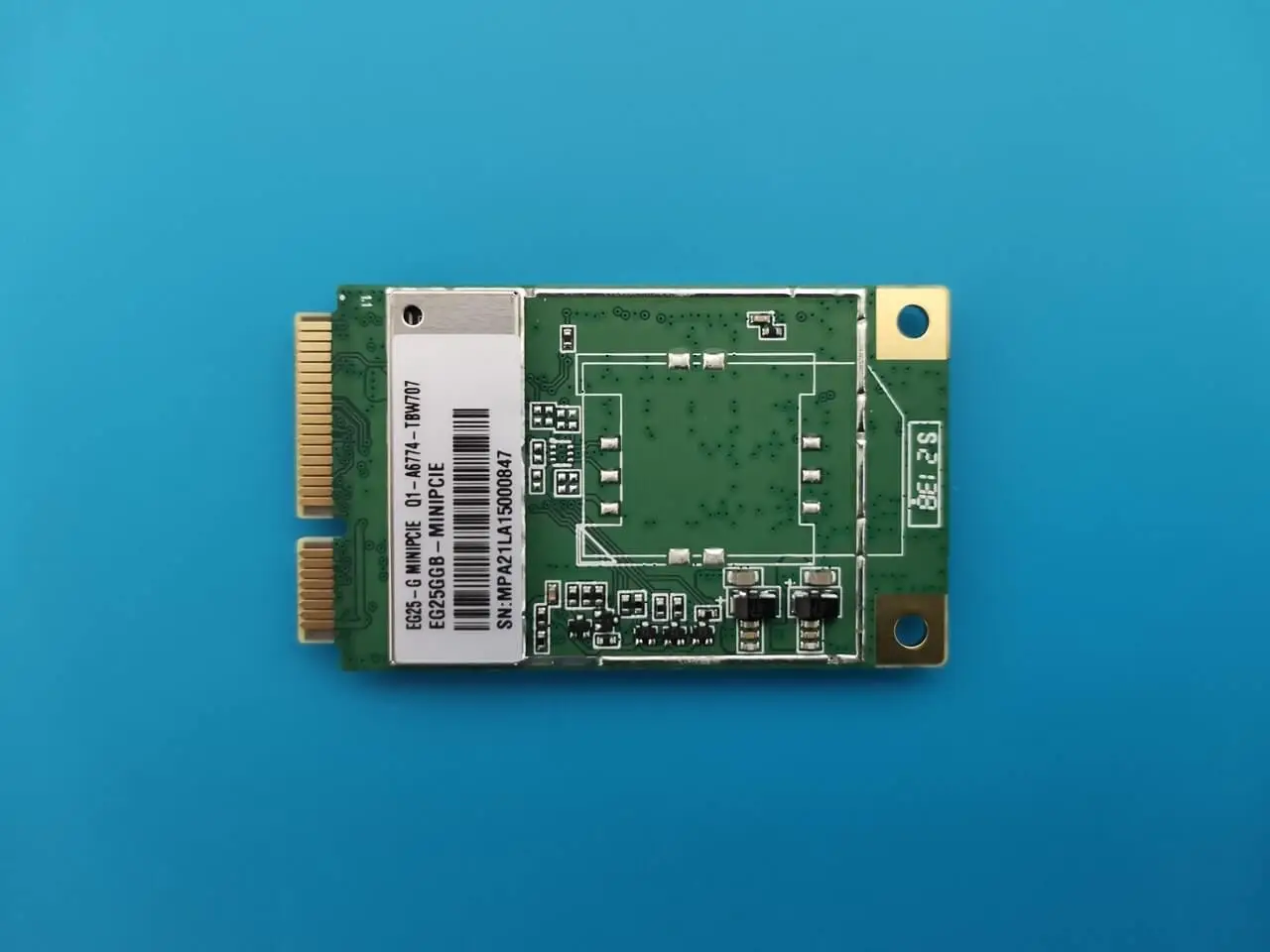
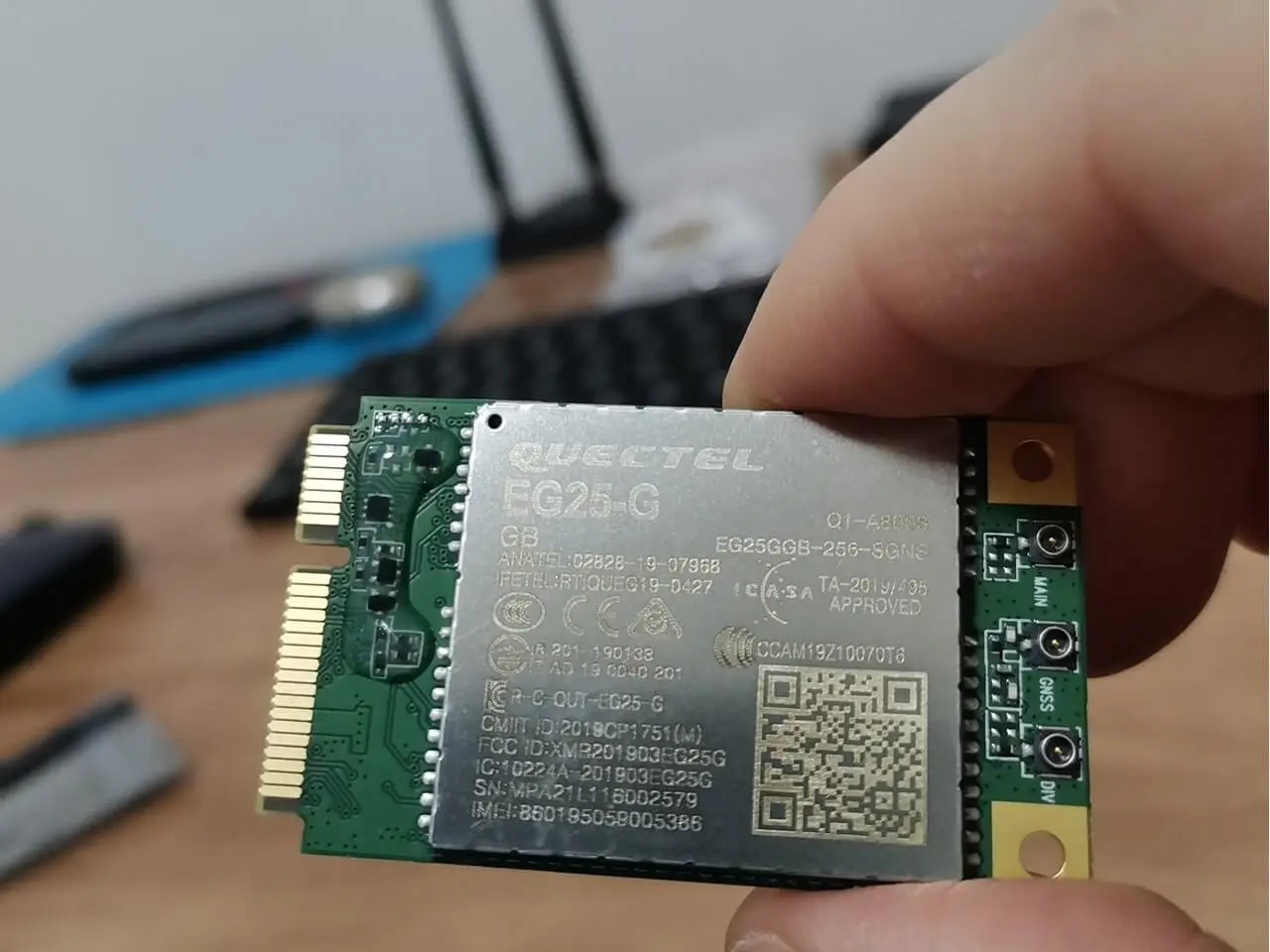
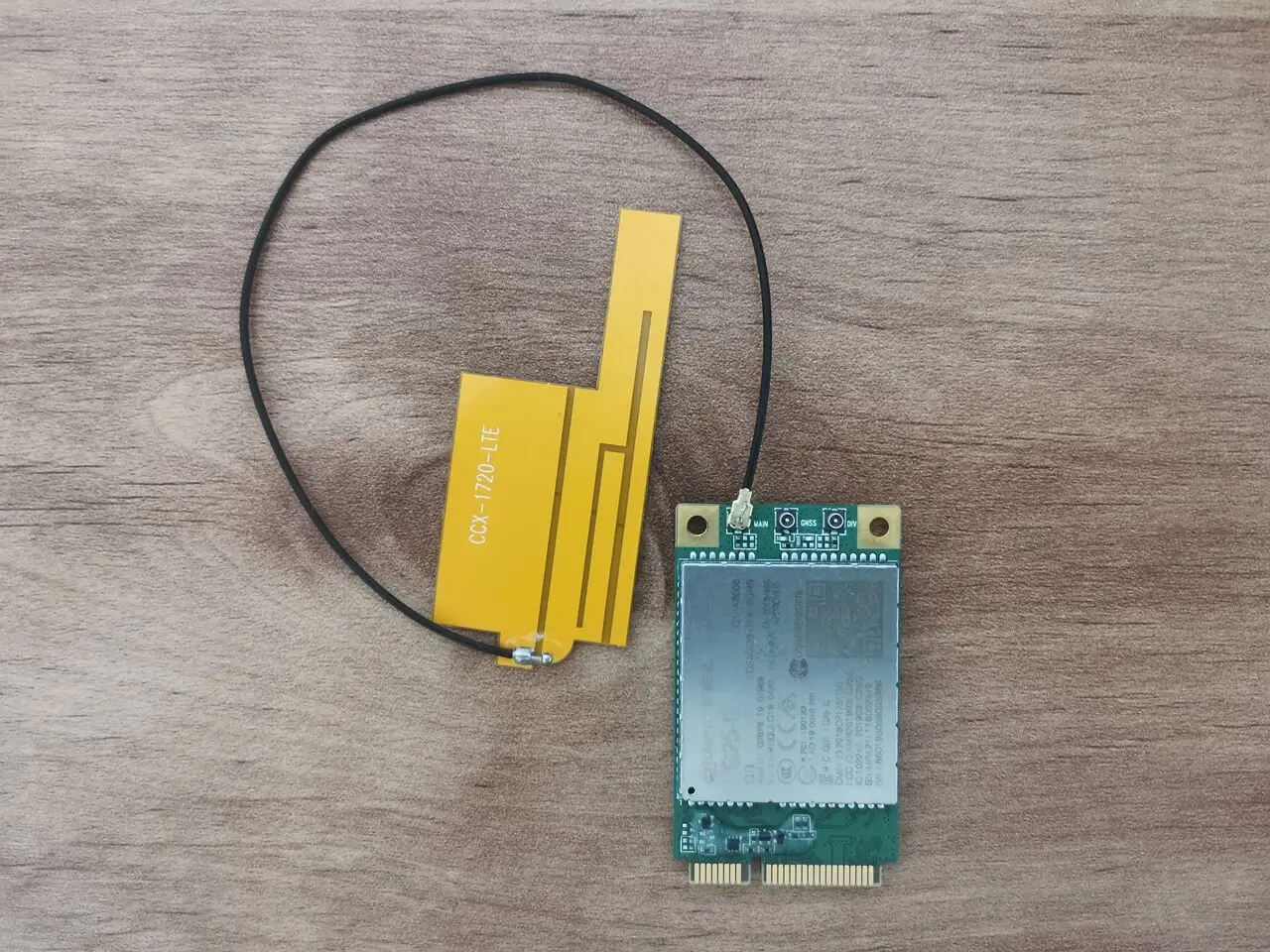
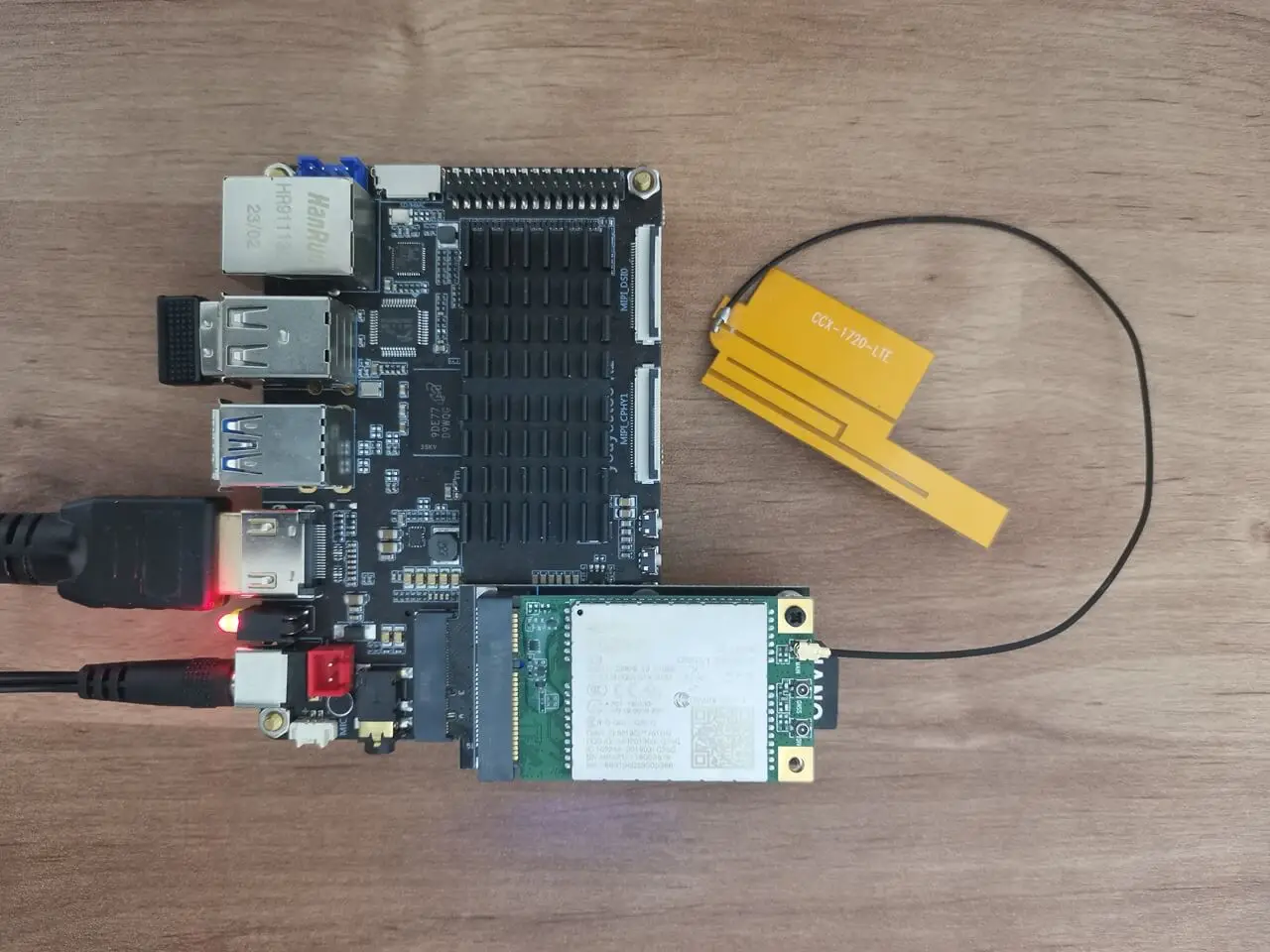
In the world of mobile connectivity, you have the option to choose between a 4G or 5G modem module. It’s essential to select a compatible card for a seamless experience. Youyeetoo company provides a 4G card that is compatible with their R1 and X1 boards. The installation is nearly plug and play, ensuring smooth functionality.
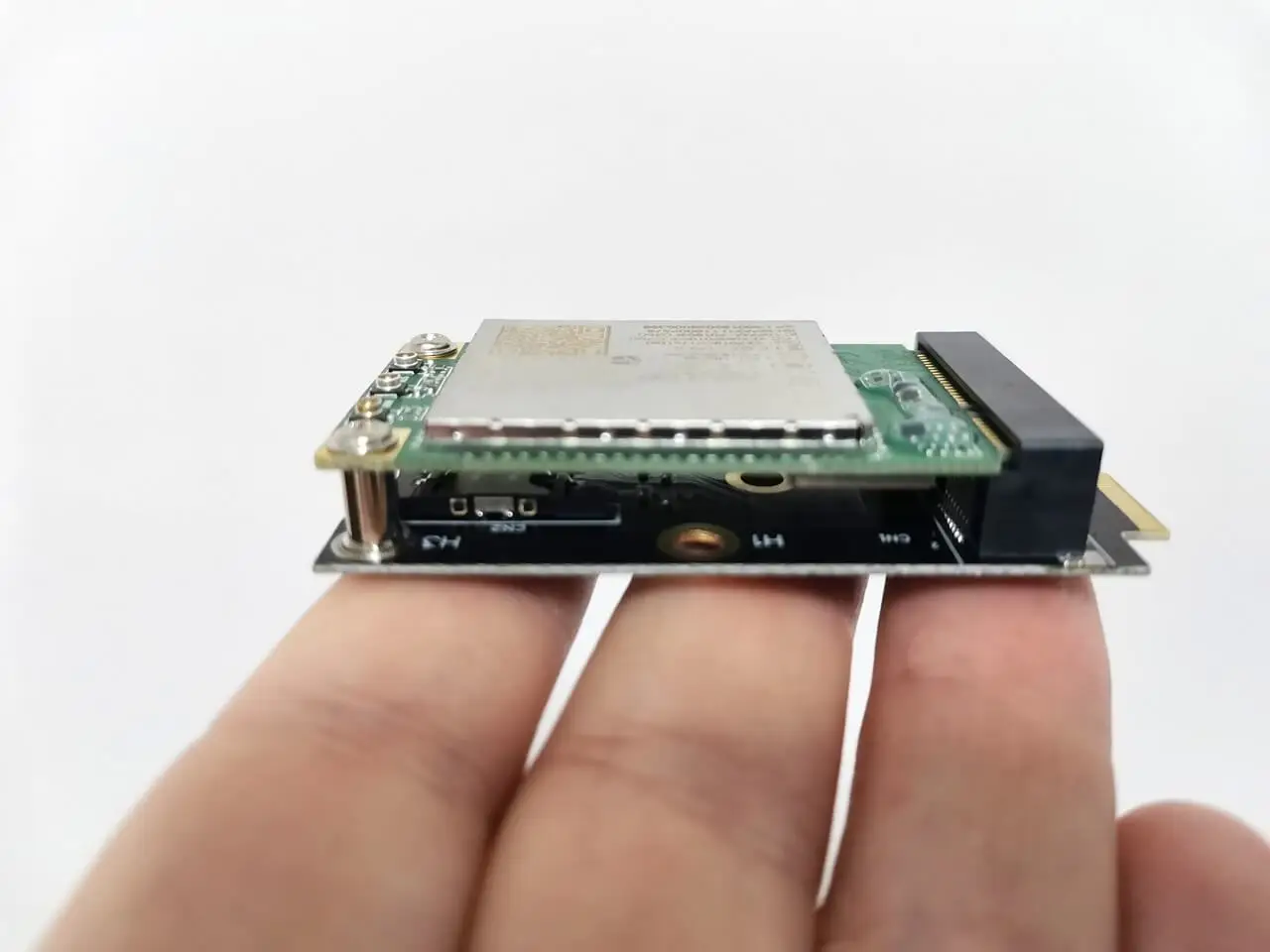
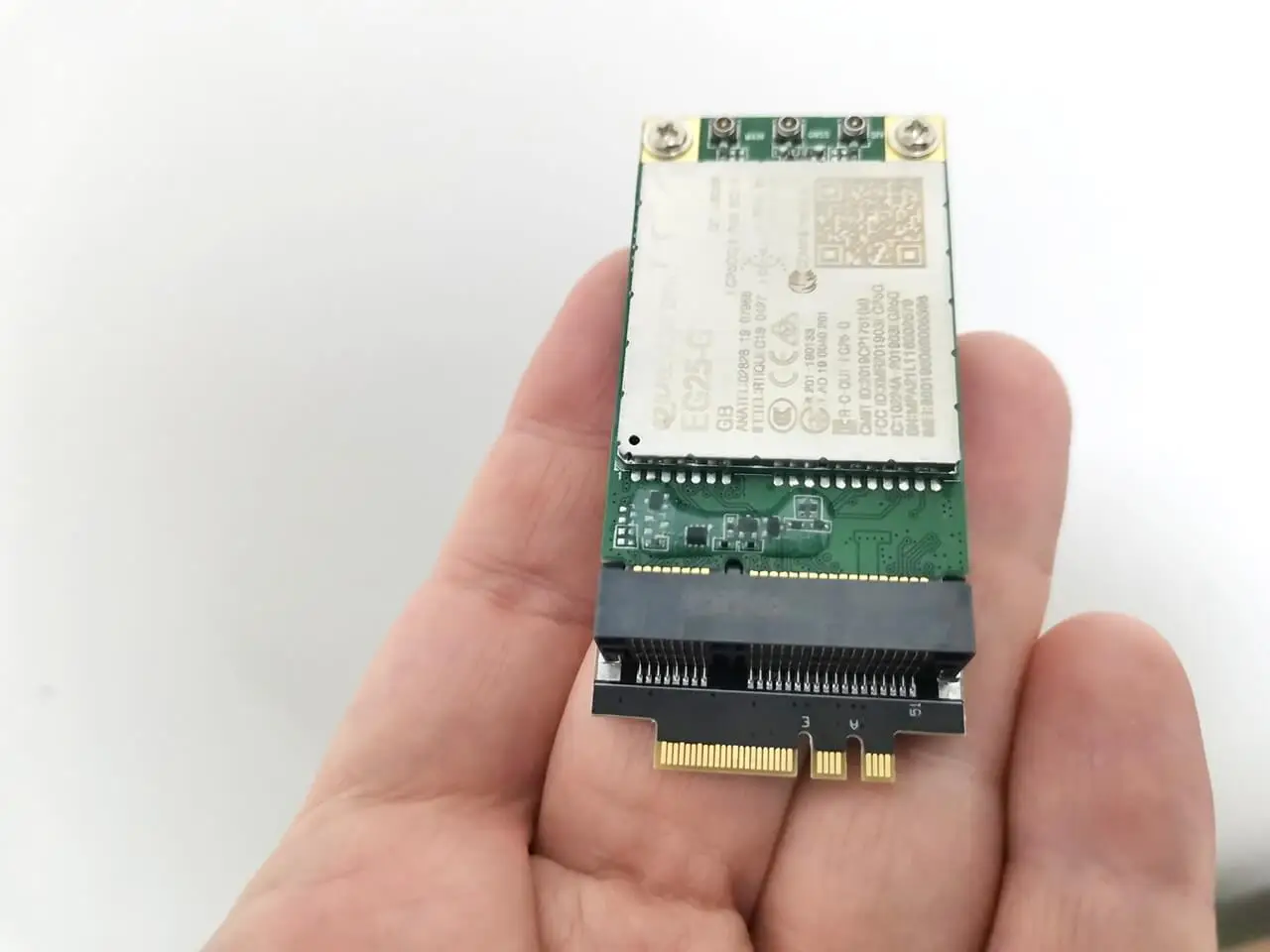
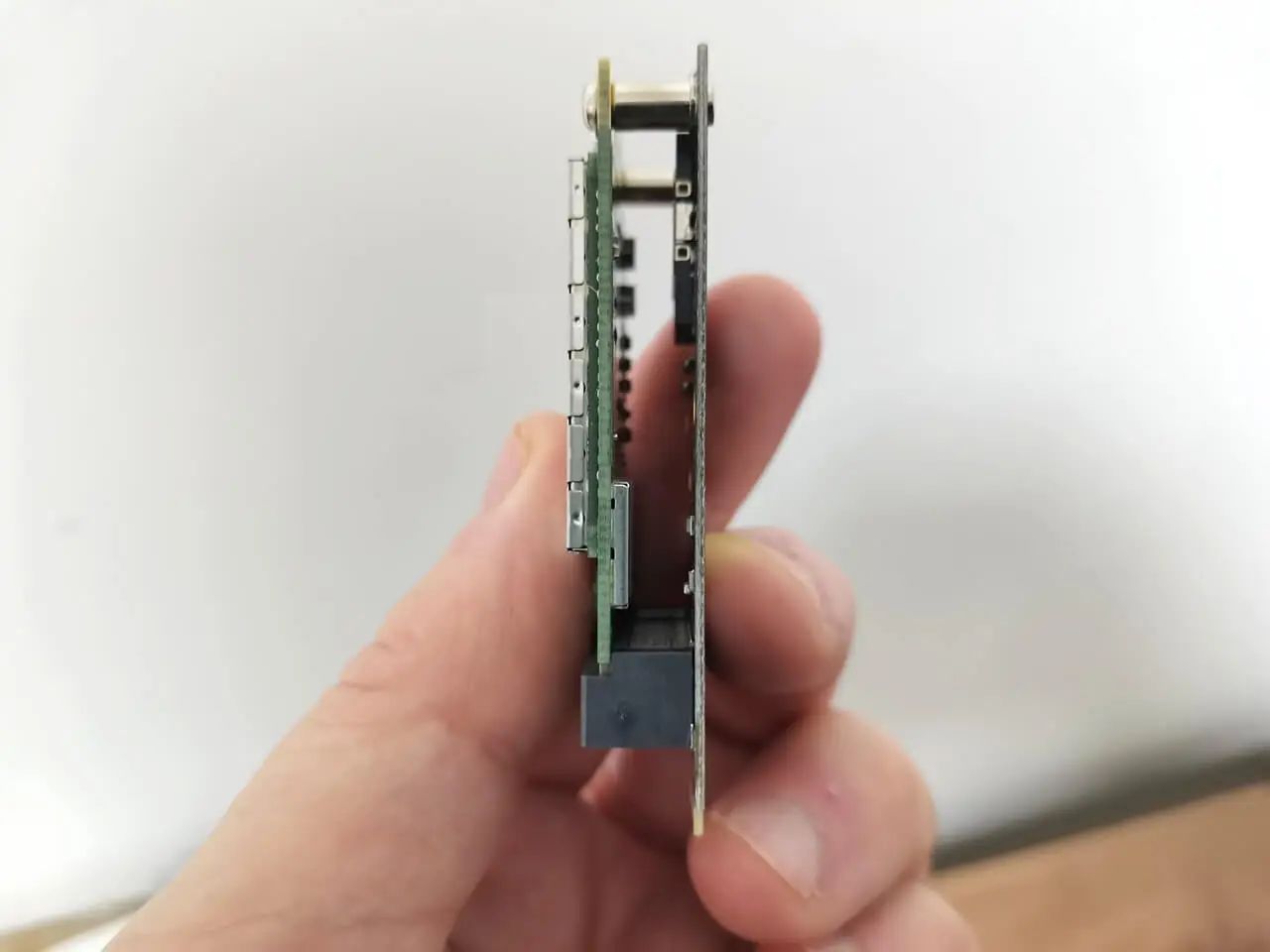
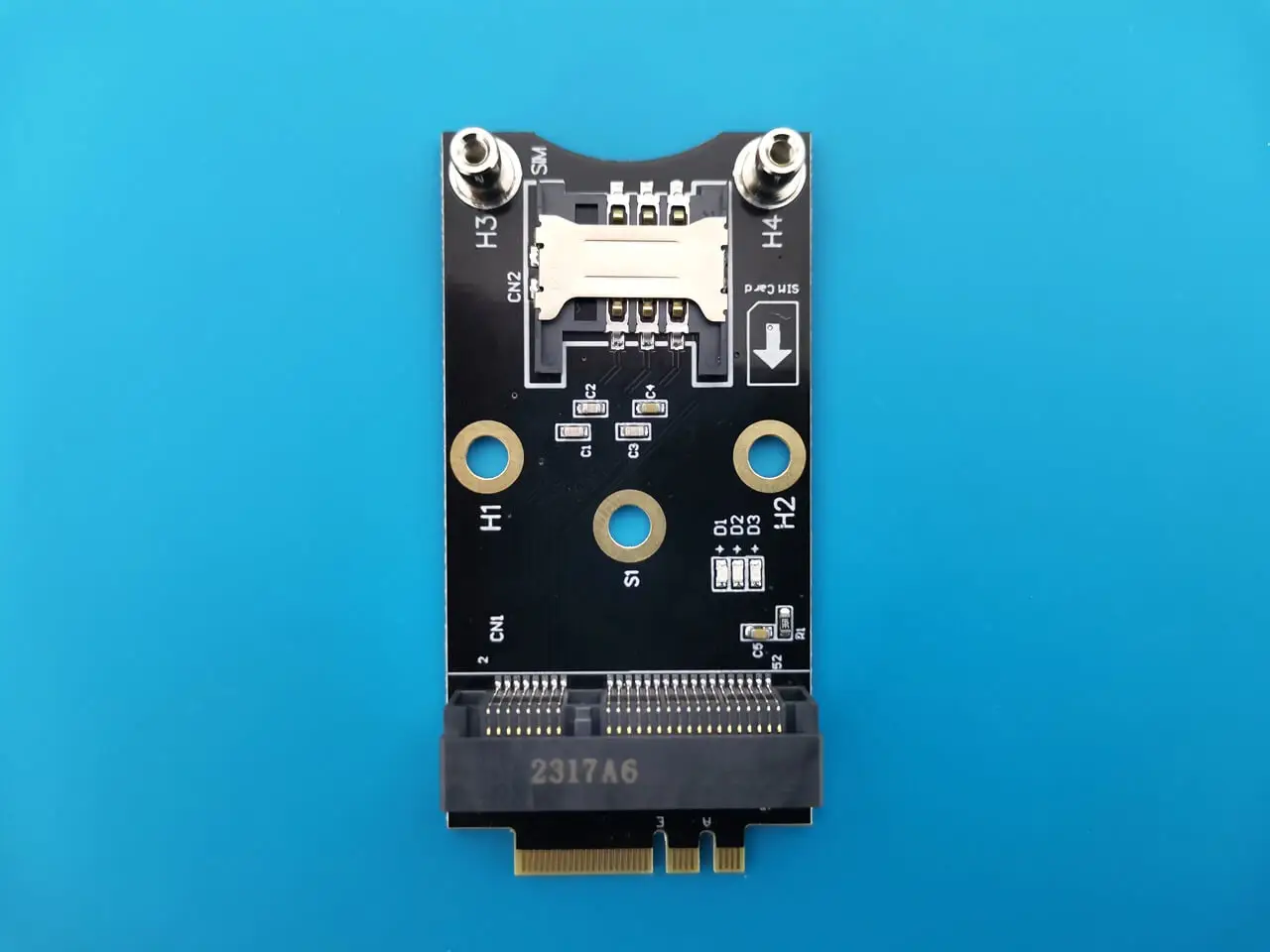
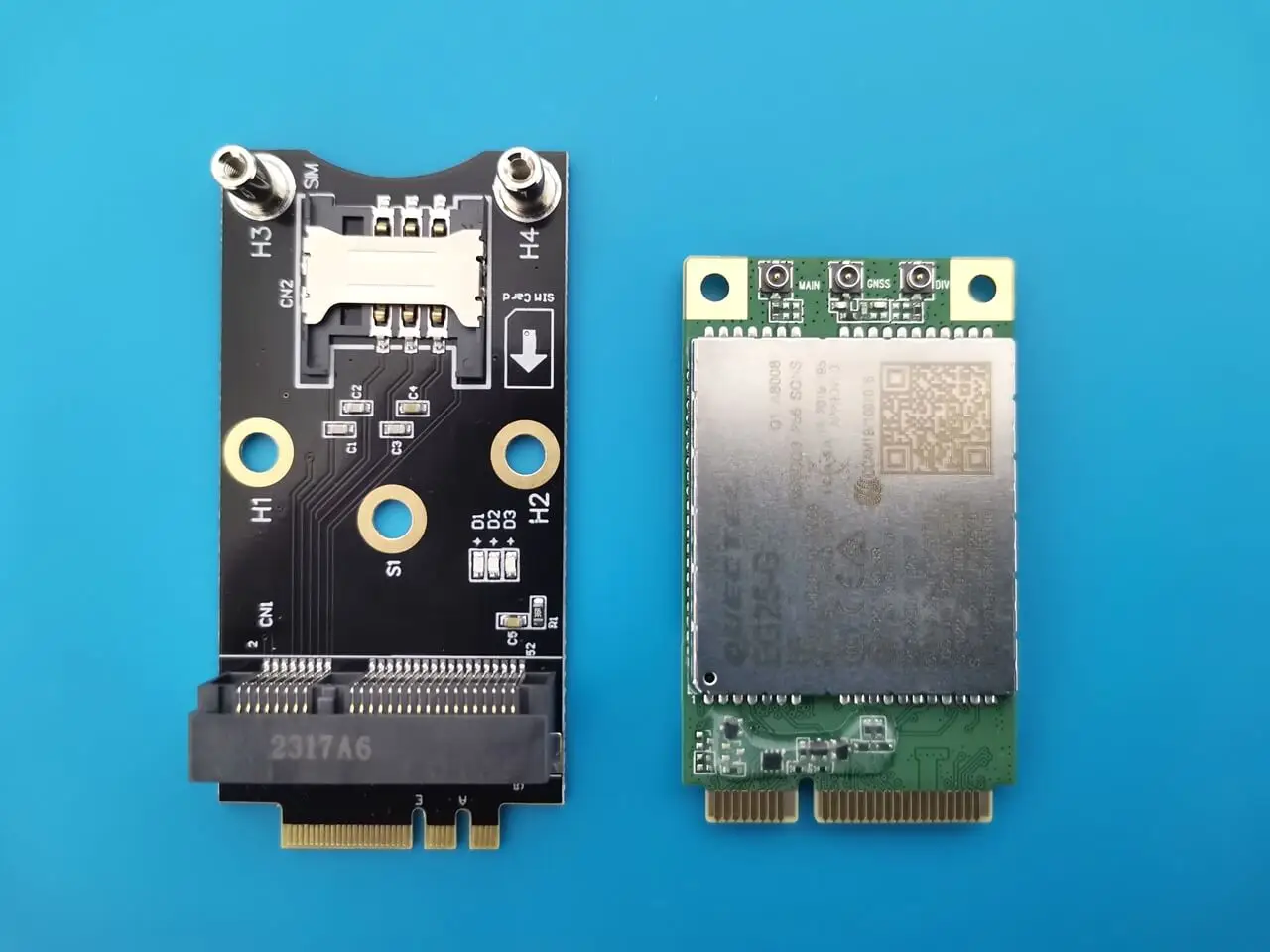
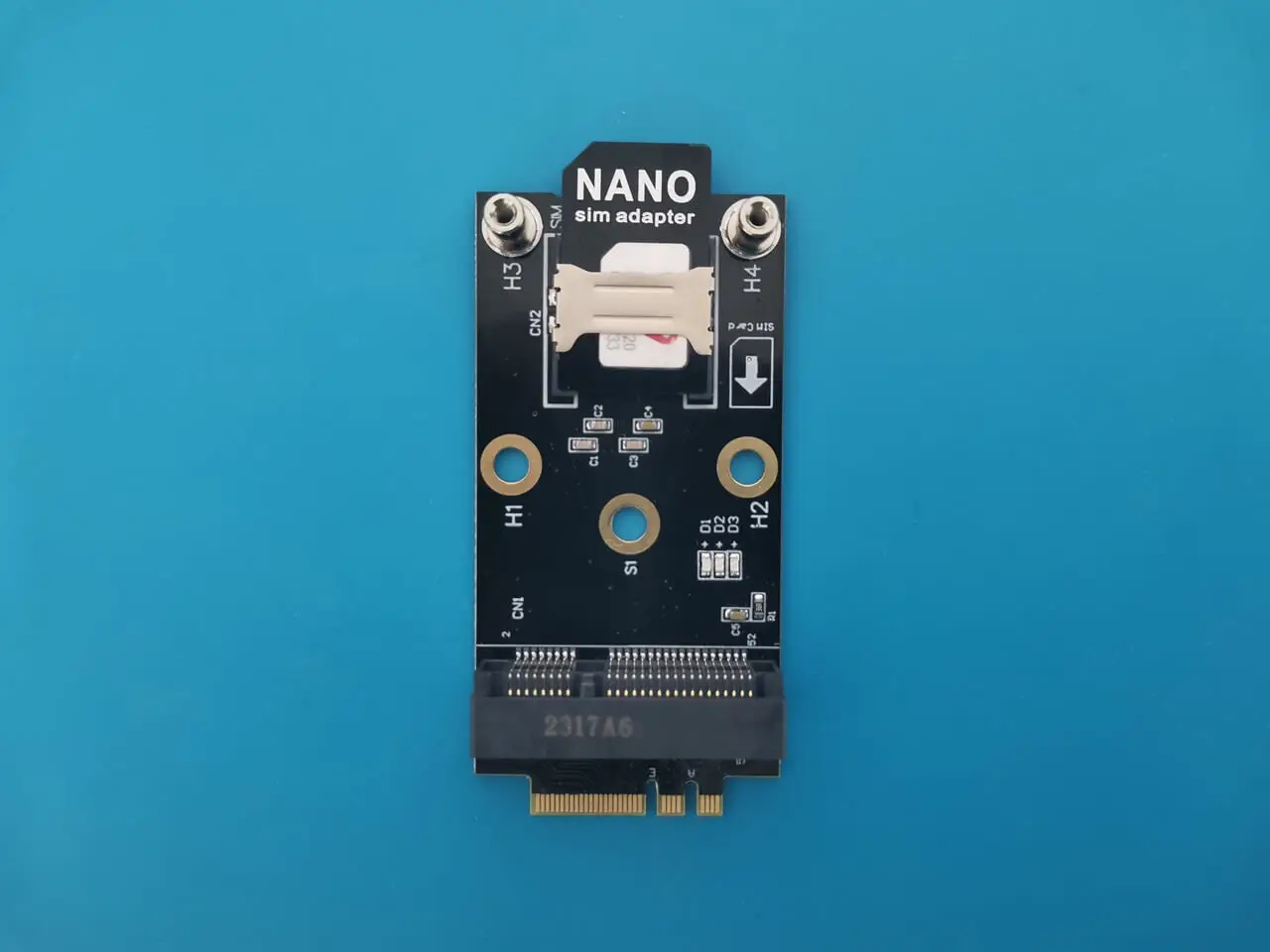
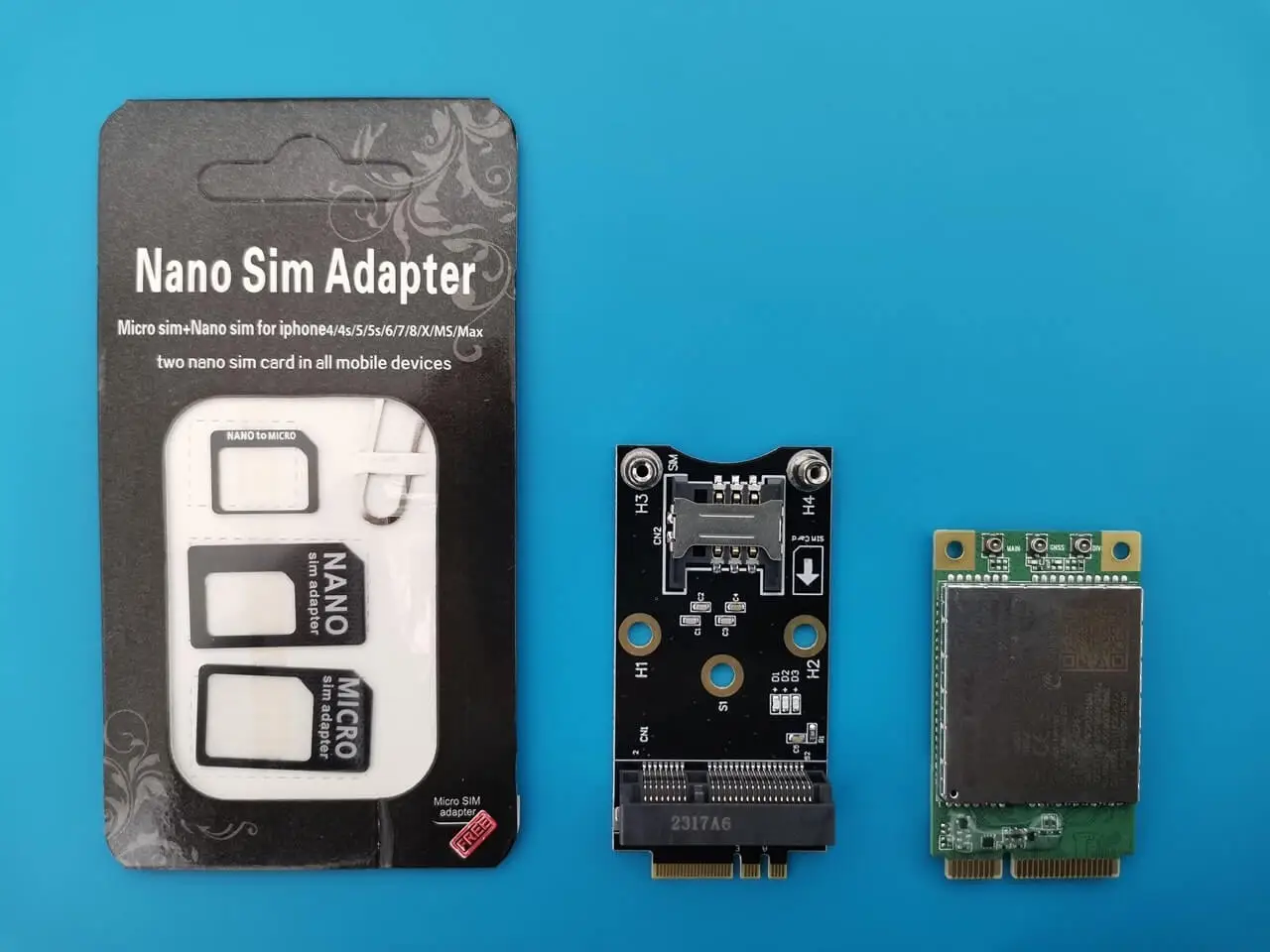
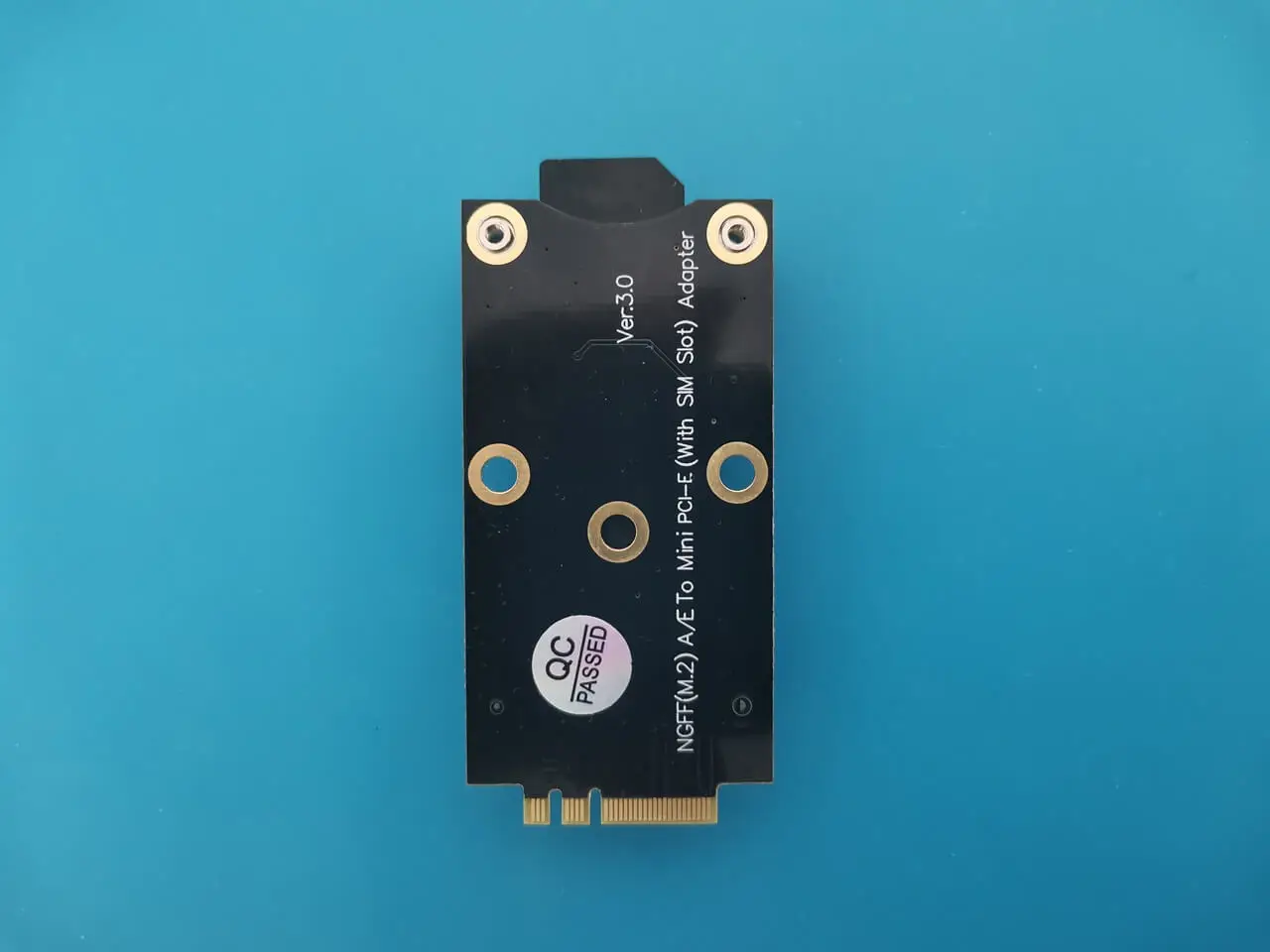
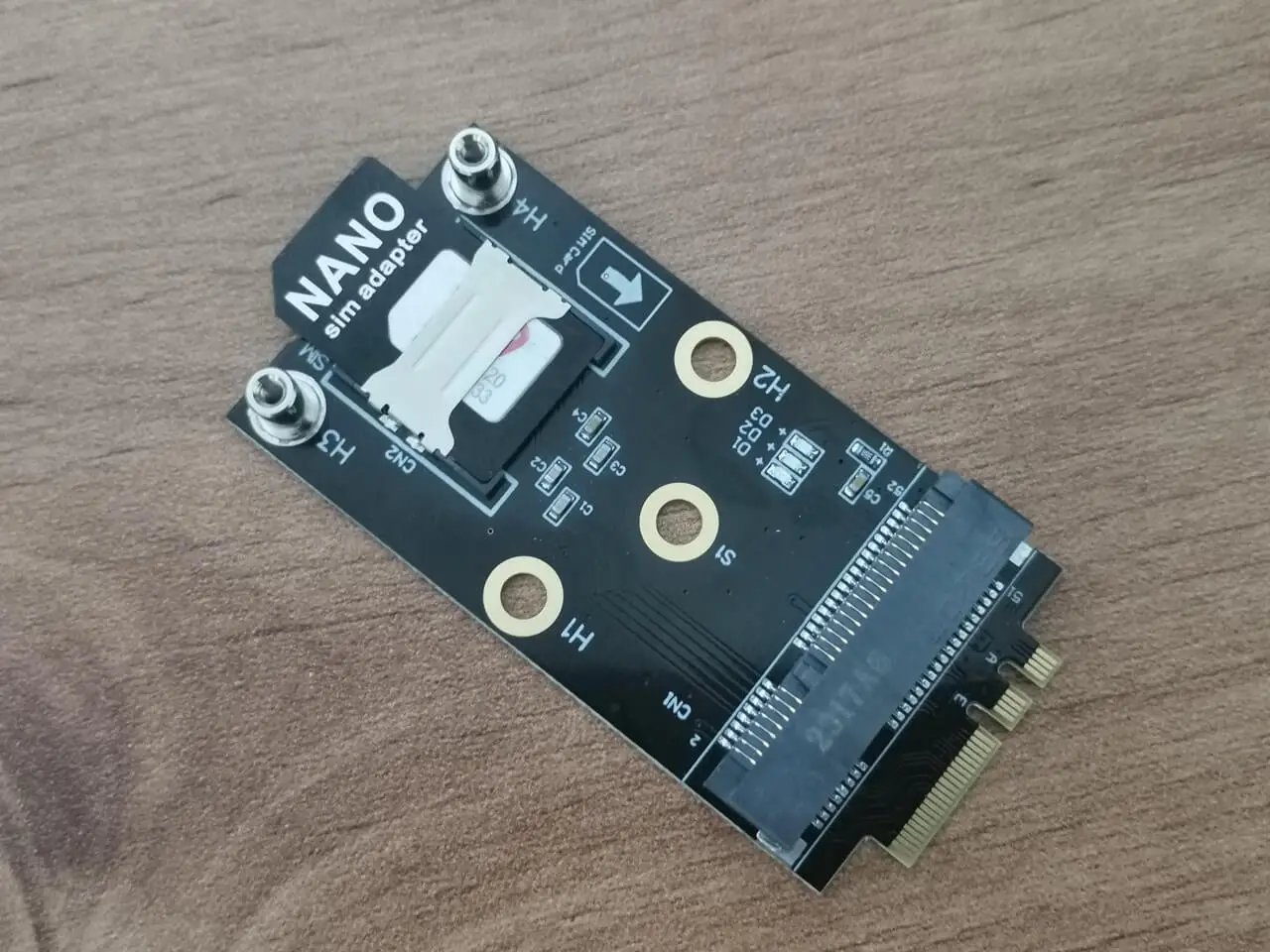
The X1 and R1 boards comes equipped with an M.2 slot, which means you will need a conversion adapter that seamlessly transforms the Modem Mini PCIe card socket to M.2. In addition, don’t forget to purchase antennas to ensure optimal connectivity. It’s important to keep in mind that if you opt for this configuration, you’ll need to design a custom case that perfectly accommodates the board’s dimensions.
The converter board includes an integrated SIM Card slot and includes Nano SIM card adapters kit, allowing you to pick the right size to fit with the converter board SIM socket. For our situation, the most effective solution was to insert the Nano card into the Nano adapter, which resulted in a perfect fit.
In our testing, we only connected to the primary MAIN socket. However, it would be highly beneficial to also establish a connection to the AUX socket by attaching a secondary antenna. This additional step can significantly improve the extent of reception coverage.
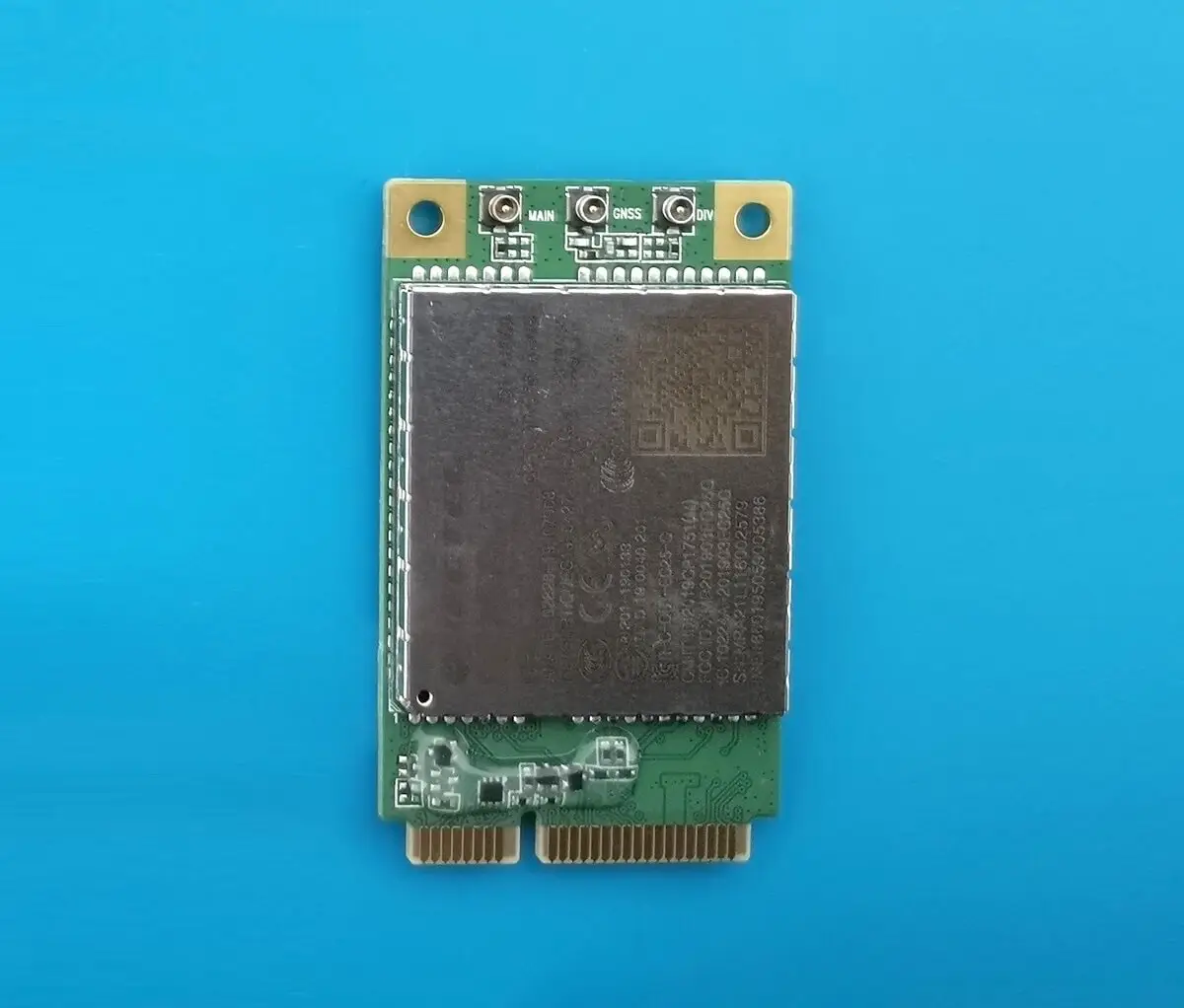
In the photo below, you can see the 4G Mini PCIe modem card with its three antenna sockets: DIV (Diversity), MAIN, and GNSS (GPS).
Youyeetoo Mini PCIe to M.2 converter/adapter.
According to the information provided by the Linux command ifconfig, the 4G LTE Modem card is recognized as the interface wwan0 under Ubuntu OS.
eth0: flags=4099 mtu 1500
ether c6:ce:ce:be:5d:12 txqueuelen 1000 (Ethernet)
RX packets 0 bytes 0 (0.0 B)
RX errors 0 dropped 0 overruns 0 frame 0
TX packets 0 bytes 0 (0.0 B)
TX errors 0 dropped 0 overruns 0 carrier 0 collisions 0
device interrupt 80

lo: flags=73 mtu 65536
inet 127.0.0.1 netmask 255.0.0.0
inet6 ::1 prefixlen 128 scopeid 0x10
loop txqueuelen 1000 (Local Loopback)
RX packets 129 bytes 9394 (9.3 KB)
RX errors 0 dropped 0 overruns 0 frame 0
TX packets 129 bytes 9394 (9.3 KB)
TX errors 0 dropped 0 overruns 0 carrier 0 collisions 0

wwan0: flags=4305 mtu 1430
inet 100.102.216.243 netmask 255.255.255.248 destination 100.102.216.243
inet6 2a02:5080:28e7:7251:3422:6f22:7f0b:75a5 prefixlen 64 scopeid 0x0
unspec 00-00-00-00-00-00-00-00-00-00-00-00-00-00-00-00 txqueuelen 1000 (UNSPEC)
RX packets 84319 bytes 67731648 (67.7 MB)
RX errors 0 dropped 0 overruns 0 frame 0
TX packets 86702 bytes 67789428 (67.7 MB)
TX errors 0 dropped 0 overruns 0 carrier 0 collisions 0
Model Rockchip RK3588S EVB4 LP4X V10 Board Single-Core Score 830 Multi-Core Score 2756 Benchmarking Software Geekbench 6.3.0 Preview Operating System Ubuntu 22.04.4 LTS Model Rockchip RK3588S EVB4 LP4X V10 Board Processor ARM ARMv8 @ 1.80 GHz Processor ID ARM implementer 65 architecture 8 variant 4 part 3339 revision 0 Memory 7.74 GB
youyeetoo R1 (Single-Core Performance Results)
Test result: 830
youyeetoo R1 (Mutli-Core Performance Results)
Test result: 2756
Price and Availability
The Youyeetoo R1 single board computer is available for a starting price of $109 on AliExpress, equipped with 4GB RAM and 32GB flash. However, Youyeetoo offers it directly on their online store (link posted below) for a discounted price of $91.00 using the coupon androidpimp
Keep in mind that shipping costs are higher when buying directly from the company store. However, you can also compare prices by checking out their Amazon store.
For any support or inquiries, please feel free to reach out to Youyeetoo team.
$91.00
$99.00
* Official Website Store *
wpDiscuz
Insert
(function(){var n=document.getElementById("stoc-nav-1");if(!n)return;var sw=n.querySelector(".stoc-darkswitch input");if(!sw)return;var AUTO=n.getAttribute("data-autodark")==="1";var mq=window.matchMedia?window.matchMedia("(prefers-color-scheme: dark)"):null;function gs(){try{return localStorage.getItem("slimtoc_theme");}catch(e){return null;}}function ss(v){try{localStorage.setItem("slimtoc_theme",v);}catch(e){}}function isDark(){var st=gs();if(st==="dark")return true;if(st==="light")return false;return !!(mq&&mq.matches);}function paint(d){var manual=!!gs();n.classList.remove("stoc-dark","stoc-light","stoc-autodark");if(manual){n.classList.add(d?"stoc-dark":"stoc-light");}else if(AUTO){n.classList.add("stoc-autodark");}document.querySelectorAll(".stoc-review").forEach(function(r){r.classList.remove("stoc-dark","stoc-light","stoc-autodark");if(manual){r.classList.add(d?"stoc-dark":"stoc-light");}else if(AUTO){r.classList.add("stoc-autodark");}});sw.checked=d;}paint(isDark());sw.addEventListener("change",function(){var d=sw.checked;ss(d?"dark":"light");paint(d);});if(mq){var f=function(){if(!gs())paint(isDark());};if(mq.addEventListener)mq.addEventListener("change",f);else if(mq.addListener)mq.addListener(f);}})();
( ( dropdownId ) => {
const dropdown = document.getElementById( dropdownId );
function onSelectChange() {
setTimeout( () => {
if ( 'escape' === dropdown.dataset.lastkey ) {
return;
}
if ( dropdown.value && parseInt( dropdown.value ) > 0 && dropdown instanceof HTMLSelectElement ) {
dropdown.parentElement.submit();
}
}, 250 );
}
function onKeyUp( event ) {
if ( 'Escape' === event.key ) {
dropdown.dataset.lastkey = 'escape';
} else {
delete dropdown.dataset.lastkey;
}
}
function onClick() {
delete dropdown.dataset.lastkey;
}
dropdown.addEventListener( 'keyup', onKeyUp );
dropdown.addEventListener( 'click', onClick );
dropdown.addEventListener( 'change', onSelectChange );
})( "cat" );
//# sourceURL=WP_Widget_Categories%3A%3Awidget
var wpData = {"baseUrl":"https://www.androidpimp.com"};
//# sourceURL=metaslider-script-js-extra
https://www.androidpimp.com/wp-content/plugins/ml-slider/assets/metaslider/script.min.js
https://www.androidpimp.com/wp-content/plugins/ml-slider/themes/bubble/v1.0.0/script.js
https://www.androidpimp.com/wp-content/plugins/ml-slider/assets/sliders/responsiveslides/responsiveslides.min.js
var metaslider_1000046319 = function($) {
$('#metaslider_1000046319').responsiveSlides({
timeout:3000,
pager:true,
nav:true,
pause:true,
speed:600,
prevText:"<",
nextText:">",
auto:true
});
$(document).trigger('metaslider/initialized', '#metaslider_1000046319');
};
var timer_metaslider_1000046319 = function() {
var slider = !window.jQuery ? window.setTimeout(timer_metaslider_1000046319, 100) : !jQuery.isReady ? window.setTimeout(timer_metaslider_1000046319, 1) : metaslider_1000046319(window.jQuery);
};
timer_metaslider_1000046319();
//# sourceURL=metaslider-responsive-slider-js-after
jQuery(function(){
var arrLiveStats=[];
var P_PREFIX="wsm";
jQuery(".if-js-closed").removeClass("if-js-closed").addClass("closed");
var wsmFnSiteLiveStats=function(){
jQuery.ajax({
type: "POST",
url: wsm_ajaxObject.ajax_url,
data: { action: 'liveSiteStats', requests: JSON.stringify(arrLiveStats), r: Math.random() }
}).done(function( strResponse ) {
if(strResponse!="No"){
arrResponse=JSON.parse(strResponse);
jQuery.each(arrResponse, function(key,value){
$element= document.getElementById(key);
oldValue=parseInt($element.getAttribute("data-value").replace(/,/g, ""));
diff=parseInt(value.replace(/,/g, ""))-oldValue;
$class="";
if(diff>=0){
diff="+"+diff;
}else{
$class="wmcRedBack";
}
$element.setAttribute("data-value",value);
$element.innerHTML=diff;
jQuery("#"+key).addClass($class).show().siblings(".wsmH2Number").text(value);
if(key=="SiteUserOnline")
{
var onlineUserCnt = arrResponse.wsmSiteUserOnline;
if(jQuery("#wsmSiteUserOnline").length)
{
jQuery("#wsmSiteUserOnline").attr("data-value",onlineUserCnt); jQuery("#wsmSiteUserOnline").next(".wsmH2Number").html("<a target=\"_blank\" href=\"admin.php?page=wsm_traffic&subPage=UsersOnline&subTab=summary\">"+onlineUserCnt+"</a>");
}
}
});
setTimeout(function() {
jQuery(".site_stats_panel .wsmBoxUPDdataTIP").removeClass("wmcRedBack").hide();
}, 1500);
}
});
}
if(arrLiveStats.length>0){
setInterval(wsmFnSiteLiveStats, 10000);
}});
var wcp_ajax = {"ajax_url":"https://www.androidpimp.com/wp-admin/admin-ajax.php","nonce":"abe6c275d1"};
//# sourceURL=wcp-frontend-js-extra
https://www.androidpimp.com/wp-content/plugins/WP%20Coupons%20Pro/assets/js/frontend.js
https://www.androidpimp.com/wp-content/plugins/ultimate-post/assets/js/ultp-youtube-gallery-block.js
var SLIMTOC_FRONT = {"progress":"1","spy":"1","resume":"1","minimap":"","copy":"1","heat":"1","read":"1","pid":"1000044132","nonce":"9cb61a8a86","ajax":"https://www.androidpimp.com/wp-admin/admin-ajax.php","min":"8"};
//# sourceURL=slimtoc-js-extra
https://www.androidpimp.com/wp-content/plugins/slimtoc/assets/js/slimtoc-front.js
var prbAnalyticsData = {"ajaxUrl":"https://www.androidpimp.com/wp-admin/admin-ajax.php","nonce":"42be2b2f8a","subscribeNonce":"c83740500c","settings":{"default_label_color":"#4a6cf7","default_title_color":"#111827","default_button_color":"#000000","utm_source":"myblog","utm_medium":"content","enable_cloaking":false,"enable_utm":false,"enable_weekly_email":false,"exclude_admins":false,"openai_api_key":"","qwen_api_key":"","admin_email":"tzahi.work@gmail.com"},"excludeAdmin":""};
//# sourceURL=prb-analytics-js-extra
https://www.androidpimp.com/wp-content/plugins/product-recommendation-block/js/analytics.js
https://www.androidpimp.com/wp-content/plugins/product-recommendation-block/js/prb-frontend.js
https://www.androidpimp.com/wp-content/plugins/wpdiscuz/assets/third-party/wpdccjs/wpdcc.js
var wpdiscuzEditorOptions = {
modules: {
toolbar: "",
counter: {
uniqueID: "",
commentmaxcount : 0,
replymaxcount : 0,
commentmincount : 1,
replymincount : 1,
},
},
wc_be_the_first_text: "Be the First to Comment!",
wc_comment_join_text: "Join the discussion",
theme: 'snow',
debug: 'error'
};
//# sourceURL=quill-js-before
https://www.androidpimp.com/wp-content/plugins/wpdiscuz/assets/third-party/quill/quill.min.js
https://www.androidpimp.com/wp-content/plugins/wpdiscuz/assets/js/wpd-editor.min.js
https://www.androidpimp.com/wp-content/plugins/wpdiscuz/assets/third-party/autogrow/jquery.autogrowtextarea.min.js
https://www.androidpimp.com/wp-content/plugins/wpdiscuz/assets/js/wpdiscuz.min.js
https://www.androidpimp.com/wp-content/plugins/wpdiscuz/assets/third-party/colorbox/jquery.colorbox.min.js
https://www.androidpimp.com/wp-content/plugins/wpdiscuz/assets/js/wpdiscuz-mu-frontend.min.js
https://www.androidpimp.com/wp-content/plugins/wpdiscuz/assets/third-party/lity/lity.min.js
var wpdiscuzUCObj = {"msgConfirmDeleteComment":"Are you sure you want to delete this comment?","msgConfirmCancelSubscription":"Are you sure you want to cancel this subscription?","msgConfirmCancelFollow":"Are you sure you want to cancel this follow?","additionalTab":"0"};
//# sourceURL=wpdiscuz-user-content-js-js-extra
https://www.androidpimp.com/wp-content/plugins/wpdiscuz/assets/js/wpdiscuz-user-content.min.js
https://www.androidpimp.com/wp-content/themes/smart-mag/js/jquery.mfp-lightbox.js
https://www.androidpimp.com/wp-content/themes/smart-mag/js/jquery.sticky-sidebar.js
var Bunyad = {"ajaxurl":"https://www.androidpimp.com/wp-admin/admin-ajax.php"};
//# sourceURL=smartmag-theme-js-extra
https://www.androidpimp.com/wp-content/themes/smart-mag/js/theme.js
https://www.androidpimp.com/wp-includes/js/comment-reply.min.js
https://www.androidpimp.com/wp-content/plugins/rh-chart/front/front.js
window.wpcVitals={u:"https:\/\/www.androidpimp.com\/wp-admin\/admin-ajax.php?action=wpc_v",t:"63f95f8a89bb4b4e07cae3634ffde497378dbe79",s:1,m:1789977344};
function wpcVSend(e,b,c){try{var u=e.u,f=e.a||"";try{if(f&&localStorage.getItem("wpcVCh")==="a"){u=f;f=""}}catch(x){}if("hidden"===document.visibilityState&&navigator.sendBeacon&&navigator.sendBeacon(u,new Blob([b],{type:c})))return;var p=function(t,d){return fetch(t,{method:"POST",body:d,keepalive:!0,headers:{"Content-Type":c}})};var q=function(){if(f){p(f,b+"&fb=1");try{localStorage.setItem("wpcVCh","a")}catch(x){}}};if(!window.fetch||!f){navigator.sendBeacon?navigator.sendBeacon(u,new Blob([b],{type:c})):window.fetch&&p(u,b);return}p(u,b).then(function(r){r.ok||q()}).catch(q)}catch(x){}}
var webVitals=function(e){"use strict";let t=-1;const n=e=>{addEventListener("pageshow",(n=>{n.persisted&&(t=n.timeStamp,e(n))}),!0)},i=(e,t,n,i)=>{let r,s;return a=>{t.value>=0&&(a||i)&&(s=t.value-(r??0),(s||void 0===r)&&(r=t.value,t.delta=s,t.rating=((e,t)=>e>t[1]?"poor":e>t[0]?"needs-improvement":"good")(t.value,n),e(t)))}},r=e=>{requestAnimationFrame((()=>requestAnimationFrame(e)))},s=()=>{const e=performance.getEntriesByType("navigation")[0];if(e&&e.responseStart>0&&e.responseStart<performance.now())return e},a=()=>s()?.activationStart??0,o=(e,n=-1)=>{const i=s();let r="navigate";return t>=0?r="back-forward-cache":i&&(document.prerendering||a()>0?r="prerender":document.wasDiscarded?r="restore":i.type&&(r=i.type.replace(/_/g,"-"))),{name:e,value:n,rating:"good",delta:0,entries:[],id:`v5-${Date.now()}-${Math.floor(8999999999999*Math.random())+1e12}`,navigationType:r}},c=new WeakMap;function l(e,t){let n=c.get(t);return n||(n=new WeakMap,c.set(t,n)),n.get(e)||n.set(e,new t),n.get(e)}class d{t;i=0;o=[];h(e){if(e.hadRecentInput)return;const t=this.o[0],n=this.o.at(-1);this.i&&t&&n&&e.startTime-n.startTime<1e3&&e.startTime-t.startTime<5e3?(this.i+=e.value,this.o.push(e)):(this.i=e.value,this.o=[e]),this.t?.(e)}}const u=(e,t,n={})=>{try{if(PerformanceObserver.supportedEntryTypes.includes(e)){const i=new PerformanceObserver((e=>{queueMicrotask((()=>{t(e.getEntries())}))}));return i.observe({type:e,buffered:!0,...n}),i}}catch{}},h=e=>{let t=!1;return()=>{t||(e(),t=!0)}};let p=-1;const m=new Set,f=()=>"hidden"!==document.visibilityState||document.prerendering?1/0:0,v=e=>{if("hidden"===document.visibilityState){if("visibilitychange"===e.type)for(const e of m)e();isFinite(p)||(p="visibilitychange"===e.type?e.timeStamp:0,removeEventListener("prerenderingchange",v,!0))}},g=()=>{if(p<0){const e=a(),t=document.prerendering?void 0:globalThis.performance.getEntriesByType("visibility-state").find((t=>"hidden"===t.name&&t.startTime>=e))?.startTime;p=t??f(),addEventListener("visibilitychange",v,!0),addEventListener("prerenderingchange",v,!0),n((()=>{setTimeout((()=>{p=f()}))}))}return{get firstHiddenTime(){return p},onHidden(e){m.add(e)}}},T=e=>{document.prerendering?addEventListener("prerenderingchange",e,!0):e()},b=[1800,3e3],y=(e,t={})=>{T((()=>{const s=g();let c,l=o("FCP");const d=u("paint",(e=>{for(const t of e)"first-contentful-paint"===t.name&&(d.disconnect(),t.startTime<s.firstHiddenTime&&(l.value=Math.max(t.startTime-a(),0),l.entries.push(t),c(!0)))}));d&&(c=i(e,l,b,t.reportAllChanges),n((n=>{l=o("FCP"),c=i(e,l,b,t.reportAllChanges),r((()=>{l.value=performance.now()-n.timeStamp,c(!0)}))})))}))},w=[.1,.25];let C=0,L=1/0,E=0;const M=e=>{for(const t of e)t.interactionId&&(L=Math.min(L,t.interactionId),E=Math.max(E,t.interactionId),C=E?(E-L)/7+1:0)};let S;const P=()=>S?C:performance.interactionCount??0;let I=0;class A{l=[];u=new Map;m;p;v(){I=P(),this.l.length=0,this.u.clear()}T(){const e=Math.min(this.l.length-1,Math.floor((P()-I)/50));return this.l[e]}h(e){if(this.m?.(e),!e.interactionId&&"first-input"!==e.entryType)return;const t=this.l.at(-1);let n=this.u.get(e.interactionId);if(n||this.l.length<10||e.duration>t.L){if(n?e.duration>n.L?(n.entries=[e],n.L=e.duration):e.duration===n.L&&e.startTime===n.entries[0].startTime&&n.entries.push(e):(n={id:e.interactionId,entries:[e],L:e.duration},this.u.set(n.id,n),this.l.push(n)),this.l.sort(((e,t)=>t.L-e.L)),this.l.length>10){const e=this.l.splice(10);for(const t of e)this.u.delete(t.id)}this.p?.(n)}}}const F=e=>{const t=globalThis.requestIdleCallback||setTimeout,n=globalThis.cancelIdleCallback||clearTimeout;if("hidden"===document.visibilityState)e();else{const i=h(e);let r=-1;const s=()=>{n(r),i()};addEventListener("visibilitychange",s,{once:!0,capture:!0}),r=t((()=>{removeEventListener("visibilitychange",s,{capture:!0}),i()}))}},k=[200,500];class B{m;h(e){this.m?.(e)}}const V=[2500,4e3],N=[800,1800],x=e=>{document.prerendering?T((()=>x(e))):"complete"!==document.readyState?addEventListener("load",(()=>x(e)),!0):setTimeout(e)};return e.CLSThresholds=w,e.FCPThresholds=b,e.INPThresholds=k,e.LCPThresholds=V,e.TTFBThresholds=N,e.onCLS=(e,t={})=>{const s=g();y(h((()=>{let a,c=o("CLS",0);const h=l(t,d),p=e=>{for(const t of e)h.h(t);h.i>c.value&&(c.value=h.i,c.entries=h.o,a())},m=u("layout-shift",p);m&&(a=i(e,c,w,t.reportAllChanges),s.onHidden((()=>{p(m.takeRecords()),a(!0)})),n((()=>{h.i=0,c=o("CLS",0),a=i(e,c,w,t.reportAllChanges),r(a)})),setTimeout(a))})))},e.onFCP=y,e.onINP=(e,t={})=>{if(!globalThis.PerformanceEventTiming||!("interactionId"in PerformanceEventTiming.prototype))return;const r=g();T((()=>{"interactionCount"in performance||S||(S=u("event",M,{durationThreshold:0}));let s,a=o("INP");const c=l(t,A),d=e=>{F((()=>{for(const t of e)c.h(t);const t=c.T();t&&t.L!==a.value&&(a.value=t.L,a.entries=t.entries,s())}))},h=u("event",d,{durationThreshold:t.durationThreshold??40});s=i(e,a,k,t.reportAllChanges),h&&(h.observe({type:"first-input",buffered:!0}),r.onHidden((()=>{d(h.takeRecords()),s(!0)})),n((()=>{c.v(),a=o("INP"),s=i(e,a,k,t.reportAllChanges)})))}))},e.onLCP=(e,t={})=>{T((()=>{const s=g();let c,d=o("LCP");const p=l(t,B),m=e=>{t.reportAllChanges||(e=e.slice(-1));for(const t of e)p.h(t),t.startTime<s.firstHiddenTime&&(d.value=Math.max(t.startTime-a(),0),d.entries=[t],c())},f=u("largest-contentful-paint",m);if(f){c=i(e,d,V,t.reportAllChanges);const s=h((()=>{m(f.takeRecords()),f.disconnect(),c(!0)})),a=e=>{e.isTrusted&&(F(s),removeEventListener(e.type,a,{capture:!0}))};for(const e of["keydown","click","visibilitychange"])addEventListener(e,a,{capture:!0});n((n=>{d=o("LCP"),c=i(e,d,V,t.reportAllChanges),r((()=>{d.value=performance.now()-n.timeStamp,c(!0)}))}))}}))},e.onTTFB=(e,t={})=>{let r=o("TTFB"),c=i(e,r,N,t.reportAllChanges);x((()=>{const l=s();l&&(r.value=Math.max(l.responseStart-a(),0),r.entries=[l],c(!0),n((()=>{r=o("TTFB",0),c=i(e,r,N,t.reportAllChanges),c(!0)})))}))},e}({});!function(){"use strict";var e=window.wpcVitals;if(e&&e.u&&e.t&&window.webVitals&&navigator.sendBeacon&&!0!==navigator.webdriver){var t=Number(e.s)||1;if(!(t>1&&Math.random()>=1/t)){var HU=!1;["pointerdown","keydown","touchstart","wheel","scroll","mousemove"].forEach(function(ev){addEventListener(ev,function(){HU=!0},{once:!0,passive:!0,capture:!0})});var n={},i=!1,r=function(e){return function(t){n[e]=t.value}};try{webVitals.onLCP(r("lcp")),webVitals.onCLS(r("cls")),webVitals.onINP(r("inp")),webVitals.onTTFB(r("ttfb")),webVitals.onFCP(r("fcp"))}catch(e){}addEventListener("visibilitychange",(function(){"hidden"===document.visibilityState&&a()}),!0),addEventListener("pagehide",a,!0),addEventListener("pageshow",(function(e){e.persisted&&(i=!1,n={})}),!0)}}function s(){try{var t=function(){try{return performance.getEntriesByType("navigation")[0]||null}catch(e){return null}}();if(t&&t.serverTiming&&t.serverTiming.length){for(var n=0,i=0;i<t.serverTiming.length;i++){var r=t.serverTiming[i];if("wpc-cache"===r.name)return"hit"===r.description?1:0;"wpc-mint"===r.name&&(n=Number(r.description)||0)}if(n>0)return Date.now()/1e3-n>300?1:0}var s=Number(e.m)||0;if(s>0&&Date.now()/1e3-s>300)return 1}catch(e){}return 0}function a(){if(HU&&!i){i=!0;try{var t="v=1&t="+encodeURIComponent(e.t)+(e.b?"&b=1":"")+"&d="+(Math.min(window.innerWidth||1024,window.screen&&screen.width||1024)<768?"m":"d")+"&e="+(r=navigator.userAgent,(/Firefox\//.test(r)?"f":/Chrome\/|Chromium\/|Edg\//.test(r)?"c":/Safari\//.test(r)&&/Version\//.test(r)?"s":"o")+"&h=")+s();null!=n.lcp&&(t+="&lcp="+Math.round(n.lcp)),null!=n.cls&&(t+="&cls="+Math.round(1e3*n.cls)),null!=n.inp&&(t+="&inp="+Math.round(n.inp)),null!=n.ttfb&&(t+="&ttfb="+Math.round(n.ttfb)),null!=n.fcp&&(t+="&fcp="+Math.round(n.fcp)),wpcVSend(e,t,"text/plain")}catch(e){}var r}}}();(function(){try{var e=window.wpcVitals;if(!e||!e.u||!e.t)return;if(navigator.webdriver)return;var t=Number(e.s)||1;if(Math.random()>=1/t)return;var n=window.matchMedia&&matchMedia("(max-width: 767.98px)").matches?"m":"d",i=Number(e.m)||0,r=function(){try{var t=performance.getEntriesByType("navigation")[0];if(t&&t.serverTiming&&t.serverTiming.length){for(var n=0,j=0;j<t.serverTiming.length;j++){var s=t.serverTiming[j];if("wpc-cache"===s.name)return"hit"===s.description?"1":"0";"wpc-mint"===s.name&&(n=Number(s.description)||0)}if(n>0)return Date.now()/1e3-n>300?"1":"0"}}catch(c){}return i&&Math.floor(Date.now()/1e3)-i>300?"1":"0"}(),o="t="+encodeURIComponent(e.t)+(e.b?"&b=1":"")+"&k=p&d="+n+"&h="+r,a=function(){try{wpcVSend(e,o,"application/x-www-form-urlencoded")}catch(c){}};var HU2=!1;["pointerdown","keydown","touchstart","wheel","scroll","mousemove"].forEach(function(ev){addEventListener(ev,function(){HU2=!0},{once:!0,passive:!0,capture:!0})});var s=!1,g=function(){HU2&&(s||(s=!0,a()))},L=function(){setTimeout(g,8e3)};addEventListener("visibilitychange",function(){"hidden"===document.visibilityState&&g()},!0),addEventListener("pagehide",g,!0),"complete"===document.readyState?L():addEventListener("load",L,{once:!0})}catch(c){}})();
(function(){try{if(!window.PerformanceObserver||!localStorage)return;if(window.wpcVitals&&window.wpcVitals.b)return;var e=0,t=function(){try{e>0&&localStorage.setItem("wpcVitalsYou",JSON.stringify({lcp:Math.round(e),t:Math.floor(Date.now()/1e3)}))}catch(n){}};new PerformanceObserver((function(t){var n=t.getEntries();n.length&&(e=n[n.length-1].startTime)})).observe({type:"largest-contentful-paint",buffered:!0}),addEventListener("load",(function(){setTimeout(t,2e3)}),{once:!0}),addEventListener("visibilitychange",(function(){"hidden"===document.visibilityState&&t()}),!0)}catch(n){}})();

 Youyeetoo R1 NVMe 1