
- Review of WonderFox HD Video Converter Factory Pro.
- Maybe you missed it? Redmi Pad Review.
In a world dominated by online video streaming, people still crave offline access and entertainment. Video downloaders like WonderFox HD Video Converter Factory Pro perfectly meet all video downloading needs, and it has a library of features to meet various video-related needs. WonderFox HD Video Converter Factory Pro is a fast video downloader that claims to be able to download videos from platforms such as YouTube, making it a preferred solution for flexible and easy video downloading.
During our testing of the tool, we discovered that WonderFox HD Video Converter Factory Pro performed quite well in downloading online videos. This article aims to deliver a comprehensive review of WonderFox HD Video Converter Factory Pro, covering its features, pricing, and beyond. Let’s dive in!
What is WonderFox HD Video Converter Factory Pro?
WonderFox HD Video Converter Factory Pro is the ultimate all-in-one solution for all your video and audio requirements. As an ultimate video downloader, it focuses on one-click batch downloading of videos, audios, playlists and channels, ensuring amazing download speeds for downloading videos from more than 1,000 sites such as YouTube, Instagram, Facebook, Twitter, etc. What’s even better is that it also doubles up as a video converter, screen recorder, and GIF creator. This means you can convert the video to your preferred format and device or even to GIF after downloading it, and you can also use it to record screen activities with sound, such as calls, gameplay, tutorials, etc.
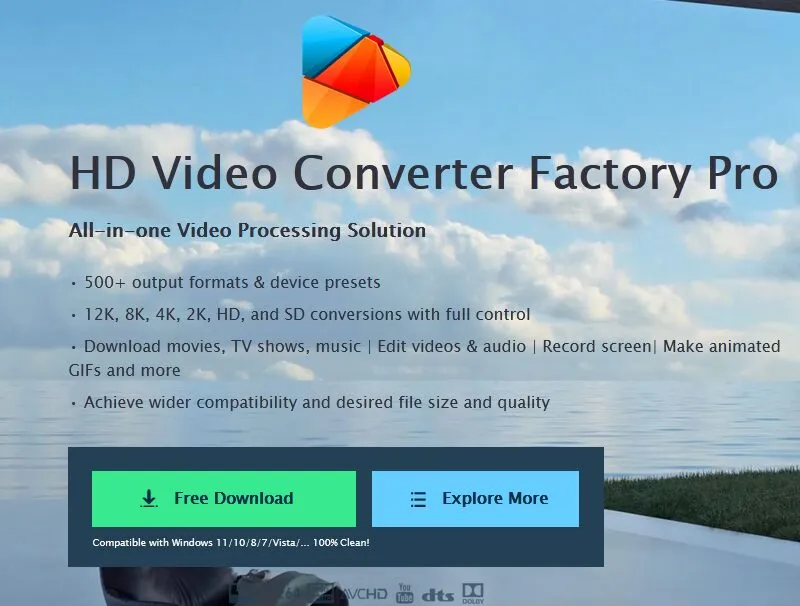
Key features of WonderFox HD Video Converter Factory Pro.
- Download videos and audio from over 1,000 websites.
Unlike basic video downloaders, WonderFox HD Video Converter Factory Pro excels at downloading videos from more than 1,000 websites, such as YouTube, Netflix, Facebook, Vevo, Twitter, Liveleak, Instagram, and many more. Whenever you find a video online and want to watch it offline, all you have to do is copy and paste the URL into WonderFox HD Video Converter Factory Pro. The app will download it in seconds. And you can choose the desired download format and resolution.
- Offers high-definition audio and video quality.
Speaking of video quality, WonderFox HD Video Converter Factory Pro supports high resolutions such as 720p, 1080p, 4K, and 8K, helping you save high-quality and even original movies and videos, giving you a fully immersive viewing experience. In addition, online videos can be downloaded in MP4 format for playback on most devices and platforms.
- Convert any video to 500+ output formats
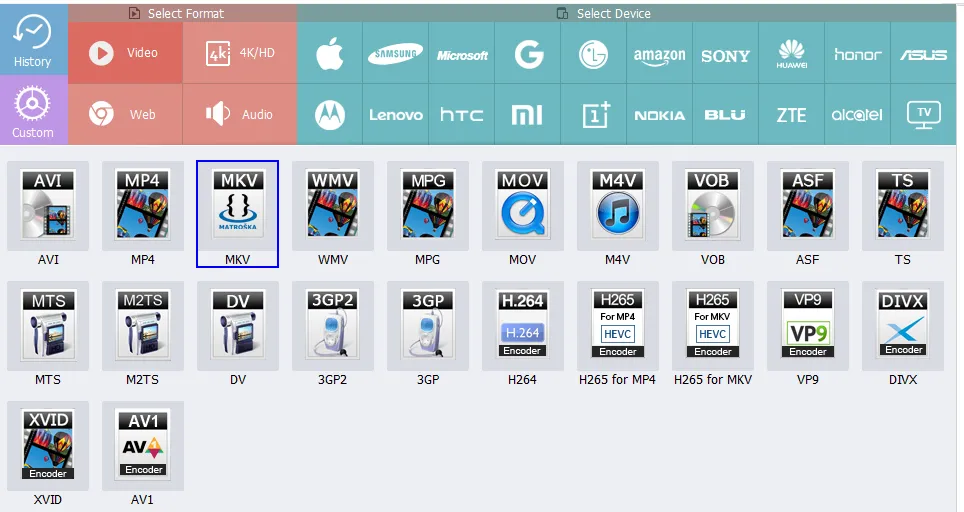
In addition to downloading videos, WonderFox HD Video Converter Factory Pro also converts any audio and video files to more than 500 output formats so that you can transfer them to your devices and enjoy them anytime, anywhere, including WMV, WVI, MKV, MOV, MP4, MPG and other video formats, as well as audio formats such as MP3, DTS, WAV, AAC, AC3, etc.
- Basic video editing is supported.
Another feature worth trying is its basic video editing, which provides convenience for many video creators because they can edit videos at will after downloading them without having to buy and install any additional video editors, such as removing watermarks, adding personalized effects, cutting videos, merging video clips into a collection, etc.
Additional features include:
- Add subtitles as you like.
- Extract audio from videos.
- Convert videos for use on laptops, desktops, tablets, phones, and TVs.
- Capture your screen activity along with audio.
- Create your own 8D music.
- Make animated GIFs from videos and images.
- Supports advanced encoders like H265, H264, and AV1.
How to download YouTube videos using WonderFox HD Video Converter Factory Pro?
- Step 1: After installing the software, first find the video you want to download from the video site.
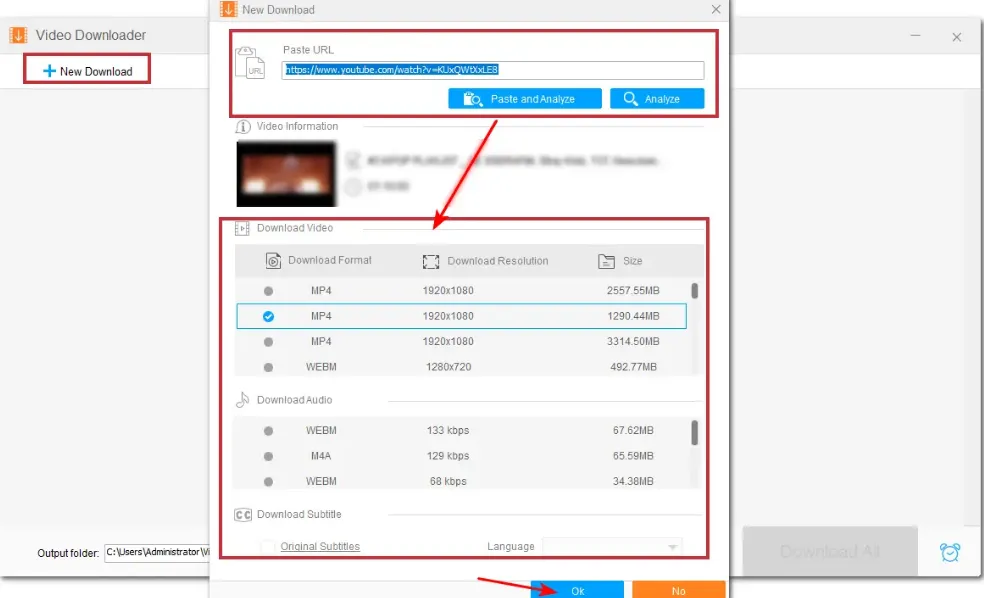
- Step 2: Copy its URL and paste it into WonderFox HD Video Converter Factory Pro, and click “Analyze”.
- Step 3: Once the video is analyzed, a window will pop up, prompting you to select the video format and resolution. Here we choose MP4 and 1080p. Finally, click “OK”.
- Step 4: Once finished, you can click “Download All” to download the videos.
Final Words
In conclusion, WonderFox HD Video Converter Factory Pro emerges as an outstanding video downloading solution. With its extensive features and user-friendly interface, it allows users to effortlessly download a diverse range of online content from over 1,000 websites. The software preserves the original quality up to 8K and facilitates the downloading of YouTube videos, playlists, and channels with ease. For anyone seeking to download a substantial number of online videos efficiently, WonderFox HD Video Converter Factory Pro is the top choice.
Black Friday Deals: Pricing for WonderFox HD Video Converter Factory Pro
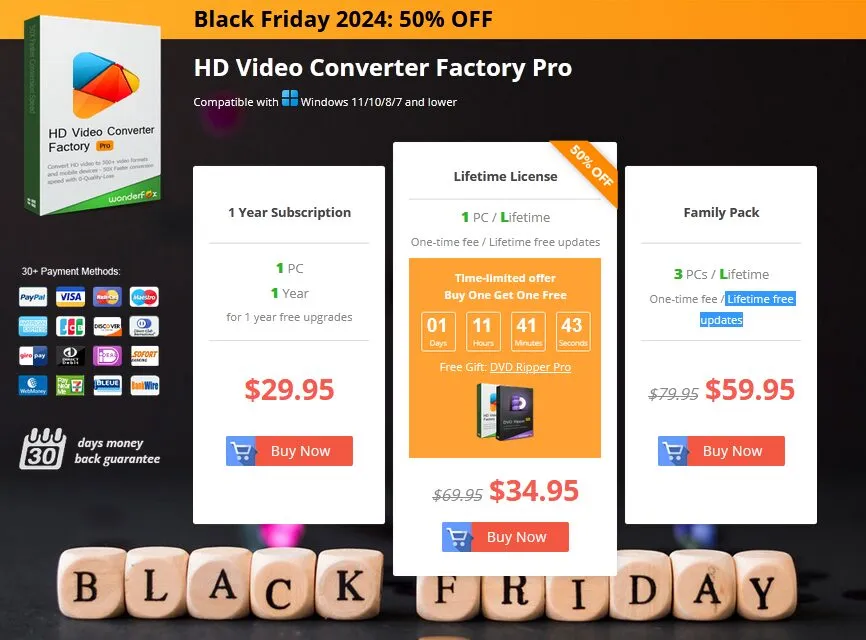
WonderFox HD Video Converter Factory Pro offers a variety of options to suit different budgets. The free version meets essential needs, while the premium upgrade is perfect for advanced users seeking additional features. Choose a pricing plan that best fits your requirements.
- 1-Year Subscription Plan – $29.95: for 1 PC, includes 1 year of free upgrades.
- Lifetime License plan – $34.95 (includes a free DVD Ripper): for 1 PC, with lifetime free updates.
- Family Pack – Just $59.95: Perfect for 3 PCs, includes lifetime free updates!