Close Menu
  • Home
  • About
  • Wearables
  • Earbuds
  • Computer Accessories
    • Routers
    • Remotes
  • Embedded
    • Single Board Computers
    • Addon Boards
    • Raspberry Pi
  • Wireless Routers
  • Contact
Facebook X (Twitter) Instagram Threads
Trending
  • Redmi Turbo 5 Max (2026) unveiled with 9,000mAh battery, specs, price, and design
  • Banana Pi BPI-R4 Pro Review: The Best WiFi 7 OpenWrt Router? We Checked!
  • Redmi Note 15 Review: Built to last, featuring a 200MP camera and handy eSIM support
  • Orange Pi 6 SBC: Why Buy an AI HAT+? This SBC has 45 TOPS of Integrated AI Power
  • CamThink NE301 Review: STM32N6 AI Camera w/ 0.6 TOPS (25 FPS YOLOv8 Local Inference)
  • AliExpress New Promotions: Country-specific Promo Codes
  • Kickpi K7C RK3576 Edge AI SBC Launches with 6 TOPS AI Power & Dual Gigabit Ethernet
  • Raspberry Pi 5 vs Orange Pi 6: Which SBC is Best in 2026?
AndroidPIMP
Facebook X (Twitter) Instagram
  • Home
  • About
  • Wearables
  • Earbuds
  • Computer Accessories
    • Routers
    • Remotes
  • Embedded
    • Single Board Computers
    • Addon Boards
    • Raspberry Pi
  • Wireless Routers
  • Contact
AndroidPIMP
Wireless Routers

Flint 3 (GL-BE9300) Tri-band Wi-Fi 7 Router is out, what to expect!

By androidpimpMay 8, 2025Updated:June 11, 2025No Comments10 Mins Read
Facebook Twitter Pinterest LinkedIn Tumblr Email
Follow Us
Google News Flipboard
Flint 3 WiFi 7 Router
Table of contents
  1. Flint 3 Tri-band Wi-Fi 7 Home Router powered by OpenWrt
  2. Product intro teaser
  3. Overview of Flint 3 (GL-BE9300) WiFi 7 Router
  4. Introduction to WiFi 7 Technology
    1. Advancements in WiFi 7 Speed and Efficiency
    2. Comparison with Previous WiFi Standards
  5. Key Features of Flint 3 (GL-BE9300)
    1. High-Speed Connectivity
    2. Enhanced Security Protocols
  6. Integration with OpenWrt
  7. Benefits of Using OpenWrt with Flint 3
    1. Customization Opportunities
  8. Open-Source Advantages
  9. Key features in a nutshell.
  10. Setting up OpenWrt on the Flint 3 is incredibly straightforward.
    1. Initial Configuration Steps
    2. Mobile Management and Setup
  11. Performance and User Experience
    1. Speed and Latency Improvements
    2. Real-World Testing Results
    3. Impact on Streaming and Gaming
  12. User Interface and Management Tools
    1. 1. Dashboard Features
    2. 2. Remote Access Options
  13. Future Developments and Updates
  14. Planned Firmware Updates
    1. New Features on the Horizon
    2. User Feedback Integration
  15. Expansion of Wi-Fi 7 Capabilities
    1. Upcoming Network Enhancements
  16. Collaborations and Partnerships
  17. Price and Availability
  • Maybe you missed it? OpenWrt Two Announcement.
  • A quick overview and the latest news updates on the Flint 3 (GL-BE9300) WiFi 7 Router.

Flint 3 Tri-band Wi-Fi 7 Home Router powered by OpenWrt

Introducing the Flint 3 (GL-BE9300) Router from GL.iNet, featuring and based on the powerful OpenWrt operating system. This router features Wi-Fi 7 support and aims to improve connectivity with enhanced capabilities. Flint 3 offers possibilities for increased internet speeds, along with the flexibility and customization options provided by OpenWrt, which may benefit streaming, gaming, security, and browsing experiences.

The new Wi-Fi 7 Router offers enhanced speed and aims to provide a better online experience. It is suitable for both homes with multiple devices and busy office networks. This update may reduce buffering and improve overall connectivity.

Flint 3 (GL-BE9300)

Product intro teaser


Overview of Flint 3 (GL-BE9300) WiFi 7 Router

The Flint 3 (GL-BE9300) Wi-Fi 7 Router showcases cutting-edge technology based on open-source principles. With WiFi 7 becoming available, this device is equipped with OpenWrt OS, which may appeal to both tech enthusiasts and general users seeking a good yet affordable router. It aims to provide a reliable internet experience and advancements in wireless communication.


Introduction to WiFi 7 Technology

Advancements in WiFi 7 Speed and Efficiency

WiFi 7 is set to redefine how we interact with the internet. This latest technology comes with remarkable speed and efficiency improvements, elevating the previous limitations witnessed with prior WiFi standards. With the power of WiFi 7, users are expected to experience faster data transfer rates – something that will significantly enhance streaming, gaming, and other bandwidth-intensive activities.

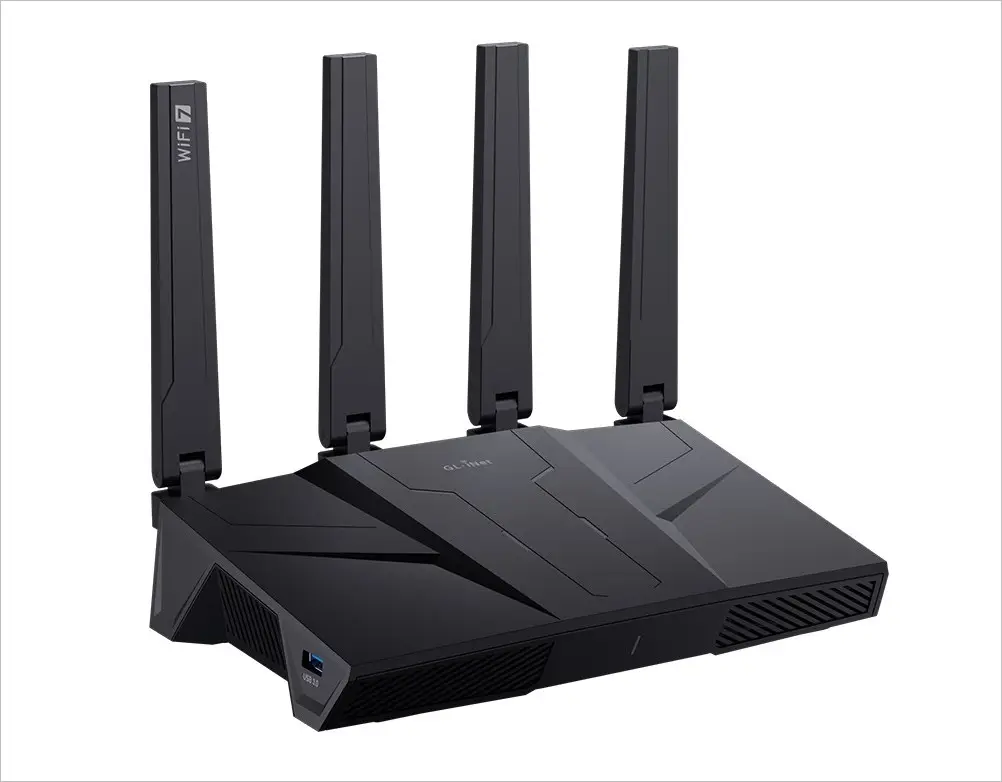
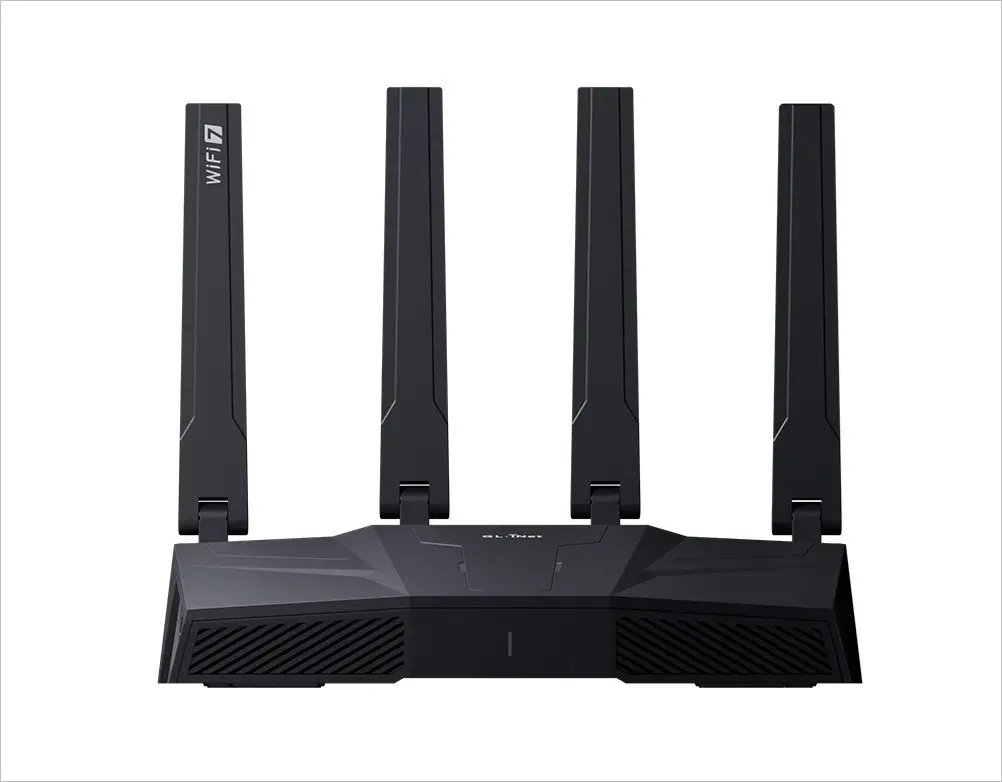
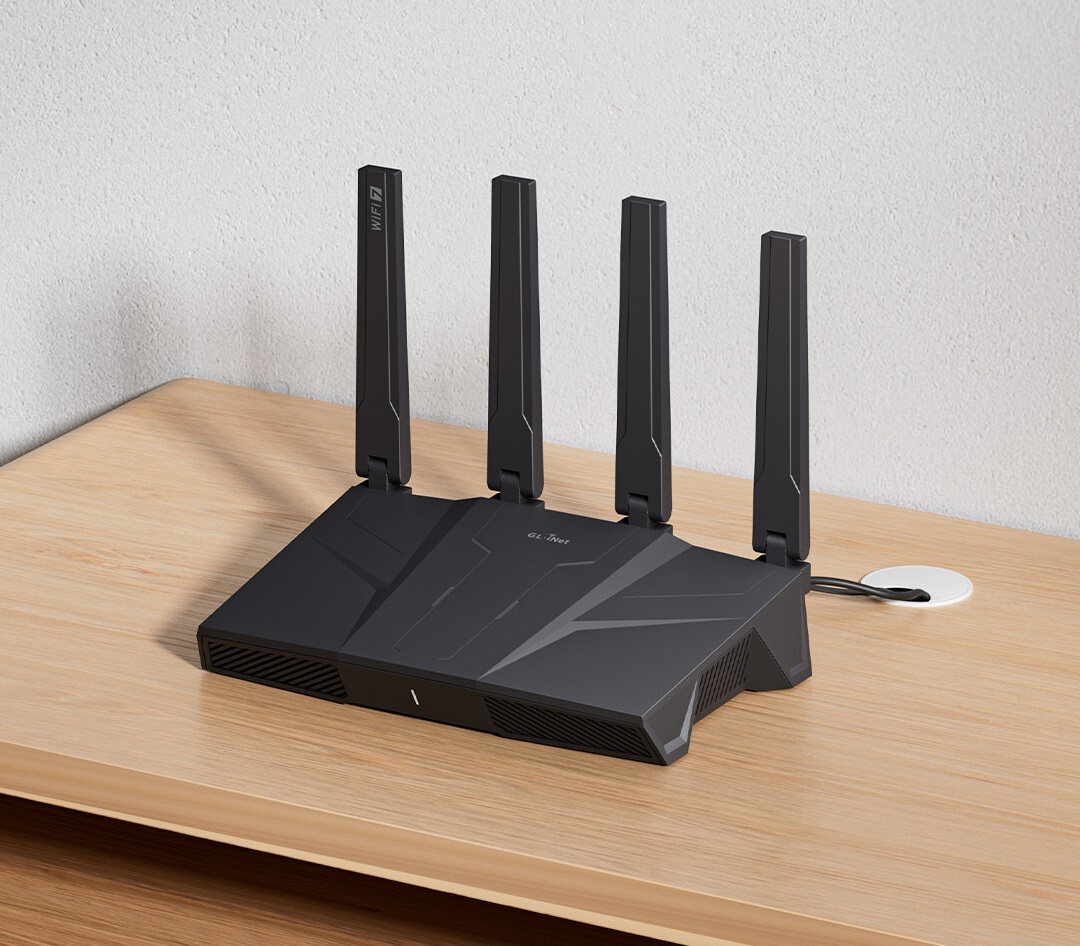
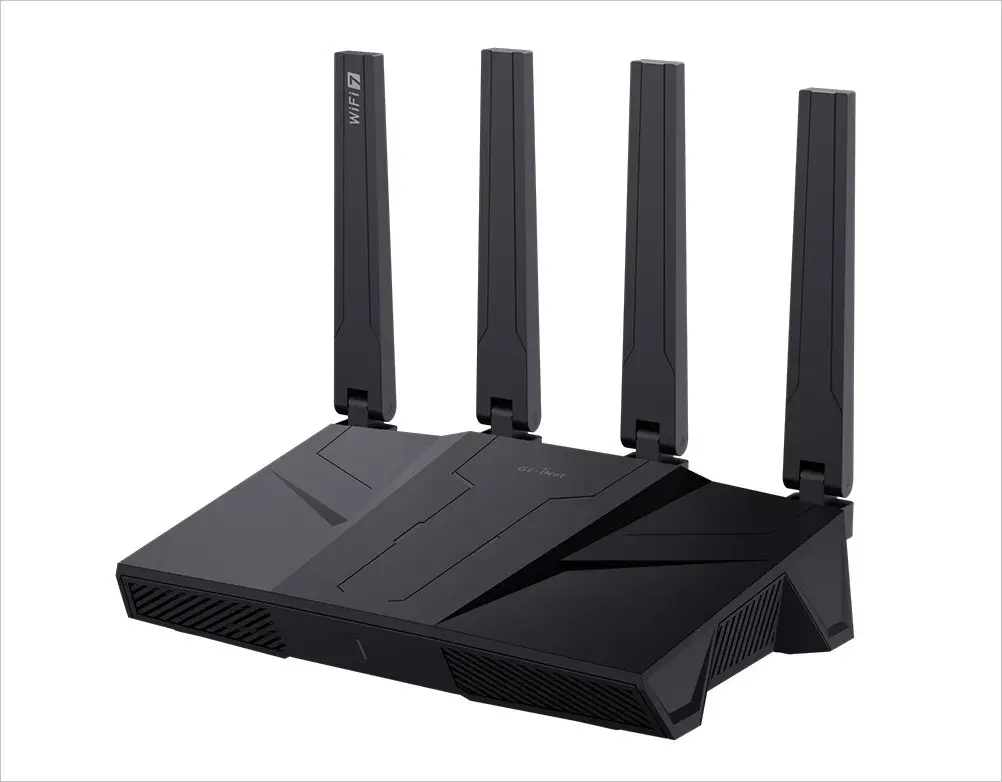
The Flint 3 (GL-BE9300) utilizes advancements in technology to provide high throughput and efficiency, enabling users to benefit from improved capabilities such as fast movie downloads and smooth video conferencing and it features four external antennas.

Comparison with Previous WiFi Standards

A comparison of WiFi 7 with its predecessors reveals significant improvements. WiFi 6 had already made strides in multi-device connectivity and improved speeds, but WiFi 7 takes it further with increased channel width and better utilization of frequency ranges. The Flint 3 (GL-BE9300) supports these upgrades by enhancing the overall user experience with capabilities that ensure minimal interference and better network reliability.

While WiFi 6E introduced access to the 6GHz band, WiFi 7 provides superior modulation techniques, like 4096-QAM. Therefore, the Flint 3 (GL-BE9300) ensures your devices stay faster and more responsive, even with multiple gadgets connected simultaneously. This router not only supports the transition but also becomes a powerhouse performer within homes and workplaces.


Key Features of Flint 3 (GL-BE9300)

High-Speed Connectivity

The Flint 3 (GL-BE9300) router is synonymous with high-speed connectivity. With the integration of Wi-Fi 7, this device excels at delivering lightning-fast internet access. Whether you’re uploading massive files to the cloud or streaming 8K videos, the Flint 3 ensures smooth performance through its robust hardware capabilities and cutting-edge technology.

Users can enjoy lag-free gaming and stutter-free video streaming, thanks to the improved data rates and expanded bandwidth.

Enhanced Security Protocols

Security continues to be a top concern for many internet users, and the Flint 3 (GL-BE9300) addresses this head-on. Equipped with enhanced security protocols, this router not only provides speed but also ensures a safe browsing environment.

With advanced features like WPA3 encryption, the device secures your network against common threats and cyberattacks, keeping your data and devices protected. Additionally, its compatibility with OpenWrt furthers the security layer by offering customizable options suited for specific user needs, creating a fortress of digital safety around your network.

Integration with OpenWrt

The integration of OpenWrt with this Wi-Fi 7 Router represents a significant stride in modern network solutions. This powerful pairing ensures that users enjoy not just robust connectivity, but also unparalleled customization options and improved control over their network environments. Let’s delve into the myriad benefits this integration brings.

Benefits of Using OpenWrt with Flint 3

Customization Opportunities

OpenWrt allows for extensive customization of the router. It empowers users to tailor their network settings to meet specific requirements and optimize performance according to unique needs. Imagine the possibilities:

  • Enhanced Network Control: Tailor your network rules, prioritize traffic, and even set up isolated connections to better manage data flow.
  • Feature-Rich Environment: Benefit from features that are not typically available with conventional firmware, such as an advanced firewall, VLANs, and more.
  • Community-Driven Development: Leverage the active OpenWrt community’s contributions, where developers frequently release plugins and updates to meet emerging network challenges.

Open-Source Advantages

The open-source nature of OpenWrt shines brightly when paired with Flint 3:

  • Transparency: OpenWrt’s code is publicly available, meaning users can inspect, modify, and verify it without hidden agendas.
  • Security: Regular updates and patches are provided by a dedicated community, ensuring that the router remains secure against new threats.
  • Freedom and Flexibility: Users are free from vendor locking, meaning they can customize and upgrade their setup beyond the manufacturer’s defaults.

These aspects make the Flint 3 with OpenWrt not just a router but a comprehensive solution that evolves with your connectivity and security needs.


Key features in a nutshell.

  • CPU: Qualcomm Quad-core, @1.5GHz
  • RAM & Storage: DDR4 1GB / eMMC 8GB
  • OpenWrt Pre-installed.
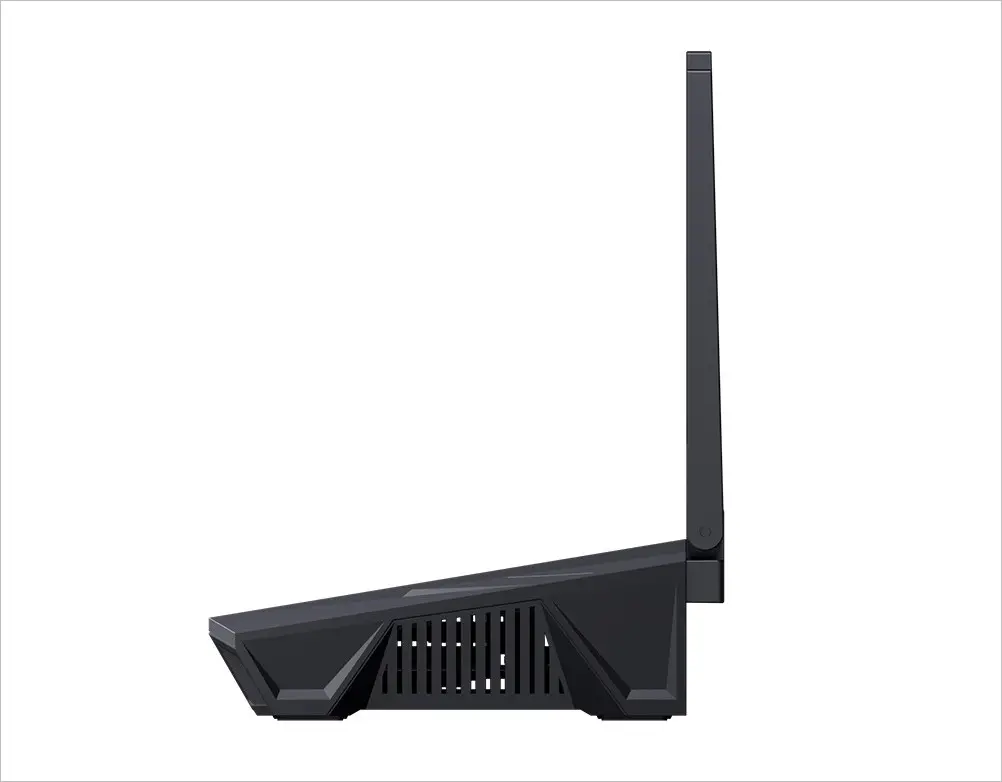
  • 4 x Foldable External Wi-Fi Antennas
  • 1 x USB 3.0 port.
  • Wi-Fi 7 Technology: Supports Multi-Link Operation (MLO) for enhanced stability and reduced interference.
  • Tri-Band Connectivity: Operates on 2.4GHz (688 Mbps), 5GHz (2882 Mbps), and 6GHz (5765 Mbps).
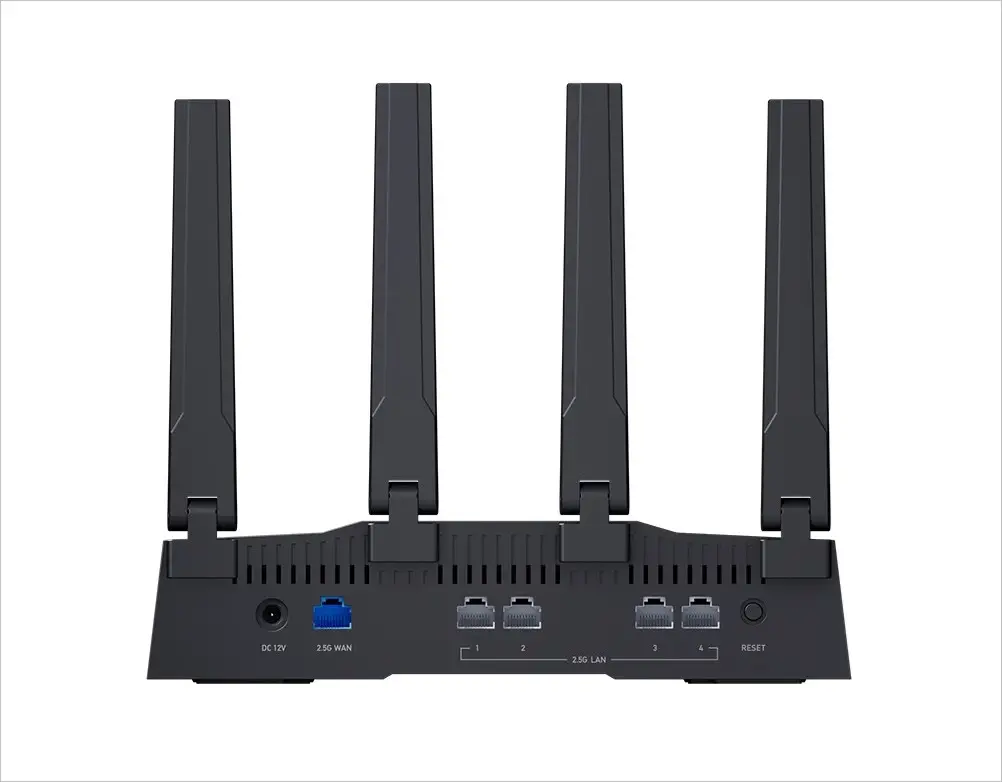
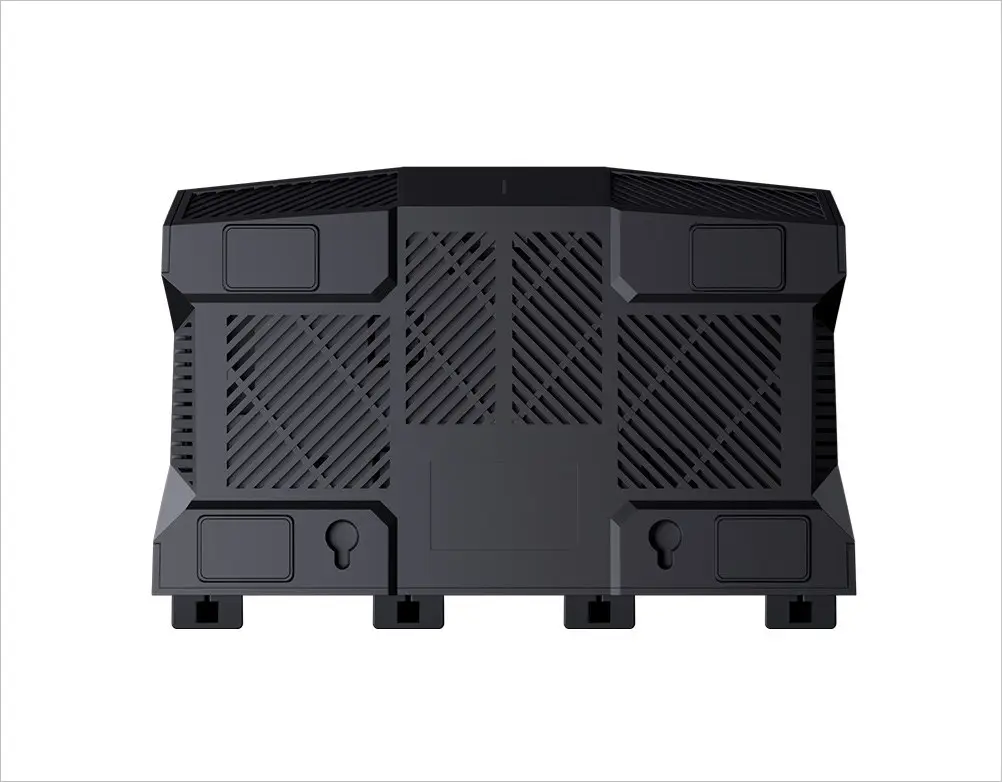
  • High-Speed Wired Connections: Comes with five 2.5G Ethernet ports, including four LAN ports supporting 10Gbps aggregation.
  • VPN Support: Compatible with 30+ VPN services, including OpenVPN (up to 142 Mbps) and WireGuard (up to 644 Mbps).
  • Advanced Security & Parental Controls: Features AdGuard Home for ad-blocking and parental controls.
  • Multi-WAN Failover: Supports dual WAN design for load balancing and failover.
  • Storage & Memory: Equipped with 1GB DDR4 RAM and 8GB eMMC flash storage.

Setting up OpenWrt on the Flint 3 is incredibly straightforward.

Setting up OpenWrt on the Flint 3 involves a series of steps for effective network management. Here’s a breakdown of the setup process.

Initial Configuration Steps

  • Preparation: Obtain the latest stable OpenWrt firmware version designed specifically for the Flint 3.
  • Flashing the Firmware: Access the Flint 3 router interface, upload the OpenWrt firmware file, and initiate the flash process. Patience is key, as it might take a few minutes.
  • Basic Setup: Once the flash is completed, connect to the router’s administrative interface through a web browser, usually at 192.168.1.1, and begin the basic configuration.
  • Secure Your Network: Set strong administrative credentials and configure wireless security settings to ensure your network is protected from unauthorized access.

Mobile Management and Setup

Adopting OpenWrt on Flint 3 provides users with control and flexibility over network functions through a dedicated mobile app designed especially for the router. The setup process is relatively straightforward, but it may require some technical adjustments to optimize performance and features.


Performance and User Experience

The Flint 3 (GL-BE9300) WiFi 7 Router focuses on performance and user experience, contributing to current connectivity solutions. As high-speed internet becomes increasingly important for activities such as streaming, gaming, and remote work, this router is designed to deliver reliable performance. This discussion will examine how the device manages speed and latency, as well as the interface it offers.

Speed and Latency Improvements

The introduction of the Flint 3 WiFi 7 Router marks a significant upgrade in both speed and latency, catering to the demands of today’s digital environments.

Real-World Testing Results

In real-world tests, the Flint 3 demonstrated notable improvements. It provided reliable internet connections in environments with multiple connected devices. Users reported fewer interruptions and achieved increased download and upload speeds. These changes may contribute to smoother video calls, quicker file transfers, and a more efficient online experience.

Impact on Streaming and Gaming

The Flint 3 Router provides significant bandwidth, which can reduce buffering and lag for users. It is suitable for streaming shows in ultra-HD and for gaming, aiming to support these high-demand applications effectively.


User Interface and Management Tools

Apart from performance, the user interface and management tools of the Flint 3 Router ensure that users enjoy easy and intuitive control over their network settings.

1. Dashboard Features

The dashboard capabilities of the Flint 3 are crafted for optimal user convenience. They offer a transparent picture of network performance, empowering users to effortlessly manage connected devices, track bandwidth usage, and configure settings smoothly. With a user-friendly interface that eliminates complex technical hurdles, network management becomes accessible to all.

2. Remote Access Options

A key highlight of the Flint 3 Router is its exceptional remote access capabilities. This innovative feature enables users to monitor and manage their network from far away, offering reassurance while they’re away from home. It’s especially advantageous for frequent travelers or those with remote networking requirements, allowing them to make adjustments and oversee their network from nearly any location.🌍.

The Router provides a high-performance and user-friendly experience that meets the needs of contemporary internet users. It addresses speed optimization, supports streaming and gaming, and offers simplified network management, making it a noteworthy option in the current digital landscape.

Future Developments and Updates

As technology continues to evolve, the Flint 3 (GL-BE9300) WiFi 7 Router is poised to embrace remarkable changes that promise enhanced performance and usability. These developments are set to not only improve the router’s capabilities but also shape the future of home and business networking.

Planned Firmware Updates

Ongoing improvements and updates to router firmware ensure that devices remain efficient and secure. The router plans to bring out a host of exciting new features via firmware updates.

New Features on the Horizon

New features are always an exciting topic for tech enthusiasts. The router plans to introduce cutting-edge functionalities that leverage the latest in WiFi technology. These enhancements might include improved network management tools, more robust security layers, and smarter automation settings.

Additionally, the firmware updates could integrate AI-driven analytics that empower users with insightful data on network performance and provide suggestions for optimization. This promises to push the envelope on what home routers can achieve.

User Feedback Integration

User feedback is pivotal in the development process of any tech device. The Flint 3 router team aims to actively incorporate feedback from users to ensure that new updates align with real-world needs.

By gathering and analyzing user experiences, future firmware iterations will likely focus on user-friendly features that resolve the pain points often reported in current setups. This approach not only strengthens the router’s market relevance but also fortifies user trust in the brand.


Expansion of Wi-Fi 7 Capabilities

The full potential of Wi-Fi 7 is yet to be realized. With its promise of lightning-fast speeds and seamless connectivity, expectations are high. The Flint 3 router enhances Wi-Fi 7 capabilities.

Upcoming Network Enhancements

To maximize Wi-Fi 7, continuous network improvements are essential. These developments might include refined beamforming techniques, enhanced multi-device synchronization, and support for a broader spectrum of IoT devices.

The intention is to make home and office networks more robust, reducing latency and providing unprecedented upload and download speeds.


Collaborations and Partnerships

To drive innovation forward, collaborating with top technology companies and partnering with networking experts is essential. GL.iNet company team is committed to cultivating these alliances, guaranteeing that their routers remain at the cutting edge of the latest technological developments.

Participating in collaborative initiatives can lead to the creation of tailored applications for niche markets, such as improved gaming profiles or specialized streaming packages, ultimately enriching the user experience in specific and impactful ways.


Price and Availability

Pre-orders for the Flint 3 are open now, but stock is limited. Here’s the pricing information:

  • Super Early Bird: $119.00
  • Early Bird: $229.90
  • Pre-order: $229.90

Shipping is anticipated to start in July 2025. For further details, please check their website.

Share. Facebook Twitter Pinterest LinkedIn Tumblr Email
Previous ArticleXiaomi 16 Ultra/Pro Series Aim to overtake Apple with New Design and Upgrades
Next Article Orange Pi Neo Linux Gaming handheld console powered by AMD Ryzen / Rockchip is coming soon!
androidpimp
  • Website

Related Posts

Redmi AX5400 Gaming Router Review

Redmi AX5400 Gaming Router Review – Top WiFi 6 Router on Steroids

December 14, 2024
Xiaomi Router AX3000T

How to install OpenWrt on Xiaomi AX3000T Router (A Quick Guide)

March 14, 2024
Top Wi Fi 7 Routers

The Best Wi-Fi 7 Routers in 2023/4 [Expert advice]

October 6, 2023
0 0 votes
Article Rating
Subscribe
Notify of
0 Comments
Oldest
Newest Most Voted
Inline Feedbacks
View all comments
PureVPN
PureVPN Ad Banner
VyprVPN – No. 1 in Anonymity
Vyprvpn 350x260
PrivadoVPN – No. 1 in Parental Control
PrivadoVPN 350x437
Recent Posts
  • Redmi Turbo 5 Max (2026) unveiled with 9,000mAh battery, specs, price, and design
  • Banana Pi BPI-R4 Pro Review: The Best WiFi 7 OpenWrt Router? We Checked!
  • Redmi Note 15 Review: Built to last, featuring a 200MP camera and handy eSIM support
  • Orange Pi 6 SBC: Why Buy an AI HAT+? This SBC has 45 TOPS of Integrated AI Power
  • CamThink NE301 Review: STM32N6 AI Camera w/ 0.6 TOPS (25 FPS YOLOv8 Local Inference)
  • AliExpress New Promotions: Country-specific Promo Codes
  • Kickpi K7C RK3576 Edge AI SBC Launches with 6 TOPS AI Power & Dual Gigabit Ethernet
  • Raspberry Pi 5 vs Orange Pi 6: Which SBC is Best in 2026?
  • Ugoos SK4 Review (2025): The Best Mid-Range Android TV Box for Value & Features
  • Orange Pi 6 Plus Review: A 12-Core SBC Powerhouse (Benchmarks, Specs, and Pricing)
RSS The Latest RSS Feeds
  • Redmi Turbo 5 Max (2026) unveiled with 9,000mAh battery, specs, price, and design
  • Banana Pi BPI-R4 Pro Review: The Best WiFi 7 OpenWrt Router? We Checked!
  • Redmi Note 15 Review: Built to last, featuring a 200MP camera and handy eSIM support
Facebook X (Twitter) Instagram Pinterest
@2026 - All Right Reserved. Designed by AndroidPIMP

Type above and press Enter to search. Press Esc to cancel.

Accessibility
Accessibility modes
Epilepsy Safe Mode
Dampens color and removes blinks
This mode enables people with epilepsy to use the website safely by eliminating the risk of seizures that result from flashing or blinking animations and risky color combinations.
Visually Impaired Mode
Improves website's visuals
This mode adjusts the website for the convenience of users with visual impairments such as Degrading Eyesight, Tunnel Vision, Cataract, Glaucoma, and others.
Cognitive Disability Mode
Helps to focus on specific content
This mode provides different assistive options to help users with cognitive impairments such as Dyslexia, Autism, CVA, and others, to focus on the essential elements of the website more easily.
ADHD Friendly Mode
Reduces distractions and improve focus
This mode helps users with ADHD and Neurodevelopmental disorders to read, browse, and focus on the main website elements more easily while significantly reducing distractions.
Blindness Mode
Allows using the site with your screen-reader
This mode configures the website to be compatible with screen-readers such as JAWS, NVDA, VoiceOver, and TalkBack. A screen-reader is software for blind users that is installed on a computer and smartphone, and websites must be compatible with it.
Readable Experience
Content Scaling
Default
Text Magnifier
Readable Font
Dyslexia Friendly
Highlight Titles
Highlight Links
Font Sizing
Default
Letter Spacing
Default
Left Aligned
Center Aligned
Right Aligned
Visually Pleasing Experience
Dark Contrast
Light Contrast
Monochrome
High Contrast
High Saturation
Low Saturation
Adjust Text Colors
Adjust Title Colors
Adjust Background Colors
Easy Orientation
Mute Sounds
Hide Images
Hide Emoji
Reading Guide
Stop Animations
Reading Mask
Highlight Hover
Highlight Focus
Big Dark Cursor
Big Light Cursor
Cognitive Reading
Virtual Keyboard
Navigation Keys
Voice Navigation

AndroidPIMP

Accessibility Statement

  • AndroidPIMP.com
  • 10/18/2025

Compliance status

We believe the internet should be open and accessible to everyone, and we’re dedicated to making our website usable for the widest audience possible, no matter their circumstances or abilities.

To achieve this, we follow the World Wide Web Consortium’s (W3C) Web Content Accessibility Guidelines 2.1 (WCAG 2.1) at the AA level as closely as possible. These guidelines outline how to make web content accessible for people with a variety of disabilities. By complying with them, we help ensure our website is usable by everyone, including those who are blind, have motor or visual impairments, cognitive disabilities, and more.

This website uses a range of technologies to stay accessible at all times. An accessibility interface lets people with specific disabilities customize the site’s UI and design to fit their personal needs.

The website also uses an AI-powered application that works in the background to constantly enhance its accessibility. This app fixes the site’s HTML, adjusts its features and behavior for screen readers used by blind users, and optimizes keyboard functions for people with motor impairments.

If you’ve found a malfunction or have ideas for improvement, we’ll be happy to hear from you. You can reach out to the website’s operators by using the following email [email protected]

Screen-reader and keyboard navigation

Our website implements the ARIA attributes (Accessible Rich Internet Applications) technique, alongside various different behavioral changes, to ensure blind users visiting with screen-readers are able to read, comprehend, and enjoy the website’s functions. As soon as a user with a screen-reader enters your site, they immediately receive a prompt to enter the Screen-Reader Profile so they can browse and operate your site effectively. Here’s how our website covers some of the most important screen-reader requirements, alongside console screenshots of code examples:

  1. Screen-reader optimization: we run a background process that learns the website’s components from top to bottom, to ensure ongoing compliance even when updating the website. In this process, we provide screen-readers with meaningful data using the ARIA set of attributes. For example, we provide accurate form labels; descriptions for actionable icons (social media icons, search icons, cart icons, etc.); validation guidance for form inputs; element roles such as buttons, menus, modal dialogues (popups), and others. Additionally, the background process scans all the website’s images and provides an accurate and meaningful image-object-recognition-based description as an ALT (alternate text) tag for images that are not described. It will also extract texts that are embedded within the image, using an OCR (optical character recognition) technology. To turn on screen-reader adjustments at any time, users need only to press the Alt+1 keyboard combination. Screen-reader users also get automatic announcements to turn the Screen-reader mode on as soon as they enter the website.

    These adjustments are compatible with all popular screen readers, including JAWS and NVDA.

  2. Keyboard navigation optimization: The background process also adjusts the website’s HTML, and adds various behaviors using JavaScript code to make the website operable by the keyboard. This includes the ability to navigate the website using the Tab and Shift+Tab keys, operate dropdowns with the arrow keys, close them with Esc, trigger buttons and links using the Enter key, navigate between radio and checkbox elements using the arrow keys, and fill them in with the Spacebar or Enter key.Additionally, keyboard users will find quick-navigation and content-skip menus, available at any time by clicking Alt+1, or as the first elements of the site while navigating with the keyboard. The background process also handles triggered popups by moving the keyboard focus towards them as soon as they appear, and not allow the focus drift outside it.

    Users can also use shortcuts such as “M” (menus), “H” (headings), “F” (forms), “B” (buttons), and “G” (graphics) to jump to specific elements.

Disability profiles supported in our website

  • Epilepsy Safe Mode: this profile enables people with epilepsy to use the website safely by eliminating the risk of seizures that result from flashing or blinking animations and risky color combinations.
  • Visually Impaired Mode: this mode adjusts the website for the convenience of users with visual impairments such as Degrading Eyesight, Tunnel Vision, Cataract, Glaucoma, and others.
  • Cognitive Disability Mode: this mode provides different assistive options to help users with cognitive impairments such as Dyslexia, Autism, CVA, and others, to focus on the essential elements of the website more easily.
  • ADHD Friendly Mode: this mode helps users with ADHD and Neurodevelopmental disorders to read, browse, and focus on the main website elements more easily while significantly reducing distractions.
  • Blindness Mode: this mode configures the website to be compatible with screen-readers such as JAWS, NVDA, VoiceOver, and TalkBack. A screen-reader is software for blind users that is installed on a computer and smartphone, and websites must be compatible with it.
  • Keyboard Navigation Profile (Motor-Impaired): this profile enables motor-impaired persons to operate the website using the keyboard Tab, Shift+Tab, and the Enter keys. Users can also use shortcuts such as “M” (menus), “H” (headings), “F” (forms), “B” (buttons), and “G” (graphics) to jump to specific elements.

Additional UI, design, and readability adjustments

  1. Font adjustments – users, can increase and decrease its size, change its family (type), adjust the spacing, alignment, line height, and more.
  2. Color adjustments – users can select various color contrast profiles such as light, dark, inverted, and monochrome. Additionally, users can swap color schemes of titles, texts, and backgrounds, with over seven different coloring options.
  3. Animations – person with epilepsy can stop all running animations with the click of a button. Animations controlled by the interface include videos, GIFs, and CSS flashing transitions.
  4. Content highlighting – users can choose to emphasize important elements such as links and titles. They can also choose to highlight focused or hovered elements only.
  5. Audio muting – users with hearing devices may experience headaches or other issues due to automatic audio playing. This option lets users mute the entire website instantly.
  6. Cognitive disorders – we utilize a search engine that is linked to Wikipedia and Wiktionary, allowing people with cognitive disorders to decipher meanings of phrases, initials, slang, and others.
  7. Additional functions – we provide users the option to change cursor color and size, use a printing mode, enable a virtual keyboard, and many other functions.

Browser and assistive technology compatibility

We aim to support the widest array of browsers and assistive technologies as possible, so our users can choose the best fitting tools for them, with as few limitations as possible. Therefore, we have worked very hard to be able to support all major systems that comprise over 95% of the user market share including Google Chrome, Mozilla Firefox, Apple Safari, Opera and Microsoft Edge, JAWS and NVDA (screen readers).

Notes, comments, and feedback

Despite our very best efforts to allow anybody to adjust the website to their needs. There may still be pages or sections that are not fully accessible, are in the process of becoming accessible, or are lacking an adequate technological solution to make them accessible. Still, we are continually improving our accessibility, adding, updating and improving its options and features, and developing and adopting new technologies. All this is meant to reach the optimal level of accessibility, following technological advancements. For any assistance, please reach out to [email protected]

wpDiscuz