Close Menu
  • Home
  • About
  • Wearables
  • Earbuds
  • Computer Accessories
    • Routers
    • Remotes
  • Embedded
    • Single Board Computers
    • Addon Boards
    • Raspberry Pi
  • Wireless Routers
  • Contact
Facebook X (Twitter) Instagram Threads
Trending
  • RiiTek RK807 Pro Review: The Best Budget Apple Magic Keyboard Alternative?
  • RiiTek RK808 Review: The Best Foldable Travel Keyboard?
  • Rii RS201 Review: $69 16-Inch Portable Monitor Tested
  • AliExpress Promo Codes: August 2026 (100% Verified)
  • Orange Pi 6 Review: Is It Suitable for Running Local LLMs? We Checked.
  • Youyeetoo NestDisk Mini PC/Router: Is This Pocket-Sized 3-in-1 NAS Worth It?
  • DFRobot Unveils seeMote Cube: A 6DoF Physical Controller for Apple Vision Pro
  • Orange Pi X2 Mini PC Is Officially in the Works – Here’s What We Know
AndroidPIMP
Facebook X (Twitter) Instagram
  • Home
  • About
  • Wearables
  • Earbuds
  • Computer Accessories
    • Routers
    • Remotes
  • Embedded
    • Single Board Computers
    • Addon Boards
    • Raspberry Pi
  • Wireless Routers
  • Contact
AndroidPIMP
Embedded Computers

Banana Pi BPI-R3 Mini Review: A Tiny & Fast 2.5GbE router board

By androidpimpDecember 2, 2023Updated:October 13, 20253 Comments21 Mins Read
Facebook Twitter Pinterest LinkedIn Tumblr Email
Follow Us
Google News Flipboard
Table of contents
  1. Part I: Banana Pi BPI-R3 Mini – Features and introduction
  2. Highlights
  3. Banana Pi BPI-R3 Mini (Eng. sample test)
  4. Hardware Interfaces & Layout
  5. Practical Applications
  6. Cybersecurity
    1. Portable router
  7. Hardware and Software Compatibility
  8. Part II: Banana Pi R3 Mini review
  9. Unboxing all items (Before being assembled).
  10. Included packages:
  11. Let’s take a closer look at the board.
  12. Case design
  13. Exhaust fan
  14. A Closer Look
  15. Dive deeper into the internals of the case (Grey Color Edition)
  16. Metal Case (White background photos)
    1. Board & Metal Case
  17. Assembling all the items together.
  18. Operation
  19. Hardware
    1. Checking Available system resources
    2. CPU Information
    3. Finding all storage devices
    4. More detailed information about the storage devices
  20. Banana Pi BPI-R3 Mini specifications
  21. Banana Pi BPI-R3 vs. Banana Pi BPI-R3 Mini
  22. Software
  23. Burning the OpenWrt image
  24. Installing an NVMe SSD
  25. Checking the M.2 NVMe SSD Performance
  26. Benchmarking NVMe Using hdparm
  27. Connectivity
  28. iPerf Throughput test (Wired connection)
  29. iPerf Throughput test (Wireless connection)
  30. 5G & 4G LTE Ready
  31. Banana Pi R3 Mini: Review Summary
  32. Price and Availability
    1. BPI-R3 Mini Router Board
    2. BPI-R3 Mini Router Board

Case design

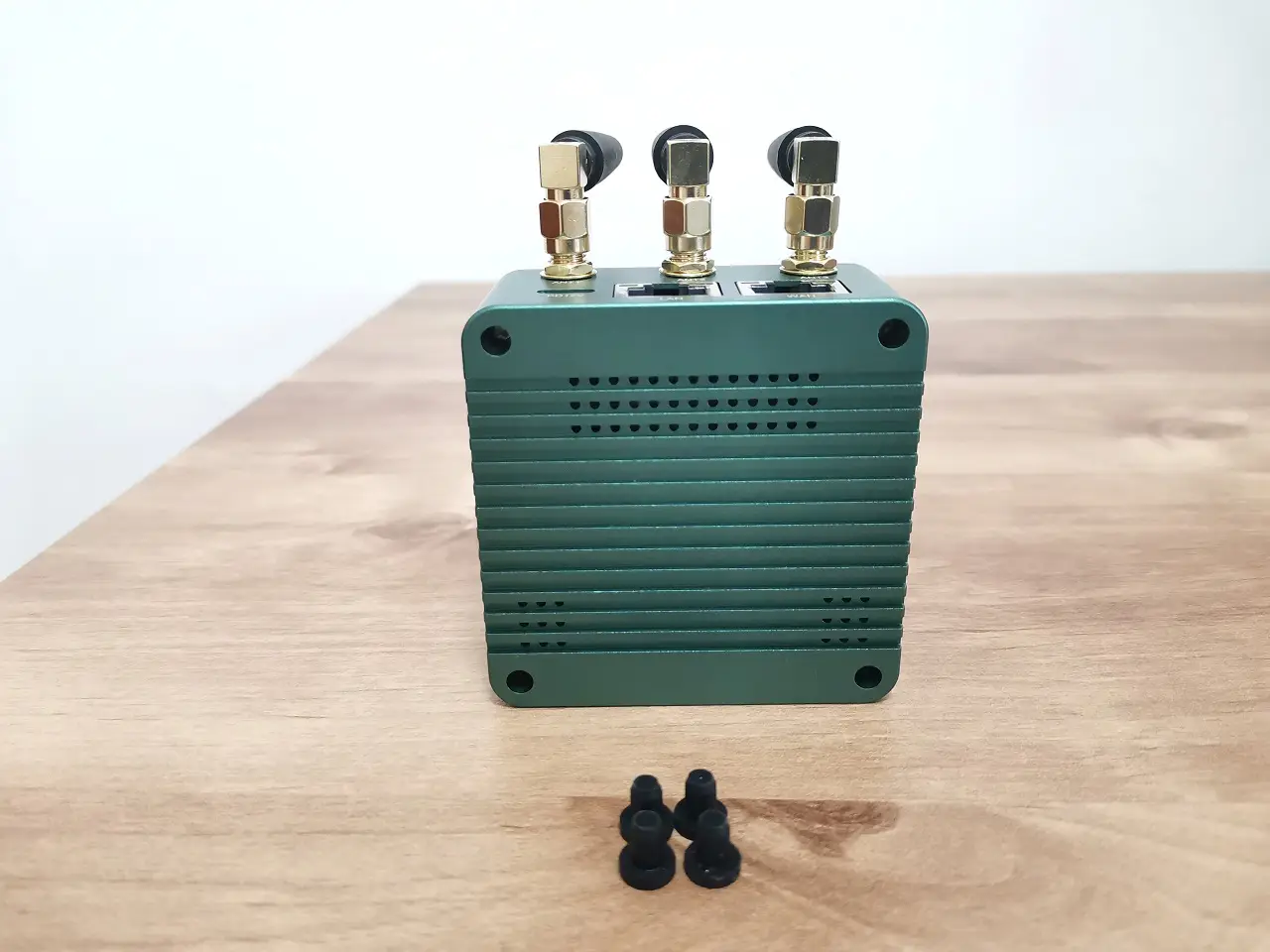
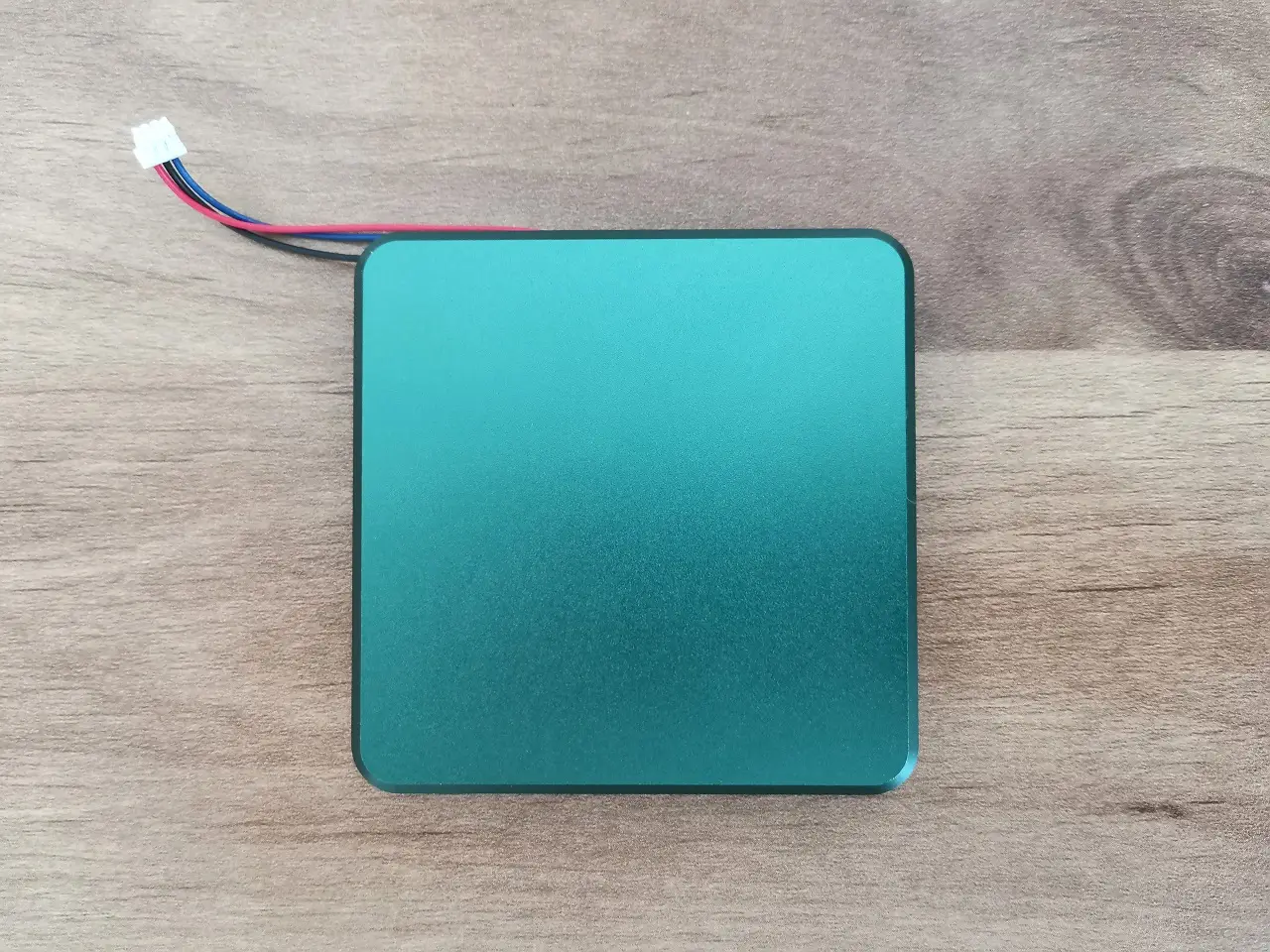
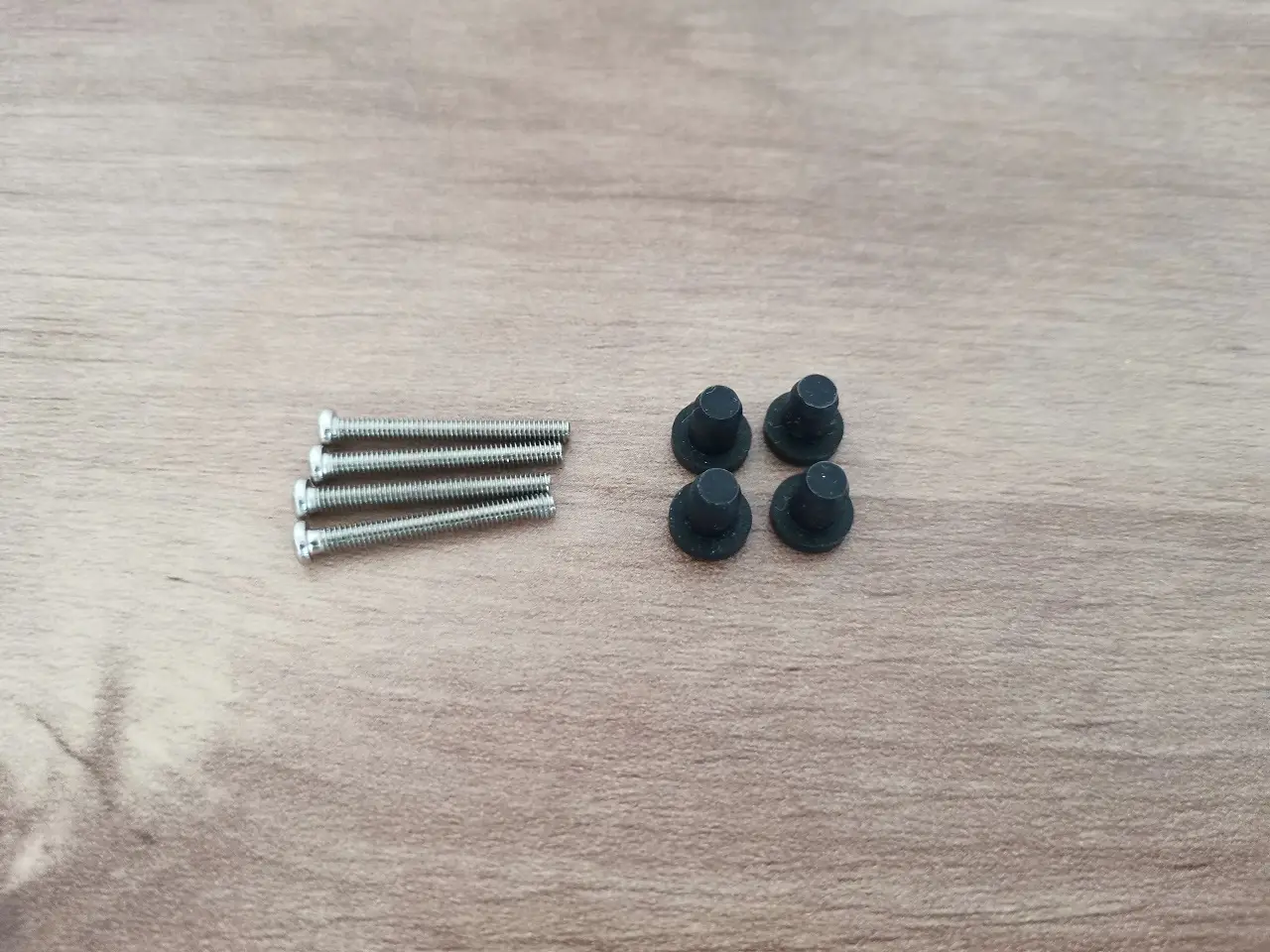
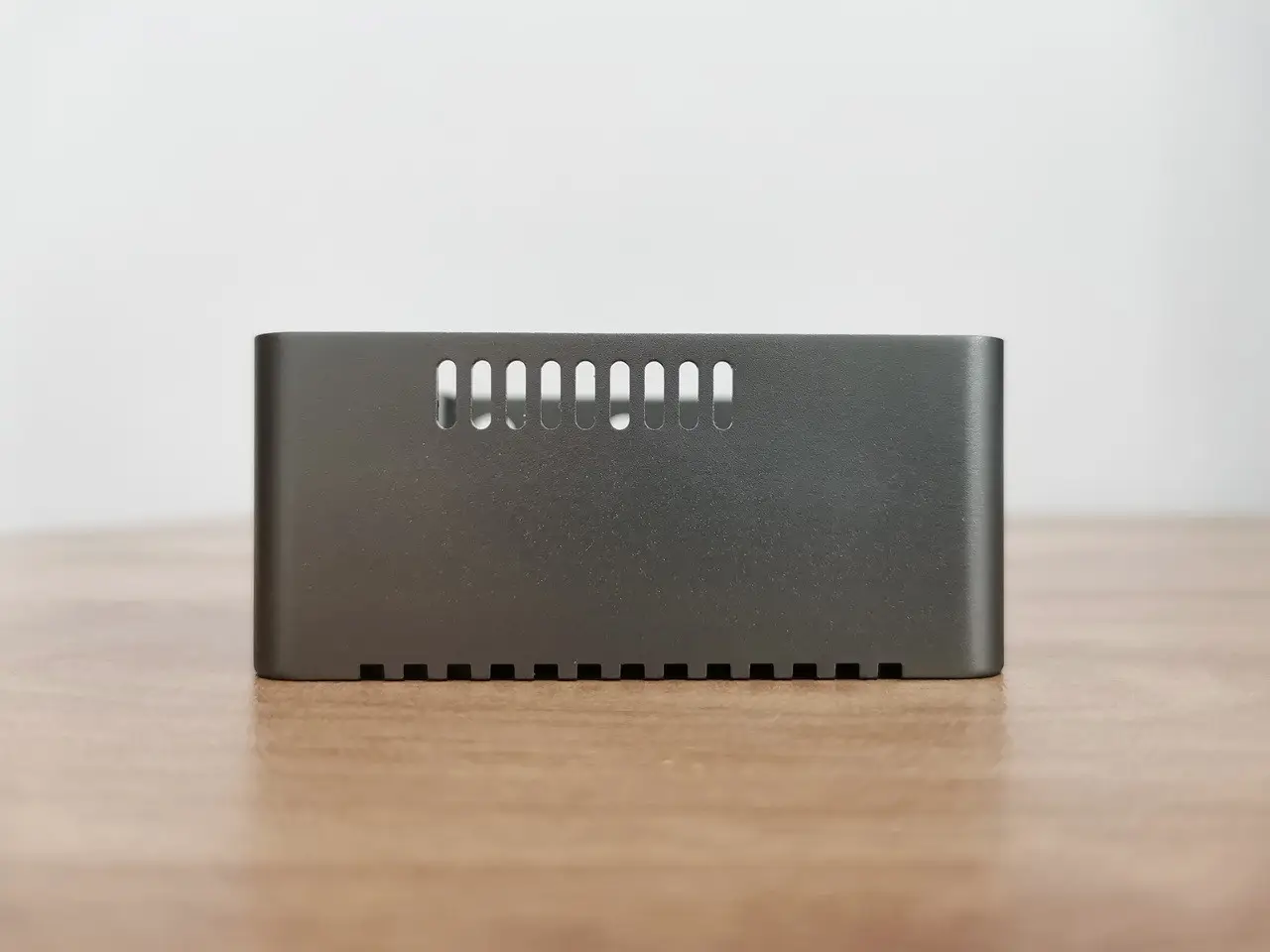
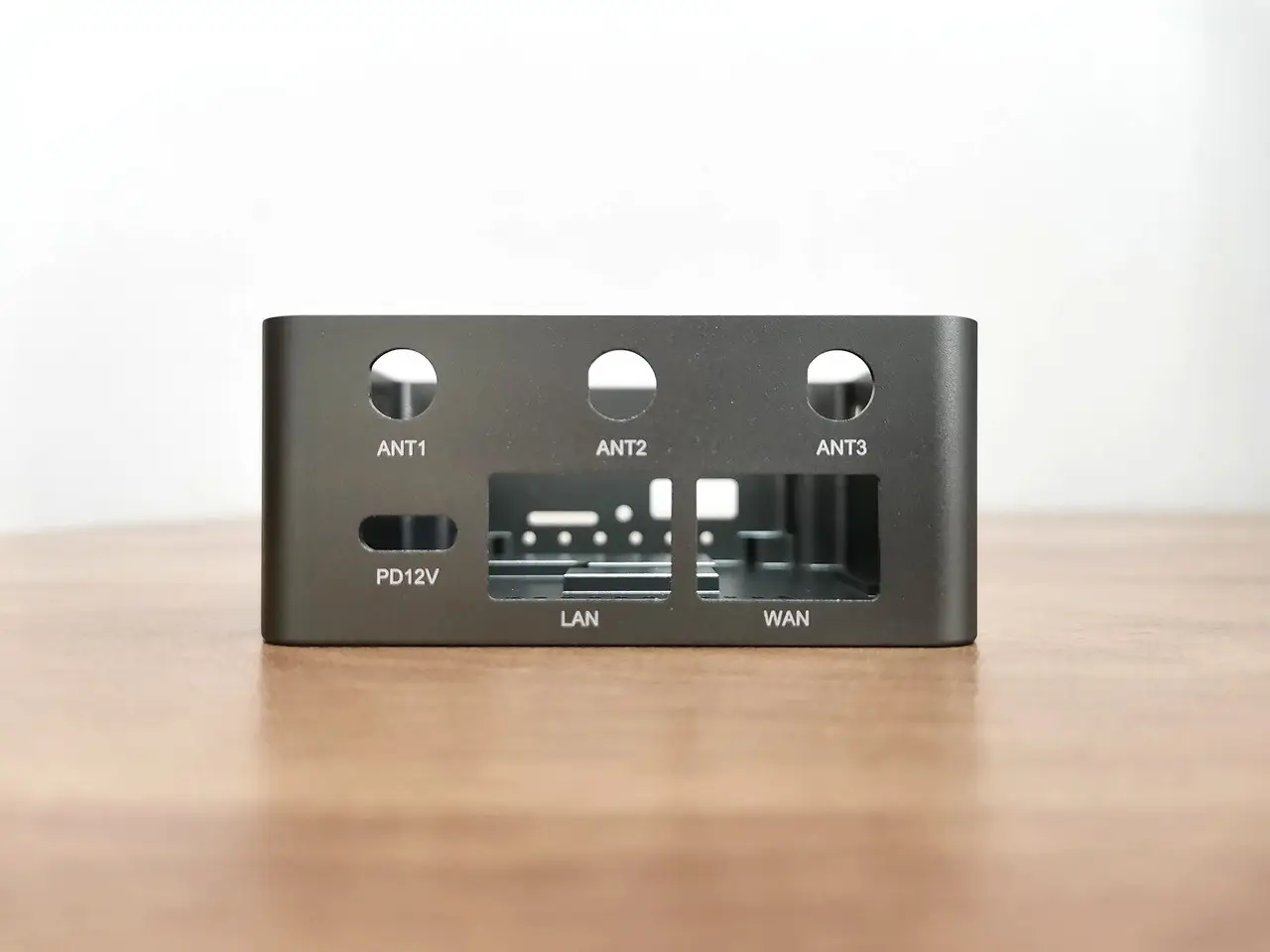
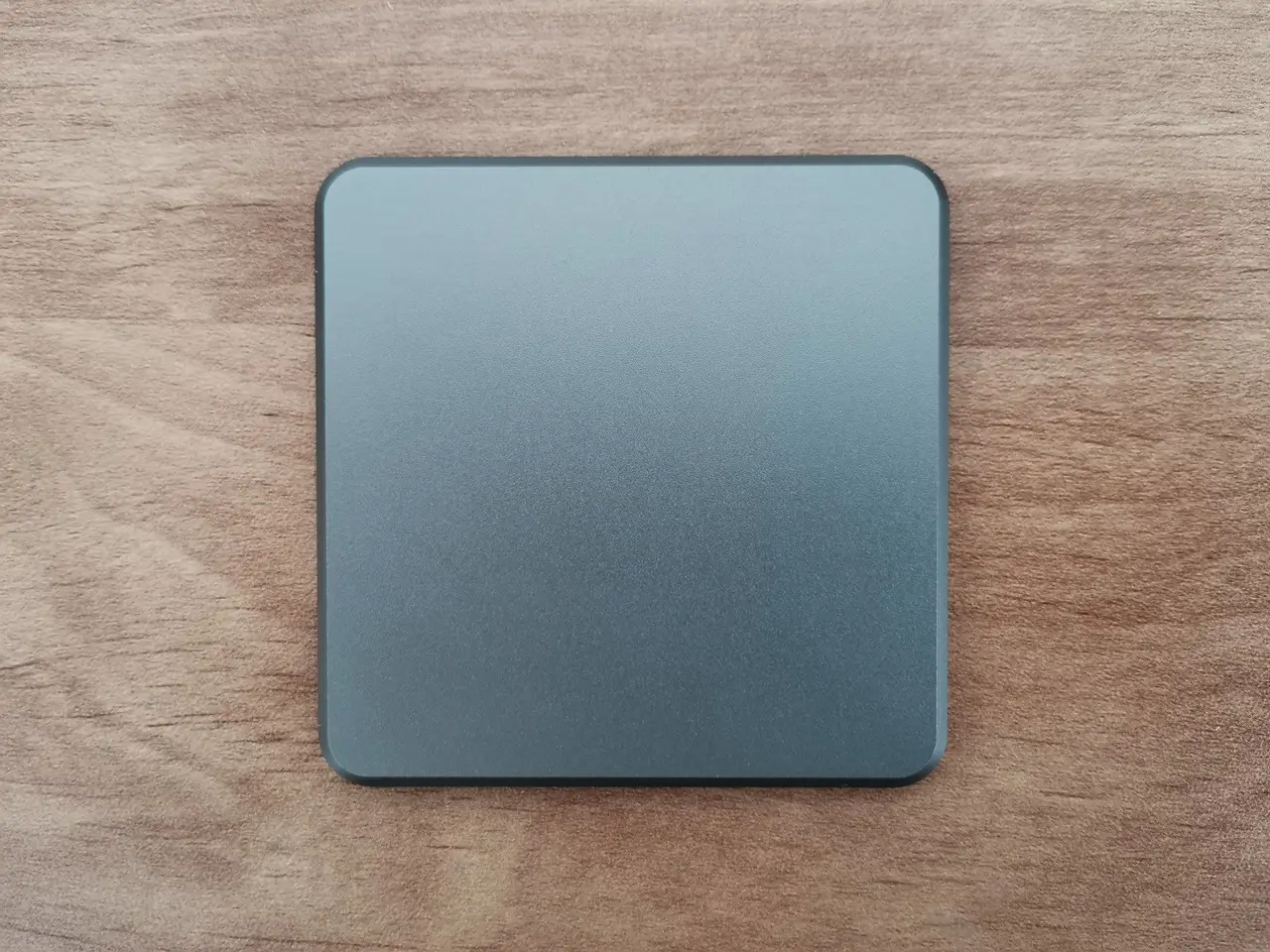
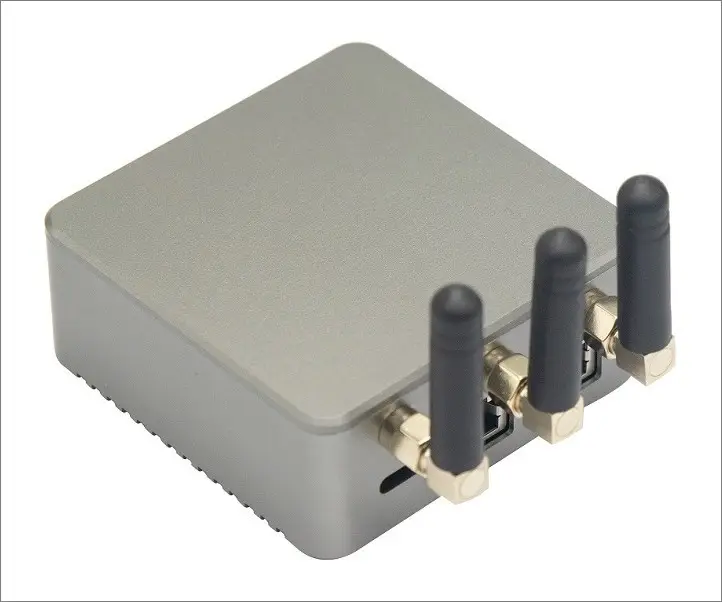
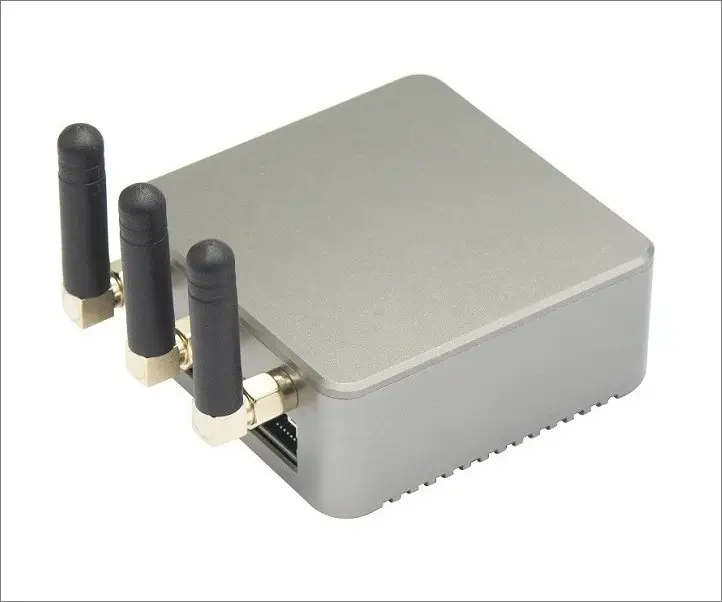
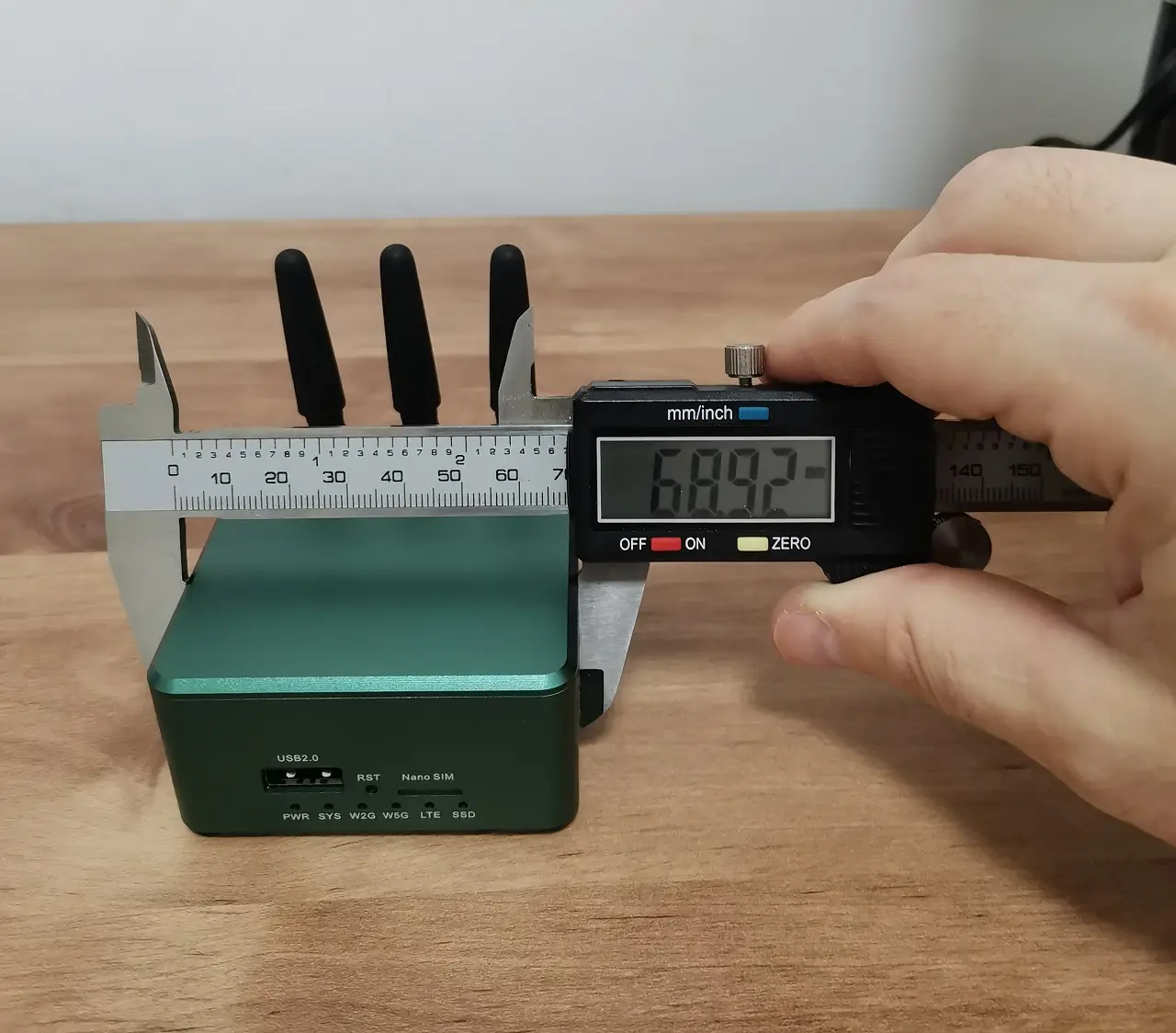
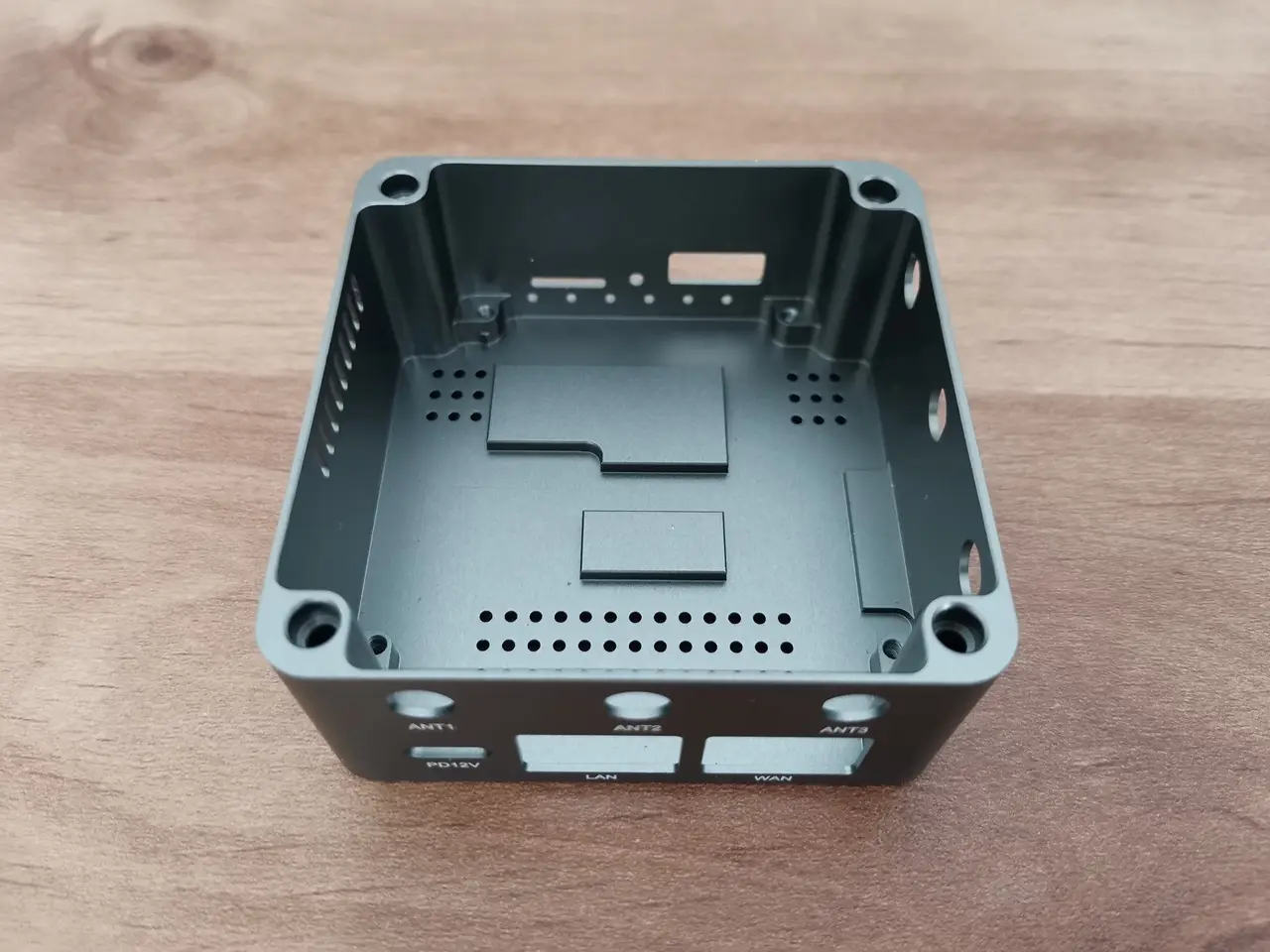
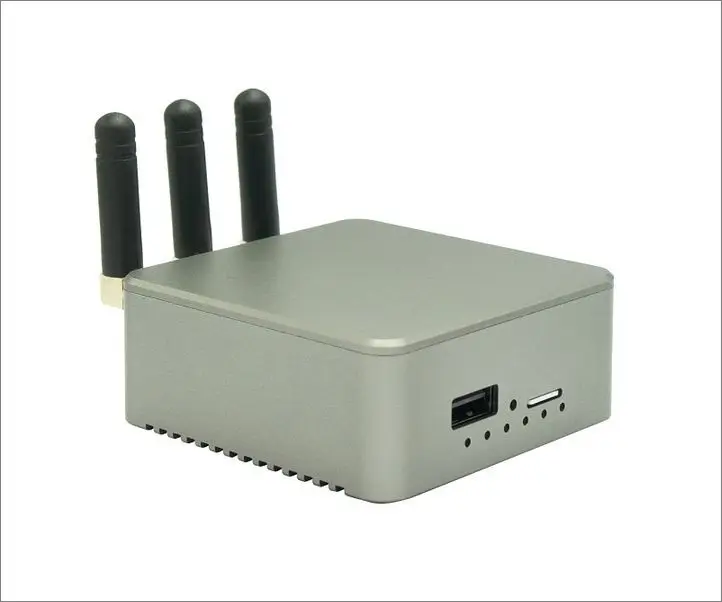
The Banana Pi BPI-R3 Mini’s metal CNC machine case measures ▢69×33.5 mm, making it both compact and powerful. Crafted from high-quality aluminum alloy, this case offers unparalleled durability and efficient cooling capabilities. Experience peace of mind knowing that the internal components are shielded from physical harm, while the superior heat dissipation guarantees optimal performance. Through the CNC machining process, each cut is executed precisely, contributing to the overall sophisticated appearance of the case. The impeccable metal construction not only enhances its sturdiness but also guards against accidental drops and impacts, ensuring the device’s reliability.

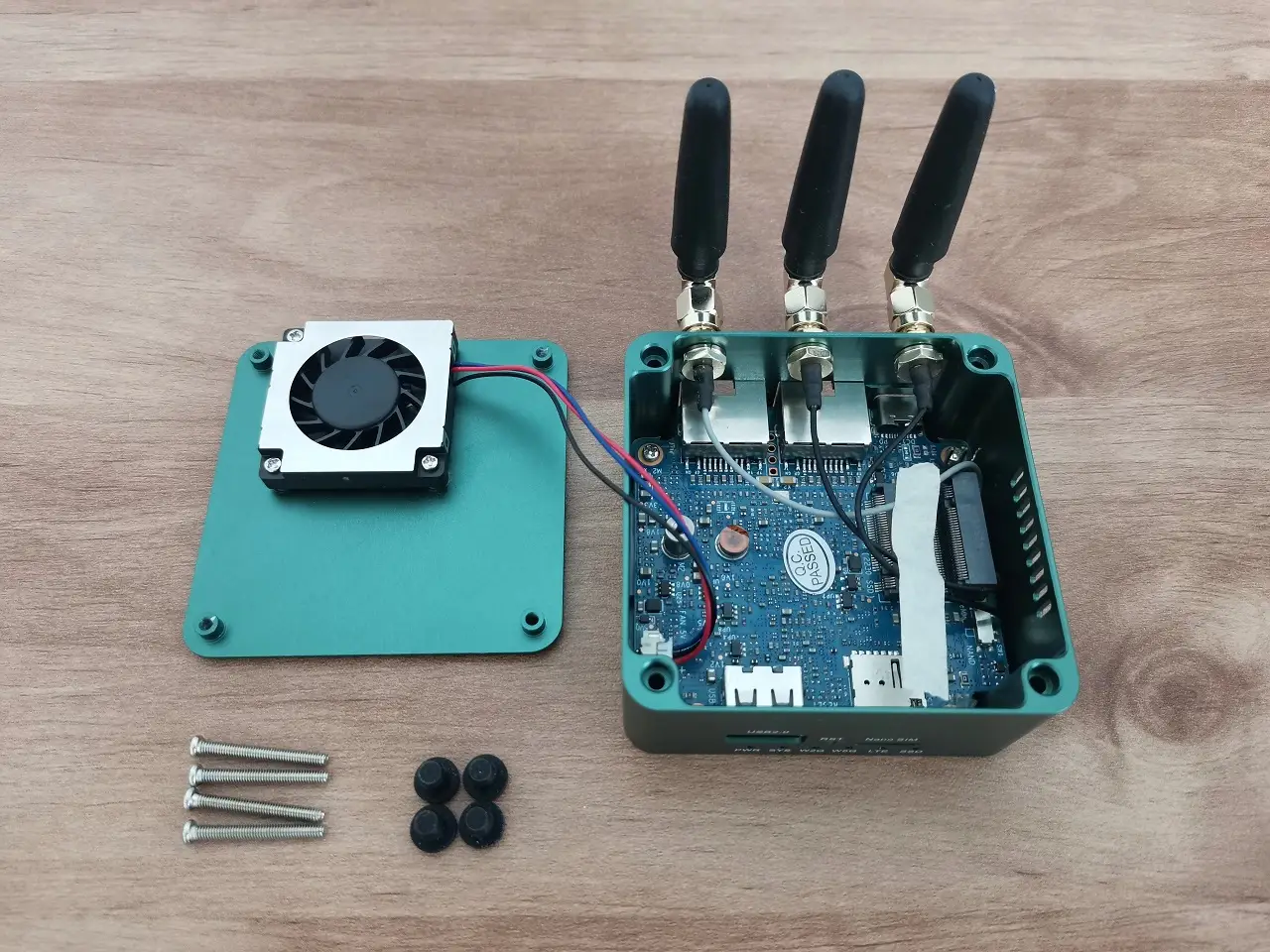
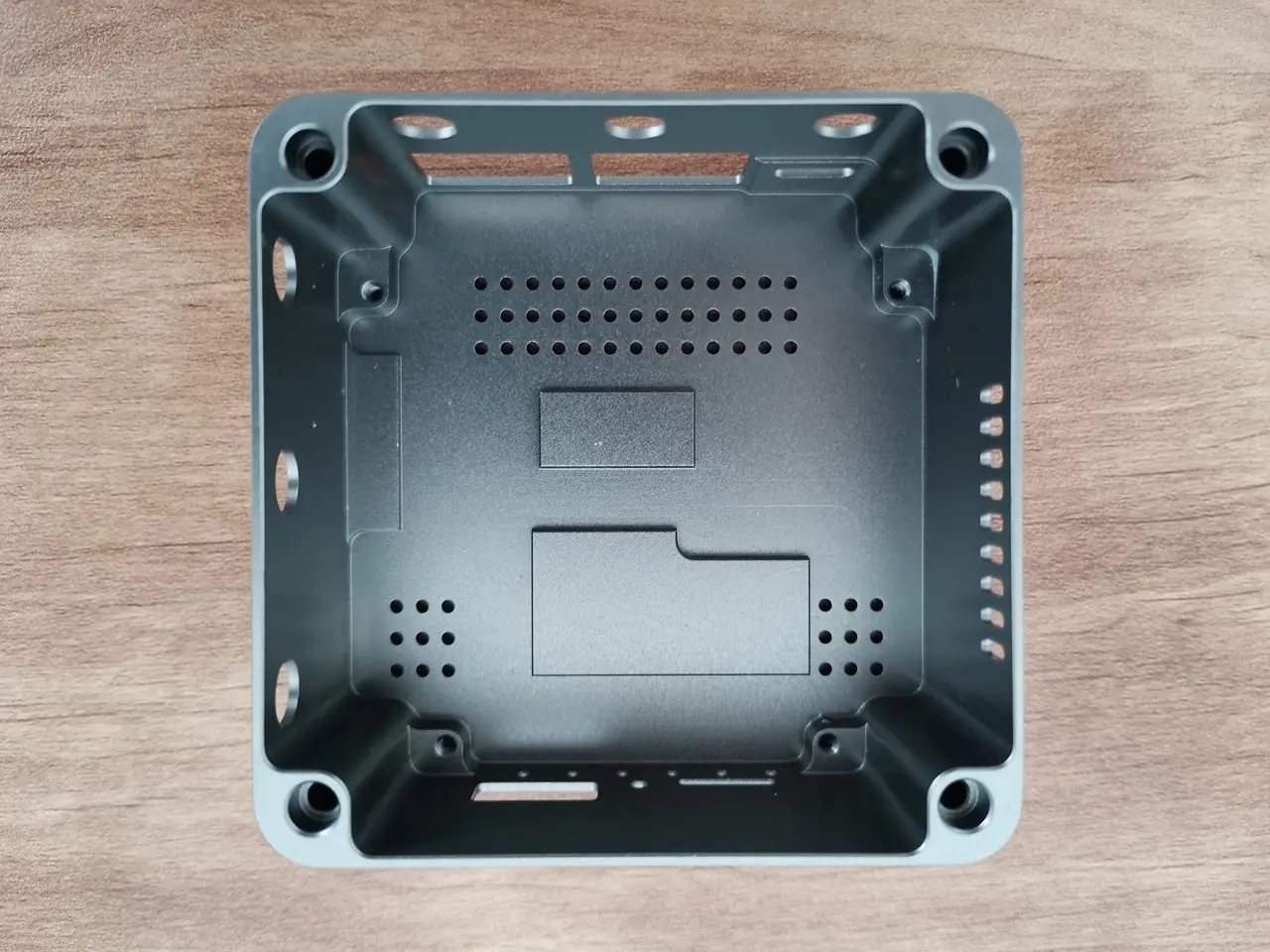
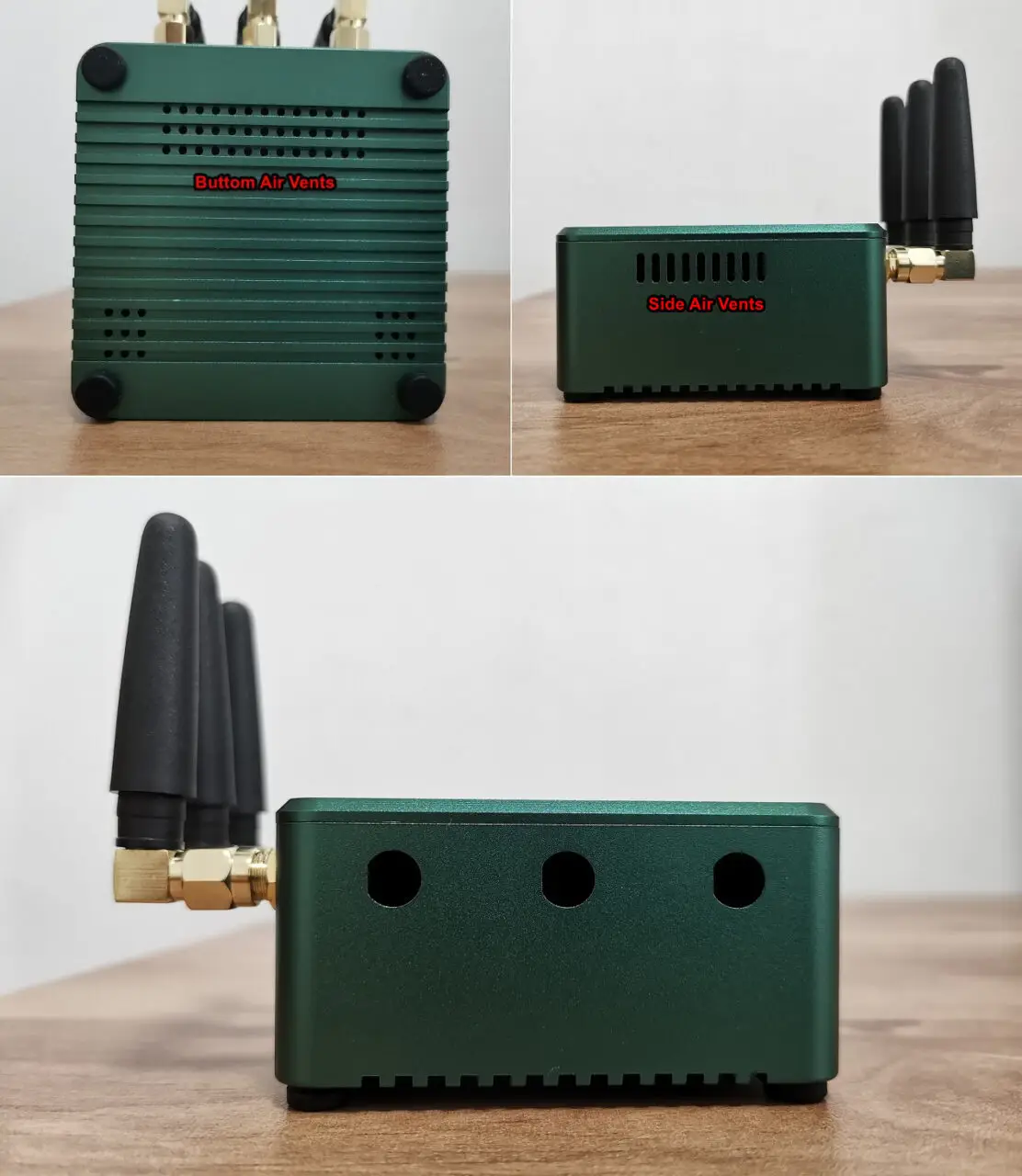
Moreover, the metal case serves as an efficient heat sink by extracting heat from the internal elements and dispersing it into the nearby surroundings. This not only prevents overheating but also guarantees exceptional performance, even during extended usage or demanding tasks. The company’s team has intelligently integrated strategically positioned venting slots and apertures on both the sides and bottom of the casing.

Exhaust fan

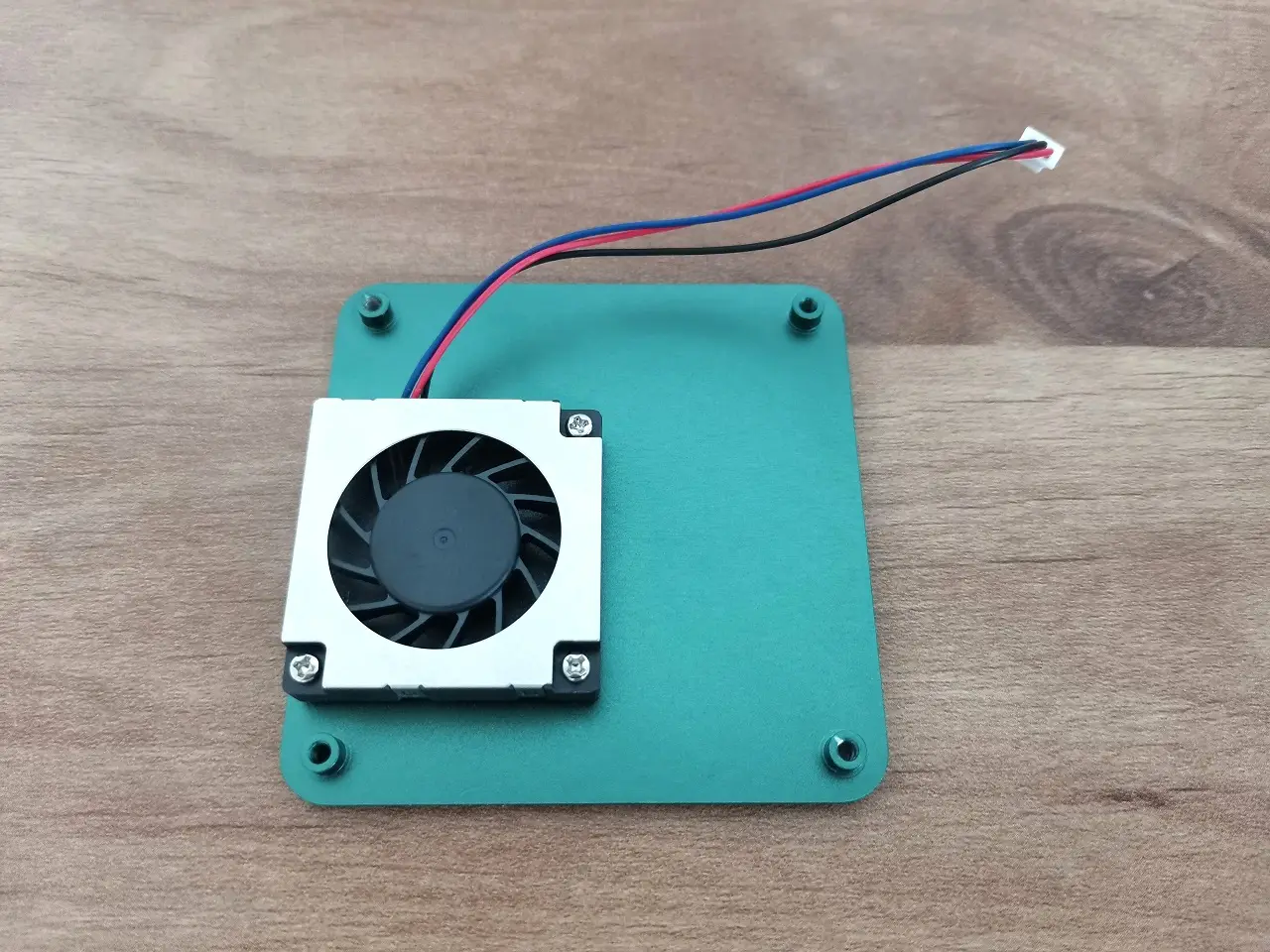
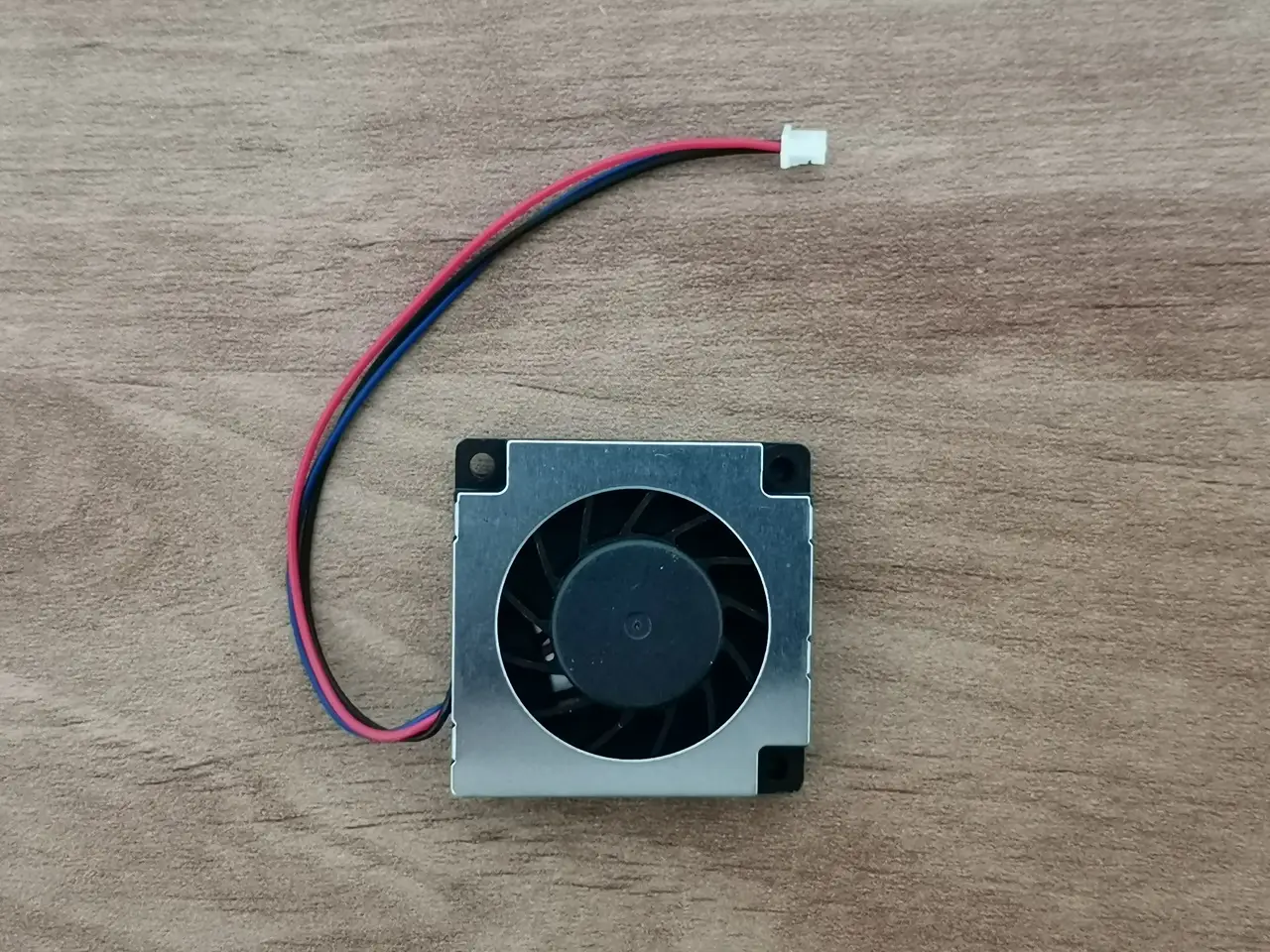
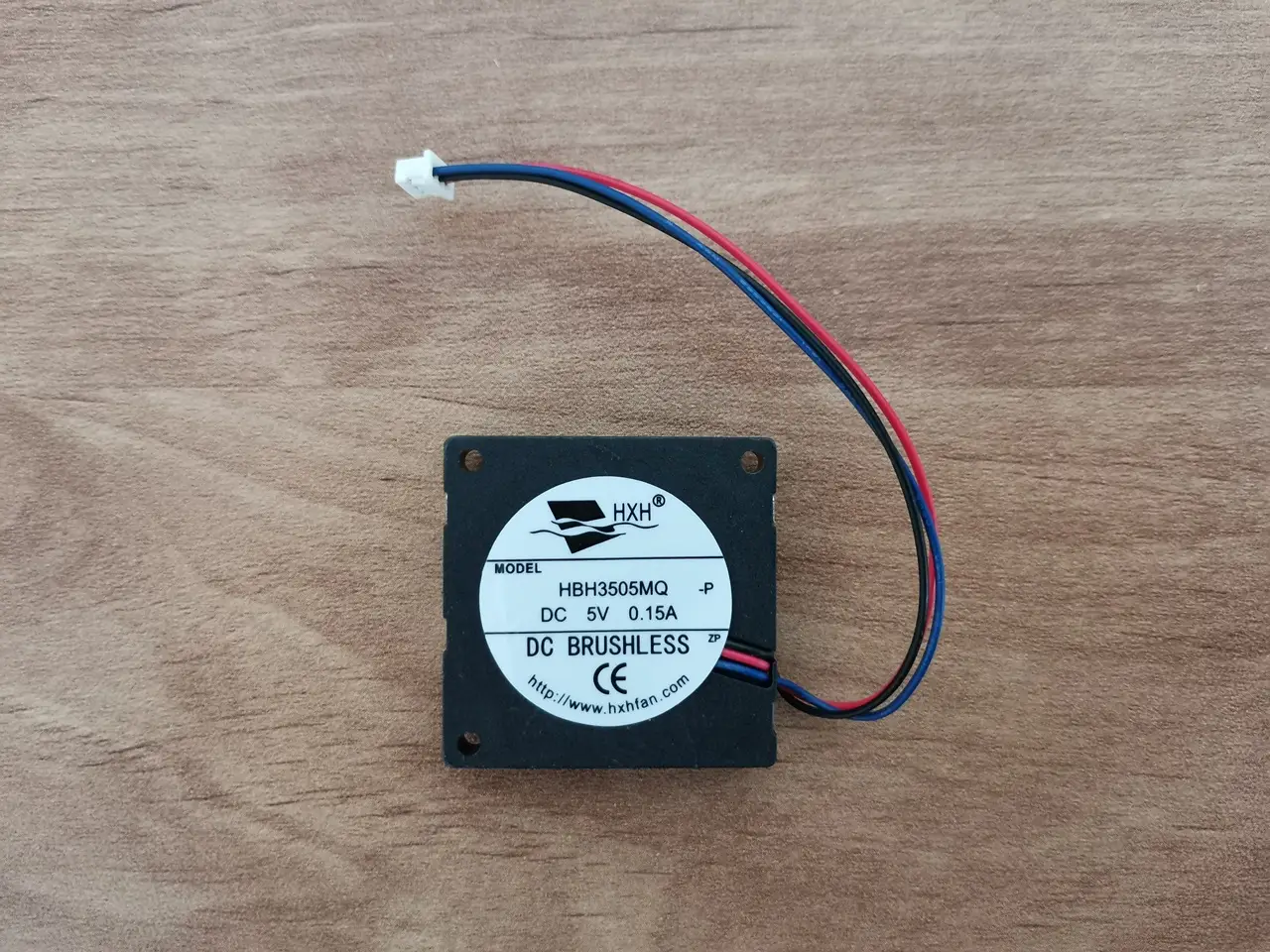
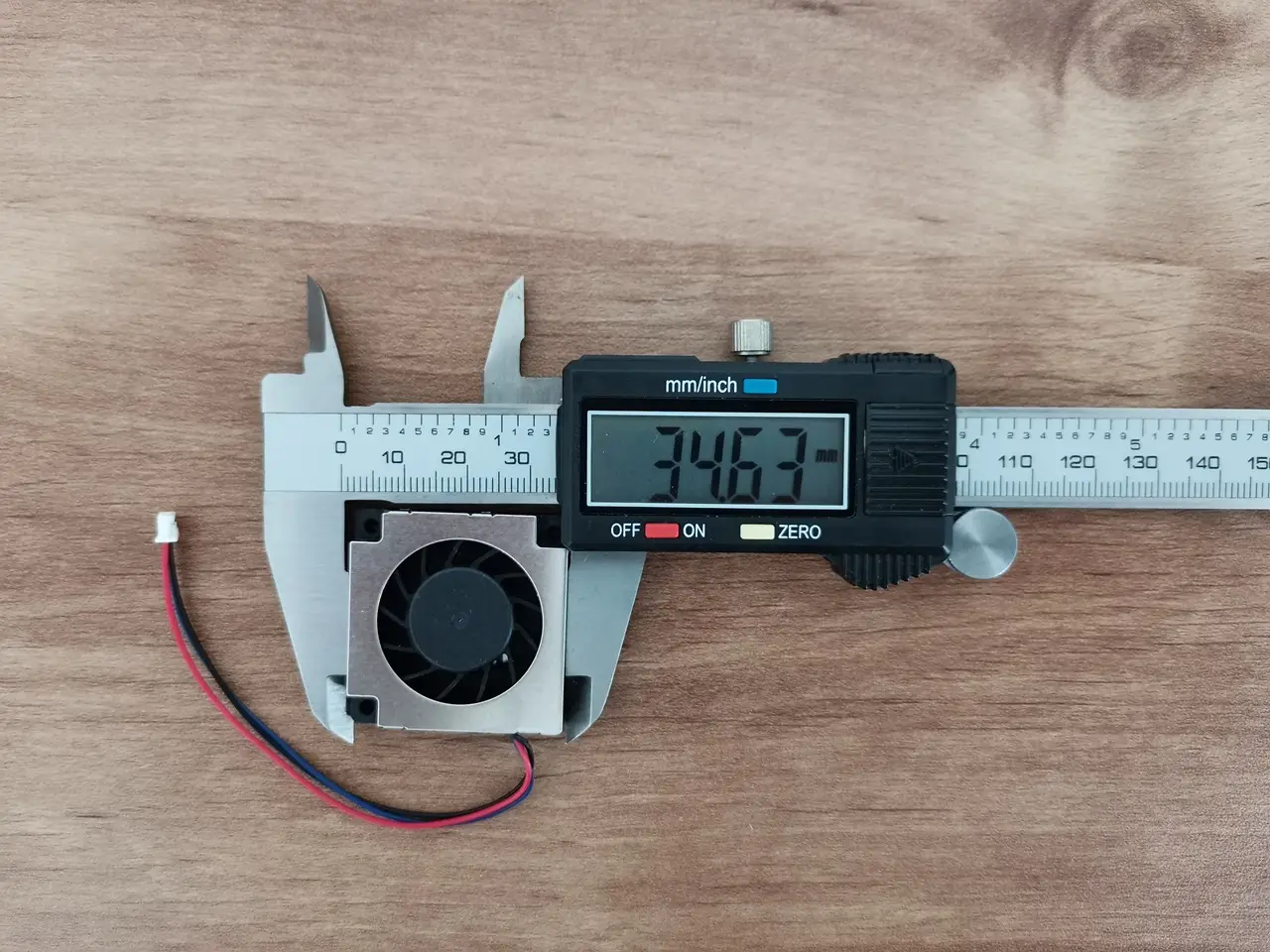
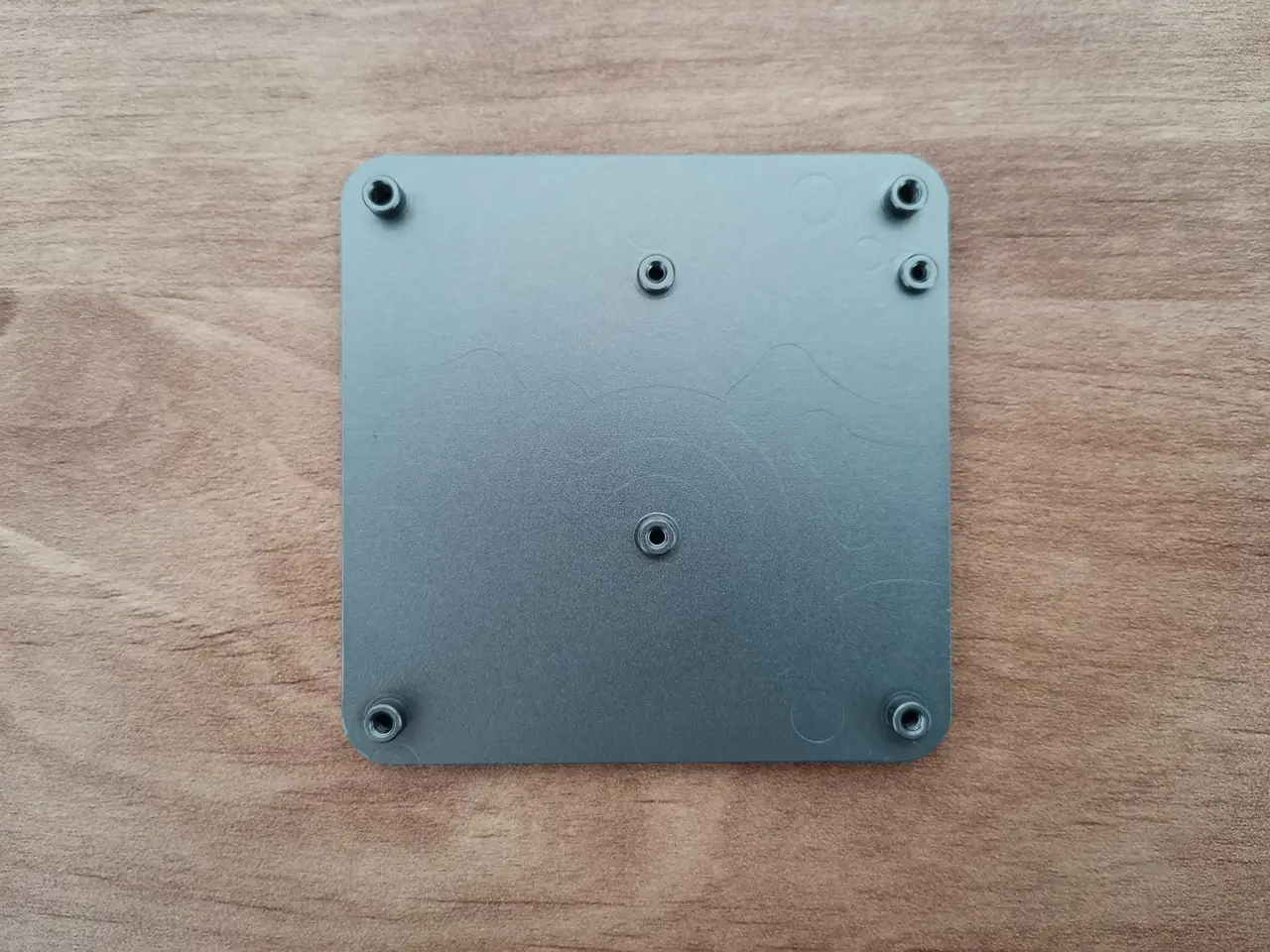
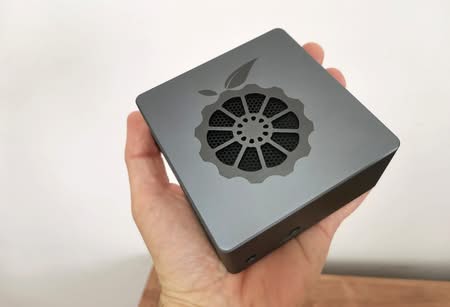
To enhance the cooling mechanism of this compact case, a small fan has been cleverly installed on the top cover, despite the lack of specific ventilation holes. Its main purpose is to effectively circulate the hot air within the case and draw in additional hot air from the fan’s side vents. This intelligent design ensures that the PCB stays cool even during demanding tasks that put a heavy load on the system. Thanks to the precise control of PWM, the fan’s rotation speed is adjusted according to the CPU core loads and temperatures, guaranteeing optimal performance. As the CPU temperature rises rapidly during intense operations, the fan works tirelessly to maintain a cool environment. When the temperatures are lower, it slows down its RPM.
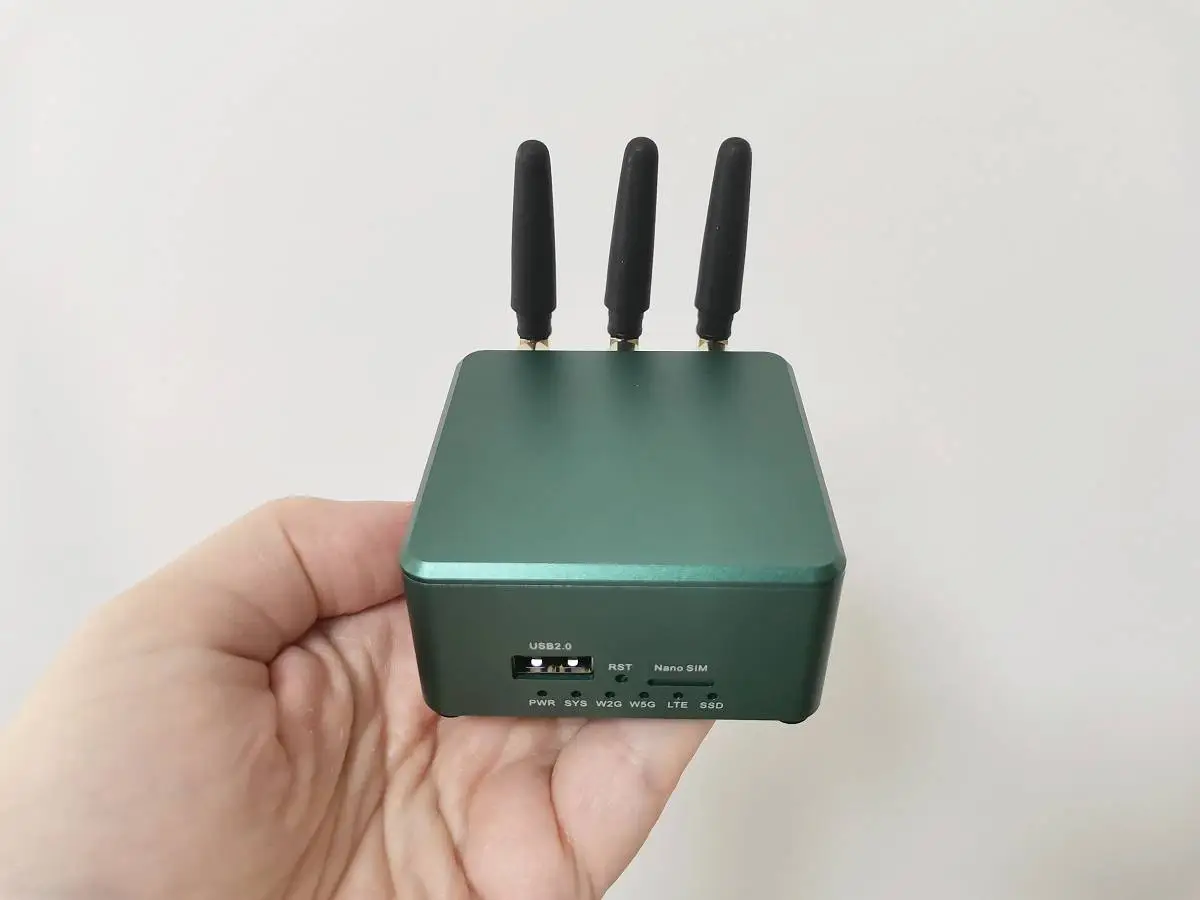
Regarding the color options for the case, it undergoes a remarkable anodizing coating process, allowing for a wide range of choices, including green, blue, black, and more. We have received the green edition for our testing, and its appearance is truly impressive.
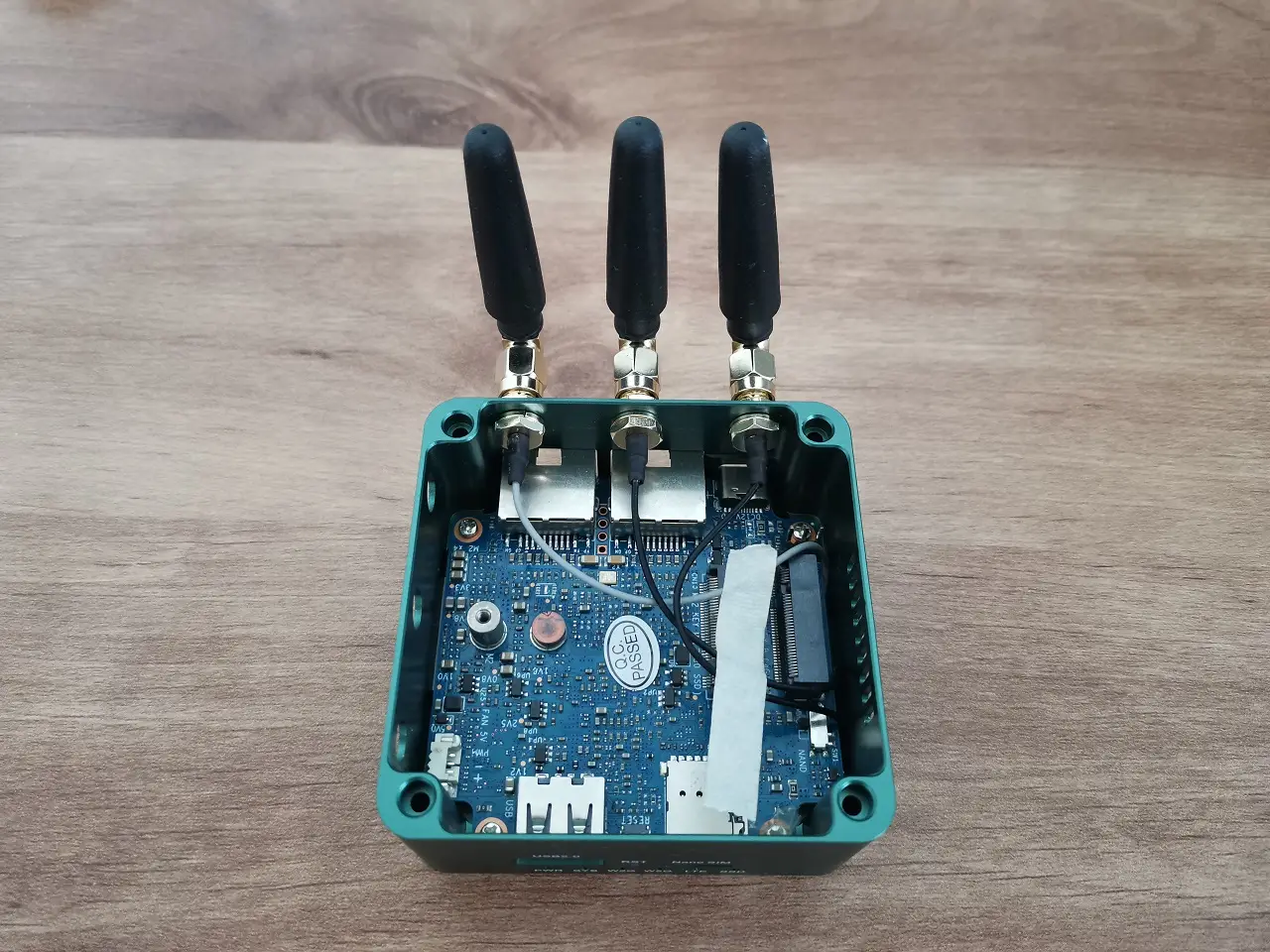
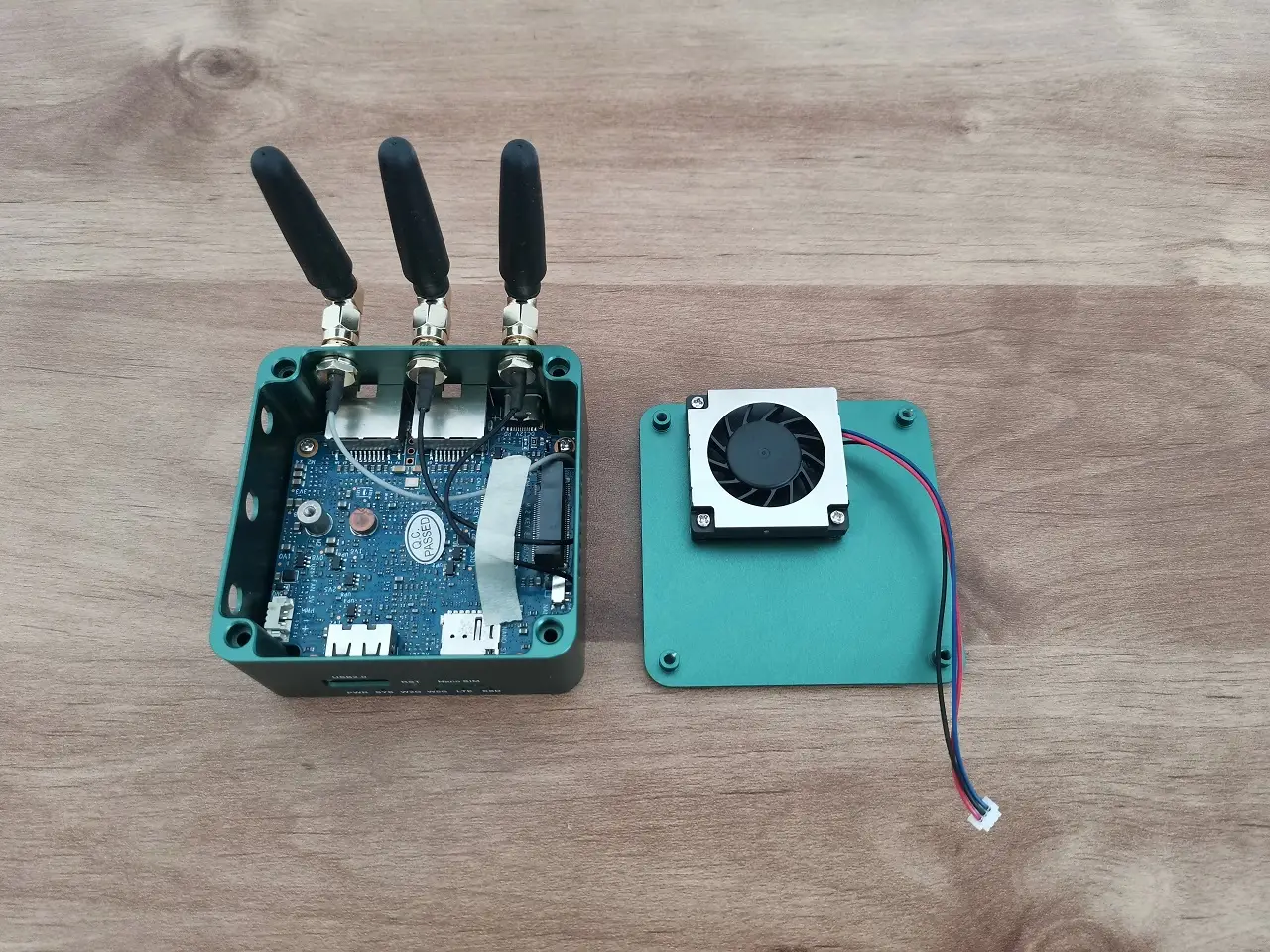
For users seeking a compact and reliable mini computer or router, this metal case is the perfect choice. It provides dependable and efficient cooling, which is superior compared to not using any available cooling solution. If you’re considering buying only the board, it’s highly recommended you also get a good heat sink and create a suitable housing for it.

A Closer Look

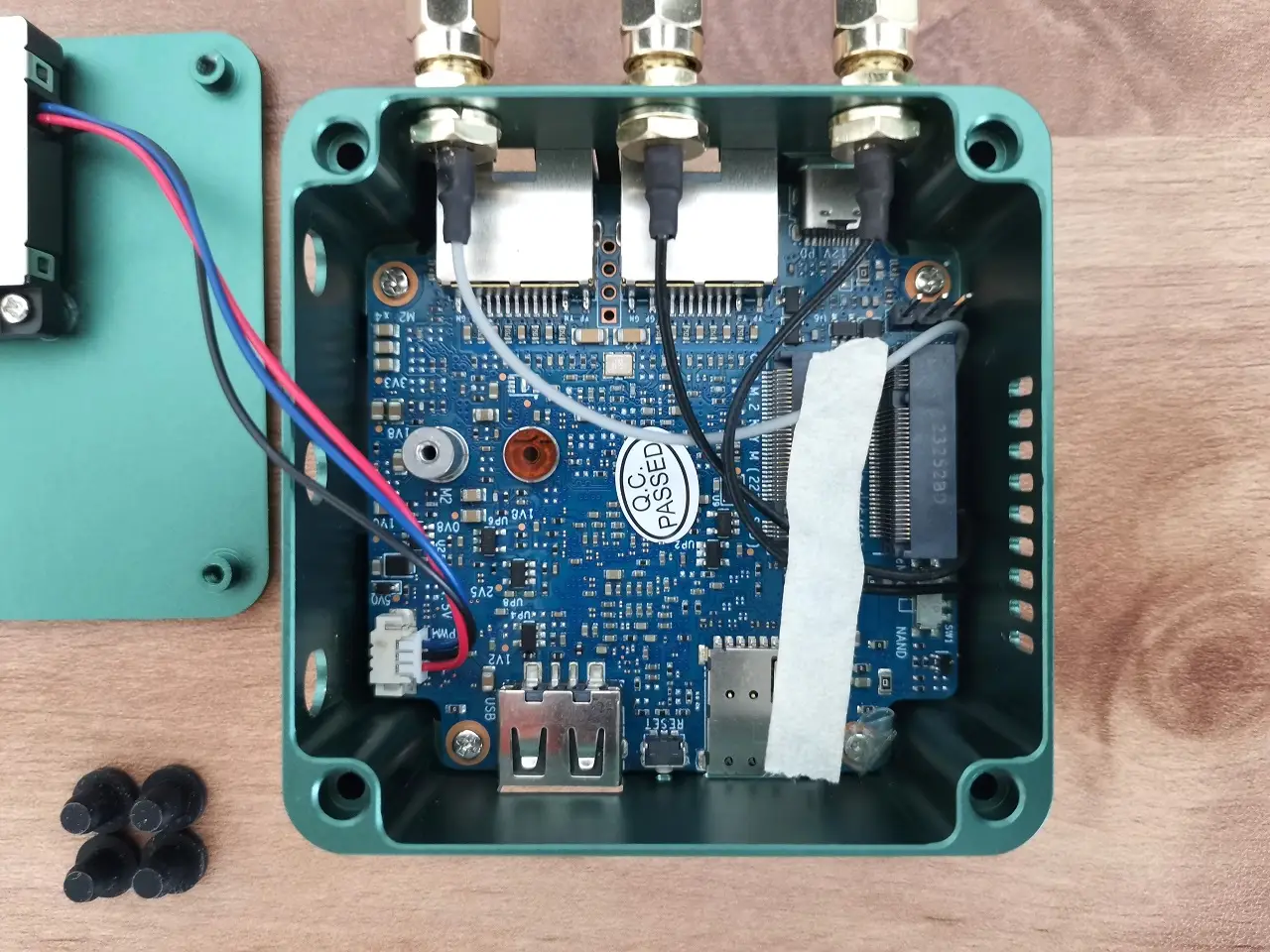
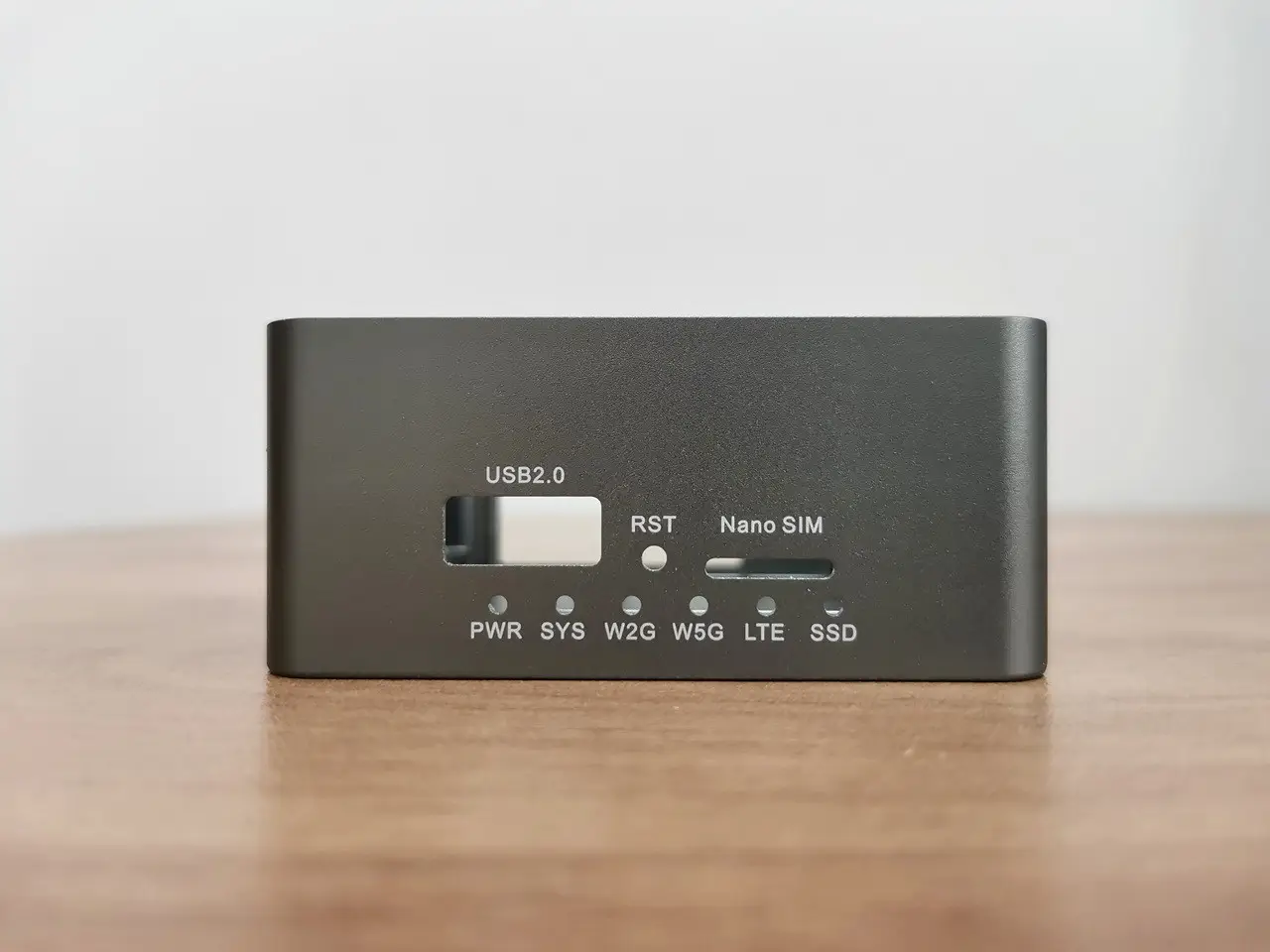
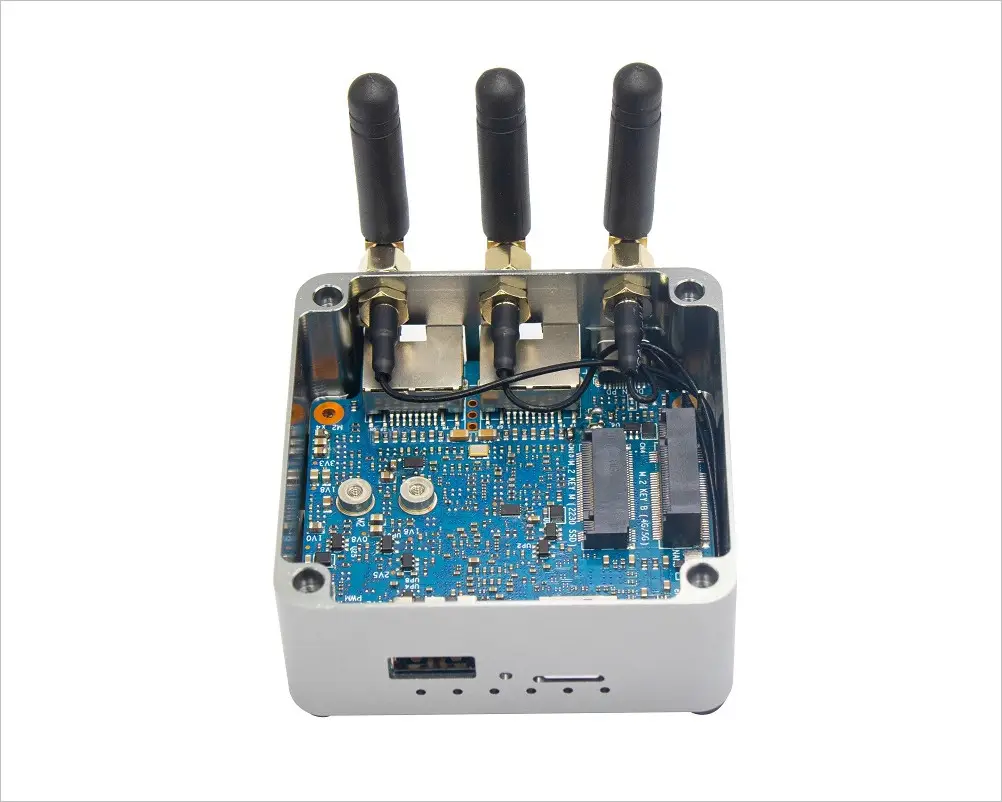
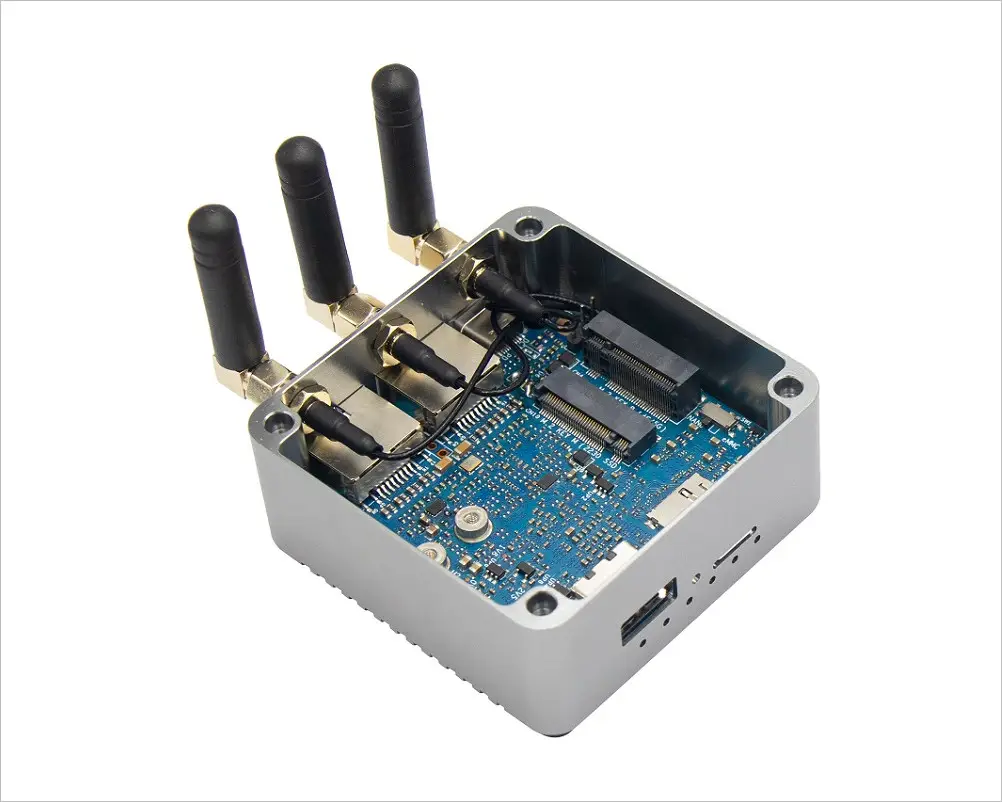
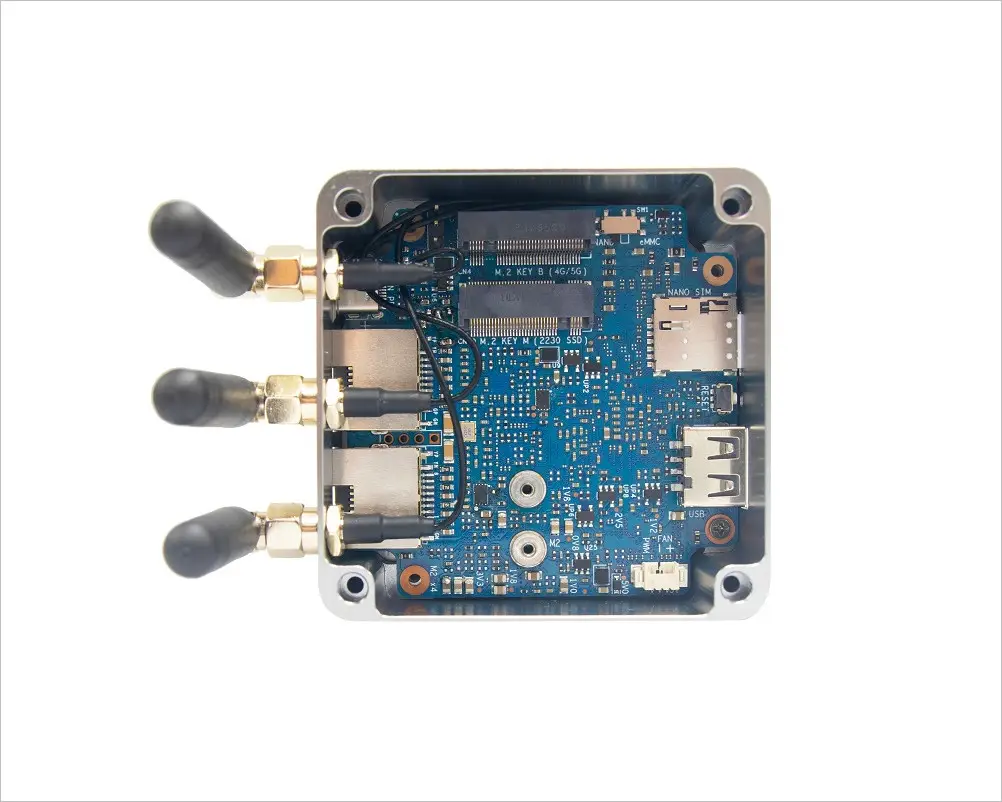
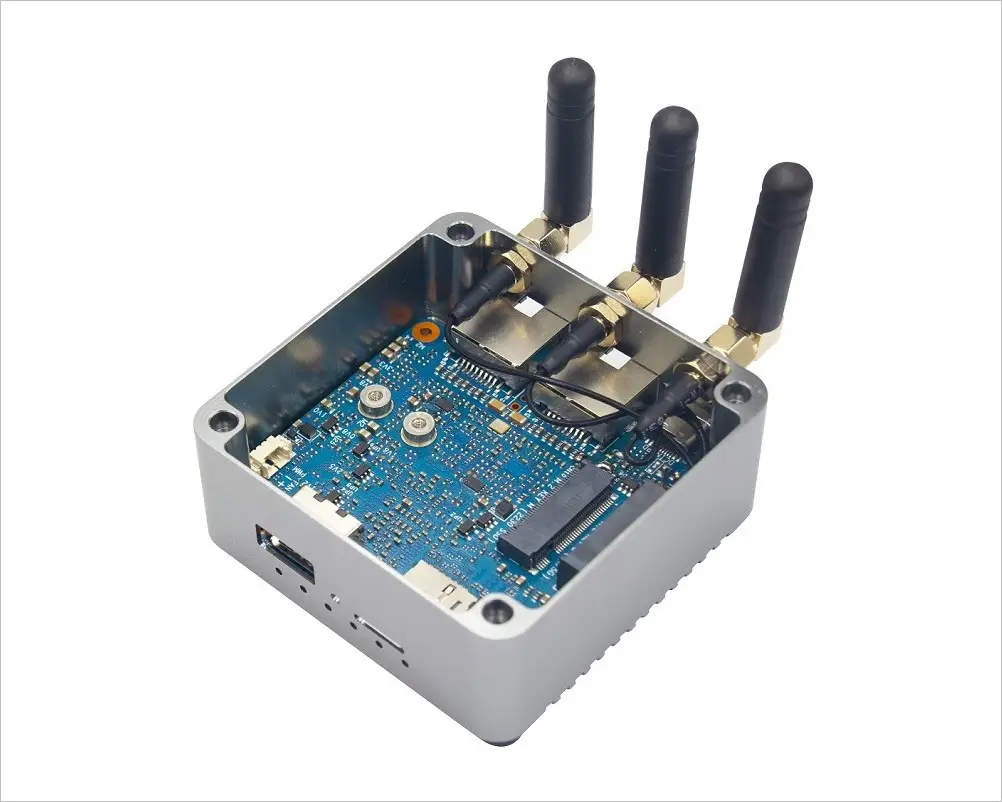
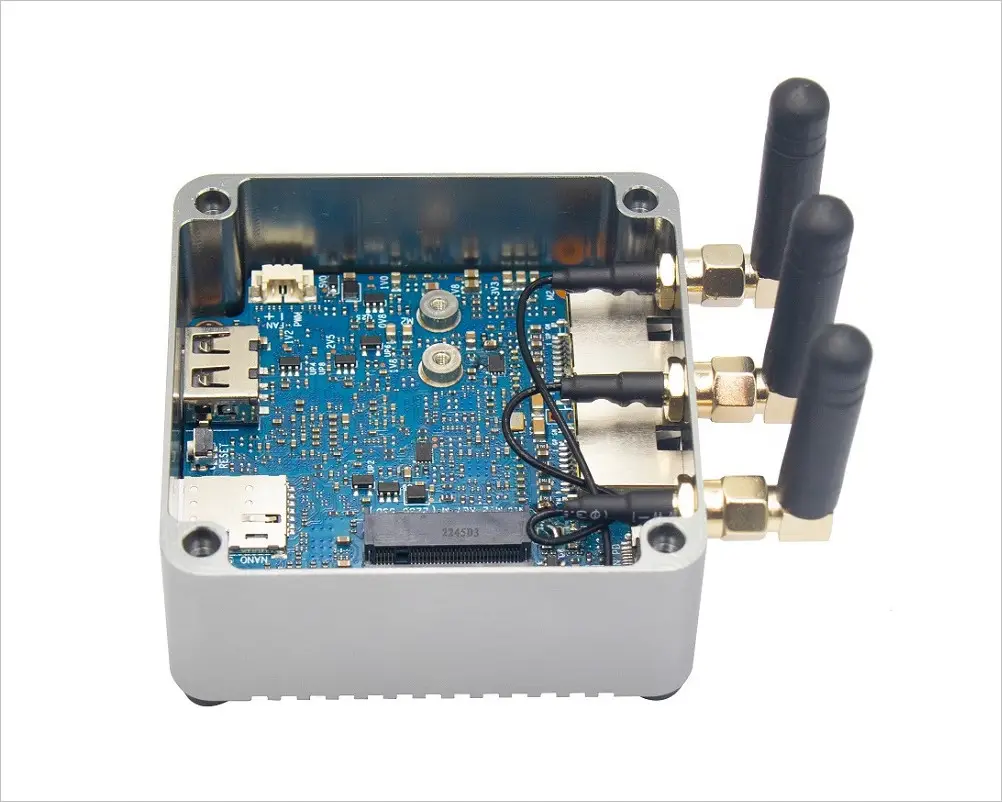
The case boasts ventilation holes cleverly placed on both the right and bottom sides, ensuring optimal airflow. What’s more, the Sinovoip team has thoughtfully included additional antenna mounting holes, perfect for effortlessly installing 4G/5G modules.
Dive deeper into the internals of the case (Grey Color Edition)

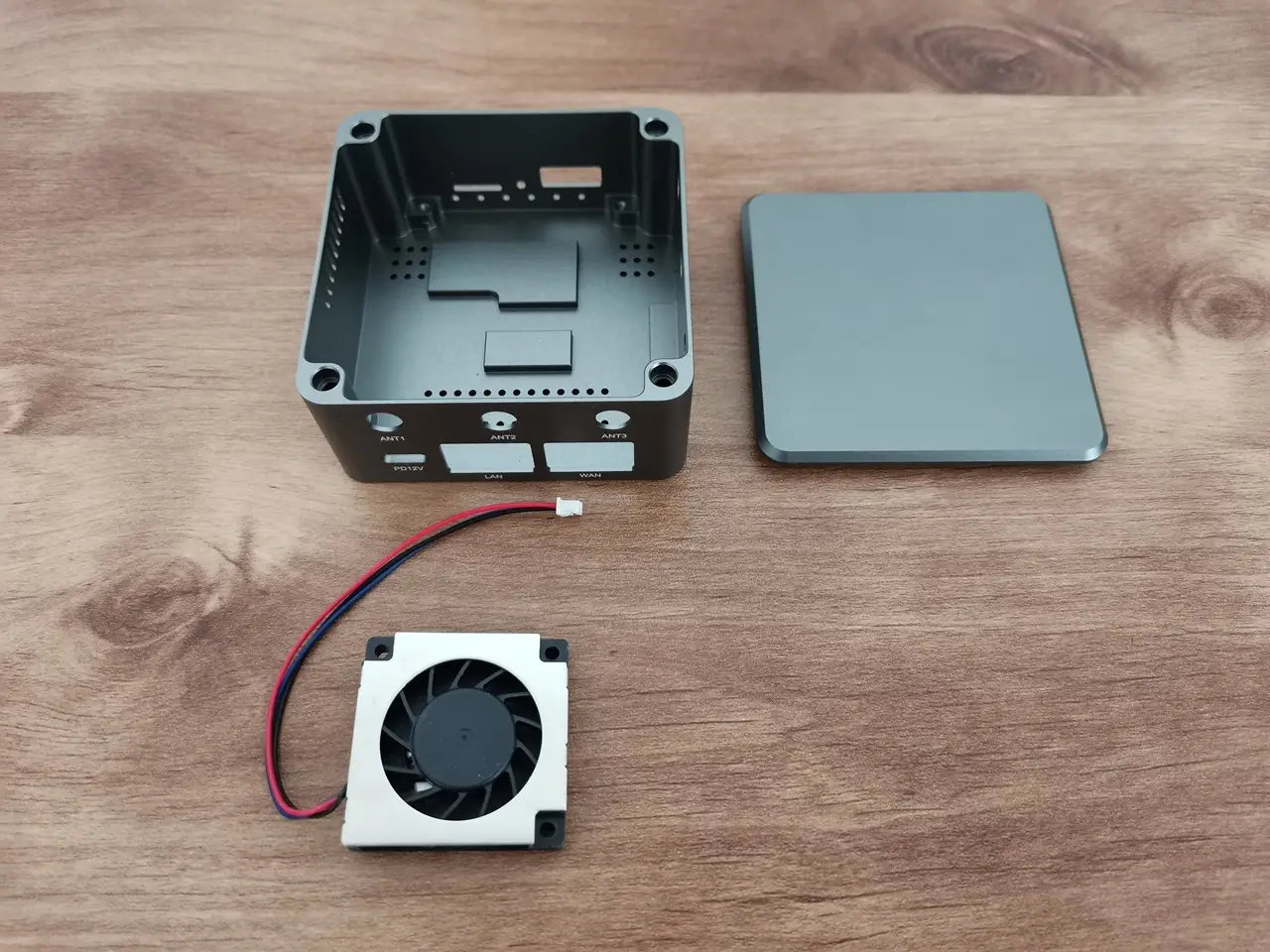
Sinvoip offers a three-wire brushless 5V fan as part of their kit or sold as a separate item. However, this fan tends to produce considerable noise. Fortunately, it features PWM support, which means it doesn’t spin constantly. During times of heavy CPU usage, particularly at night, the fan may start spinning loudly, causing significant annoyance. On the positive side, you have the freedom to consider alternative choices and replace it with a quieter fan.
BPI R3 Mini Case 1
BPI R3 Mini Case 1
BPI R3 Mini Case 2
BPI R3 Mini Case 2
BPI R3 Mini Case 3
BPI R3 Mini Case 3
BPI R3 Mini Case 4
BPI R3 Mini Case 4
BPI R3 Mini Case 5
BPI R3 Mini Case 5
BPI R3 Mini Case 6
BPI R3 Mini Case 6
BPI R3 Mini Case 7
BPI R3 Mini Case 7
BPI R3 Mini Case 8
BPI R3 Mini Case 8
BPI R3 Mini Case 9
BPI R3 Mini Case 9
BPI R3 Mini Case 10
BPI R3 Mini Case 10
BPI R3 Mini Case 11
BPI R3 Mini Case 11

Metal Case (White background photos)

Board & Metal Case
1 2 3 4 5 6 7 8 9 10 11
Share. Facebook Twitter Pinterest LinkedIn Tumblr Email
Previous ArticleFriendlyELEC CM3588 NAS Kit features x4 M.2 Key-M 2280 PCIe Gen 3 x1 sockets.
Next Article Orange Pi Plus 2E SET5 Review: Open Source Development Kit
androidpimp
  • Website

Related Posts

Orange Pi Review

Orange Pi 6 Review: Is It Suitable for Running Local LLMs? We Checked.

August 12, 2026
BPi Wi Fi 7 NIC BE14(V2.1)

BPI-R4 Wi-Fi 7 NIC (BE14): OpenWrt Setup & Optimal WiFi Power Guide

July 27, 2026
Raspberry Pi Zero 3W SBC

Orange Pi Zero 3W Review: $25 Dual Video Pi Zero 2W Killer?

June 26, 2026
5 1 vote
Article Rating
Subscribe
Notify of
3 Comments
Oldest
Newest Most Voted
zhang
2 years ago

5G外壳 ,希望能采纳

0
Reply
R.
1 year ago

Any idea what is the purpose of the four holes between the RJ45 jacks?

0
Reply
Author
androidpimp
1 year ago
Reply to  R.

According to ChatGPT, the holes are like designed for cooing/ventilation ,to improve airflow on the PCB components.

0
Reply
Categories
PureVPN
PureVPN Ad Banner
PrivadoVPN – No. 1 in Parental Control
PrivadoVPN 350x437
Recent Posts
  • RiiTek RK807 Pro Review: The Best Budget Apple Magic Keyboard Alternative?
  • RiiTek RK808 Review: The Best Foldable Travel Keyboard?
  • Rii RS201 Review: $69 16-Inch Portable Monitor Tested
  • AliExpress Promo Codes: August 2026 (100% Verified)
  • Orange Pi 6 Review: Is It Suitable for Running Local LLMs? We Checked.
  • Youyeetoo NestDisk Mini PC/Router: Is This Pocket-Sized 3-in-1 NAS Worth It?
  • DFRobot Unveils seeMote Cube: A 6DoF Physical Controller for Apple Vision Pro
  • Orange Pi X2 Mini PC Is Officially in the Works – Here’s What We Know
  • BPI-R4 Wi-Fi 7 NIC (BE14): OpenWrt Setup & Optimal WiFi Power Guide
  • How to install OpenWrt on Xiaomi AX3000T Router (A Quick Guide)
RSS The Latest RSS Feeds
  • RiiTek RK807 Pro Review: The Best Budget Apple Magic Keyboard Alternative?
  • RiiTek RK808 Review: The Best Foldable Travel Keyboard?
  • Rii RS201 Review: $69 16-Inch Portable Monitor Tested
Facebook X (Twitter) Instagram Pinterest
@2026 - All Right Reserved. Designed by AndroidPIMP

Type above and press Enter to search. Press Esc to cancel.

wpDiscuz