Close Menu
  • Home
  • About
  • Wearables
  • Earbuds
  • Computer Accessories
    • Routers
    • Remotes
  • Embedded
    • Single Board Computers
    • Addon Boards
    • Raspberry Pi
  • Wireless Routers
  • Contact
Facebook X (Twitter) Instagram Threads
Trending
  • Orange Pi Zero 3W Review: $25 Dual Video Pi Zero 2W Killer?
  • DFRobot 6.67″ Flexible AMOLED Review: Curved Display for Raspberry Pi & LattePanda
  • Banana Pi BPI-SM10 Review: 60 TOPS RISC-V Jetson Orin Nano Alternative
  • SpacemiT K3 Pico-ITX Review: 60-TOPS RISC-V Powerhouse for LLMs?
  • Banana Pi BPI-R4 Pro Review: The Best WiFi 7 OpenWrt Router? We Checked!
  • DFRobot ESP32-S3 LoRaWAN & Gateway Review: Build a Private IoT Network
  • Top Global AliExpress Promo Worldwide Country Codes June 10, 2026
  • WaveNote AI Review 2026: An Honest Pro/Con Comparison (Tested)
AndroidPIMP
Facebook X (Twitter) Instagram
  • Home
  • About
  • Wearables
  • Earbuds
  • Computer Accessories
    • Routers
    • Remotes
  • Embedded
    • Single Board Computers
    • Addon Boards
    • Raspberry Pi
  • Wireless Routers
  • Contact
AndroidPIMP

WaveNote AI Review 2026: An Honest Pro/Con Comparison (Tested)

0
By androidpimp on February 26, 2026 Edge AI Hardware
WaveNote
WaveNote
Table of contents
  1. Part I: Product introduction
  2. WaveNote is a cutting-edge AI gadget designed for meeting summaries, call transcriptions, and note-taking, capable of supporting more than 112 languages.
    1. Main highlights
  3. 1. Hardware: A Slim AI Recorder Built for RealWorld Use
  4. 1.1 Design and build
  5. 2. Audio Capture System
  6. 3. Storage and Battery
  7. 4. The Wave AI Note Taker & Recorder App
  8. 5. Call Transcribing & Meeting Summarizer: Advanced recording and capturing with automatic transcription
  9. 6. Transcription Accuracy and Speaker Detection
  10. 7. AI Summaries and Note Structuring
  11. 8. Organization, Search, and Chat
  12. 9. Integrations and Workflow Fit
  13. 10. Subscription Plans
    1. 10.1 The Subscription Tiers (Most Popular)
    2. 10.2 The โ€œMinute Packagesโ€ (Alternative to Credits)
    3. 10.3 What exactly are you paying for?
    4. Tips for saving money on AI credits:
  14. 11. Privacy, Security, and Reliability
  15. 12. Real-World Feedback and User Experience
  16. 13. Best Scenarios: Real-World Applications
  17. Part II: WaveNote Review (Currently under updating)
    1. The Package
  18. Unboxing all Items
    1. Contents of the Package
    2. Unboxing the Items
  19. Design & Build Quality
    1. An extensive array of colors to choose from
    2. Shell Material
    3. Protective Carrying Case
  20. This case is also designed to be compatible with Android phones.
  21. Transcribing phone calls
  22. Setup Process Overview
    1. Pairing a smartphone with WaveNote โ€“ how it works?
    2. What distinguishes this product as a superior option compared to the Google NotebookLM App?
    3. Supplementary FAQs
      1. Can I continue to use the device even after reaching my credit limit?
      2. Is it possible to use Wavenote App with Google NotebookLM App?
  23. Putting it to the test!
    1. The final result
  24. Here are all of our exports: Transcript, Summary, Mind Map, and our audio test sample.
    1. Hereโ€™s a glimpse of our test showcased within the WaveNoter mobile app.
  25. Powering Up and Charging the WaveNote
  26. Integrated voice-sensitive microphone
  27. Final thoughts
  28. The Cons
  29. The Pros
  30. Price and availability
    1. Price & Subscription
    2. Availability
    3. WaveNote AI

Setup Process Overview

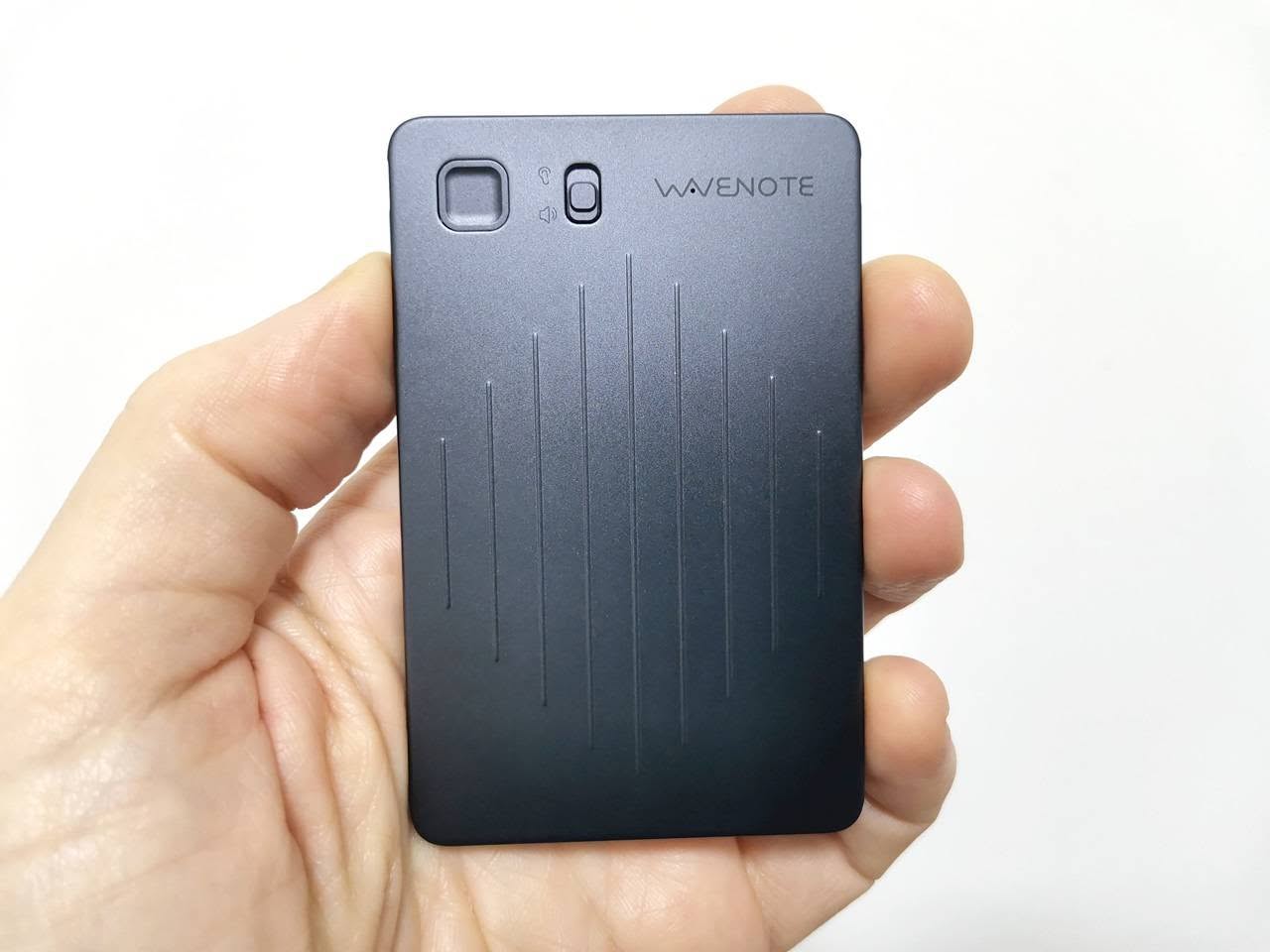
The WaveNote device features Bluetooth V5.0 connectivity, which allows for seamless pairing with your mobile phone from several meters away, especially in open spaces. Its user-friendly design includes a squared-shaped record button and a switch for recording modes, making operation straightforward and efficient. At the back of the device, there’s a four-point connector for the USB charging cable that magnetically secures to the device, reminiscent of the charging methods used by some older smartwatch models.
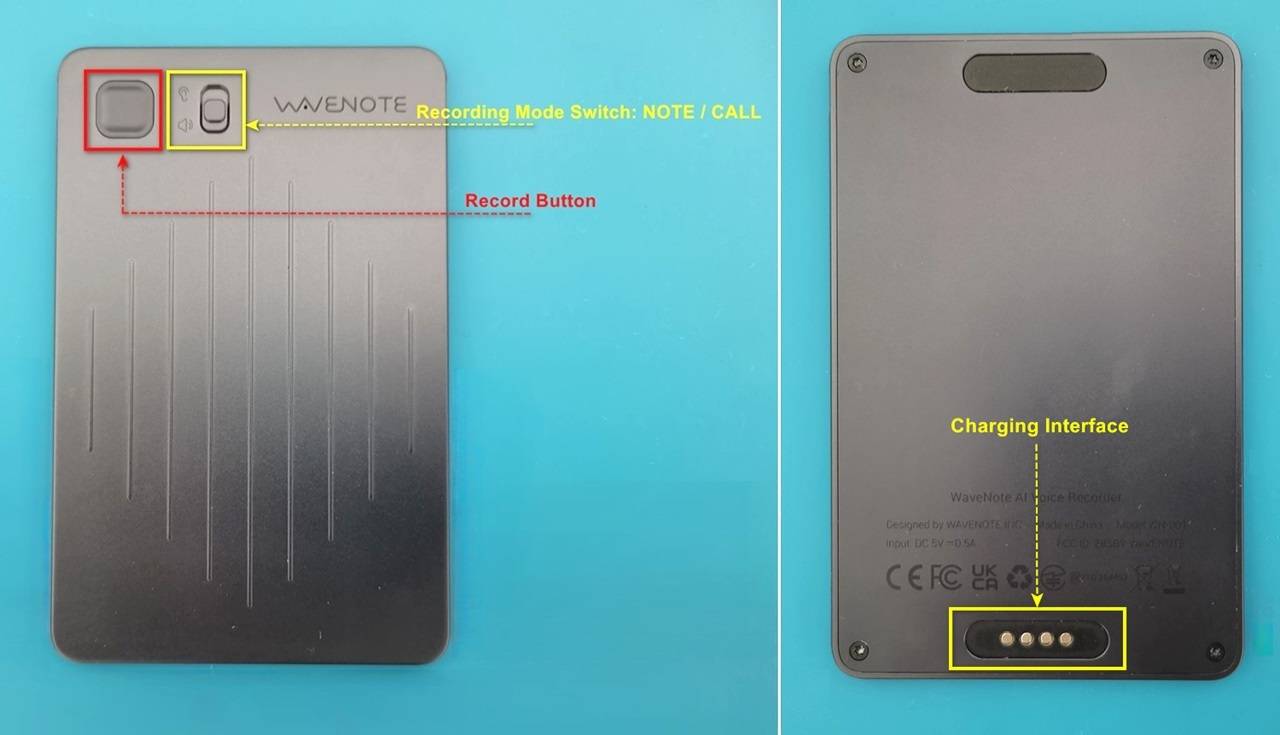
WaveNote Functions
WaveNote Functions

Pairing a smartphone with WaveNote – how it works?

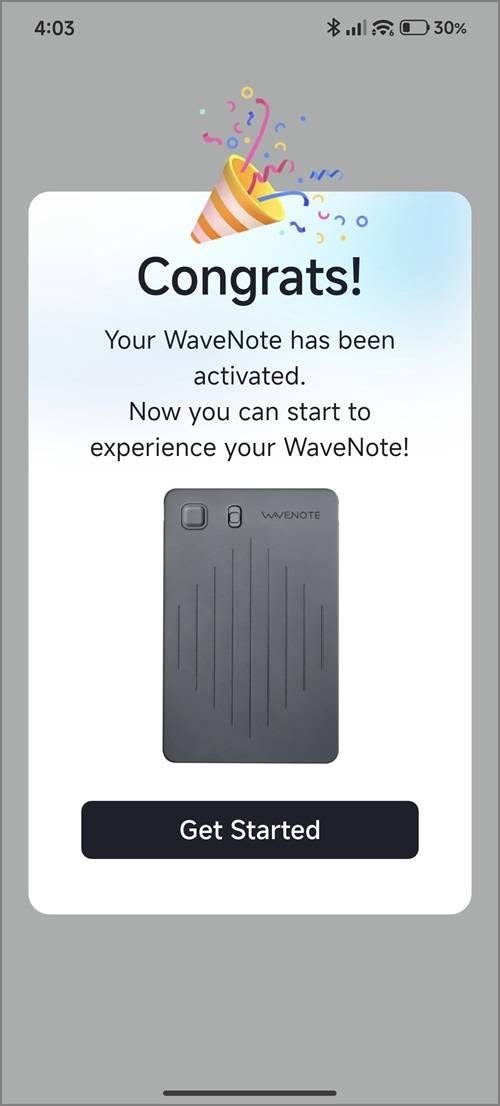
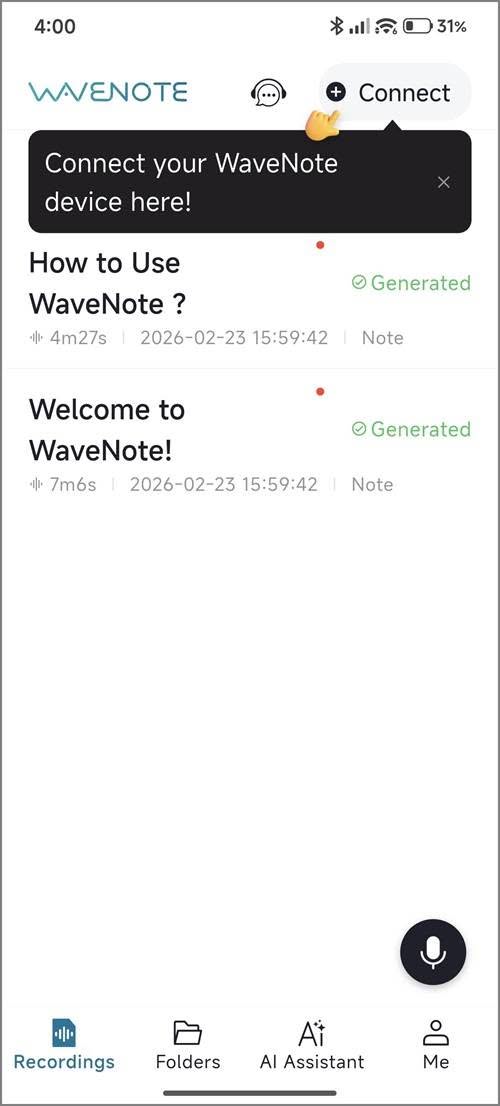
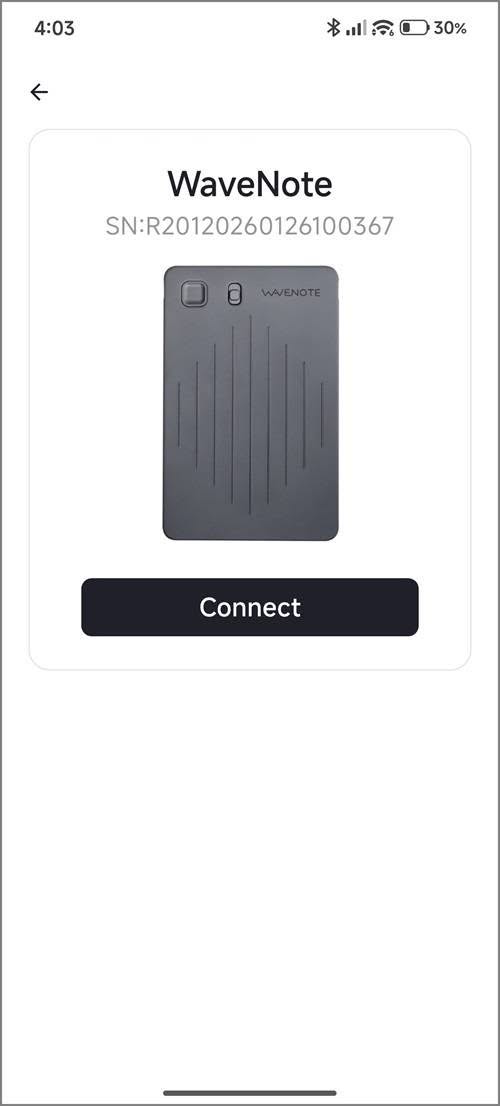
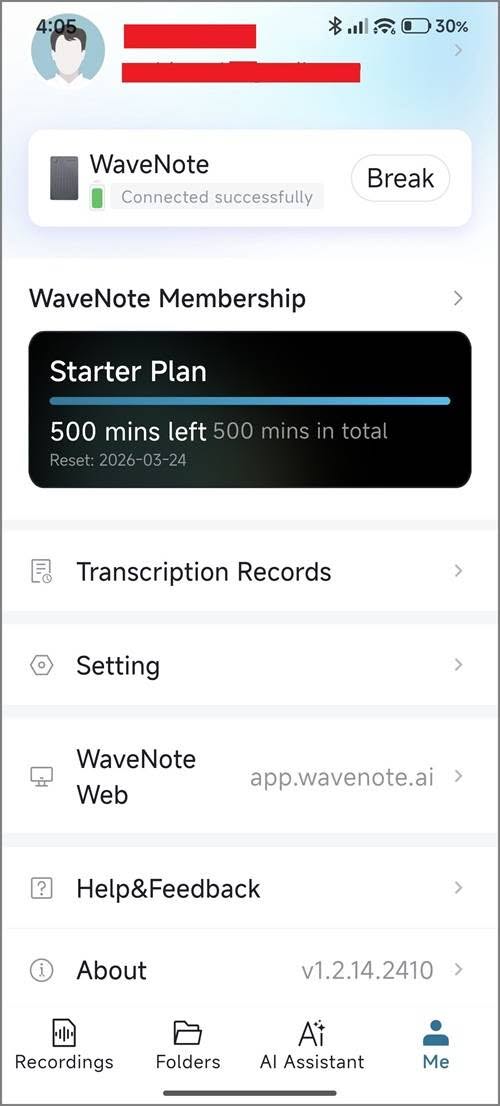
This device seamlessly supports both Apple and Android mobile devices. Once you’ve installed the WaveNoter app, you’ll need to create a new user account and connect your device using the automatic discovery feature within the app. When you subscribe, you’ll be automatically placed into the Starter Plan, which provides 500 minutes of transcription time per month for an entire year.

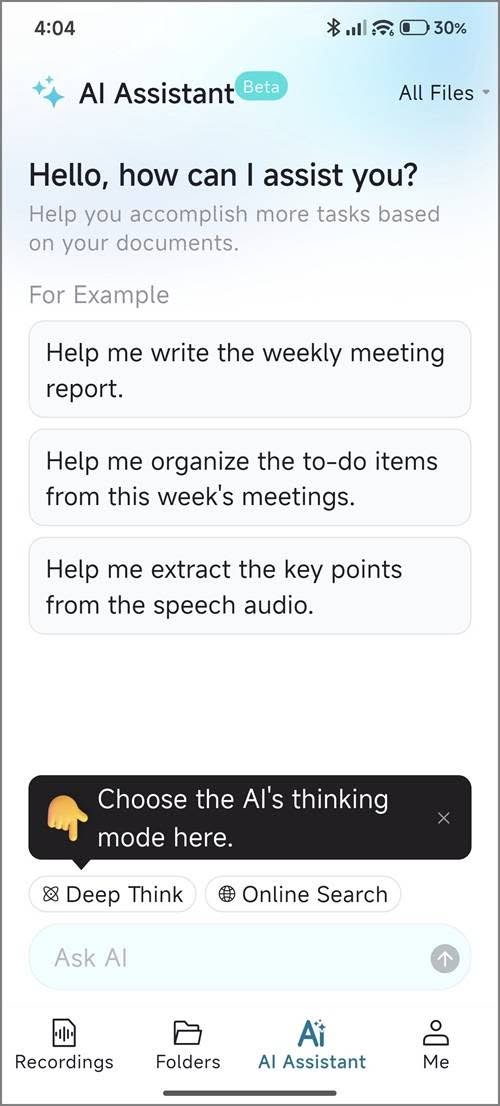
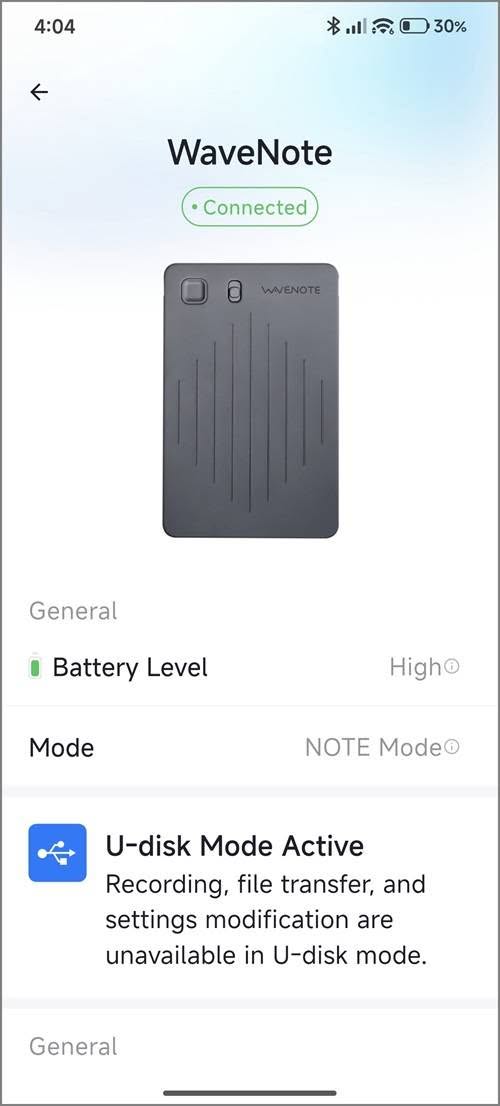
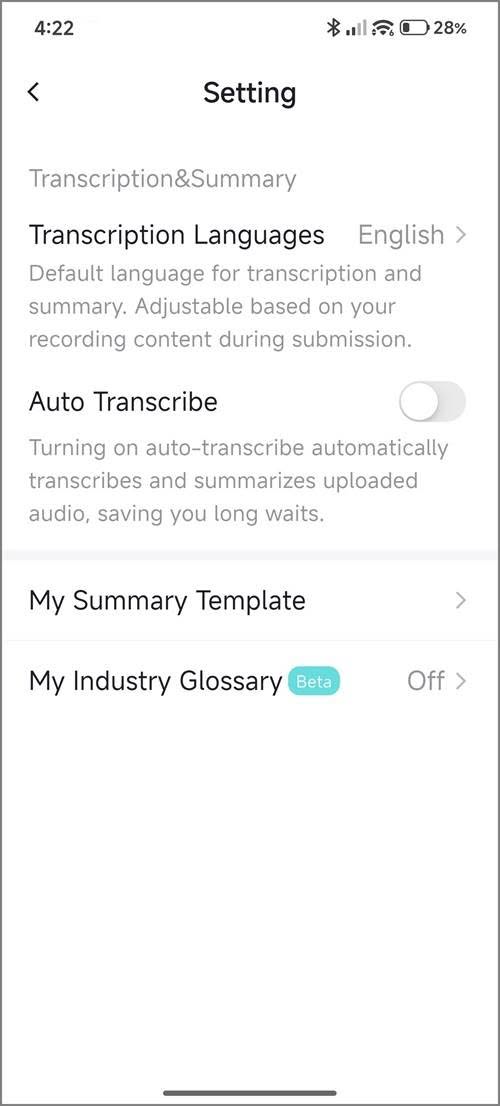
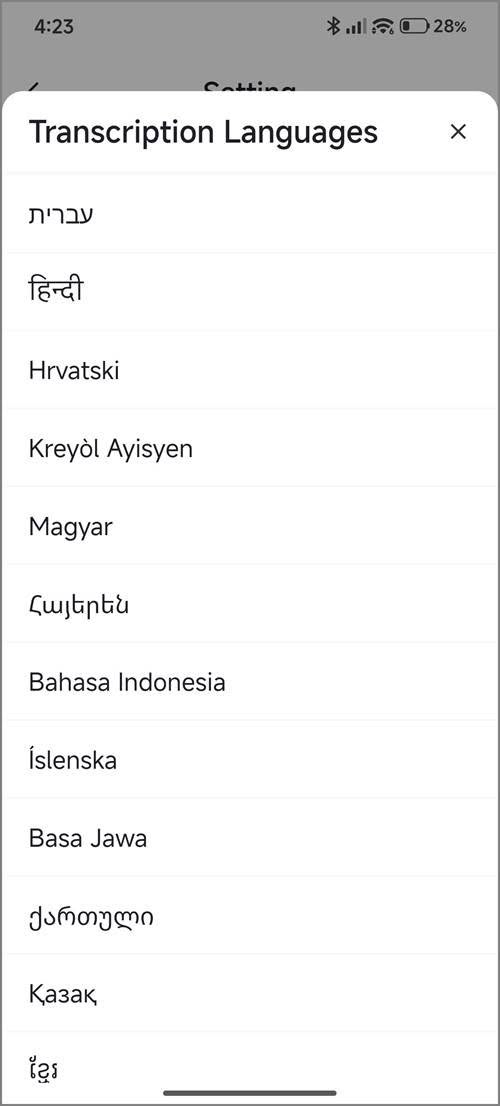
WaveNoter App (Android) – Screenshots
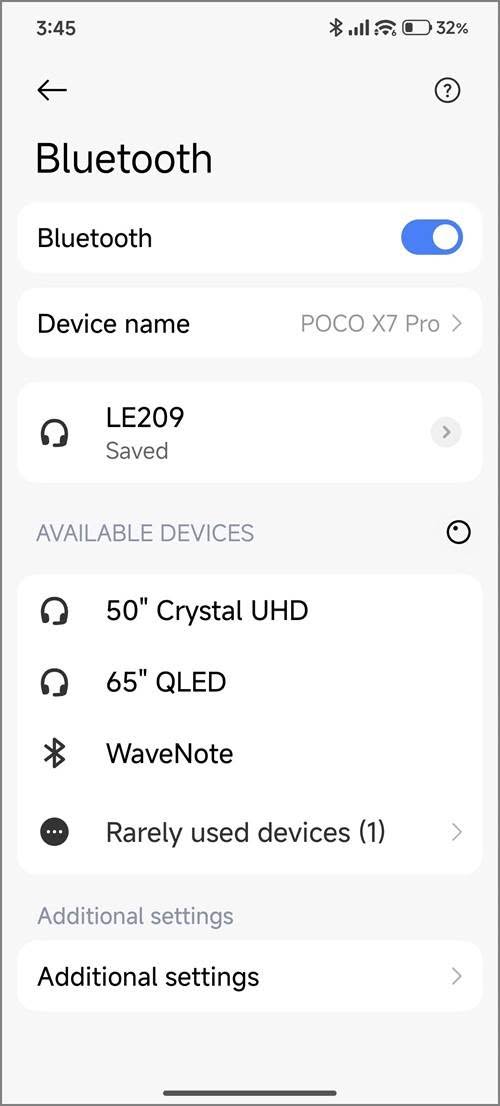
WaveNoter App 1
WaveNoter App – PIC 1
WaveNoter App 2
WaveNoter App – PIC 2
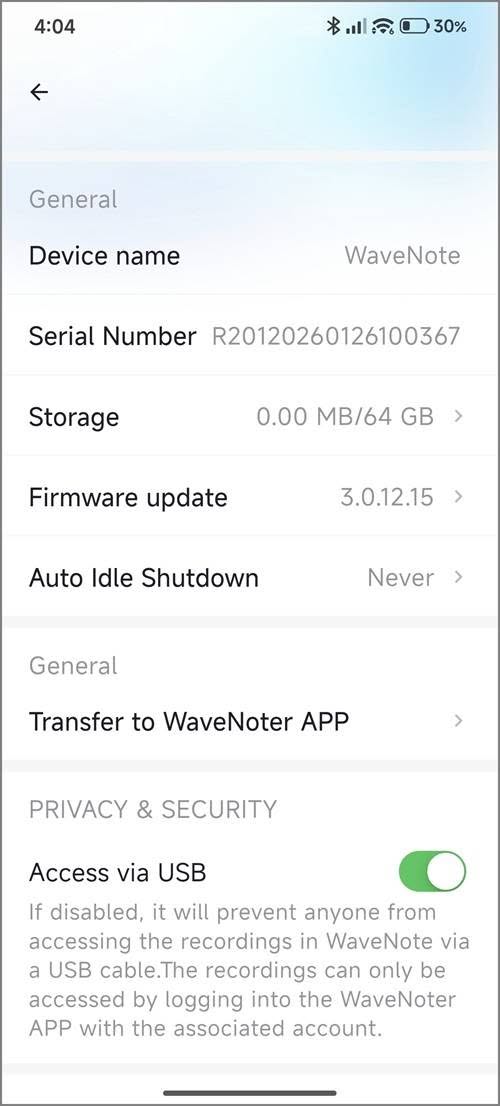
WaveNoter App 3
WaveNoter App – PIC 3
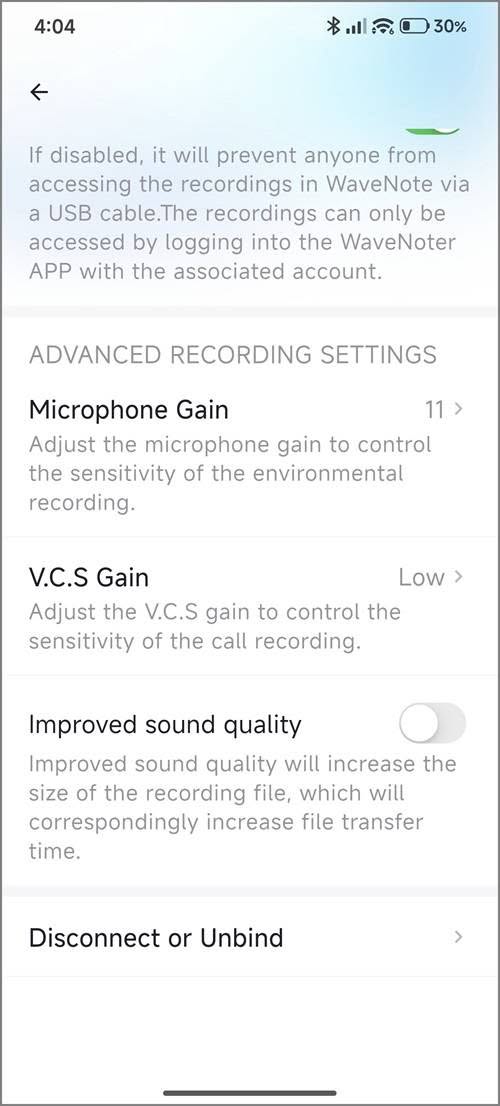
WaveNoter App 4
WaveNoter App – PIC 4
WaveNoter App 5
WaveNoter App – PIC 5
WaveNoter App 6
WaveNoter App – PI C 6
WaveNoter App 7
WaveNoter App – PIC 7
WaveNoter App 8
WaveNoter App – PIC 8
WaveNoter App 9
WaveNoter App – PIC 9
WaveNoter App 10
WaveNoter App – PIC 10
WaveNoter App 11
WaveNoter App – PIC 11

What distinguishes this product as a superior option compared to the Google NotebookLM App?

While NotebookLM provides an exceptional transcription solution, it falls short in one essential area: hardware. For instance, relying on a mobile phone during lectures or meetings can be quite cumbersome. Here are several compelling reasons to prefer this device over a smartphone:

  1. It features advanced background noise filtering and senstivity, making it superior to using a mobile phone.
  2. With its slim and portable design, this device can be effortlessly placed on a table, ensuring a smooth user experience without any interruptions, surpassing the convenience of using a smartphone.
  3. Long Range: Utilizing Bluetooth technology, you can position the device at a distance from your smartphone. This feature is particularly beneficial during lectures when the lecturer is situated far from the students or audience.

Supplementary FAQs

Can I continue to use the device even after reaching my credit limit?

Yes, you will still have access to the voice recording option; however, the transcription and summary features associated with a paid subscription plan will not be available.

Is it possible to use Wavenote App with Google NotebookLM App?

Certainly! Once you save the audio files within the app, you have the option to export them in either WAV or MP3 format. You can then upload these files to the Google NotebookLM app to complete the transcription process.
1 2 3 4 5 6 7 8 9 10
Share. Facebook Twitter Pinterest LinkedIn Tumblr Email
Previous ArticleCamThink NE301 Review: 25 FPS YOLOv8 on STM32 Edge AI
Next Article Top Global AliExpress Promo Worldwide Country Codes June 10, 2026
androidpimp
  • Website

Related Posts

NeoEyes NE301 Review

CamThink NE301 Review: 25 FPS YOLOv8 on STM32 Edge AI

February 19, 2026
WonderLLM Chatbot Module

HiWonder WonderLLM: ESP32-S3 AI Vision & Chatbot Module with 2MP Camera

January 30, 2026
HuskyLens 2 AI Machine Vision sensor

HUSKYLENS 2: DFRobot’s New AI Machine Vision Sensor Unveiled

November 5, 2025
0 0 votes
Article Rating
Subscribe
Notify of
0 Comments
Oldest
Newest Most Voted
PureVPN
PureVPN Ad Banner
VyprVPN – No. 1 in Anonymity
Vyprvpn 350x260
PrivadoVPN – No. 1 in Parental Control
PrivadoVPN 350x437
Recent Posts
  • Orange Pi Zero 3W Review: $25 Dual Video Pi Zero 2W Killer?
  • DFRobot 6.67″ Flexible AMOLED Review: Curved Display for Raspberry Pi & LattePanda
  • Banana Pi BPI-SM10 Review: 60 TOPS RISC-V Jetson Orin Nano Alternative
  • SpacemiT K3 Pico-ITX Review: 60-TOPS RISC-V Powerhouse for LLMs?
  • Banana Pi BPI-R4 Pro Review: The Best WiFi 7 OpenWrt Router? We Checked!
  • DFRobot ESP32-S3 LoRaWAN & Gateway Review: Build a Private IoT Network
  • Top Global AliExpress Promo Worldwide Country Codes June 10, 2026
  • WaveNote AI Review 2026: An Honest Pro/Con Comparison (Tested)
  • CamThink NE301 Review: 25 FPS YOLOv8 on STM32 Edge AI
  • PrivadoVPN Review 2026: Is the Best Free VPN Still Good for Streaming?
RSS The Latest RSS Feeds
  • Orange Pi Zero 3W Review: $25 Dual Video Pi Zero 2W Killer?
  • DFRobot 6.67โ€ณ Flexible AMOLED Review: Curved Display for Raspberry Pi & LattePanda
  • Banana Pi BPI-SM10 Review: 60 TOPS RISC-V Jetson Orin Nano Alternative
Facebook X (Twitter) Instagram Pinterest
@2026 - All Right Reserved. Designed by AndroidPIMP

Type above and press Enter to search. Press Esc to cancel.

Powered by
►
Necessary cookies enable essential site features like secure log-ins and consent preference adjustments. They do not store personal data.
None
►
Functional cookies support features like content sharing on social media, collecting feedback, and enabling third-party tools.
None
►
Analytical cookies track visitor interactions, providing insights on metrics like visitor count, bounce rate, and traffic sources.
None
►
Advertisement cookies deliver personalized ads based on your previous visits and analyze the effectiveness of ad campaigns.
None
►
Unclassified cookies are cookies that we are in the process of classifying, together with the providers of individual cookies.
None
Powered by
wpDiscuz