
Close Menu
    Facebook X (Twitter) Instagram Threads
    Trending
    • Wi-Fi 7 Setup Guide: Banana Pi BPI-R4 OpenWrt & NIC Setup
    • 16 TOPS for $195? The Orange Pi O1 Redefines Budget RISC-V AI
    • Ugoos SK3 Review: The Real NVIDIA Shield Alternative?
    • PrivadoVPN Review 2026: Does the Free Tier Still Work for Streaming?
    • Orange Pi 6 Review: Is It Suitable for Running Local LLMs? We Checked.
    • AliExpress Promo Codes by Country (100% Verified – 10/2026)
    • GL.iNet’s Tiny Mango 2 OpenWrt Router Just Got Gigabit Ethernet & Wi-Fi 5 Support
    • Huawei challenges Nvidia with a new Ascend 960 AI chip
    AndroidPIMP
    Facebook X (Twitter) Instagram
    • Mini PCs & Media Players
    • Embedded
    • Wearables
    • Wireless Routers
    • Edge AI Cameras
    • Tech Accessories
    AndroidPIMP
    Embedded Computers

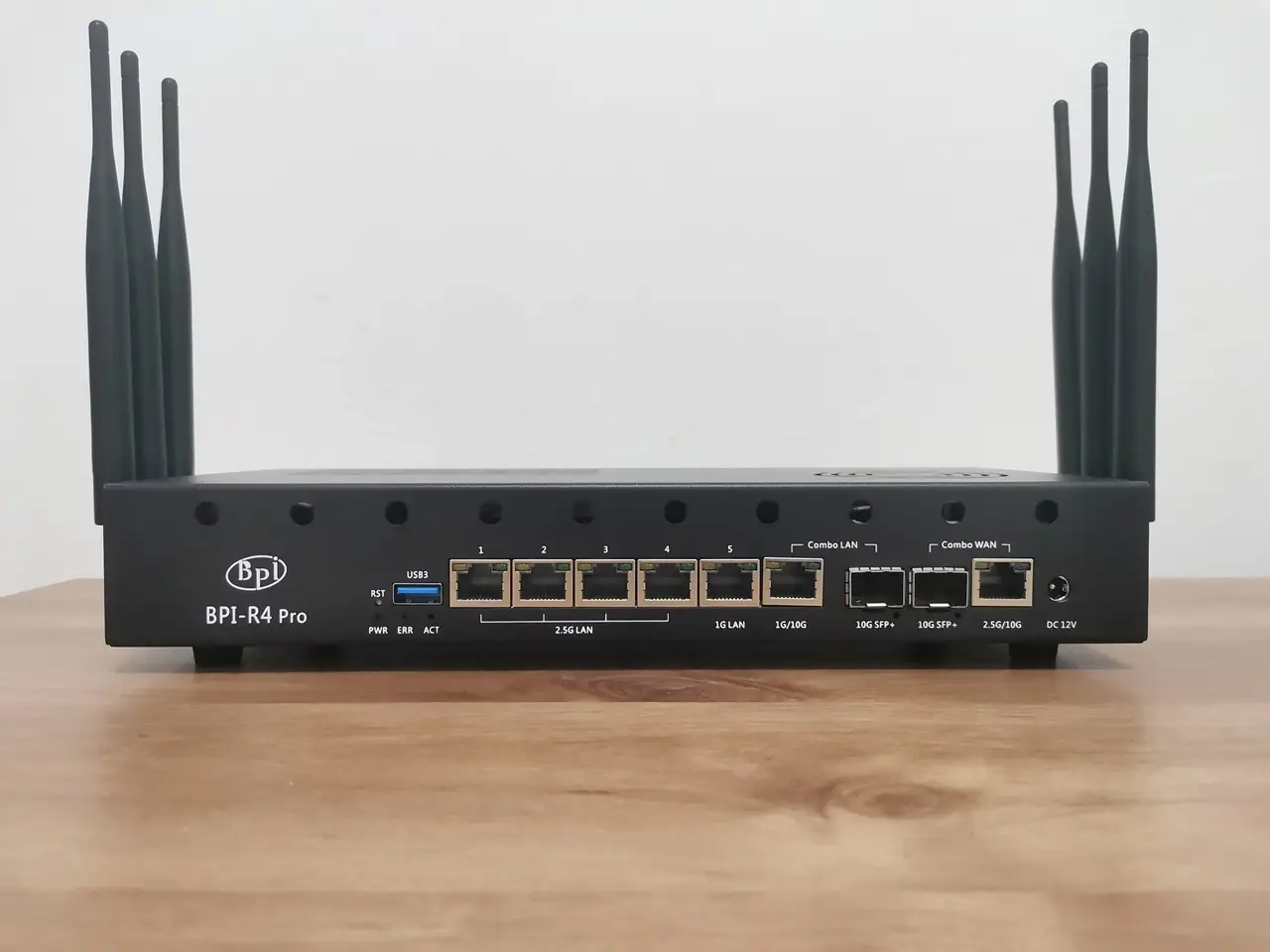
    Banana Pi BPI-R4 Pro Review: The Best WiFi 7 OpenWrt Router? We Checked!

    By androidpimp2026-03-178 Comments31 Mins Read
    Facebook Twitter Pinterest LinkedIn Tumblr Email
    Follow Us
    Google News Flipboard
    Banana bpi r4 pro
    Banana bpi r4 pro
    Skip to Content
    27 min read◈Updated 2026-03-17
    • • Part One: Meet the successor to the R4, the more powerful and advanced BPI-R4 Pro Router Board.
    • • Equipped with the MediaTek Filogic 880 SoC
    • • 1. Enhanced connectivity with WiFi 7 support
    • • 2. Interfaces
    • • 3. Computing power
    • • 4. NPU
    • • 5. Equipped with Tunnel Offloading Processor System (TOPS)
    • • Specifications
    • • Featuring a and improved designNEW
    • • General design updates have been made compared to the previous Banana Pi R4, including an improved case design.
    • • Detailed Overview of the Board Interfaces
    • • Network ports
    • • RT5400 PoE Module (Optional)
    • • Mobile network connectivity
    • • Wi-Fi 6E/Wi-Fi 7 NIC card
    • • BE19 – 4T4R band Wi‑Fi 7 NIC Configuration
    • • Storage Options
    • • Power Supply
    • • Key interfaces
    • • Spec comparison of the Banana Pi BPI-R4 Pro, Lite, and R4.
    • • Typical Applications
    • • Part Two: Banana Pi BPI-R4 Pro Review (Currently being p2UPDATED
    • • Contents of the package p2
    • • A closer look at the BPI R4 Pro board p3
    • • Port names p3
    • • Unboxing the R4 Pro Accessories p4
    • • The Metal Case p5
    • • The components of the case p5
    • • Initial setup p6
    • • Installing an NVMe SSD p6
    • • NVMe stress-testing with fio p6
    • • There’s also a major upgrade if you plan on using NVMe SSDs! p6
    • • Installation experience p6
    • • Installing the side-mounted fans p6
    • • Putting all parts together p6
    • • Do the fans make a lot of noise? p6
    • • Putting all the items together p7
    • • Installing the NIC WiFi 7 Module (BE14) p7
    • • Upgrading to future WiFi NIC modules p7
    • • Arrangement of Wi-Fi antenna cabling p7
    • • Shielding Wi-Fi cables in the most affordable way possible (Optional) p7
    • • Steps: p7
    • • Installing a compatible 5G modem card – what you need to know! p8
    • • The solutions: p8
    • • Cooling the SFP+ modules p8
    • • The final result p8
    • • How to power the R4 Pro p9
    • • Checking the working temperatures p10
    • • Software wise p11
    • • BPI-R4 Pro bootstrap configuration p11
    • • The best choice for now! p11
    • • What image can you use right now? p11
    • • Using AI to build a network configuration that actually works! p11
    • • We gave the official Banana Pi snapshot a test run p11
    • • Ethernet and SFP+ Interfaces p12
    • • Which ports should you use? p12
    • • Final thoughts p13
    • • Banana Pi BPI-R4/Pro Pricing and Availability p14
    • • 🛒 Estimated Amazon Prices for Banana Pi BPI‑R4 / R4 Pro p14
    • • 🛒 Estimated AliExpress Prices for Banana Pi BPI‑R4 / R4 Pro p14
    • • R4 Pro Bundled packages p14
    • • Accessory Pricing Guidelines p14
    • • Key Performance Differences p14
    • • Places to buy! p14
    • • About Banana Pi p14
    Article Completed!

    Related reading

    • Banana Pi BPI-R4 Review: Wi-Fi 7 OpenWrt Router board with dual SFP+ ports
    • OpenWrt One Review: Discover the Futures and Highlights
    • Banana Pi BPI-WiFi6 Mini Router: Start your OpenWrt Mesh network for just $31

    Banana Pi BPI-R4/Pro Pricing and Availability

    The R4 Pro board is now up for grabs on the Banana Pi online store, starting at just $195.00 through their official AliExpress outlets. Keep in mind, this price doesn’t include extras like the metal case or the BPI-R4-NIC-BE14 Wi-Fi 7 NIC.

    🛒 Estimated Amazon Prices for Banana Pi BPI‑R4 / R4 Pro

    ModelPriceMarketplaceNotes
    Banana Pi BPI‑R4 Pro (8X/4E WiFi 7, MT7988A)Price not shown in snippet (Amazon US listing exists)Amazon.comWayPonDEV seller
    Banana Pi BPI‑R4 (WiFi 7, MT7988A)AED 1,621.61Amazon.ae (UAE)Ships in 3–4 weeks
    Banana Pi BPI‑R4 Pro (8X/4E WiFi 7)$299.99 CADAmazon.caWayPonDEV seller
    Banana Pi BPI‑R4 PRO (8GB DDR4 / 8GB eMMC)SAR 1,500.45Amazon.sa (Saudi Arabia)Includes VAT

    🛒 Estimated AliExpress Prices for Banana Pi BPI‑R4 / R4 Pro

    (Please note that the following prices from Amazon and AliExpress are subject to change)

    ModelPrice (USD)Notes
    Banana Pi BPI‑R4 Pro (WiFi7 / MT7988A)$252–$258High‑end router board, WiFi 7 capable
    Banana Pi BPI‑R4 Pro (8GB DDR4 / 8GB eMMC)Varies by sellerPrice not returned in structured search
    Banana Pi BPI‑R4 (Standard)$87.4326% discount listed
    Banana Pi BPI‑R4 (RU sellers)$82–$150Converted from RUB listings

    R4 Pro Bundled packages

    Bundle NamePackage ContentsPrice
    Bundle13x Heat Sink
    1x USB TTL Adapter
    1x 12V 5A Power Supply Adapter
    1x Banan Pi R4 Pro board
    $233.00
    Bundle23x Heat Sink
    1x USB TTL Adapter
    1x 12V 5A Power Supply Adapter
    1x Banan Pi R4 Pro board
    1x Metal Case
    1x Cooling Fan
    $263.00
    Bundle31x USB TTL Adapter
    3x Heat Sink
    1x 12V 5A Power Supply Adapter
    6x Wi-Fi antennas
    1x Banan Pi R4 Pro board
    1x WIFI 7 BE14 NIC Module
    1x Metal Case
    1x Cooling Fan
    $354
    Bundle41x USB TTL Adapter
    3x Heat Sink
    1x 12V 5A Power Supply Adapter
    6x Wi-Fi antennas
    1x Banan Pi R4 Pro board
    1x WIFI 7 BE14 NIC Module
    1x Cooling Fan
    $323

    Accessory Pricing Guidelines

    • WiFi 7 Module (BPI-R4-NIC-BE14): Typically costs $70.00 on its own, though third-party sellers may list it up to $95.72.
    • Metal Enclosure: Ranges from $21.13 to $33.80 depending on the specific shell design (Iron vs. Aluminum).
    • Power Adapter (12V/5A): Essential for high-power WiFi modules; often included in “Finished Sets” for roughly $190.00 total. 

    Key Performance Differences

    The Pro model differs from the standard Banana Pi BPI-R4 mainly due to its enhanced memory and port configuration:

    • RAM: The Pro features 8GB DDR4, doubling the standard R4’s 4GB.
    • Networking: It maintains the high-end MediaTek MT7988A (Filogic 880) CPU but offers specific 8X configurations with up to 7x RJ45 ports (mix of 10G/2.5G/GbE) alongside the 2x 10GbE SFP+ cages. 

    Places to buy!
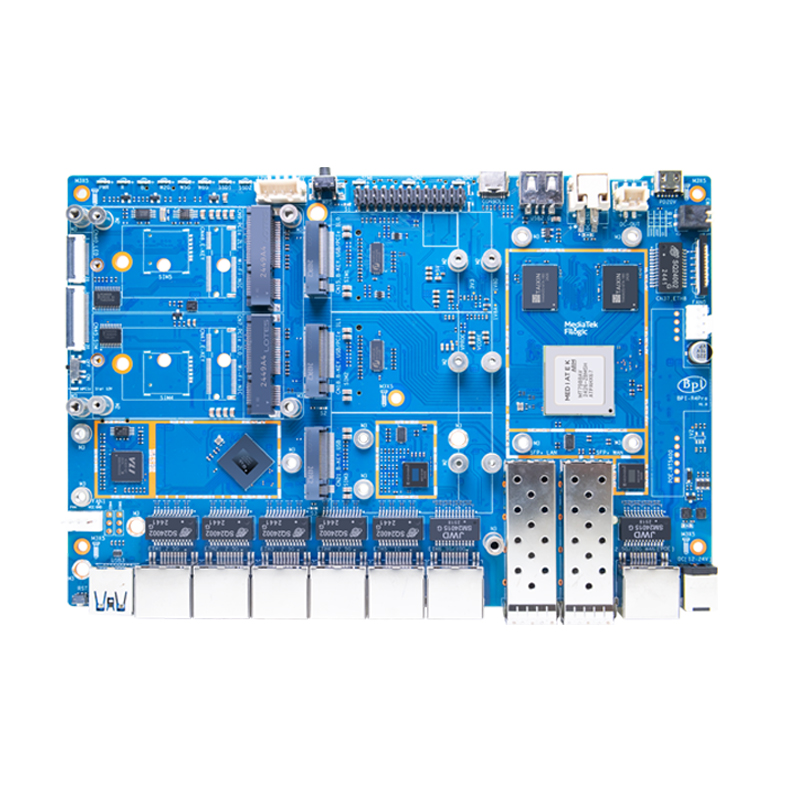
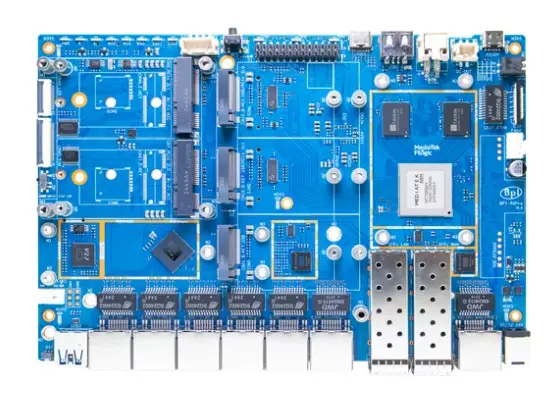
    Banana Pi BPI-R4Pro Best Value
    Banana Pi Store (Official online store)
    $195.00
    Buy Now
    Read full review

    Banana Pi BPI-R4 Pro

    Banana Pi AliExpress Store (Official)
    $214.00
    N/A
    This site contains affiliate links to products. We may receive a commission for purchases made through these links.

    About Banana Pi

    Banana Pi is a brand of open-source single-board computers (SBCs) and hardware, made by Shenzhen SINOVOIP Company. Often compared to Raspberry Pi, they focus on providing versatile, open hardware for developers and hobbyists.

    Their products include:

    • SBCs: Various models with different processors (ARM, RISC-V) and features.
    • Smart Routers: Like the BPI-R4 Pro, featuring Wi-Fi 6/7, 10GbE, and OpenWrt support.
    • AI & IoT Boards: Designed for specialized applications.

    They support diverse operating systems (Linux, Android) and also offer OEM/ODM services for custom solutions.

    1 2 3 4 5 6 7 8 9 10 11 12 13 14
    Share. Facebook Twitter Pinterest LinkedIn Tumblr Email
    Previous ArticleDFRobot ESP32-S3 LoRaWAN & Gateway Review: Build a Private IoT Network
    Next Article SpacemiT K3 Pico-ITX Review: 60-TOPS RISC-V Powerhouse for LLMs?
    androidpimp
    • Website

    0 0 votes
    Article Rating
    Subscribe
    Notify of
    8 Comments
    Oldest
    Newest Most Voted
    Miles
    1 year ago

    It is already on presale.

    0
    Reply
    Author
    androidpimp
    1 year ago
    Reply to  Miles

    Yes, I know, thank you.

    0
    Reply
    LP
    1 year ago

    Hi, the main problem about the BPI R4 is its BE14 Wifi NIC (6 antennas and many shielding/noise problems).
    In your pictures, we can clearly see the new BE19 NIC with 14 antennas: did you test it? Is it going to be released to the public this year? Thank you!

    0
    Reply
    Author
    androidpimp
    1 year ago
    Reply to  LP

    HI. Not yet, but from what I’ve heard, it should officially be released in a few weeks.

    0
    Reply
    LP
    1 year ago
    Reply to  androidpimp

    Thank you so much! Will you make a new post when the BE19 will be out? Did you have the R4 Pro for testing or these are just info from the company?

    0
    Reply
    Author
    androidpimp
    1 year ago
    Reply to  LP

    Not yet, but I’ll probably test the R4 Pro and the Wi-Fi expansion board and review them once both are ready and available.
    For now, it’s just general news info.

    0
    Reply
    simonhayteruk
    7 months ago

    Great write up worth adding the battery is uses the ML1220 as you have correctly used instead of the CR1220 because the board features a tickle charge, but what’s more important to note, is that tickle is 3.3v to 3.4v, the ML1220s nominal is 3v, charged it’s around 3.35v, which is 0.35v higher than a CR1220. The BPI team lists the No 42 as CR1220 but it’s important to note thier POS is wrong. The other thing, you mention the battery keeps certain boot options, while this is true for a PCs, it’s untrue for the BPI, the only function… Read more »

    0
    Reply
    Author
    androidpimp
    7 months ago
    Reply to  simonhayteruk

    Thank you for providing the information; it’s greatly appreciated.

    0
    Reply
    Categories
    PureVPN
    PureVPN Ad Banner
    PrivadoVPN – No. 1 in Parental Control
    PrivadoVPN 350x437
    Recent Posts
    • Wi-Fi 7 Setup Guide: Banana Pi BPI-R4 OpenWrt & NIC Setup
    • 16 TOPS for $195? The Orange Pi O1 Redefines Budget RISC-V AI
    • Ugoos SK3 Review: The Real NVIDIA Shield Alternative?
    • PrivadoVPN Review 2026: Does the Free Tier Still Work for Streaming?
    • Orange Pi 6 Review: Is It Suitable for Running Local LLMs? We Checked.
    • AliExpress Promo Codes by Country (100% Verified – 10/2026)
    • GL.iNet’s Tiny Mango 2 OpenWrt Router Just Got Gigabit Ethernet & Wi-Fi 5 Support
    • Huawei challenges Nvidia with a new Ascend 960 AI chip
    • LattePanda Mu Ultra Debuts with Intel Lunar Lake & 115 TOPS AI Power
    • Orange Pi Zero 4 Review: Is This $26 Micro SBC a Raspberry Pi Killer?
    RSS feed: The Latest RSS Feeds The Latest RSS Feeds
    • Banana Pi BPI-R4 OpenWrt Setup & Wi-Fi 7 Guide
    • 16 TOPS for $195? The Orange Pi O1 Redefines Budget RISC-V AI
    • Ugoos SK3 Review: The Real NVIDIA Shield Alternative?
    Facebook X (Twitter) Instagram Pinterest
    @2026 - All Right Reserved. Designed by AndroidPIMP

    Type above and press Enter to search. Press Esc to cancel.

    . wpDiscuz
